logo elektroda
logo elektroda
X
logo elektroda

Connecting Cyfral Smart-D CC 2000 Intercom with Laskomex CD 2500 Control Unit: Setup & Wiring

zegnallo 8388 18
Best answers

How do I connect a Cyfral Smart-D CC 2000 uniphone to a Laskomex CD 2500 intercom and set the jumpers for apartment 1?

Set the uniphone jumpers so their numeric sum matches the apartment number, so for apartment 1 you should fit only jumper 1, and set the rest of the configuration as for “Other” rather than Cyfral [#17302541] ZW2, ZW5 and ZW6 must also be set according to the “Other” column in the table, and ZW6 has an “or” option, so you may need to try both positions [#17302828] After these jumper settings were applied, the installation worked [#17303664]
Generated by the language model.
ADVERTISEMENT
Treść została przetłumaczona polish » english Zobacz oryginalną wersję tematu
  • #1 17302420
    zegnallo
    Level 9  
    Posts: 20
    Rate: 9
    Hello.
    I bought a new Cyfral smart-d cc 2000 intercom. The control unit ... intercom or what to call it ... next to the block cage is Laskomex cd 2500. My apartment number is 1 if needed.
    Will anyone suggest how to connect a new intercom and set the jumpers accordingly?
    Two cables were connected in the old intercom, brown to L- and green to L +, so I guess it will be the same here. The cables that still come out are gray, yellow and orange.
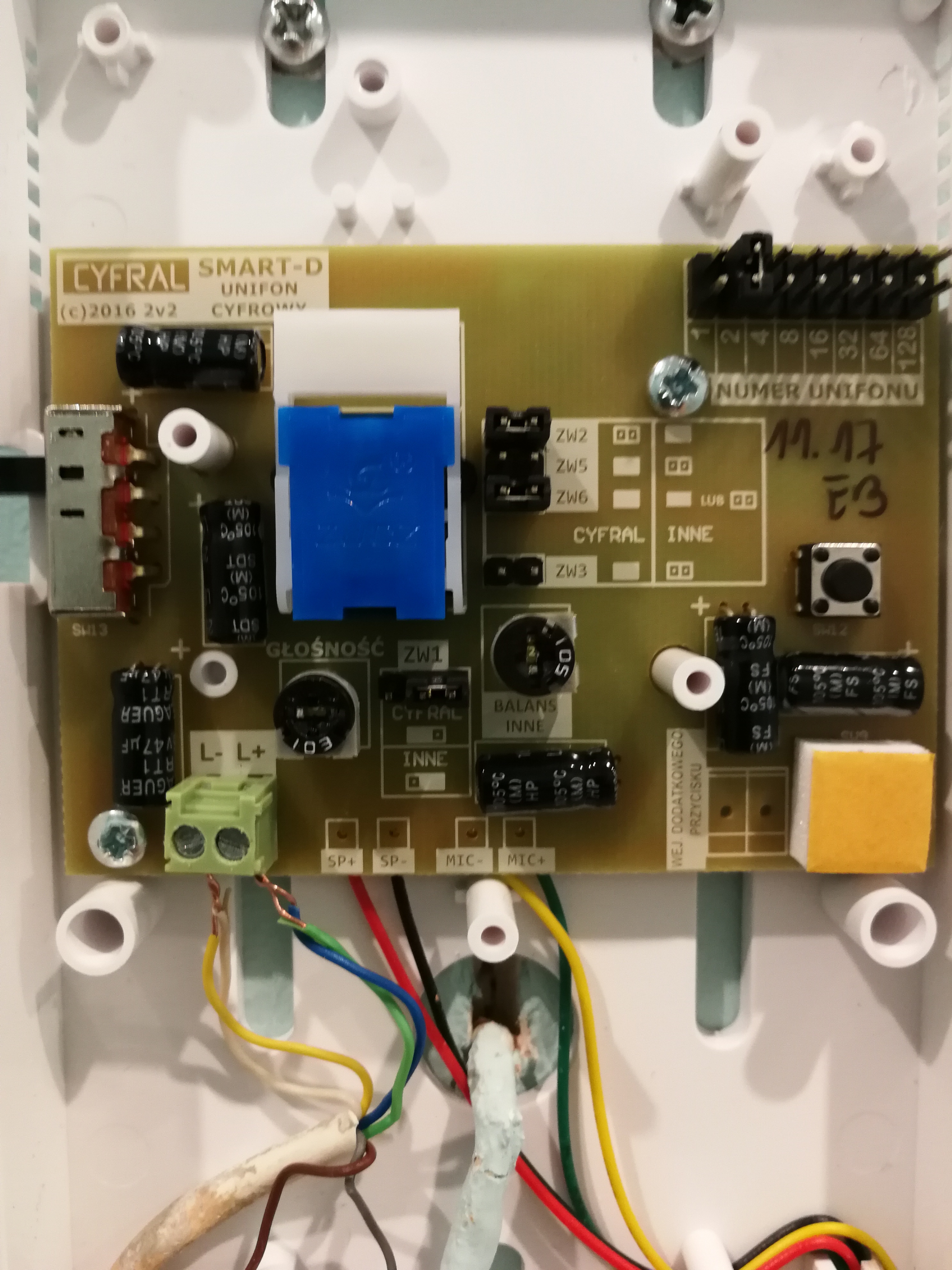
    Photo of the new intercom
    https://naforum.zapodaj.net/c42cc9583c50.jpg.html
  • ADVERTISEMENT
  • #2 17302514
    Anonymous
    Anonymous  
  • #3 17302530
    zegnallo
    Level 9  
    Posts: 20
    Rate: 9
    So the jumper on 1, where is the uniphone number? It doesn't work like that. It rings when there is no jumper but it is impossible to open the door. In addition, there was some error on the cage intercom and it did not respond ... I think it was displaying er-2 as I remember correctly
  • Helpful post
    #4 17302541
    zybex
    Helpful for users
    Posts: 15888
    Help: 2093
    Rate: 2916
    The sum of the weight of the jumpers should be the same as the apartment number. In your case, there should be only one jumper on 1. For example, apartment number 15 requires four jumpers, ie 1 + 2 + 4 + 8.
    Except for this one jumper No. 1, you need to set the other jumpers as described on the board.
    You just need to set the jumpers as for "Other", because you do not have the Cyfral control unit.
  • ADVERTISEMENT
  • #5 17302781
    zegnallo
    Level 9  
    Posts: 20
    Rate: 9
    So one jumper for 1 uniphone number, one for ZW3 and one to the left for ZW1 yes?
  • Helpful post
    #6 17302828
    zybex
    Helpful for users
    Posts: 15888
    Help: 2093
    Rate: 2916
    ZW2, ZW5 and ZW6 are also in the table, where the left side is the Cyfral system and the right side is the other. These must also be set as described.
    Note that the ZW6 says "or" so you have to try both options.
  • #7 17302929
    terminux
    Level 23  
    Posts: 986
    Help: 23
    Rate: 166
    And what number (number of jumpers and their position) did you have in the old, original uniphone?
  • ADVERTISEMENT
  • #9 17303307
    zybex
    Helpful for users
    Posts: 15888
    Help: 2093
    Rate: 2916
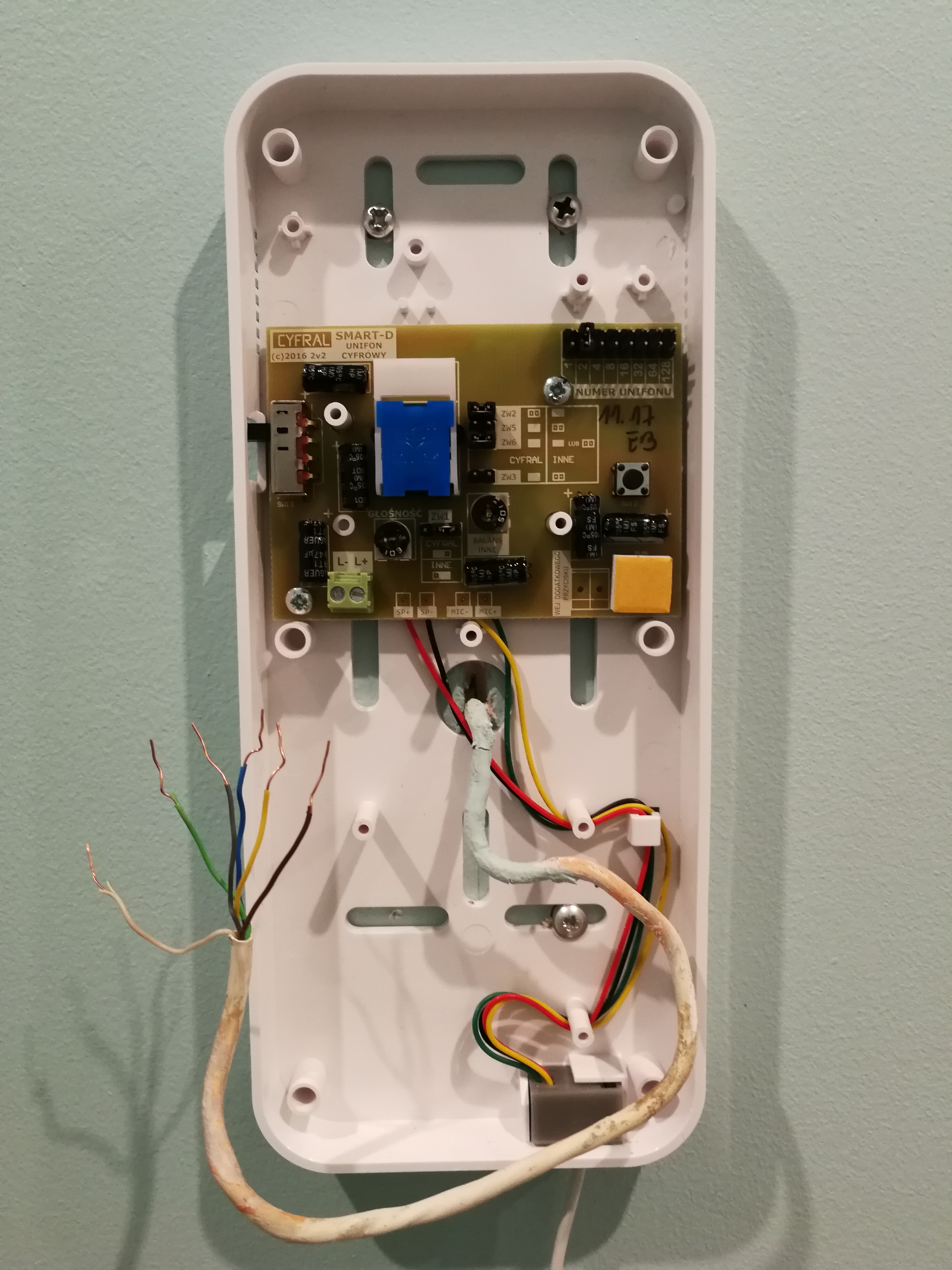
    In this photo you can see pins 2 through 128 and there is no jumper on any of them. Probably there was only one on the "1" and this one is not visible.
    In the new one I also noticed (apart from the configuration jumpers) the "Balans - other" potentiometer. Probably sometimes you still need to select the sensitivity of the microphone so that there is no feedback. This is how the manufacturer wants the uniphone to also fit other systems.
  • #10 17303664
    zegnallo
    Level 9  
    Posts: 20
    Rate: 9
    Everything works.
    Thank you for your help.
  • #11 17338499
    Wojciech_1988
    Level 2  
    Posts: 2
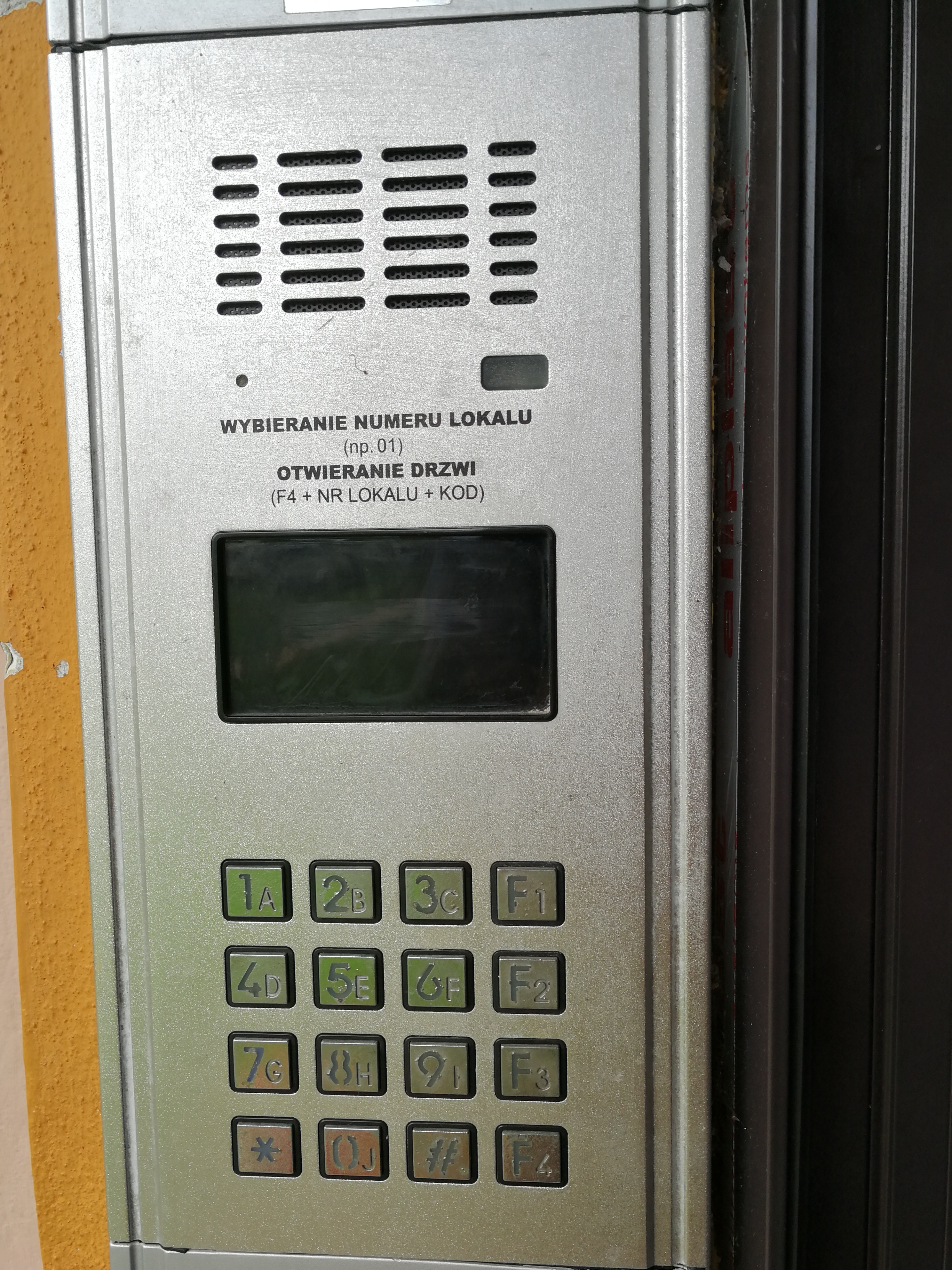
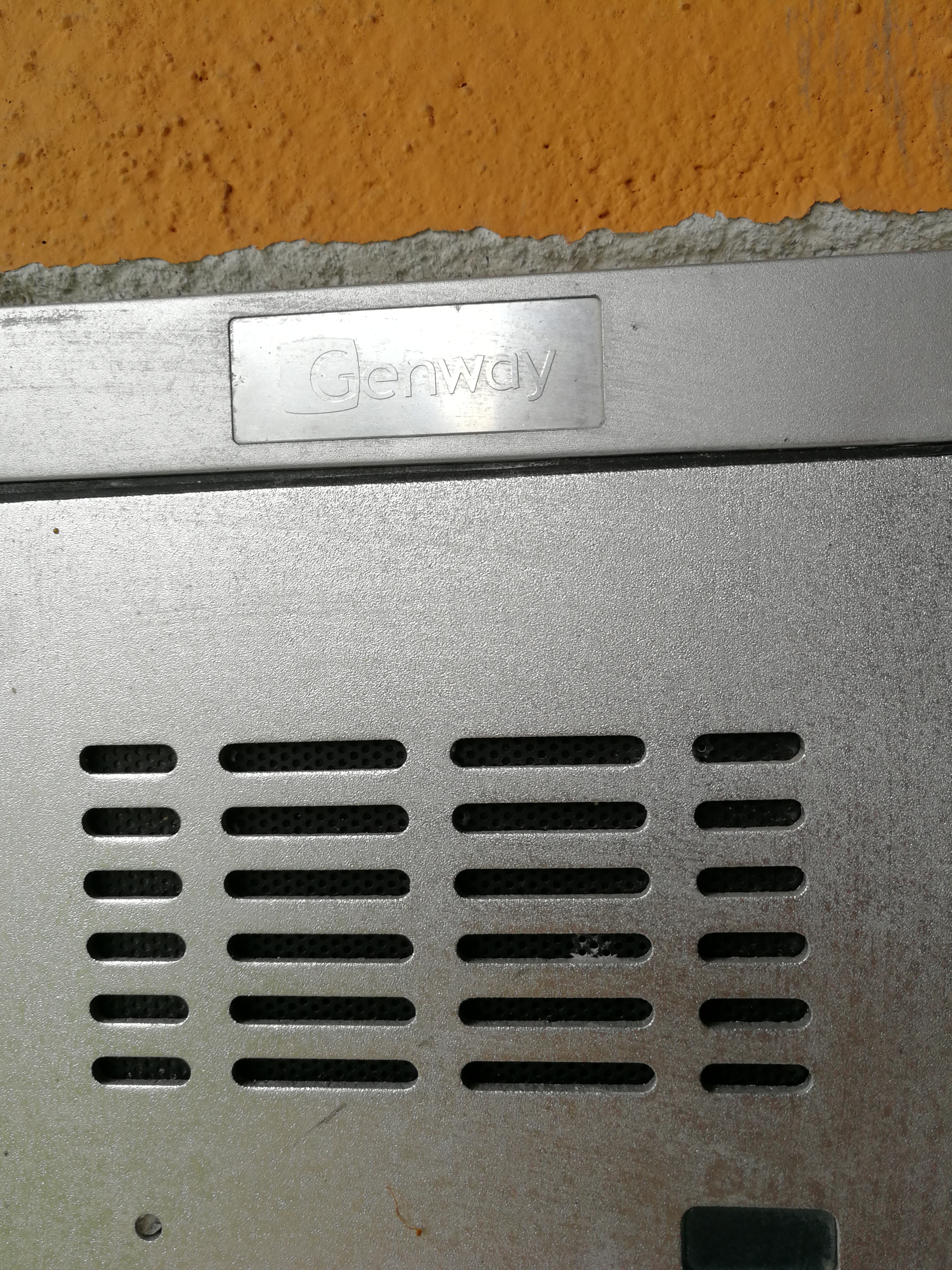
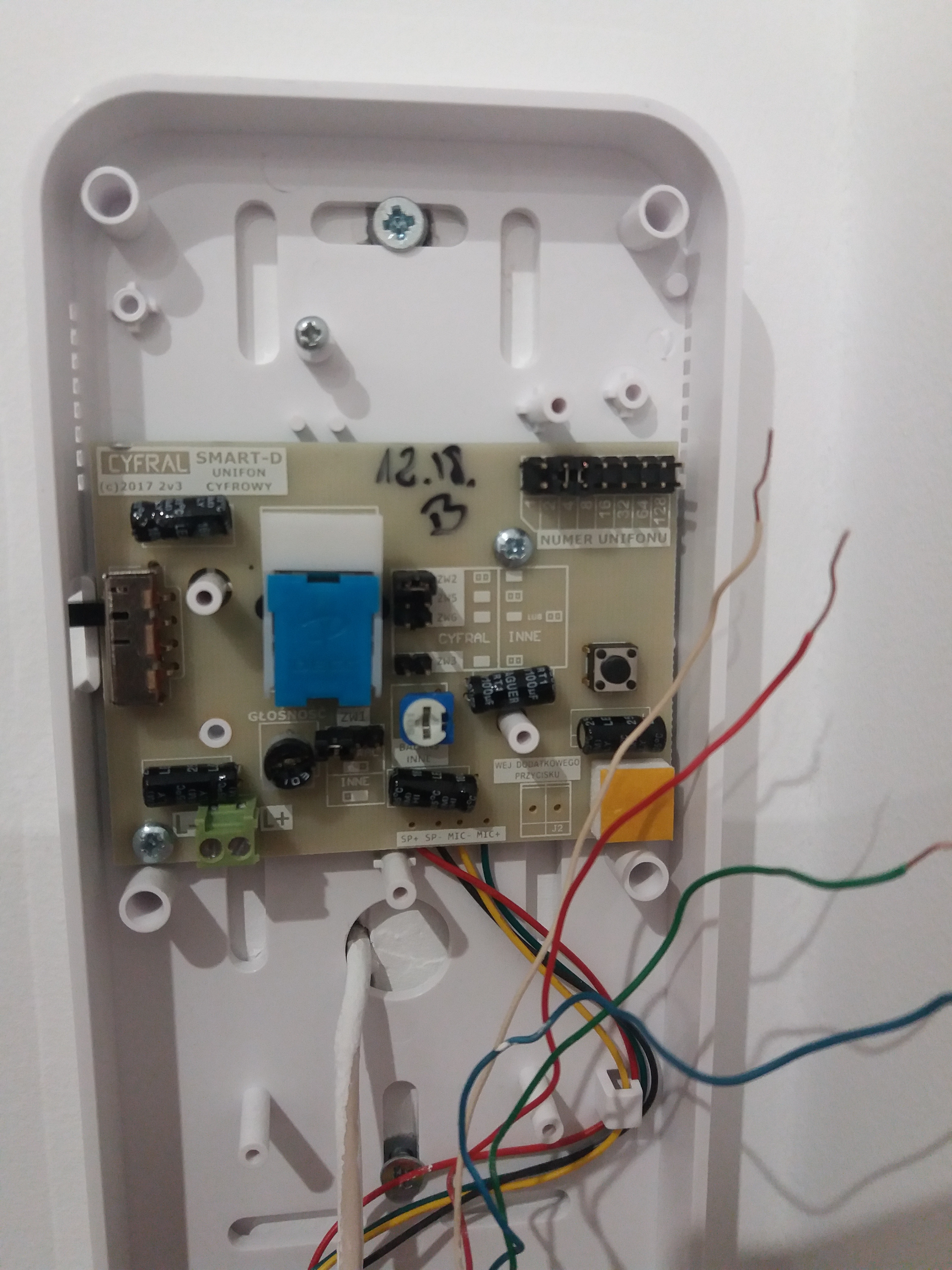
    Hello, I will stick to the topic if it's not a problem. So I bought the Cyfral smart-d CC-2000 intercom, it is connected to the Genway cage intercom. The connection and setting of the jumpers are shown in the pictures. The problem is that the cage intercom generates a signal, but you cannot hear anything inside the apartment in the Cyfral intercom. Silence, deaf, nothing, no response, whether the handset is on-hook or off-hook, nothing is happening. I connected the Cyfral by eye because the old intercom was damaged during the renovation. Can anyone help me? Connecting Cyfral Smart-D CC 2000 Intercom with Laskomex CD 2500 Control Unit: Setup & Wiring Connecting Cyfral Smart-D CC 2000 Intercom with Laskomex CD 2500 Control Unit: Setup & Wiring Connecting Cyfral Smart-D CC 2000 Intercom with Laskomex CD 2500 Control Unit: Setup & Wiring Connecting Cyfral Smart-D CC 2000 Intercom with Laskomex CD 2500 Control Unit: Setup & Wiring
  • #12 17338519
    zybex
    Helpful for users
    Posts: 15888
    Help: 2093
    Rate: 2916
    Check the polarity of the connection. Perhaps you have swapped cables. When looking at their colors, it should be the opposite (logically). Besides, you also have a ZW6 jumper which has the "or" option. But first check this polarity. The ideal would be to measure with a voltmeter where is plus and minus.
  • #13 17338607
    karl102
    Level 28  
    Posts: 867
    Help: 106
    Rate: 264
    I do not think that this uniphone could be connected to Genway.
    A completely different philosophy of the system.
    The fact that the control panel has a numeric keypad does not mean that the installation is "digital".
  • ADVERTISEMENT
  • #14 17338904
    Ircys
    Intercoms specialist
    Posts: 6933
    Help: 1334
    Rate: 2053
    karl102 wrote:
    I do not think that this uniphone could be connected to Genway.
    A completely different philosophy of the system.
    The fact that the control panel has a numeric keypad does not mean that the installation is "digital".


    I confirm, Cyfral does not fit here.
    This is where the Genway WL-02NLFD uniphone fits.

    greetings
  • #15 17338983
    zybex
    Helpful for users
    Posts: 15888
    Help: 2093
    Rate: 2916
    Wojciech_1988 wrote:
    I bought the Cyfral smart-d CC-2000 intercom ...

    I did not pay attention to it, because I thought you knew what uniphone fits your system (e.g. you suspected your neighbor or asked in the administration). In any case, my advice was of no use.
  • #16 17341808
    Wojciech_1988
    Level 2  
    Posts: 2
    Unfortunately, the change of polarity did not help. Playing with jumpers (various solutions) also did not help. I took a Uniphone from a neighbor (no company) but I guess that when the administration set up an intercom, the residents installed Uniphones from Genway, and it worked the first time. Also, thank you for trying to help and I'm going to get a new uniphone.
  • #17 17746684
    G.House
    Level 1  
    Posts: 1
    Hello. I am asking for help in connecting a new Cyfral uniphone, model smart-d cc2000.
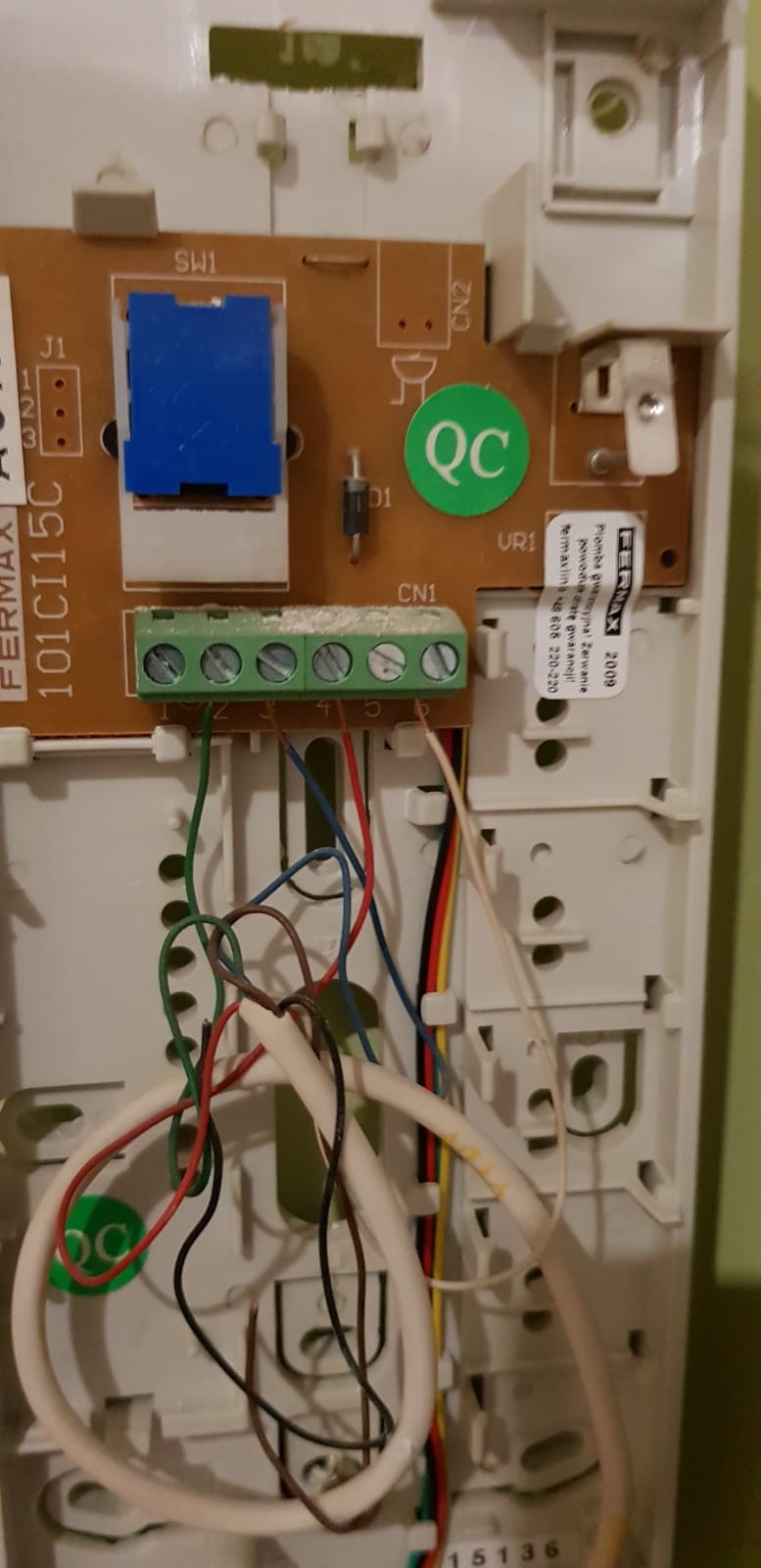
    In the photo I enclose the connection of the old Fermax 101CI15C uniphone and the new uniphone without connection.
    Apartment No. 6 Connecting Cyfral Smart-D CC 2000 Intercom with Laskomex CD 2500 Control Unit: Setup & Wiring Connecting Cyfral Smart-D CC 2000 Intercom with Laskomex CD 2500 Control Unit: Setup & Wiring
  • #18 17746689
    zybex
    Helpful for users
    Posts: 15888
    Help: 2093
    Rate: 2916
    The old uniphone is for analog multi-core systems, and the new one is for digital systems. They cannot be used interchangeably.
  • #19 17746696
    terminux
    Level 23  
    Posts: 986
    Help: 23
    Rate: 166
    You can not do it. You bought a handset for a digital system and the installation is analog. You have to exchange what you bought for an analog one.

Topic summary

✨ The discussion revolves around connecting the Cyfral Smart-D CC 2000 intercom to the Laskomex CD 2500 control unit. The user seeks guidance on wiring and jumper settings, noting previous connections with an old intercom. Responses highlight the importance of setting the correct jumpers based on the apartment number and ensuring proper polarity in the wiring. Users also mention compatibility issues, indicating that the Cyfral intercom may not work with certain systems like Genway, and emphasize the need for matching systems (analog vs. digital). Ultimately, the user successfully connects the intercom after following the provided advice.
Generated by the language model.

FAQ

TL;DR: Example: apartment 15 uses 4 jumpers (1+2+4+8), and "The sum of the weight of the jumpers should be the same as the apartment number." Wire L- / L+, set 'Other' jumpers, and try ZW6 both ways. For residents wiring a Cyfral CC‑2000 to Laskomex CD‑2500 or checking compatibility. [Elektroda, zybex, post #17302541]

Why it matters: You’ll avoid silent calls, error codes, and doors that won’t unlock after ringing.

Quick Facts

Which terminals do I connect when replacing with a Cyfral smart-d CC‑2000?

Use the same two bus conductors. Connect L‑ to the wire that was on L‑ (e.g., brown) and L+ to the wire that was on L+ (e.g., green) in your old unit. The CC‑2000 uses only L‑ and L+ on a two‑wire bus. Leave any extra conductors isolated and secured. [Elektroda, zegnallo, post #17302420]

How do I set my apartment number on the CC‑2000?

Fit jumpers whose numeric weights add to your flat number. For apartment 1, fit only “1.” For apartment 15, fit 1+2+4+8. "The sum of the weight of the jumpers should be the same as the apartment number." How‑To: 1. Locate pins 1, 2, 4, 8, … 2. Add values to reach your number. 3. Place jumpers on those values, then test. [Elektroda, zybex, post #17302541]

Which system jumpers (ZW…) should I use with a Laskomex CD‑2500?

Set the CC‑2000 for “Other” (non‑Cyfral) per the on‑board table. Configure ZW2, ZW5, and ZW6 to the right‑hand column. ZW6 is marked “or,” so try both positions and keep the one that gives proper audio and control. This aligns signaling with the Laskomex bus. [Elektroda, zybex, post #17302828]

The panel rings but the door won’t open — how do I fix it?

Assign the correct address using the jumper sum, then set the remaining configuration jumpers for “Other.” A missing address or wrong profile can allow ringing while blocking call control and door release. After setting the address and system options, retest ringing, talkback, and unlock. [Elektroda, zybex, post #17302541]

I see “ER‑2” on the panel during setup — what does it imply?

That error appeared when the handset lacked the correct address jumper. In the reported case, it rang without the jumper but would not open the door. Add the proper apartment jumper and system settings, then test again. [Elektroda, zegnallo, post #17302530]

How do I verify polarity and what happens if L+ / L‑ are reversed?

Measure the two bus wires with a voltmeter to identify plus and minus. If you reverse L+ and L‑ at the CC‑2000, you may get complete silence even though the panel signals. Correct the polarity and, if audio still fails, try the alternate ZW6 position. [Elektroda, zybex, post #17338519]

Do I need to adjust the “Balans – other” control?

Yes. Use the “Balans – other” potentiometer to set microphone sensitivity and avoid feedback. Start mid‑range, then fine‑tune while speaking from both ends until speech is clear without echo. This trimmer helps the handset match third‑party systems. [Elektroda, zybex, post #17303307]

Will a Cyfral CC‑2000 work on Genway installations?

No. Genway and Cyfral use different signaling, so the CC‑2000 will not work on Genway buses. Use a compatible Genway uniphone, such as the WL‑02NLFD, to restore full functionality. [Elektroda, Ircys, post #17338904]

Can a digital CC‑2000 replace an analog Fermax 101CI15C handset?

No. The Fermax 101CI15C is an analog multi‑core handset, while the CC‑2000 is a digital two‑wire device. They are not interchangeable. Choose an analog replacement matched to the Fermax system’s wiring and signaling. [Elektroda, zybex, post #17746689]

My old board shows pins 2–128 with no jumpers — is that normal?

Yes. Address headers often list many pins, like 2 through 128, but you install only what your address needs. For apartment 1, only the “1” pin is jumpered; the rest remain empty. The same photo also shows the “Balans – other” trimmer. [Elektroda, zybex, post #17303307]

I’m in apartment 1 — do I use only one jumper?

Yes. Install just the “1” jumper for flat 1. Leave 2, 4, 8, and higher values open. Then configure the remaining ZW jumpers for “Other,” because Laskomex is not a native Cyfral controller. [Elektroda, zybex, post #17302541]

Does a keypad on the entrance panel mean I need a digital handset?

No. A numeric keypad does not prove the system is digital. Some analog systems also use keypads. Confirm system type before buying, or you risk total incompatibility and a non‑working handset. [Elektroda, karl102, post #17338607]
Generated by the language model.
ADVERTISEMENT