logo elektroda
logo elektroda
X
logo elektroda

The sound in the USB headphones does not work for me, but it is already working

oooDuDiooo 15969 15
ADVERTISEMENT
Treść została przetłumaczona polish » english Zobacz oryginalną wersję tematu
  • #1 17505361
    oooDuDiooo
    Level 6  
    Posts: 8
    Rate: 3
    The sound does not work when I plug in the Razer Electra v2 USB headphones, you can see the candle from the headphones and on other computers they work fine ... on my computer, however, they do not work, "ordinary" headphones on the mini jack work ... I thought it was something with the sound on the disc the main one, so I bought a stud card but still nothing ... PS when I move the slider to turn the slider up or down, I can have headphones either at 100 or at 0 (in both cases they do not work) but when I connect these to the mini jack everything works fine
    My ASRock H110M DVS R3.0 motherboard
    My new Creative SB Audigy FX 70SB157000000 sound card
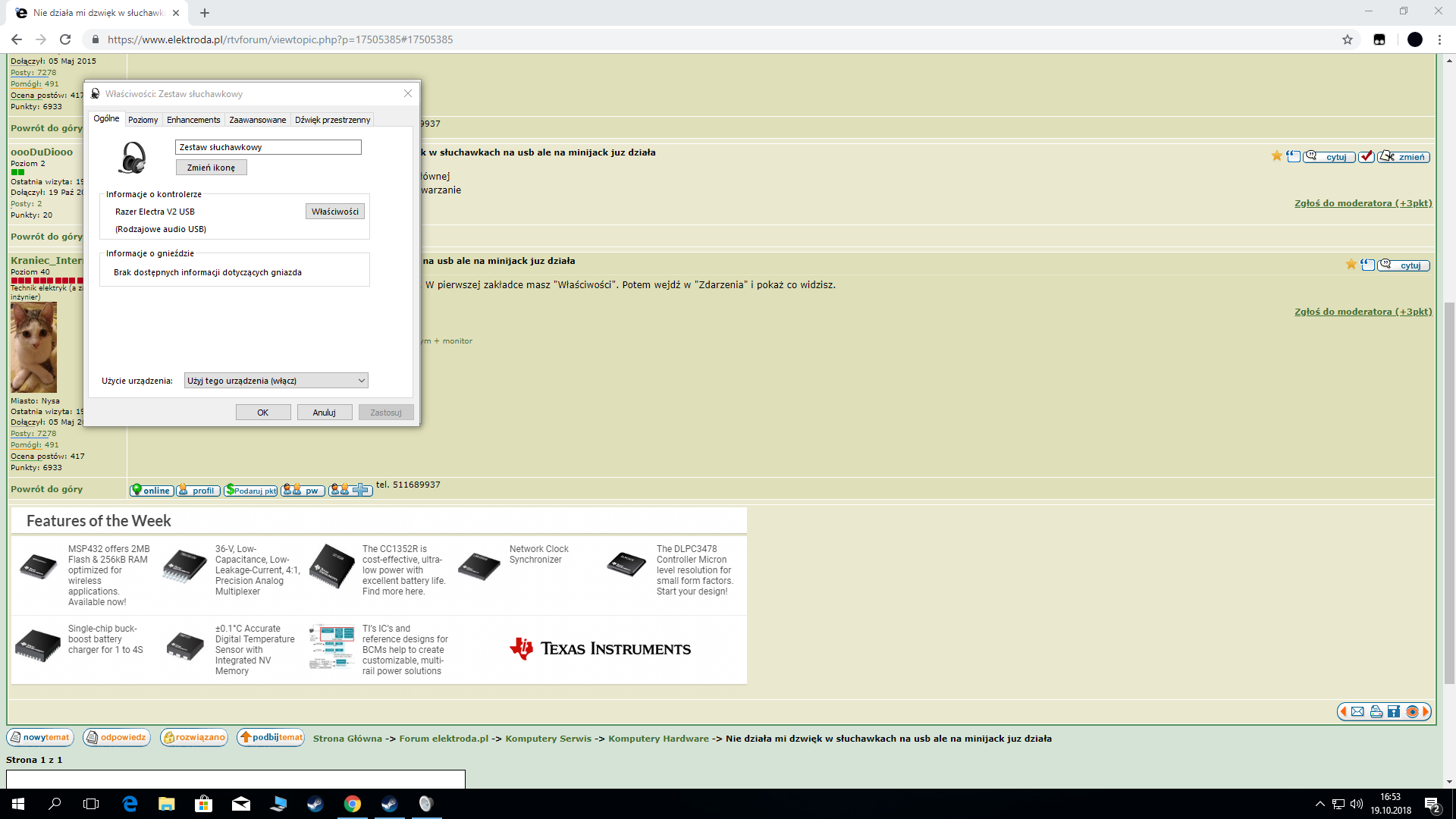
  • ADVERTISEMENT
  • #2 17505369
    Anonymous
    Level 1  
  • ADVERTISEMENT
  • #3 17505385
    oooDuDiooo
    Level 6  
    Posts: 8
    Rate: 3
    The socket works specially, I checked the USB from the motherboard
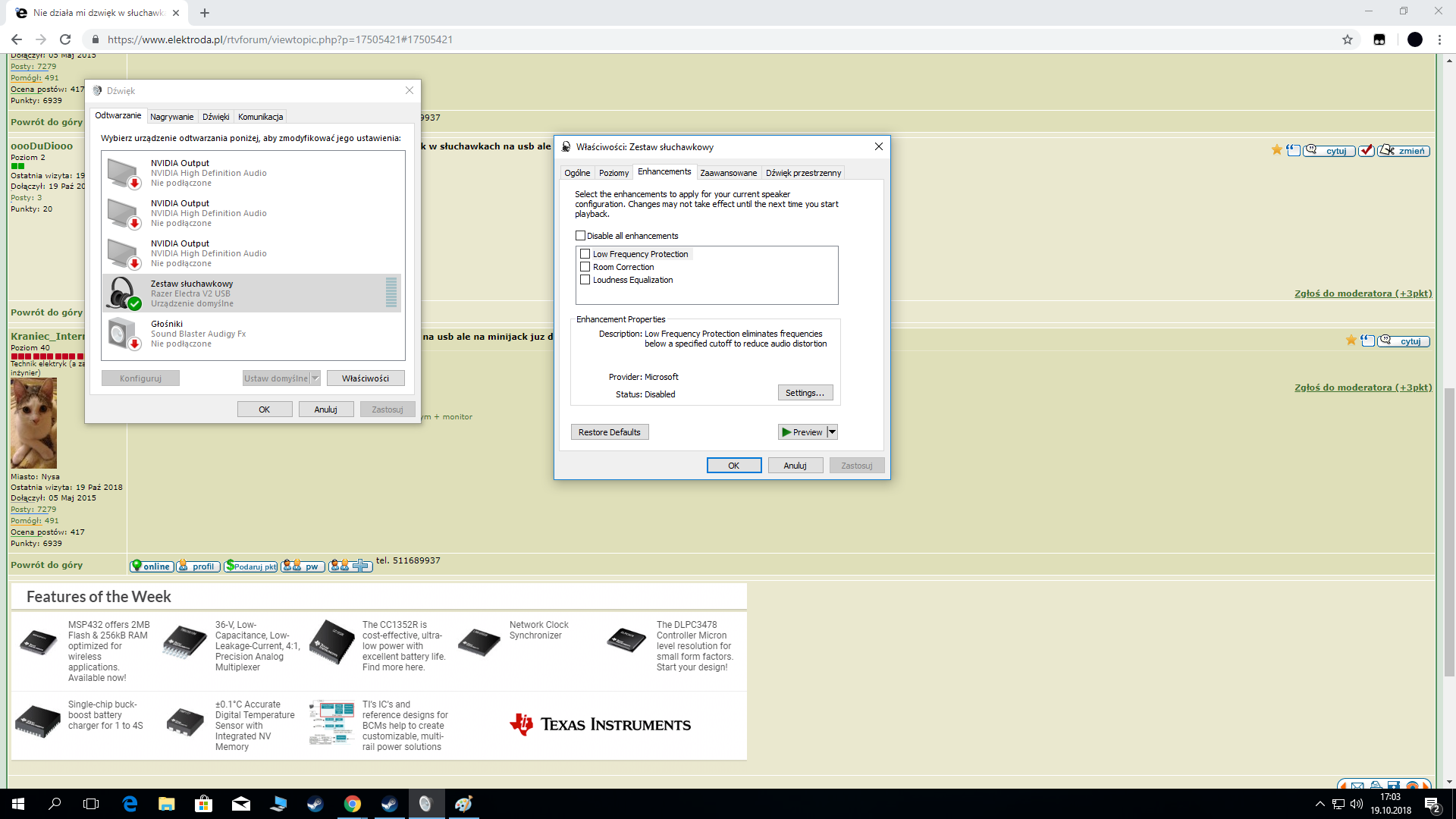
    I can see my headphones anyway when I go into the sound and then into the playback
  • #4 17505393
    Anonymous
    Level 1  
  • #5 17505421
    oooDuDiooo
    Level 6  
    Posts: 8
    Rate: 3
    The sound in the USB headphones does not work for me, but it is already working
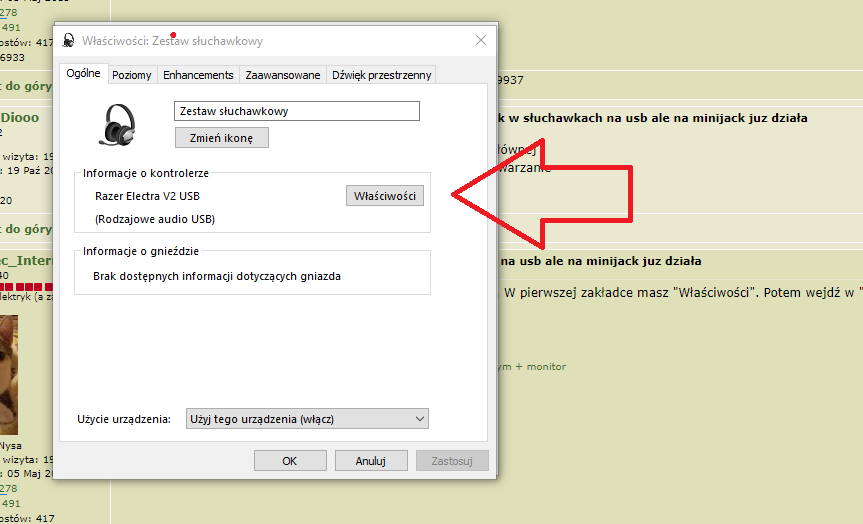
    is that it or something else because I can't find "Events"
  • #6 17505424
    Anonymous
    Level 1  
  • #7 17505433
    oooDuDiooo
    Level 6  
    Posts: 8
    Rate: 3
    The sound in the USB headphones does not work for me, but it is already working
  • ADVERTISEMENT
  • #8 17505448
    Anonymous
    Level 1  
  • #9 17505454
    oooDuDiooo
    Level 6  
    Posts: 8
    Rate: 3
    The sound in the USB headphones does not work for me, but it is already working
    I'm sorry I misunderstood
  • #10 17505475
    Anonymous
    Level 1  
  • #11 17505492
    oooDuDiooo
    Level 6  
    Posts: 8
    Rate: 3
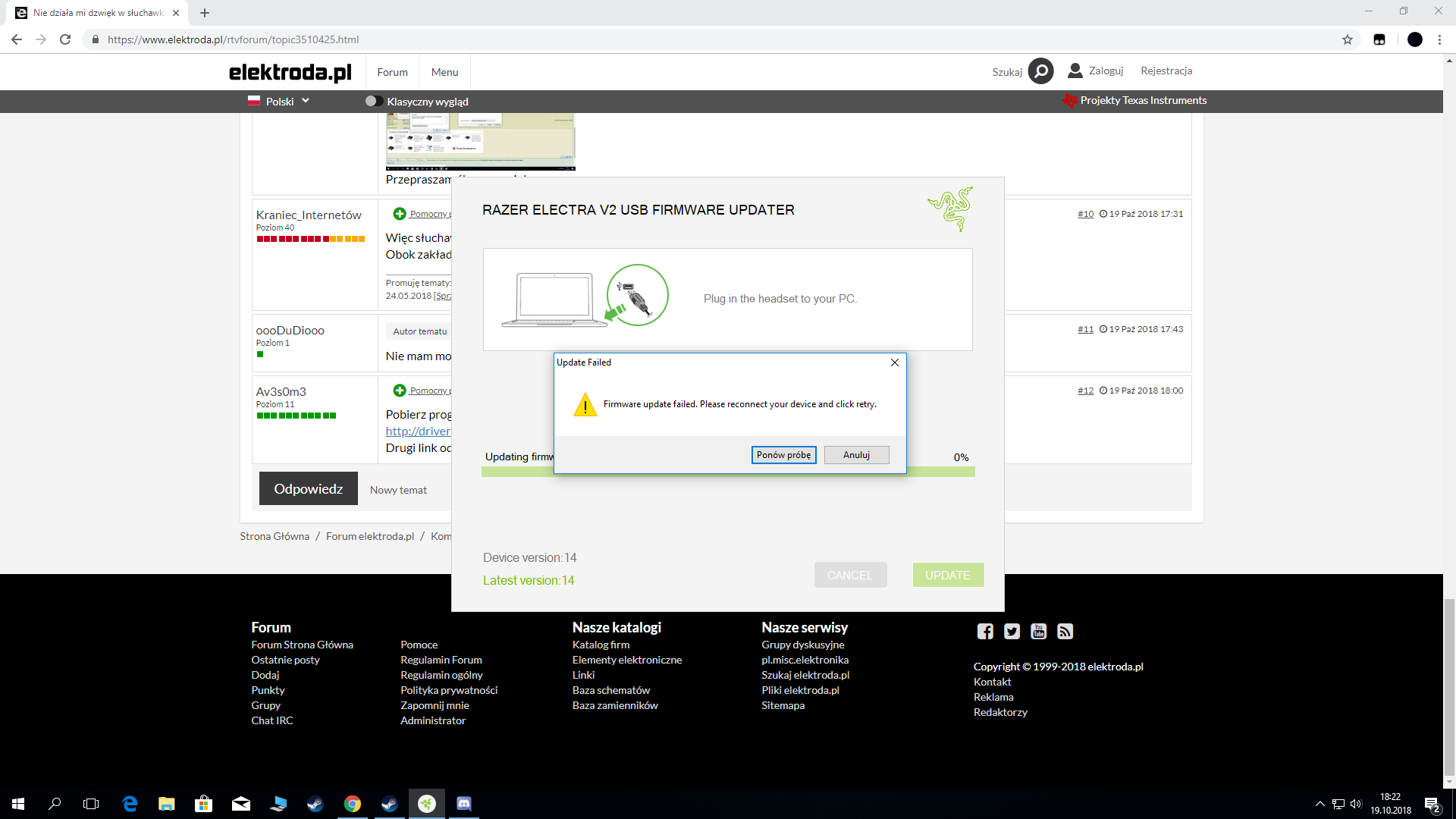
    I can't update it, the only thing I can press is the driver detail
  • ADVERTISEMENT
  • #13 17505573
    oooDuDiooo
    Level 6  
    Posts: 8
    Rate: 3
    The sound in the USB headphones does not work for me, but it is already working
    It shows that I have 14/14 versions and that it does not detect my headphones: /

    Added after 3 [minutes]:

    I had this new sound card a moment ago, it did not even catch the headphones on the mini jack oO the headphones must work because I checked on the phone and on another computer ... when I disconnected the sound card they work normally ... but those on the USB do not work here or here correct ;/
  • #14 17505589
    Av3s0m3
    Level 18  
    Posts: 200
    Help: 27
    Rate: 17
    Maybe the usb connector in the headphones is damaged?
    Or just windows 10 doesn't support these headphones.
  • #15 17505848
    oooDuDiooo
    Level 6  
    Posts: 8
    Rate: 3
    the headphones worked normally during the game suddenly I had no sound / the microphone went off, as I wrote before, the connector works well on another computer and the LED is on

    Added after 1 [hours] 29 [minutes]:

    Okay thanks everyone, probably it's a fault razer.
  • #16 18072757
    sluchawkiproblem
    Level 1  
    Posts: 1
    Rate: 5
    Man, how did you fix it? I've probably done everything and still can't solve this problem, during the game I suddenly lost the sound in my new headphones after about 3 hours, drama, I have no idea how to deal with it ..

Topic summary

✨ The user is experiencing issues with their Razer Electra v2 USB headphones, which do not produce sound when connected to their ASRock H110M DVS R3.0 motherboard, despite functioning correctly on other computers. They have verified that the USB port is operational and that the headphones are recognized in the sound settings. Suggestions from other users include checking the properties of the headphones in the sound settings, reinstalling or updating the driver, and downloading the appropriate software from Razer's support site. The user later indicates that the headphones worked during gaming but suddenly lost sound, leading to speculation about a potential fault with the headphones or compatibility issues with Windows 10.
Generated by the language model.

FAQ

TL;DR: Razer Electra V2 USB no sound? Windows 10 (version 1703) added a built‑in USB Audio 2.0 driver, and "Windows 10, version 1703, provides a class driver for USB Audio 2.0 devices." Fix by reinstalling the USB audio driver, using rear ports, and setting Default. For Windows users whose USB headsets show up but play no audio. [“USB audio 2.0 drivers”]

Why it matters: It helps you quickly restore audio on USB headsets that are detected but silent, without buying unnecessary hardware.

Quick Facts

  • Windows 10 version 1703+ includes the USB Audio 2.0 class driver (usbaudio2.sys), so most USB headsets work without vendor drivers. [“USB audio 2.0 drivers”]
  • USB 2.0 ports supply up to 500 mA; use a direct rear motherboard port to meet this power budget. [“Universal Serial Bus Revision 2.0”]
  • Razer Electra V2 USB works as a standard USB Audio device; Synapse enables enhancements like virtual surround. [“Razer Electra V2 USB | Support”]
  • Set the headset as both Default Device and Default Communications Device so apps route audio correctly. [“Fix sound problems in Windows”]

How do I fix no sound on my Razer Electra V2 USB headphones in Windows 10?

Check Sound settings: set the USB headset as Default Device. Verify app output device. Run the Windows audio troubleshooter. Unplug and reconnect to a rear USB port. Reboot the PC. If still silent, remove and reinstall the device driver via Device Manager, then test again. [“Fix sound problems in Windows”]

Windows sees my USB headphones in Playback but there’s no audio—what should I try next?

Open Sound settings, select the headset, and click Set Default. Disable “Allow applications to take exclusive control” in the device properties. Check per‑app volume in Volume Mixer. Test with a different media app. Then run the audio troubleshooter. [“Fix sound problems in Windows”]

Where do I find the Events tab to check the device status?

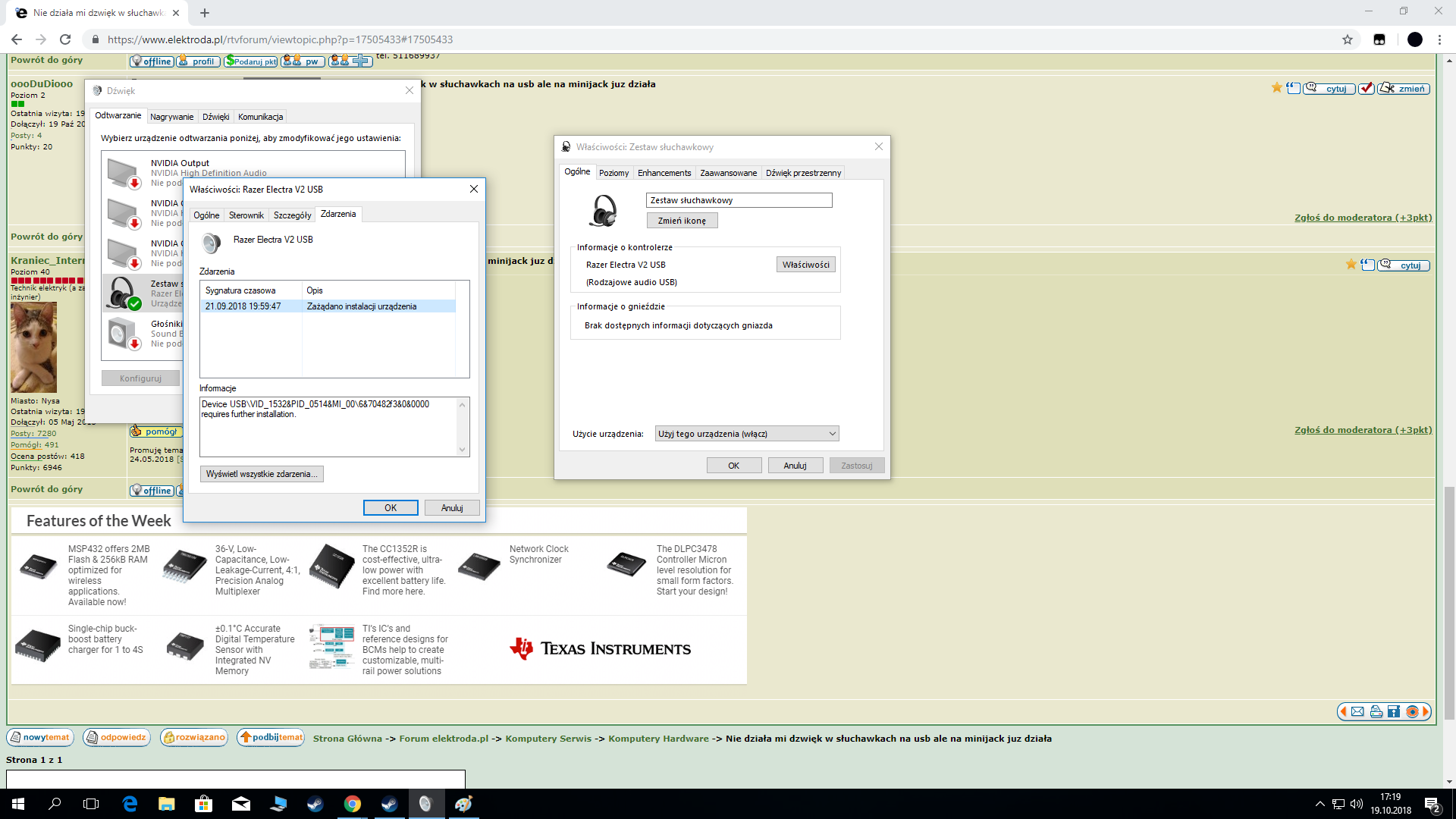
Right‑click the speaker icon > Sounds > Playback. Right‑click your USB headset > Properties. Open the Events tab to review driver install status and messages. [Elektroda, Anonymous, post #17505448]

Razer installer shows 14/14 modules but doesn’t detect the headset—what does that mean?

It indicates the software installed, but the device was not detected by the installer. Replug to a rear USB port, then reopen the installer. If detection still fails and Windows shows no audio output from the headset, suspect device or cable failure. [Elektroda, oooDuDiooo, post #17505573]

Will a PCIe sound card (e.g., Creative Audigy FX) fix a USB headset with no sound?

No. USB headsets include their own DAC/amp and bypass the motherboard or PCIe sound card. Installing a discrete card will not restore USB‑headset audio. The thread reporter added an Audigy FX and USB audio still failed. [Elektroda, oooDuDiooo, post #17505361]

Could Windows 10 simply not support these headphones?

Support is built‑in. "Windows 10, version 1703, provides a class driver for USB Audio 2.0 devices." Ensure your build is 1703 or newer, then reinstall the USB audio device. [“USB audio 2.0 drivers”]

How do I clean‑reinstall the USB audio driver?

  1. Unplug the headset.
  2. In Device Manager, expand Sound, video and game controllers, right‑click the USB Audio Device, choose Uninstall device, check Delete driver software.
  3. Reboot, plug into a rear USB port, and set it as Default in Sound settings. [“Update drivers in Windows”]

My USB headphones worked, then suddenly lost sound mid‑game—what causes that?

A driver or USB stack glitch can drop audio and mic unexpectedly. Unplug and replug on a rear port, then reinstall the device. Test on another PC to rule out hardware. The thread author reported mid‑game loss of both audio and mic. [Elektroda, oooDuDiooo, post #17505848]

Why does the volume slider jump between 0 and 100 on the USB headset?

That behavior suggests the device isn’t responding correctly to volume changes, usually due to a faulty or incomplete driver state. Reinstall the USB Audio device, then set it as Default and test again. [Elektroda, oooDuDiooo, post #17505361]

Should I try a different USB port or hub for my headset?

Yes. Use a rear motherboard USB port for maximum stability and power. USB 2.0 ports can deliver up to 500 mA, which many headsets require. Avoid unpowered hubs during troubleshooting. [“Universal Serial Bus Revision 2.0”]

Razer Synapse doesn’t detect my Electra V2 USB—what should I do?

Install the latest Synapse that supports your model. Confirm Windows lists the headset as a USB Audio device and set it as Default. If Windows sees only power (LED) but no audio device on multiple PCs, contact Razer Support for repair options. [“Razer Electra V2 USB | Support”]

How do I set my USB headset as the default device in Windows?

Open Sound settings. Under Output, choose your USB headset and click Set as Default. Also set it as Default Communications Device. Test app audio and communications separately after applying changes. [“Fix sound problems in Windows”]
Generated by the language model.
ADVERTISEMENT