


logo elektroda
logo elektroda
X
logo elektroda

GISE GS-M1008NH recorder - connecting via the Internet with the application

Salamons 14655 9
Best answers LABEL_AI_GENERATED

Why does the Android app show the recorder as turned off after a power disconnect, even though the recorder is on and reachable on the home network?

The app connection depends on the recorder being online in the P2P/cloud service, so check the recorder’s IP settings, enable P2P, and make sure the registrar/account is properly associated with the device [#17578923][#17578143] If you are already on the same home network, try connecting by the recorder’s local IP instead of only by serial number through the cloud service [#17577674][#17577862] The issue is likely not the fixed IP itself, but whether the recorder is correctly registered and visible to the online service the app uses [#17578923][#17578143]
AI summary based on the discussion. May contain errors.
ADVERTISEMENT
Treść została przetłumaczona polish » english Zobacz oryginalną wersję tematu
  • Serial-number login fails after power loss

    #1 17577560
    Salamons
    Level 7  
    Posts: 34
    Rate: 11
    I warmly welcome

    I have a GISE GS-M1008NH recorder
    Everything works as it should. Camera, recording, real-time preview through android apps.
    There is only one little problem.
    After disconnecting the recorder from the power, the application cannot connect to the recorder.
    In the place of logging in on android, I enter the serial number, login and password gives login, but I get information that the device is turned off.
    Although it is actually turned on and I am connected to the device via my home network.

    A fixed IP address is set.
    But it doesn't really matter.
    Because in the application we provide the serial number, login and password.
    That's all. We do not provide IP or other data there.

    greetings
  • ADVERTISEMENT
  • #2 17577674
    sosarek

    Level 43  
    Posts: 83875
    Help: 9320
    Rate: 15532
    What is this app?
    Since you connect inside the network, why do you connect via the cloud and not the local IP of the recorder?
    Company Account:
    Z
    Pka, Poznań, 60-850
    Helpful post? Buy me a coffee.
  • ADVERTISEMENT
  • ADVERTISEMENT
  • #5 17578143
    dawidedziu
    Industrial cameras specialist
    Posts: 3009
    Help: 500
    Rate: 642
    Some time ago I used this app for one client - it is a bit lacking for the apps of the competition.

    Do you have a registered account and associated with the registrar?
    Helpful post? Buy me a coffee.
  • #6 17578634
    Salamons
    Level 7  
    Posts: 34
    Rate: 11
    Yes. I have an account and associated.
    But he logs out a lot.
    Or some error pops up.

    Added after 2 [minutes]:

    What application do you recommend?
    And can I use a different one?
  • #7 17578649
    sosarek

    Level 43  
    Posts: 83875
    Help: 9320
    Rate: 15532
    Free, leaky software that is used by many loggers bought for PLN 5. and these are the effects.
    Company Account:
    Z
    Pka, Poznań, 60-850
    Helpful post? Buy me a coffee.
  • ADVERTISEMENT
  • #8 17578923
    gradek83
    Level 43  
    Posts: 9107
    Help: 930
    Rate: 2103
    Registrar must be Online. Check this IP configuration and enable P2P.

    Follow the instructions.

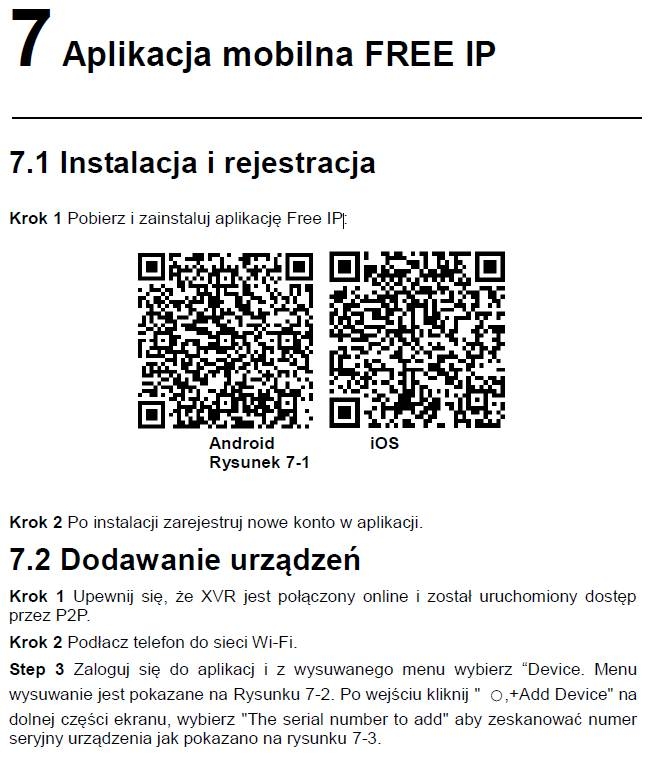
    GISE GS-M1008NH recorder - connecting via the Internet with the application
    the rest of the tips in the attached instructions.

    Take a look here too # 27
    Attachments:
    • Pełna_instrukcja_XVR.pdf (5.71 MB) You must be logged in to download this attachment.
  • #9 18112025
    thekip
    Level 12  
    Posts: 29
    Rate: 17
    I have the same recorder is online the application does not connect
  • New apps fail on DVRs with serial numbers starting 9

    #10 21765915
    roger1977
    Level 10  
    Posts: 38
    Rate: 10
    Well, I've kind of figured out the subject.
    The freeIp app for the phone no longer works on new phones (it doesn't meet the security conditions). Generally on an old phone it will work.

    New phone apps that are dedicated as replacements, such as BitVision, do not work for DVRs whose serial number starts with 9.
    Those starting with the digit 8 supposedly should work.

    And now the question is, is there an app that replaces freeIp and BitVision, and grandfathers on the basis of serial number, login and password?

Topic summary

LABEL_AI_GENERATED
Discussion about a GISE GS-M1008NH DVR/NVR that works correctly on the local network and in Android live-view apps, but after power loss the mobile app reports the device as offline even though it is powered on and reachable via home LAN. The issue is related to P2P/cloud access rather than local IP access; participants suggest checking DHCP IP settings, ensuring the recorder is online, enabling P2P, and verifying account binding. The app mentioned is freeIp, and later comments note that freeIp may no longer work on newer phones due to security requirements. Alternative apps such as BitVision are discussed, but compatibility depends on the recorder serial number prefix, with newer replacements not supporting devices whose serial numbers start with 9.
AI summary based on the discussion. May contain errors.
ADVERTISEMENT