logo elektroda
logo elektroda
X
logo elektroda

Simple screwdriver stand for wall mounting - design and 3D printing

p.kaczmarek2 6330 20
ADVERTISEMENT
Treść została przetłumaczona polish » english Zobacz oryginalną wersję tematu
📢 Listen (AI):
  • Simple screwdriver stand for wall mounting - design and 3D printing
    Hello my dears
    Today I'm going to describe here my screwdriver organiser/stand/segregator that mounts on the wall.
    I designed the whole thing first in the 3D modelling program Blender, and then printed it on a 3D Creality Ender Pro 3 using PLA filament.

    Project ideas
    The idea of such an organiser for screwdrivers is quite old and I myself have encountered it already in a wooden version, i.e. it was simply a board screwed to the wall and holes were made in it. But progress is moving forward, so I thought, why not print something like this for myself on a 3D printer? I decided to give it a try and gave myself the following assumptions:
    - the model should be simple, without unnecessary additions
    - model will be printed in ' Low Quality ' mode, that is the fastest one
    - the model will have 10 screwdriver holes and two fixing holes
    - the model will be made in Blender and will be made parametrically in Blender (i.e. I will be able to quickly change the number of holes and their size at any time, without having to edit each of the holes individually)

    Element design
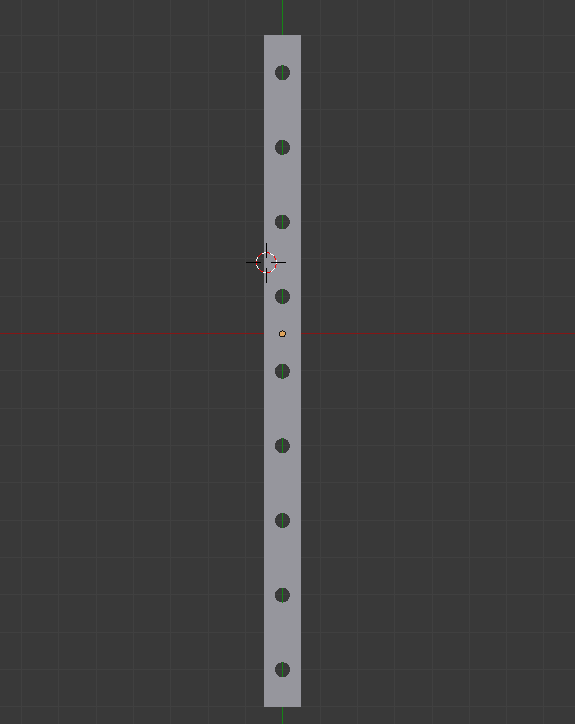
    I started by designing the element in 2D. I assumed a hole spacing of 20 mm and a hole size of 5 mm .
    The whole piece had dimensions 10 mm on 180 mm .
    Simple screwdriver stand for wall mounting - design and 3D printing
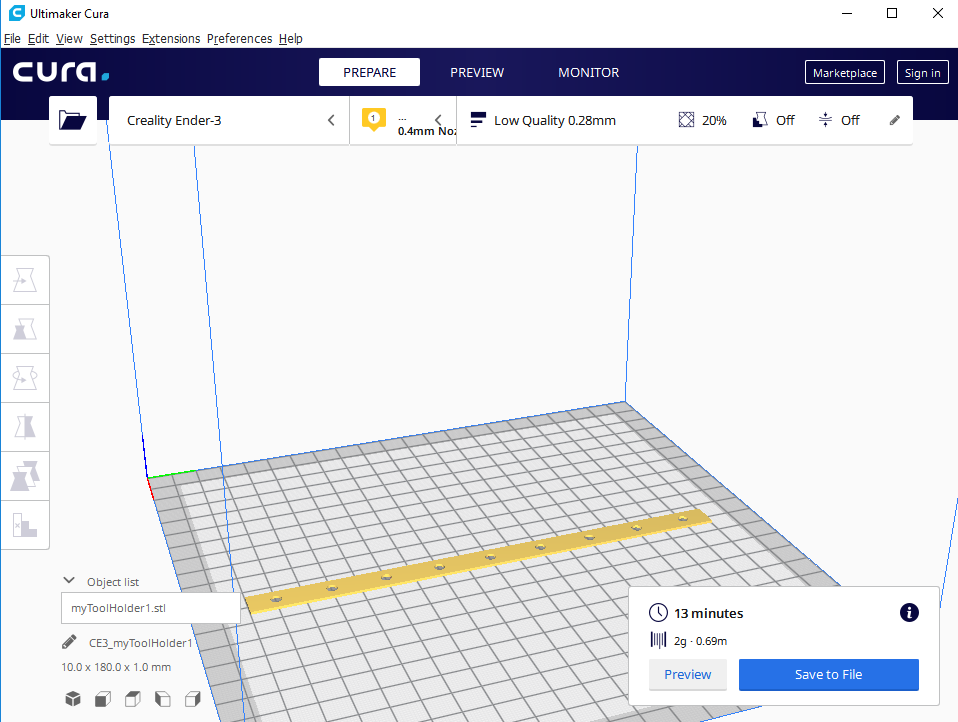
    I also took the liberty of printing out a test piece, just for a live fitting. Specially one that is flat so as not to waste the filament. This sort of thing avoids any major/trivial errors getting into the final model.
    Simple screwdriver stand for wall mounting - design and 3D printing
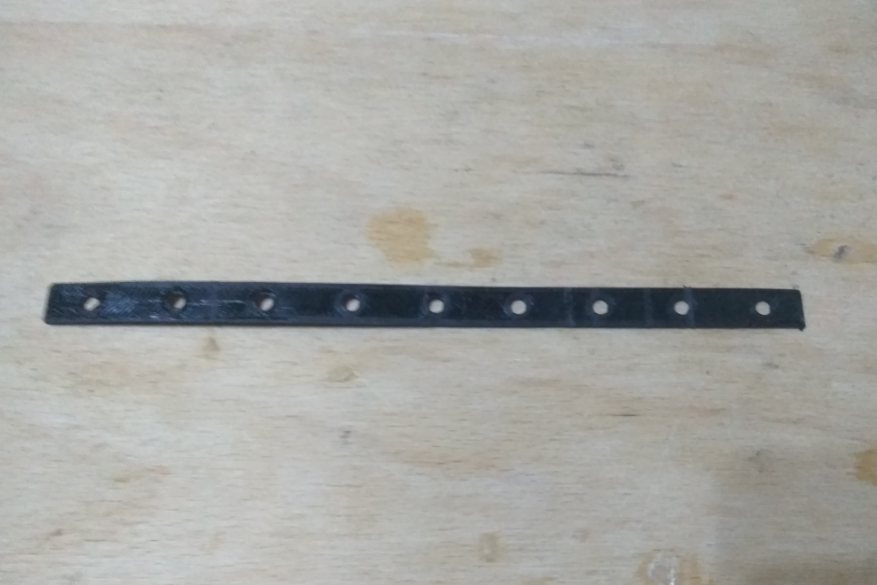
    After printing the above model (it only took 15 minutes to print!), I made the first fittings to my screwdrivers:
    Simple screwdriver stand for wall mounting - design and 3D printing
    Simple screwdriver stand for wall mounting - design and 3D printing
    It came out pretty well, so I didn't actually make any big adjustments, just slightly resized the holes and started to develop the design. I added fixings, made it thicker, and extended the holes to make the screwdrivers hold solidly.
    The final version of the piece looks as follows:
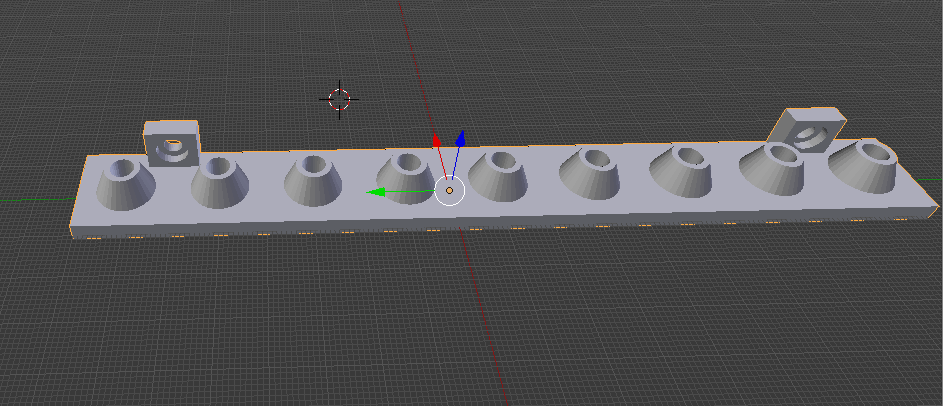
    Simple screwdriver stand for wall mounting - design and 3D printing
    Additionally, I give a screenshot of the dimensions shown:
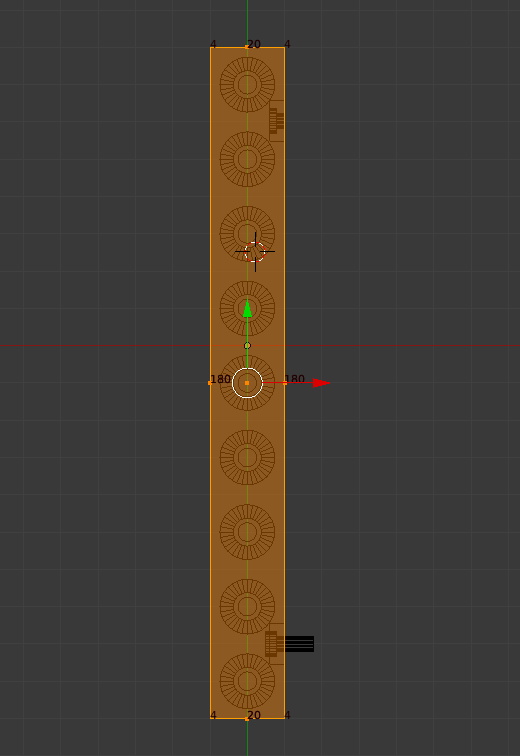
    Simple screwdriver stand for wall mounting - design and 3D printing

    Print of the component
    I imported the final model into Cura and started printing.
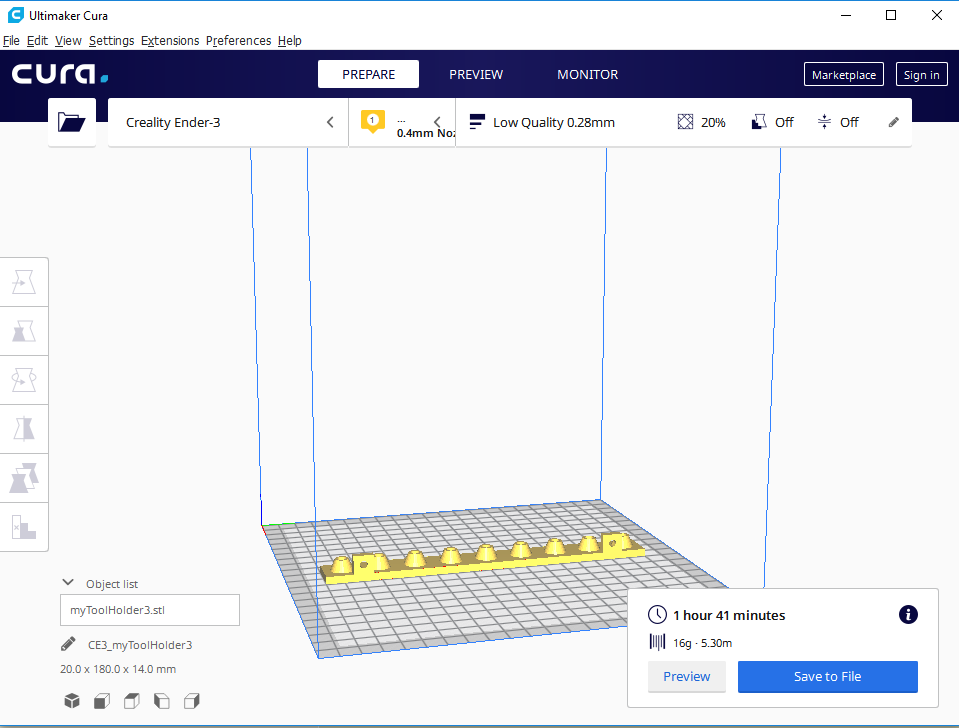
    Simple screwdriver stand for wall mounting - design and 3D printing
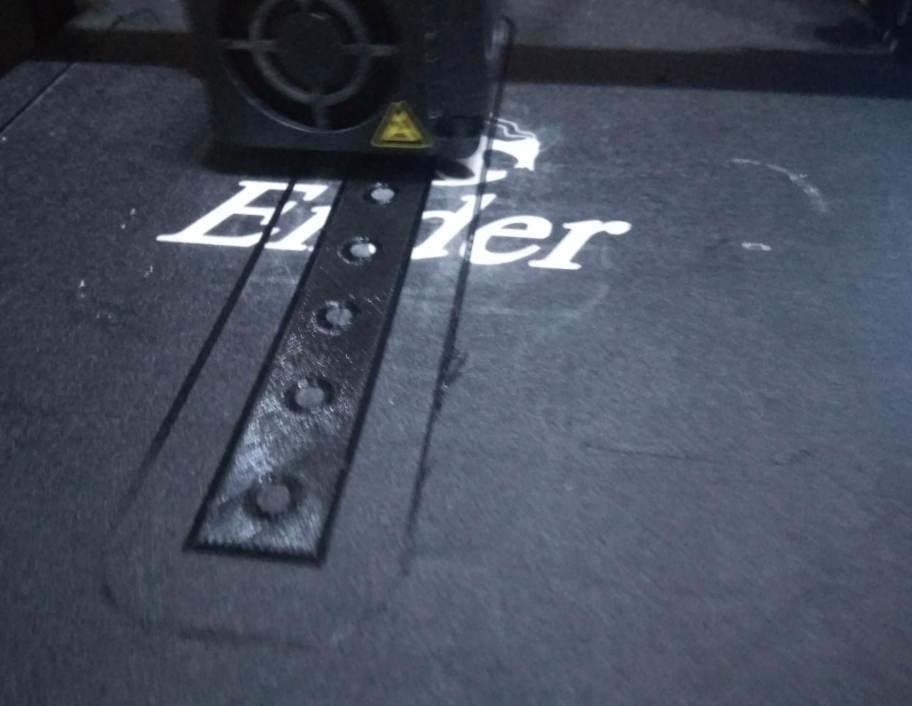
    During the printing process, I observed that the 3D printer first applies a sort of border to the model (and the holes) and then only fills it in. Image is the photo below:
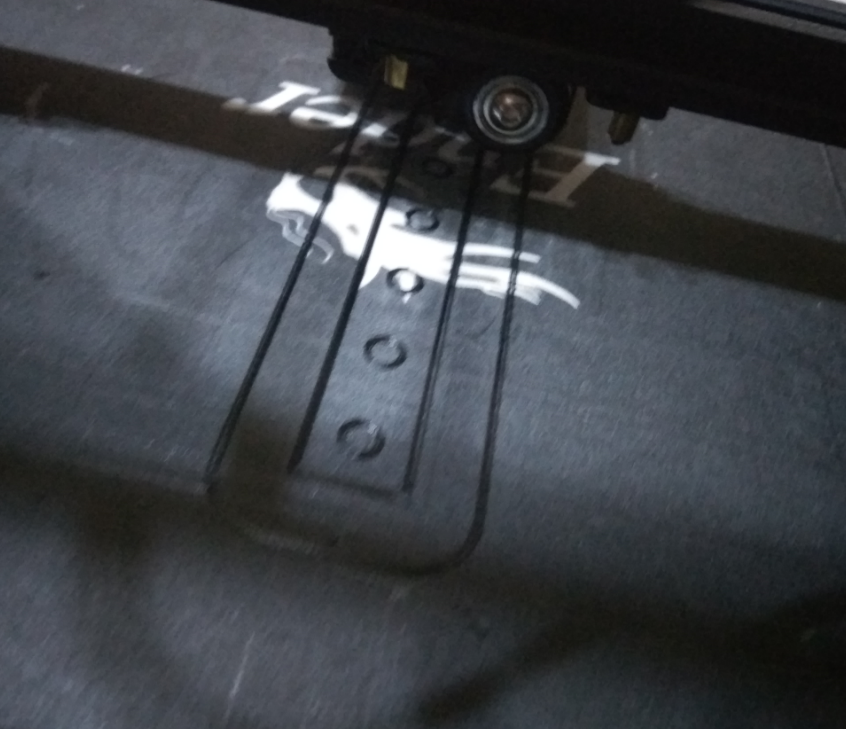
    Simple screwdriver stand for wall mounting - design and 3D printing
    Simple screwdriver stand for wall mounting - design and 3D printing
    After less than two hours (according to the time estimate from Cura) the piece was ready. It came out like this:
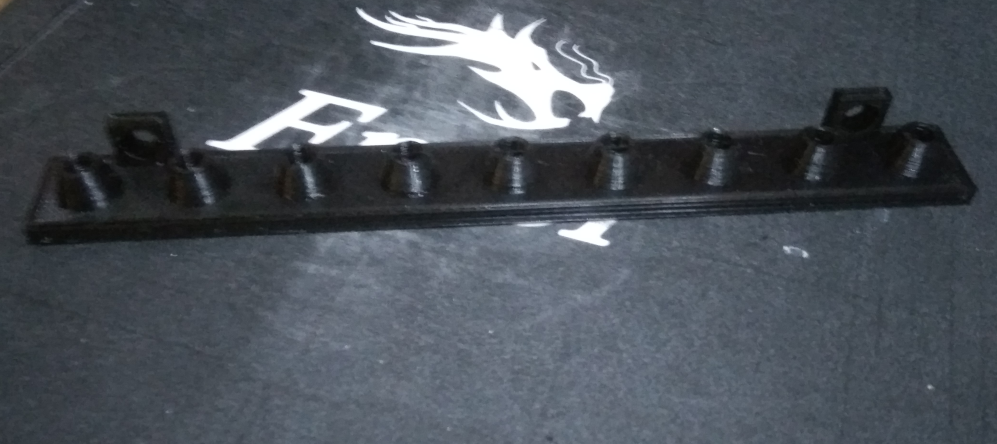
    Simple screwdriver stand for wall mounting - design and 3D printing
    It looks promising, but will it work? We are about to find out.

    Final result Final result
    In the end, I prepared the following kit for myself to assemble (printed piece-organiser, two screws, and screwdrivers):
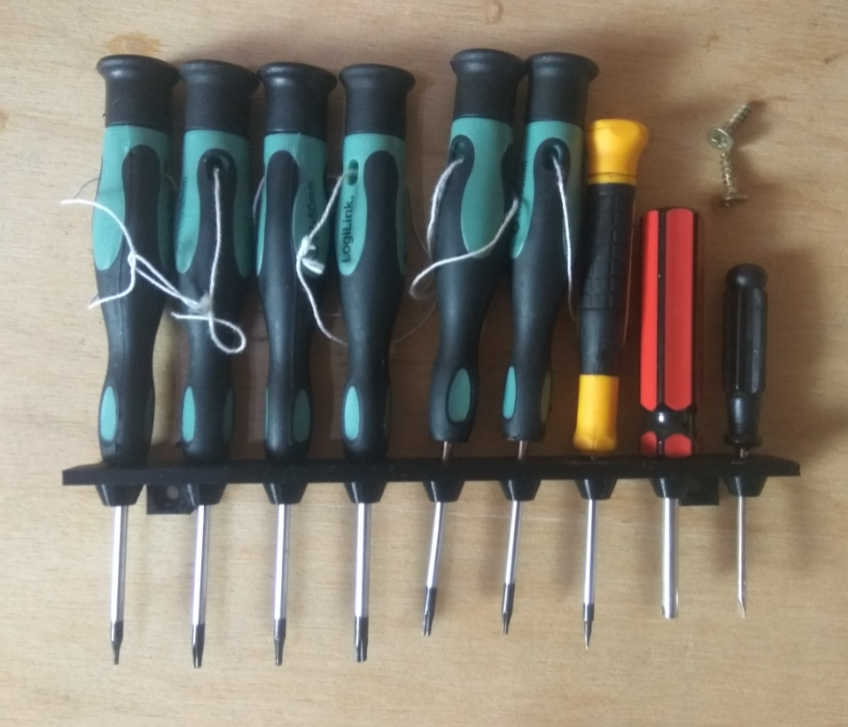
    Simple screwdriver stand for wall mounting - design and 3D printing
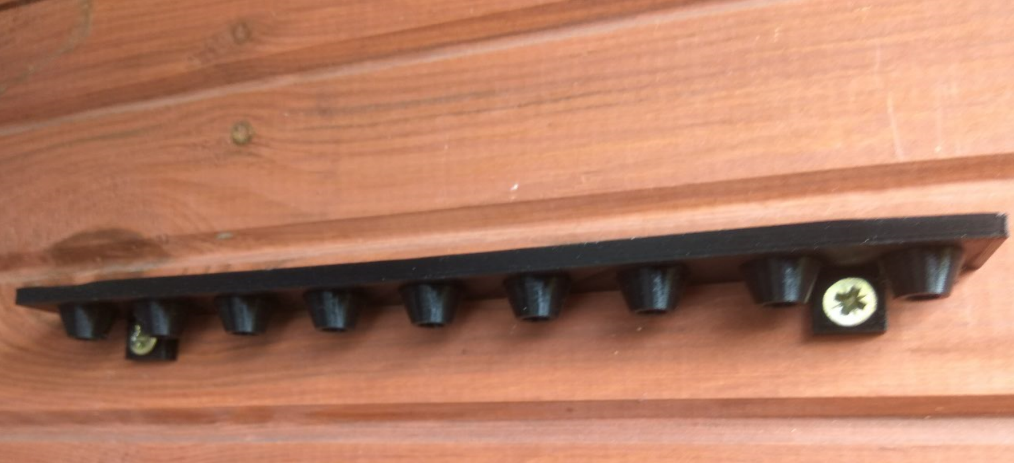
    I mounted the whole thing on a wooden wall in the workshop:
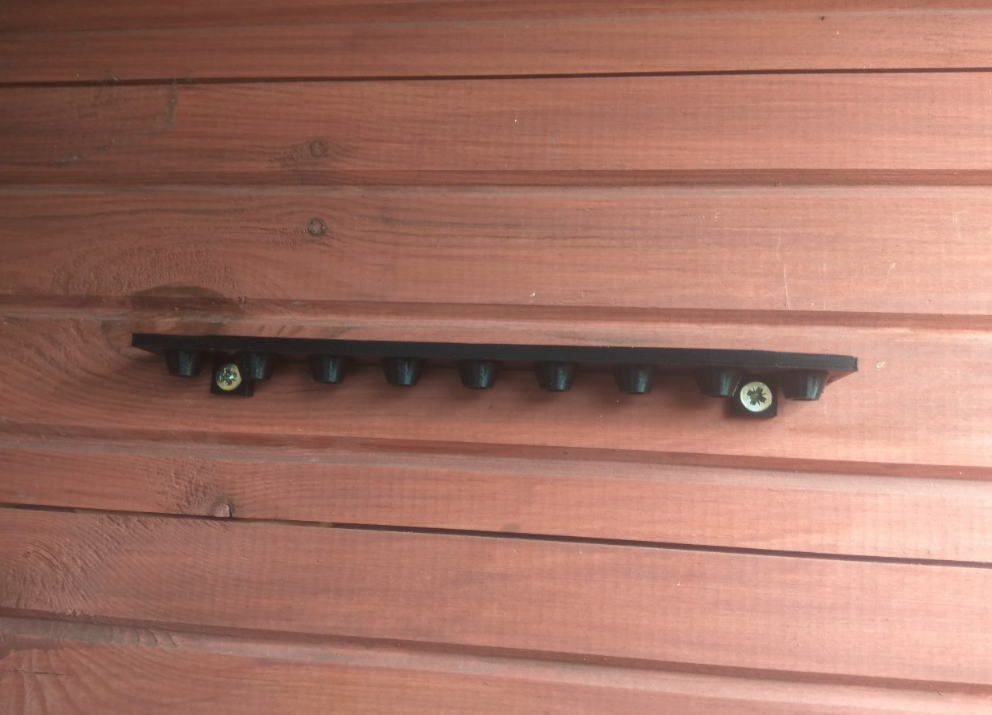
    Simple screwdriver stand for wall mounting - design and 3D printing
    Simple screwdriver stand for wall mounting - design and 3D printing

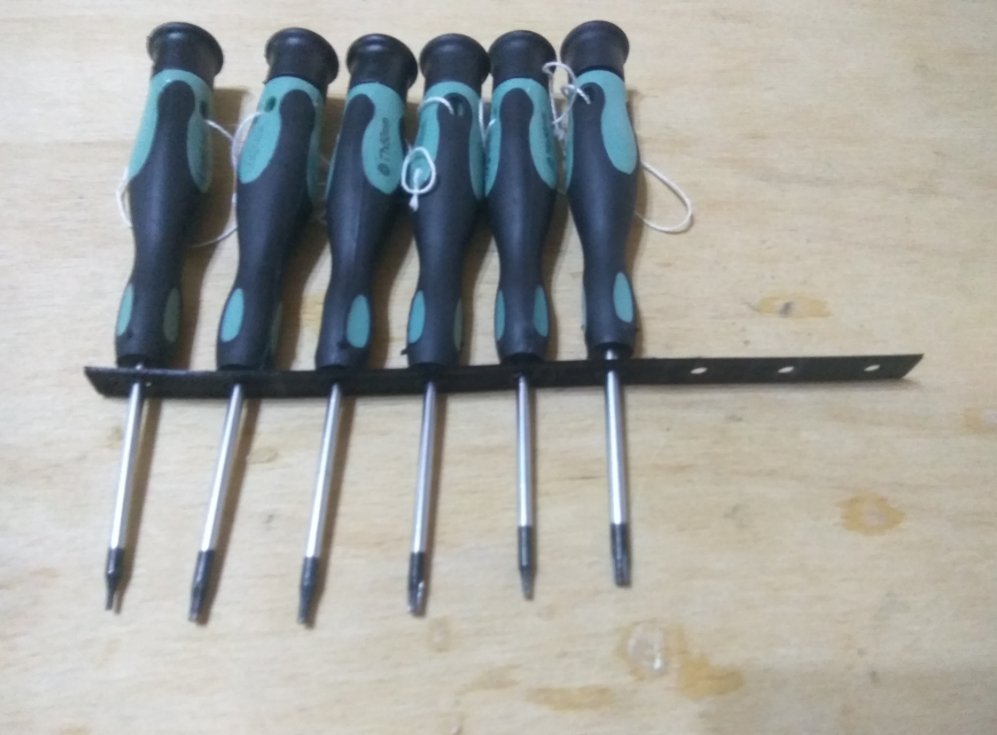
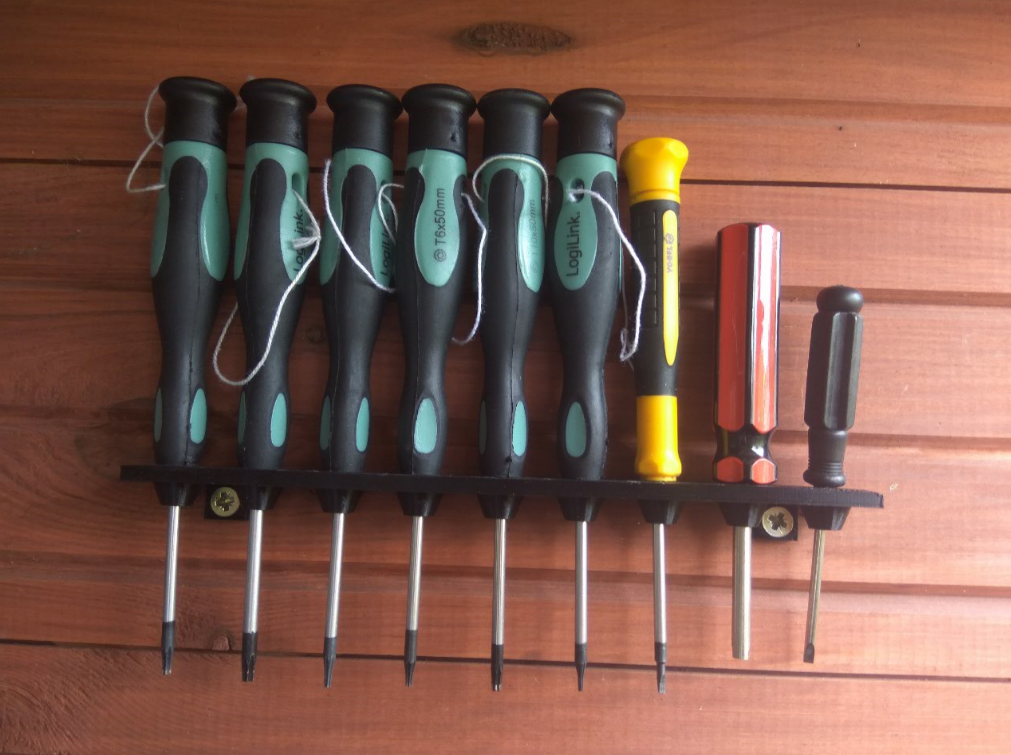
    This is how the organiser already looks in use, along with a set of my torx screwdrivers (and a few others).
    Simple screwdriver stand for wall mounting - design and 3D printing

    Summary, conclusions
    I am very happy with the design. It is small, simple, and yet pleasing. As for improvements, I guess the only thing that could be done would be to extend those bushings of holes to make the screwdrivers hold more solidly in it, or make a version with two rows of holes.
    The length of each piece is unlikely to be able to exceed 200mm in my case, as I am limited by the print area of my 3D printer ( Ender Creality Pro 3 ). Theoretically I could try after making the model to rotate it and align it diagonally, but I think the game is not worth the candle.
    The organiser will certainly last me a long time, and even if by some miracle it gets damaged (which I doubt, the print is very solid and hard) I will just print it again.
    For those interested, I am posting the source file with my model (in blend format):
    myToolHold...191020.zip Download(75.3 kB)Points: 4
    received by the file author

    Additionally I attach the same but already exported to STL format:
    myToolHold...191020.zip Download(40.74 kB)Points: 3
    received by the file author

    Cool? Ranking DIY
    Helpful post? Buy me a coffee.

    About Author
    p.kaczmarek2
    Moderator Smart Home
    Offline 
    p.kaczmarek2 wrote 13927 posts with rating 11732, helped 630 times. Been with us since 2014 year.
  • ADVERTISEMENT
  • #2 18230363
    SylwekK
    Level 32  
    In my opinion, this is unfortunately a complete misunderstanding. How long does such a print take, what cost (including time spent on the project)? In order for the criticism to be substantive...Such things as you yourself mentioned can be made from a piece of wood or sheet metal in about 10-15 minutes and performs an identical task beating the cost of your project.
  • #3 18230436
    p.kaczmarek2
    Moderator Smart Home
    SylwekK wrote:
    In my opinion this is unfortunately a complete misunderstanding. How long does such a print take, what cost (including time spent on the project)? So that the criticism is substantive...Such things as you yourself mentioned can be made from a piece of wood or sheet metal in about 10-15 minutes and fulfils an identical task beating the cost of your project.


    Wait a minute, in the subject line you have all the information you need , you just have to read it all. The print time per piece is 1h 41 minutes and the weight per piece is 16 grams.
    Recently, a kilogram of filament has been going for £40 at our national retailers.
    It would still be necessary to determine what is the amount of electricity consumed by the printer, but it will probably come out that one piece of my stand is some zloty with a penny....

    As for the design time on the computer - remember that you design once, and then you can print the same element many times.

    EDIT: Now I see that a kilo of filament is also at 32 zloty , so a change all the more in favour of the economy of my design.
    Helpful post? Buy me a coffee.
  • #4 18230463
    szymonjg
    Level 16  
    Printing may be cool but in this case I would actually prefer to drill a piece of old board. The design can be drawn in tens of seconds and also duplicated indefinitely. A drill shouldn't use much electricity in a board either, and it should cost less to buy than a 3D printer.

    Seriously, with a printer you could be tempted to do something more ambitious. Good luck with that.
  • #5 18230480
    Steryd3
    Level 33  
    As a project carried out to have fun with a 3D printer...cool. Better than printing dwarf figures.
    Unfortunately, however, I have to agree with the previous speakers that printing this type of "invention" is too much form over substance. If this stand still had some added value, some WOW effect that would make it a unique and cool workshop gadget....
  • ADVERTISEMENT
  • #6 18230487
    Zbigniew 400
    Level 38  
    Easier and simpler to get out of the cable tray.
    But as an exercise it is ok.
  • ADVERTISEMENT
  • #7 18230594
    gulson
    System Administrator
    An interesting idea, of course more for the purpose of training the preparation of the design and the print itself.
    In addition, you get high aesthetics when comparing to a piece of wood or sheet metal.
  • #8 18230769
    p.sokol
    Level 6  
    The project doesn't kick ass, but that doesn't mean it didn't make sense. It's good that you've practiced and have more experience with the printer and projects. All I can do is wish you continued success! Greetings ;)
  • #9 18230833
    SylwekK
    Level 32  
    As a training project I am of course in favour. However, I would think twice about continuing to equip the workshop with these types of prints. Well, unless under some distinctive tools that are hard to grasp with a nail on a tool board :)
  • #10 18231005
    robig
    Level 23  
    Hello!

    On the mechanical side, I would also add supports between the two surfaces, the grommets for fixing on the wall and the slat itself. It will then not break even accidentally or due to material fatigue. Something like in the attached photo.
  • #11 18231280
    Grzegorz_madera
    Level 38  
    p.kaczmarek2 wrote:
    Recently, at our national retailers, a kilogram of filament is at 40 zloty.

    And I understand the printer was given to a colleague as a gift for his birthday.
  • #12 18231442
    error105
    Level 14  
    Grzegorz_madera wrote:
    A printer I understand a colleague got as a gift for his birthday.

    And did you get a screwdriver and a drill or did you buy one ? Because those two things are the cost of a printer, unless you buy the cheapest sort. (Ba, I'm tempted to say something else, I'm assuming you live in a flat, what was the point of buying a flat to cut a screwdriver organiser out of wood ? You might understand the sarcasm).
    I think the printer does more ambitious things too, and this just described it.
  • #13 18231444
    zgierzman
    Level 31  
    The prices of printers are at such a level that many hobbyists can afford one to play with.
    So if something useful is created on it, rather than just toys, dumbwaiters and keyrings, that counts for a plus.

    For such simple projects, the 3D Builder built in by default in Windows would have sufficed, so I admire the author for wading through Blender. When I saw this combo, hundreds of tabs, animation options, I cringed. I opened up 3D Builder and made a project practically on the spot.
    Nevertheless, for more advanced projects, the built-in Windows tool is not enough, it is worth exploring something else.

    Is there any program more advanced than Builder, but without all those options for 3D animation - camera settings, lights, motion paths, etc...?
  • #14 18231452
    error105
    Level 14  
    zgierzman wrote:
    Is there any program more advanced than Builder but without all those options for 3D animation - camera settings, lights, motion paths, etc...?

    SkechUp or ThinkerCad online
  • ADVERTISEMENT
  • #15 18231479
    zgierzman
    Level 31  
    SketchUp I recall - also used to come by default with Windows I think? Or maybe I installed some free version for myself.... I can't remember.
    About 8 - 10 years ago I was doing a visualisation of something on it, and its capabilities were similar to the current Builder. Maybe something has changed - I'll check.

    I'll have a look at that ThinkerCAD for myself too. Thanks.
  • #16 18231556
    Slawek K.
    Level 35  
    DesignSpark Mechanical, based on the Spaceclaim engine, only free.

    Pozr
  • #17 18232721
    eDZio
    Level 16  
    zgierzman wrote:
    Is there any program more advanced than Builder, but without all those options for 3D animation - camera settings, lights, motion paths etc...?

    Fusion 360
  • #18 18233243
    398216 Usunięty
    Level 43  
    gulson wrote:
    Additionally, you get high aesthetics when comparing to a piece of wood or sheet metal.

    It already depends... a well raked (no burrs, etc.) angle bar made of Al can look better = especially if you use an angle bar with oxidation in a colour (matching the shelf for example). Just go to OBI and choose. Simply drilling a few holes with a sharp drill should not be a problem. And as far as the durability of such a "hanger" is concerned = there is no comparison; everyone can find out after a period of use.
    I completely understand the Author's self-achievement of his own creations (the drawers), but... but this can only be treated as an "exercise" (something like practising piano riffs until boredom sets in) - to get to know and master the possibilities of the printer. But as for the economics, aesthetics or desirability of such projects ... i don't see much. A kilo of filament is not all that needs to be counted in costs. On top of that, there are also some quite significant costs; Time, kilowatt hours, glue (you yourself write that it is sometimes necessary) and most importantly .... the printer.
  • #19 18233279
    SylwekK
    Level 32  
    And I'll just remind you some more, as this data is lost in the subject:
    p.kaczmarek2 wrote:
    Print time for one piece is 1h 41 minutes,

    Such a one 16-gram fart! Seriously? Very economical, very... Like nothing, only mass production to open :D
  • #20 18233284
    zgierzman
    Level 31  
    Thanks for the hints.

    I'm a "layman" on the subject, so I approach all programs without prejudice. I'm using each one for the first time ever.
    As a test, I've thought of doing a winding staircase. If I can't manage it in a reasonable time, I'll let it go.... It's a simple thing, I should be able to do it "by feel", without hours of poring over manuals or watching tutorials on YT.

    The theory is simple:
    1. Create the first step
    2. Define the axis
    3. Copy the step by simultaneously rotating it by a given angle and moving it by a height
    4. Repeat n times

    This should take perhaps a minute if the program is equipped with the appropriate tool ;-)

    So far I haven't come across an AutoCAD "array" type command anywhere, so it doesn't get done as automatically as I'd like.

    I looked at DesignSpark Mechanical for myself and after several minutes I had a model like the one in the appendix. First I manually copied and moved one step, then two, then four and in this way I managed on foot. It took me the longest time to figure out shifting and rotating, and I still don't know why the coordinate system relating to an element can rotate me by a strange angle relative to the global coordinate system. Magic. The rest is just a matter of practice.

    On the printscreen, you can see that the 'attachment' point for rotation or translation is at the centre of the edge of the top step. Just why does it have the axes positioned so out of whack? I haven't discovered what I'm doing wrong yet, because on some attempts it's OK, and on others something is "wobbling". ;-)

    Simple screwdriver stand for wall mounting - design and 3D printing

    And the same object imported into Windows Builder.

    Simple screwdriver stand for wall mounting - design and 3D printing

    SketchUP came off because after an hour I had nothing meaningful. When I moved the first copied step into place, this one "glued" to the previous one, so it was impossible to rotate it, and if I rotated it first and then only moved it into place, it glued so that triangular "holes" in the model formed. It was not possible to merge the two degrees, because some message appeared that the objects were not solids....

    TinkerCAD - friendly and colourful, you can see that for children. But it gives advice "with a finger", as does DesignSpark,. For that I don't know how to choose the axis of rotation - the model always rotates around some centre of gravity of its own, not around an edge, for example.... Probably too childish though.

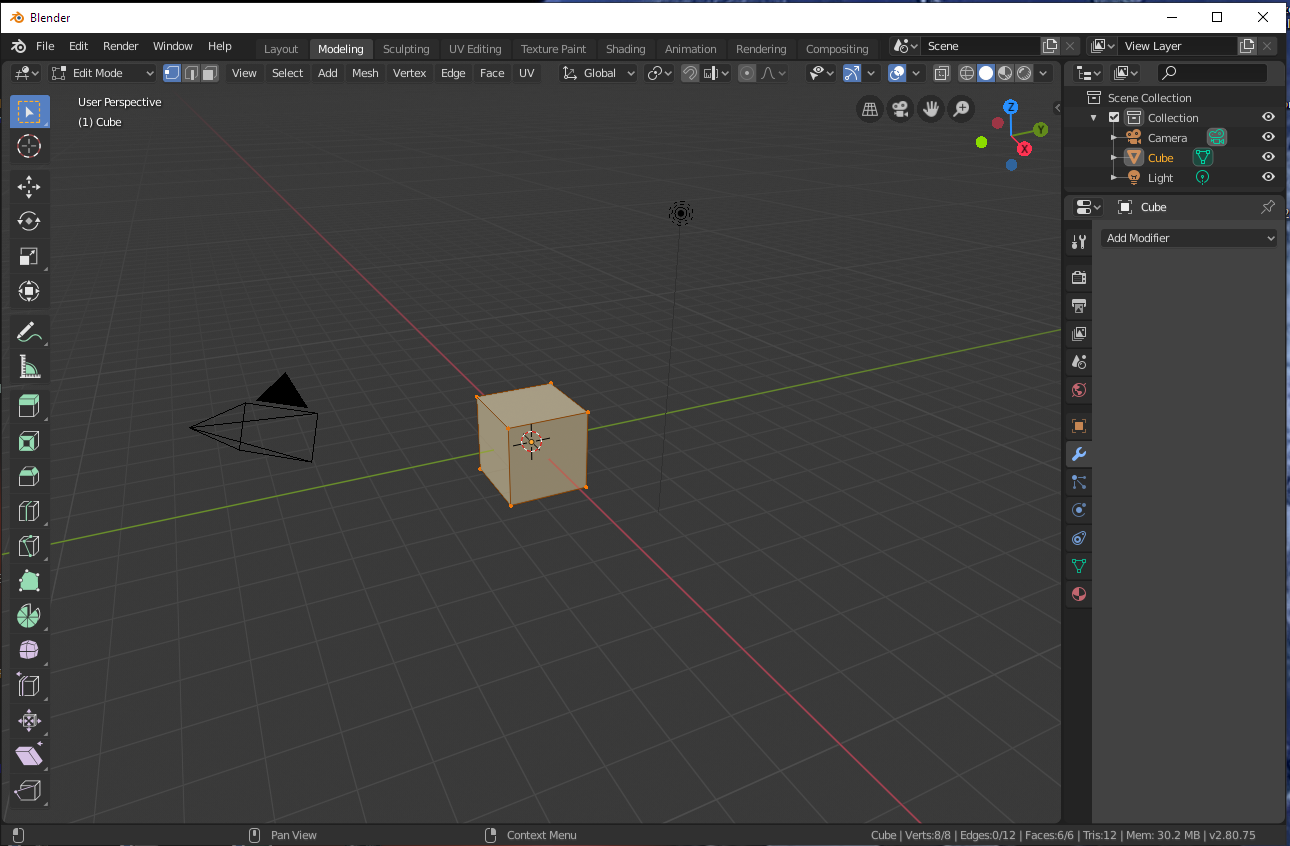
    Blender - this one looks like it has an "array" type tool, but for that it doesn't look user friendly. Already when opening a project it gives probably five options to choose from and I wonder whether to select "general" or "sculpting".... Recognising all those tabs, icons and menus is a full-time job.
    Simple screwdriver stand for wall mounting - design and 3D printing

    Fusion 360 has a free version, if the trial period expires is it after the ball?
  • #21 18233575
    mr_grabarz
    Level 20  
    I'll be honest and say that I wasn't convinced by the design either.
    Sure for testing, learning etc as much as possible.
    But when it comes to functionality I think I prefer wood/steel.
    Apparently the author is right the costs are less, but the durability compared to metal/wood seems to me however less.
    Especially when, for example, we are in a hurry and instead of politely taking out the screwdriver, we jerk it around a bit :/
📢 Listen (AI):
ADVERTISEMENT