logo elektroda
logo elektroda
X
logo elektroda

Simple 3D design: vertical phone holder for recording electronics

p.kaczmarek2 549 10
ADVERTISEMENT
Treść została przetłumaczona polish » english Zobacz oryginalną wersję tematu
📢 Listen (AI):
  • Phone held vertically in a 3D-printed mount attached inside a ring light
    I invite you to a short presentation showing the process of creating a simple 3D printable item. I will design and print a lamp-mounted phone holder that allows you to use your phone vertically. I will show the step by step design process along with test prints.

    In a way, this topic will be a continuation of the "phone as microscope" presentation:
    Phone as "microscope" and TQFP soldering - step by step video presentation
    I simply needed the option to rotate the phone 90 degrees, and the factory kit with the lamp does not offer this.

    I'll do the design in Blender, although it's not directly designed for this type of application - I'm just familiar with that program. This can be taken as a curiosity, or as an encouragement for people who already know Blender and would like to print something quickly. I won't describe the keyboard shortcuts etc. here, because that wouldn't be practical, I'll focus on the general methodology.

    I will print the target piece from PLA filament on an Ender 3 Pro printer.

    In the beginning there was a cube...
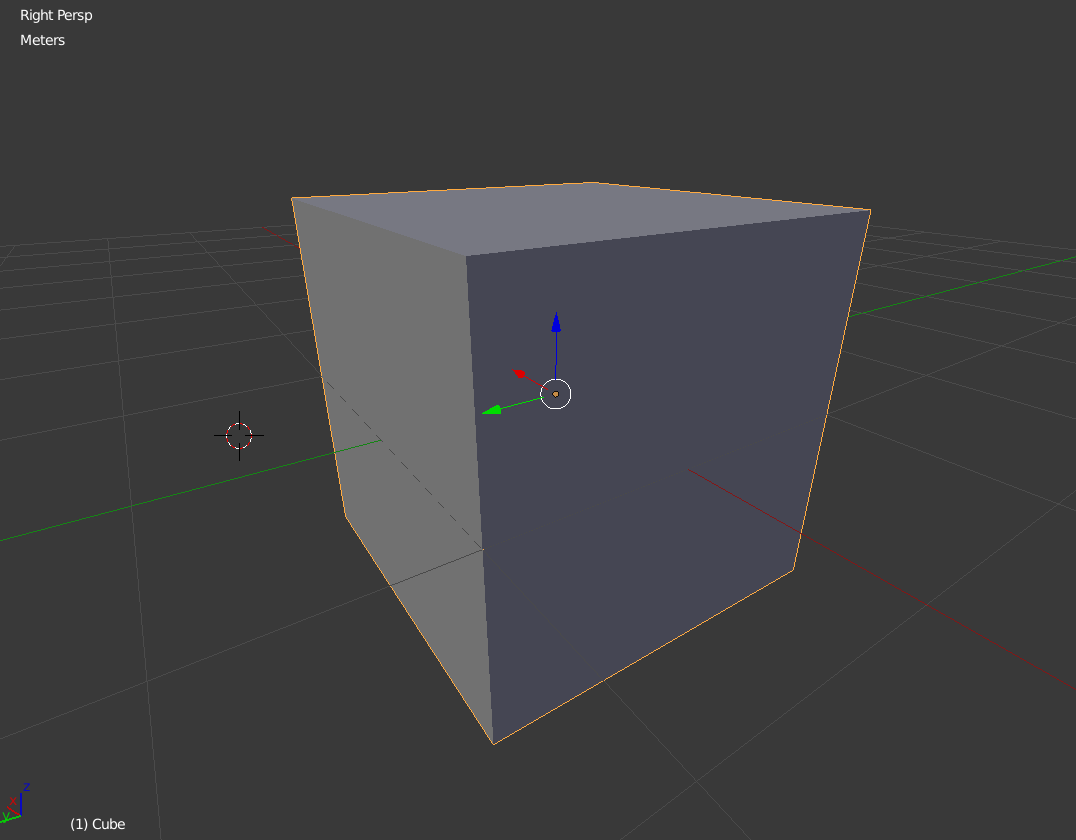
    3D cube view in Blender with colored axes and transformation arrows
    I then dimensioned the indentation I wanted the mount to go into. I used the cheapest caliper. I adjusted the cube to fit, based on the "extrude" operation by the given offset:
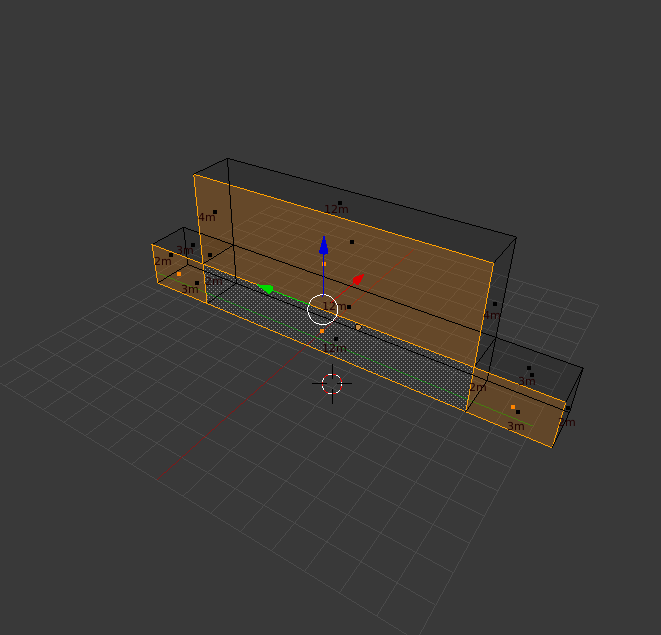
    3D model of a rectangular holder with dimensions marked in Blender viewport
    At this stage it was time for a test print. Such a tiny piece will print in a few minutes, and will allow you to check tolerances and actual dimensions.
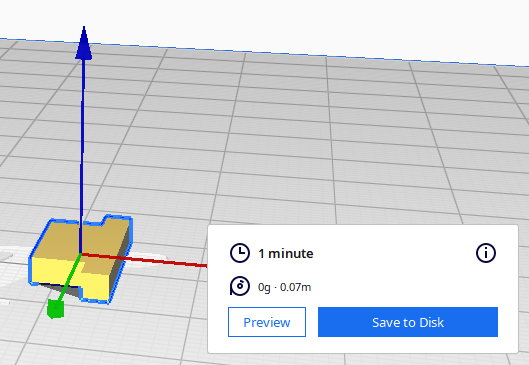
    Test 3D model in Cura software with 1-minute estimated print time.
    See how quickly it prints. It also matched up with me straight away:
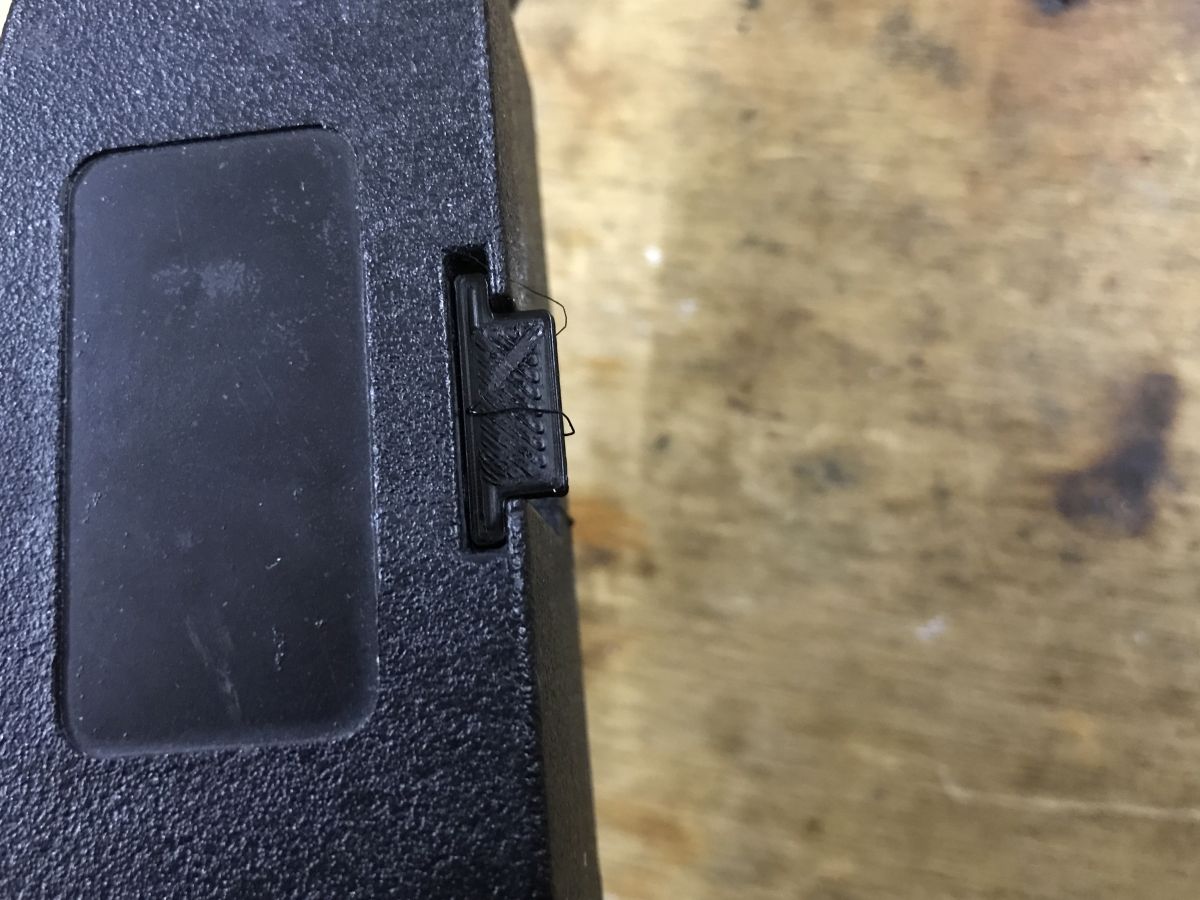
    Close-up of a 3D-printed test piece fitted into a black enclosure on a wooden surface
    It fits, it's fine - just in time for the squeeze. You can move on, i.e. make the "protruding" part:
    3D model of a phone holder with dimensions marked in Blender
    In addition, I partitioned the element separately to have further fields to "extrude". I used "loop cut and slide" for the parting.
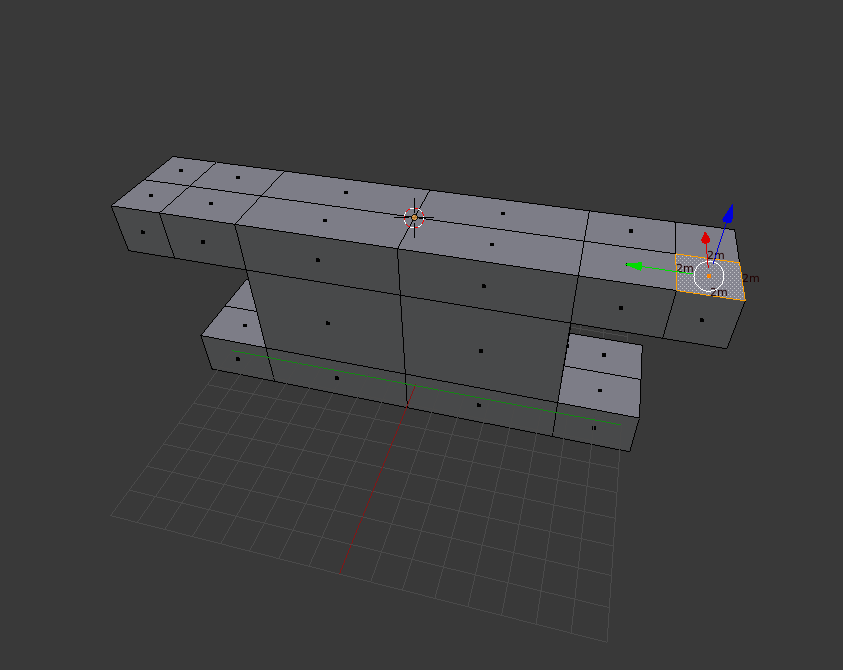
    3D phone mount model in Blender edit mode with mirror symmetry and visible grid.
    At some point, however, I realised I was adding work to myself and flipped the model into mirror mode. I made sure its centre ('origin') was in the expected location and removed half of it, then added a 'mirror modifier' to recreate that side.
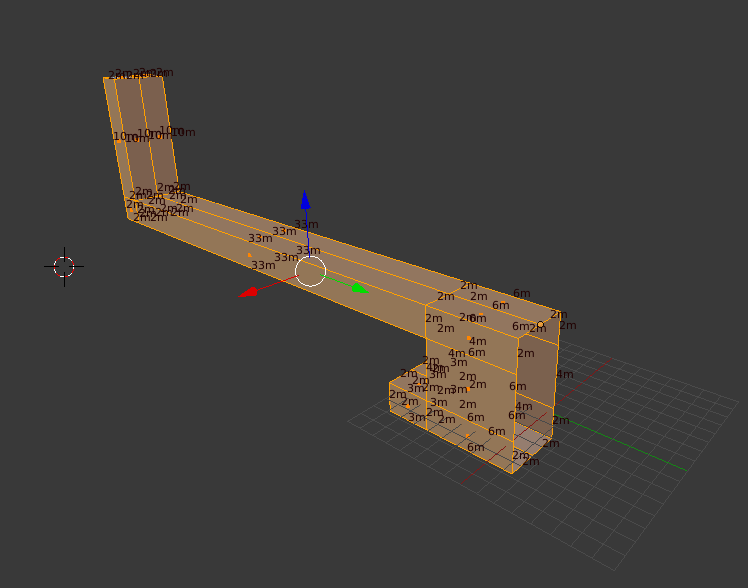
    3D phone holder model in Blender with visible mesh dimensions
    This way I can only edit one page and the other will follow.
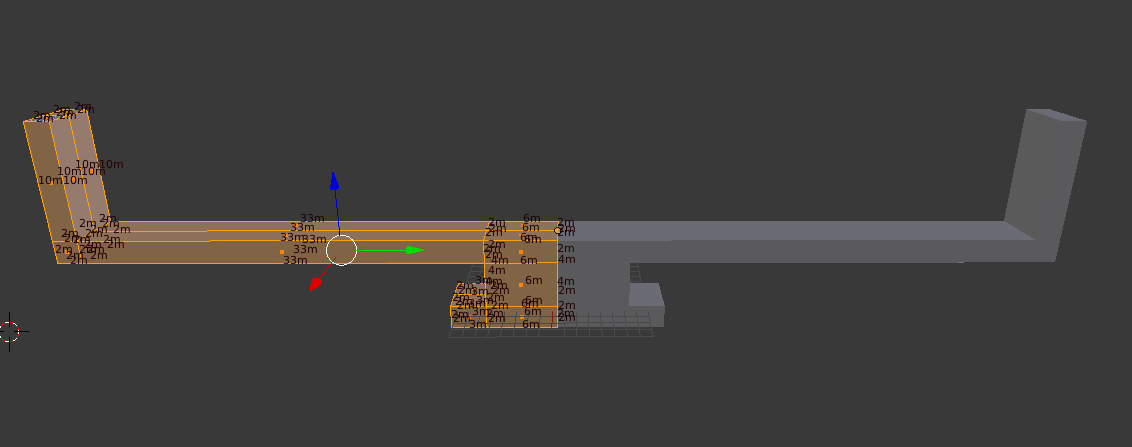
    Side view of phone holder model with dimensions displayed in Blender
    It was time for another print and fitting:
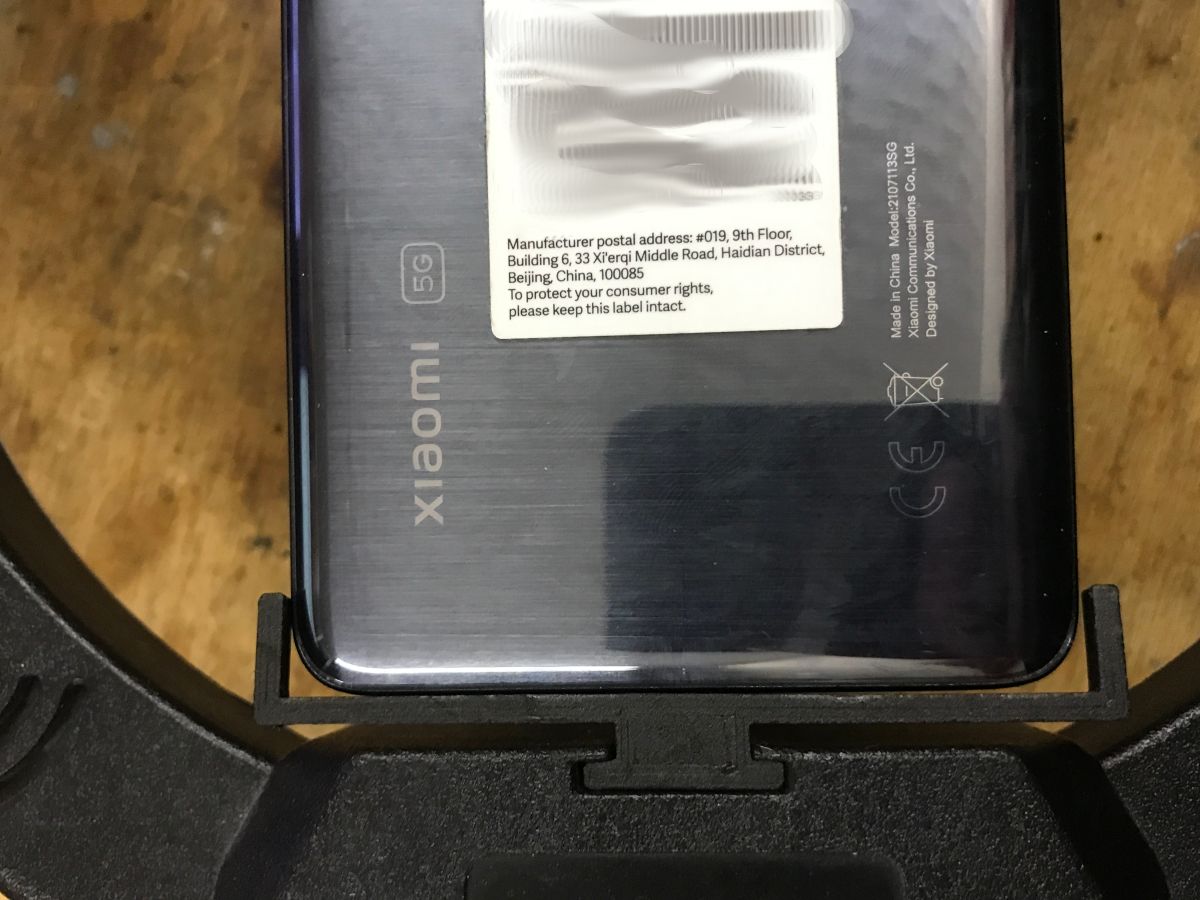
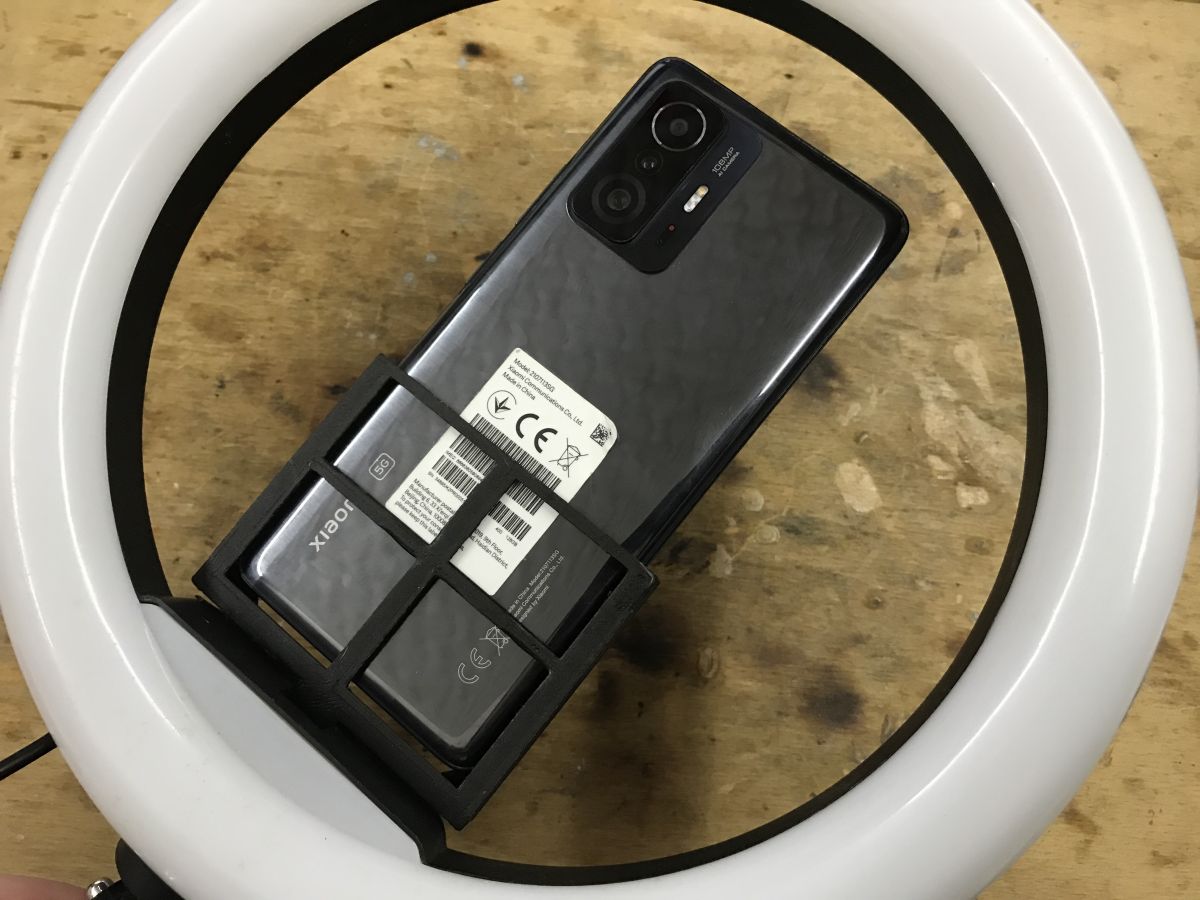
    Xiaomi smartphone in a black 3D-printed holder mounted to a ring light
    At this stage I have already made a "pocket" for the phone. It has to hold it at least a little on both sides, on the front it can be built in, on the back no longer - because it would obscure the screen.
    Phone holder model in Blender with highlighted geometry and displayed dimensions
    However, enclosing the pocket at the front can significantly increase the print time and weight of the component. The element is not filled 100%, there is a setting for this in Cura, but it is still worth optimising this manually too. For this reason, I added a separate object - a suitably sized cube - and clipped it using the 'boolean' operation from the created element, or more precisely, set its clipping and did not accept the 'modifier'. In this way, it will be clipped dynamically and will respect the changes I will later implement in the shape.
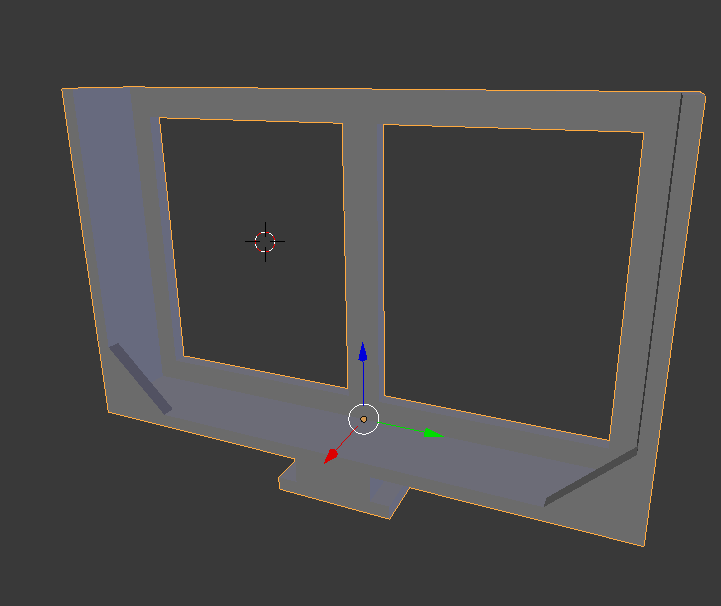
    3D view of a phone mount model with two rectangular cutouts
    Finally, I duplicated the cube and made minor adjustments:
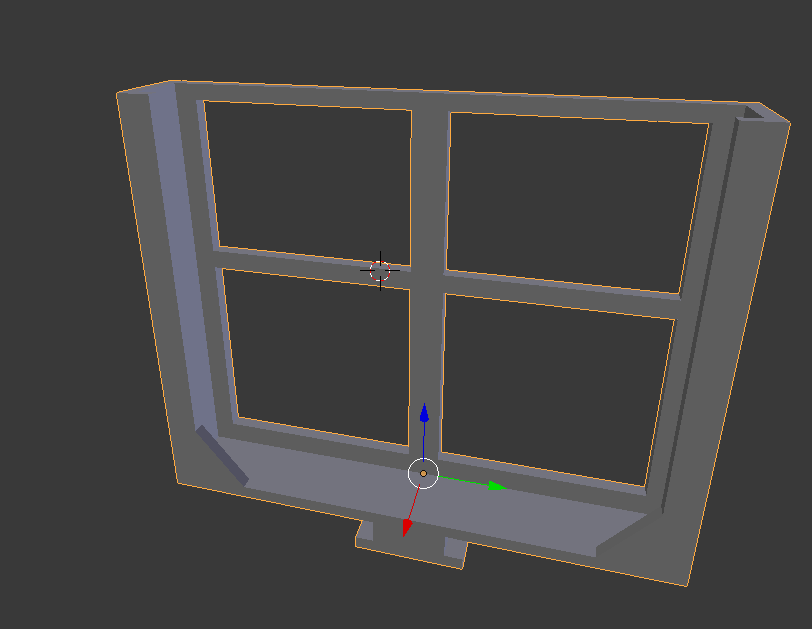
    3D model of a rectangular phone holder with inner grid and bottom clip.
    Because of the added "hooks", the piece had to be printed with so-called "supports", or supports. I used "tree supports":
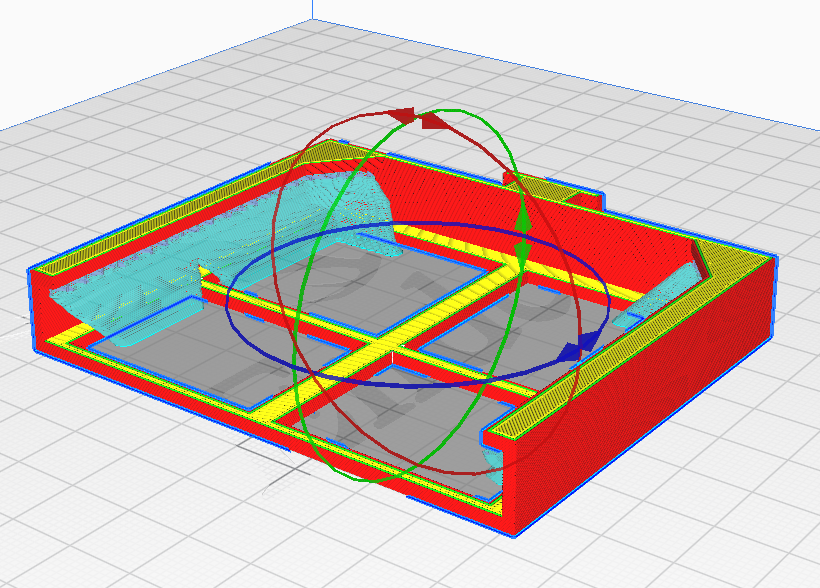
    Phone holder 3D model sliced in Cura with visible print paths and rotation axes
    The item fits, but does it hold the phone?
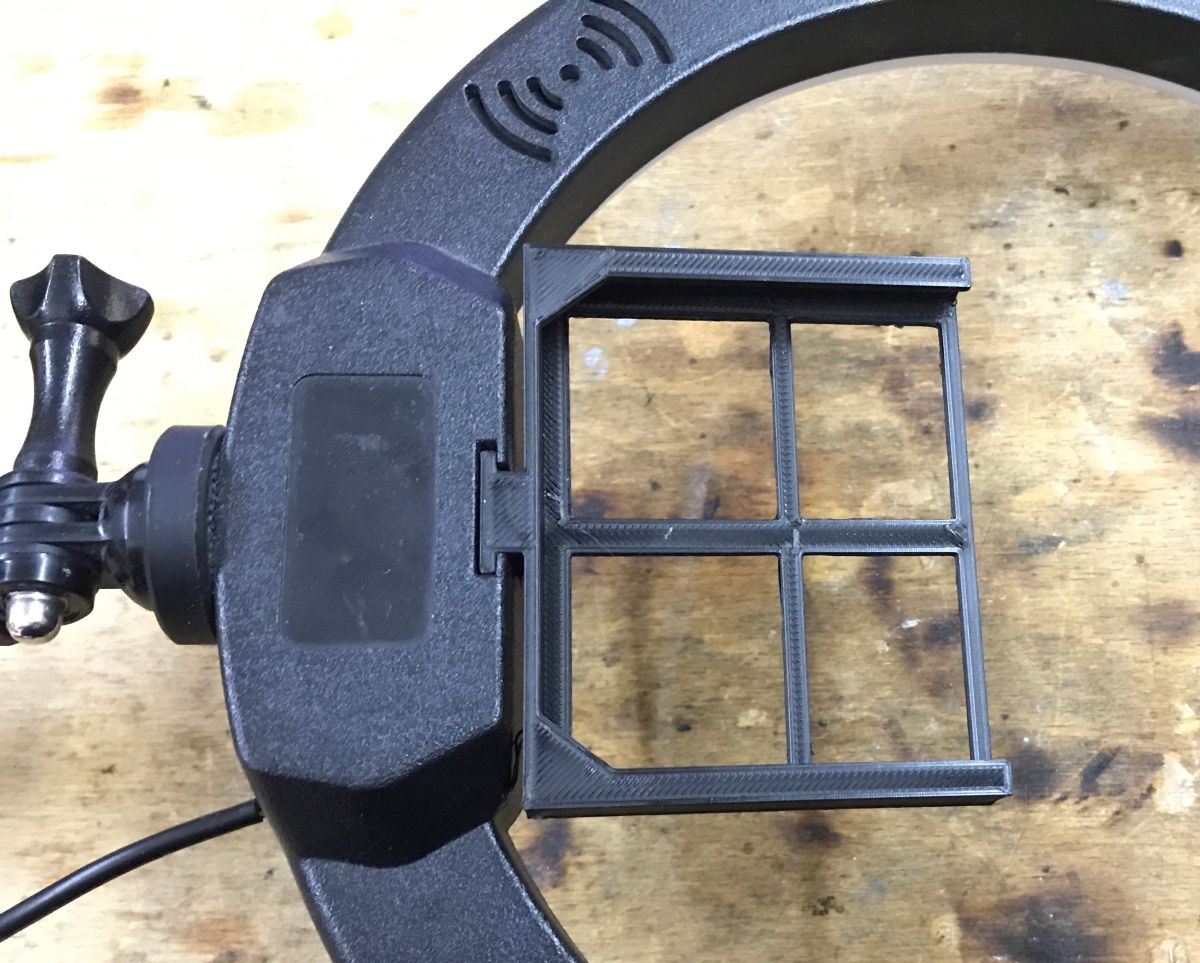
    Black 3D-printed phone holder mounted on a ring light frame
    The phone is held well, everything is fitted for the model I am using. You could do a gripper with an adjustment (based on a screw for example), but given the ease of adding a new model as I change phones I decided it wasn't worth the complication.
    Phone held vertically in a 3D-printed mount attached inside a ring light

    In summary , this was a brief demonstration of designing a vertical phone holder for the light. From now on, I can shoot videos in vertical format. It remains to be seen how much it cost me:
    - time - I didn't count, but it can be chalked up in a few minutes
    - energy - basically it's printing time, the final piece prints for an hour and 40 minutes in "Standard quality" (0.2mm), and 20 minutes less in "Draft", for the printer what I have is assumed to be an average of 120 watts of power
    - filament - the final piece weighs about 22 grams, 1kg of PLA I buy for £50
    The cost of test prints is negligible.
    The piece is robust, as the acicular direction of printing is perpendicular to the potential direction of breakage on set up, I'm not worried about its durability.
    The project was enjoyable and successful, and I have designed and printed countless gadgets of this type.
    And what have you used a 3D printer for recently?

    Cool? Ranking DIY
    Helpful post? Buy me a coffee.

    About Author
    p.kaczmarek2
    Moderator Smart Home
    Offline 
    p.kaczmarek2 wrote 13731 posts with rating 11538, helped 623 times. Been with us since 2014 year.
  • ADVERTISEMENT
  • #2 21802109
    TechEkspert
    Editor
    The topic of 3D printing is super interesting, only the long print time is a bit annoying, for prototyping this seems to be totally OK.
    Perhaps in some cases it might be easier to make a hole or cutout in the finished material, but for more complex shapes 3D printing fits very well.
    Running costs seem ridiculously low 0.022kg , consumed from 1kg PLA at £50 gives £1.1 per material. Power consumption is 120W * 100 minutes gives about 0.2kWh.
    The initial cost of the printer is substantial.
  • #3 21802371
    VIGOR_PICTURES
    Level 21  
    >>21801516
    p.kaczmarek2 wrote:
    I will do the design in Blender, although it is not directly intended for this type of application


    "Good morning to you in the new year. Actually, you're right, but I've made absolutely every 3D printable model in Blender. If you are stubborn, you can even (with the help of external websites that generate SVG files) model gears.

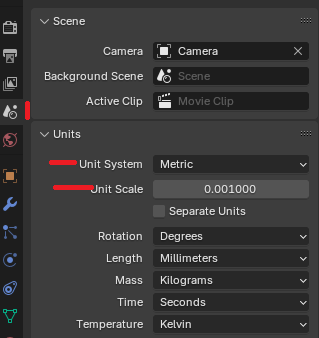
    In any case, I see that you have the units set most probably to "Blender Units". It's worth setting it as in the image attached below - you then have everything beautifully in mm (millimetre parts also work, of course). "Scene properties" section.

    Blender unit settings with metric system and scale set to 0.001

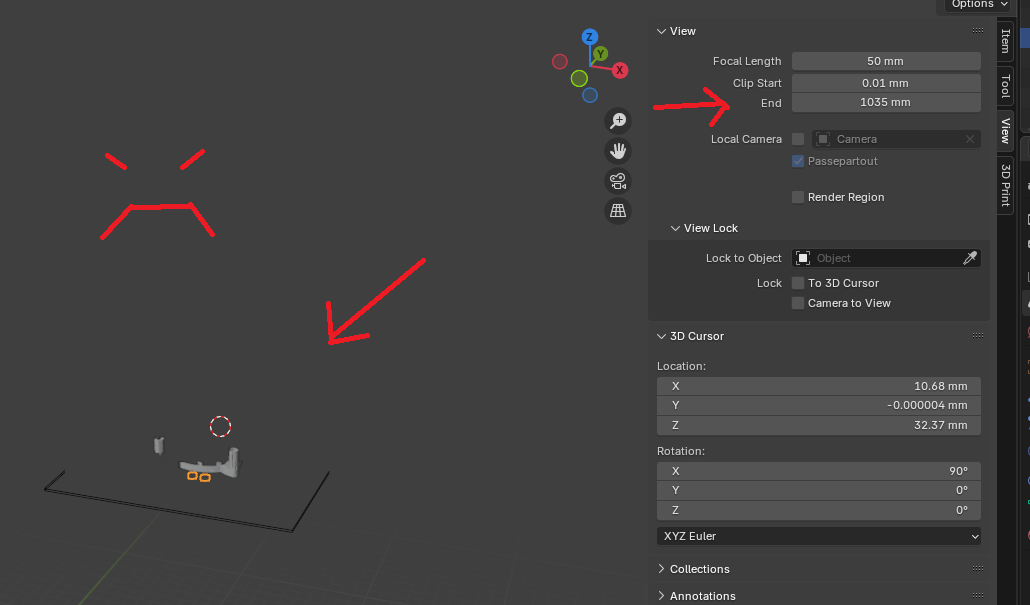
    Unfortunately Blender may not be thrilled with such large values when you zoom out of the view.
    Then part of the object may not be drawn. Just like in the image below:

    Blender screenshot with Clip End set to 1035 mm and red arrows marking the area

    To make sure that the designer is full and the application whole (or whatever the saying goes), all you need to do is set the "Clip End" parameter to something larger in the View section of the secondary panel (under the N key). There may even be absurd values :) . On top of that (I don't actually have a way to replicate this graphic artefact), sometimes when zooming in on a model in Solid mode, the textures start to look weird (as if they were cut out with scissors). Then you have to play with the "Clip Start" parameter.
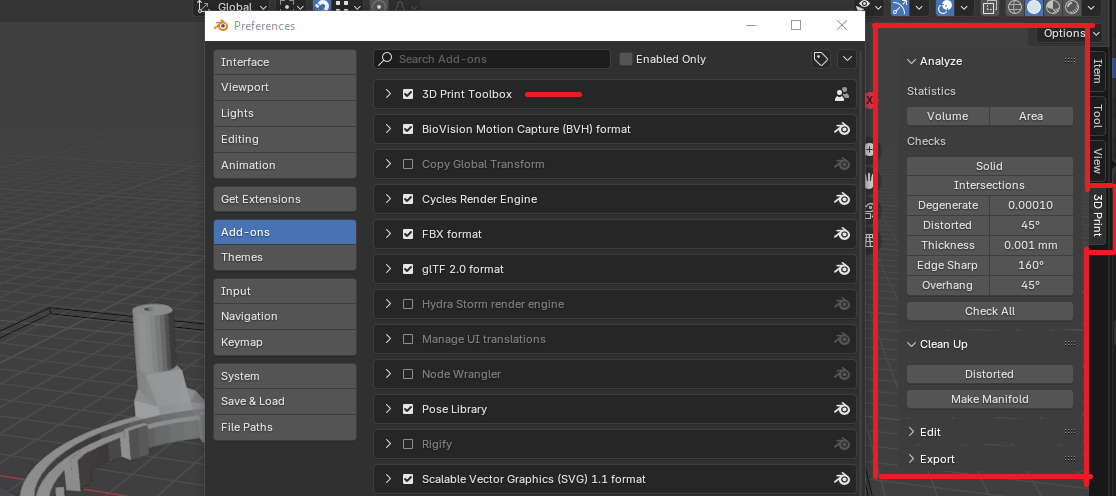
    Finally, I'll give you a hint - check out the 3D print Toolbox add-on. (image below)

    Blender add-ons panel with active 3D Print Toolbox and analysis settings visible

    It makes working with print models very easy. It has an option to check if the model is "full". We do the "Solid" check in model editing mode, it can then nicely show edges that don't match. Sometimes Blender also misaligns its planes and after exporting to STL, the cutting software (e.g. Prusa Slicer) does not see one of the holes even though the model looks ok in Blender. Then we click "Make manifold" and usually the model is already correct after the next export. AAA, (you probably know) but it's always a good idea to "apply dimensions" after making modifications. On a model in manipulation mode (not edit mode) shortcut Ctrl + A and "Apply All transforms". BLender can sometimes get lost with the scale of the units and then there are flowers when printing.

    I must finally get myself together and start publishing my writings in this section ;) .
    Have a great new year!
  • ADVERTISEMENT
  • #4 21802717
    p.kaczmarek2
    Moderator Smart Home
    TechEkspert wrote:
    The topic of 3D printing is super interesting, only the long printing time is a bit annoying,

    However, sometimes and some people print small productions. See here the case from mH-BLR LAN-Radio: F&Home - a Polish building automation system, first step-by-step commissioning

    TechEkspert wrote:

    It may be easier in some cases to make a hole or cut in the finished material,

    Drilling and planing has one downside - it makes much more dust and waste than 3D printing. For use at home, a 3D printer is cleaner, although it in turn requires ventilation (PLA fumes).


    TechEkspert wrote:

    Power consumption is 120W * 100 minutes gives about 0.2kWh.

    It could be said from a distance that in winter a little heating wouldn't hurt :D

    TechEkspert wrote:

    The initial cost of a printer is substantial.

    Agreed, although often the motivation for the purchase is different - a lot of people like all sorts of toys, figurines or ornaments there, even in my family they use it more for decorations. The other thing is that when I print something for myself, it saves time too.
    The KS-17 energy/gas key - triangle/triangle - emergency 3D printing


    VIGOR_PICTURES wrote:

    I must finally get my act together and start publishing my writings in this section ;) .

    I look forward to and strongly encourage you to publish.

    As for the rest of your comments, I'll put it this way - absolutely right tips, although I know that, and just didn't set it up. Normally in Blender I work at a scale where 1 unit is 1 metre, and when I'm making a quick prototype of something I don't even change that. And yes I generally know about near/far camera distances, mesh, units, etc. This addon I can check, but probably with mys tar version it won't work.
    Helpful post? Buy me a coffee.
  • #5 21802730
    Damian_Max
    Level 21  
    p.kaczmarek2 wrote:
    p.kaczmarek2 wrote:
    TechEkspert wrote:
    It may be easier in some cases to make a hole or cut in the finished material,

    Drilling and planing has one downside - it makes much more dust and waste than 3D printing. For use at home a 3D printer is cleaner, although it in turn requires ventilation (PLA fumes).

    I read somewhere that some people print a slightly smaller hole and then: ream (or thread) it → then there is little waste and at the same time a reinforced and smooth hole.
  • ADVERTISEMENT
  • #6 21802737
    p.kaczmarek2
    Moderator Smart Home
    Threads as much as possible, also you can hot fit a nut, see for example these DIY:
    TP-Link Deco M4 - OUTDOOR MOD
    Helpful post? Buy me a coffee.
  • ADVERTISEMENT
  • #7 21803216
    efi222
    Level 21  
    TechEkspert wrote:
    It may be easier in some cases to make a hole or cutout in the finished material,

    This only makes sense if the wall has 100% infill.
    With lesser fills it can be poor. With thicker walls of the order of a few millimetres the infill is sometimes only 20% and after cutting a hole in the wall section the infill structure (grid) will be visible .
    I often print just a section of a larger solid to check that everything fits there.
  • #8 21803219
    p.kaczmarek2
    Moderator Smart Home
    This is also how I check, I do a boolean product operation between the cube and the model fragment and print the result of this operation.
    Helpful post? Buy me a coffee.
  • #9 21803317
    robig
    Level 23  
    Hello

    efi222 wrote:
    For thicker walls of the order of a few millimetres, the infill is sometimes only 20% and after cutting a hole in the wall cross-section, the infill structure (grid) will be visible .


    Then in place of the hole at the design stage you insert reinforcement in the form of an additional solid cylinder, cuboid, etc. To this you can add additional "paws" fixing them in the infill structure or to nearby walls, and finally you cut the necessary hole in it, model the thread, etc. Here the limit is your imagination :)

    p.kaczmarek2 wrote:
    Another thing is that when I print something for myself, it saves time too.
    KS-17 energy/gas key - triangle/triangle - emergency 3D print

    A few years ago I drew and printed myself quite a few identical ones. A few minutes' work in FreeCad, a longer printout due to the number of them and tadam, there it was, and there it is, for a pittance and without a trip to town, buying new padlocks or keys that always get lost somewhere when you just need them.
  • #10 21803361
    efi222
    Level 21  
    robig wrote:
    Then, in place of the hole at the design stage, you insert reinforcement in the form of an additional solid cylinder, cuboid, etc. To this you can add additional 'footings' to fix them in the infill structure or to nearby walls, and finally you cut the hole you need in it

    You can. I reinforced corners this way recently. But I prefer to print the hole ready-made.
  • #11 21803400
    robig
    Level 23  
    efi222 wrote:
    But I prefer to print the hole ready-made.

    That's also what I meant when I wrote "you cut out" - in FreeCad or another program ;)

    Back on topic - super use of what you have on hand without spending $ unnecessarily
📢 Listen (AI):
ADVERTISEMENT