logo elektroda
logo elektroda
X
logo elektroda

Holder with screw hole for Gardinia roller shutter mounting - design and 3D printing

p.kaczmarek2 3543 17
ADVERTISEMENT
Treść została przetłumaczona polish » english Zobacz oryginalną wersję tematu
📢 Listen (AI):
  • Holder with screw hole for Gardinia roller shutter mounting - design and 3D printing
    Hello my dears
    Today I will describe one of my first projects completed with the help of a 3D printer ( Ender Creality Pro 3 ). This is the attachment piece for the roller shutter Gardinia , according to my own design. This roller blind as I found it is designed to be fixed "on the door" (no drilling, no screwing), so without my piece fixing it to the wall is problematic. I don't know if there are other/better blinds to mount, as I was put to the task of mounting this blind that someone had already bought. The piece I designed fits well with the mounting of this blind and has a suitable screw hole.
    The design came about entirely out of practical need, I was helping someone install this roller shutter and this was my solution. Finally, I will post the CAD files of the developed model, so anyone interested can benefit.

    Design of 3D model
    I started by modelling the object that would be attached to my element. I had no intention of printing it. I intended to use it to fit my fixture to existing parts (i.e. as a reference):
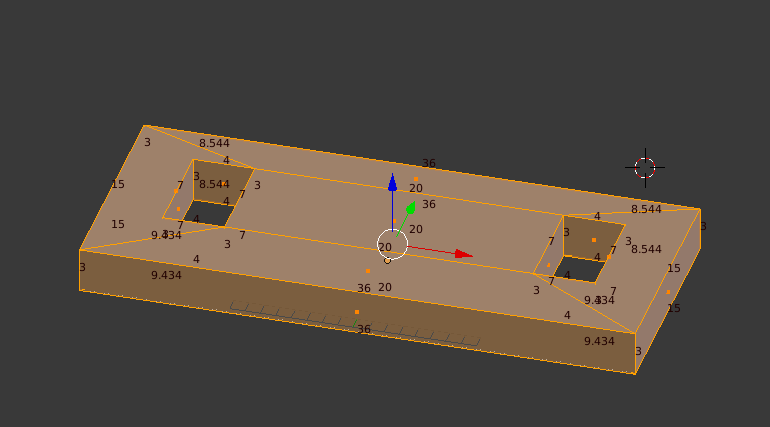
    Holder with screw hole for Gardinia roller shutter mounting - design and 3D printing
    I then prepared an already targeted element around it. The screenshot shows both elements and their matching:
    Holder with screw hole for Gardinia roller shutter mounting - design and 3D printing
    And this is how the final designed element looked like:
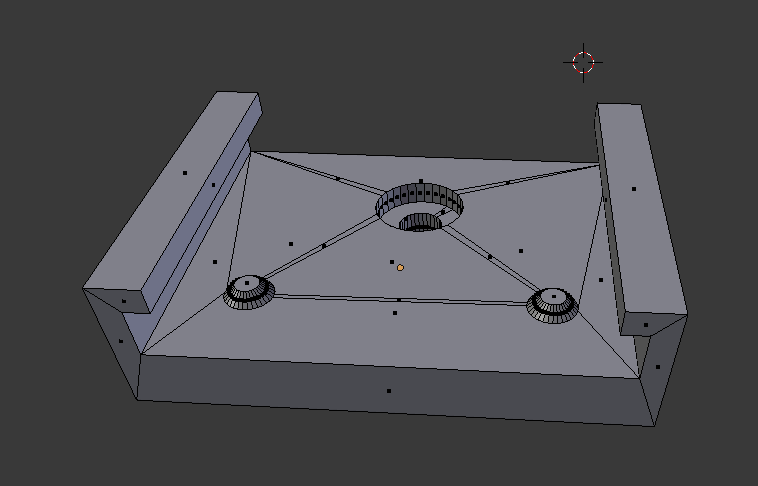
    Holder with screw hole for Gardinia roller shutter mounting - design and 3D printing
    And this is the element I have already printed.

    Printing the part on 3D printer
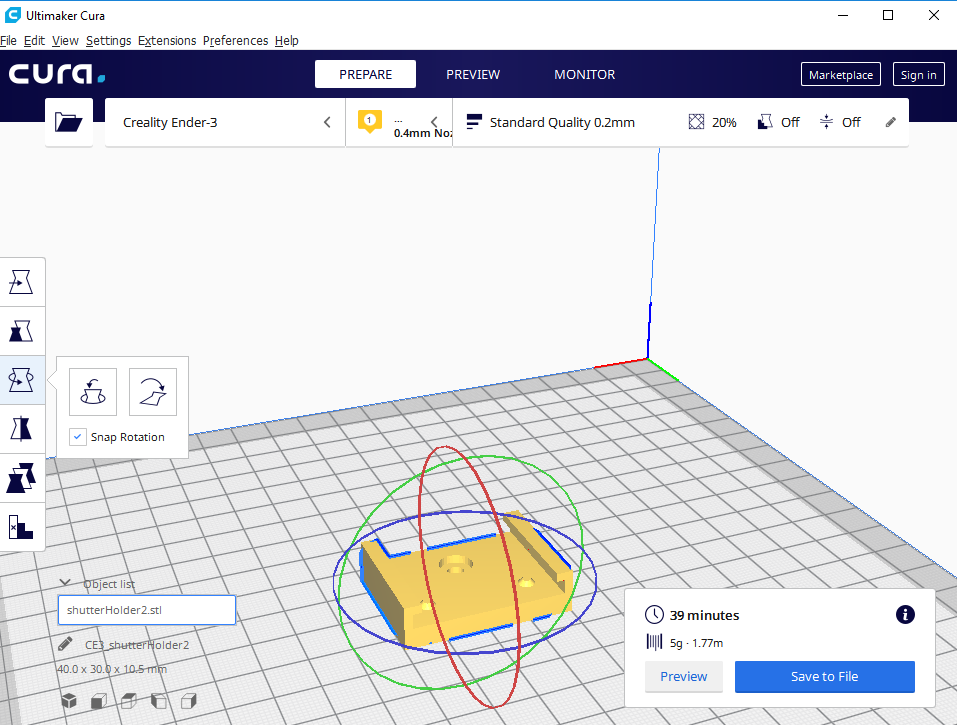
    I decided to print the project in Standard Quality mode. The print time was estimated at 39 minutes and the weight at 5 grams.
    Holder with screw hole for Gardinia roller shutter mounting - design and 3D printing
    NOTE: To print an item without the so-called supports (supports) you need to rotate it 90 degrees from how it is shown in the screenshot above. I printed it this way and that way, compared both options and decided that it was better to rotate it and print without supports , than to leave it as it is and print with supports .

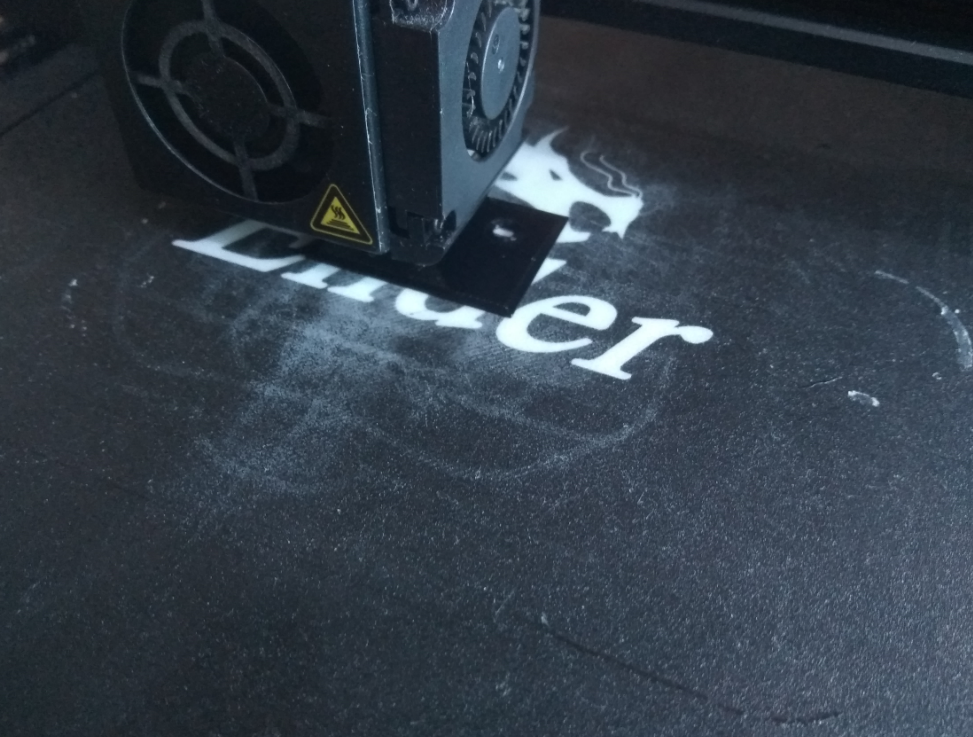
    It came out reasonably well, although I found that the size of the mounting tabs (the two sticking out slightly) was a bit too big and I had to file them down slightly with a file. Nonetheless, the whole thing held together well as it went in tight.
    Holder with screw hole for Gardinia roller shutter mounting - design and 3D printing
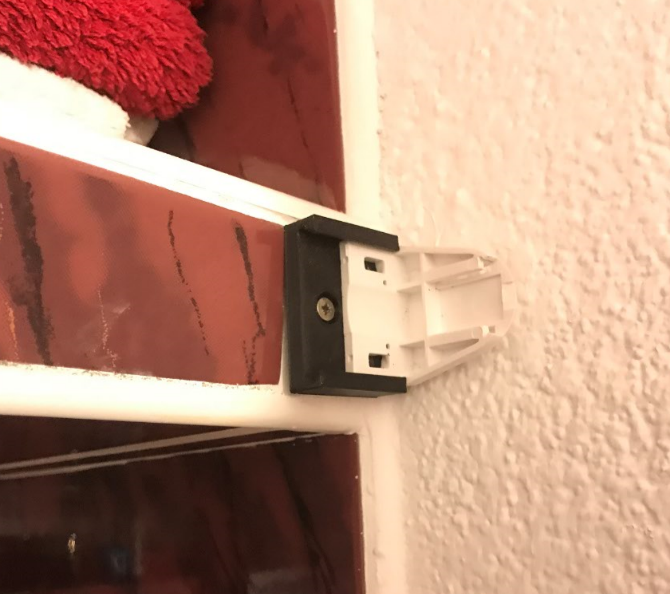
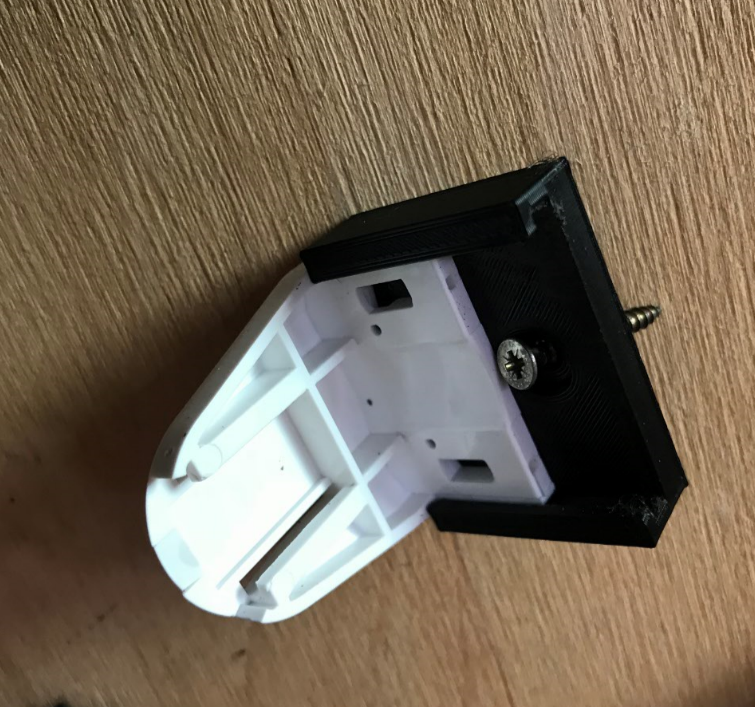
    Final fitting (the white piece from the blind inserted into my 3D printed black mount):
    Holder with screw hole for Gardinia roller shutter mounting - design and 3D printing
    Holder with screw hole for Gardinia roller shutter mounting - design and 3D printing

    End fixation blinds
    I'm not going to judge here the point of fixing the roller shutter where it was fixed. I did what I was asked to do. I just want to show how it was fixed.
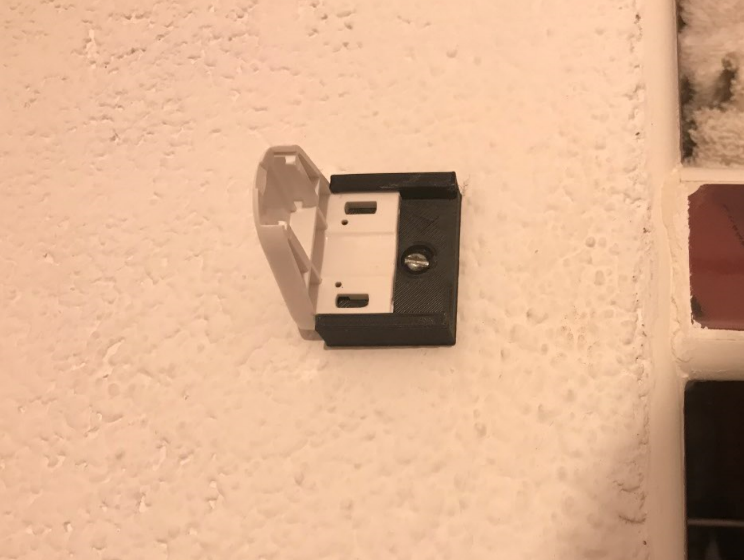
    I drilled two dowel holes in the wall and then tightened my fixings to it with screws.
    Left mount:
    Holder with screw hole for Gardinia roller shutter mounting - design and 3D printing
    Right mount:
    Holder with screw hole for Gardinia roller shutter mounting - design and 3D printing
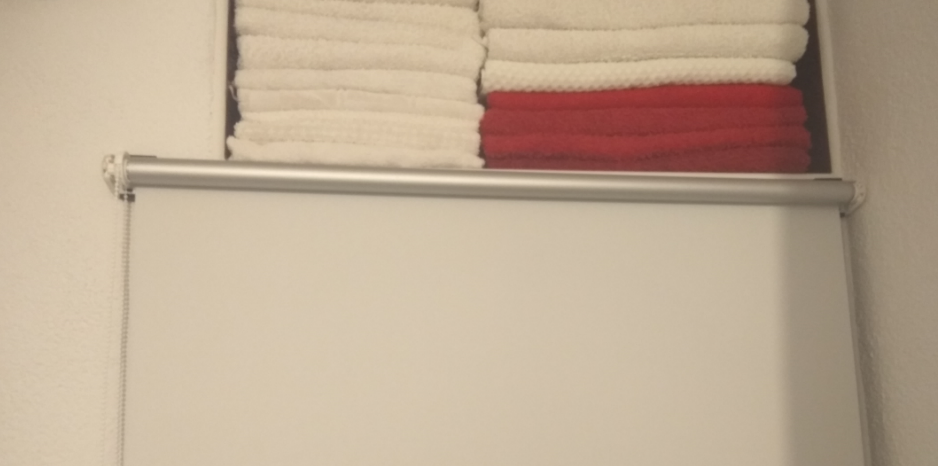
    Then I have already placed the roller blind in them. The whole thing holds solidly and does its job well:
    Holder with screw hole for Gardinia roller shutter mounting - design and 3D printing

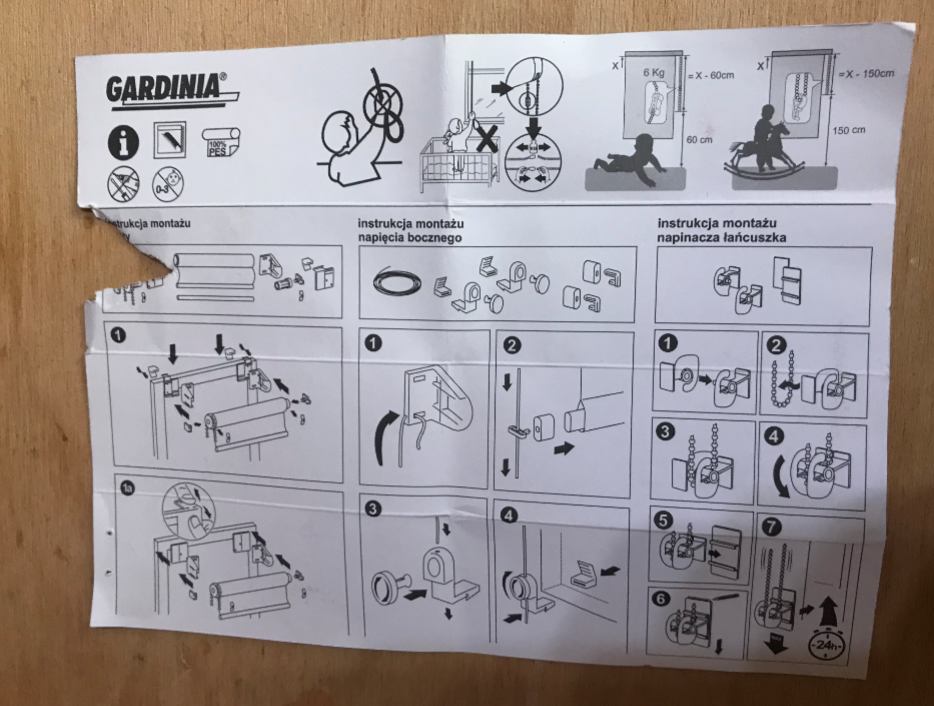
    Additional - leaflet of the roller blind used
    For those who are interested, I am posting pictures of the leaflet of the roller shutter for which my bracket was designed. It shows how this roller blind is normally mounted, for example on a door. This roller blind is thoughtfully designed so that it can normally be fixed without tools (even on the instructions there is a crossed out picture of a screwdriver and a screwdriver).
    Holder with screw hole for Gardinia roller shutter mounting - design and 3D printing
    Holder with screw hole for Gardinia roller shutter mounting - design and 3D printing
    The original way of attaching the blind is quite ingenious, but in my case it didn't work and so I had to come up with something myself.

    Summary
    The roller blind is holding up solidly and does not promise to have any problems.
    The weight and printing time of the component make its cost nearly zero and its usability high (fitting it does not interfere with the other parts of the blind and allows it to be moved to another location later).
    Using a 3D printer means that the component can be alternately modified , e.g. if necessary, move the hole slightly upwards by several mm when you want to make adjustments to the mount.
    In the future when I have white filament I may re-print this part, but I don't think that will necessarily be the case as so far none of the blind users have paid any attention to the colour of the mount.
    I hope that my tiny design described here will motivate someone to take an interest in 3D printing and show that this new trend really can solve a lot of everyday problems.
    I am posting the source files of my mount:
    shutterHol...191021.zip Download(86.06 kB)Points: 3
    received by the file author

    Additionally; the same in STL format:
    shutterHol...191021.zip Download(6.28 kB)Points: 2
    received by the file author

    NOTE: After printing, check that the catch from the roller shutter holds well in my mount. It should go in tight.

    Cool? Ranking DIY
    Helpful post? Buy me a coffee.

    About Author
    p.kaczmarek2
    Moderator Smart Home
    Offline 
    p.kaczmarek2 wrote 13926 posts with rating 11732, helped 630 times. Been with us since 2014 year.
  • ADVERTISEMENT
  • #2 18232081
    SylwekK
    Level 32  
    And that's what a 3d printer is useful for, which is what I've tried to make clear in your other topics :)
    You have a plus for this. A trinket you won't buy at the shop around the corner, and making it out of sheet metal might not work here because of the aesthetics and the relatively complicated shape that is the undersize gantry. On a milling machine it would work, but you already need a good supply of cutters of various kinds :)
  • #3 18232169
    grabo86
    Level 1  
    It seems to me that publishing such a project on the Internet is a bit too much. More time writing about the topic than the work put into the design of a small model.
    As for the printing itself, the rotated version without support is a better solution in terms of durability. It is mainly about the layers which are perpendicular to the direction of the force on the component.
  • ADVERTISEMENT
  • #4 18232471
    trippo1
    Level 12  
    If this is the case, perhaps the forum administrators should think about adding a 3d tab in the diy section. I myself use a 3d printer and would love to look at such solutions. Congratulations on your idea and solution, in which program do you model the parts?
  • #5 18232472
    Slawek K.
    Level 35  
    I think I'm going to start publishing my designs and 3D prints, I have at least a couple of hundred of them.

    Greetings
  • #6 18232510
    error105
    Level 14  
    I think everyone has a few hundred 3D prints, if they have such a printer. Is every one worth bragging about? Certainly not.
    The colleague who created the post selects those that may be useful to someone and everyone can duplicate them.

    I myself have a few thousand printouts, but who will find a motorbike holder for my particular Motorola G6 Plus useful ? Or a case for a device with my PCB ?
  • #7 18232659
    Slawek K.
    Level 35  
    error105 wrote:
    I have a few thousand prints myself, but who needs a motorbike mount for my particular Motorola G6 Plus ? Or a case for the device with my PCB ?

    Just as useful as the "Gardinia roller shutter mount".

    Greetings
  • #8 18233358
    error105
    Level 14  
    Only that this and other roller blinds are available for sale, and there are many, many more phones to choose from. That's the difference. You don't want it don't print it, unless you want it download it, print it and put it on the shelf saying you don't need it :)
  • ADVERTISEMENT
  • #9 18233374
    CMS
    VIP Meritorious for electroda.pl
    It's all beautiful and even works, I hope it doesn't break after a few exposures of the blind.
    One question that bothers me is WHY?
    I see two rectangular holes in the factory roller shutter bracket, originally probably used to lock the latches from the door "hooks". What was the obstacle to using these holes? Possibly using steel washers and, if necessary, some distance from the wall (you could have printed this one out and I wouldn't have frowned, but then this wouldn't have been an issue), although I think you could have done without any distance.
    I see wasted time and filament here.
  • #10 18233381
    error105
    Level 14  
    CMS wrote:
    I see wasted time and filament here

    Wasted time would be looking for pre-made figures and blindly printing without a clue. A colleague designed it himself, so no time was wasted. In the same way, it is a waste of time and money to buy an Arduino Uno and blindly copy ready-made designs without learning the basics to make at least a stupid blinking diode your own way.
    So I don't know why you are so bitter about me wasting anything.
  • ADVERTISEMENT
  • #11 18233403
    CMS
    VIP Meritorious for electroda.pl
    No hard feelings.
    I just think it's quicker to drill two, three or even four holes in the wall and then simply screw on the factory mount, rather than designing and printing a mount and then drilling two holes anyway.
    And it would be worth painting the print white.
    I am in favour of simple solutions.
  • #12 18233405
    Slawek K.
    Level 35  
    error105 wrote:
    This and other blinds are available for sale, and there are many, many more phones to choose from. That's the difference. You don't want it don't print it, unless you want it then download it, print it and put it on the shelf saying you don't need it :)

    I don't think you understood the sarcasm ;)
  • #13 18233513
    woytas73
    Level 22  
    One thing I don't understand, why mess around for 8 hours when the roller shutter brackets have 2 holes for fixing....
  • #14 18233608
    CMS
    VIP Meritorious for electroda.pl
    Didn't I write the same thing a little above?
  • #15 18235093
    .:KoSik:.
    Level 18  
    This can be done in various ways but this is probably not the place to publish such designs.
    Firstly, there are plenty of places where you can post your 3d designs and usually people there are looking for ready-made solutions. Secondly, everyone who has a printer makes at least a few of these projects a year, and this does not mean that they have to post their creations anywhere.
    Compared to other projects on the electrode it is unfortunately too little. I understand the implementation of the whole roller shutter, not 3 topics about nothing.
    In the rule, I think the moderation should intervene.

    Moderated By gulson:

    Moderation allows you to show any well-described DIY, and the popularisation of 3D printing is most welcome.

  • #16 18235498
    VIGOR_PICTURES
    Level 21  
    Can you give a more detailed account of what you did?
    I see from the photos that you modelled the handle in Blender. What did you do next? I just didn't know that Blender was suitable for creating objects for future 3D printing. How about dimensions and scale? Are there no problems?

    Greetings,
    Victor
  • #17 18238653
    p.kaczmarek2
    Moderator Smart Home
    Yes, there are apparently two holes in the finished part, but these are holes for the striker from the door cap, not for the screws. They're not the right shape, they're rectangular, and on top of that I'd be worried that if I tightened them down any harder the plastic would just break.
    They are not designed to be screwed into the wall, and I don't like fiddling , so I designed my part (I already know the 3D program).

    On top of that, the use of a printed mount allows for very easy height adjustment (one hole is drilled, if the height doesn't match then you print another version of the element with the hole slightly lower, unscrew the old one, screw in the new one and you're done).

    @VIGOR_PICTURES you ask what happens between creating the 3D model object and printing? You export to STL and then create the GCode in Cura. I'm planning to do my own review of Ender Pro 3 Creality for Articles and will describe the process in more detail there (with screenshots).
    Helpful post? Buy me a coffee.
  • #18 18240657
    .:KoSik:.
    Level 18  
    VIGOR_PICTURES wrote:
    I just didn't know that Blender was suitable for creating objects for future 3D printing


    Actually, it is not suitable. Just creating simple assemblies is an ordeal, let alone dimensioning. It's a great program for creating 3D graphics and it's free.
    When it comes to modelling parts for 3D printing, SketchUp (also free) is sufficient for simple projects, and there are no problems with control as with Blender.
📢 Listen (AI):
ADVERTISEMENT