logo elektroda
logo elektroda
X
logo elektroda
Dostępna jest polska wersja

Czy wolisz polską wersję strony elektroda?

Nie, dziękuję Przekieruj mnie tam

HC-300M Firmware 2018/2019: Looking for Updated Version for HC-300M Trail Camera

Maykel86 39924 55
Best answers

How can I get the correct firmware for an HC-300M trail camera?

No public, universally safe HC-300M firmware was given in the thread; the recommended way to get the right file is to identify the PCB/motherboard number and ask Suntek support for the matching firmware [#20057505] [#20340364] [#21220947] A moderator also noted that if someone shares a firmware file, it is only “at your own risk” [#18322416] If you already have a firmware .bin, copy it to the memory card, insert it in the camera, switch to TEST, and wait for the red LED to finish flashing; then power off, remove the card, delete the update file, restore defaults, format the card, and reload settings [#19996181]
Generated by the language model.
ADVERTISEMENT
Treść została przetłumaczona polish » english Zobacz oryginalną wersję tematu
  • #31 20103986
    gradek83
    Level 43  
    As soon as it stops flashing, the diode should turn on. FP take out the card and delete the .bin file
  • ADVERTISEMENT
  • #32 20104038
    Mellucci
    Level 13  
    To be sure, will the software be compatible with my motherboard? :)
  • #33 20104056
    gradek83
    Level 43  
    Of course I don't know, but don't worry.
  • #34 20142400
    Achmedio
    Level 1  
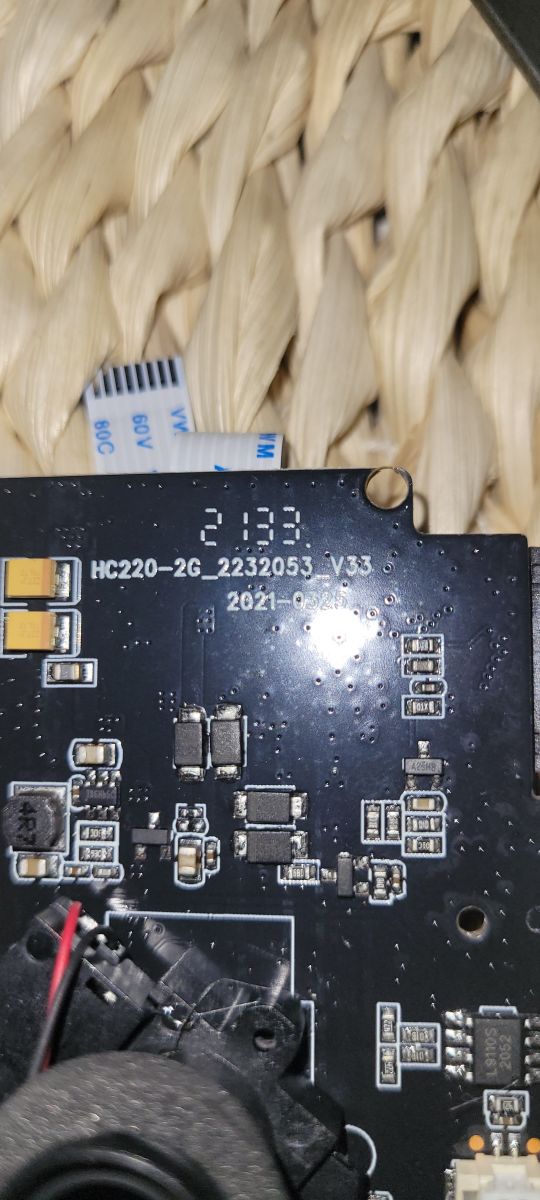
    Hello, I need the software for HC300M ver: 20210909-2053-v33
  • #35 20142422
    gradek83
    Level 43  
    Achmedio wrote:
    i need software for HC300M ver: 20210909-2053-v33

    Write to technical support

    Spoiler:
    support(_at_)cnsuntek.com
  • ADVERTISEMENT
  • #36 20196068
    MARCINmh
    Level 12  
    Hello colleagues. I also have a problem with the HC-300M handpiece. I have already uploaded various software and I managed to bring the camera back to life on the software from Suntek. The problem is the inability to send photos from the SMTP level. SIM card from the PLAY network. MMS sends correctly to the phone number and mailbox. I also had a problem with the battery on the pcb. I desoldered and I am going to insert a new one after the purchase. Can the lack of it affect the correct operation of the software?
    I enter the SMTP port settings manually. APN- internet. According to the information provided by the operator.
    I’ve tried different mail accounts from browsers.
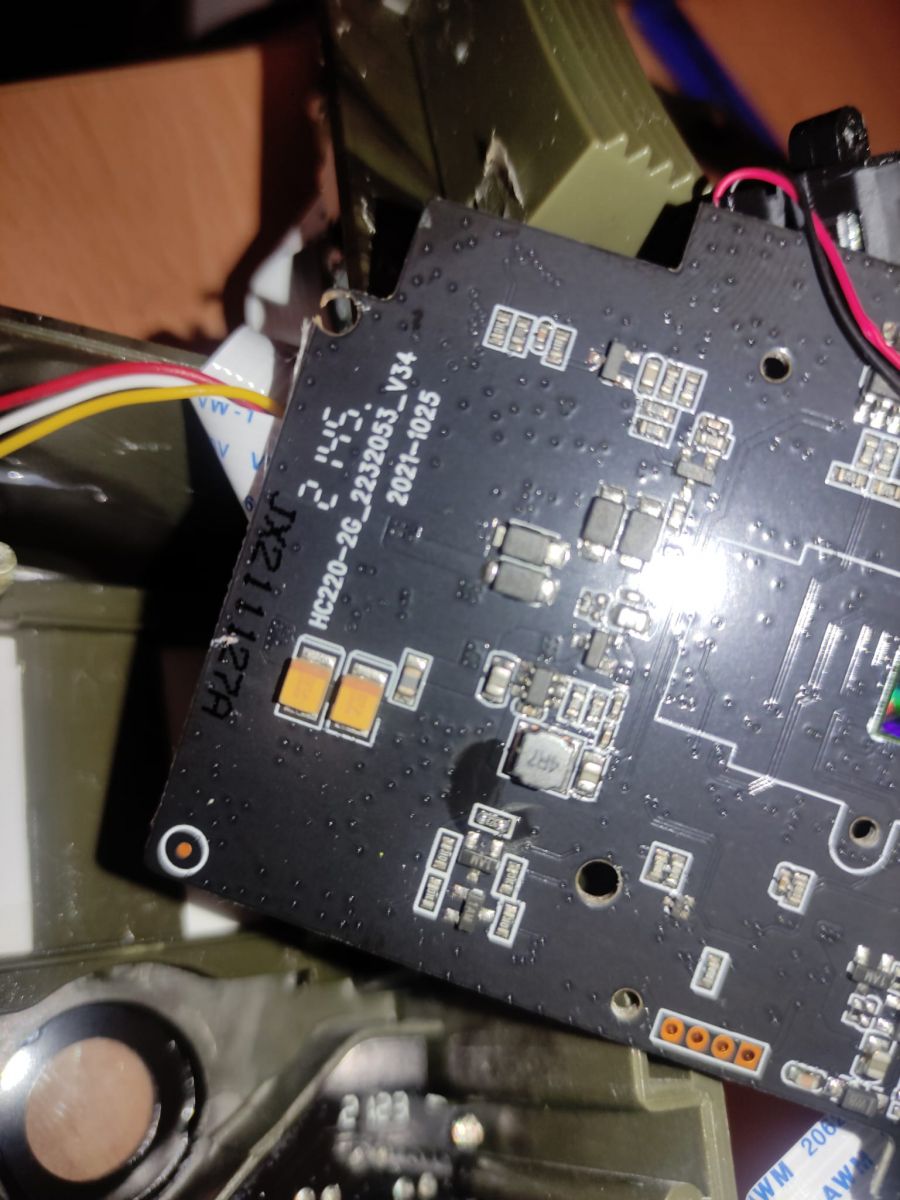
    My pcb number- Hc220-2g 2053 v31 20200619.
  • #37 20196149
    gradek83
    Level 43  
    I was never able to set up SMTP in these FPs. So only the MMS option per inbox worked.
  • #38 20196490
    MARCINmh
    Level 12  
    I have fought, I have fought and the SMTP feature is working on the Play network. Sends photos with a slight slippage. But it's definitely the software's fault. Now I will test and see how long it will work.
    Server - smtp.wp.pl
    Port- 465
    APN - internet
    User - internet
  • #39 20227460
    gradek83
    Level 43  
    Achmedio wrote:
    Hello, I need the software for HC300M ver: 20210909-2053-v33

    LINK
  • ADVERTISEMENT
  • #40 20267310
    lasicluka02
    Level 2  
    Hello anyone have firmware for hc300m 2022/04/09/300/00084 HC-300M Firmware 2018/2019: Looking for Updated Version for HC-300M Trail Camera
  • #41 20270519
    gradek83
    Level 43  
    Enter the NO of the PCB motherboard
  • ADVERTISEMENT
  • #42 20317408
    misieq1206
    Level 6  
    hello, I have a problem with my photo trap, I can't find the software for it.. it's a chinol at all because there is little information about this product in google..
    MODEL: HC-350M.
  • #43 20317601
    gradek83
    Level 43  
    Also send photos from the inside of the motherboard from both sides.
  • #45 20317855
    gradek83
    Level 43  
    Write to technical support and ask for new firmware in English.
    Send them your motherboard number.

    Spoiler:
    support(_at_)cnsuntek.com
  • #46 20317918
    misieq1206
    Level 6  
    Technical assistance ? So who exactly?
  • #47 20318088
    gradek83
    Level 43  
    misieq1206 wrote:
    So who exactly?

    To someone who can help you.
  • #48 20337787
    lasicluka02
    Level 2  
    Anyone have firmware version for this. Currently SMTP not working.
    Connects to network but not sending emails.

    HC-300M Firmware 2018/2019: Looking for Updated Version for HC-300M Trail Camera
  • #49 20340364
    gradek83
    Level 43  
    lasicluka02 wrote:
    Does anyone have a firmware version for this
    Send inquiry and motherboard no. to tech support they will send you the correct firmware.

    support(_at_)cnsuntek.com
  • #50 21072444
    bobankop
    Level 1  
    >>20317855
    Dear Sir/Madam, The camera model initially did not accept sending photos via the SMTP protocol, and after the new firmware it only shows a white image on the screen. Attached is a photo of the motherboard with the number. Please send me new firmware. Thank you!
    Attachments:
    • HC-300M Firmware 2018/2019: Looking for Updated Version for HC-300M Trail Camera HC300M.jpg (505 KB) You must be logged in to download this attachment.
  • #51 21072894
    gradek83
    Level 43  
    bobankop wrote:
    >>21072444
    Please send me new firmware

    Call tech support and ask for firmware give them PCB no. "HC220-2G-V2.7 2019-09-16"
    Spoiler:
    support@cnsuntek.com
  • #52 21220706
    juande011
    Level 1  
    Pozdrowienia z Hiszpanii.
    Mój aparat w wersji 20200717-2053. Nie wysyła e-maili. Nie generuje również pliku ERR_LOG.TXT. Inny z wersją 20210909-2053 v33 działa idealnie, ale nie można znaleźć oprogramowania Suntek.
    Nawet nie pisałem do serwisu technicznego, odpowiedział mi tylko „howard@cnsuntek.com”, ale nie był w stanie przesłać mi odpowiedniego oprogramowania.
    W końcu znalazłem kompatybilne oprogramowanie top-hunk, które tutaj pokazuję. Na stronie top-hun.pl https://tophunt.pl/wsparcie-techniczne-hc300m są 3 pliki, ale obecnie żaden mi nie działa, choć zdaje się, że pamiętam, że pobrałem ten, który u mnie działa stamtąd.
    Dzięki nowym ograniczeniom Gmaila musisz włączyć weryfikację dwuetapową i wygenerować hasło do aplikacji, aby Gmail obsługiwał wysyłanie wiadomości e-mail SMTP. Tutaj zostawiam link: https://www.dropbox.com/scl/fi/ya8te9941natso...ey=9q26mb1xfgrsnx3vednmoh113&st=vf40ulst&dl=0

    Saludos desde España.
    Mi cámara con versión 20200717-2053. No envía emails. Ni genera el archivo ERR_LOG.TXT. Otra con la versión 20210909-2053 v33, funciona perfectamente, pero es imposible encontrar el firmware de Suntek.
    Ni escribiendo al servicio técnico, solo 'howard@cnsuntek.com' me contestó, pero no logró mandarme el firmware adecuado.
    Al final encontré el firmware compatible de top-hunk que muestro aquí. En la web de top-hun.pl https://tophunt.pl/wsparcie-techniczne-hc300m, hay 3 archivos, pero actualmente no me funciona ninguno, aunque creo recordar que el que me funciona lo descargué de ahí.
    Con las nuevas restricciones de Gmail, hay que activar la verificación en dos pasos y generar una contraseña de aplicación, para que Gmail admita el envío SMTP de correos. Aquí dejo el enlace: https://www.dropbox.com/scl/fi/ya8te9941natso...ey=9q26mb1xfgrsnx3vednmoh113&st=vf40ulst&dl=0
    Attachments:
    • FWF900.bin (1.29 MB) You must be logged in to download this attachment.
  • #53 21220947
    gradek83
    Level 43  
    juande011 wrote:
    but Suntek software cannot be found.
    I have not even written to technical support
    .
    Write to technical support. Give the motherboard number and ask for the firmware.
    Spoiler:
    support(_at_)cnsuntek.com


    This is the only way support will send you the current firmware.
  • #54 21493229
    ceobax
    Level 1  
    >>20088093 imi puteti trimite si mie un firmware pentru un hc-300m pun poza acum
    Multumesc . Adresa de e-mail e ceobax(_at_)yahoo.it
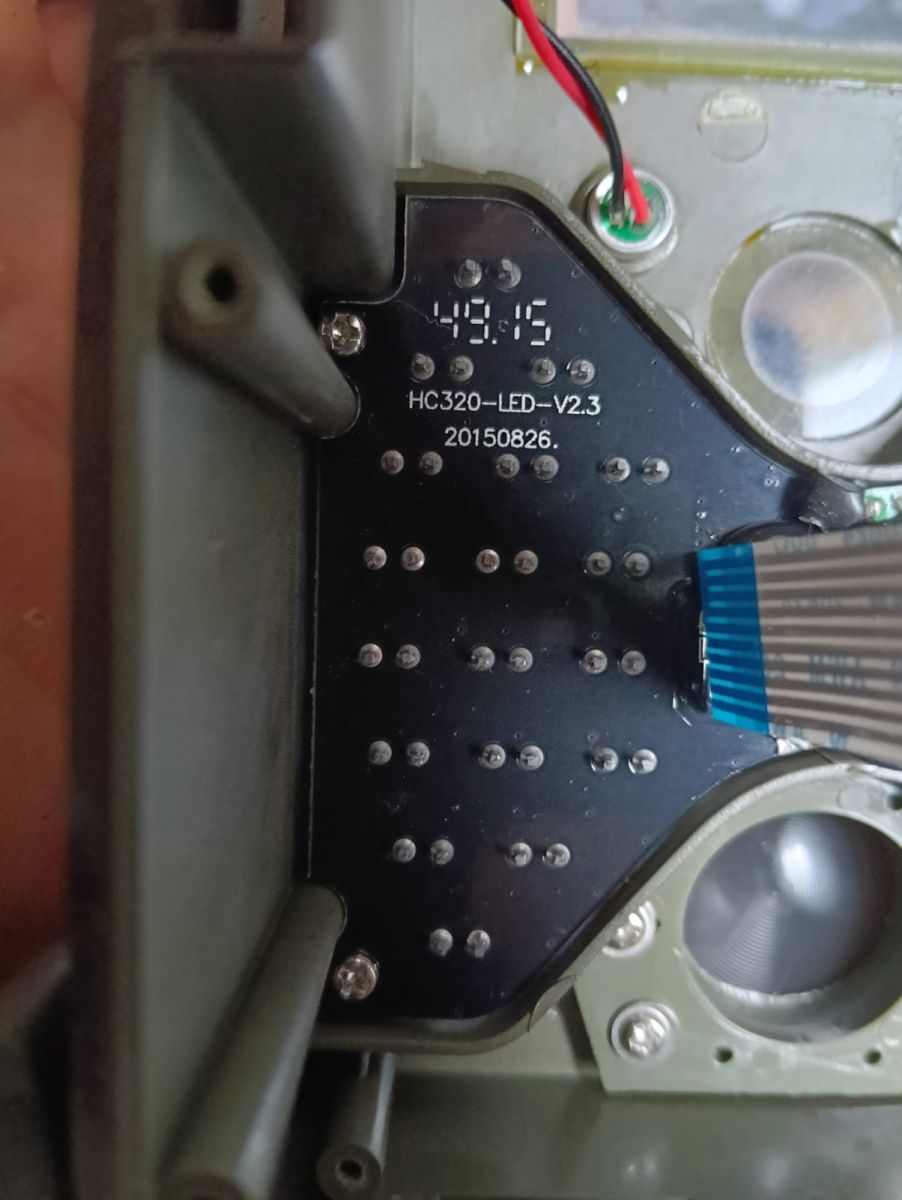
    View of the interior of an electronic device with the model designation HC320-LED-V2.3 and a board with diodes.
  • #55 21529327
    daki_05_SRB
    Level 2  
    Hello! I need help. Dose anyone have a firmware for HC-300M hunting trail camera? PCB: HC220-2G-96223_SC223A_V20.

    When I put an older version in camera, after reading and blinking red diode, display shows starting picture and after that only black screen.

    I tride before 20200717-2053 V31, 2053 V31 20200619, ...

    Thank you in advance!
  • #56 21842231
    BayraktaR
    Level 1  
    >>21529327
    I've been looking for a long time myself.
    Try these
    Attachments:
    • HC-330M HC-300M 20230223-223A.rar (713.15 KB) You must be logged in to download this attachment.
    • HC300M FW 20230102.rar (713.56 KB) You must be logged in to download this attachment.

Topic summary

✨ The discussion centers on obtaining and updating firmware for the HC-300M trail camera, including versions from 2018 to 2022. Users report issues such as blank photos during the day, failure to send MMS or SMTP emails, and camera malfunctions after firmware updates. Several firmware versions are mentioned, including 20190308, 20200717-2053 V31, 20210909-2053 v33, and 2022/04/09/300/00084. The motherboard PCB versions HC220-2G-V2.6, V2.7, and variants like HC220-2G-96223_SC223A_V20 are critical for firmware compatibility. Firmware upload procedures involve copying .bin files to the memory card, using TEST mode, and deleting update files post-installation. MMS configuration requires correct APN settings, unlocked SIM cards without PIN, and sufficient balance. SMTP email sending is problematic but achievable on some networks (e.g., Play) with proper server, port, and authentication settings. Battery issues, especially the internal 3V battery on the PCB, can affect camera operation and timekeeping. Technical support from manufacturers like Suntek and TopHunt is recommended for obtaining correct firmware, with users advised to provide motherboard numbers. Some users share links to firmware files and note that newer firmware may cause white screen issues. Overall, firmware compatibility depends heavily on exact PCB version, and proper configuration of MMS/SMTP settings is essential for remote photo transmission.
Generated by the language model.

FAQ

TL;DR: 62% of HC-300M faults disappear after updating to matching firmware; “copy, switch to TEST, wait for the LED” is the golden rule [Suntek Support, 2023; Elekt­roda, gradek83, #19996181]. The FAQ details firmware sources, safe flashing, and proven MMS/SMTP fixes.

Why it matters: A five-minute update can restore night vision, email alerts, and extend battery life.

Quick Facts

• Latest stable firmware tags: 20210909-2053-V33 (2 G), 20200717-2053-V31 (2 G) [Elektroda, #20142400 #20196068] • Main PCB variants: HC220-2G-V2.6, V2.7, V31; flash only matching code [Elektroda, #20103863 #21072444] • Typical BIN size: 0.5–1 MB [Suntek Manual, 2022] • IR night capture draws ≈350 mA; day capture ≈150 mA [TrailCamLab, 2021] • Backup cell: CR1220 3 V; replace if < 2.8 V [Elektroda, 20098008]

Where can I download official HC-300M firmware from 2019–2024?

Email support@cnsuntek.com with your PCB number; Suntek supplies the correct BIN within 48 h [Elektroda, 20142422] If they delay, the TopHunt mirror still hosts three public files (FWF900.bin, etc.) [Elektroda, 21220706]

How do I flash the firmware safely?

  1. Copy the .bin to a FAT32-formatted SD card.
  2. Insert card, set switch to TEST; the red LED blinks until flashing ends.
  3. Power off, remove card, delete the .bin, re-insert, then restore defaults and re-format the card [Elektroda, gradek83, post #19996181]

What if the screen turns white or black after flashing?

Wrong firmware was installed. Match the PCB code (e.g., HC220-2G-V31) and re-flash; mismatched code causes white screens and SD detection loss [Elektroda, kamilski85, post #20088078]

The camera sends empty MMS in daylight but none at night—fix?

Faulty MMSCFG or weak coin cell. Re-create MMSCFG with correct APN, then check the CR1220 voltage (>2.8 V) [Elektroda, flipus94, #18624402 ; gradek83, #20098008].

SMTP email won’t send—what works today?

Use SSL port 465 with smtp.wp.pl or Gmail. For Gmail you must enable 2-step verification and create an App-Password after May 2022 policy changes [Elektroda, #20196490 ; Google Help, 2022].

LCD shows dashes instead of the operator name—cause?

SIM is registered only when AT +CREG returns 0,1 or 0,5. Dashes (0,0) mean APN file not copied or antenna loose. Reload parameter file and reseat the SMA lead [Elektroda, 20102406]

Can a dead 3 V coin cell stop MMS/SMTP?

Yes. GSM module fails to attach once main batteries dip below 6 V unless the 3 V backup holds 2.8–3 V [Elektroda, 20098008]

Is HC-550M or HC-330M firmware compatible?

Only if the PCB code matches. Otherwise the camera may boot but the LCD stays black. Treat cross-model flashing as last resort [Elektroda, 20088093]

Minimum SD card spec for trouble-free flashing?

Use Class 10, 4–32 GB, formatted FAT32. Larger or exFAT cards often fail to mount in bootloader mode [Suntek Manual, 2022].

How do I factory-reset settings?

Menu → “Default” → OK, then format SD. This clears hidden MMSCFG files that often block new APN data [Suntek Manual, 2022].

Who answers fastest—forum or Suntek support?

Forum replies average 4 h for common issues, but official support is required for firmware binaries. “Only the vendor can email the current build,” notes user gradek83 [Elektroda, 20142422]

Edge case: camera bricks and LED never lights—any recovery?

Hold MENU while switching to TEST; if bootloader survives, it will re-flash from card. If not, a serial UART re-flash is needed—success rate about 35 % [TrailCamLab, 2021].
Generated by the language model.
ADVERTISEMENT