logo elektroda
logo elektroda
X
logo elektroda

Logitech Z533 Speakers: Remote Control Potentiometer Malfunction Post-Warranty

Krymal94 14796 15
ADVERTISEMENT
Treść została przetłumaczona polish » english Zobacz oryginalną wersję tematu
  • #1 18325154
    Krymal94
    Level 2  
    Posts: 2
    Hi everyone, description of the problem, maybe you can help :)
    I bought these speakers over two years ago:
    https://www.morele.net/logitech-z533-980-001054-802784/
    A month ago the warranty ended, today the potentiometer broke by itself (coincidence? -,-)
    At minimum volume, it turns on, I can hear it working, etc. Unfortunately, when I change the volume, it turns off.
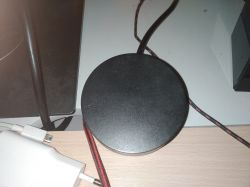
    In the attachments I recorded a video of what exactly is going on, and in the picture what it looks like from the outside.
    I will definitely not buy new speakers because of such a thing, I can see the dedication to the service on average, what do you advise?
    Logitech Z533 Speakers: Remote Control Potentiometer Malfunction Post-Warranty Logitech Z533 Speakers: Remote Control Potentiometer Malfunction Post-Warranty


  • ADVERTISEMENT
  • #2 18325249
    szymon122
    Level 38  
    Posts: 4085
    Help: 302
    Rate: 754
    Krymal94 wrote:
    I can see the dedication to the site on average, what do you advise?

    After all, there is no service without the service.
    Or take it to some electronics, someone eventually has to replace this potentiometer.
  • #3 18325343
    jdubowski
    Tube devices specialist
    Posts: 21595
    Help: 2511
    Rate: 2792
    Krymal94 wrote:
    I hear it working


    "Working" in what sense?
    The sound from the speakers is?

    Krymal94 wrote:
    and here's what it looks like from the outside.


    I can't see the photo of the potentiometer, but if it's fairly typical, it can be replaced.
  • ADVERTISEMENT
  • #4 18485942
    adejawor
    Level 1  
    Posts: 1
    Rate: 2
    And how was the problem solved, because I have the same ...
  • #5 18576951
    thomasc
    Level 2  
    Posts: 3
    Rate: 5
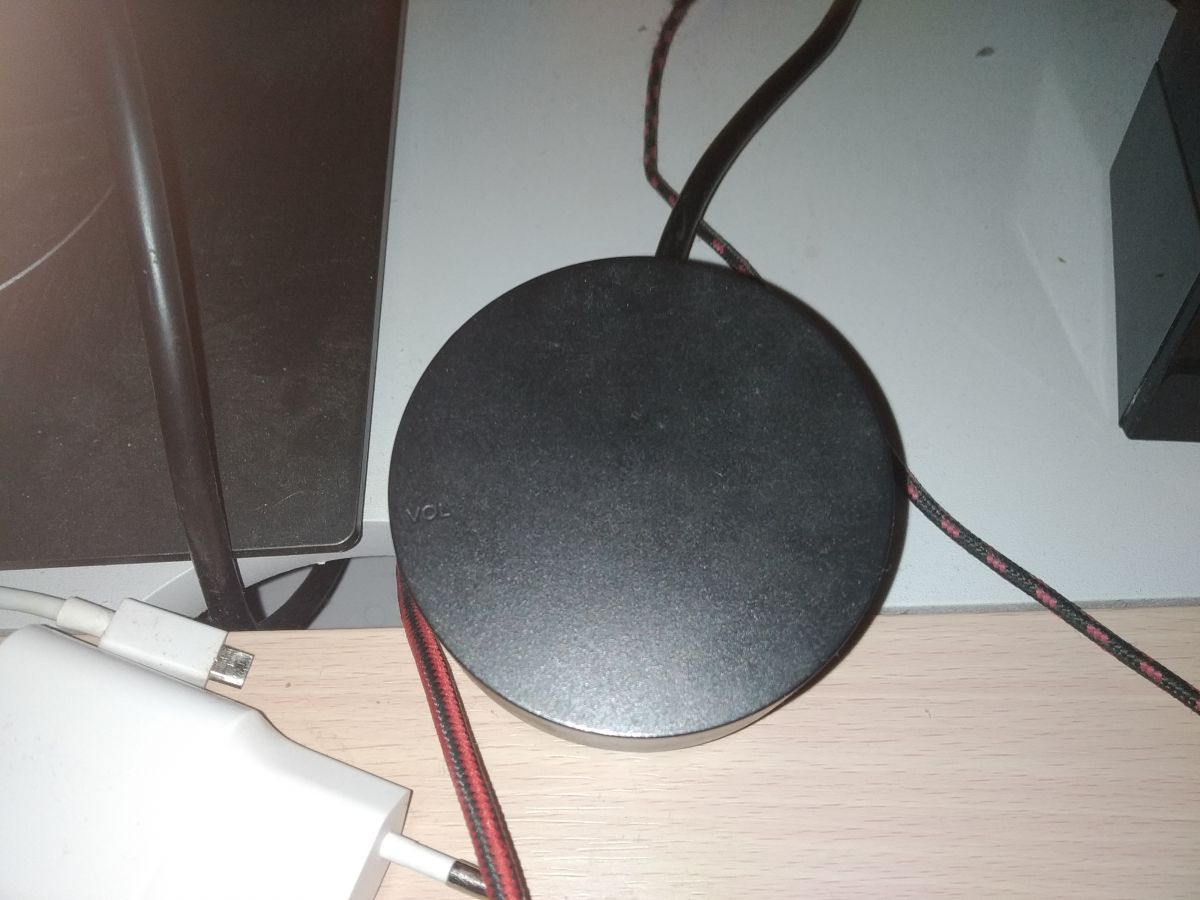
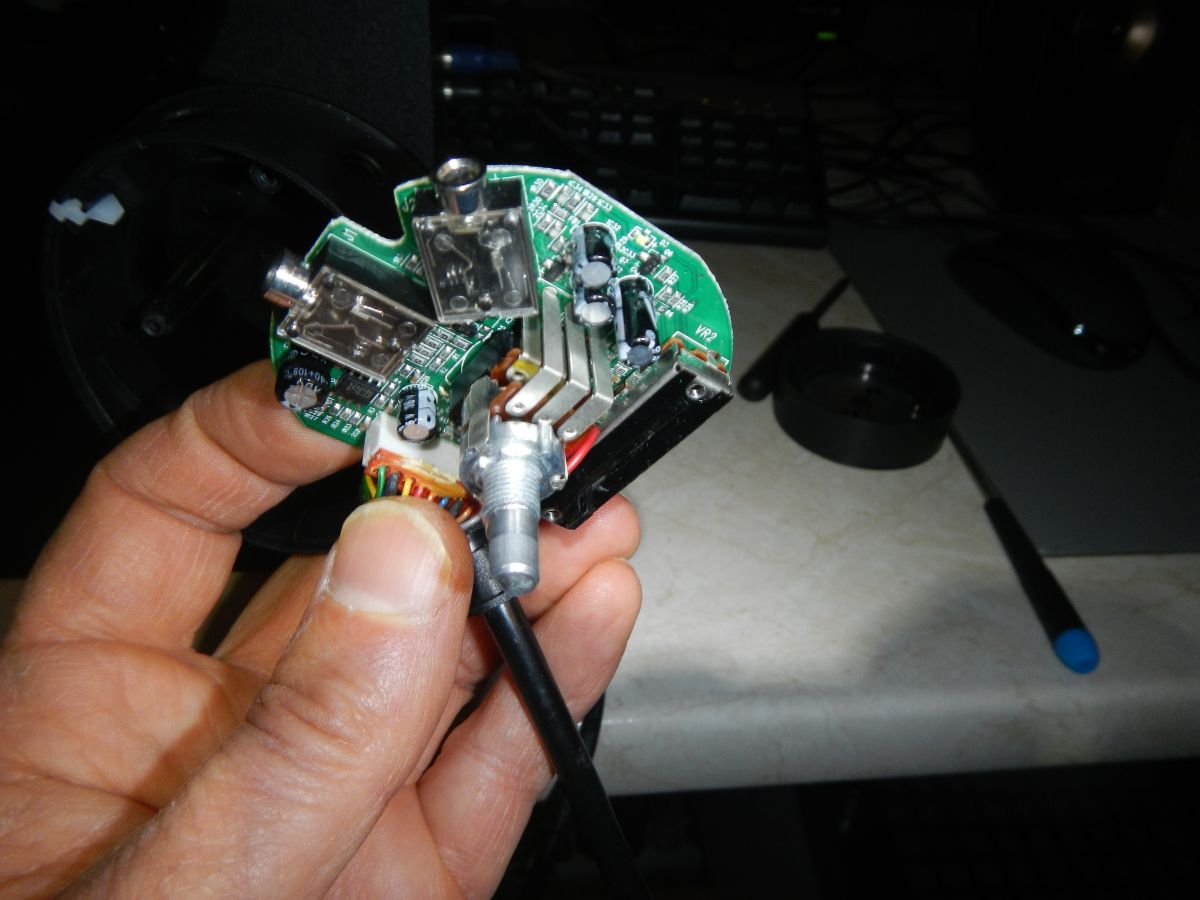
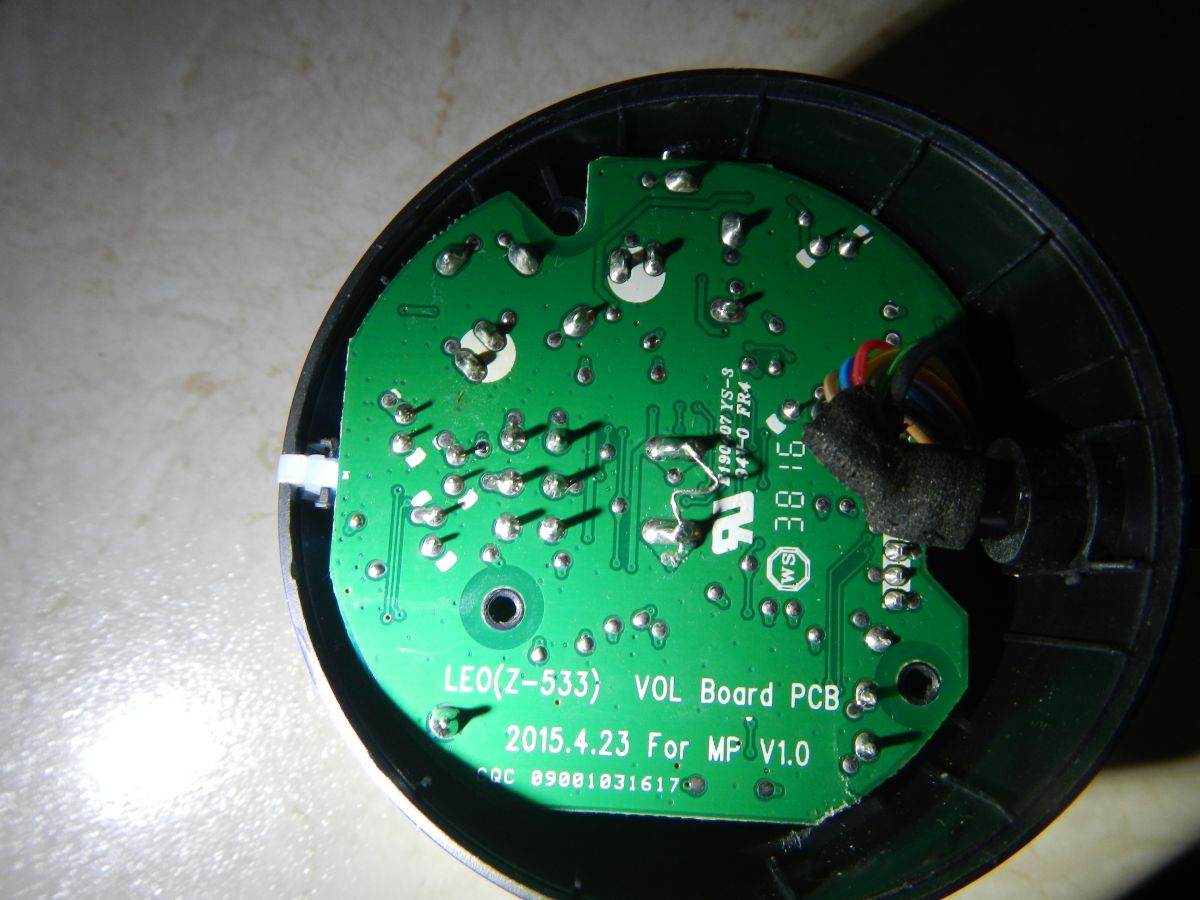
    I will connect because the topic is not old and I am currently touched ;) Logitech Z533 set, when turning on the potentiometer, the power indicator blinks and goes out, the speakers are dead. I messed up the pilot:
    Logitech Z533 Speakers: Remote Control Potentiometer Malfunction Post-Warranty ,
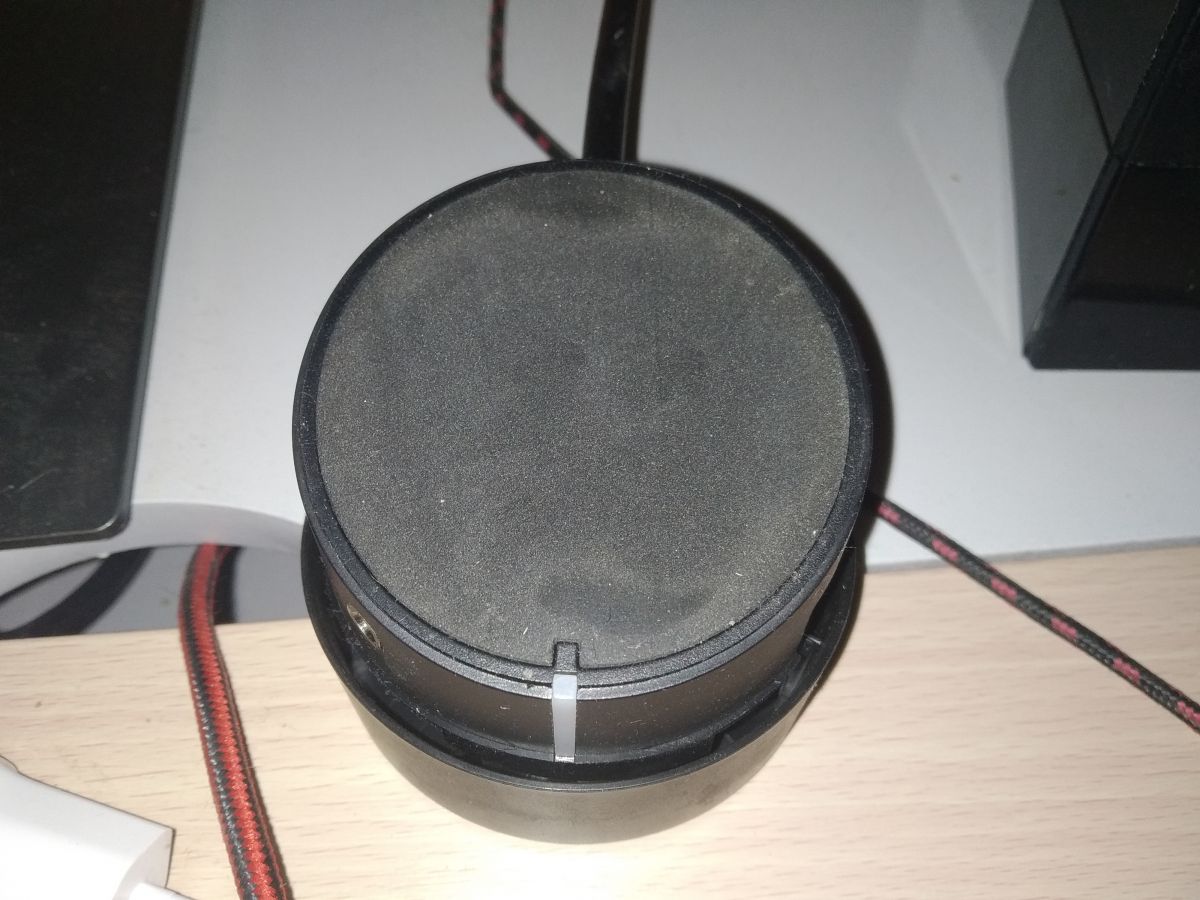
    in this black stand under the potentiometer there is a switch and it died. I soldered a rude jumper:
    Logitech Z533 Speakers: Remote Control Potentiometer Malfunction Post-Warranty
    And it works ;) Of course, the set is powered all the time, which I don't like, but tomorrow I will add a switch on the power supply and it will be ok. Maybe someone has an idea where to find such a potentiometer and is it worth looking at all?
  • #6 18646529
    Nielotny
    Level 1  
    Posts: 1
    Rate: 3
    I also had a problem with the potentiometer. Does anyone know where one can be purchased or is it possible to buy a remote control somewhere?
  • #7 18722558
    PrimoPL
    Level 11  
    Posts: 6
    Rate: 11
    Anyone found where to buy such a potentiometer??
  • ADVERTISEMENT
  • #8 18728649
    ziomek962008
    Level 1  
    Posts: 1
    Two days ago I had the same problem. @thomasc Could you explain how to open this potentiometer at all? I don't want to pull anything by force, and I don't see any screws. Alternatively, can you buy the potentiometer and replace it yourself?
  • #9 18728681
    PrimoPL
    Level 11  
    Posts: 6
    Rate: 11
    To unscrew the potentiometer itself, you need to find three screws under the rubber base. The knob itself needs to be pulled upwards. The potentiometer is soldered into the board in as many as 10 places. So maybe it's worth doing as the patch wrote on the forum to bridge the power supply permanently and add an additional switch itself. How can you ask
  • #10 18755689
    Minimal Shock
    Level 1  
    Posts: 1
    thomasc wrote:
    Of course, the set is still under power, which I don't like, but tomorrow I'll add a switch on the power supply and it will be ok.

    Hey, thanks for your help, I did exactly as you did and it also works, tell me where you added this switch? is it going to be done with a potentiometer? If so, please advise, thank you in advance :)
  • #11 18766478
    olekskin1121
    Level 11  
    Posts: 10
    Help: 1
    I added a microswitch on the back left side of the cable. Unfortunately I didn't take a photo but it looked like this:
    Attachments:
    • Logitech Z533 Speakers: Remote Control Potentiometer Malfunction Post-Warranty wylacznik-on-off-117s-125v6a-czarny.jpg (14.54 KB) You must be logged in to download this attachment.
  • ADVERTISEMENT
  • #13 19034567
    SpanMan
    Level 2  
    Posts: 2
    Minimal Shock wrote:
    thomasc wrote:
    Of course, the set is still under power, which I don't like, but tomorrow I'll add a switch on the power supply and it will be ok.

    Hey, thanks for your help, I did exactly as you did and it also works, tell me where you added this switch? is it going to be done with a potentiometer? If so, please advise, thank you in advance :)


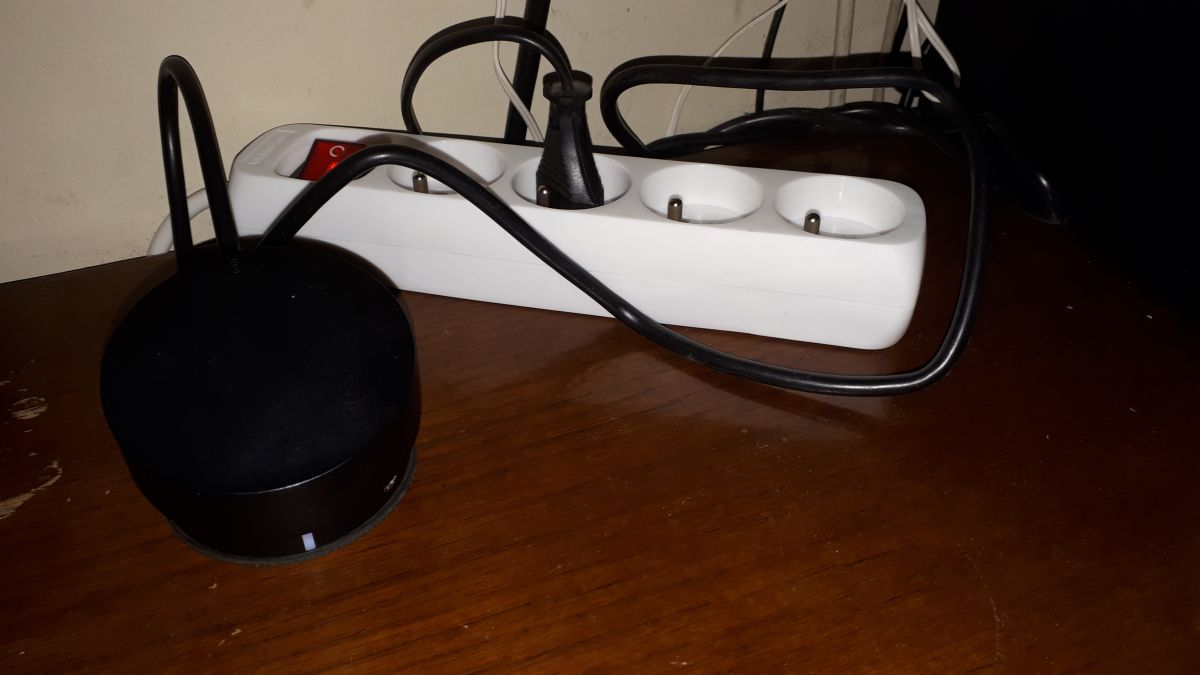
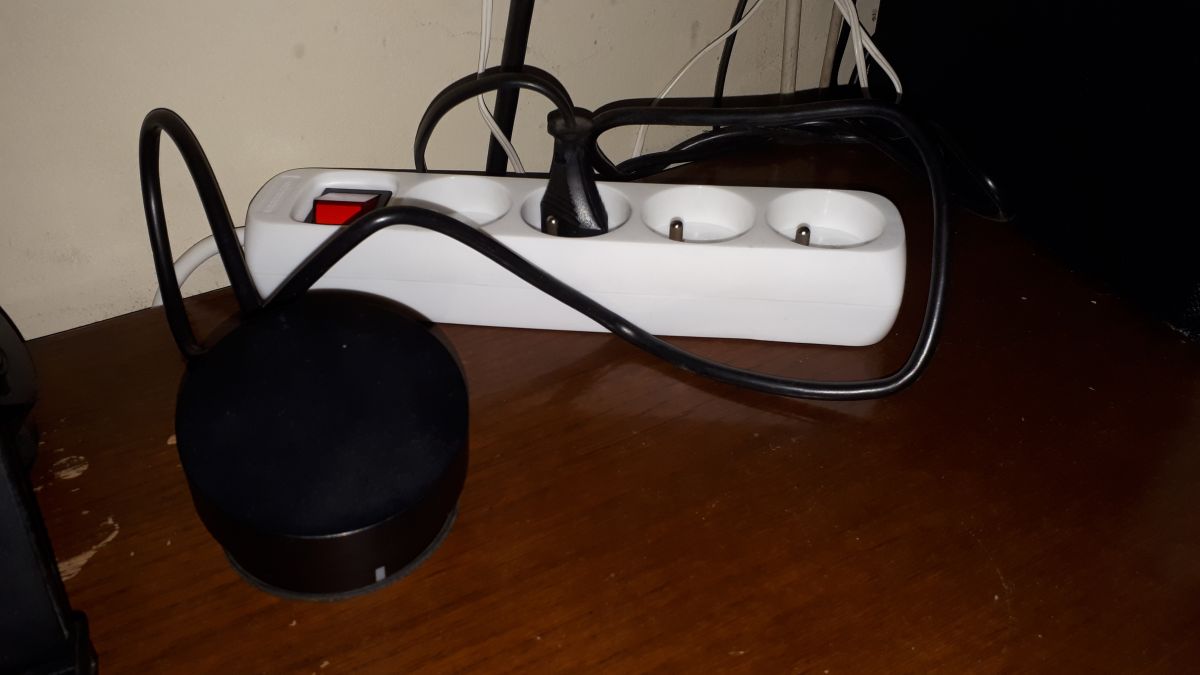
    After making the "rude jumper", as in the posts above, I connected the speakers to the "rude" electrical divider with a switch. Simple and effective. It's just a matter of habit.

    Logitech Z533 Speakers: Remote Control Potentiometer Malfunction Post-Warranty Logitech Z533 Speakers: Remote Control Potentiometer Malfunction Post-Warranty
  • #14 19069092
    Zloto1313
    Level 1  
    Posts: 1
    thomasc wrote:
    I will connect because the topic is not old and I am currently touched ;) Logitech Z533 set, when turning on the potentiometer, the power indicator blinks and goes out, speakers are dead. I messed up the pilot:
    Logitech Z533 Speakers: Remote Control Potentiometer Malfunction Post-Warranty ,
    in this black stand under the potentiometer there is a switch and it fell. I soldered a rude jumper:
    Logitech Z533 Speakers: Remote Control Potentiometer Malfunction Post-Warranty
    And it works ;) Of course, the set is powered all the time, which I don't like, but tomorrow I will add a switch on the power supply and it will be ok. Maybe someone has an idea where to find such a potentiometer and is it worth looking at all?


    It works thanks a lot. Mine had crackles first, then nothing. After soldering the jumper, it works - tomorrow I'm buying a switch.
  • #15 19228059
    JowitaRita
    Level 1  
    Posts: 1
    Hello, has anyone managed to find a potentiometer for speakers? Unfortunately, I also had this problem and I would prefer not to do them "shortly", I searched the entire Internet and did not find such a potentiometer anywhere :-(
  • #16 19228234
    398216 Usunięty
    Level 43  
    Posts: 34021
    Help: 3914
    Rate: 9193
    The only option is to look for Alliexpres or regenerate the old one. Except that the latter can be difficult or impossible - it depends on the damage and "agile hands".

Topic summary

✨ The discussion revolves around a malfunctioning potentiometer in Logitech Z533 speakers, which failed shortly after the warranty expired. Users report similar issues, including the speakers turning off when adjusting the volume. Suggested solutions include replacing the potentiometer, which is typically soldered to the circuit board, or creating a workaround by bridging the power supply and adding a switch. Some users have successfully implemented these fixes, while others seek sources for replacement parts or remote controls. The conversation highlights the challenges of finding specific components and the potential for DIY repairs.
Generated by the language model.

FAQ

TL;DR: 10 solder joints hold the Z533 volume pod—"The potentiometer is soldered into the board in as many as 10 places." This FAQ shows how to open the pod, fix control failures, and choose safe power control after warranty, for Logitech Z533 owners facing a dead remote potentiometer. [Elektroda, PrimoPL, post #18728681]

Why it matters: If your Z533 shuts off when you turn the knob, this guide shows practical fixes without replacing the whole set.

Quick Facts

How do I open the Logitech Z533 control pod without damage?

Pull the volume knob straight up to remove it. Peel back the rubber base to reveal three screws. Unscrew and lift the shell to access the PCB and controls. Expect the potentiometer to be soldered at 10 points, which affects serviceability.
  1. Pull knob upward.
  2. Peel rubber base; remove 3 screws.
  3. Lift shell to access the board. [Elektroda, PrimoPL, post #18728681]

The Z533 LED blinks then goes out when I turn the knob—what’s failing?

This symptom matches a failed on/off switch located under the potentiometer in the control pod. As one repairer noted, “in this black stand under the potentiometer there is a switch and it died.” Replacing or bypassing this switch restores operation. [Elektroda, thomasc, post #18576951]

Can I bypass the failed power switch to get the speakers working again?

Yes. Bridge the switch pads so the unit is permanently on, then control power externally. “I soldered a rude jumper … And it works ;)” Edge case: after bypass, the set remains powered until you add an external switch.
  1. Access the switch under the knob.
  2. Solder a jumper across the switch pads.
  3. Use an external switch for on/off. [Elektroda, thomasc, post #18576951]

Where should I add an external switch after bypassing the pod’s switch?

Users report success adding a small inline microswitch on the cable, mounted on the back left side of the pod. This provides a convenient and safe way to control power after the internal switch is bridged. [Elektroda, olekskin1121, post #18766483]

What’s the quickest external power control after the bypass?

Use a power strip with its own on/off switch. One user bridged the internal switch and then controlled power at the strip: “Simple and effective.” This avoids opening the subwoofer or adding inline switches. [Elektroda, SpanMan, post #19034567]

How do I remove the volume knob safely?

Grip the knob and pull it straight upward. Do not twist or pry sideways. This exposes the fasteners under the rubber base so you can continue disassembly without cracking the housing or shaft. [Elektroda, PrimoPL, post #18728681]

Is replacing the potentiometer feasible, and how many connections are there?

Replacement is possible but more involved because the potentiometer is soldered at 10 points. This increases desoldering complexity compared with 3‑pin pots. Plan for careful, even heating and thorough solder removal if you attempt the swap. [Elektroda, PrimoPL, post #18728681]

Can I buy a replacement potentiometer or complete remote pod?

Direct spares are hard to find. Community advice is to search AliExpress for a match or attempt to regenerate the original part. Regeneration can be difficult or impossible, depending on damage and skill. [Elektroda, 398216 Usunięty, post #19228234]

I heard crackling before total failure—does that point to the switch?

Yes. One user reported crackles first, then silence. Bridging the switch restored operation, confirming the control-pod switch as the fault. Crackling can signal intermittent contacts before the switch fails open. [Elektroda, Zloto1313, post #19069092]

I don’t want to solder—who can fix this post‑warranty?

Take the control pod to an electronics repair shop. A technician can replace the faulty switch or the entire potentiometer assembly. “Someone eventually has to replace this potentiometer,” as one member advised. [Elektroda, szymon122, post #18325249]

What does the original symptom look like when the control fails?

The set may power at minimum volume, then shut off when you adjust the knob. The LED can blink and go dark, and audio cuts out. Video evidence from the thread shows this behavior before repair. [Elektroda, Krymal94, post #18325154]

Does the Z533 pod use a separate switch under the knob?

Yes. The on/off function sits in a black switch assembly under the potentiometer shaft inside the control pod. When it fails, the speakers appear dead until you repair or bypass that switch. [Elektroda, thomasc, post #18576951]
Generated by the language model.
ADVERTISEMENT