logo elektroda
logo elektroda
X
logo elektroda

iPhone X - No Face ID after replacing the display, what to do?

Dawkobor 21156 19
Best answers

Why did Face ID stop working on my iPhone X after replacing the display, and what can I do to fix it?

Face ID most likely stopped because one of the delicate front sensor parts or flex cable was damaged during the display swap, especially the front speaker module that is part of Face ID [#18359979][#18354499] Reprogramming the new display does not fix Face ID; it only affects True Tone [#18354499] Face ID components are paired to the phone, so you cannot simply replace them with parts from another device; a full front assembly replacement is generally only possible through an authorized Apple service center [#18354564][#18358990] If only the flex tape is damaged, it may be repaired or replaced, but the original IR camera and dot projector must remain original [#18358990] The thread also notes that a repair shop can try soldering the flex, but the traces are very small and the operation is risky [#18354537][#18357234]
Generated by the language model.
ADVERTISEMENT
Treść została przetłumaczona polish » english Zobacz oryginalną wersję tematu
  • #1 18351624
    Dawkobor
    Level 5  
    Posts: 7
    Rate: 3
    Hello.
    Today I replaced the LCD in my iPhone
    Strangely enough, face ID doesn`t work on the old LCD either, I doubt I could have done anything with face ID because I didn`t even touch it.
    I only unplugged the LCD and the speaker module that is mounted on the LCD.
    I am asking for help and some advice.
    Thank you .
  • ADVERTISEMENT
  • #2 18351786
    bumble
    Level 40  
    Posts: 7189
    Help: 608
    Rate: 1190
    It will probably never work. It`s like touch ID and a fingerprint reader. You can replace it, but it won`t work with another one.

    Moderated By nutergsm:

    3/1/11. Don`t send messages that don`t add anything to the discussion. They are misleading, dangerous or do not solve the user`s problem.

  • ADVERTISEMENT
  • #3 18351943
    Dawkobor
    Level 5  
    Posts: 7
    Rate: 3
    So why doesn`t it work even on the old LCD?
  • #4 18354206
    djjack
    Level 27  
    Posts: 1066
    Help: 98
    Rate: 27
    You probably need to program the new LCD with the input from the old LCD.
  • ADVERTISEMENT
  • #5 18354314
    Dawkobor
    Level 5  
    Posts: 7
    Rate: 3
    But how to do it and who does it?
  • #6 18354405
    staś pytalski
    Level 41  
    Posts: 7070
    Help: 758
    Rate: 1430
    There are devices for copying LCD content. A good service center has a device for such repairs.
  • #7 18354488
    bogdan2491
    Level 22  
    Posts: 483
    Help: 52
    Rate: 96
    There is also the issue of originality... Not every replacement can be programmed, but it is a matter of input from the old display
  • #8 18354499
    blahfff
    Level 42  
    Posts: 4957
    Help: 1036
    Rate: 1292
    Dawkobor wrote:
    So why doesn`t it work even on the old LCD?


    It doesn`t work because you probably somehow damaged the tape or one of the elements responsible for FaceID. Unfortunately, these tapes are quite delicate. "Programming" the display only affects TruTone functions.
  • #9 18354537
    Dawkobor
    Level 5  
    Posts: 7
    Rate: 3
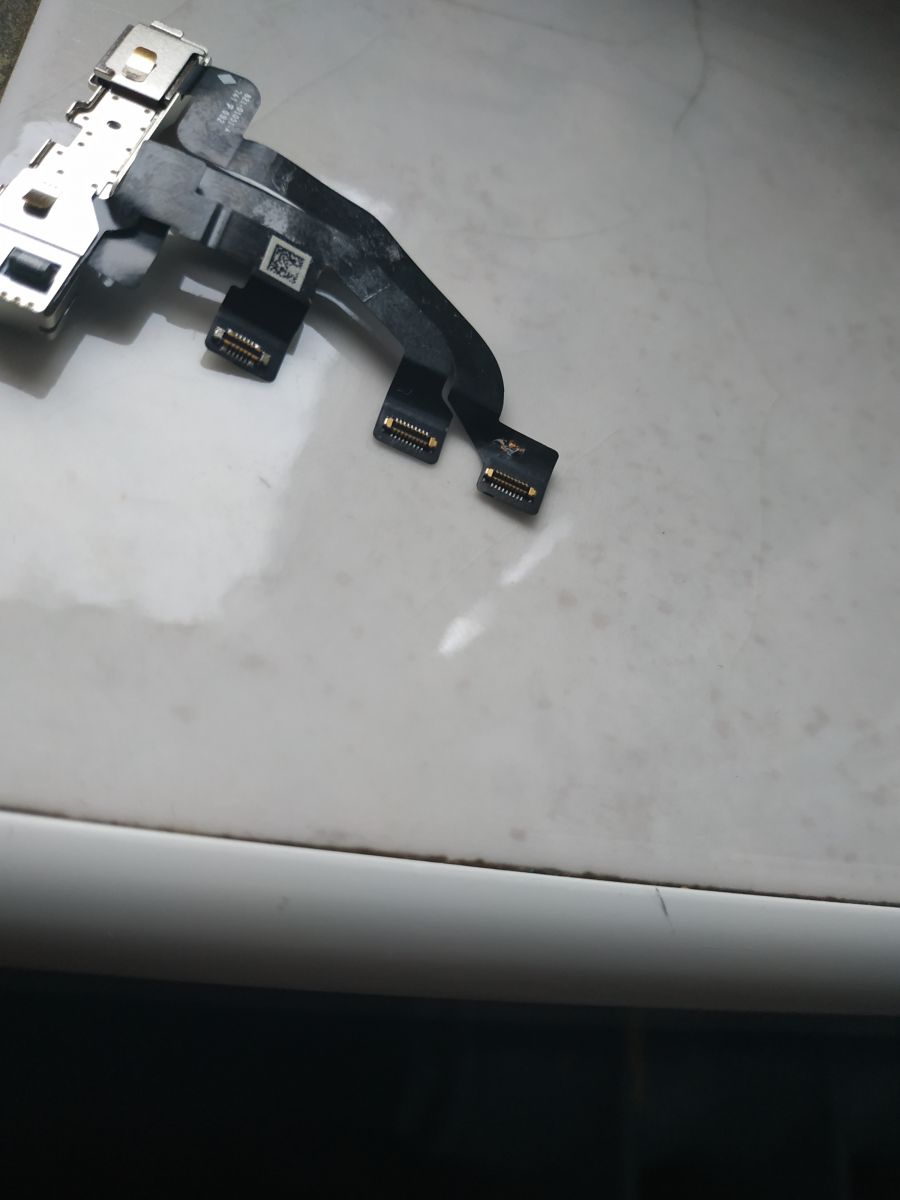
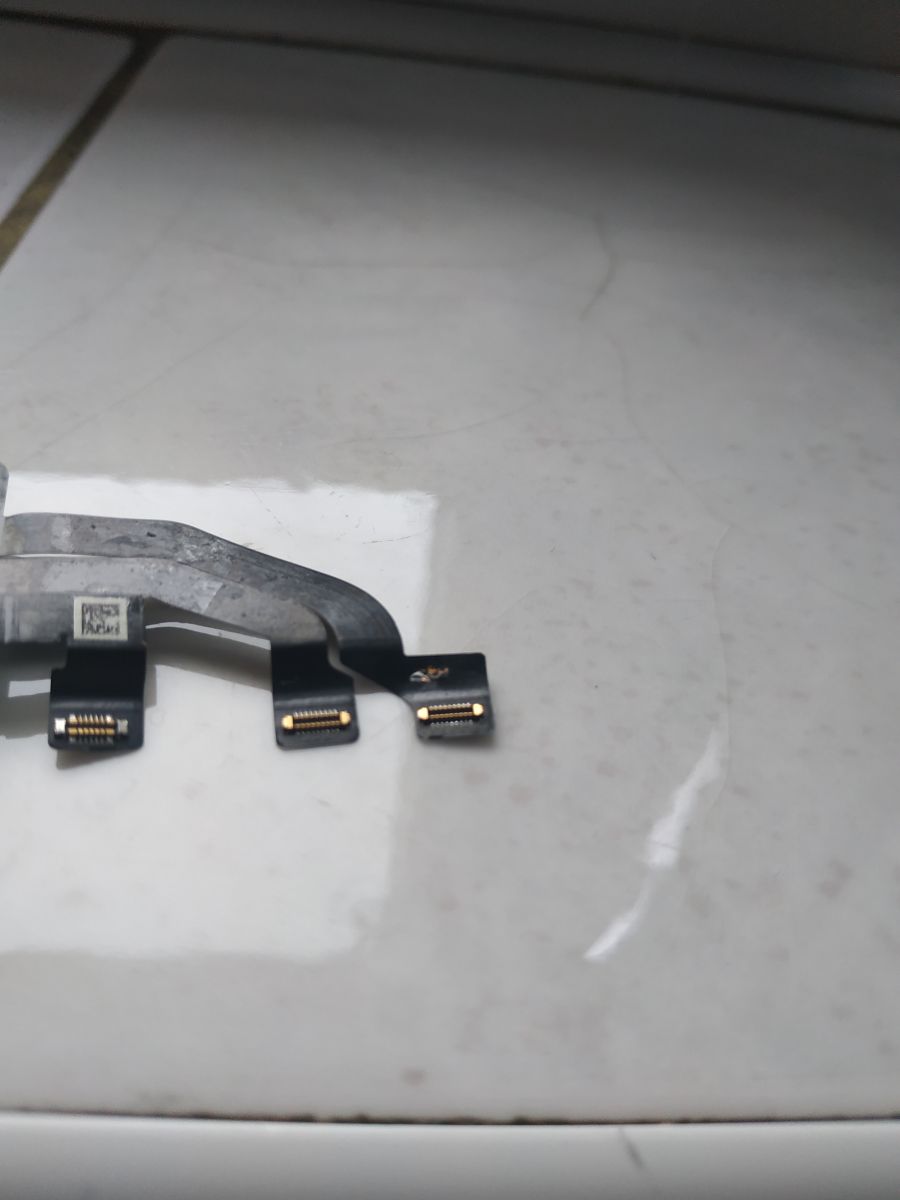
    Yes, the tape was slightly damaged, the service technician will try to solder it, but he doesn`t know what the paths look like and he is not sure about this operation. If it fails, it is possible to replace the entire Face ID with cameras so that Face ID works from another phone.?
  • #10 18354564
    blahfff
    Level 42  
    Posts: 4957
    Help: 1036
    Rate: 1292
    Dawkobor wrote:
    If this fails, it is possible to replace the entire Face ID with cameras so that Face ID works on another phone.?


    Unfortunately not. Only an authorized Apple service center can do this, including replacing the entire front. The situation is identical to that with TouchID.
  • #11 18357118
    Dawkobor
    Level 5  
    Posts: 7
    Rate: 3
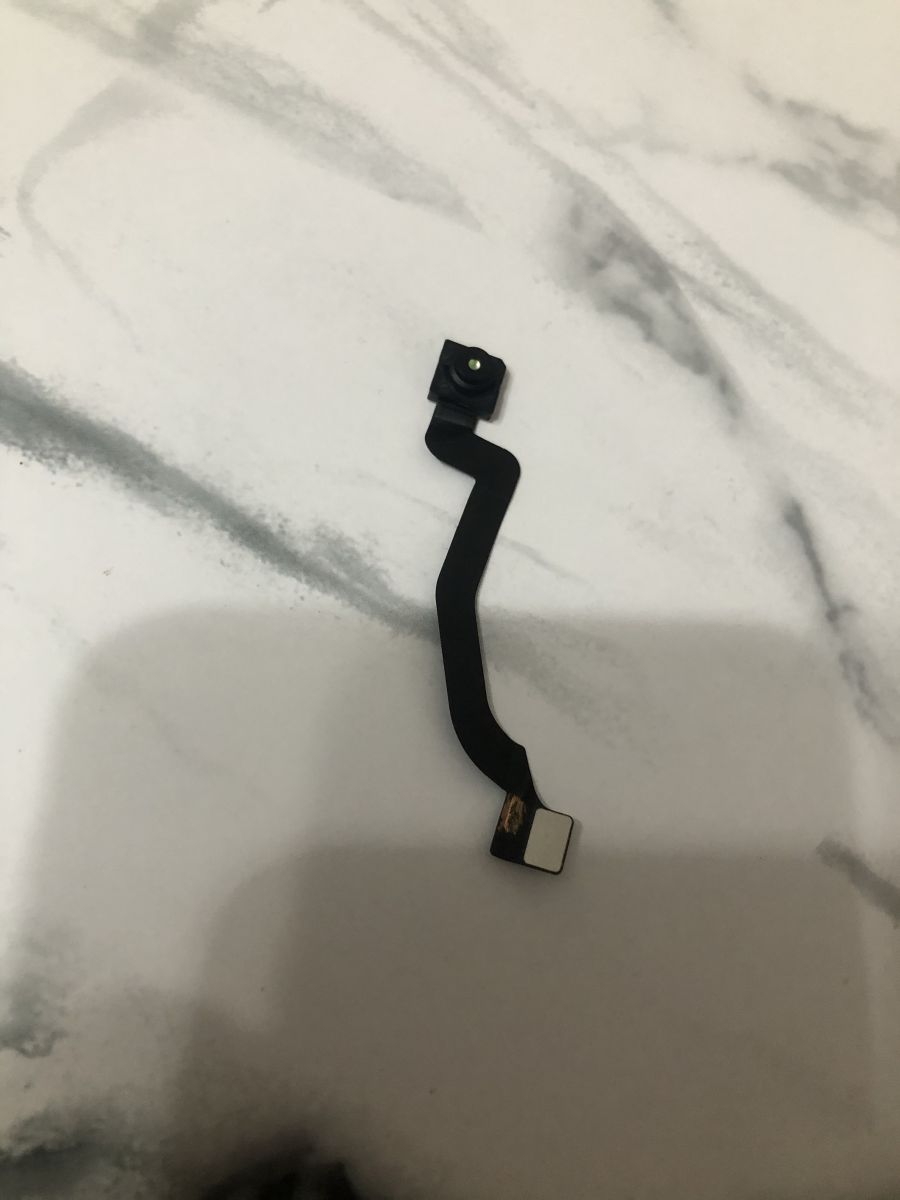
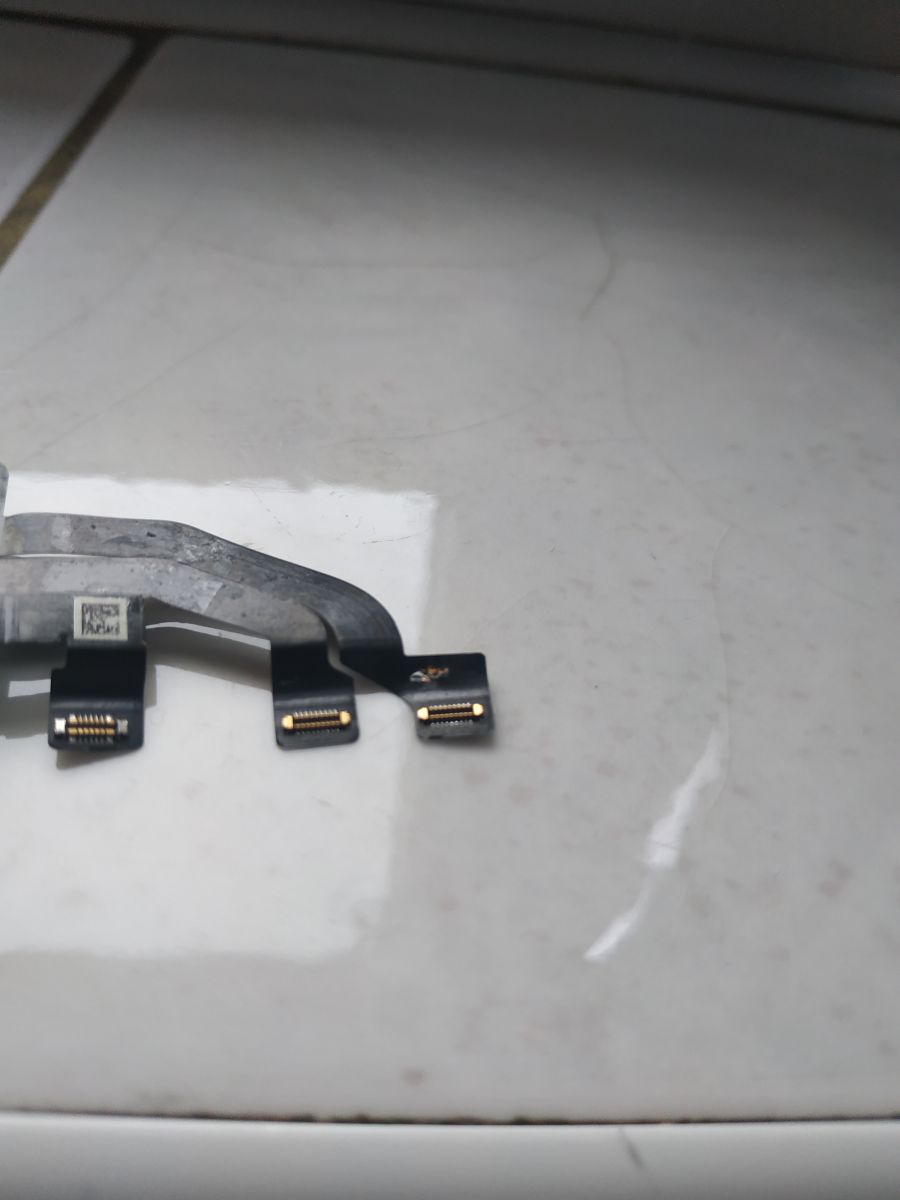
    Is it possible to change the face ID itself?
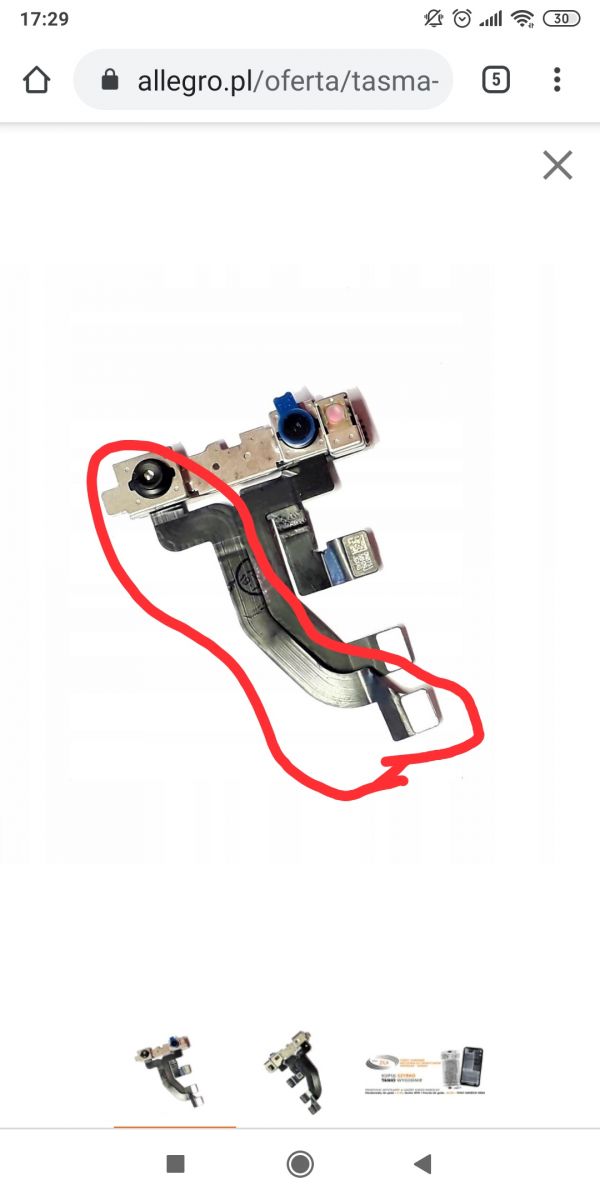
    The service technician suggested that I try to buy a new whole module and replace only the face ID tape, I marked it in the photo. He says that we can try this option because the cost of the entire face ID module used is PLN 70. Do you think it makes sense for fun? The cost of replacing the entire thing at an authorized service center is very high, he wanted to solder the flex tape for me, but he doesn`t have the appropriate equipment and he doesn`t know if it can be done at all, there would probably be 2-3 paths for soldering. iPhone X - No Face ID after replacing the display, what to do? iPhone X - No Face ID after replacing the display, what to do? iPhone X - No Face ID after replacing the display, what to do? iPhone X - No Face ID after replacing the display, what to do?
  • #13 18357292
    Dawkobor
    Level 5  
    Posts: 7
    Rate: 3
    What elements should be transferred from face ID to the new tape? Could you explain this more?

    Added after 6 [minutes]:

    Do you know someone who could solder it for me?
  • #14 18357369
    blahfff
    Level 42  
    Posts: 4957
    Help: 1036
    Rate: 1292
    Everything is described and shown in the first link, including the video. Unfortunately, I cannot advise anyone who could deal with this.
  • #15 18358990
    RafalB

    Level 28  
    Posts: 1110
    Help: 91
    Rate: 222
    Unfortunately, 3 elements are responsible for the correct operation of FaceID and none of them can be damaged. The elements on the front cam assembly are very mechanically sensitive and there is basically no way to repair them. If the tape is damaged, it can be repaired or replaced (IR camera or dot projector) must remain original.
    Company Account:
    iFixThis
    Łowmiańskiego 18, Poznań, 60-685 | Tel.: 516XXXXXX (Show) | Company Website: https://www.instagram.com/ifixthis.pl/
  • #16 18359979
    JacekJbk
    Level 9  
    Posts: 23
    Rate: 4
    "I only unplugged the LCD and the speaker module that is mounted on the LCD."

    This "speaker module" is one of the elements of Face ID. It is very easy to damage it, and that`s probably what happened.
  • #17 18369562
    Dawkobor
    Level 5  
    Posts: 7
    Rate: 3
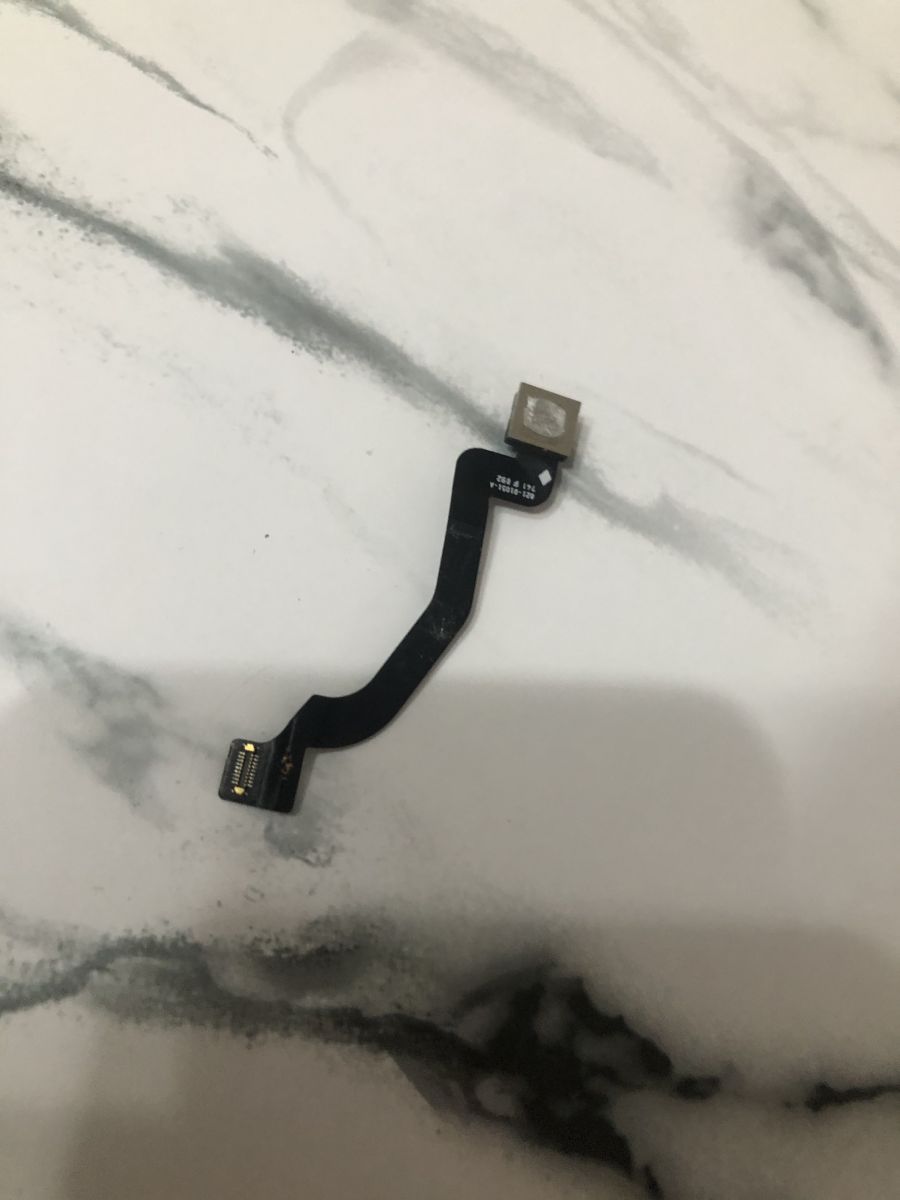
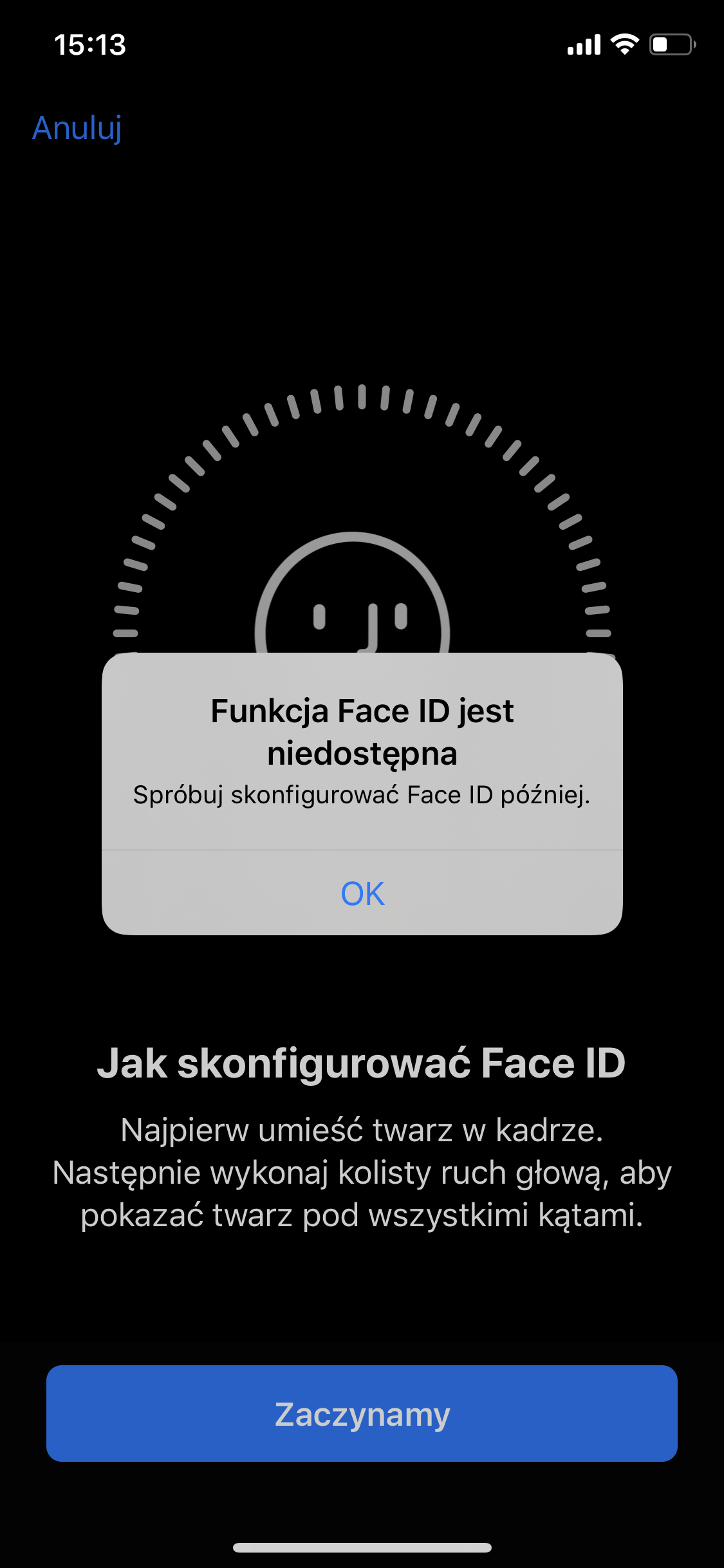
    iPhone X - No Face ID after replacing the display, what to do? iPhone X - No Face ID after replacing the display, what to do? Hello.
    This tape has been replaced and now it says Face ID is unavailable.
    Now I don`t know what could be wrong...
    iPhone X - No Face ID after replacing the display, what to do?
  • ADVERTISEMENT
  • #18 19634069
    VectaVecta
    Level 2  
    Posts: 2
    After replacing the tape, there was a problem with the TrueDepth camera. Does anyone have any ideas why?
    Before the tape was broken, everything worked.
  • #19 19634604
    bert_studionapraw
    Specialist - Apple
    Posts: 869
    Help: 176
    Rate: 266
    Hello, hello.

    Describe the problem in more detail, every detail will be important for Face.ID.
    You have already written today about the Face.ID problem in model 11, in fact it is quite a similar case. You can also use an analogy to that one.
  • #20 19960214
    olo14012012
    Level 1  
    Posts: 1
    iPhone X ma OLED a nie LCD.

Topic summary

✨ The discussion revolves around an iPhone X user who replaced the LCD but encountered issues with Face ID functionality, which also failed on the original LCD. Responses suggest that Face ID is tightly integrated with the original components, and replacing the display without proper programming or using original parts can lead to permanent malfunction. It is noted that the speaker module, which is part of the Face ID system, may have been damaged during the replacement process. Suggestions include seeking a service center capable of programming the new LCD with data from the old one, or potentially replacing the Face ID module, although only authorized Apple service centers can perform such replacements. The conversation highlights the delicate nature of the components involved and the challenges in repairing or replacing them without risking further damage.
Generated by the language model.

FAQ

TL;DR: iPhone X Face ID relies on 3 components; if any is damaged, it fails. "3 elements are responsible." This FAQ helps DIYers and repair shops troubleshoot Face ID not working after a display swap. [Elektroda, RafalB, post #18358990]

Why it matters: Avoid turning a routine screen swap into a costly Face ID failure.

Quick Facts

Why did Face ID stop working after my iPhone X display swap?

The earpiece/speaker module is part of the Face ID assembly and sits on the display. It is easy to damage when moving it. Any damage there disables Face ID immediately. [Elektroda, JacekJbk, post #18359979]

Why doesn’t Face ID work even after refitting the original screen?

Screen changes do not disable Face ID. Damage to the TrueDepth flex or one of its parts is the usual cause. The flex is delicate and can tear or lift components during handling. [Elektroda, blahfff, post #18354499]

Will programming the new screen bring Face ID back?

No. "Programming the display only affects TruTone functions." Face ID depends on the original TrueDepth hardware, not display data. [Elektroda, blahfff, post #18354499]

Who can copy True Tone data to the new screen?

A capable service center can copy True Tone from the old screen to the new one. They use display programmers to clone the data. Ask for this after any screen replacement. [Elektroda, staś pytalski, post #18354405]

Can I install Face ID from another iPhone to fix it?

No. "Only an authorized Apple service center can do this," and they replace the entire front assembly. Cross‑device modules will not pair with your logic board. [Elektroda, blahfff, post #18354564]

Is the earpiece/speaker flex really part of Face ID?

Yes. The “speaker module” you unplug is a Face ID element on the display. Mishandling it during swaps commonly breaks Face ID. [Elektroda, JacekJbk, post #18359979]

Which parts must remain original for Face ID to function?

Face ID relies on three elements. "3 elements are responsible for the correct operation of FaceID and none can be damaged." The IR camera and dot projector must stay original. [Elektroda, RafalB, post #18358990]

Can I just replace the Face ID tape/flex?

No. Replacing only the tape does not fix Face ID. Transfer the original Face ID components onto a new flex with microsoldering. Precision and sensor alignment are required. [Elektroda, blahfff, post #18357234]

After replacing the tape I see "Face ID is unavailable." What should I do?

This indicates a break in the Face ID chain. The IR camera or dot projector may be non‑original or damaged. Face ID remains unavailable until those original parts work again. [Elektroda, RafalB, post #18358990]

Can Face ID still fail after the flex is replaced correctly?

Yes. Users report "Face ID is unavailable" even after flex replacement. That outcome signals damage beyond the flex, such as sensors or their bonding. [Elektroda, Dawkobor, post #18369562]

How do I restore True Tone after a screen replacement?

  1. Read calibration data from the original display using a programmer.
  2. Write the data to the replacement display.
  3. Restart the phone and verify True Tone in Settings. [Elektroda, djjack, post #18354206]

Do all replacement displays accept True Tone data?

No. Some aftermarket displays do not accept programming. Success depends on the replacement’s compatibility and copying the old display’s data. [Elektroda, bogdan2491, post #18354488]

Why did TrueDepth stop working after a flex replacement?

Flex replacement can disturb delicate TrueDepth elements. Once damaged, those parts are hard or impossible to repair. Face ID will not initialize in that state. [Elektroda, RafalB, post #18358990]
Generated by the language model.
ADVERTISEMENT