logo elektroda
logo elektroda
X
logo elektroda

Flood sensors - SMS notifications via Smart Life app

daniel93 4680 11
ADVERTISEMENT
Treść została przetłumaczona polish » english Zobacz oryginalną wersję tematu
  • #1 19581720
    daniel93
    Level 29  
    Posts: 1673
    Help: 30
    Rate: 92
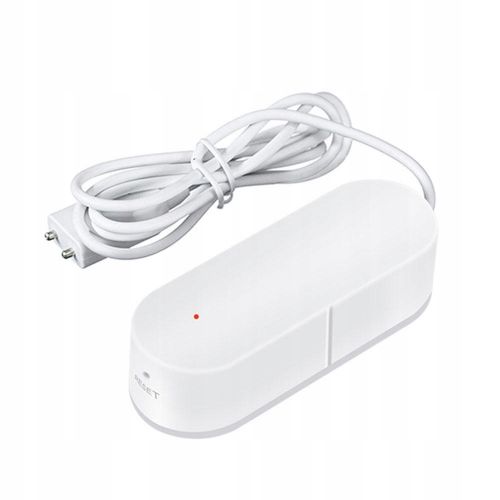
    I have purchased flooding sensors as shown in the picture:
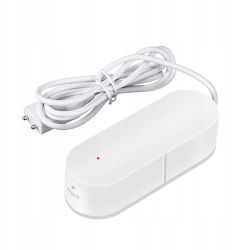
    Flood sensors - SMS notifications via Smart Life app .
    I connected them to the Smart Life app. As it turned out, the app only sends notifications of flooding if the app is running - this is a bit pointless as I may not find out that my house is flooding, which is the point of these sensors after all.

    The question is whether it is somehow possible to use these types of sensors to receive SMS notifications?
  • ADVERTISEMENT
  • #2 19582758
    gkwiatkowski
    CCTV and Stationary Alarms specialist
    Posts: 4630
    Help: 646
    Rate: 1210
    And doesn't the app have an option to accept PUSH notifications?
    What is the symbol of this sensor? Nothing is clear from the photo.
  • #3 19583101
    daniel93
    Level 29  
    Posts: 1673
    Help: 30
    Rate: 92
    The app has this option, but it only works when the app is running in the background and power saving is not enabled :( .

    Nothing else is written on the sensors unfortunately - can I check this somewhere?
  • ADVERTISEMENT
  • #4 19583110
    gkwiatkowski
    CCTV and Stationary Alarms specialist
    Posts: 4630
    Help: 646
    Rate: 1210
    daniel93 wrote:
    The application has this option, but it only works when the application is running in the background and power saving is not enabled
    .

    On another type of smartphone is the same symptom?

    Added after 1 [minute]:

    daniel93 wrote:
    There is nothing else written on the sensors unfortunately - can I check this somewhere?
    .

    Is this a purchase from Aliexpres?
  • #5 19583153
    TvWidget
    Level 38  
    Posts: 4386
    Help: 471
    Rate: 691
    Probably there is no GSM modem or SIM card slot in the sensor. There are probably simple sensors with a BLE interface. You can receive data from them from a short distance. This is taken care of by an application on the smartphone. The smartphone is therefore a key component of the system.
  • #6 19583517
    daniel93
    Level 29  
    Posts: 1673
    Help: 30
    Rate: 92
    These are wifi sensors that communicate with the cloud - they are not Bluetooth sensors.

    So the question is whether there is a cloud that can send sms notifications?
  • #7 19583542
    TvWidget
    Level 38  
    Posts: 4386
    Help: 471
    Rate: 691
    Sending an SMS is often associated with charges. It is therefore not a common feature. Email can be sent at no cost.
    Often the cloud is an MQTT server. The application must be active to receive information from it.
  • ADVERTISEMENT
  • #8 19583713
    daniel93
    Level 29  
    Posts: 1673
    Help: 30
    Rate: 92
    TvWidget wrote:
    The app must be active to receive information from it.
    .
    So what's the point of a notification alarm and flood sensors if the notification won't come when the app is not running?

    After all, the app could send SMS via the phone on which it is installed
  • #9 19583727
    gkwiatkowski
    CCTV and Stationary Alarms specialist
    Posts: 4630
    Help: 646
    Rate: 1210
    daniel93 wrote:
    So what is the point of an alarm with notification and flood sensors if the notification will not come when the app is not running?
    .

    This is a question for the manufacturer of this sensor, why the app is not listening all the time.

    It should work like this:

    https://android.com.pl/programowanie/159193-powiadomienia-push/

    Added after 44 [seconds]: .

    daniel93 wrote:
    Application, after all, could send SMS using the phone it is installed on
    .

    Send an SMS to yourself?
  • #10 19584053
    TvWidget
    Level 38  
    Posts: 4386
    Help: 471
    Rate: 691
    In smartphones, the operating system is battling with applications running in the background. It is all about power saving and privacy issues.
    Sending push notifications is a surefire way out but comes with a number of restrictions. This functionality is entirely dependent on Google. Here, as with SMS, there is the aspect of charging for the service.
  • ADVERTISEMENT
  • #11 19589486
    daniel93
    Level 29  
    Posts: 1673
    Help: 30
    Rate: 92
    OK, I managed to get push notifications working in the smartlive app. Are there any apps that can send SMS? With permission to charge?
  • #12 20737931
    Ricorro
    Level 17  
    Posts: 207
    Help: 5
    Rate: 115
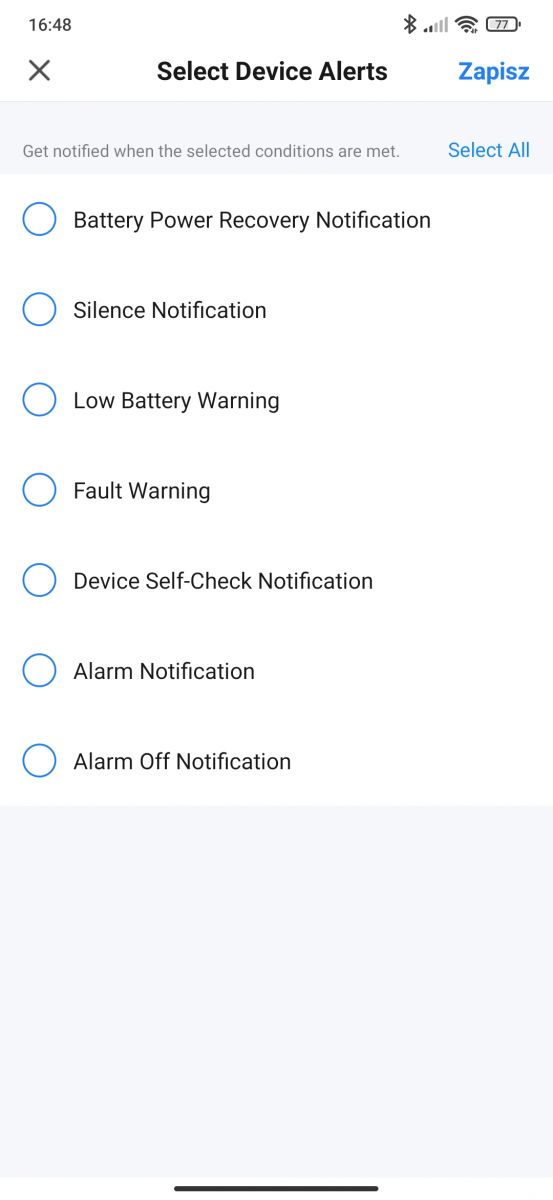
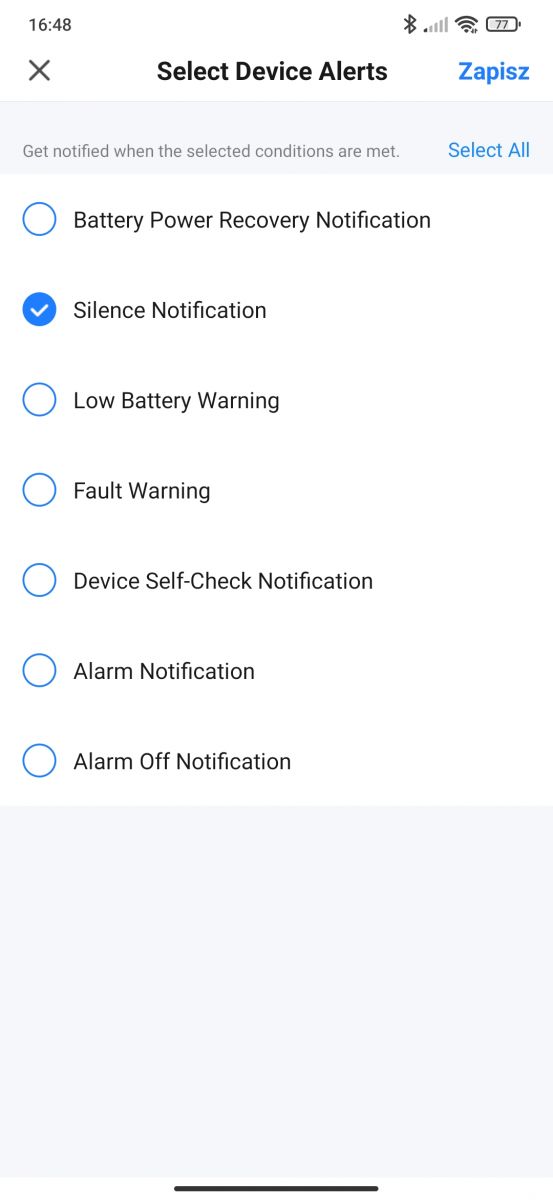
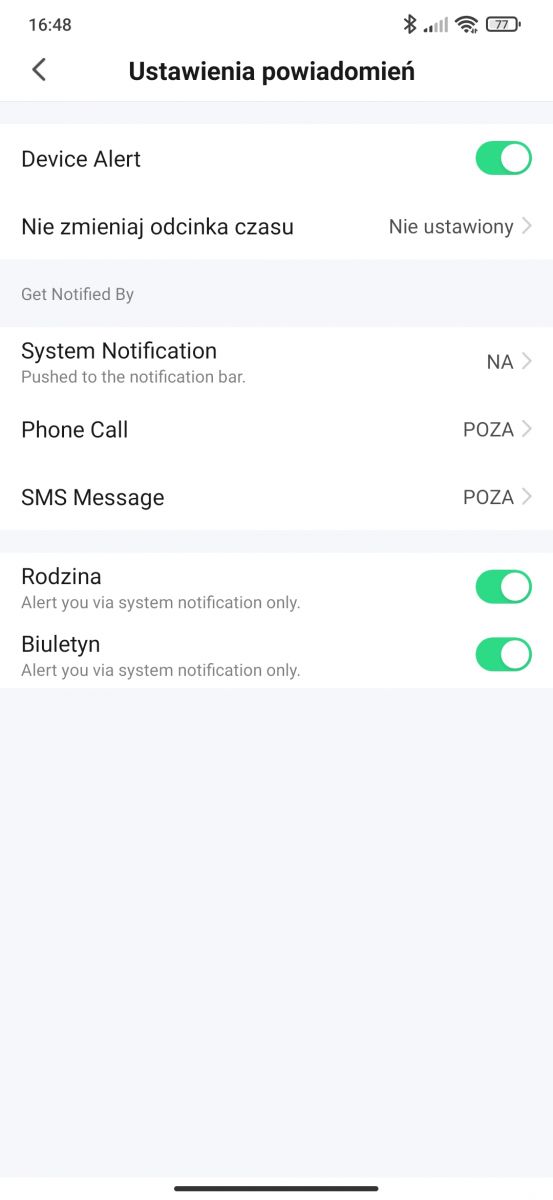
    Information for readers I have several smoke detectors and in the Smart life app on 18.09.2023 I see SMS and phone options as part of the notification in case of "W". There are options when such notification available to choose from the options are several . I do not know how much the subscription costs as someone something please write how much .... Screenshot of the Smart life app with smoke detector notification options. A screenshot from the Smart Life app showing device alert selection options. Screenshot of notification settings in the Smart Life app.

Topic summary

✨ The discussion revolves around the functionality of flood sensors connected to the Smart Life app, specifically regarding the limitations of receiving SMS notifications. Users express concerns that the app only sends notifications when it is running in the background, which undermines the purpose of the flood sensors. It is noted that the sensors are Wi-Fi based and communicate with the cloud, rather than using Bluetooth. Suggestions include checking for cloud services that can send SMS notifications, although it is mentioned that SMS services often incur charges. A user reports that the Smart Life app has recently added SMS notification options, but the cost of this service remains unclear.
Generated by the language model.

FAQ

TL;DR: Smart Life now shows 2 alarm add‑ons (SMS and phone call); "I see SMS and phone options as part of the notification." If push only works when the app is open, allow background access or use the paid SMS/phone option. [Elektroda, Ricorro, post #20737931]

Why it matters: Smart Life/Tuya flood‑sensor owners need reliable alerts even when the app is closed so leaks are caught fast.

Quick Facts

How do I get SMS or phone‑call alerts from Smart Life for floods?

Open your flood sensor in Smart Life and enter its alarm notification settings. Select SMS or Phone Call where available. The feature appears as a subscription add‑on and may show plan options. A user reported seeing both options on 18‑09‑2023. [Elektroda, Ricorro, post #20737931]

Why didn’t I get flood alerts unless the app was open?

Android battery optimization or background restrictions are blocking Smart Life. The app must run in the background for push to arrive. Disable power saving for Smart Life and allow it unrestricted background activity. Then test the sensor again. [Elektroda, daniel93, post #19583101]

How do I make Smart Life push notifications reliable on Android?

  1. In Smart Life, enable push notifications for the flood sensor.
  2. Allow Smart Life to run in the background in system settings.
  3. Exclude Smart Life from battery optimization, then test the sensor. These steps address the behavior seen when power saving blocks alerts. [Elektroda, daniel93, post #19583101]

Do these leak sensors use Wi‑Fi or Bluetooth, and does that affect alerts?

They are Wi‑Fi sensors and talk to the cloud. You do not need to be near them to receive alerts. Bluetooth sensors would require proximity or a gateway. Wi‑Fi plus cloud supports remote notifications over the internet. [Elektroda, daniel93, post #19583517]

Is there a cloud option that can send SMS notifications?

Yes. In Smart Life, SMS and phone‑call alerts appear inside the alarm notification settings as subscription options. This lets the cloud trigger SMS or a call on alarms. Availability and pricing are shown in‑app. [Elektroda, Ricorro, post #20737931]

Can the app send an SMS using my phone’s SIM automatically?

Consumer apps rarely auto‑send background SMS for alarms due to OS restrictions and charging considerations. Use push notifications or Smart Life’s paid SMS/phone add‑ons instead. These paths are designed to work under modern background limits. [Elektroda, TvWidget, post #19584053]

What’s the catch with push notifications?

Push depends on Google’s infrastructure and system policies. As one expert noted, “Sending push notifications is a surefire way out but comes with a number of restrictions.” Ensure Google services and background access are intact on your device. [Elektroda, TvWidget, post #19584053]

What does MQTT imply for my alerts?

MQTT is a publish/subscribe cloud setup. Your client (app) must be connected to receive messages. If the app is inactive or blocked, you can miss alerts. Push or SMS bridges the gap when the app is not actively listening. [Elektroda, TvWidget, post #19583542]

Where exactly do I find the SMS/phone options in Smart Life?

Open your flood sensor in the Smart Life app, then enter its alarm notification settings. Look for SMS and Phone Call items among notification methods. The options and plan selector appear there in the screenshots shared by a user. [Elektroda, Ricorro, post #20737931]

How much do SMS or phone‑call alerts cost in Smart Life?

They are presented as subscription services within Smart Life. The thread does not list prices, and they can vary by region. Open the in‑app notification options to view current packages and costs for your account. [Elektroda, Ricorro, post #20737931]

Can I get email alerts instead of SMS?

Yes, email alerts are often supported by cloud platforms at no cost. If SMS is paid or unavailable, try email notifications to add redundancy. Check your device’s notification settings in the app for an email option. [Elektroda, TvWidget, post #19583542]

Do alerts still arrive if my internet or router is down?

For Wi‑Fi, cloud‑connected sensors, internet loss breaks cloud delivery. Push, SMS, and calls triggered by the cloud will not arrive without connectivity. Consider local alarms or backup connectivity for critical sites. [Elektroda, TvWidget, post #19583542]

For critical floods, is SMS better than push?

Use layered alerts. Push is convenient and free. SMS often yields higher attention, with typical open rates near 98%. Phone calls add urgency. Many users choose push plus SMS or call for water‑leak alarms. [Twilio, 2020]
Generated by the language model.
ADVERTISEMENT