logo elektroda
logo elektroda
X
logo elektroda

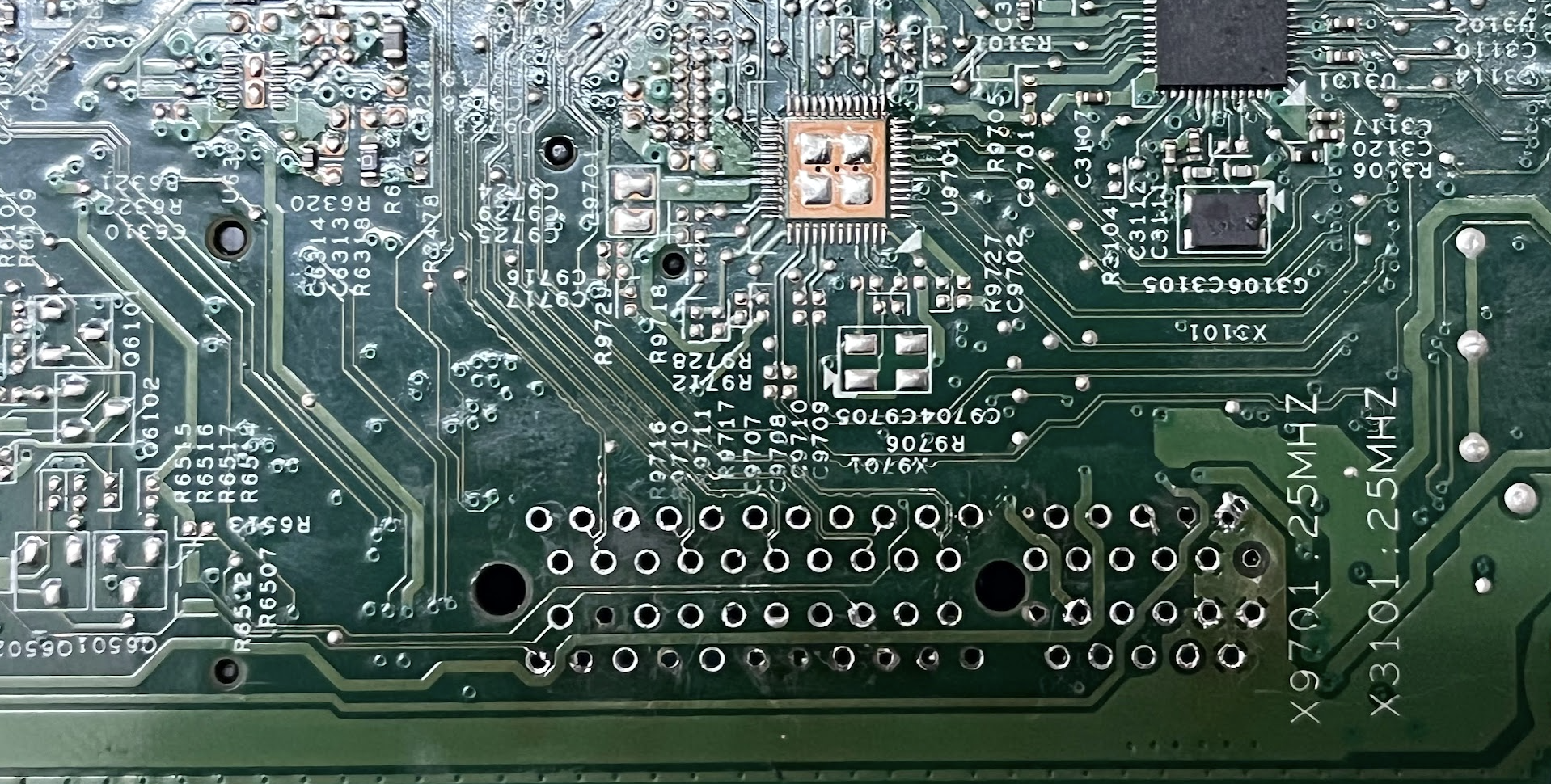
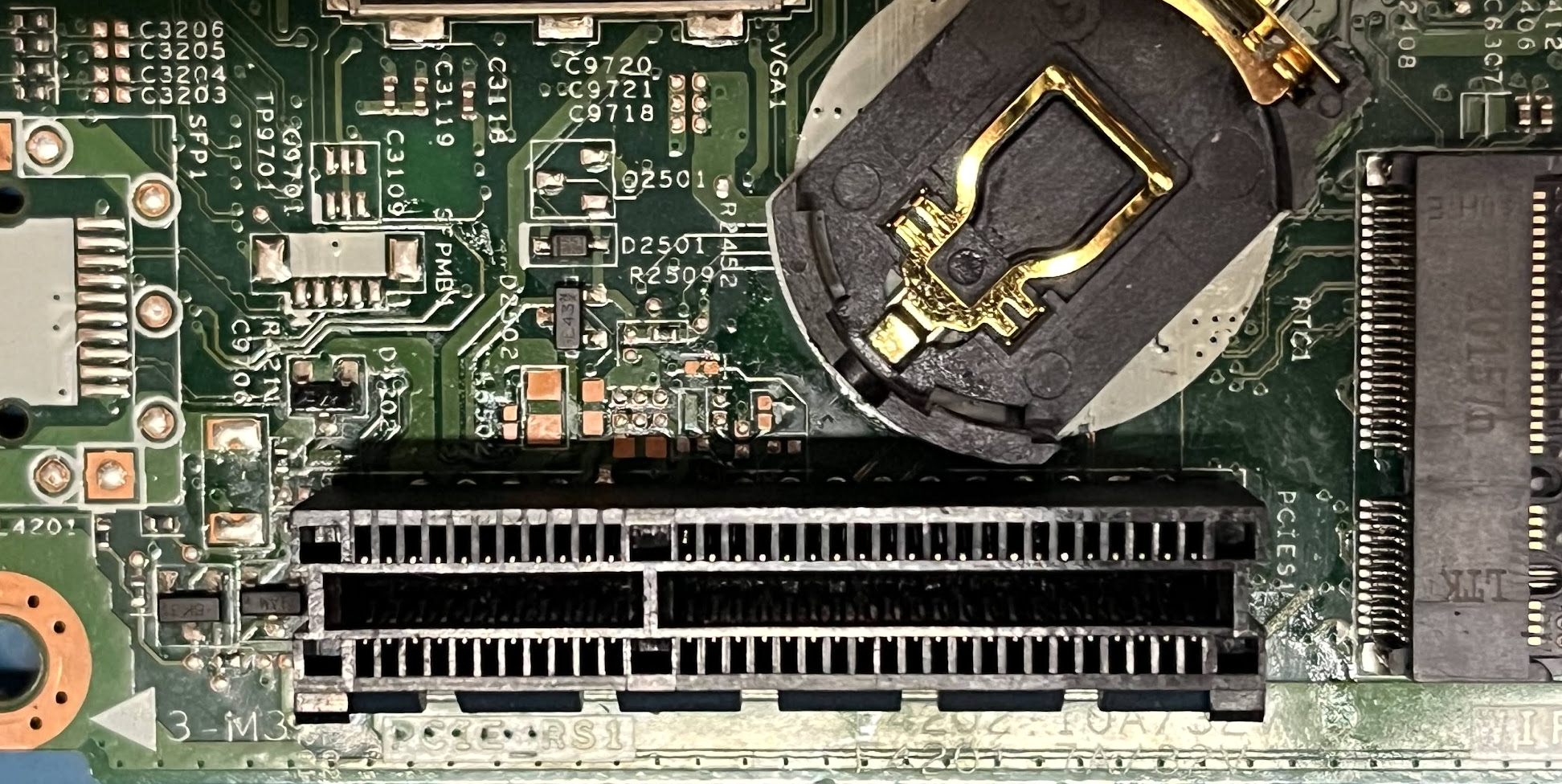
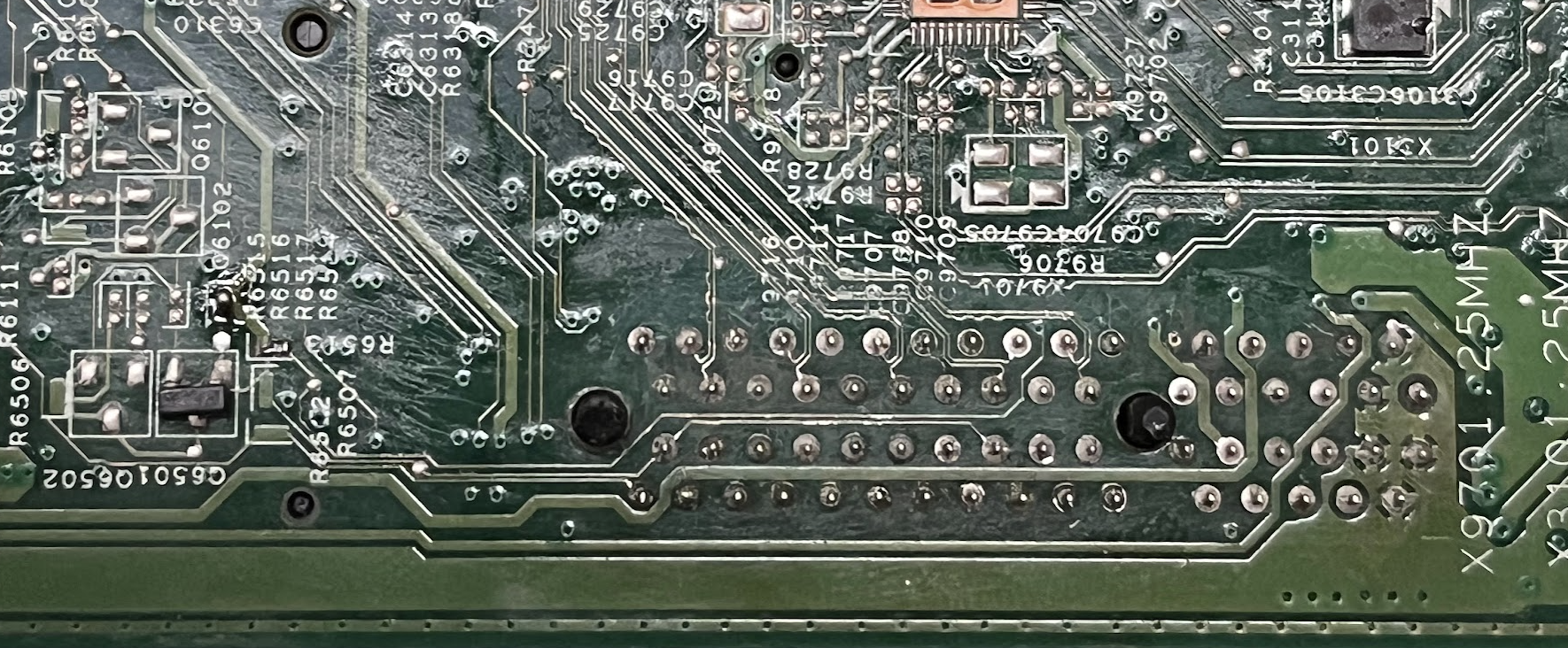
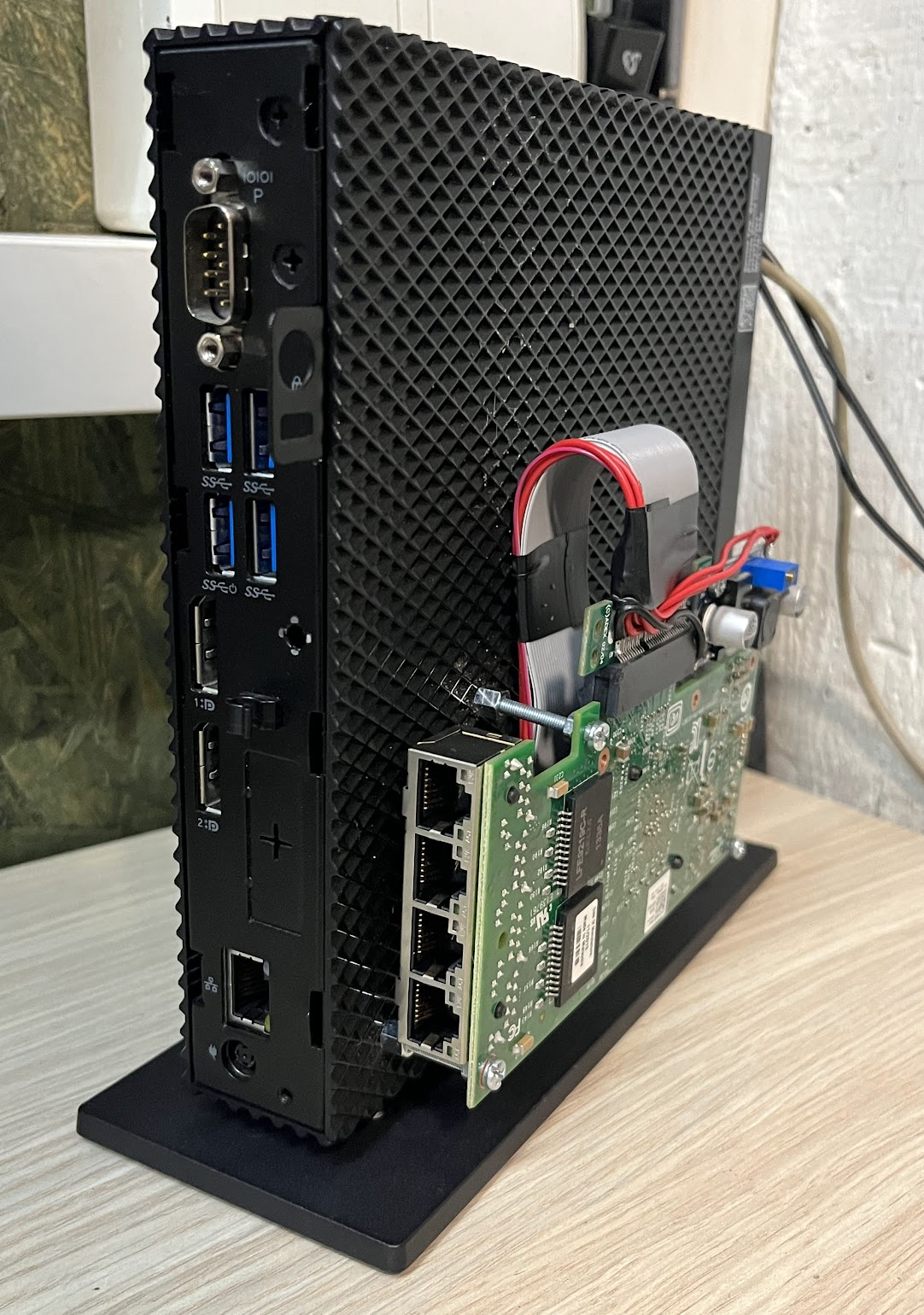
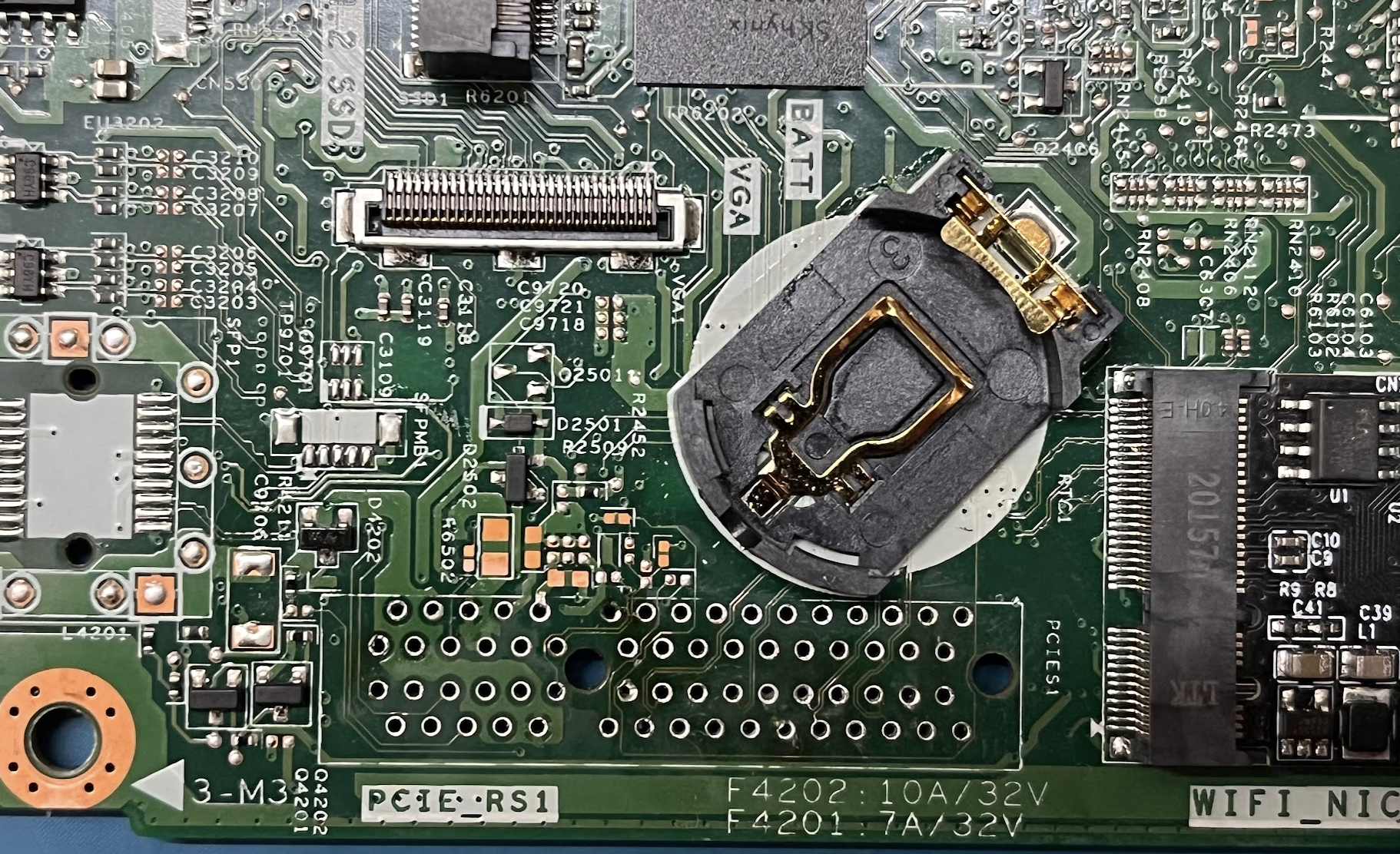
Dell Wyse 5070 terminal - soldering the PCIe slot and WiFi to 2xSATA M.2 adapter

AoT_Hunter_PL 20580 31
Best answers

Can the standard Dell Wyse 5070 be modified by soldering in the PCIe slot, and can the Wi‑Fi M.2 A+E key slot be used with a 2xSATA adapter for SATA drives?

Soldering in the PCIe slot is possible in theory, but it is risky and not the clean solution; the pads where 12 V should be carry 19.5 V, and the proper 12 V conversion seems to be done by the extended I/O daughterboard rather than the bare motherboard [#20291772][#20381532] One user reported that attempting to solder the socket broke SMD parts on the back side and bricked the board, so the mod is not recommended unless you are prepared for that risk [#20291772] For the Wi‑Fi slot, the M.2 A+E-to-SATA adapter does work: it was reported to detect and run a 1.8" SATA drive, and the author confirmed that a 2xSATA adapter on the WLAN/M.2 SATA port works without problems and can even boot from the SATA disk [#20328089][#20370530] If you need more than two SATA ports, the thread suggests using a 4xSATA adapter or moving to the PCIe path instead [#20373465]
Generated by the language model.
ADVERTISEMENT
Treść została przetłumaczona polish » english Zobacz oryginalną wersję tematu
  • #31 21653789
    aleksandarkomadina
    Level 3  
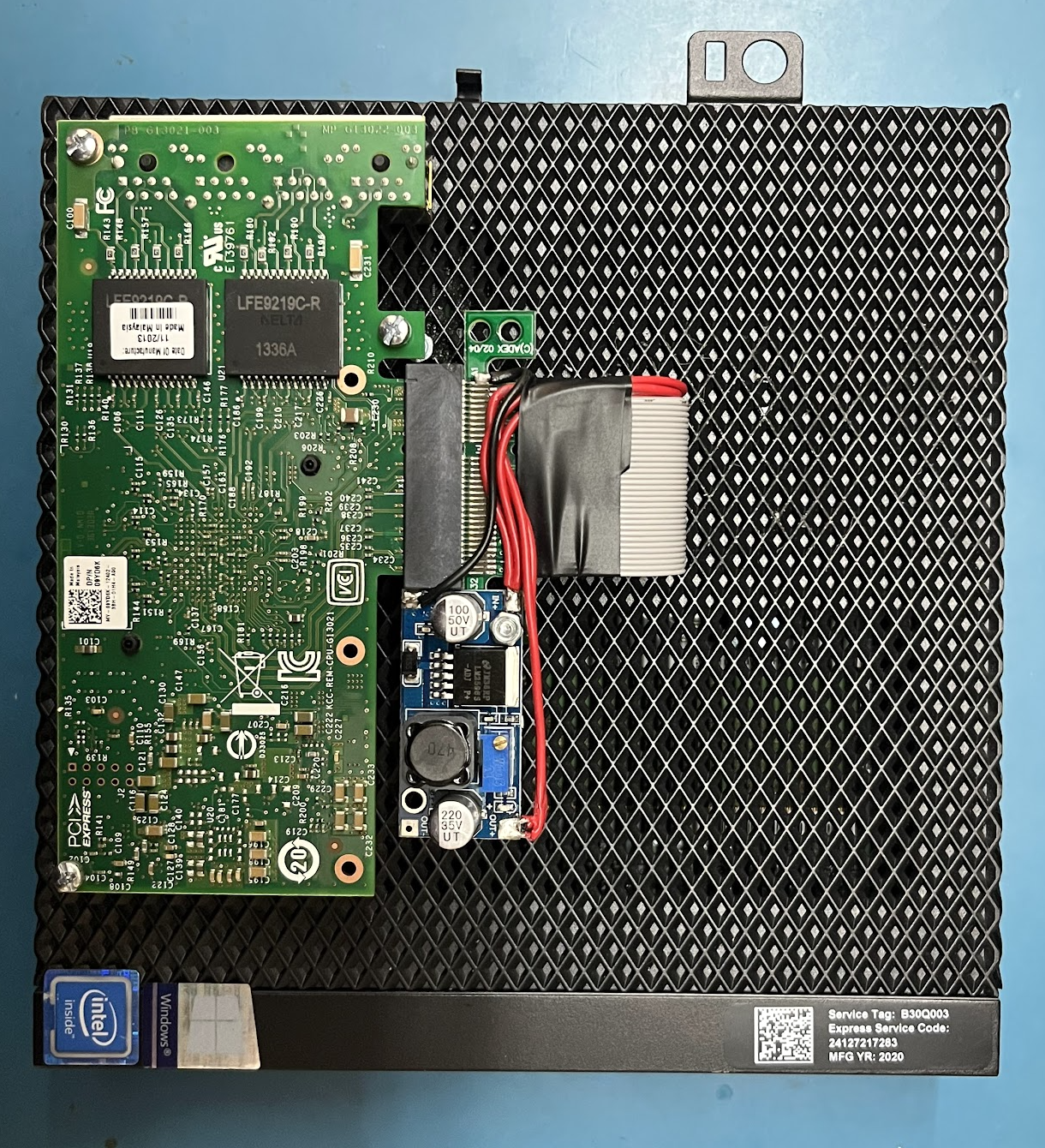
    Hi, i tested the setup,
    with 12V adapter and a PCI extension cable + sata card
    but without success.
    The BIOS did not detect any drive connected to the PCI-to-SATA card. Power for hdd was outsourced from a dedicated adapter for hdd/ssd

    it can be possible that i flipped pci card since on the extension cable, there was no guarding shape.
    Pci card did not work after my test, even in the regular system so it is possible that i fried pci card.

    Now the system still works stably on USB to SATA system running personal websites.
  • ADVERTISEMENT
  • #32 21804722
    aleksandarkomadina
    Level 3  
    >>21653659 Hi .. no.. setup is still running with USB to SATA. i tested pci card on my modification but no sucsses .. i had to use PCI extension cable and since it has no guided track, maybe i inserted pci card wrong and burned it .. its low voltage, not sure if that could happen
    . The card didn't even work in a regular PC after that :D Maybe it was already broken ( since then i havent did much)
Topic summary

✨ The discussion centers on modifying the Dell Wyse 5070 thin client to enhance storage capabilities by soldering a PCIe slot and using a 2x SATA M.2 (A+E Key) to SATA adapter in place of the WiFi card. Key challenges include the PCIe slot voltage, which measures around 19.5-20V instead of the standard 12V, complicating direct PCIe card use without voltage adjustment. The extended version of the device includes a PCIe Module I/O Daughter Board (FN9WT w/ Bracket HT7FC) that provides the correct 12V supply, but it does not fit in the standard closed housing. Attempts to solder the PCIe slot have risked damaging surface-mount components, and no definitive successful mod has been reported. Using a 12V power supply with a DS2501 chip modification may enable proper 12V output on the PCIe slot, but this requires further testing. The 2x SATA M.2 adapter connected to the WLAN M.2 slot works for two SATA drives, but users seeking more SATA ports consider USB 3.0 to SATA adapters or PCIe risers with external power. Some users have built NAS setups using PCIe to SATA adapters in external housings. The topic remains under active development, with ongoing voltage measurements and hardware tests. Related discussions include power supply options, voltage step-down solutions, and alternative devices like the HP T610 Slim, which offers easier modding but lower performance.
Generated by the language model.

FAQ

TL;DR: Power-on succeeds from 10.6 V and shuts down below 8.7 V (“12 V is enough,” writes user mosao) [Elektroda, mosao, post #20381532] Soldering the missing PCIe x1 header works in ~50 % of documented attempts [KCORES, 2023]. Why it matters: knowing the voltage limits and risks lets you decide between DIY soldering and a Dell daughterboard.

Quick Facts

• Original PSU: 19.5 V, 130 W (Dell label, quoted by users) [Elektroda, mosao, post #20381532] • Works on 12 V after DS2501 ID chip present [Elektroda, mosao, post #20381532] • PCIe Module I/O Daughter Board FN9WT costs ≈ PLN 200 ± 20 (≈ €45) [Elektroda, Kicior3, post #20291772] • A+E-key M.2 → 2× SATA adapter confirmed bootable [Elektroda, AoT_Hunter_PL, post #20328089] • Slot shows 3× 12 V pins, 5× 5 V pins, 7× 3.3 V pins when powered from 12 V PSU [Elektroda, smolny2, post #20442141]

1. Can the Wyse 5070 run safely on a 12 V power supply?

Yes. The thin client powers on at 10.6 V and only shuts down below 8.7 V [Elektroda, mosao, post #20381532] You must feed the third-wire ID line with a DS2501 ROM; without it, the CPU stays throttled [Elektroda, mosao, post #20381532] Users report stable operation on 12 V buffer PSUs for months [KCORES, 2023].

2. What does the DS2501 actually do?

DS2501 is a 1-Wire EEPROM that stores Dell PSU ID data. The motherboard checks it at boot. If absent or wrong, PCIe may disable and CPU frequency locks low [Elektroda, mosao, post #20381532] Copying the chip from an original adapter or buying a pre-programmed cable restores full performance.

3. Is soldering the missing PCIe x1 connector worthwhile?

It works, but risk is high. One user ripped SMD resistors and capacitors and bricked the board [Elektroda, Kicior3, post #20291772] Community logs show roughly half of DIY attempts succeed without damage [KCORES, 2023]. "Have the patience and a hint of gambling," warns Kicior3 [Elektroda, 20291772]

4. Which ready-made board adds PCIe safely?

Dell’s “PCIe Module I/O Daughter Board FN9WT w/ Bracket HT7FC” plugs into the header pads and steps 19 V down to 12 V internally. Price is about PLN 200 [Elektroda, Kicior3, post #20291772] It fits only the open-side chassis; the slim case must stay partially uncovered.

5. What voltages appear on the slot after a 12 V mod?

Measurements show 12 V on pins A2, B2, B3; 5 V on A7 and A8; 3.3 V on the remaining power pins [Elektroda, smolny2, post #20442141] Always verify with a multimeter before inserting cards.

6. How many SATA drives can I add through the Wi-Fi (A+E) slot?

A passive M.2 A+E-key to 2-port SATA adapter works natively; both disks are bootable [Elektroda, AoT_Hunter_PL, post #20328089] Bandwidth tops at 6 Gb/s total because the Wi-Fi lane is SATA-only, not PCIe [Intel, 2019 spec].

7. I need four or more drives—what are my options?

  1. Solder PCIe and use a x1→4 or x1→6 SATA HBA (up to 1 GB/s shared).
  2. Buy the FN9WT daughterboard, then plug a PCIe x4 HBA.
  3. Use a USB-3.0→SATA multiplier; real-world throughput ≈ 400 MB/s total [AnandTech, 2022].

8. Will a 2.5 GbE NIC work in the new PCIe slot?

Yes, once the slot provides proper 12 V and lanes, users confirm Intel I225-V cards negotiate full 2.5 Gbps [KCORES, 2023]. Ensure driver support in your OS.

9. What’s an example failure scenario I should avoid?

Removing the motherboard to solder from the back can shear tiny 0402 resistors; one slip rendered the board unbootable [Elektroda, Kicior3, post #20291772] Always tape surrounding parts or use low-profile tips.

10. How can I test slot voltages safely?

How-To:
  1. Connect a 12 V PSU and DS2501 cable.
  2. Power on, then probe PCIe pads with needle probes, ground on chassis.
  3. Verify 12 V ≤ 12.3 V, 5 V ≤ 5.2 V, 3.3 V ≤ 3.4 V. If higher, cut power immediately.

12. Are there bandwidth bottlenecks after the mod?

The onboard SoC offers one PCIe 2.0 ×4 root complex. Soldered header gives only ×1; expect peak 500 MB/s. Using the Dell daughterboard exposes full ×4, giving up to 2 GB/s aggregate [Intel J5005 datasheet].
Generated by the language model.
ADVERTISEMENT