logo elektroda
logo elektroda
X
logo elektroda

Print-experiment - repairing a workshop light, replacing a metal component

p.kaczmarek2 1965 20
ADVERTISEMENT
Treść została przetłumaczona polish » english Zobacz oryginalną wersję tematu
📢 Listen (AI):
  • Print-experiment - repairing a workshop light, replacing a metal component
    It's time for another mini project in the series of practical 3D printing - I invite you to report on the design of the replacement for the lamp mounting element in Blender, all step by step, along with a demonstration of the final result. The original element was metal but after two years it broke, can PLA do the job here?

    I presented the lamp three years ago in the topic: Large "third hand", magnifier, USB lamp - Newacalox - review

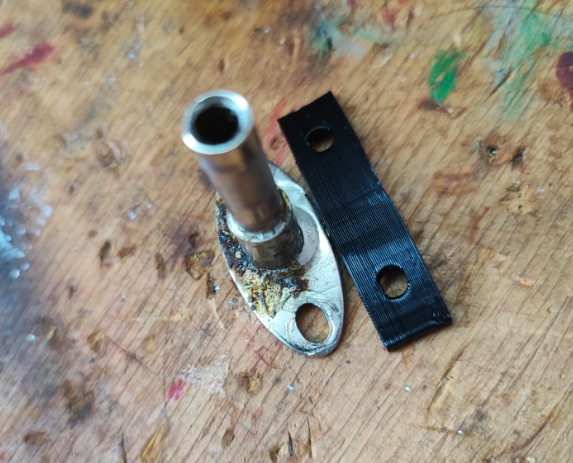
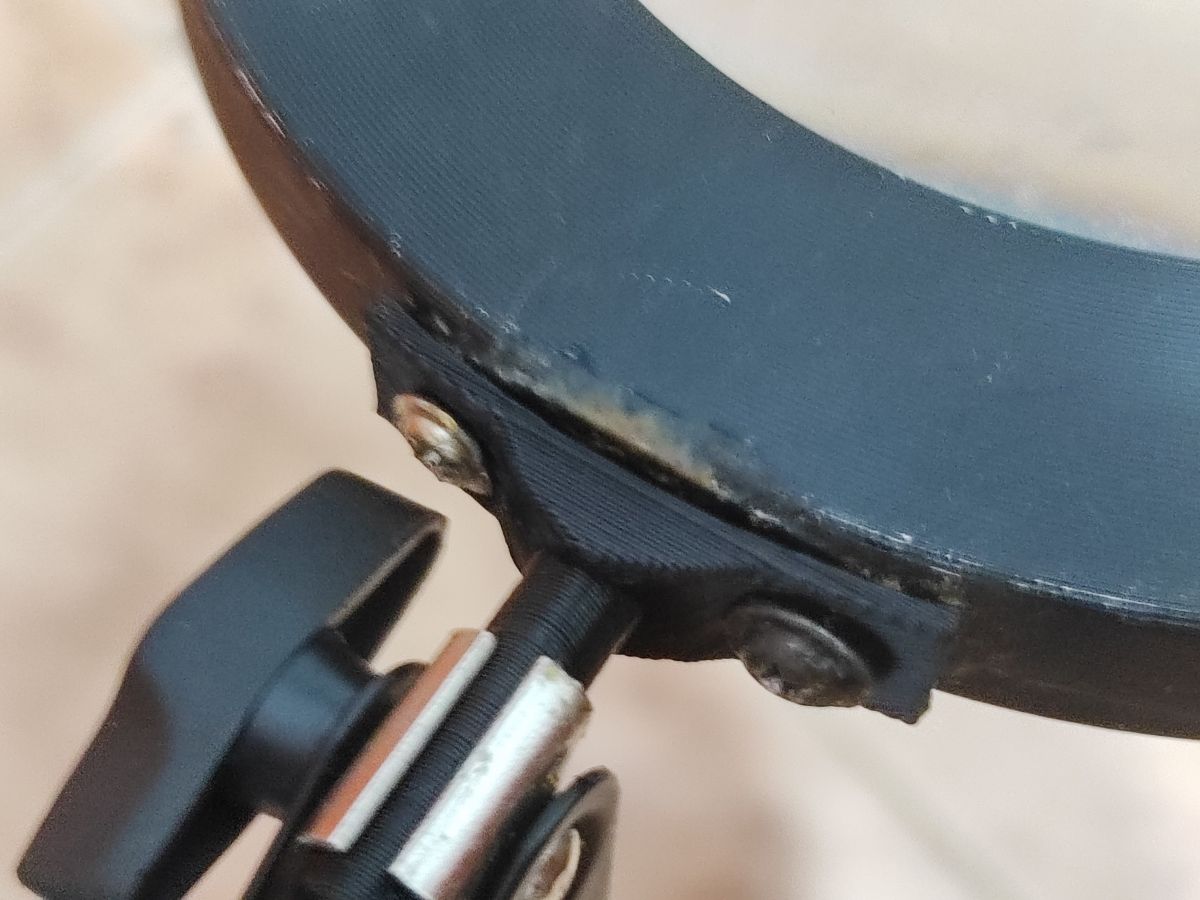
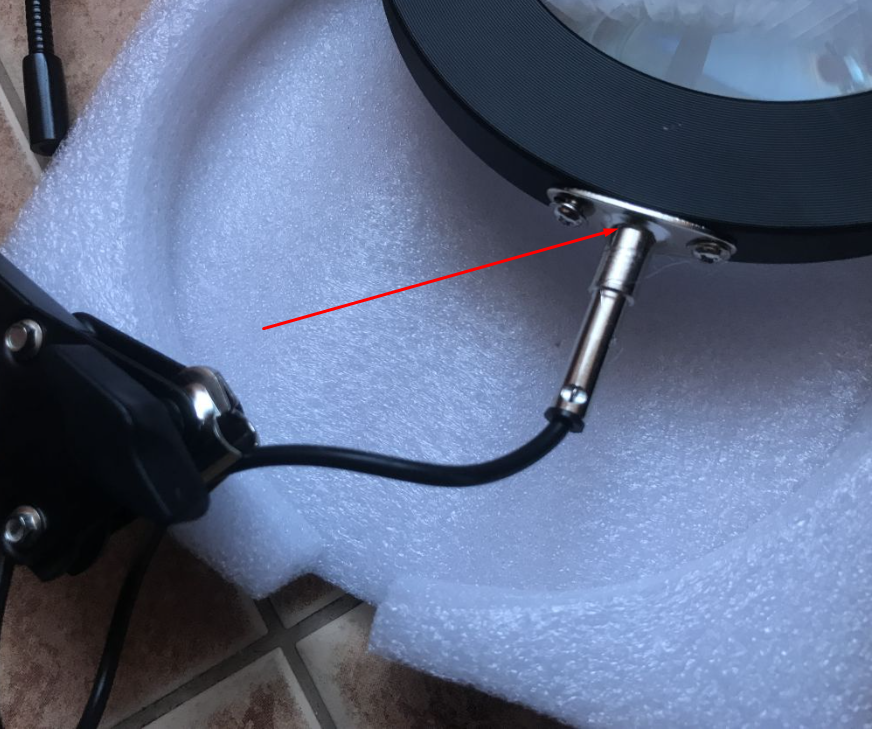
    So the damage was done to this joint:
    Print-experiment - repairing a workshop light, replacing a metal component
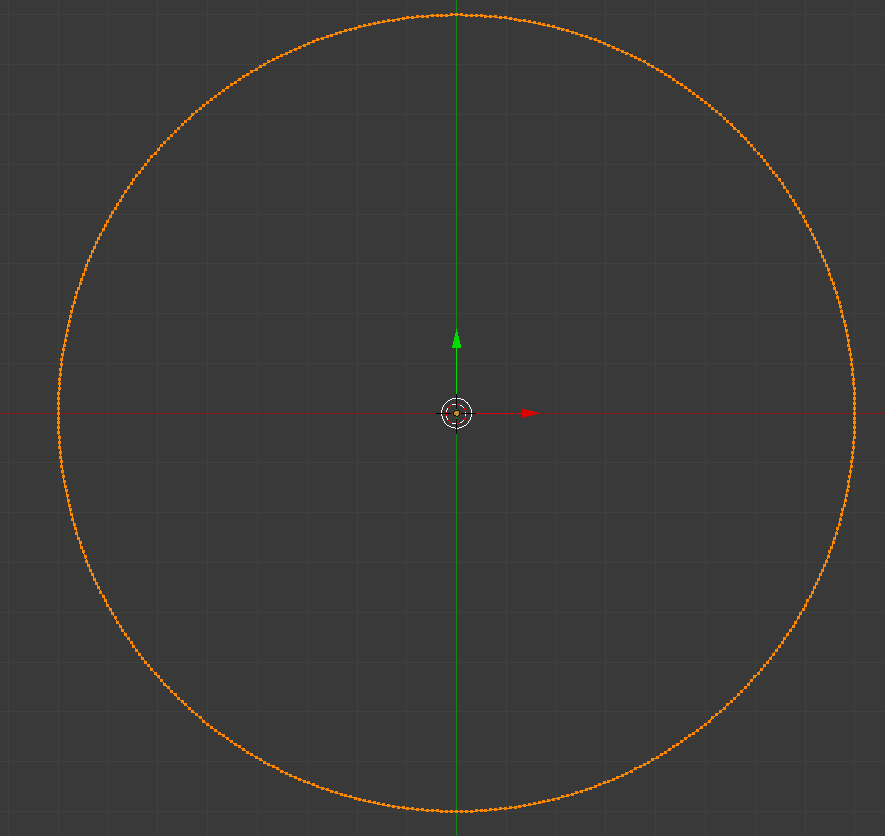
    I created the replacement in Blender. I started the adventure with a circle of diameter in line with the diameter of the lamp:
    Print-experiment - repairing a workshop light, replacing a metal component
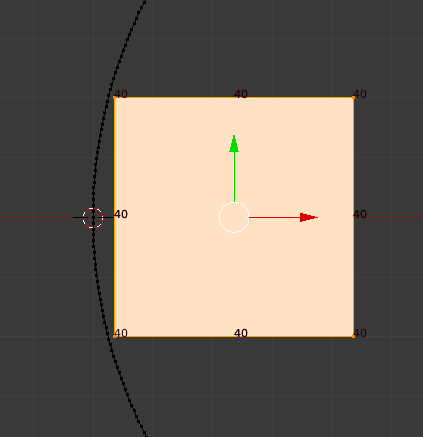
    I then prepared myself a block with a length that matched the desired element (circle cutout):
    Print-experiment - repairing a workshop light, replacing a metal component
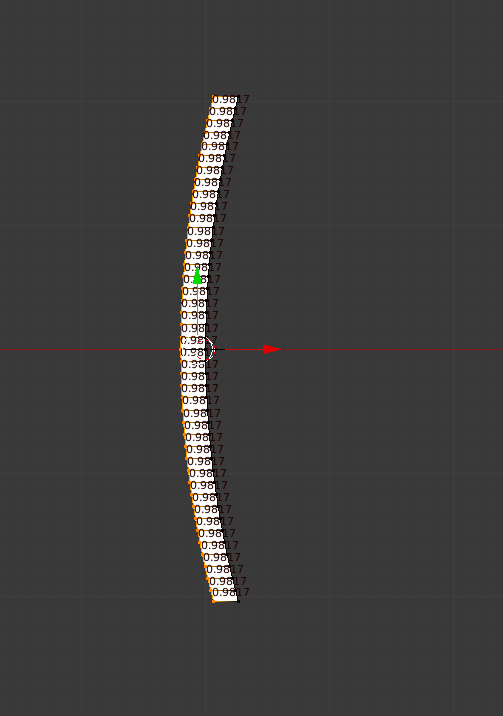
    Based on this I cut out this cutout and gave it a thickness:
    Print-experiment - repairing a workshop light, replacing a metal component
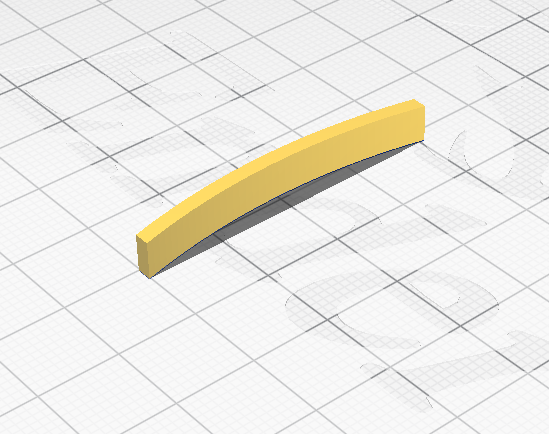
    At this point it was still two-dimensional:
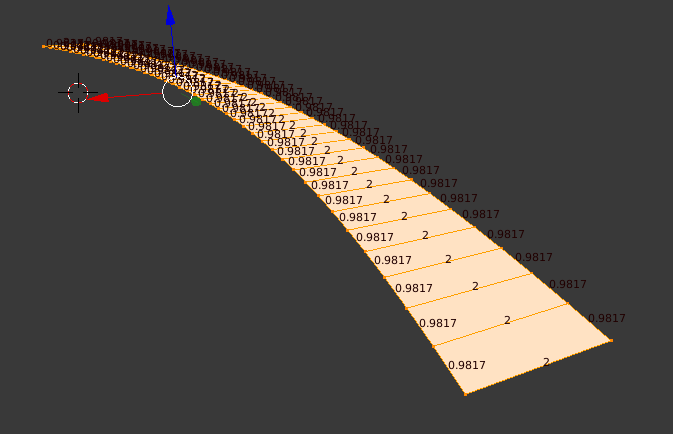
    Print-experiment - repairing a workshop light, replacing a metal component
    For this reason I then gave it a third dimension:
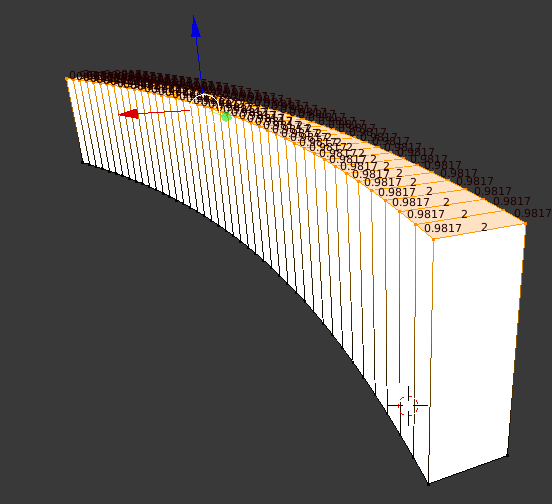
    Print-experiment - repairing a workshop light, replacing a metal component
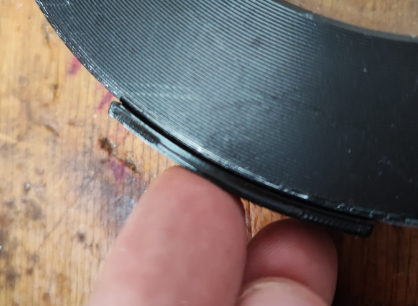
    I made a print for the fitting:
    Print-experiment - repairing a workshop light, replacing a metal component
    Fits:
    Print-experiment - repairing a workshop light, replacing a metal component
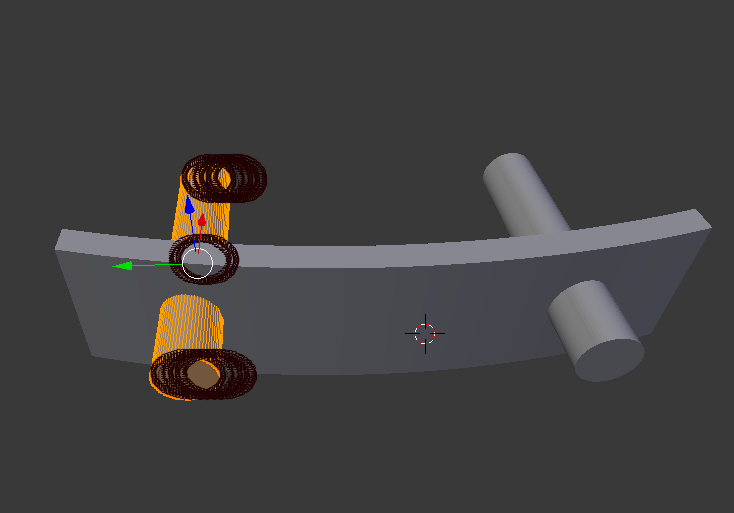
    Now it's time for the holes. I have created the cylinder so that its origin point is on the symmetry axis of the piece, this in order to later add a mirror image to have the two holes symmetrically:
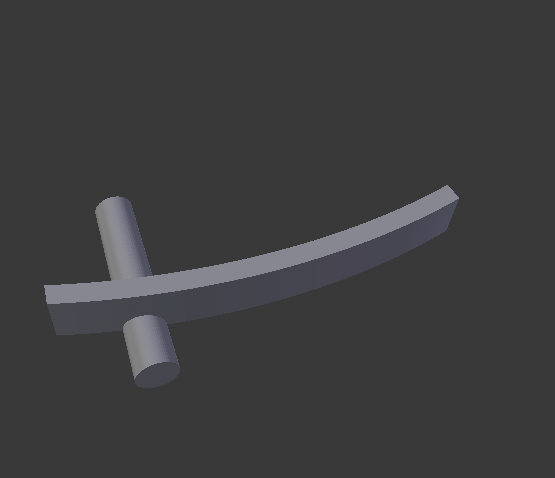
    Print-experiment - repairing a workshop light, replacing a metal component
    After adding the "mirror" modifier:
    Print-experiment - repairing a workshop light, replacing a metal component
    Then I added "boolean" - i.e. we cut a new shape from the previous element:
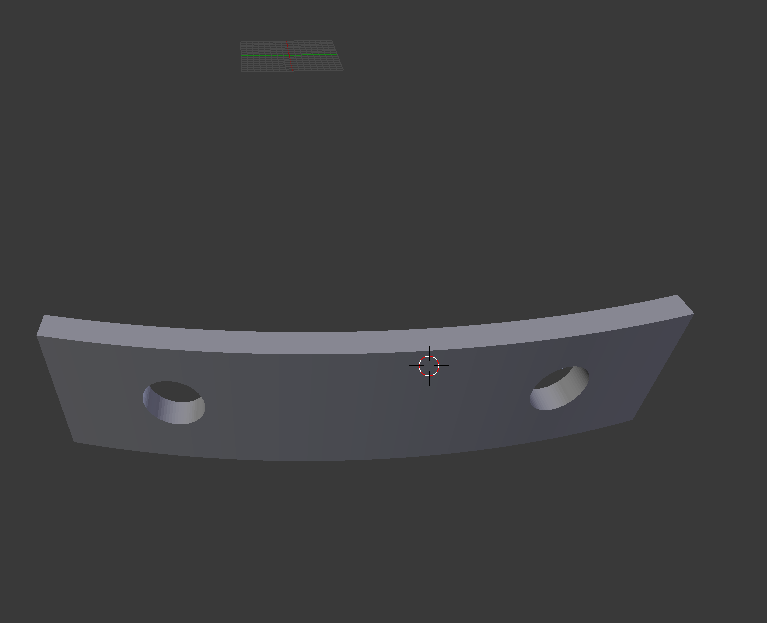
    Print-experiment - repairing a workshop light, replacing a metal component
    Then it was time for another cylinder, also with "boolean" - but this time a sum operation:
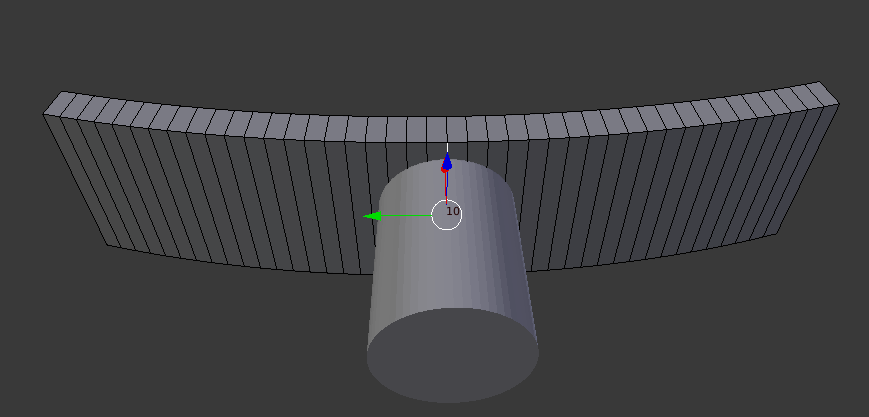
    Print-experiment - repairing a workshop light, replacing a metal component
    Fitting:
    Print-experiment - repairing a workshop light, replacing a metal component
    A few improvements later I still cut the third hole and the shape is tentatively ready:
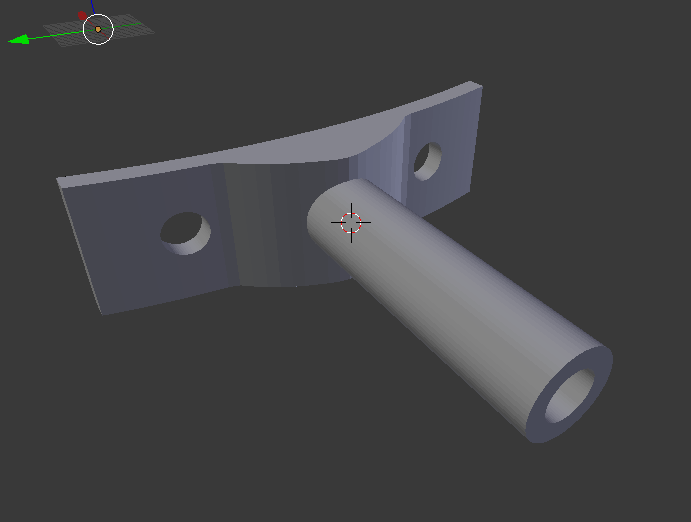
    Print-experiment - repairing a workshop light, replacing a metal component
    The third hole is needed because the wires are routed through it.
    Printed component:
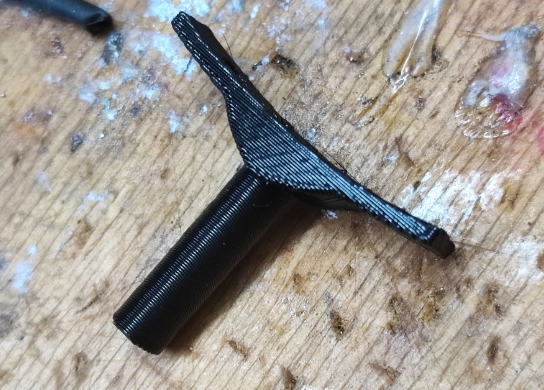
    Print-experiment - repairing a workshop light, replacing a metal component

    I printed the piece on a slant to reinforce the structure a little.
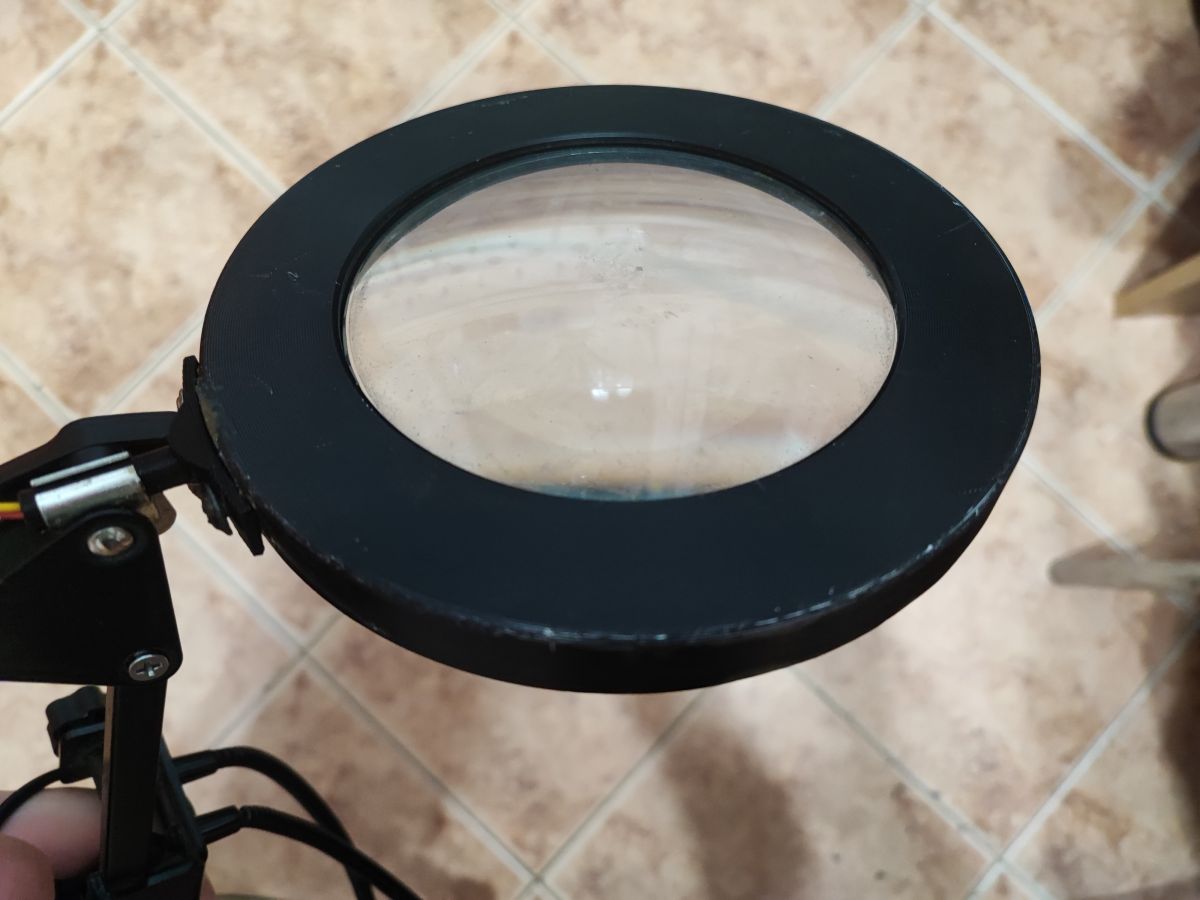
    Print-experiment - repairing a workshop light, replacing a metal component Print-experiment - repairing a workshop light, replacing a metal component
    Done! Now the only question is how long it will last....

    Summary
    I waited about a month before writing the topic, during this time I have used the lamp normally and I can already state with a clear conscience that the print has performed well. Nothing has broken yet, and even if it does, I have a second piece in reserve. It costs practically nothing. The piece only weighs 2-3 grams, and considering that I pay about £50 for 1kg of filament it's really pennies, even including electricity and time spent in Blender.
    Could it have been fixed any other way? I don't know, you guys can tell me, but in terms of my capabilities the 3D printing solution worked perfectly.

    Cool? Ranking DIY
    Helpful post? Buy me a coffee.

    About Author
    p.kaczmarek2
    Moderator Smart Home
    Offline 
    p.kaczmarek2 wrote 13926 posts with rating 11732, helped 630 times. Been with us since 2014 year.
  • ADVERTISEMENT
  • #2 21202217
    efi222
    Level 21  
    PLA, despite appearances, is quite hard and stiff. If it is not heated too much, it can surprise with its toughness.
  • #3 21202241
    lukasrsv
    Level 20  
    I would suggest a different print layout to reinforce the strength of the component.
  • #4 21202652
    Anonymous
    Level 1  
  • #5 21202663
    Grzegorz_madera
    Level 38  
    p.kaczmarek2 wrote:
    even including electricity and time spent in the Blender

    Well, just how long did it take?
  • ADVERTISEMENT
  • #6 21202693
    p.kaczmarek2
    Moderator Smart Home
    All in all you're right about the angled print, although at the same time I'll stress that I didn't print flat. I set it at an angle and the tree supports held it, I just didn't take a photo.

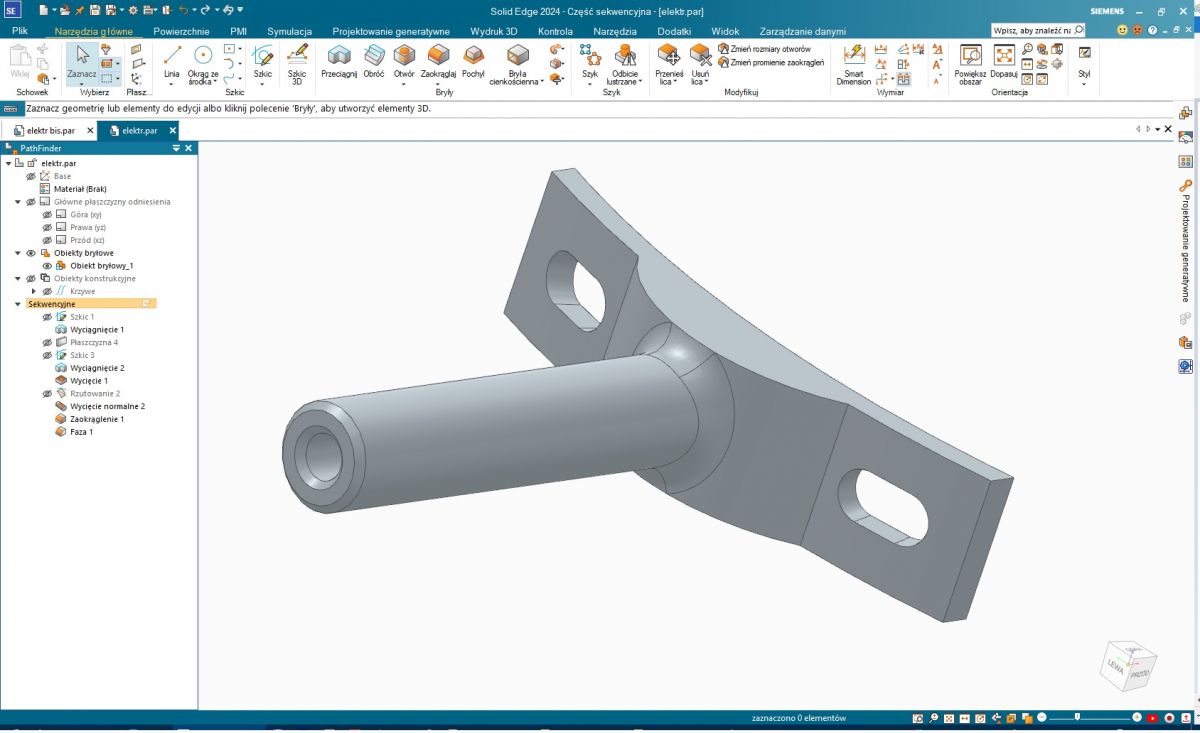
    @Grzegorz_madera I did an experiment and without respecting the dimensions I modelled such a shape in Blender in 5 minutes (recorded non-stop, not sped up):


    EDIT: Pre-empting a potential discussion - I'm not saying this is the fastest and best way to 3D print, quite the contrary, but simply everyone uses what they know and have at hand.
    Helpful post? Buy me a coffee.
  • #7 21206258
    Grzegorz_madera
    Level 38  
    p.kaczmarek2 wrote:
    without respecting the dimensions, I modelled such a shape in Blender in 5 minutes

    In my case, it would have taken less than a minute to weld up the original component with a migomat.
  • #8 21206271
    Anonymous
    Level 1  
  • #9 21206759
    Anonymous
    Level 1  
  • #10 21209080
    landy13
    Level 31  
    @p.kaczmarek2 You print (also described in other topics) specific items useful in life or spare parts for broken devices which I very much support. Not like most printers useless figures downloaded from the Thingverse or other portals. Although I am not a haunted environmentalist I don't like waste and throwing away repairable things. But - that there is nothing so good that cannot be improved, let me make two comments.

    FIRST COMMENT
    Concerning the programme. It is true that the best programme is the one we know how to use. But nothing prevents you from trying another. For so-called technical projects, real CAD works much better.
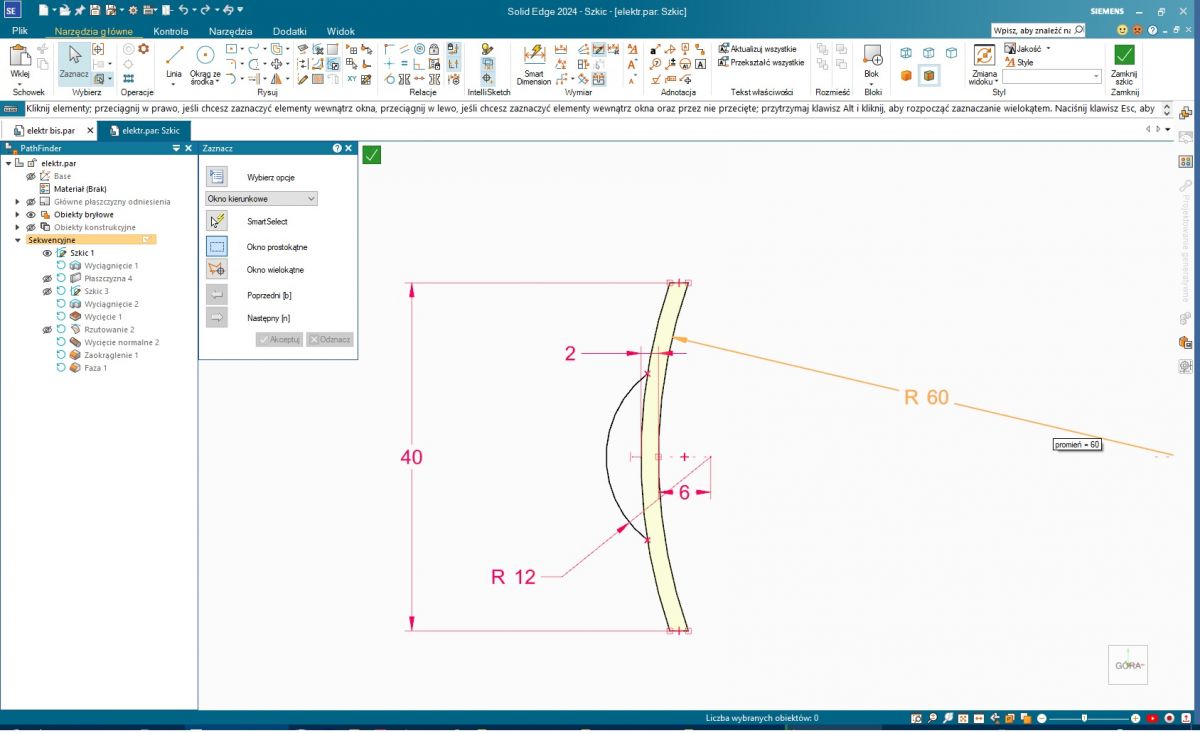
    This is what it looks like in Solid Edge, the dimensions are "by eye" because I couldn't find the right ones.

    Sketch of the part adjacent to the lamp (on one of the main planes):
    Print-experiment - repairing a workshop light, replacing a metal component

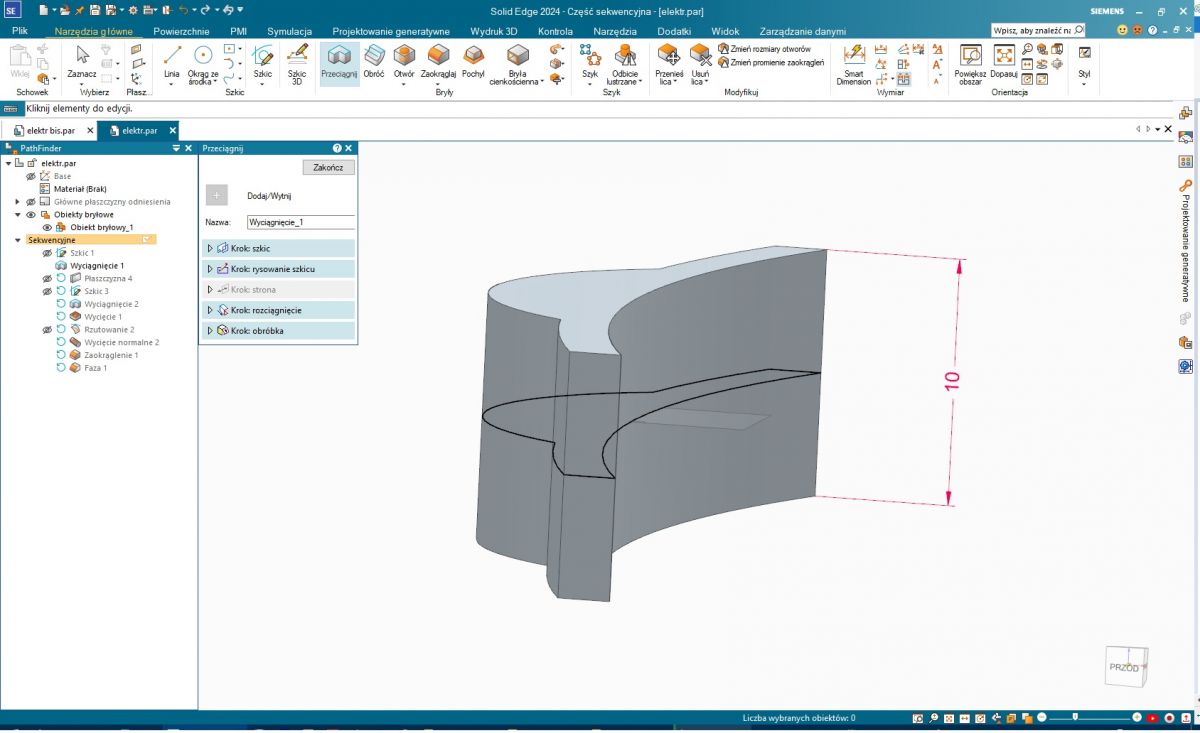
    Sketch of the sketch, in this case symmetrical:
    Print-experiment - repairing a workshop light, replacing a metal component

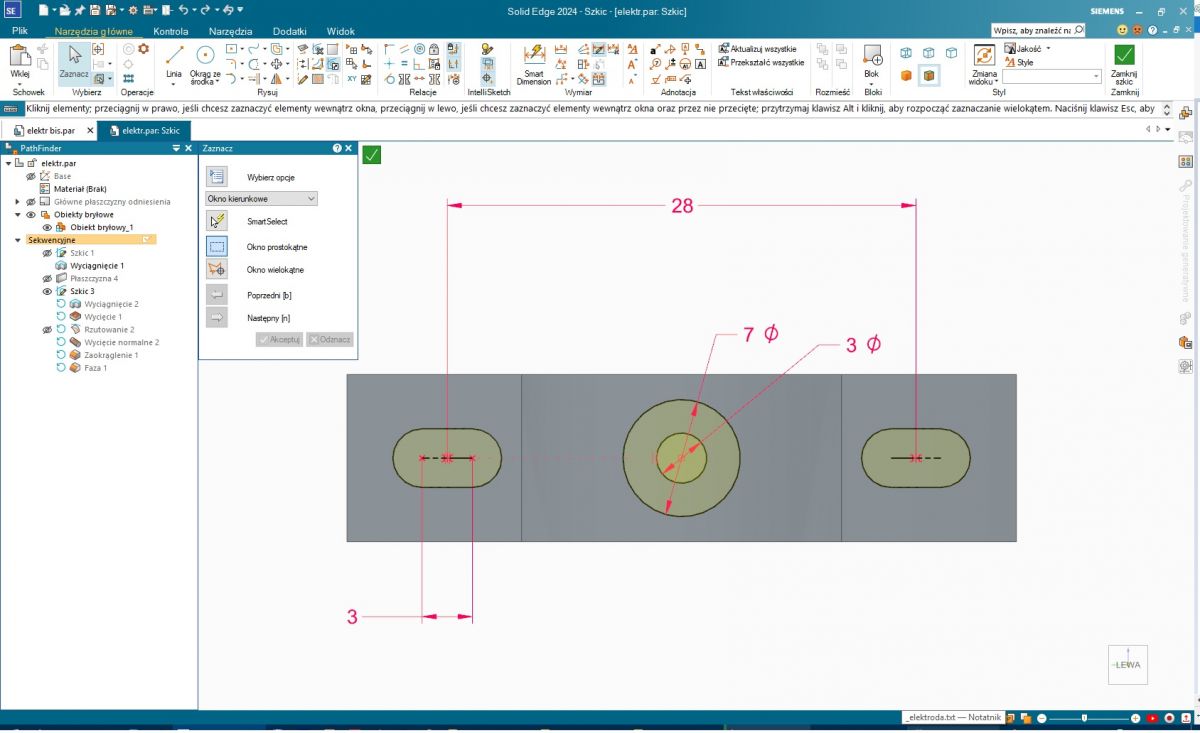
    Sketch on a plane offset to the length of the tube:
    Print-experiment - repairing a workshop light, replacing a metal component

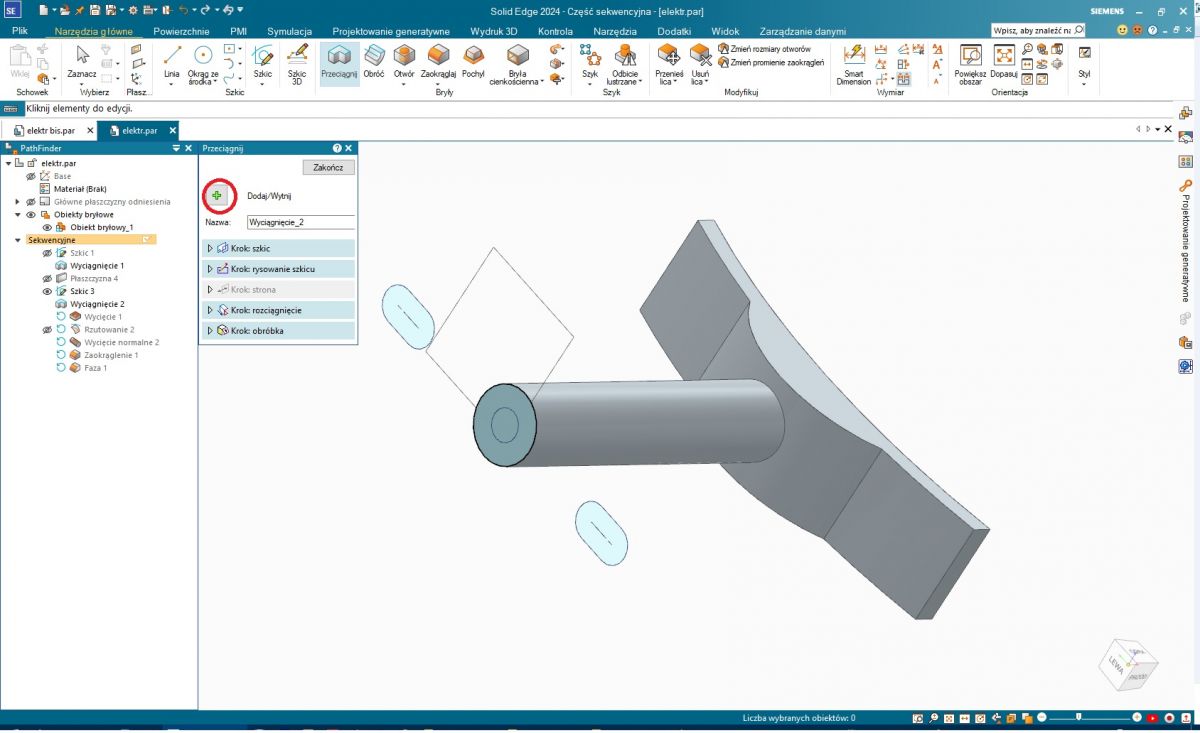
    Extracting the cylinder:
    Print-experiment - repairing a workshop light, replacing a metal component

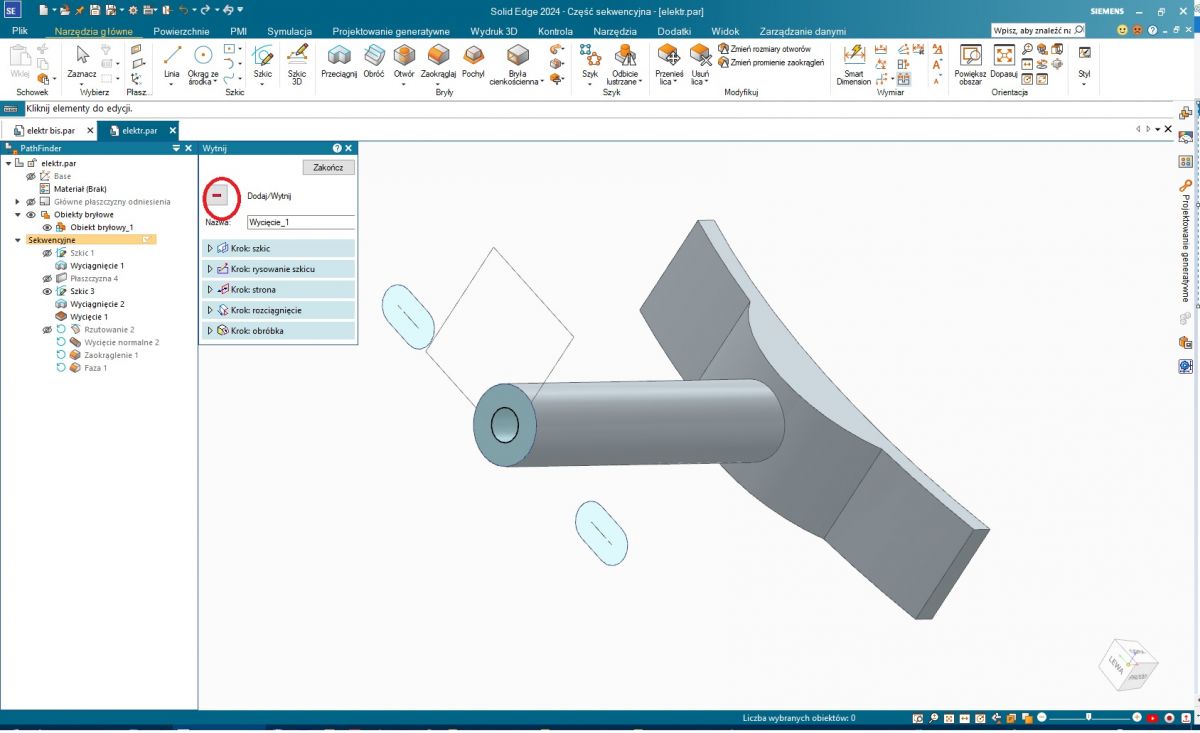
    Cutting out the hole:
    Print-experiment - repairing a workshop light, replacing a metal component

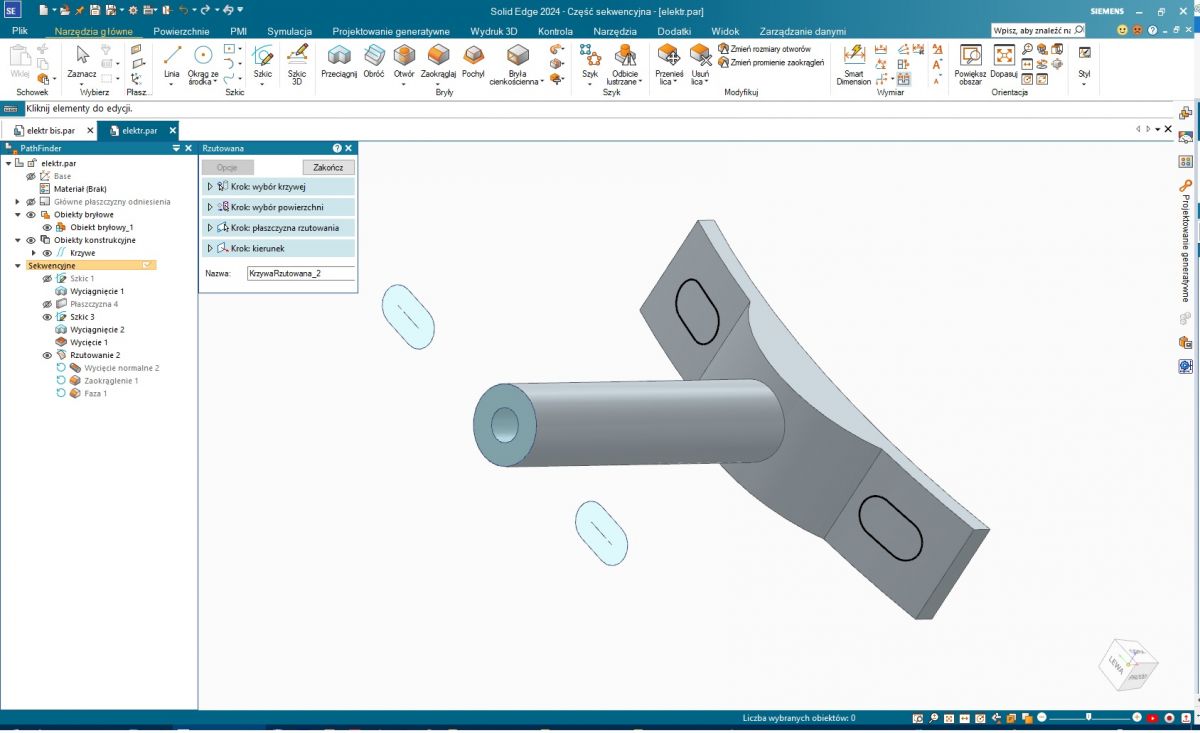
    Projection of a sketch of the oblong holes onto a cylindrical surface. The original part shows this shape.
    Print-experiment - repairing a workshop light, replacing a metal component

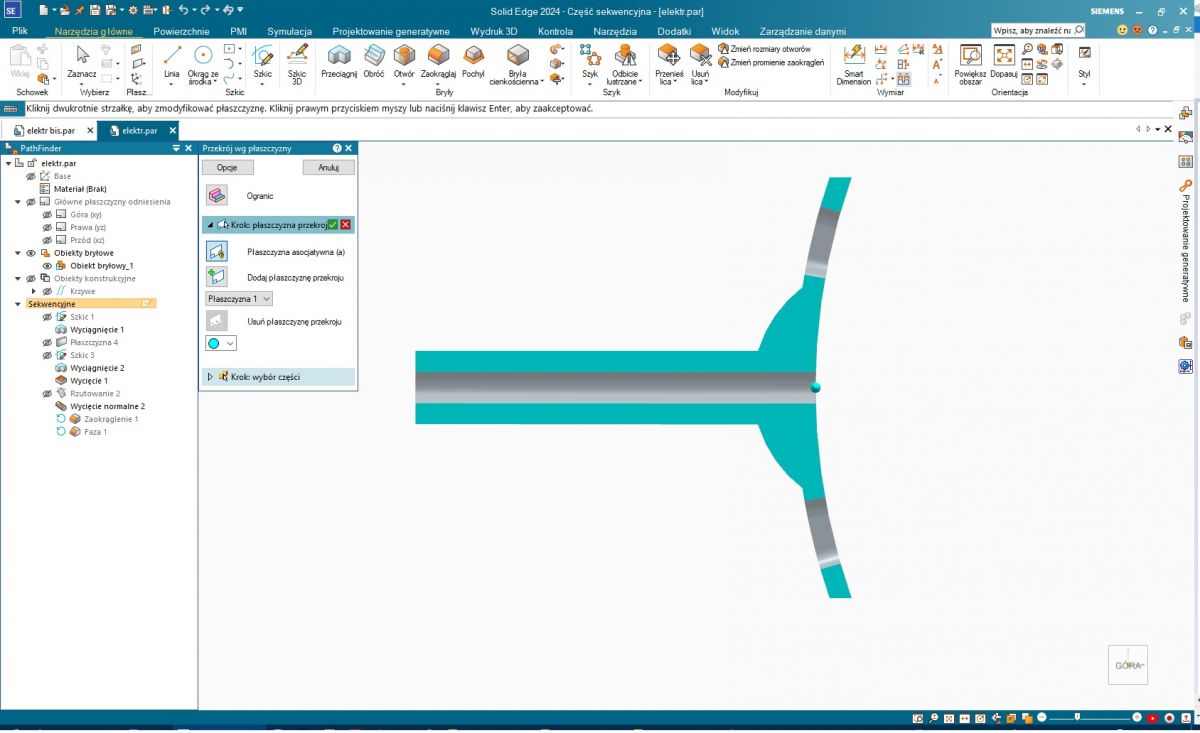
    Normal cutout of these holes. For the less oriented - in geometry, the term 'normal' means perpendicular. This can be seen in the section; the hole is perpendicular to the cylindrical surface....
    Print-experiment - repairing a workshop light, replacing a metal component

    Rounding and chamfers:
    Print-experiment - repairing a workshop light, replacing a metal component

    View from all sides:


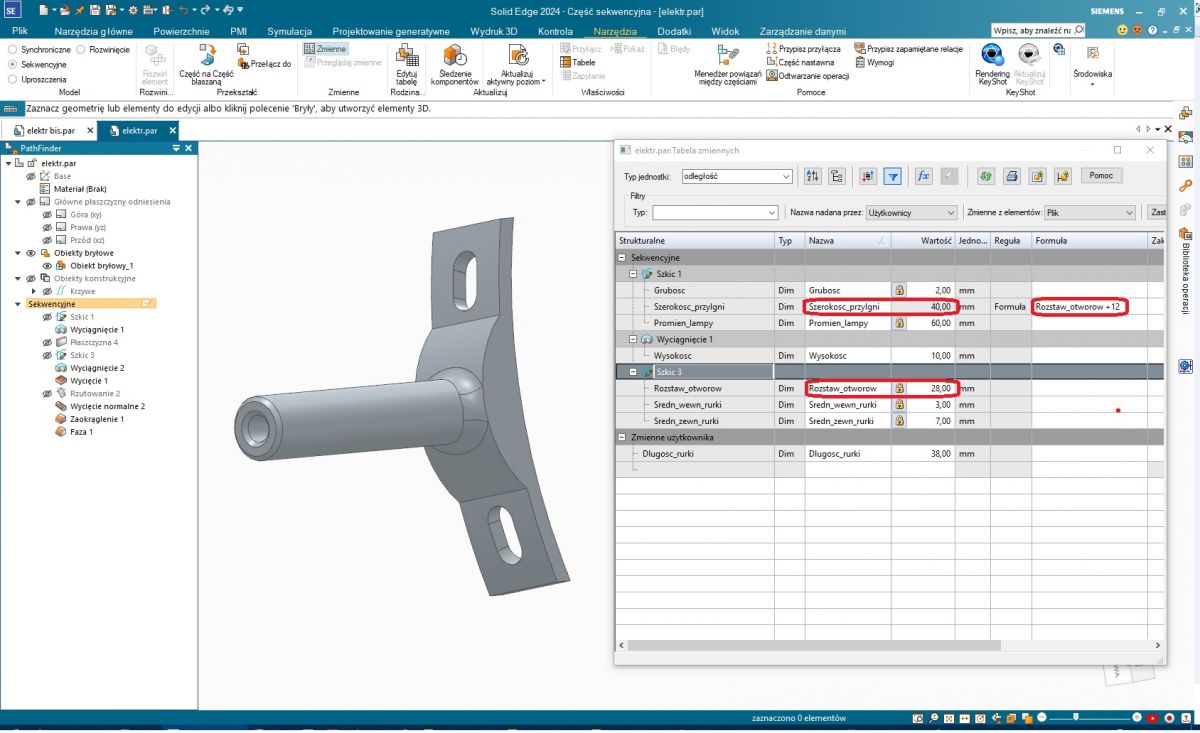
    For dessert, parametricity. Every CAD has something like a spreadsheet built in. In SE this is called a Table of Variables. All the dimensions assigned to the variables are there, you can give them their own names, edit them to enter relationships between them. For example, I have entered the relationship between the width of the part adjacent to the lamp (abutment) and the spacing of the fixing screws. This is useful, for example, in order to easily and quickly adapt such a holder to another lamp. Or to make a correction when material shrinkage has changed the dimensions too much.
    Print-experiment - repairing a workshop light, replacing a metal component


    I recommend the programme to everyone; it is not truncated like Fusion and not clumsy like FreeCAD.


    SECOND NOTE
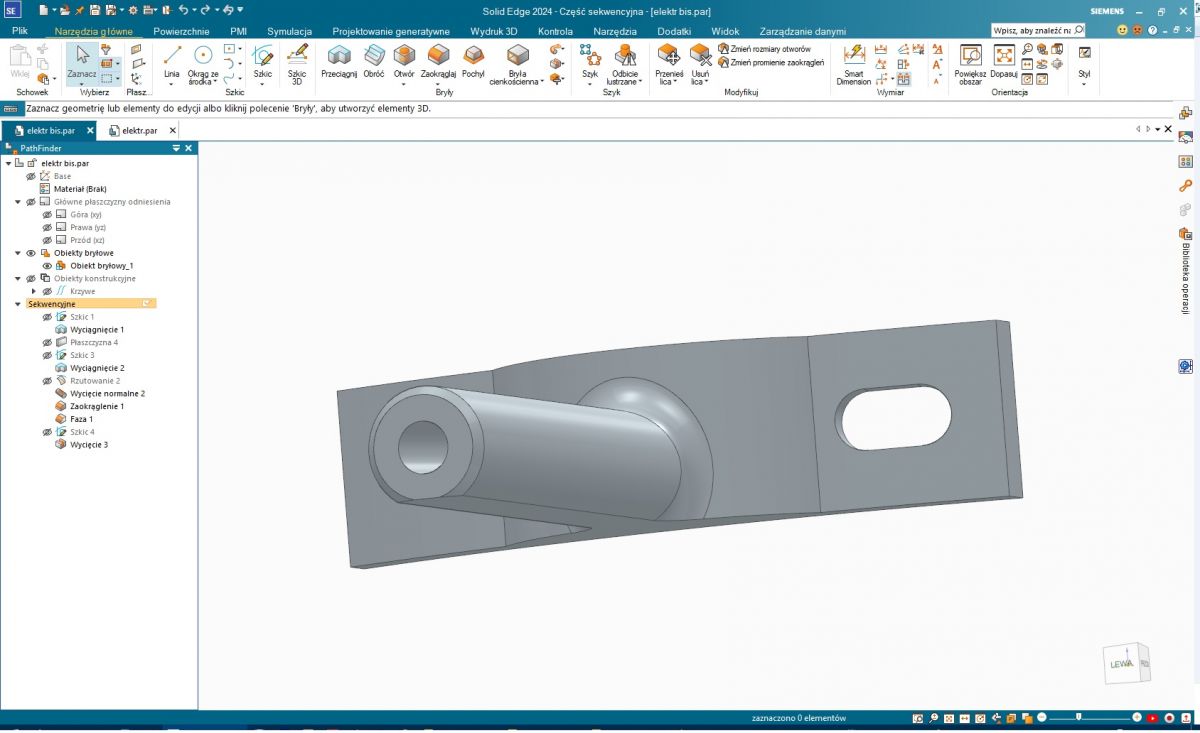
    Technologicality of the project. The positioning of the print itself has already been mentioned, but in order to print well, it is worth taking care of this already at the design stage. E.g. after all, that tube does not have to be perfectly in the middle of the height. It can be moved all the way to the edge, or even a little beyond the edge There will be a slight flattening that does not interfere with anything, but you gain a strong print without support. You can go back to round screw holes if the bridges on the longitudinal ones would not come out and that's it.
    Print-experiment - repairing a workshop light, replacing a metal component

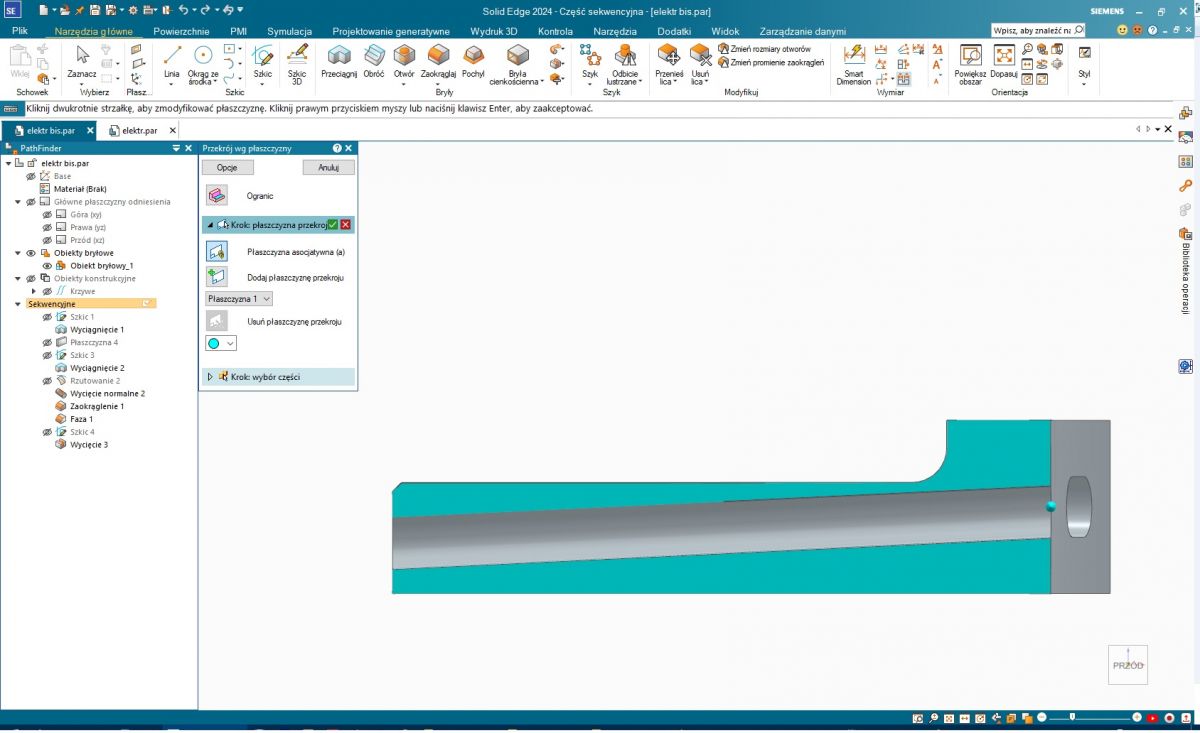
    The hole for the wire in this case would not be coaxial with the outer surface of the tube, because it probably has to hit the hole in the lamp. As in the cross-section:
    Print-experiment - repairing a workshop light, replacing a metal component


    If you feel that my post is too loosely related to the topic and litters it, please request deletion without regret. But if you'd like to try something new (or anyone else reading this), I'm happy to help.
  • #11 21212831
    p.kaczmarek2
    Moderator Smart Home
    Very interesting post @landy13 , if you want you can paste it separately in this section, just write then there a few more words about this program what you used, probably it will interest many more people. What the program is, where it comes from, what it allows, how it works. Then your topic will also be visible on the main page of the forum.
    Helpful post? Buy me a coffee.
  • #12 21212948
    landy13
    Level 31  
    p.kaczmarek2 wrote:
    Very interesting post @landy13
    Thanks for the kind word. I was somehow inspired to make up my mind.

    p.kaczmarek2 wrote:
    ...if you want you can paste it separately in this section...
    Well I guess not really. The DYI section is for presenting "your own working designs" . My post doesn't say that. And what's more - I don't see a section where it would fit.

    p.kaczmarek2 wrote:
    ...write a few more words there then.... What is the program, from where, what does it allow, how does it work.
    Then the post will look like an advertisement and as such will be instantly deleted.

    According to the rules I can only reply when someone asks. There was a newly registered one-poster here a while ago with a question. I'll show him how to make this strainer; maybe someone else will be interested. And you can also ask in person. It will be legal and legitimate. Maybe you'll even ditch Blender? Because it's a graphics program and not an engineering program after all.
  • ADVERTISEMENT
  • #13 21212964
    p.kaczmarek2
    Moderator Smart Home
    If you're worried that a tutorial alone without a printout isn't DIY, there's still the 'Articles' section. I assure you that any substantive material will be welcome. You have nothing to fear that it will be taken as advertising, you can describe the program. If in doubt, you can post your topic at:
    https://www.elektroda.pl/rtvforum/forum51.html
    and then someone from Elektroda will review it and post it where needed.


    As for me, I'll probably need to know something CAD sooner or later, but I'm still looking, preferably if it's open source, but not necessarily....
    Helpful post? Buy me a coffee.
  • #14 21213060
    landy13
    Level 31  
    Writing tutorials or running a course is not something I am likely to undertake. I don't feel competent enough nor do I feel a calling. But I stand by my pledge to help if needed.

    p.kaczmarek2 wrote:
    As for me, I'll probably need to know something CAD sooner or later, but I'm still looking, preferably if it's open source, but not necessarily...

    Depends on what you need it for. Whether hobbyist for example 3D printing, or commercial design. Because the SE I wrote about has a Community Edition licence quite free for non-commercial use. For the commercial one you already pay regularly, because of course subscription licensing.
    From open source it is only FreeCAD, but I do not recommend it. It is very frustrating to work with. You get to everything laboriously, all the way around. Although if you are not familiar with any other CADA you may not notice this.
    But why bother; you want for your business - buy something concrete. Because there are still programs, less popular but quite good, that you buy once, without a subscription. And to play for yourself - download SE and get going.

    =======================================
    Edit
    I've added instructions for making a tray: Link
  • #15 21518732
    OPservator
    Level 39  
    Do you still have that Ender 3v3 Pro?
    What do you design in and what slicer do you use?
  • #16 21519798
    p.kaczmarek2
    Moderator Smart Home
    I have this Ender all the time. I'm not complaining, but the fact is that this hobby requires patience, calibrating, tweaking etc takes time.
    With design I won't advise well, as I use Blender because I know it - it's not designed for that purpose, but there's some material about it in this section, as well as other programs:
    https://www.elektroda.pl/rtvforum/forum509.html
    Slicer Cura.
    Helpful post? Buy me a coffee.
  • #17 21519856
    efi222
    Level 21  
    p.kaczmarek2 wrote:
    calibrating, tweaking, etc. takes time.

    For me the biggest pain point is the temperature 'drift' of the table. But that's probably due to supporting it on a single rail, in the middle.
    Ender's newer, budget design has the table supported on two rails at the sides.
  • #18 21519892
    OPservator
    Level 39  
    I have a K1C and I don't see any problems, well it's Creality's flagship, not the Ender series, which I've been advised against by many people if I want to print rather than repair a printer.
    Generally the choice was between the K1C and the 3v3 Combo, but these Combo's max out at 4 colours anyway, not really an advantage.

    Added after 1 [minute]:

    I'm using Creality 6.1 slicer and also modelling in Blender, but I'm slowly trying to get out of simple designs and yesterday I started designing a car - but o lord, not enough "ctrl+z" in memory and I often end up knocking out the whole element and starting again :/
  • ADVERTISEMENT
  • #19 21519908
    p.kaczmarek2
    Moderator Smart Home
    The amount of Undo memory can rather be increased. Which Blender are you working in? How much did you buy the K1C for?
    Helpful post? Buy me a coffee.
  • #20 21519922
    efi222
    Level 21  
    OPservator wrote:
    I have a K1C and I don't see any problems

    With large solids there is no problem.
    I often print solids that are one layer thick (0.2mm) and quite large in span. After a few pieces you have to calibrate the table.
  • #21 21519952
    OPservator
    Level 39  
    efi222 wrote:
    After a few pieces you need to calibrate the table.

    You calibrate the K1C with one click, so I calibrate every print. The smallest is a 1cm x 1cm dice, the largest is a 12x8x5 airtight box for the dice (trailer).

    Both prints were my own designs, so they suffered from childhood illness :)

    p.kaczmarek2 wrote:
    Which Blender are you working in?

    The latest one, as I am using via Steam.

    p.kaczmarek2 wrote:
    For how much K1C did you buy it?

    For just under two with 4 PLA filaments.
📢 Listen (AI):
ADVERTISEMENT