logo elektroda
logo elektroda
X
logo elektroda

[BK7231N] Corner-Lamp with OpenBK7231N: Enters Safe Mode After Power Cycle, boots normally later

0x420x58 366 7
ADVERTISEMENT
  • #1 21800865
    0x420x58
    Level 3  
    Hey Guys,

    I am struggling with a corner lamp for quite some while.
    The lamp is a no-name product from a hardware store.

    It has a BK7231N chipset und I managed to flash OpenBK7231N, configure the SM16703P driver for RGB and the PWM channel for White.
    Additionally the IR pin for the remote controller.

    BUT: When I turn off the light over night and turn it on again the next day, it always fails to boot for 5 times and goes straight into Safe Mode (AP).
    Then I wait for ~5-10 minutes, power cylce the lamp again and everything works as expected: The lamp is booting normally and I can controll the LEDs via MQTT.

    My flags: 8392713

    My pin config:
      "pins": {
        "6": "PWM;5",
        "20": "IRRecv;1"
      },


    My autoexec.bat:
    startDriver SM16703P
    
    // number of LEDs
    setChannel 6 60
    
    // init
    SM16703P_Init $CH6
    
    // done
    SM16703P_Start


    I already removed all flags and autoexec.bat. Same behaviour.
    Does anybody has an idea what the problem could be?

    AI: Can you share details about the power supply you're using for the lamp (voltage, type, and whether it's stable or has any delay/soft start features)?
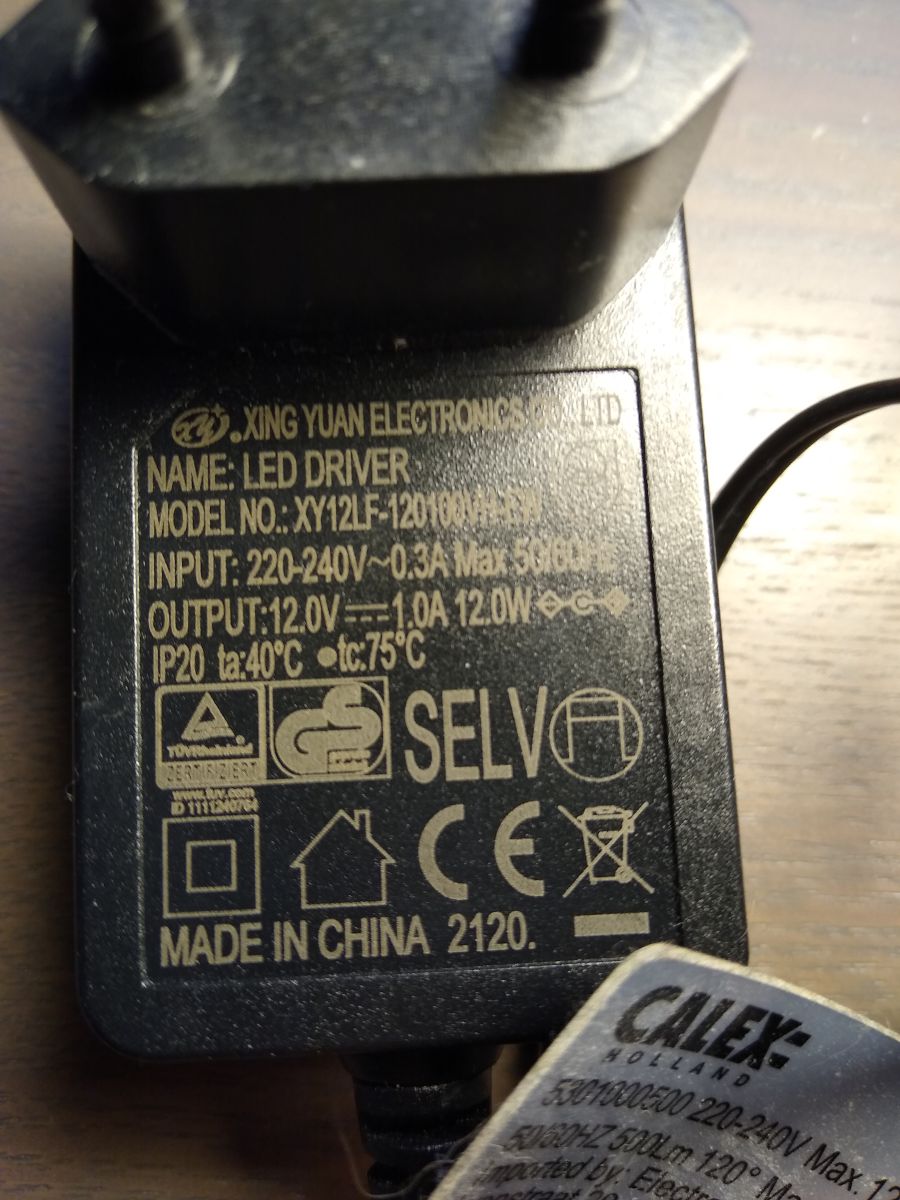
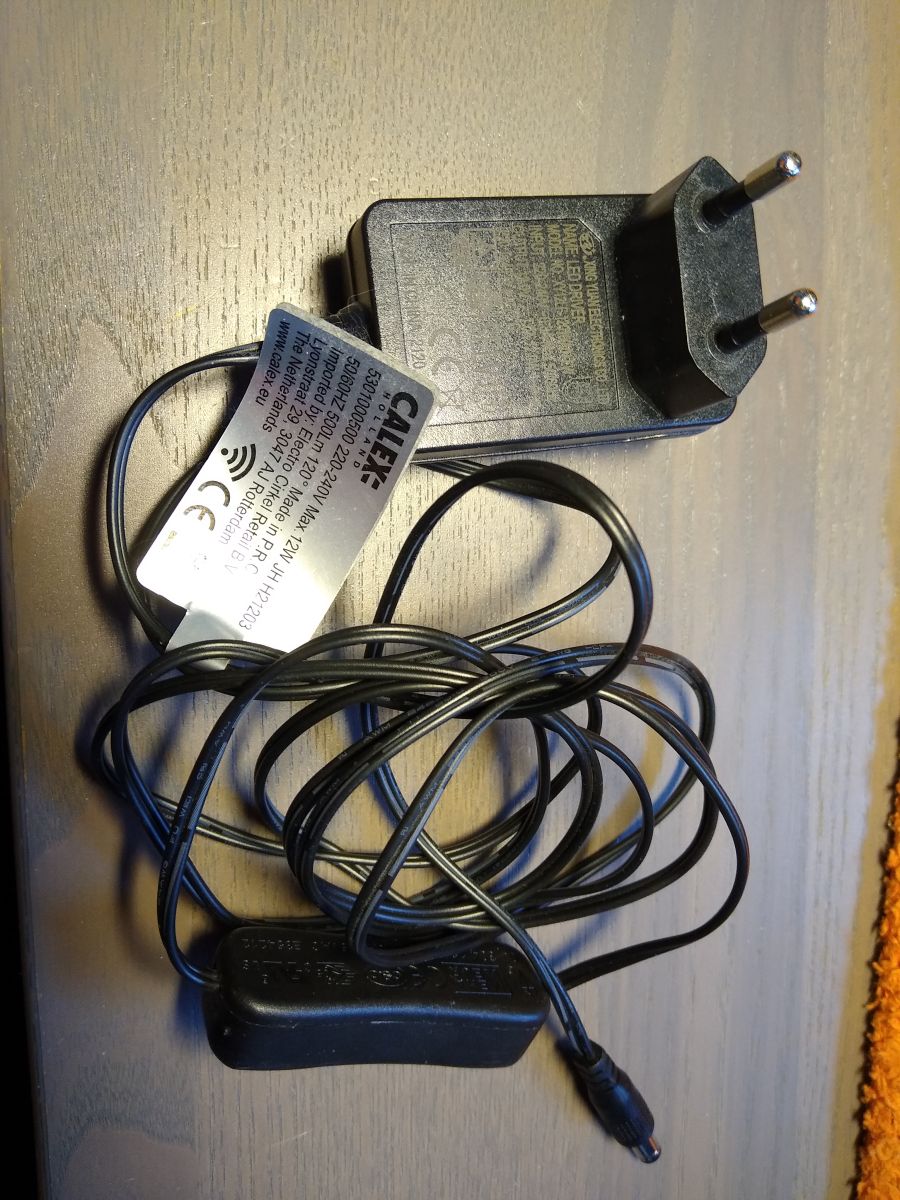
    Default socket power supply (12V, 1A) part of the lamp.
    AI: Do you have access to any serial logs or error messages from the device during the failed boot attempts when it enters Safe Mode? If so, could you post them here?

    Info:MAIN:Main_Init_Before_Delay
    Info:CFG:####### Boot Count 351 #######
    Info:MAIN:###### safe mode activated - boot failures 5
    Warn:CFG:CFG_InitAndLoad: Correct config has been loaded with 155 changes count.
    Info:MAIN:Main_Init_Before_Delay done
    Info:MAIN:Main_Init_Delay
    Info:MAIN:Main_Init_Delay done
    Info:MAIN:Main_Init_After_Delay
    Info:MAIN:###### safe mode activated - boot failures 5
    Info:MAIN:Using SSID [*******]
    Info:MAIN:Using Pass [*******]
    Error:HTTP:Created HTTP SV thread with (stack=2048)
    Info:MAIN:Main_Init_After_Delay done
    Info:MAIN:[SAFE] Time 1, idle 205451/s, free 82432, MQTT 0(0), bWifi 0, secondsWithNoPing -1, socks 2/38
    Info:MAIN:[SAFE] Time 2, idle 142318/s, free 82432, MQTT 0(0), bWifi 0, secondsWithNoPing -1, socks 2/38
    Info:MAIN:[SAFE] Time 3, idle 142530/s, free 82432, MQTT 0(0), bWifi 0, secondsWithNoPing -1, socks 2/38
    Info:MAIN:[SAFE] Time 4, idle 142552/s, free 82432, MQTT 0(0), bWifi 0, secondsWithNoPing -1, socks 2/38
    Info:MAIN:Boot complete time reached (3 seconds)
    Info:CFG:####### Set Boot Complete #######
    Info:MAIN:[SAFE] Time 5, idle 136645/s, free 82432, MQTT 0(0), bWifi 0, secondsWithNoPing -1, socks 2/38
    Info:MAIN:no flash configuration, use default
    Info:MAIN:set ip info: 192.168.4.1,255.255.255.0,192.168.4.1
    Info:MAIN:ssid:Corner-Lamp-1_OpenBK7231N  key: mode:0
    Info:MAIN:[SAFE] Time 6, idle 138783/s, free 74712, MQTT 0(0), bWifi 0, secondsWithNoPing -1, socks 5/38
    Info:MAIN:[SAFE] Time 7, idle 280279/s, free 74712, MQTT 0(0), bWifi 0, secondsWithNoPing -1, socks 5/38
    Info:MAIN:[SAFE] Time 8, idle 141228/s, free 74712, MQTT 0(0), bWifi 0, secondsWithNoPing -1, socks 5/38
    Info:MAIN:[SAFE] Time 9, idle 139295/s, free 74712, MQTT 0(0), bWifi 0, secondsWithNoPing -1, socks 5/38
    Info:MAIN:[SAFE] Time 10, idle 139992/s, free 74712, MQTT 0(0), bWifi 0, secondsWithNoPing -1, socks 5/38
    Info:GEN:dhcp=0 ip=0.0.0.0 gate=0.0.0.0 mask=0.0.0.0 mac=00:00:00:00:00:00
    Info:GEN:sta: 0, softap: 1, b/g/n
    Info:GEN:softap:ssid=Corner-Lamp-1_OpenBK7231N,channel=1,dhcp=1,cipher_type:OPEN
    Info:GEN:ip=192.168.4.1,gate=192.168.4.1,mask=255.255.255.0,dns=192.168.4.1
    Info:MAIN:[SAFE] Time 11, idle 138008/s, free 74712, MQTT 0(0), bWifi 0, secondsWithNoPing -1, socks 5/38
    Info:MAIN:[SAFE] Time 12, idle 139749/s, free 74712, MQTT 0(0), bWifi 0, secondsWithNoPing -1, socks 5/38
    Info:MAIN:[SAFE] Time 13, idle 142458/s, free 74520, MQTT 0(0), bWifi 0, secondsWithNoPing -1, socks 5/38
    Info:MAIN:[SAFE] Time 14, idle 136954/s, free 74520, MQTT 0(0), bWifi 0, secondsWithNoPing -1, socks 5/38
  • ADVERTISEMENT
  • #2 21802355
    p.kaczmarek2
    Moderator Smart Home
    Welcome to Elektroda, thank you for posting. We'll try to help you with your issue.
    0x420x58 wrote:

    I already removed all flags and autoexec.bat. Same behaviour.
    Does anybody has an idea what the problem could be?

    This seems like a crucial information, can you double check?
    Can you verify again whether:
    - this problem appears with no autoexec.bat and no flags
    - this problem appears with no autoexec.bat, no flags, and no pins set?
    We need to narrow down the issue.

    Currently, it sounds like a power supply problem.


    0x420x58 wrote:

    BUT: When I turn off the light over night and turn it on again the next day,

    What do you mean by "turn off"? Do you mean that you toggle it off in OBK panel, or disconnect from the mains power (disconnect 230V plug, let's say)?

    Did you have the same issue with Tuya firmware? Is it like this from the start, or started after some time?

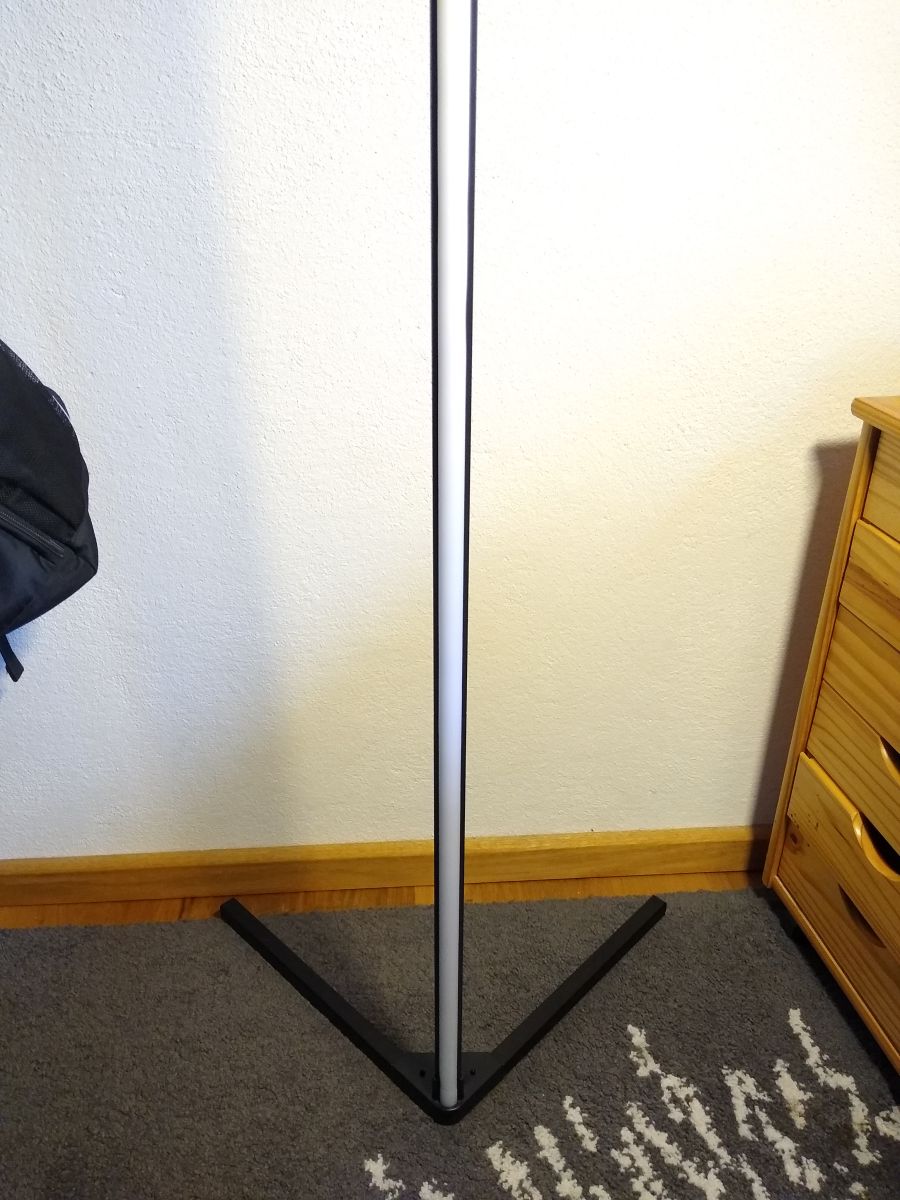
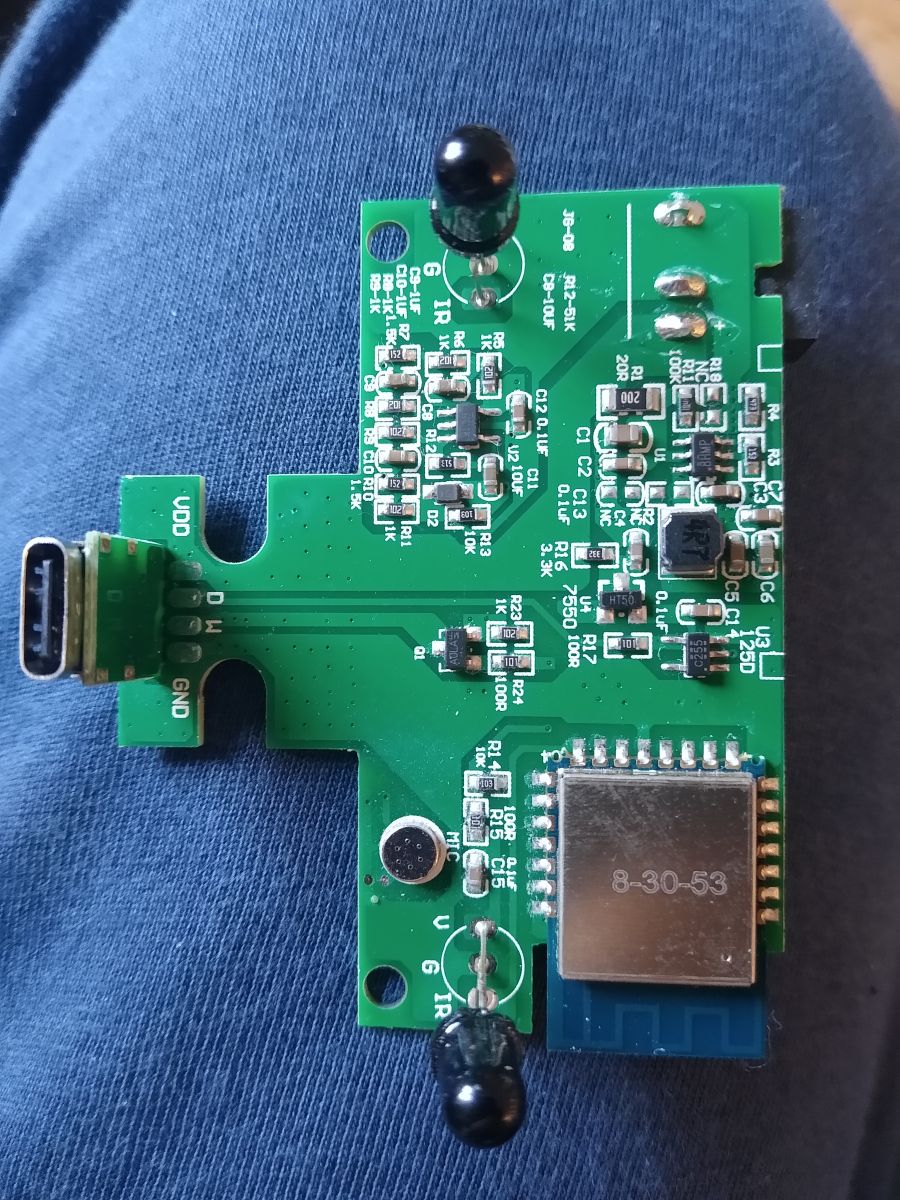
    Can you show some photos of the lamp, just for generic information? Is it easy to access the PCB?
    Helpful post? Buy me a coffee.
  • ADVERTISEMENT
  • #3 21804663
    0x420x58
    Level 3  
    Hey p.kaczmarek2,

    p.kaczmarek2 wrote:
    This seems like a crucial information, can you double check?
    Can you verify again whether:
    - this problem appears with no autoexec.bat and no flags
    - this problem appears with no autoexec.bat, no flags, and no pins set?
    We need to narrow down the issue.


    The problem appears with no autoexec.bat and no flags, yes.
    I didn't try it without pin configuration, though. I'll try that next.

    p.kaczmarek2 wrote:
    What do you mean by "turn off"? Do you mean that you toggle it off in OBK panel, or disconnect from the mains power (disconnect 230V plug, let's say)?

    I meant that I powered it off completely by disconnecting it from the main power (there is a switch inside the cable).

    p.kaczmarek2 wrote:
    Did you have the same issue with Tuya firmware? Is it like this from the start, or started after some time?

    Honestly, I cannot tell. I just recently discovered that this lamp is a Tuya device. Before that I always used the remote control to turn the lamp on/off.

    p.kaczmarek2 wrote:
    Can you show some photos of the lamp, just for generic information? Is it easy to access the PCB?

    Here we go:

    Close-up of green PCB with USB-C port and electronic components AC adapter with European plug and CALEx label attached to the cable LED driver from Xing Yuan Electronics with technical specs and certification marks Modern vertical LED floor lamp on carpet next to wooden drawer unit
  • #4 21804691
    p.kaczmarek2
    Moderator Smart Home
    Which OBK version? Maybe a quick connect bug? @insmod I mean this 250 ms delay at startup.

    Can you try OTA latest OBK?
    Helpful post? Buy me a coffee.
  • ADVERTISEMENT
  • #5 21804780
    0x420x58
    Level 3  
    p.kaczmarek2 wrote:
    Which OBK version?

    Currently I'm running 1.18.233. But I see there is now 245 available.

    p.kaczmarek2 wrote:
    Maybe a quick connect bug? @insmod I mean this 250 ms delay at startup.

    Is this information for me?

    p.kaczmarek2 wrote:
    Can you try OTA latest OBK?

    I'll try.

    I have removed the pin configuration and powered the lamp off. At least now (~3 h later) it connected normally to my Wi-Fi. I'll expand the off time and try it again later.
  • ADVERTISEMENT
  • #6 21805674
    0x420x58
    Level 3  
    So, it seems to have something to do with the pin configuration. Today the lamp connected immediately to my Wi-Fi after powering it on.
    Then I configured pin 6 with PWM and channel 5, power-cycled, and the lamp went straight into Safe Mode.
  • #7 21805902
    p.kaczmarek2
    Moderator Smart Home
    So pin 6 is guilty? What's connected to pin 6?

    What if you set it to Relay instead? Relay outputs 1 or 0, digital state.

    Added after 3 [minutes]:

    PS: What if you power WiFi module from external power supply, with stable 3.3V?

    Maybe this pin enables something that draws so much current that WiFi module has brownout and resets.
    Helpful post? Buy me a coffee.
  • #8 21807221
    0x420x58
    Level 3  
    p.kaczmarek2 wrote:
    So pin 6 is guilty? What's connected to pin 6?

    What if you set it to Relay instead? Relay outputs 1 or 0, digital state.


    I did, and it's also working flawlessly. So the PWM driver is the problem?

    p.kaczmarek2 wrote:
    PS: What if you power WiFi module from external power supply, with stable 3.3V?

    Maybe this pin enables something that draws so much current that WiFi module has brownout and resets.


    I could try that. But would it be possible to control such things via autoexec.bat with wait times, etc.?

Topic summary

A no-name corner lamp equipped with a BK7231N chipset was flashed with OpenBK7231N firmware and configured to use the SM16703P LED driver for RGB control and a PWM channel for white LEDs, along with an IR receiver pin for remote control. The lamp exhibits a boot issue: after being powered off overnight, it fails to boot properly for approximately five attempts and enters Safe Mode (Access Point mode). After waiting 5-10 minutes and performing another power cycle, the lamp boots normally and responds to MQTT commands. The configuration includes pin assignments for PWM and IR, and an autoexec.bat script initializing the SM16703P driver and setting 60 LEDs on channel 6. Attempts to remove flags and the autoexec.bat script did not resolve the issue, indicating a persistent boot failure on cold start that recovers after repeated power cycles.
Summary generated by the language model.
ADVERTISEMENT