AI: Can you share some context about the circuit board, such as what device it is from or any markings or labels that might help with identification? Looking for replacement socket jack in as it's broken and got 7 pins out PCB mounting (whatever I look at on the internet looks different) @ElektrodaBot
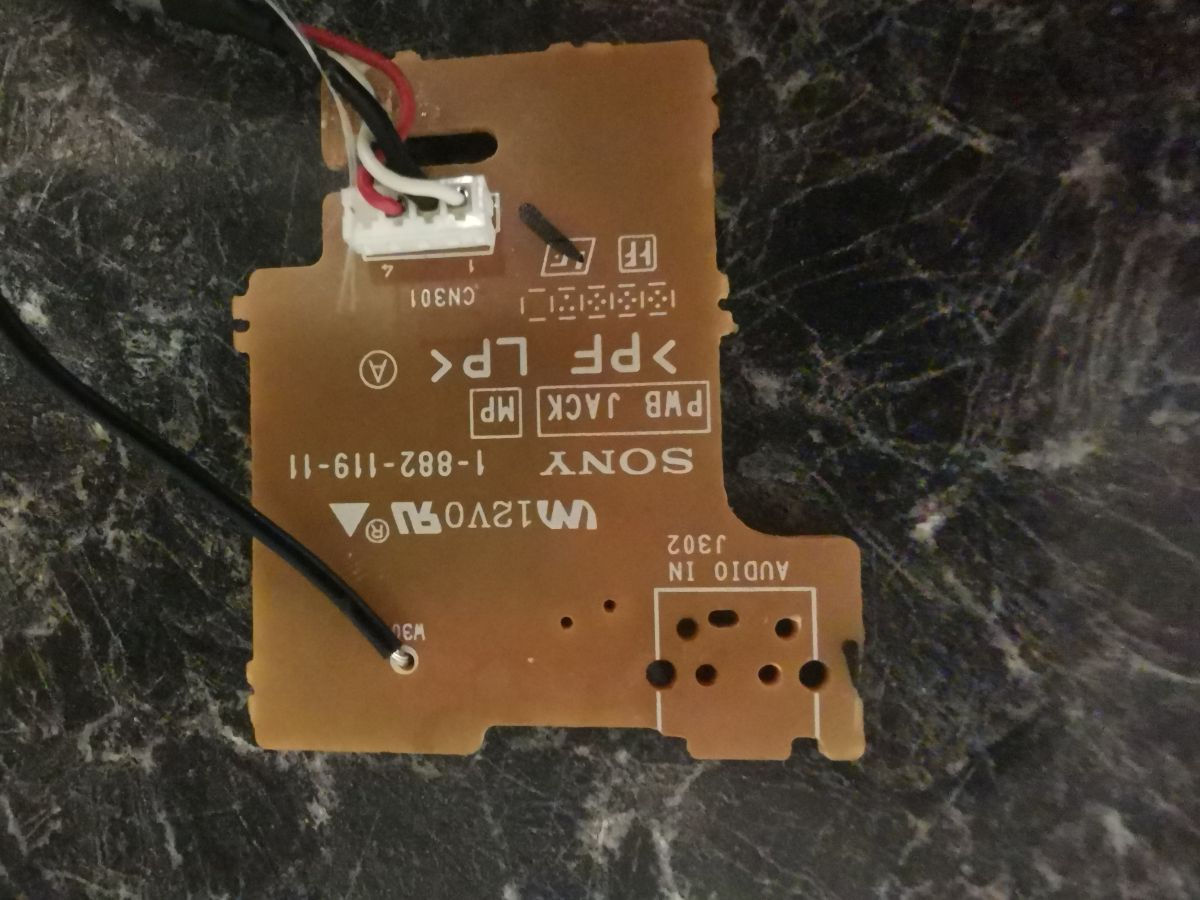
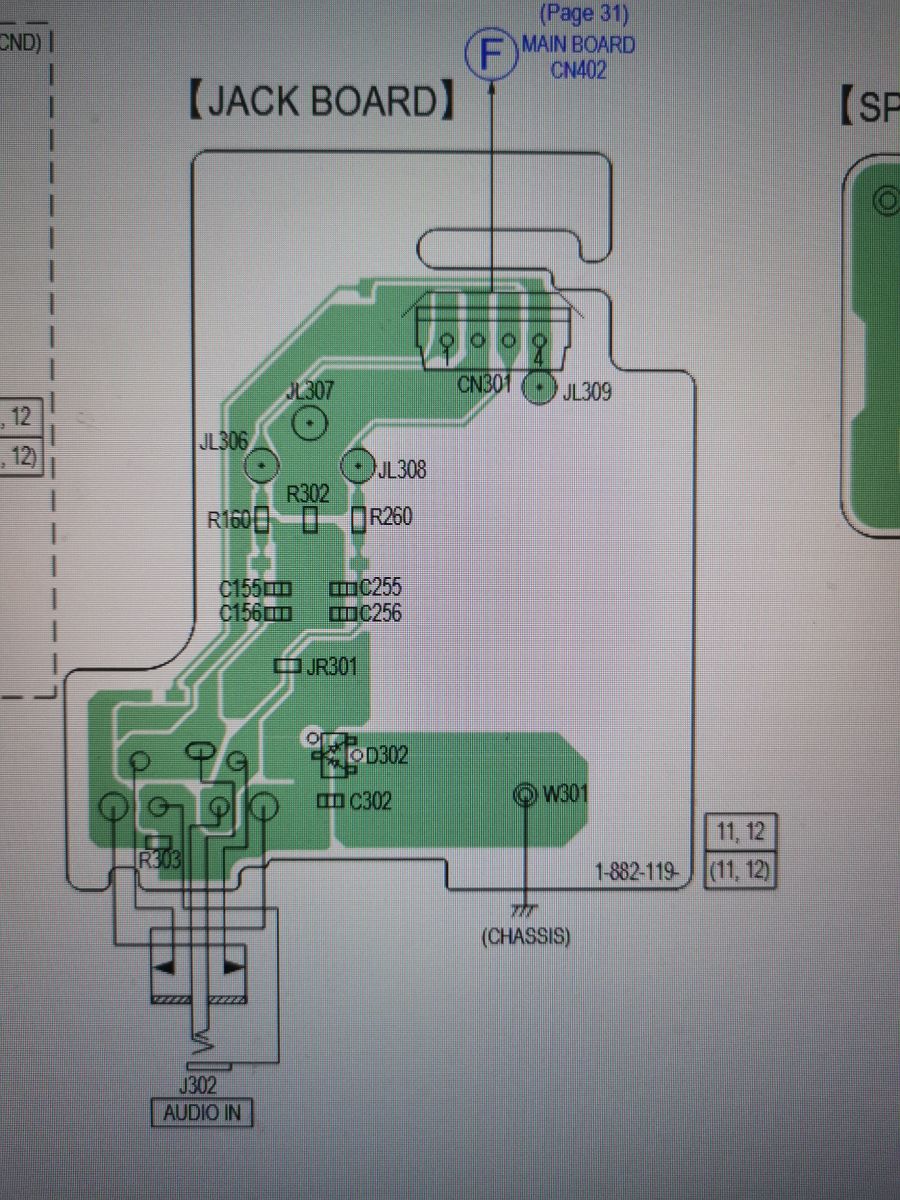
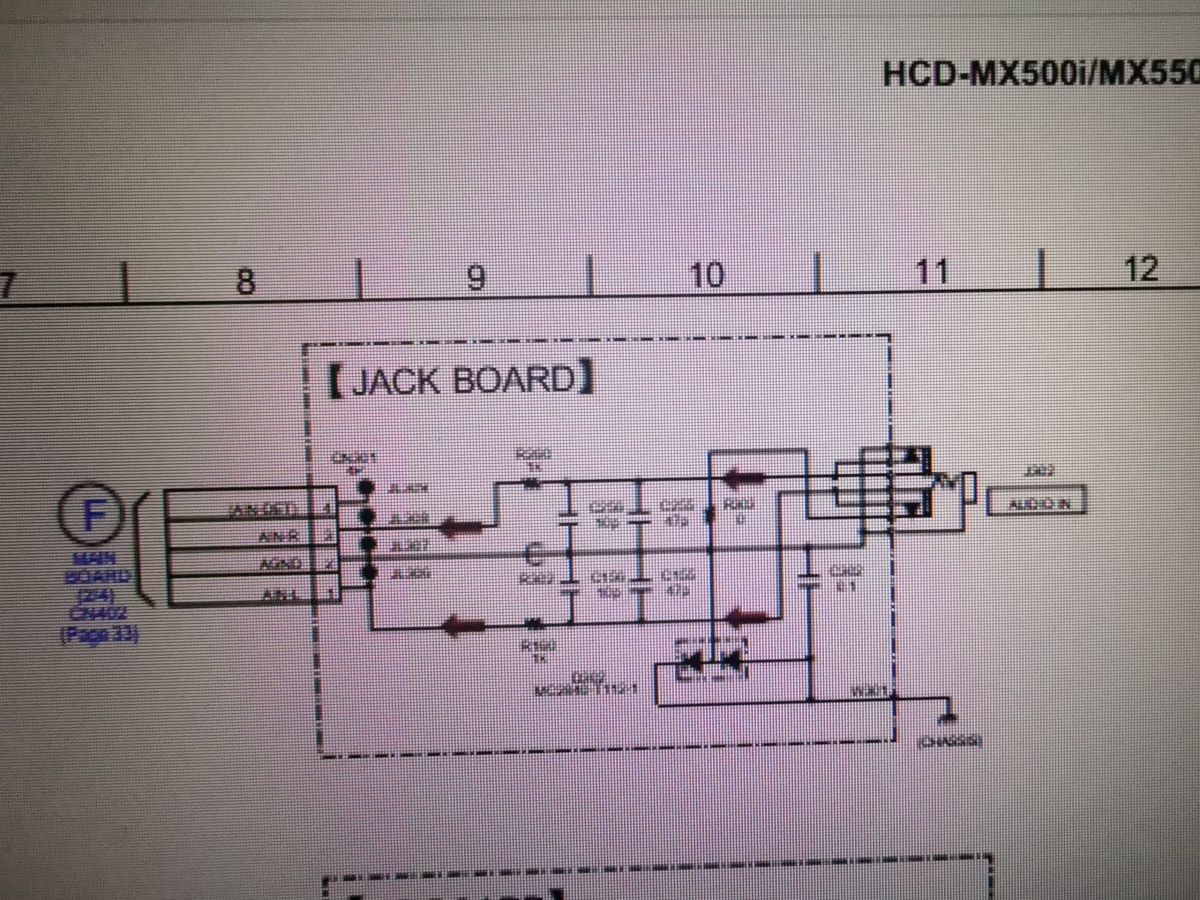
Initial assessment of your photos and notes - Your board is clearly marked “SONY – PWB JACK – 1-882-119-11” and “AUDIO IN J302.” That matches the HCD‑MX500i/MX550i Hi‑Fi “JACK BOARD” used in the CMT‑MX500i micro system. The service manual shows the same board outline, the 4‑pin harness CN301, and labels AIN‑L, AGND, AIN‑R, and AIN‑DET leading from the audio jack to the main unit. (manualmachine.com) - On that board, component J302 is specified in the parts list as “JACK (AUDIO IN) – 1‑815‑629‑21.” In other words: it is a 3.5 mm stereo “AUX” jack with an insert‑detect contact, not a USB connector. (manualmachine.com) - The product specification confirms the input is a “stereo mini jack (Audio In).” (manualmachine.com)
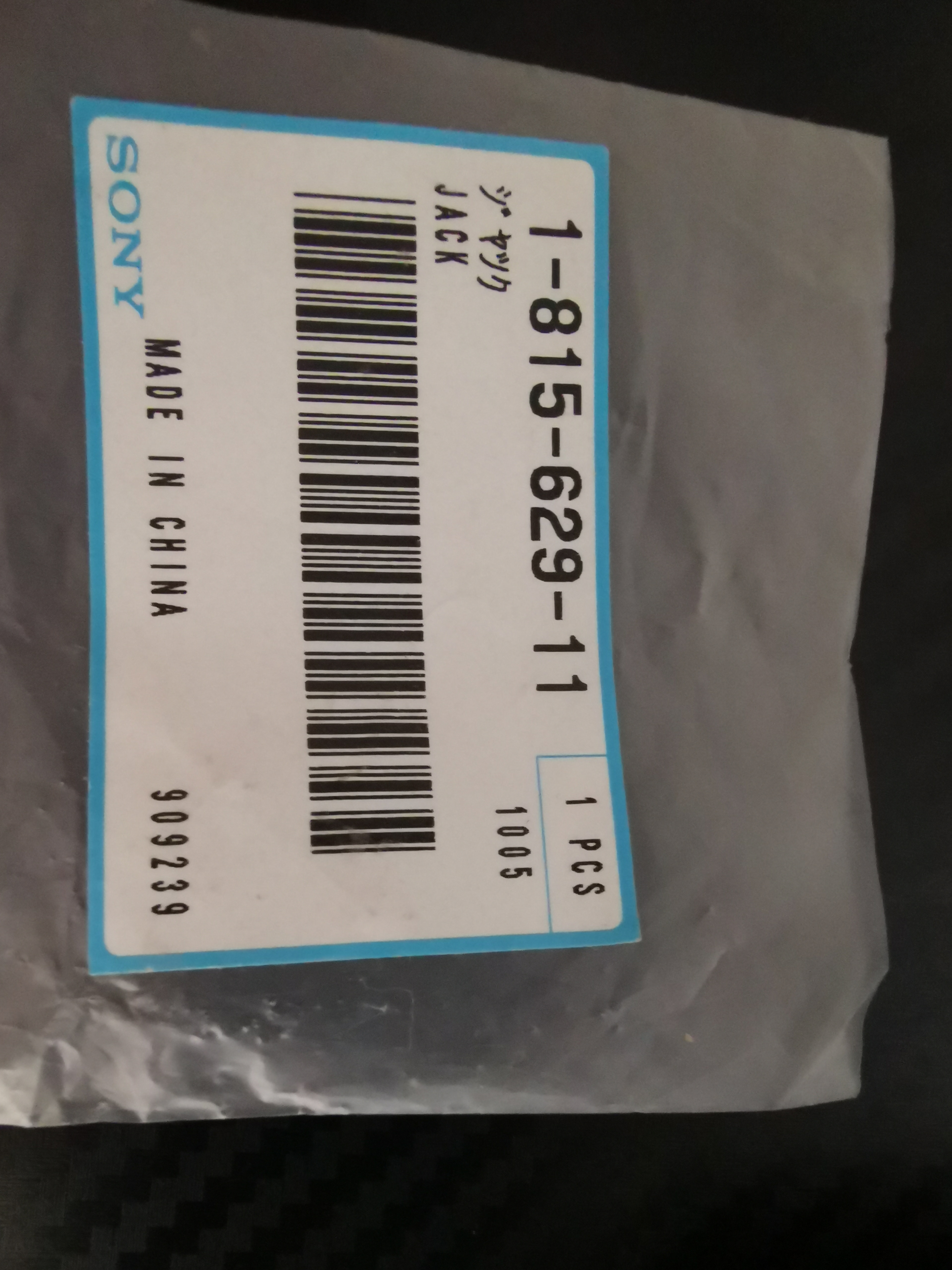
Direct answer - Exact Sony spare part you’re after: 1‑815‑629‑21 (J302, AUDIO IN jack) for the JACK BOARD 1‑882‑119‑11. This exact jack is still listed by some parts vendors; for example, Sears PartsDirect shows stock under the same part number. (manualmachine.com)
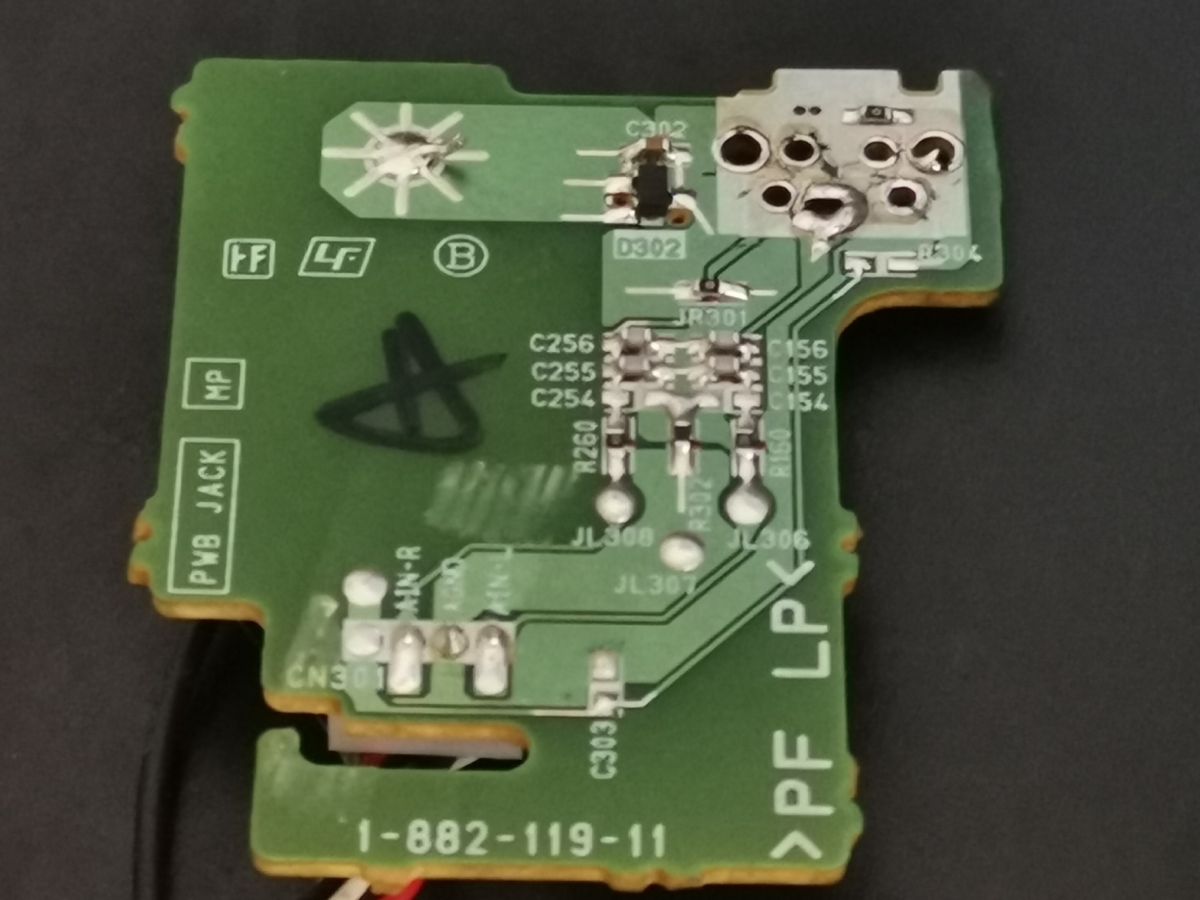
Detailed problem analysis What the 7 pins are doing on your footprint - Functionally you need 4 electrical functions brought out to CN301: - Tip = AIN‑L - Ring = AIN‑R - Sleeve = AGND - Insert detect = AIN‑DET - The remaining holes in that pad cluster are for the jack’s internal switch/contacts and/or extra grounds/mechanical lugs; your photos show two large anchor holes plus a 7‑hole contact cluster typical of “switched” 3.5 mm jacks used to provide a logic detect and maintain mechanical robustness. The service manual drawing shows CN301 labeled AIN‑L / AGND / AIN‑R / (AIN‑DET), and the “JACK BOARD” page shows the RC/ESD network around the jack (C155/C156/C255/C256, D302, etc.), exactly like in your board photo. (manualmachine.com)
How to verify before ordering - Continuity check with a multimeter: - Find the pad that goes to the big ground pour: Sleeve (AGND). - The two signal pads will each pass through small capacitors/resistors toward CN301 pins marked AIN‑L and AIN‑R. - The detect pad will toggle continuity to ground or to a pull network when a plug is inserted; you can see the AIN‑DET label at CN301 in the manual. (manualmachine.com)
Why internet photos “look different” - 3.5 mm jacks vary widely in body shape and pin geometry even for identical functions. Sony often sources custom footprints. Matching by part number (1‑815‑629‑21) is therefore the most reliable route for a drop‑in repair. The service manual’s parts list explicitly names this jack for J302 on your board. (manualmachine.com)
Current information and sourcing options - Primary: Order Sony 1‑815‑629‑21. Example current listing: Sears PartsDirect “JACK 1‑815‑629‑21” shows in‑stock pricing in the U.S. (availability may fluctuate). (searspartsdirect.com) - Secondary/fallbacks if the jack becomes unobtainable: - Buy a complete used “JACK BOARD 1‑882‑119‑11” and swap the board. These boards show up parted‑out from CMT/HCD‑MX500i/MX550i systems. The service manual clearly ties 1‑882‑119‑11 to the JACK BOARD you have. (manualmachine.com) - Fit a generic 3.5 mm, right‑angle, through‑hole, stereo jack with insert‑detect and similar center‑height, then wire the contacts to the original pads (Tip→AIN‑L, Ring→AIN‑R, Sleeve→AGND, Detect→AIN‑DET). This will work electrically, but the body may not align perfectly with the chassis aperture.
Practical guidelines for replacement - Desoldering: Use flux, braid, and moderate heat; clear the two large anchor holes first. Avoid lifting pads near the ESD diode D302 and the small capacitors clustered beside the footprint. Inspect vias after removal. The exact component designators you see on your board (C155/C156/C255/C256, D302, CN301) match the service documents. (manualmachine.com) - Post‑install checks: - Continuity from jack Tip to CN301 AIN‑L and Ring to AIN‑R. - Sleeve to chassis/AGND. - Insert a plug and confirm AIN‑DET changes state at CN301 with a meter (the unit uses this to auto‑sense AUX). (manualmachine.com) - Functional test: With power on, measure ~0 V DC at AIN‑L/R (it’s AC‑coupled), then play audio into AUX and confirm both channels.
Corrections vs. other suggestions you may have read - Some posts online misidentify this 7‑pin part as a USB A jack. On your board, the USB circuitry and connectors are drawn separately in the manual; the “AUDIO IN (stereo mini jack)” and the 4‑wire harness to the main board conclusively identify J302 as the 3.5 mm AUX input. (manualmachine.com)
Safety and ESD notes - The board carries only low‑level audio and an ESD network. Still, observe ESD precautions when handling; the small diode D302 protects the input. (manualmachine.com)
Suggestions for further research - Keep the HCD‑MX500i/MX550i service manual handy for connector pin names and PCB artwork; it shows the exact board, net names, and parts list line for J302 = 1‑815‑629‑21. (manualmachine.com)
Brief summary - Your broken connector is the 3.5 mm stereo AUX jack J302 on Sony JACK BOARD 1‑882‑119‑11. Replace it with Sony part 1‑815‑629‑21 for a drop‑in fit; it’s still listed by at least one U.S. supplier. (manualmachine.com)
A couple of quick questions to finalize - Do you prefer replacing just the jack, or would swapping the entire JACK BOARD be easier for you? - If you go the generic‑jack route, I can help pick a close mechanical match—can you measure two things with calipers: center‑of‑hole to PCB height, and the spacing between the two big anchor holes?
You can call me in any topic by writing @ElektrodaBot. Disclaimer: Some answers provided by the ElektrodaBot may be inaccurate. Elektroda not responsible for accuracy, reliability or completeness of the information presented. All ElektrodaBot responses should be verified by the user. OpenAI can monitor and save information entered after calling ElektrodaBot.