Hello, dear forum members.
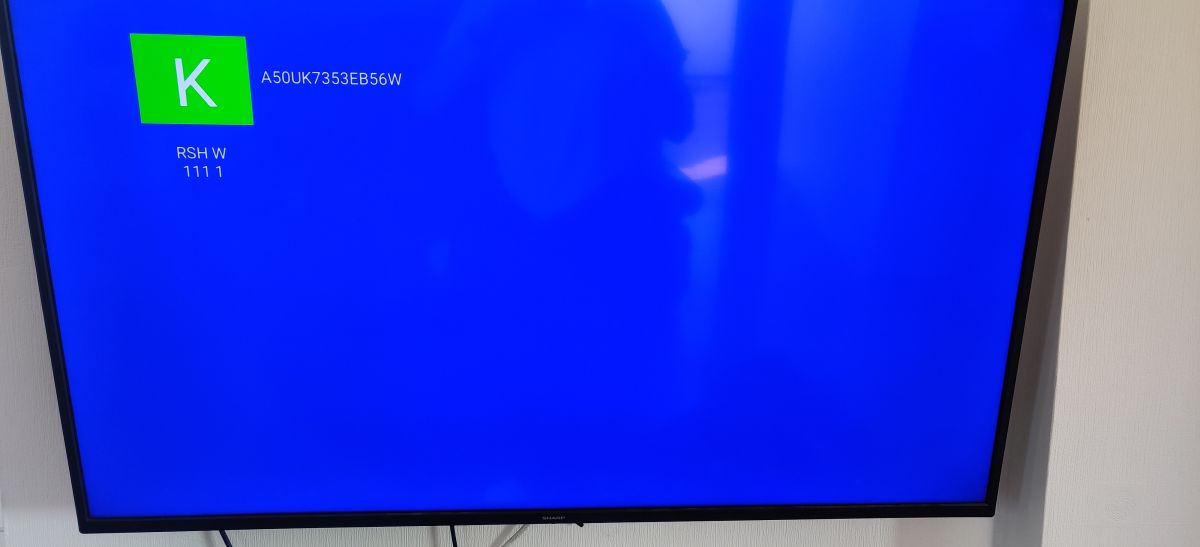
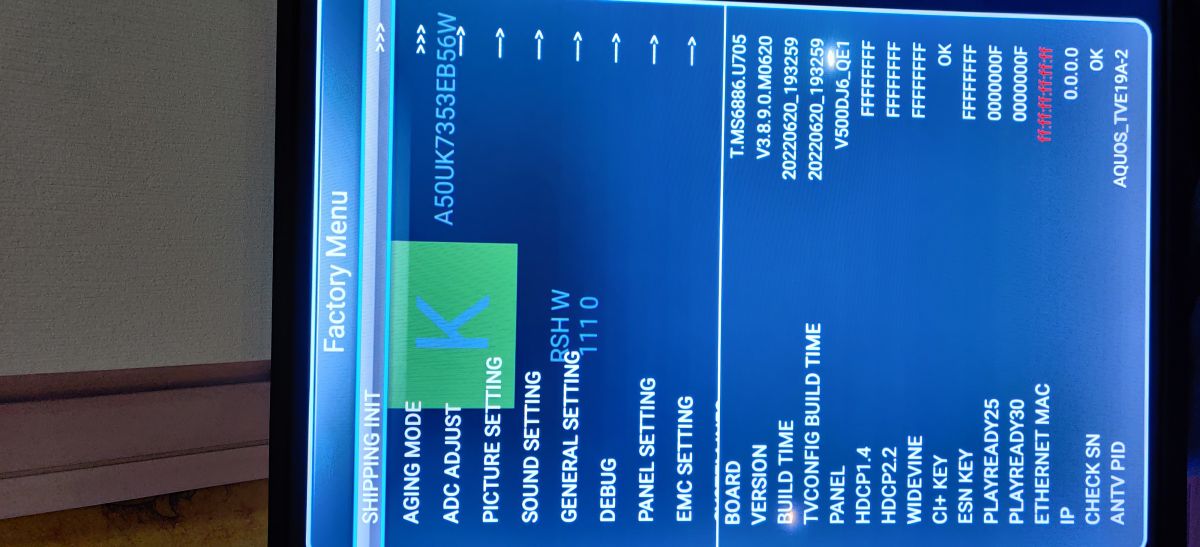
The time has come that I need your help. I have a TV - SHARP 4T-C50BL3EF2AB, which, for some reason, has been stuck in KMODE; I can't exit it. I have tried all available manual exit methods suggested by the internet - no luck. Factory Menu is accessible; I performed Shipping init Factory reset multiple times, but with no luck - TV tries to power on, but in different stages (one time during Android loading screen, next time in user setup screen and so on...) it just jumps back into KMODE and nothing else works (Neither YT nor Netflix - nothing)
So I figured that the only option that I am left with is hard firmware re-flash from the USB. I have tried to look for it but did not manage to find it anywhere.
In my understanding the TV is EU-made (Poland).
So could someone please provide a firmware (and instructions) for the TV for me to be able to install it myself? It would be greatly appreciated!
Serial no.: A50UK7353EB56W 40110291101177
Model no: 50BL3EA
Thank you in advance!
AI: Have you already contacted SHARP customer support or an authorized service center regarding obtaining the firmware or assistance with the KMODE issue? If so, what was their response?
Yes, I did. SHARP hasn't provided it; they just directed me to bring the TV to the nearest service center, which is not an option for me because it's in a different city, and I have no means to transport it.
AI: Could you please specify all the manual exit methods and factory reset procedures you have already tried, including any button combinations or recovery menu options? This will help avoid repeating steps and suggest any alternatives you might not have attempted yet.
1. Factory reset through > Factory menu > Shipping Init
2. Unplugged power cord for 30 s > pressed joystick in and down (volume down) > while holding, plugged the power back in.
3. Unplugged power cord for 30 s > plugged in but did not turn it on > as soon as I plugged it in I pressed the joystick in > held it for 30–40 s even after SHARP logo appeared
4. Looked for Hotel mode and/or Power on mode to turn it off, but there is no such mode in Factory menu.
5. MENU > 1147
6. MENU > 2580
7. MENU > 7935
8. MENU > 683
The time has come that I need your help. I have a TV - SHARP 4T-C50BL3EF2AB, which, for some reason, has been stuck in KMODE; I can't exit it. I have tried all available manual exit methods suggested by the internet - no luck. Factory Menu is accessible; I performed Shipping init Factory reset multiple times, but with no luck - TV tries to power on, but in different stages (one time during Android loading screen, next time in user setup screen and so on...) it just jumps back into KMODE and nothing else works (Neither YT nor Netflix - nothing)
So I figured that the only option that I am left with is hard firmware re-flash from the USB. I have tried to look for it but did not manage to find it anywhere.
In my understanding the TV is EU-made (Poland).
So could someone please provide a firmware (and instructions) for the TV for me to be able to install it myself? It would be greatly appreciated!
Serial no.: A50UK7353EB56W 40110291101177
Model no: 50BL3EA
Thank you in advance!
AI: Have you already contacted SHARP customer support or an authorized service center regarding obtaining the firmware or assistance with the KMODE issue? If so, what was their response?
Yes, I did. SHARP hasn't provided it; they just directed me to bring the TV to the nearest service center, which is not an option for me because it's in a different city, and I have no means to transport it.
AI: Could you please specify all the manual exit methods and factory reset procedures you have already tried, including any button combinations or recovery menu options? This will help avoid repeating steps and suggest any alternatives you might not have attempted yet.
1. Factory reset through > Factory menu > Shipping Init
2. Unplugged power cord for 30 s > pressed joystick in and down (volume down) > while holding, plugged the power back in.
3. Unplugged power cord for 30 s > plugged in but did not turn it on > as soon as I plugged it in I pressed the joystick in > held it for 30–40 s even after SHARP logo appeared
4. Looked for Hotel mode and/or Power on mode to turn it off, but there is no such mode in Factory menu.
5. MENU > 1147
6. MENU > 2580
7. MENU > 7935
8. MENU > 683