







That is - a paradigm shift in printer accuracy following the installation of a piezo sensor (Piezo Probe).
I would like to share with my colleagues my observations and lessons learned from the transition from the electro-mechanical BL-Touch sampler to the piezo sampler, which samples the table via the end of the print nozzle.
Since I installed the piezo sensor in the printer, I have been observing some statistics, or more precisely, the results of the PROBE_ACCURACY command. These have given me some food for thought.
When I was using the BL-Touch sensor, there was nothing to think about, as it has performance more than an order of magnitude worse than the piezo sensor.
PROBE_ACCURACY reflected the mechanical clearances inside the BL-Touch, so other factors were hidden under the inaccuracy of the probe itself.
The table map (bed mesh) always contained an error due to the mechanical stylus positioning itself slightly sideways or differing in Z-axis extension height by some 10 or 20 micrometres. This, of course, later translated into my first layers being either over-compressed or under-compressed.
Lack of repeatability is an inherent problem with these probes, especially after a certain run.
Since the piezo sensor has no such backlash at all, I found that I could no longer see its mechanical error (which is zero by design).
So why on earth am I still seeing deviations in the PROBE_ACCURACY reports?
It was a puzzle that needed to be solved.
Bad design, poor mounting, control electronics error? None of the above.
What I actually see in my statistics is the cumulative electro-mechanical inaccuracy of my printer.
How does this interact with each other?
The probe always triggers at the same vertical point: when the nozzle makes contact with the table.
What happens next?
The firmware that controls my Z stepper motors checks the state of the Z_Min line of the sensor.
After a certain delay (Klipper polls this line instead of using interrupts), the system registers the contact signal.
This is the first delay, which can be around 100 microseconds. It then issues a command to stop the Z-axis motors.
Because these motors drive two heavy trapezoidal screws and a heavy table (at least on my CoreXY printer), two or three microseconds pass before the motors really stop. Sometimes these delays overlap so that they are minimal, making the Z axis stop almost immediately.
This explains the slight differences in the PROBE_ACCURACY statistics.
But that's not all...
Many CoreXY tables are supported in the middle of the Y-axis and there the above statistics work best, but what about the rest of the table?
These deviations still occur, but there are more factors coming into play there that affect the accuracy of the probe.
When you're lifting a heavy load (such as a table), it's best supported along the line between the two pull bolts (the Y-axis centre) that drive it up and down.
However, the sides of the table are not directly supported, so they can vibrate during lifting. This vibration (wobble) is a purely mechanical factor depending on how smoothly the vertical guides or linear rollers work.
No matter what, even the smoothest slides never run identically on both sides of the table.
This uneven friction adds to the previously described delays on one side and subtracts on the other.
This is naturally reflected in the PROBE_ACCURACY statistics as an additional standard deviation and greater inconsistency.
However, this cannot be attributed to the inaccuracy of the probe itself.
Since the sensor's mechanical or thermal drift is no longer present, I use such a probe to measure the accuracy of my printer's electronics, firmware and mechanics.
This is also the reason why the table appears more crooked on the sides than in the middle, and explains why it is easier to get a perfectly accurate first layer close to the centre of the table.
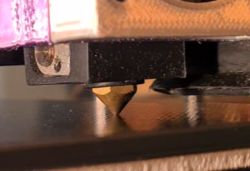
TL;DR: Installing the Piezo sampler has revealed sources of inaccuracy in the PROBE_ACCURACY report that are not at all the leveling sampler's fault.
The Piezo sampler acts as a diagnostic tool to reveal the 'ghosts' inhabiting the printer such as Z_MIN signal reception delay, microstepping inaccuracies,
wobbling of the working table, especially on the unsupported table edges of CoreXY printers.
The sampler not only samples the table surface, it also tests the entire mechanical structure of the printer.
As always, I would welcome your feedback.
I would like to share with my colleagues my observations and lessons learned from the transition from the electro-mechanical BL-Touch sampler to the piezo sampler, which samples the table via the end of the print nozzle.
Since I installed the piezo sensor in the printer, I have been observing some statistics, or more precisely, the results of the PROBE_ACCURACY command. These have given me some food for thought.
When I was using the BL-Touch sensor, there was nothing to think about, as it has performance more than an order of magnitude worse than the piezo sensor.
PROBE_ACCURACY reflected the mechanical clearances inside the BL-Touch, so other factors were hidden under the inaccuracy of the probe itself.
The table map (bed mesh) always contained an error due to the mechanical stylus positioning itself slightly sideways or differing in Z-axis extension height by some 10 or 20 micrometres. This, of course, later translated into my first layers being either over-compressed or under-compressed.
Lack of repeatability is an inherent problem with these probes, especially after a certain run.
Since the piezo sensor has no such backlash at all, I found that I could no longer see its mechanical error (which is zero by design).
So why on earth am I still seeing deviations in the PROBE_ACCURACY reports?
It was a puzzle that needed to be solved.
Bad design, poor mounting, control electronics error? None of the above.
What I actually see in my statistics is the cumulative electro-mechanical inaccuracy of my printer.
How does this interact with each other?
The probe always triggers at the same vertical point: when the nozzle makes contact with the table.
What happens next?
The firmware that controls my Z stepper motors checks the state of the Z_Min line of the sensor.
After a certain delay (Klipper polls this line instead of using interrupts), the system registers the contact signal.
This is the first delay, which can be around 100 microseconds. It then issues a command to stop the Z-axis motors.
Because these motors drive two heavy trapezoidal screws and a heavy table (at least on my CoreXY printer), two or three microseconds pass before the motors really stop. Sometimes these delays overlap so that they are minimal, making the Z axis stop almost immediately.
This explains the slight differences in the PROBE_ACCURACY statistics.
But that's not all...
Many CoreXY tables are supported in the middle of the Y-axis and there the above statistics work best, but what about the rest of the table?
These deviations still occur, but there are more factors coming into play there that affect the accuracy of the probe.
When you're lifting a heavy load (such as a table), it's best supported along the line between the two pull bolts (the Y-axis centre) that drive it up and down.
However, the sides of the table are not directly supported, so they can vibrate during lifting. This vibration (wobble) is a purely mechanical factor depending on how smoothly the vertical guides or linear rollers work.
No matter what, even the smoothest slides never run identically on both sides of the table.
This uneven friction adds to the previously described delays on one side and subtracts on the other.
This is naturally reflected in the PROBE_ACCURACY statistics as an additional standard deviation and greater inconsistency.
However, this cannot be attributed to the inaccuracy of the probe itself.
Since the sensor's mechanical or thermal drift is no longer present, I use such a probe to measure the accuracy of my printer's electronics, firmware and mechanics.
This is also the reason why the table appears more crooked on the sides than in the middle, and explains why it is easier to get a perfectly accurate first layer close to the centre of the table.
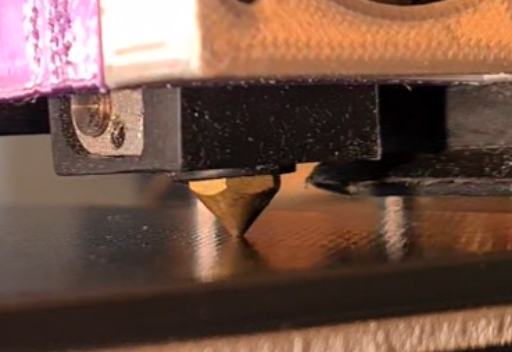
TL;DR: Installing the Piezo sampler has revealed sources of inaccuracy in the PROBE_ACCURACY report that are not at all the leveling sampler's fault.
The Piezo sampler acts as a diagnostic tool to reveal the 'ghosts' inhabiting the printer such as Z_MIN signal reception delay, microstepping inaccuracies,
wobbling of the working table, especially on the unsupported table edges of CoreXY printers.
The sampler not only samples the table surface, it also tests the entire mechanical structure of the printer.
As always, I would welcome your feedback.
Cool? Ranking DIY

