logo elektroda
logo elektroda
X
logo elektroda

TL;DR

  • A DIY micro tower combines a radio, spectrum visualizer, and amplifier in two compact desktop enclosures.
  • The radio uses ESP32S3, a 2.8-inch IPS display, MPR121 touch sensing behind 4 mm tinted glass, and encoder-based station browsing.
  • The units measure 200x61x130 mm for the radio and 200x40x130 mm for the spectrum and amplifier sections.
  • The spectrum runs on an ESP32 using both cores, refreshing two 1.9-inch IPS displays at 37 to 41 FPS.
  • The amplifier is not hi-fi, uses a TPA3110 module and AVT kit 2132 tone control, and the station list is stored rigidly in firmware.
Generated by the language model.
ADVERTISEMENT
Treść została przetłumaczona polish » english Zobacz oryginalną wersję tematu
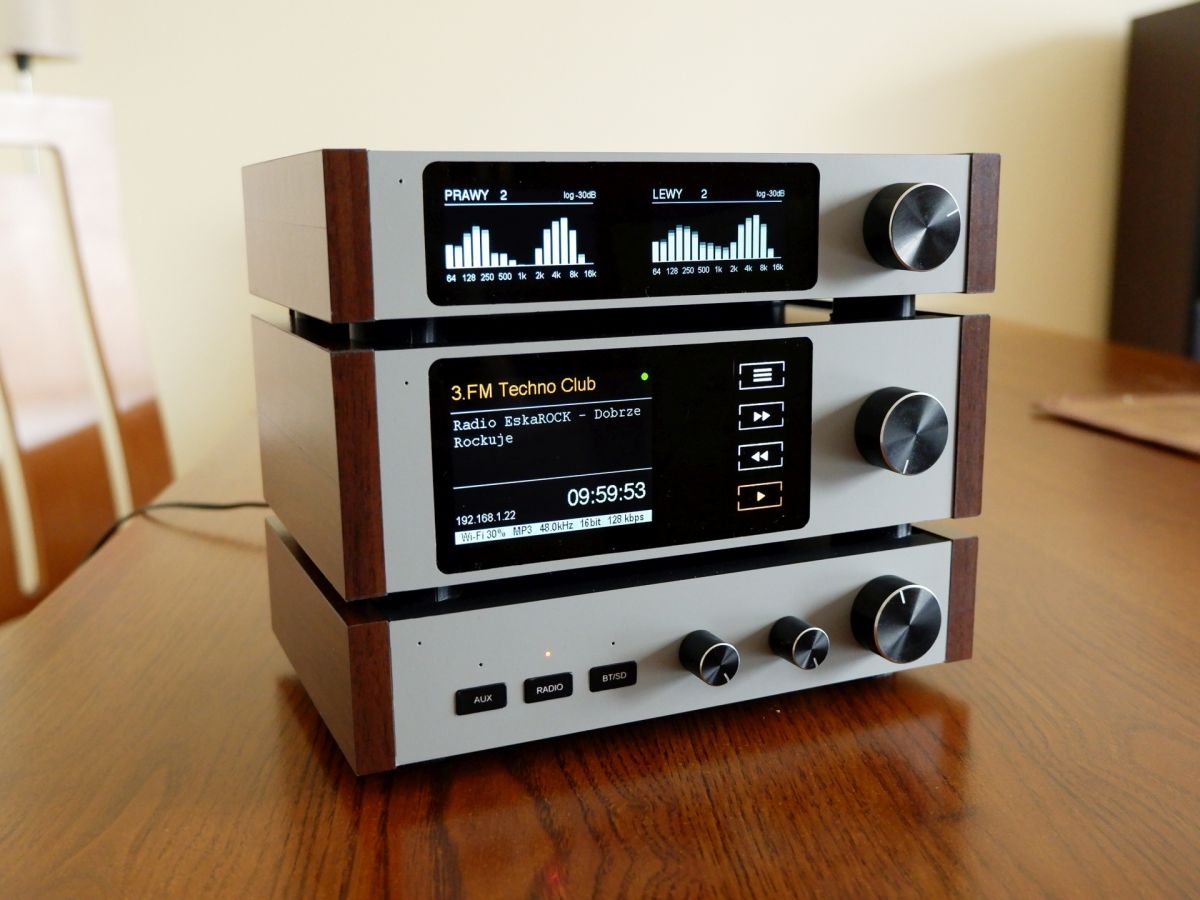
  • DIY micro tower (desktop version)

    Hello :)
    I was inspired to build the device by the topic https://www.elektroda.pl/rtvforum/topic4041603.html
    Initially it was to be a radio for the kitchen. Eventually the decision was made to build one. As is usually the case, the question was - how to "package" it? After various measurements, the casing finally evolved into the above form.
    Due to its small size it was given the name micro tower ;)

    Dimensions of the unit:
    Radio: 200x61x130mm.
    Spectrum and amplifier: 200x40x130mm.
    Size in my opinion - desktop.

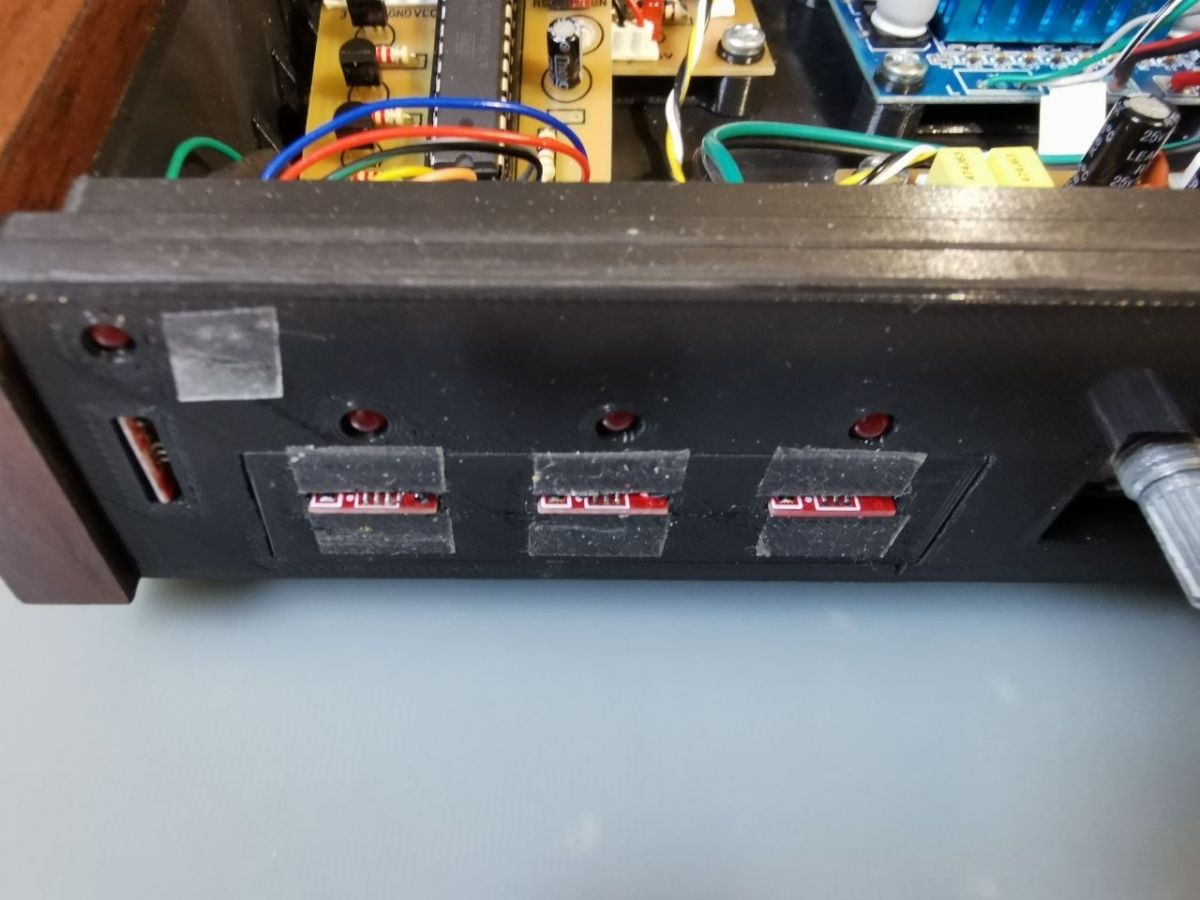
    Due to the low weight of the unit, I dispensed with any mechanically pressed buttons (including the encoder button). Operation of the panels, with the exception of rotating the encoders, is by touch. Here it was not without experimentation.
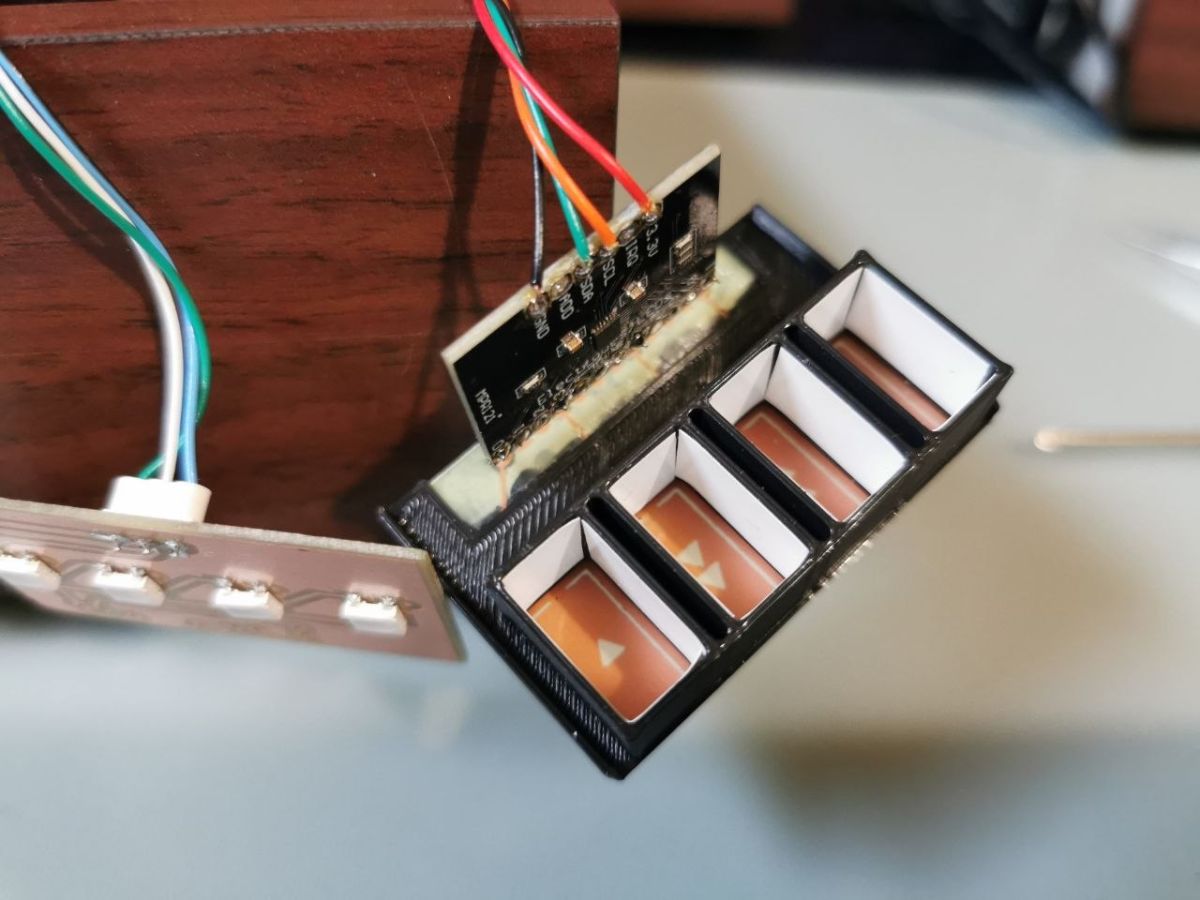
    In the end, I used two types of touch "systems". For the glass panel of the radio, because of the illuminated touch pads, I used the MPR121 chip. And here there was a need for changes to the library supporting this chip. The tinted glass is 4mm thick and the default settings were not sensitive enough.

    The touch buttons in the amplifier input selector and the power-up of all the micro tower components are handled by popular TTP223 modules mounted rather unusually for this sensor.

    Both systems work reliably.

    brief description of the modules:
    DIY micro tower (desktop version)

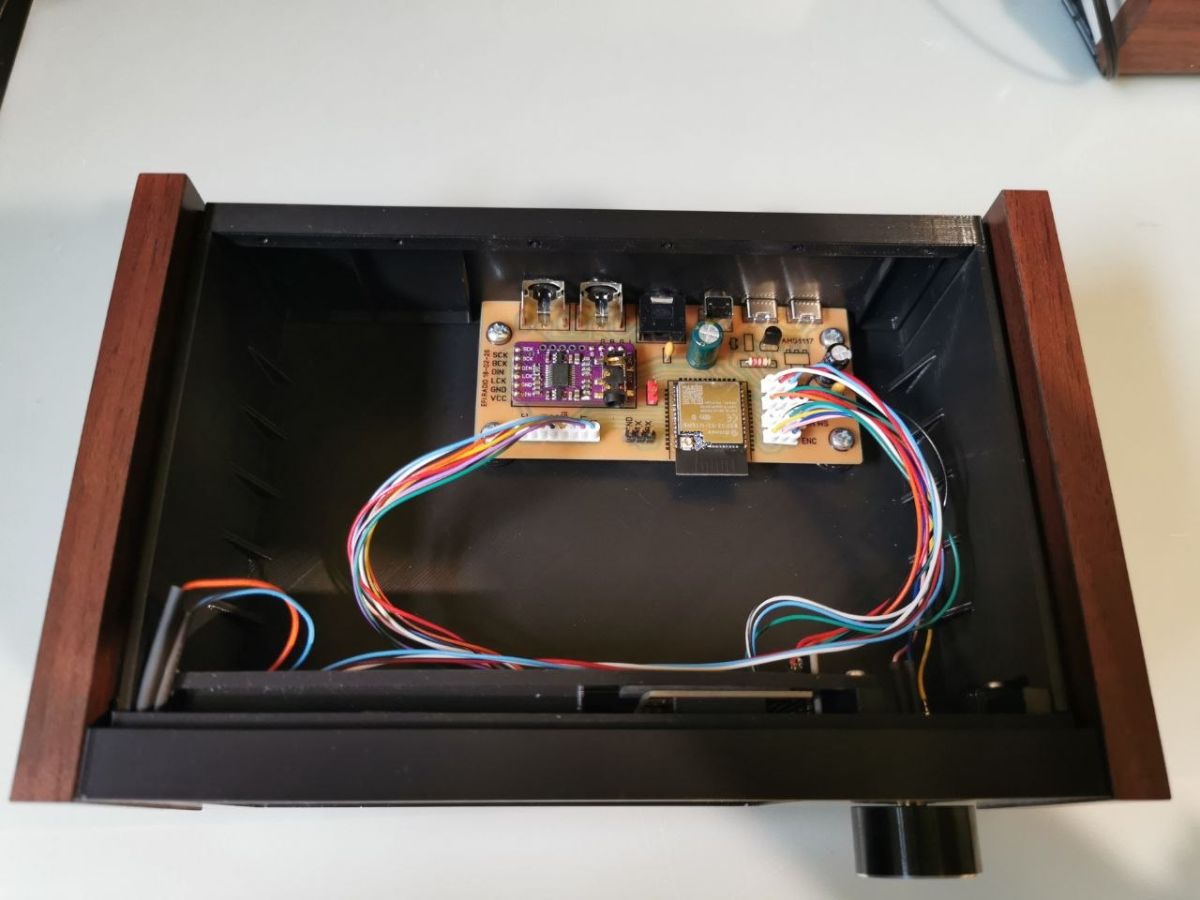
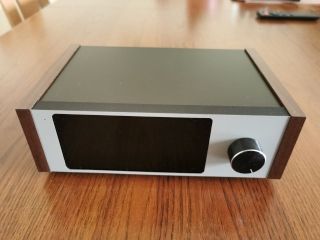
    Radio: The chip is based on ESP32S3 and a 2.8 inch IPS display. MPR121 touch support. Four touch buttons for mode selection and an encoder for scrolling through the radio station list. As the software stands today, the stations are stored rigidly in it (5 banks of 20 radio stations each). For me this is still a huge amount.... It might be worth adding SD card support and putting them there. There are no bytes here. I select a station and "play".
    I downloaded the station list from the @robgold account on github. The ESP32-audioI2S library patches and core ESP32 version 3.2.0 patches were also downloaded from this account. thanks for sharing.

    DIY micro tower (desktop version)

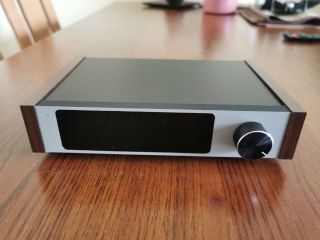
    Widmo: ESP32 and two 1.9 inch IPS displays. Here both cores are used for maximum processing power. Sampling the two ADC channels and FFT processing requires considerable computing power. The refresh rate of each display is 37 to 41 Hz (FPS), depending on the motif being displayed. Themes are selected with an encoder. The device remembers the last selected theme.

    DIY micro tower (desktop version)

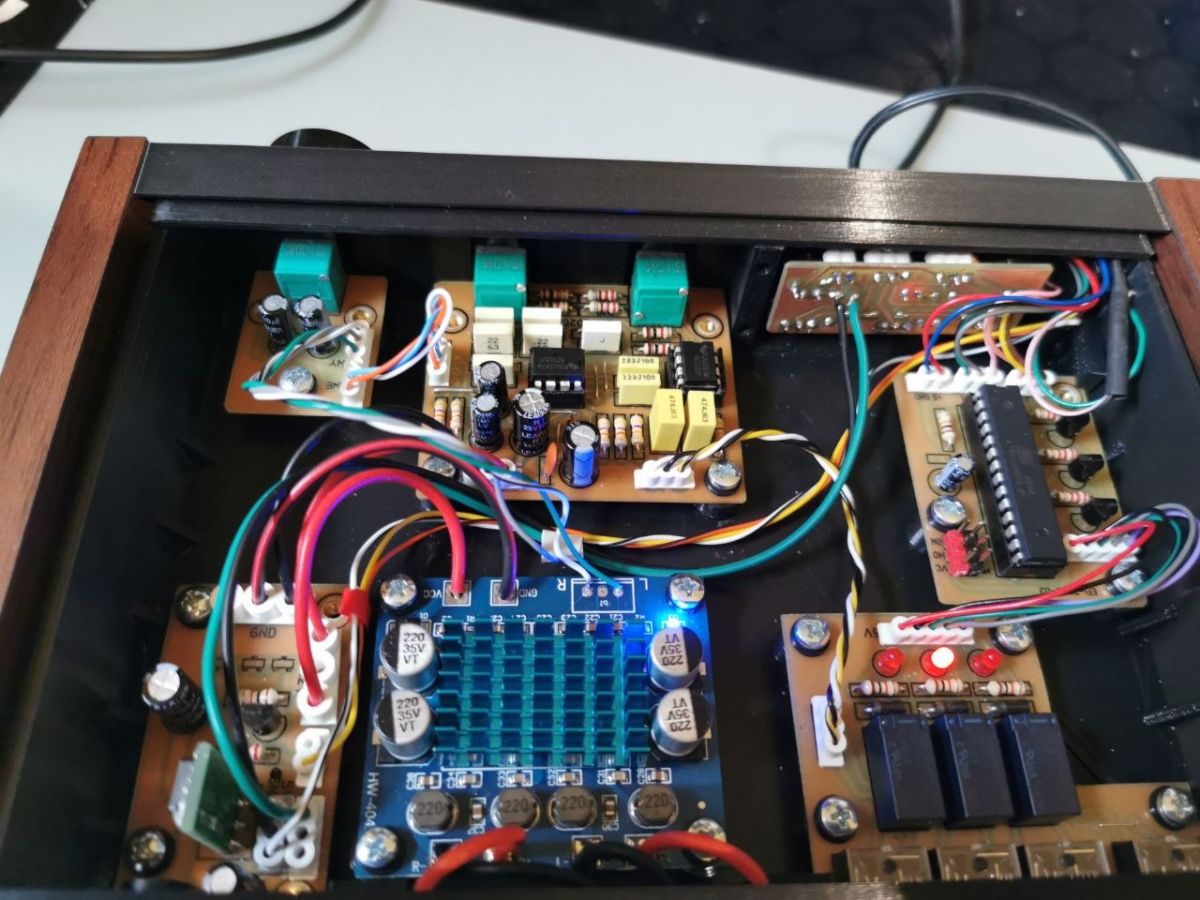
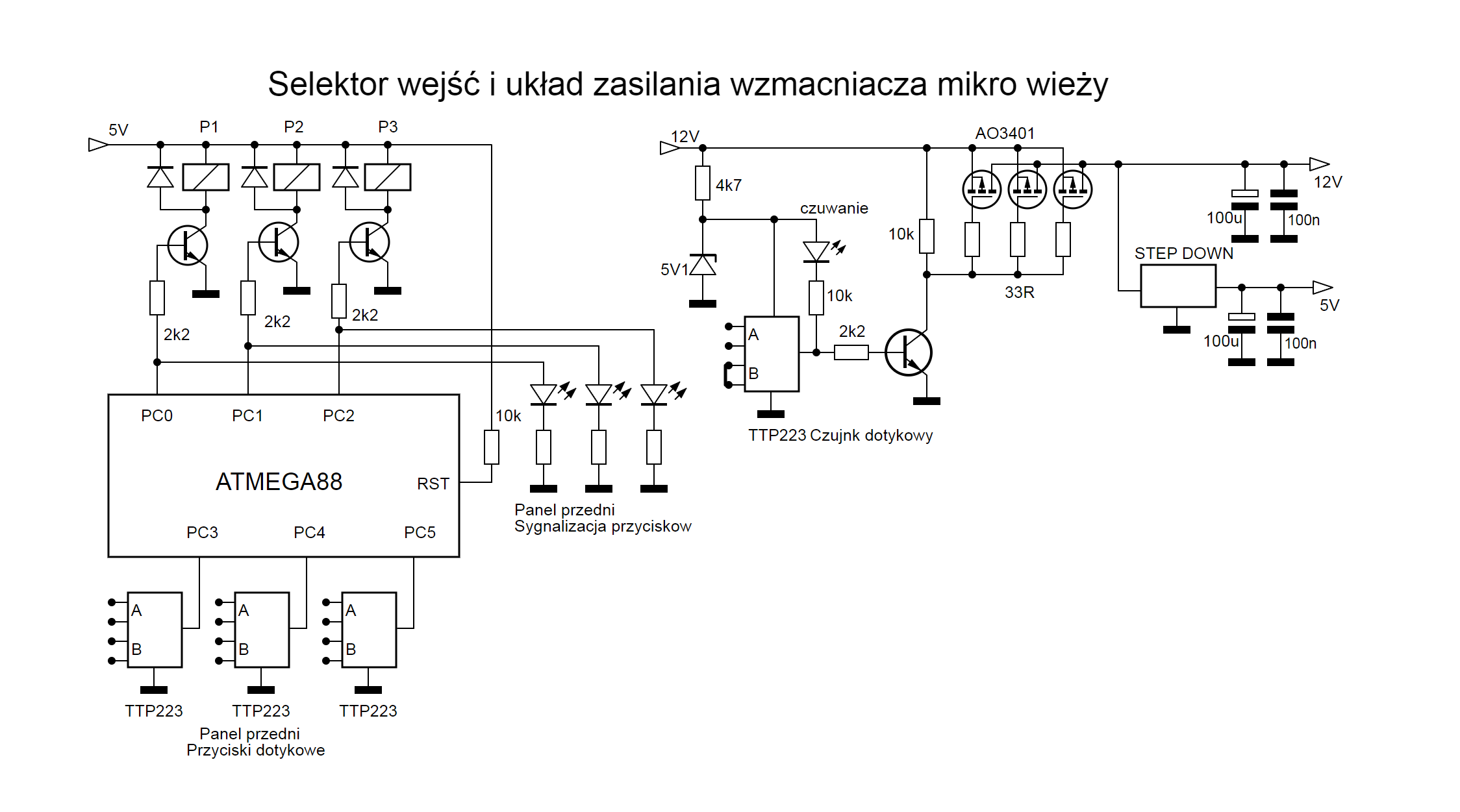
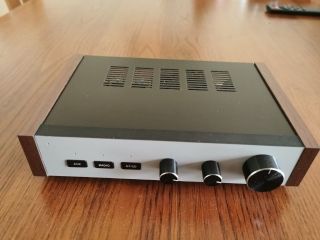
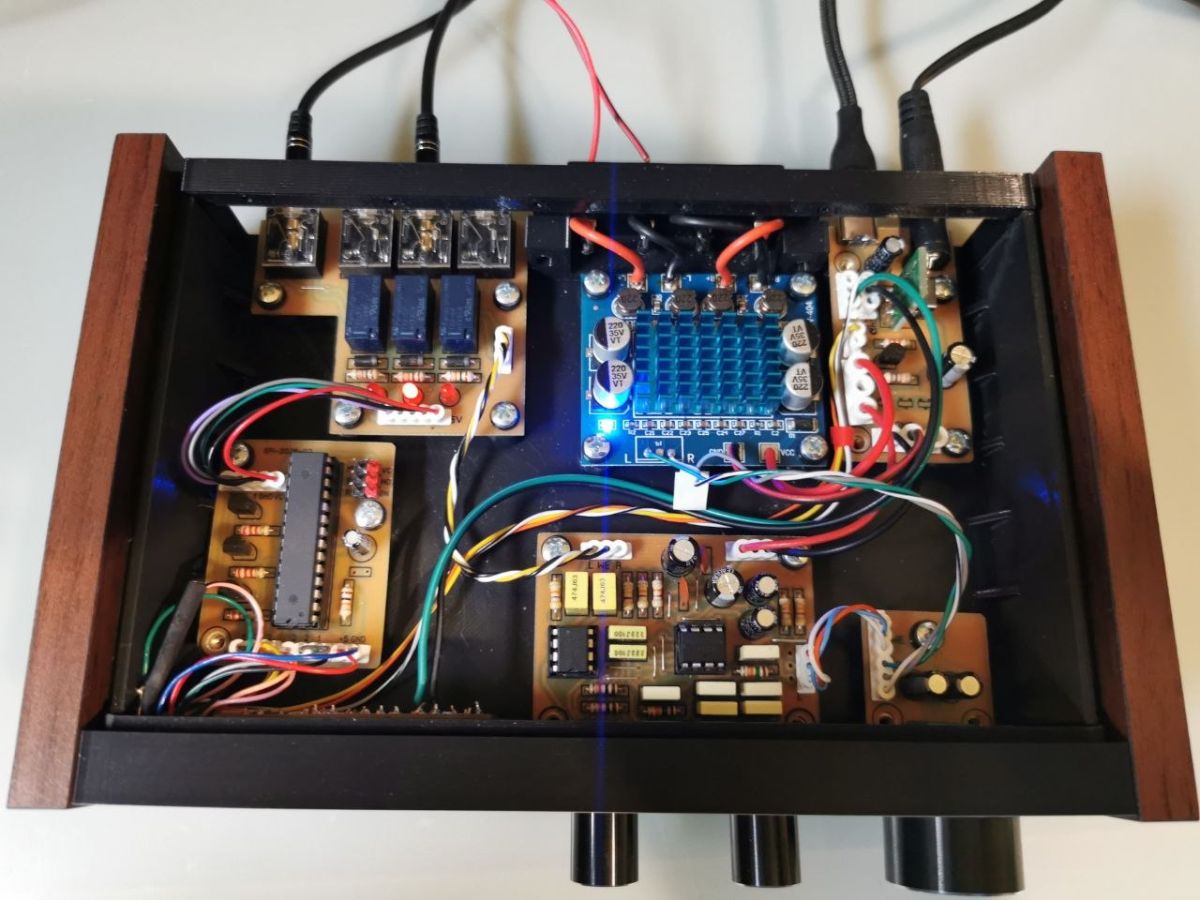
    Amplifier: Simple circuit with tone control (sound spoilage ;) ). Tone control schematic borrowed from AVT kit 2132. PCB made from scratch in stereo. It works so well. But maybe it is the fault of the speakers - not of the highest quality in my opinion. As a power amplifier I inserted a ready-made TPA3110 module. So it is not hifi equipment. I wondered about the operation of the touch input selector. This could have been done on three RS flip-flops, or something similar. In the end it fell on the atmega88. I have a lot of them so no regrets. But for that you can make a memory of the last selection. The audio inputs are selected by miniature relays.


    Enclosures:
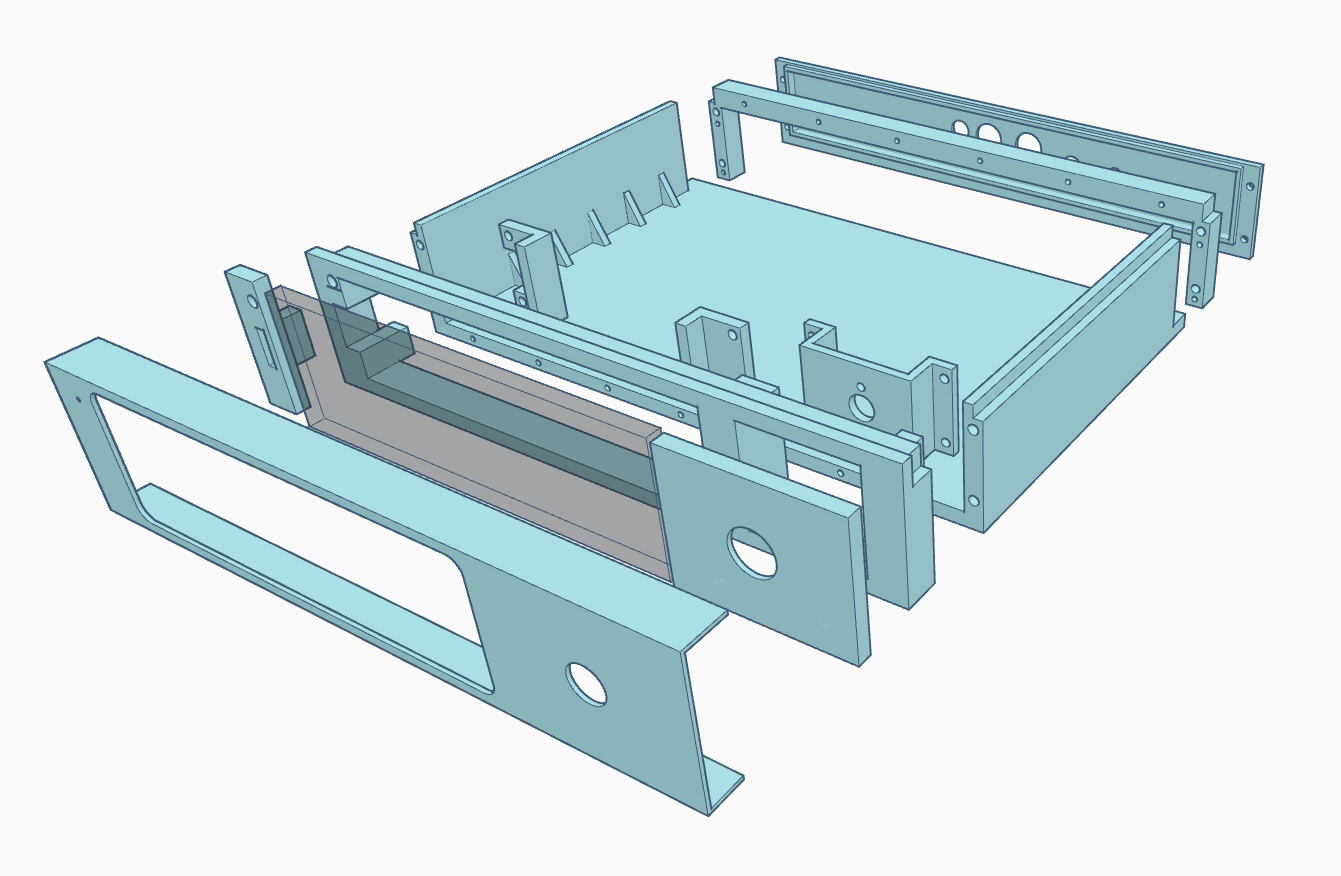
    All enclosures are printed from PLA. "Wooden" sides are also a hot-glued melamine print with a woodgrain pattern. Here there is a bit of a shortcoming, because the widest furniture edging you can buy is 40mm. So you can see a little under the light where the strips are joined. I also have natural edging 80mm wide. Only that they are made of light wood and would need to be darkened.
    Some parts are covered with self-adhesive veneer. For example, the front and the top lid.

    An illustrative picture of one of them:
    DIY micro tower (desktop version)

    Power supply:
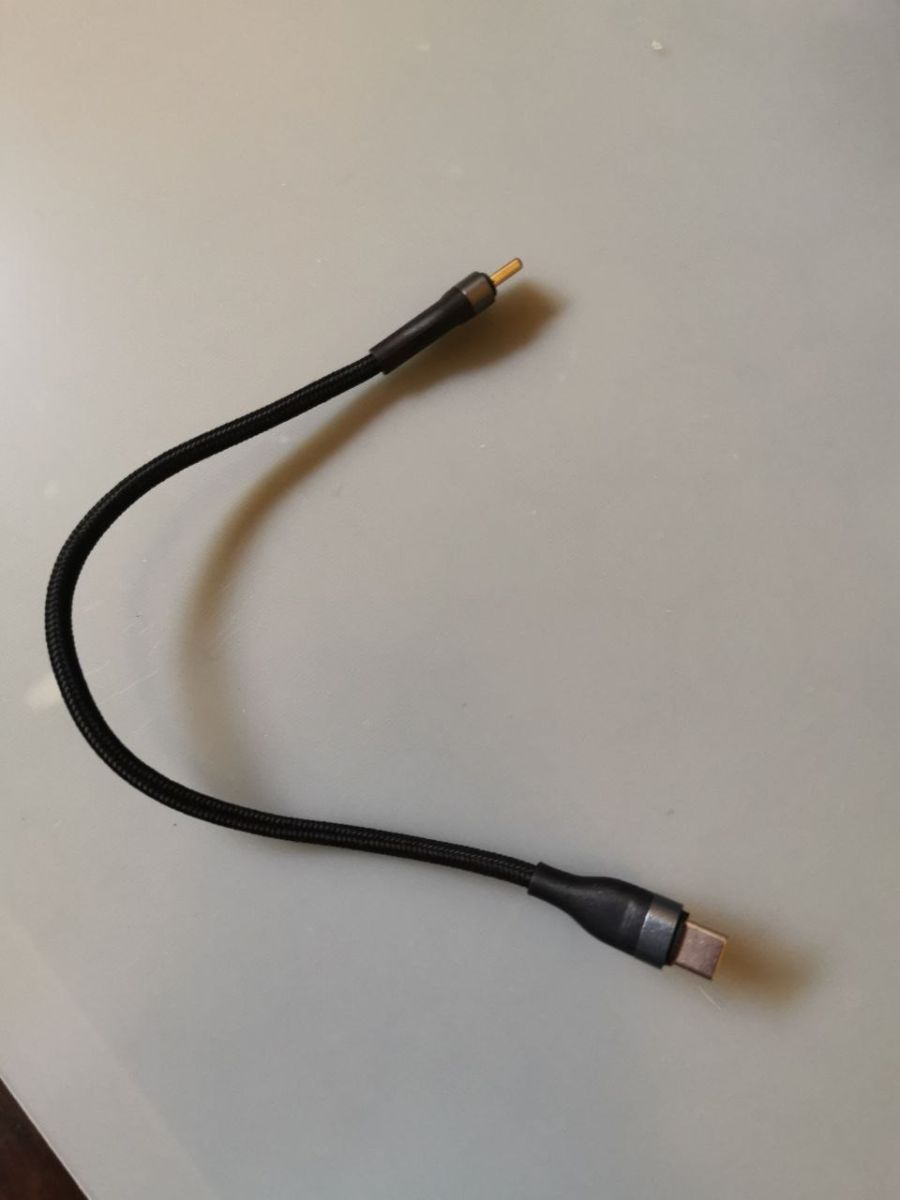
    The amplifier is powered by an external 12V/2A power supply. It also has a USB-C (5V) output to power the other modules. Their power supply is connected via such cables.
    DIY micro tower (desktop version)

    The inside of the devices:
    Amplifier:
    DIY micro tower (desktop version)

    DIY micro tower (desktop version)

    Touch sensors:
    DIY micro tower (desktop version)


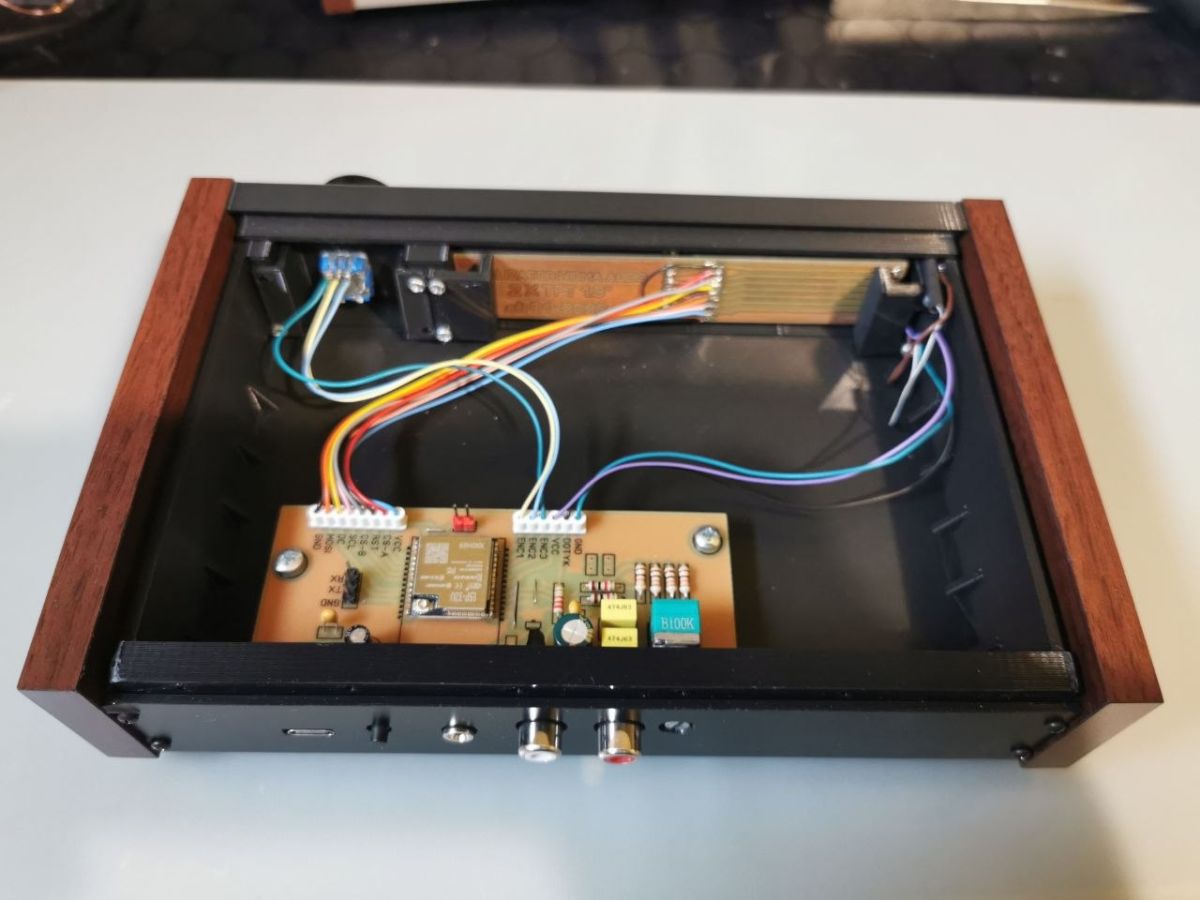
    Radio:
    DIY micro tower (desktop version)

    Touch pads and illumination of pictograms:
    DIY micro tower (desktop version)

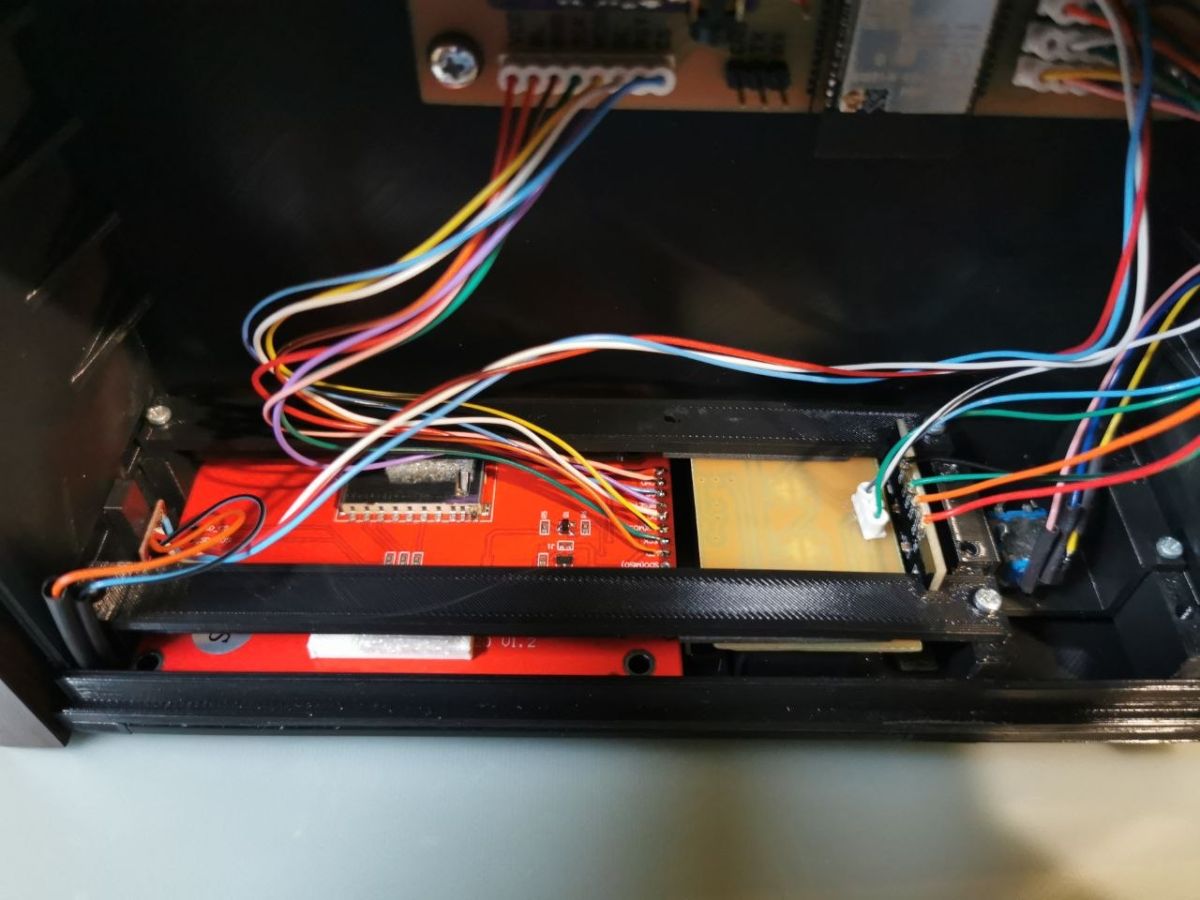
    Front of radio from inside:
    DIY micro tower (desktop version) Front of radio from inside


    Spectrum:
    DIY micro tower (desktop version)


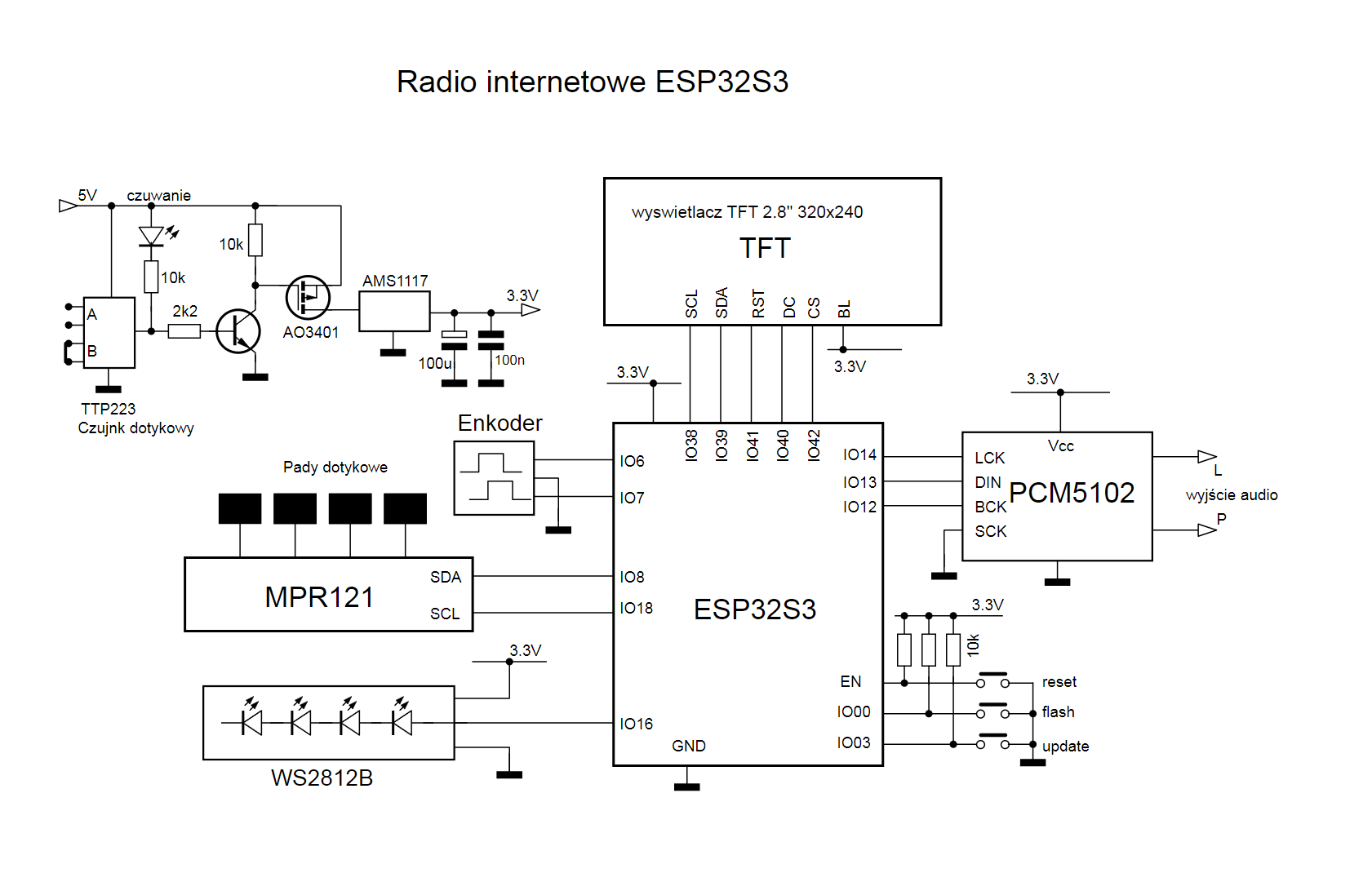
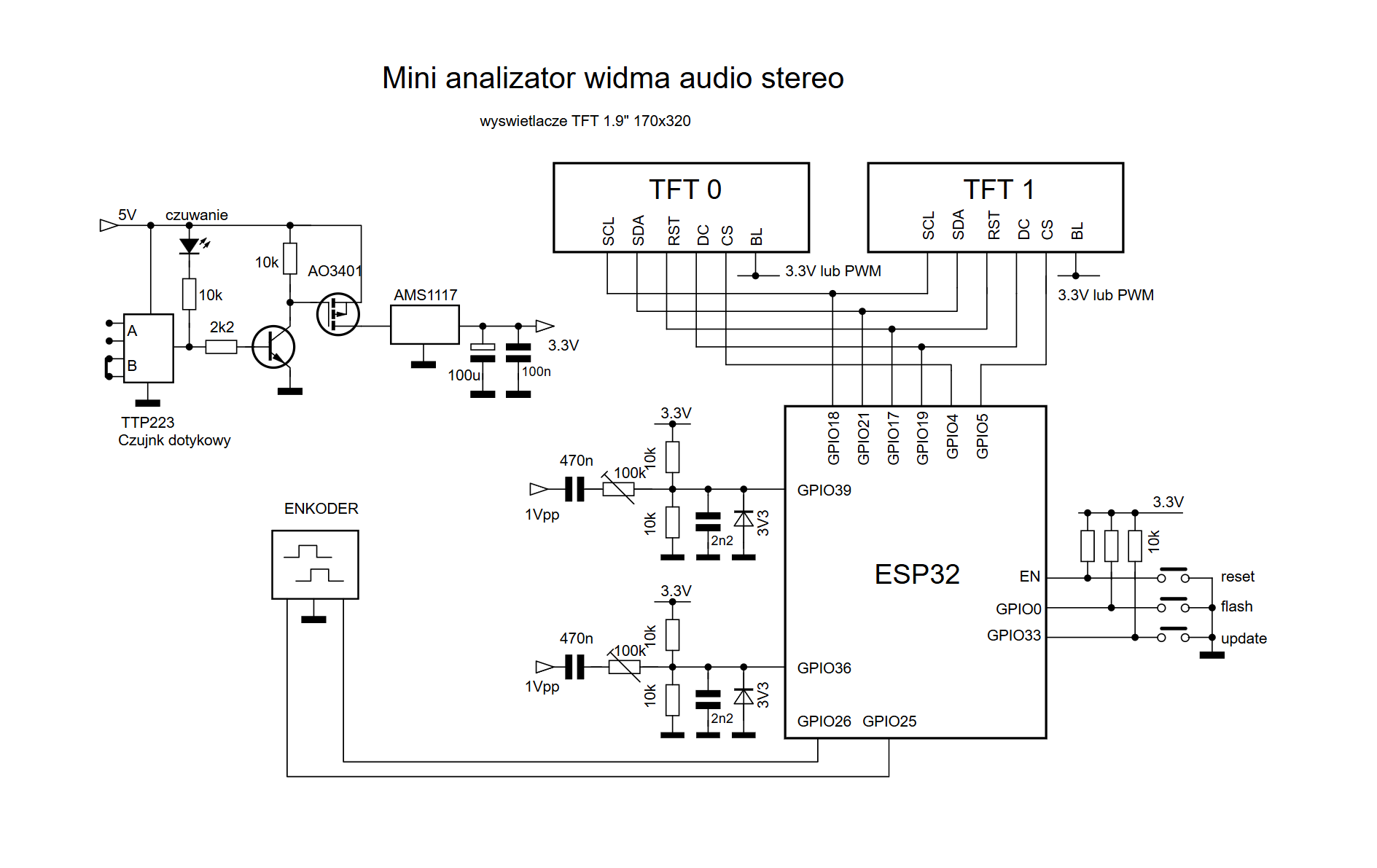
    Schematics:

    DIY micro tower (desktop version)

    DIY micro tower (desktop version)

    DIY micro tower (desktop version)


    Finally, a short video from the studio showing the activity:


    The final turret module - BT-audio and SD player - is under construction.
    I am making the radio and spectrum source codes available. If someone is willing to build this turret I will provide *.stl for printing.
    Software updates on the radio and spectrum are done wirelessly via a web browser.
    There is still a small list of improvements, such as support for Polish fonts etc.

    And that's it in a nutshell.... Greetings :)


    Tips to help run the spectrum:

    The core ESP32 version is 1.0.4 - why so low?
    Unfortunately this is the last version that allows ADC sampling even above 40kHz.
    Each subsequent version has only been worse.

    1 - After installing the TFT_espi library from the "SETUP_TFT_ESPI" directory, which is in the spectrum source directory, copy the "User_Setup" file to the TFT_espi library directory and replace the file with the same name. I suggest archiving the original one before swapping.
    The file stores the display driver settings, SPI and other settings.

    2 - Again the TFT_espi directory and then the Processors subdirectory.
    and in the file "Tft_espi.h" comment out the entry #hal/gpio_11.h

    default path:
    ...`Arduino_braries_TFT_eSPI_Processors_Tft_espi.h'


    Errors found:
    The radio's schematic incorrectly described the ESP pins connected to the PCM5102. I have changed the schematic to the correct one.
    I have corrected the spectrum diagram.

    Attachments:
    • mikro_tower.zip (5.88 MB) You must be logged in to download this attachment.

    Cool? Ranking DIY
    About Author
    efi222
    Level 21  
    Offline 
    efi222 wrote 727 posts with rating 1183, helped 12 times. Live in city Toruń. Been with us since 2019 year.
  • ADVERTISEMENT
  • #2 21899259
    DJCheester
    Level 28  
    Posts: 2071
    Help: 75
    Rate: 951
    Beautiful work, I confess I knew about this hardware beforehand, even before publication.
    Cool, modern on a cheap ESP32.
    Nothing to add or take away.
    Regards
  • #3 21899342
    robgold
    Level 23  
    Posts: 722
    Help: 10
    Rate: 289
    Very nice workmanship. Ah those 3D printers...how much easier does it make ;) I like that kind of black and white vibe on the displays and just some touches of colour. What did you bring out the two USBs on the radio for?
    Did you cut out the fronts yourself on some CNC or did you outsource?
  • #4 21899352
    elukam
    Level 18  
    Posts: 400
    Help: 8
    Rate: 177
    A beautiful rendition in a slightly retro style. A marvel!
    Audio is what it is, if it fills the needs it's cool. Tone correction is rather necessary with such a track. Only the input selector on relays... But it was supposed to be simple and it is.
    Personally, I would take more care to ensure that the audio quality matched the aesthetics, which is a shame. Hifi is not a problem nowadays, even if one is not very much into it.
  • ADVERTISEMENT
  • #5 21899356
    efi222
    Level 21  
    Posts: 727
    Help: 12
    Rate: 1183
    robgold wrote:
    What did you output the two USBs on the radio for?

    From this second USB, 5V power is given to the USB socket on the spectrum.
    robgold wrote:
    Did you cut the fronts yourself on some CNC or did you outsource?

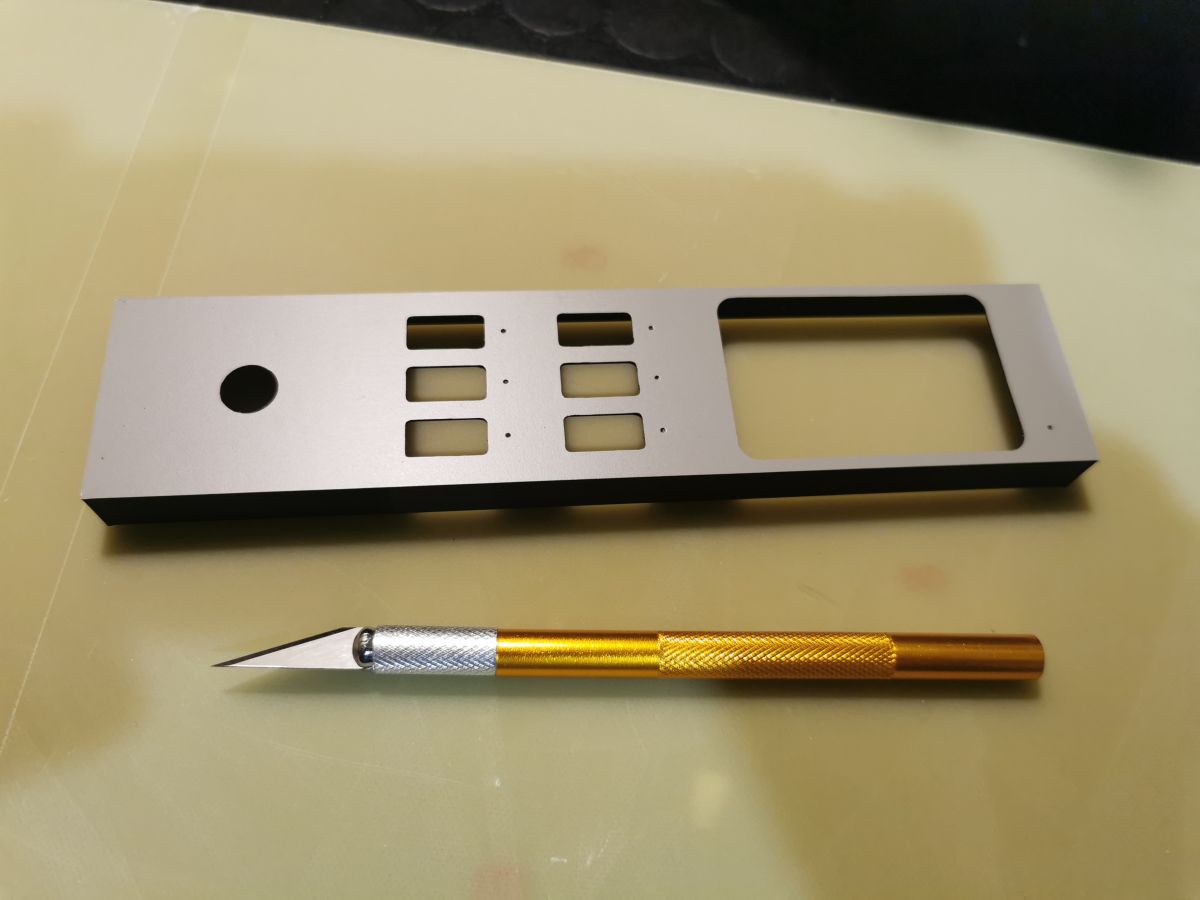
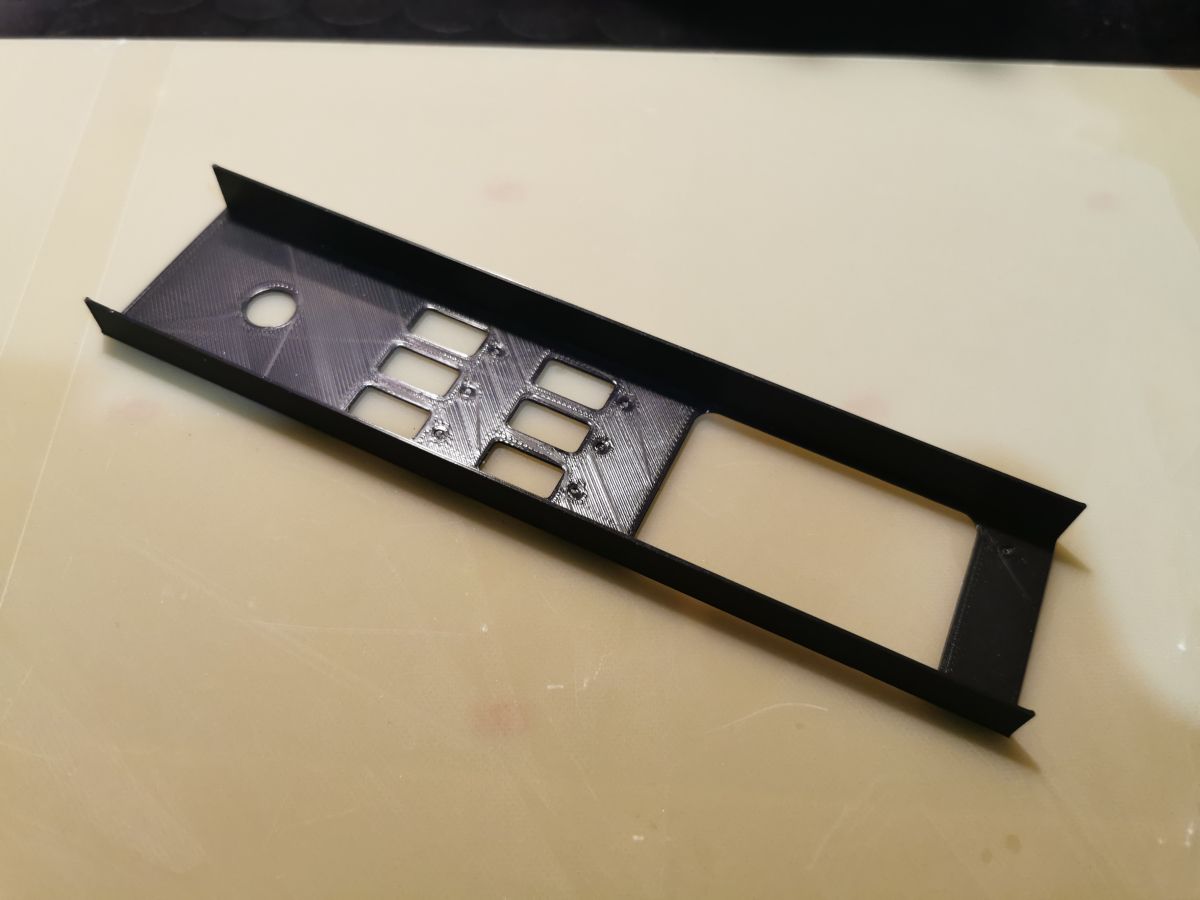
    The front is a print on glass. An adhesive film comes over the mirror-smooth surface. It holds atomically.
    It just takes a little skill to cut the holes :)

    Metal front panel with cutouts and a round hole, next to a gold precision craft knife on a tabletop Long black plastic frame with rectangular cutouts and one round hole on a light surface

    Added after 2 [minutes]:

    elukam wrote:
    Beautiful workmanship in a slightly retro style. Wonderful!

    Thanks :)
    The amplifier is a bit on the small side. But there is always room for improvement. And as a rule this is what happens :)
  • #6 21899364
    robgold
    Level 23  
    Posts: 722
    Help: 10
    Rate: 289
    >>21899356 And on PEI board it will not come out? I print all the IR windows on PEI and cover them with dark foil and it also holds. It is difficult to tell from the photos that it is foil! :)

    I think the only thing I would change is to add recesses for the knobs but you will see this in a "while" on the new "Evo" case.
  • #7 21899367
    efi222
    Level 21  
    Posts: 727
    Help: 12
    Rate: 1183
    robgold wrote:
    From the photos it is difficult to see that it is a foil!

    You can't tell in person either. Unless you make bubbles when gluing. I wipe the surface with isopropanol before gluing to get rid of pollen. As long as I have had the printer I have always printed on glass. I only did a few test prints on a textured pad. Try to test it out.

    Added after 1 [minute]:

    robgold wrote:
    I guess the only thing I would change is to add recesses under the knobs

    I used to think about this too, but somewhere the idea later got away....
    Maybe in the next version 😀
  • #8 21899373
    robgold
    Level 23  
    Posts: 722
    Help: 10
    Rate: 289
    >>21899367 And do you have tempered glass on the mulled table? Or just a regular one? Since I print I basically use three plates of texture, satin and just for the smooth PEI themes but it's really some minimal amounts however 95% is satin for the parts and texture for the fronts. I used to cover the fronts with foil but that was about 20 years ago, nor were foils the way they are today.
  • ADVERTISEMENT
  • #9 21899376
    efi222
    Level 21  
    Posts: 727
    Help: 12
    Rate: 1183
    robgold wrote:
    And do you have tempered glass on your heated table?

    It's a regular glass is. The fact that I only print with PLA. I heat the table up to 50 degrees. I think it should be able to withstand more than that too.
  • ADVERTISEMENT
  • #10 21899395
    Krzysztof Kamienski
    Level 43  
    Posts: 21885
    Help: 2030
    Rate: 5147
    Nice work and I'm adding a packet of triptychs as a reward.
  • #11 21899453
    TechEkspert
    Editor
    Posts: 7128
    Help: 16
    Rate: 5501
    Super end result, very good example of showing the possibilities of 3D printers. I am convinced by this project to use touch buttons instead of mechanical ones.

    It is very easy to add FM radio reception capability. A miniature stereo receiver module controlled over I2C gets the job done.

    The ESP32 has an amazing price/capability ratio. Although there are many other chips, the spare processing power and low price encourages compromises and ESP becomes the module for everything.
  • #12 21899463
    Jawi_P
    Level 36  
    Posts: 3215
    Help: 259
    Rate: 701
    Beautiful. I only print on PEI. The sides I thought were wooden. I'm surprised that the touch switches work through the glass layer. Could you write something more?
  • #13 21899490
    efi222
    Level 21  
    Posts: 727
    Help: 12
    Rate: 1183
    Jawi_P wrote:
    I am surprised that the touch switches work through the glass layer. Could you write something more?

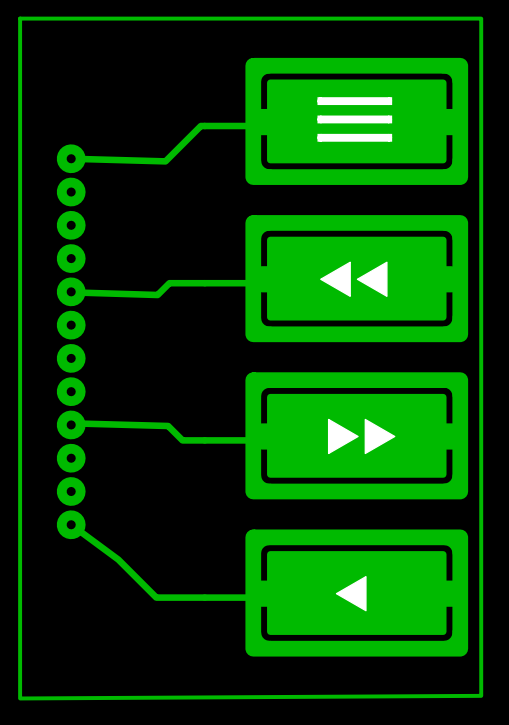
    I didn't go without modifying the Adafruit_MPR121 library to increase sensitivity. The modified library is available in the package with the radio source - (src/Adafruit_MPR121). There is a description of the changes there.
    The auto-calibration of the touch pad sensitivity is also started at program start (setup()).

    The pads are 17x9 mm in size, with a gap of 2 mm between them. Care must also be taken to ensure that they fit snugly against the glass.
    Green PCB diagram with four button icons and traces leading to a left-side connector

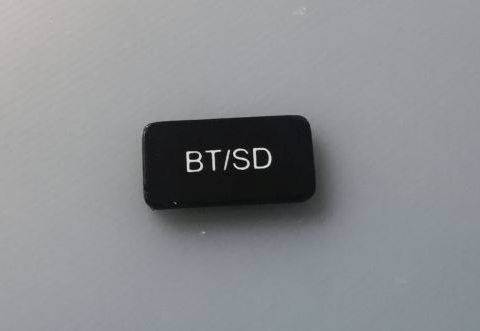
    Unfortunately, this patent does not work with the PLA "button" even though it is much thinner. This is why other touch sensors are used there.
    Small black rectangular button labeled “BT/SD” on a light gray surface
  • #14 21899770
    lechoo
    Level 39  
    Posts: 5161
    Help: 377
    Rate: 545
    Hello, good work, I like the execution of the case. Am I the only one who noticed the swapping of the spectrum displays LEFT/RIGHT in places?
  • #15 21899772
    efi222
    Level 21  
    Posts: 727
    Help: 12
    Rate: 1183
    I've been meaning to change this for a long time now.... (swapping the wires on the CS displays). I didn't and it went to the Electrode. I was curious if anyone would notice it :D
    Congratulations on your perceptiveness.
  • #16 21899855
    Olkus
    Level 32  
    Posts: 3920
    Help: 132
    Rate: 917
    The enclosures came out brilliantly - really great effect, I like the style :)
    It's a bit of a shame that the amplifier is so poor. It would have been better to dispense with the tone control and do something on e.g. LM1876 or LM3886, the circuits have a simple application and there are many proven designs to build on.
    I have a headphone hybrid under construction, it will be a slightly larger amplifier, I was just thinking about the enclosure and what to do to make it not a big empty panel with just a jack socket, maybe I will get inspired and also add some display ;)

    Regards,
    A.
  • #17 21899860
    robgold
    Level 23  
    Posts: 722
    Help: 10
    Rate: 289
    >>21899855 Oh, there you go. The truly legendary LM is already years old and the class D still from Texas Instruments does not deviate from it. I suggest to listen to a good application of the older brother TPA3116 on blind tests. It will be difficult to tell the difference.
  • #18 21899872
    efi222
    Level 21  
    Posts: 727
    Help: 12
    Rate: 1183
    TechEkspert wrote:
    a very good example of demonstrating the capabilities of 3D printers.

    Olkus wrote:
    The builds came out brilliantly

    Well. Printers print "as they are drawn".
    And the aesthetic craze is not there.... (in my opinion). I am referring to home FDM printers.
    If it is to look reasonably good, you have to process the prints further. Lining, painting, sanding etc. But there's also no denying that 3d printing is a mega-enabler in the production of structural components.
    Olkus wrote:
    what to do so it's not a big blank panel with just a jack

    Well... I don't like shoebox enclosures. There is nothing to hang your eye on :D .
    But that's my opinion.
  • #19 21899911
    DJCheester
    Level 28  
    Posts: 2071
    Help: 75
    Rate: 951
    It calls for an infrared remote control. The finished code is provided in the topic the author was inspired by. For me as a lazy remote control user this would be greatly missed.

    Apart from that, the effect is striking.

    Greetings.....
  • #20 21899920
    Szymonix
    Level 12  
    Posts: 29
    Rate: 24
    As usual DIY premium 👍
  • #21 21899935
    efi222
    Level 21  
    Posts: 727
    Help: 12
    Rate: 1183
    I must admit that at first I thought of an IR remote control.
    After assembling the radio I found that above two metres I was unable to read the contents of the display properly. (2.8 inches). And if I'm a metre away from the device I'll click manually.
    Here possibly some IR on/off of the whole turret. In the near future I have to do 3 pieces of such a set for friends and family. So time will be short for additional modifications. Still additionally ESP32S3 connects strangely to WiFi with core version 3.2.0. On version 2.x the problem does not occur. So I am looking all the time for the cause.
    There is room in the radio under the glass for an IR receiver. But the amplifier and spectrum would need to be reworked.
    Therefore, as in the title it is a desktop micro tower :)
  • #22 21899964
    robgold
    Level 23  
    Posts: 722
    Help: 10
    Rate: 289
    >>21899935 What does "strangely connects" mean ? I will test core 3.3.8/IDF 5.5.4 and the latest libraries for FLAC from Evo, uploaded on GitHub.
    If you have the possibility I would add a remote control. I also noticed the lack of such an important gadget as a remote control, but I don't know if you don't have www control so maybe it is enough.
  • #23 21900016
    TechEkspert
    Editor
    Posts: 7128
    Help: 16
    Rate: 5501
  • #24 21900063
    lopr_pol
    Level 32  
    Posts: 1699
    Help: 161
    Rate: 483
    What's the point of fm these days, listening to adverts every 5 minutes plus music pap for the masses?
    Instead of a remote control, get a control from www.
  • #25 21900078
    robgold
    Level 23  
    Posts: 722
    Help: 10
    Rate: 289
    >>21900016 Adding an FM receiver in the hardware is no problem, but making a good antenna track, plus all the software that will manage the radio, paint the gui is not so easy anymore. The question is why, when nowadays almost every radio broadcasts on the internet?
  • #26 21900096
    efi222
    Level 21  
    Posts: 727
    Help: 12
    Rate: 1183
    FM, in my opinion, is slowly being discarded. You can play around with the receiver, but this is more for fun. A colleague is playing with such a receiver (RDA5807M) and is struggling with interference in the audio path. It interferes with the TFT display. He has combined with screens and other wonders and it doesn't help much.

    I still have a question for IR devotees.
    How do you imagine controlling four (BT audio and SD under construction) devices from one non-dedicated remote. Because I would be unlikely to remember its buttons, which one is for what.
  • #27 21900109
    Olkus
    Level 32  
    Posts: 3920
    Help: 132
    Rate: 917
    robgold wrote:
    Oh this fellow has gone. Truly the legendary LM is already years old and the class D still from Texas Instruments does not deviate from it. I suggest listening to a good application of the older brother TPA3116 on blind tests. It will be a problem to distinguish.


    The LM is not a modern chip, fact. But it is quite a good layout.
    Class D has a specific sound, and the author's colleague himself wrote that it is average for him. I do not negate a good application of such an amplifier, but these Chinese modules are not always done well and most often as economically as possible.

    efi222 wrote:
    Well. Printers print "as they are drawn".
    And the aesthetic craze is not there.... (in my opinion). I am thinking of home FDM printers.
    If it is to look reasonably good, you have to process the prints further. Lining, painting, sanding etc. But there's also no denying that 3d printing is a mega-enabler in the production of structural components.


    Maybe directly after taking the print off the table it is indeed not perfect. But already after such treatments as the colleague has done it is good ;)

    efi222 wrote:
    Well... I don't like the shoebox-shaped enclosures. There is nothing to hang your eye on .
    But that's just my opinion.


    And I would like to avoid such an effect. A choice of either swing-out indicators or a display. With the amplifier(s) with indicators I already have ;)

    Greetings,
    A.
  • #28 21900115
    TechEkspert
    Editor
    Posts: 7128
    Help: 16
    Rate: 5501
    I suspect FM will go on for a long time compared to the legitimate displacement of PAL by DVB-T. Presumably DAB+ and FM will run in parallel, for FM a stereo receiver module with RDS is £5-10. For DAB+ I have only seen off-the-shelf receivers.
  • #29 21900122
    DJCheester
    Level 28  
    Posts: 2071
    Help: 75
    Rate: 951
    efi222 wrote:
    I still have a question for IR devotees.
    How do you imagine controlling four (BT audio and SD under construction) devices from one non-dedicated remote. Because I would rather not remember its buttons, which one is for what.


    Pilot one standard preferably NEC because we already have the code in the internet radio provided by kol Robgold.

    In each pad an IR receiver e.g. TSOP31238 and in each ESP32 a receive code implemented.

    Assign different buttons for different functions.

    At the moment, the software hardware is not so extensive that a remote control with 30 buttons would be able to handle this.

    For example Analyser on/off display - one button
    Second select button for style selection.

    Radio buttons 0-9 for station hammering and directional buttons vol up / down necy prev ok for approval

    Amplifier source three buttons or one button.

    Something like this.

    Greetings....
  • #30 21900124
    efi222
    Level 21  
    Posts: 727
    Help: 12
    Rate: 1183
    Olkus wrote:
    With the amplifier(s) with indicators I already have

    So I guess that leaves the spectrum analyser.

    Added after 40 [minutes]:

    DJCheester wrote:
    Pilot one standard preferably NEC because we already have the code in internet radio provided by kol Robgold.

    It may be simpler to adapt this radio to "my" chassis.
    An IR learning receiver can be added to the spectrum and amplifier.
    And then there is the question of remote volume control on the amplifier. Electronically, or the unacceptable driven potentiometer proposed by @ArturAVS?
ADVERTISEMENT