logo elektroda
logo elektroda
X
logo elektroda

Zigbee controlled light switch with mechanical push buttons - SR-ZS

p.kaczmarek2 534 0

TL;DR

  • SR-ZS is a Zigbee 3.0 light switch with classic mechanical push buttons instead of touch controls, aimed at Home Assistant users.
  • It pairs with Home Assistant as TS0012 and exposes initial state, backlighting, and a "state action" option for automation events.
  • The housing specifies 10 A maximum current and load up to 2 kW for resistive loads, and one unit cost PLN 90.
  • It worked fully satisfactorily with Home Assistant and can be used in automations.
  • The internal design is still partly unclear, including the purpose of the big SOIC chip and the CS100N03 MOSFET, and it costs more than the Wi‑Fi version.
Generated by the language model.
ADVERTISEMENT
This content has been translated flag-pl » flag-en View the original version here
📢 Listen (AI):
  • Zigbee controlled light switch with mechanical push buttons - SR-ZS
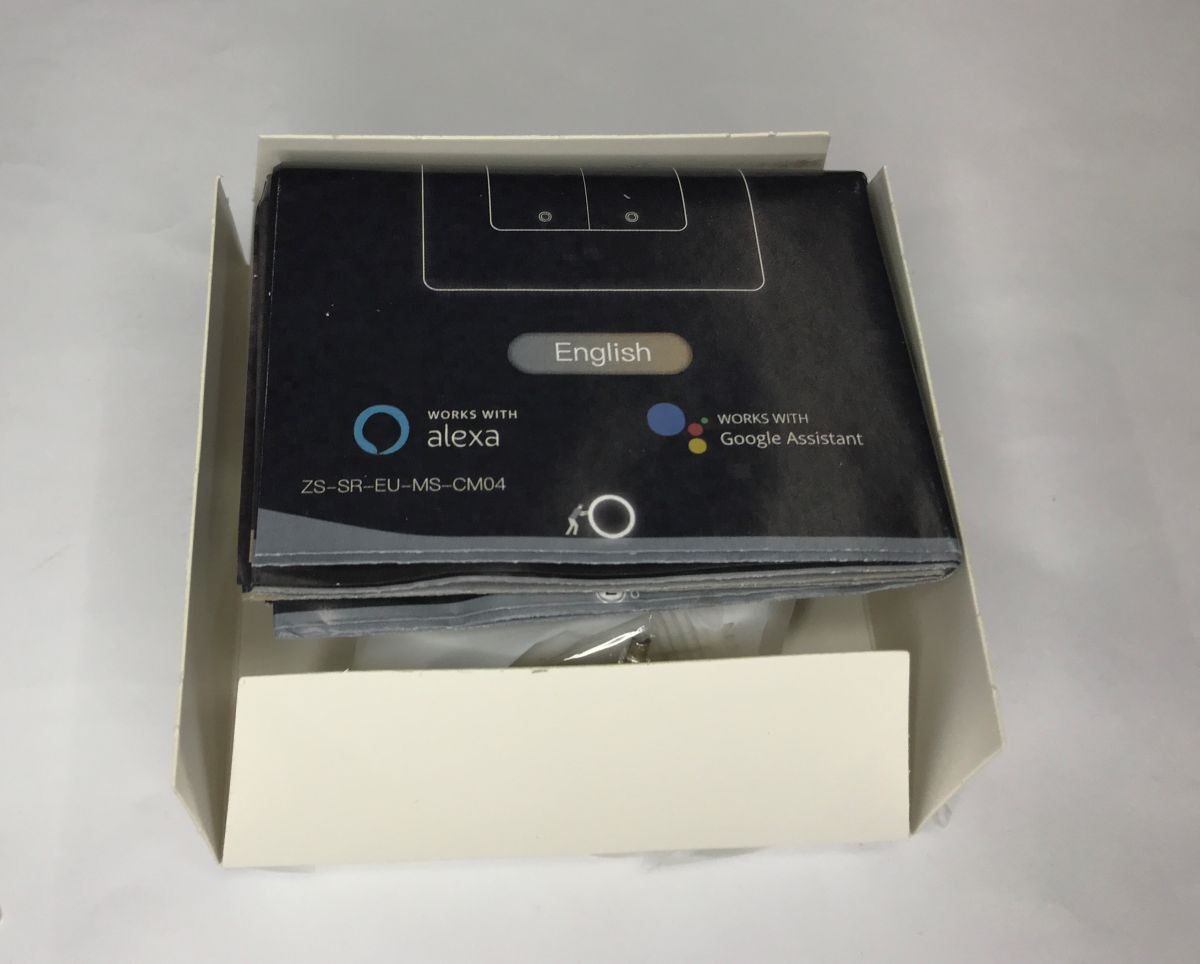
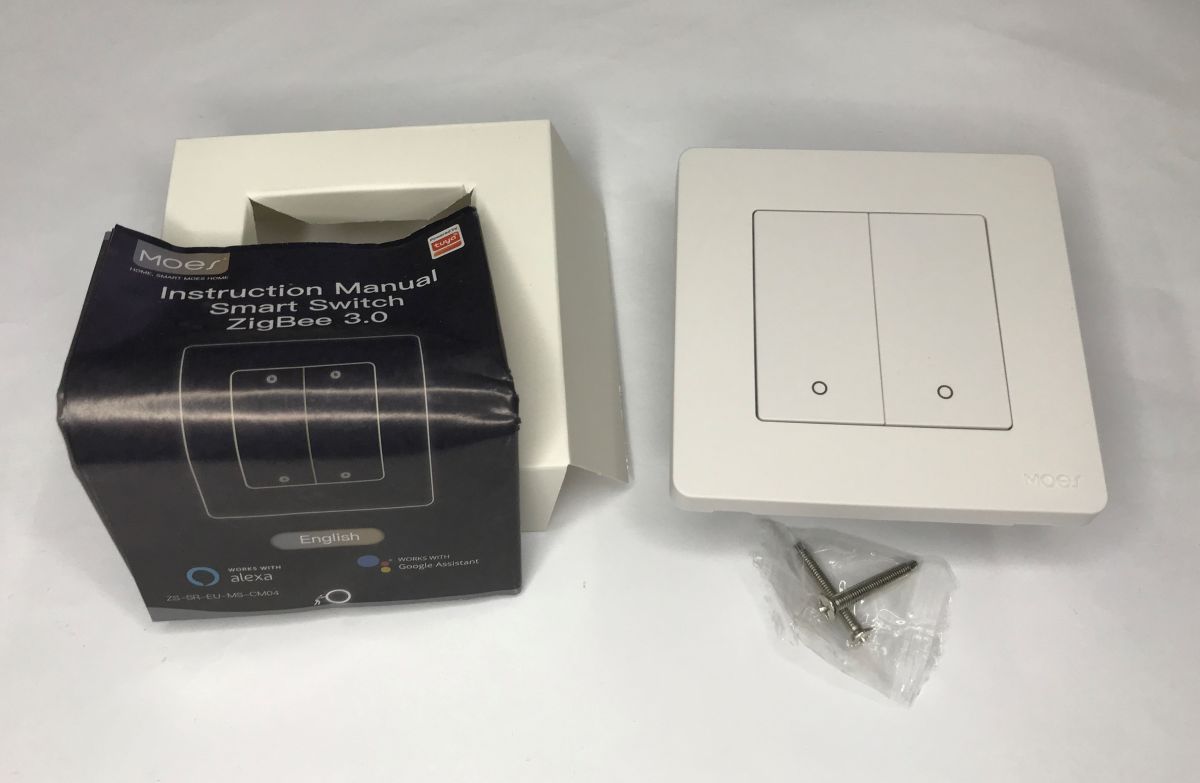
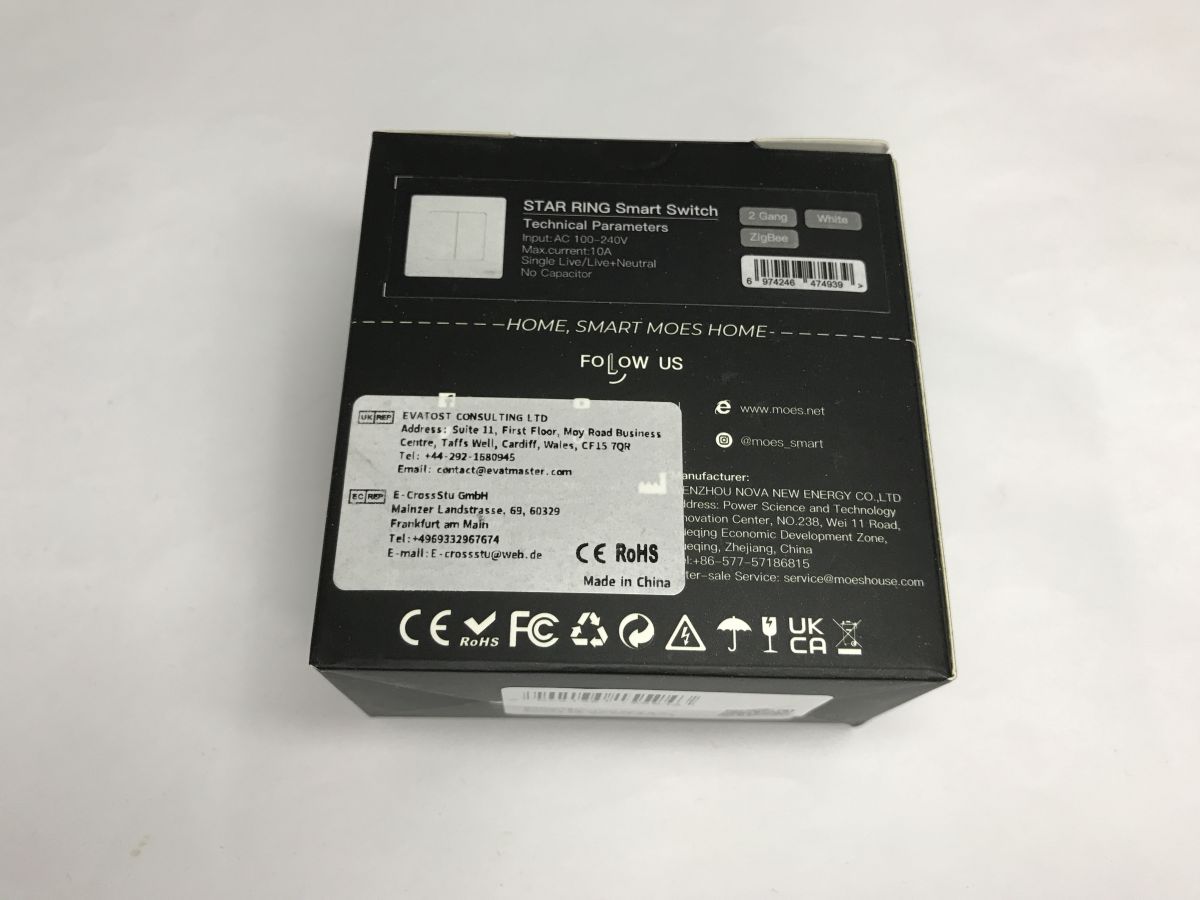
    Are you annoyed by the ubiquitous touch buttons? If so, this is the product for you. This light switch offers a combination of Zigbee connectivity with classic, clickable buttons, and what's more, the whole thing can be easily paired with the Home Assistant! The price of the product is unfortunately a little higher than the Wi-Fi version, I paid PLN 90 for this one in our country.
    Zigbee controlled light switch with mechanical push buttons - SR-ZS Zigbee controlled light switch with mechanical push buttons - SR-ZS Zigbee controlled light switch with mechanical push buttons - SR-ZS
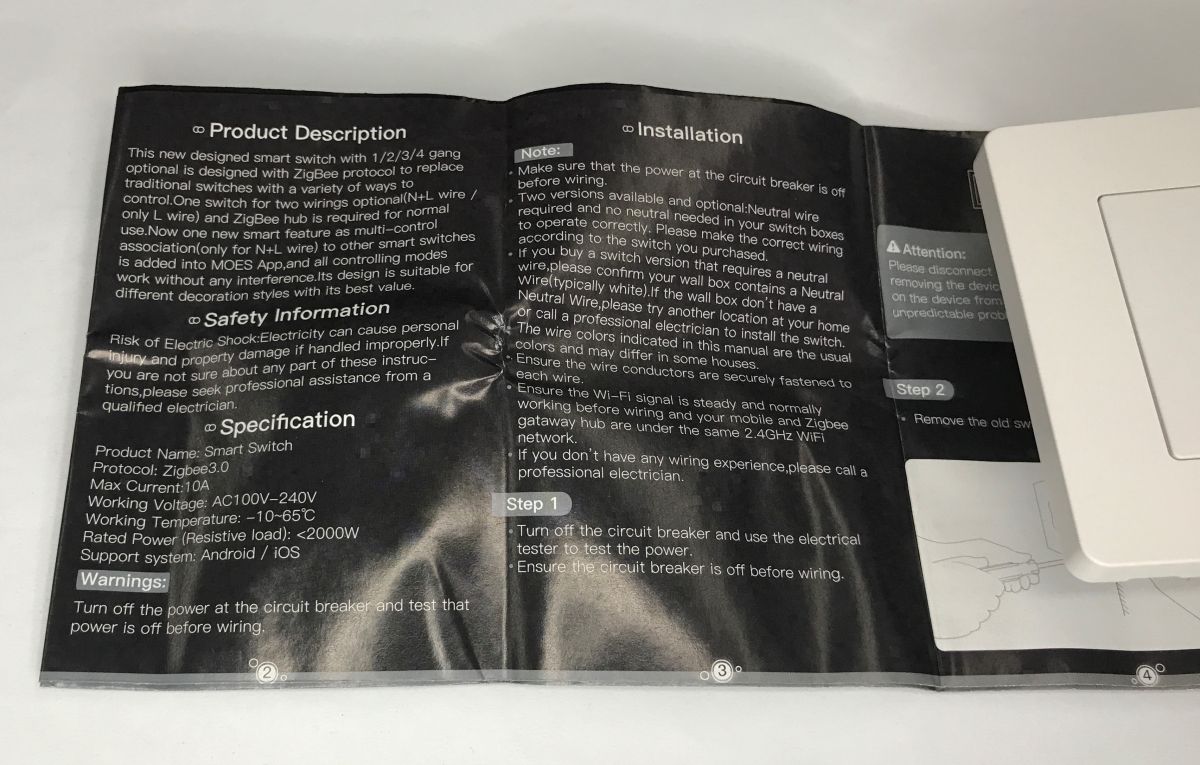
    Instructions - the unit is available in two versions, one of which can operate without a neutral wire connection. Interestingly, the recommendations mention Wi-Fi, I guess someone mixed up the protocols.
    Zigbee controlled light switch with mechanical push buttons - SR-ZS
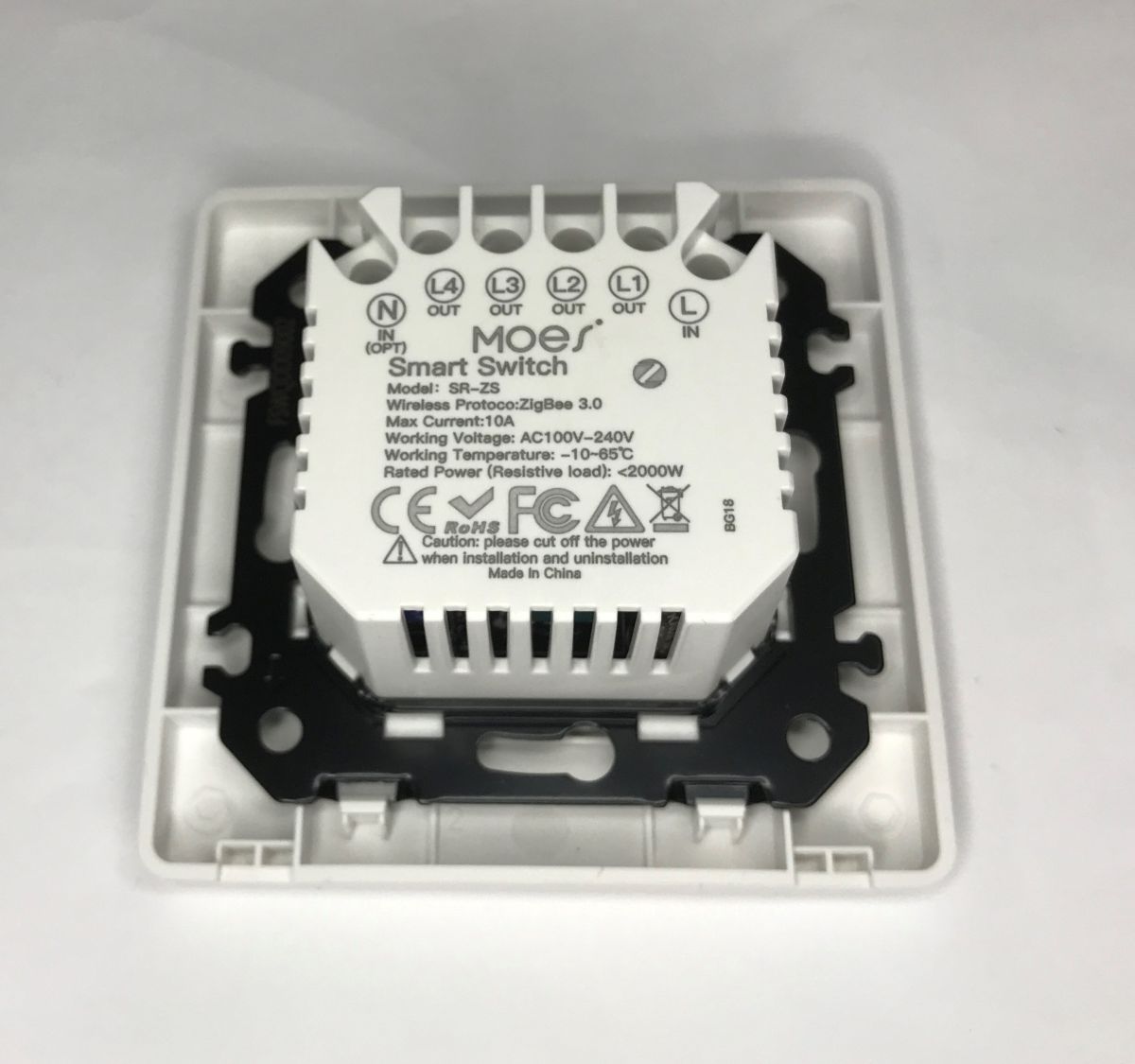
    Designation on the housing: SR-ZS, Zigbee 3.0 protocol, maximum current 10 A, load up to 2 kW (for resistive load).
    Zigbee controlled light switch with mechanical push buttons - SR-ZS

    Pairing with Home Assistant
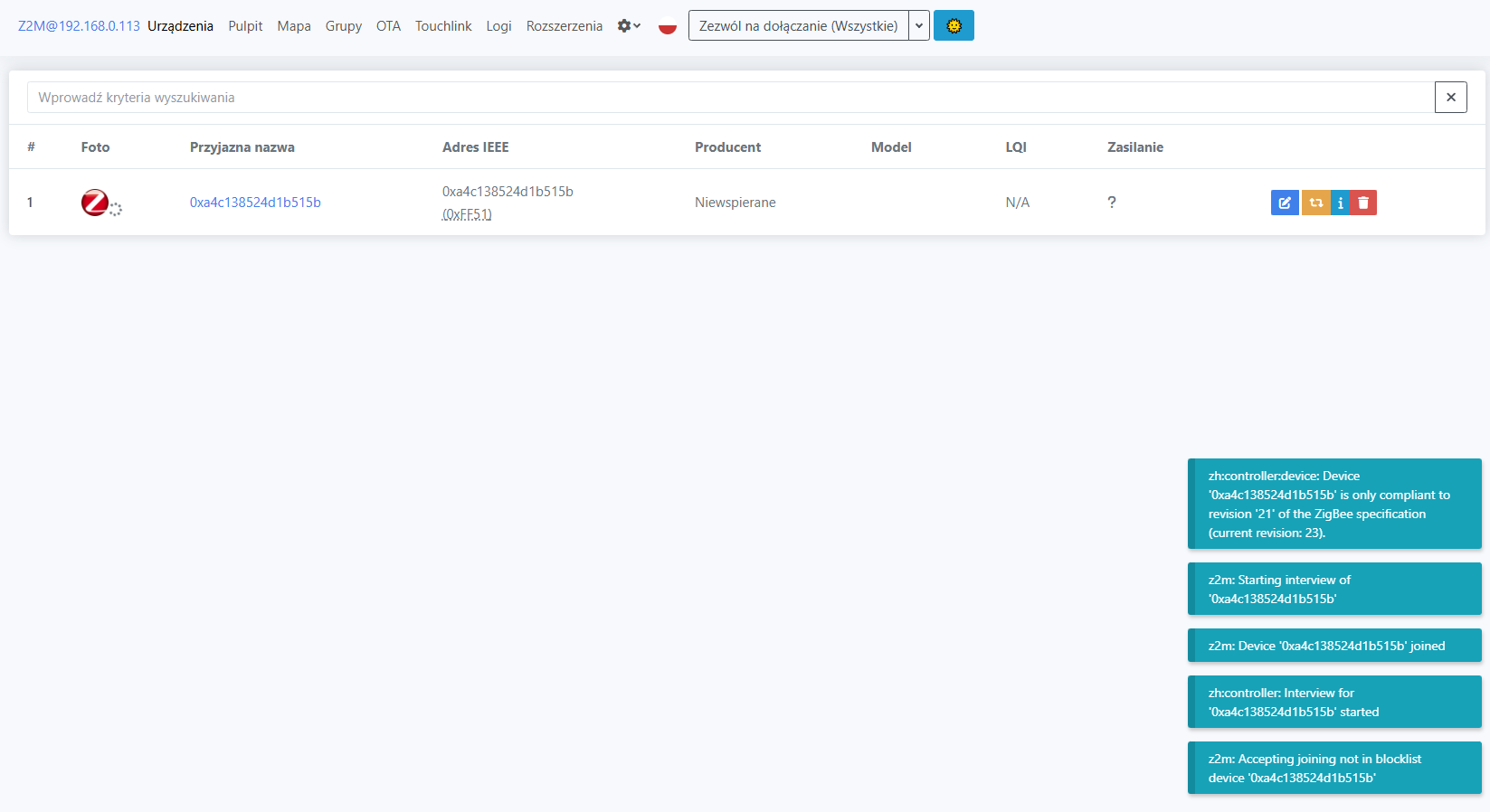
    According to the instructions - you need to press the button longer:
    Zigbee controlled light switch with mechanical push buttons - SR-ZS
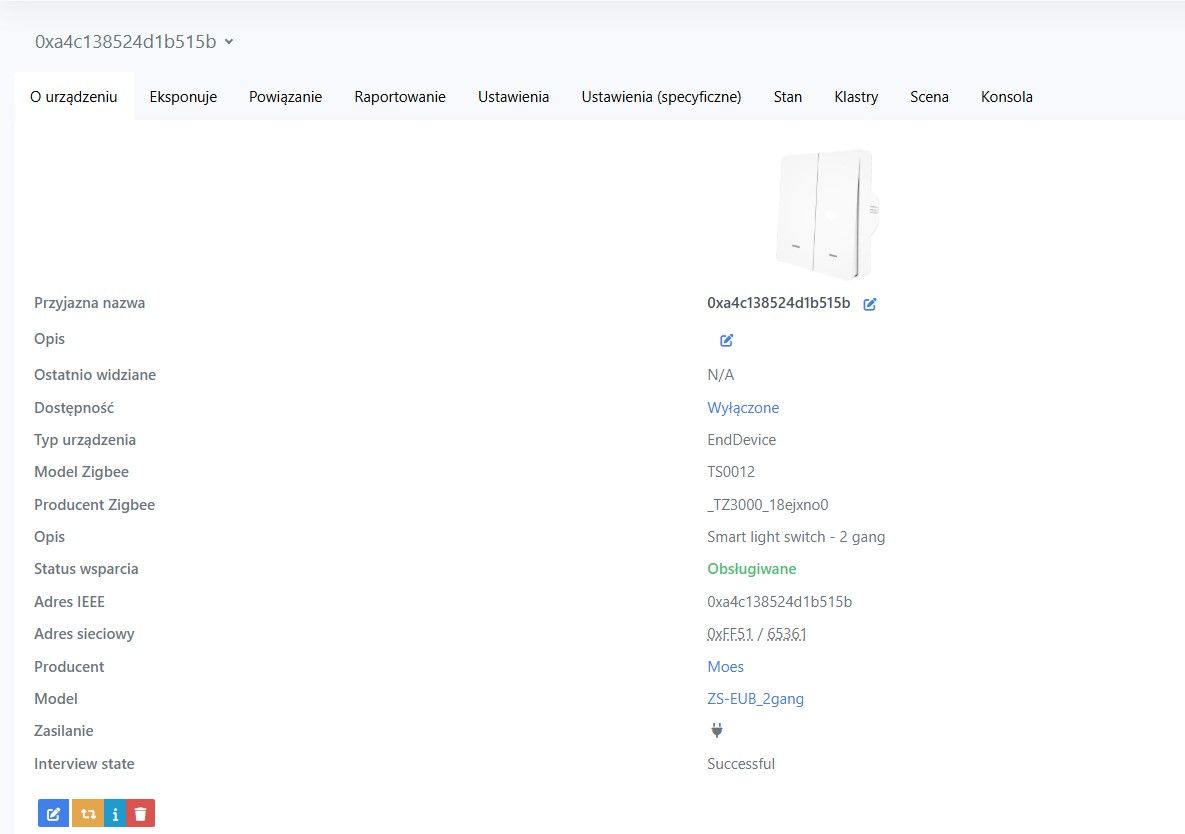
    HA detects the switch as TS0012:
    Zigbee controlled light switch with mechanical push buttons - SR-ZS
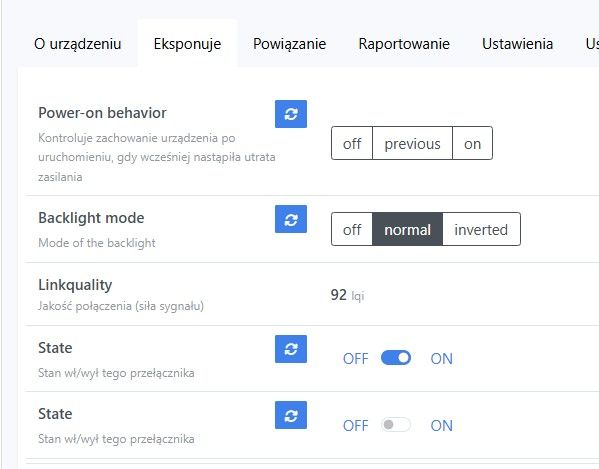
    The device exposes quite rich settings - we have control over the initial state and even the backlighting.
    Zigbee controlled light switch with mechanical push buttons - SR-ZS
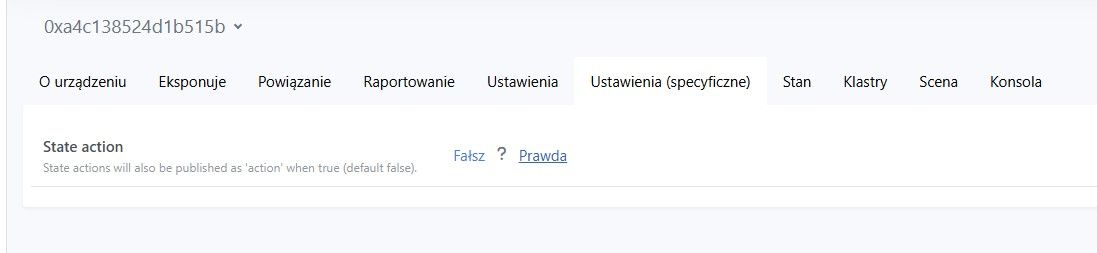
    In addition, we have a "state action" option - for broadcasting events for automation.
    Zigbee controlled light switch with mechanical push buttons - SR-ZS
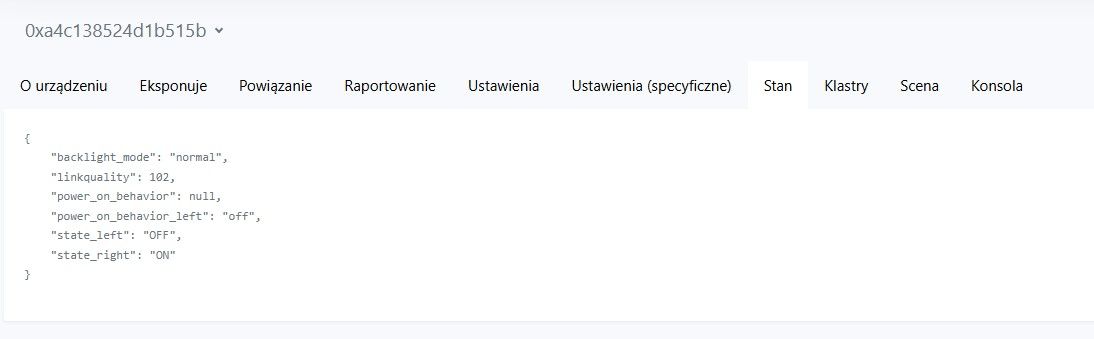
    JSON view:
    Zigbee controlled light switch with mechanical push buttons - SR-ZS
    The device works fully satisfactorily with HA and can be used in automations.

    Interior
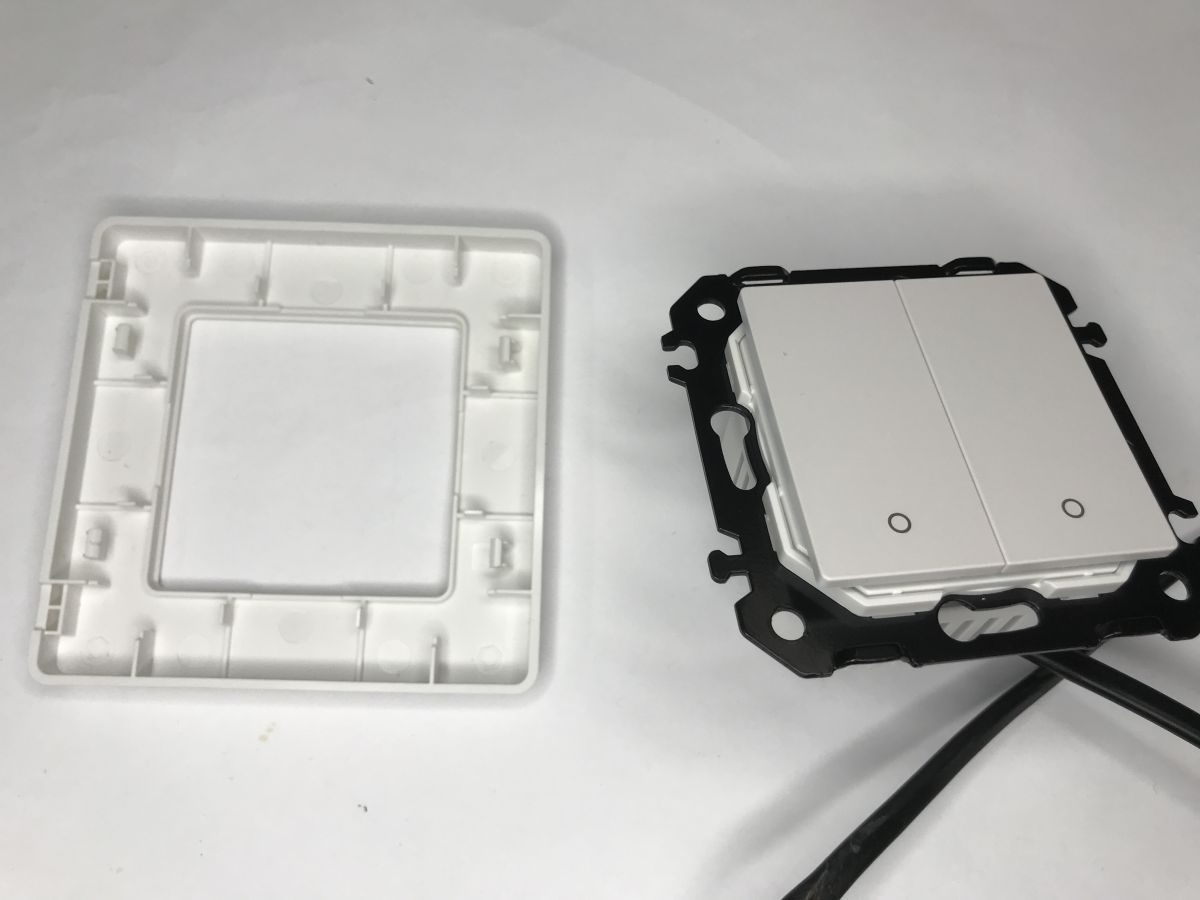
    The overall design is more built-in than typical Wi-Fi-controlled switches. The front panel is removable.
    Zigbee controlled light switch with mechanical push buttons - SR-ZS
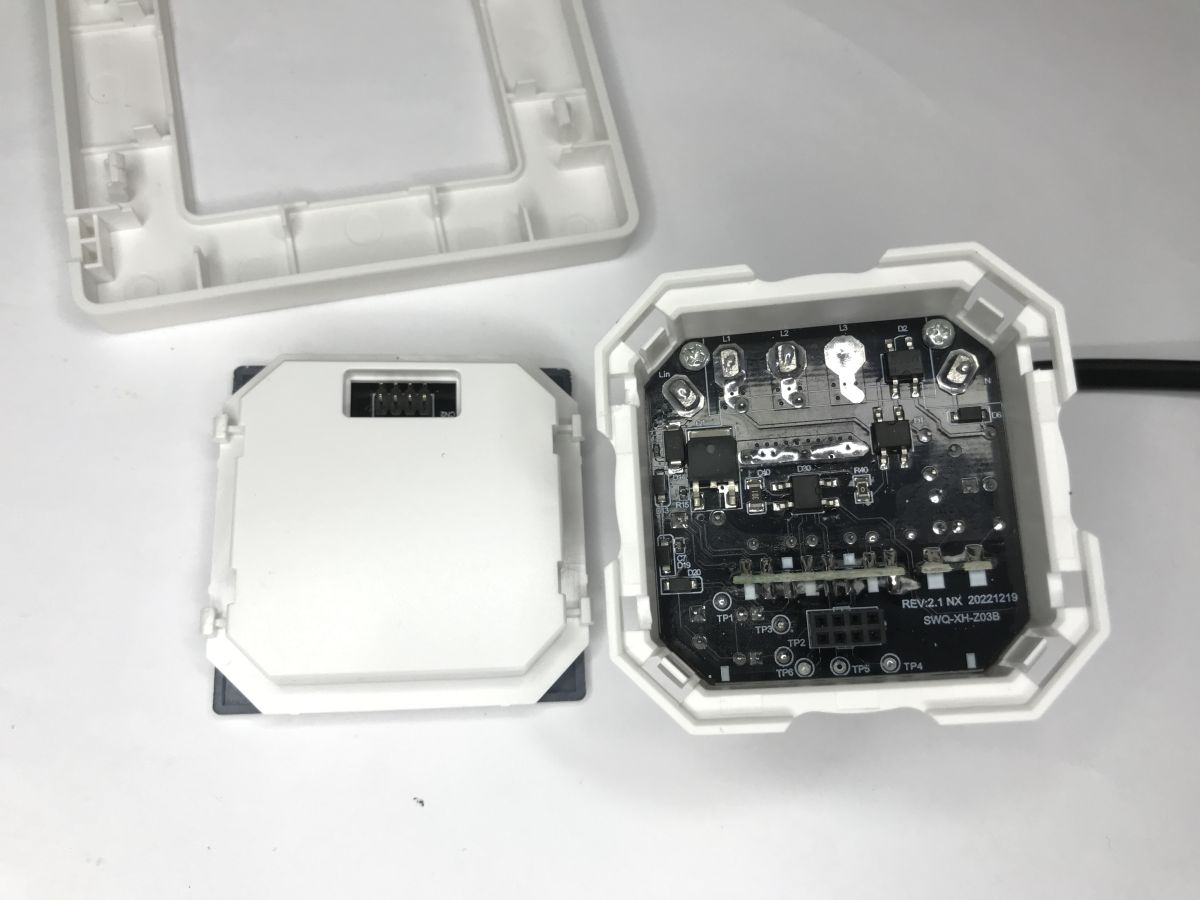
    Executive PCB designation with power supply: SWQ-XH-Z03B REV:2.1 NX 20221219
    Zigbee controlled light switch with mechanical push buttons - SR-ZS
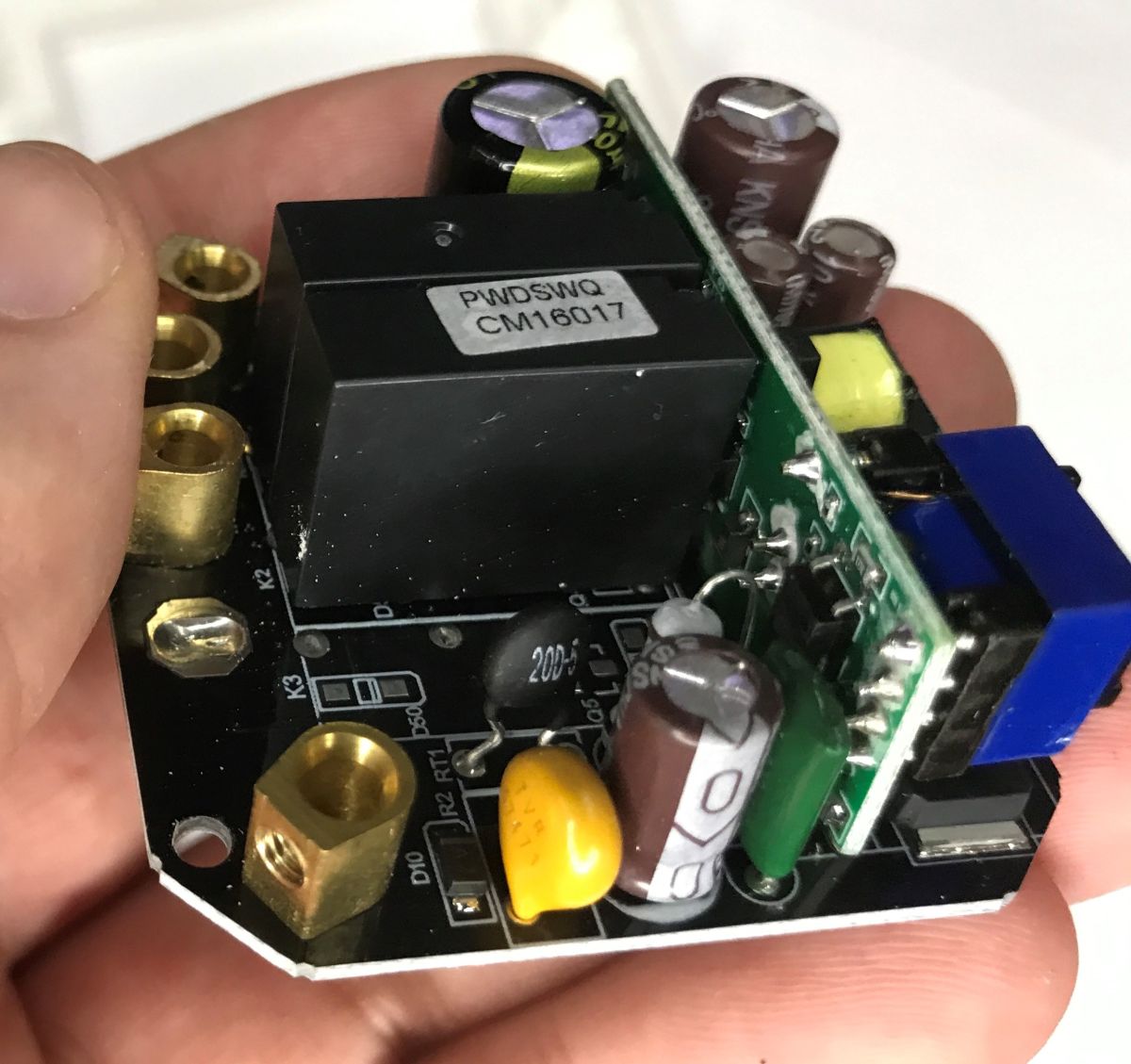
    Switching is realised on relays. The presence of a thermistor and varistor surprised me a bit, as a rule manufacturers omit whatever they can.
    Zigbee controlled light switch with mechanical push buttons - SR-ZS Zigbee controlled light switch with mechanical push buttons - SR-ZS Zigbee controlled light switch with mechanical push buttons - SR-ZS
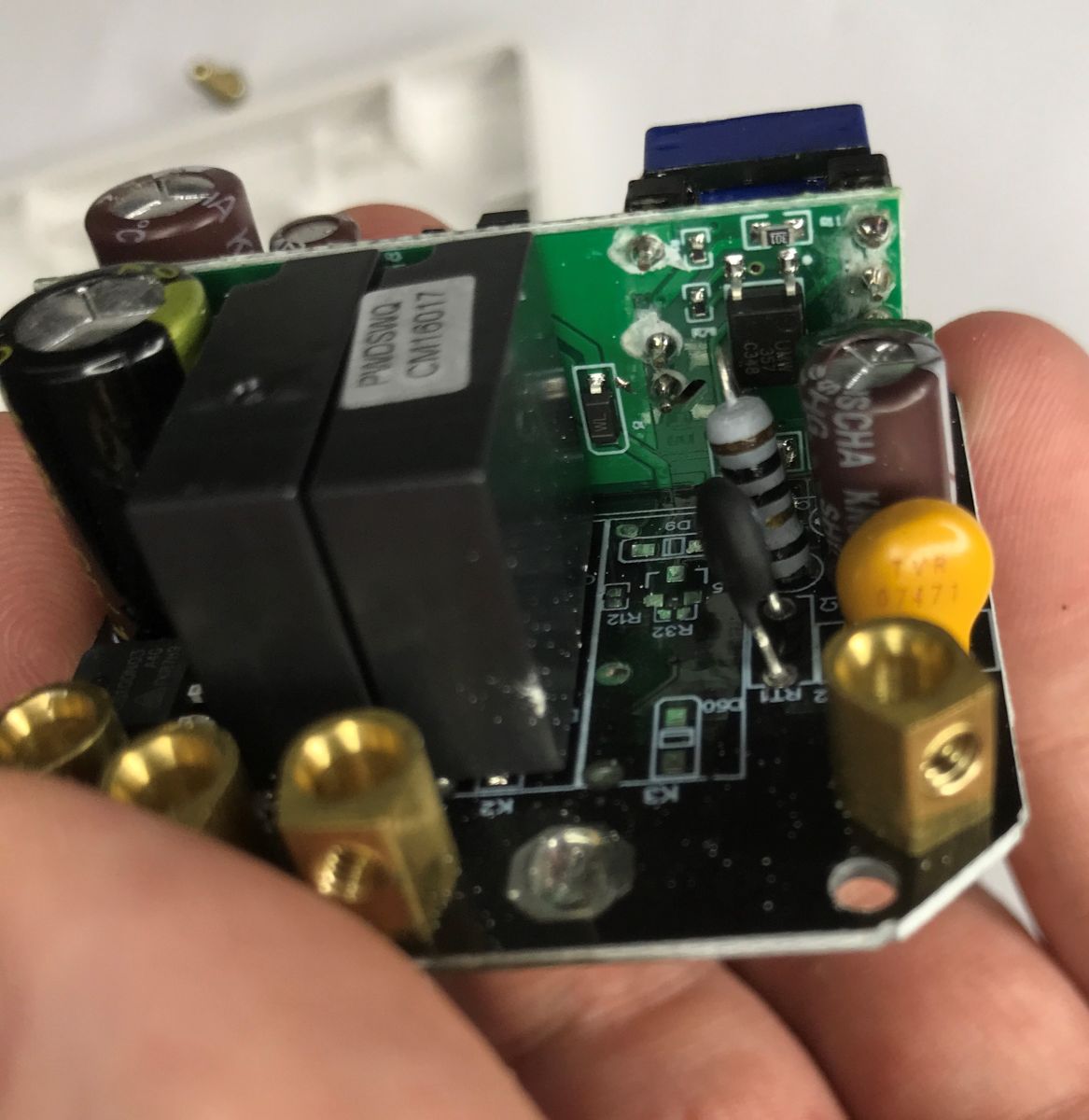
    There is room in the middle for a third relay. Under the relay is the transistor controlling it, you can see the space saving.
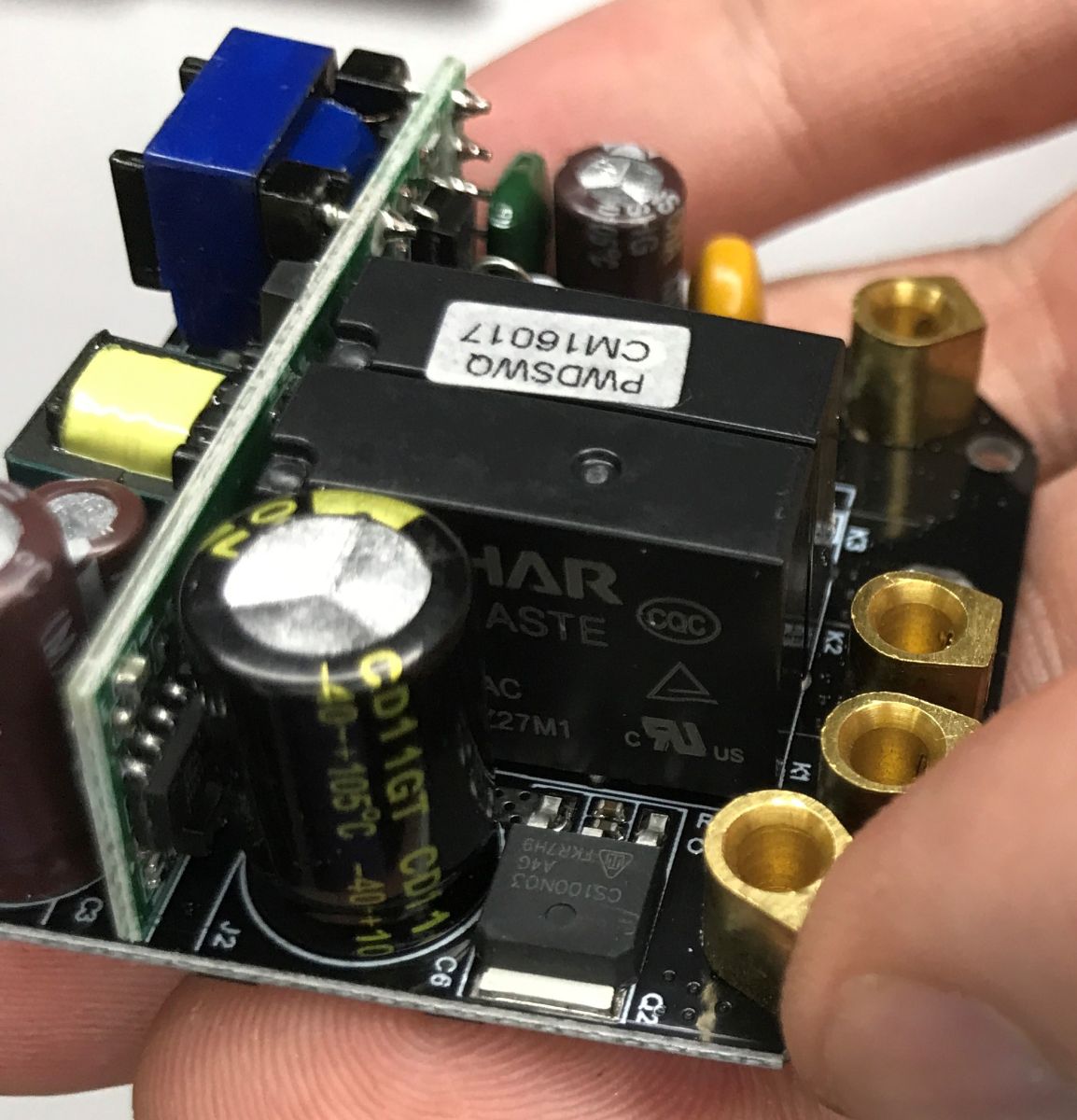
    Close-up of a PCB with a relay, capacitors, and brass screw terminals, held in a hand
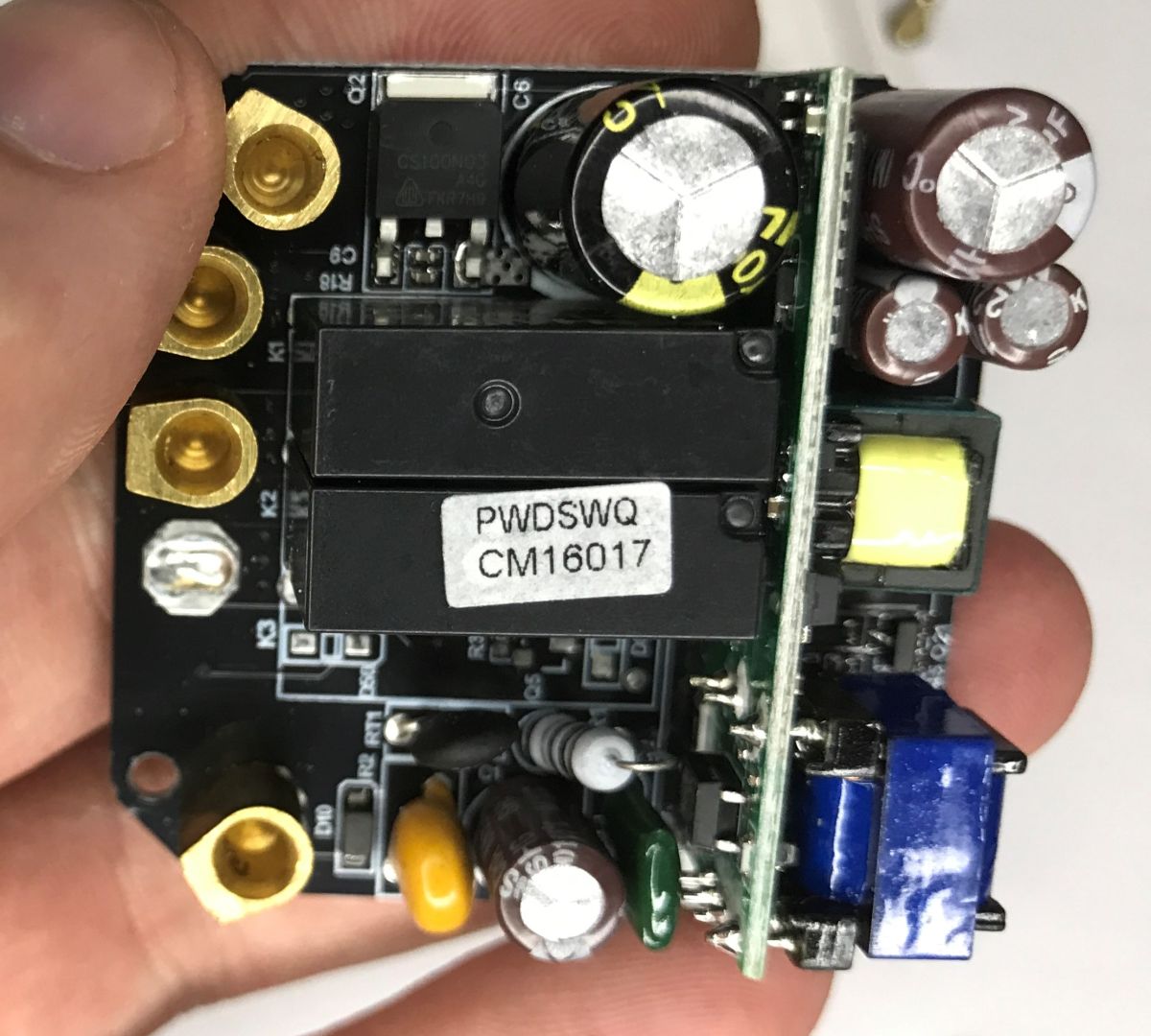
    The fundamental question, however, is what is the CS100N03 MOSFET here for? Presumably for operation in neutral wireless mode.
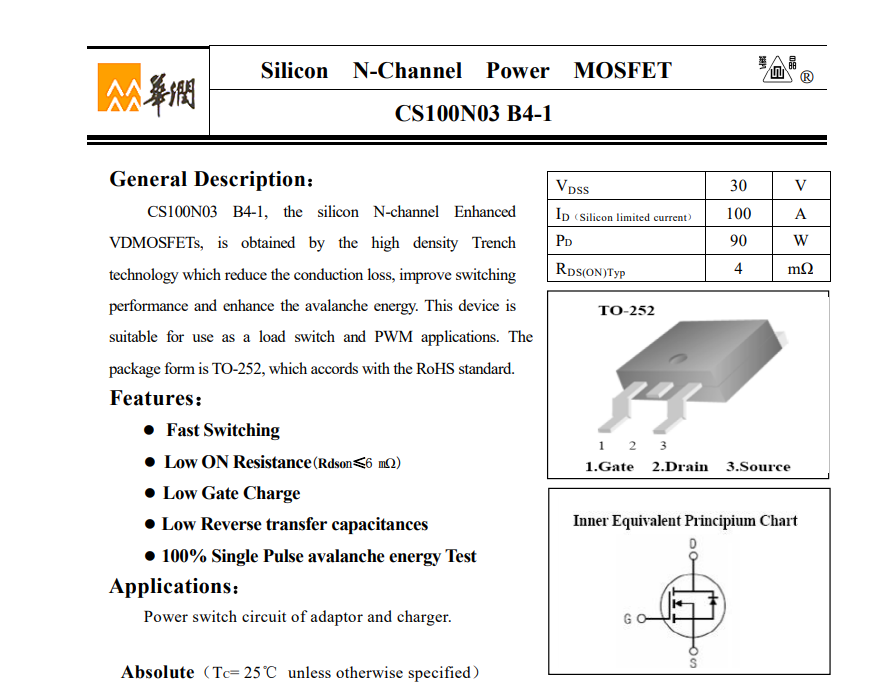
    Datasheet excerpt for CS100N03 B4-1 MOSFET with specs table and TO-252 package diagrams
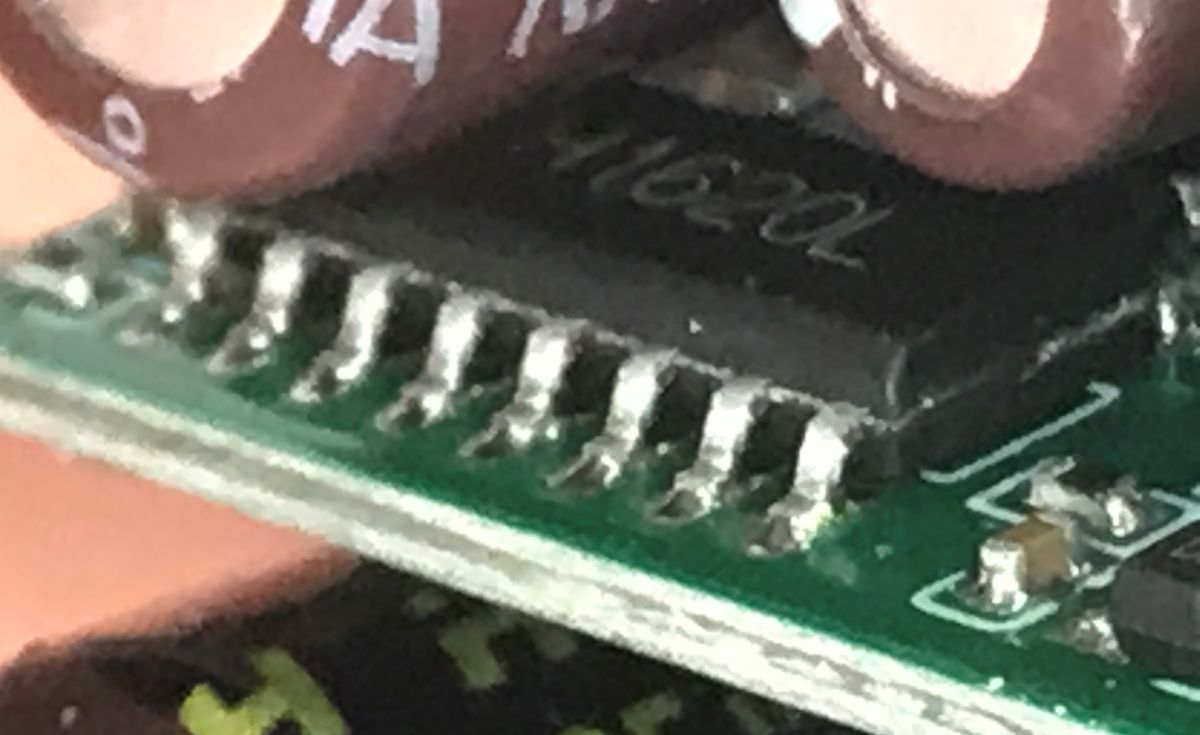
    On the other hand, there is a power supply module with an interesting H1620L chip:
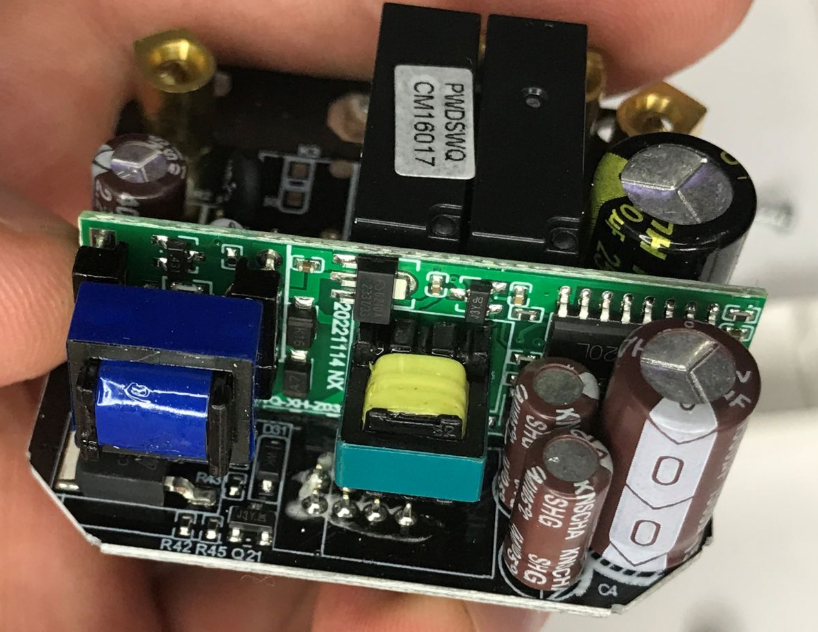
    Close-up of a switch interior: green PCB with electrolytic capacitors and black relays, held in a hand
    Macro of an SOIC integrated circuit on a green PCB, with soldered pins visible.

    Summary
    This is the type of switch I like. I find the mechanical buttons more comfortable and pleasant to use, I don't like the tactile ones. Plus here we have control over what we need - you can even configure the backlight. Pairing with the HA is easy too, you can confidently buy.
    What's still unclear to me is the design of this switch - I don't fully know what the obscure big chip in the SOIC is, and I haven't looked into the front panel, but I didn't want to damage it. If anyone knows anything more - please let me know, for an addendum.
    What light switches do you use in the context of home automation? Wi-Fi, Zigbee, tactile, mechanical?

    Cool? Ranking DIY
    Helpful post? Buy me a coffee.

    About Author
    p.kaczmarek2
    Moderator Smart Home
    Offline 
    p.kaczmarek2 wrote 14604 posts with rating 12620, helped 654 times. Been with us since 2014 year.
  • ADVERTISEMENT
📢 Listen (AI):

FAQ

TL;DR: At 10 A and up to 2 kW resistive load, the SR-ZS is a Zigbee 3.0 wall switch for people who want "classic, clickable buttons" instead of touch controls, plus easy Home Assistant pairing and usable automation events. It solves the common problem of finding a smart switch that still feels like a normal mechanical light switch. [#21913416]

Why it matters: This thread shows that a relay-based Zigbee wall switch can keep familiar mechanical button feel while still exposing useful Home Assistant controls and automation hooks.

Opcja Łączność Typ przycisku Integracja z Home Assistant Cena / uwaga
SR-ZS Zigbee 3.0 Mechaniczne, klikające Wykrywa się jako TS0012, parowanie działa ok. 90 PLN
Wersja Wi‑Fi Wi‑Fi Nie podano Wspomniana tylko jako tańsza tańsza niż 90 PLN
Przełączniki dotykowe Nie podano Dotykowe Nie oceniono w HA autor uznaje je za mniej wygodne

Kluczowy wniosek: Najważniejsza cecha SR-ZS to połączenie klasycznych przycisków mechanicznych z pełną, praktyczną obsługą w Home Assistant. W tym wątku właśnie ergonomia i bezproblemowe parowanie są większą zaletą niż sama specyfikacja. [#21913416]

Quick Facts

  • Oznaczenie na obudowie to SR-ZS; przełącznik jest opisany jako Zigbee 3.0, ma maksymalnie 10 A i do 2 kW dla obciążenia rezystancyjnego. [#21913416]
  • Recenzowany egzemplarz kosztował około 90 PLN i był droższy od wersji Wi‑Fi dostępnej na tym samym rynku. [#21913416]
  • Home Assistant wykrywa urządzenie jako TS0012 i udostępnia ustawienia initial state, backlight oraz state action do automatyzacji. [#21913416]
  • Wnętrze używa przekaźników, a płytka mocy ma oznaczenie SWQ-XH-Z03B REV:2.1 NX 20221219; autor zauważył też obecność warystora i termistora. [#21913416]

How do I pair the SR-ZS Zigbee light switch with Home Assistant, and which button press puts it into pairing mode?

You pair it by holding the button longer to enter pairing mode, then letting Home Assistant discover it as a Zigbee device. 1. Put Home Assistant Zigbee pairing into discovery mode. 2. Press and hold the SR-ZS button longer, as shown in the manual. 3. Wait for Home Assistant to add it, where it appears as TS0012. This thread shows the process worked without extra hardware changes or firmware steps. [#21913416]

Why is the SR-ZS switch detected in Home Assistant as TS0012, and what functions should I expect from that device profile?

It is detected as TS0012 because that is the device profile Home Assistant assigned during Zigbee pairing. In this thread, the TS0012 profile exposes rich settings rather than only basic on/off control. You should expect at least control of the initial state, backlight behavior, and a state action option for automation events. The author reports that the device works fully satisfactorily in Home Assistant after pairing. [#21913416]

What settings does the SR-ZS expose in Home Assistant, including initial state, backlight control, and state action events?

The SR-ZS exposes initial state settings, backlight control, and a state action option in Home Assistant. That means you can decide how the switch behaves after power returns and adjust its indicator lighting from the interface. The thread also shows a JSON view, which confirms that Home Assistant sees more than simple relay switching. In practice, that makes the switch useful both as a wall switch and as an automation trigger. [#21913416]

How can I use the SR-ZS state action feature in Home Assistant automations to trigger other devices or scenes?

You can use state action to broadcast events that Home Assistant can consume in automations. The thread states that this option exists specifically for sending events for automation, so the switch can trigger more than its own relay output. For example, one button action can launch a scene or activate another device while the switch remains installed as a normal wall control. That makes the SR-ZS useful when you want physical buttons and automation from one unit. [#21913416]

What is Zigbee 3.0, and how is it different from a Wi-Fi light switch in a home automation setup?

In this thread, Zigbee 3.0 is the protocol printed on the SR-ZS housing, while the Wi‑Fi version is treated as a separate product variant. The practical difference shown here is platform behavior: this unit pairs into Home Assistant as a Zigbee device, not as a Wi‑Fi switch. The manual even mentions Wi‑Fi recommendations, which the author flags as a likely documentation mix-up. Price also differs here, because the Zigbee model cost about 90 PLN and was described as more expensive than the Wi‑Fi version. [#21913416]

Mechanical push-button smart switches vs touch smart switches — which is better for everyday use with Zigbee and Home Assistant?

Mechanical push-button models are presented here as better for everyday use if you value familiar tactile feedback. The reviewer directly prefers mechanical buttons and says the touch type is less comfortable and less pleasant to use. One reviewer called this switch "the type of switch I like" because it combines clickable buttons with Home Assistant support. In this case, Zigbee plus mechanical buttons delivered both usability and successful automation integration. [#21913416]

What is TS0012 in the Zigbee ecosystem, and why do many wall switches appear under that model name?

In this thread, TS0012 is the model name Home Assistant uses when it identifies the SR-ZS during pairing. Here, TS0012 functions as the device profile under which Home Assistant exposes switch-related settings and automation options. The important practical point is not the retail label on the front shell but the Zigbee identity Home Assistant sees after inclusion. For this switch, that identity still gives working controls, JSON visibility, and automation-ready features. [#21913416]

Why does the SR-ZS manual mention Wi-Fi recommendations even though the switch is labeled as a Zigbee 3.0 device?

The most likely answer from this thread is a documentation mix-up between product variants. The housing is clearly labeled SR-ZS with Zigbee 3.0, yet the instructions include Wi‑Fi recommendations. The author explicitly notes that someone probably mixed up the protocols in the paperwork. That does not appear to affect real use, because the device still paired into Home Assistant as a Zigbee switch and worked correctly afterward. [#21913416]

How does a no-neutral smart light switch work, and is the CS100N03 MOSFET likely related to neutral-free operation in the SR-ZS?

This thread links the CS100N03 MOSFET to the no-neutral version, but it does not fully confirm the circuit. The instructions mention that one version can operate without a neutral wire, and the author points to the MOSFET as the likely part supporting that mode. The exact role remains an open hardware question in this teardown. The safe takeaway is that the product line includes a no-neutral variant, but the internal implementation is not fully decoded here. [#21913416]

What is the H1620L chip on the SR-ZS power supply board, and what role does it play inside the switch?

The H1620L is the notable chip on the SR-ZS power supply module, but this thread does not identify its exact function beyond that board role. The author highlights it as an interesting part on the supply section and includes board photos for reference. So the solid answer is limited: it belongs to the power subsystem, not the relay output stage. The exact internal function remains unresolved in the teardown summary. [#21913416]

What is a varistor, what is a thermistor, and why is it notable that both are present in this smart switch?

A varistor is a protection component that limits voltage spikes; a thermistor is a temperature-sensitive resistor used for protection or inrush control. In this switch, their presence stands out because the author says manufacturers often omit extra protective parts to save cost. That makes these two components noteworthy in a product that already includes relay switching and a built-in power board. Their inclusion suggests more attention to input-side protection than the reviewer expected. [#21913416]

Why would the SR-ZS PCB have space for a third relay even though the reviewed version is a two-gang switch?

The PCB likely serves multiple product variants, so the same board can support more than the reviewed two-gang version. The author points out empty space in the middle for a third relay and even notes the transistor position underneath it. That layout saves manufacturing cost because one PCB design can cover several switch counts. In this unit, the unused footprint simply remains unpopulated. [#21913416]

What load limits should I respect with the SR-ZS rated at 10 A and up to 2 kW resistive load, especially for LED lighting?

You should stay within the printed limits of 10 A maximum and up to 2 kW only for resistive loads. The thread does not provide a separate LED rating, so you should not assume the 2 kW figure applies unchanged to every lamp type. That is the key edge case here: the stated power limit is explicitly tied to resistive load. If your installation is not purely resistive, use the label conservatively rather than treating 2 kW as universal. [#21913416]

How safe are relay-based Zigbee wall switches like the SR-ZS, and what should I inspect inside before installing one permanently?

This example looks better than some low-cost smart switches because it uses relays and includes both a varistor and a thermistor. Before permanent installation, inspect the relay area, power-supply board, and overall build quality, including whether protective parts are actually fitted. The teardown also shows a removable front panel and a dedicated power board, which helps visual inspection. Still, unresolved parts such as the H1620L function mean the teardown is informative, not a full certification report. [#21913416]

Which type of light switch works best for home automation today: Wi-Fi, Zigbee, touch, or mechanical push-button models?

This thread clearly favors a Zigbee mechanical push-button switch for home automation. The winning combination here is clickable everyday operation plus easy Home Assistant pairing and useful settings such as backlight, initial state, and automation events. The Zigbee SR-ZS cost about 90 PLN, was reported to work fully satisfactorily with Home Assistant, and felt better to use than touch controls. For this reviewer, that made it an easy buy despite being pricier than the Wi‑Fi version. [#21913416]
Generated by the language model.
ADVERTISEMENT