





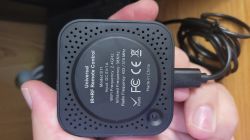
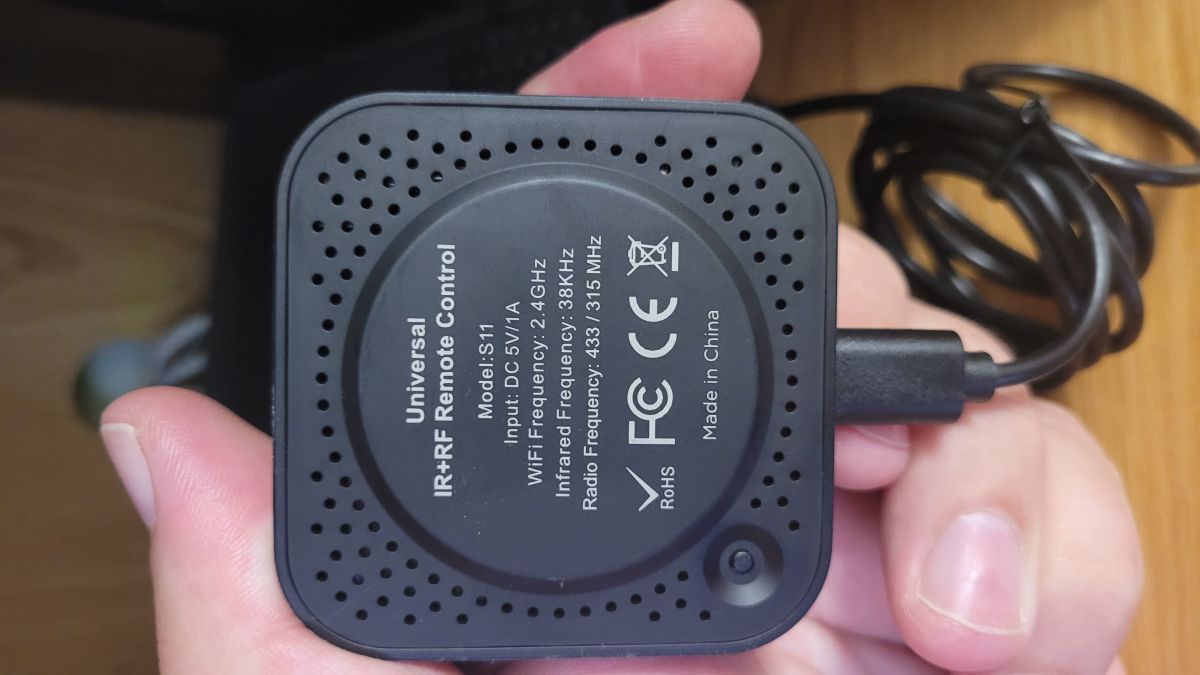
Tuya + S11 universal IR/RF remote control. The device paired with the Wi-Fi network and the Tuya app without the slightest problem. I programmed the buttons for the roller shutter remotes without any trouble. When I access the remote control device in the Tuya app, I can see the individual roller blinds, with the programmed buttons listed below them. The buttons work, the roller blinds move – it’s a pleasure to use. Everything works whether the smartphone is connected via Wi-Fi or mobile data. The problem arises with scenes. After programming a sequence and triggering a scene, absolutely nothing happens. I’ve tried programming the buttons as DIY devices, using products from the list with customisable button frequencies, and even as a standard RF button. None of this helped. Do you have any ideas as to what might be wrong? Tuya version 7.10.0.
Best regards.
AI: How exactly have you set up the scene — is it ‘Tap-to-Run’/manual activation or automation, and what actions are included in it: specific buttons on the RF remote, delays, several blinds in sequence?
In the simplest scenes, it was just Tap-to-Run plus a single roller blind button action, e.g. ‘up’, whilst the roller blind was half-lowered. But I also used complex sequences with delays and repetitions of the same button press, as well as automatic ones. No changes.
AI: After running a scene, can you see in Tuya’s history/logs that the scene has been executed, or does an error or message appear?
The log shows that the scene ran successfully, but the roller blind didn’t move.
Added after 2 [hours] 43 [minutes]:
Additional information: when I press the blind button in the app, the blind works and the LED on the remote flashes once. When a scene is triggered, the LED also flashes as many times as there are commands in the scene, but the roller blind does not respond. It seems that the remote control is receiving a command, but it is not activating the roller blind.
Best regards.
AI: How exactly have you set up the scene — is it ‘Tap-to-Run’/manual activation or automation, and what actions are included in it: specific buttons on the RF remote, delays, several blinds in sequence?
In the simplest scenes, it was just Tap-to-Run plus a single roller blind button action, e.g. ‘up’, whilst the roller blind was half-lowered. But I also used complex sequences with delays and repetitions of the same button press, as well as automatic ones. No changes.
AI: After running a scene, can you see in Tuya’s history/logs that the scene has been executed, or does an error or message appear?
The log shows that the scene ran successfully, but the roller blind didn’t move.
Added after 2 [hours] 43 [minutes]:
Additional information: when I press the blind button in the app, the blind works and the LED on the remote flashes once. When a scene is triggered, the LED also flashes as many times as there are commands in the scene, but the roller blind does not respond. It seems that the remote control is receiving a command, but it is not activating the roller blind.
