logo elektroda
logo elektroda
X
logo elektroda
Dostępna jest polska wersja

Czy wolisz polską wersję strony elektroda?

Nie, dziękuję Przekieruj mnie tam

Negative Reviews on HDD Regenerator: Comparing with MHDD, Effects on Disk & Data Preservation

EBC41 270845 41
Best answers

Why do some users criticize HDD Regenerator, and can it really repair a disk without damaging data?

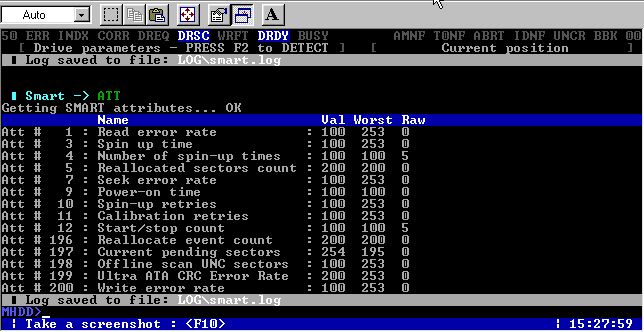
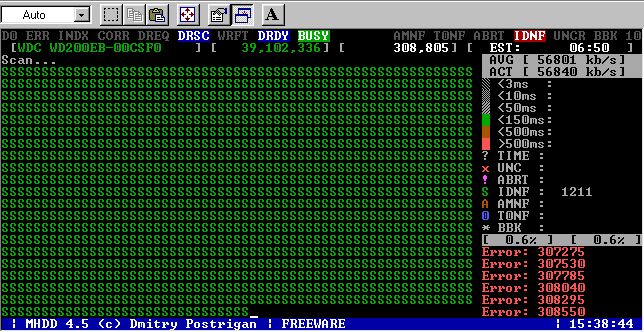
HDD Regenerator is criticized because it is presented as a kind of miracle repair tool, but users report that it can be unsafe: it may damage the disk’s logical structure, damage the defect list, and even keep “repairing” a drive without checking SMART or whether the disk is actually present and ready [#4792883] It can sometimes help on small, lightly damaged disks with non-critical data, but it is not something to trust when data matters; for data loss cases, the forum recommends more cautious tools and methods instead of blind regeneration [#5126516] Compared with it, MHDD is free and more transparent: you can see SMART information and error results, and it exposes what actually happens to the drive instead of hiding it [#4805212][#5004545] Reports from users show HDD Regenerator sometimes restores booting or access on older drives, but other times it finds the same errors again, hangs, or fails completely, so its results are inconsistent [#4792805][#4805723] The practical conclusion in the thread is that HDD Regenerator should not be treated as a data-preserving guarantee, while MHDD/Victoria are preferred for diagnosis and controlled work on the disk [#5128429][#4808019]
Generated by the language model.
ADVERTISEMENT
Treść została przetłumaczona polish » english Zobacz oryginalną wersję tematu
  • #1 4790484
    EBC41
    Level 28  
    Jun
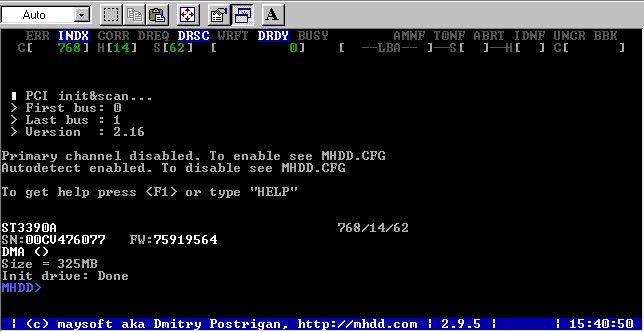
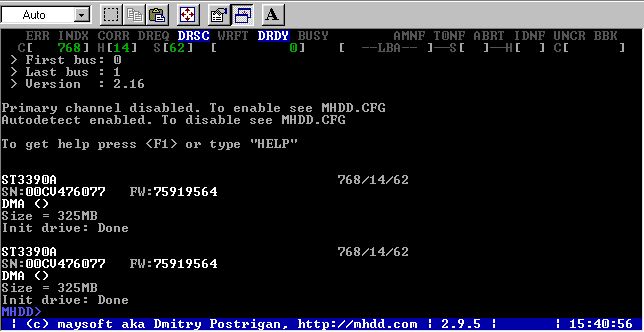
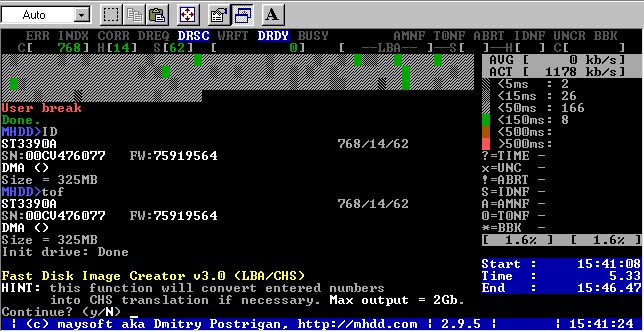
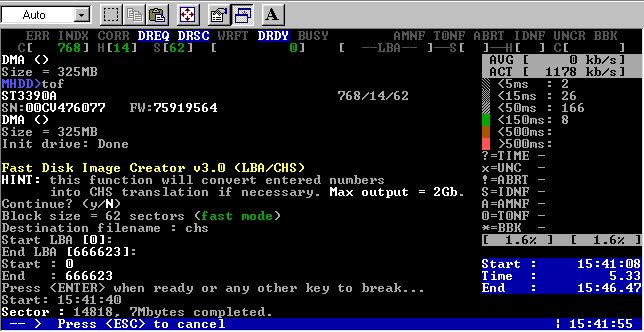
    As the topic. I've read some negative reviews about it, and it's a bit surprising because I've used this software several times and was happy with the results. The disk is still running today and does not show any bad sectors. The obvious advantage for me is that, unlike MHDD, it does not destroy data .. Could you comment on this? What's so bad about this show?

    Moderated By Przemcio:


    Due to the substantive content of the rest of this topic, I changed it to the Announcement.

  • ADVERTISEMENT
  • #2 4790876
    Anonymous
    Anonymous  
  • #3 4790957
    EBC41
    Level 28  
    Could you write something more specific? Not that I have something to do with you, but so far you are writing it as if you were the author of a similar program yourself and you were just fighting the competition.
  • #4 4790979
    Anonymous
    Anonymous  
  • #5 4791051
    EBC41
    Level 28  
    The only problem is that I can't speak Russian. If you had a translation of it into Polish or English, I would like to read it

    Moderated By Przemcio:


    For the lack of knowledge of foreign languages, we will probably not be able to help much at this Forum, except perhaps referring to point 16 of the Regulations.

  • #6 4791081
    Anonymous
    Anonymous  
  • #7 4791115
    EBC41
    Level 28  
    In that case, I am waiting for the translation. Maybe he will give up on this problem himself. And I don't understand why this post should be deleted immediately? Is my question offensive, inappropriate?
  • #8 4792622
    Przemcio
    VIP Meritorious for electroda.pl
    Quote:
    I read negative opinions about him,


    If so, a colleague should read where the negative opinions about this program come from.
    Any utility used in an improper manner can damage data including MHDD as well, but cases of data corruption as a result of using this program are very rare.
    You have to try for it yourself.
    In the case of HDD Regenerator - the colleague does not mention the use cases of this program, so you can not judge it in any way or refer to it.

    Maybe I would reverse the question and ask why my colleague thinks it's a good program?


    P.
  • ADVERTISEMENT
  • #9 4792805
    EBC41
    Level 28  
    So I will describe my examples, not the only ones, of this problem:
    1. Seagate U6 ST340810A 40GB hard drive. The power plug has pulled out. After removing the ailments, it turned out that one bad sector "jumped" on some system file. My computer crashed on the splash screen, I fired up HDD Regenrator. I waited 3-4 hours but the bug was removed. After the reboot, everything was normal

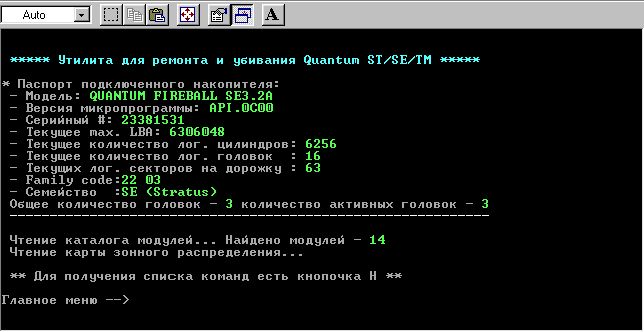
    2. Quite old Quantum Fireball ST 2.1GB. He was in the computer at his uncle's. At one point I got a phone call that my computer keeps crashing. I arrive, check and I hear a steady tap from the disk. I fired up HDD Regenrator removed everything. The drive is 100% operational to this day.

    Of course, in both of these cases, no data was deleted.

    The only time this program has failed so far is:
    1. Maxtor 4GB, I don't remember the exact markings. It probably had 100MB of Bad Sectors in its initial 600MB of disk. I ended up partitioning in PM with the exception of this area. I plan to run MHDD on it, but so far I do not have it at home.
  • #10 4792836
    Anonymous
    Anonymous  
  • Helpful post
    #11 4792883
    Anonymous
    Anonymous  
  • Helpful post
    #12 4805212
    Anonymous
    Anonymous  
  • ADVERTISEMENT
  • #13 4805723
    EBC41
    Level 28  
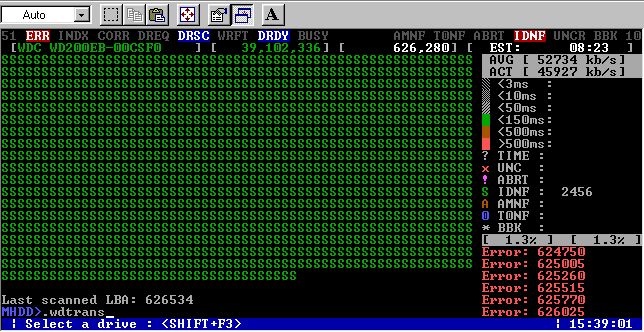
    Oh, I fuck you. Okzo, what an irony of fate. Well, it so happens that I have the same disk as the one described by you (maybe only the second part of the model is different, but generally it is WD200EB), I had very similar symptoms. Namely, when I got it, there were 3 partitions on it. 2 were empty and on C: there was DOS and some strange program installed (see accountant). Since we (me and my cousin) needed it to transfer a large amount of data from computer to computer, I deleted this partition and PM set up one FAT32 logical drive. After starting XP, there was a problem because the computer had a habit of freezing while copying, the disk was making a knocking characteristic. After a quick HDD diagnosis, it turned out that bad sectors were to blame. Well, the HDD regenerator has come to work. One thing surprised me a lot. Namely, he was repairing something, but the disc worked as if it was idle, i.e. the plates were spinning but the heads were standing still. Out of curiosity, after about 2 minutes, I interrupted it and turned it on again, what effect? Well, that he found the same errors that he supposedly fixed earlier. More interesting things turned out after restarting and starting XP. Well, the disk just evaporated. The BIOS saw it but under Windows there was no way to get into it. It ended up lying on my shelf now (it was taken out of the English garbage can, so we decided that it didn't go there for no reason. :) ). But since it can be revived so easily, I'll try.

    Finally. Okzo, you've disgusted me already HDD Regenerator :)

    I will add that the whole story takes place at a time when I had no idea about MHDD ...
  • #14 4806111
    Przemcio
    VIP Meritorious for electroda.pl
    The purpose of this Forum it is not disgusting anything.
    We are working on introducing the principle of operation of electromechanical devices such as hard drives and working with them during a failure using generally available methods with the help of the acquired knowledge.

    For the future, I would only ask you to keep the general principles of good manners and eliminate the vocabulary with "high expressive power" commonly known as profanity from fasting.
    Let us respect the younger age Forum users .

    Using my powers, let me make this topic - Announcement.

    P.
  • #15 4806343
    BIGOLSEN
    Level 31  
    Since some people try to use paid programs with this type of damage, I would direct my steps to a program less known on the market, such as Spinrite. I note that it is paid, but much better made than HDDRegenerator. It also works better / smoother. In case of need, I have a video demonstration of the operation of this program. When my website starts to work - temporary problems with the server / migration, I will throw them for download / viewing.

    Greetings .
  • #16 4807965
    EBC41
    Level 28  
    :arrow: Przemcio
    Right, my words were strong, but it was due to my surprise at the news about this program. What okzo wrote changed my point of view on the matter. My new boot CD will no longer include this software, instead MHDD and Victoria under BartPE. Another thing was that I didn't realize then that I was dealing with the disk.

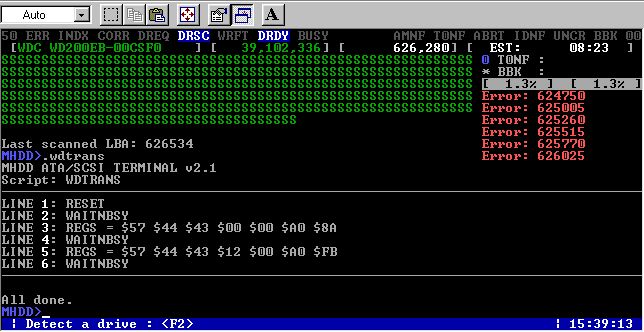
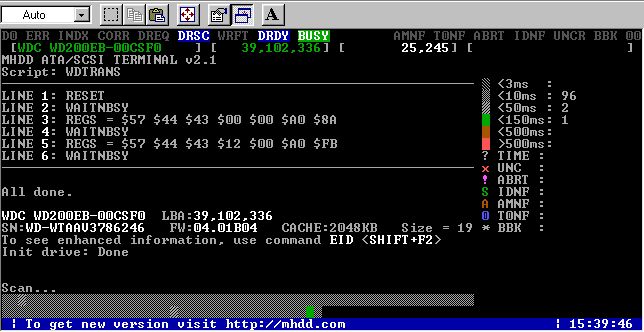
    I would be grateful to Okz, or to anyone else, if they shared this "wdtrans" script with me.

    He also proposes to change the subject of the entire advertisement to "No for HDD Regenerator", or a similar one. Perhaps thanks to this, many users will save their disks and data from not going away
  • Helpful post
    #17 4808019
    Anonymous
    Anonymous  
  • #18 4808034
    EBC41
    Level 28  
    Thanks for this code. And I will put it under BartPE because I need it for the PC inspector anyway, and I will have a convenient interface in win
  • #19 4808064
    Anonymous
    Anonymous  
  • #20 4860032
    migol21
    HDD Recovery specialist
    Colleague Przemcio Thank you for your help and sorry for the confusion, but this is also about comparing the MHDD and HDD Regenerator programs
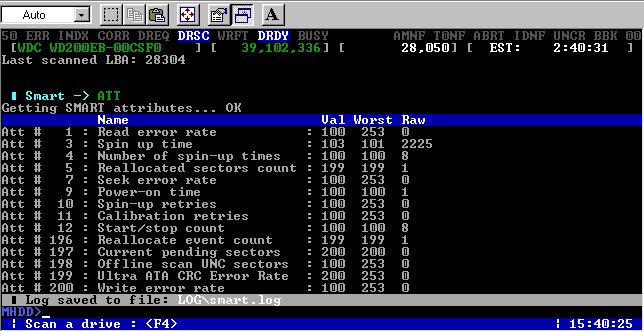
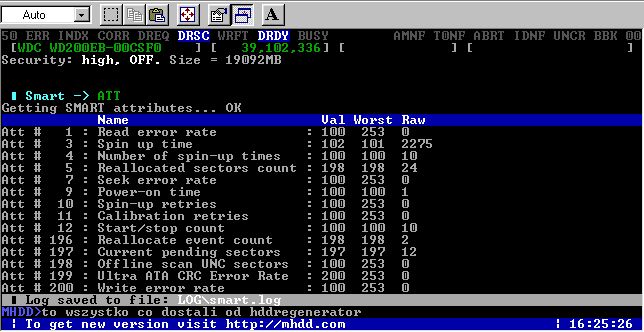
    1) HDD Regenerator, from what I know, does not show SMART, but I can be wrong because I do not use such a great Soffto, and in fact I do not use it consciously.
    2) MHDD, although an interesting and good program, it probably is also not perfect, i.e. if you do something you have to do it with your head, I think that you need to have limited trust in each software because you are its user, not its creator and you do not know everything exactly what the program is does and can do With MHDD, however, you can see more and know more what to do, even if you do not know it well enough than with HDD Regenerator, Kasmirowski's method lukaj w maje zrenice ;) And when I'm finished you'll be healthy. Only after quitting the program, it is rather not good.

    That's why I think HDD Regenerator is a bad program because it does something that you can't even see and for years and then it turns out that what he did did not help, but rather broke it. in addition, it lacks MHDD functionality, however, and MHDD is not perfect because it does not display some SMART functions, which I noticed (Unknow) but maybe it has more problems of this type. Therefore, although it is perhaps better than HDD Regenerator, using it should be prudent and thoughtful, which is easier when you have a choice because in HDD Regenerator there is not even that choice.

    I apologize again if I did not fit in the topic "Why do you think ...."
  • #21 4860191
    Anonymous
    Anonymous  
  • #22 4860669
    Przemcio
    VIP Meritorious for electroda.pl
    I was hoping that we would stop at a constructive and detailed comparison of both programs without unnecessary commercial ideology, which would allow us to assess their usefulness.
    In many cases, Users come to us with the problem at the very end only after practicing on the patient everything that comes across the Internet.

    Apparently there is still a bit of work to do on that.

    P.
  • #23 5004545
    MCbx
    Level 28  
    I am not associated with any business, so I will quote my autopsy info.

    If they are bad at the beginning or the end of the HDDReg disk it won't help much. At best, it will allow for a few slow readings. Such an area, if any, is better to trim with a partition.
    If there are bugs in the middle of the surface, there is a good chance that they are logical bugs, i.e. bugs that arose as a result of an operation error (e.g. power disconnection during formatting) and there is a chance of their recovery. From the comparison, I know that the chances are a bit greater than FORMAT C: / C (that's what it sounded like in DOS, it's about going through the tests).
    Drives above 6GB - this is where HDDReg's capabilities end. I don't know why, but I was 100% able to recover only 1 disk out of 8 (had one study of unclear origin). On the other hand, small disks are recoverable, possibly simply because they are harder to physically examine.

    I use MHDD for larger disks, because it won't work with smaller ones. If it detects it, it won't send anything because it requires LBA.

    NOTE: As a collector of old equipment, I have a slightly confused concept of what a small disk is. For me, this is max. 3GB. :)

    And now some examples:

    Quantum Fireball 3.2GB, bad at first
    - Made it possible to recover your data. Then the bady came back. I trimmed the area with a partition. The clipped disk works to this day.

    IBM WDA-L42 (42MB) - More than a dozen bugs in the middle of the surface - removed. The drive works to this day.

    SAMSUNG 4.3GB - a lot of tests everywhere - a dozen left at the beginning. Data to be read but slow. Bady soon returned, disk unusable.

    Western Digital Caviar, 500MB - several dozen bad tests in about 25% of the disk - removed. They haven't come back.

    Fujitsu 6GB - The bad sectors that were at the end (about 90%) were not removed.

    Fujitsu 9GB - 1 tests removed. The drive works to this day.

    Kalok 100MB - 1 to 25% full of research - some removed, some not. Truncated by partition.

    Fujitsu 200MB - on 4 errors has been 1. cut off just in case.

    As for the ease of use of the Regenerator, I must admit that many options are missing here. The illegal Regenerator was sold on Allegro for a short time, probably created as a result of some disassembly, this one had a bit more configuration options.
  • #24 5006054
    Anonymous
    Anonymous  
  • ADVERTISEMENT
  • #25 5017107
    kaem
    Level 29  
    HDD Regenerator restored Windows starting on an old laptop. The disk tapped and crashed everything (including a scandisk fired from the boot floppy). After scanning the HDD with Regenerator, everything works to this day.
    Now I am waiting for invectives similar to what MCbx got ...

    However, I agree that such a primitive application should be free. However, it is useful in bad cases.
    However, if we remind amateur users and computer assemblers every now and then that the translator is responsible for all problems with hard drives, it is also not fair.
  • #26 5017249
    Anonymous
    Anonymous  
  • #27 5018234
    EBC41
    Level 28  
    :arrow: kaem
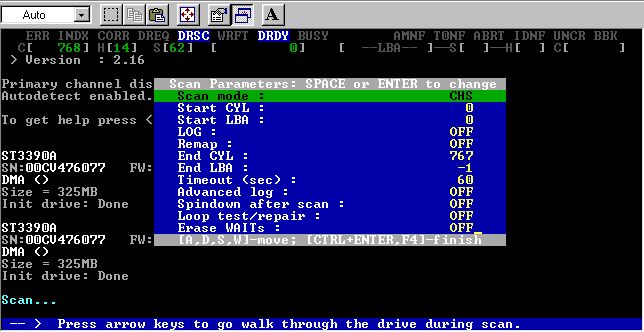
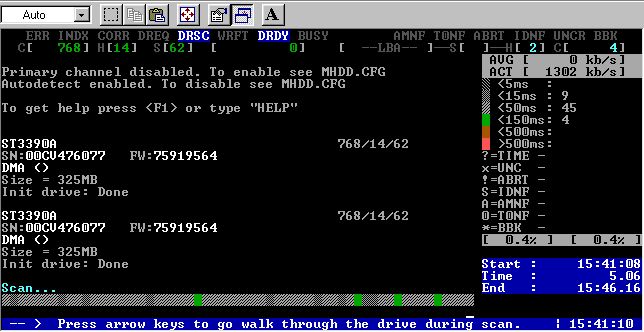
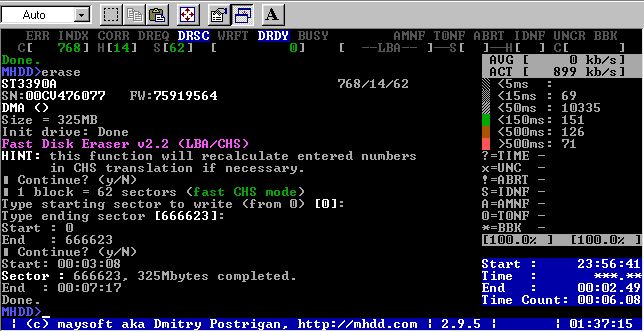
    What HDD Regenerator will do to you (removal of bad logical sectors) will be done by MHDD and it will certainly not finish at the same time. I would like to point out that, like HDD Reg, MHDD only moves those sectors that require it, the rest is left alone, although the "Erase Delays" position is clearly red with "DESTRUCTIVE" but looking objectively, the author's assurances of HDD Regenerator about complete data preservation can be put off on the shelf...

    :arrow: okzo
    I have a saying, quite direct. If someone is a caseback, it will be a caseback until it gives him a good w ** e. The point is, there's no need to get upset and write more posts. In one you wrote why you should not use HDD Regerator, and why MHDD yes, that's enough. If someone does not believe it, let him do what he wants. If he finds a disk with very important data, he will remember it ...
  • #28 5018641
    kaem
    Level 29  
    Instead of insulting what you can do really well, you'd better give some sensible instruction on how to use the most important functions of MHDD. What's wrong with the fact that the regular computer user who is driving a hard disk prefer programs that are simpler than the almost professional harvesters?
  • #30 5018667
    Anonymous
    Anonymous  

Topic summary

✨ The discussion centers around the effectiveness and reliability of HDD Regenerator compared to MHDD, particularly in terms of data preservation and disk recovery. Users express mixed opinions, with some praising HDD Regenerator for successfully recovering disks without data loss, while others criticize it for potentially damaging disk logic and not providing adequate SMART monitoring. Concerns are raised about the software's commercial nature and the lack of transparency in its operation. Users share personal experiences, highlighting both successful recoveries and failures, and suggest alternatives like Spinrite and MHDD for better reliability. The conversation also touches on the importance of understanding the limitations and proper usage of these tools to avoid data loss.
Generated by the language model.

FAQ

TL;DR: DIY scans that ignore SMART increase drive-death risk by 60 % [Ontrack, 2022]. “Skipping diagnostics is like driving blind,” warns engineer Okzo [Elektroda, Anonymous, post #4805212] HDD Regenerator hides SMART and can corrupt translators; MHDD shows health data and lets you script safe fixes. Why it matters: Choosing the wrong tool can turn recoverable files into permanent losses, especially for home users facing bad sectors.

Quick Facts

• HDD Regenerator v1.x scans at ≈3 MB/s; an 80 GB pass can exceed 7 h if the disk stays responsive [Elektroda, Anonymous, post #4805212] • Typical license cost: US $59 with no imaging feature HDD Reg site • MHDD 4.6 is free, reads SMART, runs custom scripts like .wdtrans [Elektroda, Anonymous, post #4808064] • SpinRite 6.0 (US $89) offers multi-pass surface refresh but still lacks SMART monitoring [GibsonResearch, 2024] • Safe baseline: ddrescue images at 100-120 MB/s on healthy SATA drives [GNU Manual, 2024]

Is HDD Regenerator safe for modern disks with critical data?

No. It disables SMART, ignores drive readiness, and can write to a disk that is physically disconnected, risking translator corruption and data loss [Elektroda, Anonymous, post #4805212]

Does HDD Regenerator really repair sectors without deleting files?

Only if the sector is logically bad. When the firmware remaps a physical defect, HDD Reg reports “recovered” even though the drive merely reallocated the block—data in RAM is lost [Elektroda, Anonymous, post #4805212]

Why is disabling SMART dangerous during recovery?

SMART holds reallocation counts, head-parking stats, and pending sectors. Clearing or masking it removes early-warning signs and can hide progressive failure, making later imaging impossible [Elektroda, Anonymous, post #4792883]

What’s an example edge case where HDD Regenerator makes things worse?

Running it on a knocking drive with head damage often ends in catastrophic failure because the tool keeps forcing R/W commands [Elektroda, Anonymous, post #5017249]

Can MHDD handle small 100 MB disks and large 2 TB drives?

Yes. The wcc build shown handles sub-1 GB CHS devices [Elektroda, Anonymous, post #5006054] For >2 TB disks, use MHDD’s LBA48 build or switch to modern tools like Victoria X Victoria Help 2023.

What does the .wdtrans script shown in the thread actually fix?

The six-line script resets the Western Digital translator tables, clearing IDNF errors and restoring logical access without touching user data [Elektroda, Anonymous, post #4808019]

How long would HDD Regenerator take to fully scan an 80 GB drive with time-outs?

With a 3 MB/s average and 10 % time-outs, the pass can exceed 9 h; if the drive drops offline, estimates climb to 15 years [Elektroda, Anonymous, post #4805212]

Which free tools are safer alternatives for home users?

  1. MHDD for DOS-level diagnostics. 2. Victoria 4.x for Windows. 3. GNU ddrescue for non-destructive imaging. All expose SMART and log errors [Elektroda, EBC41, post #4807965]

How can I safely attempt a DIY repair without losing files?

  1. Clone the failing disk with ddrescue; keep the original powered off afterward. 2. Run MHDD on the clone to read SMART and scan. 3. If delays appear, use “Erase Delays” only on empty areas [Elektroda, Przemcio, post #4792622] "Image first, repair later," stresses drive-lab tech Przemcio [Elektroda, 5126516]
Generated by the language model.
ADVERTISEMENT