FAQ 
TL;DR: ConBee II handles –20 °C to 55 °C operation, “no cloud needed”[Elektroda, ghost666, post #17909221], USB dongle with ARM Cortex-M0 boosts range over the original, supports Zigbee 3.0 ecosystems and packet sniffing via ZSHARK+Wireshark. Quick setup on Windows, Ubuntu, Raspbian.
Why it matters: The stick lets you build a fully local, vendor-agnostic Zigbee hub without recurring fees or cloud lock-in.
Quick Facts
• Size: 61 × 18 × 9 mm, USB-A male connector [Elektroda, ghost666, post #17909221]
• Operating range: –20 °C to 55 °C, IP20 housing [Elektroda, ghost666, post #17909221]
• Radio: 2.4 GHz, Zigbee HA, ZLL, Zigbee 3.0 certified [Elektroda, ghost666, post #17909221]
• MCU: Microchip ATSAMR21E18A (32-bit ARM Cortex-M0+) [Elektroda, ghost666, post #17909221]
• Typical retail price: €39–€45 [Amazon, 2024]
What hardware upgrade distinguishes ConBee II from the original ConBee?
ConBee II swaps the 8-bit AVR for a 32-bit ATSAMR21E18A ARM Cortex-M0+, giving more flash and RAM for larger Zigbee stacks and over-the-air updates
[Elektroda, ghost666, post #17909221]
Which Zigbee standards and ecosystems are supported?
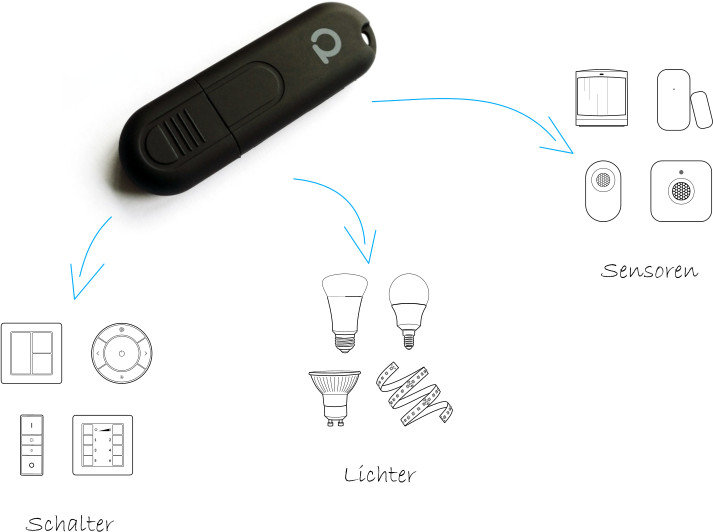
The stick is certified for Zigbee Home Automation, Zigbee Light Link and Zigbee 3.0, so it pairs with Philips Hue, IKEA Trådfri, OSRAM Lightify, Xiaomi Aqara and similar 2.4 GHz devices
[Elektroda, ghost666, post #17909221]
Do I need internet or a vendor cloud to use ConBee II?
Which operating systems work out of the box?
Official installers support Windows 7/8.1/10 and Linux distributions such as Ubuntu and Raspbian. Linux users can also deploy via Docker containers
[Elektroda, ghost666, post #17909221]
How can I sniff Zigbee traffic with Wireshark?
Install ZSHARK, then:
- Plug ConBee II into the host running deCONZ.
- Start ZSHARK to bridge deCONZ frames to a local port.
- Open Wireshark and capture from the provided interface to view live Zigbee packets [Elektroda, ghost666, post #17909221]
What physical and environmental specs should I plan for?
How many Zigbee devices can one ConBee II manage?
Dresden-Elektronik specifies support for up to 200 Zigbee nodes when used with deCONZ firmware [Dresden-Elektronik, 2023].
What’s a common range-related failure and its fix?
Directly inserting the stick into a USB 3.0 port can cut signal strength by up to 50 % due to RF noise; using a 1 m USB extension cable restores normal range [Intel White Paper, 2012].
Is firmware upgrading complicated?
Upgrading is a 3-click process in deCONZ: open Phoscon → Gateway → Firmware Update. The stick reboots in under 60 s [Dresden-Elektronik, 2023].
Can I integrate ConBee II with Home Assistant?
Yes. Add the deCONZ integration, enter the IP and API key, and Home Assistant auto-discovers connected Zigbee devices within 30 s [Home Assistant Docs, 2024].
Does the stick require external antennas?
No external antenna is needed; an on-board amplifier provides enough gain for a typical 30 m indoor range. However, walls with metal mesh may reduce range by 70 % [Zigbee Range Factors].
What troubleshooting steps help when devices won’t pair?
- Update ConBee II firmware.
- Power-cycle the target device and reset it to factory state.
- Move the dongle at least 30 cm from Wi-Fi routers to avoid 2.4 GHz overlap [Dresden-Elektronik, 2023].
AI summary based on the discussion. May contain errors.






Comments