logo elektroda
logo elektroda
X
logo elektroda
Dostępna jest polska wersja

Czy wolisz polską wersję strony elektroda?

Nie, dziękuję Przekieruj mnie tam

How do I automatically switch on the light in a room? Triggering a door sensor - Home Assistant

p.kaczmarek2  9 2205 Cool? (+7)
📢 Listen (AI):

TL;DR

  • A Home Assistant automation turns a light on when a Zigbee door sensor opens and off when it closes.
  • The setup uses Home Assistant's three-step automation flow: When, And if, and Then do, with the relay acting as the light switch.
  • The automation can be previewed in YAML, and it is created after pairing the door sensor and relay with Home Assistant.
  • The two-scenario test shows the light switching on as the door opens and switching off as it closes.
  • Rooms and bathrooms may need extra logic, such as a presence sensor or timer, because door-close shutdown alone can be wrong.
Generated by the language model.
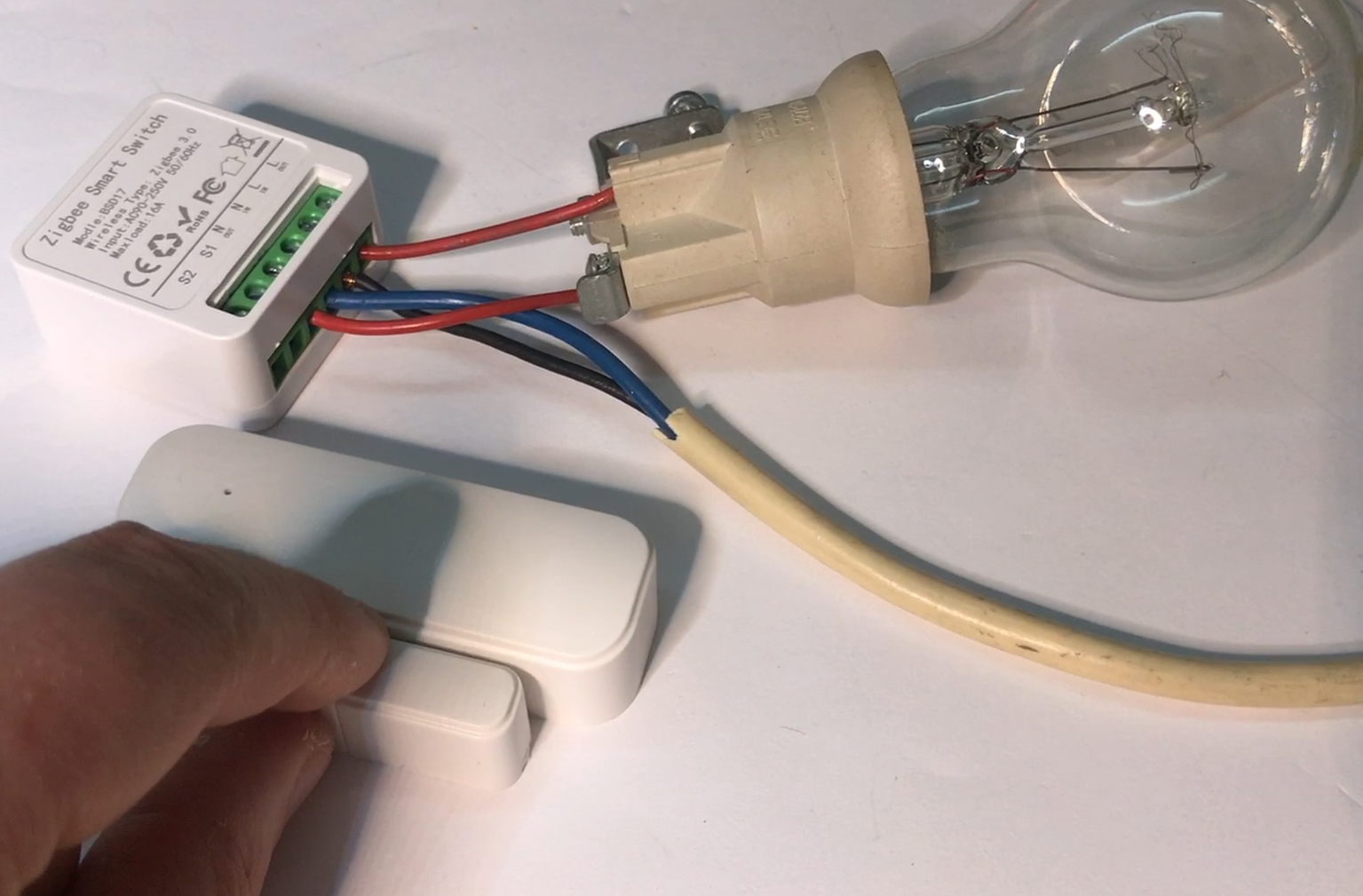
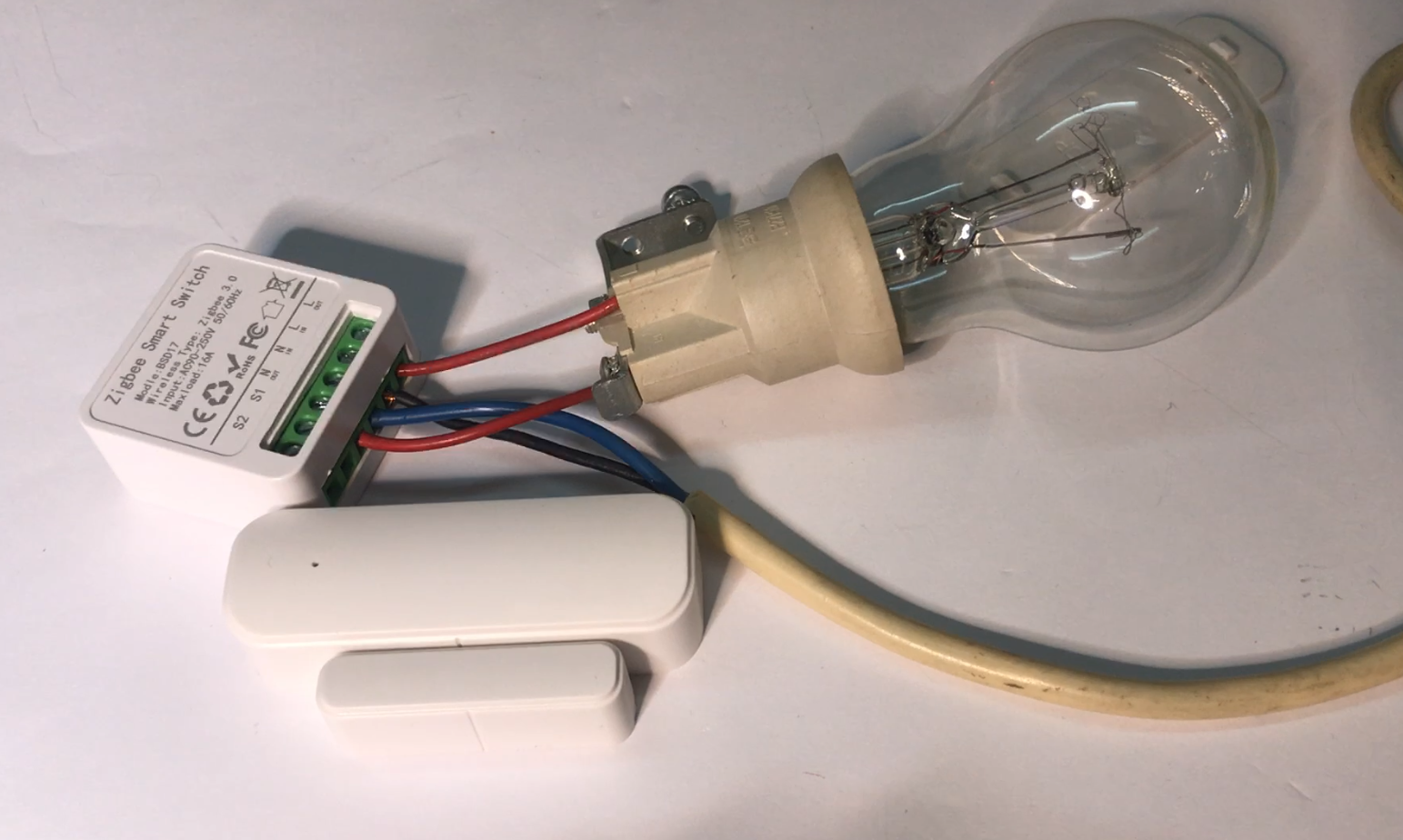
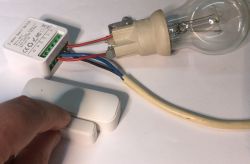
Door sensor and Zigbee Smart Switch relay connected to a light bulb. .
How to create a simple automation in Home Assistant ? How to trigger an event with a door sensor? How to automatically turn on a light? Here I will try to show you - step by step.

The topic assumes that we already have a Home Assistant set up with a paired door sensor and relay. In this case, I have used Zigbee-based solutions, but from the HA's point of view, this is not relevant. Nevertheless, in the context of battery-powered devices such as temperature sensors, door openers, window sensors, etc, I strongly recommend Zigbee. It is simpler to use and the price is not much higher than for WiFi-based solutions. I value WiFi-based solutions for the fact that after changing the firmware , a lot can be realised on them and without a central server, but in terms of battery life, Zigbee always wins in my opinion.

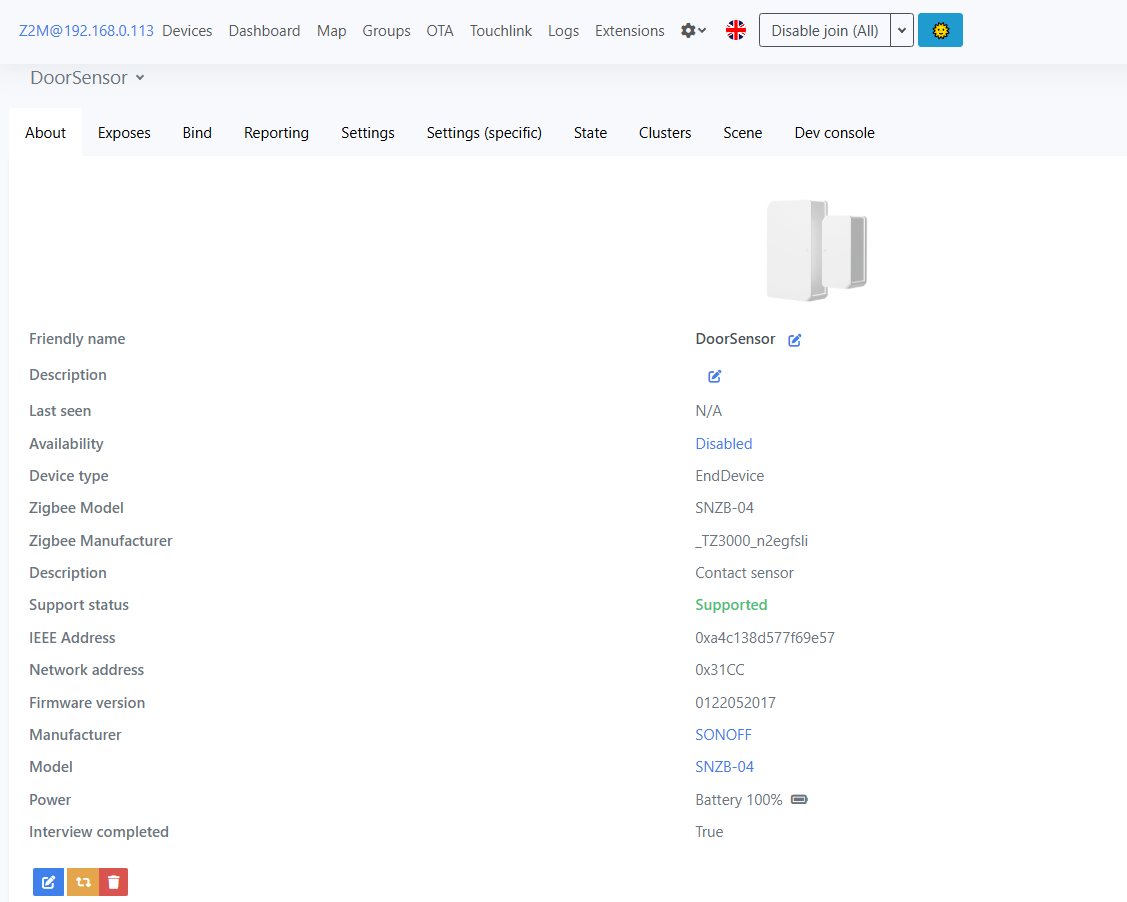
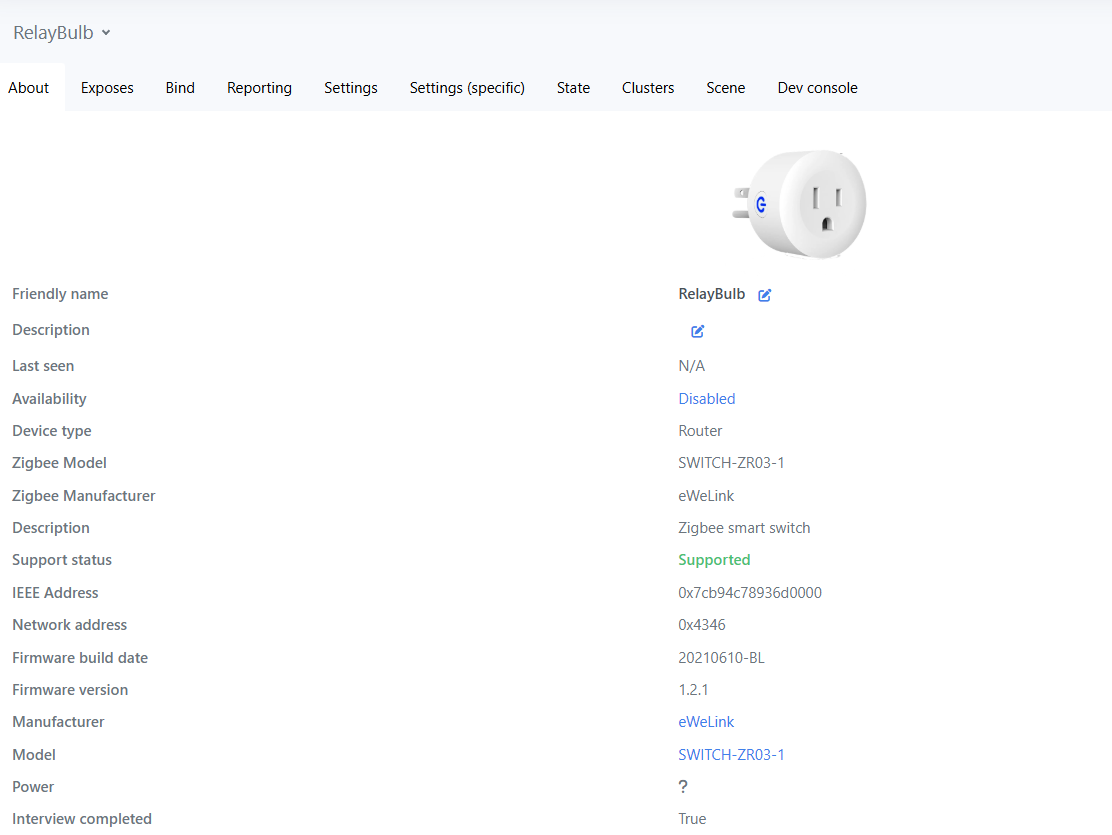
For the automation presented here, two devices will be used - a relay and a door-opening sensor, both controlled by Zigbee:
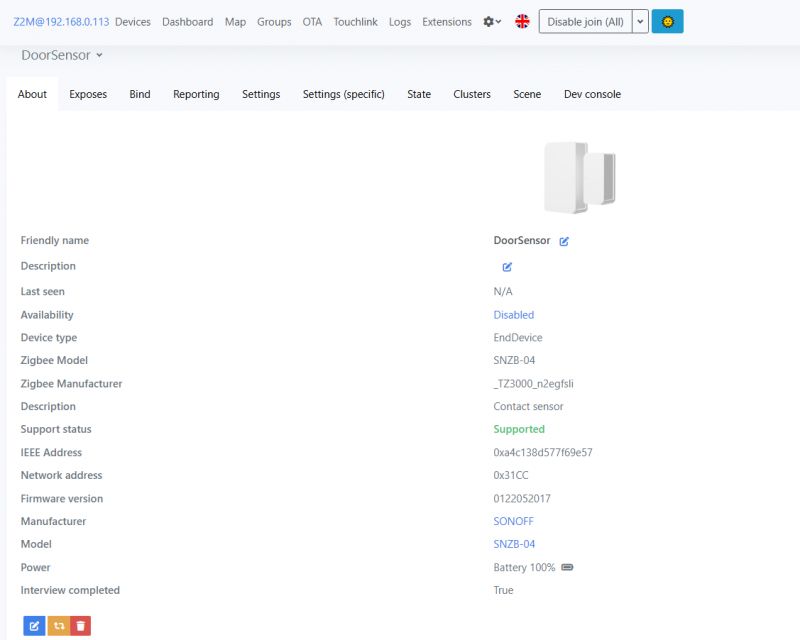
Door sensor configuration page in Home Assistant. .
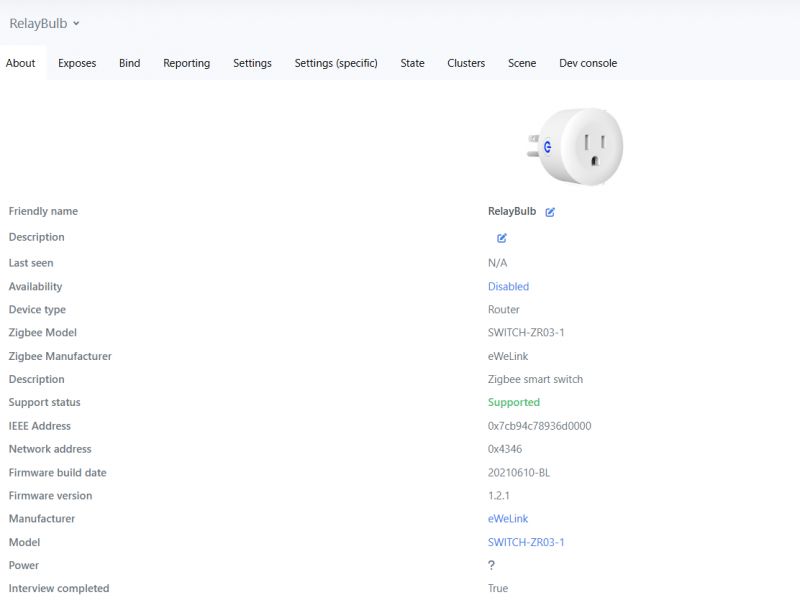
Settings interface for Zigbee device - RelayBulb. .
I assume we have already paired and connected the whole thing, and the HA can see both pieces of equipment. The relay will switch on the bulb.
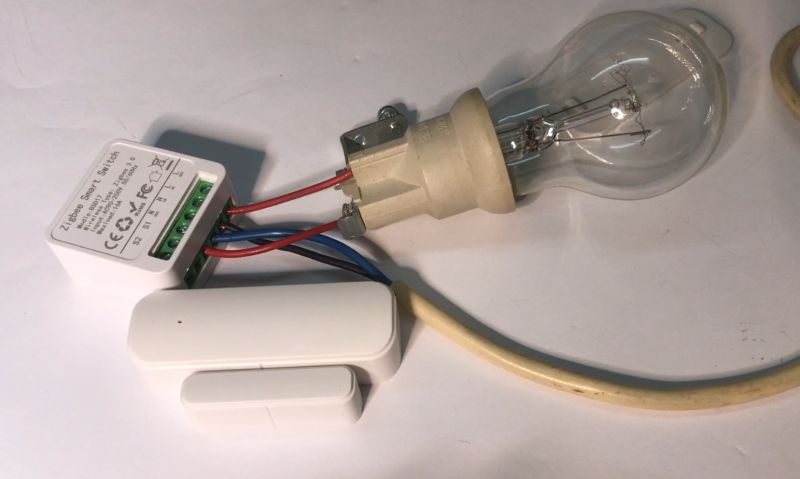
Zigbee Smart Switch connected to a light bulb and door sensor. .
Now I will show how you can create an automation based on these.
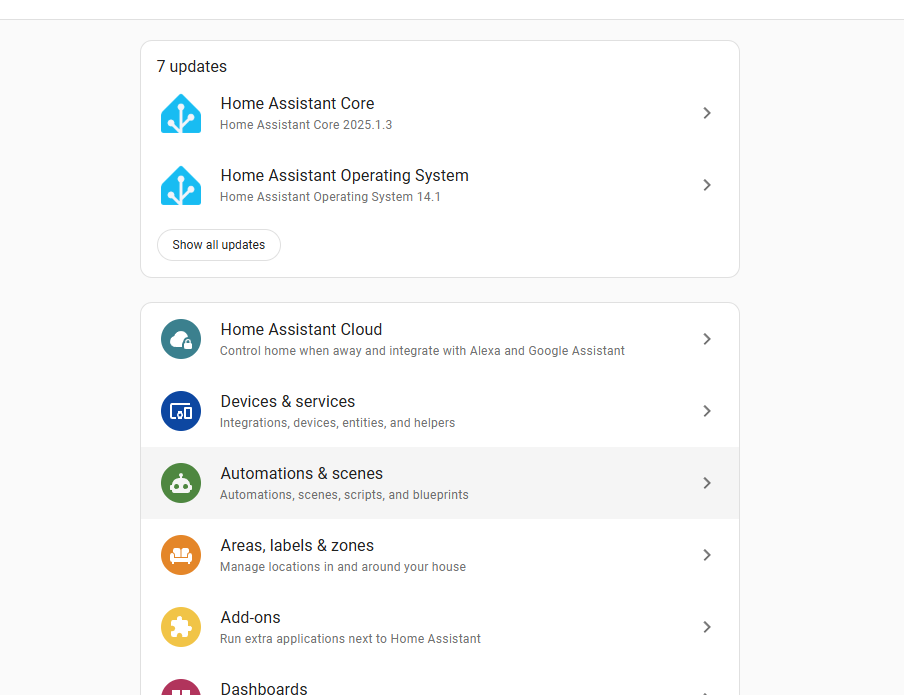
Open HA settings, go to Automations & Scenes:
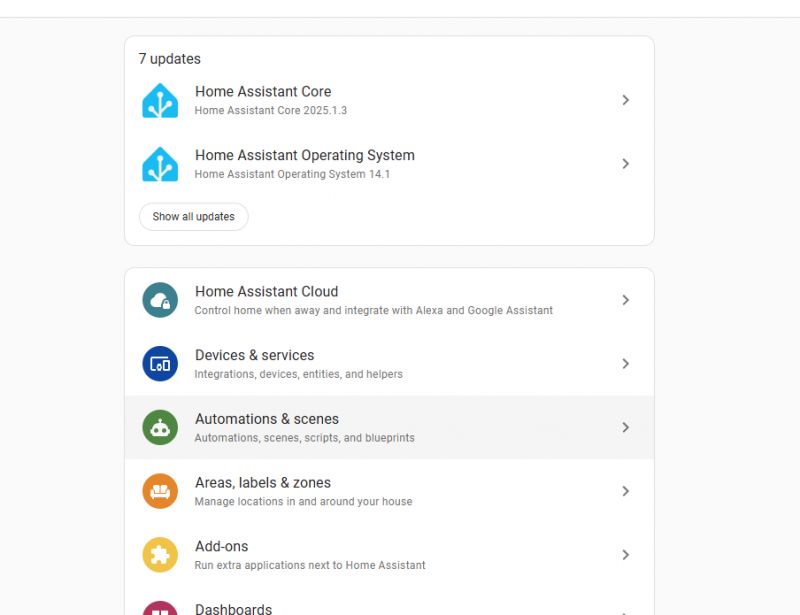
Screenshot of Home Assistant interface with automation creation option. .
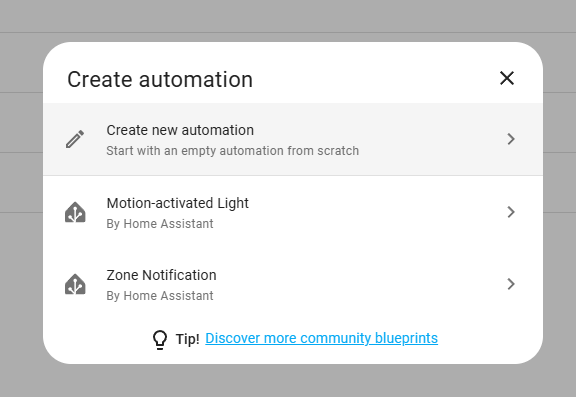
A new automation is created by the "Create automation" button:

Create Automation button in Home Assistant interface. .
There we have ready-made scenarios or the creation of an automation from 0:
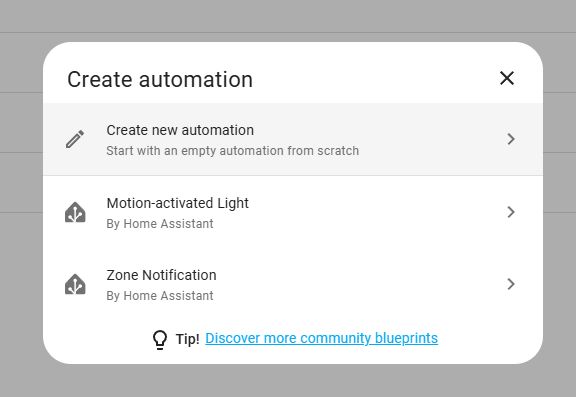
Screenshot of the Home Assistant interface showing the create new automation menu. .
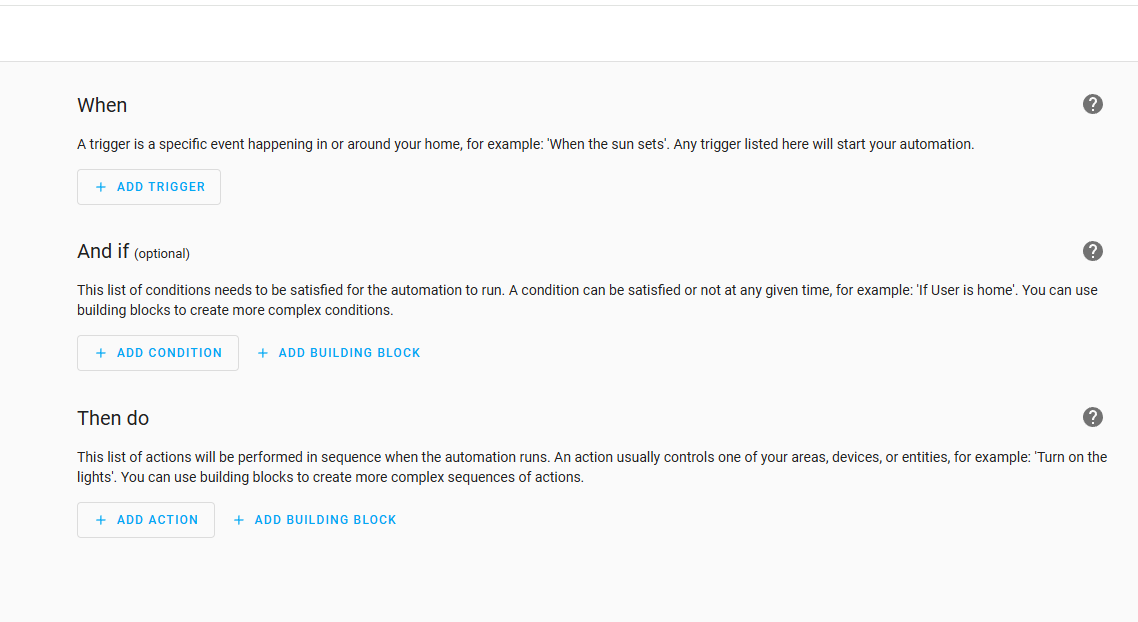
The automations consist of three sections:
- When - the main event trigger, it initiates the whole action
- And if - additional conditions that must be met for the automation to execute
- Then do - a list of operations to be performed by the HA when the automation is triggered (e.g. turning on a light)
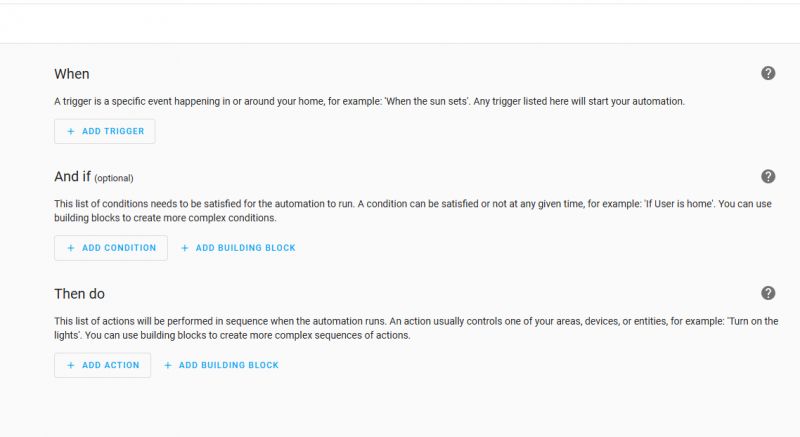
Home Assistant automation interface with When, And if, Then do sections. .
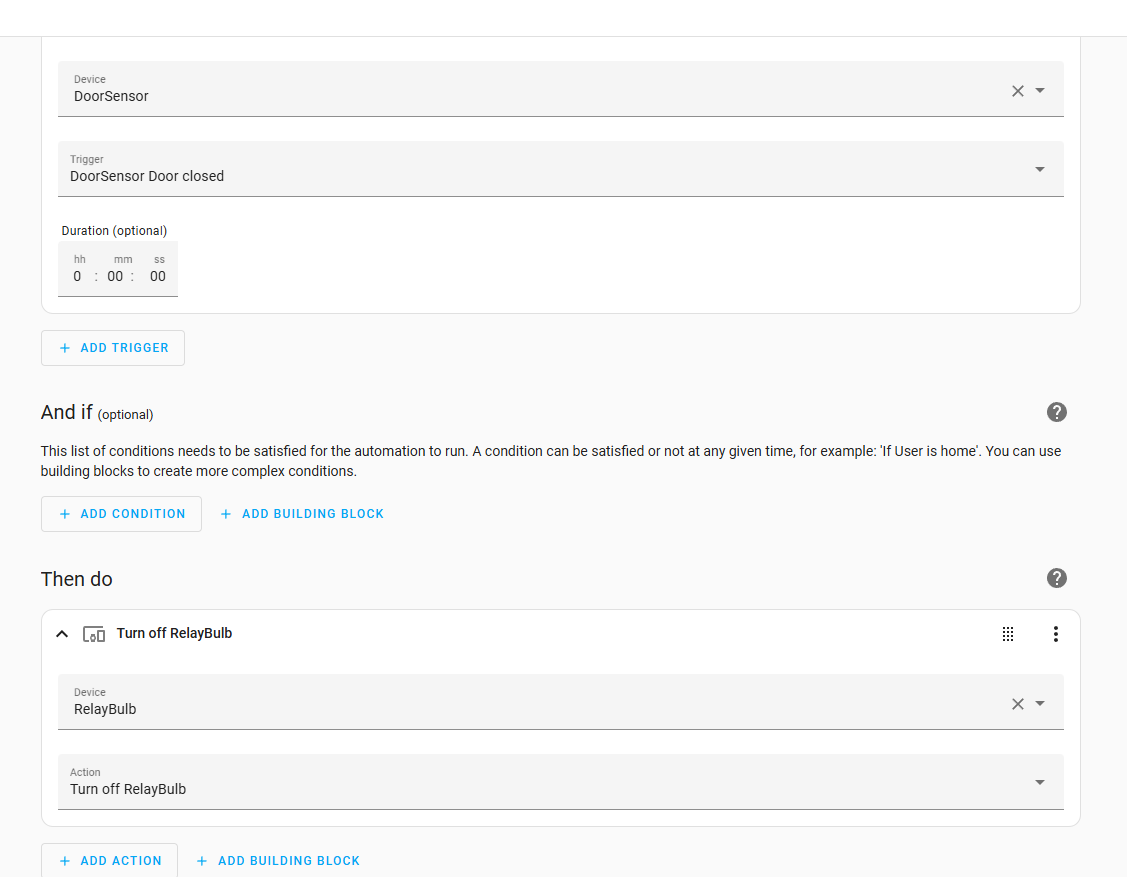
In this particular example, in the "When" section we first select the door sensor and then select its "Opened" event, separately we have the "Closed" option and a possible event time.
In the "And if" section I didn't select anything, but here you could additionally use, for example, an occupancy sensor - if the door is closed and no one is in the room, turn off the light.
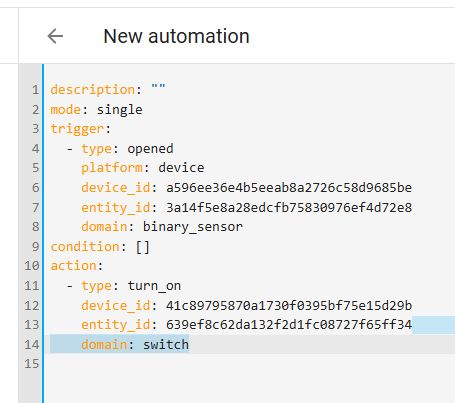
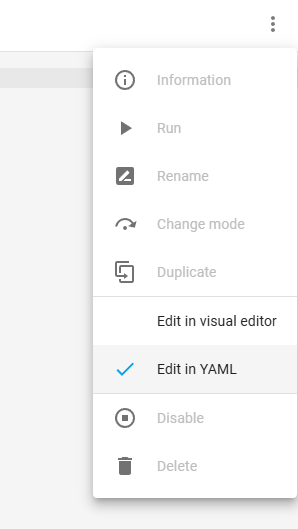
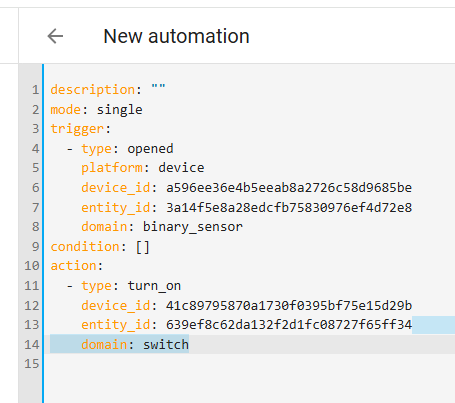
It's worth remembering that you can preview our automation in YAML format in the side menu:
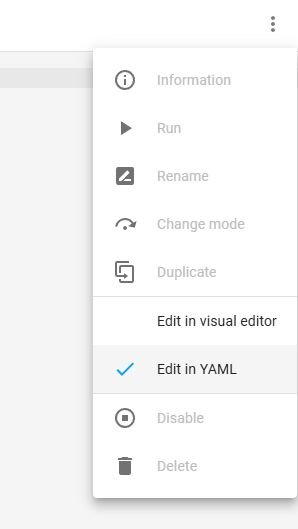
Context menu in the Home Assistant interface with an option to edit in YAML. .
Screenshot of automation in Home Assistant .
It remains to fill in the action to be performed. There again, we first select the object and then the operation on it. For example, for turning off a light bulb:
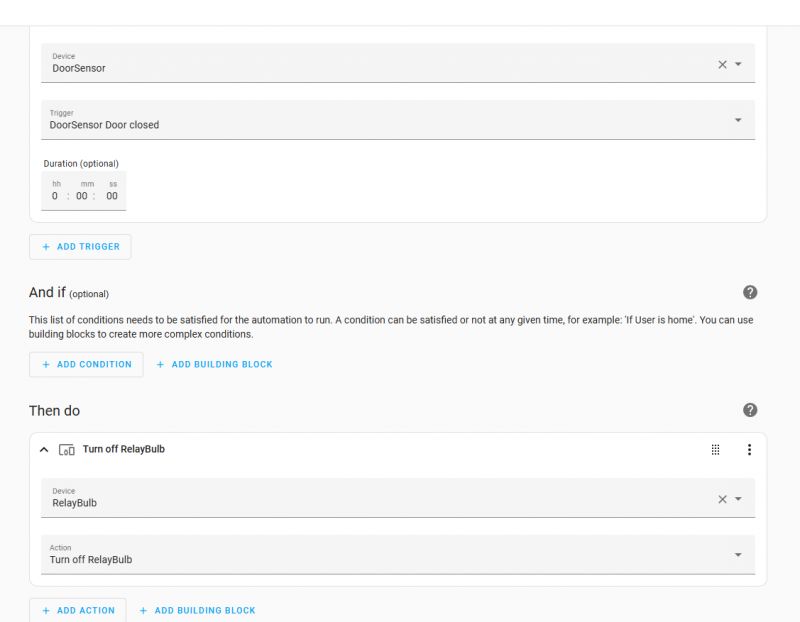
Home Assistant automation interface with settings for door sensor and relay. .
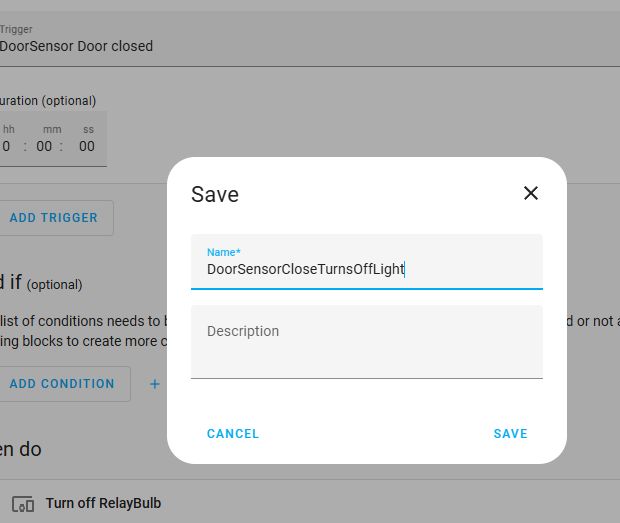
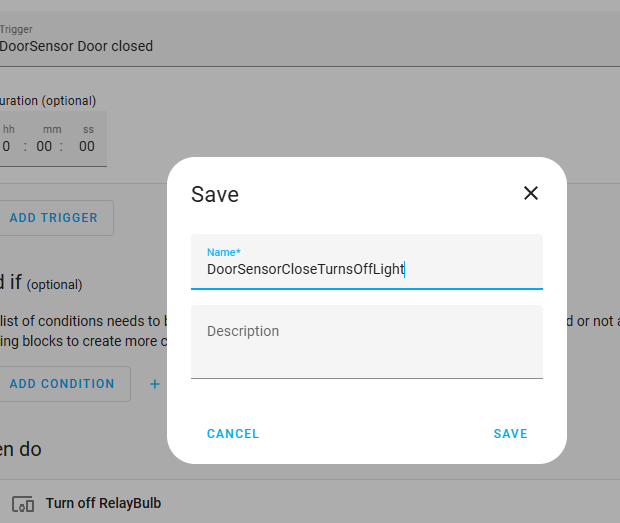
Finally, we call our automation:
Home Assistant automation creation screen with door sensor .
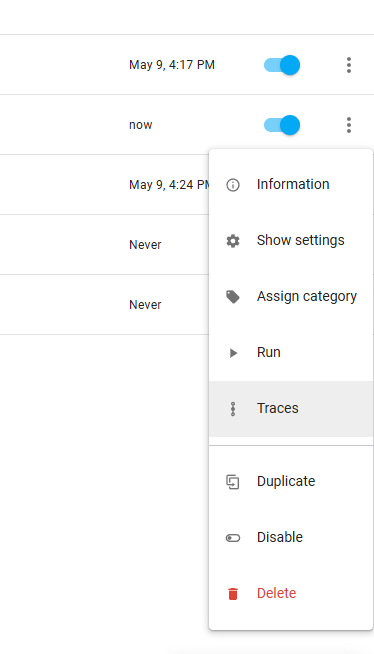
All done, but it is still worth mentioning side possibilities. Once the automation has been created, it can of course be edited, but also duplicated (to create a variant), enabled, disabled, forced firing (convenient for testing) as well as checking the call history:
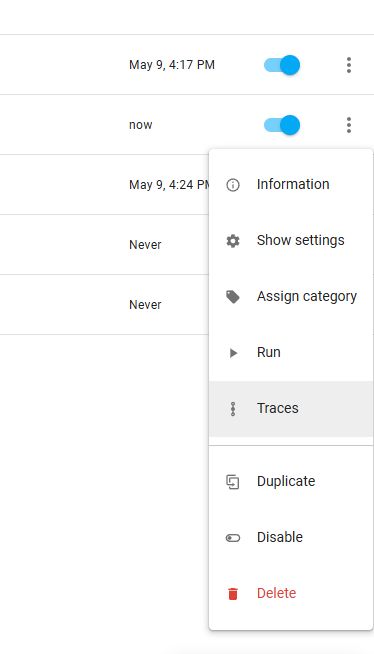
Screenshot of automation management menu in Home Assistant with management options. .

Left to test - below is a video of two automations - turning the light on when the door is open and off when it is closed.
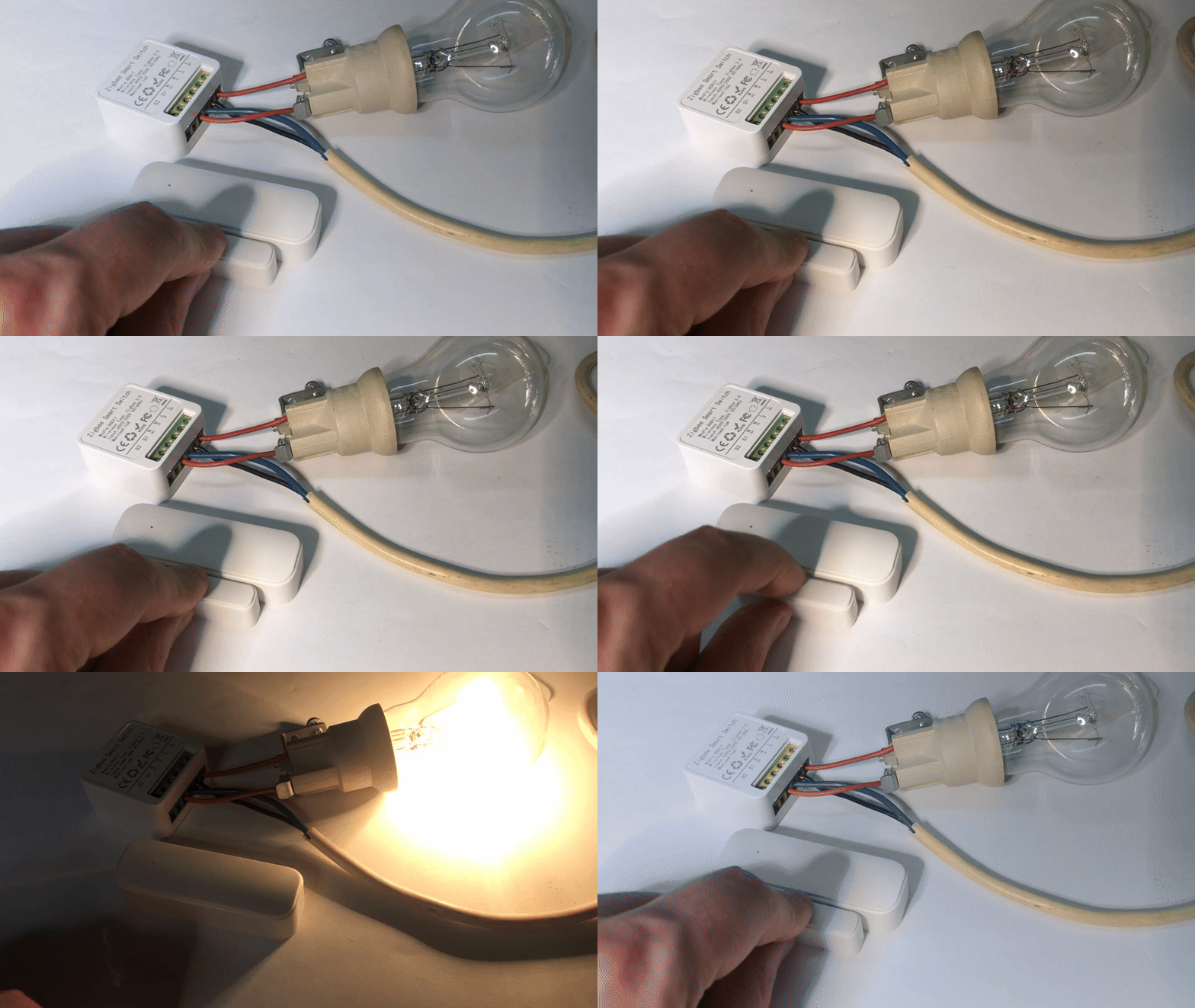
Door sensor and Zigbee relay used for automating light activation.
This is how you can do simple automation in Home Assistant . The final version of the scenarios, of course, depends on what you want to achieve, because if, for example, you open the pantry door, it does indeed make sense to switch on the light as long as it is open, but in the case of, for example, a room or a bathroom, you may need to create a more complex logic - it does not make sense to switch off the light when someone is inside.... then it would be a good idea to use the "And if" condition and link the action also with the presence sensor, or you can simply assume that the light goes off by itself after a given time or you turn it off "classically", with a button.... perhaps I will try to discuss such a more advanced mechanism in the next topic, and in the meantime I will ask - have you tried to implement some simple automation in Home Assistant, and if so, on what principle of operation? Door sensor, motion sensor or maybe something else? .


About Author
p.kaczmarek2
p.kaczmarek2 wrote 14238 posts with rating 12142 , helped 647 times. Been with us since 2014 year.

Comments

bratHanki 03 Apr 2025 10:28

I'm not familiar with these modern 'conveniences' so I have an objection as the system turns on the bulb even though it's light out. Will there be an additional light sensor to block the system from operating... [Read more]

LA72 03 Apr 2025 10:32

. A circuit with PIR and twilight sensor can be included. [Read more]

p.kaczmarek2 03 Apr 2025 10:45

Good question. In this situation, add a condition to the "And if" shown in the automation creation screenshot: https://obrazki.elektroda.pl/6002084700_1743669789_bigthumb.jpg . This additional condition... [Read more]

Damian_Max 03 Apr 2025 19:07

And taking this reasoning further, let's assume this light is in front of the garage and the opening sensor is on the gate, is there / how would you propose to handle the additional lighting of this light... [Read more]

kmarkot 03 Apr 2025 20:39

In Home Assistant there is an entity Sun Sun in which you can add as a condition after sunset and before sunrise. I also use a photovoltaic system as a light sensor . I made an automation that closes... [Read more]

bratHanki 03 Apr 2025 20:48

To all these "miraculous" facilities I would also add a remote measurement of the owner's temperature because it can happen that everything works, the TV turns on, the curtains and lights work , in a word... [Read more]

kmarkot 03 Apr 2025 20:53

Unfortunately it doesn't quite work like that :) . Someone has to turn on the TV or open the door to make a certain response. [Read more]

lexx_ 03 Apr 2025 20:56

From the "classic" automations, it is the control of lighting when movement is detected by a PIR or presence detector, with additional conditions in the form of light intensity or time of day, switching... [Read more]

kmarkot 03 Apr 2025 21:13

@brathanki and seriously I wouldn't measure temperature but there are other options Mobile phone is logged into wifi no change in status e.g. light switches for a certain amount of time. Sends a notification... [Read more]

FAQ

TL;DR: With 3 automation sections and 2 devices, “Zigbee always wins” for battery sensors. This FAQ helps Home Assistant users build a door-triggered light, add night-only conditions, preview YAML, and choose better logic for rooms where simple door-open = light-on rules fail. [#21505220]

Why it matters: A basic Home Assistant automation works fast for pantries and closets, but better conditions prevent pointless switching in bright rooms, bathrooms, and outdoor areas.

Option Battery-powered sensors Setup effort Flexibility noted in thread Best fit
Zigbee Preferred Lower Works well in HA; no special firmware step mentioned Door, window, temperature, and other battery devices
WiFi with custom firmware Weaker for battery life Higher Can do a lot after firmware change, even without a central server Mains-powered devices and custom standalone logic

Key insight: Use the door sensor as the trigger, then use And if to block bad activations. Time, sun position, presence, or numeric light level make the difference between a demo automation and a practical one.

Quick Facts

  • The example automation uses 2 Zigbee devices: one door-opening sensor and one relay that switches the bulb. [#21505220]
  • Home Assistant automation in the visual editor is split into 3 sections: When, And if, and Then do. [#21505220]
  • A practical curtain rule in the thread triggers after 2 pm and only when photovoltaic production is greater than 1000 W. [#21506178]
  • One geofencing-style gate idea acts when a car enters or leaves a zone about 50 m from the house. [#21506222]

How do I create a simple Home Assistant automation that turns a light on when a Zigbee door sensor reports the door as opened?

Create one automation with the door sensor as the trigger and the relay or bulb as the action. 1. Open Settings > Automations & Scenes. 2. Click Create automation and pick the door sensor in When, then choose Opened. 3. In Then do, select the relay or light entity and choose turn on. The thread example uses 2 devices: a Zigbee door sensor and a Zigbee relay. [#21505220]

What do the "When", "And if", and "Then do" sections mean in a Home Assistant automation?

They are the trigger, conditions, and actions of the automation. When starts the rule, such as a door changing to Opened. And if adds extra checks, such as presence, time of day, or light level. Then do runs one or more actions, such as turning a relay on or off. The thread explicitly describes these 3 sections as the core structure of a Home Assistant automation. [#21505220]

How can I make Home Assistant turn the light off when the door is closed, using a second automation or a matching trigger?

Create a second automation that mirrors the first one but uses the Closed event and a turn off action. The thread shows both states are available separately for the same door sensor: Opened and Closed. It also demonstrates two automations in testing: light on when the door opens and light off when it closes. That simple pair works well for a pantry or similar space. [#21505220]

Which is better for battery-powered door and window sensors in Home Assistant: Zigbee or WiFi with custom firmware?

Zigbee is the better fit for battery-powered door and window sensors in this thread. The thread author directly says, “Zigbee always wins” for battery life, while also noting that WiFi devices with changed firmware can do a lot and can work without a central server. Use WiFi custom firmware when flexibility matters more than battery endurance. Use Zigbee when the sensor runs on batteries and must stay simple. [#21505220]

How do I add a condition in Home Assistant so a door-triggered light only turns on at night and not during the day?

Add a condition in And if that checks time, sun position, or another sensor before the action runs. The thread shows this extra condition can use the current time of day, the position of the sun, or another entity state. That blocks daytime switching even when the door sensor still reports Opened. This is the clean fix when a user objects that the bulb would also turn on in daylight. [#21505555]

What is the Sun entity in Home Assistant, and how do I use it for conditions like after sunset and before sunrise?

Use the Sun entity as a condition that allows the automation only after sunset or before sunrise. "Sun entity" is a Home Assistant entity that tracks the sun’s state, exposing day-night status and solar position, so automations can check conditions like after sunset and before sunrise without a separate light sensor. In the thread, one example explicitly recommends Sun Sun for rules that should run only at night. [#21506178]

How does the Numeric State condition work in Home Assistant for automations based on light level or other measured values?

Numeric State runs the automation only when a measured value crosses a chosen threshold. "Numeric State" is a Home Assistant condition that evaluates a sensor as a number, not just true or false, so you can trigger or block actions using thresholds such as brightness, temperature, or power. The thread recommends it when light level is available in numeric form, especially in rooms with a window. [#21505555]

What is a PIR sensor, and how is it different from a presence detector in lighting automations?

A PIR sensor detects motion, while a presence detector is used for occupancy-style checks in automation logic. "PIR sensor" is a passive infrared motion sensor that reacts to movement through heat changes, while a presence detector aims to confirm that someone remains in the space, not only that they moved once. The thread mentions PIR in classic lighting control and separately suggests presence detection to avoid switching lights off on someone still inside. [#21505539]

How would you handle automatic lighting for a garage gate on cloudy days in Home Assistant, especially if you want brightness to depend on weather conditions?

Use an outdoor light sensor if you need brightness-based switching on cloudy days. The thread raises weather-based logic as a possibility, but the concrete methods given are stronger: use a real light sensor, the sun position, time of day, or numeric light level. For a garage gate, a door trigger plus a light threshold gives a clearer rule than open/close alone. That avoids turning lights on when daylight is still strong. [#21506093]

What are the best ways to use a light sensor, time of day, sun position, or weather data to block unnecessary light activation in Home Assistant?

Start with the simplest reliable condition and add complexity only if needed. Use sun position for a binary night rule, time of day for fixed schedules, and Numeric State when you have measured brightness. Use a dedicated light sensor when clouds matter. The thread also gives a practical example where some rooms, such as pantry, bathroom, and toilet, have no window, so the light may turn on regardless of day or night. [#21505555]

Where do I preview or edit the YAML for an automation created in the Home Assistant visual editor?

Open the automation and use the side menu to preview its YAML. The thread explicitly says you can view the automation in YAML format from the side menu after building it in the visual editor. That is useful when you want to confirm the trigger, condition, and action structure or duplicate the logic in a variant. The same screen also supports later editing, enabling, disabling, and test firing. [#21505220]

Why might a door-opened automation be a bad fit for a bathroom or room light, and what logic works better there?

It can fail because the light may switch off while someone is still inside. The thread says a pantry door is a good fit, but a room or bathroom often needs more logic. Better options are a presence condition in And if, a timeout that turns the light off after a set period, or manual switch-off with a button. This is the main edge case where simple door open = on, door closed = off logic breaks down. [#21505220]

What are some practical Home Assistant automation ideas beyond door sensors, such as washing machine notifications, curtain control, or heating shutdown when a window opens?

Useful ideas include curtain control, washer-finished announcements, and heating shutdown when a window opens. The thread lists voice announcements when washing ends by monitoring washer power, blinds closing when an Android TV changes from off to on, central-heating shutdown or thermostat closure on window open, nighttime zone switching for heating control, and automatic gate control near a 50 m home zone. These examples show HA goes far beyond simple lighting. [#21506222]

How can photovoltaic power production be used as an indirect light sensor in a Home Assistant automation?

Use PV generation as a brightness proxy and gate the automation with a power threshold. The thread gives a real example: close curtains only after 2 pm and when photovoltaic production is greater than 1000 W. That treats solar output as an indirect daylight sensor. It works best when the panels track available sunlight well enough for the room or façade you want to automate. [#21506178]

What troubleshooting steps should I follow if a Home Assistant door sensor automation works in tests but does not switch the relay or bulb reliably in real use?

Check the trigger event, the target entity, and the real-world conditions first. 1. Use the automation’s forced firing to verify the action path. 2. Check the call history to see whether the rule triggered on Opened or Closed. 3. Confirm the selected relay or light entity is the same one that actually controls the bulb. The thread also notes you can duplicate, enable, disable, and edit automations, which helps isolate whether the fault is the trigger, condition, or action. [#21505220]
Generated by the language model.
%}