logo elektroda
logo elektroda
X
logo elektroda

How do I transmit a notification over Wi-Fi to my phone when someone rings the doorbell?

fantomek 2733 16
Best answers

Can I send a Wi‑Fi notification to my phone when someone rings the doorbell, and what should I buy to do it?

Yes—use a Sonoff Mini or another potential-free Sonoff input, connect the bell signal to its control input (possibly through a relay if needed), and enable PUSH notifications in the eWeLink app [#19170239][#19170322] The Sonoff Mini and the phone both need internet access, but they do not have to be on the same Wi‑Fi network or even the same location [#19170239] This solution works through the cloud, and the main downside mentioned is that it depends on cloud operation [#19170239][#19170988] The thread also notes that eWeLink provides remote access and PUSH notifications, while Supla does not seem to have native PUSH [#19170988][#19171132]
Generated by the language model.
ADVERTISEMENT
Treść została przetłumaczona polish » english Zobacz oryginalną wersję tematu
  • #1 19169473
    fantomek
    Level 10  
    Posts: 468
    Help: 1
    Rate: 154
    Hello I am looking for a solution, to an idea. I have a keypad with a bell in the wicket of the property along with an electric door opener from inside the property there is a release button to exit. There is a 12v power supply hanging in the garage for this. I am adding a sanoffi wifi module to the wicket in order to open it via the app and now I am looking for a solution so that when someone rings the doorbell, whichfo the gong is inside the house, they also send me a notification via wifi to my phone, is it possible? And what should I buy and do thanks
  • ADVERTISEMENT
  • #2 19170219
    Daro1003
    Level 34  
    Posts: 2711
    Help: 295
    Rate: 603
    The easiest way to do this is via GSM but unfortunately you have to keep a sim card.
    If you had an alarm with GSM notification you could hook up to a notification module at no cost.
    There may be a problem with notification over wi-fi.
  • #3 19170239
    sk1977
    IT specialist
    Posts: 8047
    Help: 1326
    Rate: 741
    If you connect e.g. a sonoff mini (it doesn't have to control anything) and switch on the control inputs (here it depends what the signal from the bell looks like, maybe via some kind of relay) then you can set up PUSH notifications for this mini.
    The Sonoff mini and the phone must have internet access (it doesn't have to be on the same network or even on the same continent).
    The downside is cloud operation.
    Helpful post? Buy me a coffee.
  • #4 19170284
    Daro1003
    Level 34  
    Posts: 2711
    Help: 295
    Rate: 603
    I'm going to join the topic.
    On what softy can this be done ? I have a free ESP8266 and this is the way I would like to use for information about the breach of the mailbox lid.
  • ADVERTISEMENT
  • #6 19170305
    Daro1003
    Level 34  
    Posts: 2711
    Help: 295
    Rate: 603
    I have an intercom on a post next to which there is a box in the intercom with free wires so I will feed power to the ESP.
    Speaking of ESP, I was thinking of bare ESP 07S as well as 12F with antenna as well as Wemos D1 mini modules.
    Now I just need a soft that will send a push notification of a violated reed switch.
  • #7 19170322
    sk1977
    IT specialist
    Posts: 8047
    Help: 1326
    Rate: 741
    I would use, for example, a potential-free sonoff - you don't have to write software, you have 1 or 2 swiche (there are 1Ch and 2Ch) which you can use - e.g. a drop-in flap and a take-out flap. You also have a NO/NC relay - you can do some signalling.
    Helpful post? Buy me a coffee.
  • #8 19170362
    Daro1003
    Level 34  
    Posts: 2711
    Help: 295
    Rate: 603
    That is, to do it on the original eWeLink.
  • ADVERTISEMENT
  • #10 19170385
    Daro1003
    Level 34  
    Posts: 2711
    Help: 295
    Rate: 603
    I did not know that eWeLink has PUSH notifications.
    Is there an option to pore over the software somewhere to upload e.g. to wemos or just buy a sonoff with the original eWeLink loaded?
  • #11 19170427
    sk1977
    IT specialist
    Posts: 8047
    Help: 1326
    Rate: 741
    I haven't heard of uploading sonoff softwares to other devices - rather uploading to sonoff :) .
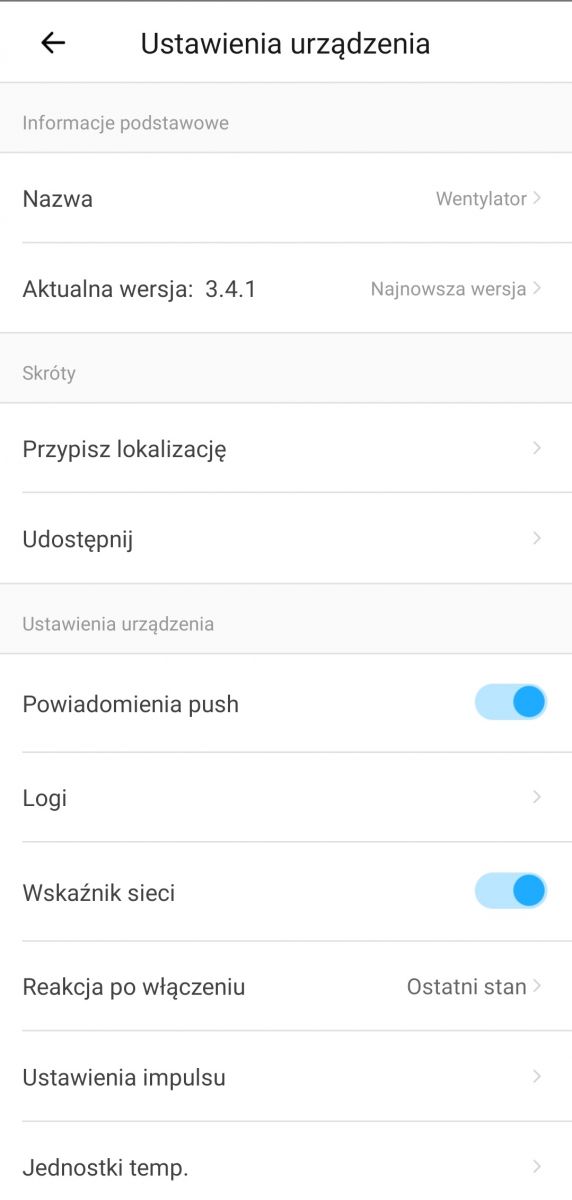
    I don't have a voltage free one to hand, this is a screen shot from th10.
    How do I transmit a notification over Wi-Fi to my phone when someone rings the doorbell? .
    Helpful post? Buy me a coffee.
  • #12 19170473
    Daro1003
    Level 34  
    Posts: 2711
    Help: 295
    Rate: 603
    At the moment I have control of gate operators and outdoor lighting on Supla it's a shame that Supla doesn't yet have PUSH - because I don't think it does.
    Another app for just the PUSH box on the tel. in total
  • ADVERTISEMENT
  • #13 19170705
    sk1977
    IT specialist
    Posts: 8047
    Help: 1326
    Rate: 741
    Directly Supla doesn't seem to have PUSH. But there is probably a way to do it a bit around, just will it be better than ewelink's app.
    Helpful post? Buy me a coffee.
  • #14 19170915
    Daro1003
    Level 34  
    Posts: 2711
    Help: 295
    Rate: 603
    Thanks mate sk1977 for the info I need to buy an original sonoff mini with the original software, I have never had the opportunity to operate with eWeLink yet.
  • #15 19170988
    sk1977
    IT specialist
    Posts: 8047
    Help: 1326
    Rate: 741
    In the category of low-cost devices, in my opinion there is good quality in such a price range. The application is also above average (in this category, of course) - PUSH, local network operation, no noticeable delays, status settings when powered up.
    Helpful post? Buy me a coffee.
  • #16 19171116
    Daro1003
    Level 34  
    Posts: 2711
    Help: 295
    Rate: 603
    How about the cloud? What matters to me is the cloud and remote access.

Topic summary

✨ To transmit a notification over Wi-Fi to a phone when a doorbell is rung, users suggest utilizing a Sonoff Mini or similar devices. The Sonoff Mini can be connected to the doorbell's signal, allowing for push notifications through the eWeLink app. Alternatives like the ESP8266 can also be employed, but require additional programming and setup. Users discuss the need for a power supply and the possibility of using a relay to connect the doorbell to the notification system. Concerns about cloud operation and remote access are also raised, with some users preferring local network solutions.
Generated by the language model.

FAQ

TL;DR: Use a Sonoff Mini for Wi‑Fi doorbell alerts; 2 devices need internet; "you can set up PUSH notifications." Works anywhere via cloud. For homeowners wanting phone alerts without replacing the gong. [Elektroda, sk1977, post #19170239]

Why it matters: You’ll stop missing visitors and can grant access even when you’re away.

Quick Facts

How do I get Wi‑Fi phone notifications when the doorbell rings?

Use a Sonoff Mini as a sensor. Wire its control inputs to a relay driven by the bell circuit. In eWeLink, enable PUSH notifications for that device. The phone and the Sonoff both need internet access. It doesn’t matter if they’re on different networks. “The downside is cloud operation.” [Elektroda, sk1977, post #19170239]

Is GSM more reliable for notifications than Wi‑Fi?

GSM is the simplest reliable path for alerts. Use a GSM dialer or an alarm panel’s GSM module. You must maintain an active SIM card. If your alarm already has GSM notification, hook into its module at no extra cost. Wi‑Fi notifications can be trickier in some setups. [Elektroda, Daro1003, post #19170219]

Can a Sonoff Mini just sense the bell without switching anything?

Yes. It doesn’t have to control a load. Connect its control inputs to a relay that mirrors the bell signal. Enable PUSH notifications on input change in the app. Your existing bell and gong continue to work normally. Both the device and phone need internet. [Elektroda, sk1977, post #19170239]

Which Sonoff should I buy for a dry‑contact doorbell?

Pick a potential‑free Sonoff. It provides isolated inputs and NO/NC relay contacts. Choose 1Ch or 2Ch models if you need one or two monitored circuits. A second channel can track another sensor, like a mailbox flap. [Elektroda, sk1977, post #19170322]

Can I flash eWeLink onto a Wemos D1 mini or bare ESP8266?

No. eWeLink firmware comes with Sonoff hardware and isn’t provided for generic ESP8266 boards. The guidance is to upload to Sonoff, not other devices. Use Sonoff if you want eWeLink with PUSH out of the box. [Elektroda, sk1977, post #19170427]

I only have an ESP8266—what’s the easiest way to get push alerts from a reed switch?

Avoid coding by using a Sonoff with the stock eWeLink app for PUSH. This sidesteps writing and maintaining custom firmware. “You will bypass programming in this way.” If you still want ESP, you’ll need to build your own software stack. [Elektroda, sk1977, post #19170378]

Does Supla support PUSH notifications today?

No native PUSH. Supla does not offer direct PUSH notifications at this time. There are workarounds that approximate alerts, but they are indirect. For doorbell events, built‑in PUSH apps are simpler. [Elektroda, sk1977, post #19170705]

Will it work if my phone and the gate are on different networks?

Yes. The Sonoff and your phone only need internet access. They do not need the same network. They can even be on different continents. The cloud handles delivery of the alert. [Elektroda, sk1977, post #19170239]

Does eWeLink provide cloud and remote access?

Yes. eWeLink includes cloud and remote access for control and notifications. You can receive alerts and check status while away from home. [Elektroda, sk1977, post #19171132]

Are eWeLink notifications fast, or do they lag?

Users report solid performance for this price tier. The app supports local operation and PUSH with no noticeable delays. That suits doorbell alerts well. “No noticeable delays” sums up the experience shared. [Elektroda, sk1977, post #19170988]

How do I wire this without changing my existing gong?

Leave the bell circuit unchanged. Add a small relay across the bell line to sense rings. Connect the relay’s dry contacts to the Sonoff Mini control inputs. Enable notifications on input change in the app. Your gong continues to ring as before. [Elektroda, sk1977, post #19170239]

Can I use the existing 12 V supply in my intercom box?

Yes. Your setup includes a 12 V supply near the gate. You can use it to power a small sensing relay that feeds the Sonoff inputs. Plan placement and wiring cleanly within the box. [Elektroda, fantomek, post #19169473]

How do I set it up in three steps?

  1. Add a sensing relay across the bell circuit.
  2. Wire the relay’s dry contacts to the Sonoff Mini control inputs.
  3. In eWeLink, enable device PUSH notifications and test a ring. [Elektroda, sk1977, post #19170239]

Can one device monitor two events, like mailbox drop and take‑out?

Yes. Use a 2Ch potential‑free Sonoff. One channel can monitor the drop‑in flap and the second the take‑out flap. You get two independent alerts. [Elektroda, sk1977, post #19170322]
Generated by the language model.
ADVERTISEMENT