logo elektroda
logo elektroda
X
logo elektroda

Where do I get a board for the Arduino under the ESP 32? Problem with uploading a project.

malimaro 1437 12
ADVERTISEMENT
Treść została przetłumaczona polish » english Zobacz oryginalną wersję tematu
  • #1 19861082
    malimaro
    Level 3  
    Posts: 955
    Help: 3
    Rate: 158
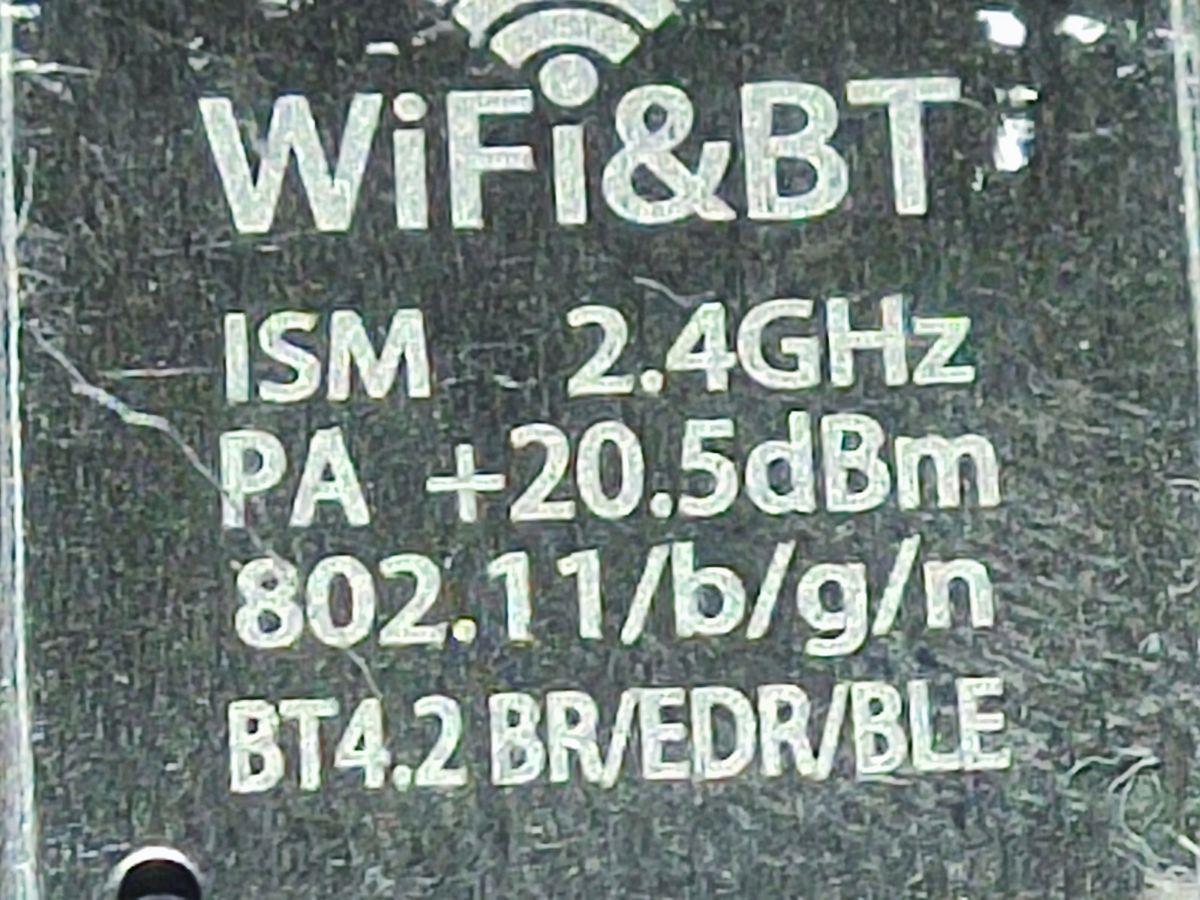
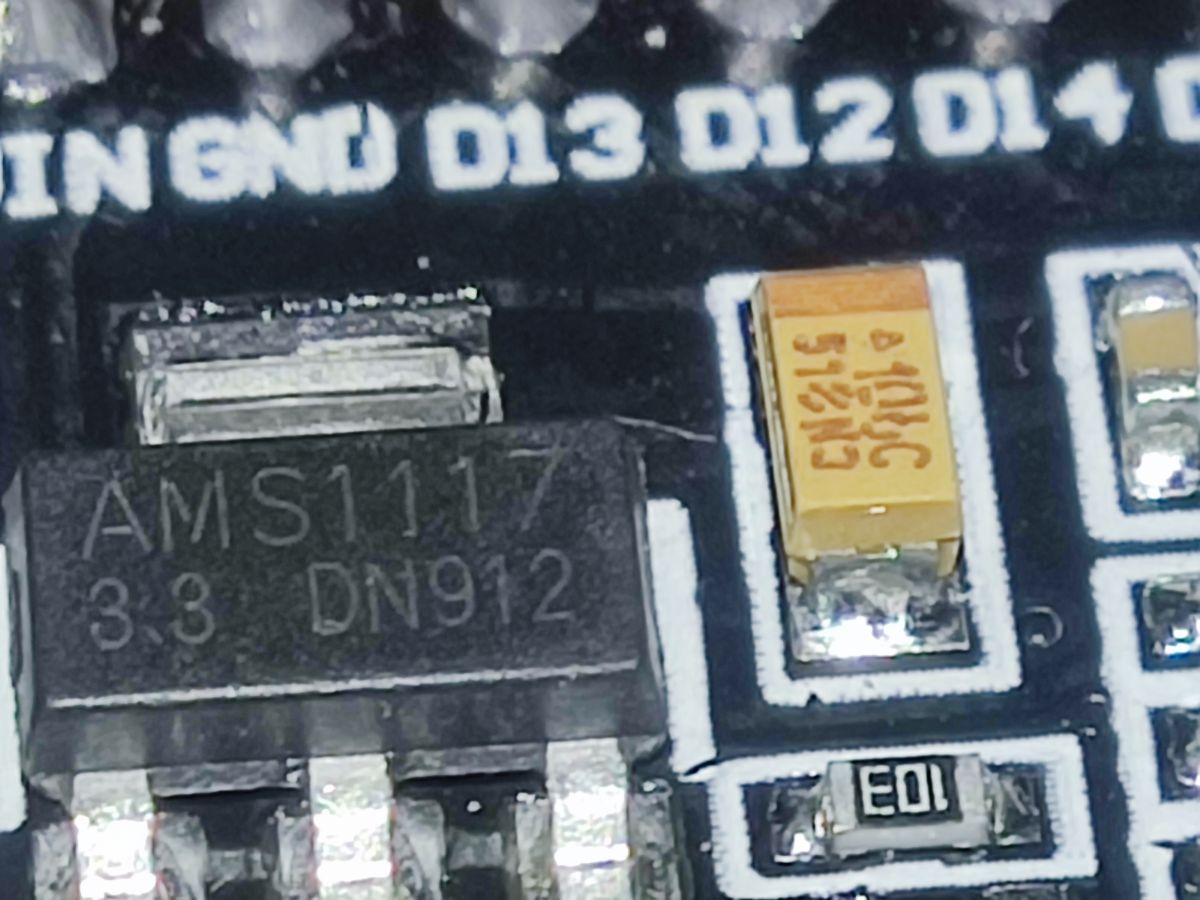
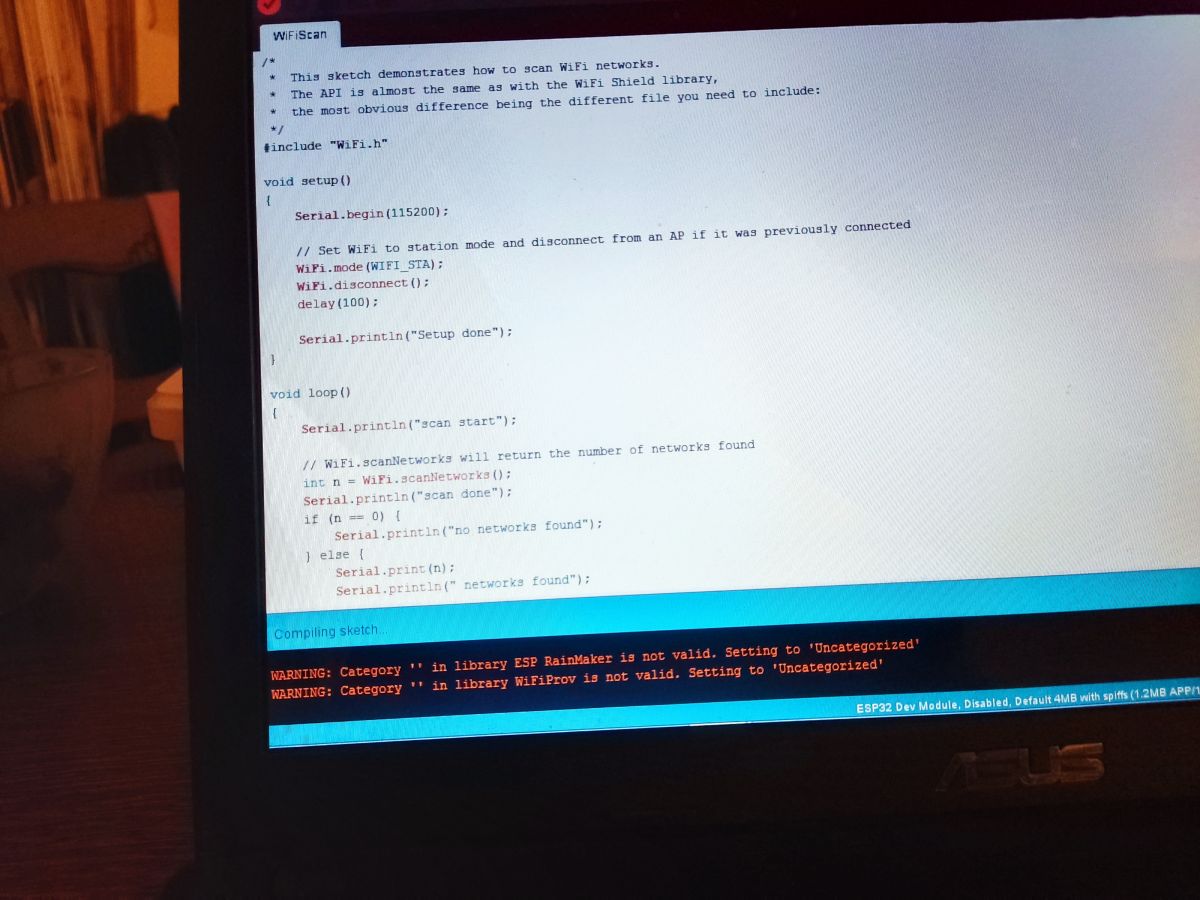
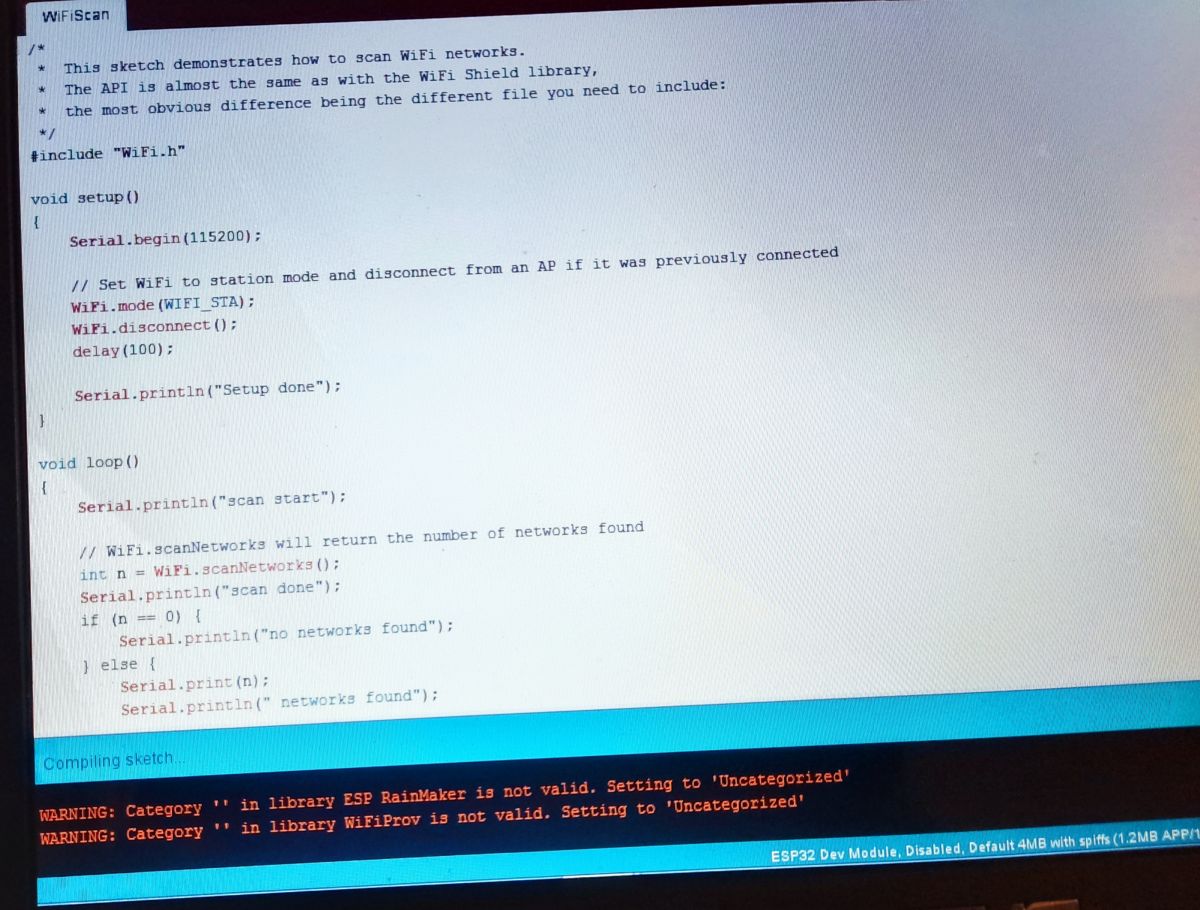
    Good day, I bought an ESP 32 from a Chinese and for china I cannot upload a project there, I have already downloaded various boards from different sites and nothing :/ I am not sure anymore if I am sure the board works properly. Maybe someone has info where to get a board for Arduino for this board ?
    Attachments:
    • Where do I get a board for the Arduino under the ESP 32? Problem with uploading a project. IMG_20220131_235724.jpg (742.62 KB) You must be logged in to download this attachment.
    • -1099814991-862273608.jpg (92.92 KB) You must be logged in to download this attachment.
    • -1099754634-747787884.jpg (90.65 KB) You must be logged in to download this attachment.
    • -1099780540540569803.jpg (49.65 KB) You must be logged in to download this attachment.
  • ADVERTISEMENT
  • #2 19861169
    piterek-23
    Level 33  
    Posts: 3321
    Help: 162
    Rate: 426
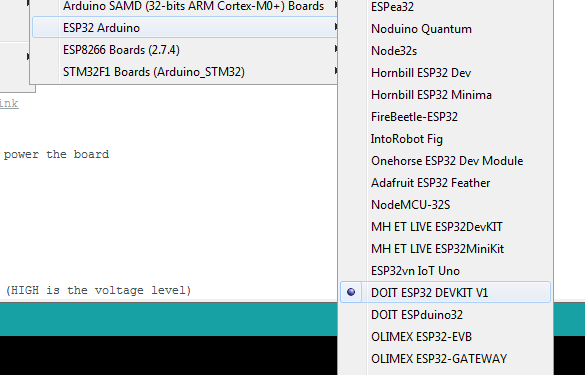
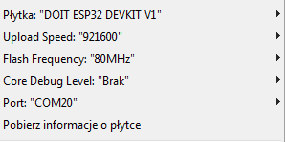
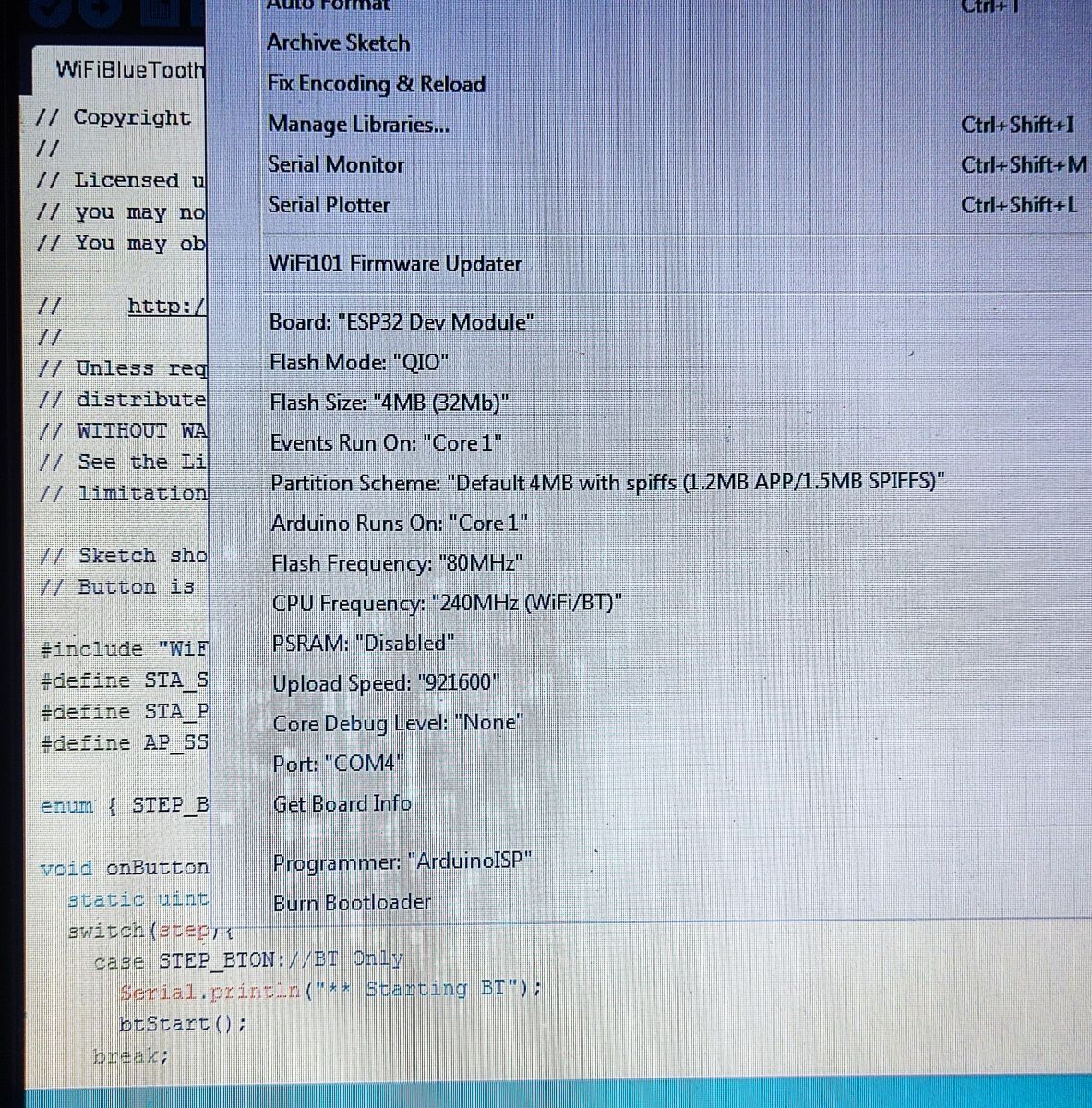
    Show your configuration in the Arduino IDE
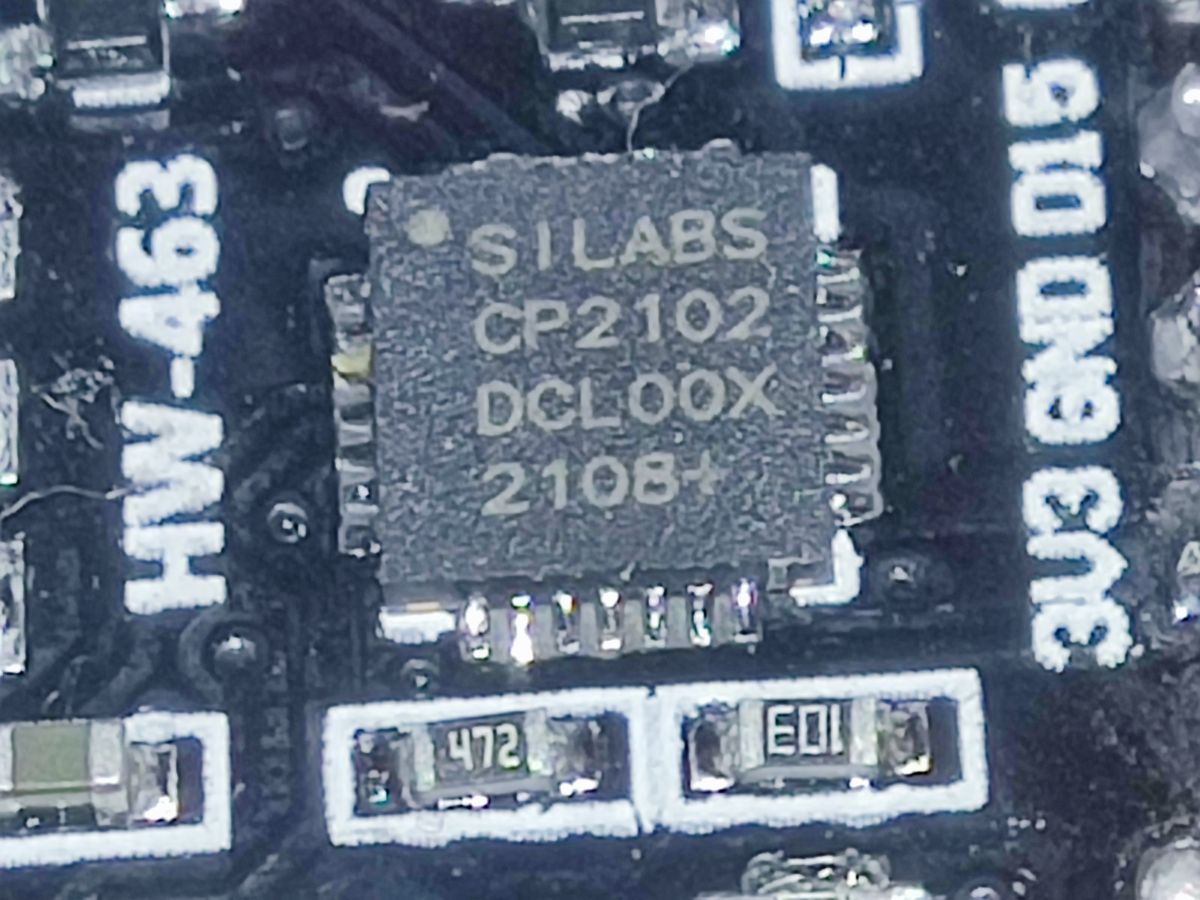
    I assume you have Windows, do you see the USB-TTL converter in the manager?
  • ADVERTISEMENT
  • #3 19862878
    malimaro
    Level 3  
    Posts: 955
    Help: 3
    Rate: 158
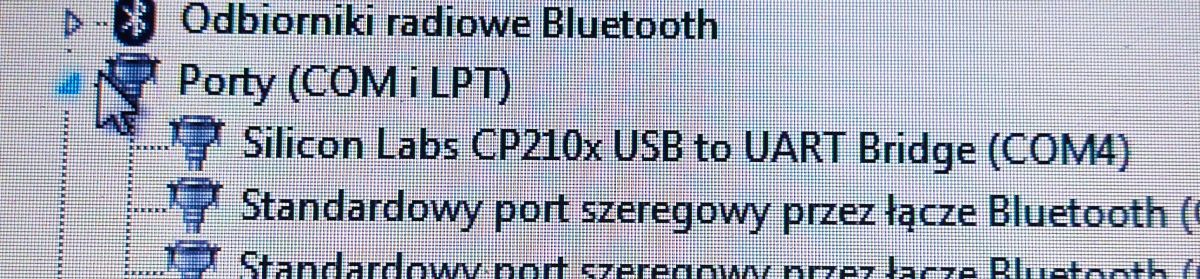
    In USB it shows me nothing, only com and lpt, and USB as not recognised. So even the computer doesn't see it as on the USB port and the Arduino doesn't see it either ??? In Arduino I have com4 set as here on the port this device.
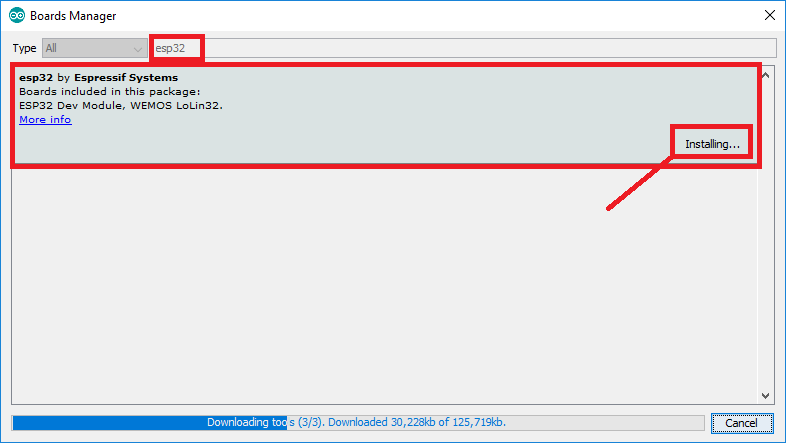
    As for the Board Manager I don't know if I have downloaded good.

    Added after 3 [minutes]: .

    Where do I get a board for the Arduino under the ESP 32? Problem with uploading a project.

    Where do I get a board for the Arduino under the ESP 32? Problem with uploading a project. Where do I get a board for the Arduino under the ESP 32? Problem with uploading a project. Where do I get a board for the Arduino under the ESP 32? Problem with uploading a project. .

    Added after 4 [minutes]: .

    Where do I get a board for the Arduino under the ESP 32? Problem with uploading a project. Where do I get a board for the Arduino under the ESP 32? Problem with uploading a project. Where do I get a board for the Arduino under the ESP 32? Problem with uploading a project. .
  • ADVERTISEMENT
  • #4 19862985
    inot
    Level 38  
    Posts: 3505
    Help: 434
    Rate: 785
    You own this board:
    Link .
    You will find enough information there.
  • #5 19863607
    malimaro
    Level 3  
    Posts: 955
    Help: 3
    Rate: 158
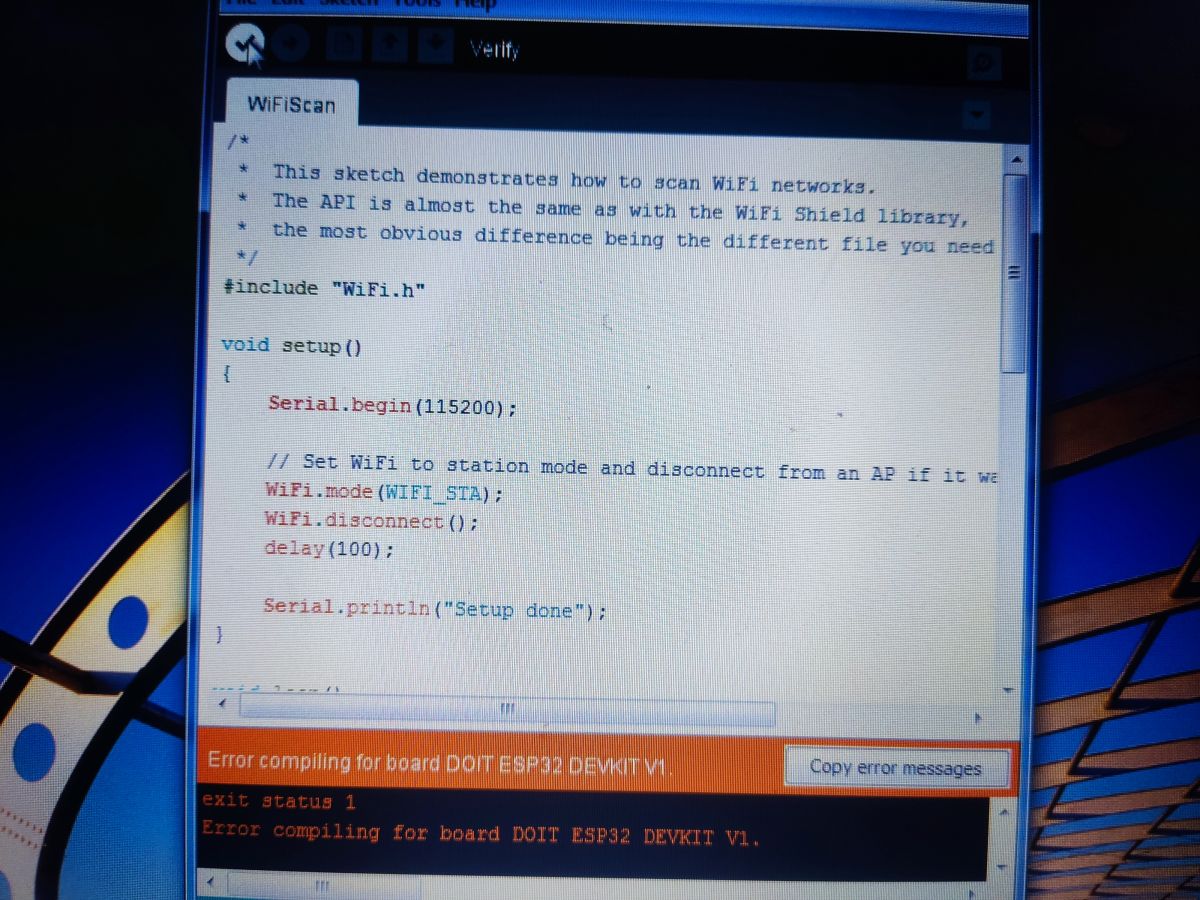
    I did it, and it doesn't even pass this verification

    Where do I get a board for the Arduino under the ESP 32? Problem with uploading a project.
  • ADVERTISEMENT
  • #7 19863744
    malimaro
    Level 3  
    Posts: 955
    Help: 3
    Rate: 158
    I think there is something wrong with the libraries, it gives me this error:

    Arduino: 1.8.19 (Windows 7), Board: "DOIT ESP32 DEVKIT V1, 80MHz, 115200, None".


    c:/users/jan iii and hussars/appdata/local/arduino15/packages/esp32/tools/xtensa-esp32-elf-gcc/1.22.0-97-gc752ad5-5.2.0/bin/../lib/gcc/xtensa-esp32-elf/5.2.0/../../../../xtensa-esp32-elf/bin/ld.exe: cannot find crt1-sim.o: No such file or directory

    c:/users/jan iii i hussaria/appdata/local/arduino15/packages/esp32/tools/xtensa-esp32-elf-gcc/1.22.0-97-gc752ad5-5.2.0/bin/../lib/gcc/xtensa-esp32-elf/5.2.0/../../../../xtensa-esp32-elf/bin/ld.exe: cannot find _vectors.o: No such file or directory

    collect2.exe: error: ld returned 1 exit status

    Multiple libraries were found for "WiFi.h"

    Used: C:C:Husserland and HusserlandAppDataLocalArduino15.h.h.h.h.h.h.h.h.h.h.h.h.h.h.h.h.h.h.h.h.h.h.h.h.h.h.

    Not used: C:Program FilesArduinolibrariesWiFi.

    exit status 1

    Error compiling for board DOIT ESP32 DEVKIT V1.


    This report would have more information with
    "Show verbose output during compilation"
    option enabled in File -> Preferences.
  • #8 19863757
    piterek-23
    Level 33  
    Posts: 3321
    Help: 162
    Rate: 426
    I have the same board, so set up as shown above. Select your COMx port. Upload an example program: file -> examples -> basics -> blink

    My Arduino is 1.8.16, windows 7

    PS
    I just updated my Arduino IDE to 1.8.19 and everything is OK
  • #9 19863795
    malimaro
    Level 3  
    Posts: 955
    Help: 3
    Rate: 158
    I have uploaded everything again, the settings are the same and still the same error, something is wrong with the libraries :/

    Added after 11 [minutes]:

    Maybe some settings after the old program,

    Added after 12 [minutes]:

    Strangely enough after installing the new Arduino it detected me after connecting the USB esp32 and now look and the device is not detected, on the com port it is but on the USB port there is an error
  • #10 19863889
    piterek-23
    Level 33  
    Posts: 3321
    Help: 162
    Rate: 426
    I don't think I can help :( .
  • #11 19863916
    malimaro
    Level 3  
    Posts: 955
    Help: 3
    Rate: 158
    I will check it on win 10
  • #12 19864510
    inot
    Level 38  
    Posts: 3505
    Help: 434
    Rate: 785
    Where do I get a board for the Arduino under the ESP 32? Problem with uploading a project.
    See what library you have installed.

    Where do I get a board for the Arduino under the ESP 32? Problem with uploading a project. .

Topic summary

✨ The discussion revolves around issues faced by a user attempting to upload a project to an ESP32 board purchased from a Chinese supplier. The user reports that the board is not recognized by their computer, and they are unsure if the correct board configurations and libraries have been installed in the Arduino IDE. Various suggestions are provided, including checking the USB-TTL converter in the device manager, ensuring the correct COM port is selected, and verifying the installation of necessary libraries from the Espressif package index. The user experiences persistent errors related to library conflicts and missing files during compilation. Recommendations include reinstalling the Arduino IDE and checking library installations step by step.
Generated by the language model.

FAQ

TL;DR: Arduino IDE 1.8.19 works on Windows 7; “Select your COMx port.” Install the ESP32 core, choose DOIT ESP32 DEVKIT V1, and drivers. [Elektroda, piterek-23, post #19863757]

Why it matters: This FAQ helps Windows users fix ESP32 upload, driver, and board-selection errors fast.

Quick Facts

What board should I choose in Arduino IDE for my ESP32 devkit?

Install “esp32 by Espressif Systems” via Boards Manager. Then select “DOIT ESP32 DEVKIT V1” for common DevKit V1 boards. Keep default options (80 MHz, 115200). Finally, pick your COM port under Tools > Port before uploading. [Elektroda, piterek-23, post #19863735]

How do I install the ESP32 boards package in Arduino IDE (Windows)?

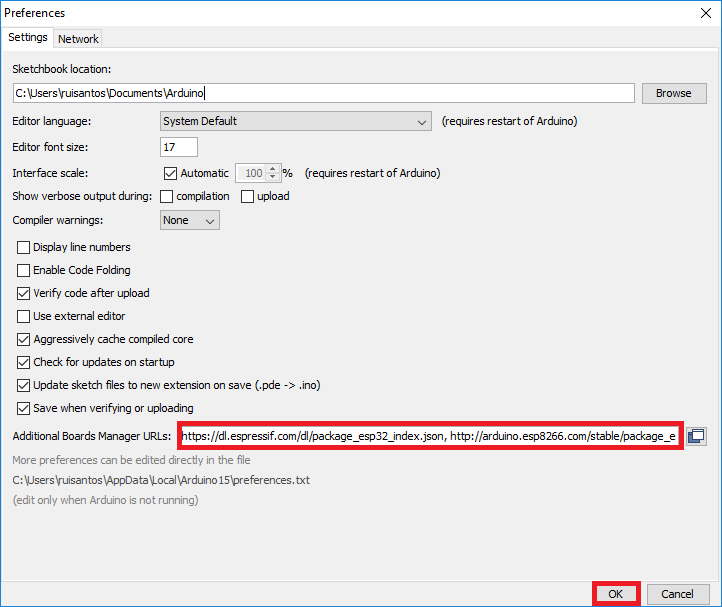
  1. File > Preferences > Additional Boards Manager URLs: paste https://dl.espressif.com/dl/package_esp32_index.json.
  2. Tools > Board > Boards Manager: search “esp32” and install by Espressif Systems.
  3. Tools > Board: choose “DOIT ESP32 DEVKIT V1,” then select your COM port. Restart the IDE if the board list does not refresh. [“Getting Started with ESP32”]

Windows 7 shows “Unknown USB device.” How do I make the ESP32 appear?

Use a known data‑capable USB cable and try another port. Install the correct USB‑UART driver (CP210x or CH340) for your board. After driver install, replug the board and check Device Manager for a new COM port. Edge case: charge‑only cables power the board but never create a COM port. [“Getting Started with ESP32”]

How do I fix “cannot find crt1-sim.o” or “_vectors.o” when compiling?

Your ESP32 core or toolchain is incomplete. Reinstall the ESP32 boards package using Boards Manager. Close Arduino IDE, reopen it, and compile again. Ensure your antivirus or firewall does not block downloads. If issues persist, remove and reinstall the ESP32 package cleanly via Boards Manager. [“Installing ESP32 in Arduino IDE”]

What does “Multiple libraries were found for WiFi.h” mean and how do I resolve it?

Arduino found more than one WiFi library. For ESP32, use the WiFi.h that ships with the ESP32 core. Remove or rename the separate Arduino WiFi library to avoid conflicts. Then recompile your sketch. This clears the ambiguous include and prevents build errors. [Elektroda, malimaro, post #19863744]

How do I upload a basic Blink sketch to verify the board?

Open File > Examples > 01.Basics > Blink. Select your ESP32 board and COM port. Many DevKit V1 boards map LED_BUILTIN to GPIO 2. If the LED does not blink, set pinMode(2, OUTPUT) and toggle digitalWrite(2, HIGH/LOW). Upload and confirm the LED activity. [“Getting Started with ESP32”]

Which COM port should I select, and how do I find it?

Open Windows Device Manager and expand “Ports (COM & LPT).” Note the COM number for “USB Serial” or CP210x. In Arduino IDE, go to Tools > Port and choose that COMx. “Select your COMx port.” After selecting, compile and upload. [Elektroda, piterek-23, post #19863757]

Do I need to hold the BOOT button when uploading to ESP32?

Many boards auto‑enter bootloader mode. If you see “Failed to connect” or “Connecting….” forever, hold BOOT while starting upload. Release BOOT when the upload begins, or press EN to reset after flashing. This helps boards without auto‑boot circuitry. [“Getting Started with ESP32”]

What upload speed should I use for faster flashing?

Use 115200 for reliability. Increase to 921600 baud if your cable and port are stable. Faster speeds cut flash time significantly on large sketches. If uploads fail at high speed, step down to 460800 or 115200 and retry. [Espressif, 2023]

Will upgrading to Windows 10 help with driver issues?

Yes. Windows 10 often auto‑installs common USB‑UART drivers via Windows Update. This reduces manual driver steps compared to Windows 7. You still must install the ESP32 boards package in Arduino IDE. Verify Device Manager shows a valid COM port after plugging in. [“Getting Started with ESP32”]

How can I tell if the USB cable is the problem?

If the board powers but no COM port appears, suspect a charge‑only cable. Test with a known data cable from a phone that can transfer files. Swap ports and cables until Device Manager shows a stable COM entry. Then retry uploading. [“Getting Started with ESP32”]

Where can I find a step‑by‑step tutorial for this specific ESP32 board?

Follow the recommended beginner guide for ESP32 devkits. It shows driver installation, Boards Manager setup, board selection, and example uploads. The forum linked it as a match for your board. Work through it end‑to‑end before custom code. [Elektroda, inot, post #19862985]
Generated by the language model.
ADVERTISEMENT