logo elektroda
logo elektroda
X
logo elektroda

GCode generator for PCBs from KiCAD files

nuclear 2898 15
ADVERTISEMENT
Treść została przetłumaczona polish » english Zobacz oryginalną wersję tematu
📢 Listen (AI):
  • Hi,

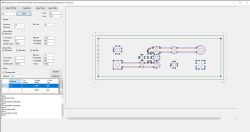
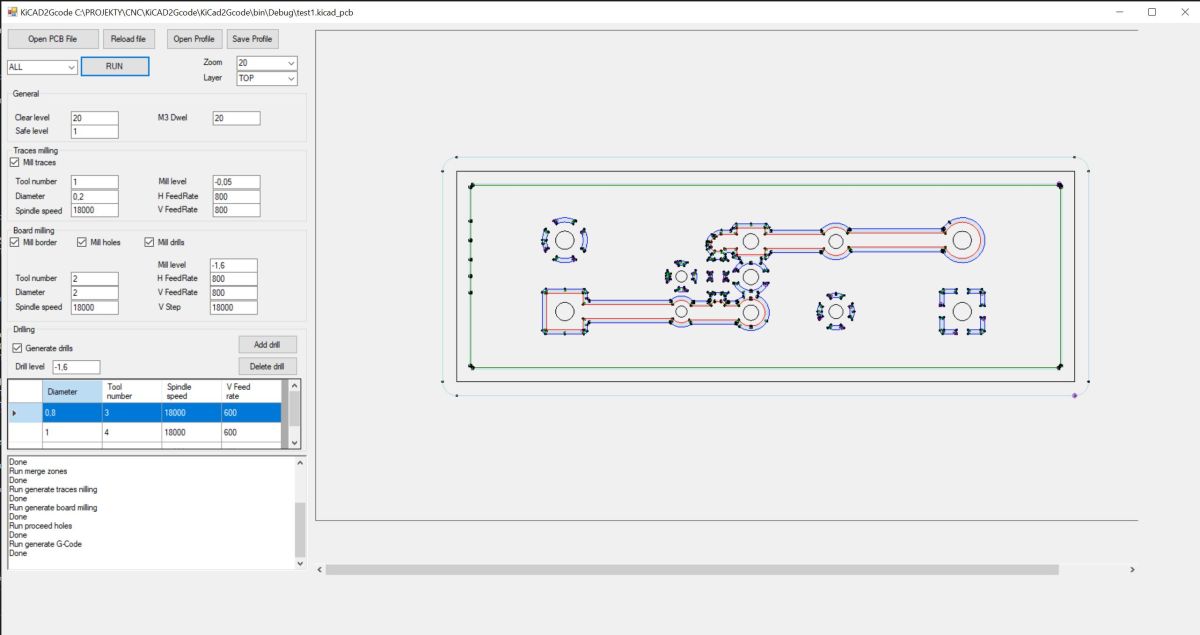
    KiCAD2Gcode app window with PCB preview and milling parameters .

    The project presented this time is purely programming but I hope it fits in this section and maybe someone will find it interesting or useful in the workshop. The aim of the project was to create a convenient-to-use GCode generator for making PCBs on a CNC milling machine. I design my PCBs in KiCAD so I focused on this input format. I've previously used FreeCAD for this purpose, but the conversion time and the number of operations required effectively discouraged me - processing one PCB could take me several hours, most of which was spent waiting for FreeCAD to convert everything.

    As with previous projects, I decided to write the application in c# as a Windows Forms application using Visual Studio. The result is an application with which you can have a complete GCode generated in a few minutes.
    Functions:
    -Generation of code for milling paths including filled zones
    -Generation of code for milling the shape of the insert, including any holes
    -Code generation for hole drilling
    -Possibility to select TOP or BOTTOM layer
    -Automatic movement of the insert to 0.0 position
    -Save settings

    Description of operation :
    The generation of the GCode takes place in several stages:
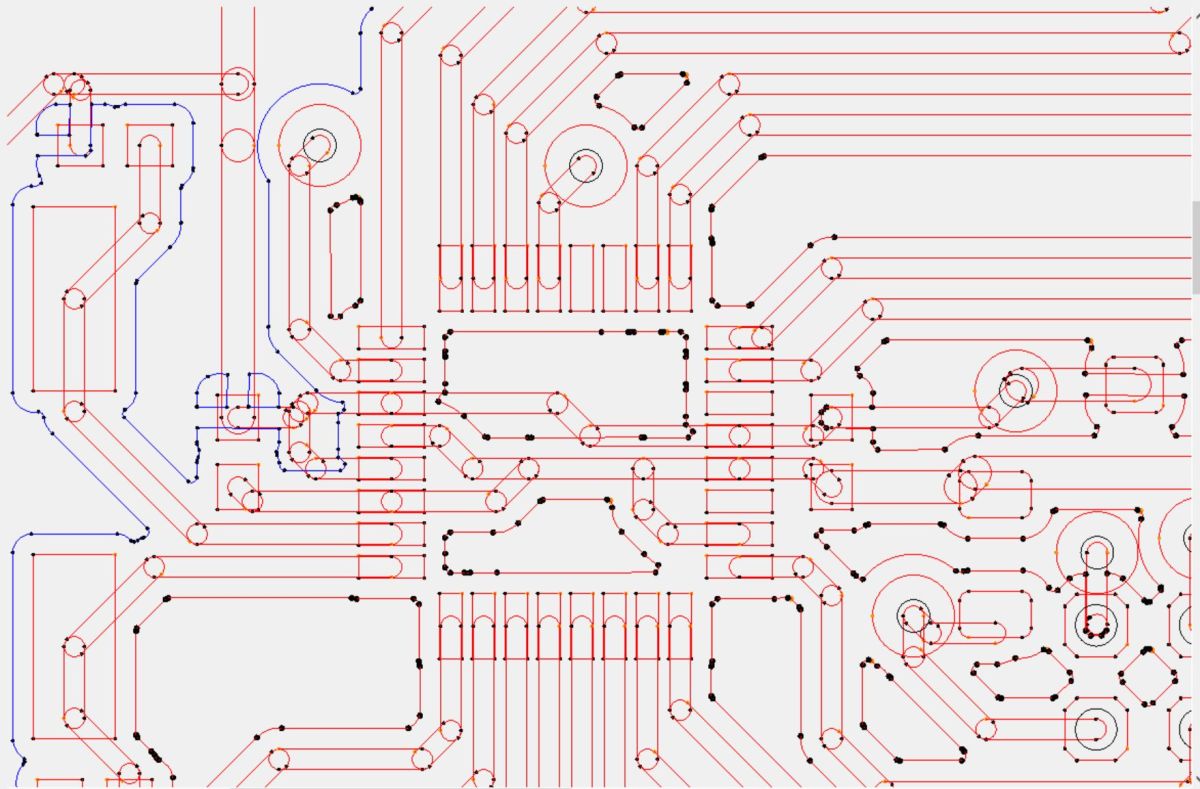
    - The first stage takes place when the PCB file is opened. The file is parsed, all relevant elements of the PCB are searched for and saved as polygons consisting of segments and arcs. The filled zones are also converted to polygons. After this stage, the tile looks like this:
    Processed PCB design view with marked traces and drill holes .
    At the same time, a list of all the holes is displayed in the console window, this is useful to select the correct drill bits. This is the point at which all milling and drilling parameters should be set. If we now leave the default option "ALL" and press "RUN", all the subsequent stages will be executed sequentially and at the end a window will be displayed in which we have to select where the generated code should be saved.
    It is also possible to perform these steps one by one.

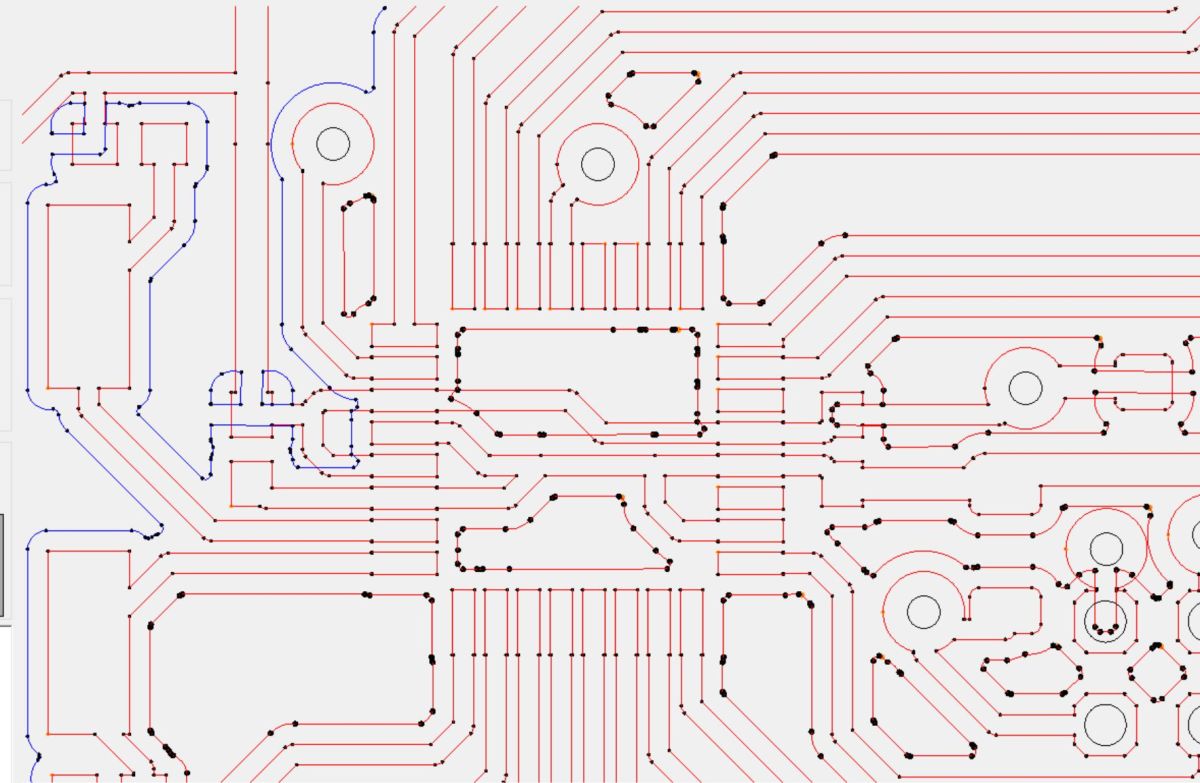
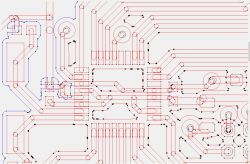
    - The next step is to merge the polygons belonging to the paths. In order to optimise execution time, only segments belonging to the same network are merged. After this step, the board looks as follows:
    PCB GCode toolpath output with drill holes and connection segments .

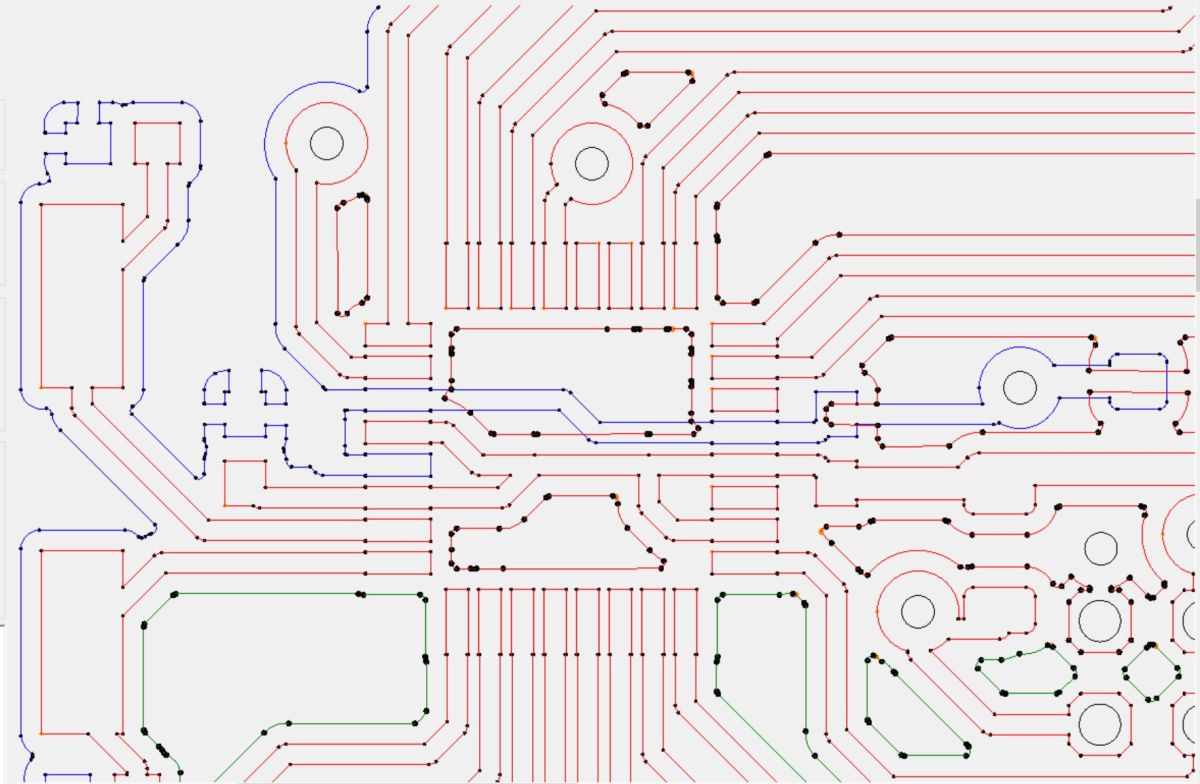
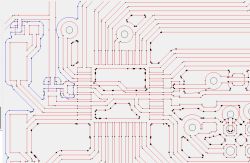
    - In the next step, the paths are combined with the completed zones, also within the network:
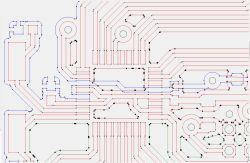
    PCB trace preview with colored polygons and drill holes .

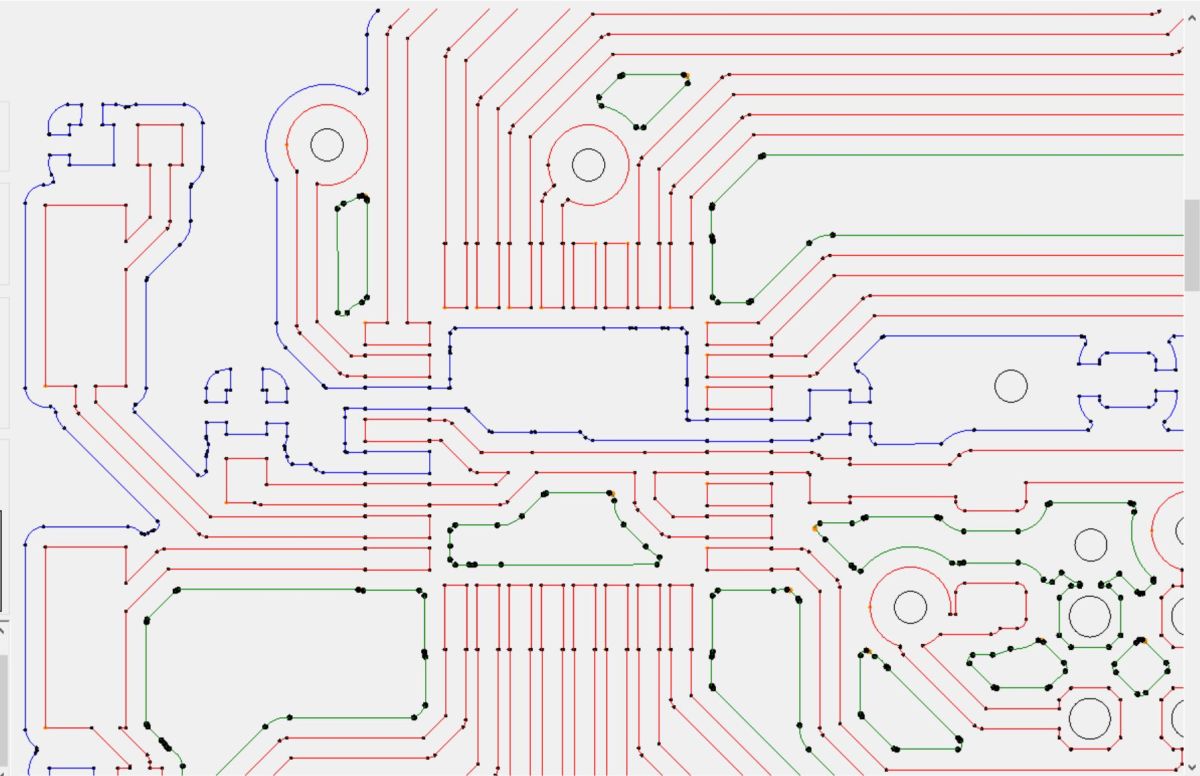
    - The final step in preparation for milling is to merge the fragments of the filled zones which are connected by paths:
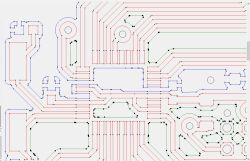
    PCB track routing preview with multicolor paths and control node markers .

    - All polygons are now ready so this stage generates milling paths at the correct distance from the prepared polygons, separately for milling the copper and separately for milling the plate shape.
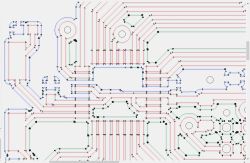
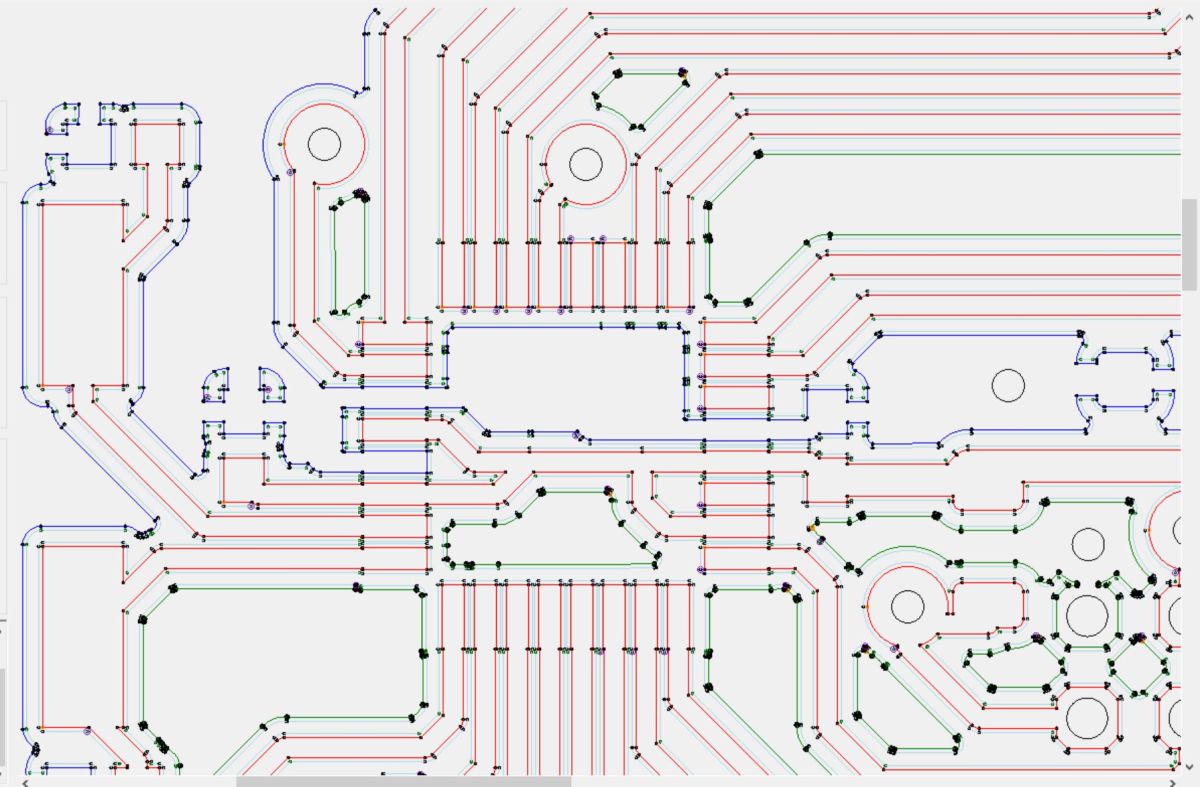
    PCB path preview with CNC machining points and multi-color trace layers .
    - The next step is to process the holes, matching them to the available drill list, the large holes are allocated for milling.
    - The final step is the generation of the GCode from the prepared data.

    What is missing:

    Currently the milling of unfilled surfaces is not implemented - I did not need this for the time being.
    The correctness of the insert is not checked, and the diameter of the cutter must be chosen so that it does not exceed the minimum distance between the paths.

    The source code is available on github, feel free to test it and report comments and possible bugs.

    https://github.com/r-gal/KiCAD2GCode
    Cool? Ranking DIY
    About Author
    nuclear
    Level 16  
    Offline 
    nuclear wrote 194 posts with rating 144, helped 18 times. Live in city Siepraw. Been with us since 2003 year.
  • ADVERTISEMENT
  • #2 21689110
    jarewa
    Level 35  
    Posts: 3081
    Help: 228
    Rate: 511
    Board Language: polish
    nuclear wrote:
    I used to use FreeCAD for this purpose but the conversion time and the number of operations required effectively discouraged me - processing one board could take me several hours, most of which time was spent waiting for FreeCAD to convert everything.


    And you haven't used FlatCam?
  • #3 21689125
    silvvester
    Level 25  
    Posts: 950
    Help: 23
    Rate: 159
    Board Language: polish
    nuclear wrote:
    Today, milling of unfilled surfaces is not implemented - I didn't need it for now.
    .


    You probably won't do much milling without sampling the surface with a probe beforehand, or the results will come out so-so.

    https://www.youtube.com/results?search_query=pcb+map+height+milling
    https://www.youtube.com/watch?v=7TRqrLqnKa0
  • #4 21689127
    jarewa
    Level 35  
    Posts: 3081
    Help: 228
    Rate: 511
    Board Language: polish
    silvvester wrote:
    Probably without first sampling the surface with a probe, you won't be able to do much, or the results will be so-so.


    This is taken care of by the CNC software, all you need is a map of the passes and the depth of the
  • #5 21689301
    slaw0
    Level 15  
    Posts: 189
    Help: 8
    Rate: 112
    Board Language: polish
    There is a plug-in for eagle that generates gcode in seconds on an old notebook with intel atom and 2 Gb ram.
  • ADVERTISEMENT
  • #6 21689334
    nuclear
    Level 16  
    Posts: 194
    Help: 18
    Rate: 144
    Board Language: polish
    jarewa wrote:
    And you haven't used FlatCam?
    .

    I admit that when I started working on my project I was not familiar with this tool, maybe because I was looking for a converter for KiCAD files and not gerbers. Maybe I would have decided against my less versatile tool. I haven't experimented with FlatCam so I don't have a comparison yet, but I will have a look, whereas by the very fact of needing to generate gerbers my converter is faster - fewer operations for the user to perform.

    silvvester wrote:
    Probably without sampling the surface with a probe beforehand you won't be able to do much, or the results will come out so-so.


    It's true, surface sampling is strongly recommended for PCBs, but this is no longer the task of this converter but of the CNC controller, In my milling machine I have done this as well as automatic tool length measurement - very useful when you have to change the tool several times for one board.

    slaw0 wrote:
    There is a plugin for eagle which generates the gcode in a few seconds on an old notebook with intel atom and 2 Gb ram.
    .

    I abandoned Eagle because of the limitations of the free version and I'm not going to buy. I have switched to KiCAD so I need a tool for this format.
  • #7 21689364
    jarewa
    Level 35  
    Posts: 3081
    Help: 228
    Rate: 511
    Board Language: polish
    nuclear wrote:
    by the very fact of the need to generate gerbers


    KiCAD exports to gerbers as well as the drill map. And FlatCAM I use and it is fast.

    nuclear wrote:
    Today, milling of unfilled surfaces is not implemented - I didn't need it for now.


    Work on this because as a cool programmer this feature will come in handy. I will be happy to use
  • #8 21690599
    LechU
    Level 14  
    Posts: 65
    Help: 3
    Rate: 25
    Board Language: polish
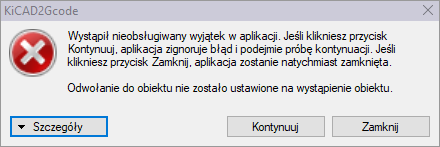
    I am testing (?) this programme, but every time a window like this appears:

    Error dialog from KiCAD2Gcode stating an unhandled exception occurred .

    Where to look for the error?
    Attachments:
    • Error.txt (4.83 KB) You must be logged in to download this attachment.
  • ADVERTISEMENT
  • #9 21690797
    nuclear
    Level 16  
    Posts: 194
    Help: 18
    Rate: 144
    Board Language: polish
    >>21690599 .

    Hi, thanks for reporting the problem, it looks like there is a lack of support for some unusual pad shapes, you can see I didn't use such anywhere in my boards and it didn't work out for me. I didn't even know how complex pads can be defined in KICAD. :) This will of course be corrected. Have you tried loading other board designs? Alternatively, if possible, could you send some KiCAD PCB file with which there are problems so that I can reproduce it?
  • #10 21691129
    LechU
    Level 14  
    Posts: 65
    Help: 3
    Rate: 25
    Board Language: polish
    And this is where I was surprised by something: In the archive in the "YES" directory there are the original "*.kicad_pcb" files from "http://mynor.org" - and they open correctly (?), while in the "NO" directory there are the same files after my cosmetic changes (I think KiCAD 8.0) and they don't open (?). At first I thought it was the fault of KiCAD version 9.0.4 which I am using, but no....

    >>21690797 .
    Attachments:
    • pack.7z (1.61 MB) You must be logged in to download this attachment.
  • #11 21691153
    nuclear
    Level 16  
    Posts: 194
    Help: 18
    Rate: 144
    Board Language: polish
    Thanks for the test files. The problem with loading the files turned out to be quite simple, KiCAD 8.0 uses tabs in its files instead of the previous spaces which causes a network parsing error. I have fixed this however there is another problem which crashes the application at the segment linking stage, when I have solved this I will upload a new version.
  • #13 21693238
    nuclear
    Level 16  
    Posts: 194
    Help: 18
    Rate: 144
    Board Language: polish
    I uploaded the new version v1.1 Files are already processing correctly, you can look for further problems and deficiencies ;)
  • #14 21706565
    oscil1
    Level 23  
    Posts: 606
    Help: 48
    Rate: 164
    Board Language: polish
    LechU wrote:
    I am testing (?) this program, but every time this window appears:
    .
    I guess the author forgot about try-catch
  • ADVERTISEMENT
  • #15 21726559
    nuclear
    Level 16  
    Posts: 194
    Help: 18
    Rate: 144
    Board Language: polish
    Hi, I've been away for a while but finally found some time and improved the program, removed some bugs found in the meantime and added milling of unfilled surfaces. Version v1.4 is uploaded on github, feel free to test it ;)

    oscil1 wrote:
    I guess the author forgot about try-catch

    Not even a try-catch, because those are there in the important places, here a simple ifa for exceeding the array range was missing :/
  • #16 21738323
    Rozrabiakus
    Level 7  
    Posts: 8
    Rate: 1
    Board Language: polish
    >>21689125 therefore PCBs are best painted black and laser-fired ;-)
📢 Listen (AI):

Topic summary

✨ A developer created a Windows Forms application in C# to generate GCode for PCB milling directly from KiCAD files, aiming to reduce conversion time compared to previous methods like FreeCAD. The tool generates milling paths including filled zones and drill holes, streamlining the process for CNC milling machines. Discussion highlighted alternative tools such as FlatCAM, which also converts KiCAD gerbers quickly, and an Eagle plug-in for GCode generation. Surface height mapping and tool length measurement were noted as essential steps handled by CNC controllers rather than the GCode generator itself. The author prefers KiCAD over Eagle due to licensing and seeks a dedicated KiCAD-compatible GCode generator to improve workflow efficiency.
Generated by the language model.

FAQ

TL;DR: Need fast PCB milling from KiCAD? This thread covers a direct .kicad_pcb → G-code workflow; one member notes an Eagle plug‑in runs on 2 GB RAM and “generates gcode in seconds.” [Elektroda, slaw0, post #21689301] Why it matters: It trims hours of conversion steps down to minutes for hobbyists and small labs using desktop CNCs.

Quick Facts

What is this KiCAD-to-G-code tool, in one sentence?

It’s a C# Windows app that reads KiCAD .kicad_pcb and generates G-code for copper isolation, board outline, and drilling within minutes. [Elektroda, nuclear, post #21689006]

How do I generate G-code from my KiCAD board?

  1. Open your .kicad_pcb; review the hole list in the console.
  2. Set milling/drilling parameters; leave mode on ALL.
  3. Click RUN and choose the save location for the generated G-code. This runs polygon parsing, merging, toolpathing, and code export automatically. [Elektroda, nuclear, post #21689006]

Does it handle filled copper zones and the PCB outline?

Yes. It merges tracks with zones per net, connects zone fragments, offsets toolpaths for copper isolation, and generates a separate outline pass with holes. [Elektroda, nuclear, post #21689006]

Can it mill unfilled copper areas (clear large fields)?

Yes in v1.4. Earlier builds lacked this, but the Oct 20, 2025 update added milling of unfilled surfaces. [Elektroda, nuclear, post #21726559]

Do I need to export Gerbers first?

No. It reads KiCAD board files directly, reducing steps versus Gerber‑based flows and speeding up conversion. [Elektroda, nuclear, post #21689334]

How are drill holes handled?

The app lists all hole sizes, matches them to your drill set, and routes oversized holes for milling instead of drilling. [Elektroda, nuclear, post #21689006]

Do I need surface height mapping before milling PCBs?

Yes, probe the surface. Height compensation belongs in the CNC controller; the author recommends probing and tool length measurement. [Elektroda, nuclear, post #21689334]

It crashes on my board—what are known causes and fixes?

Early failures came from unsupported complex pad shapes and later from KiCAD 8 tab formatting; both were addressed in follow‑ups. “This will of course be corrected.” [Elektroda, nuclear, post #21690797]

Which KiCAD versions showed issues in testing?

A user saw files from KiCAD 8.x and edits viewed in 9.0.4 fail while originals opened; this led to the parsing fix. [Elektroda, LechU, post #21691129]

Is there an alternative like FlatCAM or Eagle plug‑ins?

Yes. One member reports an Eagle plug‑in creates G-code “in seconds” on a 2 GB Atom notebook; FlatCAM is another Gerber‑based option. [Elektroda, slaw0, post #21689301]

Can I select TOP or BOTTOM layers and auto‑zero the job?

Yes. You can choose TOP or BOTTOM, and the tool automatically moves the board origin to 0,0 before pathing. [Elektroda, nuclear, post #21689006]

Where is the source code and can I report bugs?

The author published the source on GitHub and invites testing, comments, and bug reports for ongoing fixes. [Elektroda, nuclear, post #21689006]

What bugs were fixed after initial release?

Fixes include array‑bounds checks and multiple stability improvements; the v1.4 release notes mention added features and bug removals. [Elektroda, nuclear, post #21726559]
Generated by the language model.
ADVERTISEMENT