logo elektroda
logo elektroda
X
logo elektroda

Arduino Nano Interactive Piano: 6 Obstacle Avoidance Modules with DF MP3 Module Setup

unikeyic 1782 1

TL;DR

  • Builds an Arduino Nano interactive piano that uses six obstacle avoidance modules to trigger DF MP3 playback.
  • Uses a Nano expansion board and SoftwareSerial so each sensor’s low-level output maps to a specific audio track and volume control.
  • Obstacle detection works at 2–30 cm with a 35° angle, and audio files must be stored in the "2H" folder as 01.mp3, 02.mp3, and so on.
  • The project plays music successfully, but the sensors can interfere with each other, so shielding the heads and careful trimmer adjustment improve stability.
Generated by the language model.
ADVERTISEMENT
📢 Listen (AI):
  • Close-up of six obstacle avoidance modules on a prototype board wired to a controller
     Today, I would like to introduce an interactive Arduino music project. Using six obstacle avoidance modules and DF’s MP3 module, we will build a musical piano (originally, I had eight obstacle avoidance modules, but during assembly, I found that two were incompatible and lacked indicator lights. Since replacing them in time was not feasible, I wrote code to adapt the system for six modules. The central controller uses an Arduino Nano paired with a Nano expansion board. The threshold (threshold) of the obstacle avoidance modules must be adjusted using the module's built-in regulator. In this circuit design, one can also draw parallels to the avalanche diode (though not directly used in this project's hardware, it serves functions such as circuit protection and high-speed switching in complex electronic circuits, sharing similar underlying principles with our project's pursuit of circuit stability and signal accuracy).This concept could be explored further if the project is expanded in the future. The coordinated operation of various modules in the project is akin to understanding the structure and collaboration of DC motor components, where different components work together in an orderly manner to achieve the overall function.

     Step 1: Operation Process
     Connect the 6 obstacle avoidance modules: GND and VCC are connected to the breadboard, and the signal lines are connected to the corresponding pins on the Nano.
     Write and burn the code.
     Power on and test.
     Adjust the trimmer (fine-tuning device): Only one green LED should be lit on the module. If both are lit simultaneously, the MP3 module will output abnormal audio.

     Step 2: Hardware Setup
     Name Quantity
     DFRobot nano 1
     Obstacle avoidance module 6
     Breadboard 1
     nano expansion board 1
     5V Power Bank 1

     Step 3: Understand the key hardware parameters
     Sound effect file download
     1. This module comes with built-in sound effects. If you need to add or replace sound effects, you can use a micro USB cable to connect to a computer for updates and downloads;
     2. The method for updating sound effect files is the same as using a USB drive.
     3. The device supports MP3 and MAV format audio files;
     4. Files must be stored in the "2H" folder. It is recommended to use numerical names, e.g., 01.mp3, 02.mp3. Alternatively, two letters or a single Chinese character can be used for naming.
     Wiring diagram
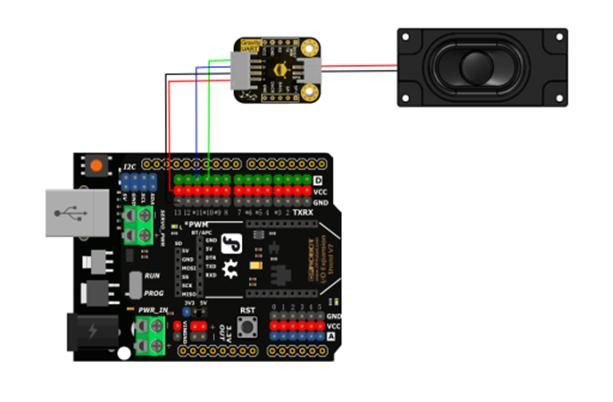
    Wiring diagram of Arduino connected to MP3 UART module and speaker

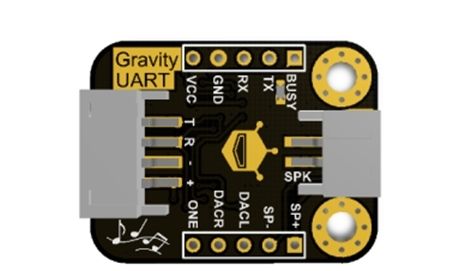
    Gravity UART module with labeled communication and power pins

     The Gravity UART module features a variety of pin functions. The TX (T) and RX (R) pins are used for serial communication; the power ground, power positive (3.3V - 5V, including VCC) form the power supply system to ensure stable power supply to the module; The BUSY pin serves as a busy signal pin, presenting a high voltage level during playback and a low voltage level in other states; the SP+ and SP- pins are connected to the speaker and are responsible for audio output; the DACL and DACR pins correspond to the left and right channels of the DAC audio output, respectively; the ONE pin is a single-wire serial port control pin that can be used to achieve specific control functions; The micro USB pin serves as an interface for updating audio files. It connects to a computer via USB, with a storage method similar to a USB drive, facilitating the updating of audio files. The pins work together to enable the module to function in scenarios such as serial communication and audio processing. By dividing tasks among different pins, the module achieves data transmission, power supply, audio output control, and file update functions, providing flexible and practical hardware support for related applications.
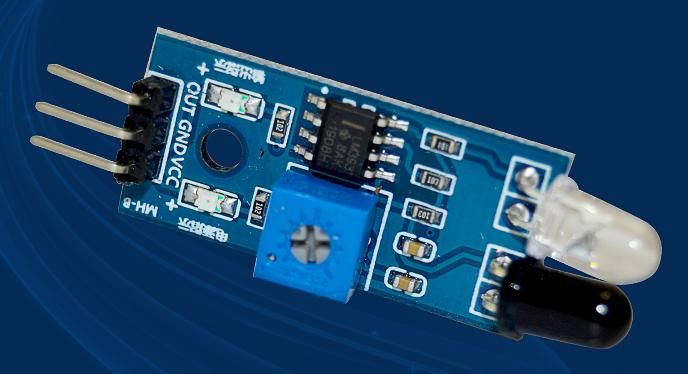
    Obstacle avoidance module with three pins, IR diodes, and a blue trimmer
     When the module detects an obstacle signal in front, the green indicator light on the circuit board illuminates, and the 0UT port continuously outputs a low-level signal. The module has a detection range of 2–30 cm and a detection angle of 35°. The detection range can be adjusted via a potentiometer: turning the potentiometer clockwise increases the detection range, while turning it counterclockwise decreases the detection range.
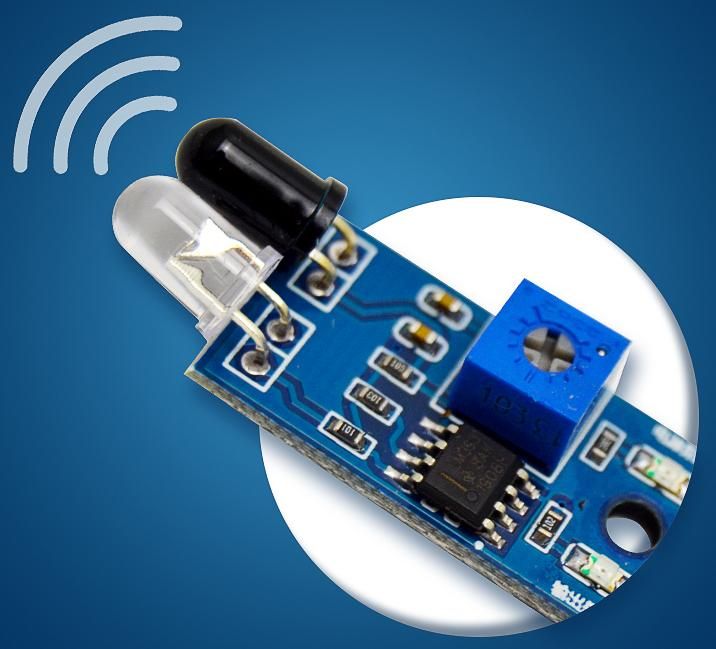
    Close-up of obstacle avoidance module with IR sensor on blue PCB
     This is an active infrared reflection detection sensor with strong adaptability to ambient light conditions. It operates using a pair of infrared emitter and receiver tubes. The emitter tube emits infrared light at a specific frequency. When the infrared light encounters an obstacle, it is reflected and received by the receiver tube. After processing by the comparator circuit, the green indicator light illuminates, and the signal output interface simultaneously outputs a low-level digital signal. The detection distance is related to the target's reflectivity and shape. Black targets and small objects have a shorter detection distance, while white targets and large objects have a longer detection distance. The effective detection range is 2–30 cm, adjustable via the potentiometer knob. The operating voltage is 3.3V–5V, and it can output a digital signal to assist external devices in determining the status of obstacles.
     
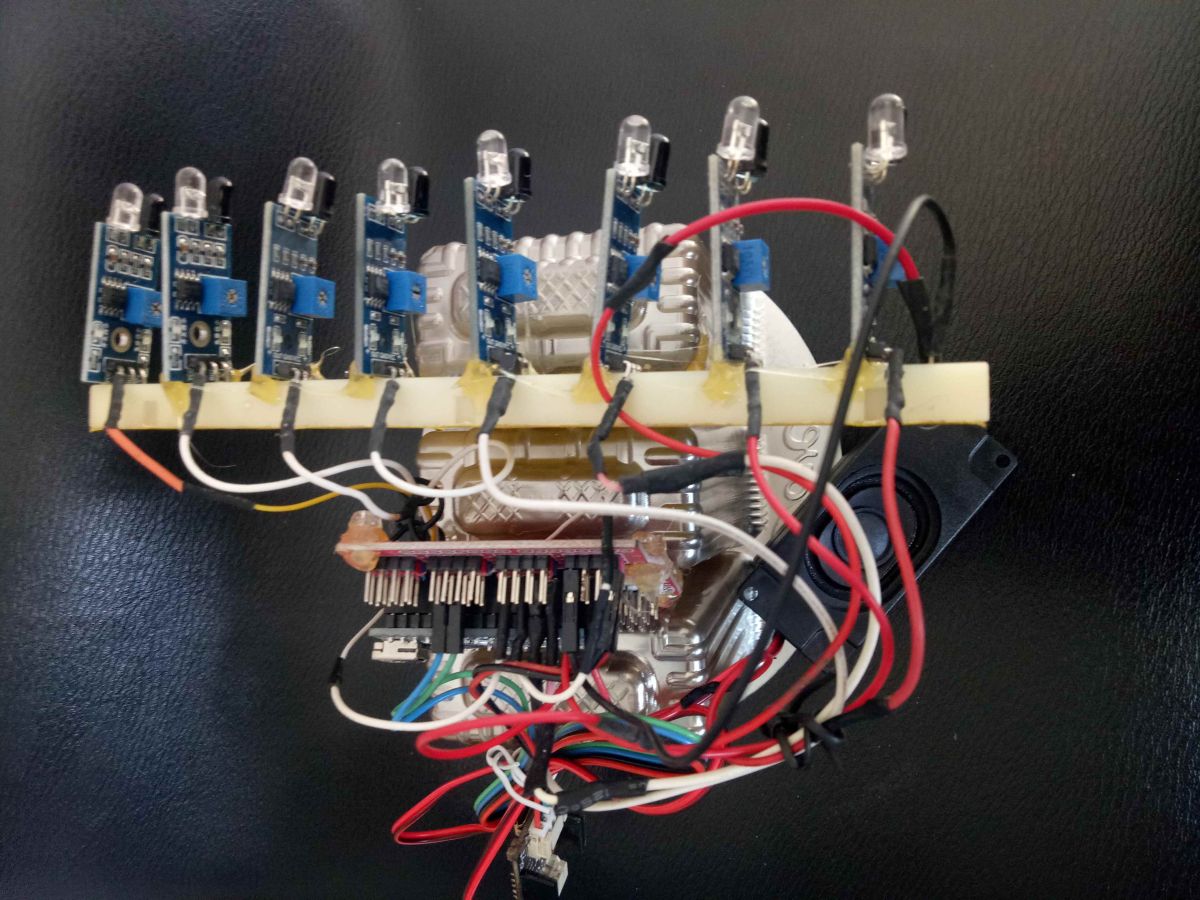
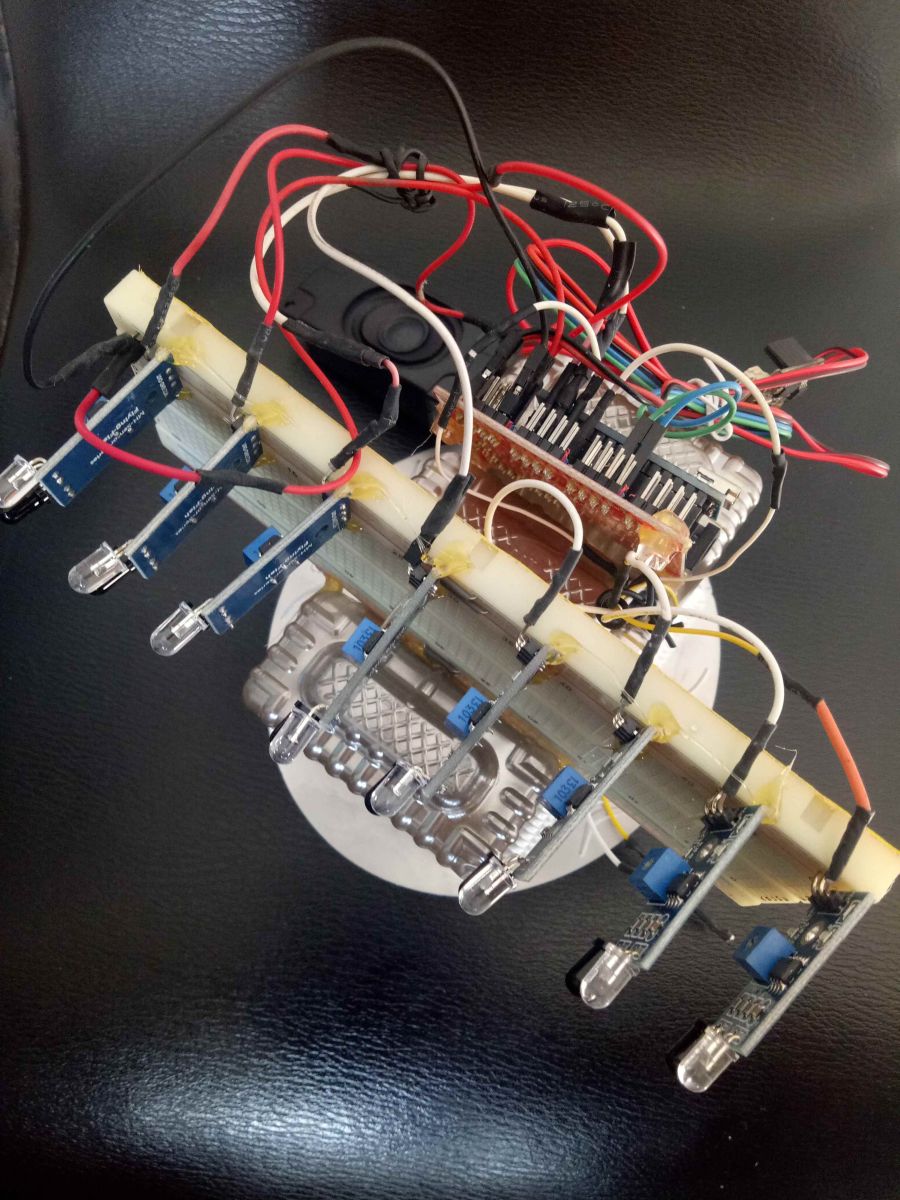
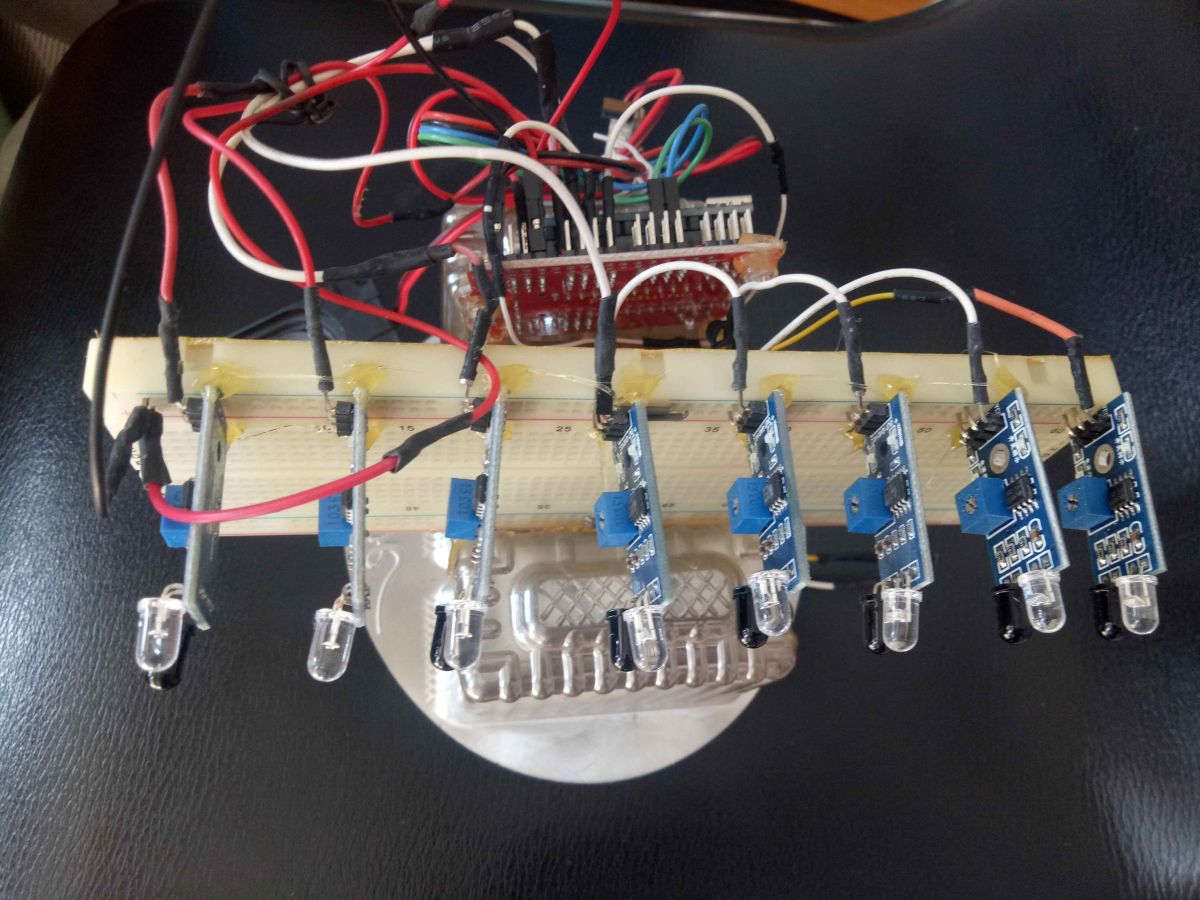
    Step 4: Provide some hardware images for a visual reference
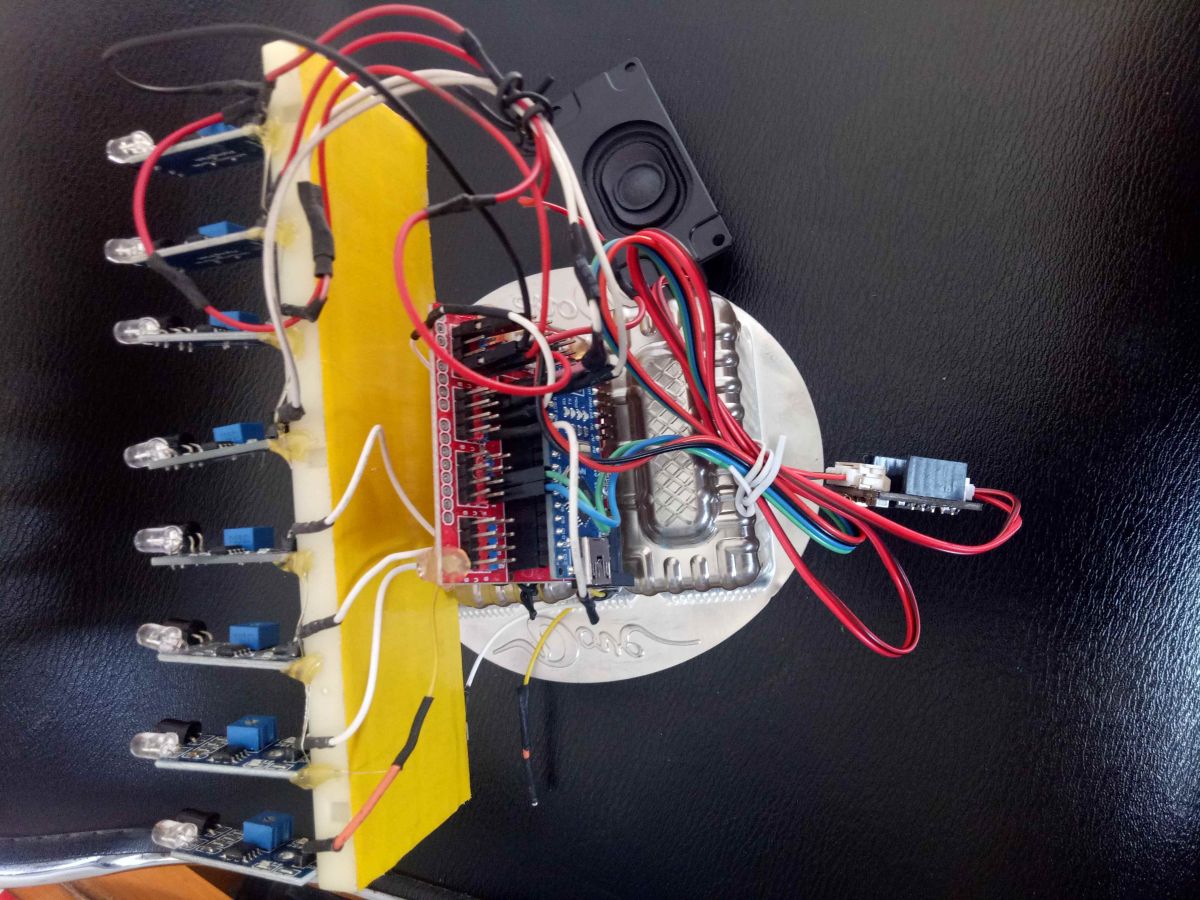
     
    Close-up of six obstacle avoidance modules on a prototype board wired to a controller

    Arduino setup with 6 obstacle avoidance modules and wiring on a prototype board

    Top view of Arduino project with six obstacle sensors and wiring on prototype board

    Top view of interactive piano prototype with six IR obstacle avoidance modules
     Step 5: Introduction to the key code
    Code: C / C++
    Log in, to see the code


     Code Function Description: Use the SoftwareSerial library to create a software serial port for communication with the MP3 module; define 6 obstacle avoidance module pins and write functions for playback and volume control; the setup function initializes the pins as input mode, configures the serial port, and sets the initial volume; the loop function continuously monitors the obstacle avoidance module signals, and a low-level signal triggers the corresponding audio playback.

     Step 6: Wiring diagram
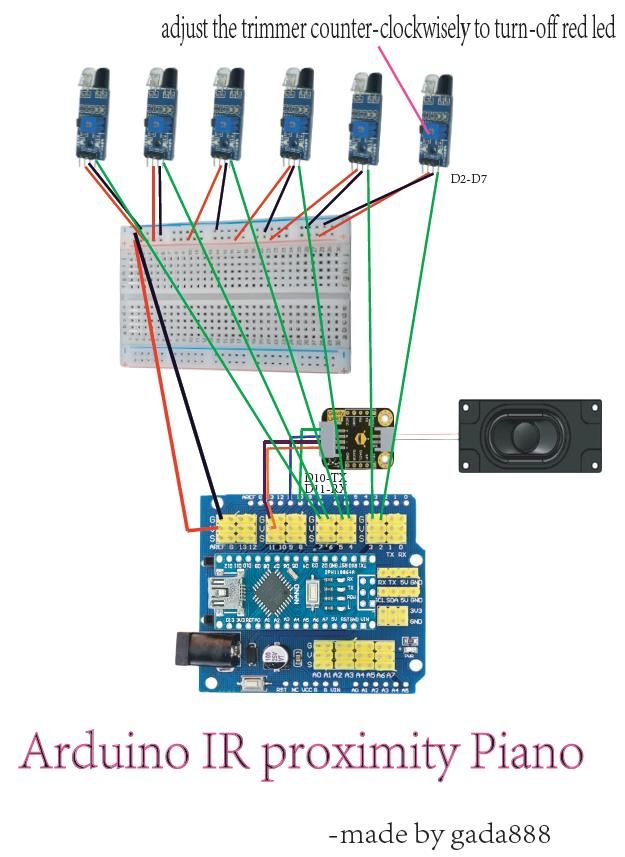
    Wiring diagram for Arduino Nano, 6 IR sensors, MP3 module, and speaker

     Step 7: Summary
    This project utilizes hardware such as Arduino Nano to create an interactive musical piano using obstacle avoidance modules and MP3 modules, achieving basic obstacle detection and audio playback functionality. In practice, it was discovered that there is mutual interference between modules. Suppose the head of the obstacle avoidance module is wrapped (e.g., with a material that does not interfere with infrared signals to create a simple shield). In that case, the probability of interference can be reduced, as wrapping reduces infrared signal scattering and false triggers. Further improvements can be made in the following areas: first, optimize the code logic to handle complex scenarios where multiple obstacle avoidance modules trigger simultaneously, enabling more diverse audio playback (e.g., different modules triggering different melodies); second, expand hardware functionality by incorporating avalanche diodes, which are used in circuit protection and signal optimization, to enhance the circuit's interference resistance and ensure more stable signal transmission; Third, compare the system coordination modes of DC motor components and improve the physical fixation and signal coordination among the modules in this project. For example, provide a unified shielding cover for the modules to fix their positions and reduce interference, making the overall system more reliable and functional.

    Cool? Ranking DIY
    About Author
    unikeyic
    Level 2  
    Offline 
    unikeyic wrote 18 posts with rating 22. Been with us since 2024 year.
  • ADVERTISEMENT
  • #2 21639380
    viayner
    Level 43  
    Hello,
    If you would still use laser diodes with optics and a bit of smoke to scatter the light, we would have a laser harp by J.M. Jarre :) .
    Admittedly, this is still a long way from an instrument, as there are delays associated with sound generation or unambiguous detection, but the approach is a plus.
    Regards
📢 Listen (AI):

FAQ

TL;DR: Build a 6-key Arduino Nano piano with 2–30 cm IR sensing; "Only one green LED should be lit." [Elektroda, unikeyic, post #21638600]

Why it matters: It helps makers prototype touchless musical controls and learn practical sensor tuning with reliable audio playback.

Quick Facts

What is the Arduino Nano interactive piano and who is it for?

It’s a touchless piano using six IR obstacle sensors to trigger DF’s UART MP3 module via an Arduino Nano. It’s ideal for beginners, educators, and makers exploring sensor tuning and serial audio control. The design uses a Nano expansion board and a breadboard for quick builds. You learn serial commands, file organization, and simple interference mitigation. The project emphasizes stability and accurate signals with straightforward hardware and code. [Elektroda, unikeyic, post #21638600]

What parts do I need to build it?

You need a DFRobot Nano, Nano expansion board, six obstacle avoidance modules, a breadboard, DF’s UART MP3 module, and a 5 V power bank. Connect a speaker to SP+ and SP− on the MP3 module. The IR modules operate at 3.3–5 V and output a digital low on detection. This parts set matches the documented setup and ensures compatible power and signaling. [Elektroda, unikeyic, post #21638600]

How do I wire the six sensors to the Nano?

Wire VCC and GND of each sensor to the breadboard rails. Connect sensor outputs to Nano D2–D7. Adjust the sensor potentiometer to set the threshold and avoid double-light states.
  1. Power the system and verify one green LED per sensor.
  2. Wave a hand and turn the trimmer until detection is reliable.
  3. Ensure only one green LED lights; otherwise audio may glitch. “Only one green LED should be lit on the module.” [Elektroda, unikeyic, post #21638600]

How do I load and organize audio files for the MP3 module?

Plug the module’s micro‑USB into a computer. It mounts like a USB drive. Place audio in the “2H” folder. Use simple names such as 01.mp3, 02.mp3. The module supports MP3 and MAV formats. You can replace or add sound effects the same way you manage files on a flash drive. Keep names short to ensure predictable triggering. [Elektroda, unikeyic, post #21638600]

How do I control playback and volume from Arduino?

Use SoftwareSerial on pins 10 (RX) and 11 (TX) at 9600 bps. Send the documented byte sequences for play and volume. Example: play(0x01) triggers a track; volume(0x1E) sets startup volume. Read digital inputs from D2–D7 and call play() when a sensor reads low. Extend the provided template with similar logic for IR2–IR6 to map keys to tracks. [Elektroda, unikeyic, post #21638600]

Why am I getting false triggers or abnormal audio?

If both LEDs are lit on a sensor, the MP3 module can output abnormal audio. Fix the threshold using the trimmer so only one green LED lights during detection. Reduce cross‑talk by wrapping each sensor head to limit IR scattering. Physically fix modules to maintain consistent angles. “Only one green LED should be lit on the module.” [Elektroda, unikeyic, post #21638600]

What detection range and angle can I expect from the sensors?

Expect 2–30 cm detection with about a 35° angle. Range varies by target reflectivity and size. Black or small objects yield shorter distances. White or large targets yield longer distances. Turn the potentiometer clockwise to increase range and counterclockwise to decrease it. The sensor outputs a digital low when it detects an obstacle within the adjusted range. [Elektroda, unikeyic, post #21638600]

What does the MP3 module’s BUSY pin do?

BUSY goes high while audio is playing and low otherwise. Use it to prevent overlapping triggers or to time new notes. You can read BUSY before sending new play commands for cleaner sequencing. This simple hardware signal helps coordinate multi‑sensor inputs with audio playback states. [Elektroda, unikeyic, post #21638600]

Can I expand to eight keys or mix different obstacle sensors?

Expansion is possible, but match sensor behavior and indicators. The original build planned eight, but two modules were incompatible and lacked indicator lights, so code adapted to six. Add inputs and replicate the play logic for extra sensors. Validate thresholds and ensure consistent low‑level outputs on detection. Watch for module‑to‑module variance when mixing vendors. [Elektroda, unikeyic, post #21638600]

How can I reduce interference when sensors are close together?

Physically isolate sensors and use simple shielding around each head to limit IR spill. Fix positions with a unified cover to maintain angles. Improve code to handle simultaneous triggers and map them to distinct sounds. Consider adding avalanche diode protection in future revisions to harden signal paths and improve stability. [Elektroda, unikeyic, post #21638600]

How should I power the system?

Use a 5 V power bank for the Nano and modules. Keep grounds common across Nano, sensors, and the MP3 module. The IR sensors operate at 3.3–5 V, so the 5 V rail is suitable. Stable power reduces noise and false triggers. Verify voltage on the breadboard and secure connections to avoid dropouts under load. [Elektroda, unikeyic, post #21638600]

What do the MP3 module pins do and how do I connect audio?

TX and RX handle serial commands. VCC and GND power the module. BUSY indicates playback state. Connect SP+ and SP− to a speaker for audio. DACL and DACR provide left and right DAC outputs. ONE is a single‑wire control pin. Use the micro‑USB port to update files. These pins enable flexible control and output options. [Elektroda, unikeyic, post #21638600]
Generated by the language model.
ADVERTISEMENT