











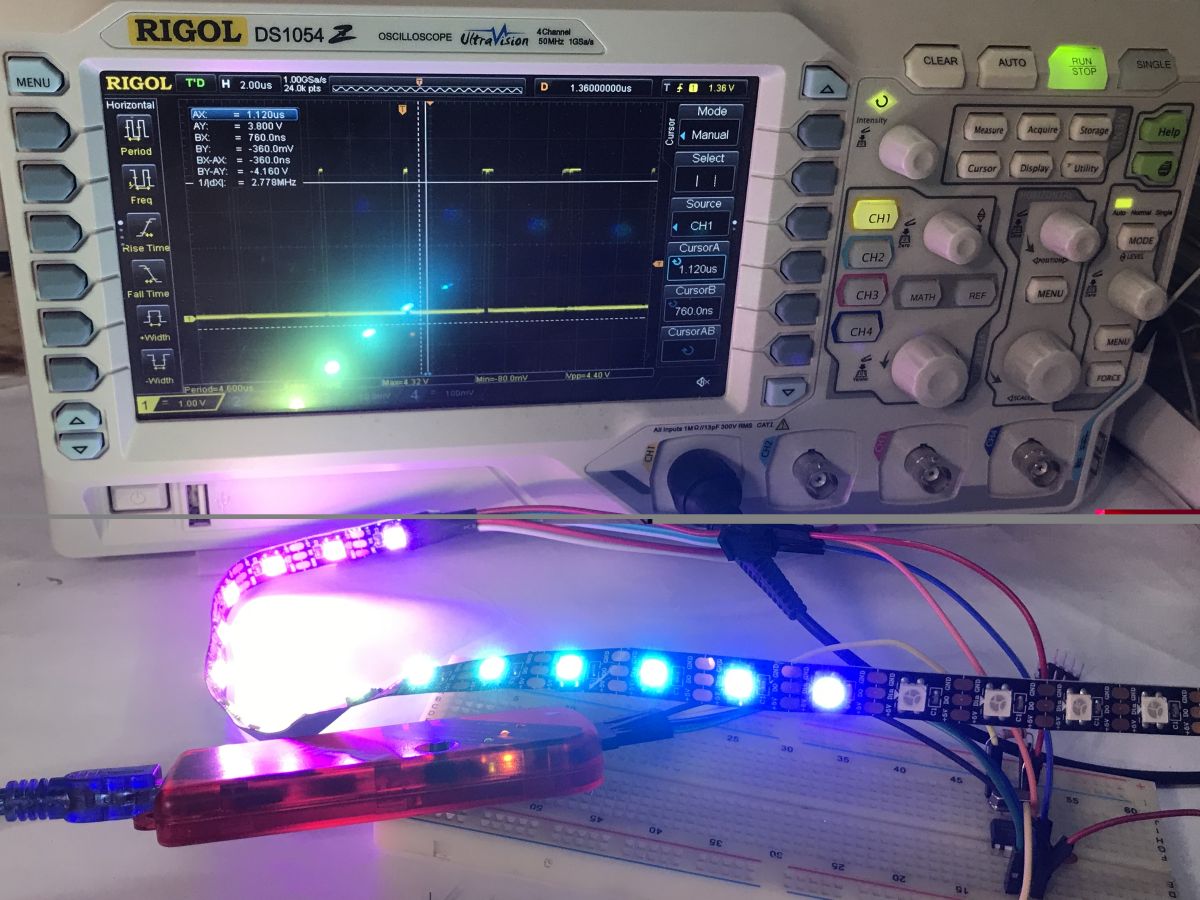
Can the tiny eight-bit PIC12F683 microcontroller handle the dynamic colour animation on the WS2812 LEDs? The MCU used here has just 2048 bytes of Flash memory, 128 bytes of RAM and is clocked at up to 20 MHz (8 MHz for the internal oscillator). Is this enough? Let's find out!
The idea came from the fact that I have a dozen or so of these types of PICs left over from older projects and I decided to try to give them new life. Perhaps something for Christmas. We'll see if I still have time. At the time of publishing the first part (of this topic) I have only just started the second part.
Here I will describe the first part of the adventure, that is, getting the WS2812 up and running and the limitations of this microcontroller.
This topic is part of my series on PIC microcontrollers and the SDCC compiler. For other parts, please see the topics below:
Part 1 - Setting up the operating environment
https://www.elektroda.pl/rtvforum/topic3635522.html#18304424
Part 2 - Blink LED, IO pins, digital inputs and outputs
https://www.elektroda.pl/rtvforum/topic3647884.html#18389188
Part 3 - Oscillator settings. Internal oscillator, external oscillator, quartz resonator, PLL
https://www.elektroda.pl/rtvforum/topic3657704.html
Part 4 - Timers, interrupts
https://www.elektroda.pl/rtvforum/topic3676645.html#18580858
Part 5 - Seven-segment display operation
https://www.elektroda.pl/rtvforum/topic3676650.html#18580877
Part 6 - MM5450 LED display driver
https://www.elektroda.pl/rtvforum/topic3845301.html
Related topic about PIC12F:
PIC12F683 and SDCC - tutorial - we create a simple dimmer (read catalogue notes)
Specification of WS2812
The WS2812 is an individually addressable, colour LED that combines an RGB LED and a controller in a single housing. This allows each module to be controlled independently, enabling the creation of lighting effects, animations and dynamic colour changes in LED strips, arrays or DIY projects. The WS2812 uses a single-line protocol for data transfer, allowing multiple LEDs to be easily connected in series with minimal wiring. The way it works is that the WS2812s are connected in series - the DOUT input of one is connected to the DIN of the other, and their controllers themselves cleverly pass on the signal, taking only their colour described by three bytes.
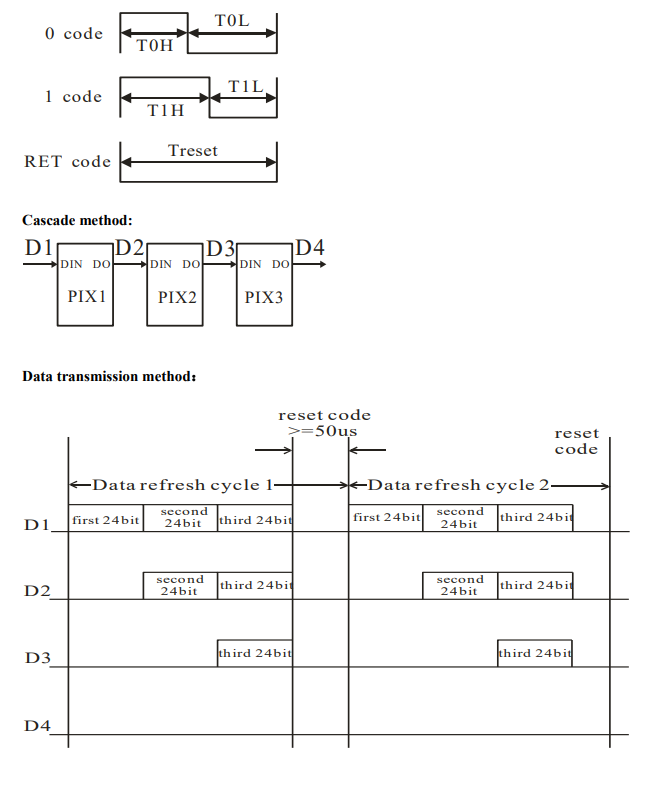
The bytes are encoded as a high state - low state pair, where the timing of a given state must meet a specification.
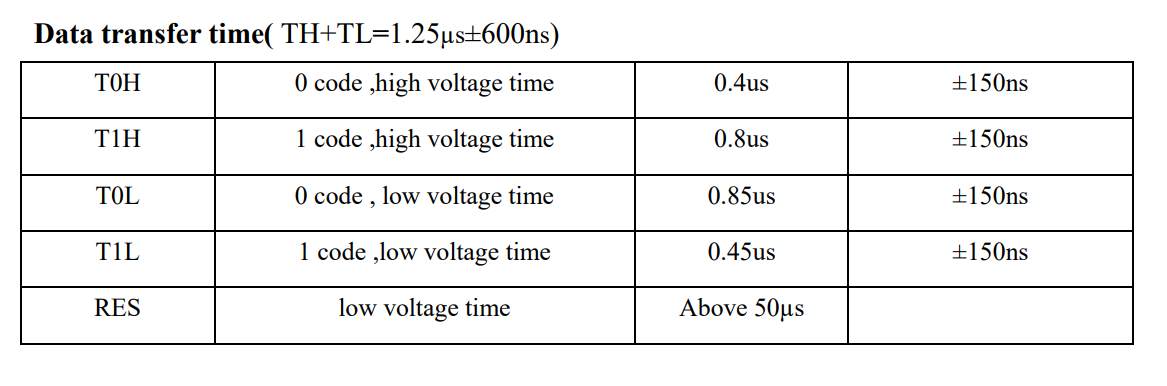
According to the table - we must be able to generate T0H (0.4 us) and T1H (0.8 us) times with a margin of error of up to 0.15 us (in practice slightly more).
First attempts and instruction timing
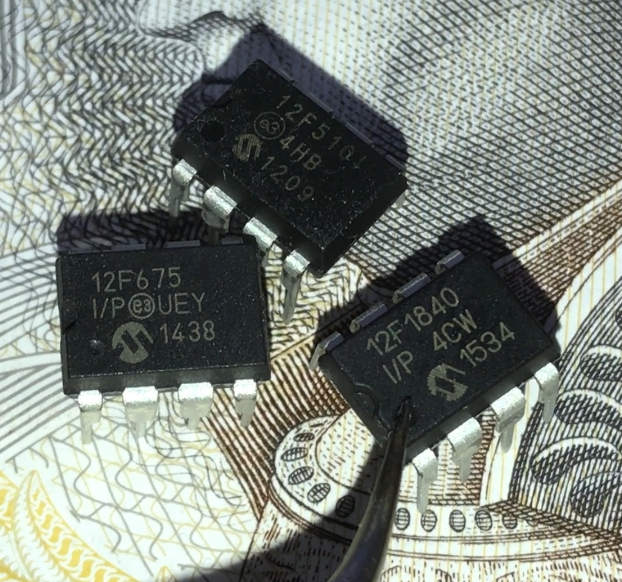
The first PIC that caught my eye was the PIC12F675, lying right next to the eponymous PIC12F683. However, it had even less RAM, at a mere 64 bytes:

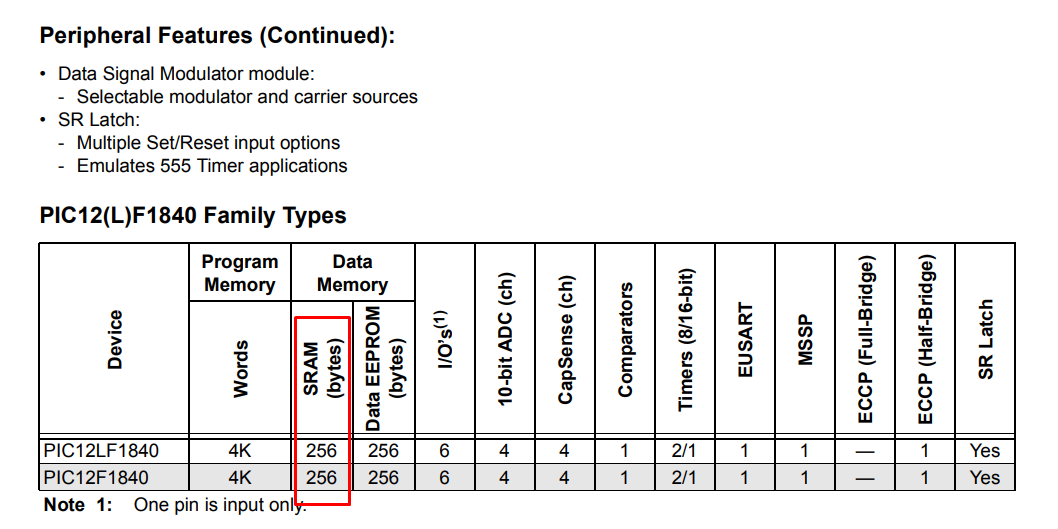
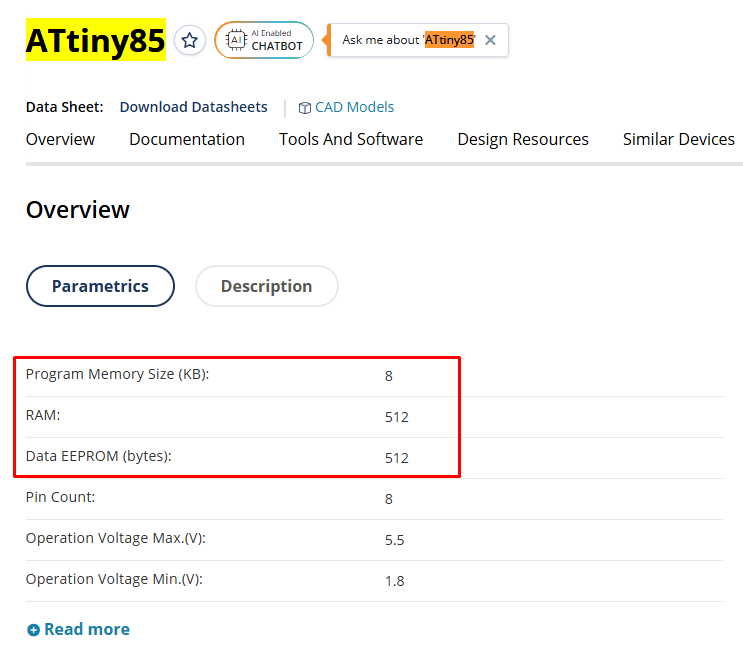
I then compared the notes and decided that the PIC12F683 was the better option after all:

It's a tiny 8-bit MCU in a DIP8 enclosure, but it's more likely to be enough here?
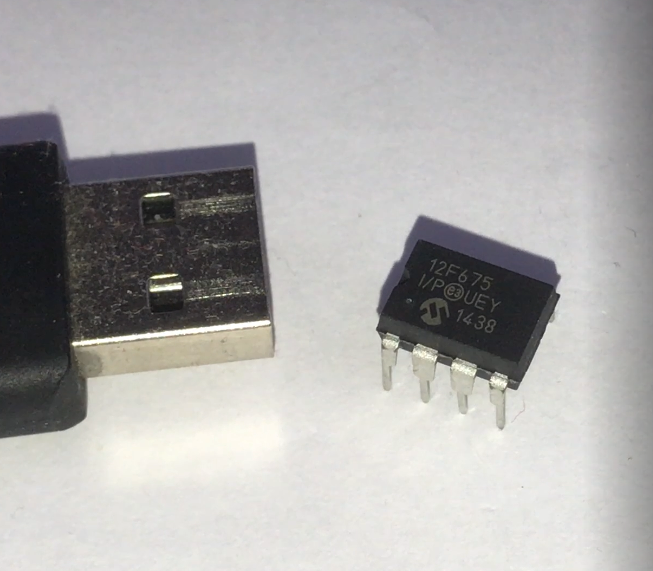
To start with, I got the PIC up and running. PICKIT2 sees it without external components:
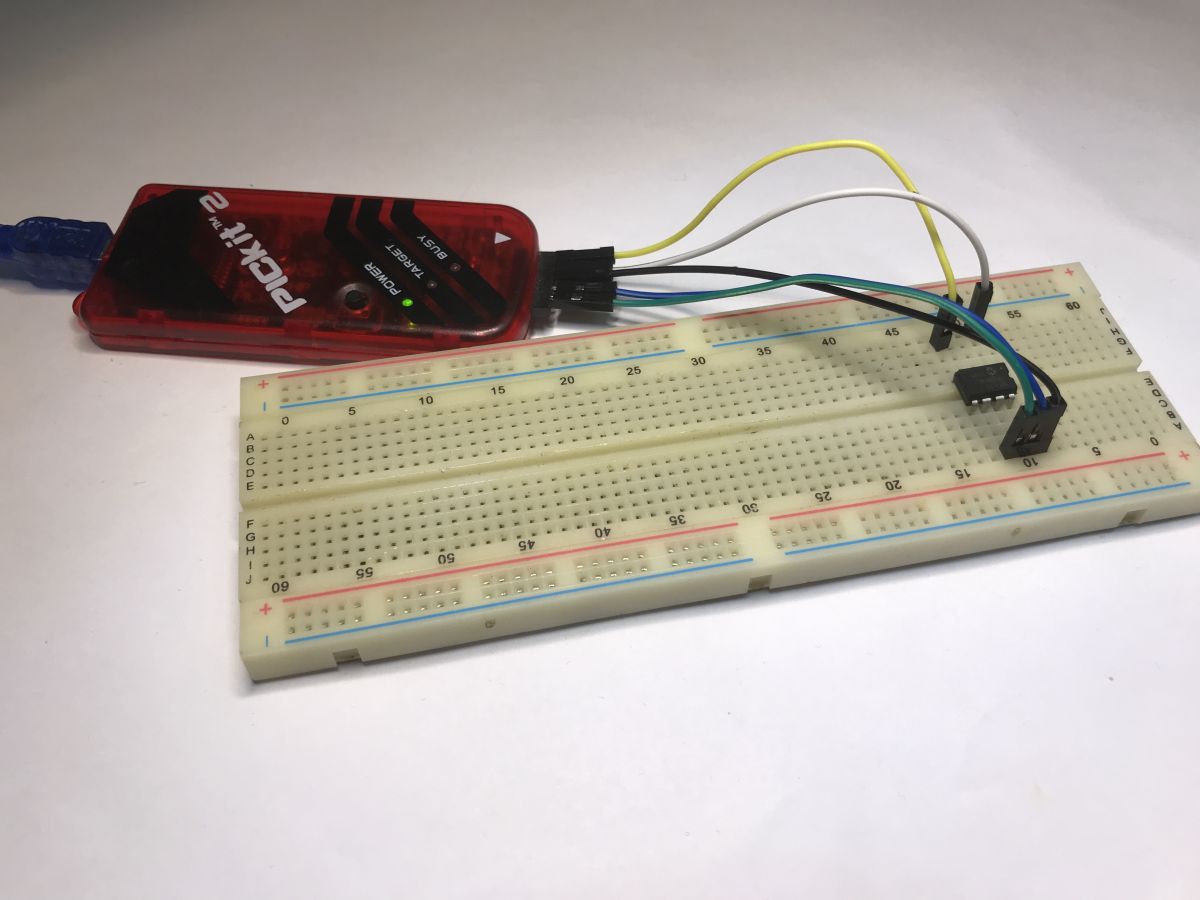
For the PIC to work, however, you need a 10 kΩ resistor on the MCLR (pull up to the power supply) and you also need to give a 100 nF decoupling capacitor between power supply and ground.
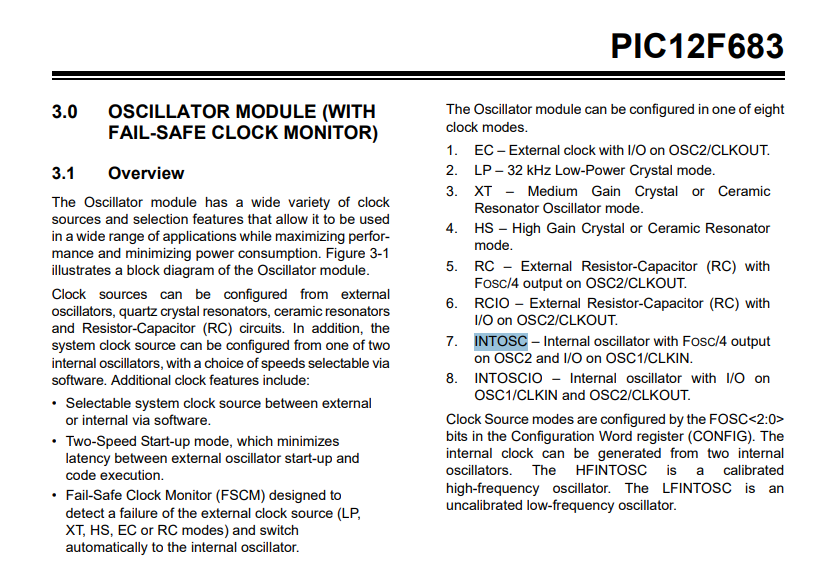
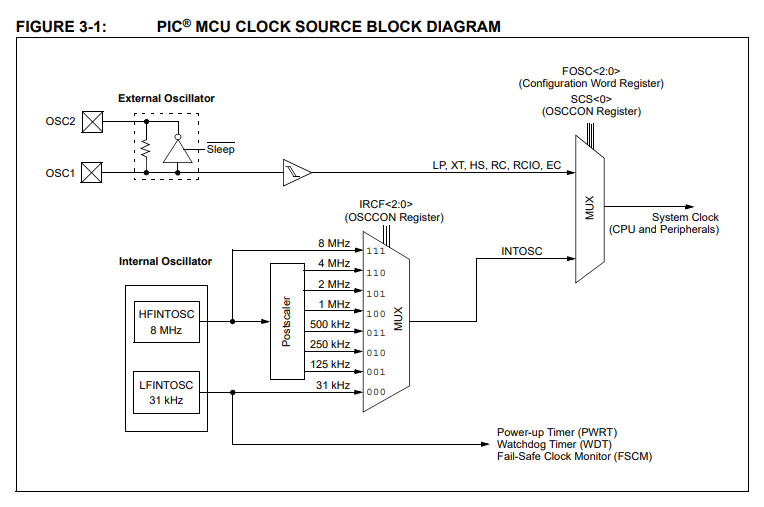
I started by trying the built-in oscillator - 8 MHz, faster is not possible. This is set in the OSCCON register:
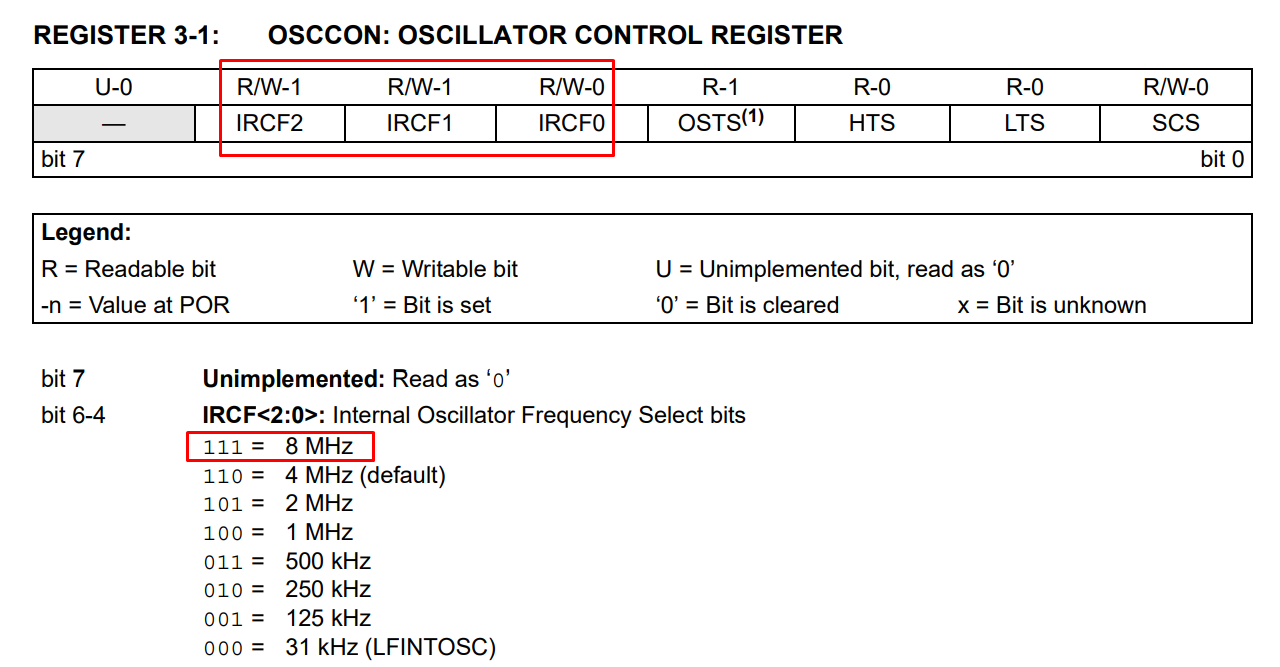
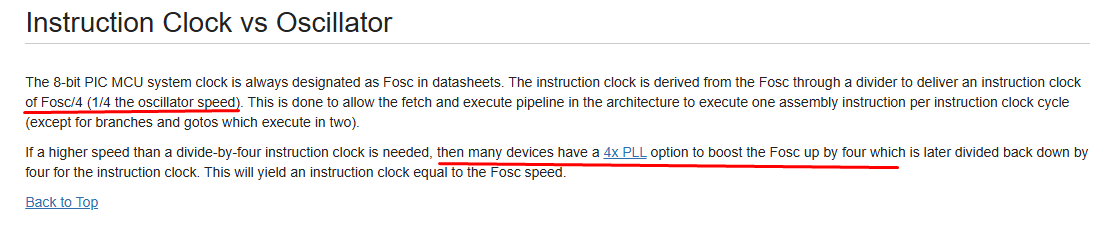
I wanted to illustrate how long it takes to do the GPIO state setting. This can of course be counted (from the Fosc/4 formula), but it is worthwhile to verify the result anyway. Example code:
Code: C / C++
We are interested here in the timing of the high state, because after the low state there is still a jump to the start of the loop, and this is also an instruction:
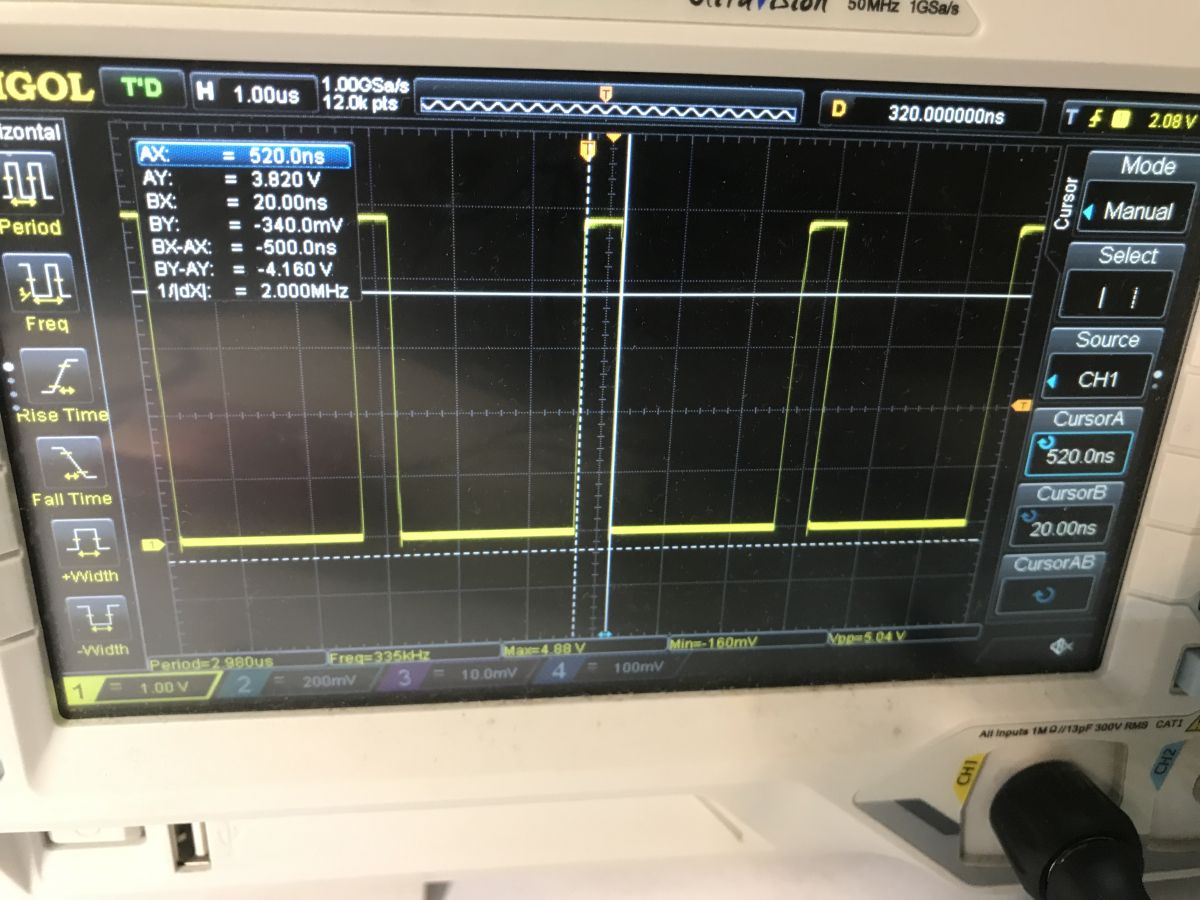
It comes out 500 ns... and we need 400 ns - 800 ns, a bit low.
Migrating to an external oscillator
8 MHz is rather too slow. You need to switch to an external oscillator:
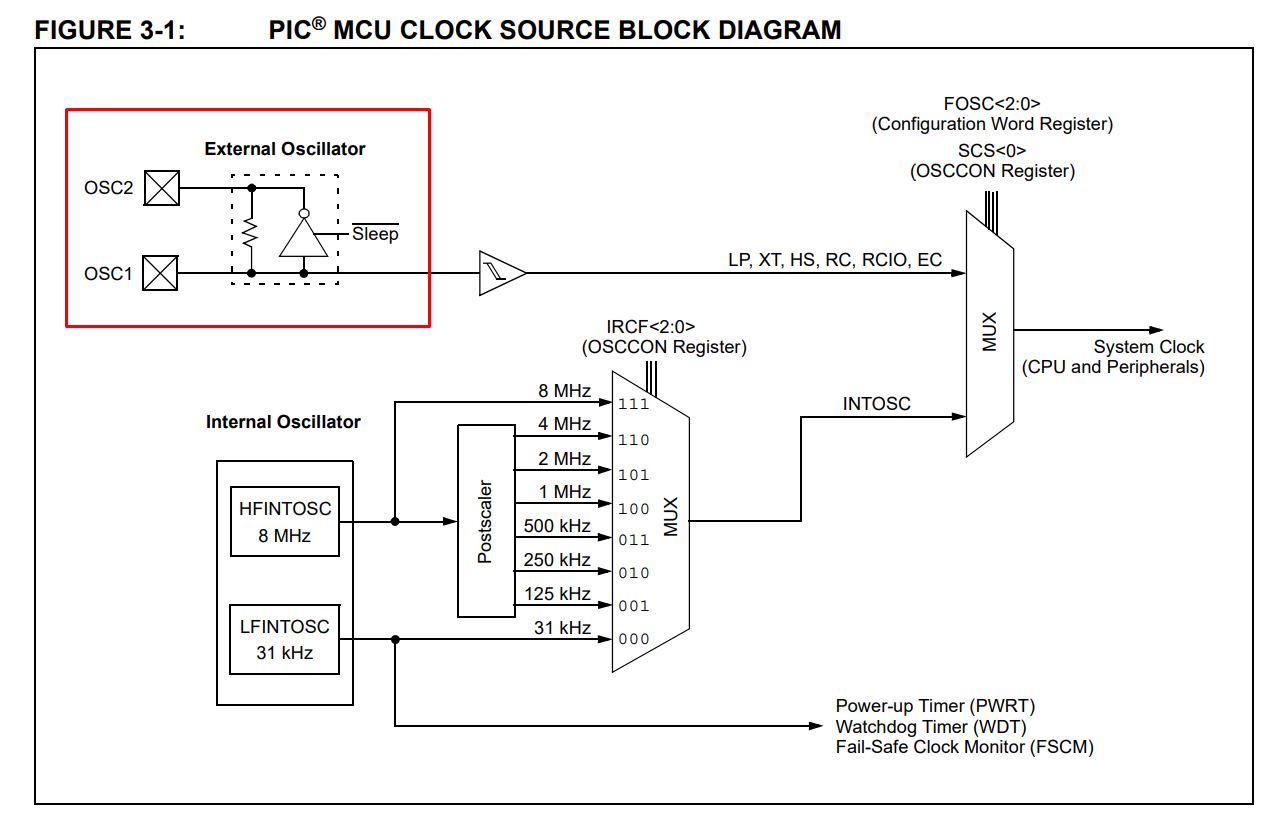
I have just such a 20 MHz one:
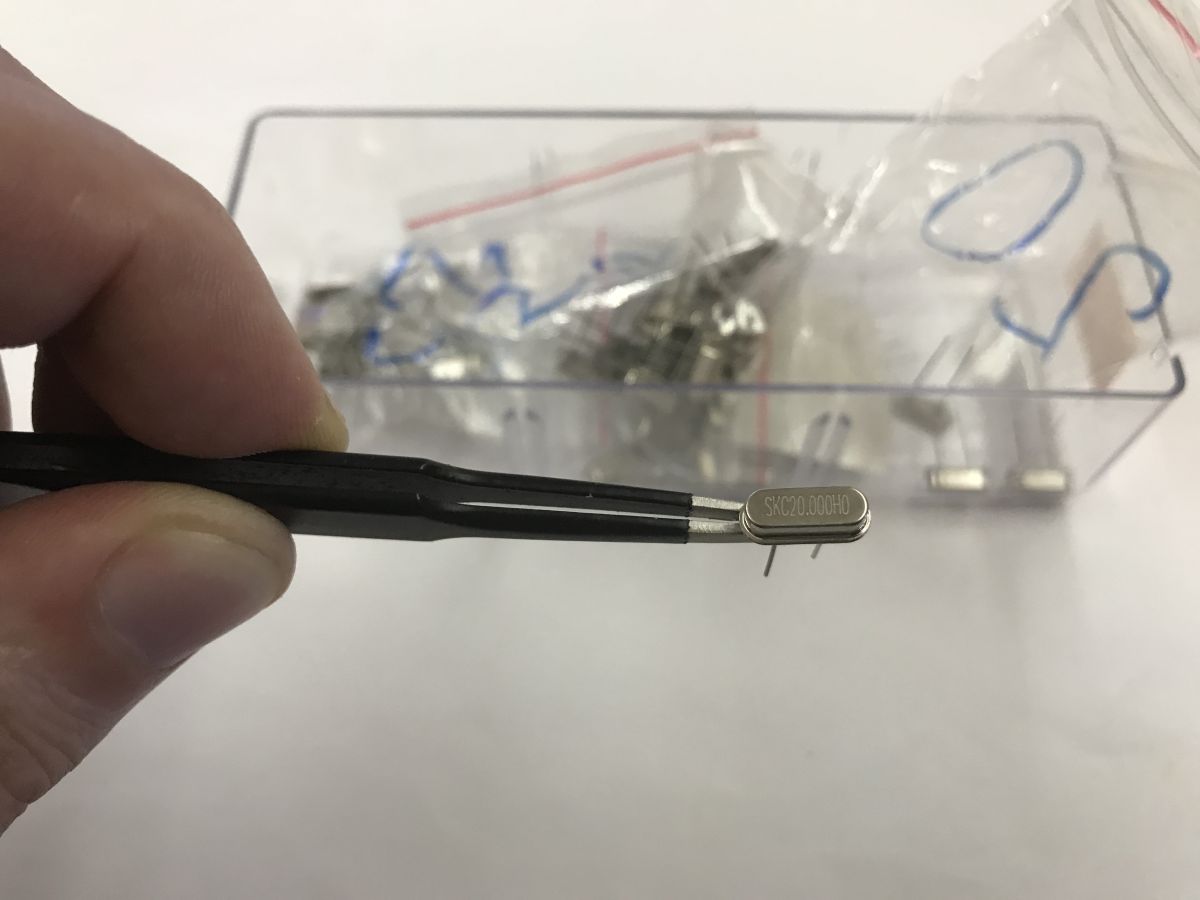
All you need to do is connect it on the right pins:
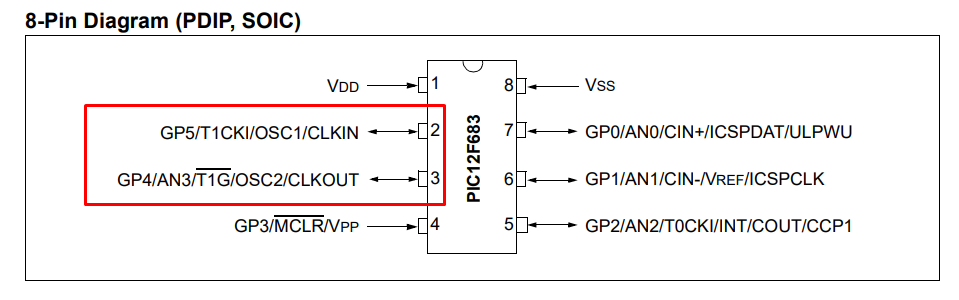
You also need to enable it in the configuration word.
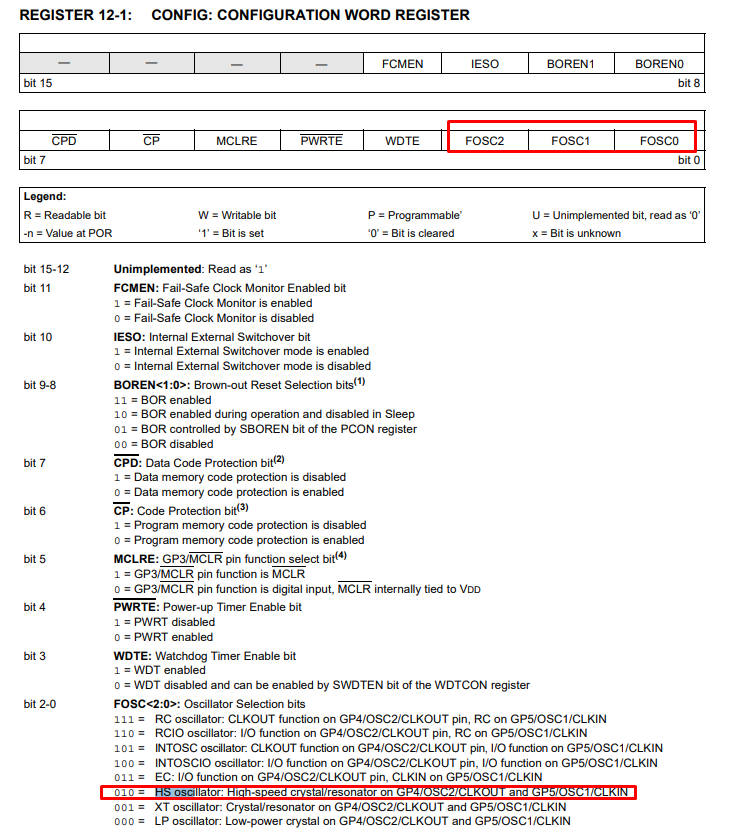
New code - we are testing:
Code: C / C++
We are interested here in the timing of the low state, as there is still a spike after the high state:
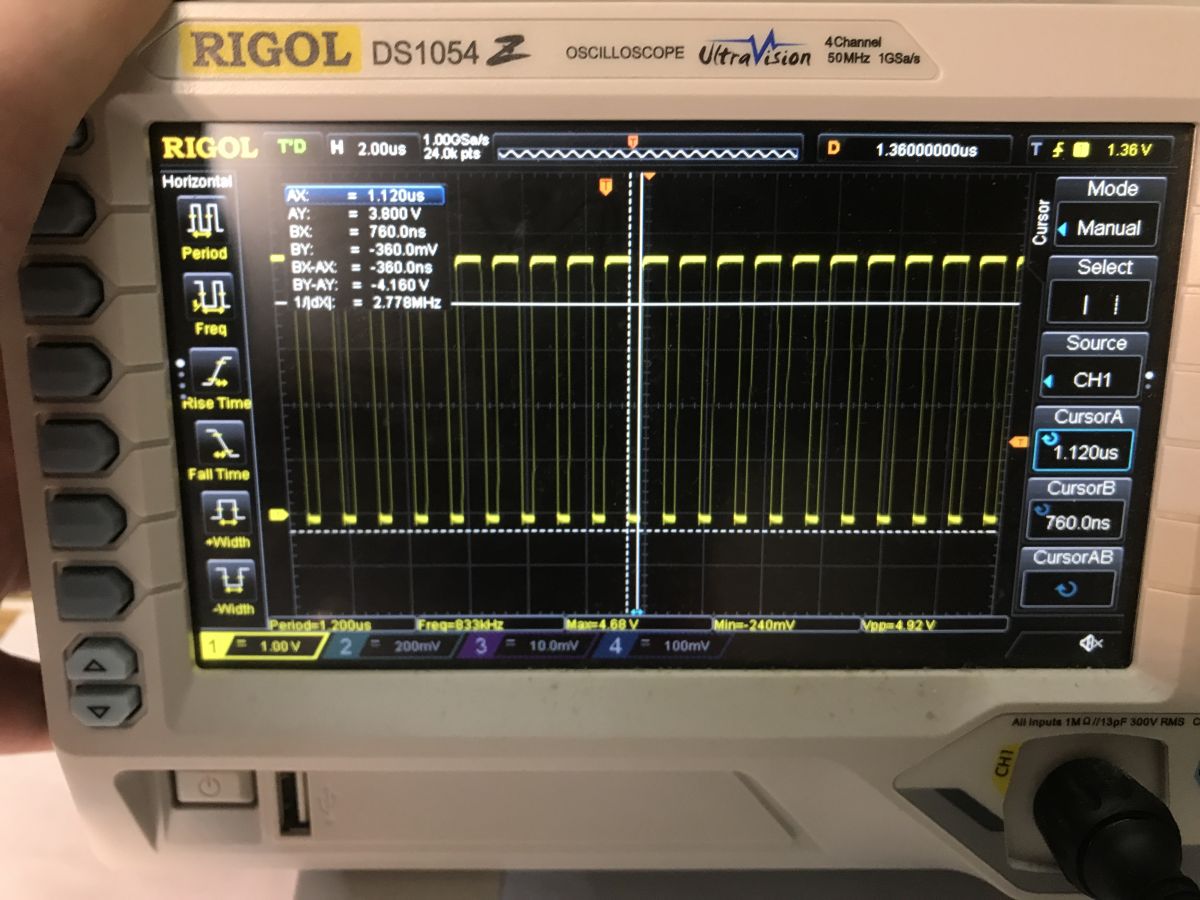
It is better, 360 ns some, maybe less.
First colours
Since the time of one command is about 360 ns, two commands will give us about 720 ns. The second command can be completed with the command nop - processor passivity.
The zeros and ones times with the WS2812 are not critical, you can deviate to some extent from the expected timings and the diodes can still potentially work. For this reason, I was hoping that simple bit-checking wouldn't fully mess up communication. Similarly with my WS_HIGH and WS_LOW macros, which I'm not sure about - you'd have to check in the generated listing what the compiler converts them to.
Code: C / C++
In the worst case scenario, I was planning to expand the byte send so that there is no loop, or write the whole bit in assembler. Another interesting trick is to load the whole byte into a GPIO register and shift it by one bit so as to expose its bits to a given pin sequentially. I have seen this done in the past with a PAL signal generator, but here it was not needed.
The rest of the code speaks for itself - I rigidly prepared three pixels, or nine bytes. The colours in turn separately.
Code: C / C++
I then connected the LED strip to the chosen GPIO. Both the PIC and WS2812 run on 5 V, so no power supply problems. The LED strip has a separate data, power and ground line, so you don't have to worry about the current capacity of the PIC pin.
Effect:
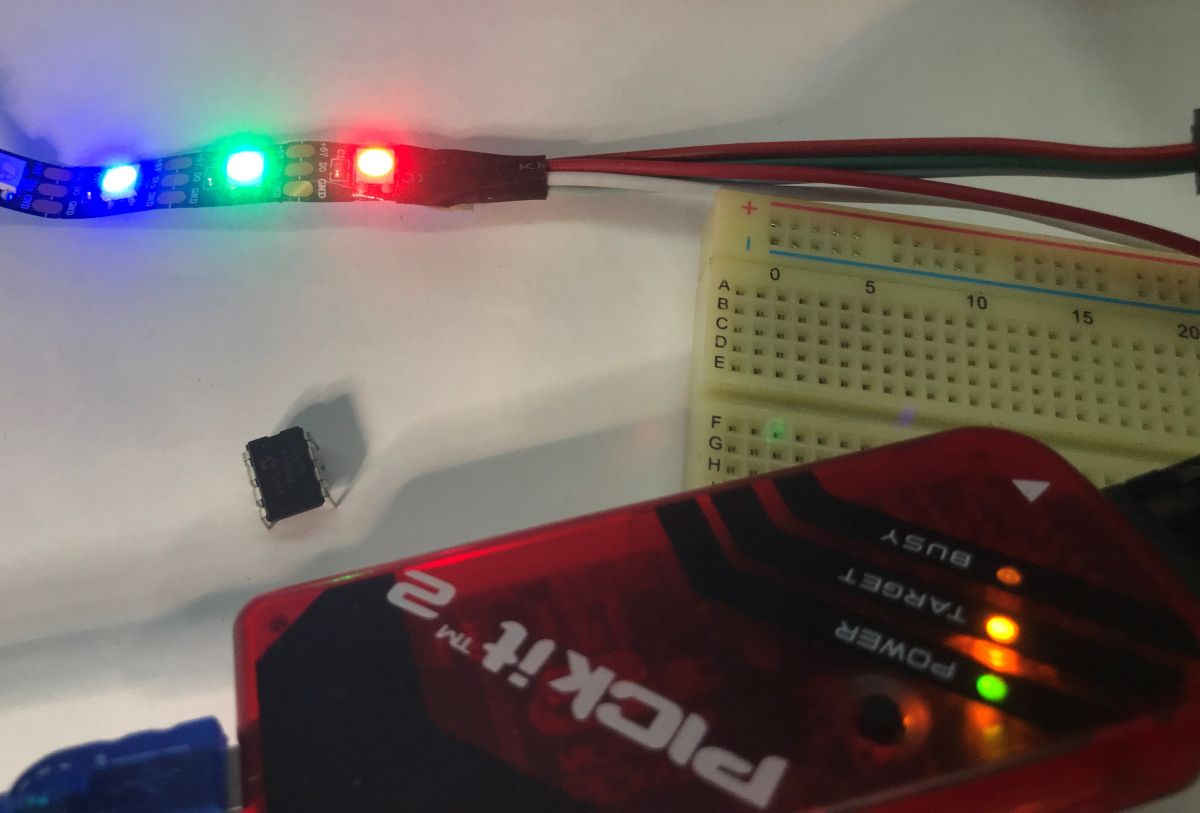
It appears to work, that the times obtained are within the WS2812 tolerances, but are we sure?
Pseudo-animation - colour swapping
To verify the operation, I prepared the simplest animation - a colour swap. Two arrays of data displayed with a gap so that you can see the change.
Code: C / C++
It appears that the transfer works reliably enough and alternates the two sets of colours displayed. No data is lost:
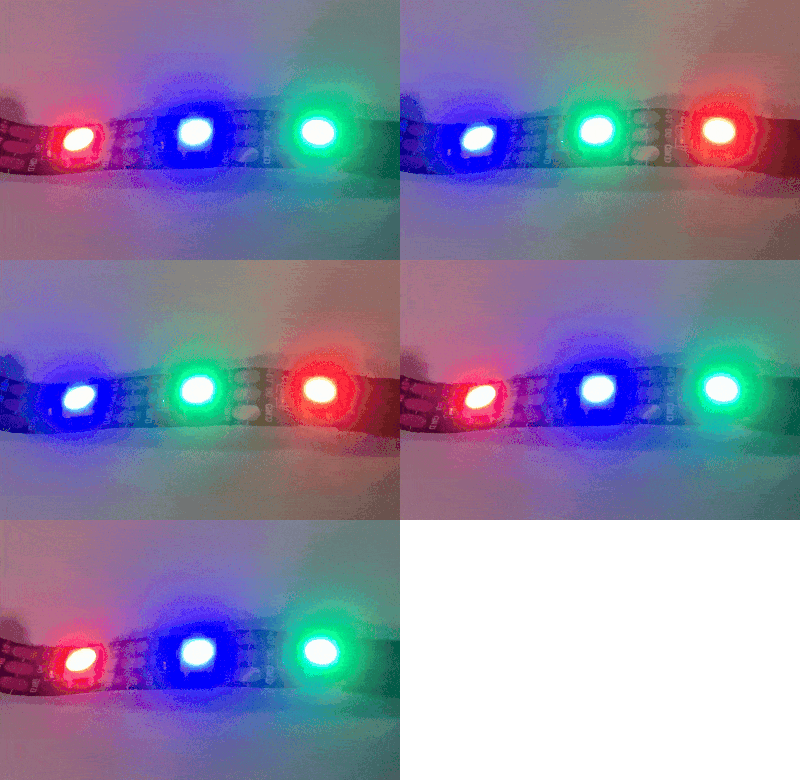
First animation
The next step is already authentic animation - just what kind? Maybe some smooth colour transitions based on a sine function. You can get a different coloured effect this way, as long as you introduce some offset between the numerical values of red, green and blue. For simplicity, I have introduced an array of sine values (in byte form), although this is largely a disastrous approach - I lose as much as 32 bytes for it alone!
Code: C / C++
The effect works, but there is one problem:
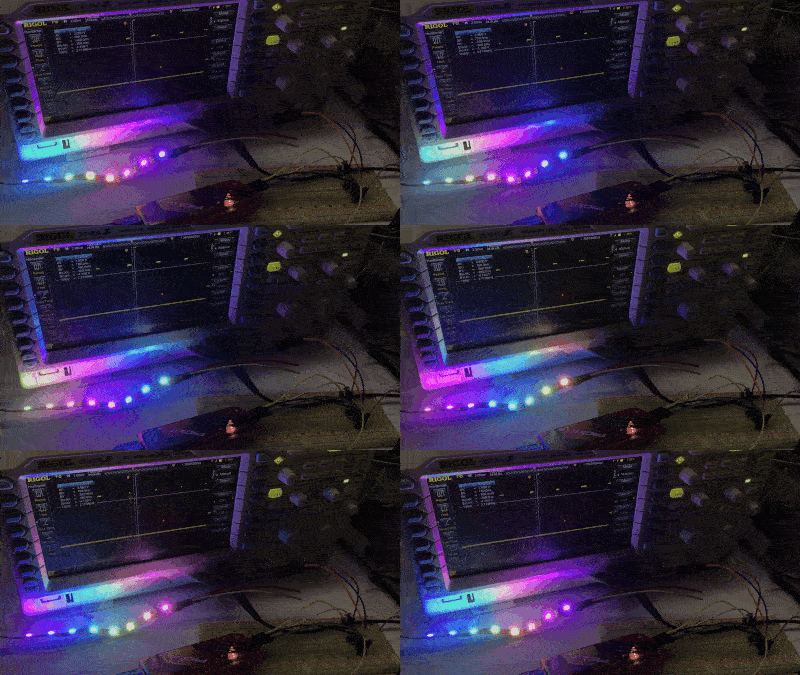
No more pixels can be added because there is not enough RAM.
Optimisations and limitations
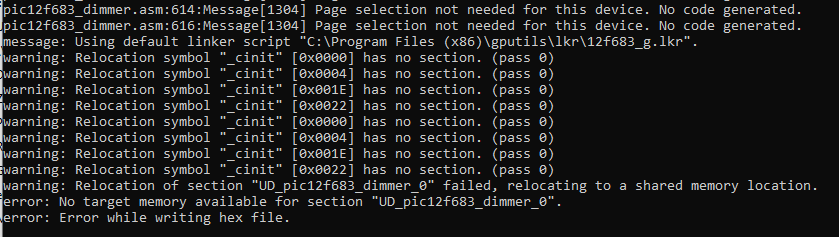
I've tried various approaches, but even switching to dynamically counted values doesn't change much either - SDCC needs memory for them too, as it creates helper functions for them when the operation is not supported by the processor:
warning: Relocation symbol "_cinit" [0x0022] has no section. (pass 0)
warning: Relocation of section "UDL__moduint_0" failed, relocating to a shared memory location.
error: No target memory available for section "UDL__moduint_0".
error: Error while writing hex file.warning: Relocation of section "IDD_idata_0" failed, relocating to a shared memory location.
error: No target memory available for section "IDD_idata_0".
error: Error while writing hex file.warning: Relocation of section "UDL__mulint_0" failed, relocating to a shared memory location.
error: No target memory available for section "UDL__mulint_0".
error: Error while writing hex file.For best performance this would need to be written in assembler and limited to types that fit in registers, maybe then a bit more bytes could be racked up.
The version below supports up to about 20 LEDs, so 60 bytes are allocated to pixels. This is less than 50% of the available RAM, as there are 128 bytes in total.
Code: C / C++
End result:
Now you can implement already other animations, knight rider, chasing fireflies, fireworks, rainbows, of course in a given firmware compilation there will probably be only one of them, depends how much computation is required.
Summary
On the PIC12F683 we have a total of 128 bytes of RAM. One RGB pixel is classically assumed to be 3 bytes, so assuming half the RAM goes to pixels (because there are still variables, etc) then we have 64/3 = about 21 pixels. In practice I was able to run up to 20 pixels, although the code could probably still be slimmed down considerably.
Potentially you could try to optimise this, but I don't see many options here:
- there are unlikely to be any peripherals on the PIC12F, such as hardware SPI, that could send these bytes
- The PIC12F is rather too slow to generate these bytes on the fly
- an interesting idea would be to pack the pixels in fewer bytes, but then the animation and decoding of the results itself gets complicated
Probably rewriting the whole thing to the assembler would help a bit, but at this stage I find that those 128 bytes of RAM are however largely an impassable obstacle in terms of animating more LEDs.
The PIC12F is capable of controlling the WS2812, but only short strings, even more so if you want to add something else to it - button control or different modes there.
Follow up in a separate topic.
I am attaching the project (code + bat script for SDCC)
Cool? Ranking DIY Helpful post? Buy me a coffee.


 Julian Ilett showed on his video that even 4 MHz
 But to turn on - off you need more Mega Herts
  Programme from film

 This CPU is so fast that I had to insert some nop orders to meet the time requirements NeoPixels