logo elektroda
logo elektroda
X
logo elektroda

DIY Kiosk - how to build your own electronics storage for components?

dgproject 3531 45
ADVERTISEMENT
Treść została przetłumaczona polish » english Zobacz oryginalną wersję tematu
📢 Listen (AI):
  • #31 21811428
    dgproject
    Level 13  
    After much agonising, I can finally say that the next version of the programme made available on my disk V1.5.0 has been successfully created.
    https://drive.google.com/drive/folders/1hnoxh2GpS30uNQiNsFQavRU_DW0FagfV?usp=sharing

    DIY Kiosk - how to build your own electronics storage for components?


    DIY Kiosk - how to build your own electronics storage for components?


    Key changes include:
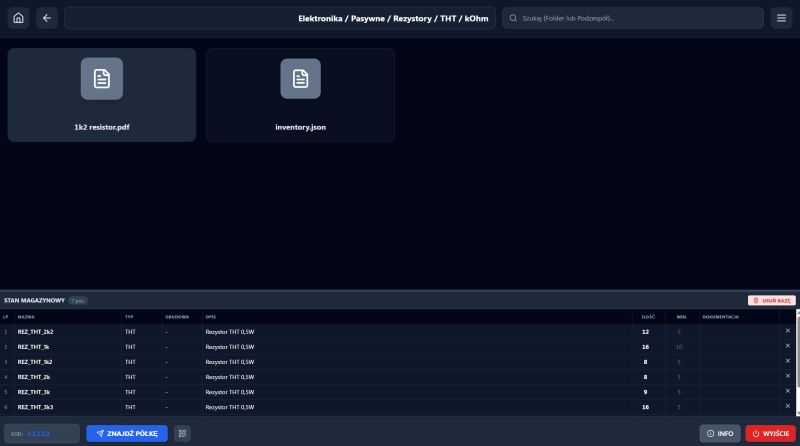
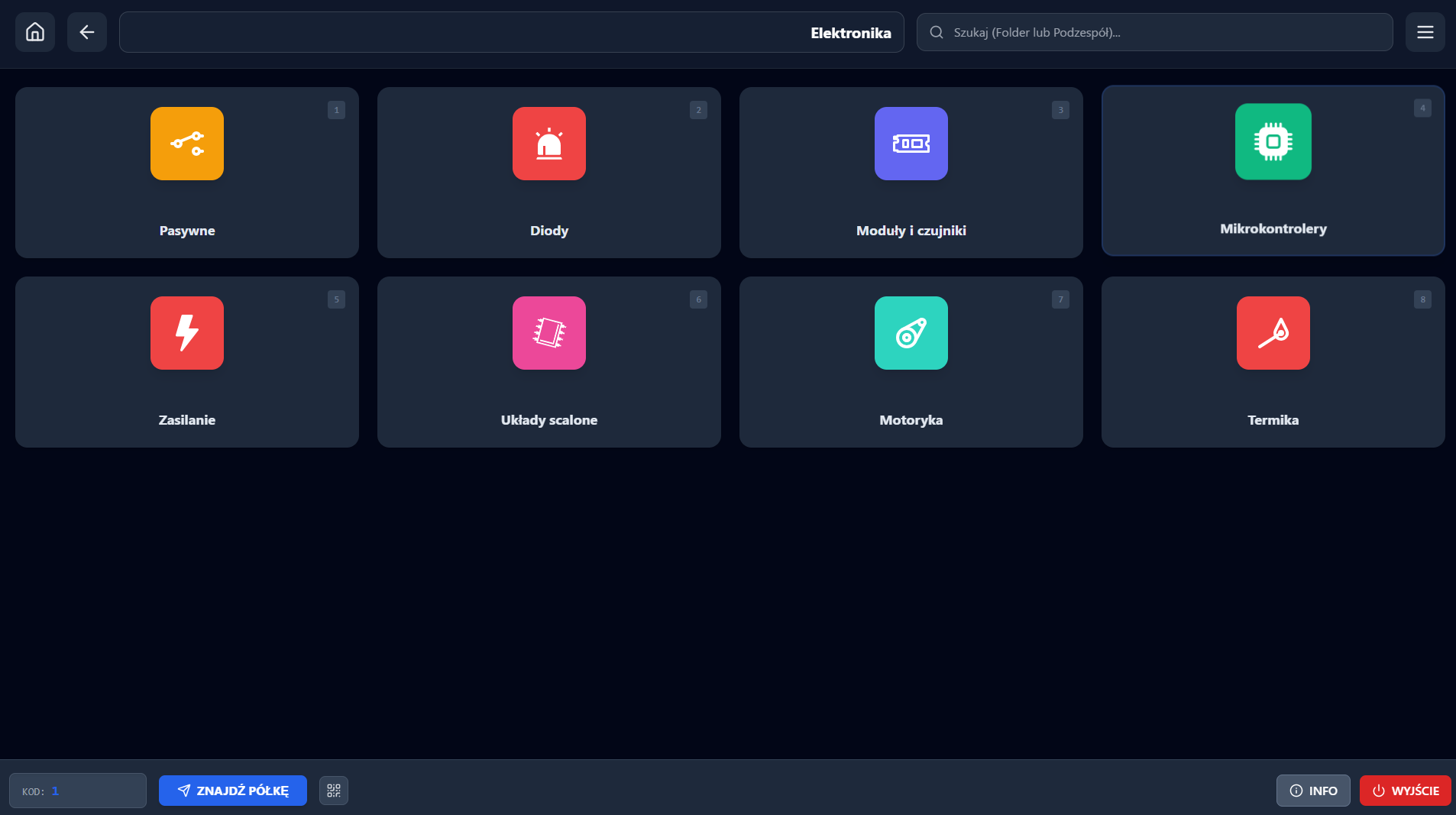
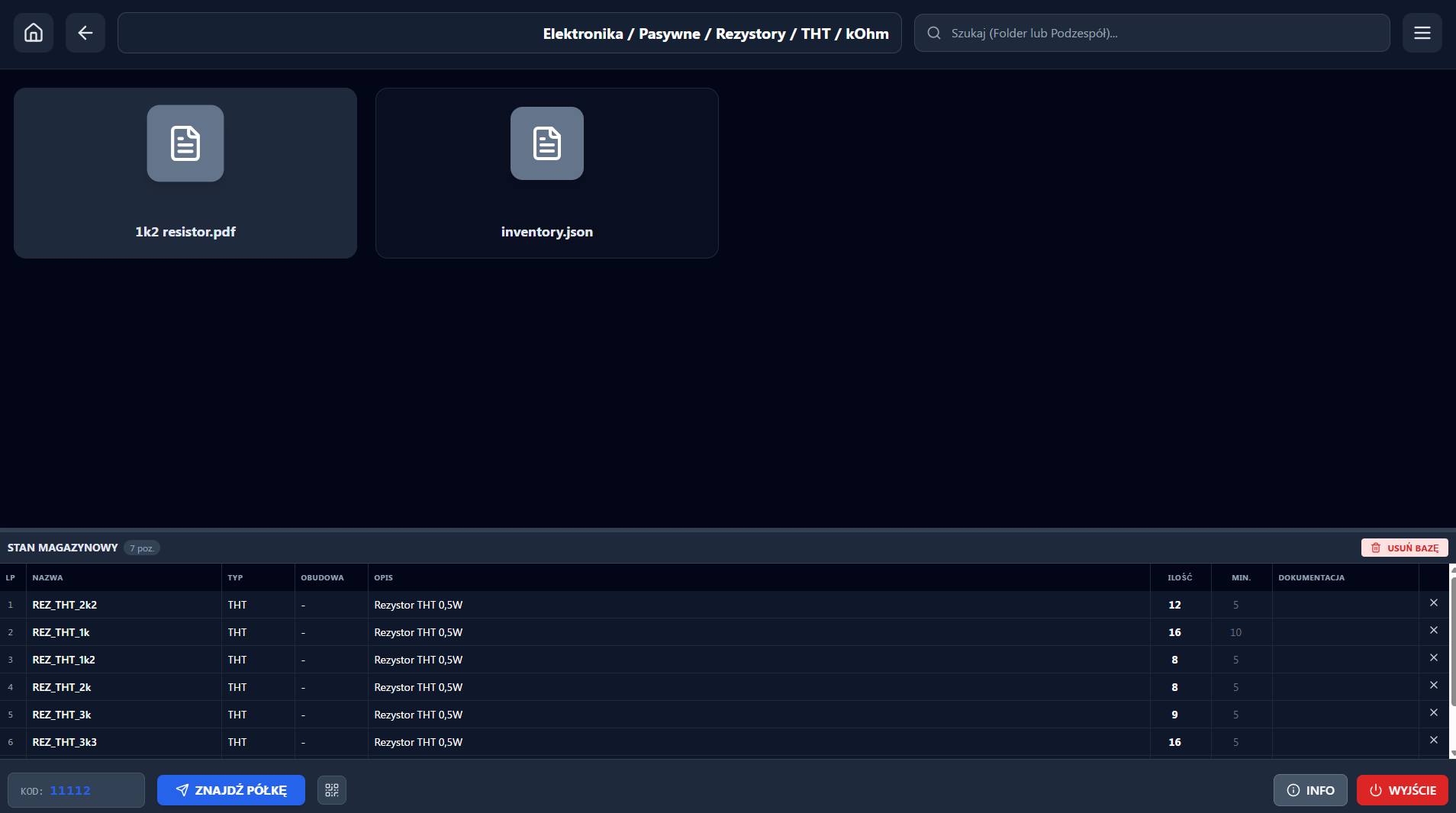
    -Adding the possibility to build databases in each directory.
    -Creating a database is done by right-clicking on an empty field of any location.
    -Export of the entire project database to a single file in the database ROOT (.csv)
    -I added the possibility to also search the database in the search field with the location shown (Highlight field).
    -I have added a large collection of project icons and catalogue colours from React Icons.
    -The corresponding location is called up both via the "Find Shelf" button as well as the keyboard key above TAB - i.e. "`".
    -Opening directories with the right-click is as possible.
    -A few minor visual and programmatic improvements have also been added.

    I have not noticed any bugs so far, however I am open to comments...
  • ADVERTISEMENT
  • #32 21816438
    zdolnyadam
    Level 29  
    I took the liberty of mentioning your project in: https://www.elektroda.pl/rtvforum/topic4161475.html

    I dream about a robot, which could pull out individual elements of some kit from drawers and complete them by itself ;)
    But with retail quantities it is unlikely to pay off to do anything with this :(
  • #33 21816471
    Ryszard49
    Level 39  
    In my case, it's quicker to buy than to find.
  • ADVERTISEMENT
  • #34 21816478
    dgproject
    Level 13  
    zdolnyadam wrote:
    But with a retail volume it is unlikely to pay to do anything with it

    It's seemingly not worth it, but in my case I have a large loft space to dispose of and I'm currently working on a robot whose job it will be to retrieve a suitable box of spars and feed it towards the loft hatch.

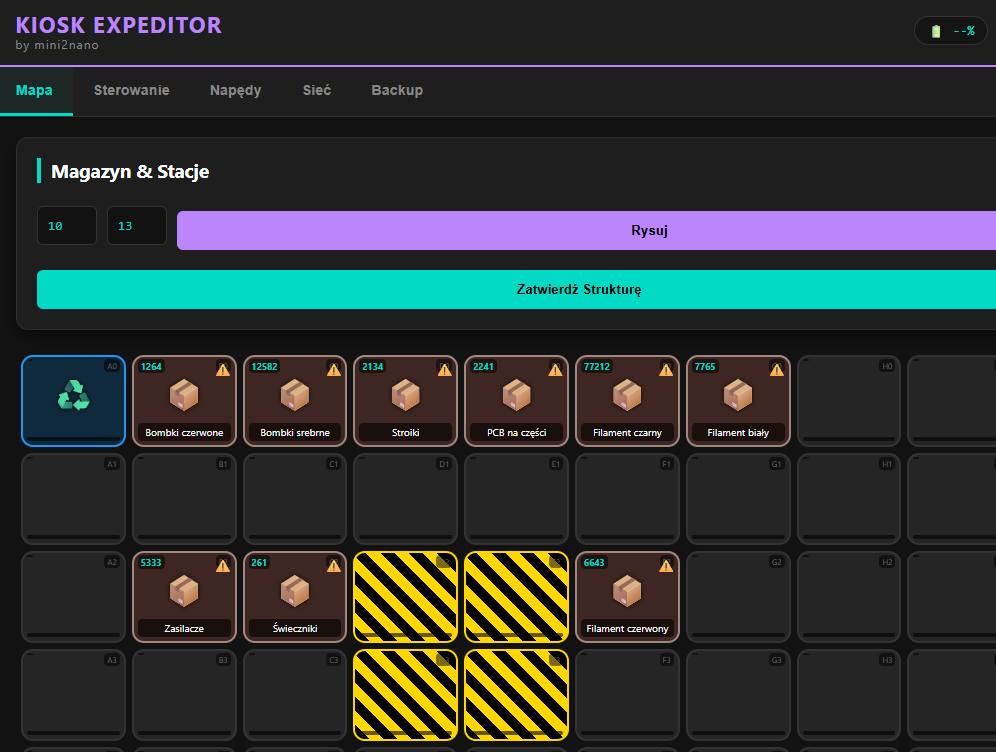
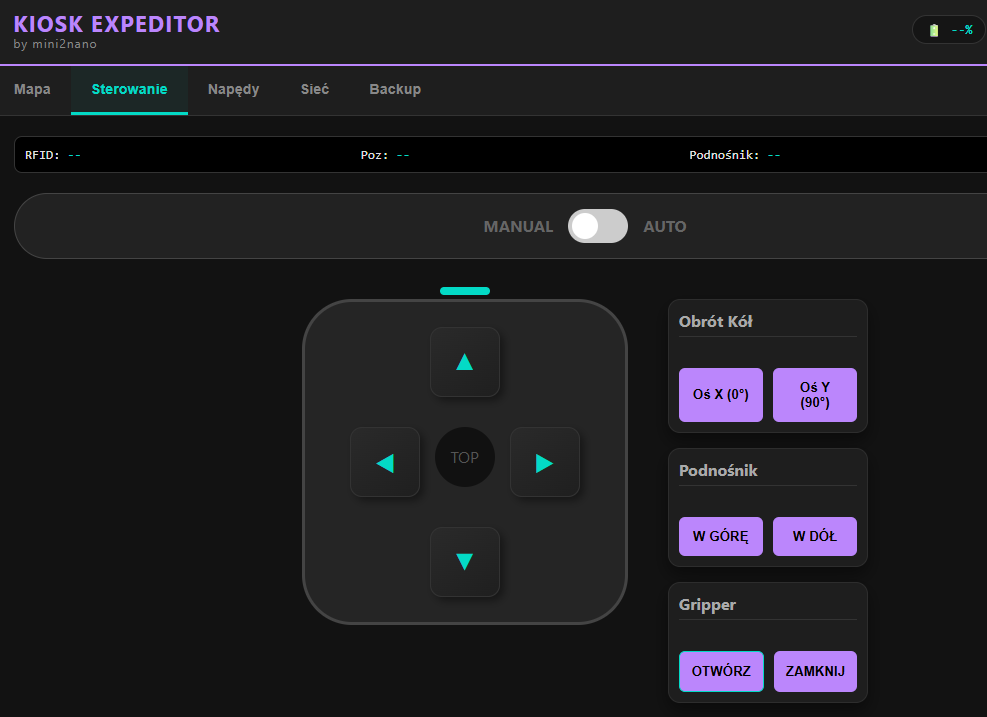
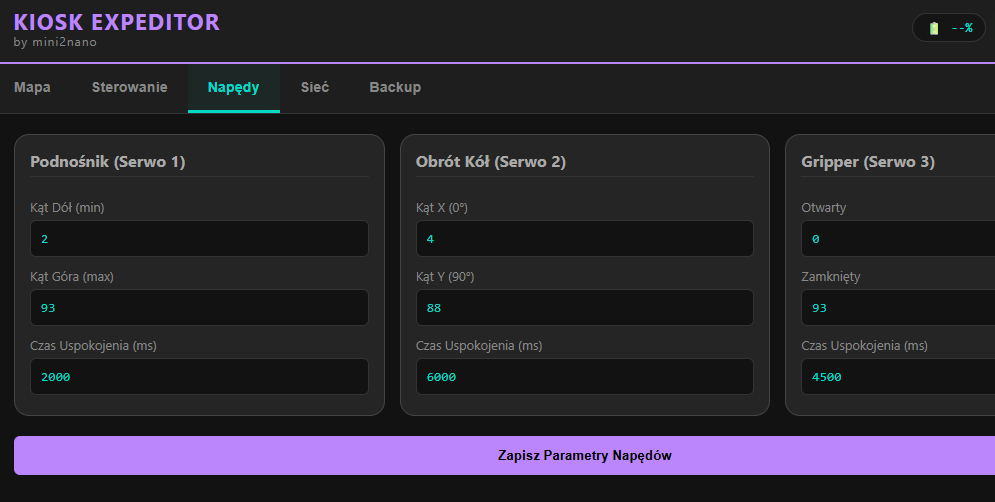
    Warehouse app interface showing item names and quantities in a grid layout Robot control interface with directional buttons and gripper operation functions Robot drive configuration UI showing angles and delays for three servos

    The robot will operate in 'Manchatan' mode along a track made of profiles for LED.
  • #35 21816517
    Damian_Max
    Level 21  
    @dgproject Congratulations on the project(!),
    i've been watching it for a while now and the backlighting idea is great, it's also very cool to see it in @yanek231's project (congratulations too).

    Initially(*) I was sceptical; in the sense that:
    - the amount of work put into preparing the magazine will never pay off,
    - the search will be laborious / tedious,
    - once an item is retrieved, the value in the system has to be updated.
    However, the highlighting system looks really cool.

    You could consider voice search and voice integration in general, if it worked locally it could listen all the time and on some display, in the list it could tell you which items to highlight, and just confirm with a click.
    That is, a whisper model + some kind of mini-AI, whose task would be only to find out which drawer it is based on the text / unless the second part could be done by script (always instead of suggesting one drawer, one could suggest several most likely ones; based on the spoken words).

    BUT, the idea of making an automatic storage room in the attic sounds unearthly xD → to that make a shaft with a lift and you can keep all your spare stuff in such a storage room altogether xD.

    Heh, it would still be best if there was an automatic indexing system, all in all it's doable these days too:
    - at home you have rolls of boxes (in several unified sizes), queued up in the lift,
    - in the lift / or attic, a photo is taken, sent to the AI to say what's in there and that description + photo gets that box,
    - if you need something, you say so and the AI searches for it in your warehouse, you just approve and after a few moments it arrives.
    Shit, everything could be kept there.... xD, not only items, but also tools and other things (with the rest of it visible in your screenshots xD).
    All in all, such an automatic warehouse, it could just be under the ceiling / or above the false ceiling xD.

    The whole thing sounds spacey, straight out of SC movies, but slowly all the building blocks to build such a thing are starting to become available, even in the money you can spend on the hobby.

    (*) Nevertheless, I still have the slight impression that this is over-engineering xD.

    In any case, good luck!
  • ADVERTISEMENT
  • #36 21816560
    dgproject
    Level 13  
    Damian_Max wrote:
    Nevertheless, I still have the slight impression that this is over-engineering xD.

    I completely agree...
    But, only today due to rapid technological advances.

    All you have to do is look back a bit. I can see from my own example that the projects I did just one or two years ago seem to be obsolete.
    Damian_Max wrote:
    That is, a whisper model + some sort of mini AI whose job would be just to figure out which drawer it was about based on the text

    Looking at it a bit from the other side, I have analysed the pros and cons a bit and I have to admit that Whisper will soon become a relic. It will be simpler to put a voice assistant on a separate module, which has access to a module with a database, and this will give much more benefits in terms of controlling the presence of a given assortment.

    Damian_Max wrote:
    at home you have rolls of boxes (in several unified sizes) queuing up for the lift

    I built such a system about three years ago and it was based on something like PATERNOSTER on chains. However, I let go of this solution due to handling problems.

    Another problem for me is climate and dust - I want to store certain things in the right conditions so that they don't degrade.
    This is why I decided to separate the attic area and build a ceiling in the utility room.
    I store some things in the attic that can be damaged by an unsuitable climate (Filaments, candles...)

    Once I come to an agreement with the robot, I will definitely develop the option of adding a voice assistant to the project.
  • #37 21816639
    Damian_Max
    Level 21  
    The more I think about it, the more I think an auto-indexing function would be extra:
    - you have some parts in your hand (from a casting, brought by a courier, or just cleaning up),
    - you put them into boxes and READY.
    The box goes to the machine, it takes a picture and automatically describes (indexes), adds categories etc etc, and you (after processing time) just correct the description.

    Something like this I think I would really like, puki I thought of this project as an 'electronics storage' it seemed of little use to me, but when I noticed in your screenshot the 'candles' my view of this storage changed dramatically xD. I've got loads of stuff from all sorts of fabs (modelling, electronics, computers, ...) and I generally know more or less where and what I've got, but a storage system that doesn't require me to think about where to put something, but just arranges it somewhere by itself would be brilliant.

    It's with this model that does both things at once also a good thought, however I think a bit that splitting it into two separate ones might allow it to run on a weaker computer with the same response time of the whole system, for example on some ordinary laptop / maybe an RPi with a card, so that the response is just a few/teen seconds. Personally, I would prefer it not to require the cloud.

    Keeping my fingers crossed!
  • #38 21816668
    dgproject
    Level 13  
    Damian_Max wrote:
    It's with this model that does both things at once also a good thought, however I think a bit that splitting it into two separate ones might allow it to run on a weaker computer with the same response time of the whole system, for example on some ordinary laptop / maybe an RPi with a card, so that the response is just after a few/teen seconds.


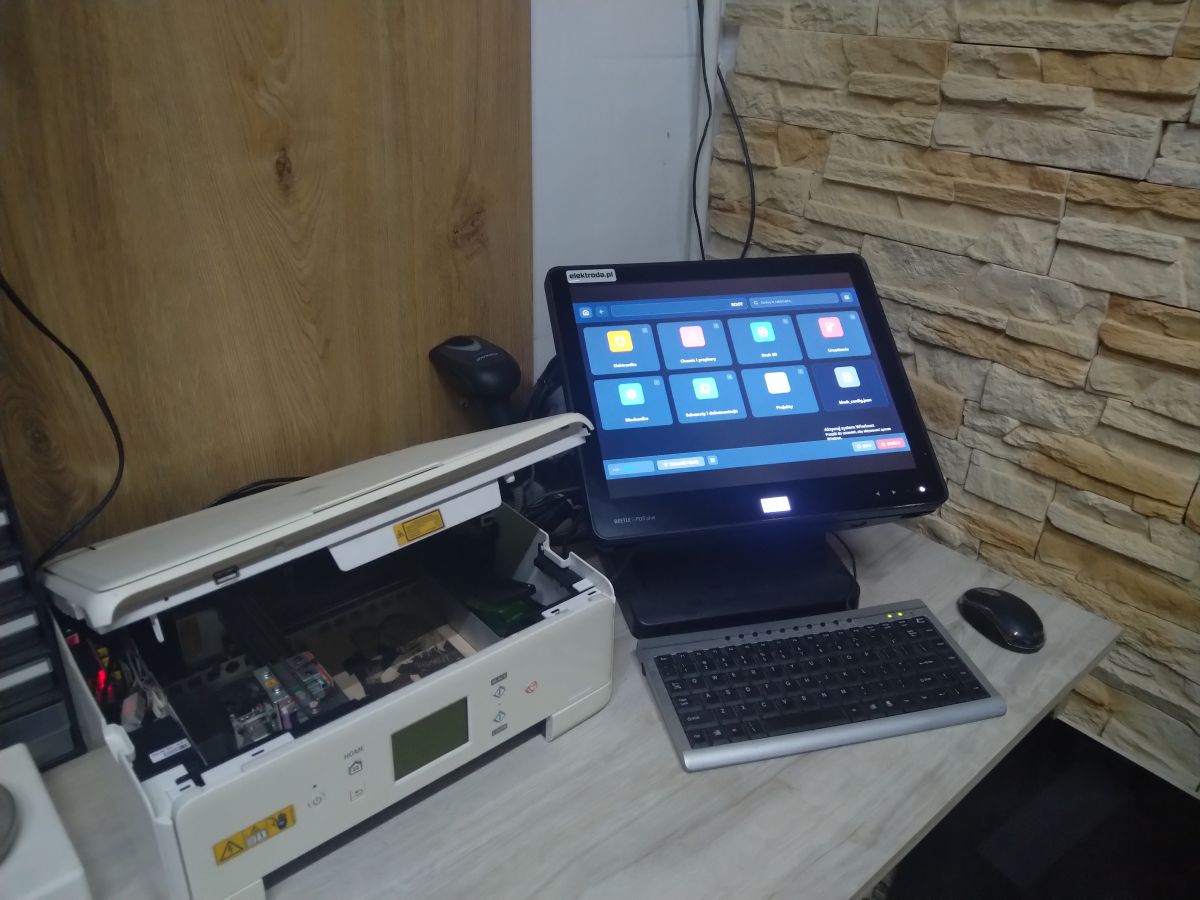
    Touchscreen monitor with running system on a desk next to a modified printer.


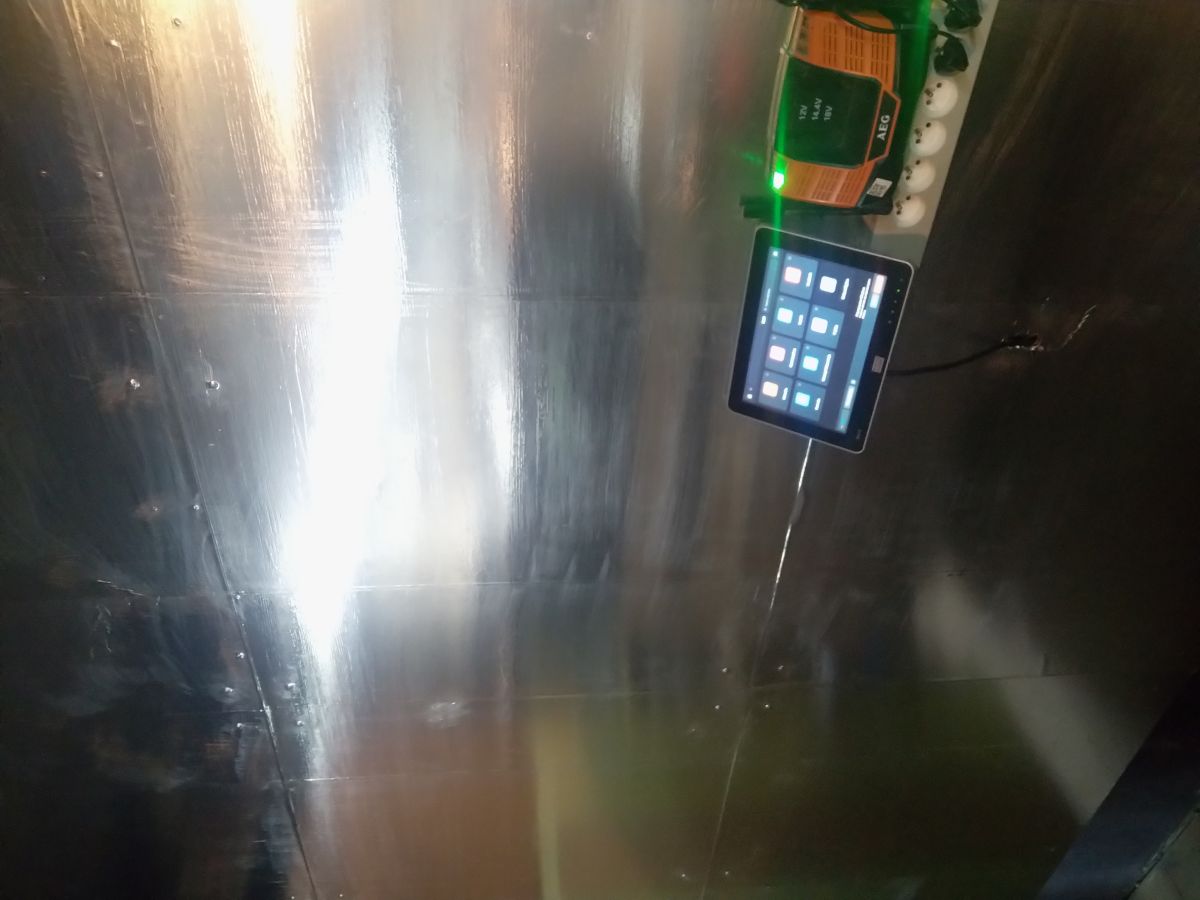
    Touchscreen and electronic device mounted on a metal wall.

    In the workshop and garage I have a programme running on a computer previously used in catering with two touchscreen monitors which I hauled off for next to nothing. At rest the whole thing consumes about 8W.
    Accessing the network database due to a small .json without images etc. works expressly on all devices in the network location.

    Added after 11 [minutes]:

    Damian_Max wrote:
    Personally, I would prefer that it did not require the cloud.

    One of the objectives was to create a secure system without the need for integration with external mechanisms.
    Damian_Max wrote:
    The box goes to the machine, it takes a picture and automatically describes (indexes), adds categories etc etc, and you (after processing time) just correct the description.


    Such a thing can be realised without much problem on an ESP CAM AI module e.g. XIAO, but you would have to train this mechanism to each detail to make it work efficiently and for free. For sorting screws as much as possible such solutions are suitable.
    And someone will now say "what the hell are you talking about?" After all, there are cloud systems that recognise practically everything on the fly. Maybe so, but nothing for nothing. Personally, I am a total opponent of SAAS.
  • ADVERTISEMENT
  • #39 21816931
    zdolnyadam
    Level 29  
    dgproject wrote:
    zdolnyadam wrote:
    But with retail volume it is unlikely to pay to do anything with this

    It's seemingly not worth it, but in my case I have a large loft space to dispose of and I'm currently working on a robot whose job it will be to retrieve a suitable box of spars and feed it towards the loft hatch.

    Warehouse app interface showing item names and quantities in a grid layout Robot control interface with directional buttons and gripper operation functions Robot drive configuration UI showing angles and delays for three servos
    The robot will operate in "Manchatan" mode along a track made of profiles for LED.


    Oh jesus... but chad ;)
  • #40 21818509
    zdolnyadam
    Level 29  
    And this ''Manchatan'' mode is what because google.co.uk does not return any meaningful results...?
  • #41 21818757
    dgproject
    Level 13  
    zdolnyadam wrote:
    And this mode ""Manchattan"" is what it is based on because google.co.uk does not return any meaningful results...?

    Manchattan mode is used to guide the robot along the shortest possible route through empty spaces without infringing on occupied fields in a little shortcut.
    In my case, along the cavity track.

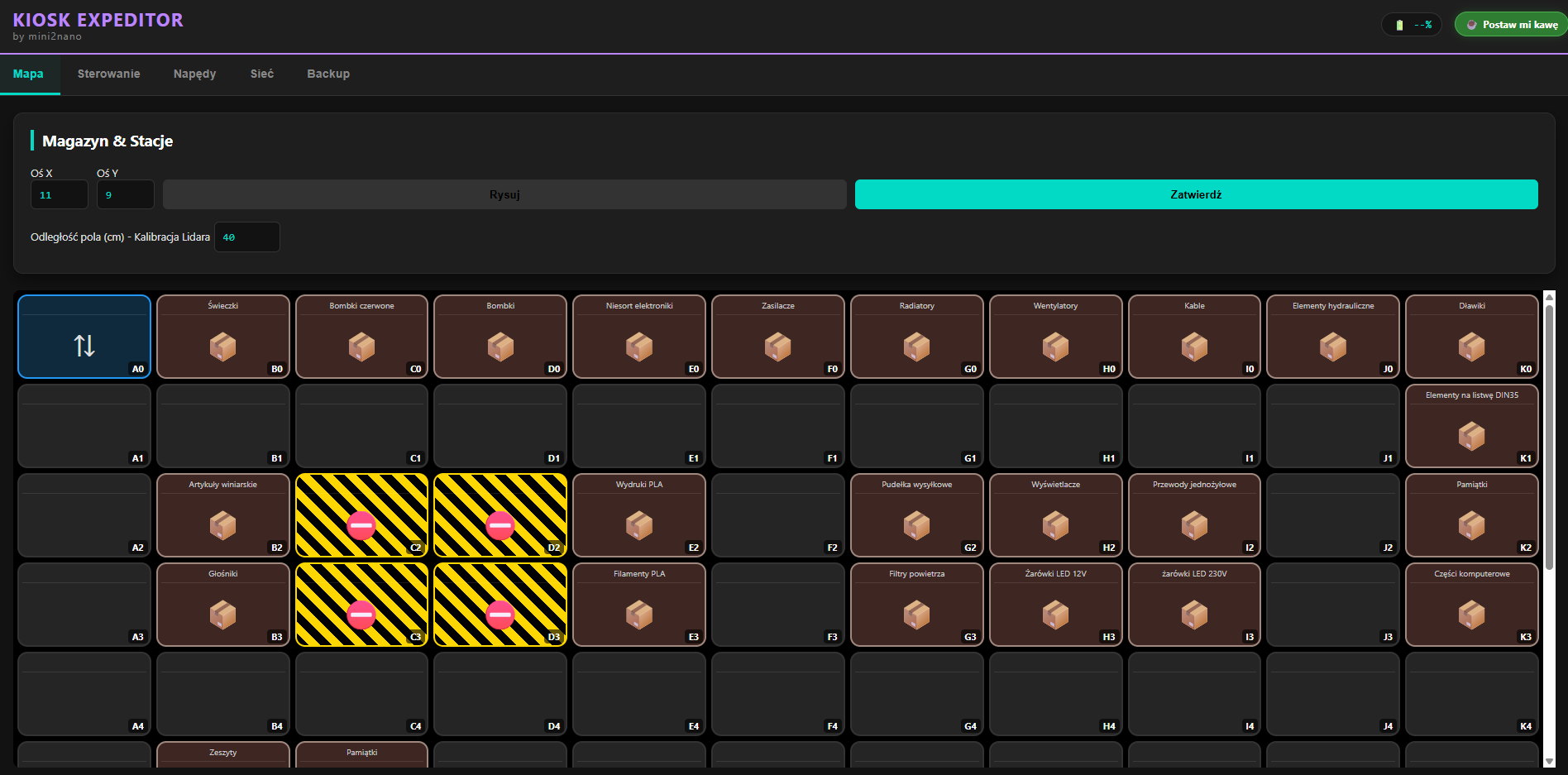
    Warehouse map view with a grid of cells, labeled goods positions, and marked obstacles.

    In my example, the robot is standing on position A0 (top left corner).
    Wanting to retrieve goods from, for example, E3, it will first go one field forward to A1, change direction with the appropriate sequence and go to F1, then F3 and, controlling the safety barrier around it, it will invade the dedicated space, retrieve the box and return to the deposition field.

    A bit convoluted but doable.
    I'm currently struggling with a method of determining position and it's more likely to fall back on a single point lidar looking behind me.(Must look over obstacles on the wall to determine distance)
  • #42 21818802
    zdolnyadam
    Level 29  
    dgproject wrote:
    zdolnyadam wrote:
    And this mode ""Manchatan"" is what it's about because google.pl doesn't return any sensible results...?
    It's a bit confusing but doable.


    a) Exactly. a bit of a headache ;)

    b) Cool. Thanks for the explanation.

    I'll have a look to see if there are any ready-made designs on the internet to possibly put together and test on a smaller space.
  • #43 21828340
    dgproject
    Level 13  
    I decided to follow the spirit of the times and take advantage of the possibilities offered by AI and I will honestly say that I am pleasantly surprised.
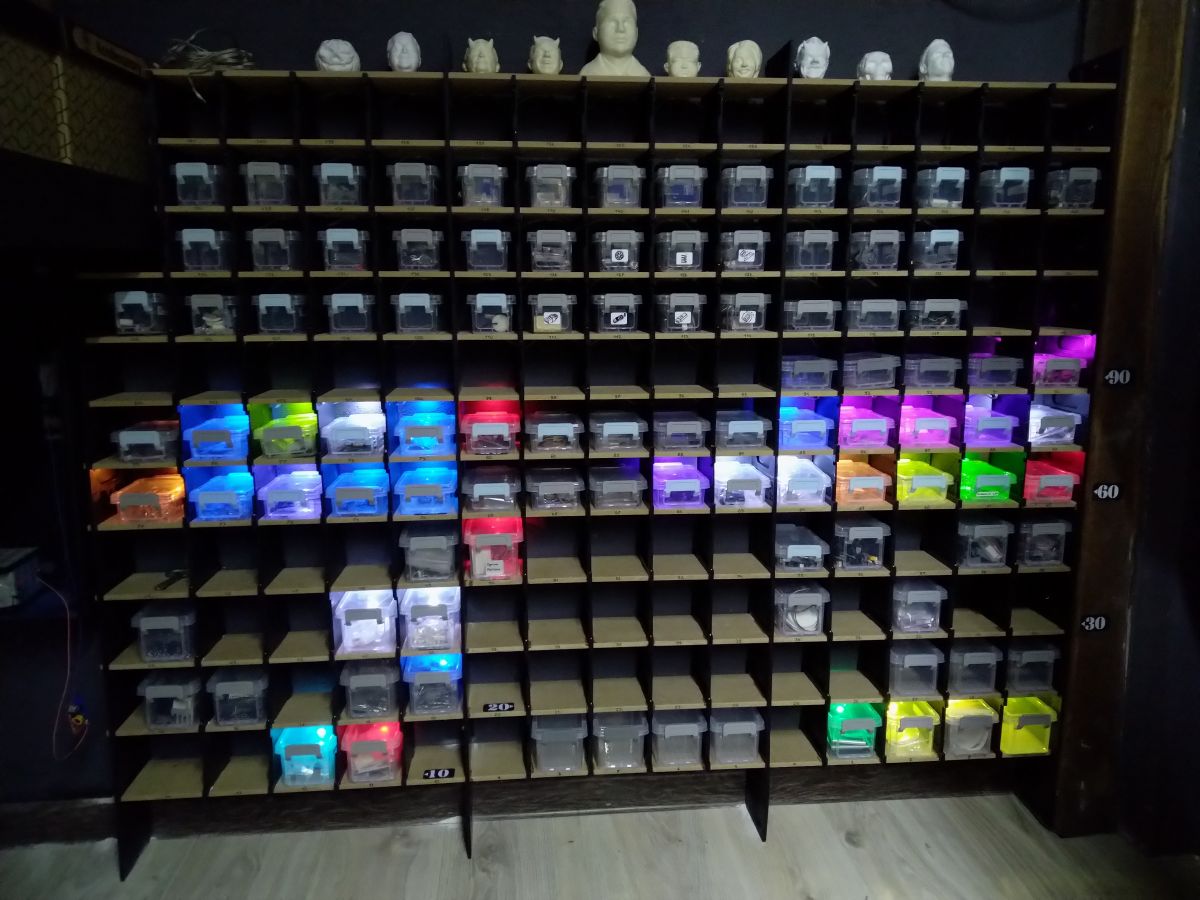
    As variety in the design for the shelves I added some screensavers and the design looks good enough for me now.
    I will leave the remaining 25 LEDs to illuminate the Filaments on the shelf next to it.
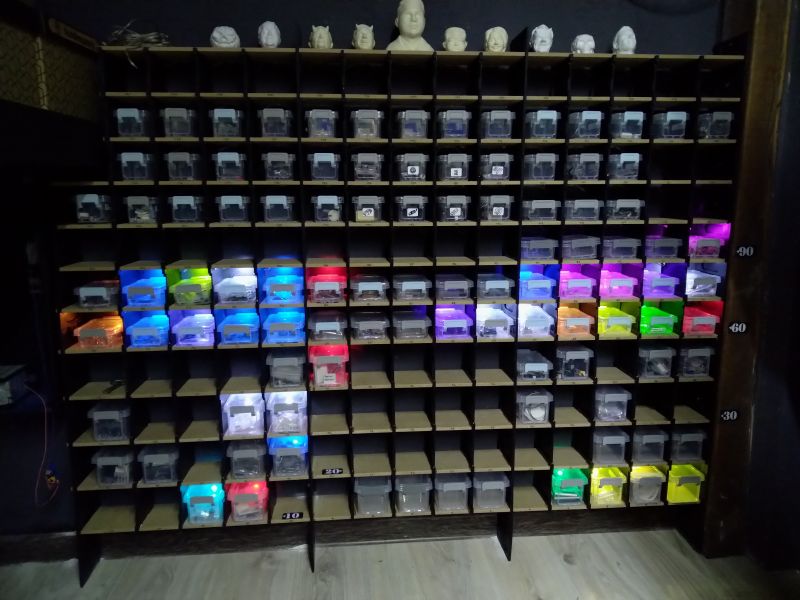

    Shelf with transparent boxes illuminated by multicolored LED lights


    However, I was planning to combine the Warehouse Expeditor Kiosk with the 'EXPEDITOR' robot that I have been working fiercely on for several weeks.
    The robot, in the first version I will make, will move on a single track above the containers in a fully autonomous manner.
    The choice was made after analysing the loft space, where I have about 13m of length tapering off at the back.

    A robot based on XIAO ESP32C6 using I2C communication modules, which as it turns out, is perfectly adequate and reasonably fast.
    Sure I had considered SPI, CAN and other solutions, but a few days of reviewing functionality versus price tempted me to just do it.
    The premise was that a fleet of robots would be able to communicate with the Kiosk, and the Kiosk itself would give us an insight into what was happening in the enclosed space where the robot was working.
    After much deliberation, it fell to telemetry of information exchange via UDP.
    A few moments with the AI and we got it....
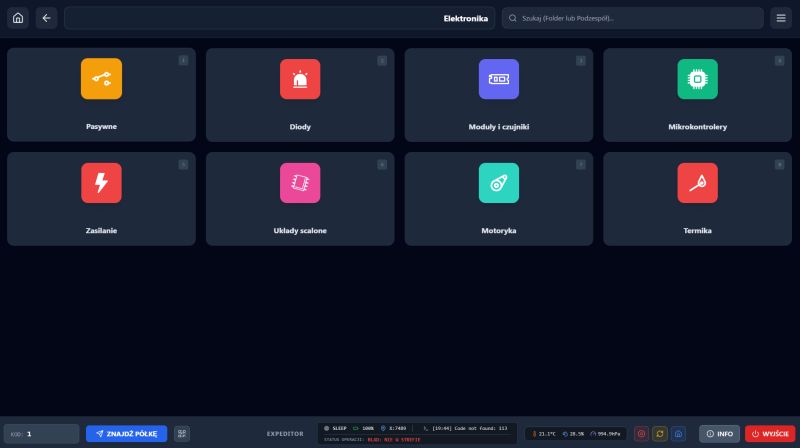
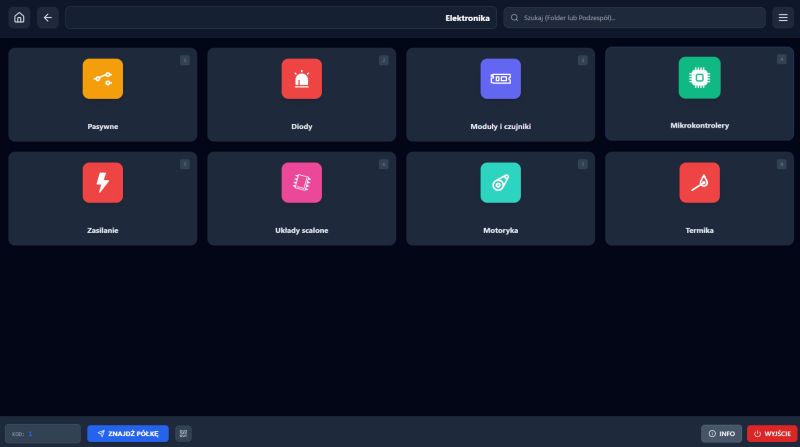
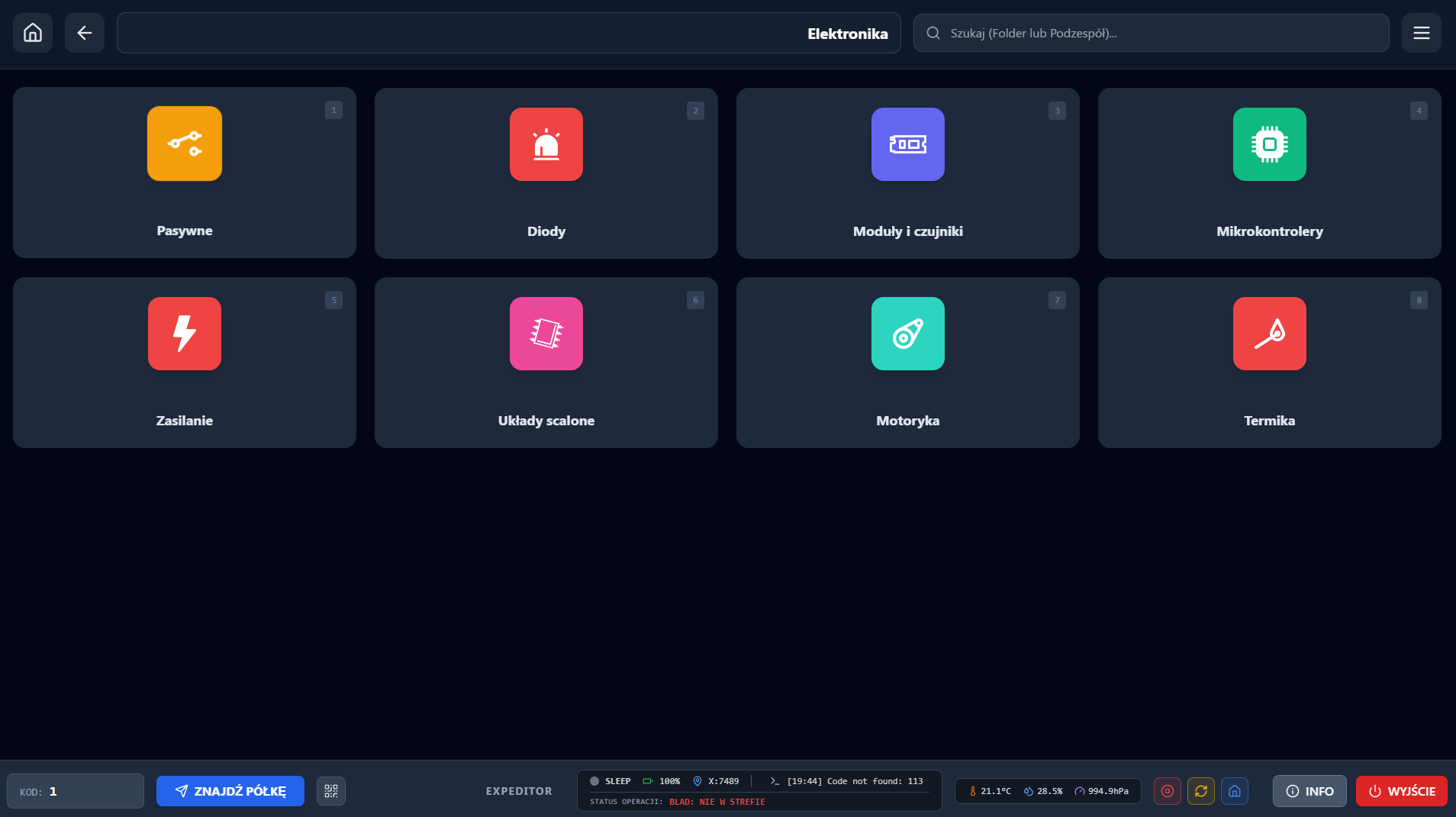
    Application interface with electronic component categories and robot status bar
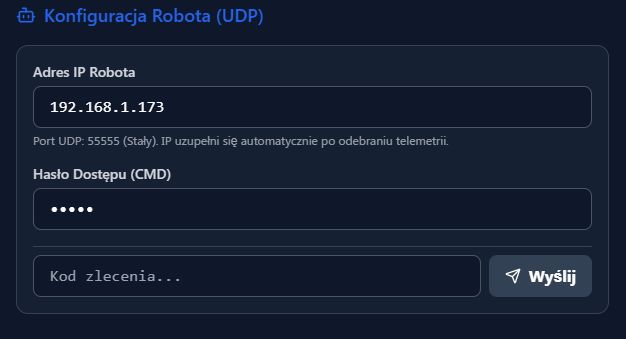
    The new version of the Kiosk gained the function to simultaneously call out the colour of the boxes on the shelf, and to send commands to the robots to search their own base and execute the command.

    Footer:

    EXPEDITOR control panel with status, network, and environmental data


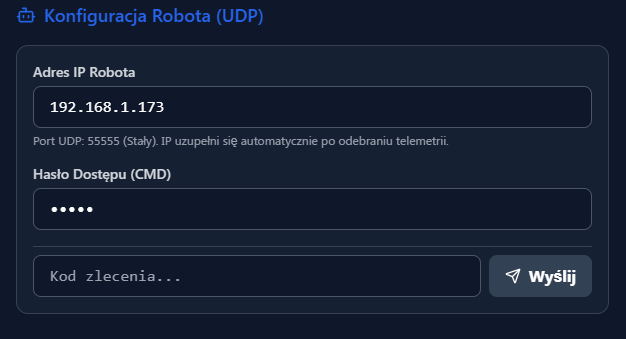
    UDP robot configuration interface with IP, password, and command code fields

    I implemented the state machine in the robot and added a bit of interesting functions like.
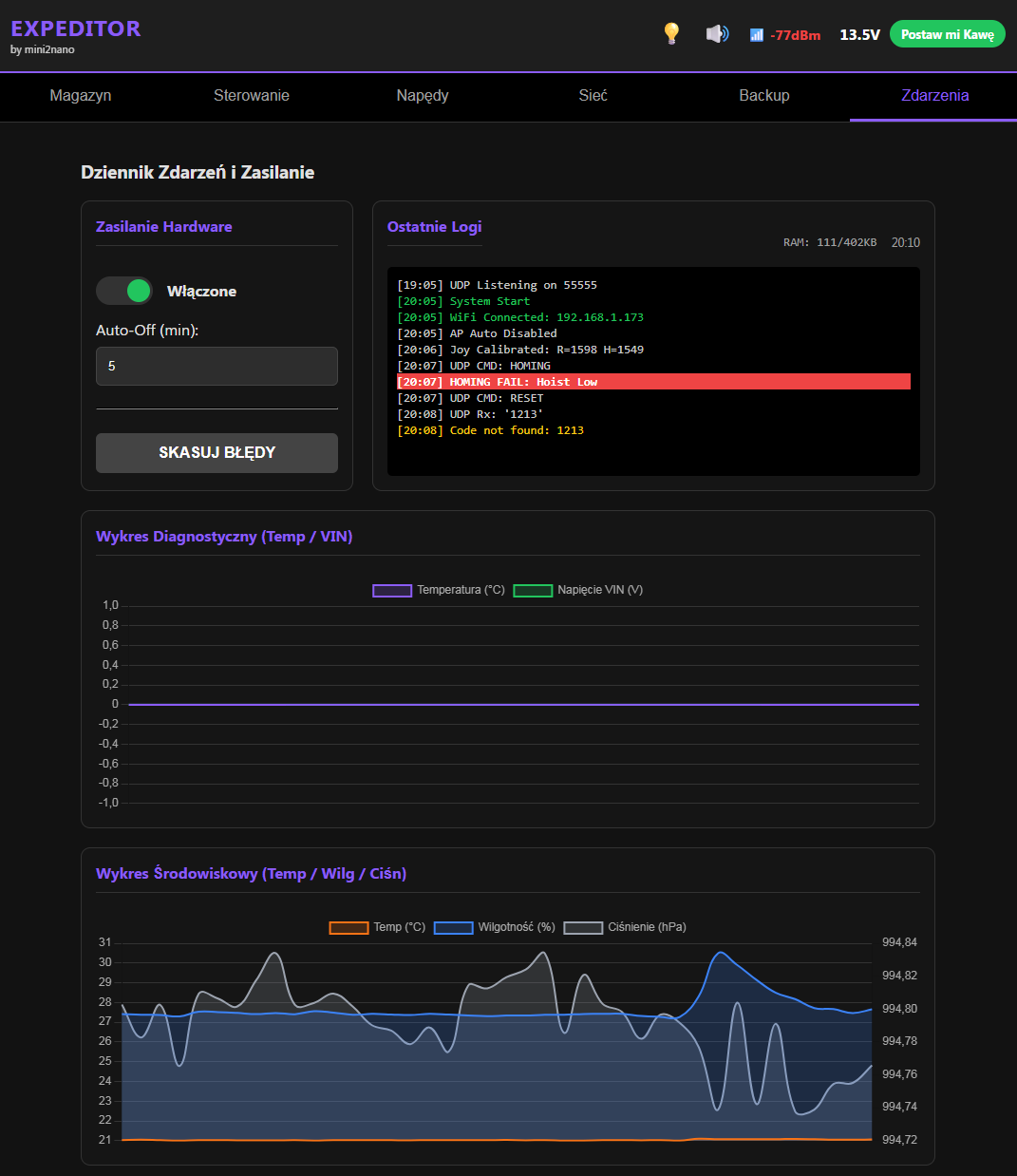
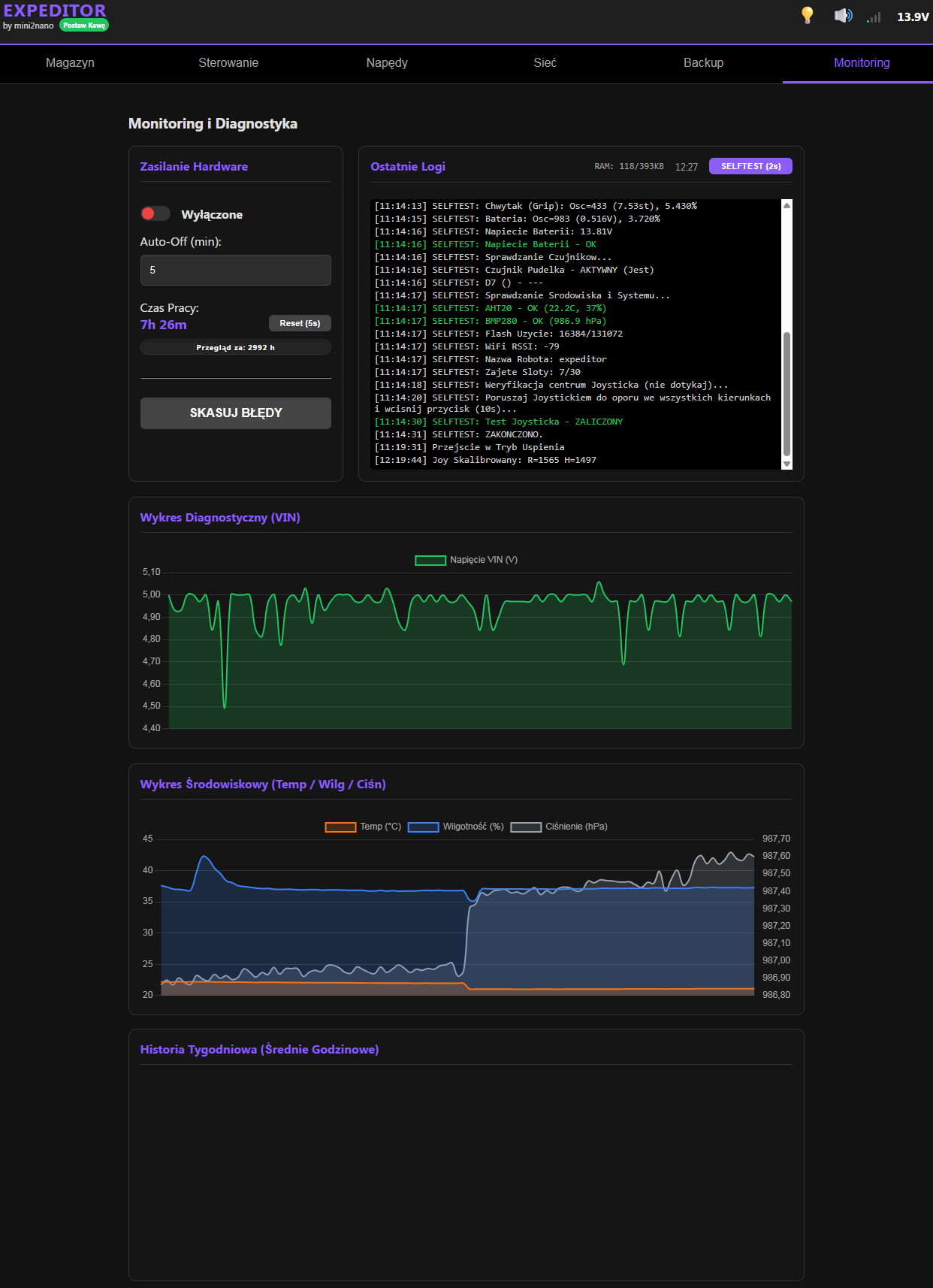
    -Environmental monitoring (temperature, humidity and atmospheric pressure in the work zone - Sent telemetrically and available on the robot's WEB page.
    -Addition of a log field.
    -Time downloading from the web for logs.
    -Possibility of switching off the Hardware after a set time.
    -Measurement of motor controller module parameters.
    -Adding graphs to the "Events" tab
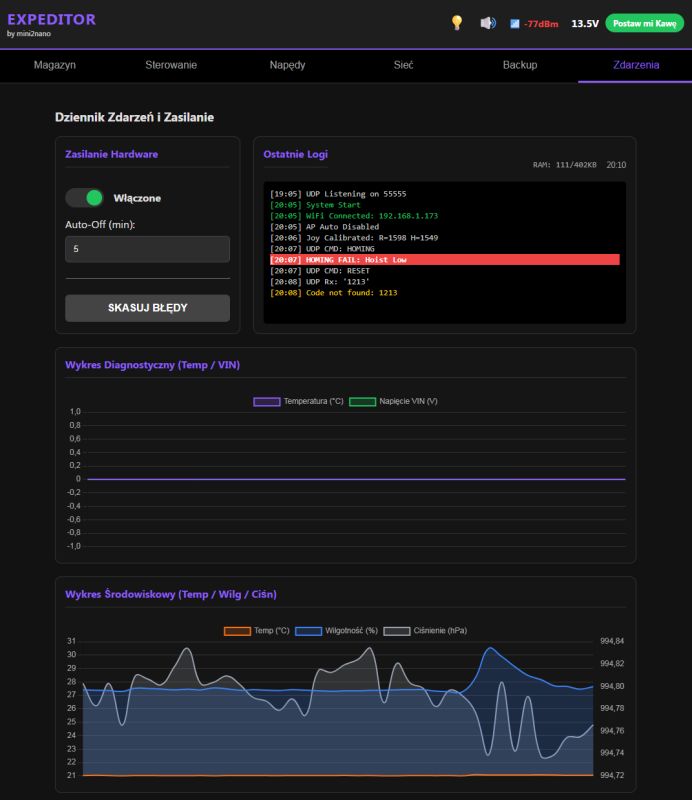
    EXPEDITOR panel with logs, environment charts, and power control toggle

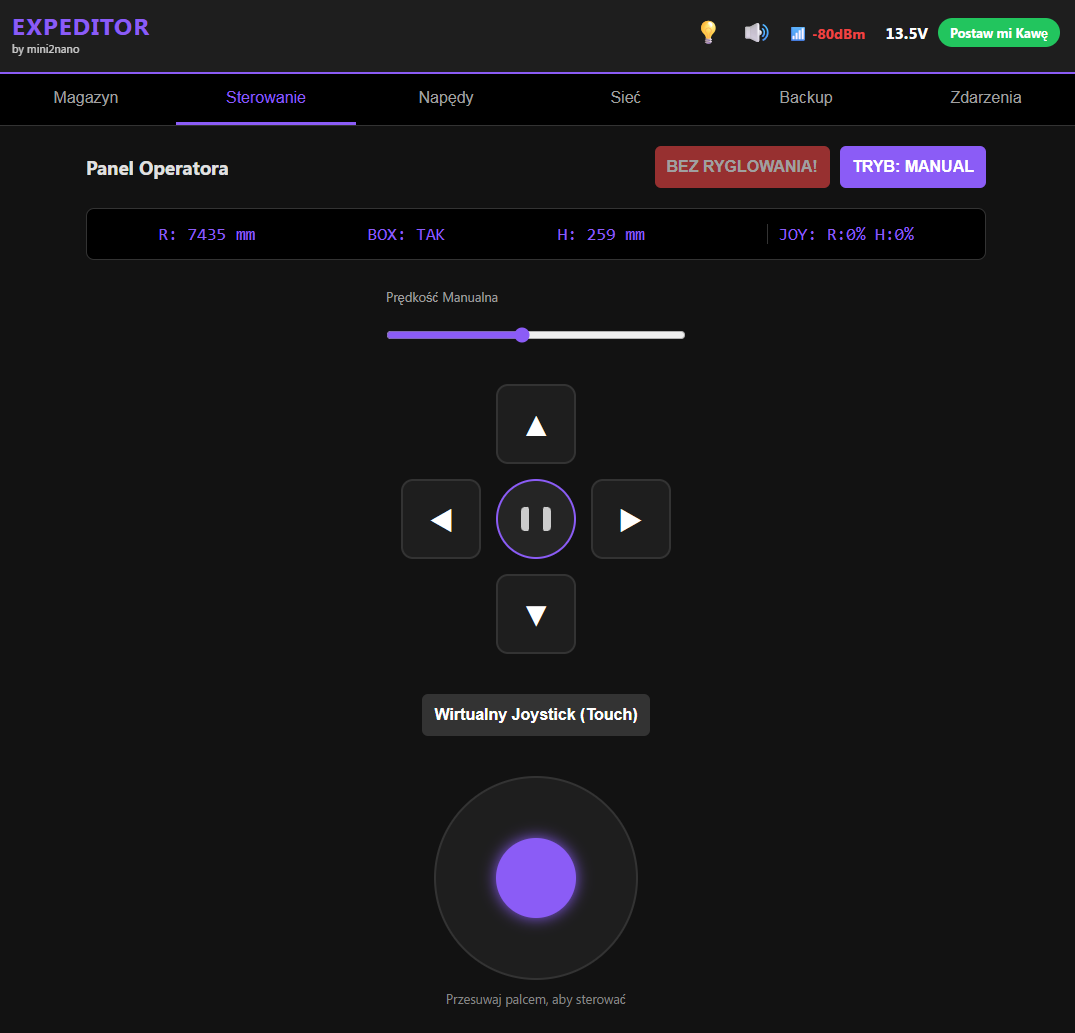
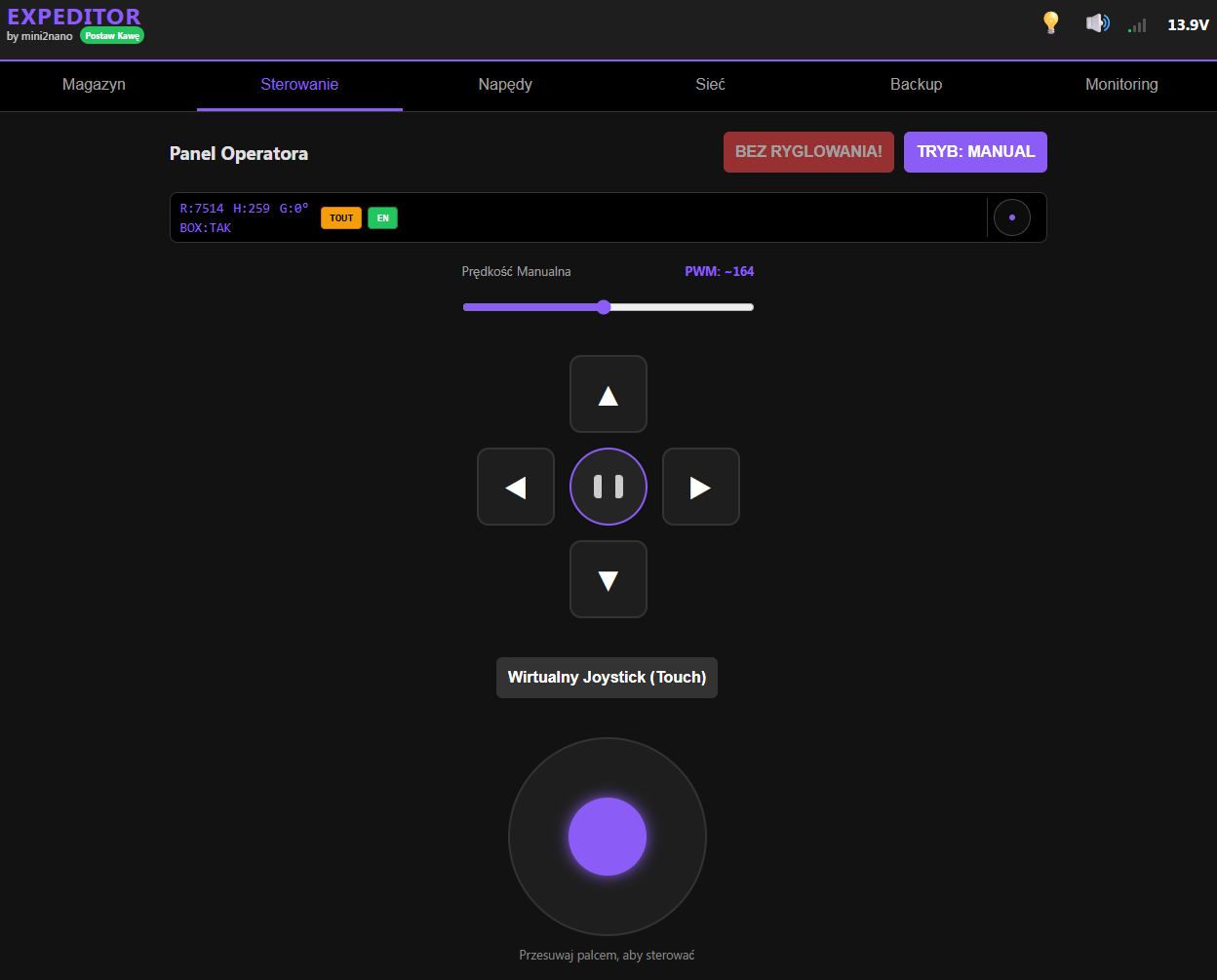
    -Addition of a manual control tab with the possibility of selecting the operation "No Locking" - to set the position in place.
    -I have also added the ability to smoothly control the drives via the virtual Joystick on smartphones.
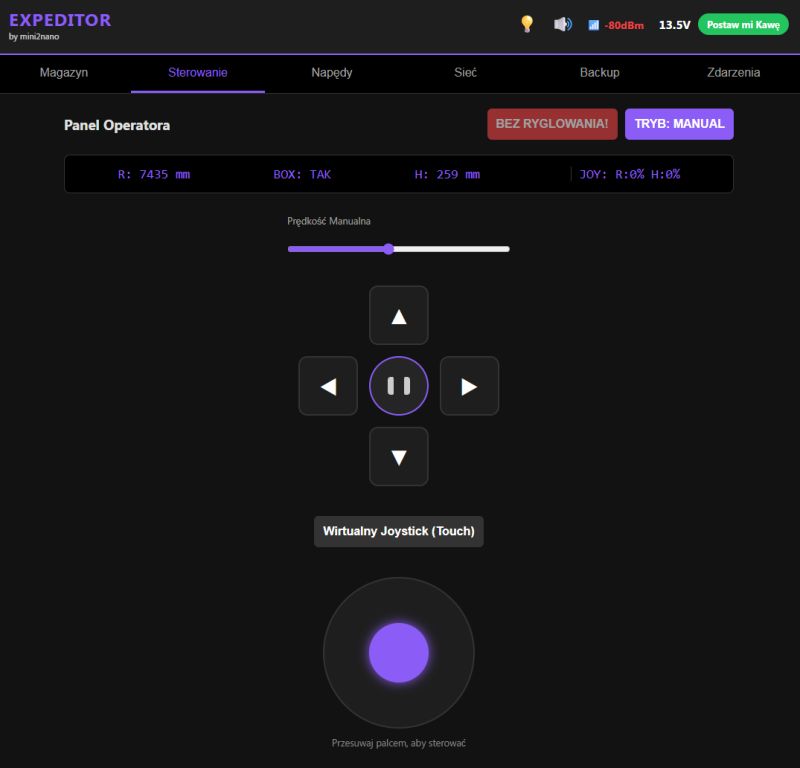
    Robot EXPEDITOR control panel with virtual joystick and directional buttons

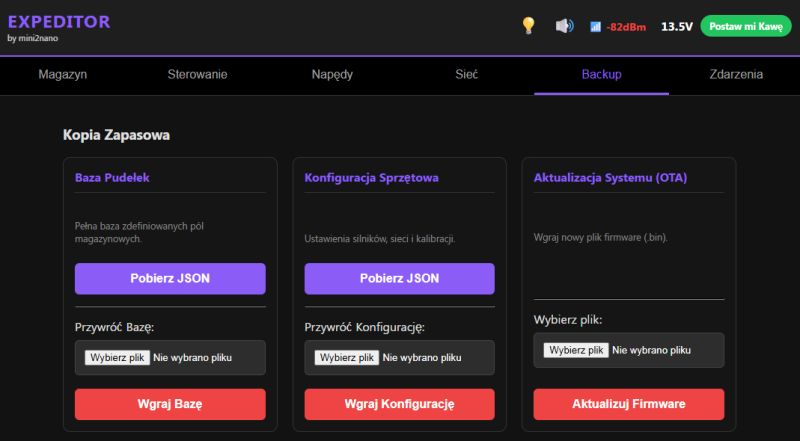
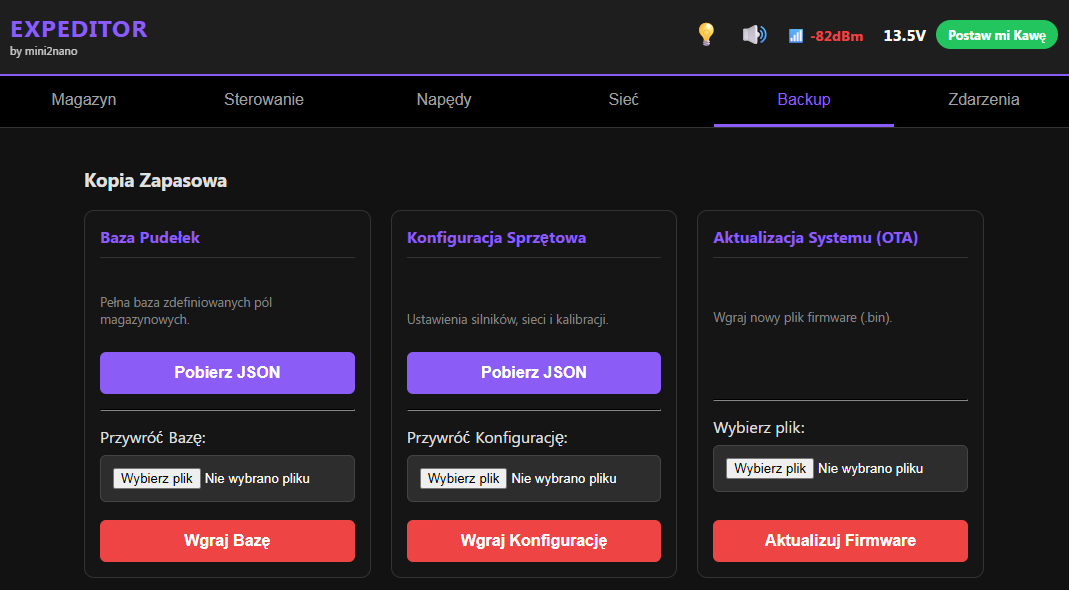
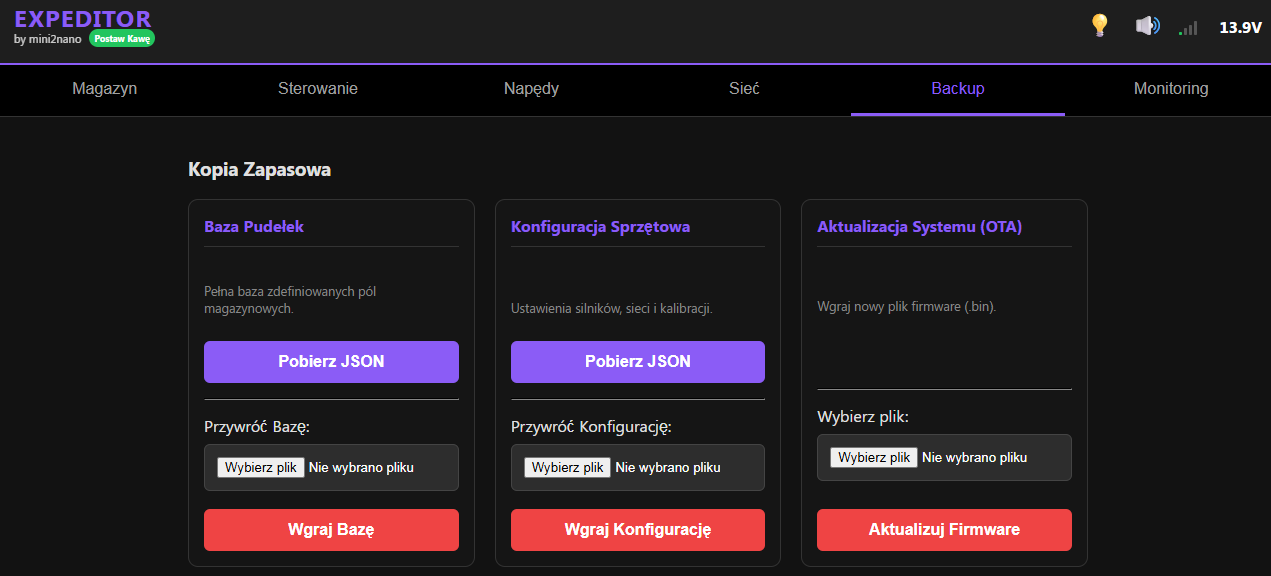
    -Added a full Backup tab.

    EXPEDITOR system backup panel with three sections: boxes, config, and firmware update

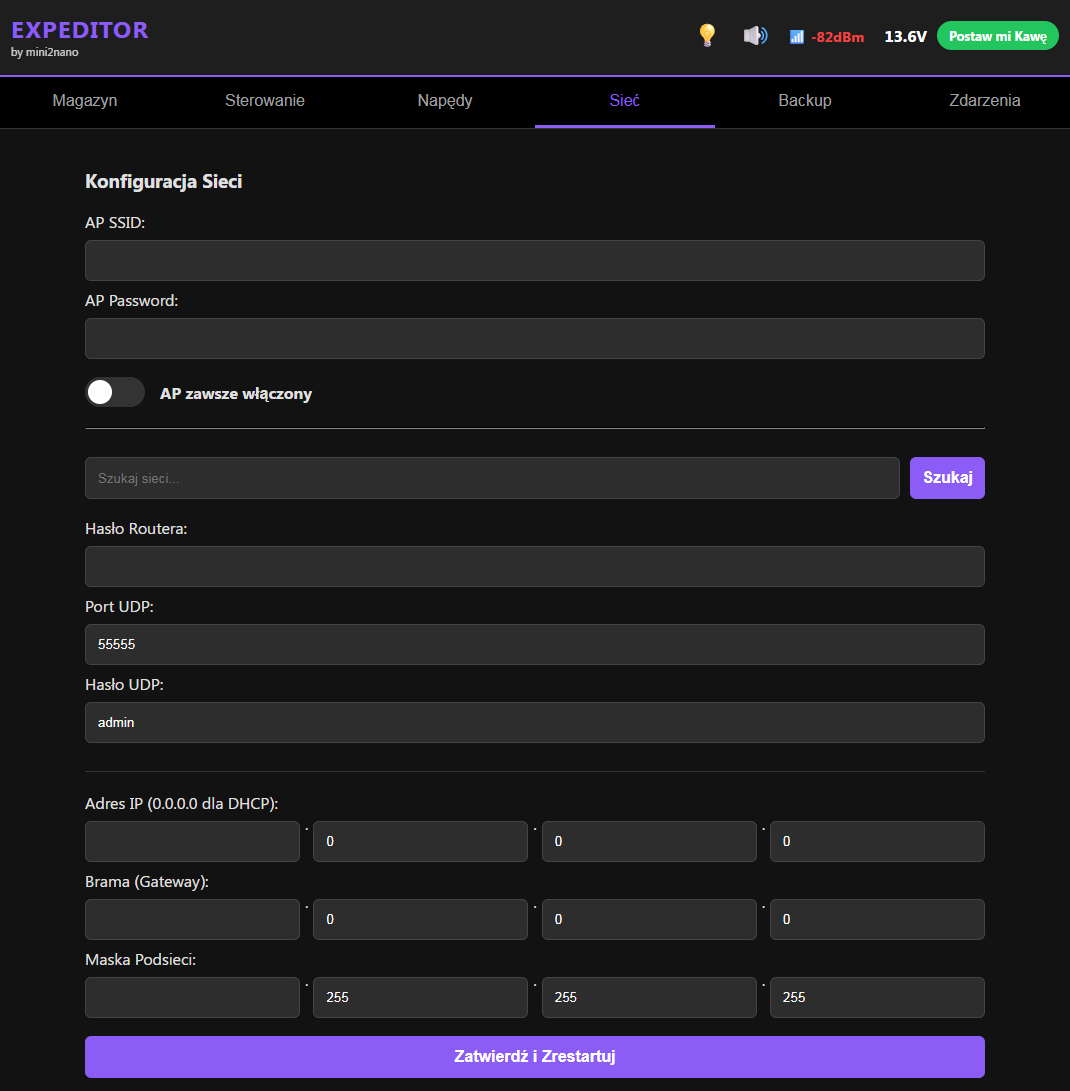
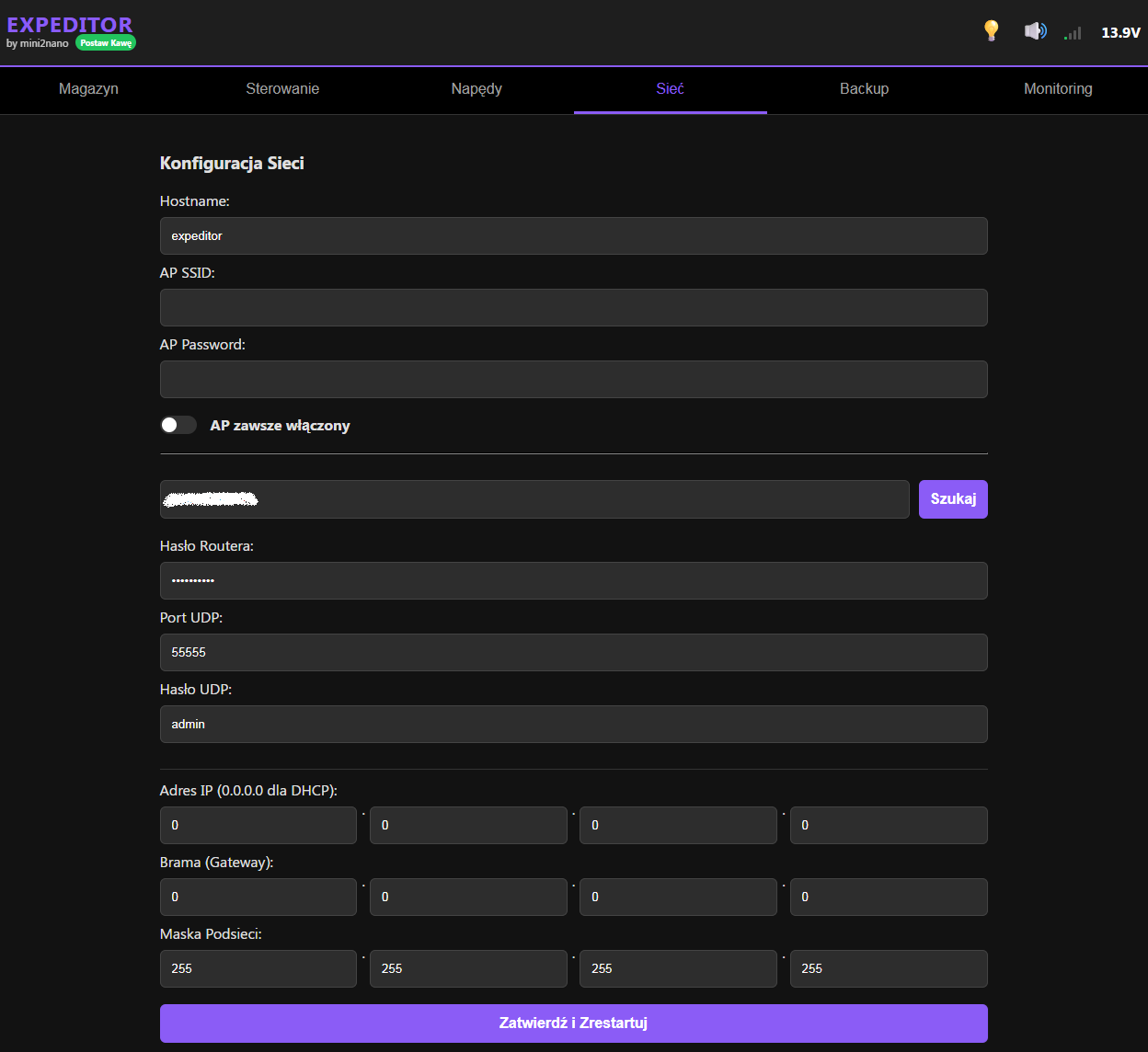
    -Expanded network settings for AP, Router, UDP, and the ability to establish a static address.
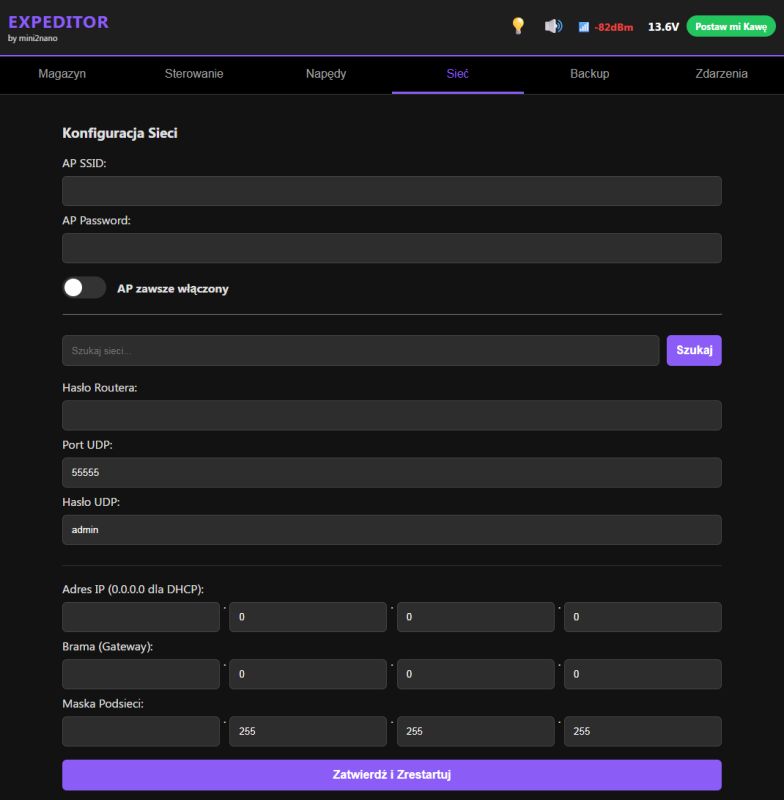
    Network configuration interface in EXPEDITOR app with input fields and UDP settings

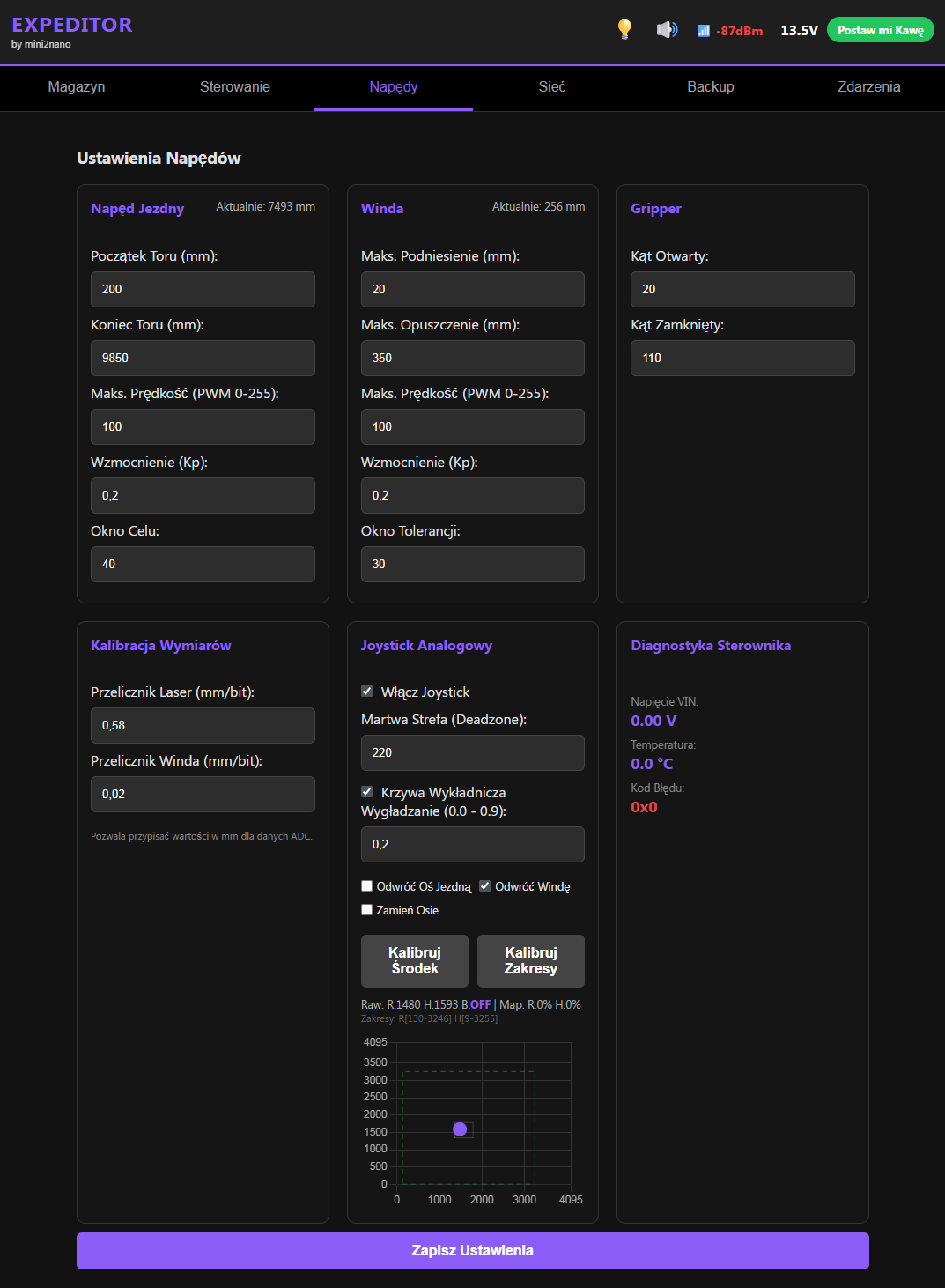
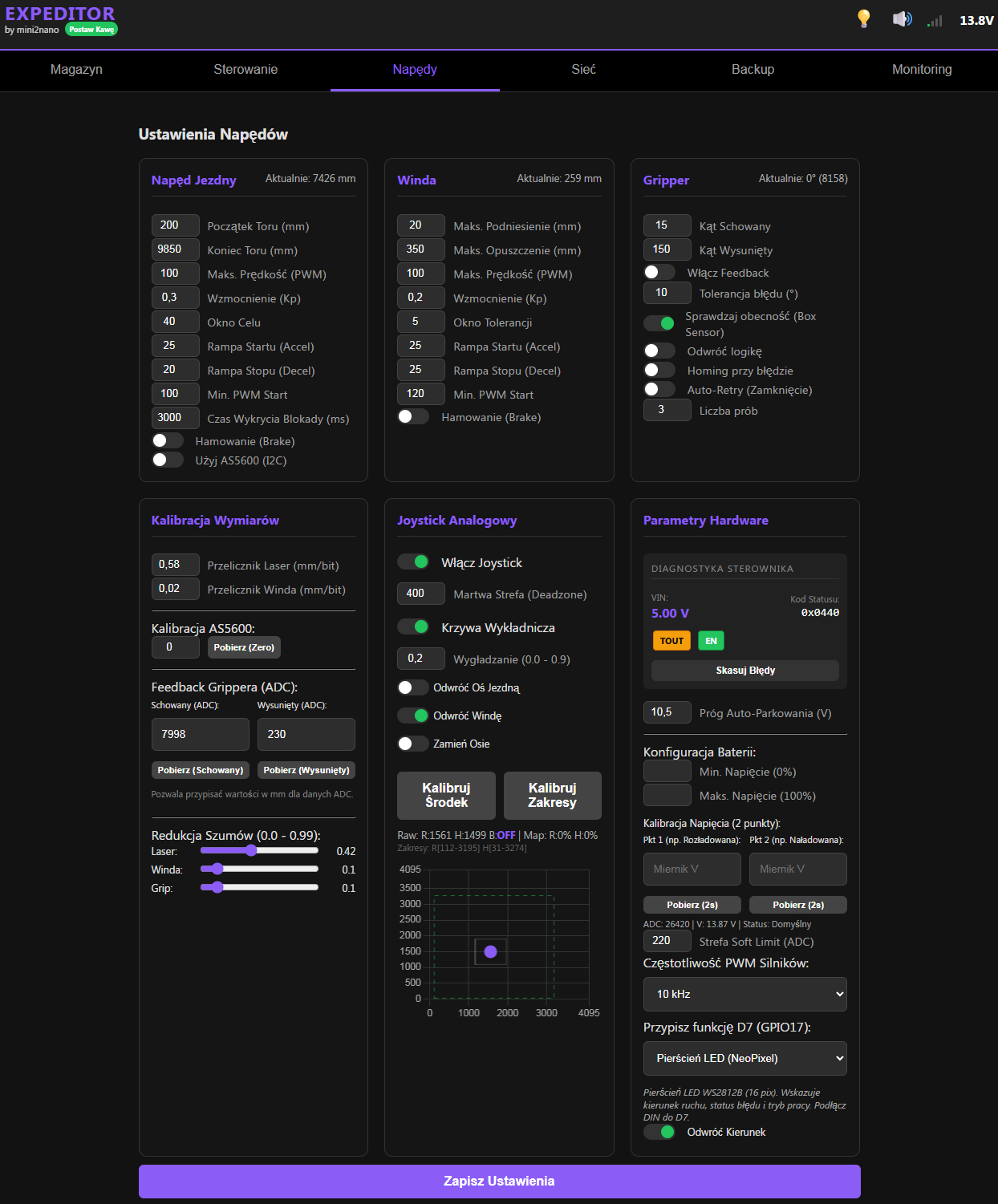
    -Added support for multiple drives via I2C M2T550 +metering module.
    -The Gripper's jaws will handle two model servos due to the negligible forces needed to extend them, under the top edge of the box.
    -For the path measurement I will use a laser I had on hand with a range of 10m (0 - 10V) - via a divider.
    -For on-the-spot operation, so as not to have to use, for example, a phone, I have added a general-purpose joystick (PS2) with full calibration capability.
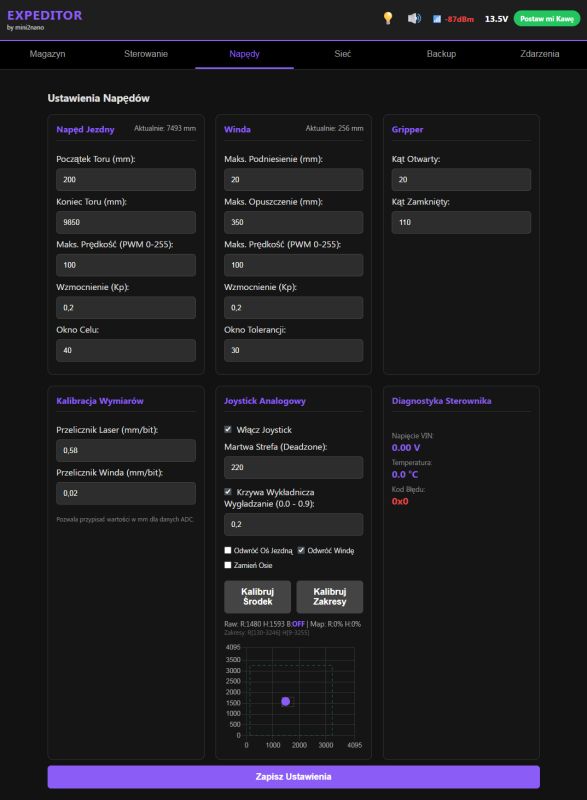
    Robot drive settings panel with track, lift, and gripper parameters

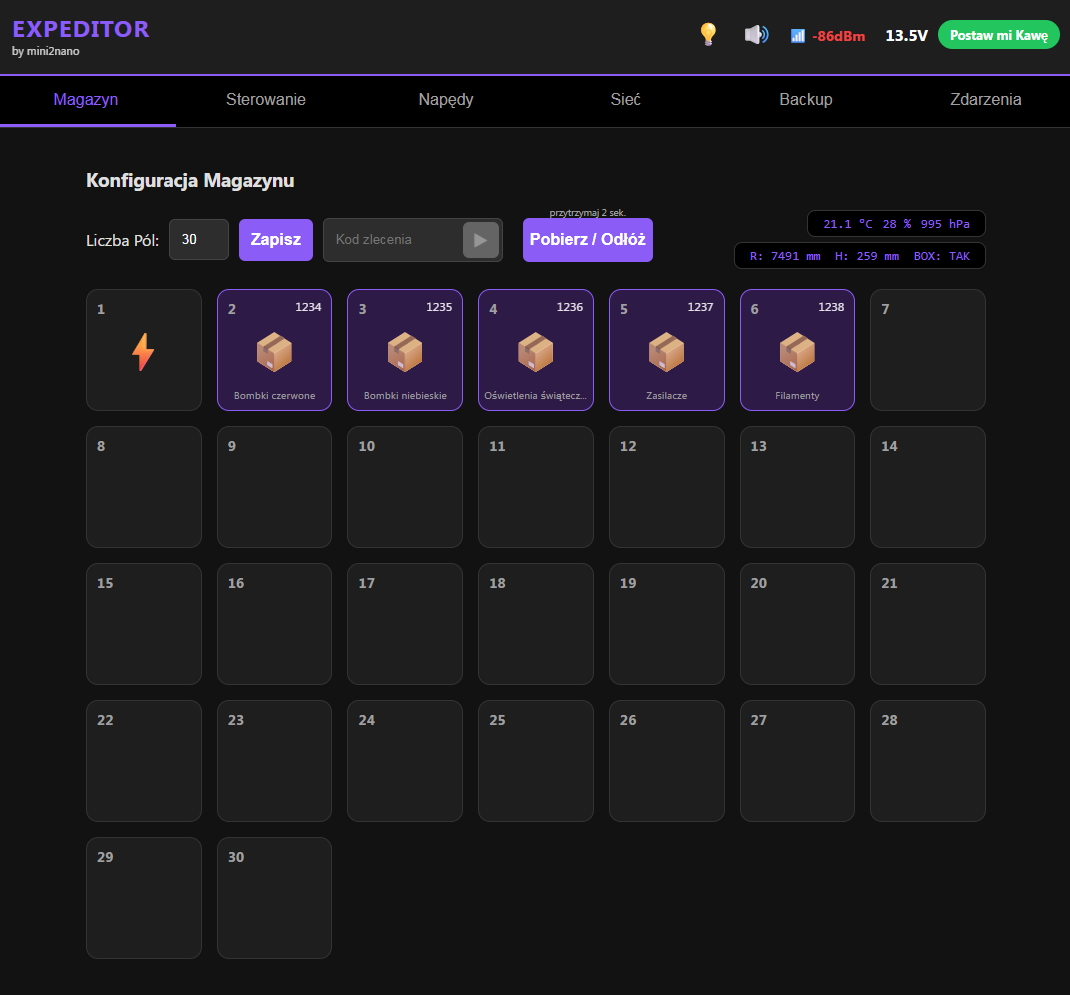
    -And most importantly, the main EXPEDITOR applet
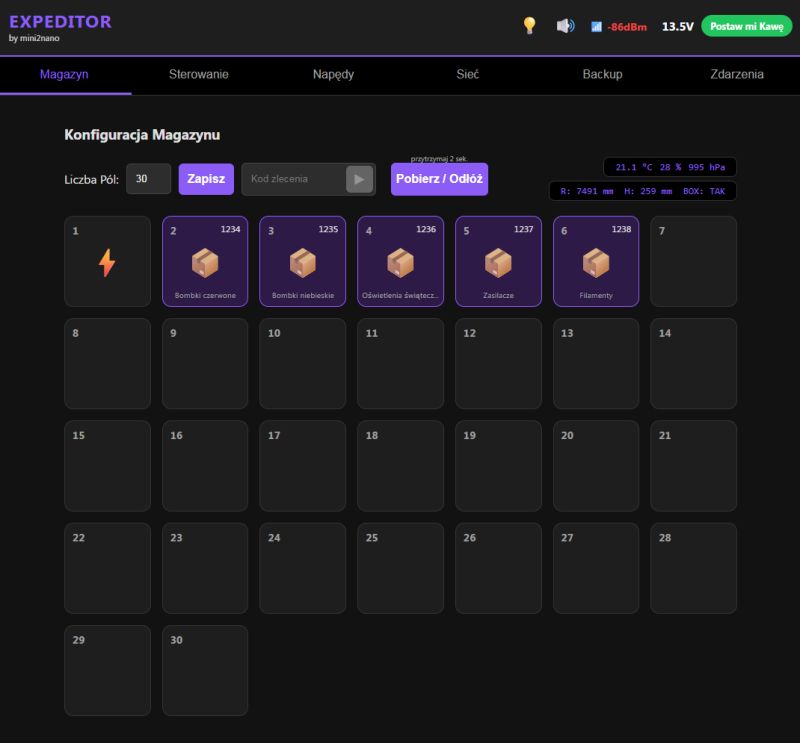
    EXPEDITOR system user interface showing warehouse configuration section
    -The use of a state machine offers great possibilities as it turns out.
    -Once the fields have been determined, the robot itself defines how it parses the code it receives and performs the task based on the occupancy of the physical fields to which the code applies (It brings, or returns the box).
    -Options have been added so that the robot can be operated practically from the WEB page, without external programmes.
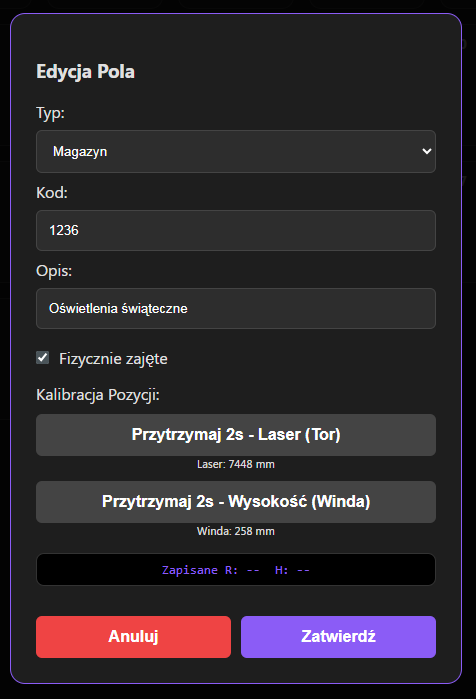
    -In each tile we can define what it is, what is there, whether it is physically there, etc.
    -In addition, I have added the ability to set individual height calibrations for each box (I will be using several different boxes with different litres).
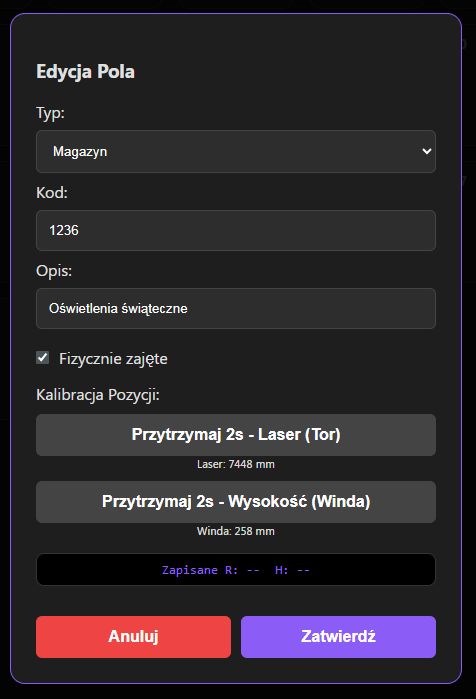
    Warehouse field edit panel with data inputs, calibration buttons, and action options

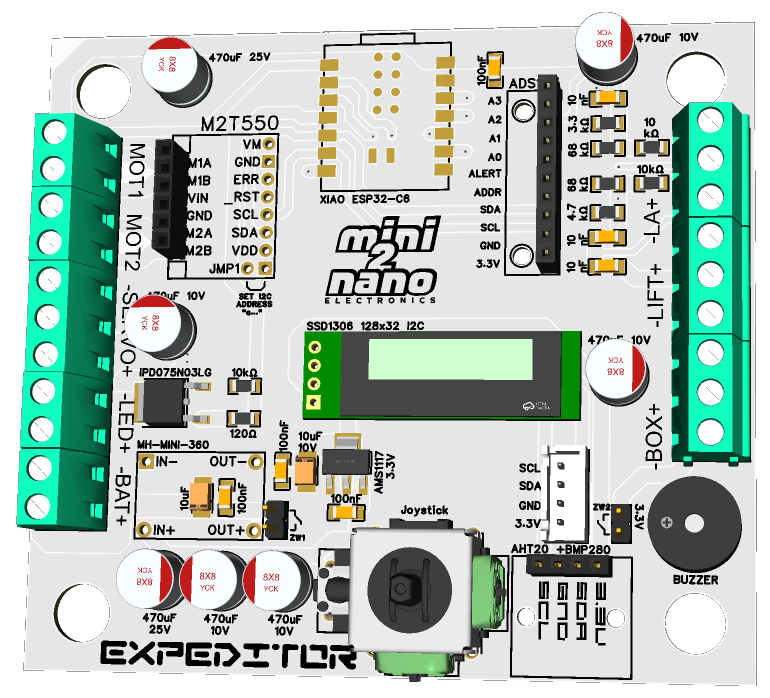
    What remains to be done is to order the PCB and I think it won't be long before the modular layout is up and running.
    Judging by the prices of the components, you can easily fit in a few hundred when building the robot.
    The electronics alone will cost around 100 PLN, plus the drives for a few dozen PLN each and the construction.
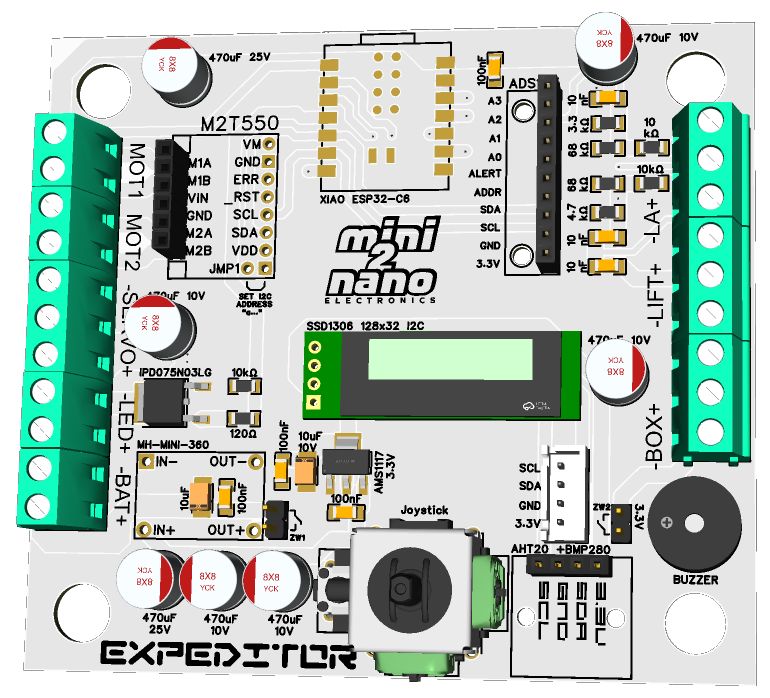
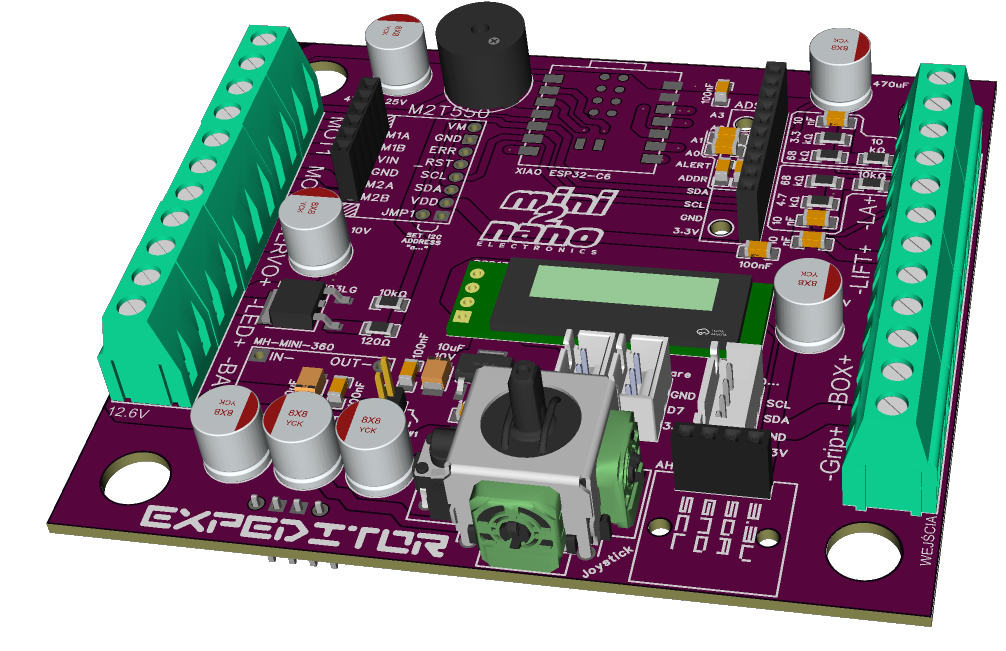
    EXPEDITOR robot control PCB with ESP32C6, joystick, and OLED display
  • #44 21828540
    gulson
    System Administrator
    Apart from electronics, you might think about directing the solution to people who have Lego bricks. I guess such professionals have the building block elements pretty well described.
    Everything, anyway. A useful thing in the warehouse at release to quickly find components / spare parts.
    Cool that the project is growing.
  • #45 21828932
    dgproject
    Level 13  
    gulson wrote:
    In addition to electronics, you can consider targeting the solution to people who have lego bricks.

    I'll admit that I've thought about it for a while, but it's been a while since I put down LEGO, and the variants have multiplied.
    I know from experience that the best way to segregate LEGO is to put LEGO TECHNIC in a separate box ;P

    Added after 46 [minutes]:


    This is what the WEB page of my robot looks like....
    I'm curious if you guys have any interesting ideas to improve the design.
    Of course, I am providing a new version of the Kiosk Warehouse Explorer for PC (Windows x86 / 64) WarehouseExplorer 1.5.0_UDP.EXE
    https://drive.google.com/drive/folders/16Tt3g5scoqoold9HkTwjGDNBsBE9sNGm?usp=sharing
    The programme virtually only needs to be swapped with the existing one.
    UDP support for data exchange with warehouse robots has been implemented into the project.

    Below is an example of telemetry sent from EXPEDITOR:

    Code: HTML, XML
    Log in, to see the code


    As you can see, the Kiosk receives Information about the robot, its status, battery level, track position, errors, Storage conditions [Temperature, humidity, pressure], info about the current order, and recent logs.
    The kiosk listens to the traffic on a given port and establishes a connection with the robot itself, posting information on the robot's status on the Footer with a refresh every 5 seconds.
  • #46 21841188
    dgproject
    Level 13  
    The stage of completing the electronics and testing the robot is behind me.
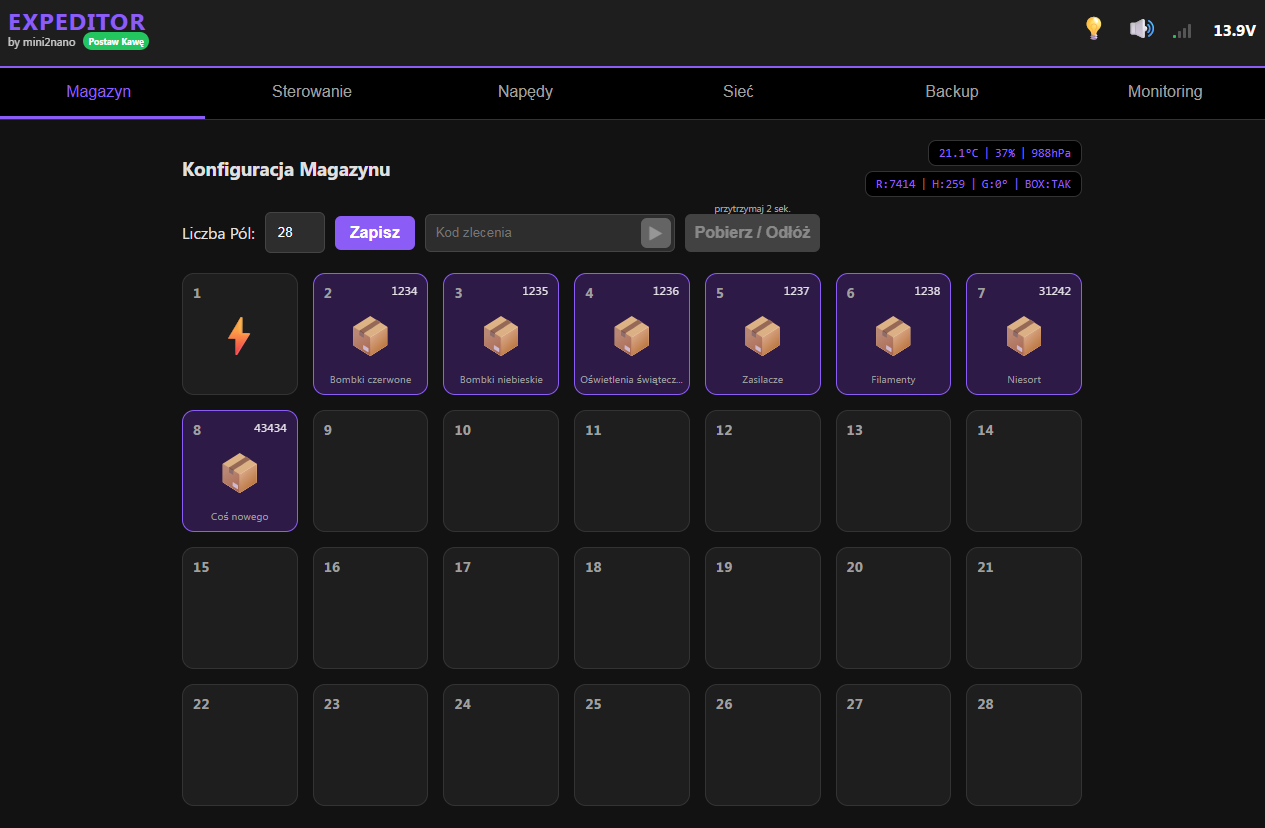
    Let me upload some screenshots of the WEB Control Panel of my robot.
    -The robot was based on the XIAO ESP32C6 as the brain.
    -For the additional analogue inputs I used an ADS1115 (16 bit)
    -The POLOLU MOTORON M2T550 is responsible for the smooth control of the motors (running and lift).
    -I added environmental measurement of the robot based on an ATH20 +BMP280 module.
    -The on-site operation of the robot is via a PS2 Joystick. (Not to be confused with a game pad - the JOG module itself).
    -The SSD1306 128x32 I2C display is used to display the current information on the robot (could it be bigger? Sure, but for basic functions it is enough)
    -The display in normal mode (if not asleep) shows IP Address, Track Positions, Elevator Height, and Battery Voltage.

    The PCB was improved during delivery and a final version with additional inputs/outputs for peripherals was ordered.

    The operation itself from the WEB works, after modifications and implementation of asynchronous models, surprisingly smoothly.

    Screenshot of “EXPEDITOR” web panel showing a 28-slot warehouse grid and top navigation tabs

    Screenshot of EXPEDITOR “Control” web panel with direction buttons, PWM slider, and virtual touch joystick

    Screenshot of “EXPEDITOR” web control panel with drive, lift, gripper and joystick settings

    Screenshot of a web control panel “Network” tab with Wi‑Fi settings, UDP port, and IP address fields

    Screenshot of “EXPEDITOR” web panel on Backup tab with JSON download and OTA firmware update options

    Web control panel screenshot with logs and charts for VIN voltage and environmental readings.

    It's hard at this stage to describe all the features I've added to the robot.
    I'll probably devote a separate new post to all the robot's functions once I've finished putting the robot together.
    However, if any forum members have any interesting options to add, I'm open to suggestions.

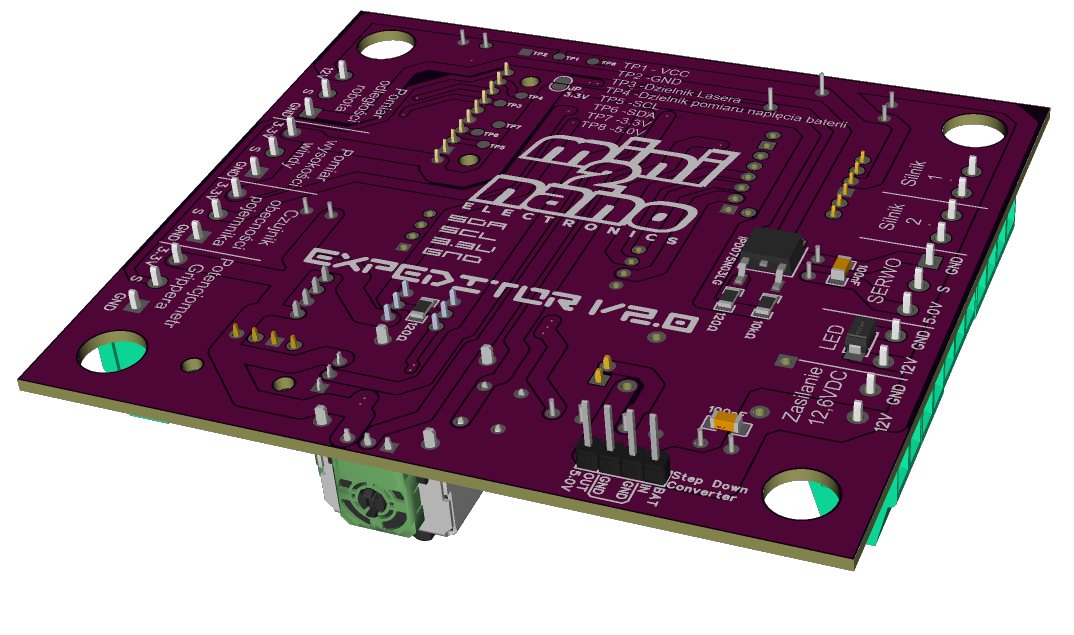
    This is what the new version of the PCB looks like.

    3D render of a purple PCB with screw terminals, joystick module, and connectors for XIAO ESP32-C6

    3D view of a purple PCB with labeled connectors, pins, and the text “Extrema v2.0” and “Elektronika”.

    Of course I create the whole project in Polish ;)
📢 Listen (AI):
ADVERTISEMENT