






logo elektroda
logo elektroda
X
logo elektroda

DIY ESP8266 MINI - how to set up a WiFi weather clock step by step

cannawpz 444 8
ADVERTISEMENT
Treść została przetłumaczona polish » english Zobacz oryginalną wersję tematu
  • #1 21840631
    cannawpz
    Level 10  
    Posts: 52
    Rate: 4
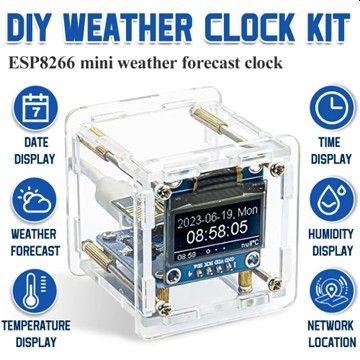
    DIY ESP8266 MINI WIFI Weather Clock. Procedure for setting up the assembled device
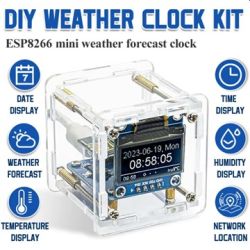
    DIY ESP8266 weather clock kit in clear case with OLED screen and feature icons around it
    If anyone is interested in this self-assembly toy from China, I suggest reading my description.
    Attached is my tried and tested method of configuration and some notes.
    BTW. it was not possible to configure this device with Openweather or IMGIW.
    Attachments:
    • konfiguracja pogodynki.pdf (1.09 MB) You must be logged in to download this attachment.
  • ADVERTISEMENT
  • #2 21841139
    Andrzej Ch.
    Level 33  
    Posts: 2230
    Help: 222
    Rate: 387
    Super, and are you able to attach a diagram of this device ?
  • ADVERTISEMENT
  • #3 21841649
    cannawpz
    Level 10  
    Posts: 52
    Rate: 4
    The schematic is provided by the seller himself. The design is very simple: ESP8266, 0.91" OLED, simple circuit that reduces the voltage to 3.3 V.
    Attachments:
    • ESP8266 Mini weather forecast clock Kit.pdf (891.45 KB) You must be logged in to download this attachment.
  • #4 21842636
    golombek1991
    Level 13  
    Posts: 104
    Help: 4
    Rate: 8
    what do I need to enter there? Without it, the weather is not displayed
  • ADVERTISEMENT
  • #5 21846349
    cannawpz
    Level 10  
    Posts: 52
    Rate: 4
    >>21842636 At the moment I have no knowledge of this field. What does it say in the instructions for the device?
  • #6 21846780
    golombek1991
    Level 13  
    Posts: 104
    Help: 4
    Rate: 8
    >>21846349 there is no information on this. Even on the site from which I bought, the entire appearance of the manual is a little different. Apparently I got a set with updated software in esp32 but with the manual in the old way
  • #7 21850955
    cannawpz
    Level 10  
    Posts: 52
    Rate: 4
    It could also be a deal with an old version of the software, as the auction comments on AliEx mention different versions. Unfortunately, the sellers themselves are not to be counted on. They deceive and ultimately do not provide help. Can you send a screenshot of the menu with this field?
  • ADVERTISEMENT
  • #8 21851020
    Andrzej Ch.
    Level 33  
    Posts: 2230
    Help: 222
    Rate: 387
    Do you perhaps know where the soft (batch or source code) can be downloaded from?
  • #9 21900426
    cannawpz
    Level 10  
    Posts: 52
    Rate: 4
    Welcome back to the topic...
    I have currently reworked the device based on sources from the website: https://www.hackster.io/john-bradnam/micro-weather-station-2b116b
    The description on the page is quite accurate, but the attempt to run ends with an error. I added the missing bit in the esp8266-oled-ssd1306-master.zip archive, the OLEDDisplay.h file, and it now compiles in the Arduino IDE.
    Importantly - the whole thing gets its data from OpenWeather, not a Chinese site. It does not broadcast its own SSID. It doesn't display the browser interface and it doesn't show the password for our Wi-Fi network in plain text. The code encourages modification. E.g.: number of content screens, how to change screens, location of the widget at the bottom of the screen, or changing the language. I add my code to the post (without private data)
    NOTE: You still need to add the Json_Streaming_Parser library to compile the code!
    Attachments:
    • esp8266-oled-ssd1306-master.zip (220.52 KB) You must be logged in to download this attachment.
    • esp8266-weather-station.zip (219.24 KB) You must be logged in to download this attachment.
    • weatherstationv2.zip (17.3 KB) You must be logged in to download this attachment.
ADVERTISEMENT