logo elektroda
logo elektroda
X
logo elektroda

[Zigbee] Software change in thermometer TY0201 (RSH-HS03)

@GUTEK@ 1179 4
ADVERTISEMENT
This content has been translated flag-pl » flag-en View the original version here
📢 Listen (AI):
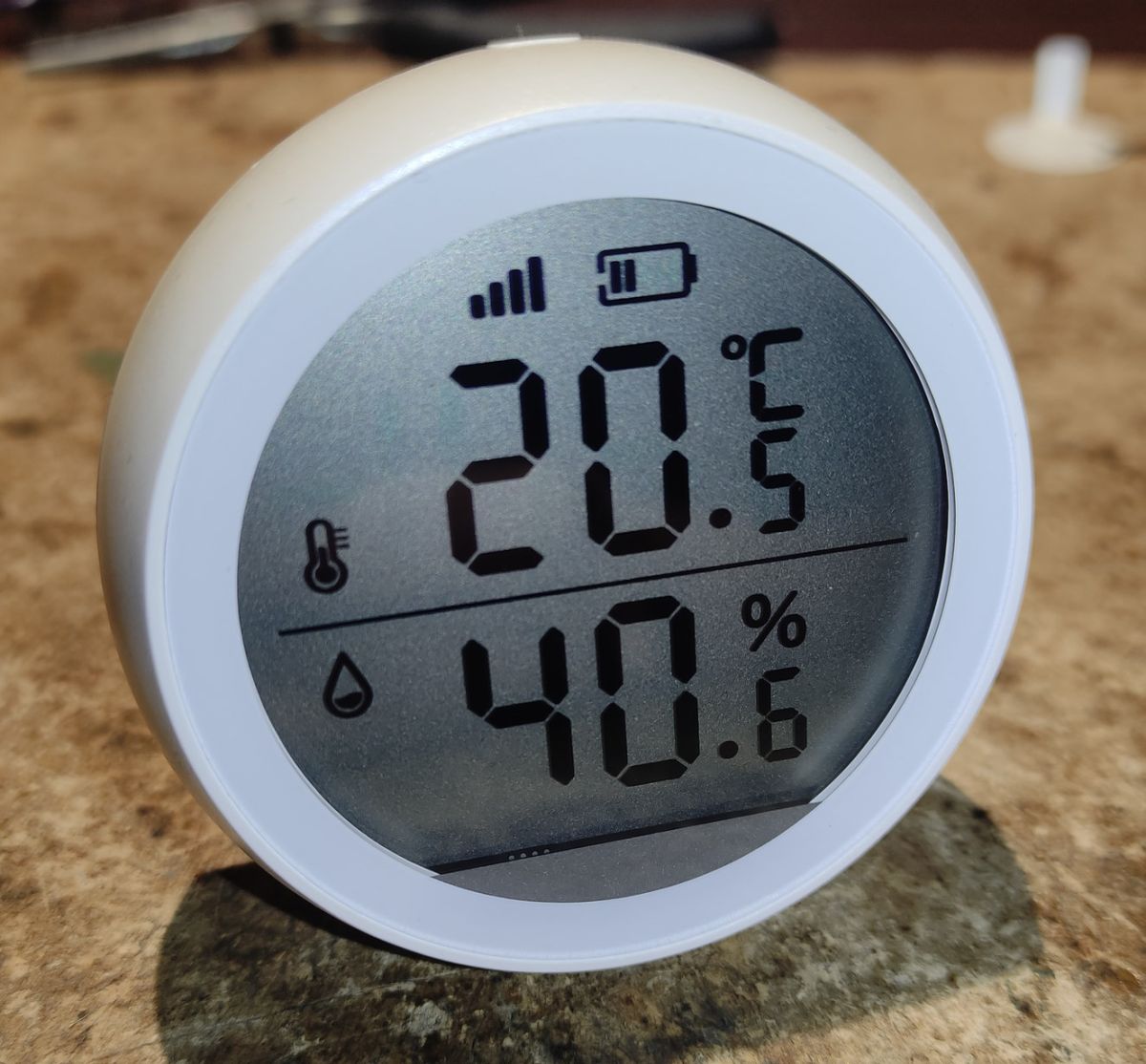
  • Round LCD thermo-hygrometer showing 20.5°C and 40.6%, with signal and battery icons
    Hello,
    in this topic I will present a software change via OTA in a Zigbee thermometer. Why am I changing this software over at all? Well, while it is very cool in appearance, has a display and is powered by two AAA batteries, unfortunately the factory software is an example of how softwares should not be written for Zigbee.

    So:
    - Very short range - the device in practice needs to be a few metres from the Zigbee router. Placing it in another room often results in a loss of connection (changing the firmware here won't help - such is the design).
    - Temperature update every 30 minutes - regardless of whether the temperature changes or not.
    - Possibility to manually refresh at the press of a button, but... the button simultaneously switches between °C/°F units.
    - Rapid battery drain - 800 mAh rechargeable batteries last just over six months.

    What is the model, anyway?
    Well, take your pick:
    - TZ3000_bjawzodf
    - TS0201
    - RSH-HS03 (printed on board)
    - TY0201
    Such markings can be found regarding this thermometer, while the manufacturer does not seem to acknowledge this, simply Tuya.
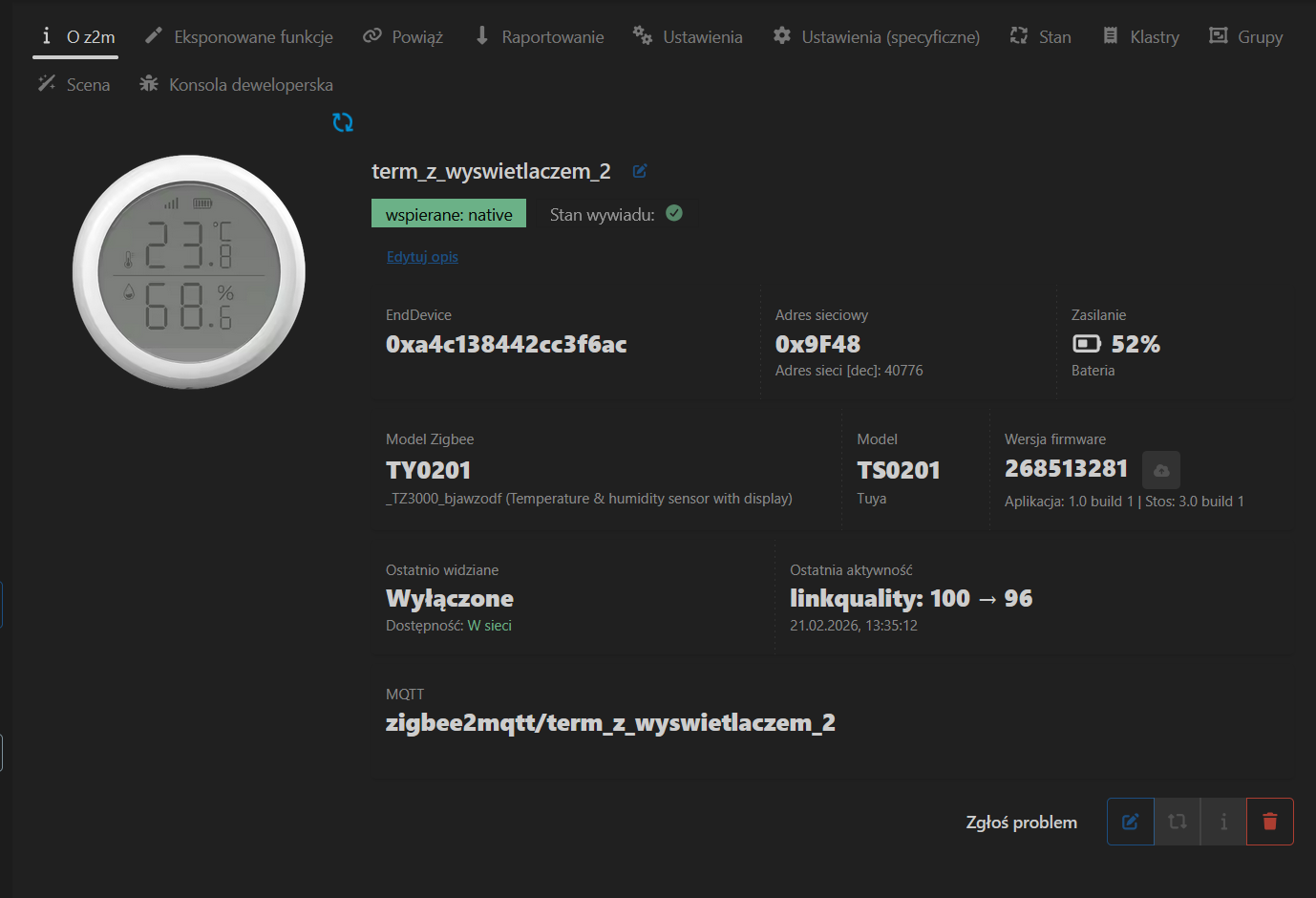
    Zigbee2MQTT device page for TY0201/TS0201 thermometer: 23.8°C, 68.6% humidity, battery 52%

    The device comes in two versions, of course it may be sold in some other version in a while.
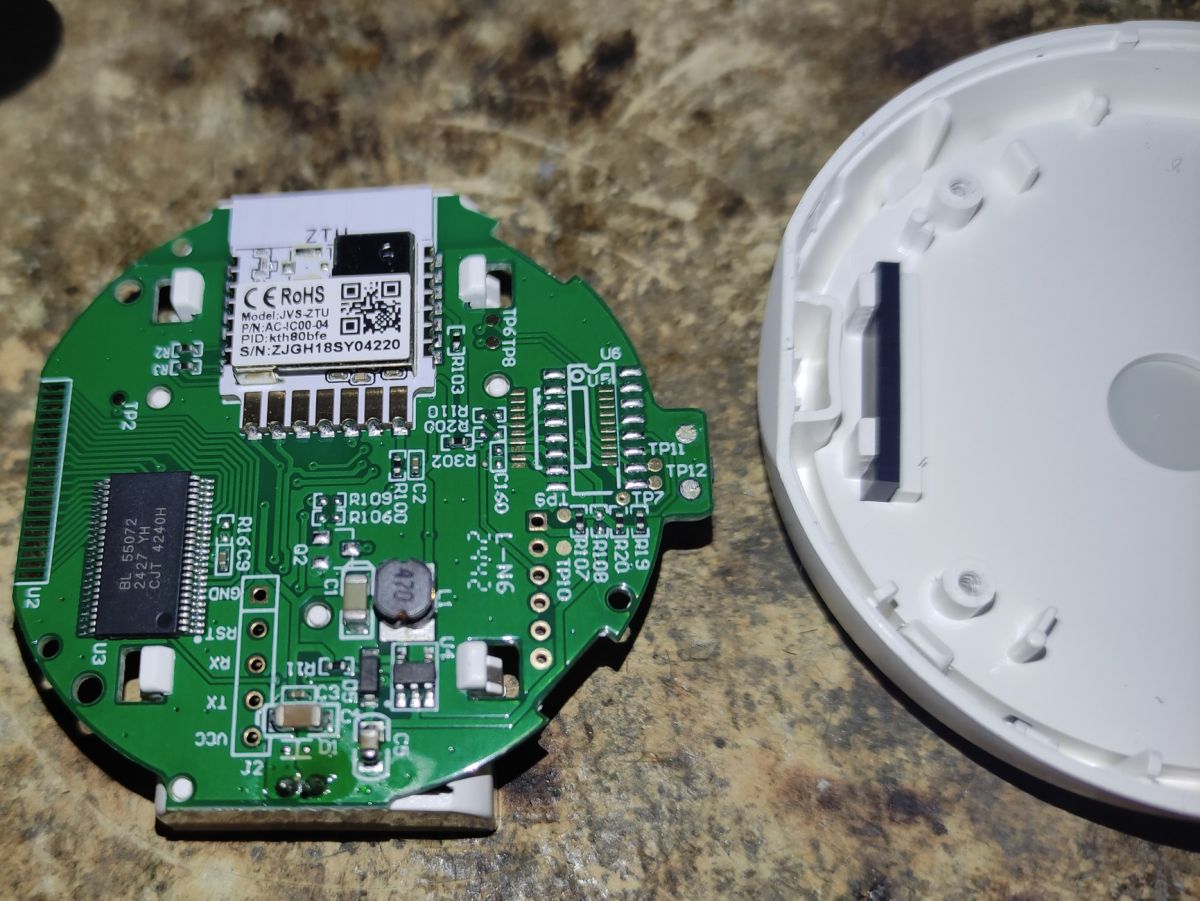
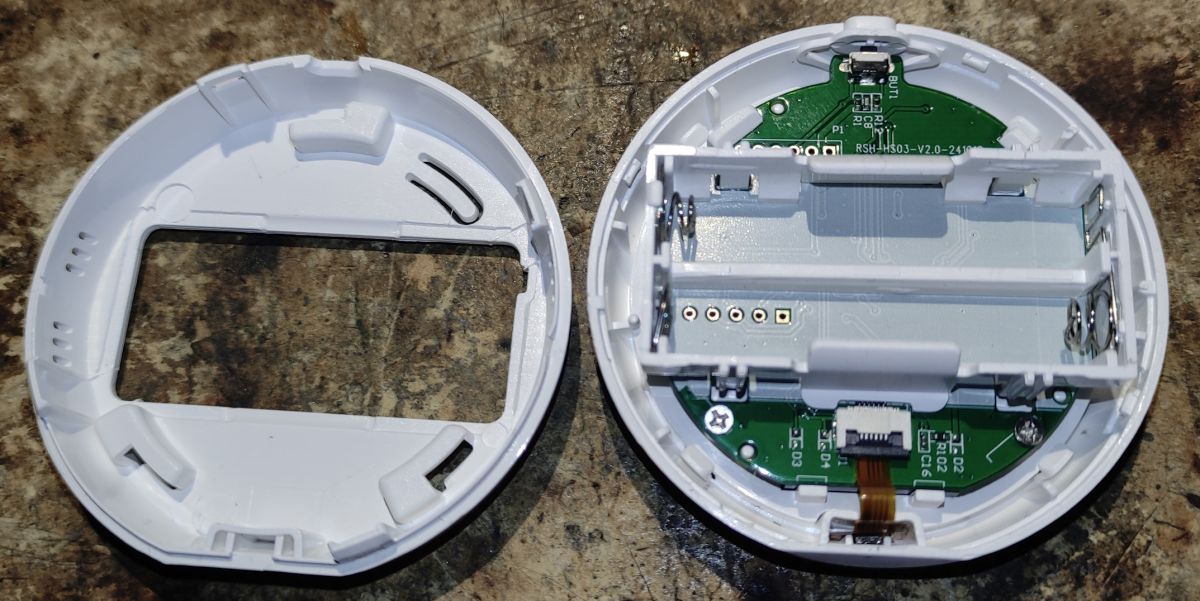
    - the first contains only the Zigbee ZTU module with the TLSR8258 chip - and this can be reprogrammed easily via OTA
    - the second one has an additional MRT08S (SO-8) chip, which does not know what it does - if you have this version, you have to solder this chip and make jumpers in place of the missing resistors R2 and R3 (in the version without the additional chip these resistors are there and are 0Ω). This is shown here: https://pvvx.github.io/TY0201_TZ3000_bjawzodf/
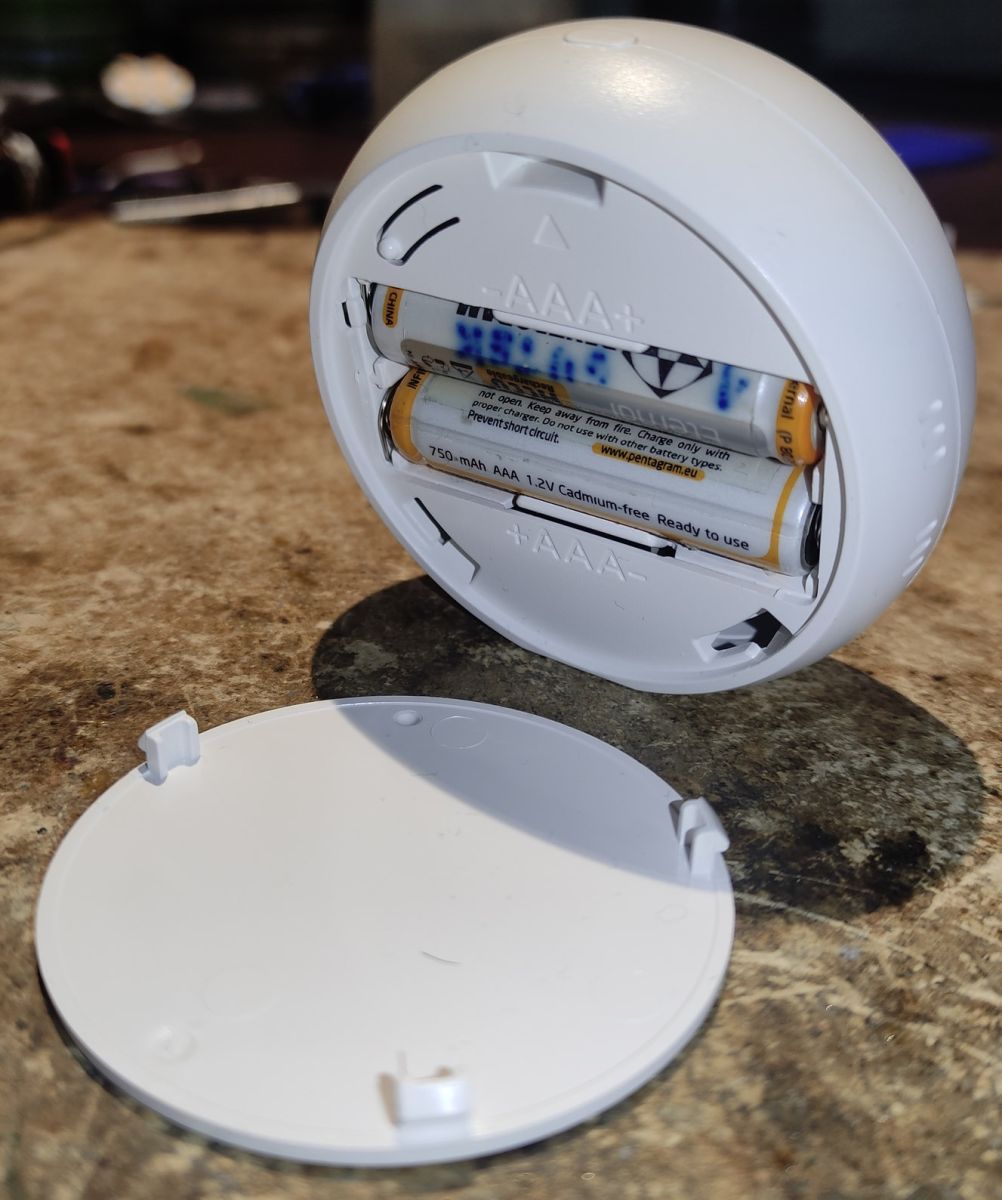
    Open white sensor housing with two AAA batteries; removed cover lying in front. Opened Zigbee thermometer housing showing PCB and a holder for two AAA batteries Green Zigbee thermometer PCB with ZTU module, next to the removed white plastic housing

    I had version one, so I didn't have to do anything.
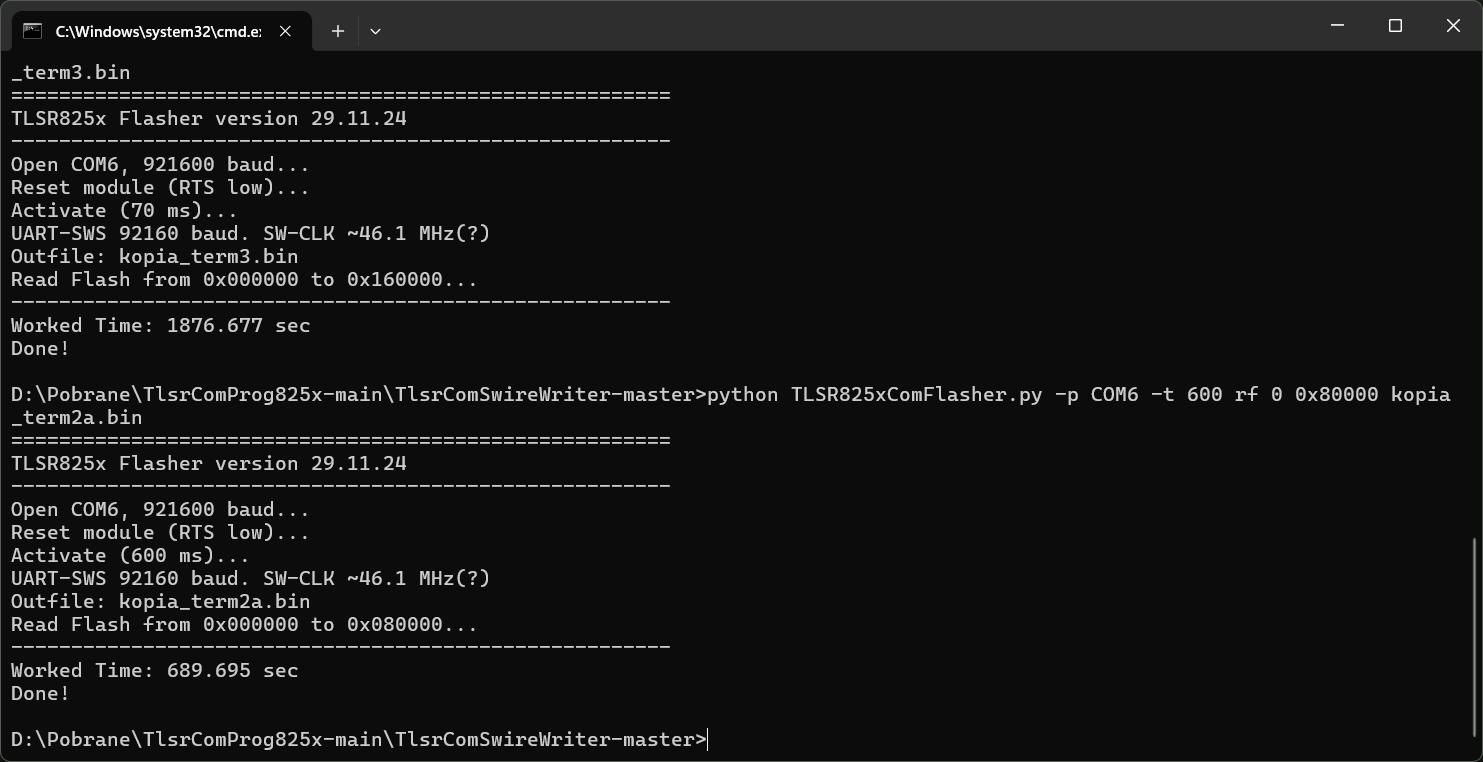
    Only to be safe I made a copy of the original software. This isn't necessary of course, but as the alternative software has only just been released I preferred to be able to revert to the original should the need arise.
    To do this I used https://github.com/pvvx/TlsrComSwireWriter and a USB-COM adapter on a CP1202 chip. I made a couple of copies and compared if I was sure the contents matched.
    Windows Command Prompt screenshot showing TLSR825x Flasher logs reading flash memory and saving .bin backups

    Ok, it's now time to do the update. I'm changing the firmware to the ZigbeeTlc version written by pvvx, just this month this thermometer model started to be supported by them https://pvvx.github.io/TY0201_TZ3000_bjawzodf/
    Admittedly the version released is still marked as beta, but it fully supports this model.
    Also a couple of weeks ago there was a major change to the OTA support module in Zigbee2MQTT. The ability to manually select the file to be updated has been added. So you don't have to fiddle with creating the relevant configuration files to specify the right file. Simply download it to disk and select it in the browser window.

    This is the list of versions of this firmware from pvvx. The relevant file should be downloaded from the bin directory on github: https://github.com/pvvx/ZigbeeTLc/tree/master/bin
    There are 3 versions:
    - 1141-0203-10923001-ZTY0201z_v0134.zigbee - the first one is the one to use in this case, it is used to perform an OTA update from the original firmware
    - 1141-0230-01343001-ZTY0201.zigbee - the second one is the one to use for OTA updates when ZigbeTlc is already installed on the device
    - ZTY0201_v0134.bin - the third is a traditional binary for programmer uploads
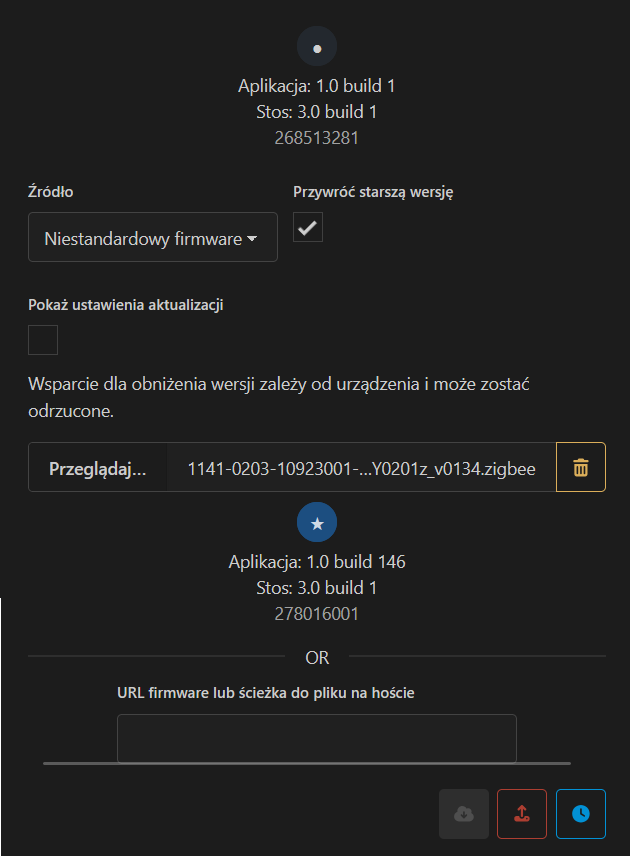
    Zigbee2MQTT screenshot showing OTA update dialog with a selected .zigbee firmware file Zigbee2MQTT screenshot showing TS0201 Tuya device, 52% battery and remaining time 12:49

    Ok, so I specified this file, the update seemingly started and an error occurred, timeout. From what I read on github https://github.com/pvvx/ZigbeeTLc/issues/107
    It is the case with this thermometer that you have to press the button on the case all the time during the update (for about 15min of the update!), so that this one doesn't go to sleep. Another example of how the factory software is messed up.
    Well, nothing, after those several minutes of clicking, the update reached 100% and the thermometer reset. Now we had to click on the Z2M in the device tab "Reconfiguration" to have it redetected.
    And here's where another glitch, it turns out that the device is unsupported. Not really surprising, after all this software has only just been released and presumably with one of the next Z2M updates support will be added.
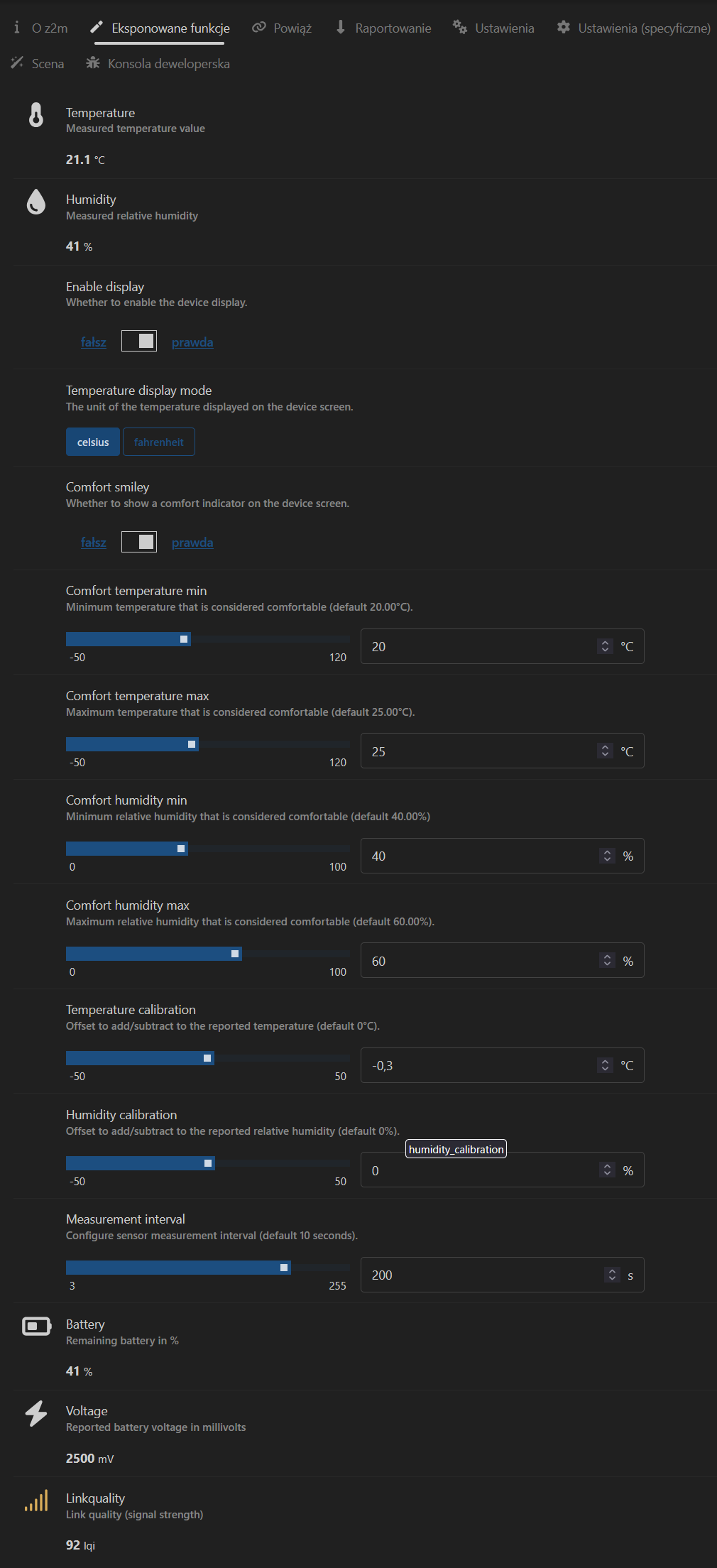
    At the moment, however, I don't have any settings available, and there are quite a few in this firmware, such as calibrating the display - both on the display and via Zigbee, setting the update frequency or disabling the display.
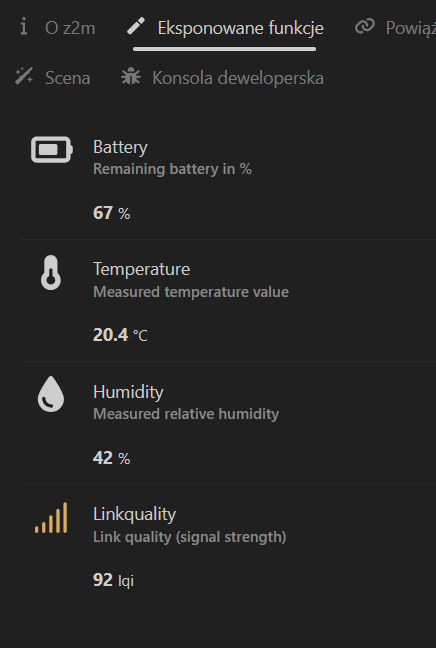
    Fortunately, the basic Z2M item detected, namely temperature, humidity and battery level.
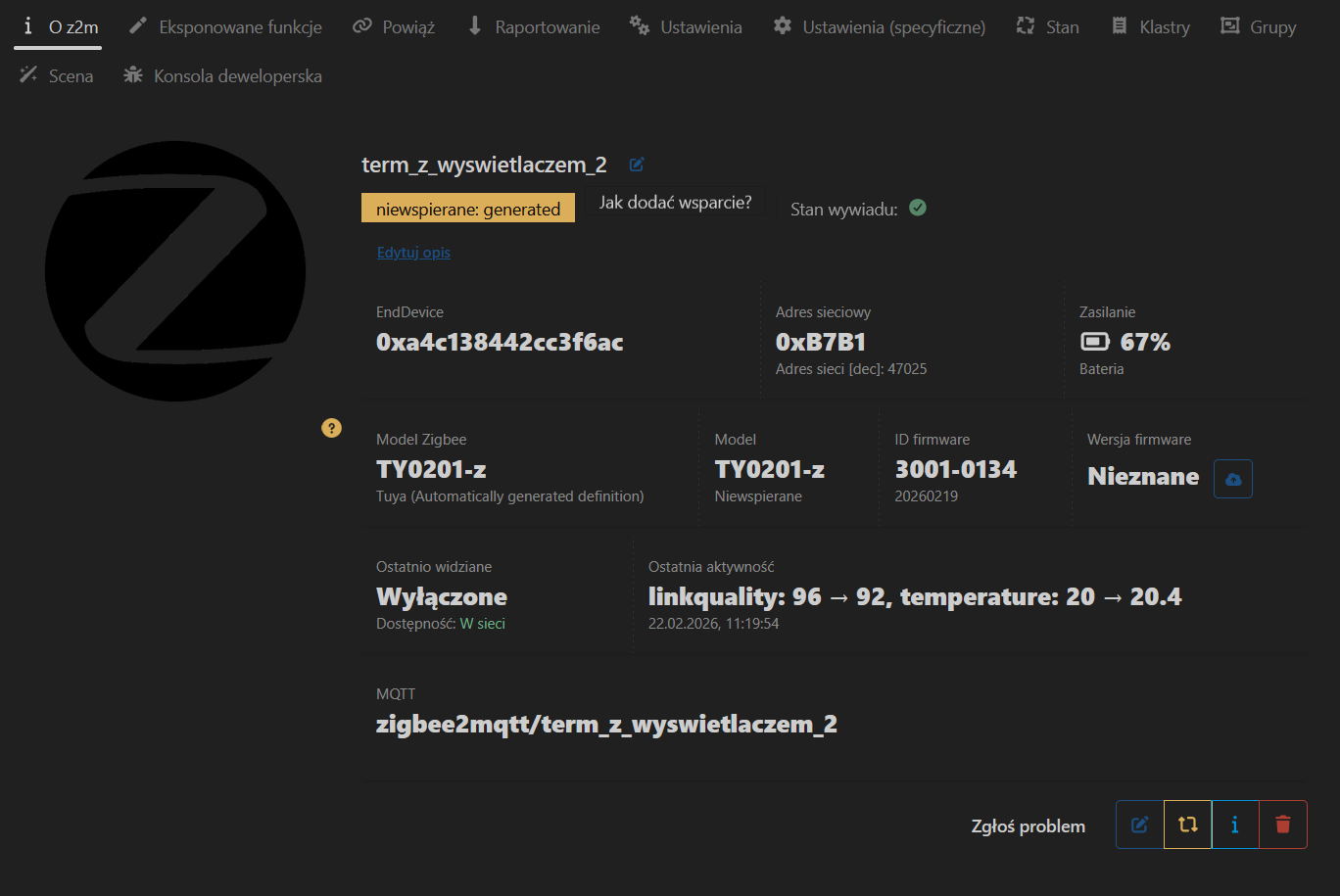
    Zigbee2MQTT device page for TY0201-z showing “unsupported”, battery 67%, and firmware ID 3001_0134 Zigbee2MQTT screenshot showing sensor data: battery 67%, 20.4°C, humidity 42%, linkquality 92

    It remains to test how this firmware will perform. I think it should sensationally because I already use it in the Xiaomi LYWSD03MMC thermometer ( https://pvvx.github.io/ATC_MiThermometer/ ), this tiny model, also with a display is powered by a CR2032 battery and has worked for me on it for over a year!
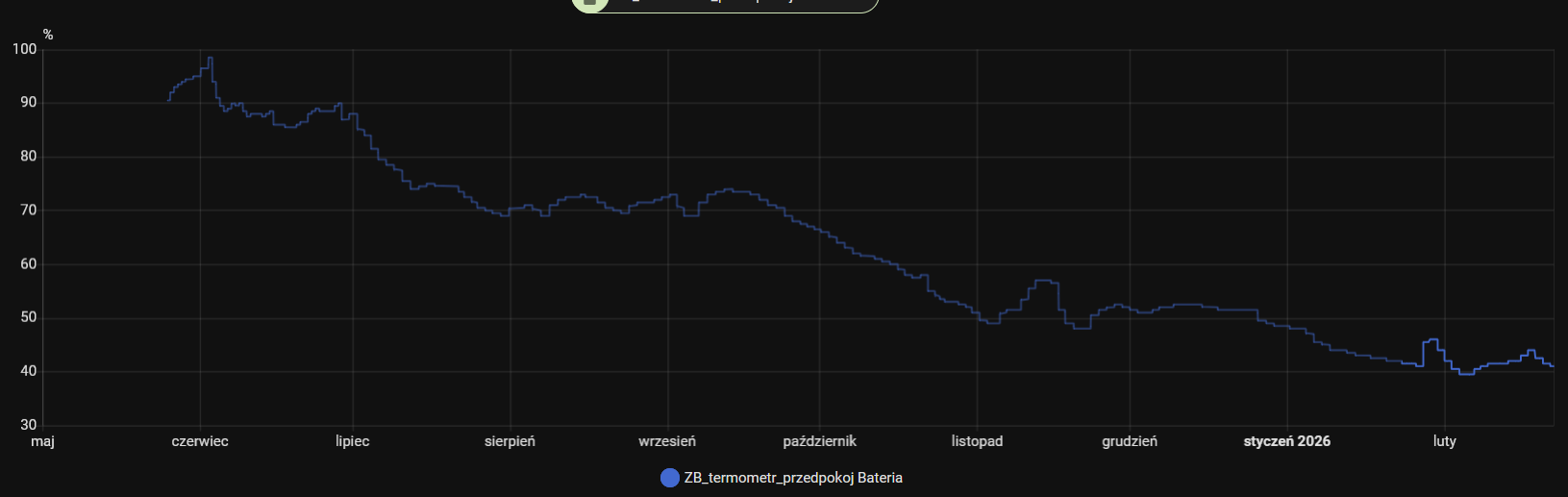
    Below you can see what settings are available for the ZigbeeTlc firmware and a diagram of the CR2032 battery in the thermometer - here the beginning is unfortunately missing because I changed the name of the thermometer, but it has been running since January 2025.
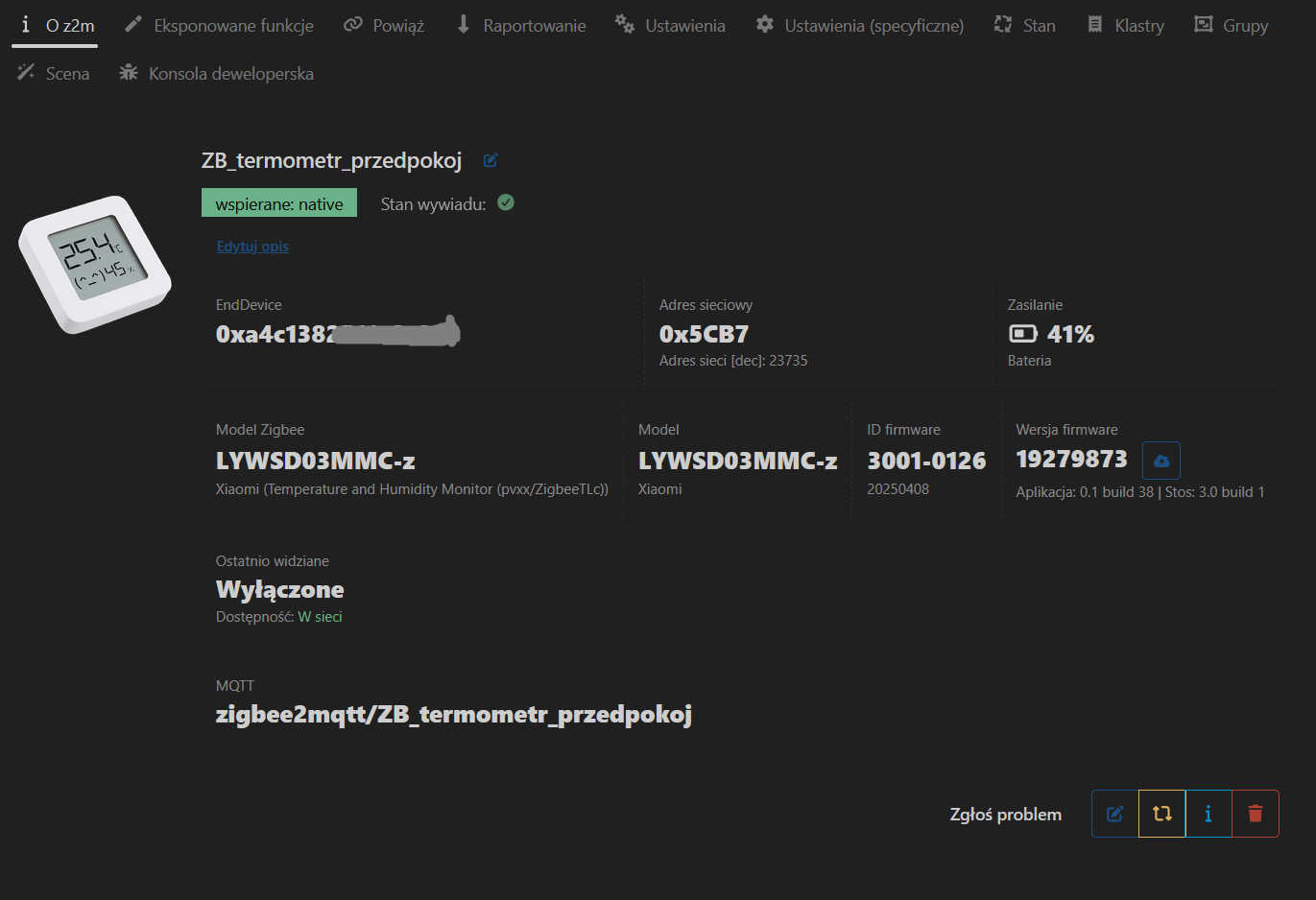
    Zigbee2MQTT device page for “ZB_termometr_przedpokoj” showing 41% battery level Zigbee2MQTT panel showing thermometer settings: 21.1°C, 41% humidity, and calibration sliders Battery level chart in percent from May to February, declining line with legend “ZB_termometr_przedpokoj Bateria”.

    Cool? Ranking DIY
    About Author
    @GUTEK@
    Level 31  
    Offline 
    @GUTEK@ wrote 1557 posts with rating 364, helped 163 times. Live in city Gliwice. Been with us since 2005 year.
  • ADVERTISEMENT
  • #2 21845993
    krzbor
    Level 29  
    Very interesting article. I am using OTA on my Z2M, but an upgrade from the manufacturer. This is where I have a question - don't the manufacturers of Zigbee devices sign off their upgrades? I was surprised that you can upload your own/alternative firmware.
  • ADVERTISEMENT
  • #3 21846033
    gulson
    System Administrator
    Super! You've removed a problem that was bothering me terribly - constant battery changes. I myself didn't know why in the opening sensor the small battery lasts 2 years, and in this thing a change of AAA every six months.
  • ADVERTISEMENT
  • #4 21846098
    @GUTEK@
    Level 31  
    >>21845993 Yes some people sign firmware, but this is hardly the case for cheap Chinese devices under Tuya. Certainly Sonoff has its updates signed and here, to first change the firmware to alternative ones you need to use a programmer. This is the case with miniswitches from them. However, even if the firmware is protected then with this option on the Z2M it will be easy to revert to an older version if any manufacturer's update proves to be faulty.
    Probably something more on this could be said by @p.kaczmarek2

    >>21846033 Whether it will be better with power management is yet to be tested. I will be able to say more in a few months. I hope that yes, it will be better. There is additionally some kind of inverter there - probably to power this BL55072 screen driver, because its minimum voltage is 2.5V. And it too can drain the battery.
  • #5 21847740
    @GUTEK@
    Level 31  
    I made up the configuration under this thermometer and pvvx software. I don't know if it is correct, but it works. You can turn off the display, change the update frequency, calibrate the temperature and humidity - these calibrations also apply to the displayed values.
    In the directory with the Z2M configuration (i.e. where you have the configuration.yaml file) you need to create an additional directory "external_converters" and in it "jakisplik.js" with this content:

    const {Zcl} = require("zigbee-herdsman");
    const m = require("zigbee-herdsman-converters/lib/modernExtend");
    
    const gutek_zcl = {
        enableDisplay: m.binary({
            name: "enable_display",
            valueOn: [true, 0],
            valueOff: [false, 1],
            cluster: "hvacUserInterfaceCfg",
            attribute: {ID: 0x0106, type: Zcl.DataType.ENUM8},
            description: "Whether to enable the device display.",
        }),
        temperatureDisplayMode: m.enumLookup({
            name: "temperature_display_mode",
            lookup: {celsius: 0, fahrenheit: 1},
            cluster: "hvacUserInterfaceCfg",
            attribute: "tempDisplayMode",
            description: "The unit of the temperature displayed on the device screen.",
        }),
        comfortSmiley: m.binary({
            name: "comfort_smiley",
            valueOn: [true, 0],
            valueOff: [false, 1],
            cluster: "hvacUserInterfaceCfg",
            attribute: {ID: 0x0002, type: Zcl.DataType.ENUM8},
            description: "Whether to show a comfort indicator on the device screen.",
        }),
        comfortTemperatureMin: m.numeric({
            name: "comfort_temperature_min",
            cluster: "hvacUserInterfaceCfg",
            attribute: {ID: 0x0102, type: Zcl.DataType.INT16},
            description: "Minimum temperature that is considered comfortable (default 20.00°C).",
            unit: "°C",
            valueMin: -50.0,
            valueMax: 120.0,
            valueStep: 0.01,
            scale: 100,
        }),
        comfortTemperatureMax: m.numeric({
            name: "comfort_temperature_max",
            cluster: "hvacUserInterfaceCfg",
            attribute: {ID: 0x0103, type: Zcl.DataType.INT16},
            description: "Maximum temperature that is considered comfortable (default 25.00°C).",
            unit: "°C",
            valueMin: -50.0,
            valueMax: 120.0,
            valueStep: 0.01,
            scale: 100,
        }),
        comfortHumidityMin: m.numeric({
            name: "comfort_humidity_min",
            cluster: "hvacUserInterfaceCfg",
            attribute: {ID: 0x0104, type: Zcl.DataType.UINT16},
            description: "Minimum relative humidity that is considered comfortable (default 40.00%)",
            unit: "%",
            valueMin: 0,
            valueMax: 100,
            scale: 100,
        }),
        comfortHumidityMax: m.numeric({
            name: "comfort_humidity_max",
            cluster: "hvacUserInterfaceCfg",
            attribute: {ID: 0x0105, type: Zcl.DataType.UINT16},
            description: "Maximum relative humidity that is considered comfortable (default 60.00%).",
            unit: "%",
            valueMin: 0,
            valueMax: 100,
            scale: 100,
        }),
        temperatureCalibration: m.numeric({
            name: "temperature_calibration",
            cluster: "hvacUserInterfaceCfg",
            attribute: {ID: 0x0100, type: Zcl.DataType.INT16},
            description: "Offset to add/subtract to the reported temperature (default 0°C).",
            unit: "°C",
            valueMin: -50.0,
            valueMax: 50.0,
            valueStep: 0.01,
            scale: 100,
        }),
        humidityCalibration: m.numeric({
            name: "humidity_calibration",
            cluster: "hvacUserInterfaceCfg",
            attribute: {ID: 0x0101, type: Zcl.DataType.INT16},
            description: "Offset to add/subtract to the reported relative humidity (default 0%).",
            unit: "%",
            valueMin: -50.0,
            valueMax: 50.0,
            valueStep: 0.01,
            scale: 100,
        }),
        measurementInterval: m.numeric({
            name: "measurement_interval",
            cluster: "hvacUserInterfaceCfg",
            attribute: {ID: 0x0107, type: Zcl.DataType.UINT8},
            description: "Configure sensor measurement interval (default 10 seconds).",
            unit: "s",
            valueMin: 3,
            valueMax: 255,
        }),
    };
    
    module.exports = [
        {
            zigbeeModel: ["TY0201-z"],
            model: "TS0201",
            vendor: "Tuya",
            description: "Temperature and Humidity Monitor (pvvx/ZigbeeTLc)",
            extend: [
                m.temperature({reporting: {min: "10_SECONDS", max: "1_HOUR", change: 10}}),
                m.humidity(),
                gutek_zcl.enableDisplay,
                gutek_zcl.temperatureDisplayMode,
                gutek_zcl.temperatureCalibration,
                gutek_zcl.humidityCalibration,
                gutek_zcl.measurementInterval,
                m.battery({
                    voltage: true,
                }),
            ],
            ota: true,
        },
    ];
    

    EDIT: a small fix to display the device icon correctly and the original batch ripped.
    Attachments:
    • TY0201_org_fw.zip (87.91 KB) You must be logged in to download this attachment.
📢 Listen (AI):
ADVERTISEMENT