logo elektroda
logo elektroda
X
logo elektroda
Dostępna jest polska wersja

Czy wolisz polską wersję strony elektroda?

Nie, dziękuję Przekieruj mnie tam

Tiny wireless temperature and humidity sensor on Zigbee - MOES ZSS-S01-TH-C-MS

p.kaczmarek2 933 9

TL;DR

  • MOES ZSS-S01-TH-C-MS is a tiny Zigbee temperature and humidity sensor for Home Assistant, measuring 40x13x26 mm and running on a single CR2032 battery.
  • It pairs with Home Assistant through Zigbee2MQTT on a CC2531 transceiver, and the device appears as ZSS-S01-TH, basic type TS0201.
  • Inside, it uses Tuya’s ZTU module based on the TLSR8258F1KAT32 chip with 1 MB Flash and 64 KB RAM.
  • The sensor reports battery level, temperature, humidity, and link quality, and its measurements can be calibrated in settings.
  • Pairing is described as trivial, without opening the case, and the author recommends it as a solid battery-powered Zigbee alternative to Wi‑Fi sensors.
Generated by the language model.
ADVERTISEMENT
Treść została przetłumaczona polish » english Zobacz oryginalną wersję tematu
📢 Listen (AI):
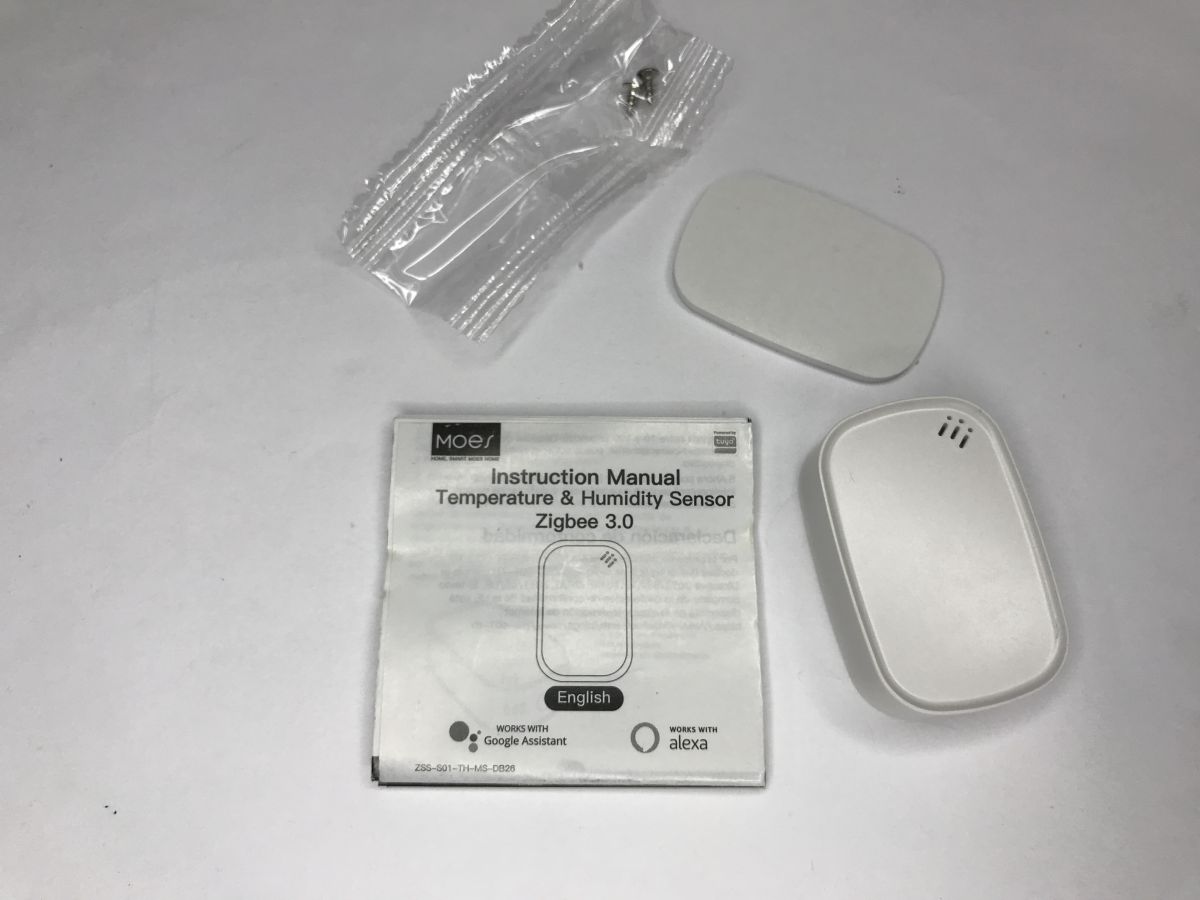
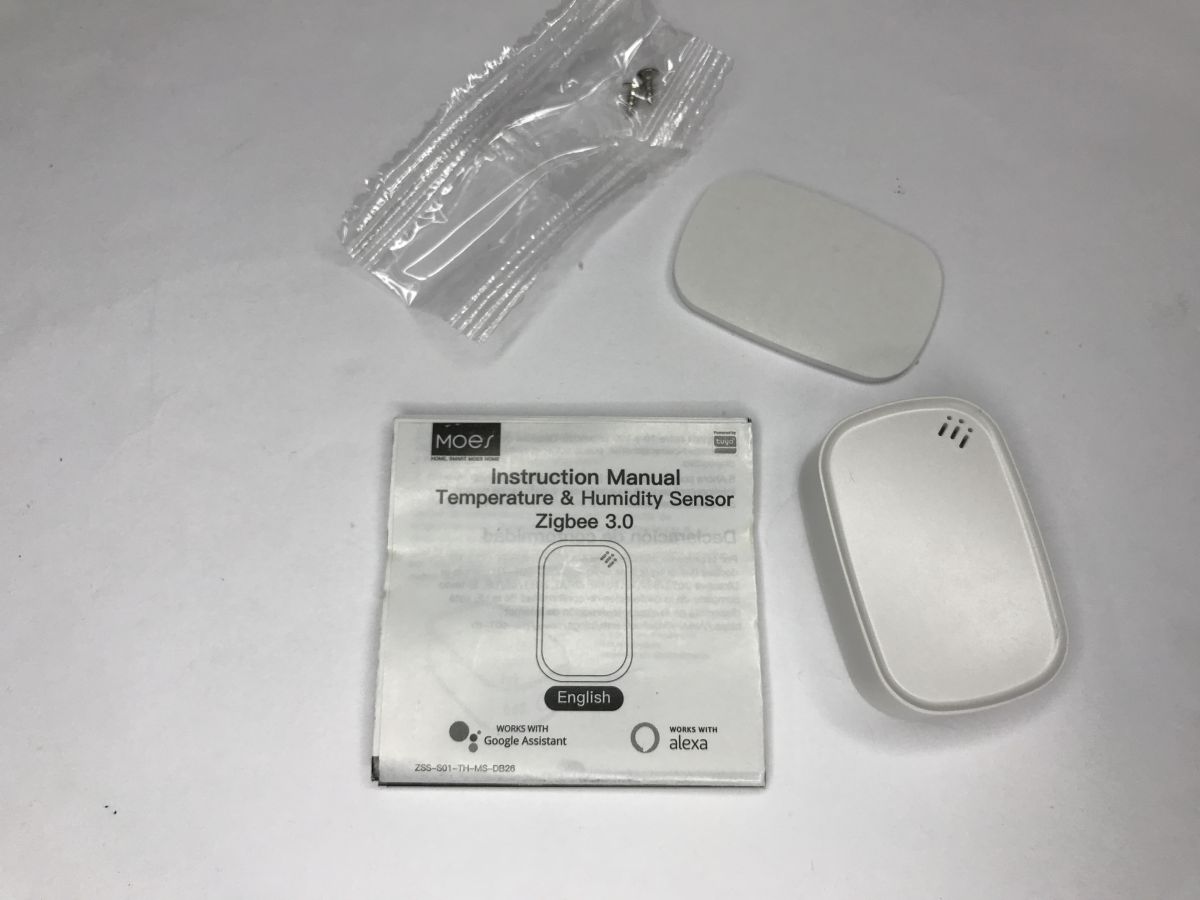
  • Zigbee temperature and humidity sensor kit: manual, sensor, adhesive pad, small bag of screws
    Which temperature and humidity sensor for the Home Assistant? The sensor shown here features tiny dimensions of 40x13x26 mm and is powered by a single CR2032 battery. It normally works with the Tuya/Smart Life gateway, but Zigbee2MQTT also supports it. Here I will briefly test it, show its pairing and explore its internals.
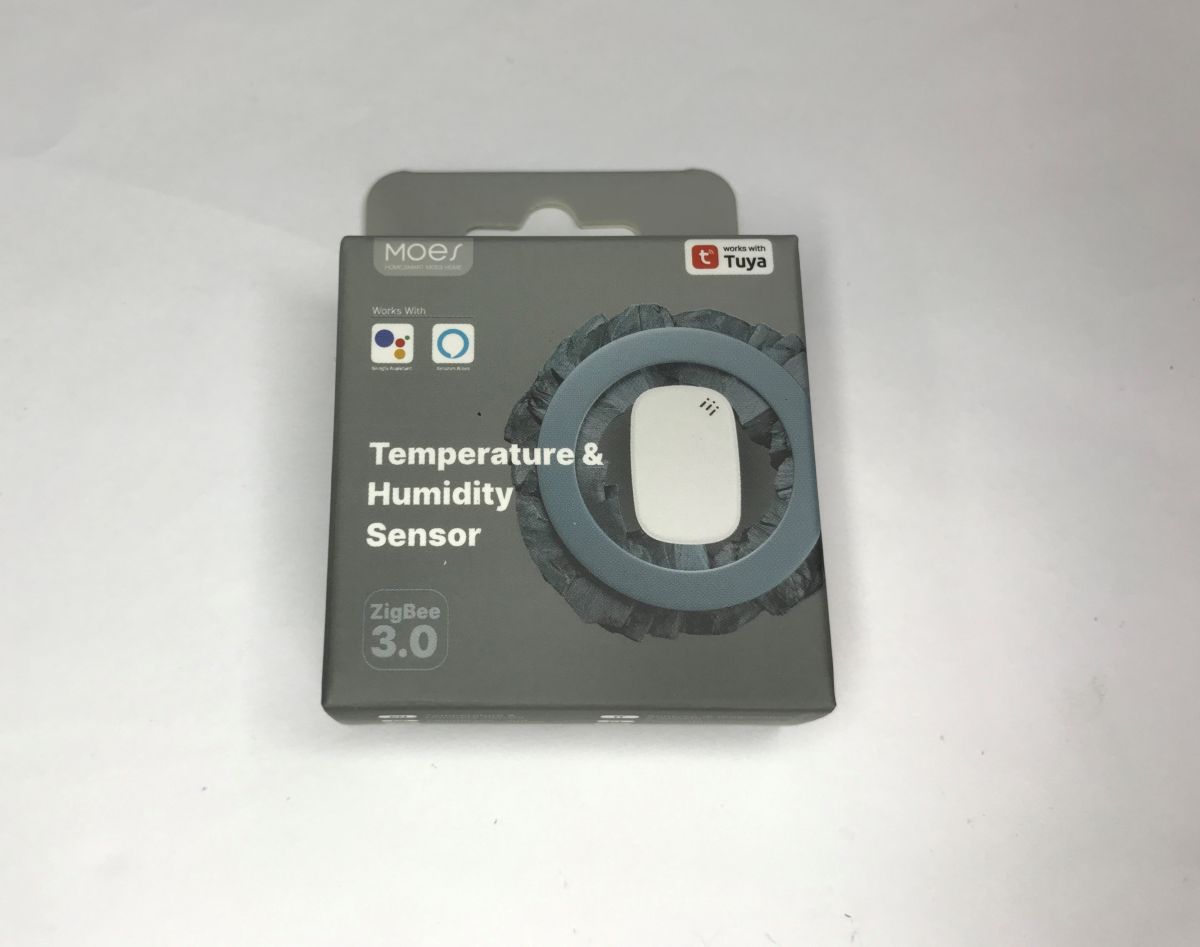
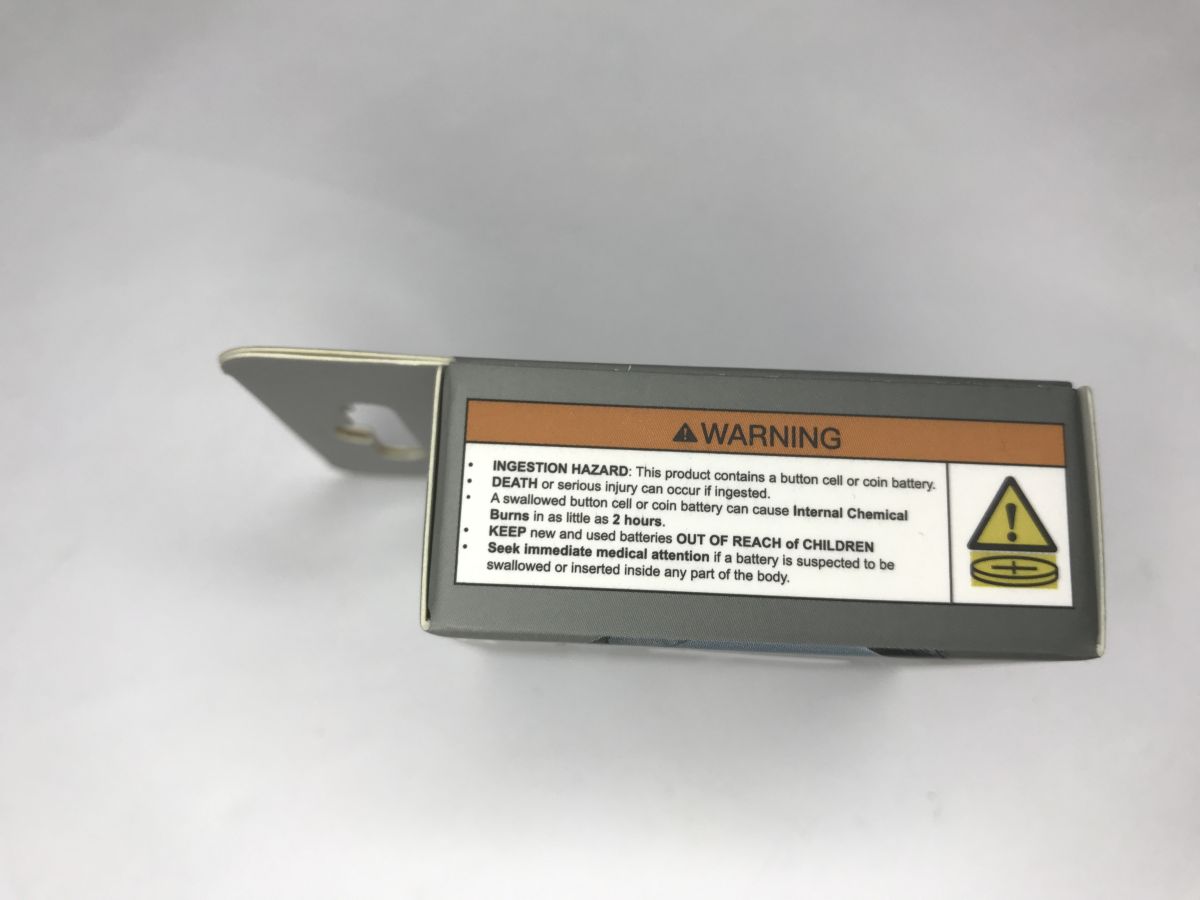
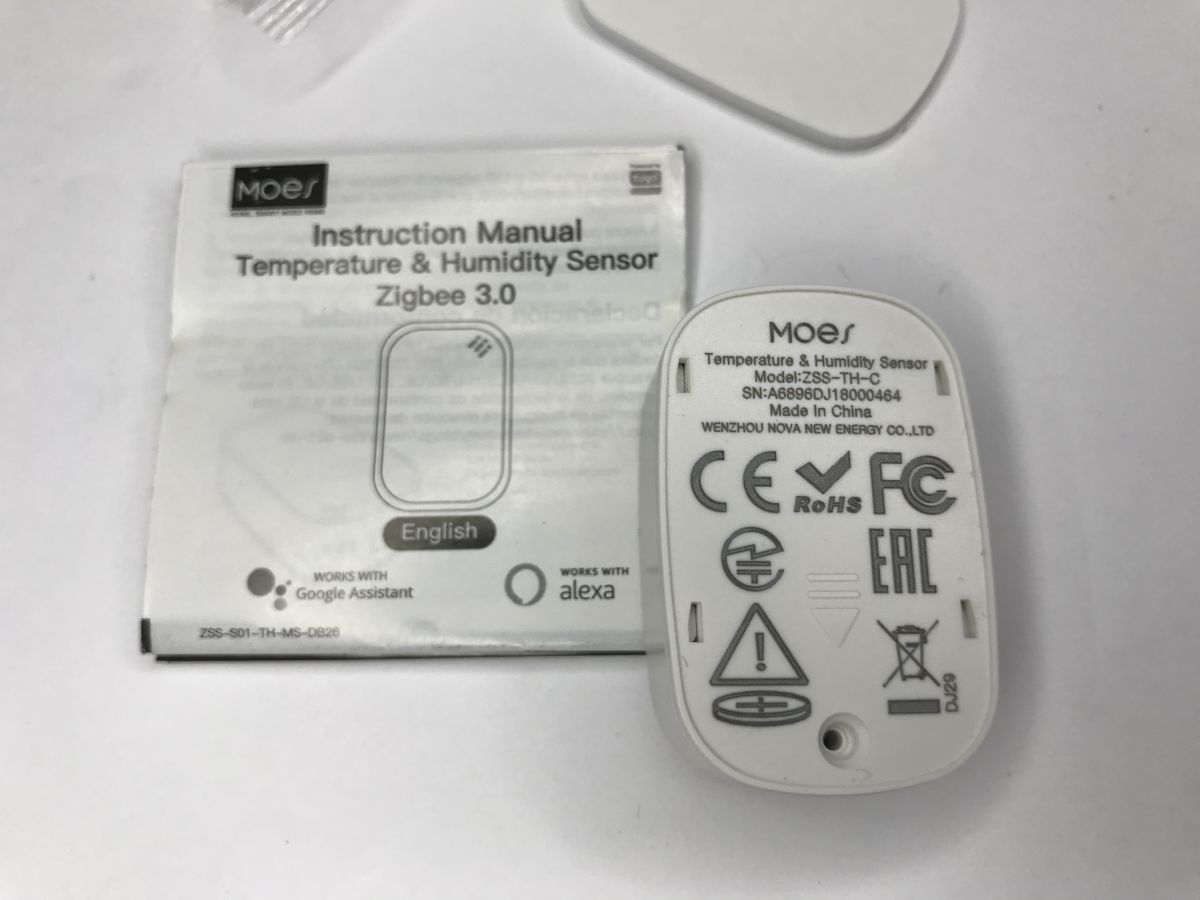
    Box of the Moes ZigBee 3.0 temperature and humidity sensor with “works with Tuya” label on a white background Side view of a gray box with a “WARNING” label about coin/button battery ingestion hazard Zigbee temperature and humidity sensor kit: sensor, manual, adhesive pad, and screws. Instruction sheet and back of a MOES Zigbee 3.0 temperature and humidity sensor on a white surface
    The kit comes with the sensor, a thin strip of double-sided tape and tiny mounting screws. There's also a battery - suitably protected with an insulating strip so that the sensor doesn't discharge it in transit.
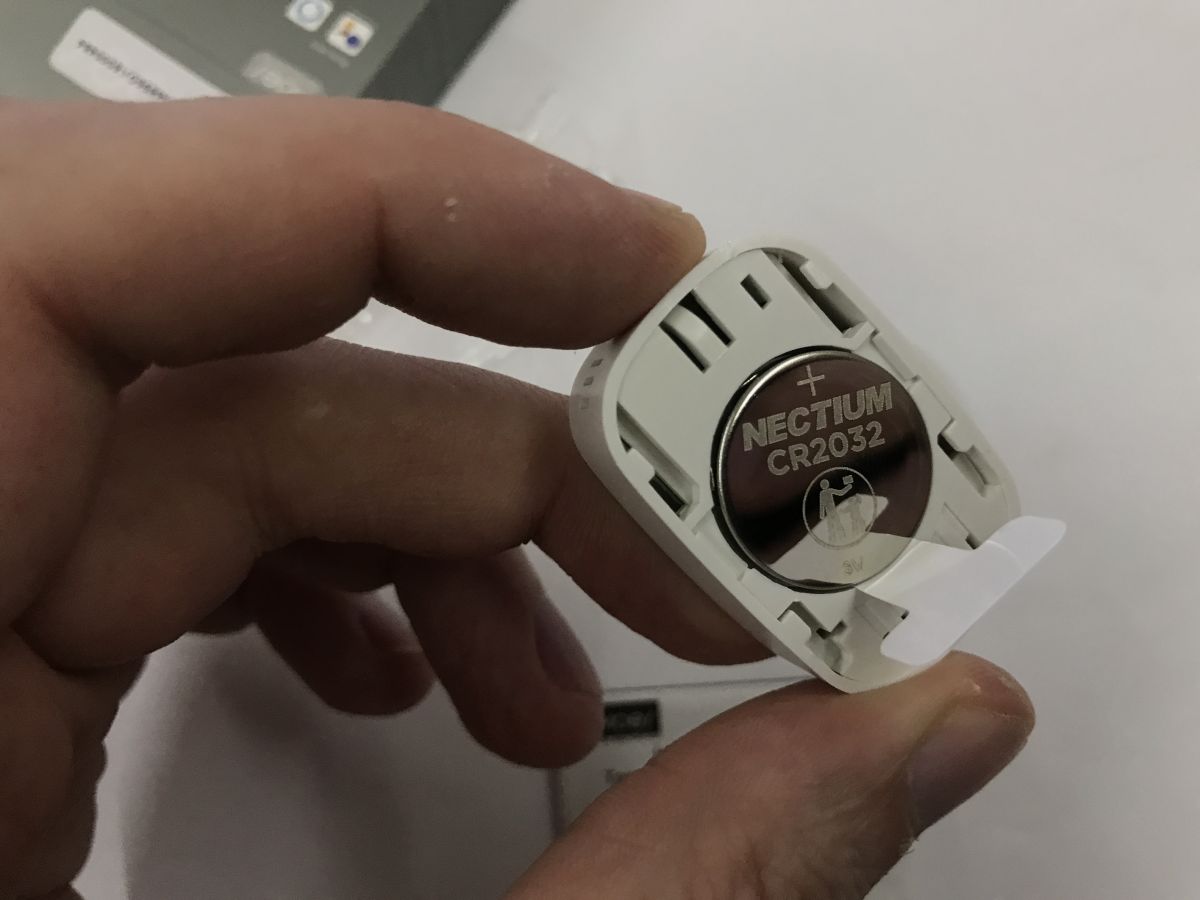
    Hand holding an opened sensor with a NECTIUM CR2032 coin cell battery visible
    It's time to test pairing it with Home Assistant. Home Assistant already has a USB-connected CC2531 transceiver and the Zigbee2MQTT plugin configured. We put the device into pairing mode:
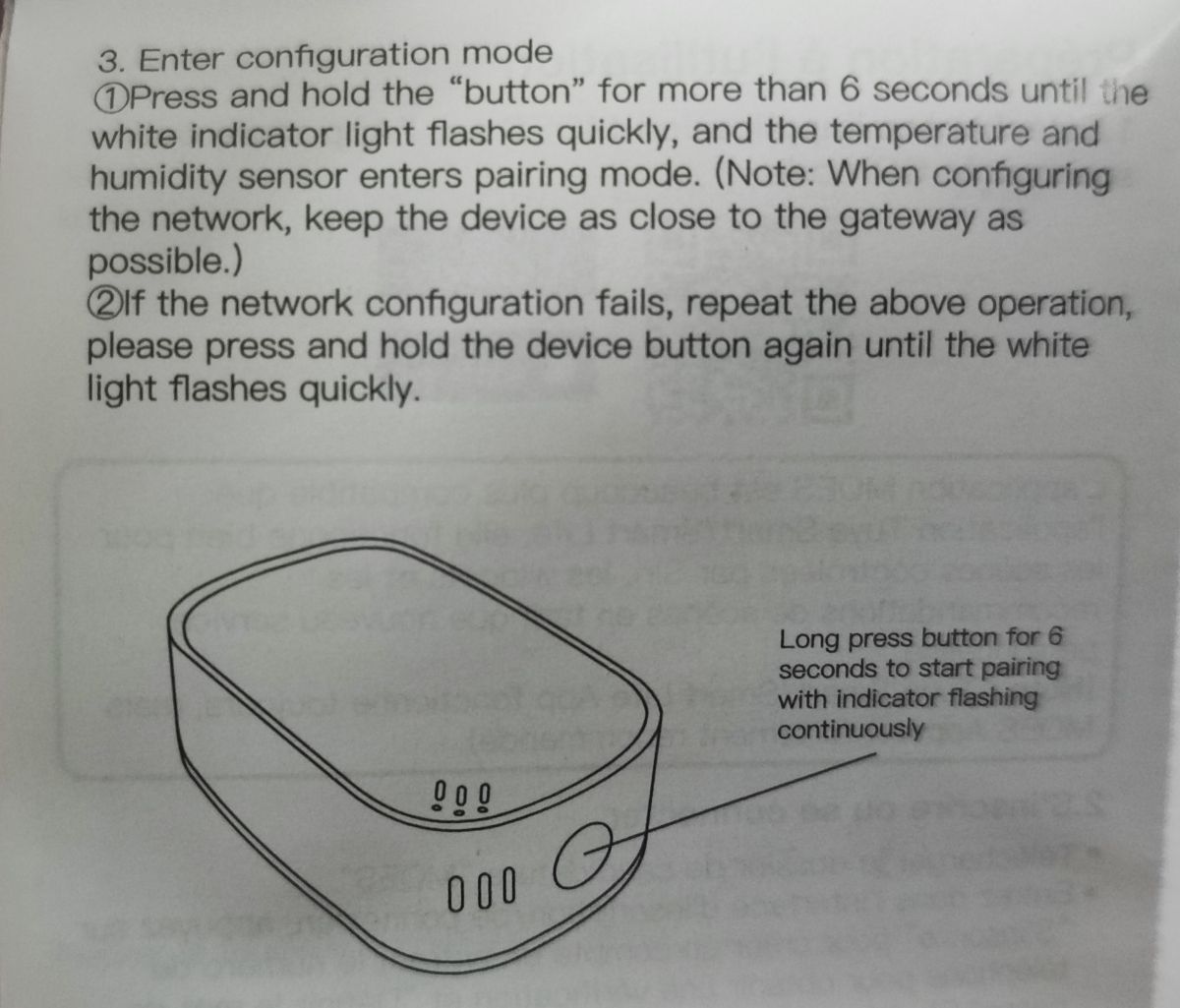
    Manual excerpt with device diagram and note: long-press button 6 seconds to start pairing
    We make sure that we allow new devices to be attached in HA. After a while, the gadget will be recognised:
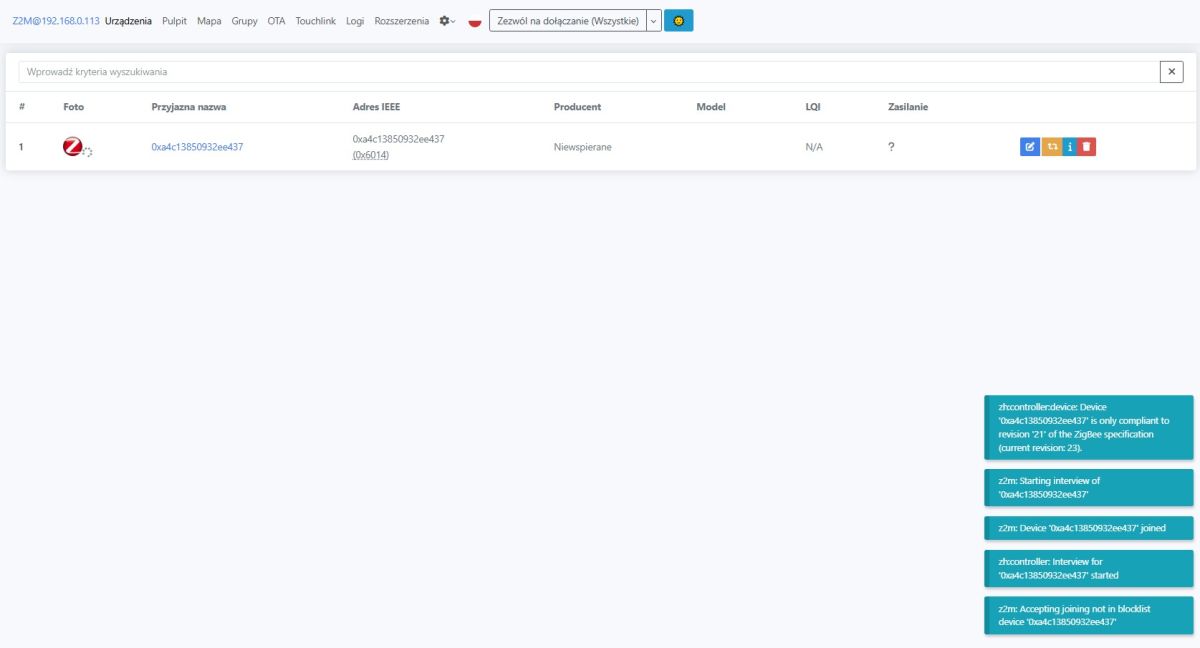
    Zigbee2MQTT device list in Home Assistant showing a newly joined device
    Zigbee2MQTT screenshot showing the devices list with a Moes ZSS-S01-TH sensor entry
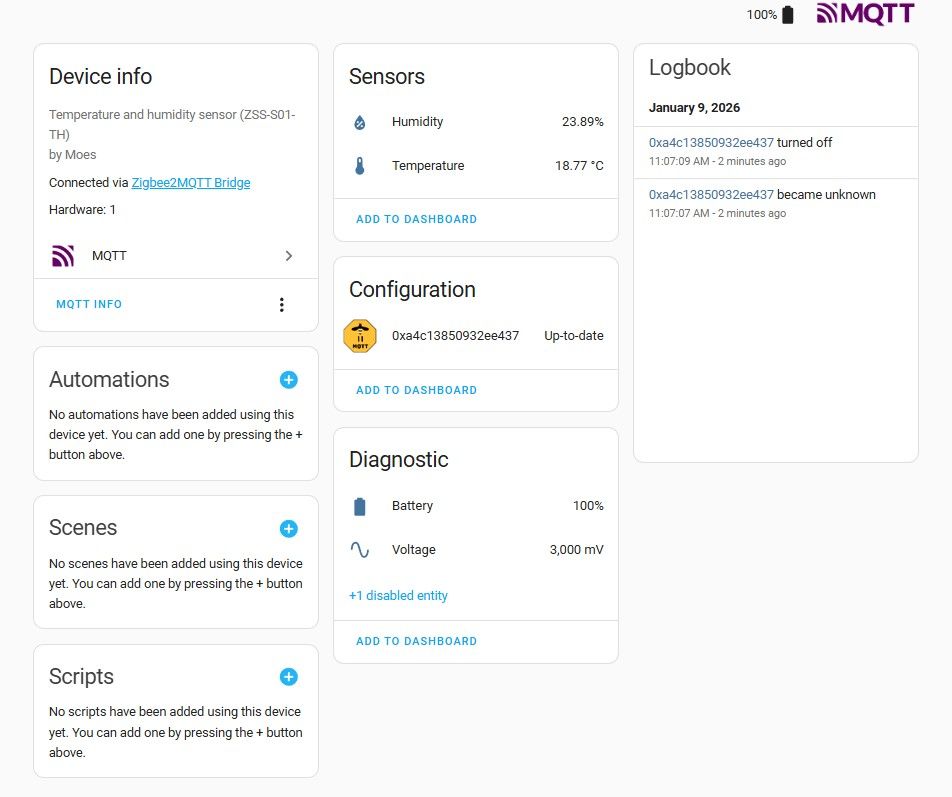
    Home Assistant sees the sensor as ZSS-S01-TH, basic type TS0201.
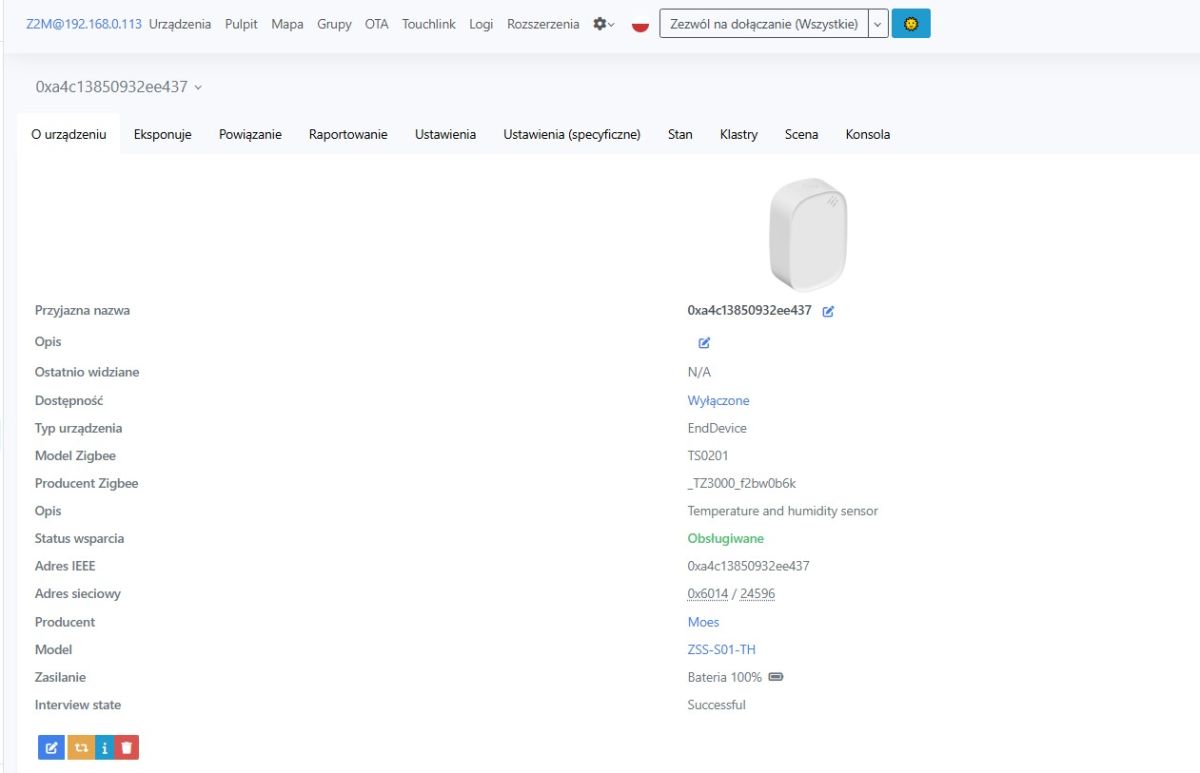
    Zigbee2MQTT screen showing Zigbee TS0201 sensor details, manufacturer Moes, model ZSS-S01-TH
    The device is battery powered, so it is not a Zigbee router.
    Battery level (percentage and voltage), temperature, humidity and connection quality are available in the data.
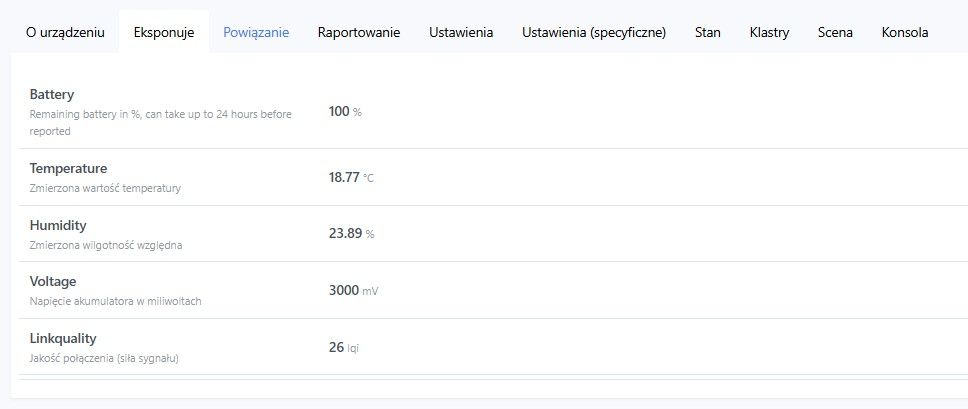
    Home Assistant dashboard screenshot showing sensor data: battery 100%, 18.77°C, humidity 23.89%
    There is a calibration in the specific settings - measurements can be adjusted.
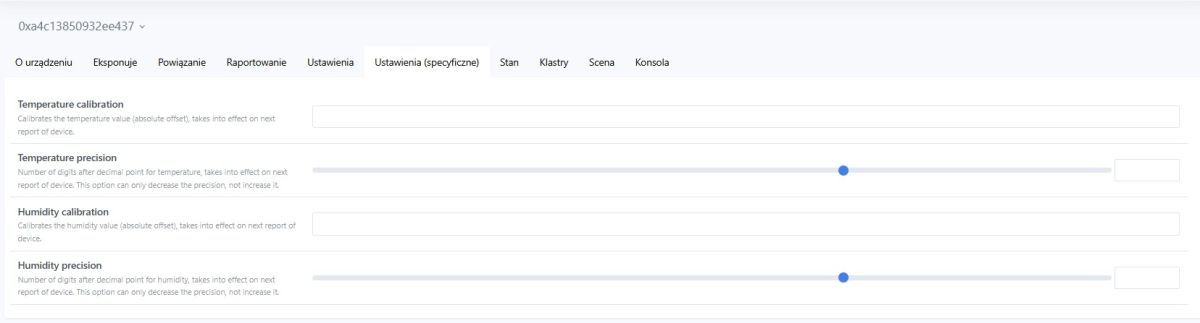
    Home Assistant screenshot: temperature and humidity calibration settings with sliders
    HA panel view:
    Home Assistant screenshot showing ZSS‑S01‑TH sensor data: humidity, temperature, and battery status
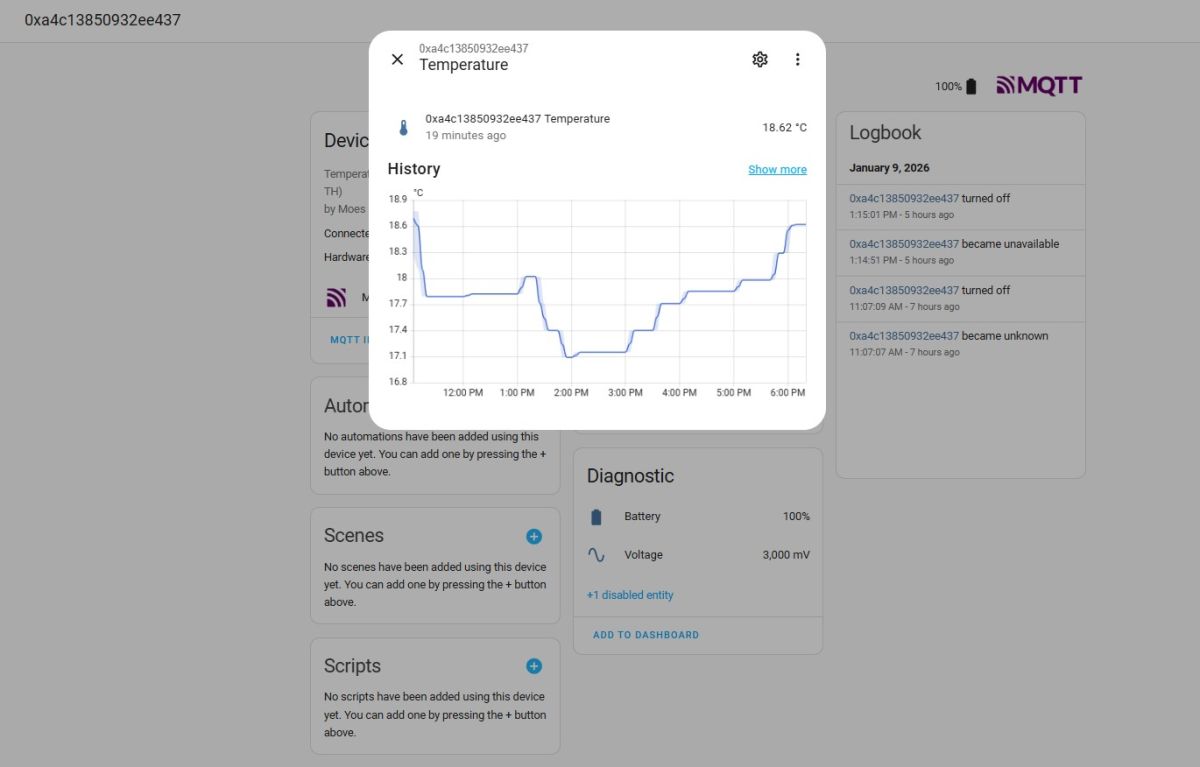
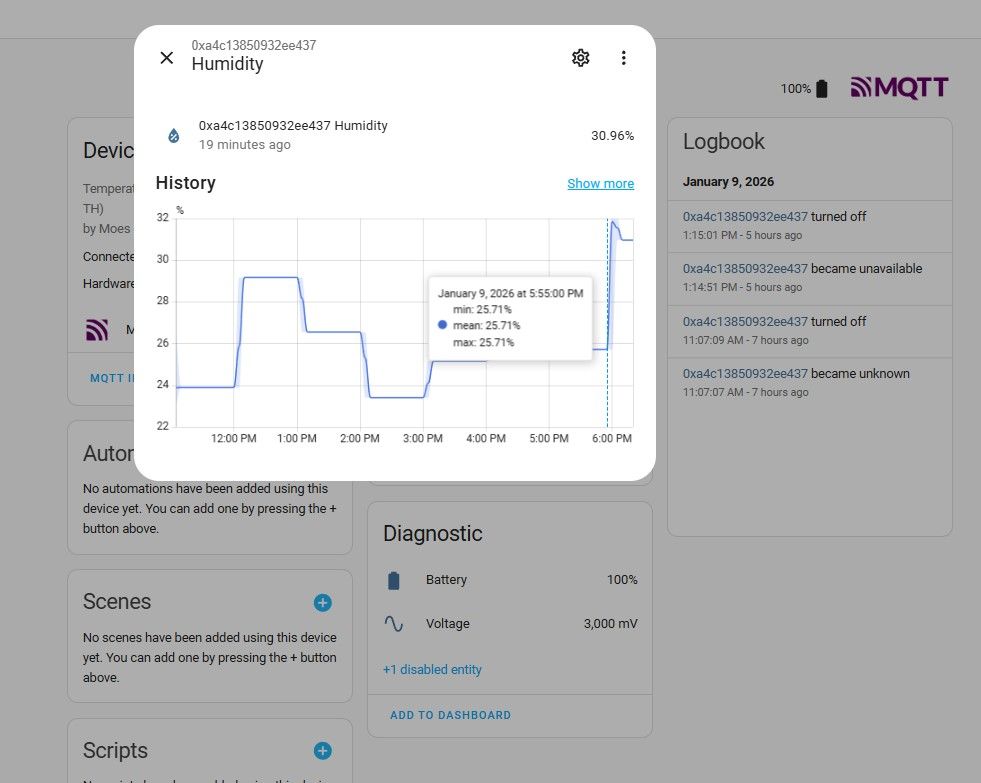
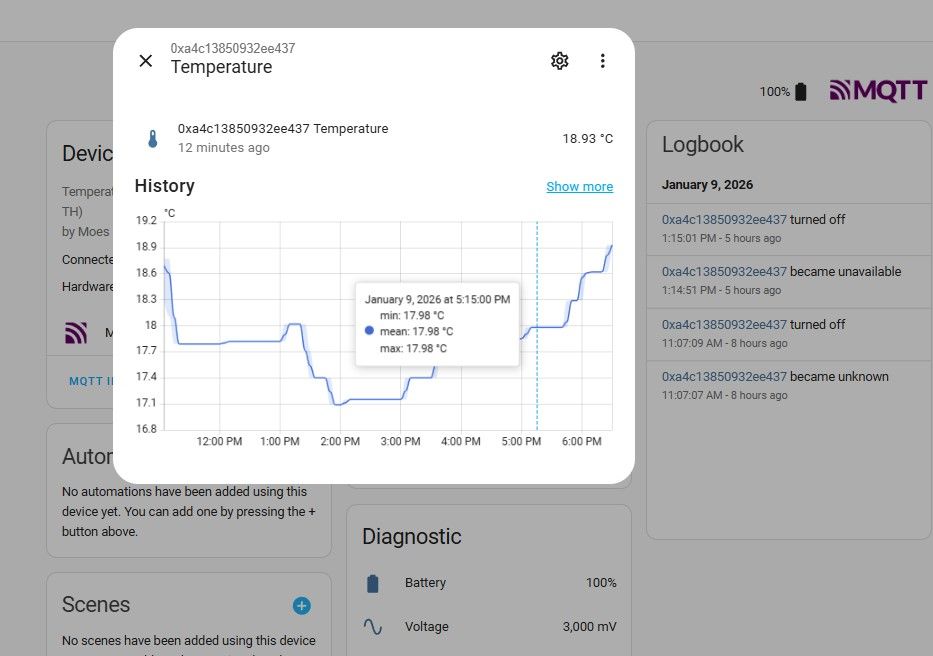
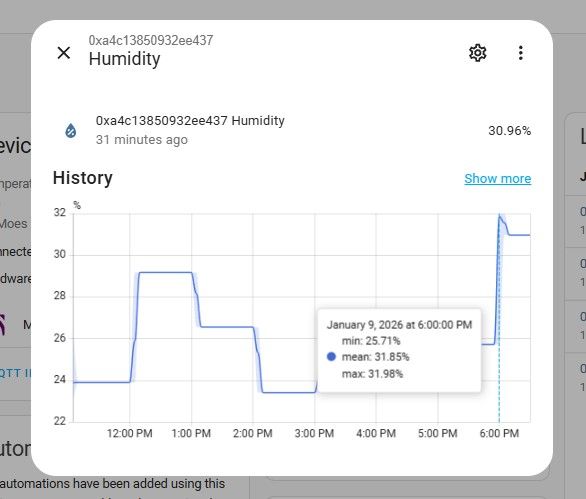
    Example charts:
    “Temperature” popup with history graph and logbook in the Home Assistant interface Home Assistant “Humidity” screen with humidity history chart and MQTT logbook entries
    Screenshot of an app showing a temperature history graph and an MQTT event logbook Screenshot of a humidity history chart with a line rising to about 31%
    Undoubtedly, the graphs show that the device saves battery, but this is more of a plus....

    All that remains is to look inside - out of sheer curiosity.
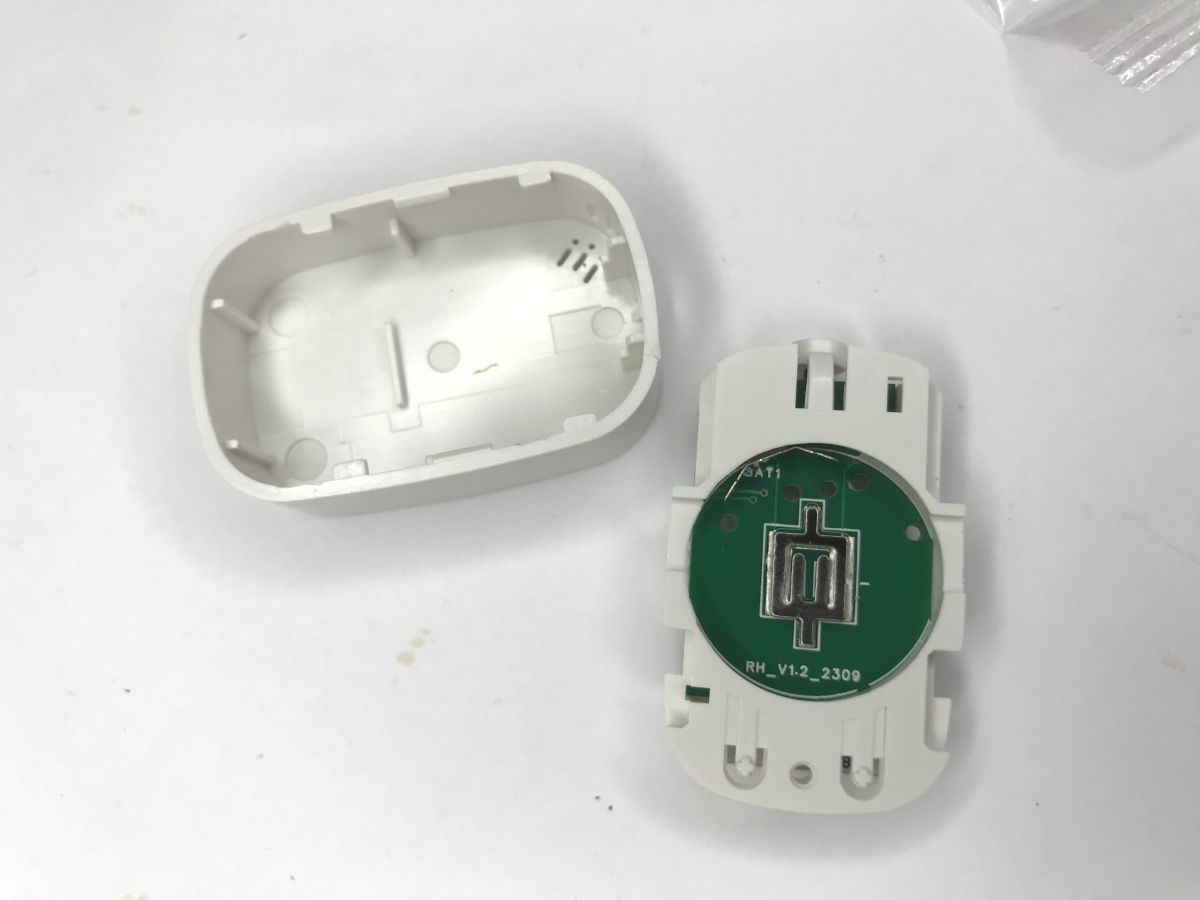
    Opened white sensor with cover and green circular PCB featuring a central metal element
    The battery pack directly powers the ZTU module from Tuya.
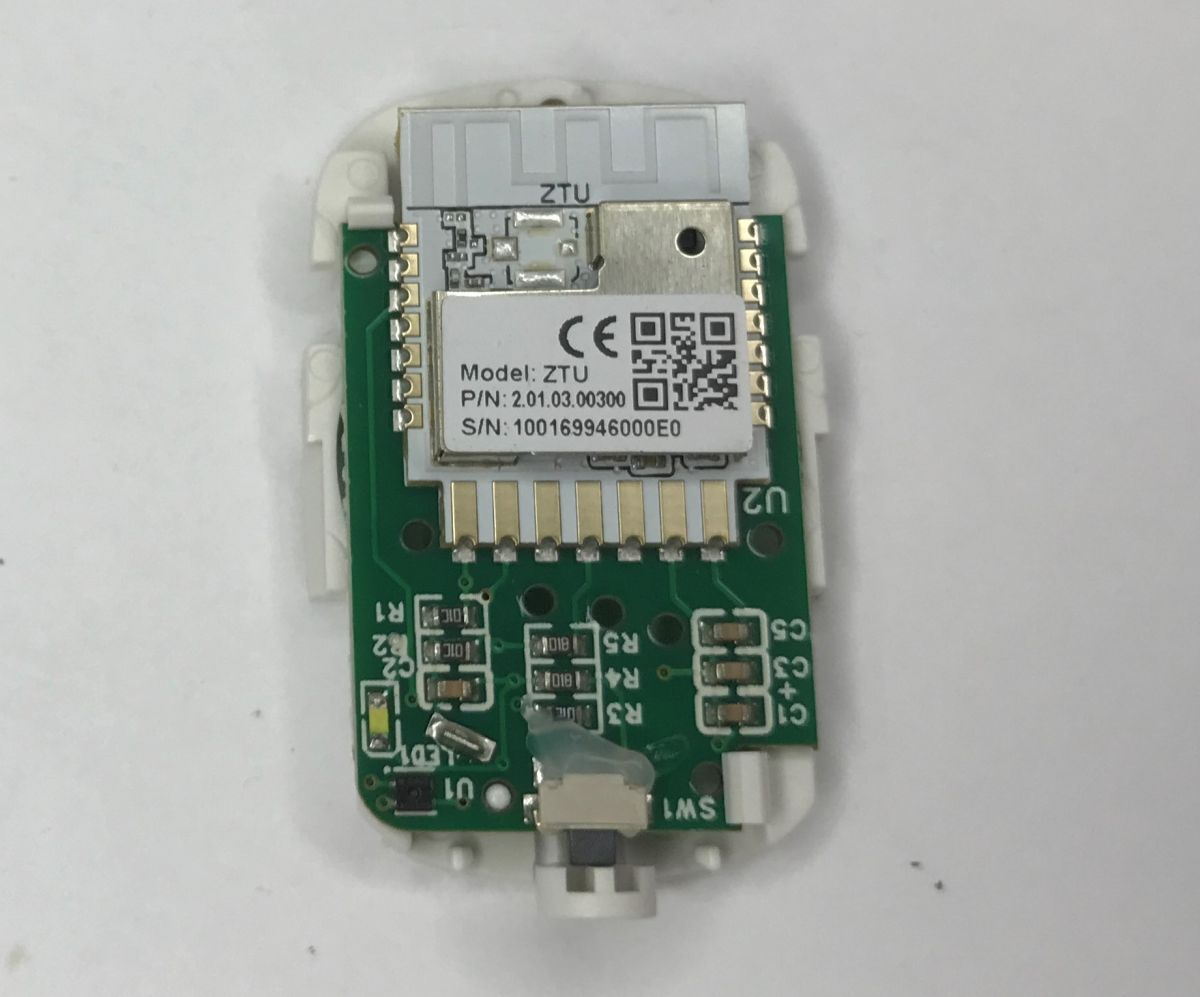
    Inside a Zigbee sensor: PCB with ZTU radio module, QR code label, and SMD components
    The ZTU is a 32-bit Zigbee radio module from Tuya, it is based on the TLSR8258F1KAT32 chip, has 1 MB Flash memory and 64 KB RAM.
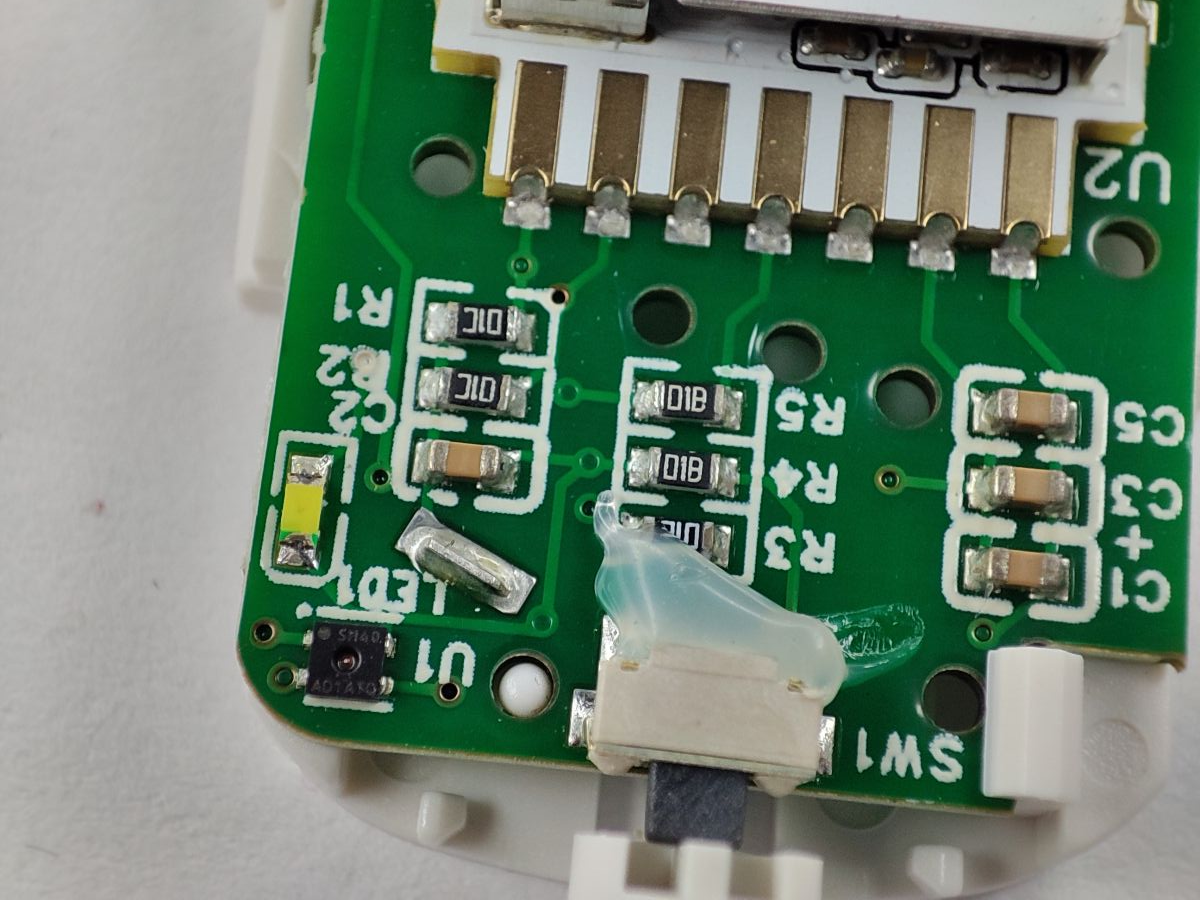
    Close-up of a device PCB with SMD components, an LED, and a SW1 switch
    The device uses a sensor signed as the SH40. This is probably the familiar SHT40 offering communication via I2C.

    In summary , this was another really tiny Zigbee protocol compliant gadget. Pairing with the HA is trivial, you don't even need to open the case. I definitely recommend this - it's hardly worth going down the Wi-Fi route for battery-powered sensors. Here you get everything you need and you don't even need to change the firmware.
    Which battery-powered sensors do you use?
    Feel free to discuss.

    Cool? Ranking DIY
    Helpful post? Buy me a coffee.

    About Author
    p.kaczmarek2
    Moderator Smart Home
    Offline 
    p.kaczmarek2 wrote 14241 posts with rating 12148, helped 647 times. Been with us since 2014 year.
  • ADVERTISEMENT
  • #2 21841673
    fachman1964
    Level 5  
    SHT40 - I have dealt with one. It is not very accurate and the linearity, especially of the temperature, I will leave uncommented. I removed the SHT40 and BME280 and put in the old DS18B20.
  • ADVERTISEMENT
  • #3 21841684
    p.kaczmarek2
    Moderator Smart Home
    BME280 too? And DHT how do you rate it?
    Helpful post? Buy me a coffee.
  • ADVERTISEMENT
  • #4 21842150
    fachman1964
    Level 5  
    BME280, PMP280, SHT40, MS5611, LPS22HH, DHT11... What should you expect from a sensor for a dozen zloty - a DIY toy. Connect to an Arduino and see that it measures anything, and that it is nowhere near reality...!?
    Vaisala brand sensors are great, but out of price range. A compromise remains:
    MPXA6115AC6U + DS2450. I am just testing it and am pleasantly surprised by the good linearity. And the temperature is DS18B20 and replacement every few years in the meteo station cage. Aging is known to happen. I'm still undecided about humidity, I'm testing and looking.
  • #5 21842197
    behru
    Level 12  
    fachman1964 wrote:
    A temperature is a DS18B20 and replaced every few years in the meteo station cage. Aging is known. I am not yet decided about the humidity I am testing and looking for.


    There are two problems (although probably not in your application)
    First - the linearity of the DS18B20 is ok around -15 to about 90°C the ends of the range fly off
    Second. Take a bunch of 10 DS18B20 sensors keep them in one place and measure the temperature. On a good day the difference between the minimum and maximum readings is often 1.5°C or more. Of course, if you make the right offset to this "right: then later in the mentioned range it is ok

    From my experience I can recommend the HDC1080 from Texas Instruments - very good linearity, repeatability of results between modules, high resolution, as well as repeatability of temperature and humidity measurements within one module. For meteo fun just right. The sensor has a built-in heater, so condensation does not scare it. It does not consume much current. Yes, it is a bit more expensive than all the aforementioned BME, SHT, DHT etc., but it beats them in terms of measurement accuracy
  • #6 21842427
    fachman1964
    Level 5  
    behru wrote:

    very good linearity, repeatability of results between modules, high resolution, and repeatability of temperature and humidity measurements within one module. For meteo fun just right. The sensor has a built-in heater, so condensation does not scare it. It does not consume much current.


    EH...! 6,50 zł at the Chinese. Shock price. In comparison Vaisala sensors lowest price is 3K and those with certificate 12k


    behru wrote:

    First - the linearity of the DS18B20 is ok around -15 to about 90°C the ends of the range fly off
    Second. Take a bunch of 10 DS18B20 sensors keep them in one place and measure the temperature. On a good day the difference between the minimum and maximum readings is often 1.5°C or more.
    This is probably not so bad. Compare it with the BME280. actual +10°C shows +15°C for 0 is the same but for -7°C it shows -9°C it is just a turn-off.
  • ADVERTISEMENT
  • #7 21842522
    @GUTEK@
    Level 31  
    I wonder how long it will last on this battery, because from what I have noticed this ZTU module is extremely unsuccessful. It has very poor range and is quite power hungry. I don't know, it's possible it's a fw issue as it's also a Telink after all. And other devices on the same chip work much better.

    And as for the sensors, I for one am not complaining about the accuracy of the SHT3x. For home applications all too accurate, readings comparable of all the pieces I have, even compared to the DS18B20.
  • #8 21842847
    tesla97
    Level 20  
    fachman1964 wrote:
    For comparison, the Vaisala sensors lowest price is 3K and the ones with the certificate are 12k


    After all, these Vaisala sensors have the accuracy of any other digital sensor, and are themselves analogue.

    For example, the description from the page
    Quote:
    High-end model for demanding industrial applications.

    And the accuracy in the description has
    Quote:
    Measurement accuracy T ±0.2°C (at 20°C)

    That is, the same as most sensors. Plus it has an analogue output, because it's a PT100 with an A/A converter. If the measuring system is poor, even Solomon will not be able to get rid of it and the sensor for 3k or even 12k will be worse than the one for 5-10-20 zł, but digital.

    Apart from the fact that it is made as an industrial one and made in 0-10 standards for simple fitters knowing only PLC the advantages end.

    Of course, if someone uses a sensor in production they won't use a DS18B20, because Mr Gienio from UR won't know what's going on with a sensor that has a voltage of about 3.3-5V on the line almost all the time and the temperature magically changes.
    On the prode it's all about applying the meter and not thinking too hard. If the voltage changes between 0-10 it means it is working.

    I don't negate such sensors, but a PT100 or PT1000 is something you can buy for 100£ and it will be just as accurate as that 3k sensor. Only you still need to have an A/D measurement system.

    I have personally built egg incubators (embedded systems, no PLC) on DS18b20, HTU21d, BME280. In the end, I always came back to the DS18B20 due to the fact that it worked without problems on wires of 3-4 m in a motor environment. I2C above 20 cm was already having problems although it was taking readings over a few metres in a sterile environment. Adjustment hysteresis 0.1-0.2 degrees. Depending on the sensor. For DS it is 2 bits of change or 0.125 (with interpolation filter). There was no problem with hatching, because for a cycle of 21 days as the DS measured 37.5 it was something in the range of +-0.5 degrees but it was the same value throughout. In the same way, after all, every hen is different and one is 37.0 and the other 37.8.

    Back to the point. The article describes a sensor for use in the home ! This is not a laboratory or industrial sensor. I don't understand why there is even a discussion about industrial sensors that are supposed to be immune to production conditions. If someone is not satisfied with the 0.2 degree accuracy with 0.01 degree measurement resolution from the SHT40 sensor then they need to rethink whether it is still home or laboratory.

    PS. On a flat I once had a BME280 sensor against the wall (15 cm) on the other side is the kitchen. All I had to do was have my flatmate (I wasn't in the flat) cook food for 30 minutes and I could see it on the graph as the temperature rose minimally (less than 0.3 degrees), only to fall again when he stopped cooking and took the warm food out of the kitchen.

    EDIT PS2. Perhaps a colleague has confused SHT with DHT. These actually are cheap Chinese g. that can only be used as a temperature and humidity indicator.
  • #9 21843408
    Cyberpunkk
    Level 3  
    The whole kit is a Zigbee 3.0 gateway control panel / Bluetooth multi-mode gateway, MINI Zigbee Tuya flood sensor, WiFi Tuya carbon monoxide sensor audio alarm and TUYA app.
    MINI Zigbee temperature and humidity sensor - I don't recommend this one, the battery drained quickly with the fluctuating temperatures and humidity in the bathroom. A better regular hygrometer for finger batteries and lasts much longer.
  • #10 21846995
    Jawi_P
    Level 36  
    And what temperature range does the one reviewed measure? Because most start at -10.


    As for the SHT40, I don't know, I haven't used it.

    But the SHT41/45 as well as the older 31/35, are very repeatable results in measuring humidity. For a range of 20%-75%.
    I have the SHT41 and 45 now, the SHT35 I had before was the same. Anyway SHT35/45 are often used industrially. Davis Instruments in stations e.g. Davis Vantage - professional weather stations use SHT supposedly, I once found a thread on the net about replacing an older generation SHT with a newer one and there was a discussion about calibration. So there is a good chance that the info is true.
    The misunderstandings may perhaps come from the source where the sensors come from?, since on Ali you can buy the sensor with pcb for 50% of the price of the sensor itself?
    I for one am happy with them.
📢 Listen (AI):

FAQ

TL;DR: Tiny Zigbee MOES ZSS‑S01‑TH‑C‑MS (40×13×26 mm) pairs quickly with Home Assistant; “Pairing with the HA is trivial.” Works via Zigbee2MQTT, reports temp, humidity, and battery. [Elektroda, p.kaczmarek2, post #21841205]

Why it matters: If you want a low‑power, no‑hassle Zigbee sensor for Home Assistant, this unit delivers without firmware hacks.

Quick Facts

What is the MOES ZSS‑S01‑TH‑C‑MS sensor?

It’s a tiny Zigbee temperature and humidity sensor for Home Assistant users. It measures 40×13×26 mm, runs on a CR2032 cell, and ships with adhesive tape and screws. It works with Tuya/Smart Life hubs and Zigbee2MQTT without firmware changes. [Elektroda, p.kaczmarek2, post #21841205]

How do I pair it with Home Assistant using Zigbee2MQTT?

  1. Put the sensor in pairing mode.
  2. In Home Assistant, enable permit‑join for Zigbee2MQTT.
  3. Wait; it appears as ZSS‑S01‑TH (TS0201) with temp, humidity, and battery entities. “Pairing with the HA is trivial.” [Elektroda, p.kaczmarek2, post #21841205]

Does this device act as a Zigbee router or repeater?

No. It’s battery powered and therefore joins as an end device, not a router. Plan your mesh with mains‑powered routers if you need range extension. [Elektroda, p.kaczmarek2, post #21841205]

What entities show up in Home Assistant after pairing?

You’ll see temperature, humidity, battery percentage, battery voltage, and link‑quality (LQI). The device identifies as ZSS‑S01‑TH, basic type TS0201. These entities enable dashboards and automations immediately. [Elektroda, p.kaczmarek2, post #21841205]

Can I calibrate temperature and humidity readings?

Yes. In the device’s settings within Home Assistant, apply calibration offsets. Use a trusted reference sensor first, then set small positive or negative adjustments to align readings. [Elektroda, p.kaczmarek2, post #21841205]

What hardware is inside this sensor?

It uses Tuya’s ZTU Zigbee module based on the TLSR8258F1KAT32 chip, with 1 MB Flash and 64 KB RAM. The sensing element is marked SH40, consistent with an SHT40‑class sensor. The CR2032 powers the ZTU module directly. [Elektroda, p.kaczmarek2, post #21841205]

How accurate is the SHT40 here, and are there alternatives?

One user reported poor accuracy and temperature linearity from an SHT40 unit and replaced both SHT40 and BME280 with a DS18B20. “I removed the SHT40 and BME280 and put in the old DS18B20.” Consider calibration first, then alternatives if needed. [Elektroda, fachman1964, post #21841673]

Is it recognized by Zigbee2MQTT out of the box?

Yes. With permit‑join enabled, Zigbee2MQTT discovers it quickly, and Home Assistant lists it as ZSS‑S01‑TH (TS0201). You do not need to open the enclosure or flash firmware. [Elektroda, p.kaczmarek2, post #21841205]

Do I need to open the case to pair or use it?

No. Pairing is wireless. Pull the insulating tab to power it, start pairing, and let Home Assistant discover it over Zigbee. [Elektroda, p.kaczmarek2, post #21841205]

What’s included in the box, and how do I mount it?

You get the sensor, a CR2032 battery with a shipping tab, a thin double‑sided adhesive strip, and tiny screws. Use the tape for flat surfaces or screws for permanent mounting. [Elektroda, p.kaczmarek2, post #21841205]

How power‑efficient is it in practice?

Charts from Home Assistant indicate conservative reporting behavior that favors battery life. Expect infrequent updates rather than high‑frequency streaming, which helps preserve the CR2032. [Elektroda, p.kaczmarek2, post #21841205]

What did users say about BME280 and DHT in this thread?

A participant removed a BME280 along with an SHT40, preferring DS18B20. The thread author asked about DHT but no rating was given here. [Elektroda, fachman1964, post #21841673]

What is the Tuya ZTU module mentioned here?

In this context, ZTU is Tuya’s 32‑bit Zigbee radio module used inside the sensor. It’s built on TLSR8258F1KAT32 and stores firmware in 1 MB Flash. [Elektroda, p.kaczmarek2, post #21841205]

Any gotchas when setting this up?

Two points: it’s not a router, so it won’t strengthen your mesh; and you must enable permit‑join in HA during pairing. Also remove the battery’s insulating tab before first use. [Elektroda, p.kaczmarek2, post #21841205]
Generated by the language model.
ADVERTISEMENT