logo elektroda
logo elektroda
X
logo elektroda
Dostępna jest polska wersja

Czy wolisz polską wersję strony elektroda?

Nie, dziękuję Przekieruj mnie tam

Which roller shutter controller on Zigbee? Presentation, pairing with Home Assistant and interior of

p.kaczmarek2 1047 7

TL;DR

  • MS-108ZR is a Zigbee roller shutter controller with 433 MHz RF support, tested for pairing with Home Assistant via Zigbee2MQTT and opened for inspection.
  • It supports push-button control, learns open/close/stop commands from standard RF remotes, and exposes shutter position, status, motor direction reversal, and JSON state in Home Assistant.
  • The unit is rated for loads up to 300 W, with a recommended 2 A maximum for resistive loads, and it costs £50.
  • Home Assistant sees it as TS130F and a Zigbee router; the teardown found BP2525 downconversion, JQC-12FF relays, an unmarked U4, and no varistor, while long-term durability remains unproven.
ADVERTISEMENT
Treść została przetłumaczona polish » english Zobacz oryginalną wersję tematu
📢 Listen (AI):
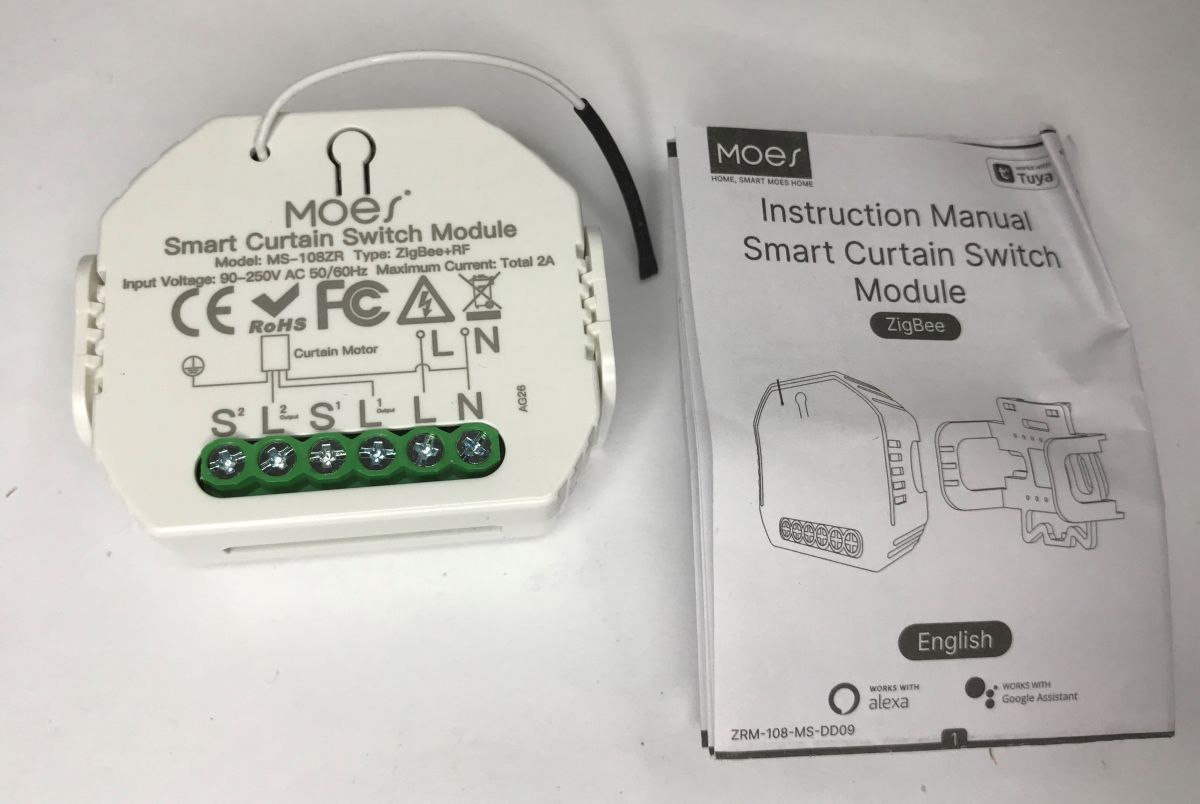
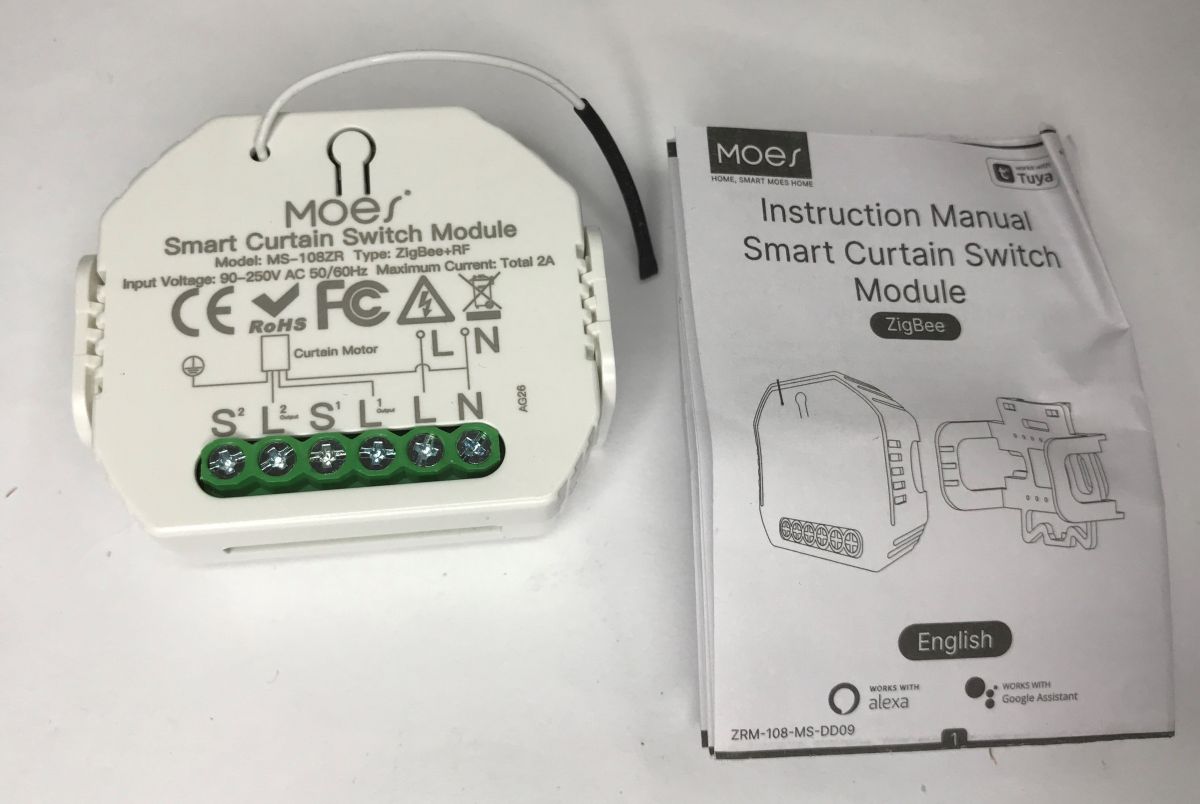
  • Moes MS-108ZR ZigBee+RF smart curtain switch module next to its instruction manual
    I'd like to invite you to a test of the MS-108ZR in-box roller shutter controller module based on Zigbee wireless communication with additional RF support. Here I will present its pairing with Home Assistant via Zigbee2MQTT, check what its integration with HA offers and show its interior. All this we get for only £50 - is it worth it?
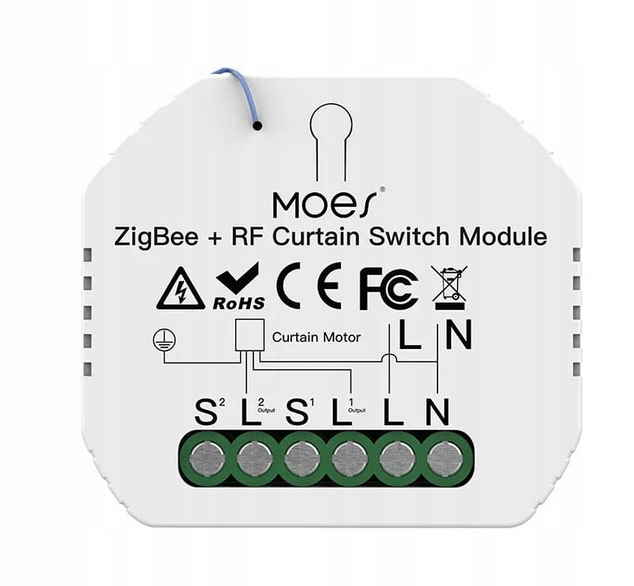
    Moes ZigBee+RF curtain/blind switch module with L, N, S1, S2 terminals and printed wiring diagram
    The device works with loads up to 300 W, while for resistive loads the maximum current recommended by the manufacturer is 2 A. This is sufficient in itself for most roller shutters. The connection diagram is in the manual and, in principle, also on the device itself.
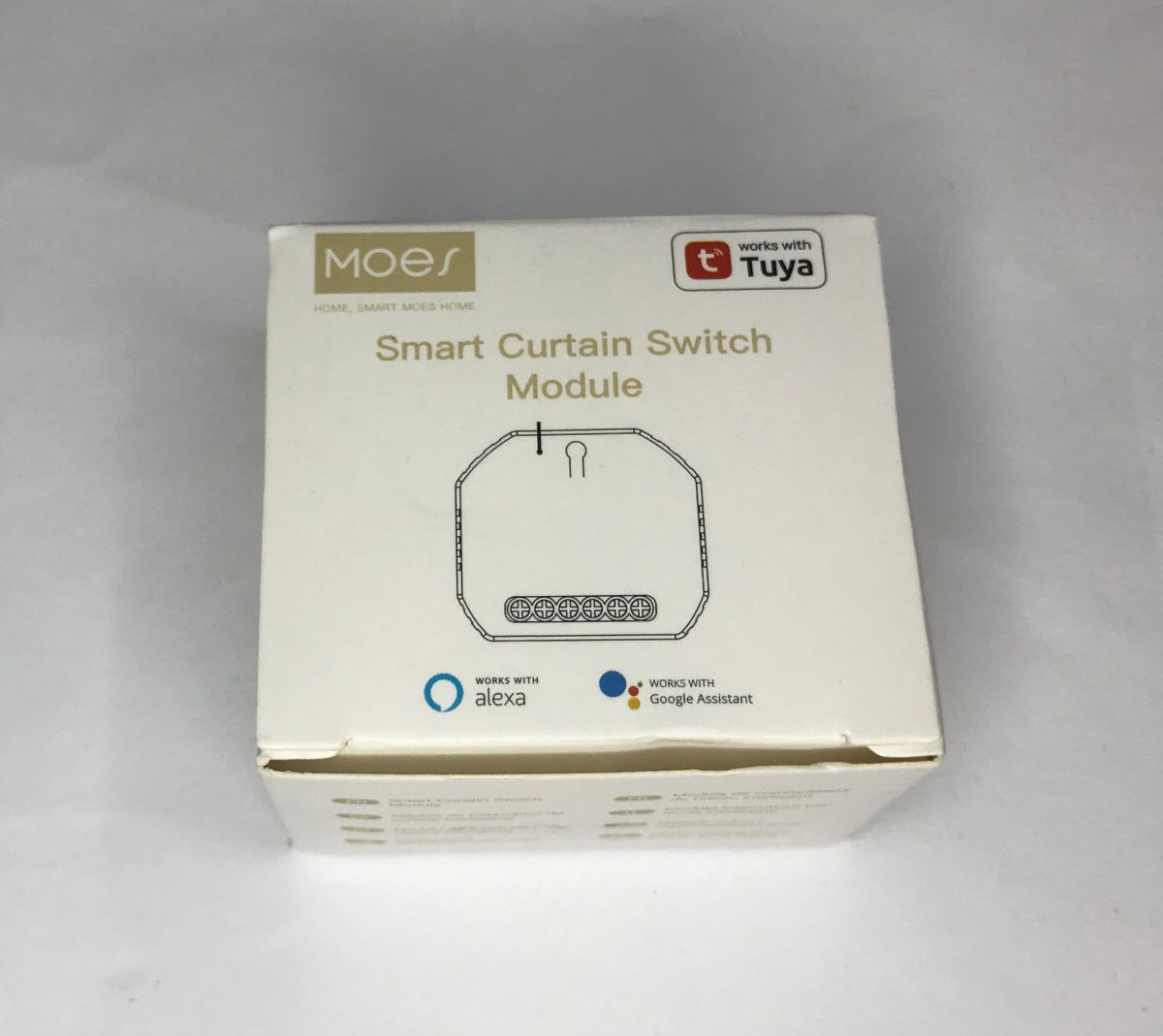
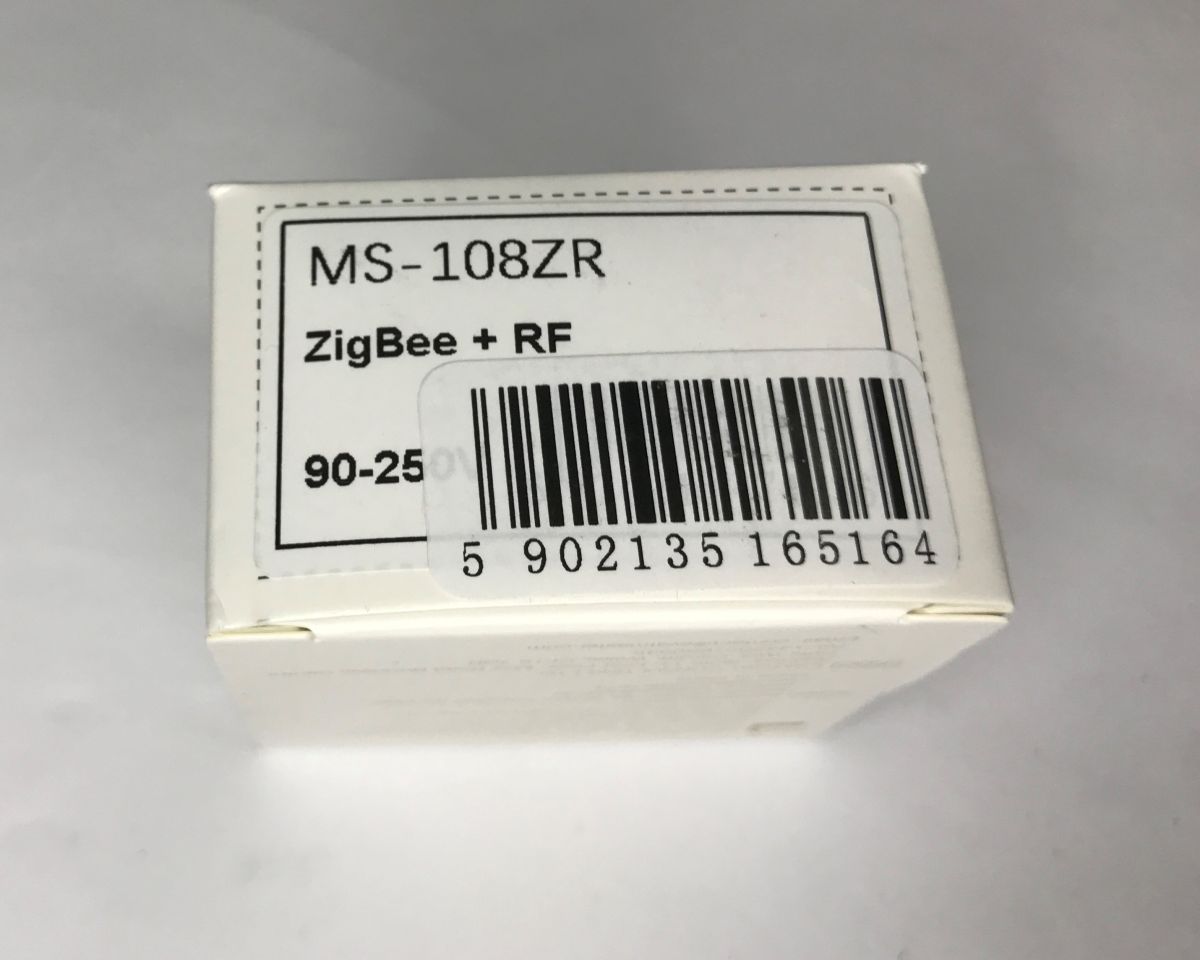
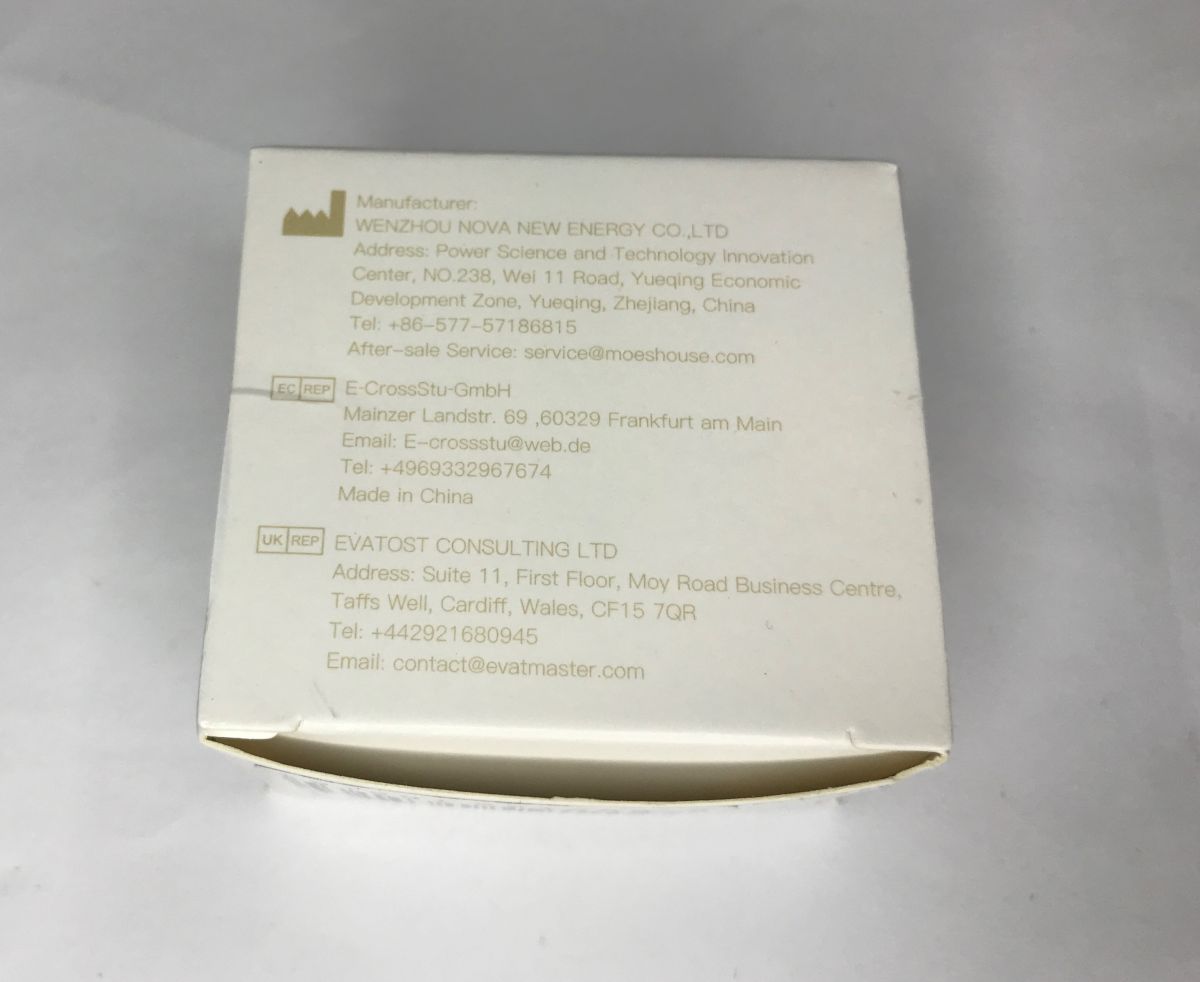
    Moes Smart Curtain Switch Module box with Tuya, Alexa, and Google Assistant logos Label on a white box reading “MS-108ZR ZigBee + RF” with a barcode sticker White box side with manufacturer details and contact addresses in China, EU, and UK Moes Smart Curtain Switch Module MS-108ZR with screw terminals next to the manual Moes Smart Curtain Switch Module MS-108ZR with screw terminals next to the manual
    The device supports two buttons as standard - up and down - but this is not the only way to control...

    Instruction for push-button control
    The controller allows simple manual control:
    - briefly pressing the button starts the opening or closing of the roller shutter
    - holding the button down moves the roller shutter in a given direction for as long as the button is held down

    Instruction for pairing RF remote control
    The controller allows pairing with standard 433 MHz RF remote controls. Multiple codes and remotes can be paired. The procedure for "learning the code" depends on the operation to be performed.
    Resetting remotes:
    - press reset button 10 times
    - after a while all remotes will be deleted from the memory
    Pairing the opening command:
    - press reset button 5 times
    - after 2 seconds when the red LED starts flashing, press the open button on the remote control
    Pairing the close command:
    - press reset button 6 times
    - after 2 seconds press shutdown button on remote control
    Pairing the stop command:
    - press reset button 7 times
    - after 2 seconds press the stop button on the remote control

    Compatible with Home Assistant
    The controller can be paired with Home Assistant via Zigbee. All you need is to have Zigbee2MQTT integration and a suitable Zigbee "dongle". I'm using a CC2531 and have everything already configured. All you have to do is put the device into pairing mode - you have to press the button longer. You will immediately hear a sound:


    In Zigbee2MQTT, you just have to make sure that you allow new devices to join. There are no other problems. No need to change the firmware.
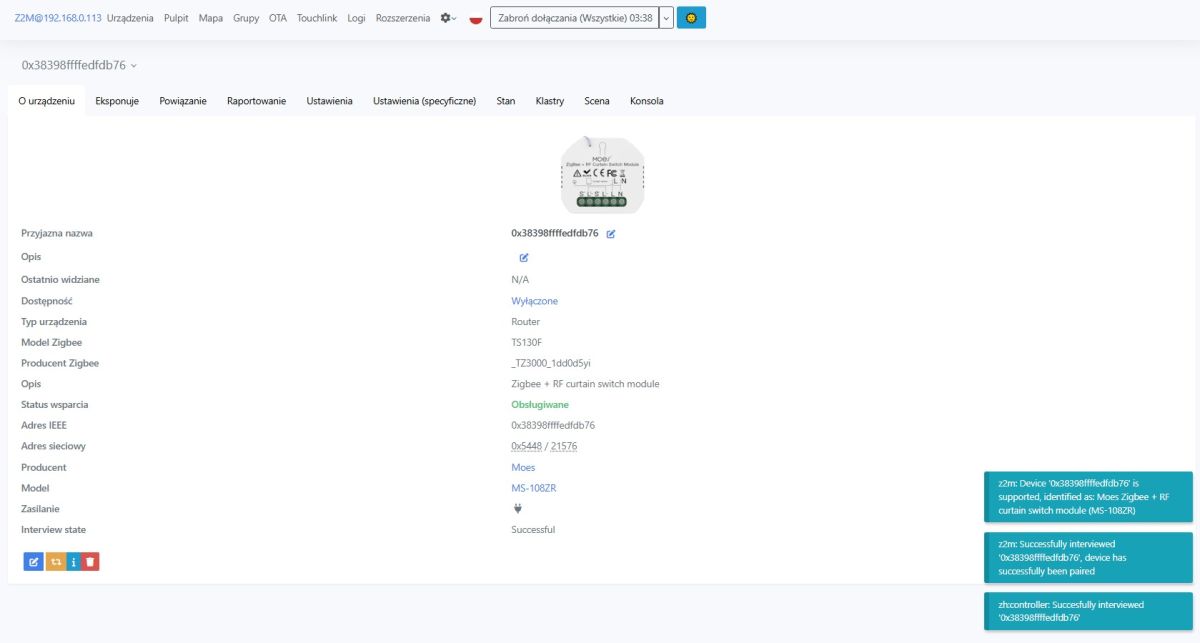
    Zigbee2MQTT screenshot showing Moes MS-108ZR/TS130F blind module details and pairing logs
    HA correctly recognises the device as type TS130F (model MS-108ZR). The equipment operates in router mode, so it extends the range of the Zigbee network.
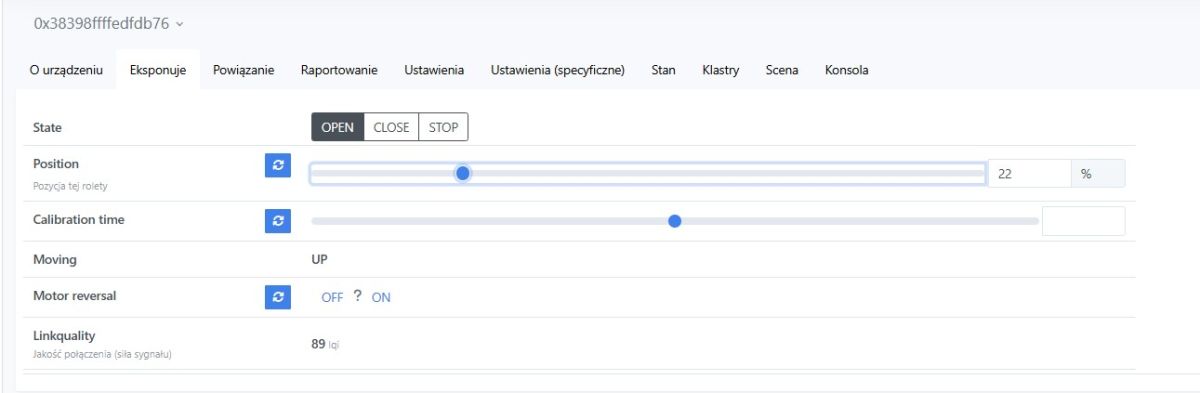
    Zigbee2MQTT UI screenshot with OPEN/CLOSE/STOP buttons and roller position slider set to 22%
    The device offers full control over the roller shutter. We have the possibility to perform predefined operations of opening, closing and stopping, and we can set its any position with the slider. In addition, we also read out its status and can reverse the direction of the motor, so that the wires do not have to be swapped places if necessary.
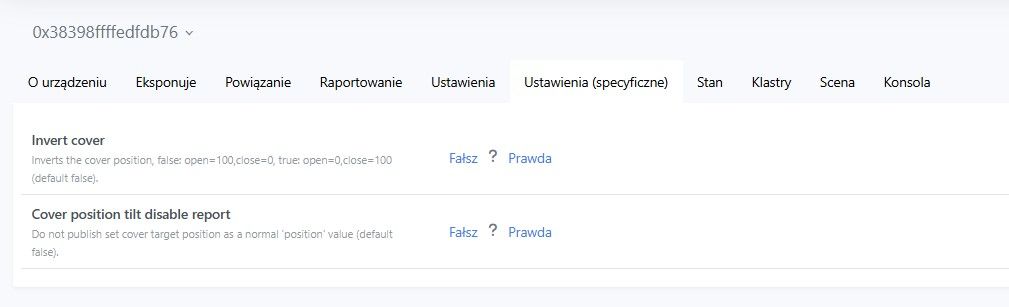
    Home Assistant device settings screenshot showing “Invert cover” and a report-related toggle options.
    In the options we have additional settings - such as reversing the percentage position.
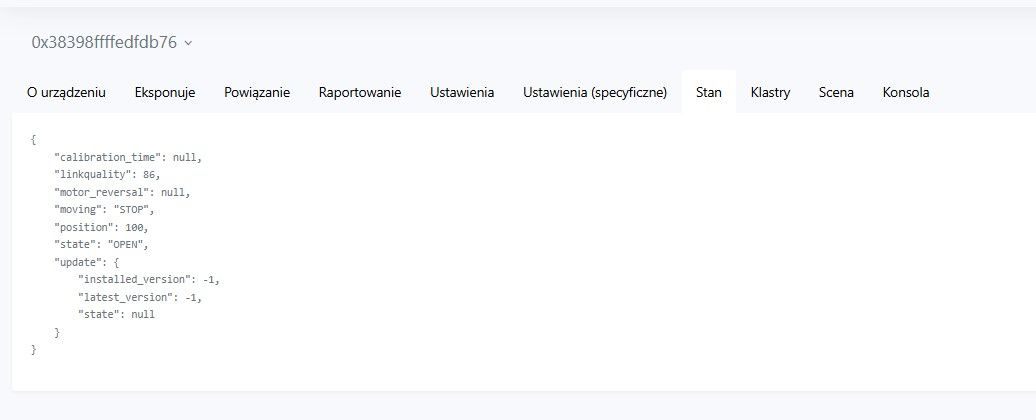
    Home Assistant screenshot showing the “State” tab with a JSON view for a roller shutter device
    Device status is also available as JSON - this will be useful for advanced users.

    Interior of MS-108ZR
    This is not necessary for anything, but for the sake of principle it is worth looking inside. Undermine the housing.
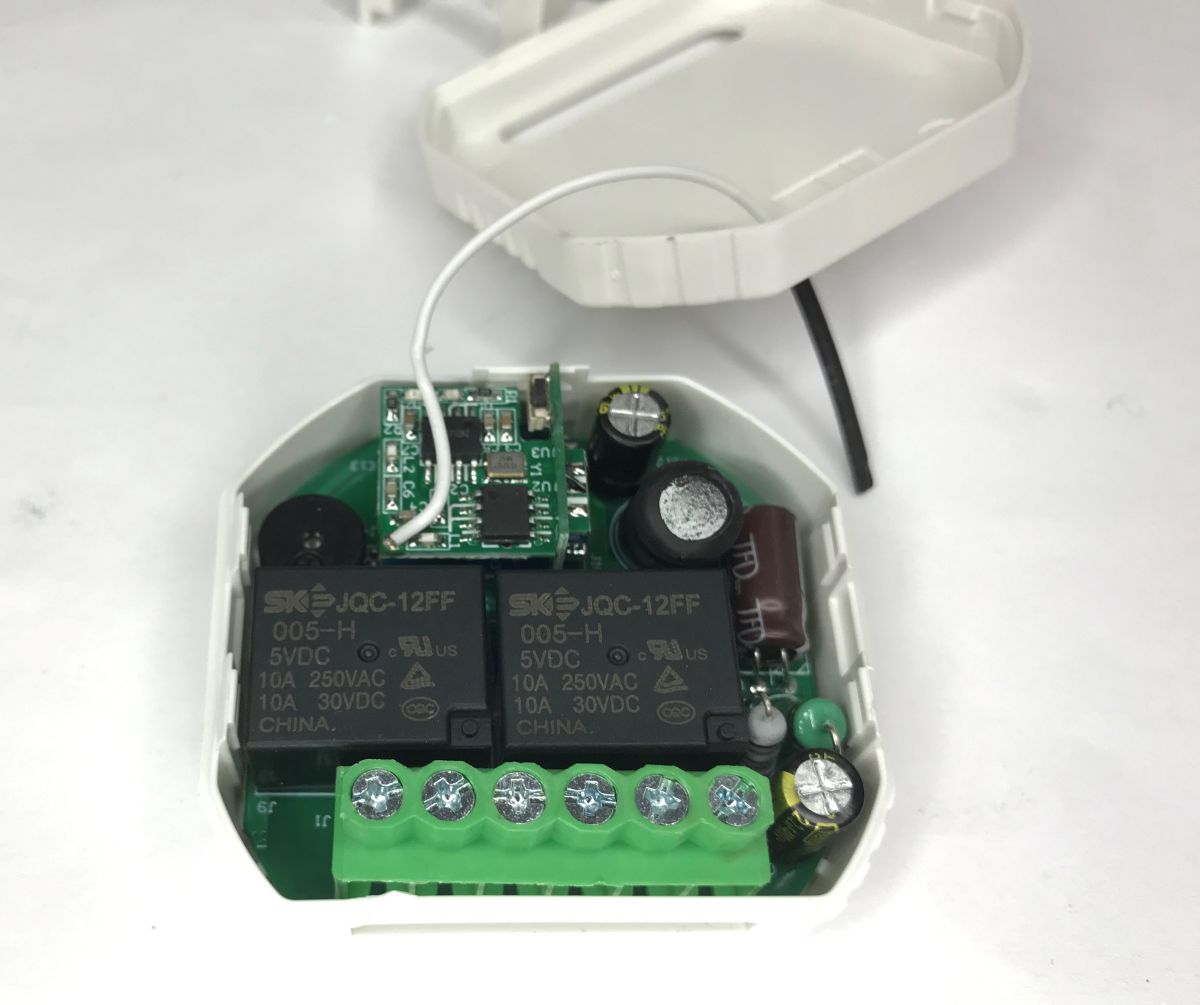
    Open controller module case with two relays and a green screw terminal block on the PCB
    Inside are two JQC-12FF 005-H 5V DC relays. This 5V is supplied by a non-isolated DC downconverter. The whole thing is assembled "sandwiched", you can also see the RF module with antenna from above.
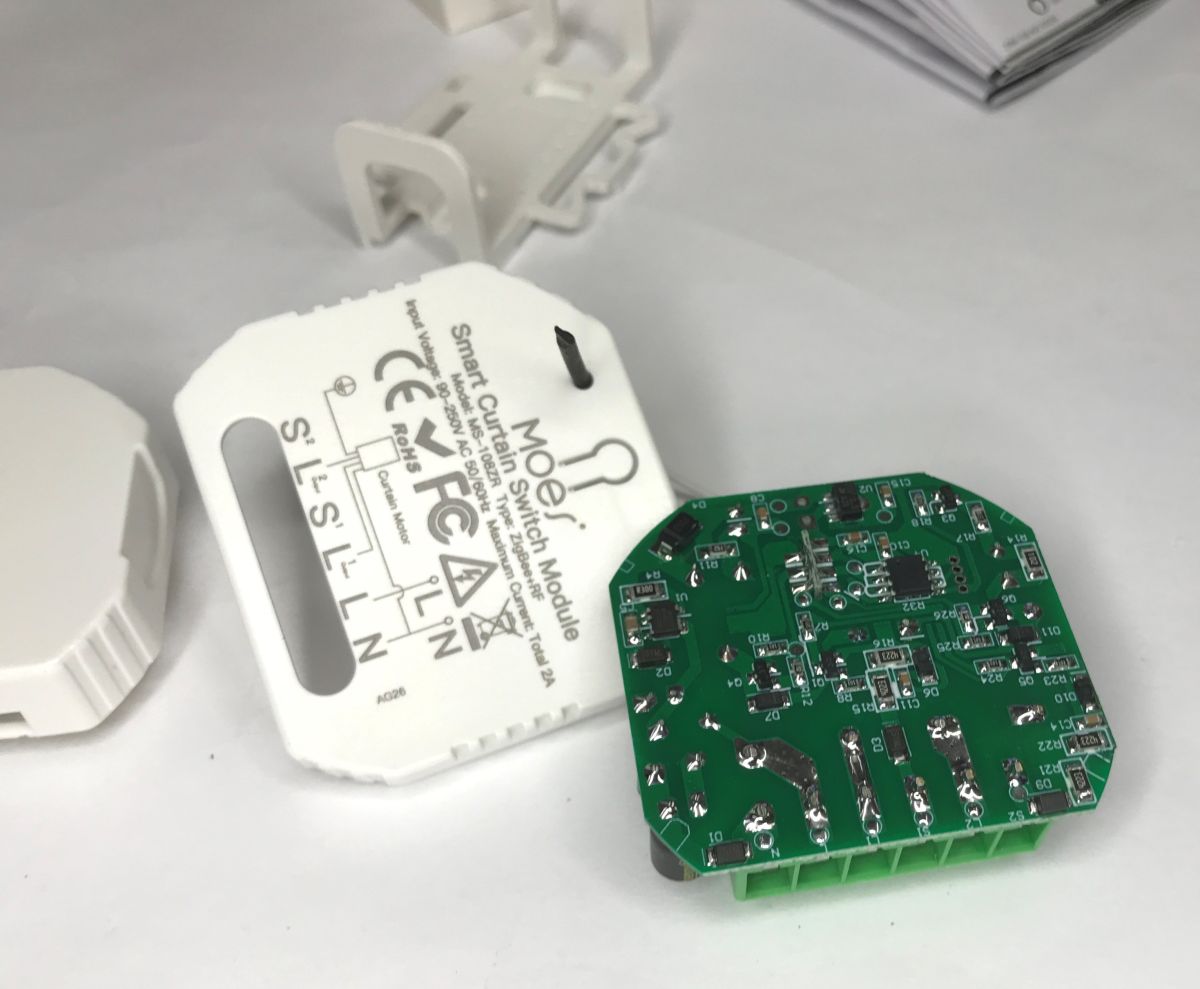
    Opened Moes shutter controller module with green PCB and wiring diagram printed on the white casing
    Most of the components (apart from coils, capacitors, buzzer) are surface mounted.
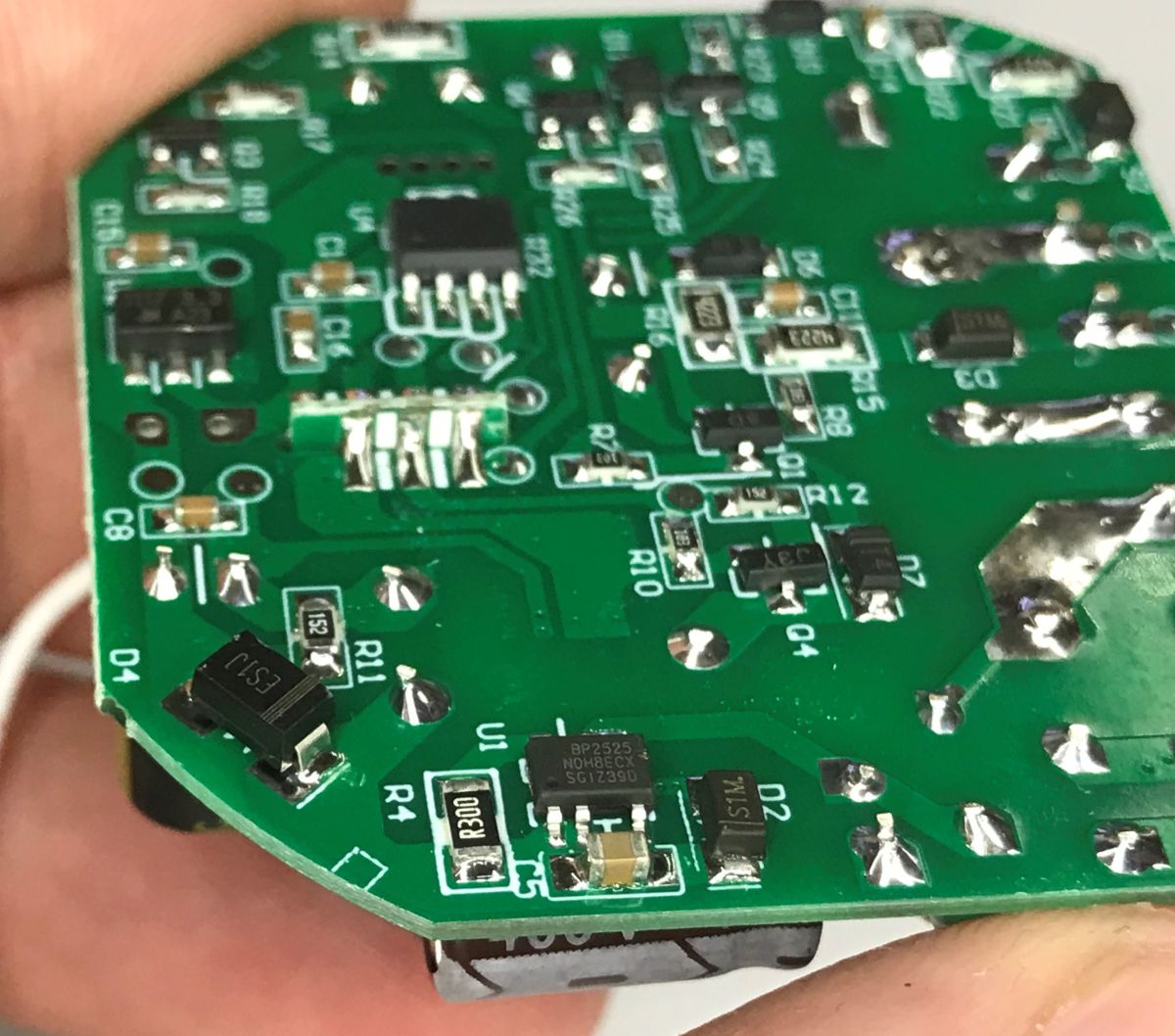
    Close-up of a green PCB with SMD parts and a BP2525 IC, held between fingers
    The inverter is based on the BP2525 chip - a classic in this type of application. It is this that provides 5 V for the relays, then separately there is a 3.3 V LDO supplying the Zigbee and RF module.
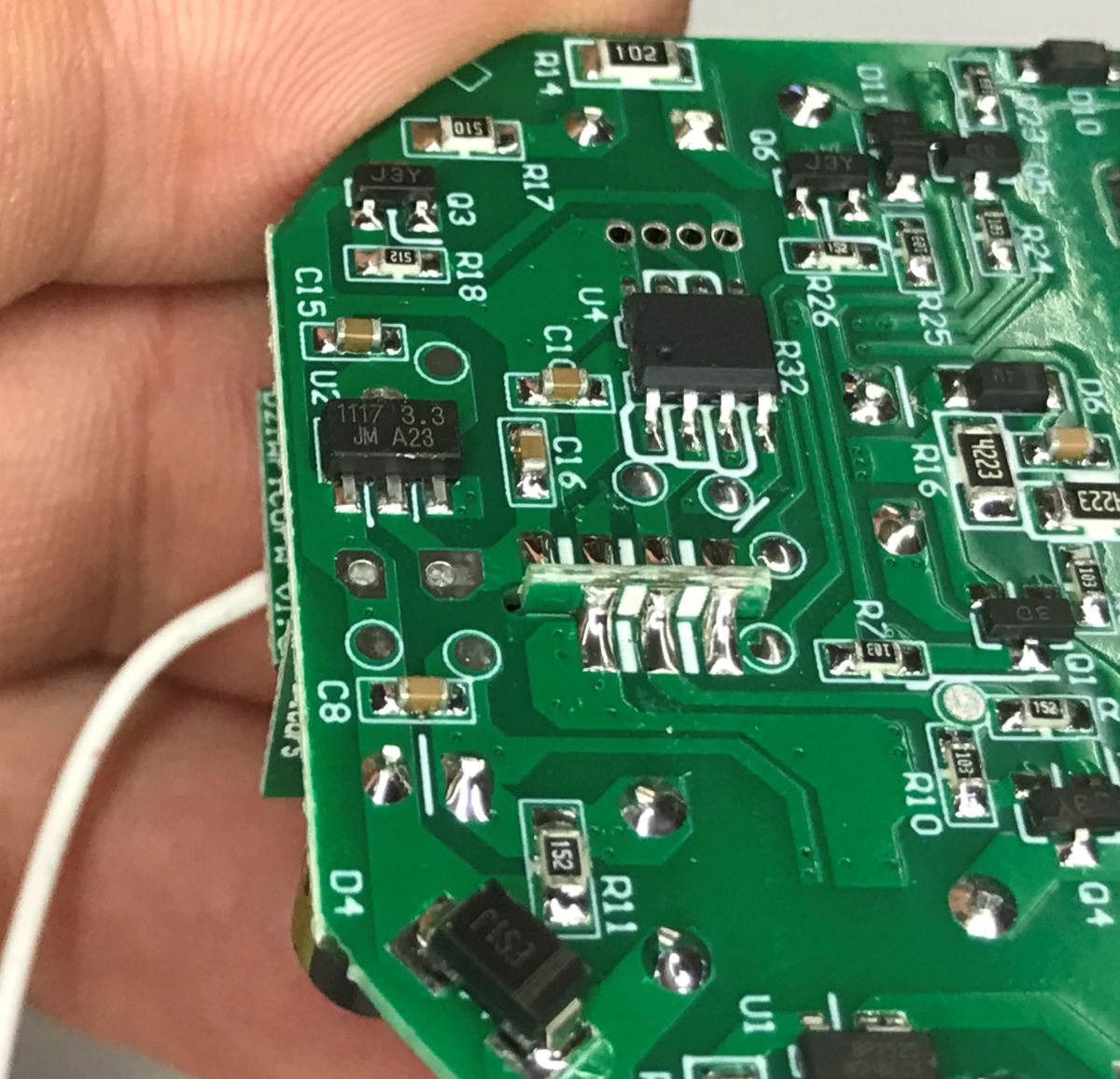
    Close-up of a green PCB with a “1117 3.3” chip and SMD parts, held in a hand
    The U4 circuit is not signed, I suspect maybe it's a controller for the relays - maybe it's the one that makes sure we don't close both at once? Anyone have any ideas what the U4 is? On Wi-Fi gadgets like this, this protection is only in the firmware.
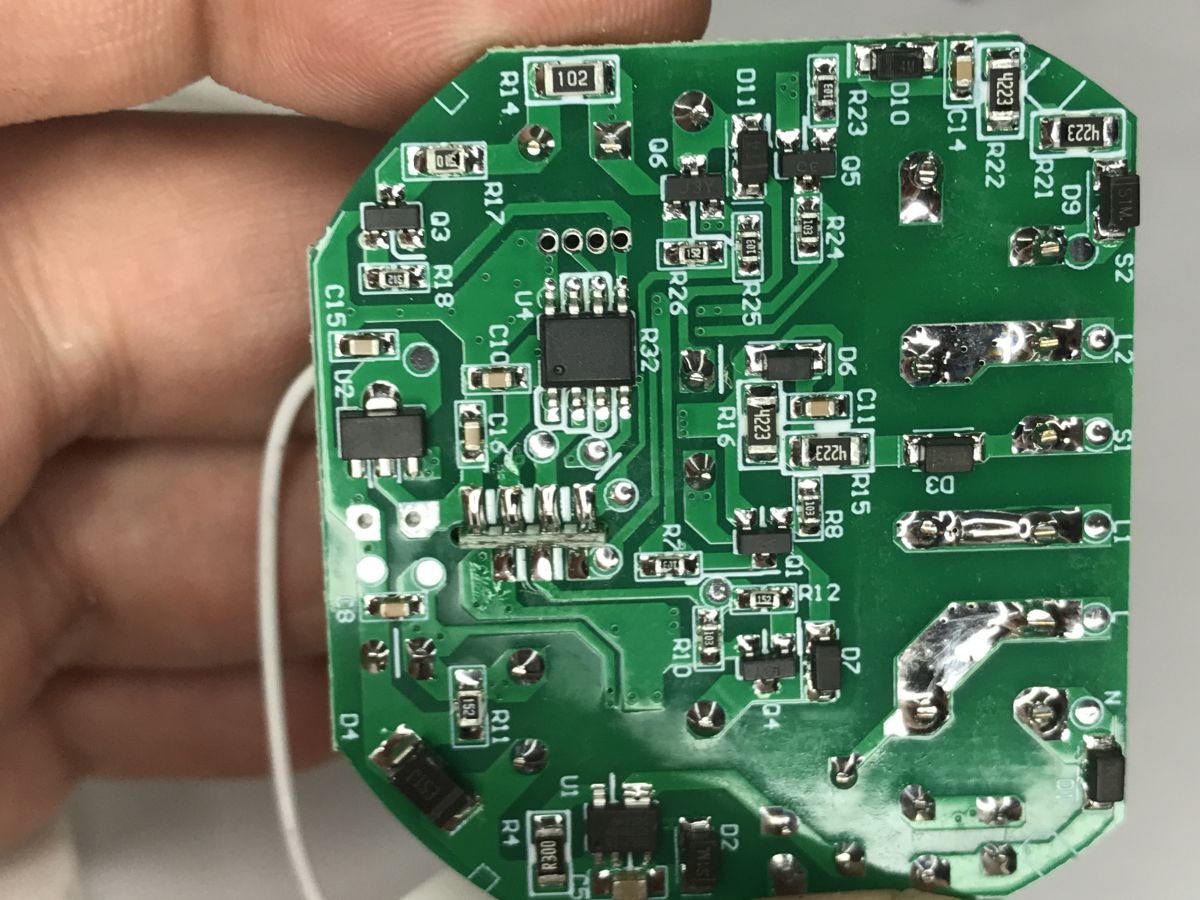
    Close-up of a green PCB with SMD components, held between fingers
    The Zigbee module is hidden, but it's probably a ZTU from Tuya.
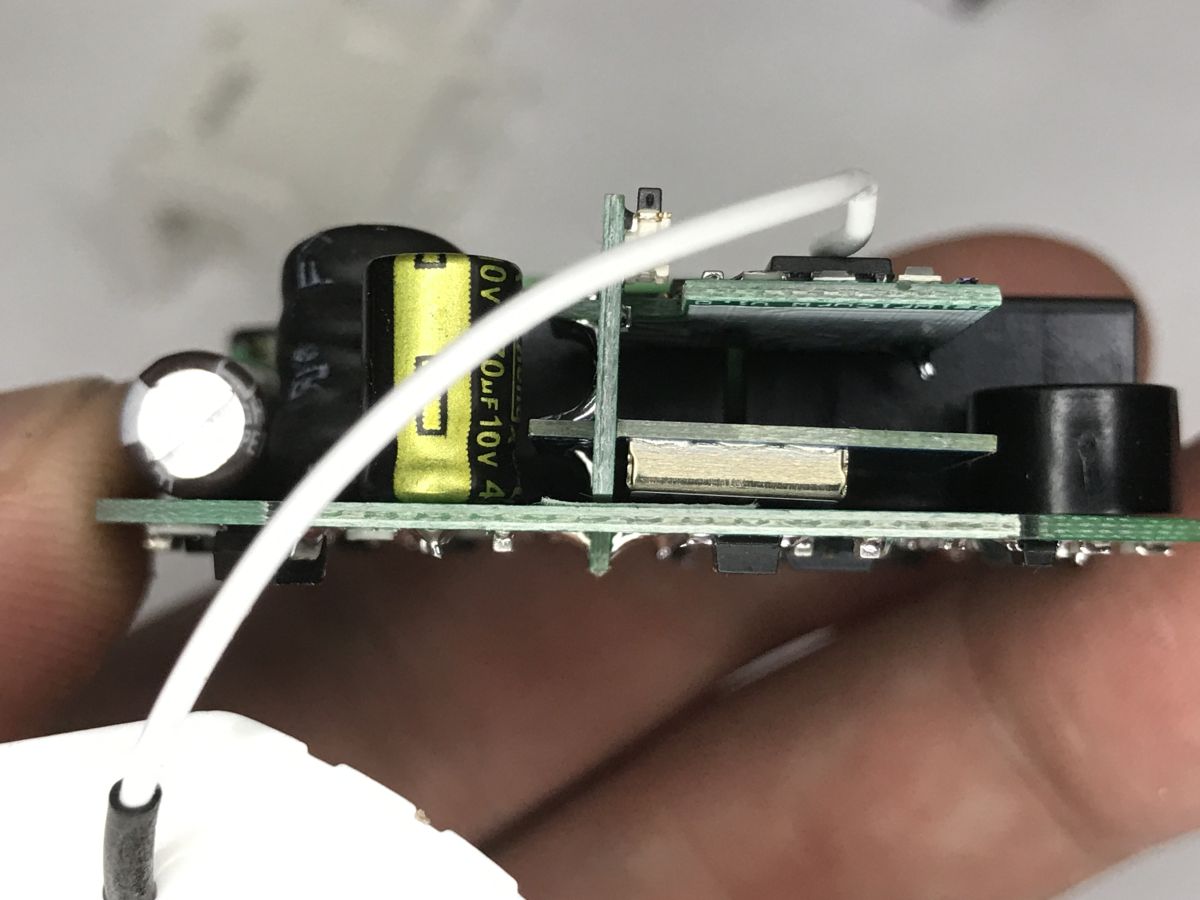
    Side close-up of stacked PCB layers and capacitors inside a controller module
    The RF module has only one of the two chips signed - 012 2401JCM631. I also see a 13.52 MHz quartz oscillator.
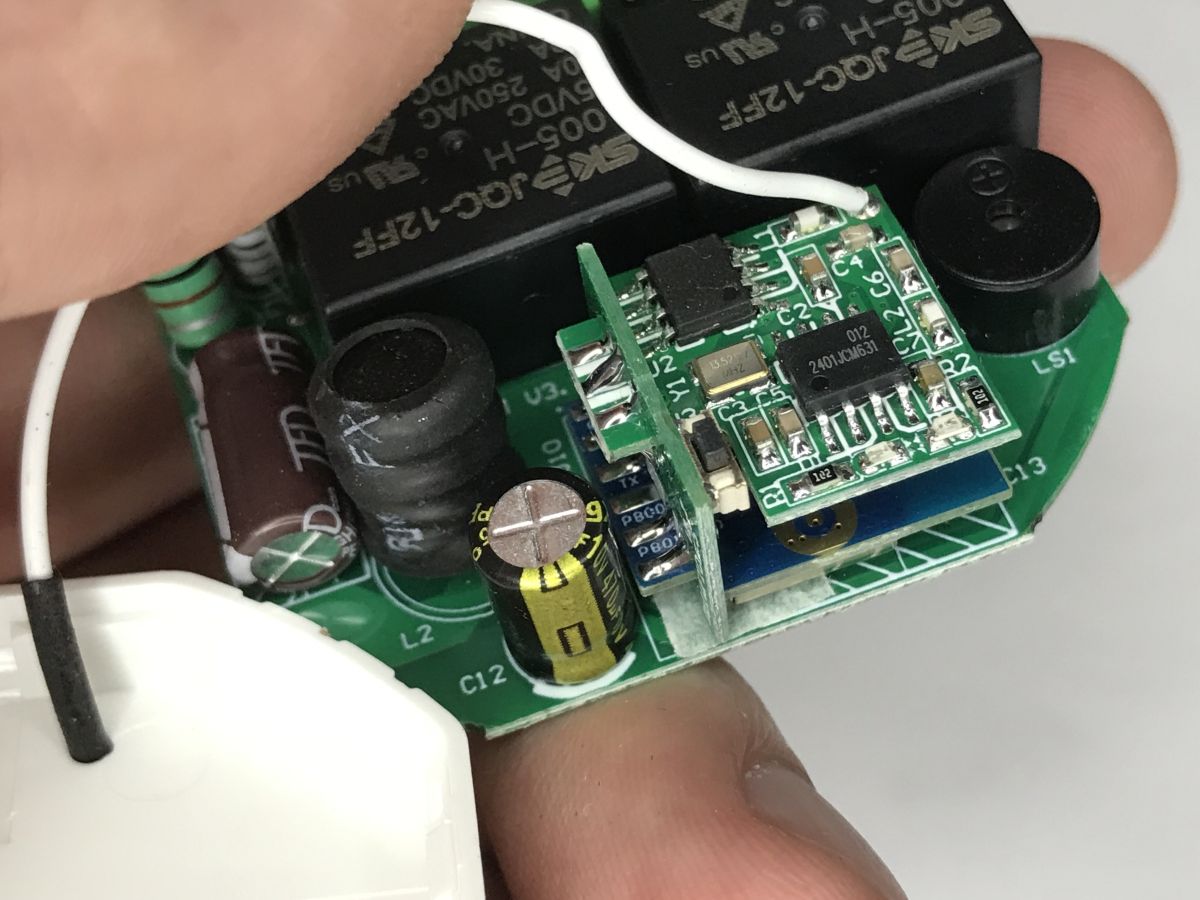
    Inside a roller shutter controller: PCB with RF module, capacitors, and relays, held in a hand
    You can see here a really interesting design based on three boards:
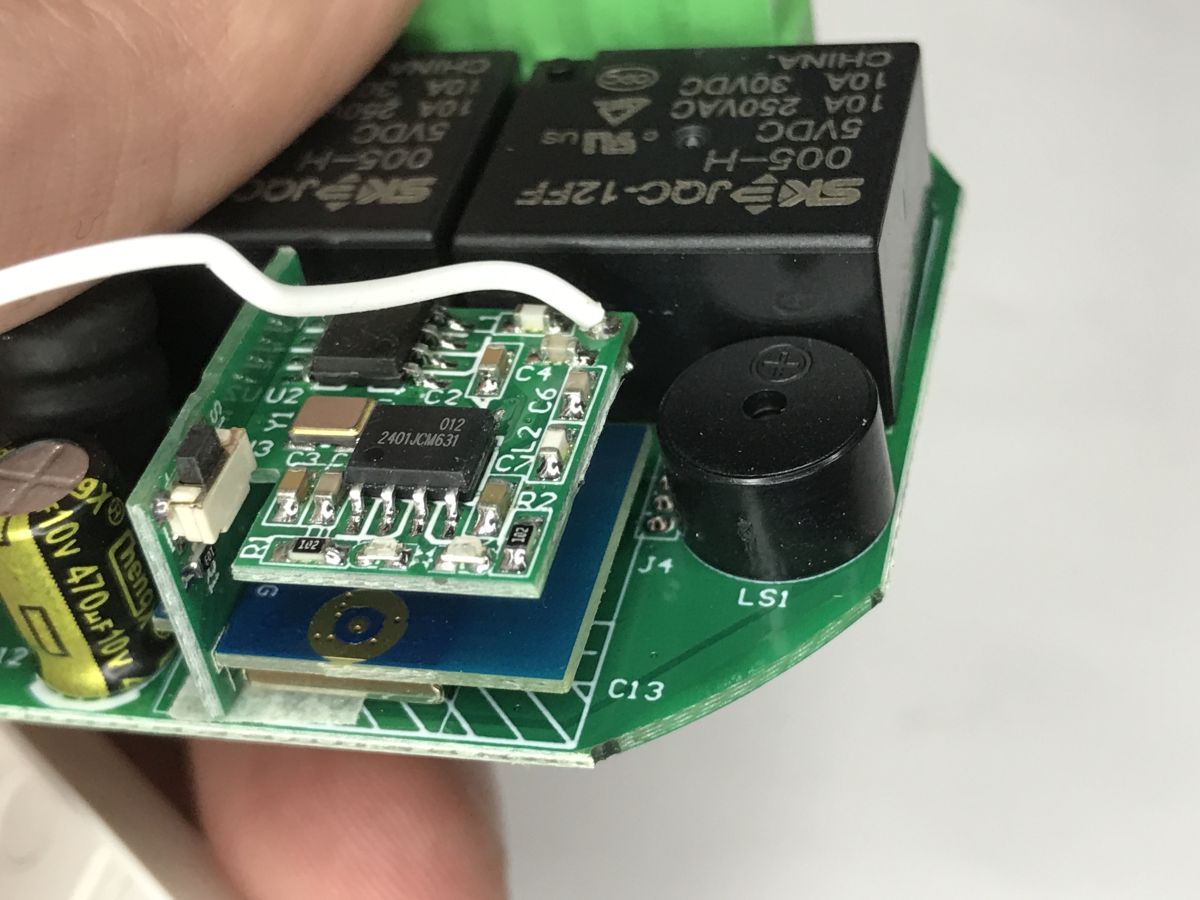
    Close-up of a PCB with RF module, white antenna wire, relays, and a round buzzer
    There is only a fuse resistor at the inverter input - no varistor.
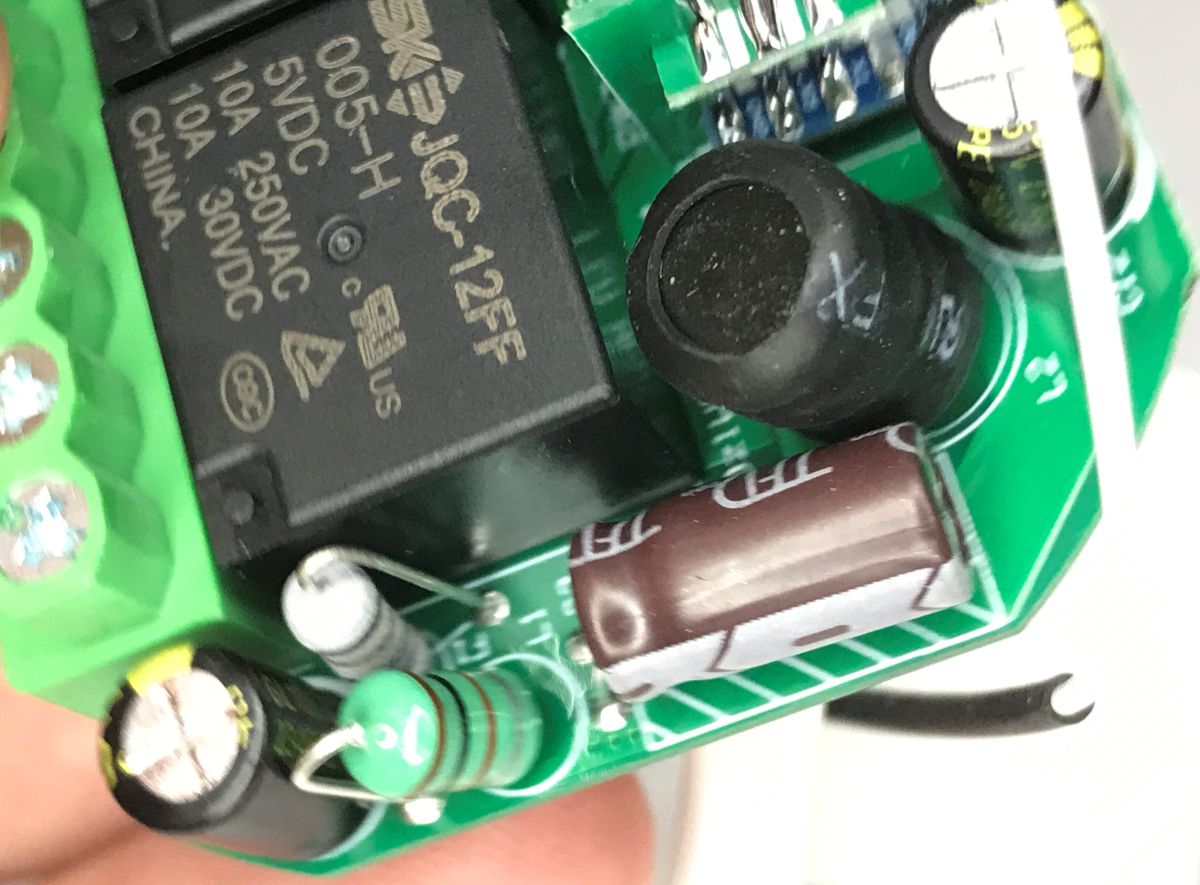
    Close-up of a PCB with JQC-12FF 005VDC-H relay and electrolytic capacitors
    So much for the inside of this unit, I think. Apart from that unmarked U4 circuit, there were no major surprises.

    Summary
    This controller offers essentially everything we could possibly need to operate roller shutters. Here we have push-button control, RF remote control support and, of course, also the eponymous Zigbee. Integration with Home Assistant is seamless, you don't even need to open the housing, and the device is also a Zigbee router, so it extends the range. At this point I can recommend this model, although I don't know how its durability will be over the years. We'll see.
    Which roller shutter controllers do you use?

    Cool? Ranking DIY
    Helpful post? Buy me a coffee.

    About Author
    p.kaczmarek2
    Moderator Smart Home
    Offline 
    p.kaczmarek2 wrote 14233 posts with rating 12132, helped 647 times. Been with us since 2014 year.
  • ADVERTISEMENT
  • #2 21834218
    lexx_
    Level 12  
    p.kaczmarek2 wrote:
    What shutter controllers do you use?

    In my case, virtually all the controllers are these:
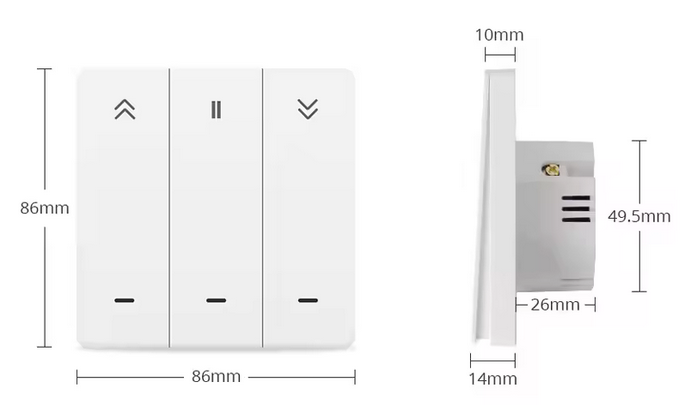
    White three-button wall switch with icons and dimensions 86×86 mm plus side view showing depth
    The main advantages are the mechanical buttons (with backlighting), and they fit into a standard can. In addition, compared to standard buttons, they have larger dimensions (and buttons), which at the same time can be a disadvantage because two such switches do not fit into a standard double box. I have the zigbee version, but there are also wifi versions.
  • ADVERTISEMENT
  • #3 21834791
    p.kaczmarek2
    Moderator Smart Home
    I also like mechanical buttons. Is it possible to control the backlight, e.g. turn it off as you like?

    Are you combining this with a Tuya or HA gateway?
    Helpful post? Buy me a coffee.
  • #4 21834900
    lexx_
    Level 12  
    p.kaczmarek2 wrote:
    I also like the mechanical buttons. Is it possible to control the backlighting, e.g. turn it off to your taste?

    There are 4 options to choose from, all off, all lit, lit actions that are currently happening, or lit actions that you can currently perform.

    p.kaczmarek2 wrote:
    Are you combining this with a Tuya gateway or HA?

    I have Zigbee2MQTT -> Mosquitto -> HA, all locally.
  • ADVERTISEMENT
  • #5 21835317
    krzbor
    Level 29  
    p.kaczmarek2 wrote:
    What shutter controllers do you use?

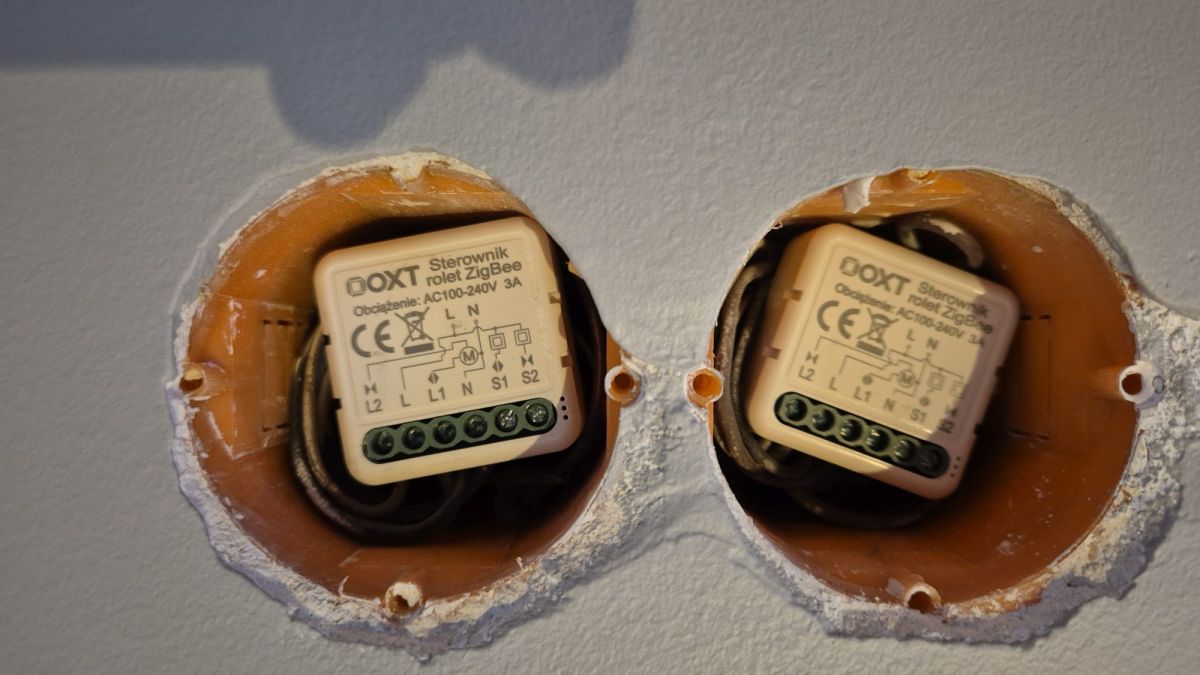
    I use these:
    Two OXT “ZigBee roller shutter controller” modules in a double wall box, with terminals and wiring visible
    they are very small and fit in the box without any problem, as you can see.
    I analysed the choice of driver for a long time. Such controllers are around the perimeter of the house and make a great basis for a MESH network. There are usually several metres to each one, so the battery-operated ZigBee devices have something to connect to. I used the reviews on Allegro. With dozens of reviews from different people I had some sort of picture. I was concerned with the reviews regarding Z2M interoperability and range.
    These controllers "ride on time" - we need to calibrate them. Many people make the mistake of calibrating too short. This results in the roller shutter not fully opening or closing after a few full cycles. Another problem is that calibration is done by default when the roller shutter is lowered. With large roller shutters there is a time difference - they take longer to raise than to lower. As my controller doesn't have separate times for raising and lowering I solved the problem by lowering the roller shutter to the 'limit' and then in Z2M I changed the direction of the motor. The controller thought it was lowering, but in fact it was raising the roller shutter. We measure the time until the top limit is tripped. After calibration, I changed the direction to the correct one - everything works normally from then on. However, don't set times that are too long, because then you won't get the roller shutter percentage setting working properly.
    By the way, roller shutter manufacturers could add automatic calibration and recalibration - just measure the current - if it is flowing then the motor works, and if it is not flowing then the limit switch has tripped and the motor does not work.
    Regarding buttons with integrated ZigBee. These were out of the question - it was a matter of uniformity of hardware and multiple frames.
  • ADVERTISEMENT
  • #6 21838523
    michaeljamesromt
    Level 5  
    This is a very helpful breakdown, especially showing the internal components and explaining how it integrates with Zigbee2MQTT and Home Assistant. Many people overlook proper calibration and motor direction settings, which can affect accuracy over time. It is also good to see confirmation that it works reliably as a Zigbee router in a mesh network.
  • #7 21838858
    krzbor
    Level 29  
    p.kaczmarek2 wrote:
    This is what provides the 5V for the relays

    10A relays - roller shutters don't need that much, and these relays are large, increasing the size of the circuit.
  • #8 21840030
    Strumien swiadomosci swia
    Level 43  
    krzbor wrote:
    Transmitters

    Acoustic sizing has a real impact on reliability.
📢 Listen (AI):

FAQ

TL;DR: MS-108ZR handles up to 300 W and pairs to Home Assistant via Zigbee2MQTT; “integration with Home Assistant is seamless.” It supports wall buttons and 433 MHz RF remotes for flexible shutter control. [Elektroda, p.kaczmarek2, post #21833650] Why it matters: This FAQ helps DIY smart‑home users pick, install, and troubleshoot a Zigbee roller‑shutter controller that works with Home Assistant.

Quick Facts

What is the MS-108ZR and who is it for?

MS‑108ZR is an in‑box Zigbee roller‑shutter controller with optional 433 MHz RF remote support. It targets Home Assistant users who want reliable shutter automation without replacing existing motors. It fits behind switches and supports button, RF, and app control. [Elektroda, p.kaczmarek2, post #21833650]

How do I control it with wall push-buttons?

Use two momentary buttons: Up and Down. A short press starts opening or closing. Holding a button moves the shutter only while held. This mirrors classic shutter controls and keeps local operation simple if the hub is offline. [Elektroda, p.kaczmarek2, post #21833650]

How do I pair a 433 MHz RF remote to MS-108ZR?

You can pair multiple RF remotes and specific actions. How‑To (3 steps):
  1. Open: press the device reset button 5 times, then press the remote’s Open within 2 seconds.
  2. Close: press 6 times, then press Close within 2 seconds.
  3. Stop: press 7 times, then press Stop within 2 seconds. [Elektroda, p.kaczmarek2, post #21833650]

How do I add MS-108ZR to Home Assistant with Zigbee2MQTT?

Enable “Permit join” in Zigbee2MQTT, then hold the device button to enter pairing; a tone confirms join mode. It will appear as TS130F (MS‑108ZR). No firmware changes are needed. “Integration with Home Assistant is seamless.” [Elektroda, p.kaczmarek2, post #21833650]

Does MS-108ZR extend my Zigbee network range?

Yes. The device operates in Zigbee router mode once powered. It relays traffic for nearby nodes, improving mesh reliability and coverage for other sensors and switches in your home. [Elektroda, p.kaczmarek2, post #21833650]

What load and motor compatibility should I expect?

The controller supports loads up to 300 W. For resistive loads, the maker recommends 2 A maximum. This suits most 230 V AC shutter motors. Always confirm your motor’s current draw before installation to avoid relay stress. [Elektroda, p.kaczmarek2, post #21833650]

Can I reverse motor direction or adjust the percentage display?

Yes. In Home Assistant you can invert motor direction without rewiring. You can also reverse the percentage position if your UI shows 0–100% opposite to your preference. These options simplify setup and calibration. [Elektroda, p.kaczmarek2, post #21833650]

What model ID will I see and what’s inside the hardware?

Zigbee2MQTT identifies the unit as TS130F (MS‑108ZR). Internally you’ll find two JQC‑12FF 5 V DC relays, a BP2525 power converter, and an RF daughterboard with a 13.52 MHz crystal. The Zigbee module is from the Tuya family. [Elektroda, p.kaczmarek2, post #21833650]

Any safety or longevity caveats I should know?

The power supply is non‑isolated. The input stage uses a fuse resistor and lacks a varistor. Ensure proper enclosure and wiring. Durability over years is unproven by the reviewer, so plan access for replacement if needed. [Elektroda, p.kaczmarek2, post #21833650]

How do I wipe all paired RF remotes if I sell the house?

Press the reset button 10 times to clear every stored RF code. The device confirms and forgets all previously learned remotes. Re‑pair needed remotes afterward using the specific open/close/stop procedures. [Elektroda, p.kaczmarek2, post #21833650]

Can I set exact shutter positions and see status in Home Assistant?

Yes. Use the position slider to set any percentage and the Stop action to halt mid‑travel. The device exposes status as JSON for advanced automations, scenes, or diagnostics in your HA setup. [Elektroda, p.kaczmarek2, post #21833650]

What dongle and integration were used in the review?

The setup used Zigbee2MQTT with a CC2531 USB dongle. Pairing required holding the device button until the confirmation tone played, then permitting join in Zigbee2MQTT. No special firmware was needed. [Elektroda, p.kaczmarek2, post #21833650]

What alternatives did users mention for wall control aesthetics?

One user prefers large mechanical button panels with backlighting that fit standard boxes. They use a Zigbee version, with Wi‑Fi variants also available. Note: two units may not fit a double box. [Elektroda, lexx_, post #21834218]

What is Tuya in this context?

Tuya is an IoT platform supplying modules and firmware for smart devices, including Zigbee radio modules found in many OEM products. Vendors integrate Tuya modules to add wireless control and cloud or local features. [Tuya Smart – Wikipedia]

Any edge cases or failure modes to consider during install?

Avoid wiring that could energize both directions at once; the design includes relay control to prevent simultaneous closure, but correct wiring remains essential. Also note the lack of an input varistor for surge suppression. [Elektroda, p.kaczmarek2, post #21833650]

What’s a quick summary of reviewer sentiment?

“This controller offers essentially everything we could possibly need to operate roller shutters,” with smooth HA integration and mesh extension. The only unknown is multi‑year durability, so monitor performance over time. [Elektroda, p.kaczmarek2, post #21833650]
ADVERTISEMENT