









This topic describes how to recover broken tuya-based smart socket (BKN7231N, CB2S, BL0937) and then to flash it to OpenBeken.
I purchased a smart socket a couple years ago and use it to automatically switch off my Electric Unicycle charger when power consumption is very small for specific period of time. Just for safety reason – if charger consumes less than 7 Watts during the recent 15 minutes then I suppose than my EUC is charged and I want to cut power, just in case. The smart socket works with Yandex Smart Home.
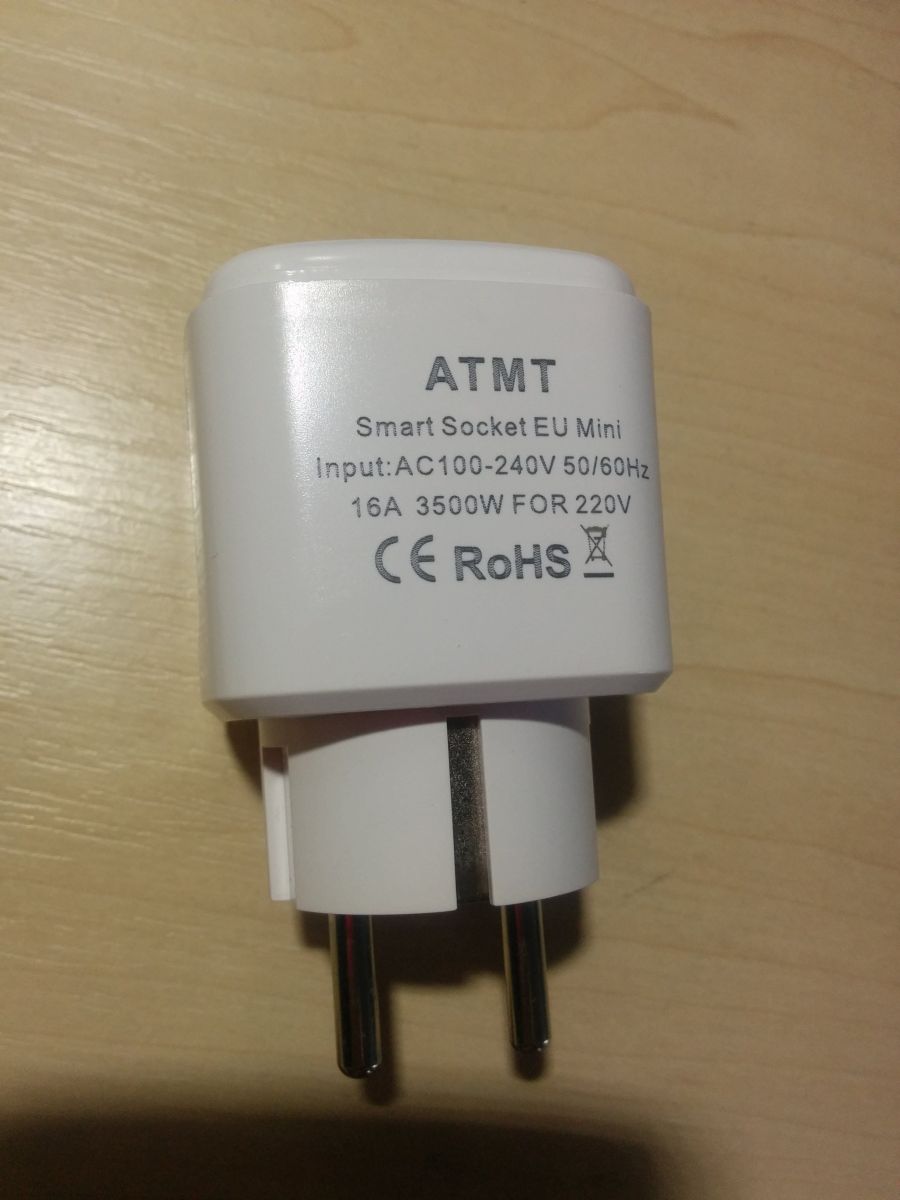
It was a cheap socket with “ATMT” brand and no model code on it. The only information is the following:
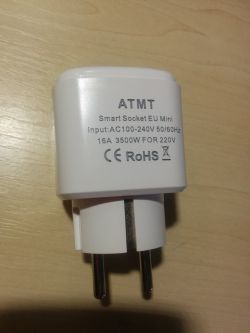
And one day it stopped working and did not react on button press.
I disassembled it and found out that it runs on BKN7231N MCU (CB2S module) and has BL0937 chip for power metering. 5V power supply is made on kp15051sp.
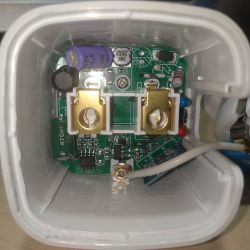
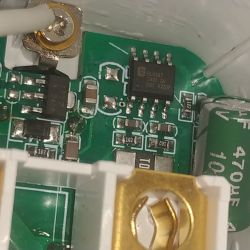
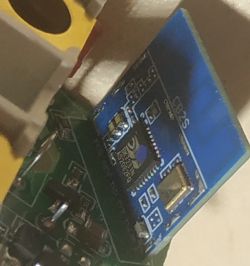
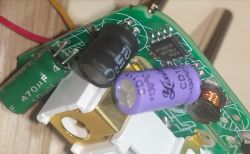
Then I checked capacitors, 5V and 3,3V power supplies – they are OK. So, main suspect is MCU.
Then I soldered power (directly to 5V capacitor) and UART (at CB2S pins) wires and connected them to USB-TTL adapter (switched to 3,3V level mode via jumper). (More details on CB2S and USB-TTL connection and MCU flashing can be found in topic https://www.elektroda.com/rtvforum/topic4087228.html )
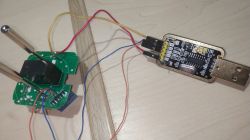
And tried to dump flash with BK7231GUIFlashTool and ltchiptool. Both tools failed with CRC errors. I have found that CRC errors happened for the first 0x100 bytes only – so, bootloader was corrupted. Then I connected to UART2 pins on CB2S module and saw in terminal that boot started but then freezed in some seconds.
So, flash was faulty, but I still had a chance to re-write faulty page in hope that it will recover.
I verified that my smart socket has the same bootloader as OpenBeken - the first 64k bytes of OpenBK7231N_QIO and the first 64k bytes of my smart socket's dump were the same excluding those faulty bytes in the beginning. So, I have cut the first 4096 bytes from OpenBK7231N_QIO_1.18.288.bin file into a separate file and write it into BK7231N at 0x0 offset using Custom Write functionality.
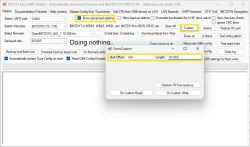
And it helped, the socket booted and worked correctly!
But I wanted to try OpenBeken itself. So, I have written it to my socket. Then I applied config from original dump, set WiFi SSID and password. And wrote OBK config.
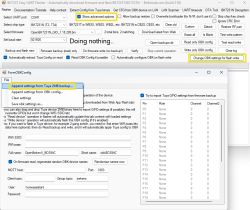
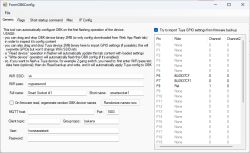
I dind't use the following information since everything has configured automatically. But let it be here:
Rebooted the socket, and opened its web-page in web-browser to check that power metering works fine – Power, Voltage and Amperage values shown in web-app were correct (compared with another power metering device) – so, no calibration was required.
Then created the following autoexec.bat to implement required functionality (if power consumption is less than 7 Watts during the recent 15 minutes then turn power off):
Everything works as I want!
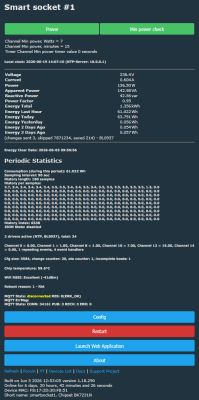
JSON template from Web Application main tab :
I purchased a smart socket a couple years ago and use it to automatically switch off my Electric Unicycle charger when power consumption is very small for specific period of time. Just for safety reason – if charger consumes less than 7 Watts during the recent 15 minutes then I suppose than my EUC is charged and I want to cut power, just in case. The smart socket works with Yandex Smart Home.
It was a cheap socket with “ATMT” brand and no model code on it. The only information is the following:
And one day it stopped working and did not react on button press.
I disassembled it and found out that it runs on BKN7231N MCU (CB2S module) and has BL0937 chip for power metering. 5V power supply is made on kp15051sp.
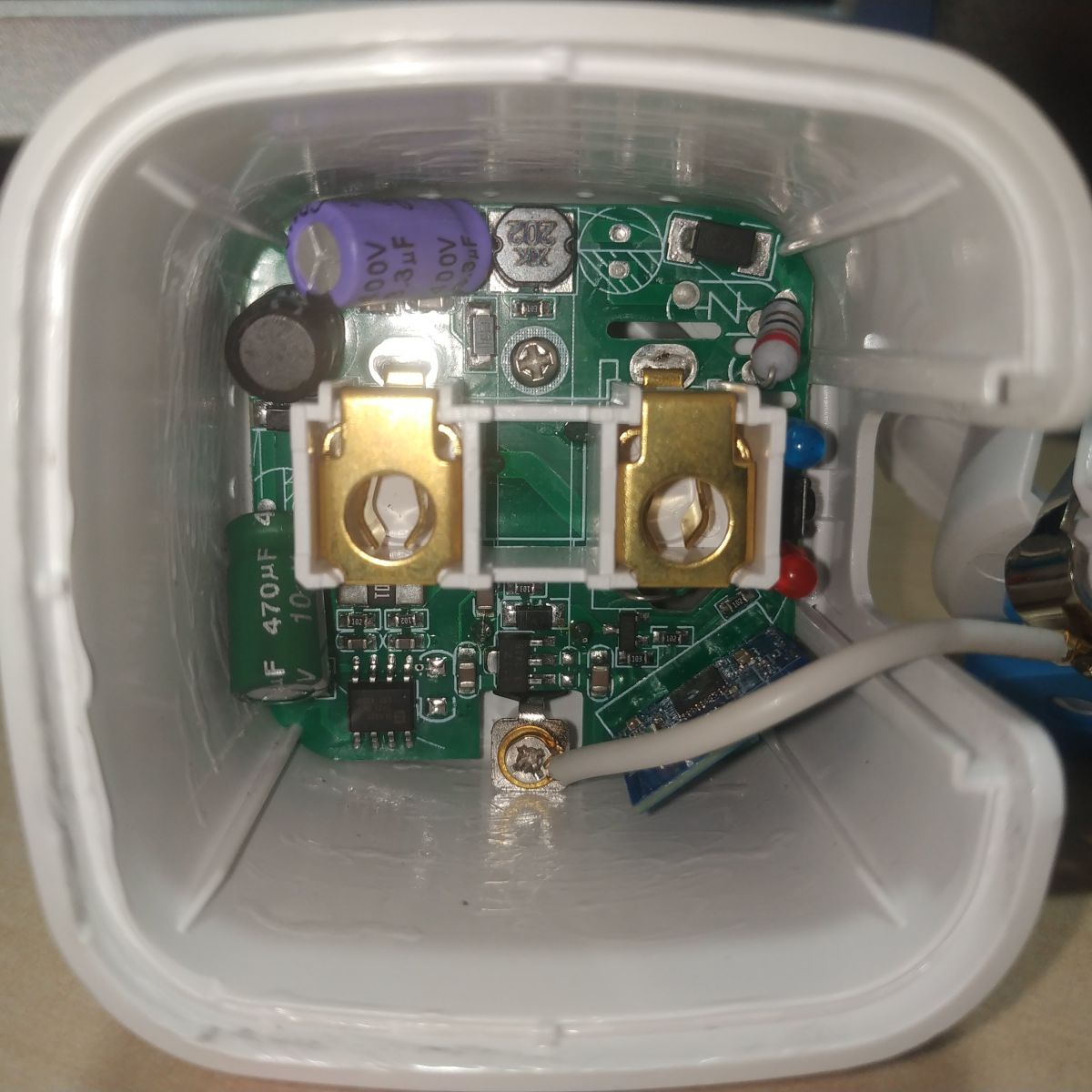
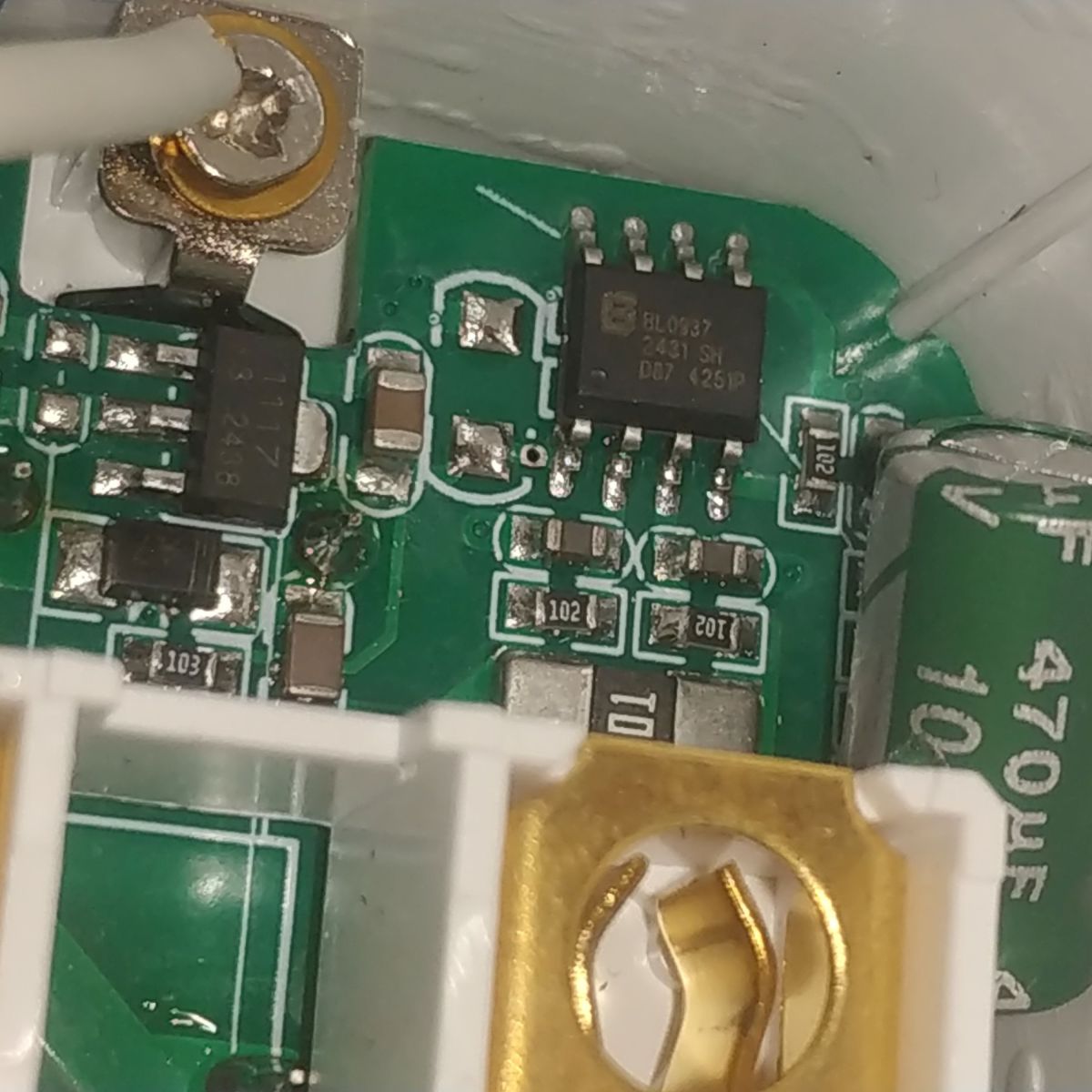
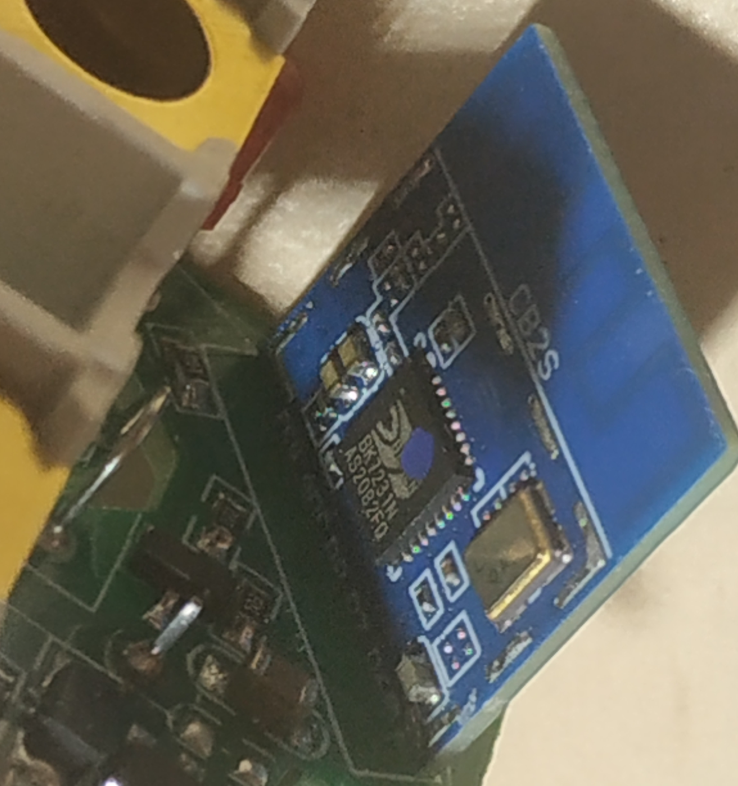
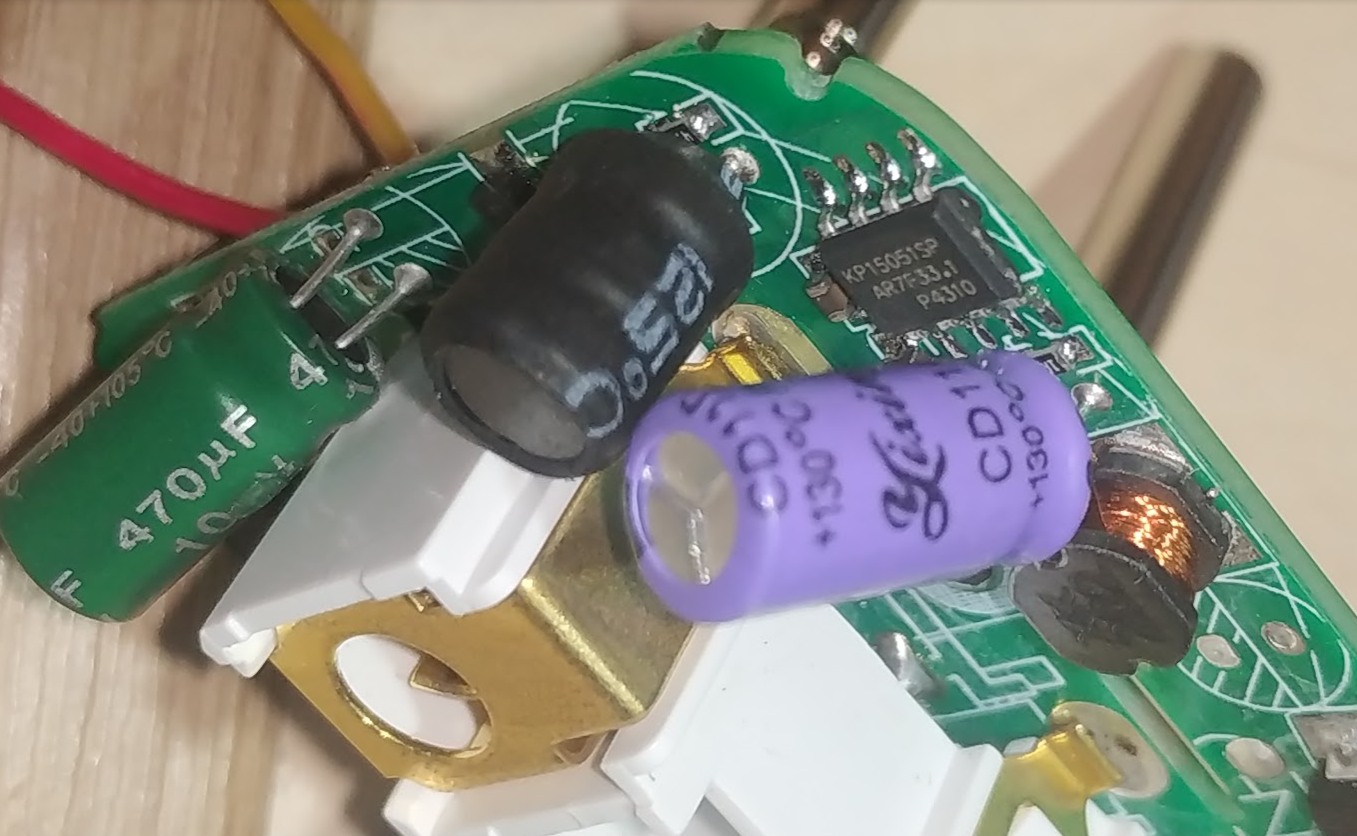
Then I checked capacitors, 5V and 3,3V power supplies – they are OK. So, main suspect is MCU.
Then I soldered power (directly to 5V capacitor) and UART (at CB2S pins) wires and connected them to USB-TTL adapter (switched to 3,3V level mode via jumper). (More details on CB2S and USB-TTL connection and MCU flashing can be found in topic https://www.elektroda.com/rtvforum/topic4087228.html )
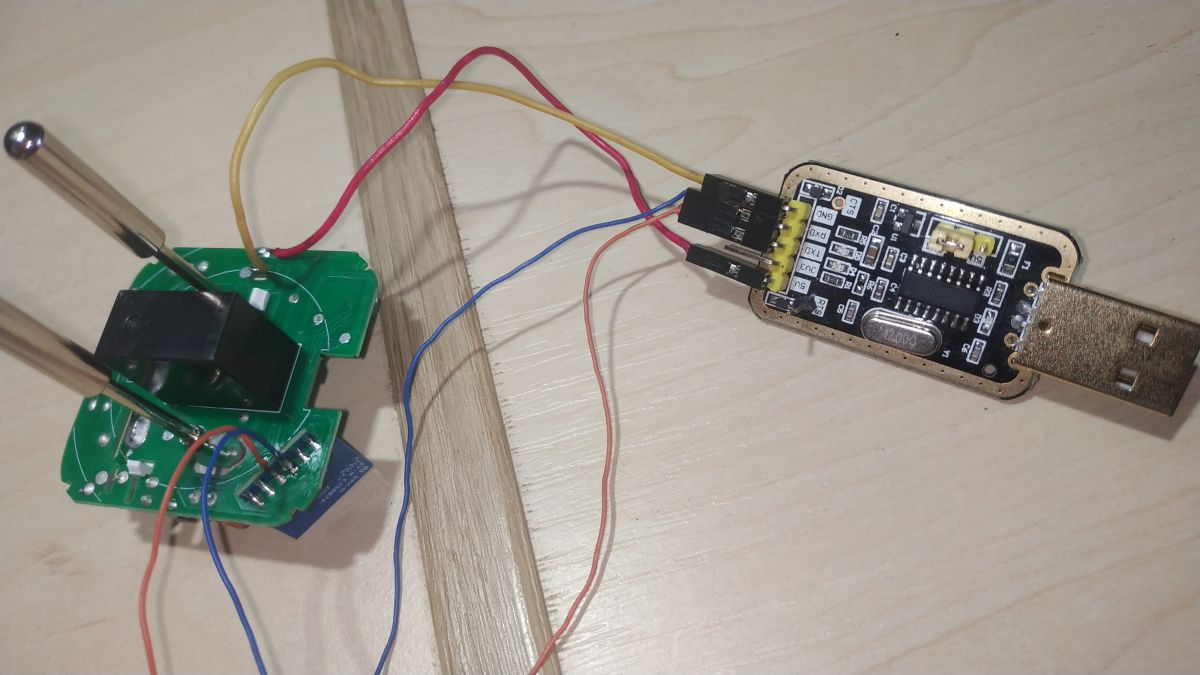
And tried to dump flash with BK7231GUIFlashTool and ltchiptool. Both tools failed with CRC errors. I have found that CRC errors happened for the first 0x100 bytes only – so, bootloader was corrupted. Then I connected to UART2 pins on CB2S module and saw in terminal that boot started but then freezed in some seconds.
So, flash was faulty, but I still had a chance to re-write faulty page in hope that it will recover.
I verified that my smart socket has the same bootloader as OpenBeken - the first 64k bytes of OpenBK7231N_QIO and the first 64k bytes of my smart socket's dump were the same excluding those faulty bytes in the beginning. So, I have cut the first 4096 bytes from OpenBK7231N_QIO_1.18.288.bin file into a separate file and write it into BK7231N at 0x0 offset using Custom Write functionality.
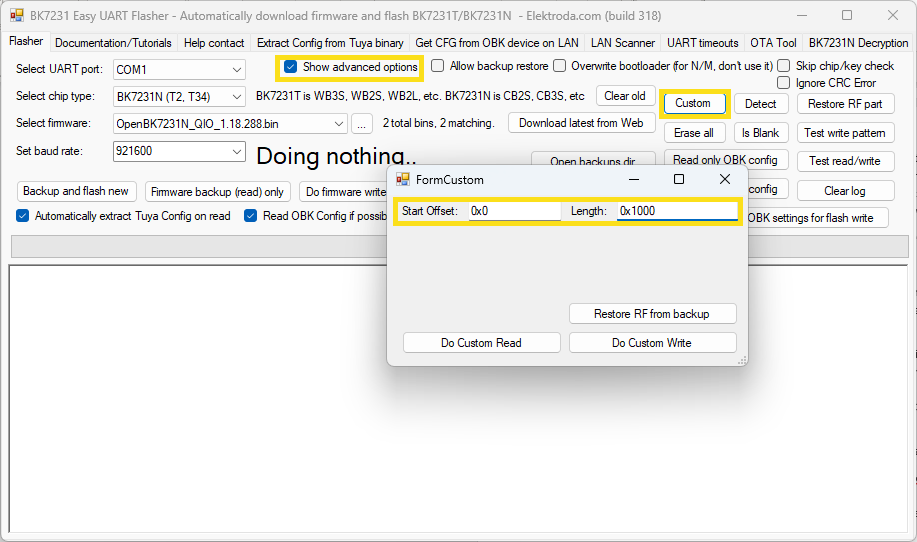
And it helped, the socket booted and worked correctly!
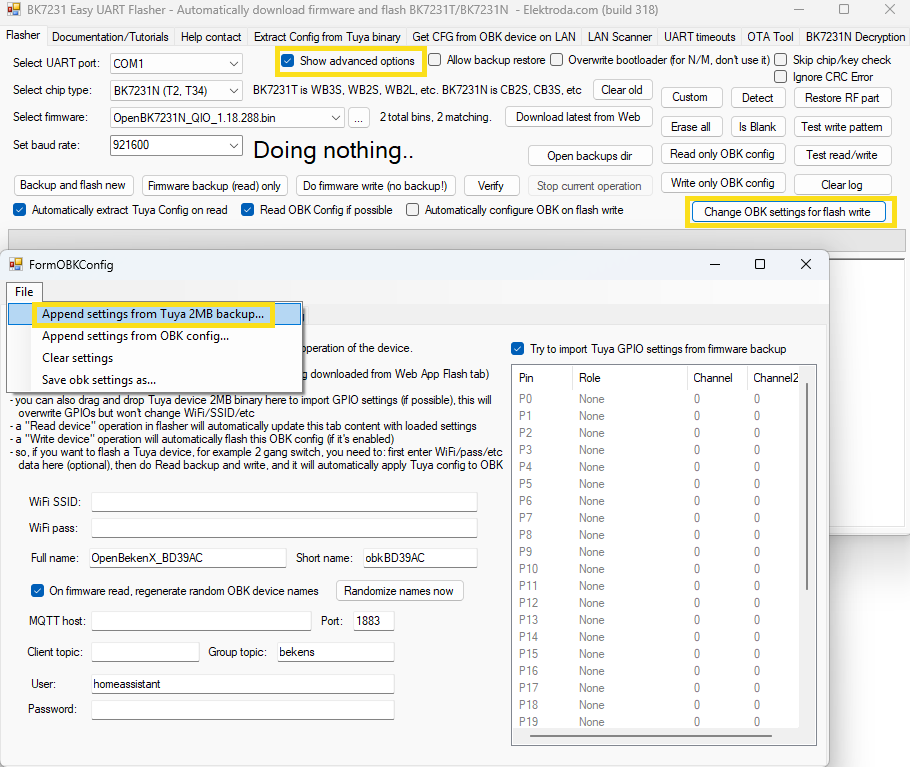
But I wanted to try OpenBeken itself. So, I have written it to my socket. Then I applied config from original dump, set WiFi SSID and password. And wrote OBK config.
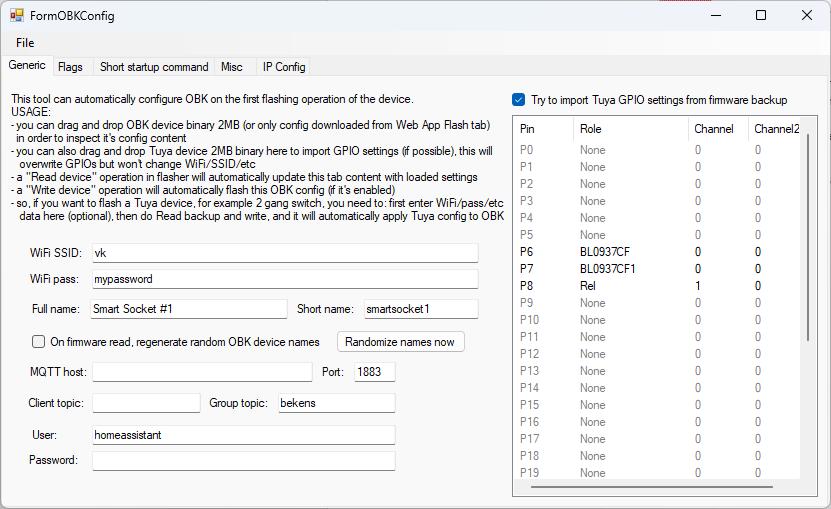
I dind't use the following information since everything has configured automatically. But let it be here:
Spoiler:
Device configuration, as extracted from Tuya:
- BL0937 SEL on P26
- Button (channel 1) on P24
- BL0937 VI (CF1) on P7
- WiFi LED on P23
- BL0937 ELE (CF) on P6
- Relay (channel 1) on P8
Device seems to be using CB2S module, which is using BK7231N.
Device internal platform - bk7231n, equals BK7231N.
And the Tuya section starts, as usual, at 2023424 (0x1EE000)
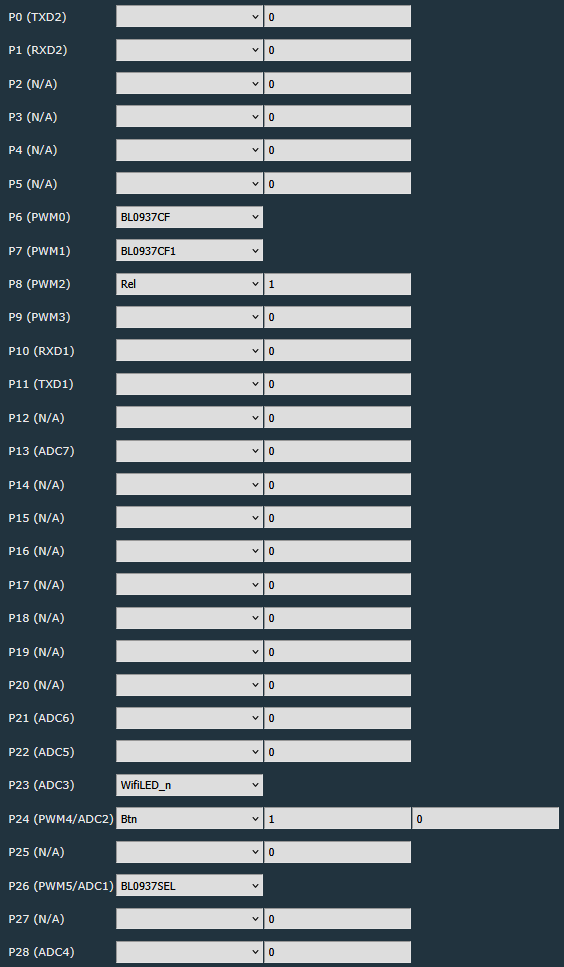
It has converted to the following configuration after socket reboot:
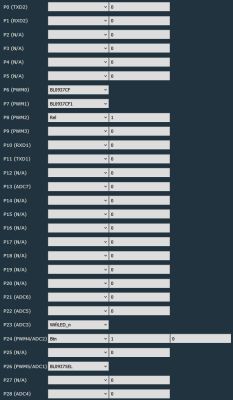
- BL0937 SEL on P26
- Button (channel 1) on P24
- BL0937 VI (CF1) on P7
- WiFi LED on P23
- BL0937 ELE (CF) on P6
- Relay (channel 1) on P8
Device seems to be using CB2S module, which is using BK7231N.
Device internal platform - bk7231n, equals BK7231N.
And the Tuya section starts, as usual, at 2023424 (0x1EE000)
It has converted to the following configuration after socket reboot:
Rebooted the socket, and opened its web-page in web-browser to check that power metering works fine – Power, Voltage and Amperage values shown in web-app were correct (compared with another power metering device) – so, no calibration was required.
Then created the following autoexec.bat to implement required functionality (if power consumption is less than 7 Watts during the recent 15 minutes then turn power off):
Code: Lua
Everything works as I want!
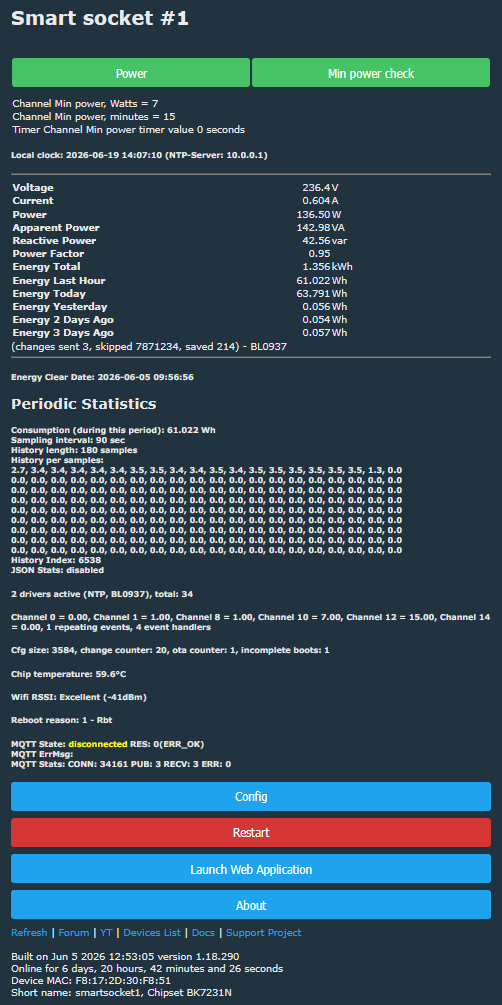
JSON template from Web Application main tab :
Code: JSON
Cool? Ranking DIY
