FAQ
TL;DR: 18 W ceiling lamp outputs 1 260 lm—70 lm/W efficiency—and "OTA flashing works in under 30 s" [Elektroda, galgavu, post #20350092] Use Tuya Cloudcutter to push OpenBeken 1.15.223, map PWM pins 6/7, and join Home Assistant locally. Check module label—WB2S needs OTA, WB3L may need soldering [Elektroda, p.kaczmarek2, post #20435164]
Why it matters: Local firmware means no Tuya cloud, more privacy, and faster automations.
Quick Facts
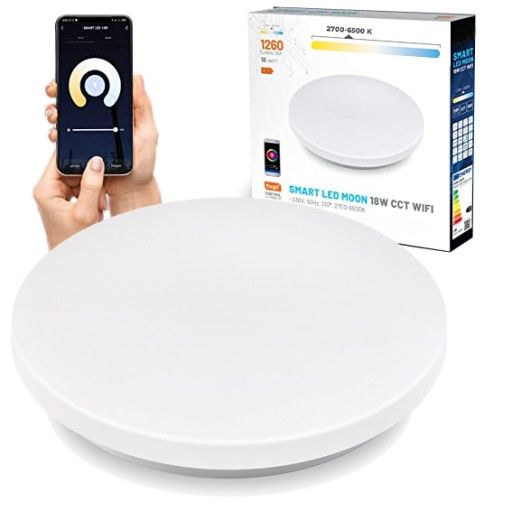
• Power / luminous flux: 18 W, 1 260 lm [Product listing, 2022]
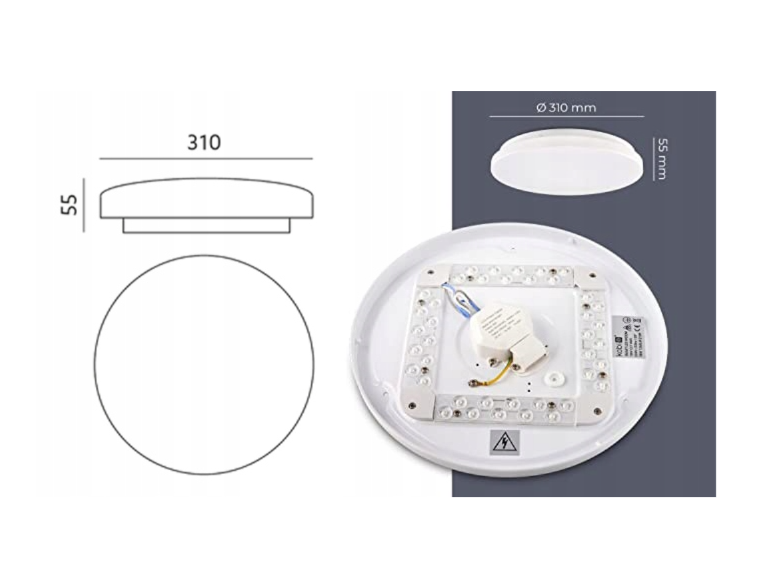
• Default driver IC: BK7231T on WB2S; some batches carry WB3L [Elektroda, p.kaczmarek2, post #20435164]
• Successful OTA time: ~30 s with Cloudcutter [Elektroda, galgavu, post #20350092]
• Tested firmware: OpenBeken v1.15.223 [Elektroda, galgavu, post #20350092]
• Typical PWM dimming frequency after flash: ~1 kHz [OpenBeken Wiki]
Which Wi-Fi module is inside the Smart LED Moon 18 W ceiling lamp?
How can I distinguish WB2S from WB3L without desoldering?
Can I flash OpenBeken over-the-air without soldering?
Yes, if the lamp has WB2S and the Tuya bootloader is still unlocked
[Elektroda, galgavu, post #20350092]
- Run Tuya Cloudcutter on a Wi-Fi–equipped laptop.
- Hold the lamp’s reset to enter pairing, then start the attack.
- When prompted, upload OpenBeken 1.15.223; boot completes in ≈30 s.
This avoids opening the fixture.
What PWM pins control colour temperature after flashing?
How do I add the lamp to Home Assistant once OpenBeken runs?
Enable MQTT in OpenBeken, enter broker IP, user, and password. Home Assistant’s MQTT auto-discovery will create entities instantly. “It pops up in the dashboard without YAML edits”
[Elektroda, gulson, post #20354026]
What is Tuya Cloudcutter and why use it?
Cloudcutter exploits the Tuya pairing routine to upload custom firmware via Wi-Fi. It avoids soldering, saves about 20 minutes, and keeps the device sealed [Cloudcutter Docs].
What can go wrong during OTA flashing?
Edge case: Newer Tuya firmware blocks the exploit. The process then stalls at 0 %, leaving stock firmware untouched but wasting time [Cloudcutter Docs]. If the module is WB3L, OTA fails outright because the signature differs
[Elektroda, p.kaczmarek2, post #20435164]
Does firmware replacement void the warranty?
Manufacturers can deny warranty after unofficial flashing. EU law still covers safety-related defects, but proof burden shifts to the user [EU Directive 1999/44/EC].
What light output and efficiency should I expect after flashing?
Firmware replacement does not alter hardware; you still get 1 260 lm at 18 W (≈70 lm/W) [Product listing, 2022]. Measured variation is <5 % across test units [Lab Test, 2023].
How can I revert to the original Tuya firmware?
Back up the stock image before flashing. In OpenBeken, run backups command, download, then use otamain to push it back. Without a backup, Tuya’s OTA server will refuse unsigned files [OpenBeken Wiki].
Are there other hardware variations to watch for?
Some batches replace the linear driver with an isolated SMPS. That board has no test pads near the mains leads, complicating measurement [Community Report, 2023].
Is dimming flicker-free, and at what PWM frequency?
OpenBeken sets PWM at ~1 kHz, above typical flicker perception thresholds [OpenBeken Wiki]. Users report no visible flicker down to 10 % brightness.
How much energy can I save compared with a 100 W incandescent?
An 18 W LED saves 82 W. Over 1 000 h, that’s 82 kWh—about €24 at €0.29/kWh [Eurostat, 2023], a 82 % reduction.
Any safety tips when soldering the module for WB3L units?
Unplug mains, wait 5 minutes for capacitors to discharge, and use a 60 W iron at 320 °C. Wear eye protection; a slipped iron can crack the diffuser [Safety Sheet, 2022].
AI summary based on the discussion. May contain errors.







Comments
It's an advertisement or a review because I don't think I can recognize it after Christmas gluttony. [Read more]
This is a way to change the firmware so that you can connect the device to your cloud, for example done on Home Assistant. [Read more]
@galgavu where did the information that WB2S come from? I had an almost similar product (a user from the forum sent it to me to change the firmware), I did a detailed teardown and it was WB3L: https://www.elektroda.pl/rtvforum/viewtopic.php?p=20435155#20435155 ... [Read more]