WLED was compiled and configured for DMX512 on a LilyGo T-CAN485 ESP32 to drive an RGBW LED strip over the board’s built-in RS485 interface.
The setup enabled WLED_ENABLE_DMX in platformio.ini, removed the audioreactive usermod, and patched SparkFunDMX.cpp to use LilyGO pin definitions and enable the RS485 transceiver.
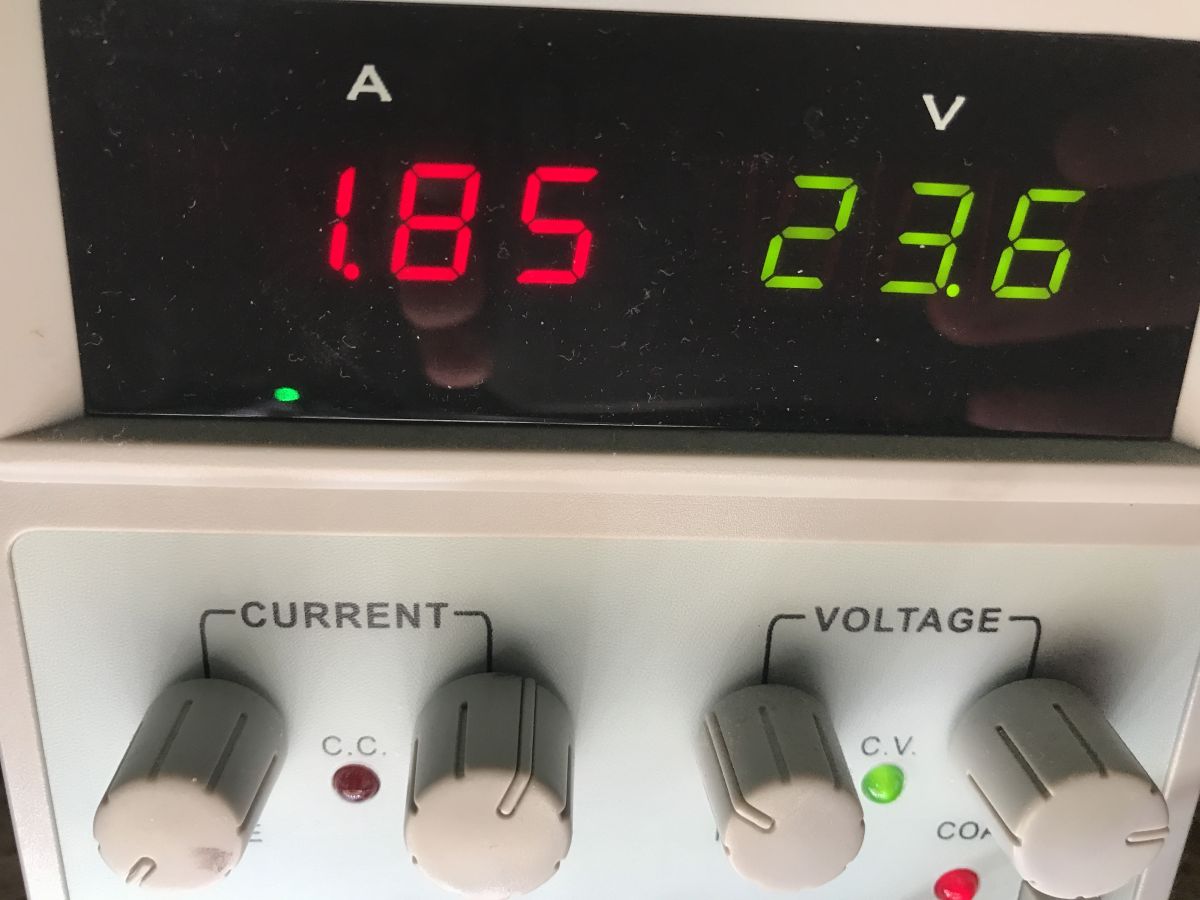
With DMX set to 4 channels per fixture, 4-channel spacing, and start channel 1, the strip reached 43.66 watts at full brightness.
After uploading, WLED joined Wi‑Fi, accepted the DMX mapping, and successfully controlled the strip with both single-color output and per-pixel section control.
Limits remained: WLED lacks a UART pin selector for DMX, compilation conflicts with audio features, and the strip still draws 12 watts with all LEDs off.
AI summary based on the discussion. May contain errors.
.
Here I show how to run an RGBW LED strip with DMX512 based on firmware WLED on a board with built-in RS485 support.
DMX512 is a communication protocol used primarily in stage lighting that allows multiple devices, including coloured LED strips, to be controlled over a single RS485 bus.
WLED is open source firmware for ESP8266 and ESP32 microcontrollers that enables control of addressable LED strips (WS2812, SK6812, APA102, etc.) and integration with popular automation systems and protocols such as MQTT, HTTP or Art-Net/DMX. With WLED, various lighting effects can be easily created and operated from the microcontroller.
Plan of action .
Here are the next goals for today:
1. running a normal WLED compilation in PlatformIO
2. changing the WLED project settings to run the DMX controller already present in this environment
3. customising the existing DMX driver so that it runs on the LilyGO T-CAN485
4. uploading the custom WLED compilation to LilyGO and final configuration and testing with the strip
Basic WLED compilation .
We start the adventure by learning the basics of WLED compilation. It's basically all described on their official website:
https://kno.wled.ge/advanced/compiling-wled/ There are also recommendations for DMX on the same page, but unfortunately they are very incomplete.
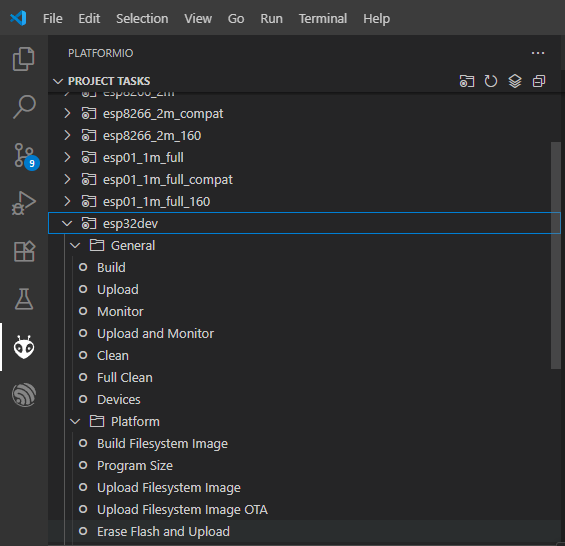
https://kno.wled.ge/interfaces/dmx-output/ We download the repository from Github, execute npm install , and then open the project in PlatformIO (an extension from Visual Code). We already have the configurations ready there - I selected esp32dev . 'Build' operations etc. should already be working:
.
Compilation and DMX support fixes .
It is time to modify the esp32dev settings. This configuration is defined in platformio.ini . There I have added DMX support to build_flags:
usermods/audioreactive/audio_reactive.cpp:10:4: error: #error This audio reactive usermod is not compatible with DMX Out. #error This audio reactive usermod is not compatible with DMX Out. ^~~~~
.
At this stage the compilation should work, but that's not all.... you still need to change the pin and run the RS485 on LilyGO ..
WLED has two separate DMX drivers. The first is in ESPDMX.cpp and is used on the ESP8266 and ESP32 C3 and S2:
Code: C / C++
Log in, to see the code
.
The second is found in SparkFunDMX.cpp and is the one we are interested in today:
Code: C / C++
Log in, to see the code
.
There you will find a hard-written (!) index of the pin from which data is sent via the UART (and then the corresponding circuitry converts this into RS485):
Code: C / C++
Log in, to see the code
.
I have modified this block to use the pin definitions from the LilyGO developers:
Code: C / C++
Log in, to see the code
.
Changing the pin is not enough - the transceiver still needs to be enabled on the LilyGO T-CAN485. In the end, I reworked the initWrite method in this way:
Code: C / C++
Log in, to see the code
.
Configuration of WLED after uploading to ESP .
After uploading I had to pair the ESP with my WiFi. WLED creates its AP - the password is wled1234. The configuration page has an IP of 4.3.2.1. There you can enter our SSID and password for the device to join our network.
.
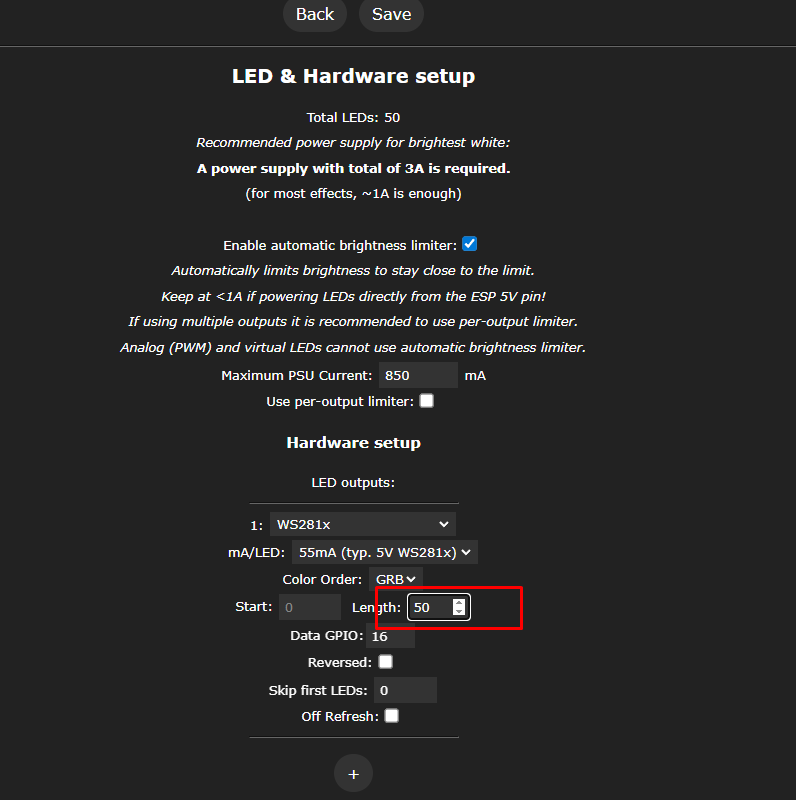
Then in Config->LED Preferences you need to set the number of pixels. I know, it's quite strange because here are the settings for WS2812 and similar, but that's how it works at the moment.
.
What's more, the bar doesn't work stably for me when I set 50 LEDs here - I've set 40 for now.
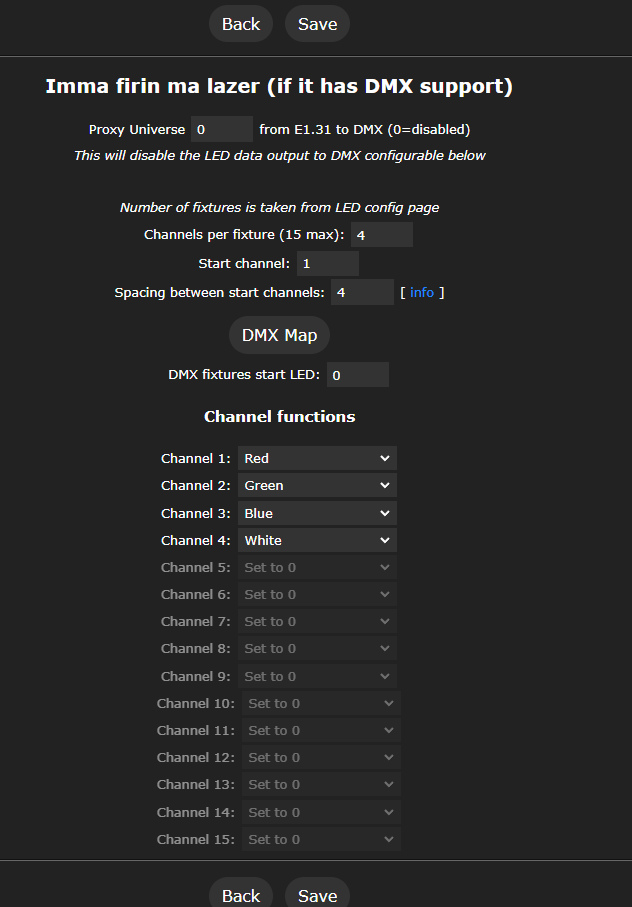
Next we configure the DMX in Config->DMX Output. Next:
- channels per fixtures - channels per pixel, here 4, RGBW
- spacing between start channels - spacing between pixels, also 4
- start channel - initial channel - 1
- additionally we set the roles of the channels - successively RGBW
As in the screenshot:
.
By the way, funny headline - "Imma firin ma lazer". Someone has a sense of humour.
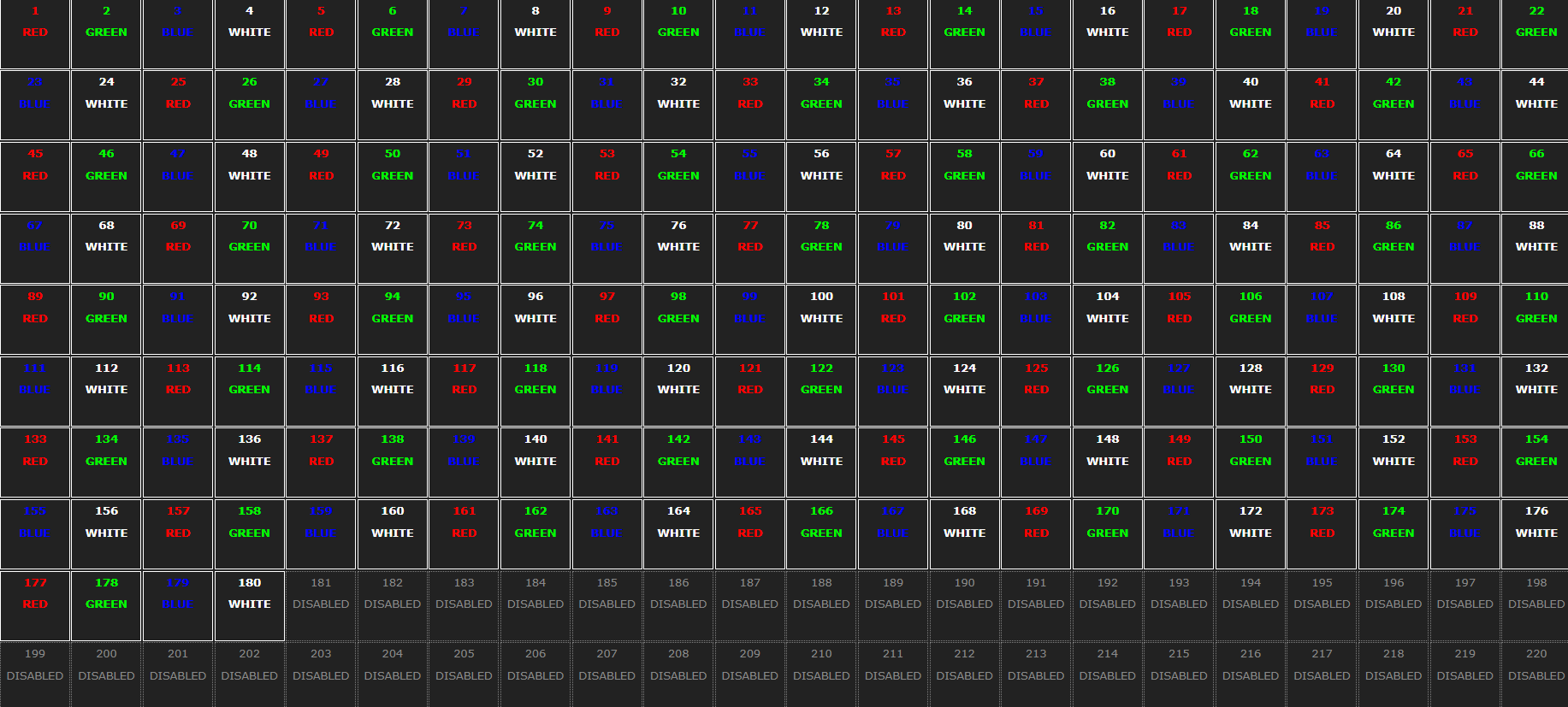
We save and you can check the mapping by pressing the DMX Map button:
.
From now on the WLED should be able to control the strip with DMX .
Connecting the strip to LilyGO .
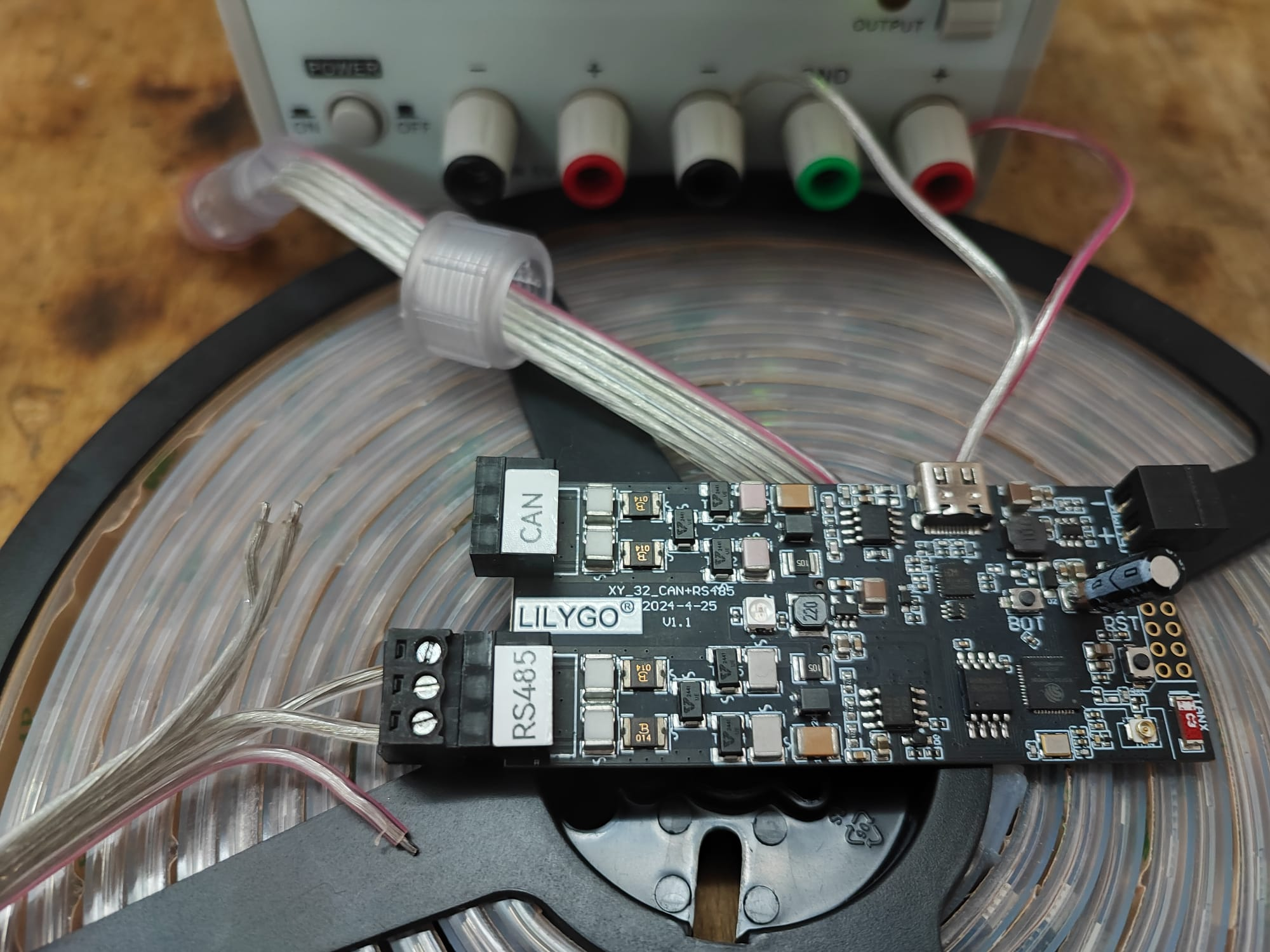
Let me remind you of the connection - basically as in the previous topic . Required:
- a separate power supply, here 24 V DC, according to the strip documentation
- RS485 from LilyGO (no common ground needed)
.
Results .
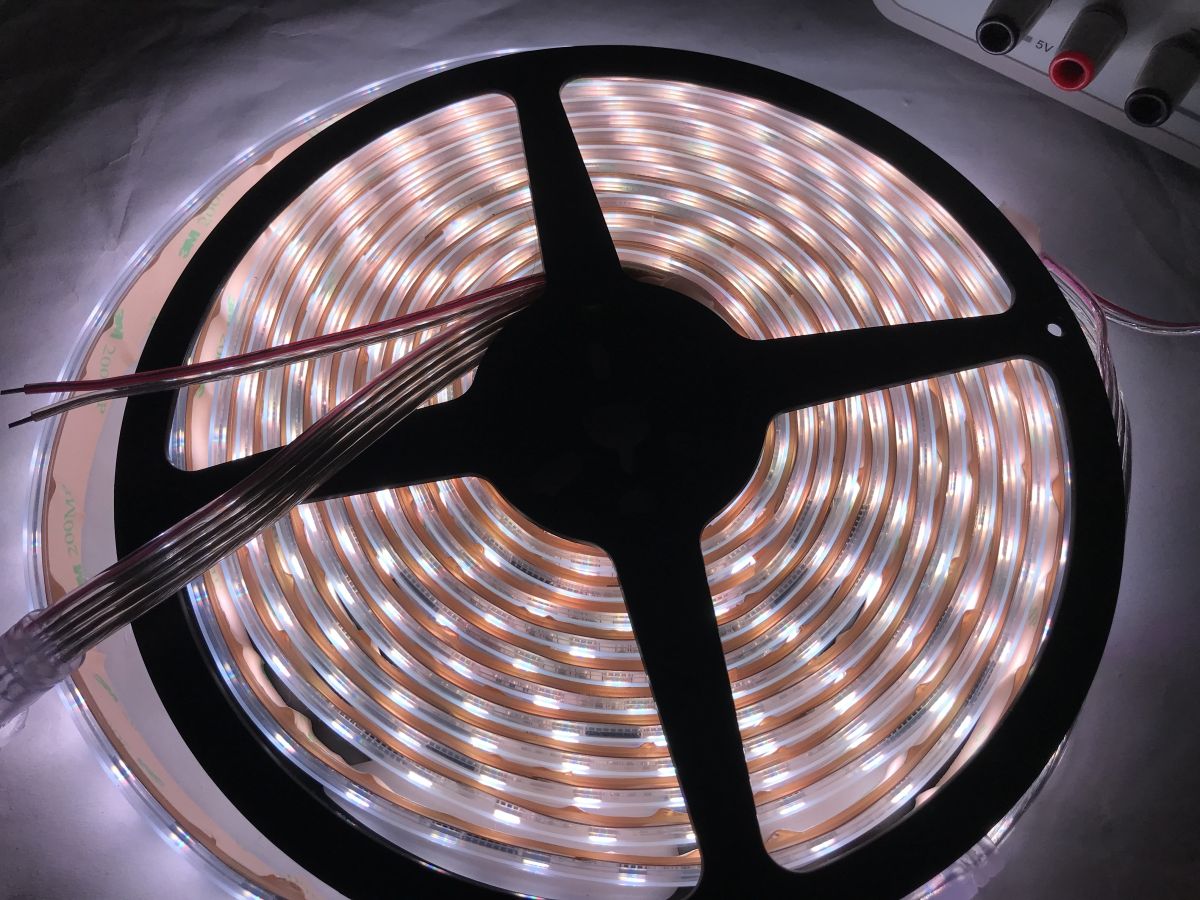
I have shown the results in the videos. The WLED can both animate the bar with a single colour (kind of like a single pixel), and of course it is also able to control individual pixels (here: sections) of the bar:
.
Measurements .
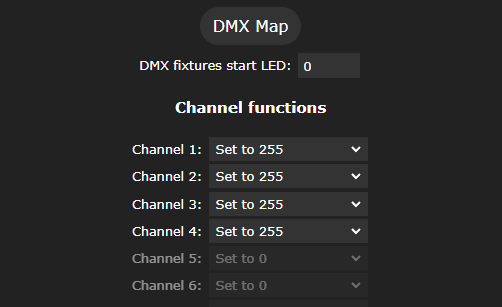
Finally, I still checked the power consumption of the whole strip as a test. I forced all channels to 255 (full brightness) in the DMX settings:
.
The result:
.
.
It appears that the full brightness of this strip is 43.66 watts.
Further steps needed .
It is worth recalling here the problem detected in the previous topic in the series . This strip draws 12 watts with all the LEDs off. This has not yet been solved by me - you will probably need a transistor and the ability to cut the 24V line when all the pixels are off. I don't know at this point if the WLED already has such a ready-made mechanism, or if I will have to implement it from 0. I will see in the next part.
Summary .
This is how I managed to get the DMX protocol working with the open source WLED software. The first surprise was how underdeveloped the support for this protocol is in this project. There is not even a mechanism there to select the UART pin. What's more, WLED uses two different libraries to send DMX (separately for ESP8266 and separately for ESP32), which also surprised me a bit, wouldn't it be easier to implement this together?
There was also a bit of a problem with the compilation, as the different compilation options are not compatible with each other and for this reason I had to disable the audio effects, which fortunately I don't need for anything.
The rest went smoothly, the only thing left to do was to add those bar power off when the LEDs are off.
That's it for now - do you use WLEDs in your projects? I also invite you to share your effects. In my case they are not ready yet...
About Author
p.kaczmarek2 wrote 14771 posts with
rating 12914 , helped 659 times.
Been with us since 2014 year.
TL;DR: Compile WLED with -D WLED_ENABLE_DMX, remap TX to RS485_TX_PIN, enable RS485, and configure 4-channel RGBW; measured full-white draw was 43.66 W. "From now on the WLED should be able to control the strip with DMX." [Elektroda, p.kaczmarek2, post #21690536]
Why it matters: This FAQ helps ESP32 T‑CAN485 owners quickly get reliable DMX512 control of RGBW strips using WLED.
How do I compile WLED with DMX enabled for LilyGO T‑CAN485?
Use the esp32dev env in platformio.ini. Add -D WLED_ENABLE_DMX to build_flags. Remove custom_usermods = audioreactive to resolve the DMX Out conflict. Then build and flash via PlatformIO. [Elektroda, p.kaczmarek2, post #21690536]
What pins and enables are required for RS485 DMX on T‑CAN485?
Set txPin to RS485_TX_PIN (GPIO 22). Drive RS485_EN_PIN HIGH, RS485_SE_PIN HIGH, and PIN_5V_EN HIGH during init. Leave rxPin and enablePin at -1 unless needed. [Elektroda, p.kaczmarek2, post #21690536]
How do I configure DMX Output in WLED for an RGBW strip?
Open Config → DMX Output. Set Channels per fixture to 4 and Spacing to 4. Set Start channel to 1. Map channel roles as R, G, B, W. Verify with the DMX Map button. [Elektroda, p.kaczmarek2, post #21690536]
What are the Wi‑Fi onboarding steps after flashing?
Connect to the WLED AP. The default password is wled1234. Visit 4.3.2.1 to enter your SSID and password so the ESP32 joins your network. [Elektroda, p.kaczmarek2, post #21690536]
How many LEDs should I set in WLED for stable DMX output?
Set a conservative value. The author reports stability at 40 LEDs and instability at 50. Start at 40, then increase while testing. [Elektroda, p.kaczmarek2, post #21690536]
What power supply and wiring does the showcased strip use?
Use a dedicated 24 V DC supply per the strip specs. Connect RS485 A/B from the LilyGO to the strip's RS485 interface. A common ground is not required in this setup. [Elektroda, p.kaczmarek2, post #21690536]
Why does my build fail when DMX is enabled with audioreactive?
The audioreactive usermod conflicts with DMX Out. The compiler throws an error. Remove custom_usermods = audioreactive from the env to build successfully. [Elektroda, p.kaczmarek2, post #21690536]
How much power does the strip draw at full brightness?
With all DMX channels set to 255, measured consumption was 43.66 W. This was verified using inline power measurements during testing. [Elektroda, p.kaczmarek2, post #21690536]
Why does the strip consume power when all pixels are off?
The tested strip draws about 12 W when off. The author plans a transistor-based 24 V cutoff because WLED lacks an integrated power cut feature here. [Elektroda, p.kaczmarek2, post #21690536]
Can WLED control individual pixels over DMX in this build?
Yes. The demo shows single-color bar control and individual pixel (section) control via DMX. Effects run from the ESP32 over RS485. [Elektroda, p.kaczmarek2, post #21690536]
What is DMX512, and why use it with LED strips?
DMX512 is a stage-lighting protocol over RS485. It lets one controller address many fixtures or pixels on one bus. WLED adds an easy UI and effects. [Elektroda, p.kaczmarek2, post #21690536]
Do I need to change UART pins in WLED for this board?
Yes. The default TX pin in SparkFunDMX.cpp is 2. Remap it to RS485_TX_PIN (GPIO 22) and enable the RS485 transceiver pins. [Elektroda, p.kaczmarek2, post #21690536]
How do I quickly test channel mapping without a console?








Comments