How to find a compatible external antenna for the Huawei B535-232?
There is no special antenna made for the B535-232; it uses two SMA connectors for an external LTE antenna, and the right model depends on the bands used by the nearby BTS and your location. [#18197795][#18197954] The thread recommends first identifying the BTS and then testing the available LTE bands and aggregation with tools like LTEWatchH, HManager, or NetMonster before buying anything. [#18197795][#18197954] If you want a solution for 1800-2600 MHz, matek451 suggests a dual MIMO LTE-A antenna from Cybertech, with SMA leads no longer than about 10 m. [#18340642] If LTE800 also needs to be used, the suggestion is 2x ATK-504 from Telkob instead. [#18340642][#18345946] The B535 supports 2 CC CA combinations such as LTE2600+2100 and LTE2100+1800, so the antenna should be chosen to match the bands you actually receive. [#18598364]
AI summary based on the discussion. May contain errors.
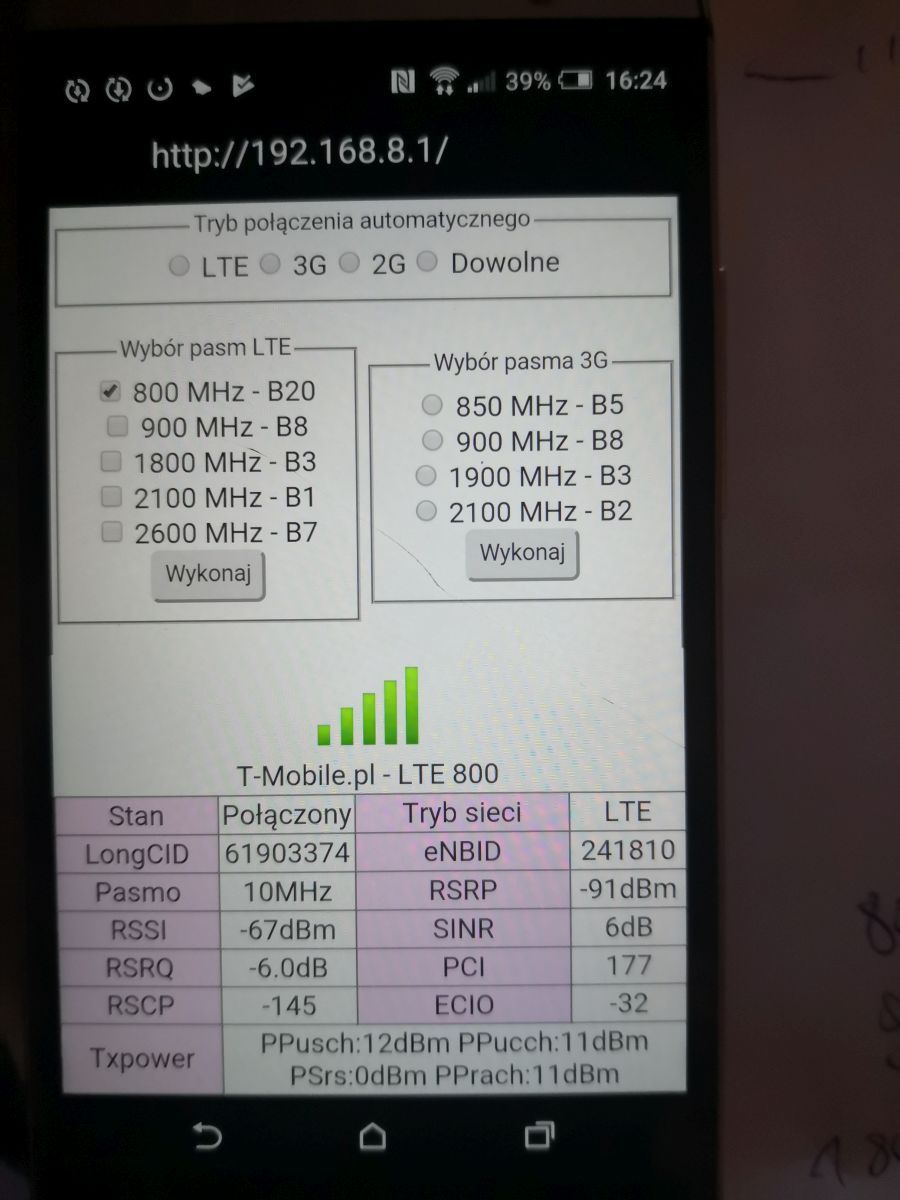
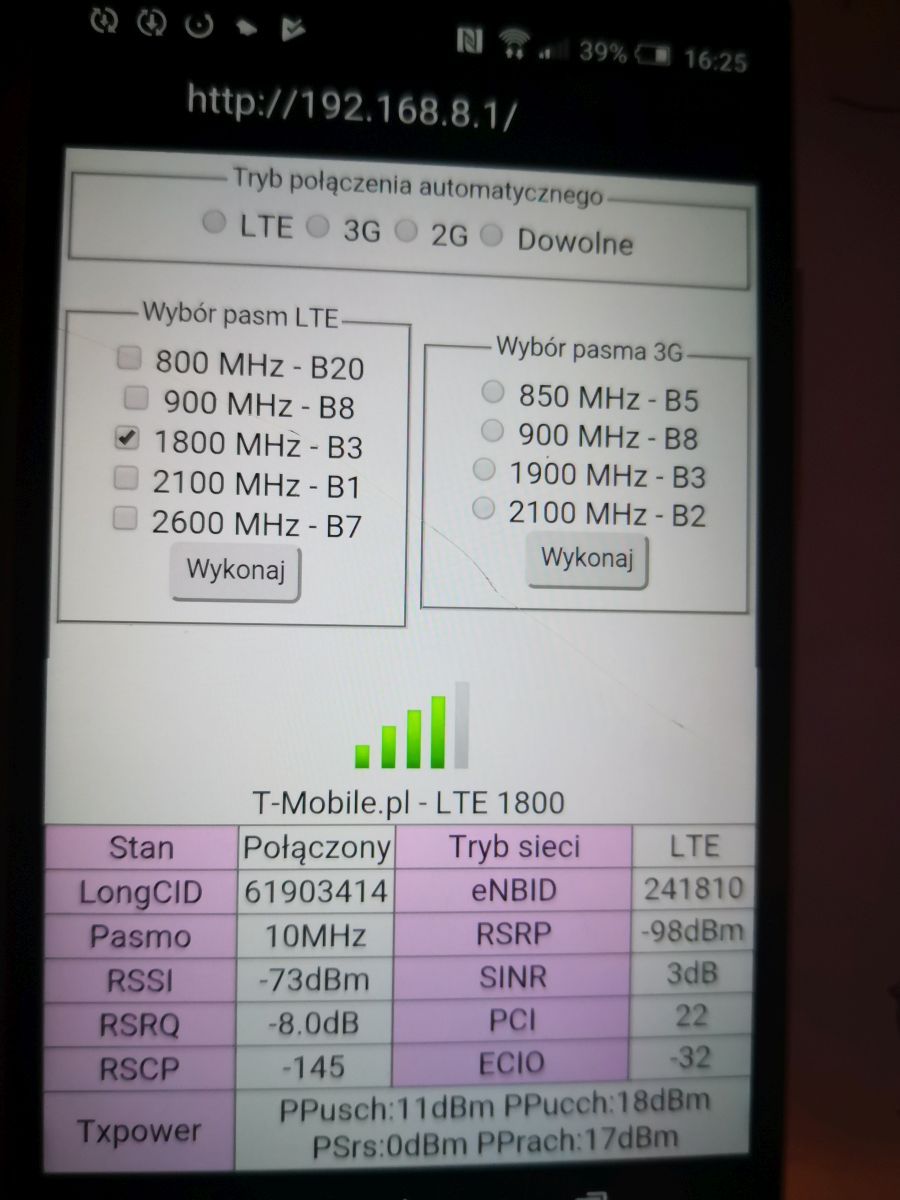
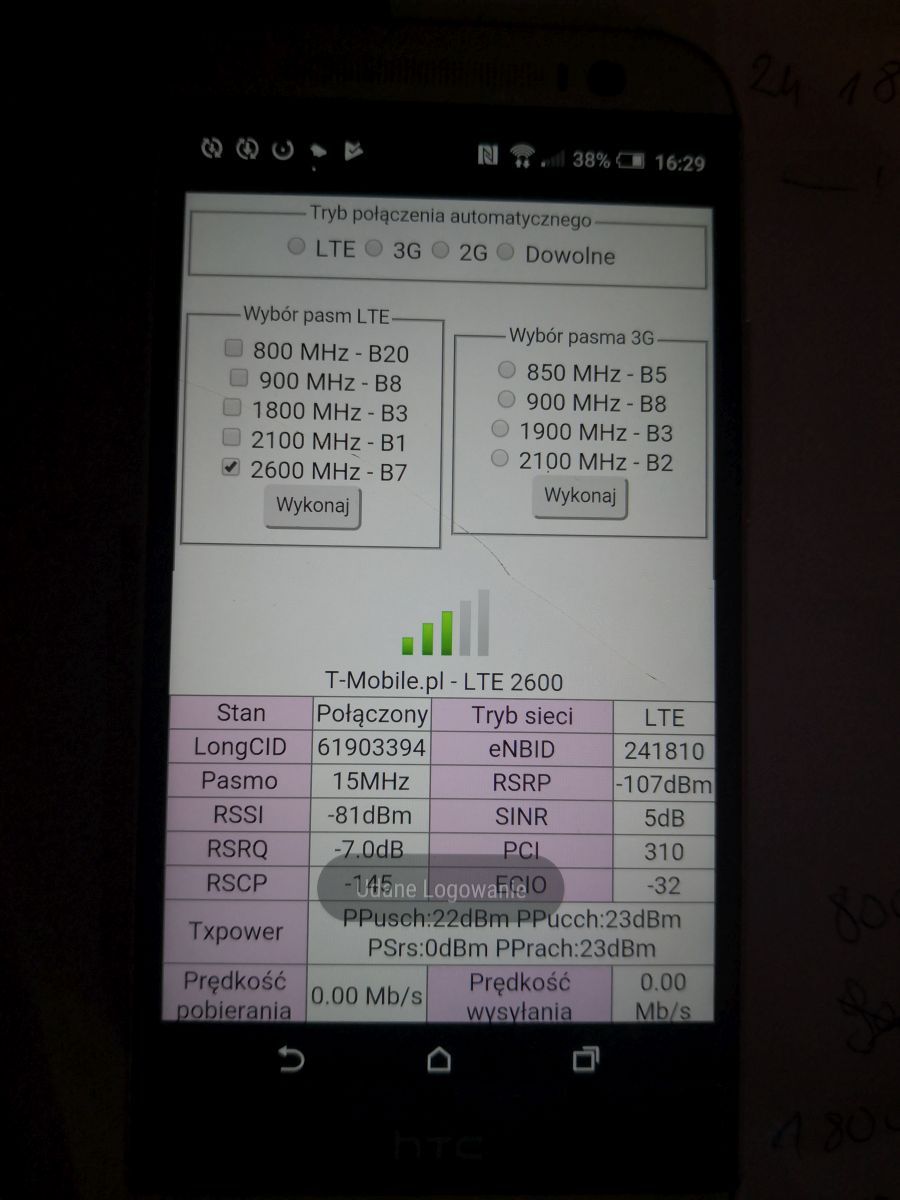
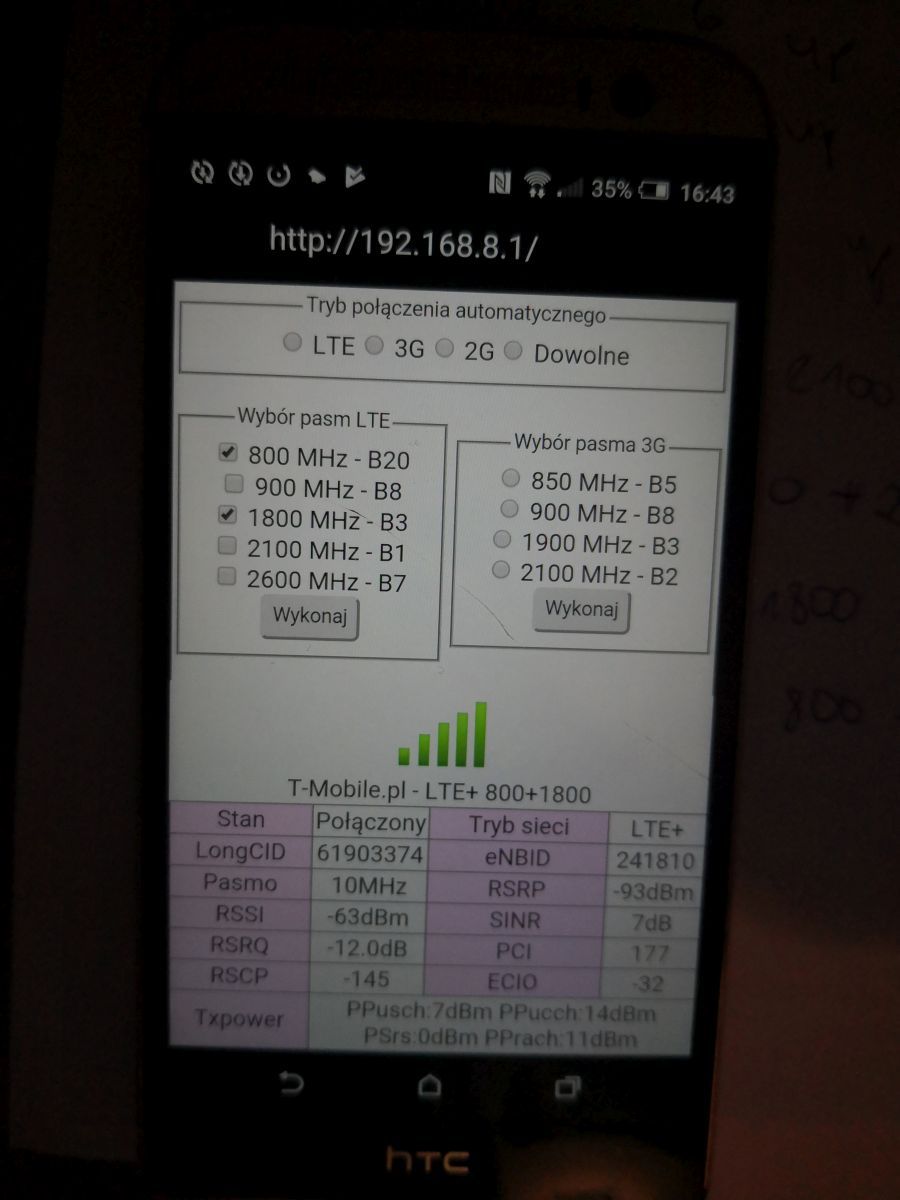
According to what I wrote on BTS Grady, LTE1800 and LTE800 Play work and their aggregation, interestingly, the LTE800 band works OK. outside very good signal at 800MHz, good at 1800MHz. LTE2100 from another BTS. outside signal from it at 2100MHz very weak. BTS Grady will not provide the scarf because it is powered by the 242Mb / s radio link from Gorzyc.
I understand, but as I wrote, I am not very familiar with these topics. So how about this antenna? Does it make sense to buy and set up on BTS Grady? If so, what?
Signal parameters at 800MHz inside good, shown earlier n this band outside has a very good signal. to sum up, you need an antenna working at 1800-2100MHz, at 800MHz it will transfer the signal consumption to the outside, but it will be enough. it will amplify the signal on LTE1800, you will use it with LTE1800 + 800 and in the future also with LTE2100 and LTE1800 + 2100 aggregation when LTE2100 band appears on BTS. B535 supports LTE1800 + 2100 aggregation. on LTE2600, you do not have to count on such a station, it is a typical rural PLay station, so ultimately it should receive LTE1800, LTE2100 and LTE800. Antenna https://www.cybertech.com.pl/p188,antena-dualna-lte-4g-15dbi-mimo-do-huawei-b535.html, or if you want to use LTE2600 too, this is https: // www .cybertech.com.pl / p173, antenna-dualna-lte-a-4g-17dbi-despite-1800-2600mhz.html, has the highest gain at 2600MHz, lower at 1800 / 2100MHz and at 800MHz it will transfer the signal consumption outside. cables up to 10m, SMA connectors on the cable.
What bandwidth and what to do for this internet to get normal speeds as for LTE with Tmobile Huawei 4G Router 3 Pro B535 - I have no idea why it connects to a further BTS
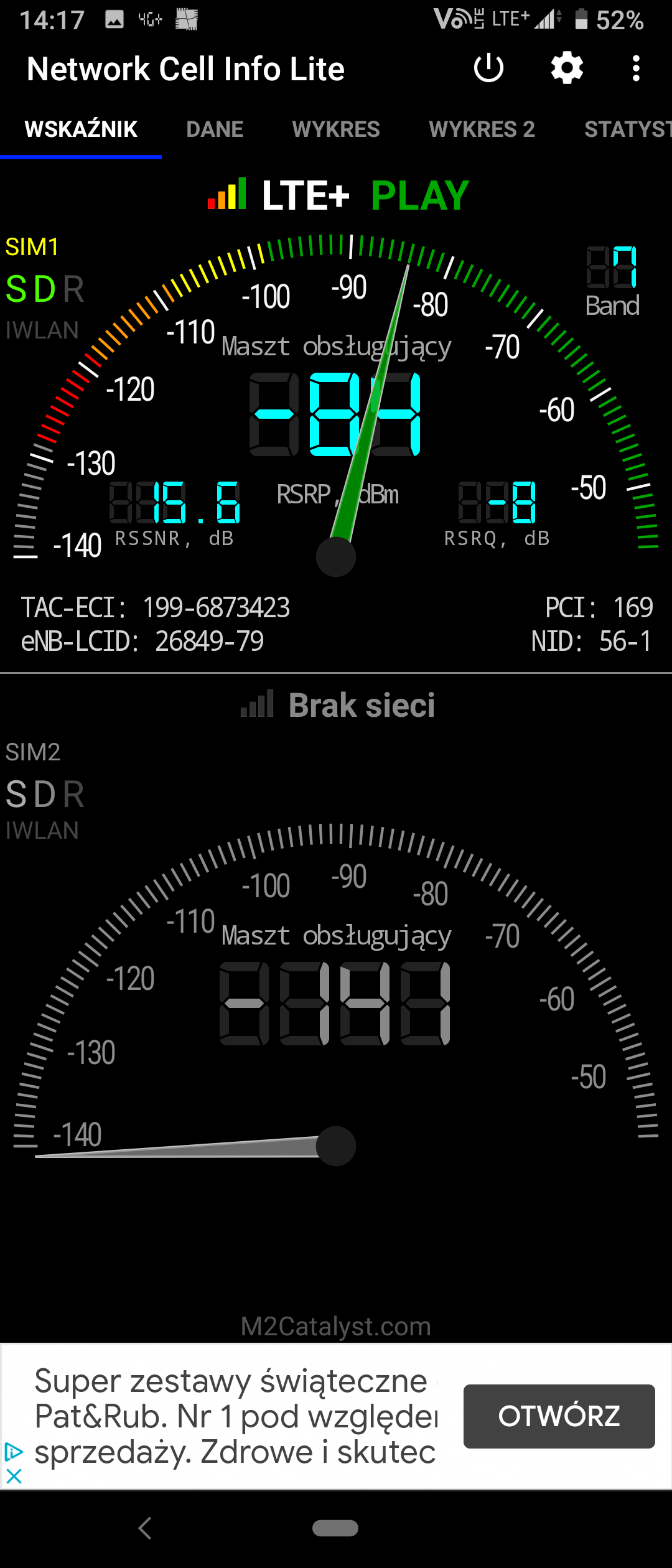
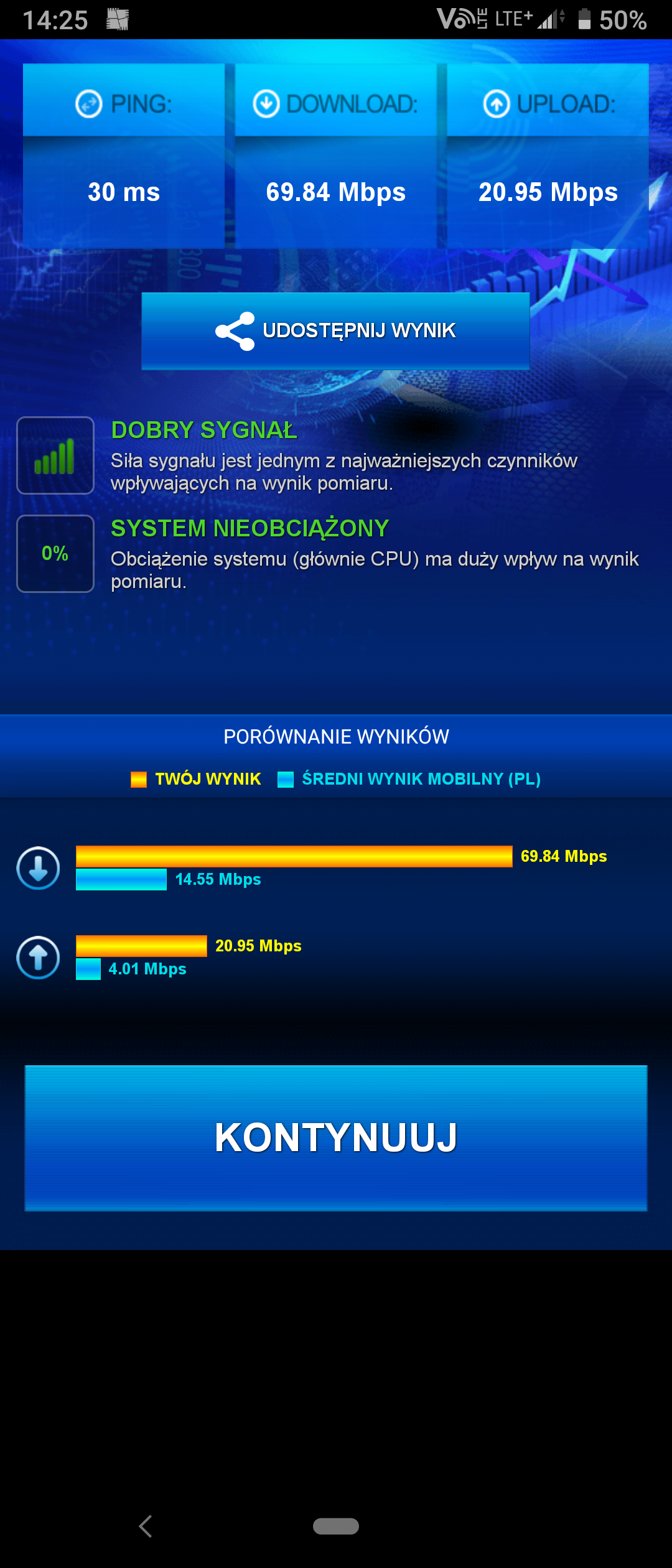
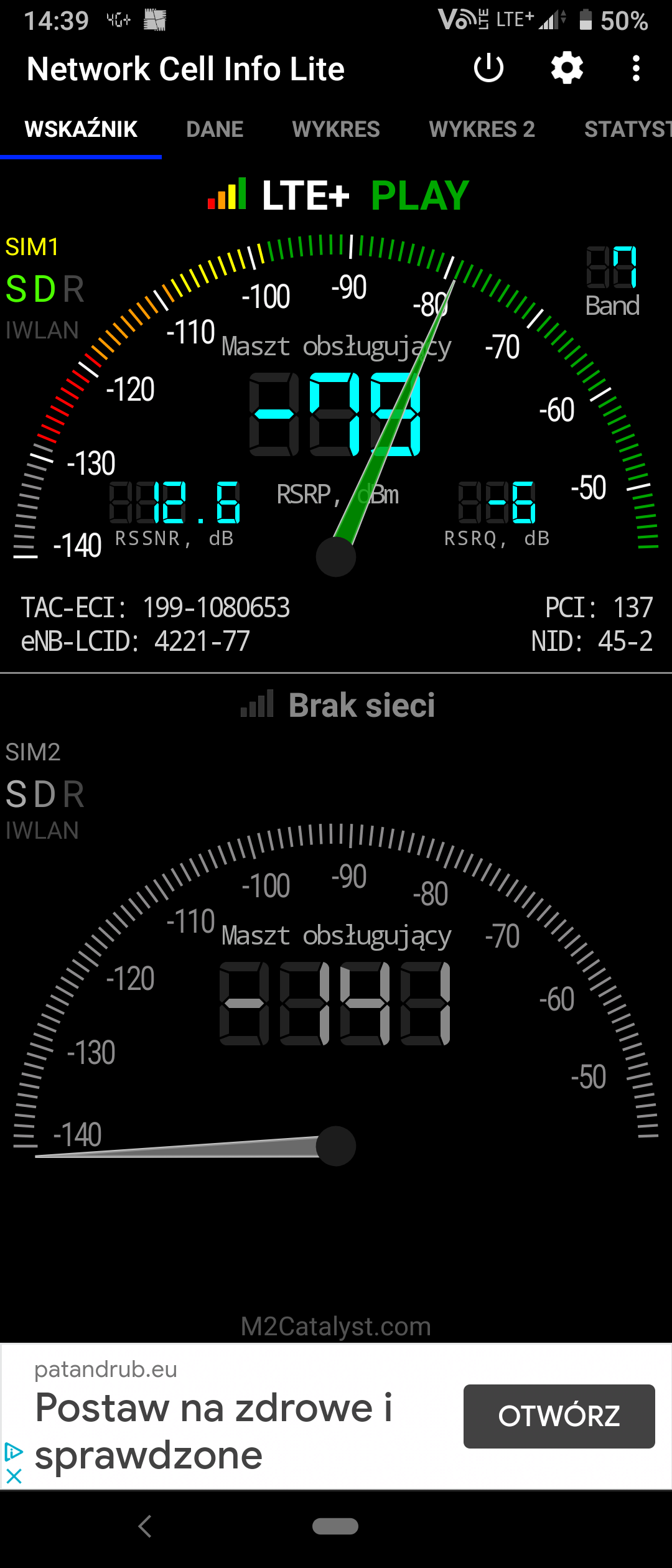
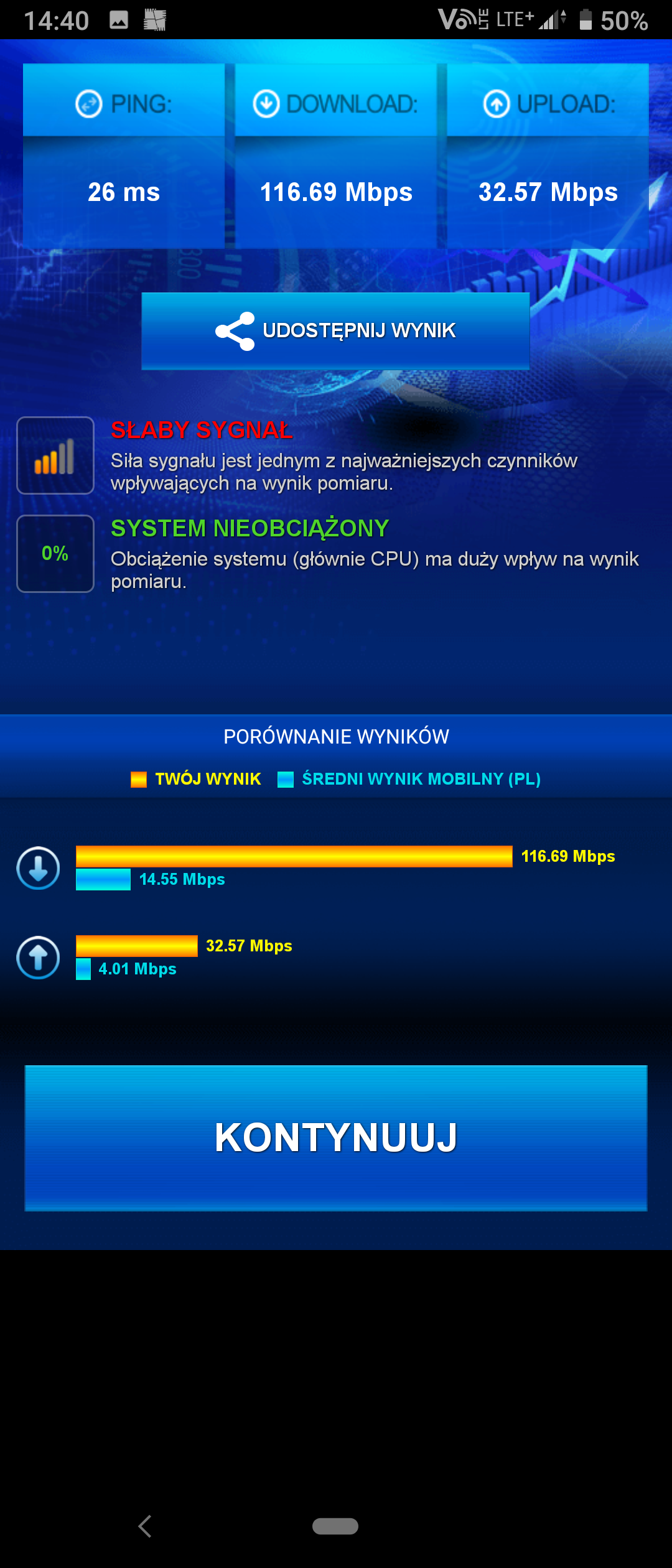
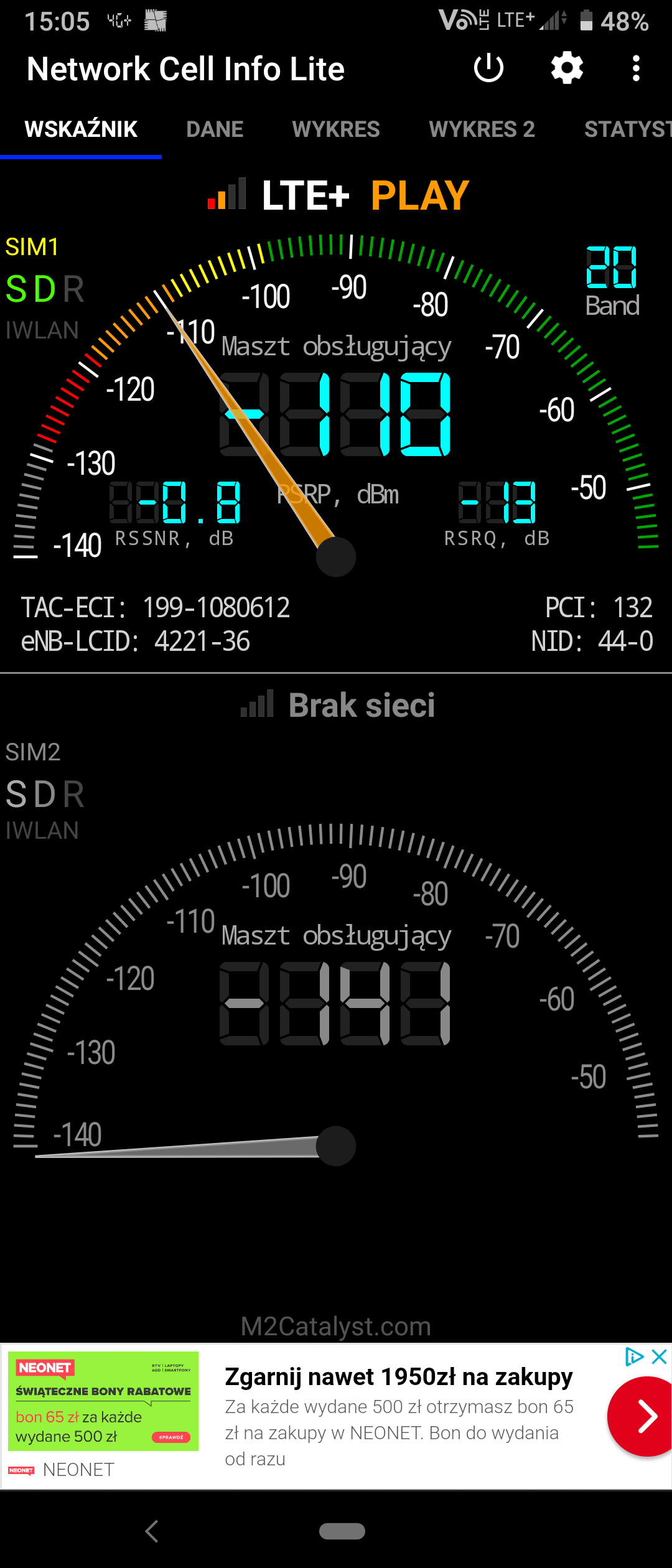
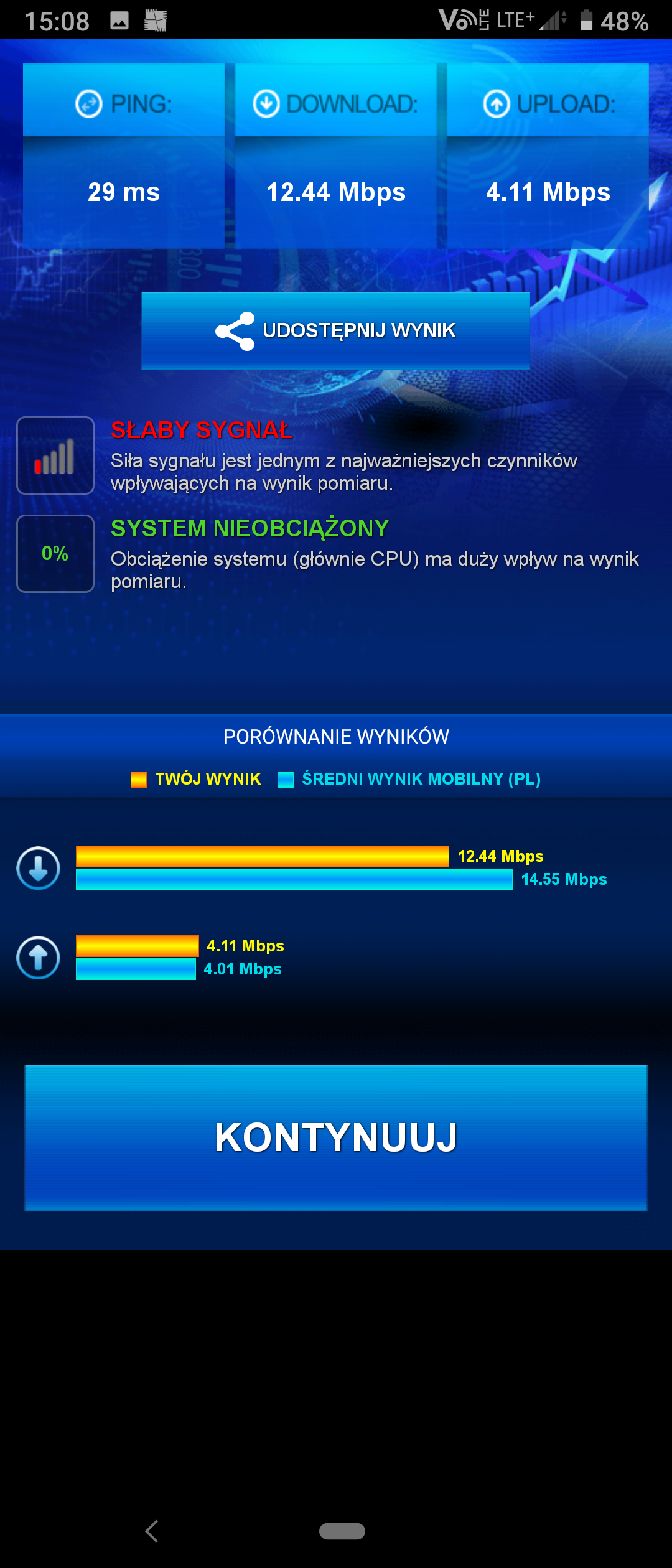
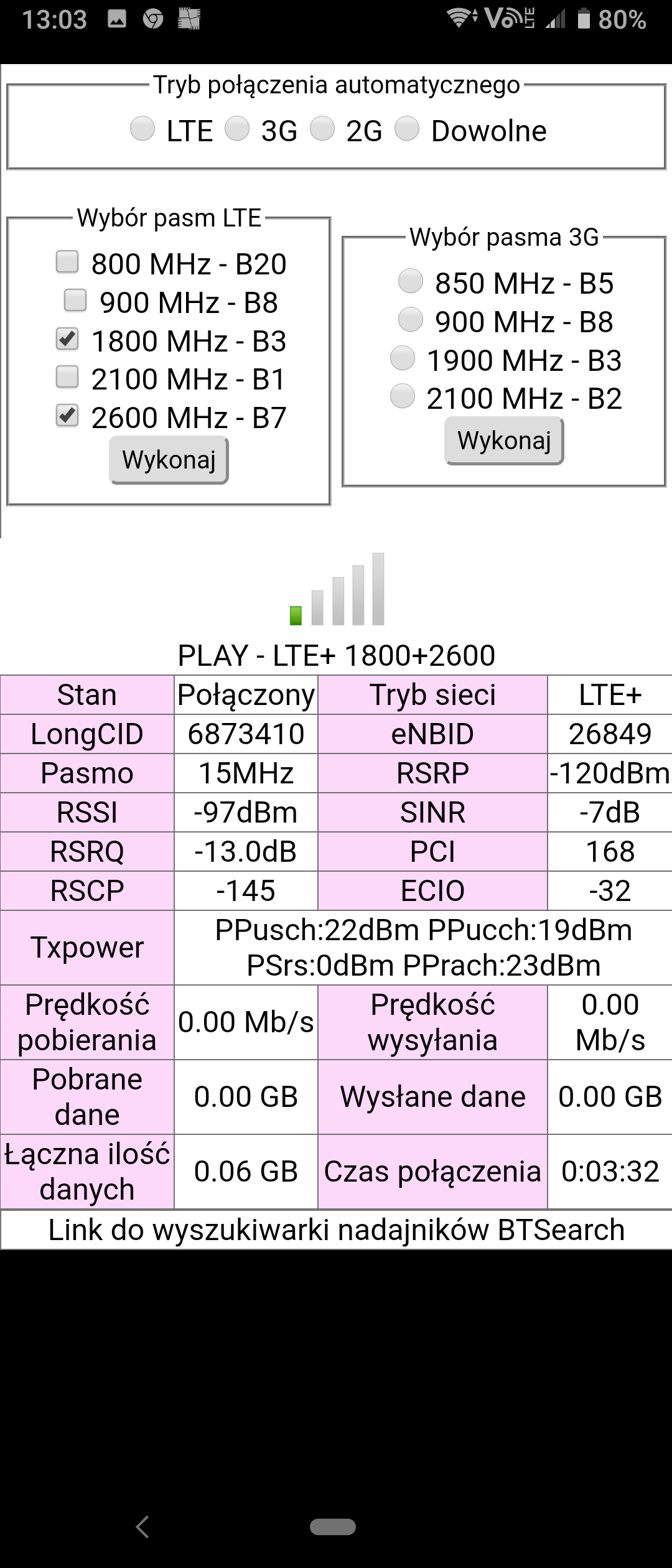
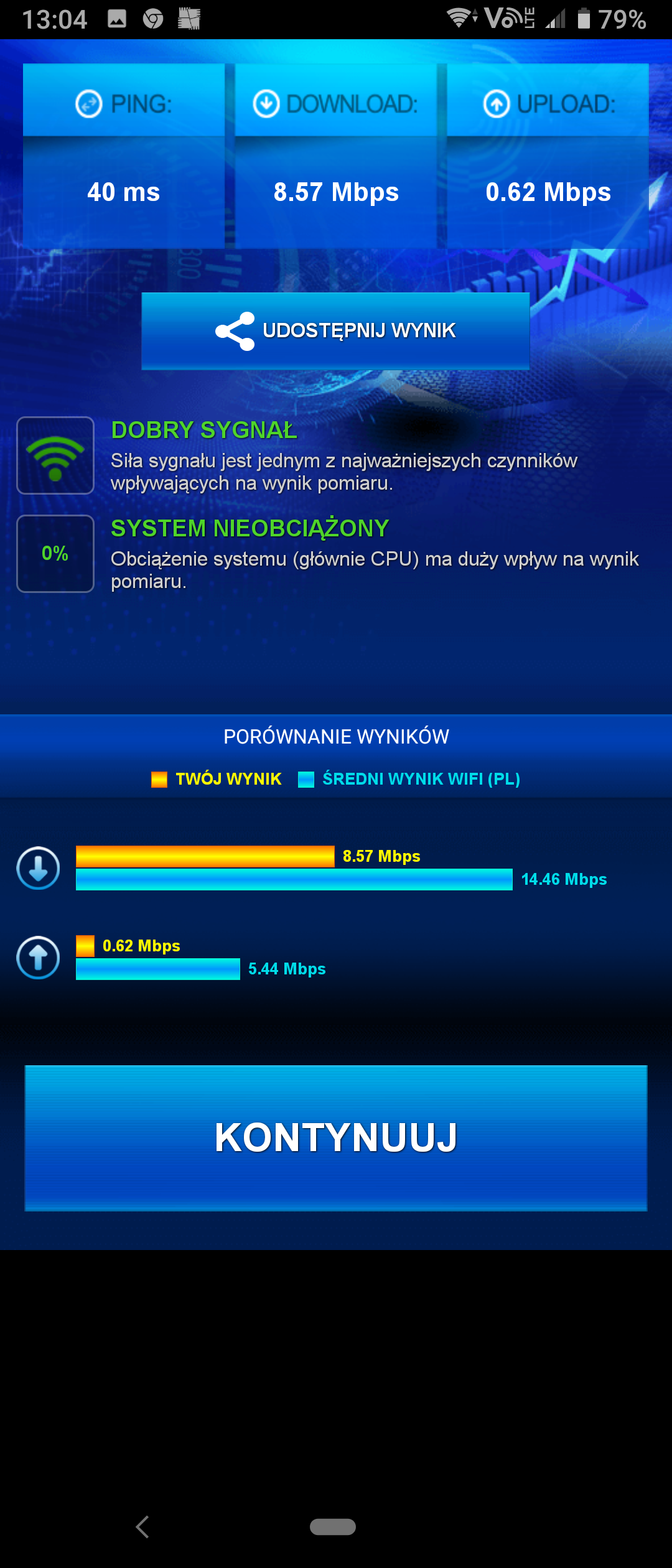
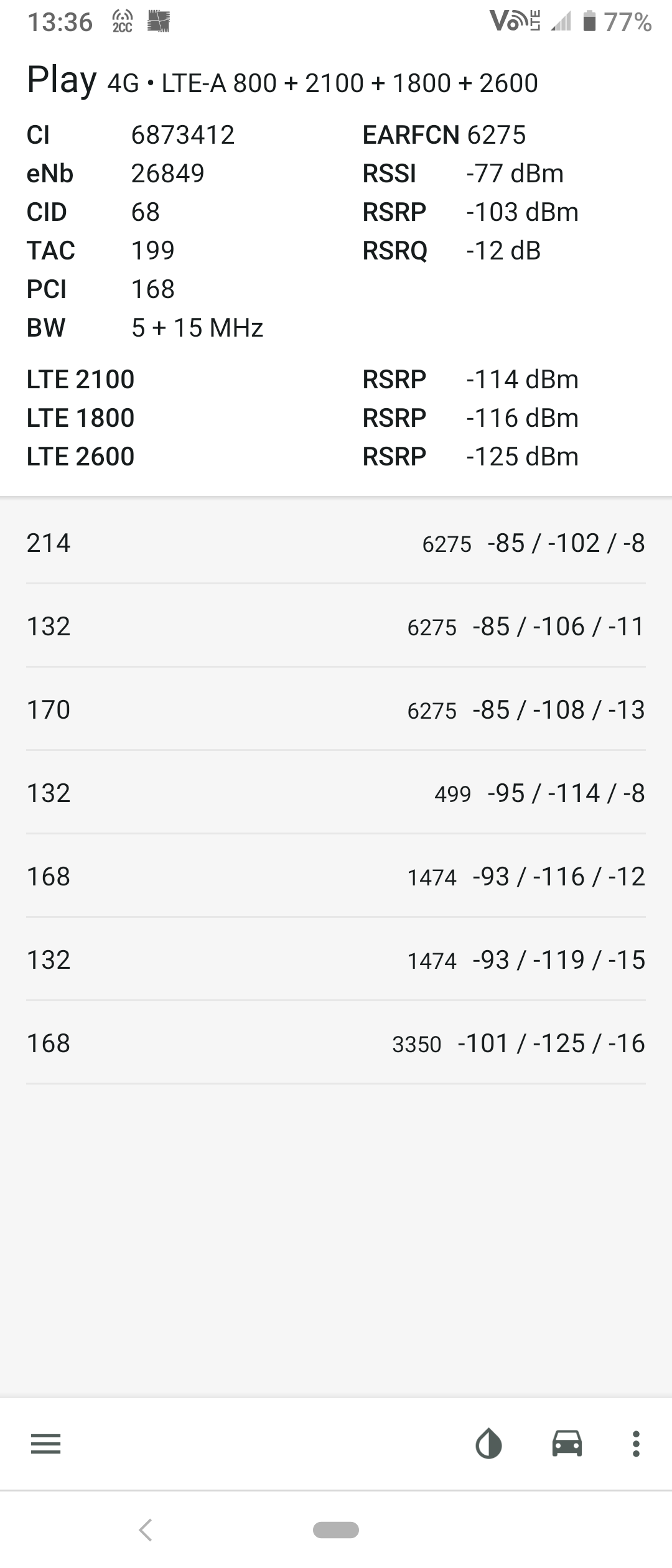
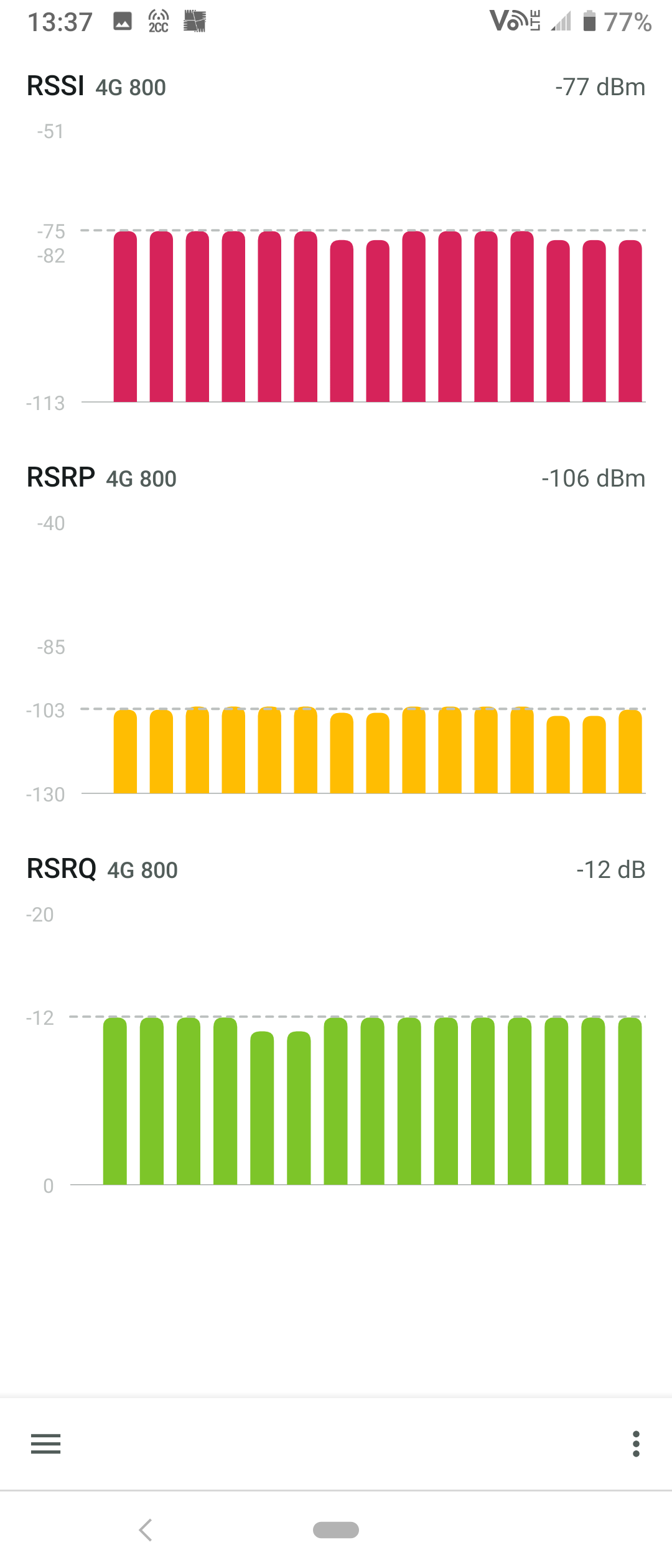
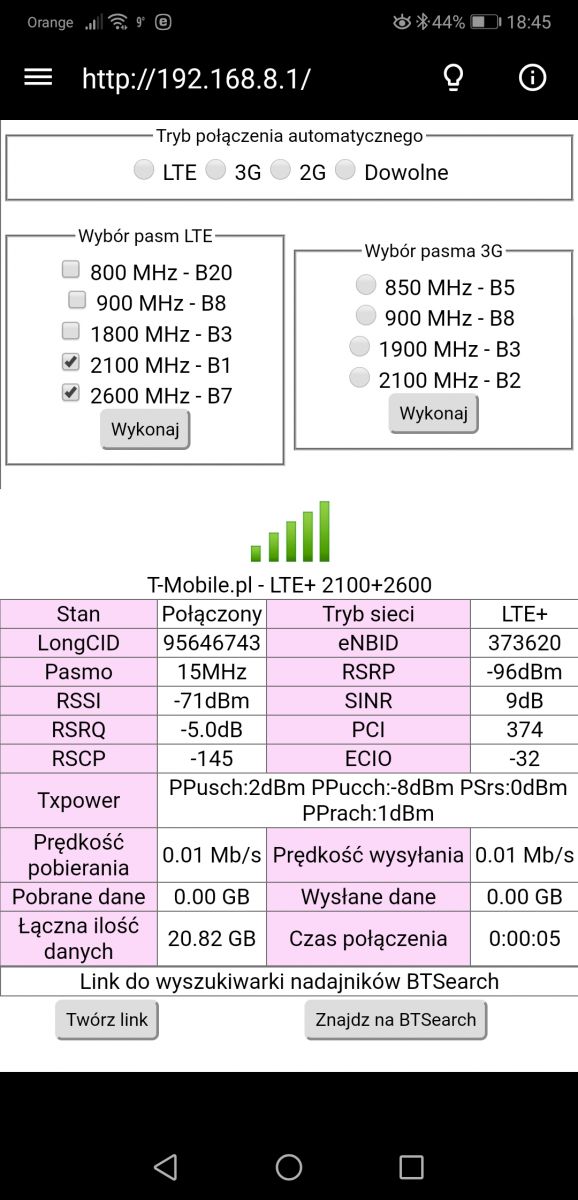
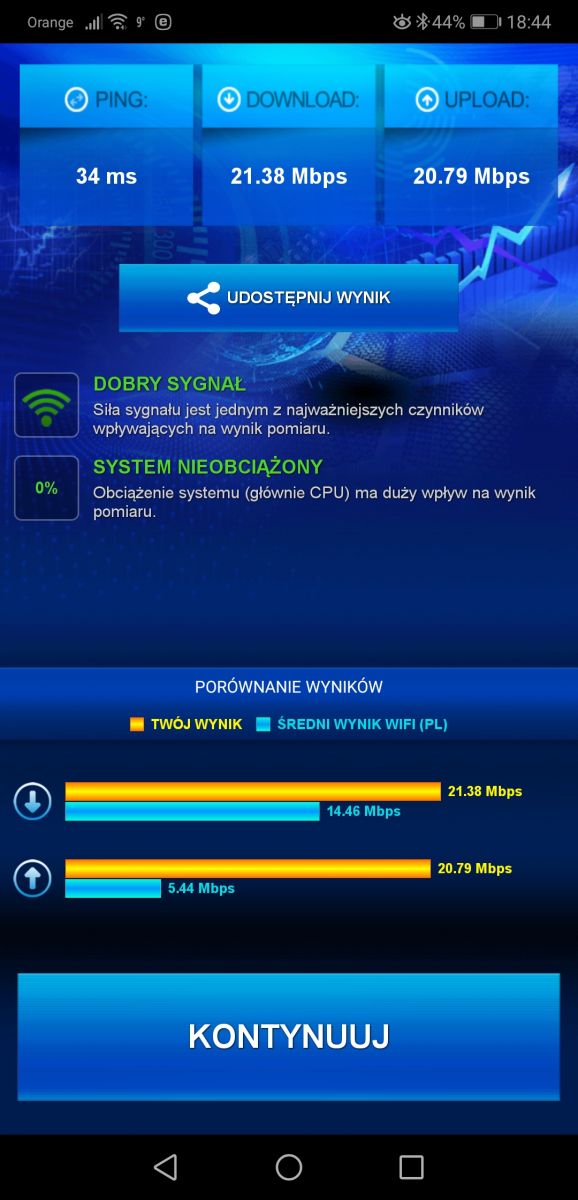
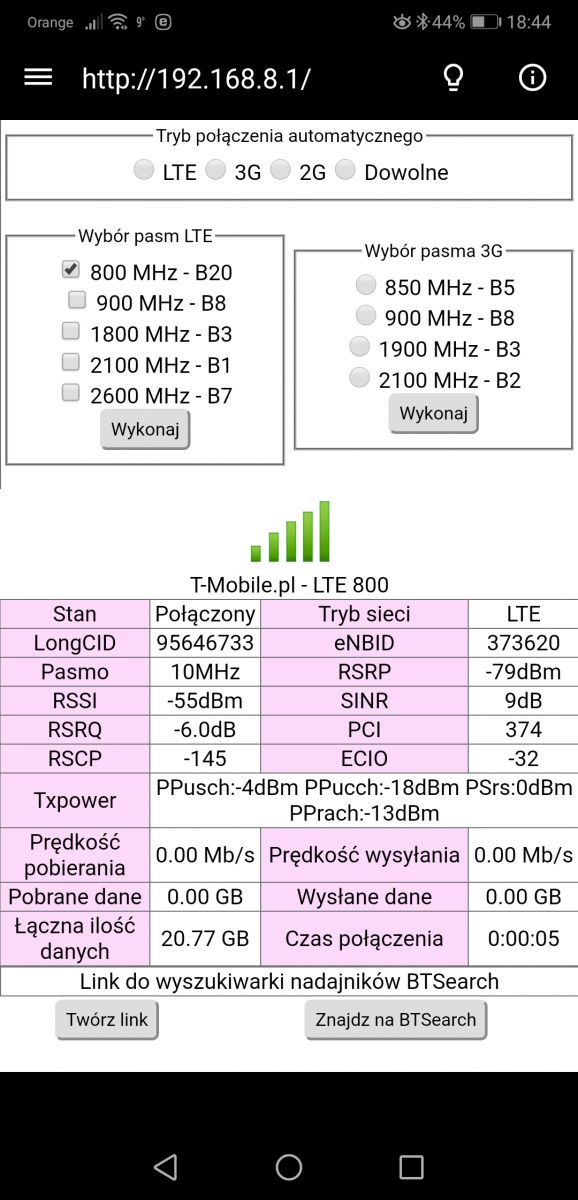
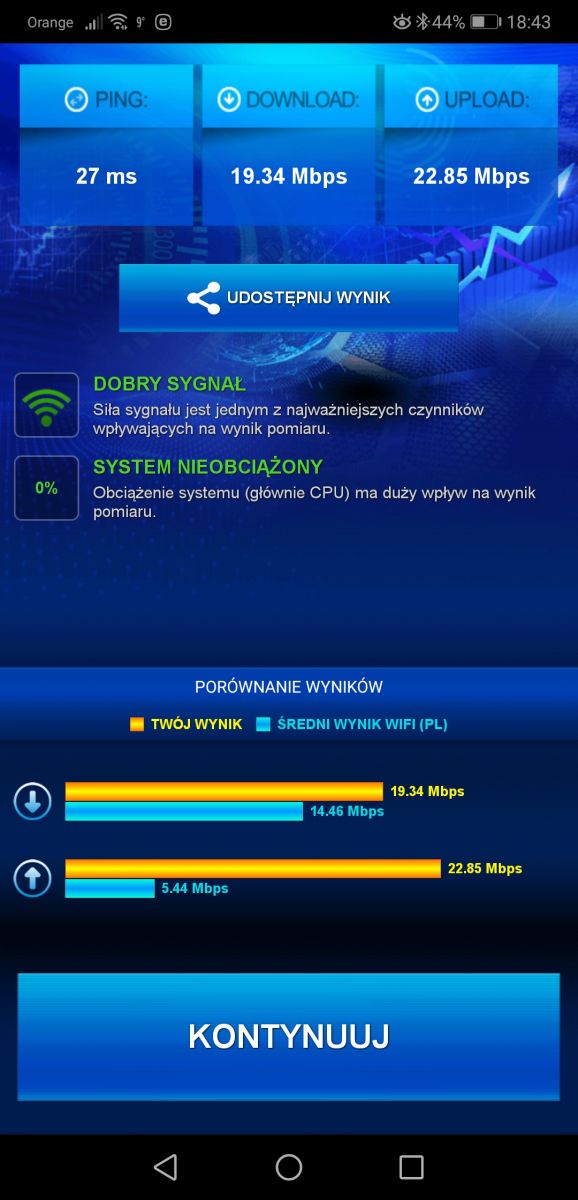
Hello. I have a huawei b535-7bdb router and I would like to know what band to choose the external antenna for. Location Łosice province. Mazowieckie, there are two transmitters at ul. Bialska 67b, the mast at the cemetery and ul. Czarkowskiego 8 on the chimney of a dairy plant. Below are screenshots of Network Cellem and SpeedTestem measurements.
The first two drops are Bialska Street, the next two are Czarkowskiego Street and the last two are inside the house, looking from the left.
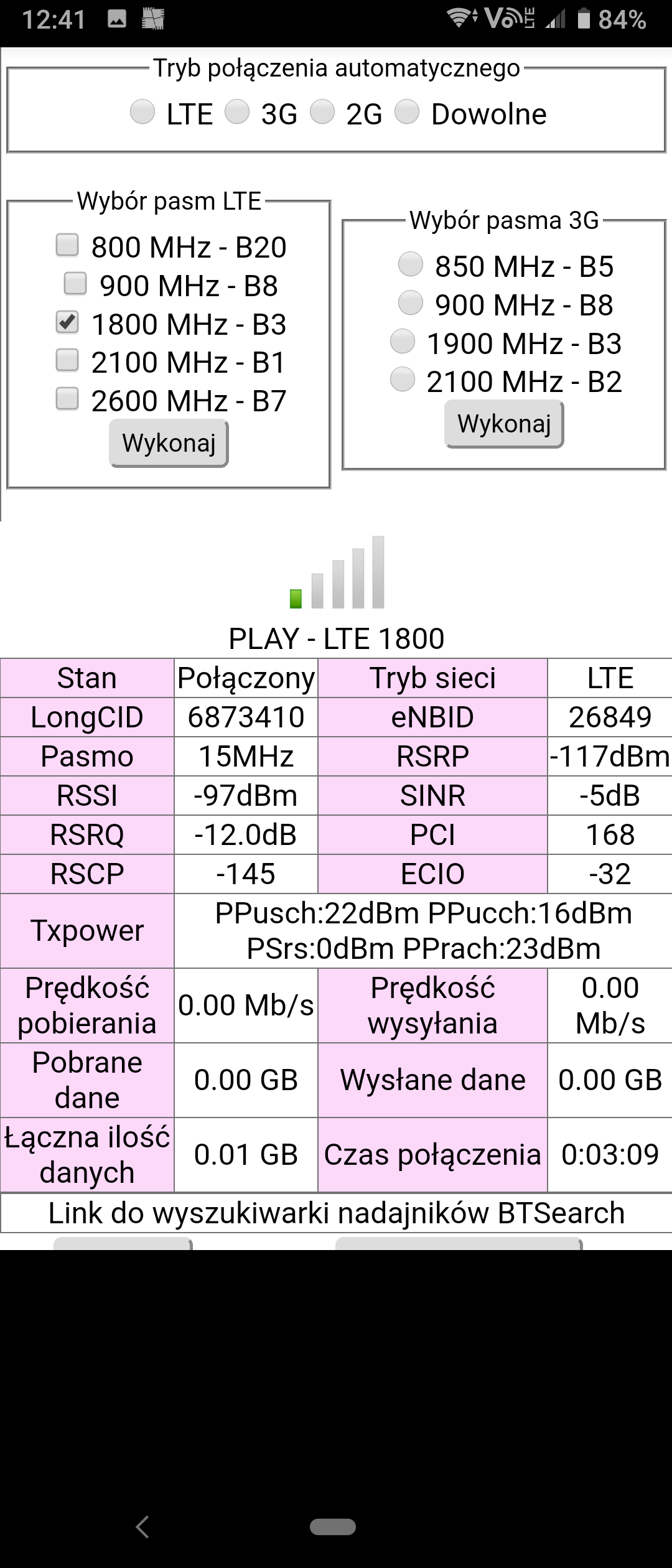
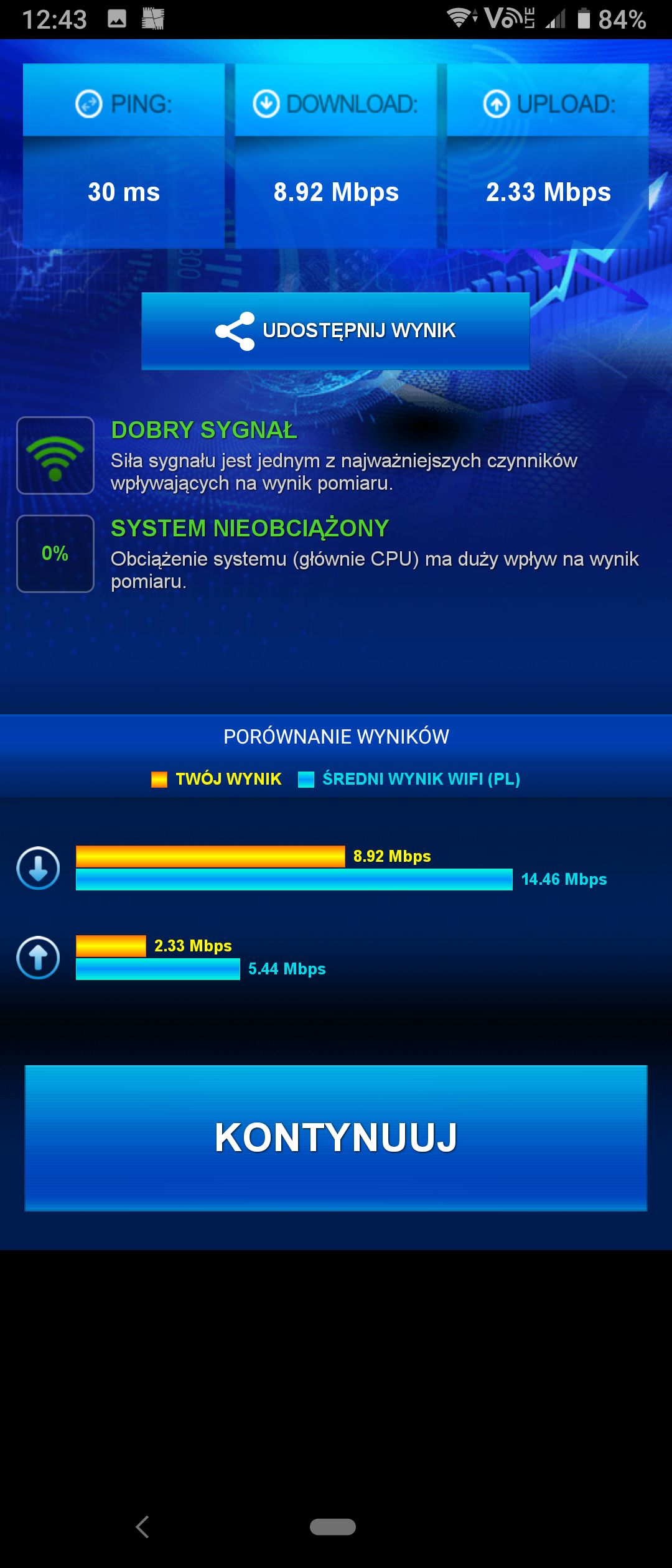
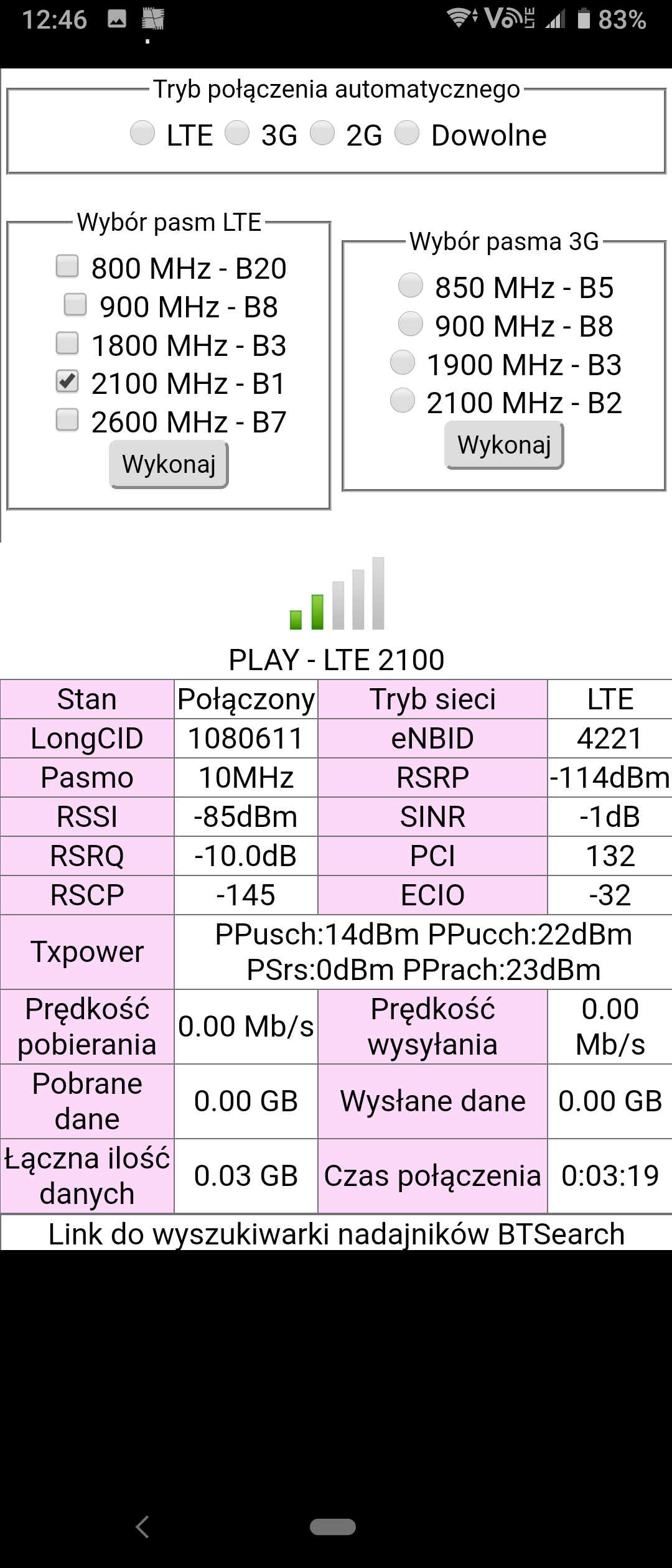
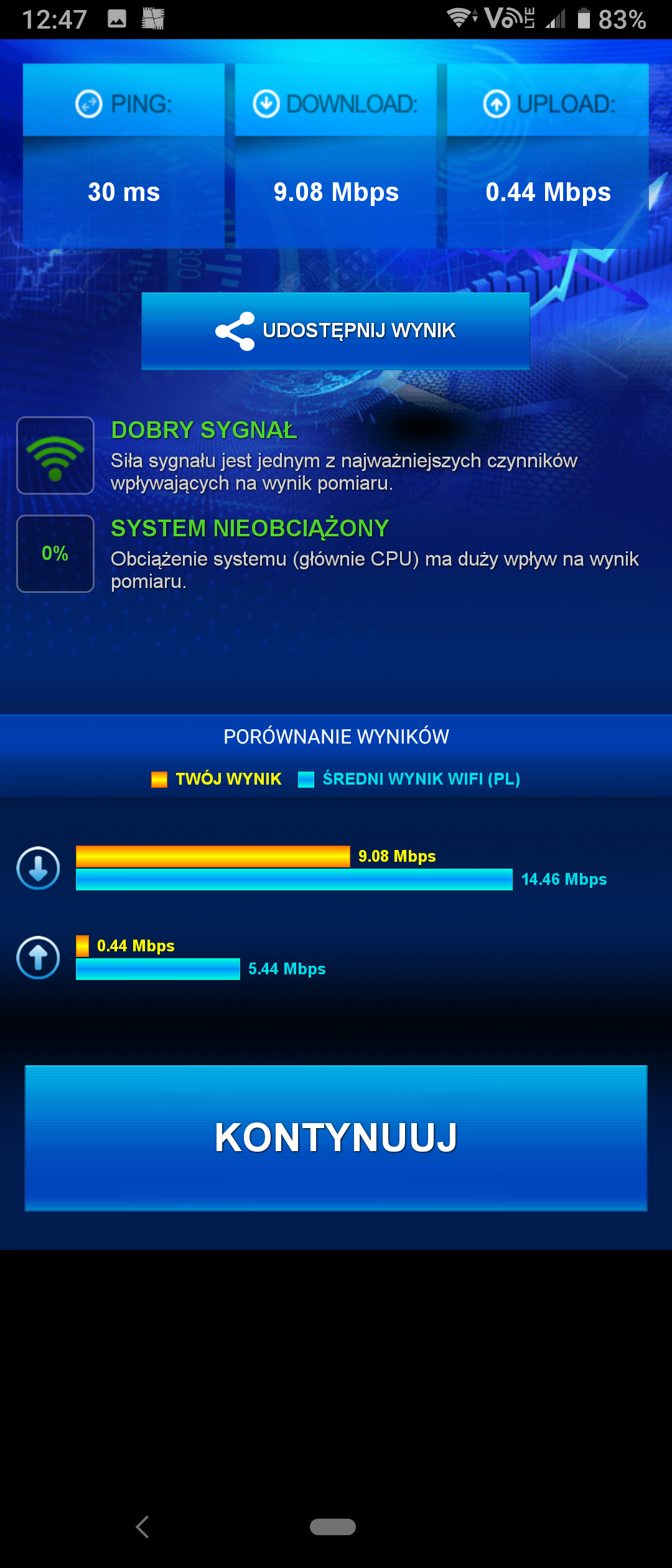
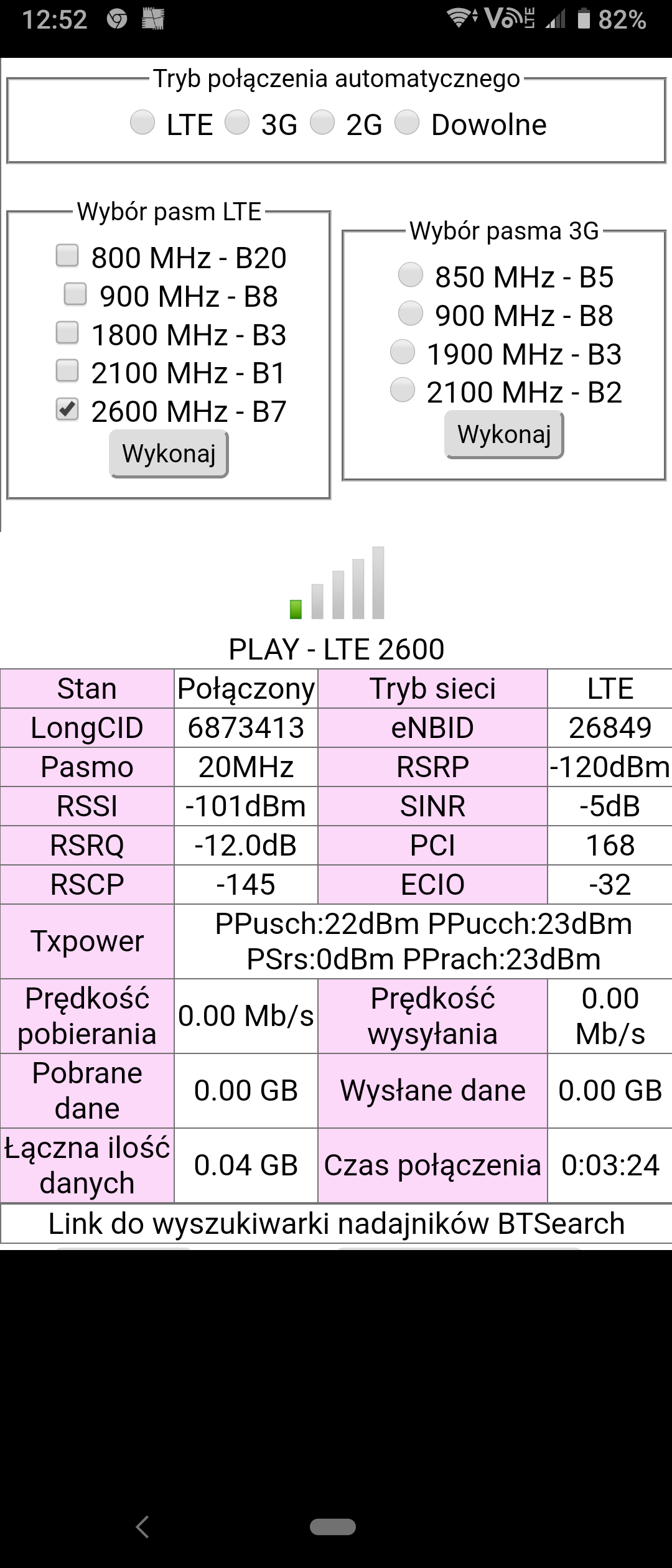
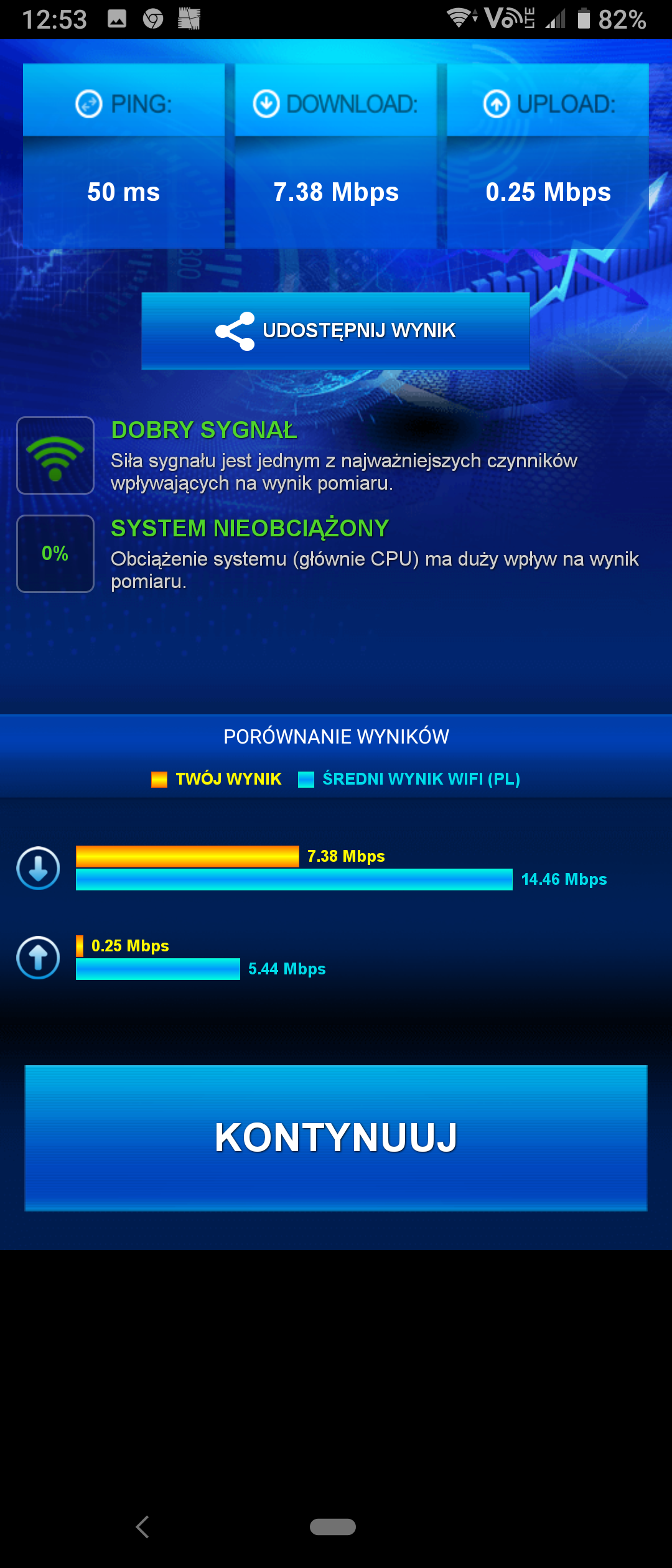
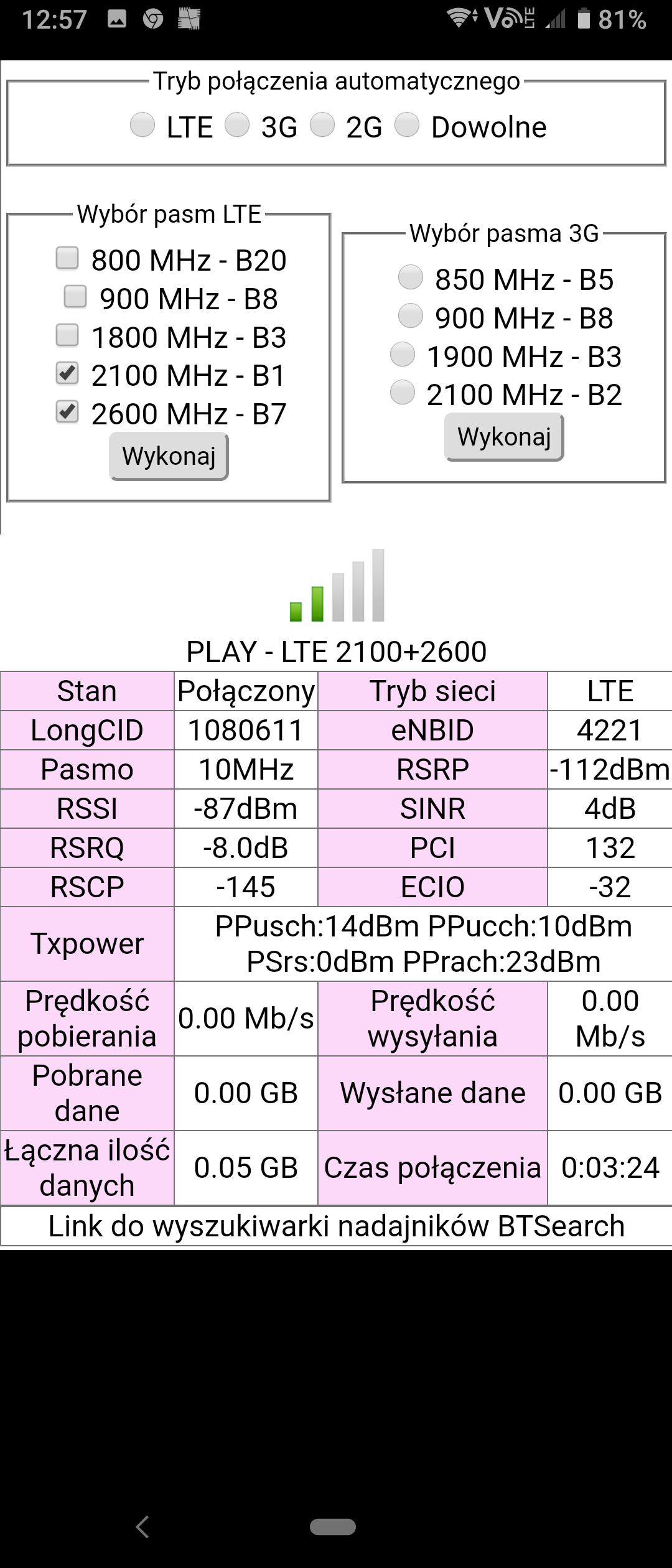
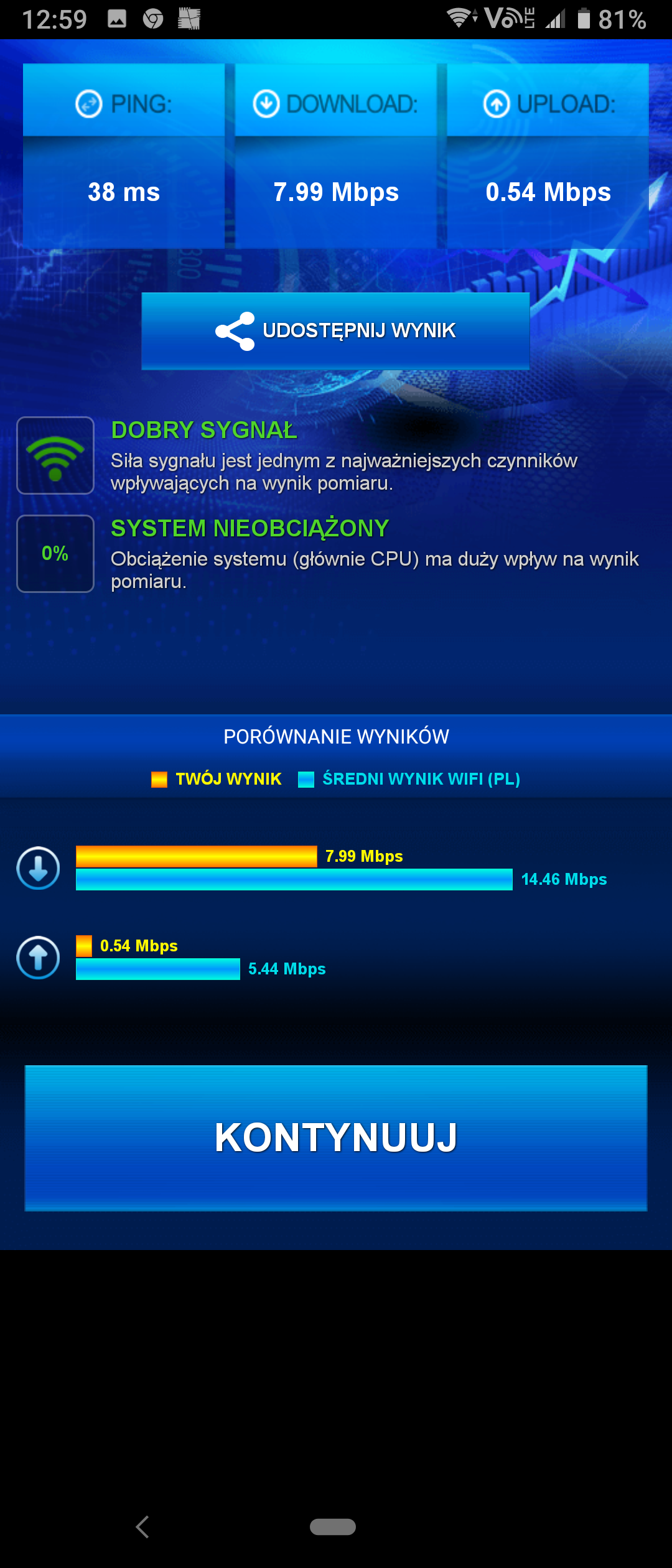
Tests should be performed using https://play.google.com/store/apps/details?id=cz.mroczis.netmonster&hl=pl and show screenshots, under BTS, the connection in the aggregation of LTE bands with LTE2600 as basic plus others. Speeds from Czarkowski better. At home, connection from Czarkowski but weak signal on LTE800 plus other aggregation but probably with a residual signal. Wrong choice of B535, apparent savings of PLN 200, i.e. not choosing b715 results in the inability to use 3 CC CA from BTSs operating on 4 LTE bands. In such a location, where there is LTE2600 on BTS, B715 is selected. BTS Czarkowski is a 5g Ready node on optical fiber, from it a 1107Mb / s radio link to the one at Bialska. Take a test outside at home and show the results. B535 should work with Hmanager, LTE2600, LTE1800 and LTE2100 band tests and then 2 CC CA LTE2600 + 1800 and LTE2600 + 2100. On the B535 you will not fully use the BTS's capabilities, on the B715 you would aggregate LTE2600 + 1800 + 2100. Antenna probably at 1800-2600MHz, how far are you from BTS Czarkowski?
Show Netmonster screen on phone, test outside. It will show what bands are available and what signal parameters on LTE capacitive bands. Plus speedtest. Who recommended this B535 to you?
It's good, although it's not B311, you always go to the operator's salon prepared. They are not any customer advisers, but opponents who take care of their own and the operator's interests. Check the operation of lte2600, LTE2100, LTE1800 on b535 and then LTe2600 + 2100 and LTE2600 + 1800 forcing these bands http://www.mediafire.com/file/79obbe81eufdt7t/Huawei_Manager_1.2_PL.apk/file The application shows signal parameters and BTS data- and.
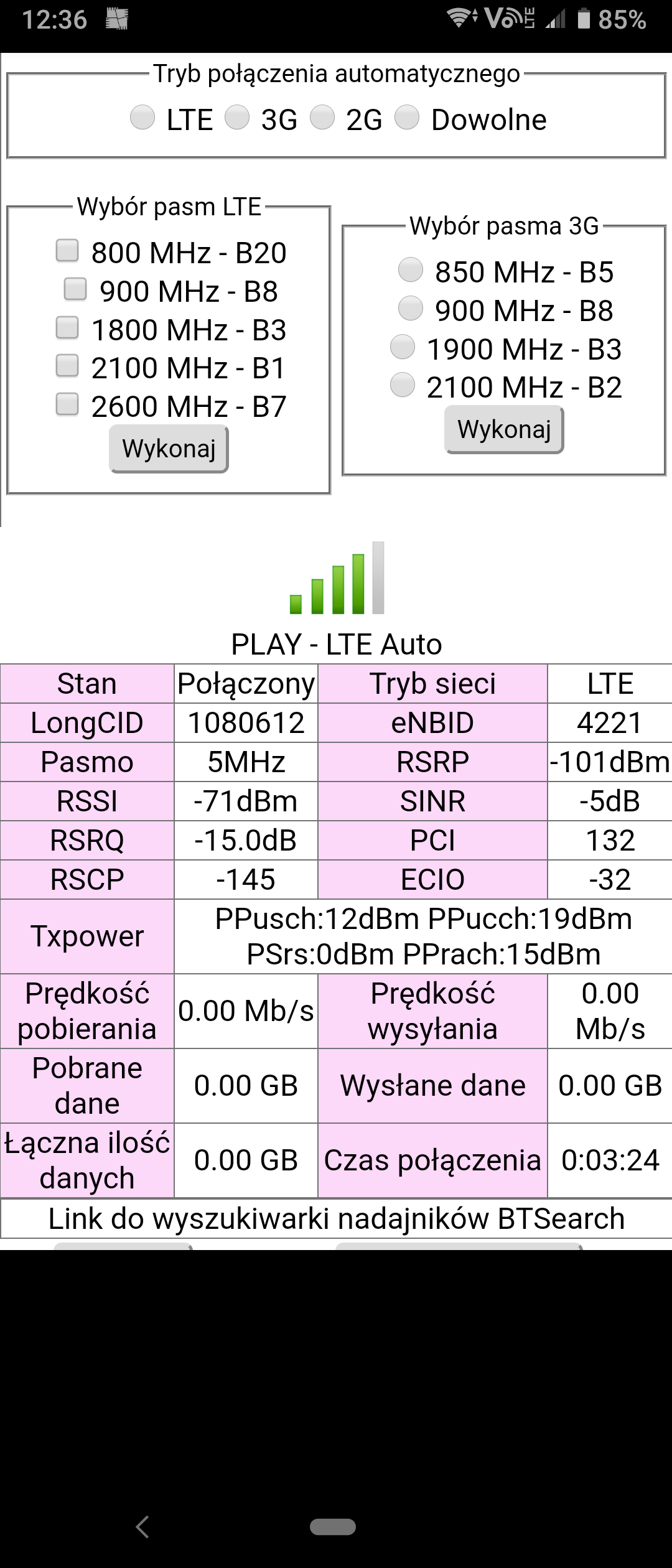
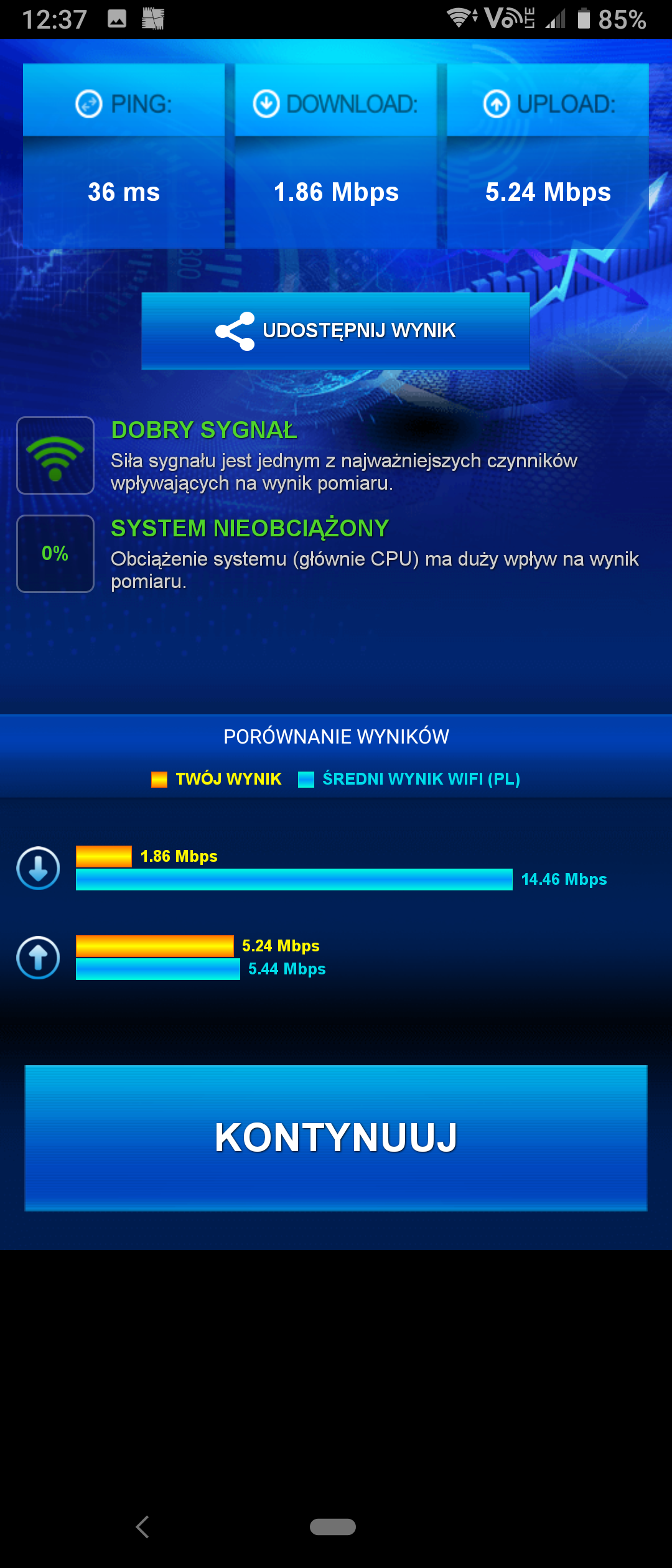
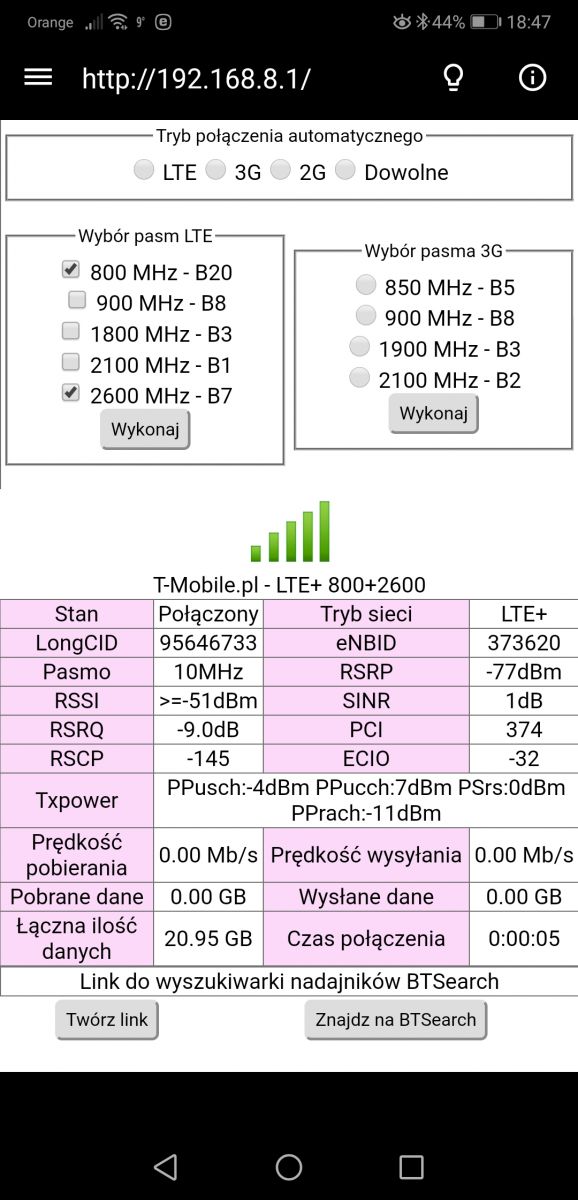
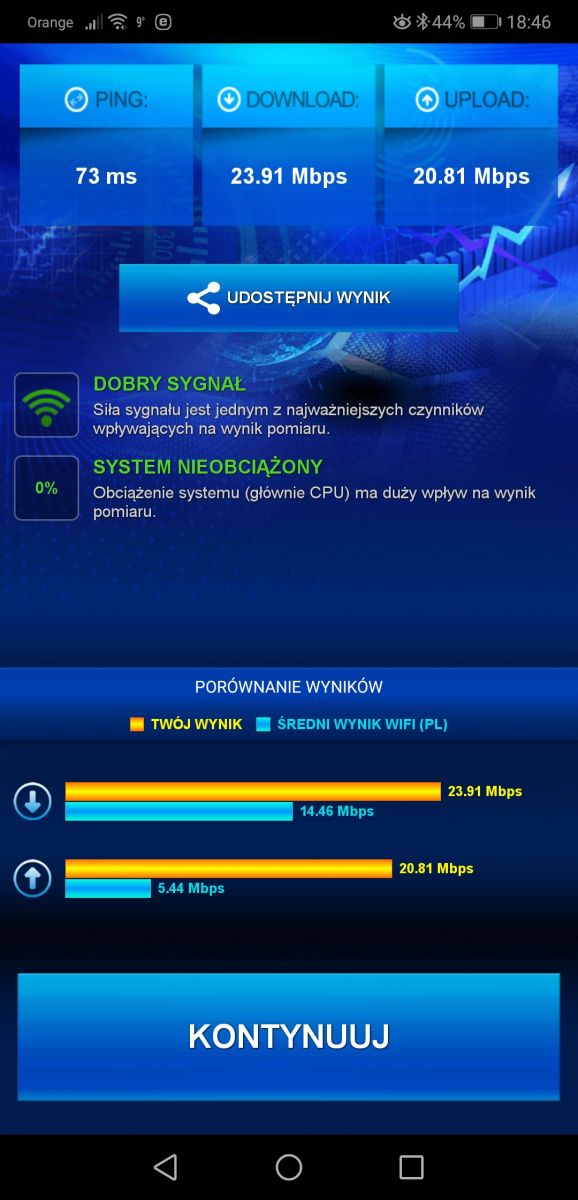
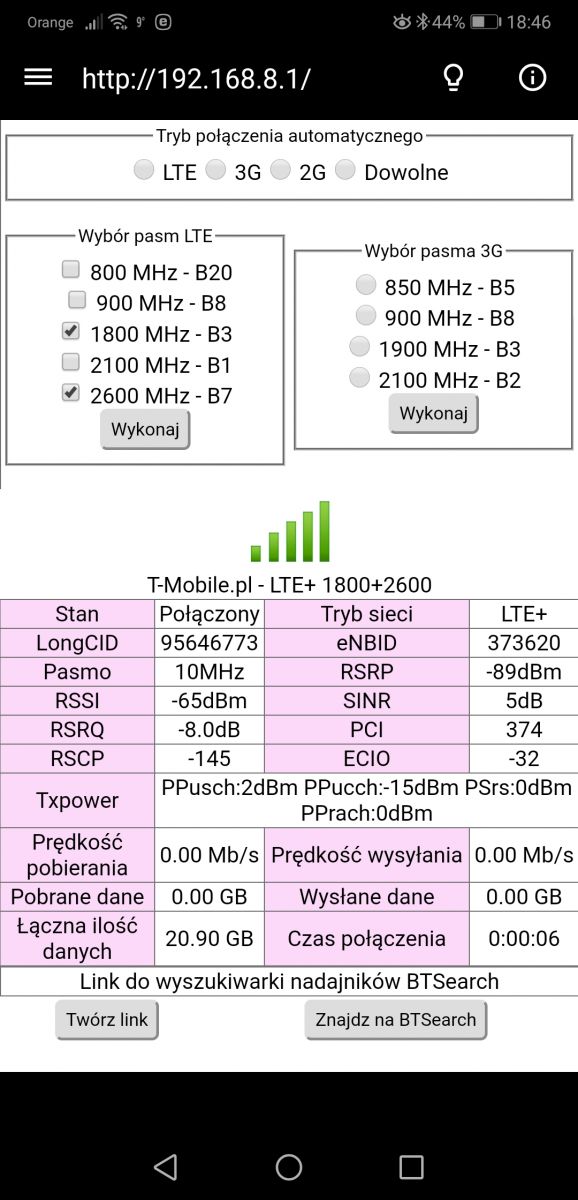
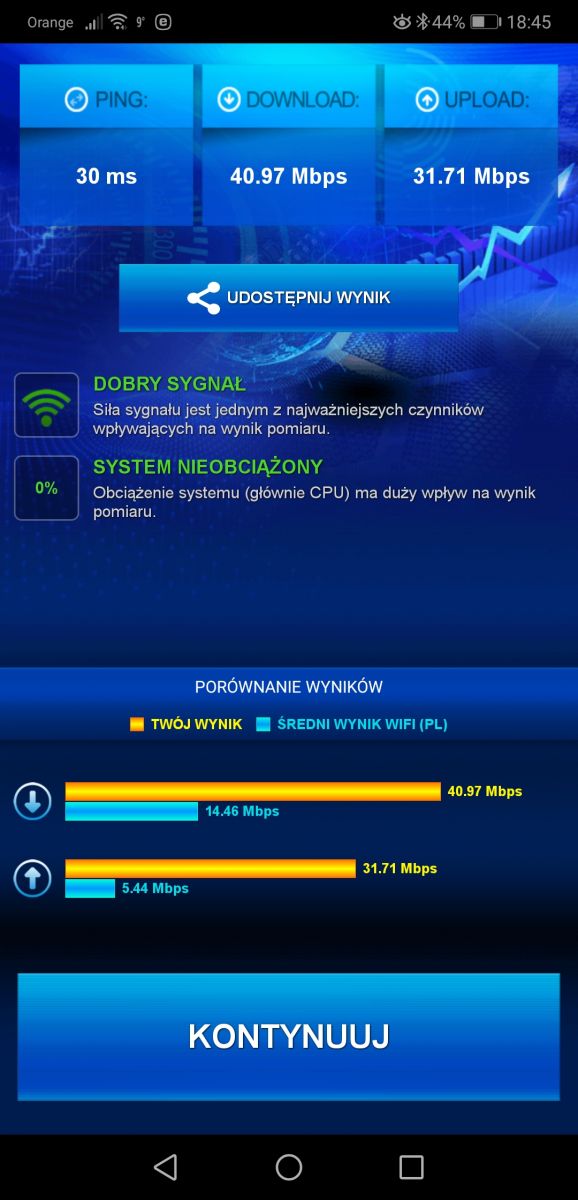
Tests with net monstera hmamager and speedtest I am sorry that the screens are not separated, the diagram is from the left the screen from hmamager + speedtest
Gentlemen, colleagues! I need help from you guys. Well, I have a router like in the description and I have a few questions. Well, I use it in an apartment in a block of flats and it's great (range). I have Internet from T-Mobile, magenta business offer - no data limit, with a speed of up to 60 Mbps. In the block, the range and speed range from 35 to 60. But soon I will move home and there the range is 2.3 lines, while the speed varies between 30-50. I have the following inquiries: 1. What kind of external antenna could I use? 2. Could I improve the range of my home wifi antenna?
I am asking for such simple answers, because I am a bit of a layman in this field.
Attached I am sending a map where BTS is, and I live on Wojska Polskiego Street, where there is an orange dot. My zip code is 72-200, Nowogard. [url=https://obrazki.elektroda.pl/9392702000_1576331133.jpg]
Attachments:
Screenshot_20191214_144441.jpg(334.32 KB)
You must be logged in to download this attachment.
You clicked on the topic in which you described what to use and how to perform tests on the B535 and such information is needed, not dashes, and this stupid map from an electro-waste dealer pretending to be antennas. BTS Networks at PL. Wolności 3 should be modernized and refarmed 1800 / 2100MHz and LTE2600, LTE2100, LTE1800 and LTE800 T-mobile on it. But what matters is where you want to move and the tests there.
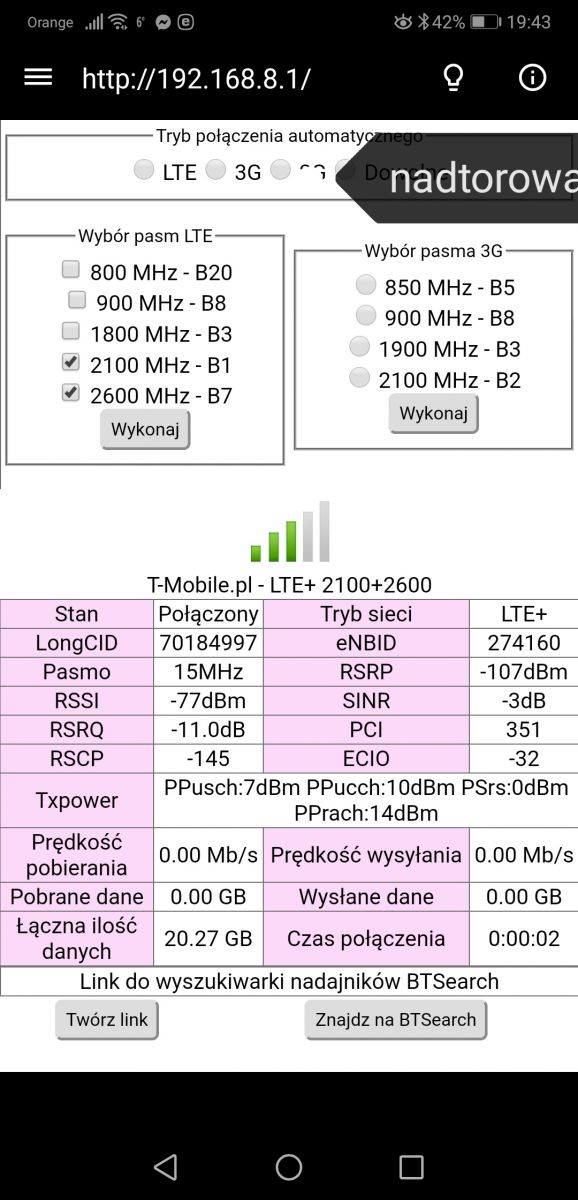
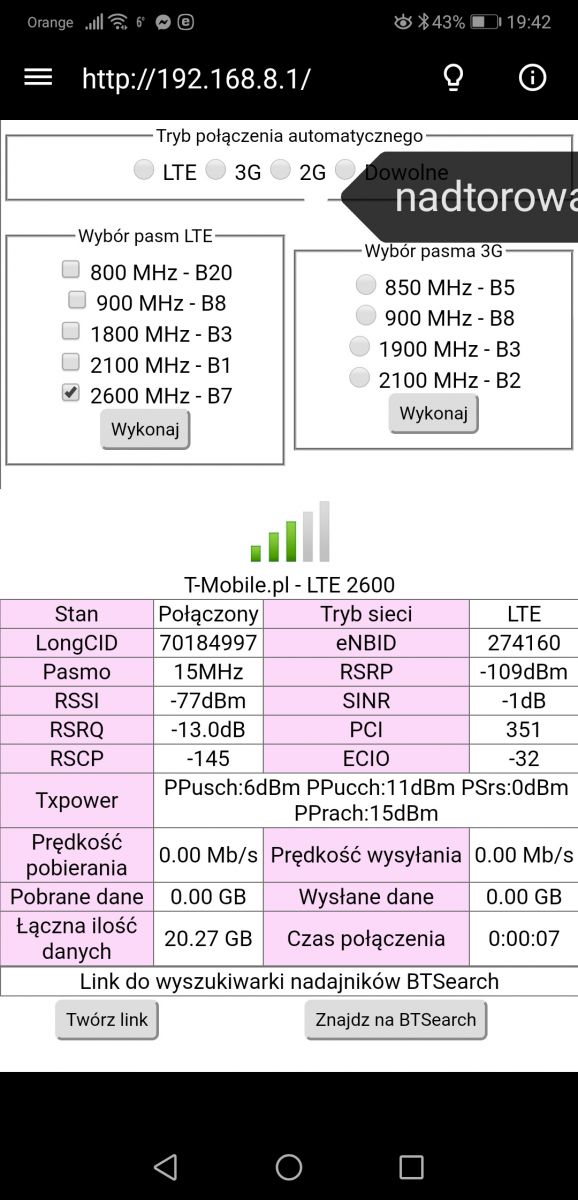
The phone connects to LTE2100 + 2600 from the BTS at Nadtorowa 12, the signal inside on the LTE210 is very weak and on the LTE2600 it is residual. The same LTE2600 outside, but the signal is better. What are the speeds in this situation? @Driversix, LTE80 not worth attention, Play uses capacitive bands, LTE2600 is 20MHz wide, LTE1800 is 15MHz and LTE2100 is 10MHz. Directional antenna working at 1800-2600MHz will allow you to use each of them and aggregation LTE2600 + 1800, LTE2600 + 2100 or LTE2100 + 1800. There are two BTSs with these bands, so you will force each of them one by one by setting the antenna to them, as long as they are in different directions from you. You will choose a better and optimal 2 lte bands for aggregation from it.
These were tests carried out at the future location of the Polish Army. The town of Nowogard, 72-200.
Now he is in a block of flats, in an apartment. I do not know if it will do anything, but I am sending a screen from the tests in the apartment (in the old place) in Nowogard a bit further on Kościuszko Street. Speed 55 Mbps.
Attachments:
Screenshot_20191214_213142_cz.mroczis.netmonster.jpg(231.82 KB)
You must be logged in to download this attachment.
At home, it's BTS from pl. Freedom on lte2600, so you will have the option to choose each of these BTSs in Poland because they are in different directions.
the antenna is directional, so you will set it one by one on the BTS at Nadtorowa 12 and then on Plac Wolności and check the bands as your colleague above by forcing with Hmanager.
The router will allow you to choose LTE bands and two for aggregation, but you will not choose BTS, at the beginning such tests are enough for W.Polski. router out of the window and you check LTE2600, LTE2100, LTE1800, LTE800, and then LTE2600 + 2100 and LTE2600 + 1800 aggregations. LTe2600 + 800 and LTE2100 + 1800.
Thanks to mothers451, give me a hint which antenna to choose for the 1800-2600Mhz band that works well with this router because there is a bit of it, and as you wrote earlier, I will not buy scrap metal on aledrogly.
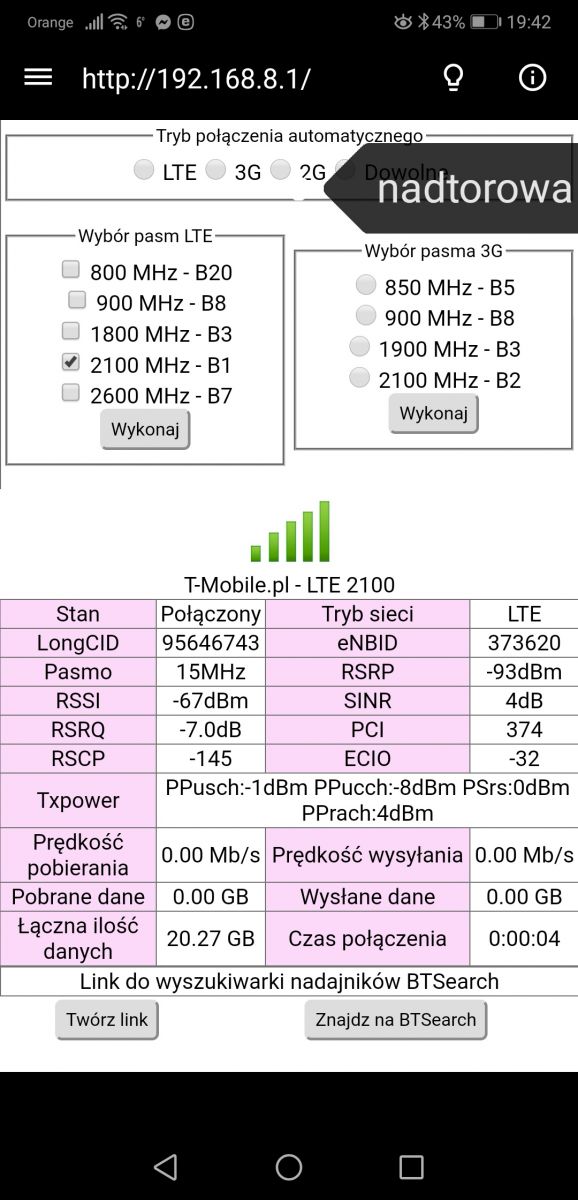
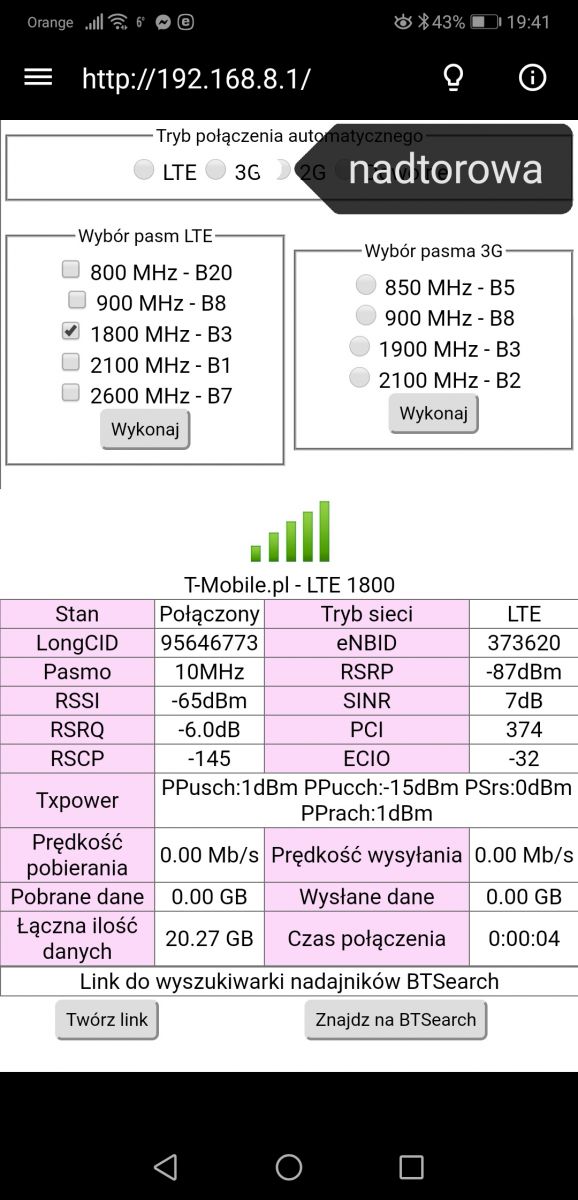
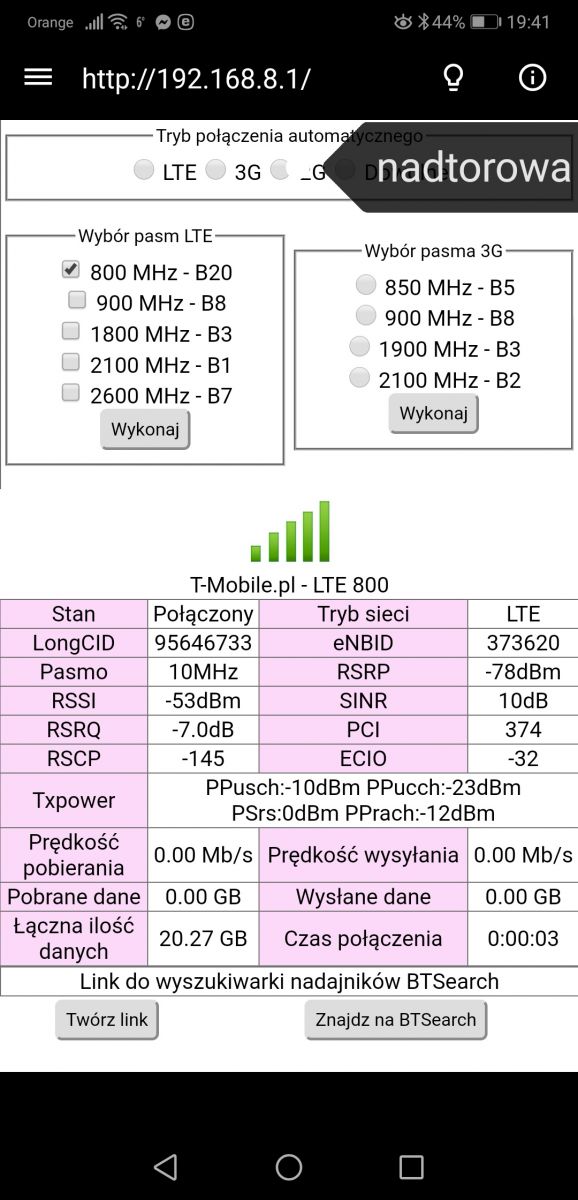
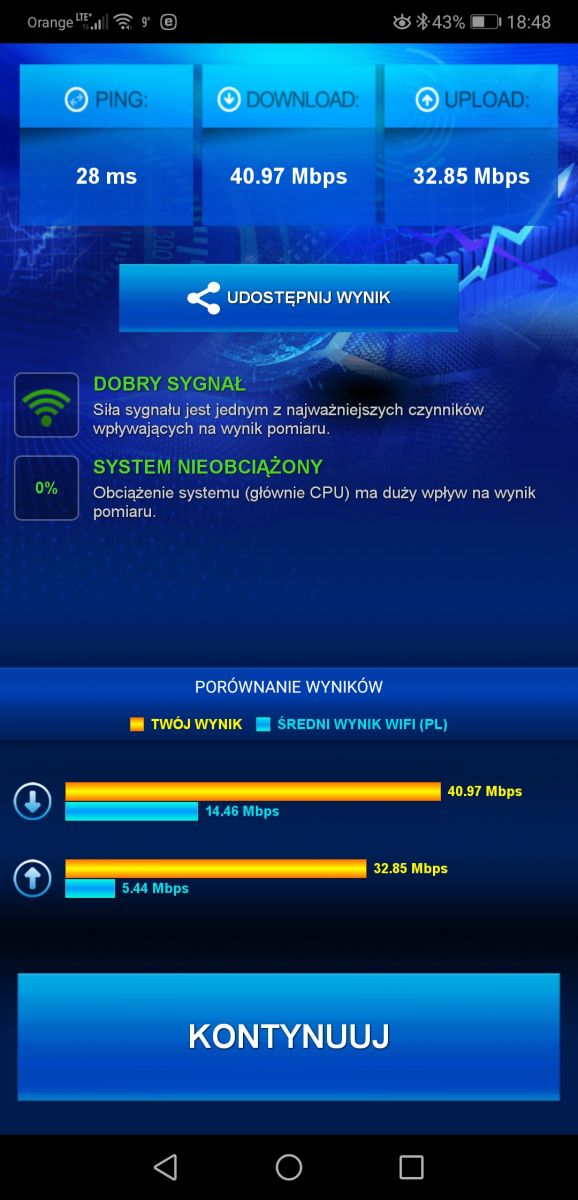
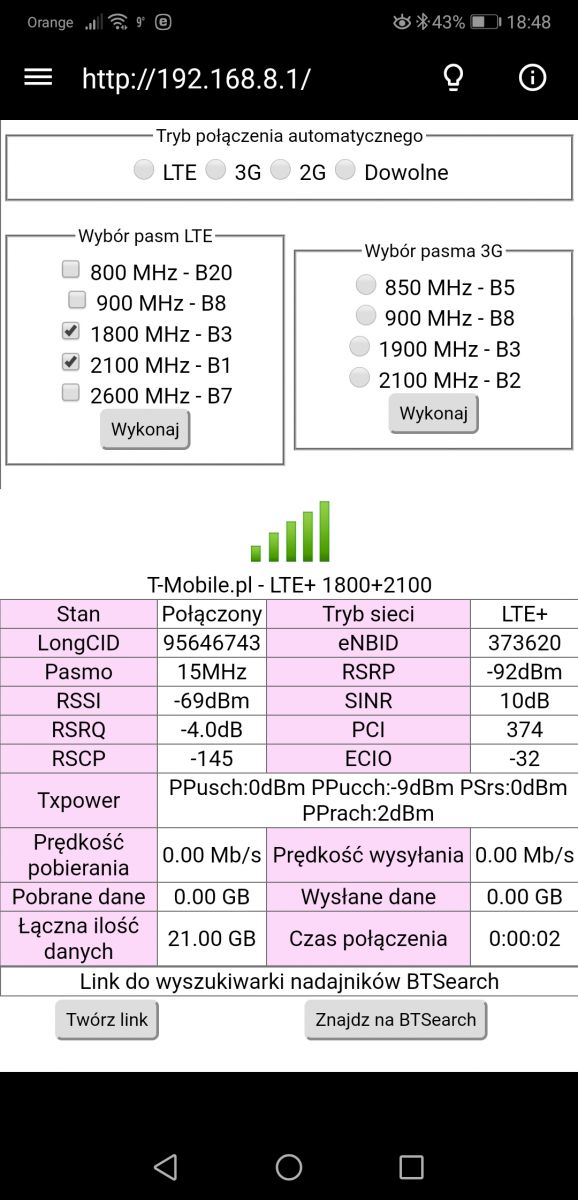
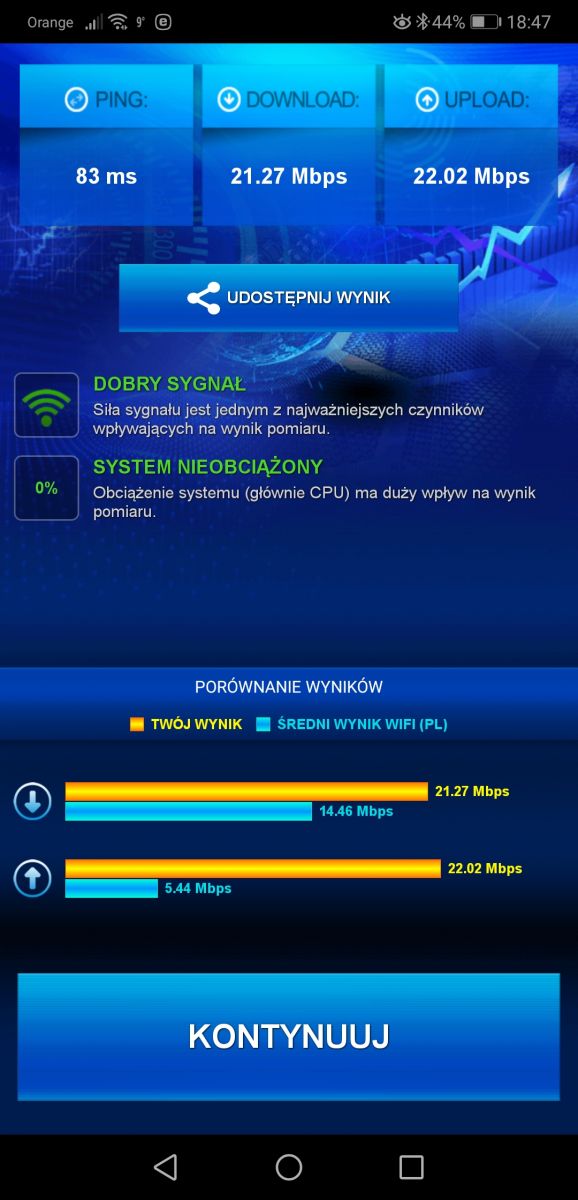
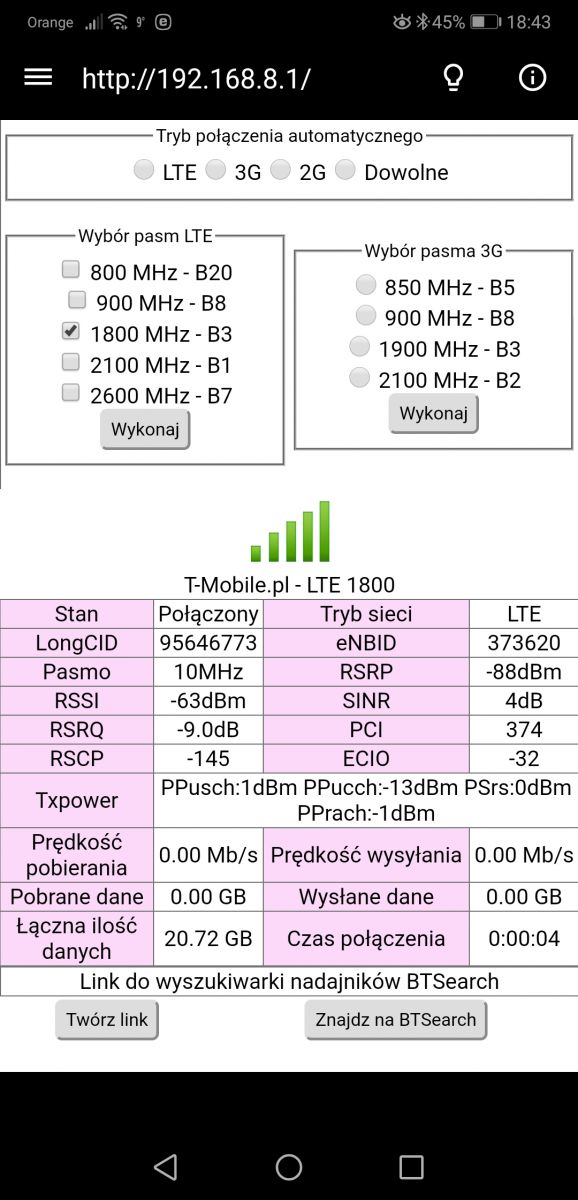
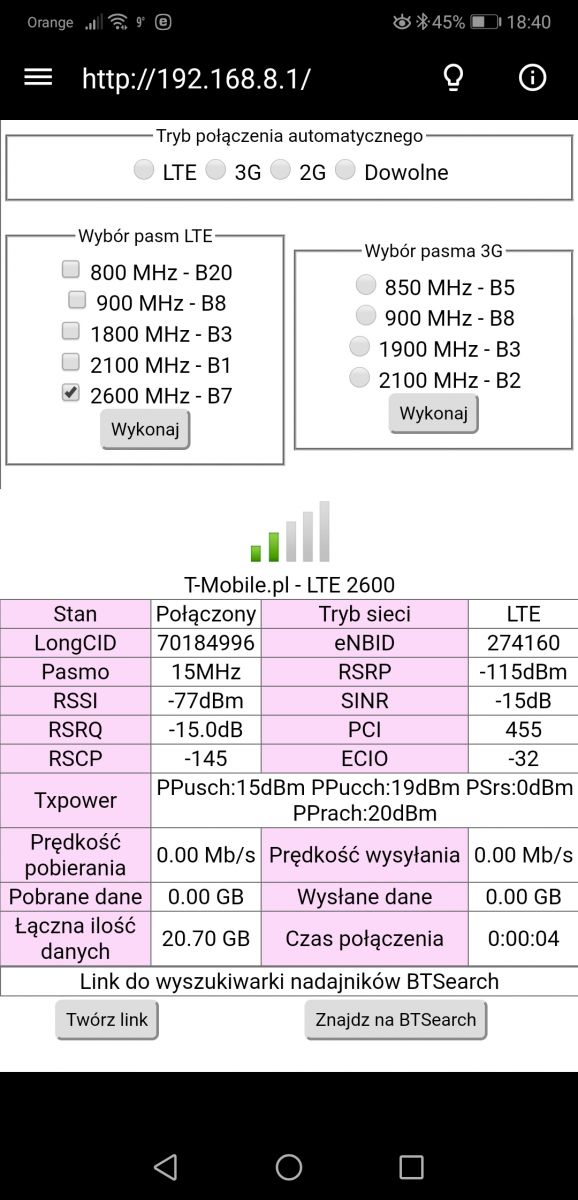
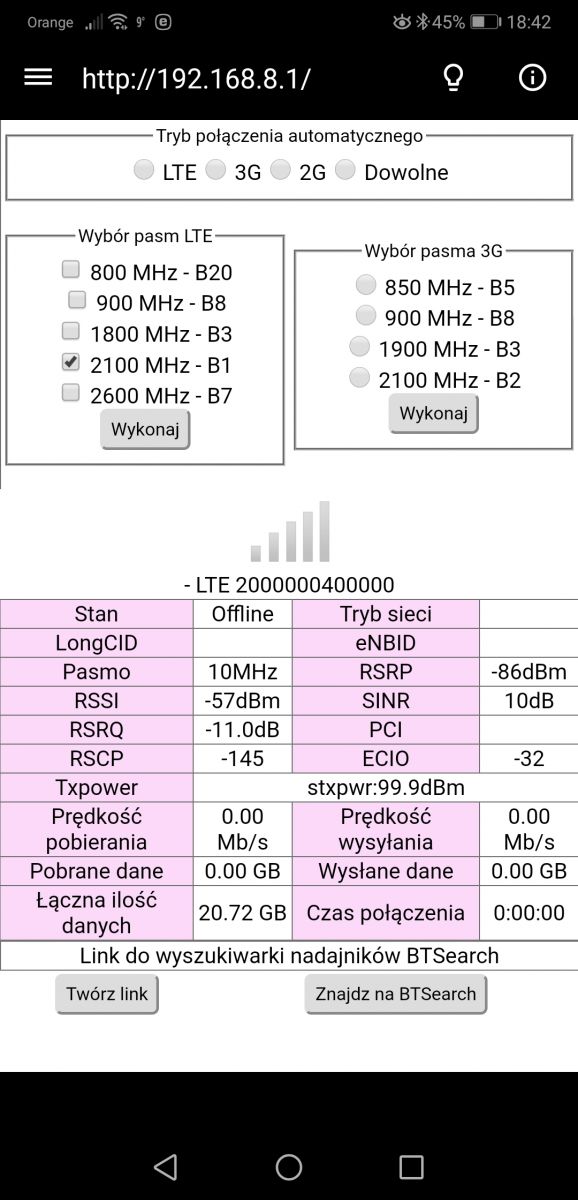
I did the tests with the Hmanager. I attach screenshots. As instructed, I measured the direction of Nadtorowa and Plac Wolności. Pictures from Nadtorowa are described in the pictures, while those from Plac Wolności are not described.
Attachments:
Screenshot_20191216_195955.jpg(390.11 KB)
You must be logged in to download this attachment.
Screenshot_20191216_195918.jpg(393.5 KB)
You must be logged in to download this attachment.
Screenshot_20191216_195828.jpg(390.87 KB)
You must be logged in to download this attachment.
Screenshot_20191216_195127_com.nasser.huaweimanager.jpg(491.18 KB)
You must be logged in to download this attachment.
Screenshot_20191216_195144_com.nasser.huaweimanager.jpg(488.81 KB)
You must be logged in to download this attachment.
Screenshot_20191216_195157_com.nasser.huaweimanager.jpg(487.9 KB)
You must be logged in to download this attachment.
Screenshot_20191216_195212_com.nasser.huaweimanager.jpg(497.77 KB)
You must be logged in to download this attachment.
Screenshot_20191216_195258_com.nasser.huaweimanager.jpg(493.06 KB)
You must be logged in to download this attachment.
Screenshot_20191216_195319_com.nasser.huaweimanager.jpg(493.44 KB)
You must be logged in to download this attachment.
Screenshot_20191216_195406_com.nasser.huaweimanager.jpg(499.15 KB)
You must be logged in to download this attachment.
Screenshot_20191216_195426_com.nasser.huaweimanager.jpg(492.59 KB)
You must be logged in to download this attachment.
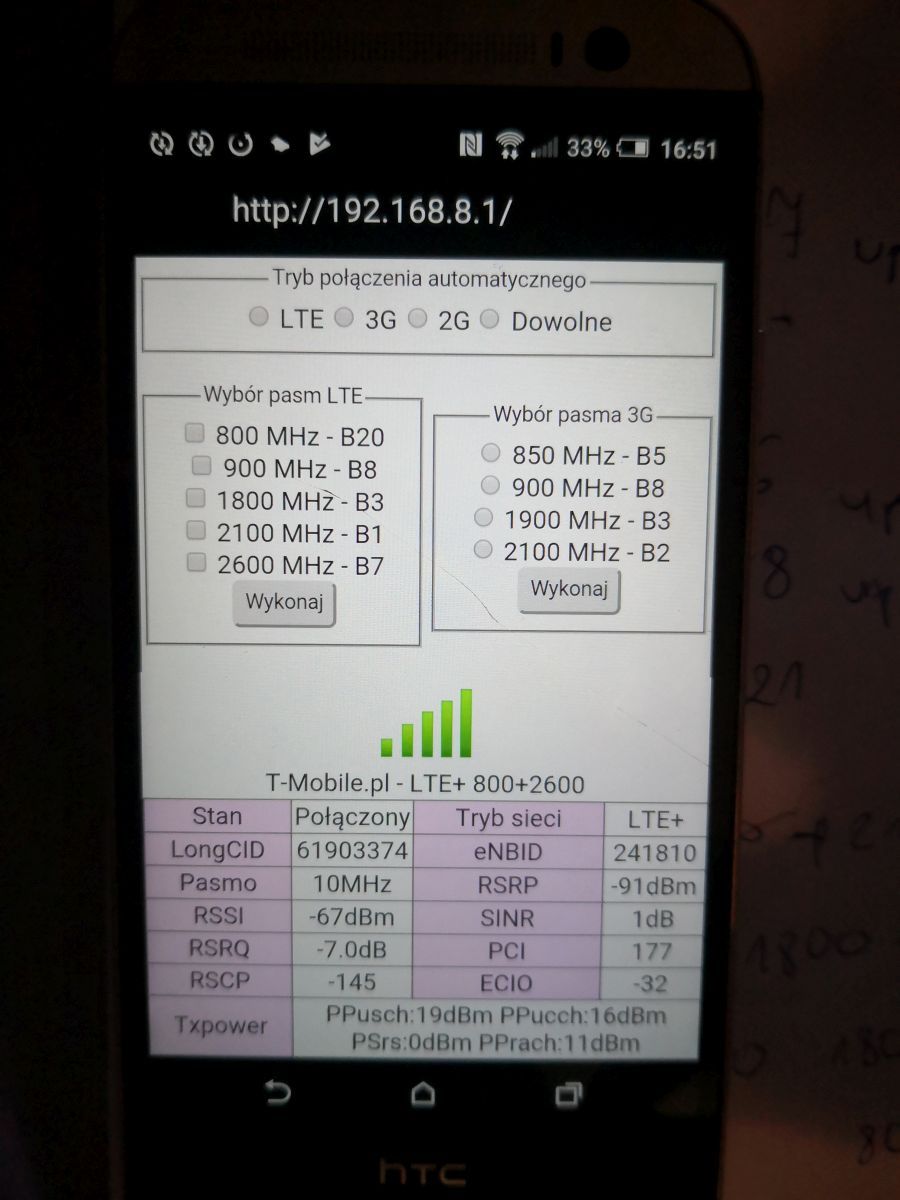
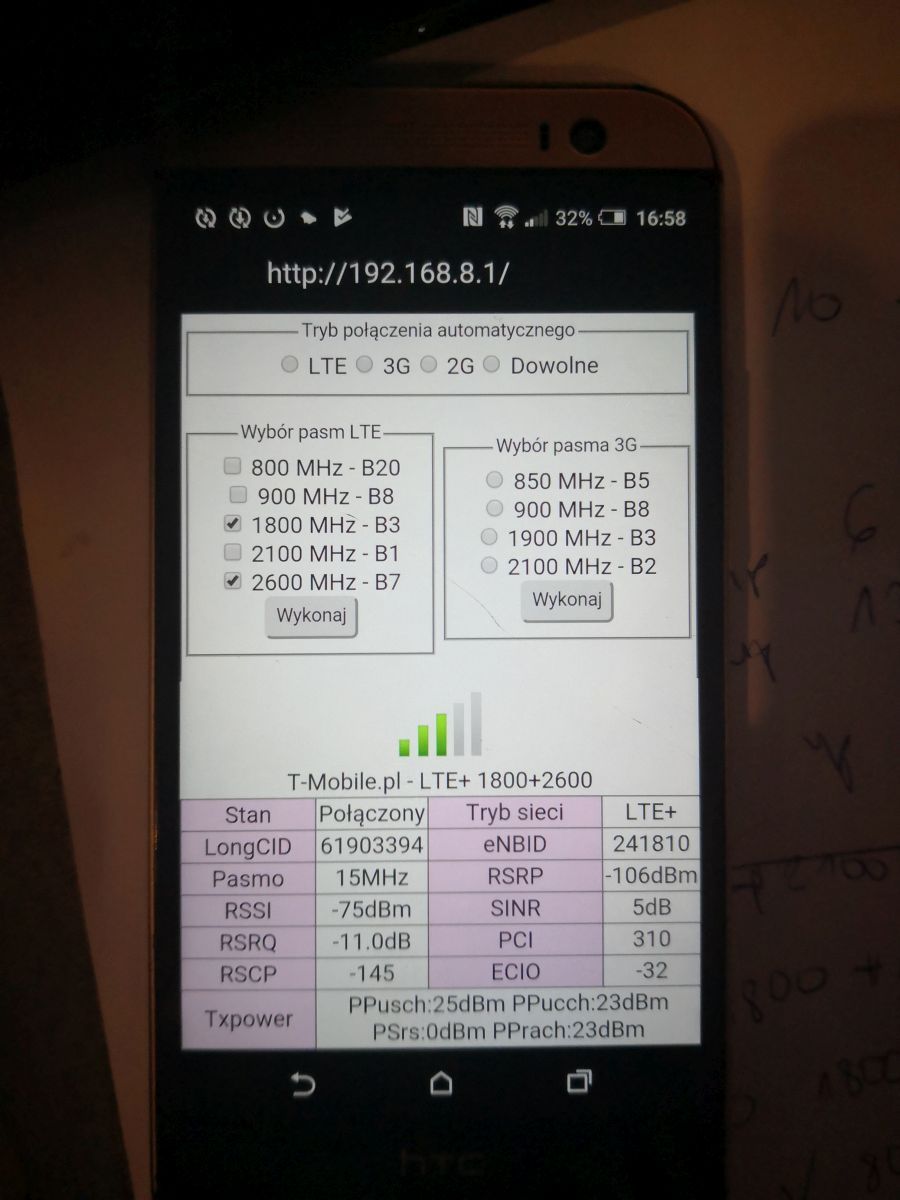
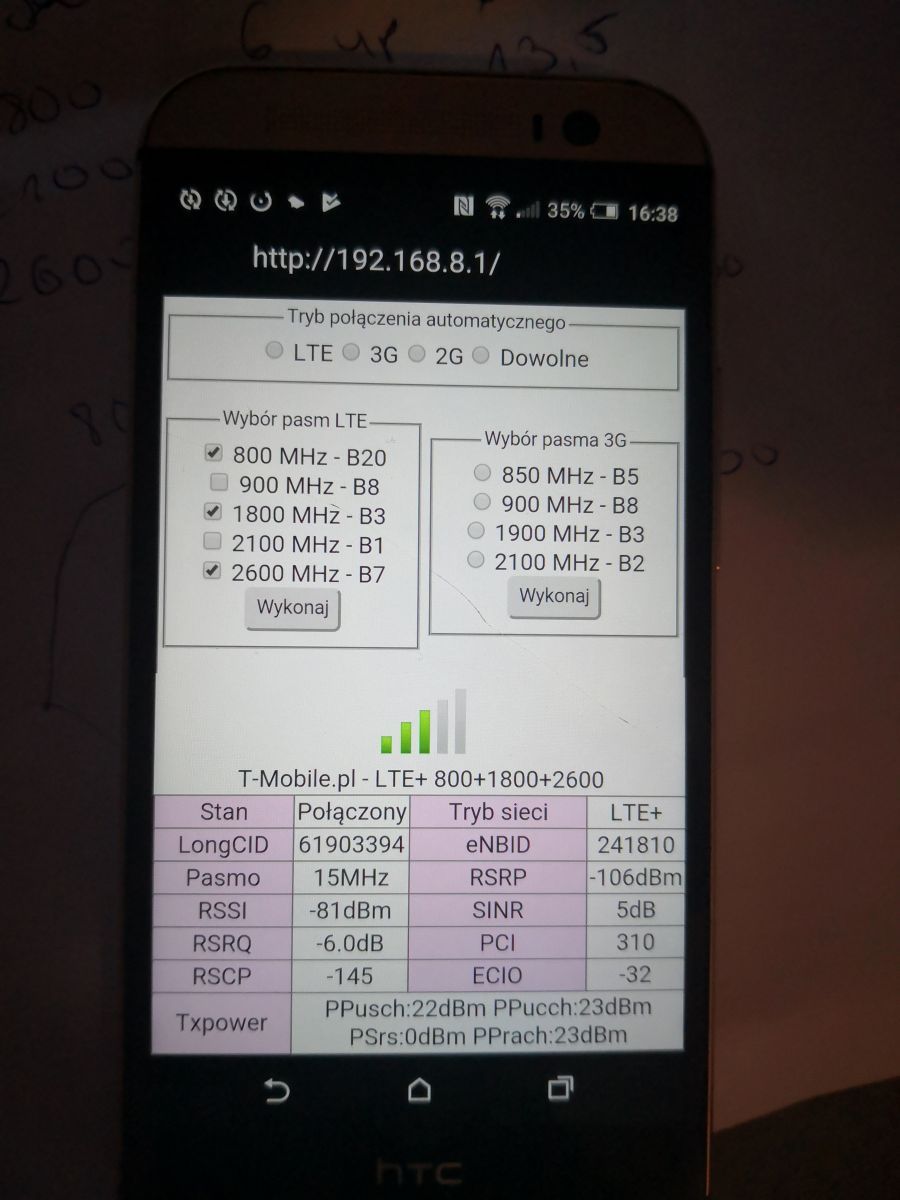
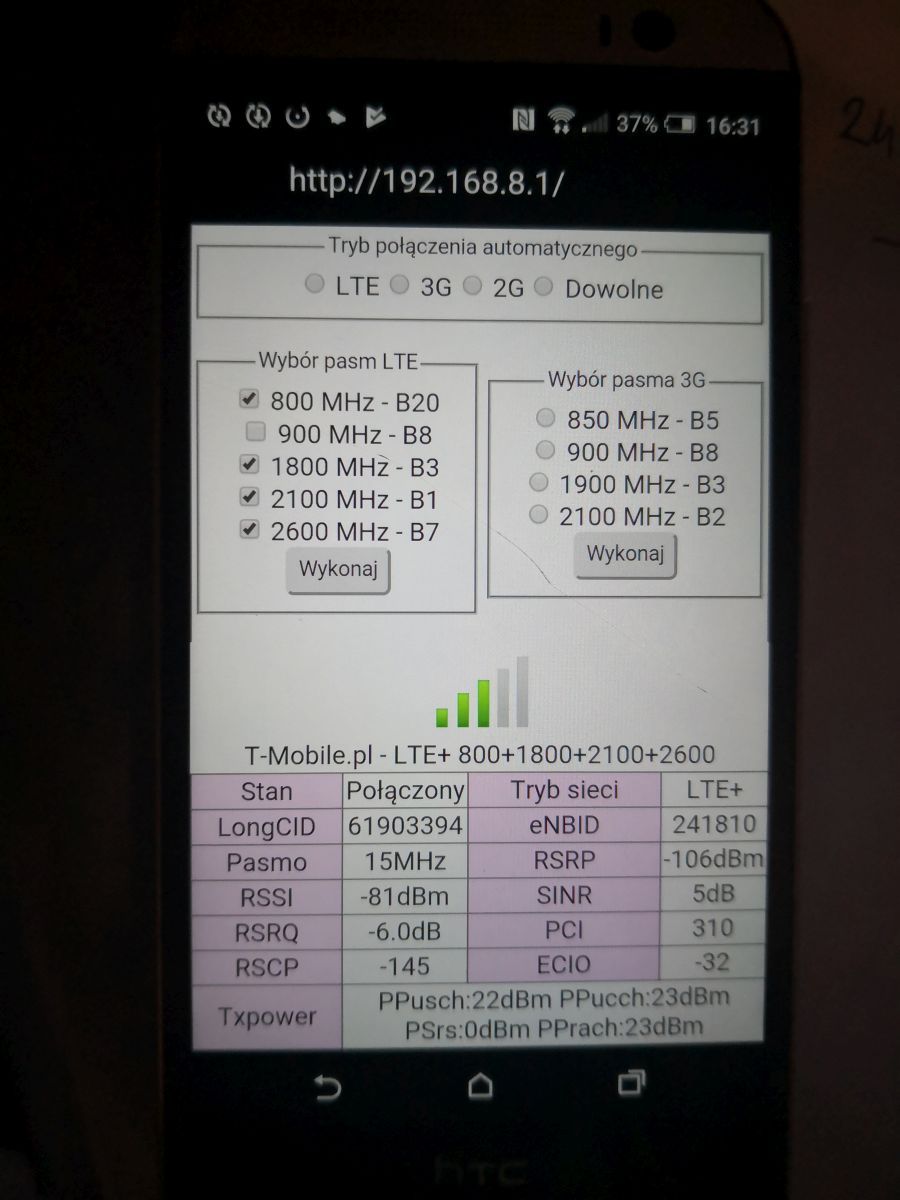
The first two with lte2600 + 2100 and LTE2600 itself as Nadtorowa is pl. Freedom. Signal at 2600MHz quite weak. The remaining 3 are Nadtorowa, the signal on LTE800 is very good and on LTE1800 and LTE2100 it is worse. No speed tests in these conditions. The next two, i.e. aggregations lte2600 + 1800 and LTE2600 + 800 are Pl. Freedom. Another is the aggregation of lte2100 = 1800 from the trackside and the bands individually from it. The last 6 are different combinations of the bands from the trackside, with the signal on the lte2600 comparable to Freedom. generally it is on lte800 signal from both ok, medium on lte1800 and lte2100 and quite weak on lte2600. In general, as I wrote, you have the comfort of choosing bts. eNB from 73620 is always Nadtorowa and the one from 74160 is Wolności Square. Come back speed, because they will decide on the choice of bts.
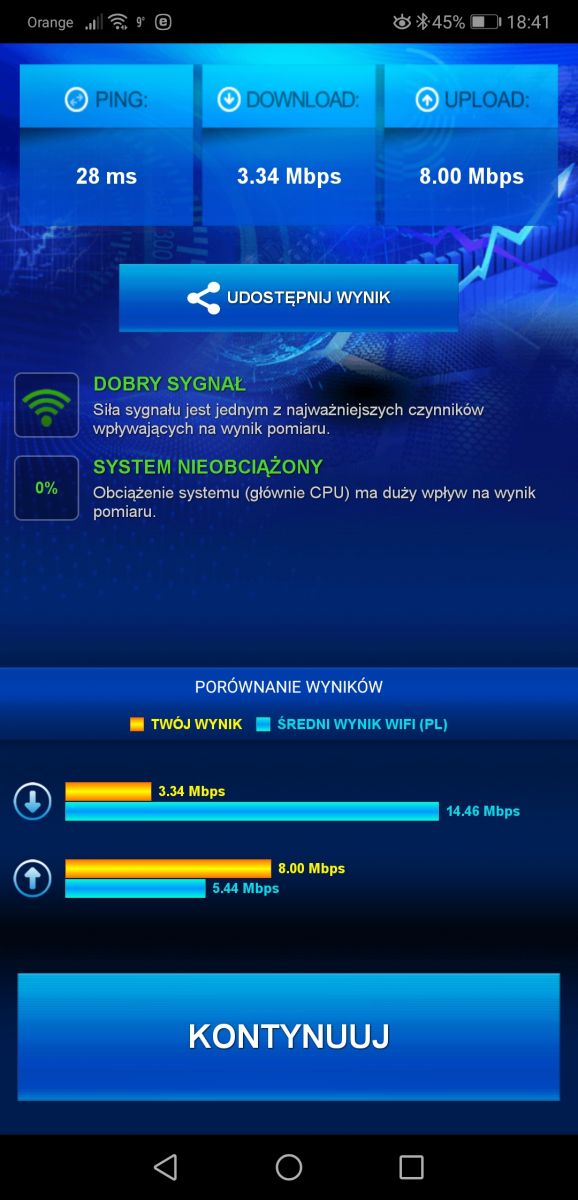
I did Hmanaga and speed test today. I was able to do the test only from Nadtorowa, because Plac Wolności was inaccessible today, I couldn't catch the signal.
Create an account, log in here and be active on the forum — ads won't appear. Earn points for registering and replying.
The discussion revolves around finding a compatible antenna for the Huawei B535-232 router. Users clarify that the B535-232 has SMA connectors for external antennas, but the choice of antenna depends on the specific LTE bands available from local base stations (BTS). Recommendations include testing signal strength and LTE band performance using applications like LTEWatchH and HManager. Users emphasize the importance of knowing the location and the specific BTS to optimize antenna selection. Various antenna types, including Yagi and dual-band antennas, are discussed, with suggestions for specific models that can enhance signal reception for LTE bands 800, 1800, 2100, and 2600. The conversation also touches on the performance of different mobile operators in Poland, highlighting the need for proper testing and equipment to achieve optimal internet speeds. AI summary based on the discussion. May contain errors.
Why it matters: Correct band tests and a tuned MIMO antenna prevent costly, slow ‘electro-breakers’.
Quick Facts
• Huawei B535 supports 2×2 MIMO and 2-band aggregation (max 40 MHz total bandwidth) [Huawei Spec].
• SMA-F connectors accept ≤ 10 m 50 Ω coax; each extra metre loses ≈ 0.2 dB at 1800 MHz [Coax Loss Chart].
• Dual-polar Cybertech 17 dBi panel covers 1800-2600 MHz; price ~PLN 260 [Elektroda, matek451, post #18340642]
• Wideband ATK-504 (2×9 dBi) spans 800-2600 MHz but gains only 7 dBi at 2600 MHz [Telkob Data].
• Oversize Yagi across 800-2600 MHz loses > 4 dB on high bands—edge-case to avoid [Elektroda, matek451, post #18236762]
Which external antenna works best with a Huawei B535 in mixed rural–urban areas?
Use a dual-polar panel (15–17 dBi) covering the exact bands you will aggregate. For 1800–2600 MHz choose Cybertech 17 dBi; keep cable ≤ 10 m to hold loss under 2 dB [Elektroda, matek451, post #18288032]
Do I need an antenna if the router already shows 2–3 signal bars?
Check SINR and RSRP first. If SINR < 10 dB or RSRP < -90 dBm, throughput will dip at peak hours; an external antenna can add 6–10 dB and stabilise speed [Elektroda, matek451, post #18545470]
Why do wideband Yagi antennas underperform on the B535?
A Yagi’s element spacing must fit one frequency; stretching to 800-2600 MHz drops gain by up to 4 dB on 2600 MHz and ruins VSWR, producing edge-case failures [Elektroda, Anonymous, post #18236891]
Can I reuse old satellite coax for LTE?
Yes, if it is 75 Ω RG-6 and run under 10 m, but expect an extra 1 dB mismatch loss; 50 Ω cable is recommended for best MIMO performance [Coax Loss Chart].
What speeds are realistic after proper tuning?
Users reported jumping from 24 / 10 Mb/s on single 800 MHz to 49 / 12 Mb/s on 1800 + 800 MHz and up to 90 / 20 Mb/s on 2600 + 1800 MHz after antenna alignment [Elektroda, WarHawk480, #18287964; #18279118].
My pings spike every few minutes—antenna or router?
First lock the router to the tested aggregation (e.g., 2600 + 1800 MHz). One user cut ping jumps from 400 ms to 25 ms by forcing bands; poor antennas can’t cause such rapid roaming alone [Elektroda, ajku, post #18479504]
Is the B535 future-proof compared to B525?
It adds two extra combos (2600 + 2100 and 2100 + 1800), improving speeds near modern BTSs; however, it still lacks 4×4 MIMO and 3-band CA found in B715/B818 [Elektroda, matek451, post #18598364]
Edge case: what if my only nearby BTS is LTE800?
Expect ≤ 35 Mb/s even with a good 800 MHz antenna; consider switching providers or waiting for additional bands, as seen at Currents site with LTE800 only [Elektroda, matek451, post #18514616]
How tight should I screw SMA connectors?
Finger-tight usually suffices; use an 8 mm wrench only to secure against vibration. “Under-tightened SMA can cut throughput ten-fold” [Elektroda, single_malt, post #18238946]
Can I improve Wi-Fi coverage from the B535 itself?
Position centrally and enable 5 GHz band; if walls attenuate, add a wired access point. Range extenders often inherit the weak backhaul seen in ZTE MF283+ setups [Elektroda, froggie, post #18526442]
What if the operator's store insists 'any antenna will do'?
Ignore. Measure first; 95 % of buyers pick ineffective ‘electro-breakers’ when sales staff skip the site survey [Elektroda, matek451, post #18198044]
AI summary based on the discussion. May contain errors.