logo elektroda
logo elektroda
X
logo elektroda

First 3D printer purchase - Creality Ender 3 Pro - My impression, review

p.kaczmarek2 34272 87
ADVERTISEMENT
Treść została przetłumaczona polish » english Zobacz oryginalną wersję tematu
📢 Listen (AI):
  • #61 18732286
    siewcu
    Level 35  
    1.75mm filament let loose in a 4mm heatbreak? Brilliant idea... Cool to wrap inside, just a shame you can't see it.

    Can't you just leave it as it is and use it like that with the given solution? I've used it, no problems at all with either PLA or PET-G. I must actually have some outstandingly good art.... They did their best at the factory with this one, but how they knew it would go to me is beyond me.

    PS. I printed on the factory PET-G hotend at 240 degrees and nothing got damaged, so....
  • ADVERTISEMENT
  • #62 18732313
    tzok
    VIP Meritorious for electroda.pl
    So you were lucky. After all, I write that I used a 100% serial printer and after half a roll of PLA it stopped printing. If the factory solution had worked, after all, I wouldn't have combined.

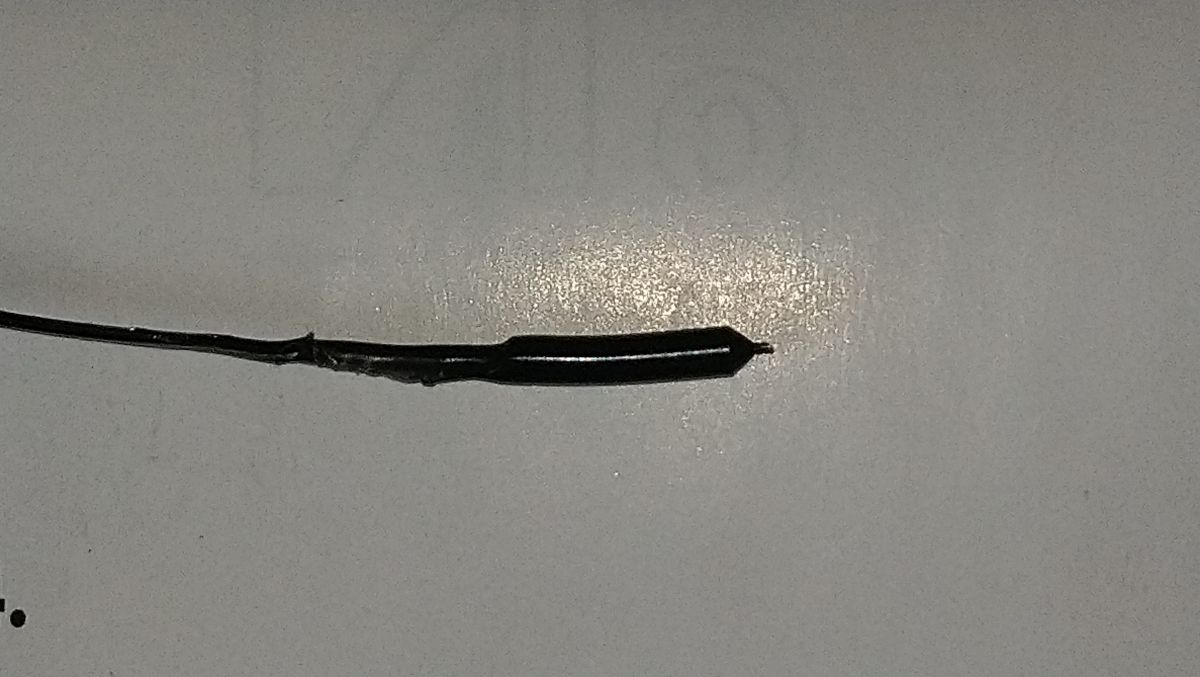
    If everything is fine, after heating the HE to 80°C you can remove the filament from the head with one vigorous pull. This is what the end of the pulled out filament should look like:
    First 3D printer purchase - Creality Ender 3 Pro - My impression, review
    There is supposed to be an empty nozzle left with a clear opening.

    siewcu wrote:
    Filament of 1.75mm let loose in 4mm heatbreak?
    I don't get what you mean. I didn't write anything of the sort.
  • #63 18747830
    tzok
    VIP Meritorious for electroda.pl
    I have just put a mirror on instead of the adhesive pad - I recommend it. The finish is high-gloss, it holds up well and finally the 5mm high piece is 5mm no matter where you print it on the table.
  • #64 18816626
    C4mpi59
    Level 9  
    Now the Ender 3 v2 has recently come out with a few changes. My question is is it better to buy this new v2 or the good old ender 3? I see there are some people on this topic who are in the know, and I'm trying to learn as much as I can but I still have a lot ahead of me.
  • #65 18816638
    jariko
    Level 17  
    another year we are breaking in the ender and it is OK. We've replaced the push knurl and the lappets with aluminium ones. We have a new nozzle and filament tube mount. We print on glass and the adhesion is improved with rosin in spirit. There was a 2 mm pane of glass from the picture, but the plastic stuck so tightly that the glass broke in several places. Now there is 5 mm glass. We are now running on Pet G 250 degrees plastic and 80 degrees table.
  • #66 18816658
    C4mpi59
    Level 9  
    jariko wrote:
    Another year we are battering the ender and it is OK.

    And where to buy, because the ender 3 can even already be found on allegro at a bearable price. However, Ender 3 v2 send only from China via Ali, but I found the site Creality and there is shipping from Europe only nw whether it is worth the risk from this site https://www.creality3dshop.eu/
  • ADVERTISEMENT
  • #67 18978131
    sepako
    Level 15  
    Hello
    The Ender 3 currently sold from Ali's warehouse in Poland has a Creality V4.2.2 board with STM32F103RET6 processor 64kB RAM and 512 Flash, after compiling the firmware it occupies about 39% of the memory. The firmware is updated directly from the memory card. The stepsticks are on the A4988, but I do not mind the sounds. To quiet the thing down I decided to test the operation with the power supply fan off, as the power supply is all metal cased, it didn't even get warm. I lowered the table temperature to 40 degrees, and it is optimal, at 60 it was impossible to tear the print straight off the pad, and a lot of sticky material remains on the table. Looking at the power of the table it uses the most power because it loses power over the whole surface. I bought the printer with extra nozzles and a glass plate that has an adhesive layer sprayed on the working part, but I haven't tested it yet. After fitting the pen, I decided to try to draw something. This was more out of curiosity and a desire to show the kids what such a printer could still do. And this is where the problems arose, while there were no problems with printing even on the factory slicer, drawing from a vector image created in Inkscape and generating the gcode from the converters provided there sometimes made the machine stupid. I was drawing directly from the Raspberrypi sending the gcode directly to the printer, eventually I used a script for the laser from jtechphotonics.com modified for the pen (swapping the laser control codes for Z-axis lift) and some minor tweaks that eliminated unnecessary gcodes in my opinion. The gcode output is handled well by windows LaserGRBL. I suspect that errors start to occur when using G2 and G3 codes (they are unlikely to occur when printing), if the control software mishandles the confirmation messages sent by the printer it can hang up, especially as the printer itself is sending temperature information all the time. Nevertheless, I have tried to get it to work on the Rpi. Marlin can be compiled on Rpi by simply installing PlatformIO Core (CLI). Drawings can be created in Inkscape and 3D models in FreeCAD. One could be tempted to make a 3D model with a small height so that the slicer generates only one layer and let this go for drawing, I haven't tested this yet because one would have to take care to switch off all heaters and extruder drive.
  • #68 18981906
    yvv
    Level 21  
    I will add something from myself. Bed leveling is something that annoyed me terribly. I recommend BLTouch. I fitted it to my CR10 and printing is a pleasure. It levels itself.
  • ADVERTISEMENT
  • #69 19019247
    tzok
    VIP Meritorious for electroda.pl
    I recently replaced the mirror with Ultrabase - highly recommended! No more combining with painter's tape/glue/adhesive sprays.
  • #70 19135480
    Markoop
    Level 3  
    After buying the printer in question at the axes it appears x? z? y? what have I done wrong?
  • #71 19135531
    p.kaczmarek2
    Moderator Smart Home
    Markoop wrote:
    After buying the printer in question at the axes appears x? z? y? what have I done wrong?


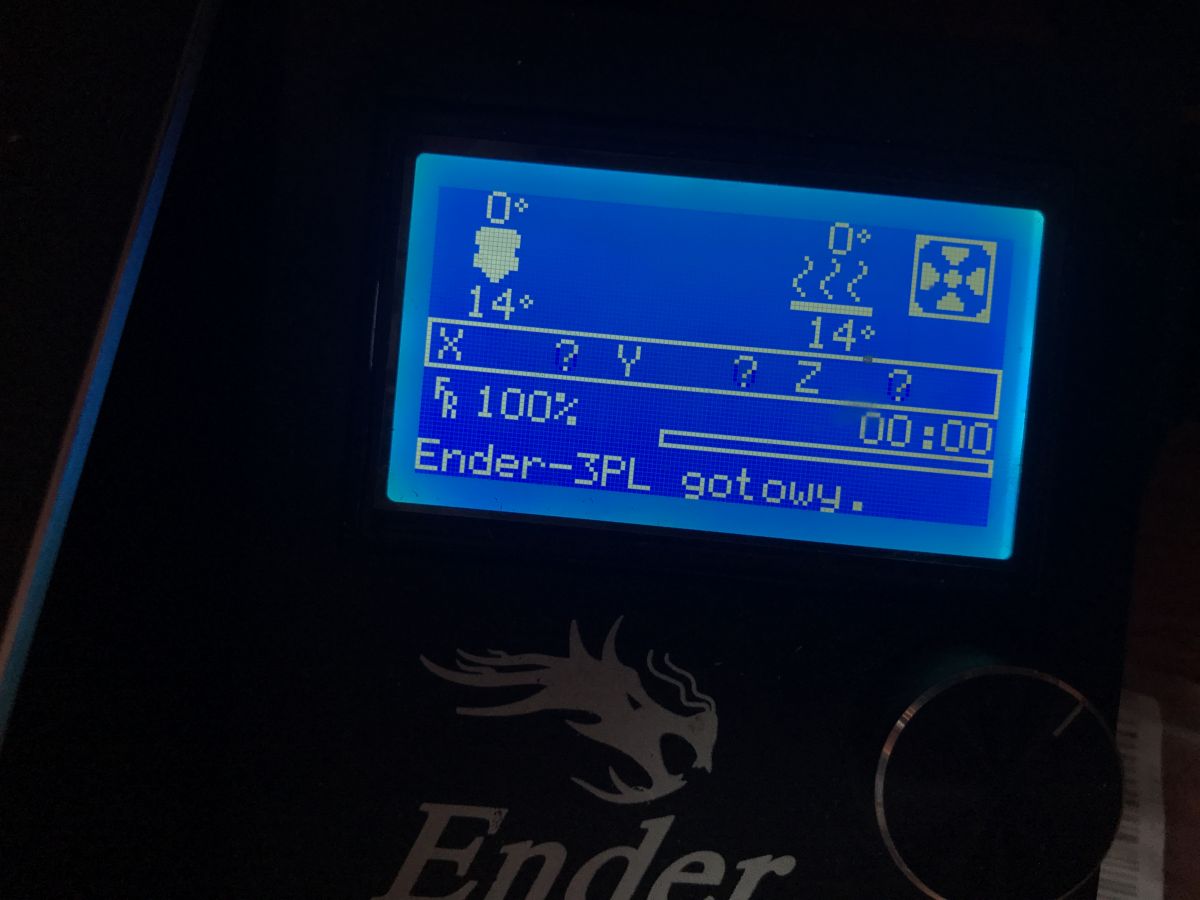
    I wasn't sure what the issue was so I approached my printer from the subject. After switching it on I got:
    First 3D printer purchase - Creality Ender 3 Pro - My impression, review
    First 3D printer purchase - Creality Ender 3 Pro - My impression, review
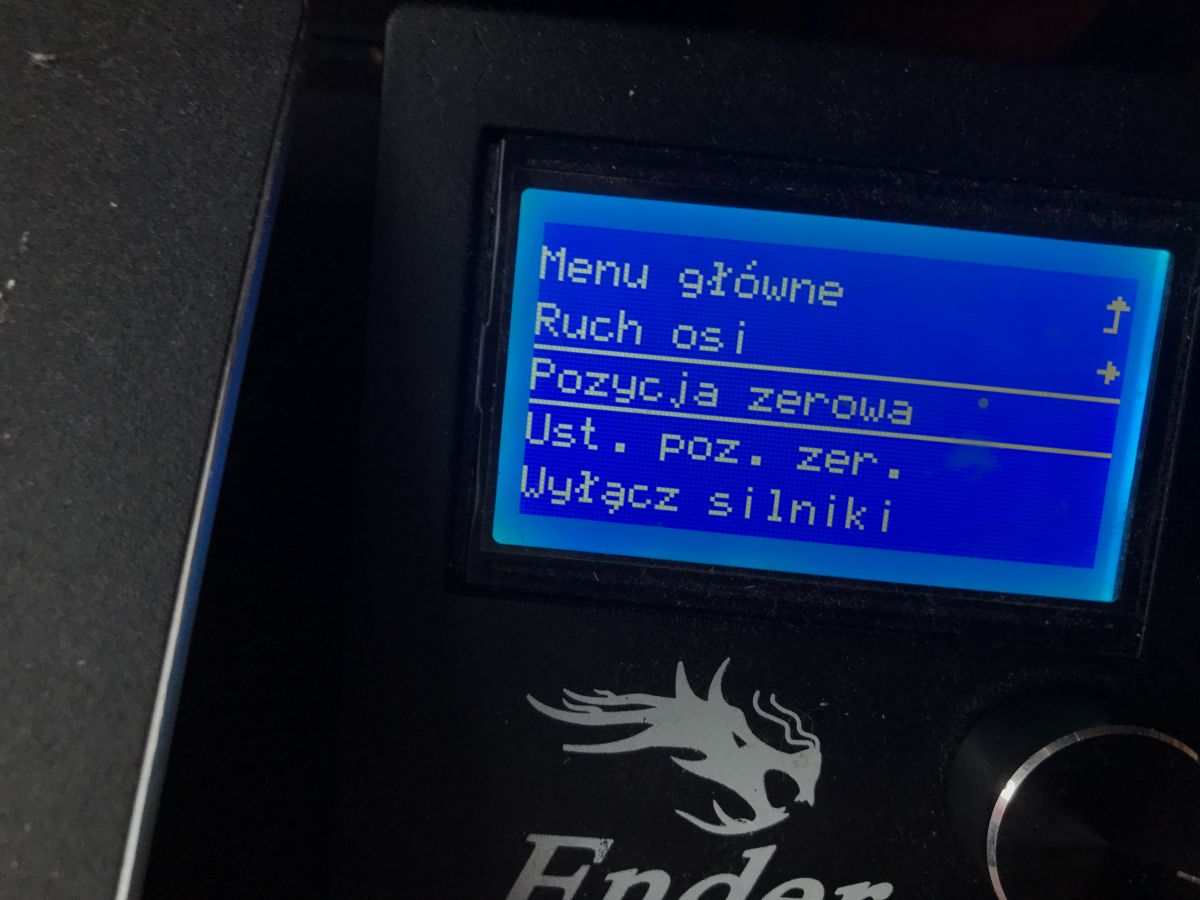
    And this is the norm. Then as for example I will give "Position zero":
    First 3D printer purchase - Creality Ender 3 Pro - My impression, review
    then the nozzle sets itself to pos 0,0,0 (but don't make a mistake and give "set zero position").
    It's just that the printer, when switched on, 'doesn't know' where the nozzle is because it's counting steps from the endstops so it always has to 'reset' the position of the nozzle before printing by moving it towards the endstops and so determines where 0,0,0 is (+ offset from calibration). But you don't have to do it manually, it does the same thing at the start of the print.
    In the same way from the Axis Motion menu I can control the X, Y, Z axes freely.
    So if you can control the axes it is ok.
    Helpful post? Buy me a coffee.
  • #72 19135540
    Markoop
    Level 3  
    And how do you control the motors? I know it's probably a trivial question but this is the first time I've had to deal with a 3d printer
  • #73 19135638
    tzok
    VIP Meritorious for electroda.pl
    Why do you want to manually control the motors? I.e. it is possible, but the first thing you should do is the zero position (Auto Home). Then possibly set the nozzle over the working surface (i.e. move /Motion-Move Axis/ in the Y axis by 7 mm) and save the zero position offset (Set Home Offsets, Store Settings).
  • #74 19135690
    Markoop
    Level 3  
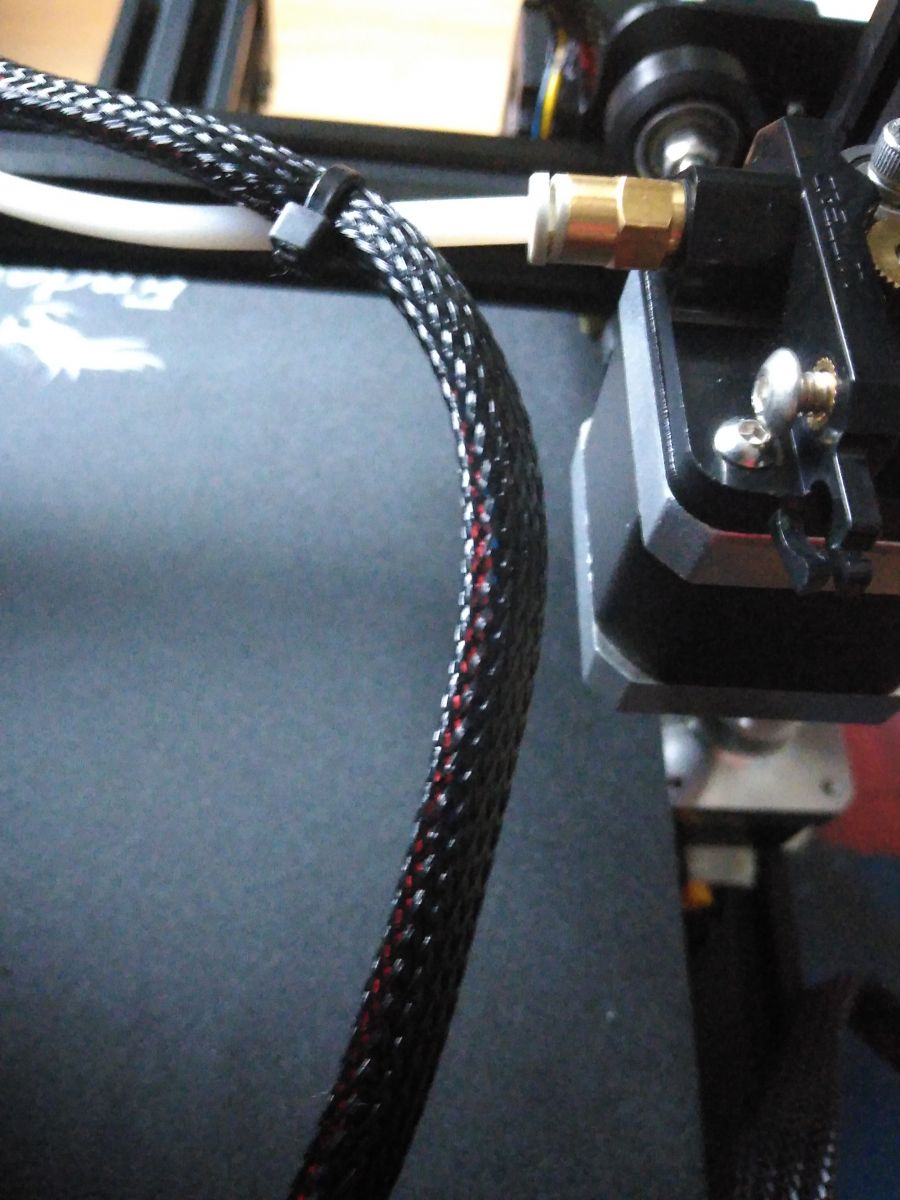
    I've almost got it all figured out but after inserting the filament this white tube falls out, can I do something about it? First 3D printer purchase - Creality Ender 3 Pro - My impression, review
  • #75 19135706
    Kolobos
    IT specialist
    Maybe you should start by watching the videos on YT? Everything is explained there! E.g. https://www.youtube.com/watch?v=GBe0rCSPlxc there is not much difference between 3 and Pro. Also e.g. https://www.youtube.com/watch?v=pn5g8Qf4h8o etc.

    When you press down on the white collar, the tube should be able to be squeezed inwards, then locked in place with the pad if supplied.
  • #76 19135724
    p.kaczmarek2
    Moderator Smart Home
    Remember to check for axle play (search online: eccentric nuts ender 3, although I may add an explanation to the first post later).

    And here's a handy gcode to level the bed and to test if it's ok :
    https://www.chepclub.com/bed-level.html
    Backup zip from the link above:
    Helpful post? Buy me a coffee.
  • #77 19135803
    tzok
    VIP Meritorious for electroda.pl
    I have just managed to compile Marlin 2.0.7.2 for Ender 3 v1 with the LCD_MESH_BED_LEVELING and S_CURVE_ACCELERATION options under the factory board with M1284P. It works beautifully!
  • #78 19136743
    Markoop
    Level 3  
    What is this part called? It is located at the extruder First 3D printer purchase - Creality Ender 3 Pro - My impression, review
  • #79 19136802
    p.kaczmarek2
    Moderator Smart Home
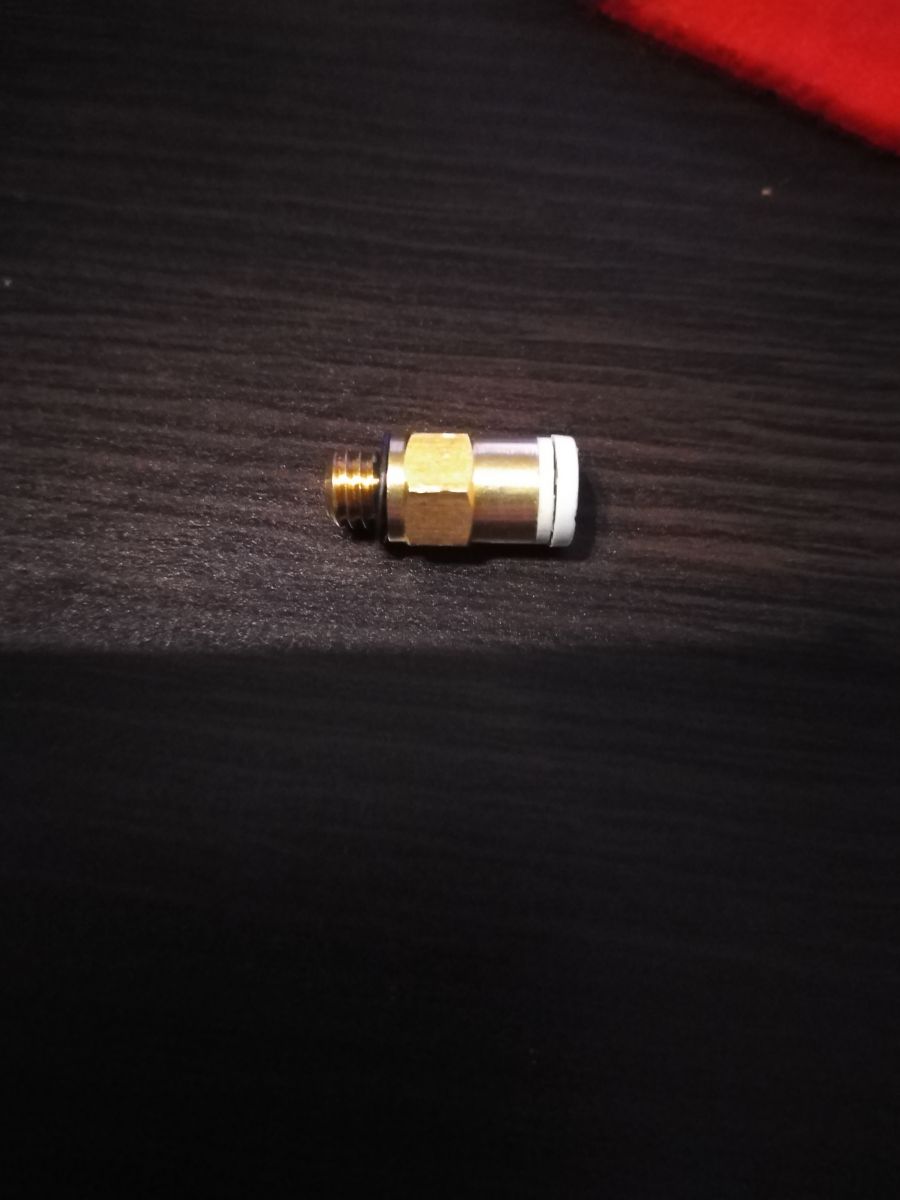
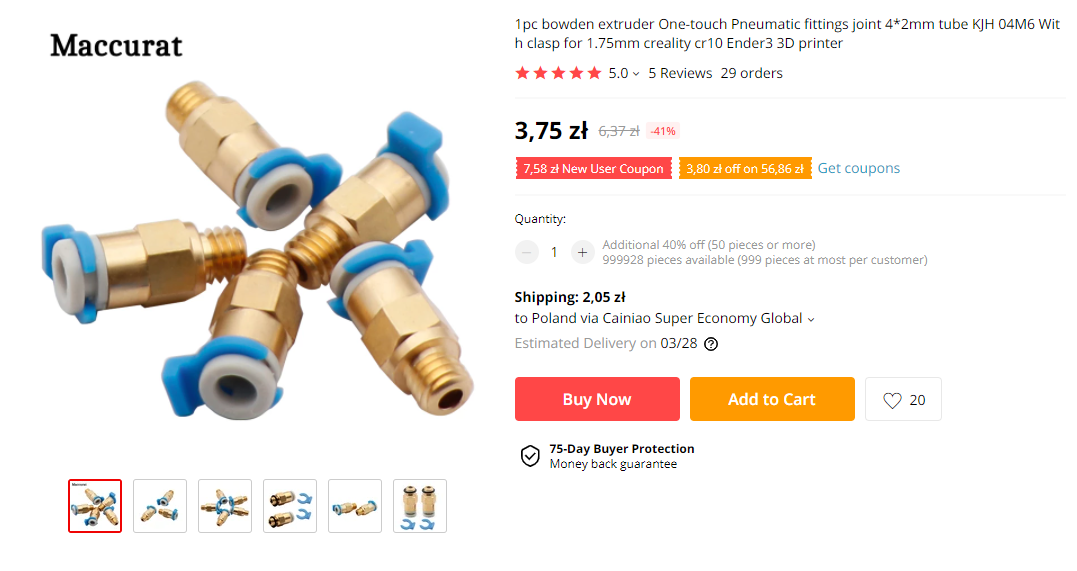
    Bowden tube coupler. It should still have a (blue?) 'pin' otherwise the bowden tube (that white tube) will come out of it.
    This can be bought cheaply:
    First 3D printer purchase - Creality Ender 3 Pro - My impression, review
    but you should have everything included, have you lost the blue 'pin'?
    Helpful post? Buy me a coffee.
  • #80 19136830
    tzok
    VIP Meritorious for electroda.pl
    The pin can be printed for yourself.... but it's better to replace the coupling on the hot-end side with a non-through one anyway and separate the tube. This way it will be able to rotate freely with the head movement and will not be undercut by the coupling, nor will it slide out.
  • #81 19137162
    Markoop
    Level 3  
    Can anyone provide a link or the name of a site from which I can install the drivers? because my computer, despite having the latest Windows, did not install it itself.
  • #83 19137177
    Markoop
    Level 3  
    Thanks, I have also just found on this site

    Added after 12 [minutes]:

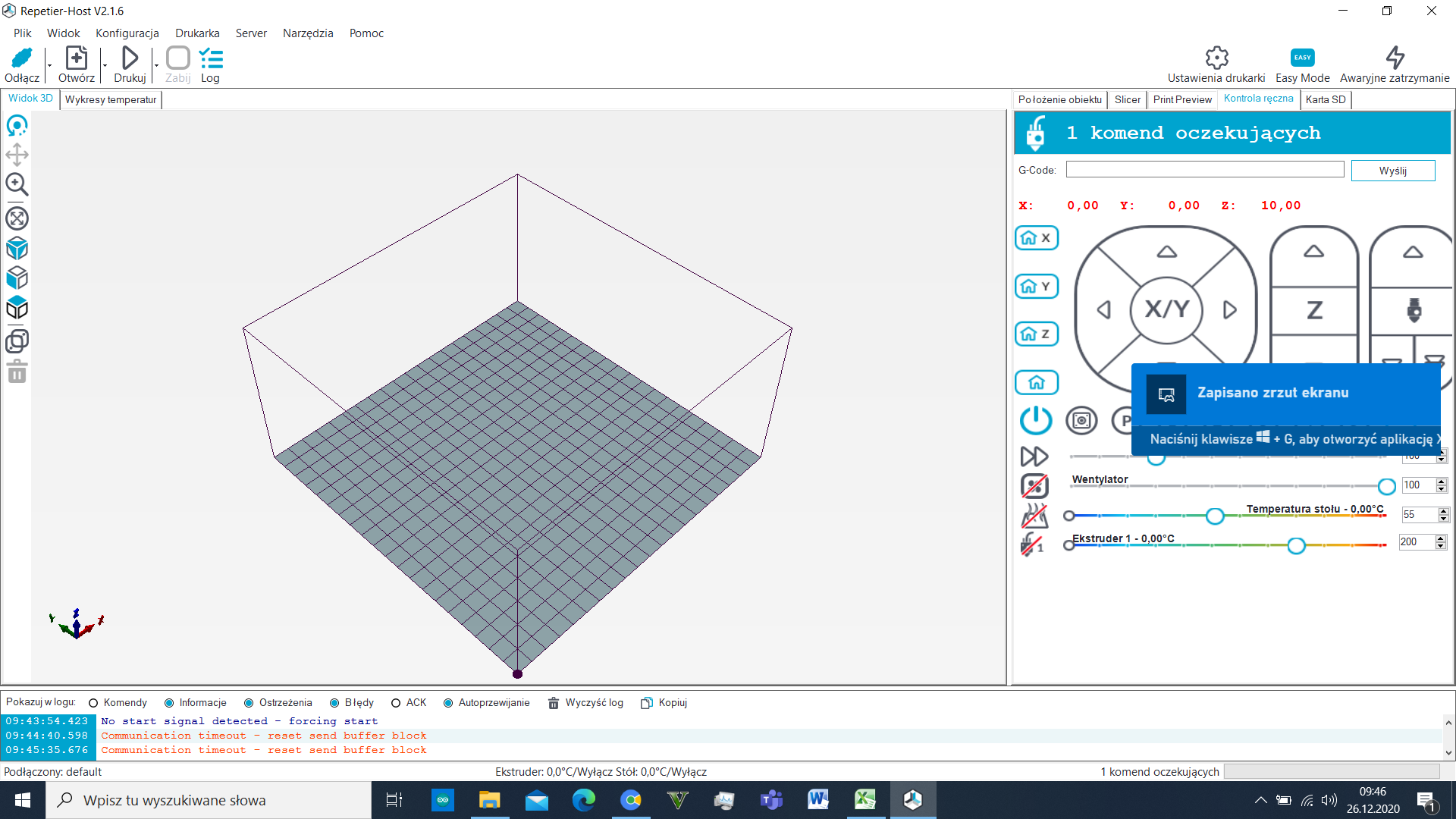
    i wanted to calibrate the extruder but my printer or computer has a problem, I used the repetier-host program. I followed this video https://www.youtube.com/watch?v=d_YIUqi4dHY downloaded this driver, and still nothing. What could be the problem. First 3D printer purchase - Creality Ender 3 Pro - My impression, review
  • #84 19137610
    tzok
    VIP Meritorious for electroda.pl
    I don't know, I've never used this printer in online mode. Prints take a couple of hours at a time and there is no need for the computer to be running all that time and on top of that it doesn't want to e.g. download some update and reboot. I design in Fusion 360, then export the STL to CURA and generate G-Code for the SD card. Finally, I put the card in the printer and print....

    To calibrate the extruder (e-steps), all you need is a piece of filament and the printer menu. On the factory calibration (93 steps/mm) it feeds minimally too little filament, but the prints are ok. After calibration (96 steps/mm) it was worse ("blobs" at the end of the line), so I restored the original value. Calibration is simple, you withdraw the filament and unclip the extruder output (take off that tube). You insert a piece of filament with a marked section of, say, 10 cm. You align the start of the marked section flush with the output (or input, makes no difference) of the extruder, then have 100mm of filament ejected. Finally, you measure how much actually came out (it will come out about 9.5 cm) and make an adjustment to the e-steps value.

    https://letsprint3d.net/how-to-calibrate-the-extruder-steps-ender-3-5-cr-10/
  • ADVERTISEMENT
  • #85 19242932
    tzok
    VIP Meritorious for electroda.pl
    Another upgrade for my Ender 3 - it's a Creality v4.2.7 board, and it's a 32-bit board with silent drivers. The printer now runs silently (not counting the fans). In addition, I got a BLTouch probe in the kit.... i struggled a bit with it, especially with the Z offset calibration. In the end I have the 'homing' left on the limit switch, and only the levelling on the BLTouch.

    As for the print quality, the new plate has completely eliminated the so-called banding, which was very pronounced in the Y-axis since the glass 'table' was put on.

    As for the BLTouch it is, with the glass table and the hard springs, basically an unnecessary byte, but since I got it, it was a shame not to put it on.
  • #86 19605867
    PiotrekD
    Level 13  
    tzok wrote:
    I recently replaced the mirror with Ultrabase - I recommend it! No more combining with painter's tape/glue/adhesive sprays.


    I also have Utrabase but after the first print I went back to the mirror from ikea.
    I couldn't on this ultrabase, peel off the print, causing me to almost damage it....
    And as far as gluing goes, I use - HEGRON hair spray gel. It is irreplaceable and for me a sufficient solution.
  • #87 19606012
    tzok
    VIP Meritorious for electroda.pl
    Ultrabase needs to cool below 40°C, then the print comes off by itself, but this only works well with PLA. You don't put any "smears" on Ultrabase, you just wash it with water and a mild detergent, even IPA is inadvisable.
  • #88 20653459
    Marcin125
    Level 29  
    Hello.
    I'm starting to play with 3D printing. Ender 3 purchased - it goes....
    What improvements can I expect?
📢 Listen (AI):
ADVERTISEMENT