logo elektroda
logo elektroda
X
logo elektroda

First 3D printer purchase - Creality Ender 3 Pro - My impression, review

p.kaczmarek2 34272 87
ADVERTISEMENT
Treść została przetłumaczona polish » english Zobacz oryginalną wersję tematu
📢 Listen (AI):
  • First 3D printer purchase - Creality Ender 3 Pro - My impression, review
    Hello my dears
    Here I will describe my experience with the printer Creality3D Ender 3 Pro . In the topic I will try to include useful and interesting information for anyone considering buying one or starting out with a 3D printer.
    In the topic I will not describe the obvious such as the assembly of the printer itself (for this there is a manual included and there is a lot of material on the web), I will focus more on just my observations on the use of the printer and the prints themselves.

    Introduction
    I'm not going to elaborate here on what 3D printing is, nor am I going to describe what types of filaments are commercially available. That's all already on the web. This topic will be a description of my experience with the Ender Pro 3D printer .
    I purchased my 3D printer in mid-2019. Initially, I considered buying one of three models: Ender 3 , Ender 3 Pro and Anet A8 .
    I initially rejected the choice of printer Anet A8 , as it has a much smaller footprint than Endery 3 .
    For the longest time I couldn't decide between Ender 3 and Ender 3 Pro , but over time I read that Ender 3 the Pro version has:
    - improved Y axis relative to Ender 3
    - new, more precise extruder for the filament
    - a magnetic pad for the base of the print (so-called bed)
    and I finally decided on a printer Ender 3 Pro .
    It is difficult for me to judge how much the Pro version of the Ender printer is actually better than the regular one, but I do know that I am happy with my Ender Pro.

    Package contents and printer assembly
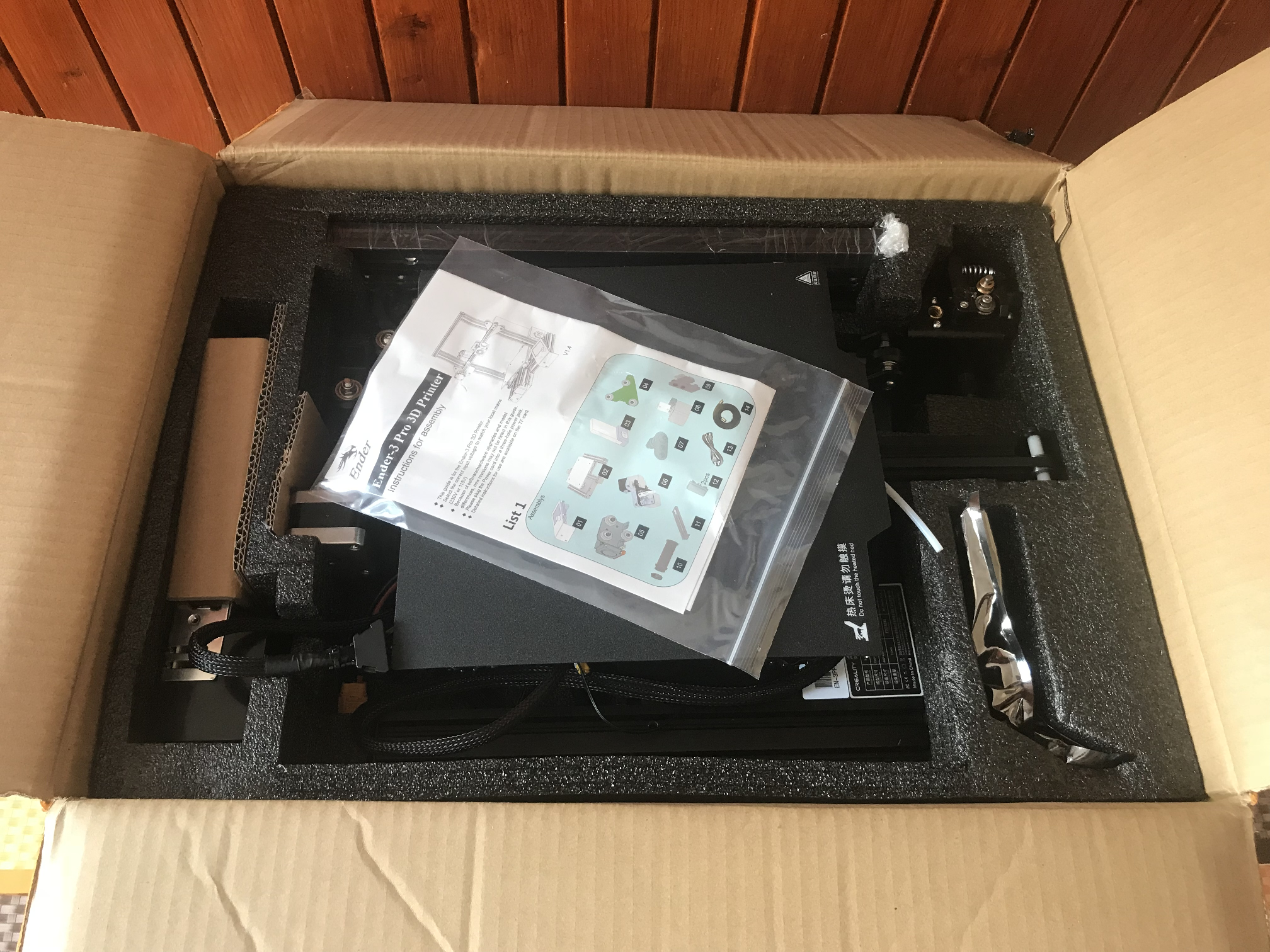
    The printer is received in parts and you have to assemble it yourself. The contents of my package upon receipt looked like this:
    First 3D printer purchase - Creality Ender 3 Pro - My impression, review
    Included in the package is:
    - a complete set of parts to assemble the printer (frame, stepper motors, display, power supply, main driver board, small things)
    - 8GB SD card with recorded documentation and sample GCode files (to be able to print something right away)
    - uSB SD card reader
    - sample of white filament
    - all the necessary tools to assemble the printer, including spanners, inbus and cutting pliers
    - a skewer to push through the printer nozzle
    - tool to lift/remove printouts from the base
    - spare nozzles
    - power cable
    - instruction manual with pictures
    So you are unlikely to need your tools to assemble the printer.
    The assembly of the printer itself is simple and convenient , it can be done according to the included instructions or viewed e.g. on Youtube materials on this subject, and there are plenty of them.
    The assembled printer (more precisely, after some time of use already) at my place looks like this:
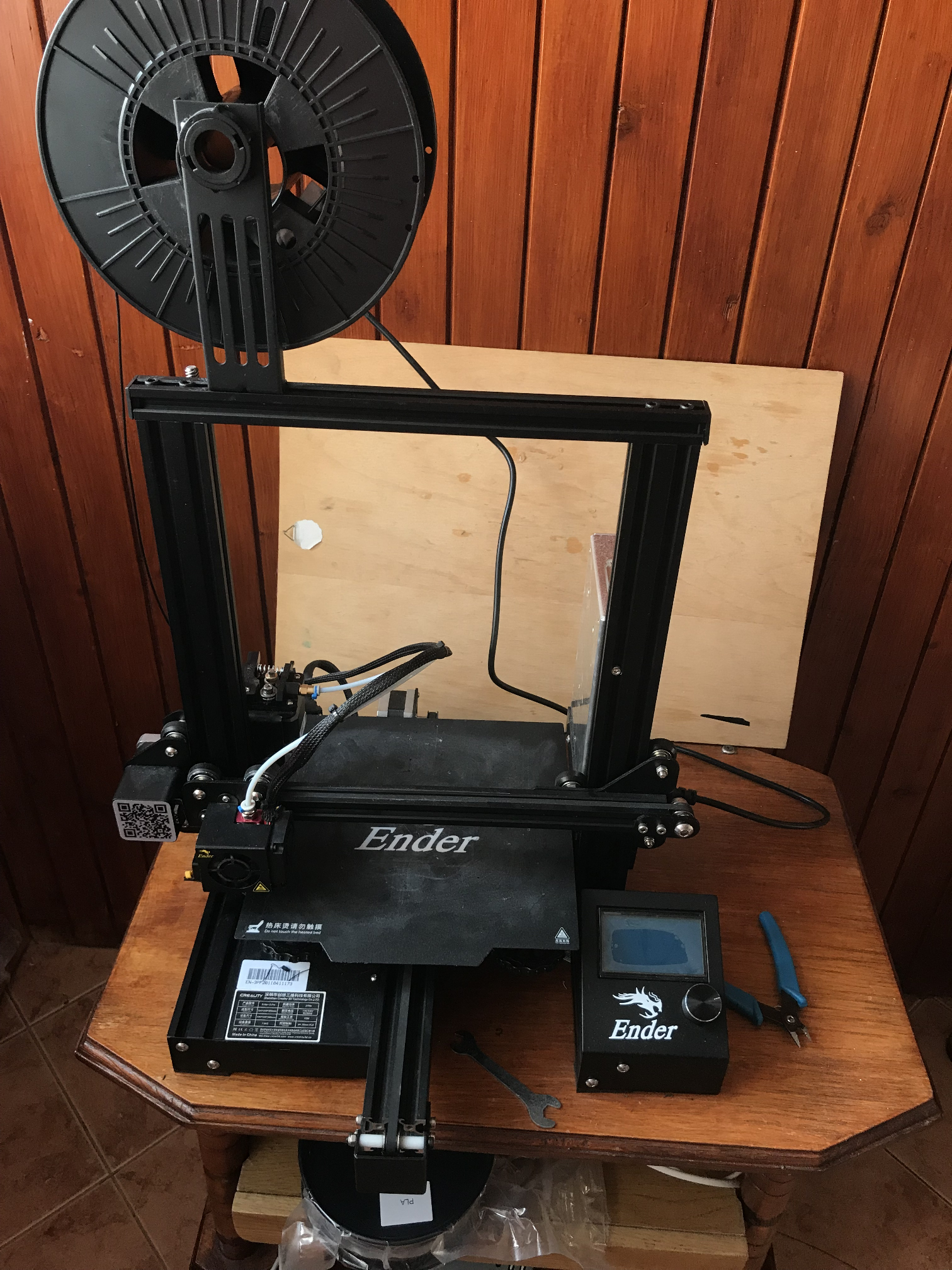
    First 3D printer purchase - Creality Ender 3 Pro - My impression, review
    The largest traces of use can be seen on the print pad, it is possible that I will replace it with a new one in the future.

    Additional purchases - what will definitely be useful?
    For the printer itself, it is worth buying a few things at the very beginning.
    First and foremost - the filament.
    It is probably best to buy it in our country. It is cheaper here than abroad.
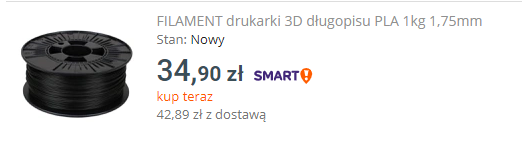
    First 3D printer purchase - Creality Ender 3 Pro - My impression, review
    Abroad I have seen prices of the order of (after currency conversion) 80 zloty per kilogram, and here it is almost twice as much.
    The included sample of filament in the Ender printer kit really doesn't last for much. There is only 20 metres of it.

    Of the cheaper stuff - spare nozzles. Cheapest from China, with free shipping. There are not a lot of them in the Ender kit, and certainly new ones will come in handy sooner or later:
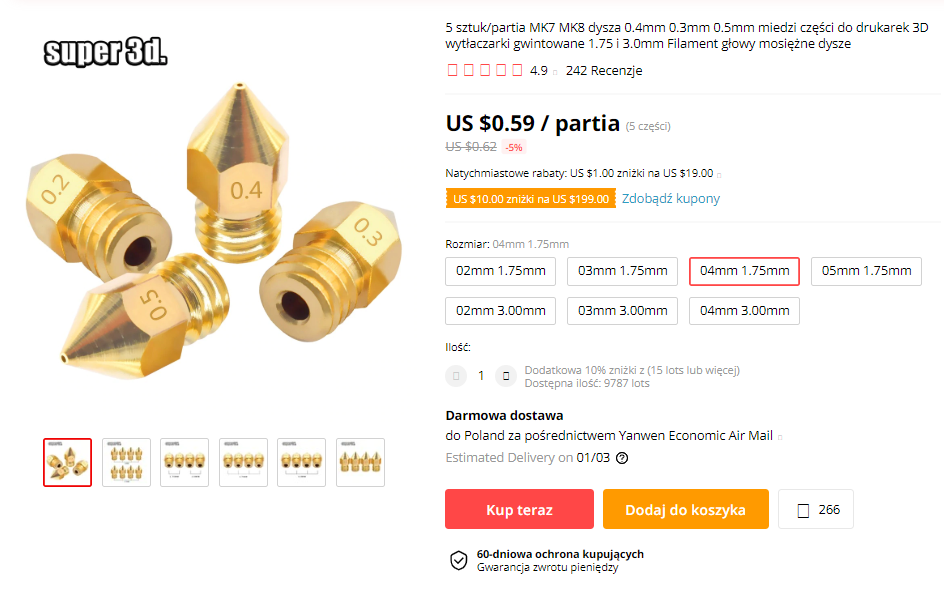
    First 3D printer purchase - Creality Ender 3 Pro - My impression, review
    If you buy a set of five, it comes out to less than a zloty for one. Definitely worth it. Nozzles wear out over time and it's not worth wasting time cleaning the old one when you can have a new one for a zloty.

    Of the more expensive items - a spare magnetic print pad. A good and clean pad is one of the important factors that translates into a successful print, so there is no point in saving on it:
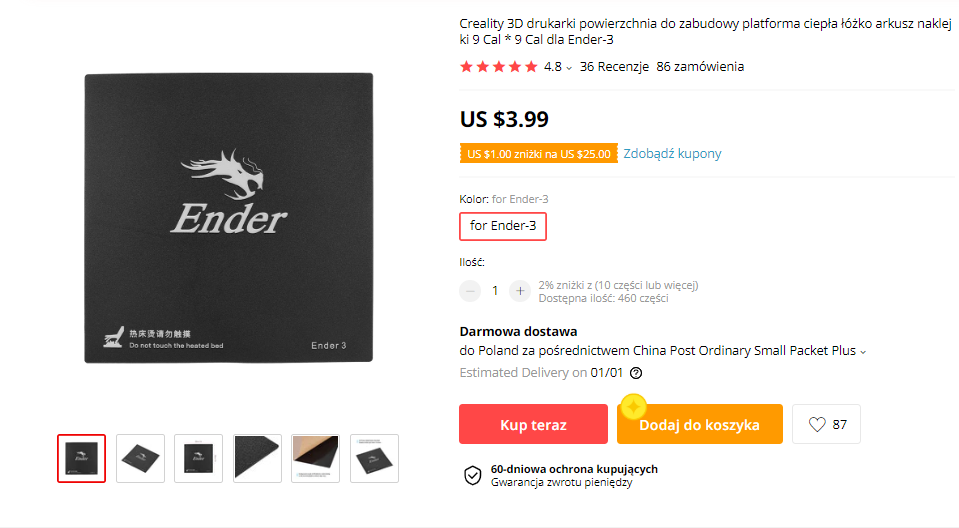
    First 3D printer purchase - Creality Ender 3 Pro - My impression, review
    Sure, the pad can and should be cleaned regularly, but it's still worth replacing it with a new one sometimes.

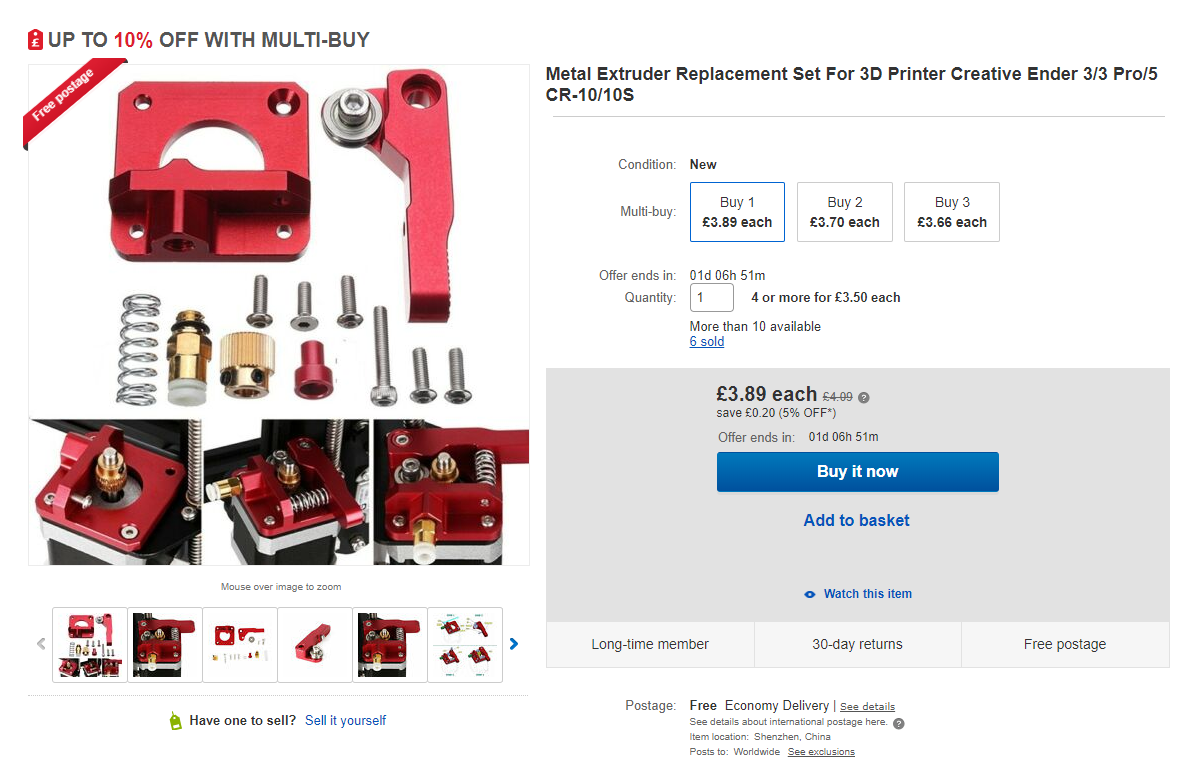
    Additionally - metal extruder feeder to be replaced. For example, one like the one here:
    First 3D printer purchase - Creality Ender 3 Pro - My impression, review
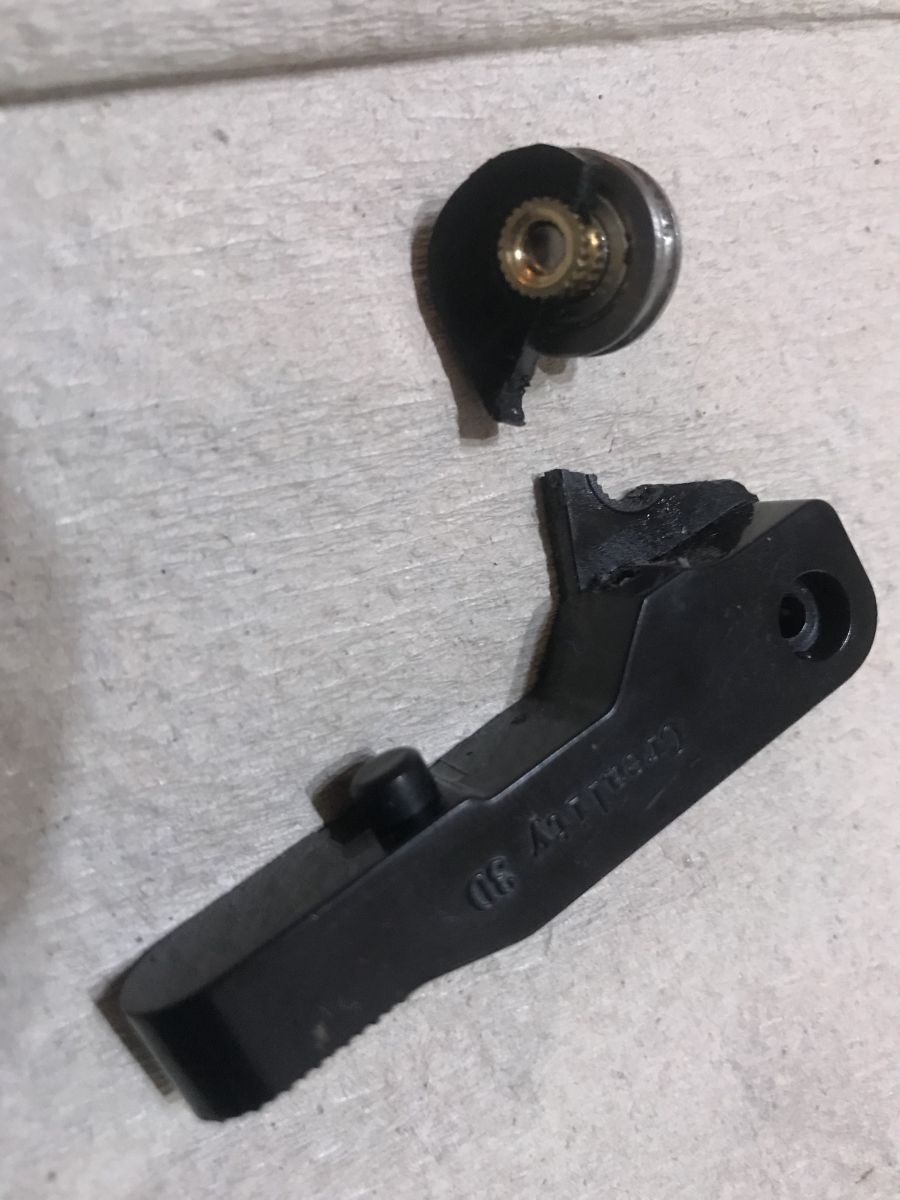
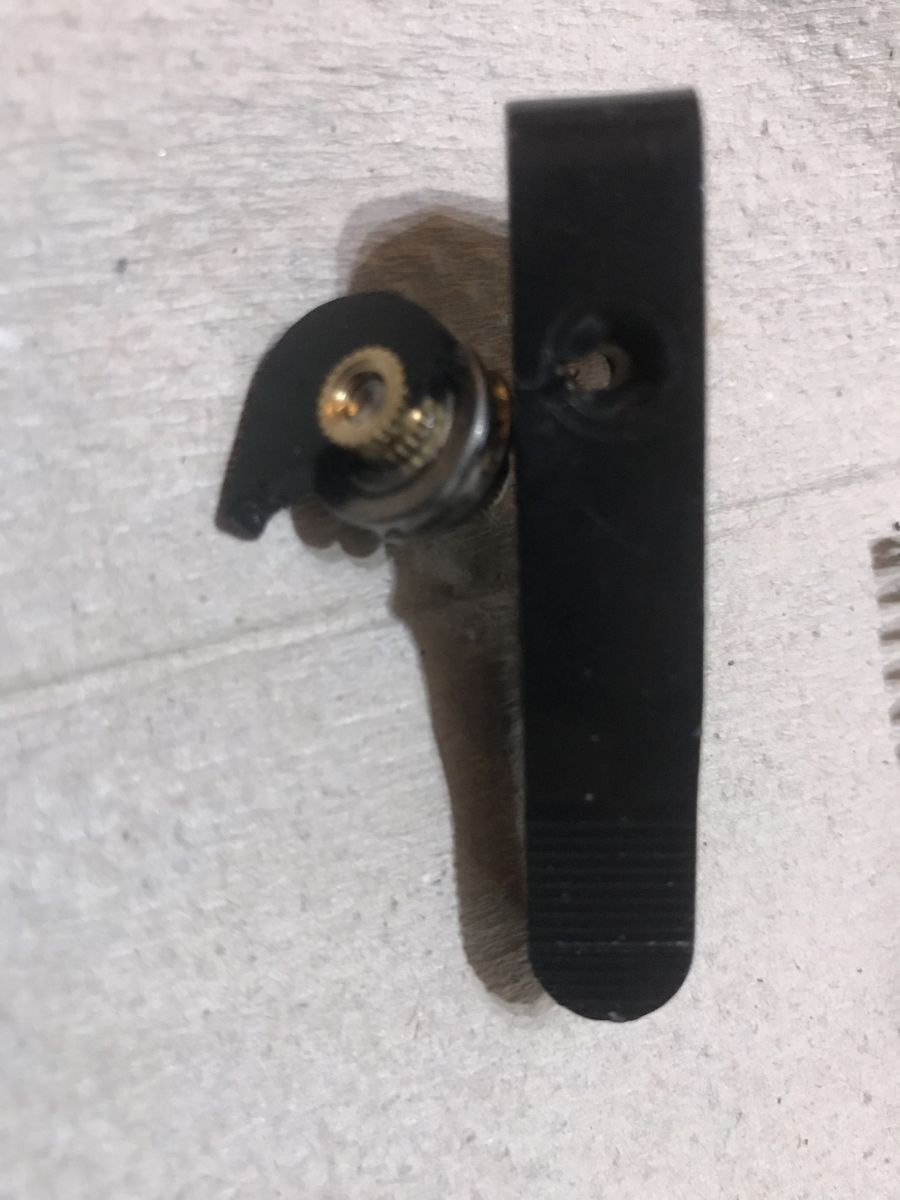
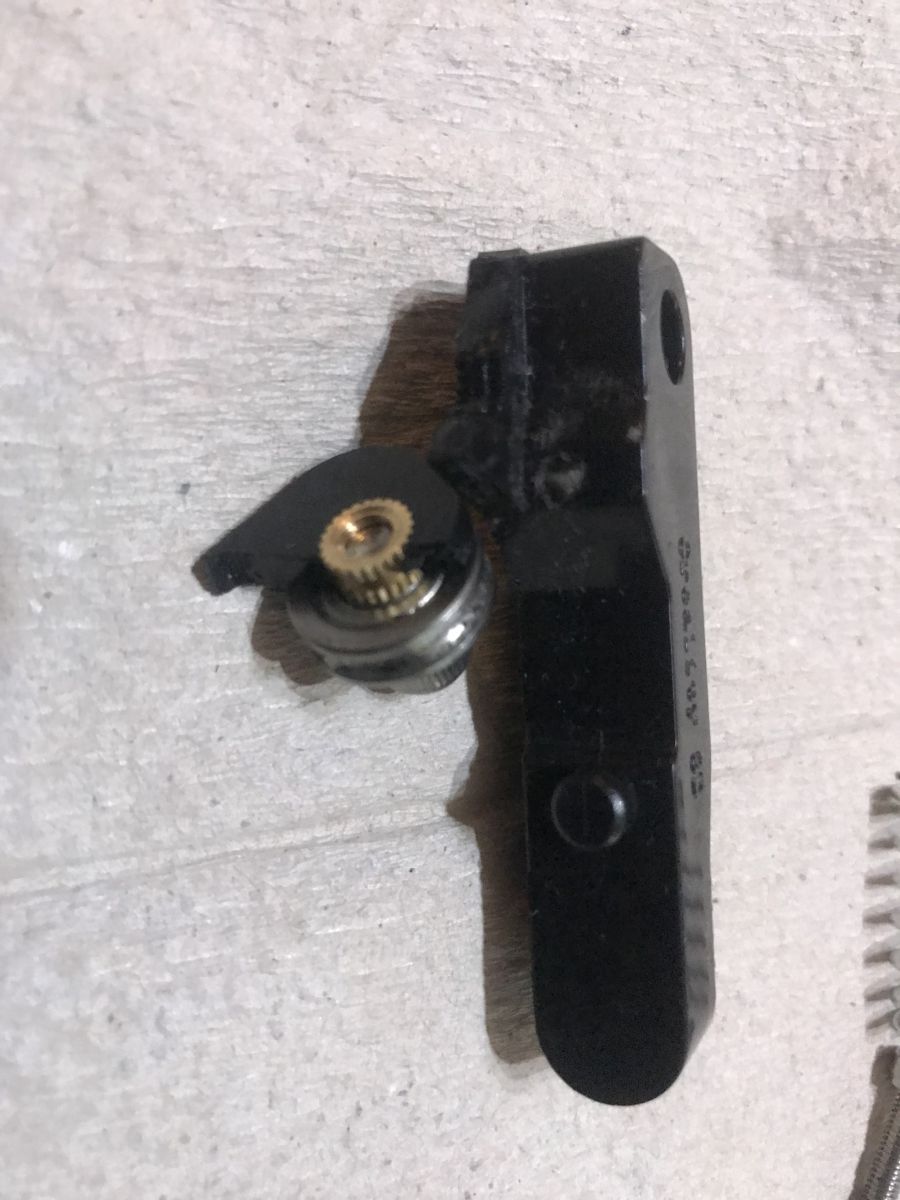
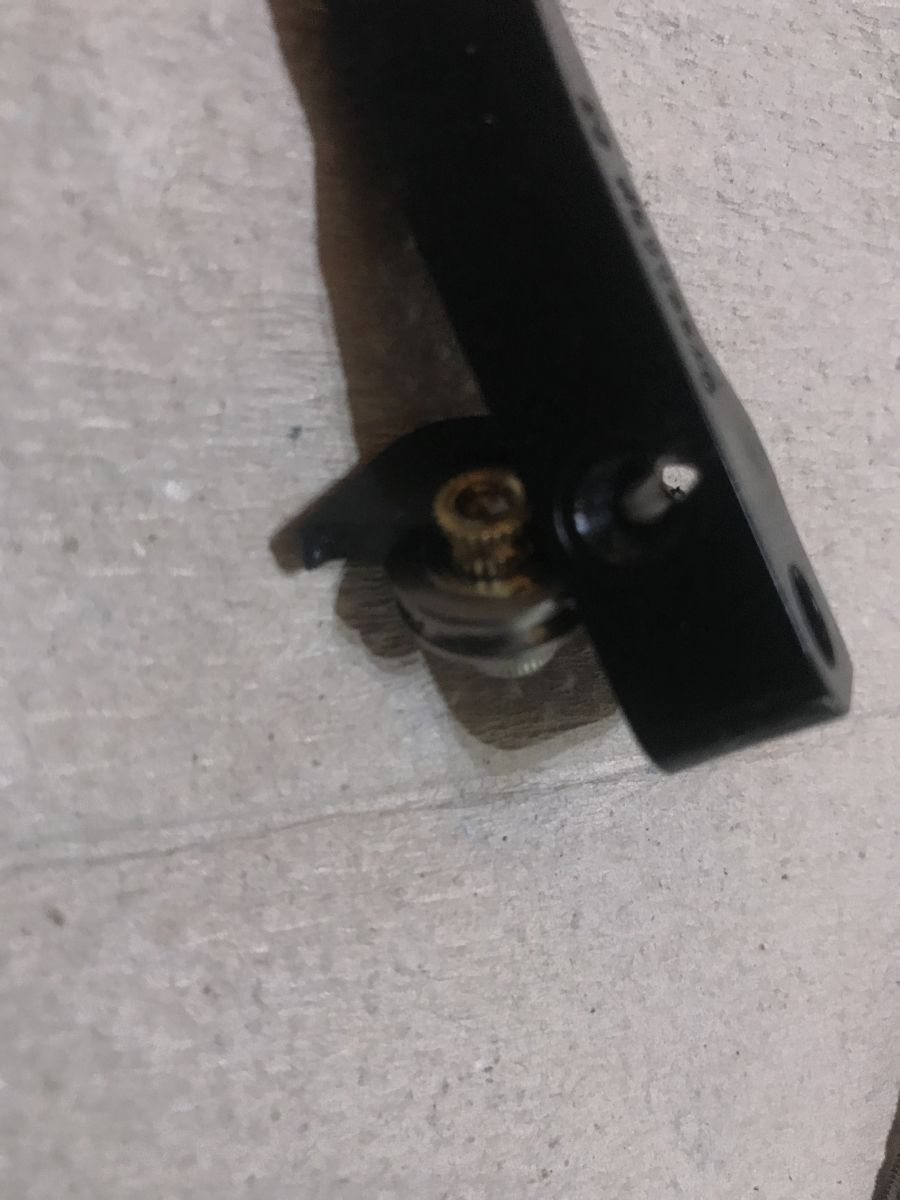
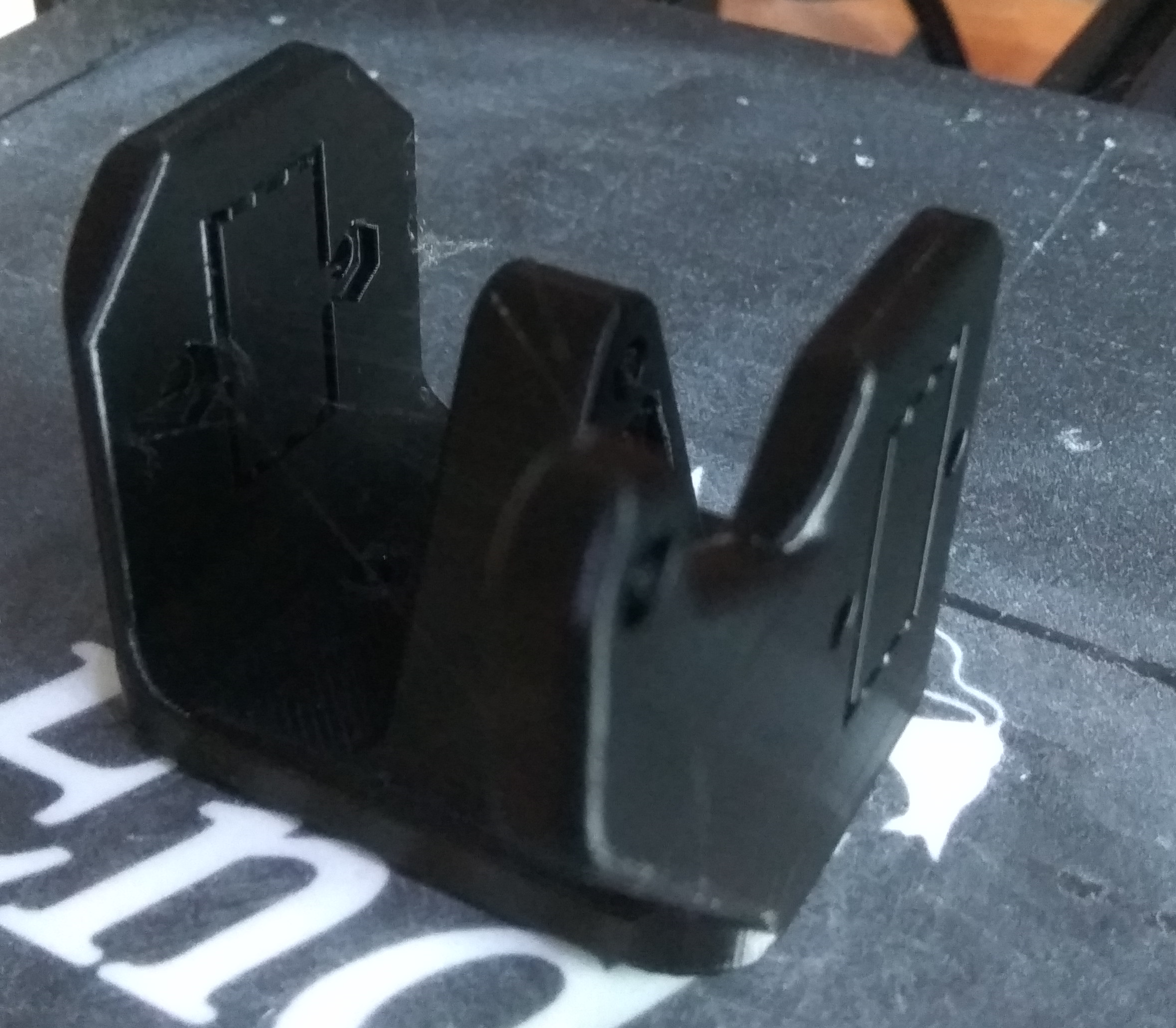
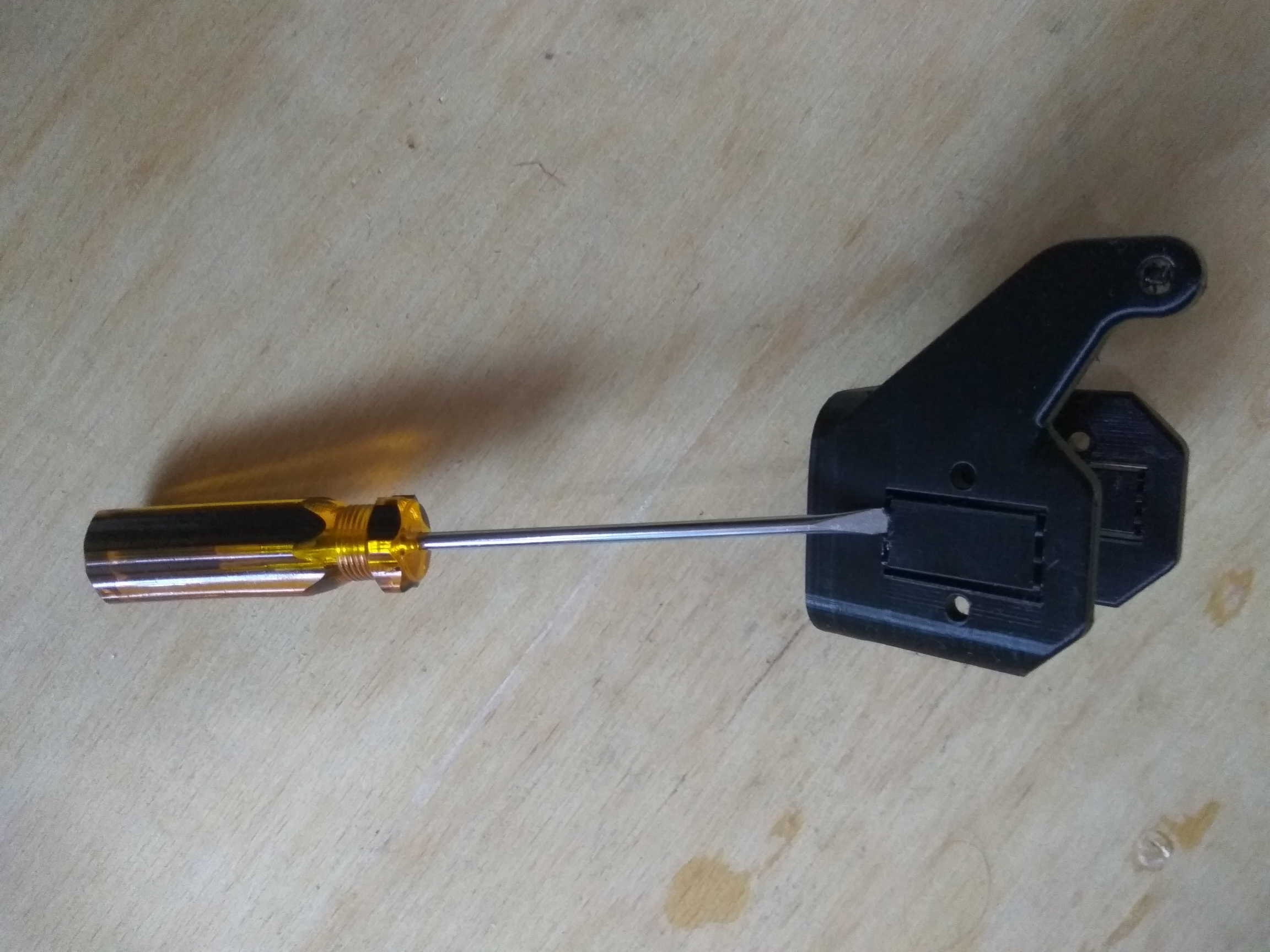
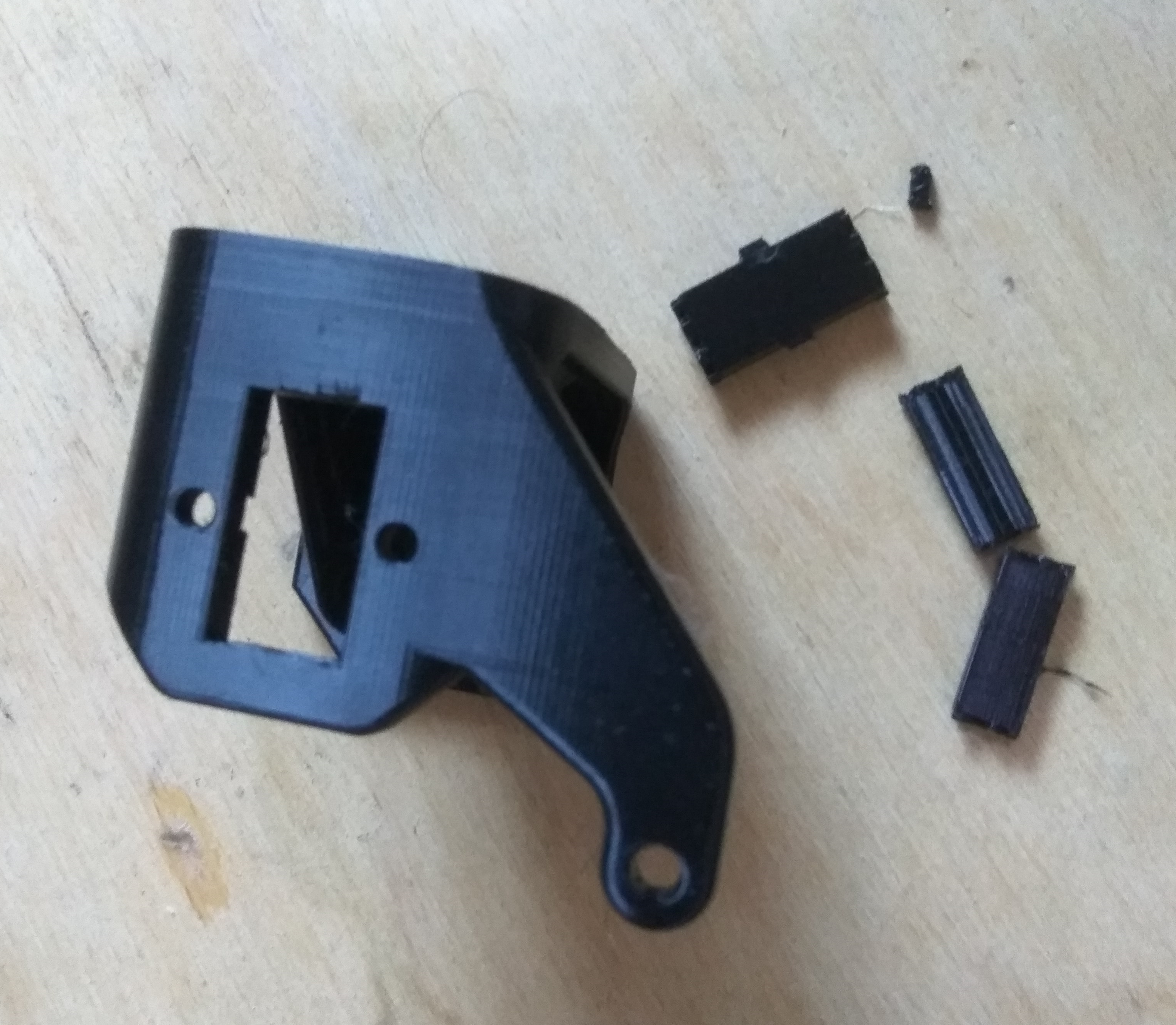
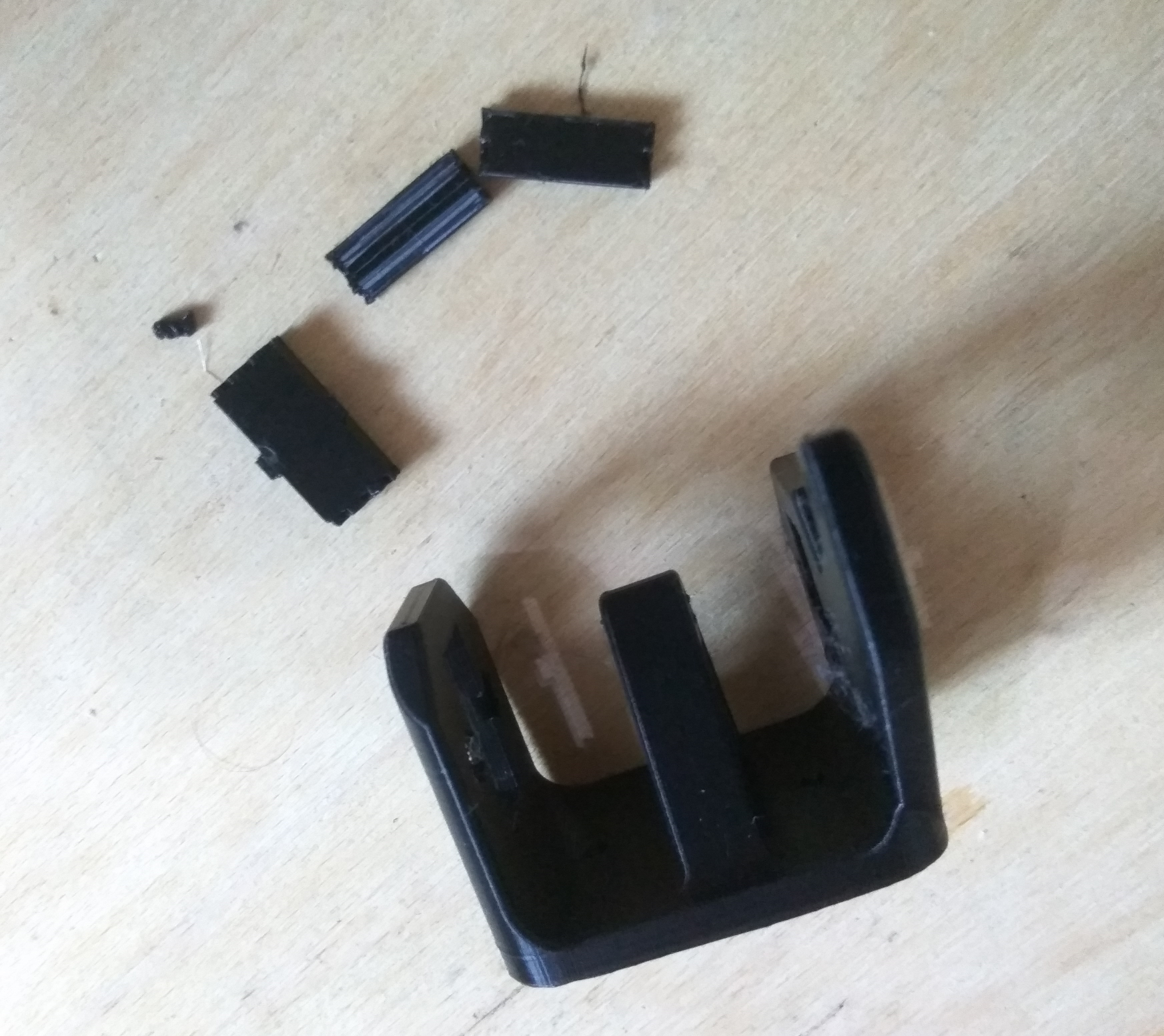
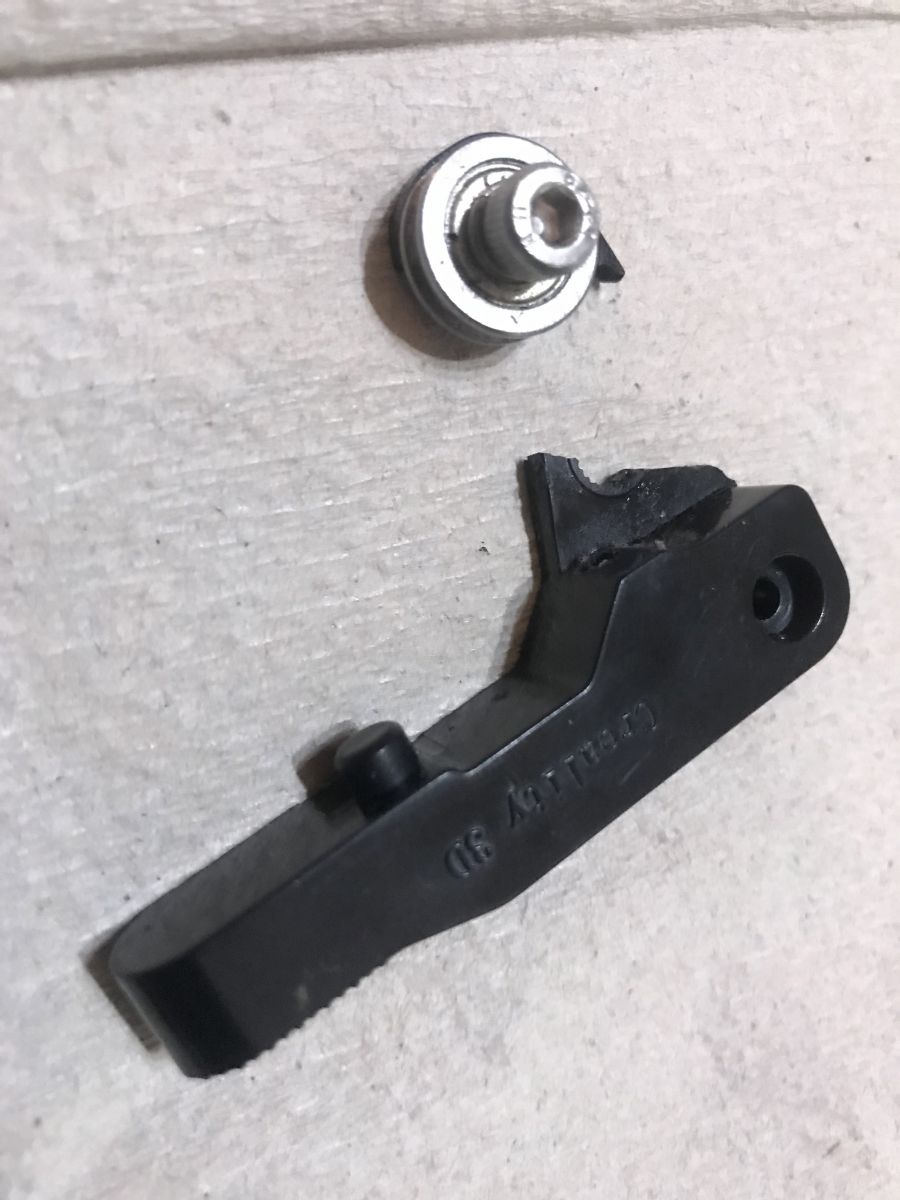
    I don't know if it's a matter of luck or perhaps bad use, but with me after six months of intensive printing the original plastic extruder feeder just fell apart :
    First 3D printer purchase - Creality Ender 3 Pro - My impression, review First 3D printer purchase - Creality Ender 3 Pro - My impression, review First 3D printer purchase - Creality Ender 3 Pro - My impression, review First 3D printer purchase - Creality Ender 3 Pro - My impression, review First 3D printer purchase - Creality Ender 3 Pro - My impression, review
    In addition (you can see it in the pictures too) the constant friction of the filament line against the feeder plastic simply rubbed it in some places, so that the filament itself started to be fed at a slight slant.
    I tried gluing it down, but this only helped temporarily. And its metal replacement costs only about 20 zl, so it's definitely worth buying .

    In addition to this for my printer Creality Ender Pro 3D nothing else I bought, but I know there are printer extensions available for sale, such as:
    - new motherboard, supporting WiFi print reception
    - automatic bed leveling system (print bed leveling, normally performed this by hand)
    In addition, there are ready-made 3D model files of printer add-ons such as drawers or tool holders on the web, but in my opinion these are not as essential as what I have described.

    First steps after purchase
    Once the printer is assembled, it is essential that the platform on which it is printed is properly levelled. Without this, the filament will not stick to the substrate and it will not be possible to print anything.
    This process is called " bed leveling ".
    The platform is levelled with using the four nuts on the bottom of the platform .
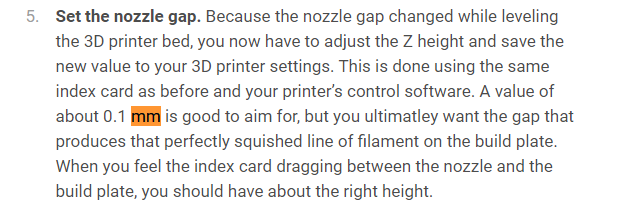
    The nozzle should be at a distance 0.1mm from the base.
    For bed leveling there are various ways, but I will highlight two here:
    - the sheet of paper method (without turning on the printer) - involves taking an ordinary sheet of paper, positioning it on the base of the printout and adjusting its height with the help of four nuts so that the nozzle even seems to touch the paper but at the same time can walk without friction
    - trial-and-error method/sequential prints - consists in taking some simple object (or even a specially dedicated bed leveling model, e.g. from here: https://www.thingiverse.com/thing:3235018 ) and repeatedly start the print, each time observing and correcting the distance of the nozzle to the base so as to achieve the desired effect.
    First 3D printer purchase - Creality Ender 3 Pro - My impression, review

    Bed leveling was the only process necessary for me to get the printer up and running and make the first correct print. In addition to this, extruder calibration is sometimes done (i.e. measuring how much filament a given number of steps of the stepper motor ejected from the filament feeder), but in my case this was not essential. However, if you want really good print quality then it is worth doing this as well.

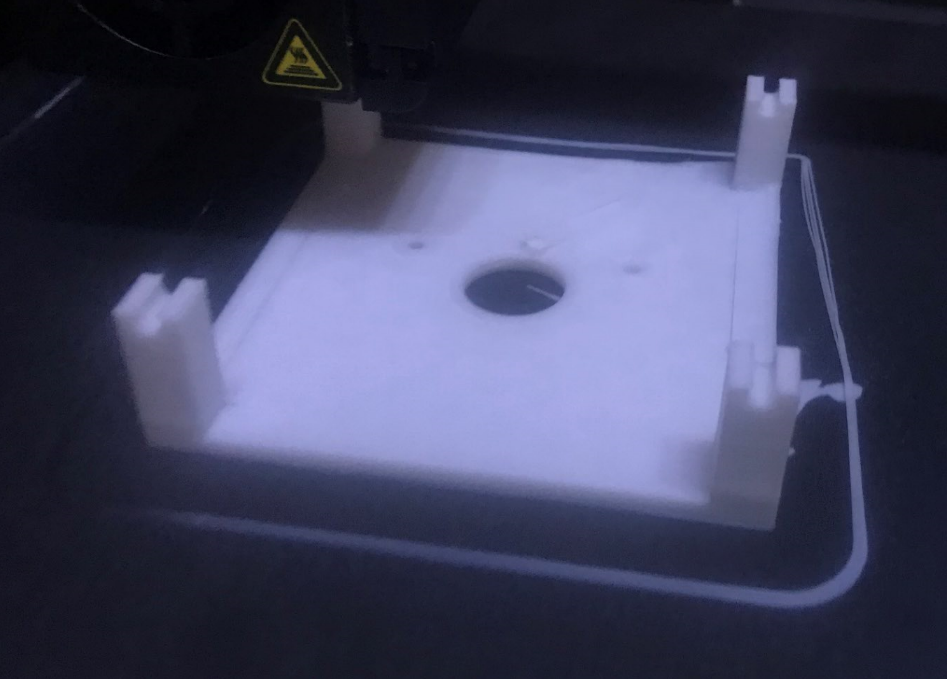
    Inadequate bed levelling generally results in the filament not sticking to the substrate at all (or not coming out of the nozzle at all), but sometimes it can also result in something like this:
    First 3D printer purchase - Creality Ender 3 Pro - My impression, review
    This photo is one of my first prints. The print substrate was not fully levelled at the time so it was slightly higher on one side and lower on the other, which clearly translated into an unacceptable deformation of the model.
    Poor levelling can also be seen from the model surround - on one side it is not even there and on the other it is not glued to the substrate.

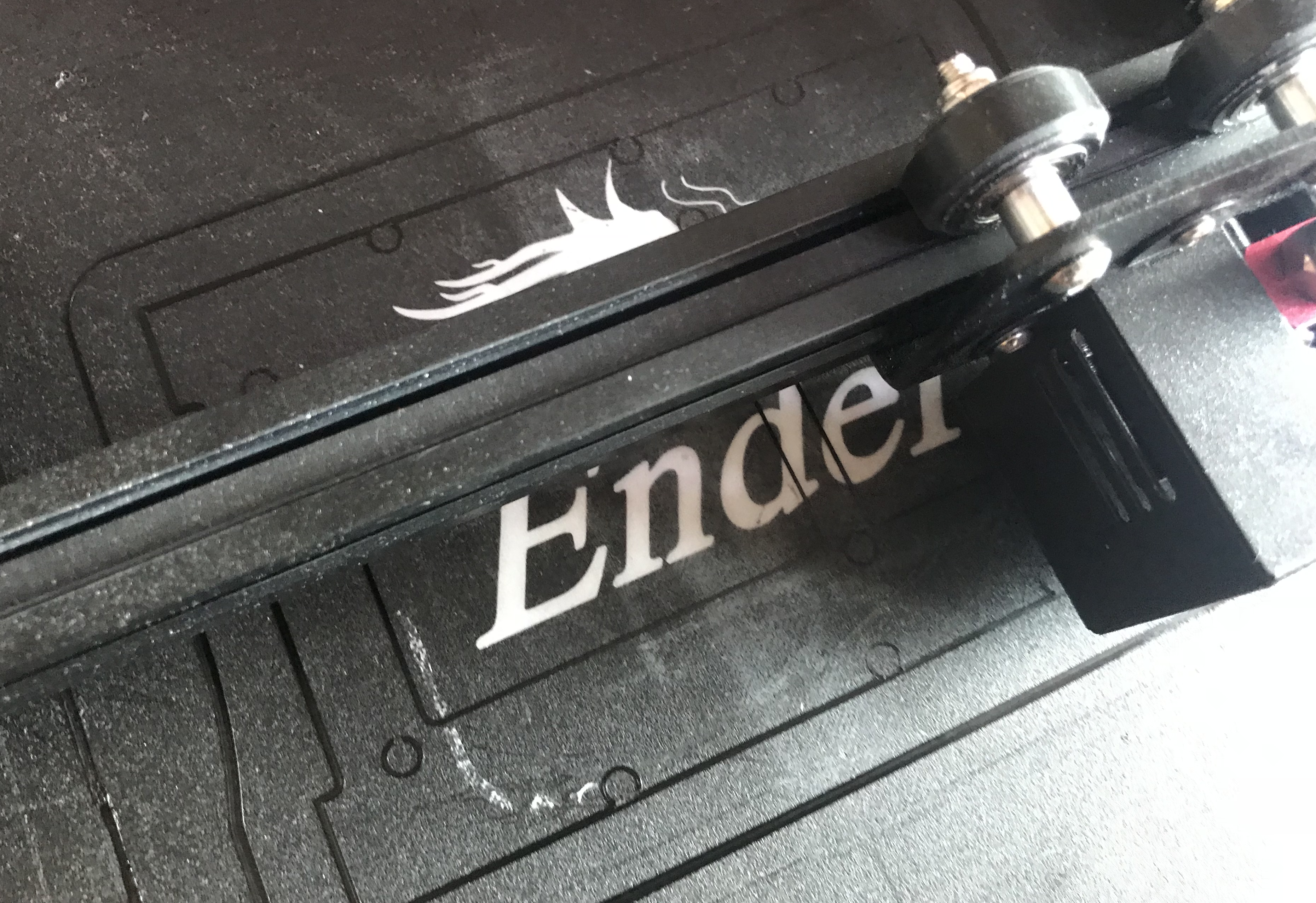
    In contrast, this photo was taken later, with a much more level base:
    First 3D printer purchase - Creality Ender 3 Pro - My impression, review
    You can clearly see that it is better.

    Unnecessary software - Ultimaker Cura
    Ultimaker Cura is a so-called slicer , which is a program that allows you to swap files .STL containing 3D objects into .gcode files, a printer-specific friendly format.
    Source files .STL can be generated in a 3D object creation program or downloaded from the web, e.g. from Thingiverse .
    The generated files .gcode are uploaded to an SD card, which is then inserted into a 3D printer and printed from it.
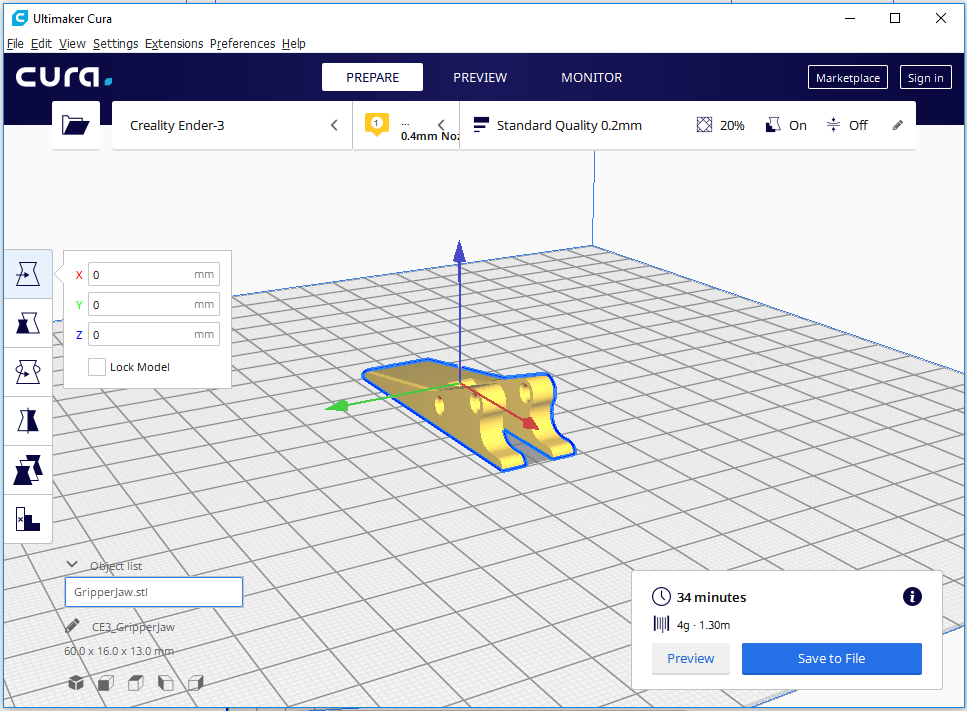
    First 3D printer purchase - Creality Ender 3 Pro - My impression, review
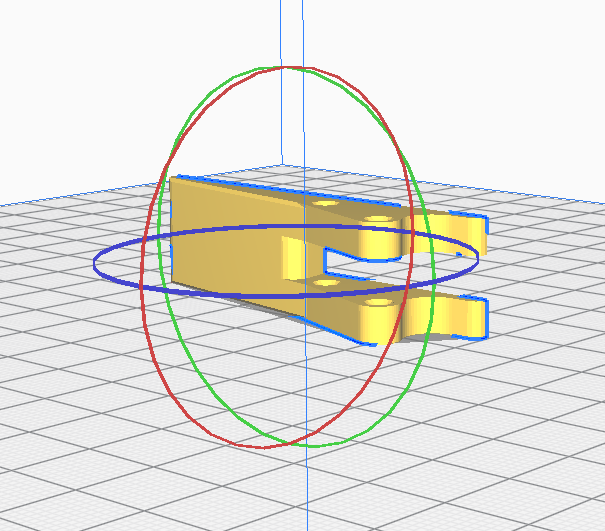
    We configure the entire 3D print in this software. Among other things, you can:
    - rotate, reposition the model before printing (good model positioning is essential for a good print):
    First 3D printer purchase - Creality Ender 3 Pro - My impression, review
    First 3D printer purchase - Creality Ender 3 Pro - My impression, review
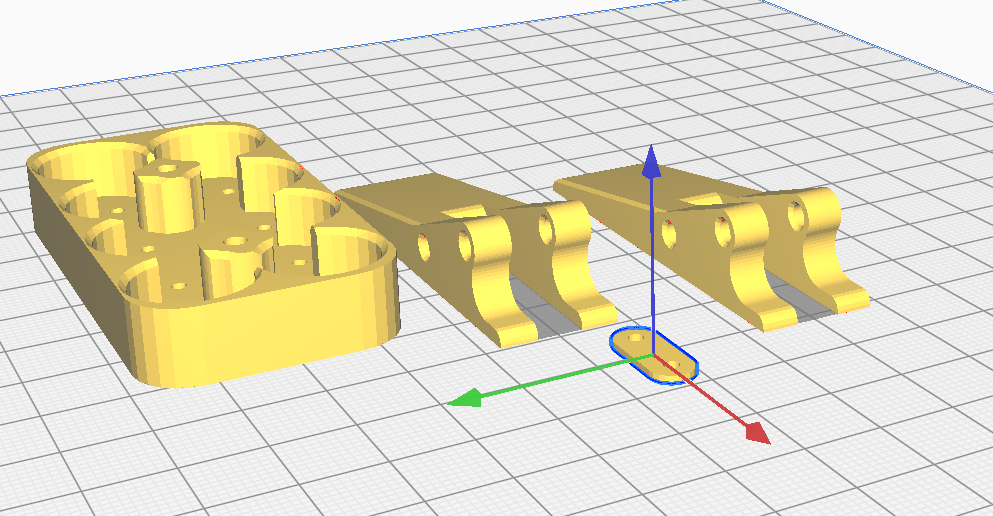
    - you can place several objects next to each other and print them at once:
    First 3D printer purchase - Creality Ender 3 Pro - My impression, review
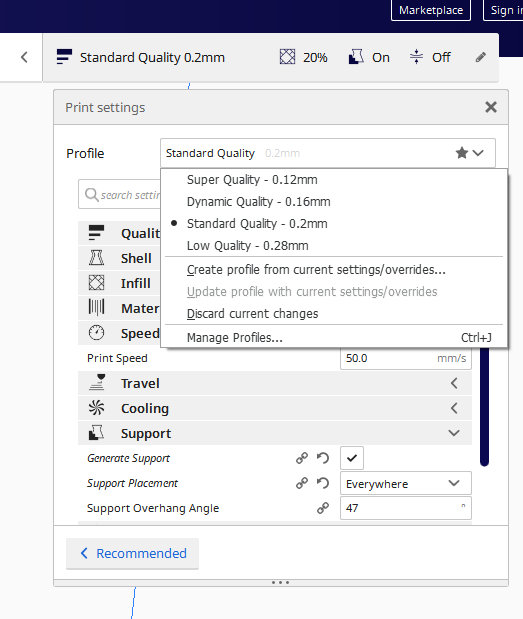
    - you can select the thickness of the print layer (which significantly affects print quality and printing time):
    First 3D printer purchase - Creality Ender 3 Pro - My impression, review
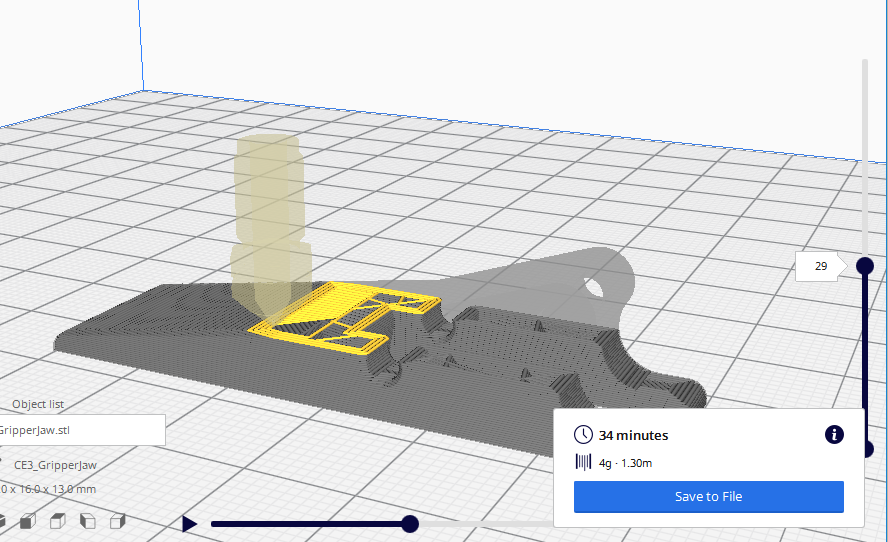
    - you can preview how the printer will print the item (separately each layer, exactly each movement of the extruder):
    First 3D printer purchase - Creality Ender 3 Pro - My impression, review
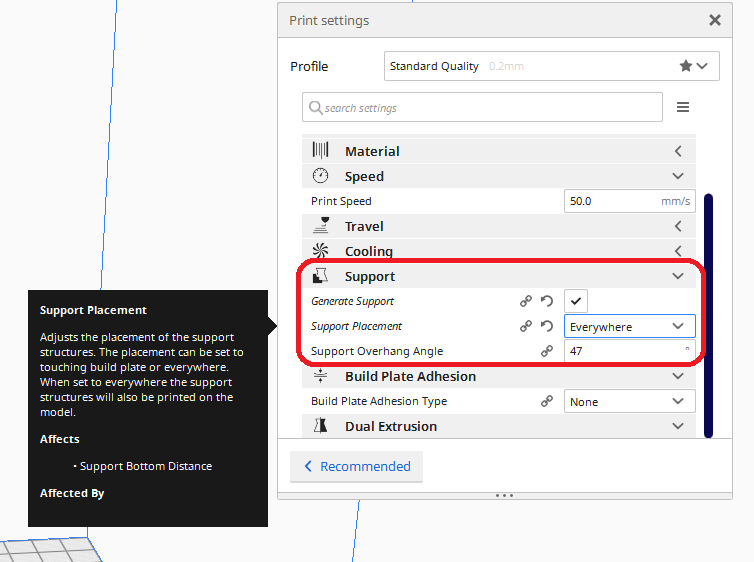
    - you can configure the use of supports (supports) for more complex models:
    First 3D printer purchase - Creality Ender 3 Pro - My impression, review
    Of course there are other slicers than Cura but so far I have used this one and it meets my expectations.
    The only drawback Cura is the rather slow performance, especially when opening files .STL and generating gcode (after clicking Slice).

    Slight warning - Cura occupies COM (Serial) ports!
    I really didn't think I'd be writing about this here, but this problem has wasted my time a bit. The program Cura is able to block virtual (and probably also physical) ports COM connected to the computer.
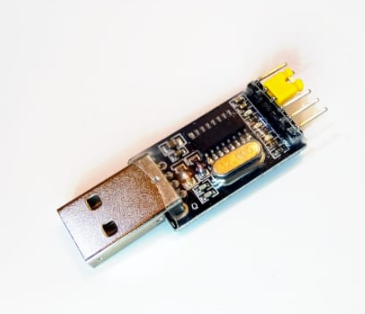
    I myself sometimes use such adapters (for non 3D printing projects):
    First 3D printer purchase - Creality Ender 3 Pro - My impression, review
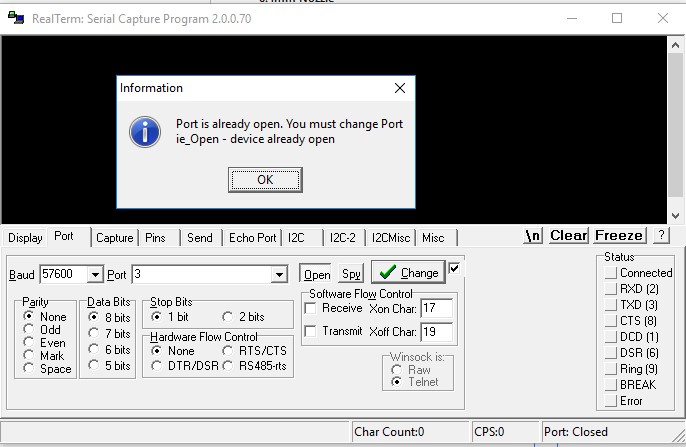
    And some time ago I realised, that when I have Cura enabled, I cannot use the port COM in RealTerm !
    First 3D printer purchase - Creality Ender 3 Pro - My impression, review
    The whole situation is well illustrated by a screenshot from Process Explorer :
    First 3D printer purchase - Creality Ender 3 Pro - My impression, review
    This probably comes from the fact that Cura also supports printing via USB , but I am really surprised that it occupies this port COM even when not using it. This is hardly how it should be. It caused me a bit of trouble, which is why I am warning against it in this topic.

    Useful soft - Marlin 3D STL Tool - preview .stl files in Windows Explorer
    I found this programme some time ago and I am really pleased with it. It has saved me a lot of time, especially since the above described Cura opens very slowly. It does not perform well as a tool to quickly check the contents of a STL file.
    Before installing it, the file preview simply displays the icon of the file:
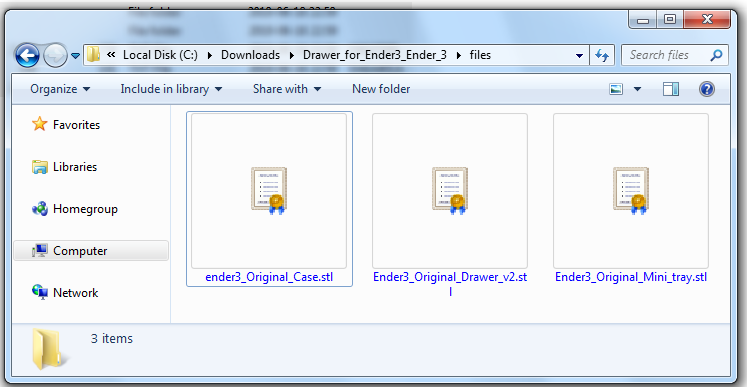
    First 3D printer purchase - Creality Ender 3 Pro - My impression, review
    Once the Marlin tool is installed then we can run the configuration tool Marlin3DprinterToolStlConfiguration.exe which offers this menu:
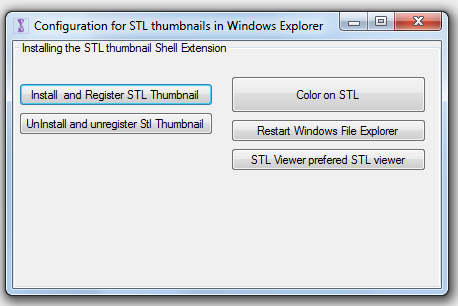
    First 3D printer purchase - Creality Ender 3 Pro - My impression, review
    After clicking " Install and Register STL Thumbnail " we get several messages about successful installation and from then on the files STL have a preview in Windows Explorer:
    First 3D printer purchase - Creality Ender 3 Pro - My impression, review
    Very convenient, especially when we print a larger number of files or want to have a quick overview of our prototypes.
    Download page for this programme:
    https://marlin3dprintertool.se/
    The whole toolkit is downloaded from there, but we are rather interested only in Marlin3DprinterToolStlConfiguration . The others I did not check - there was no need to do so.
    Note: One of the versions of Marlin 3D available on the web has a bug which on Windows 10 results in the program shutting down with the message " Program has stopped running ". This can be solved very easily - just download a newer version of the installer from the official website.


    Filament pricing
    The price of the filament is one of the key elements determining the cost of any print. Of course, the price of the electricity used and the operation of the printer itself must also be added to the cost of the print, but it is the choice of filament that has the greatest influence.
    At the time of writing this article (November 2019), I found the cheapest filament in Poland:
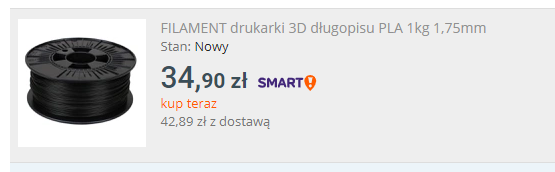
    First 3D printer purchase - Creality Ender 3 Pro - My impression, review
    About 40 PLN (already with shipping costs) for 1 kilogram.
    I also checked the offers abroad (mainly in China), but unfortunately it is much more expensive there:
    First 3D printer purchase - Creality Ender 3 Pro - My impression, review
    Of course the filament should be of the right quality (it must not be brittle, must be stored properly, should have the right diameter along its length, etc.), but I myself have already printed with filaments from four different manufacturers (also the cheaper ones) and have not encountered any major problems related to this. If anyone has cut themselves and found a poor quality filament, feel free to speak up. I can not say a bad word about the manufacturers of filaments.

    Print pause
    The Creality Ender Pro 3 printer offers the ability to pause the print, but in my experience this is quite problematic. Enabling the pause results in the nozzle stopping movement, but inevitably the nozzle is still hot and some filament still runs off it, resulting in the formation of a filament spot as shown in the photo:
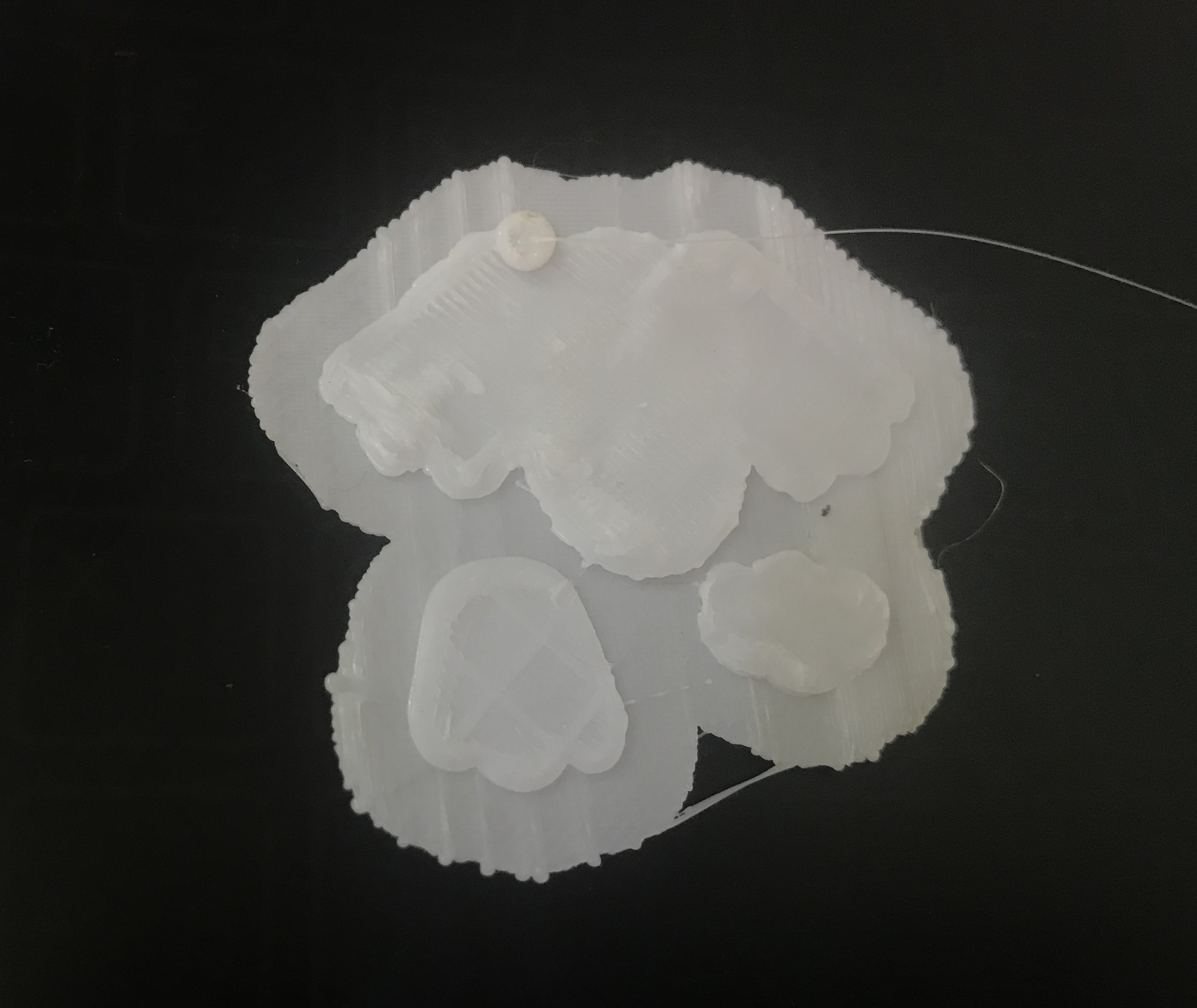
    First 3D printer purchase - Creality Ender 3 Pro - My impression, review
    In theory you should be able to remove it easily and resume printing, but in my case it stuck so tightly to the rest of the model that nothing could be done. The only thing that can be done about this is to keep an eye on the nozzle as soon as the pause is turned on, and keep removing the excess flowing filament until the extruder has cooled down. If this is done, then the interrupted print can be continued.
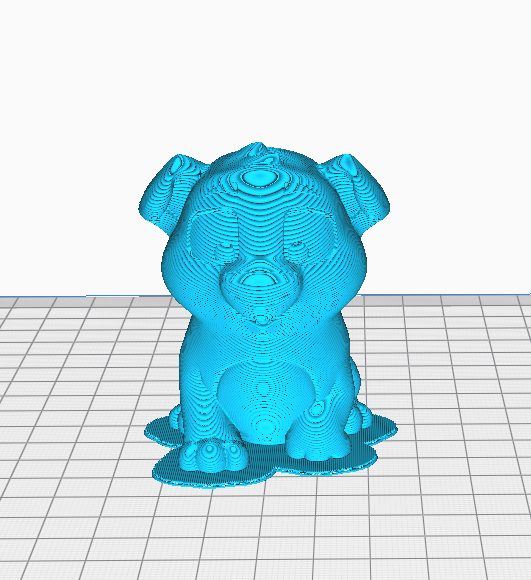
    The photo above is from my first test print which was the famous "Ender 3 Dog" figure:
    First 3D printer purchase - Creality Ender 3 Pro - My impression, review
    In the end, however, I didn't even have time to print it in full.

    Changing the filament during printing
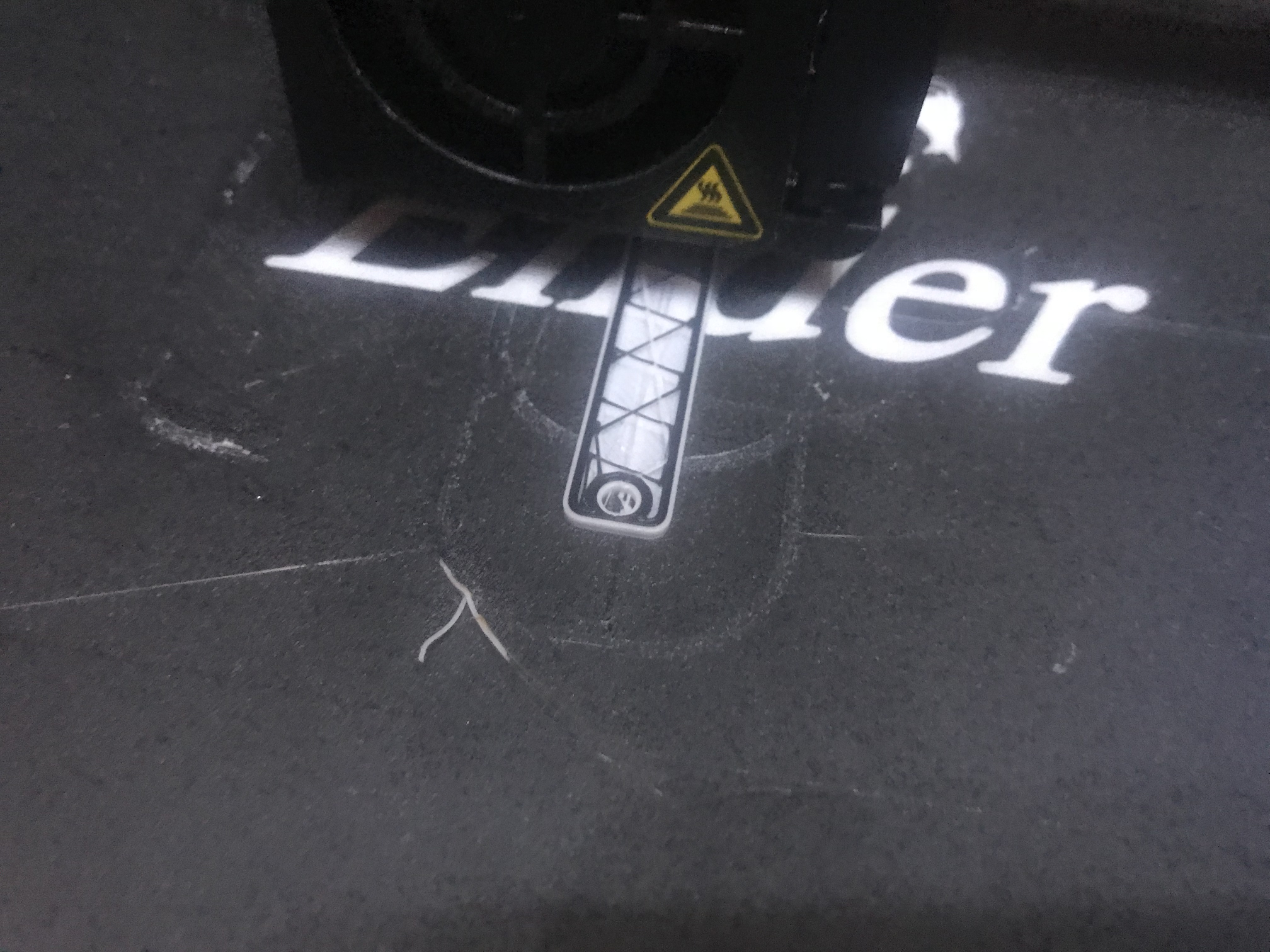
    Changing the filament during printing is as possible and even very easy . You simply have to keep an eye on the printer and plug in the new filament when the old spool runs out and the filament line is fully pulled into the feeder.
    I've done this once, it was to change from white to black filament when printing a fixture part:
    First 3D printer purchase - Creality Ender 3 Pro - My impression, review
    During printing, you can see how the new layers of black filament overlap the previous white layers:

    First 3D printer purchase - Creality Ender 3 Pro - My impression, review
    The finished print:
    First 3D printer purchase - Creality Ender 3 Pro - My impression, review
    And after removal from the base:
    First 3D printer purchase - Creality Ender 3 Pro - My impression, review
    First 3D printer purchase - Creality Ender 3 Pro - My impression, review
    First 3D printer purchase - Creality Ender 3 Pro - My impression, review

    Printer base (magnetic bed) life extension
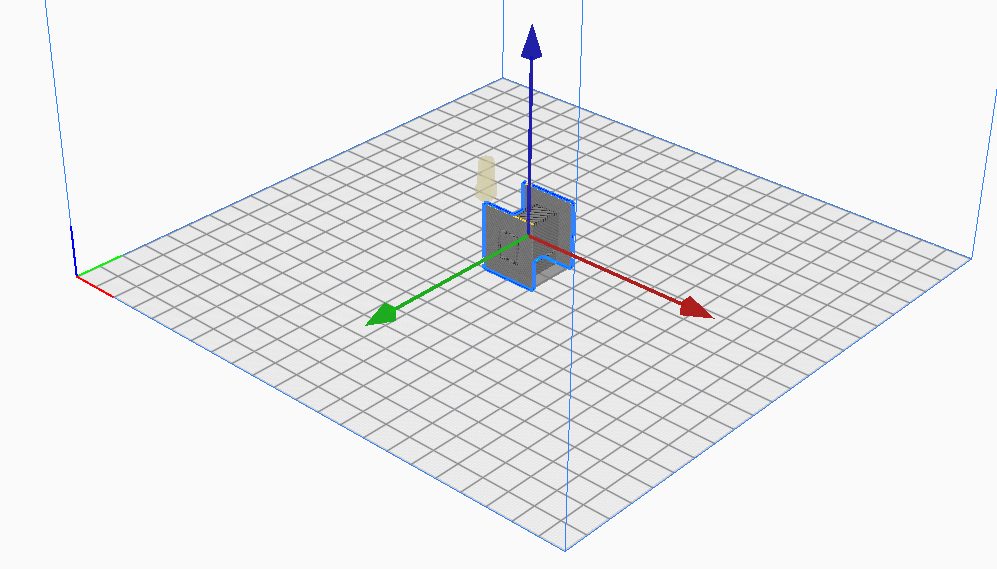
    The magnetic print pad is the second (just after the nozzles) fastest wearing part of the printer. After a while it is really difficult to bring it up to scratch, and subsequent prints come out worse and worse due to the fact that its surface is not perfectly flat. But there is one way that allows you to use a single, already heavily worn base for a really long time.
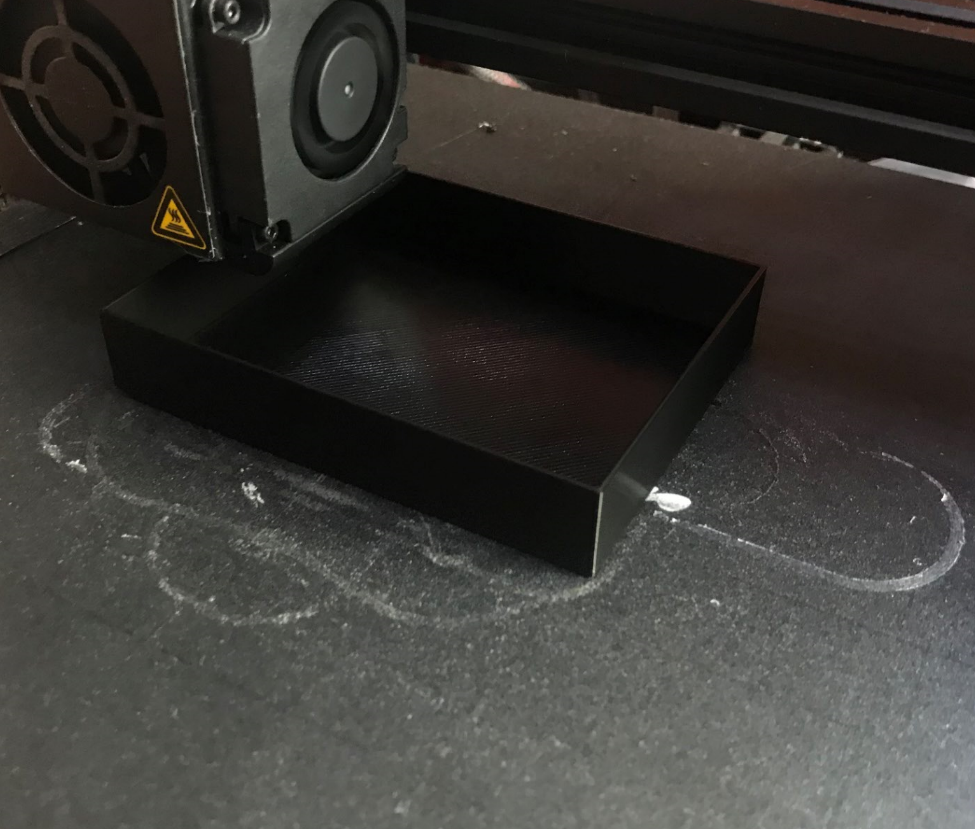
    If you print a lot of small parts like this:
    First 3D printer purchase - Creality Ender 3 Pro - My impression, review
    then it is possible that our magnetic pad will be worn down primarily in the centre.
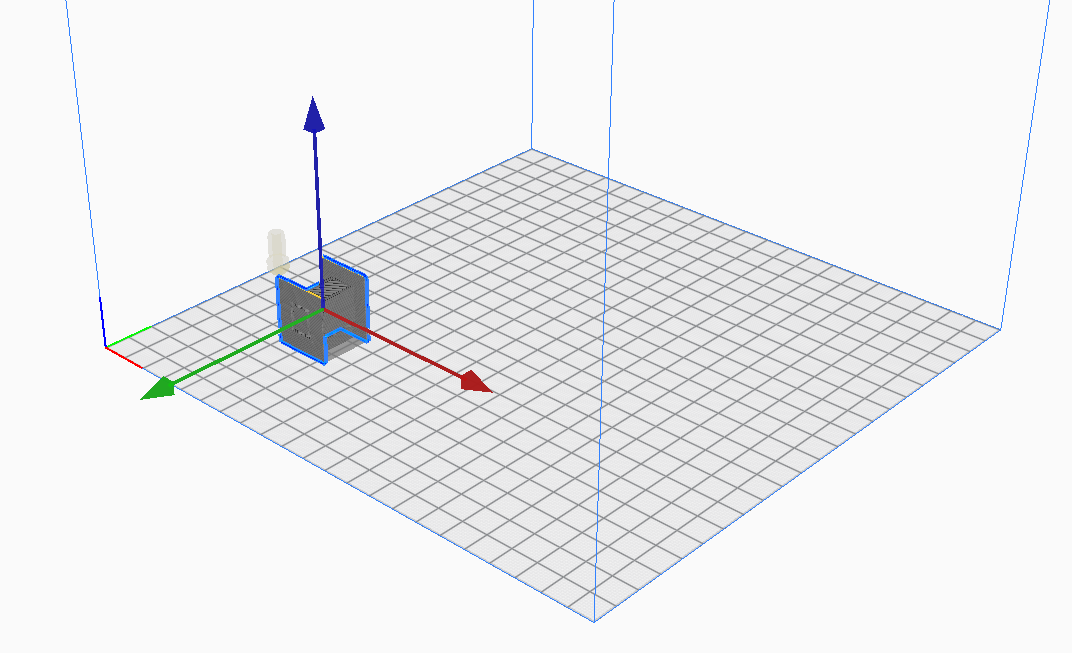
    Therefore, it is sometimes worth considering changing the centre of the print so that it is closer to one corner of the mat:
    First 3D printer purchase - Creality Ender 3 Pro - My impression, review
    It's not a big change, and it really helped me with my prints when my magnetic mat was wearing out and a new one was still on its way.

    Print quality, printer capabilities
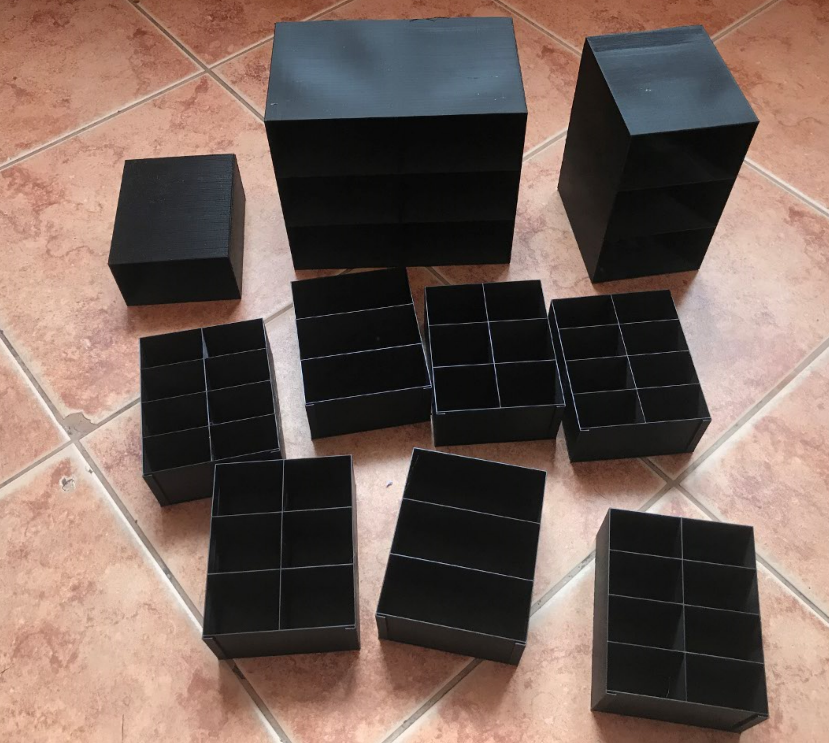
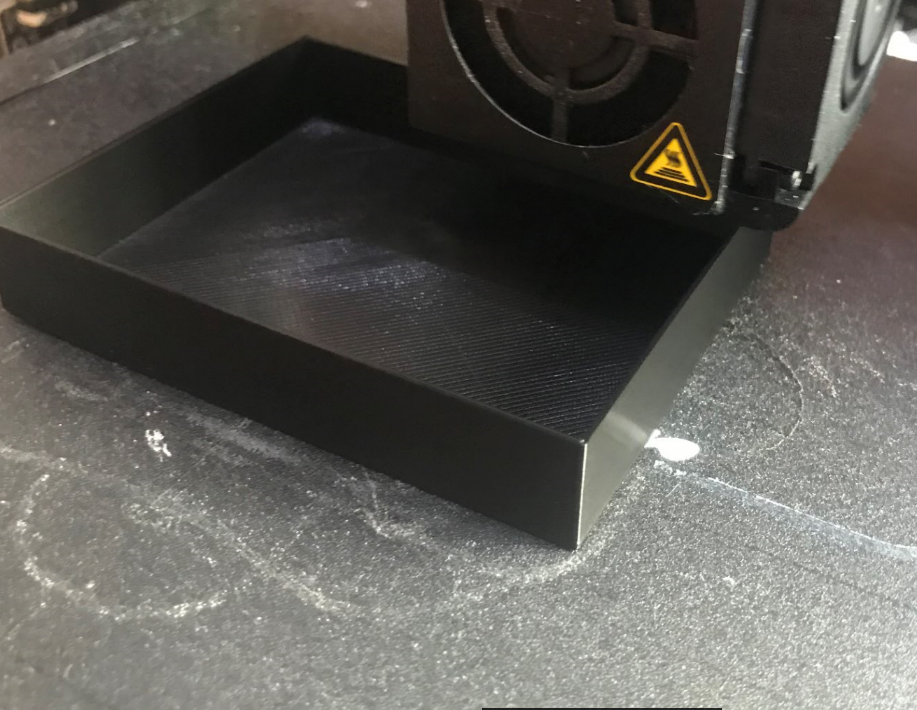
    Simple models from the printer come out really very good quality and do not need to be processed at all. My drawers are an example:
    First 3D printer purchase - Creality Ender 3 Pro - My impression, review
    First 3D printer purchase - Creality Ender 3 Pro - My impression, review
    First 3D printer purchase - Creality Ender 3 Pro - My impression, review
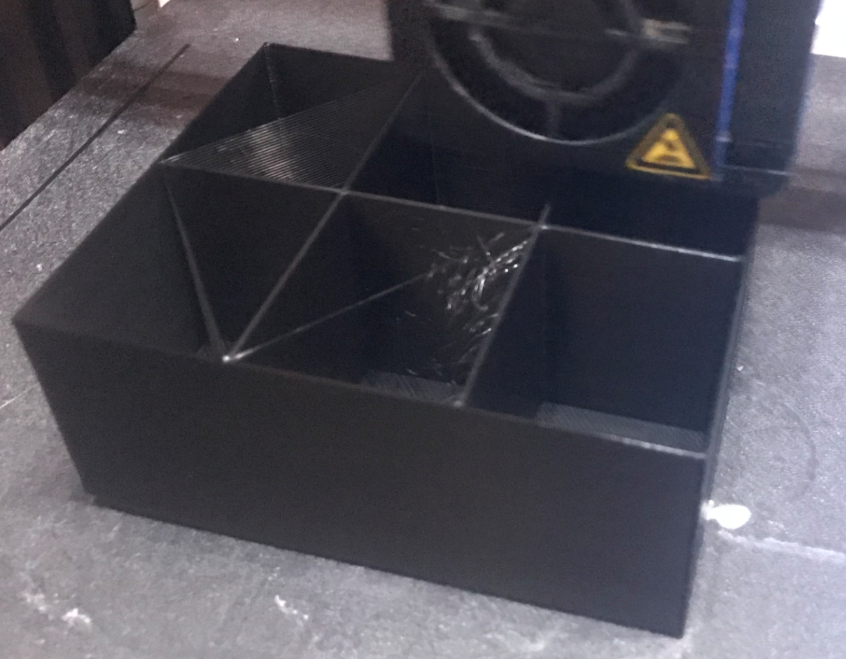
    With slightly more complex models, the so-called stringing may appear, i.e. thin filament threads connecting parts that should not be connected. They originate from the fact that the printer is not able to cut off the plastic supply perfectly when moving the nozzle from one point to another, and a little of this filament then comes out anyway.
    Example of so-called stringing :
    First 3D printer purchase - Creality Ender 3 Pro - My impression, review
    In the photo above you can clearly see stringing in the top left drawer compartment. Torn strands of filament are also visible in the middle chamber, the one closer to the camera.
    Such artefacts, however, are not harmful and can be easily removed by hand and then the surface of the model polished.

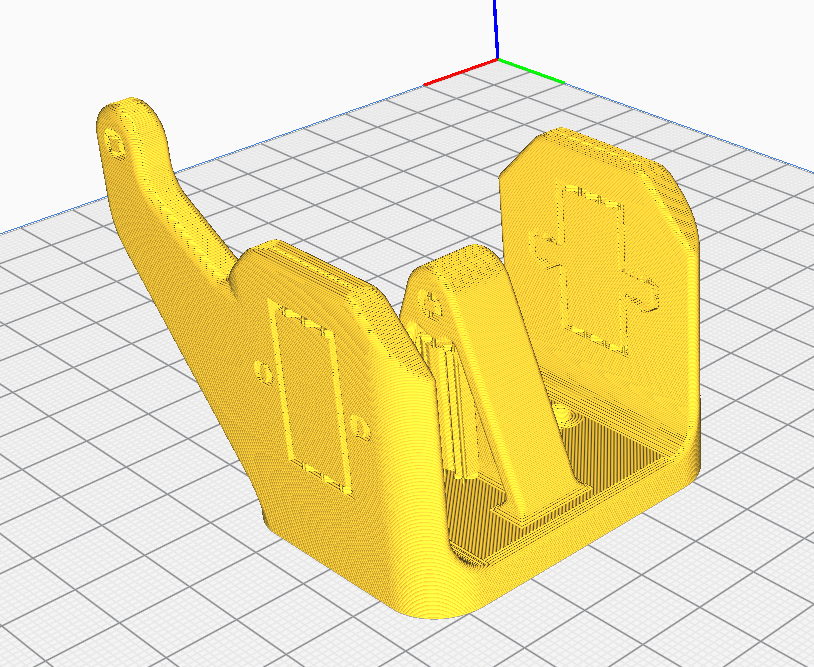
    Very important for the quality of the print (and for its feasibility) is also the issue of supports , i.e. supports allowing to print more complex elements. Their use opens up a wide range of possibilities.
    An example of an object requiring supports:
    First 3D printer purchase - Creality Ender 3 Pro - My impression, review
    First 3D printer purchase - Creality Ender 3 Pro - My impression, review
    First 3D printer purchase - Creality Ender 3 Pro - My impression, review
    Preview of support automatically generated by Cura:
    First 3D printer purchase - Creality Ender 3 Pro - My impression, review
    First 3D printer purchase - Creality Ender 3 Pro - My impression, review
    First 3D printer purchase - Creality Ender 3 Pro - My impression, review
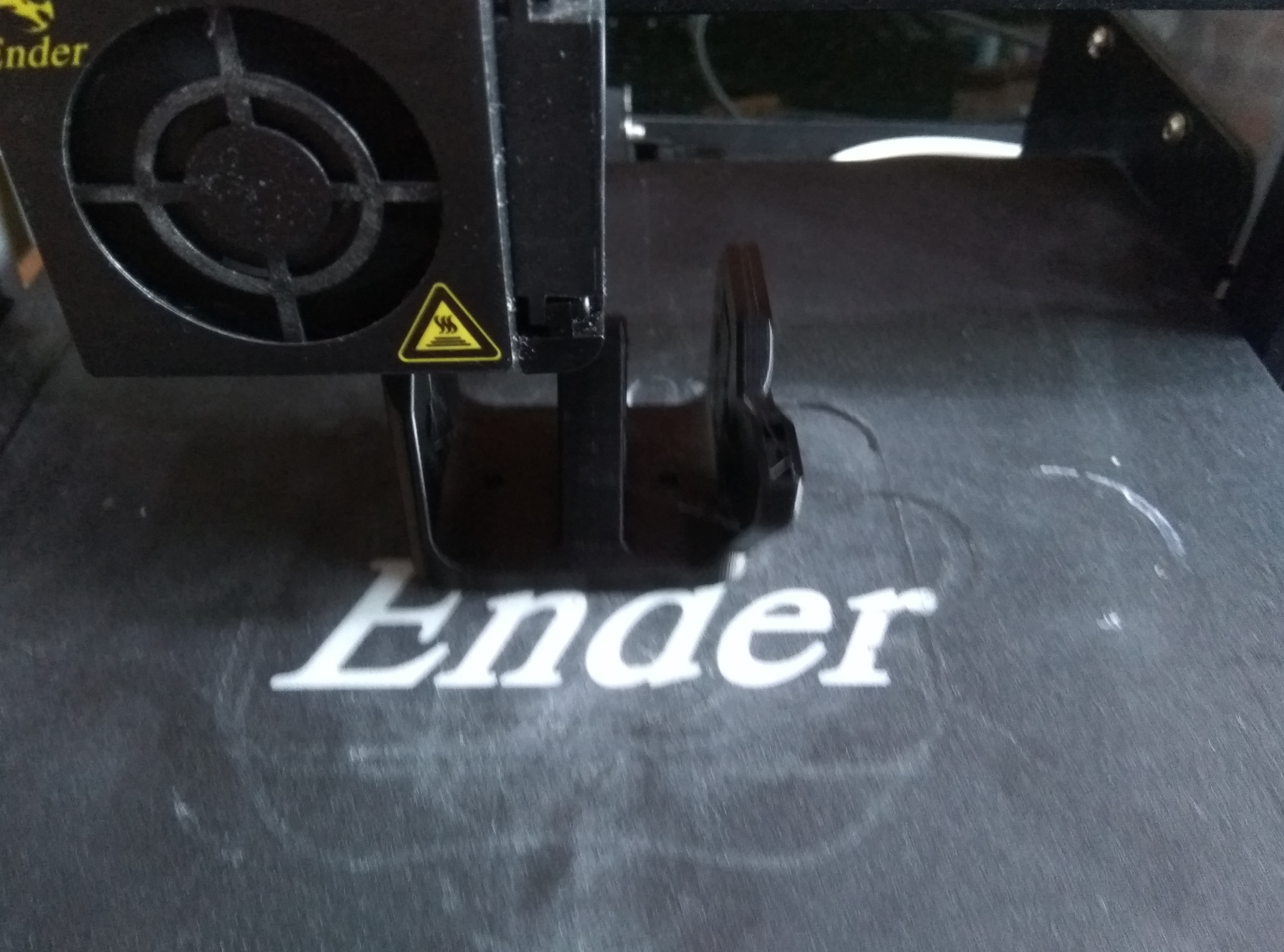
    And all in the process of being printed:
    First 3D printer purchase - Creality Ender 3 Pro - My impression, review
    First 3D printer purchase - Creality Ender 3 Pro - My impression, review
    First 3D printer purchase - Creality Ender 3 Pro - My impression, review
    First 3D printer purchase - Creality Ender 3 Pro - My impression, review
    Item already removed from printer.
    Supports not yet removed in this photo:
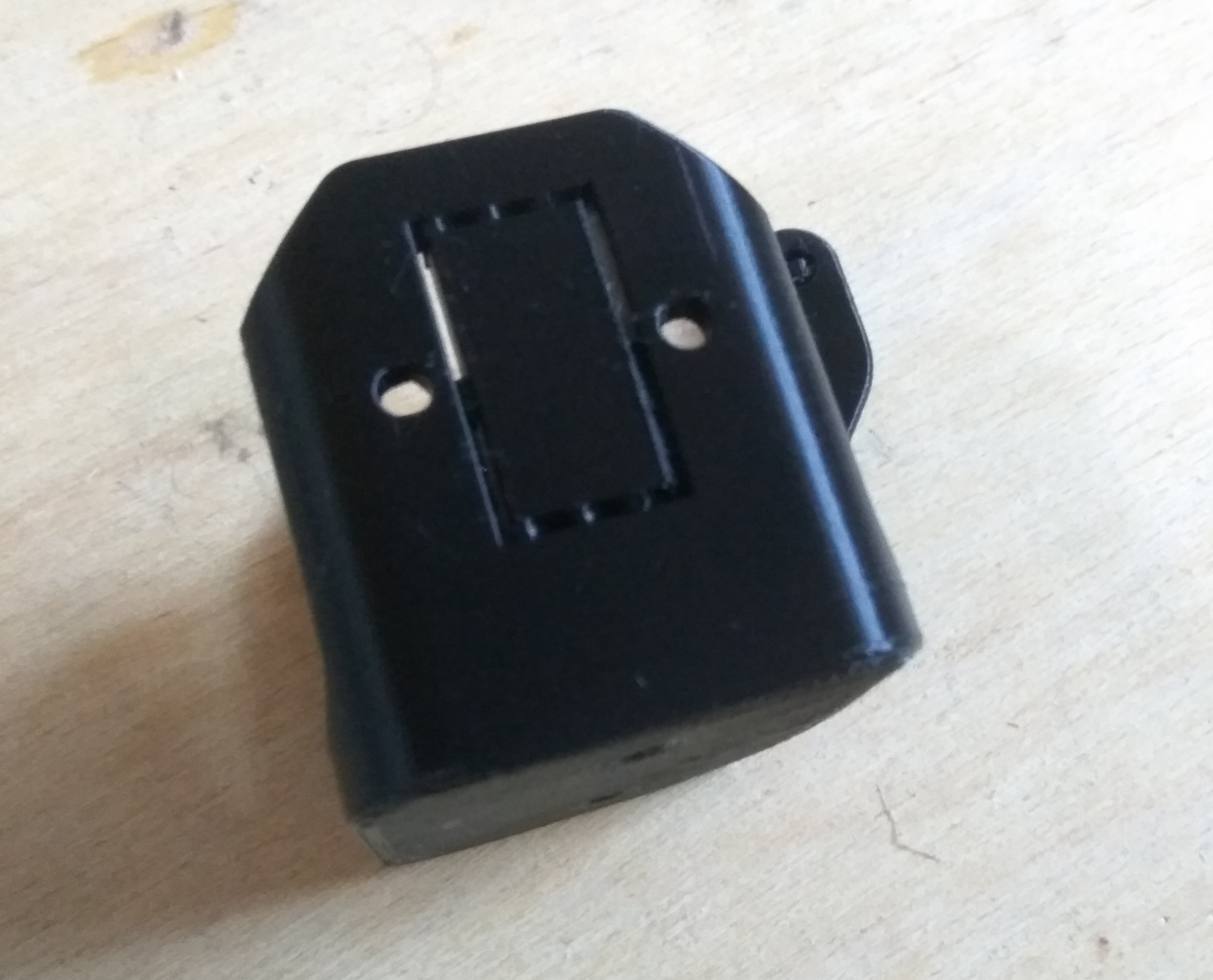
    First 3D printer purchase - Creality Ender 3 Pro - My impression, review
    In the photo below you can see small imperfections, so-called 'stringing', small hairs of the filament:
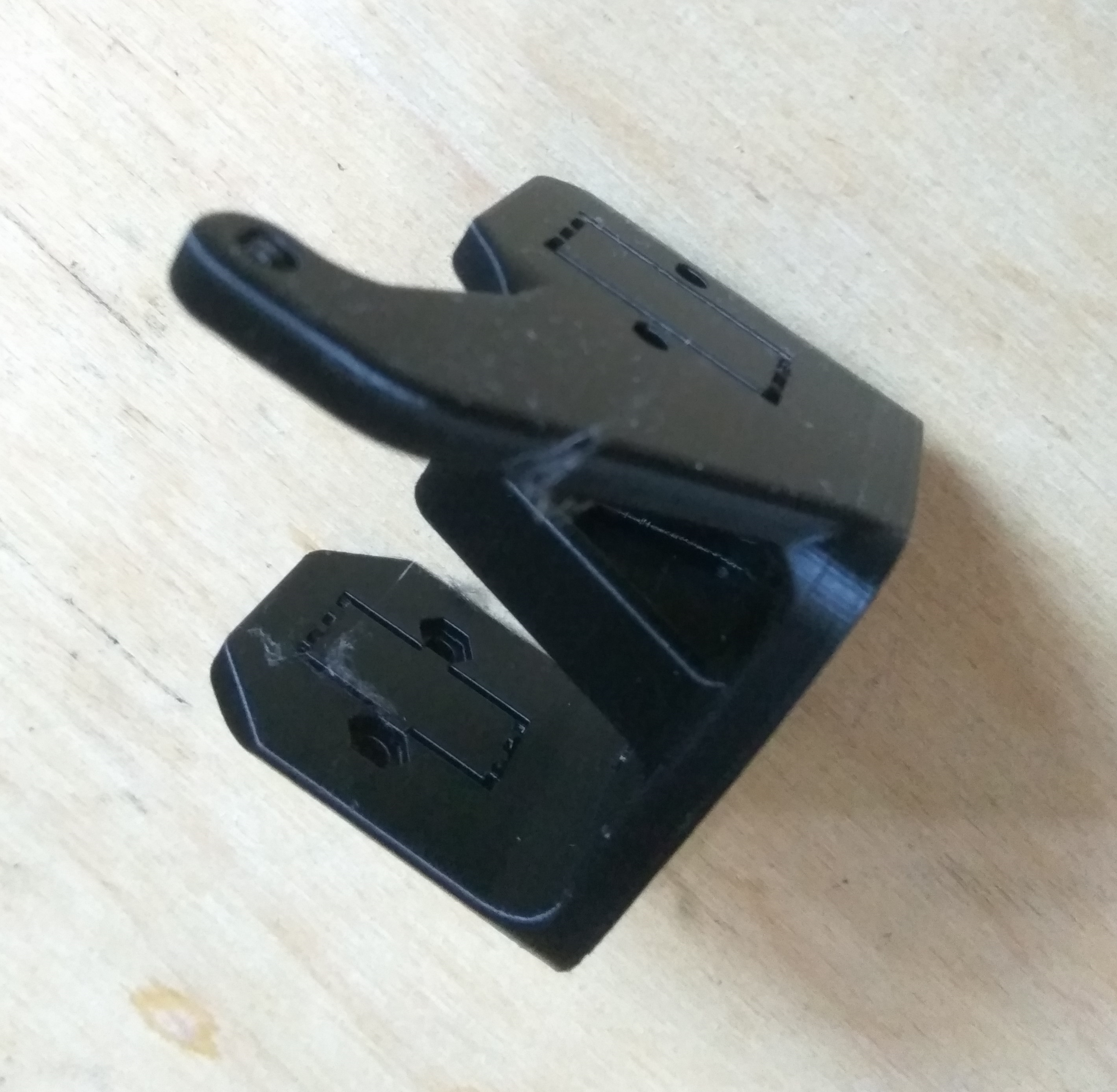
    First 3D printer purchase - Creality Ender 3 Pro - My impression, review
    Support removal with a screwdriver:
    First 3D printer purchase - Creality Ender 3 Pro - My impression, review
    Depending on the model, the supports are more or less difficult to remove. Sometimes they have to be cut out/picked up with a pair of pliers, and sometimes it is just enough to lever them up.
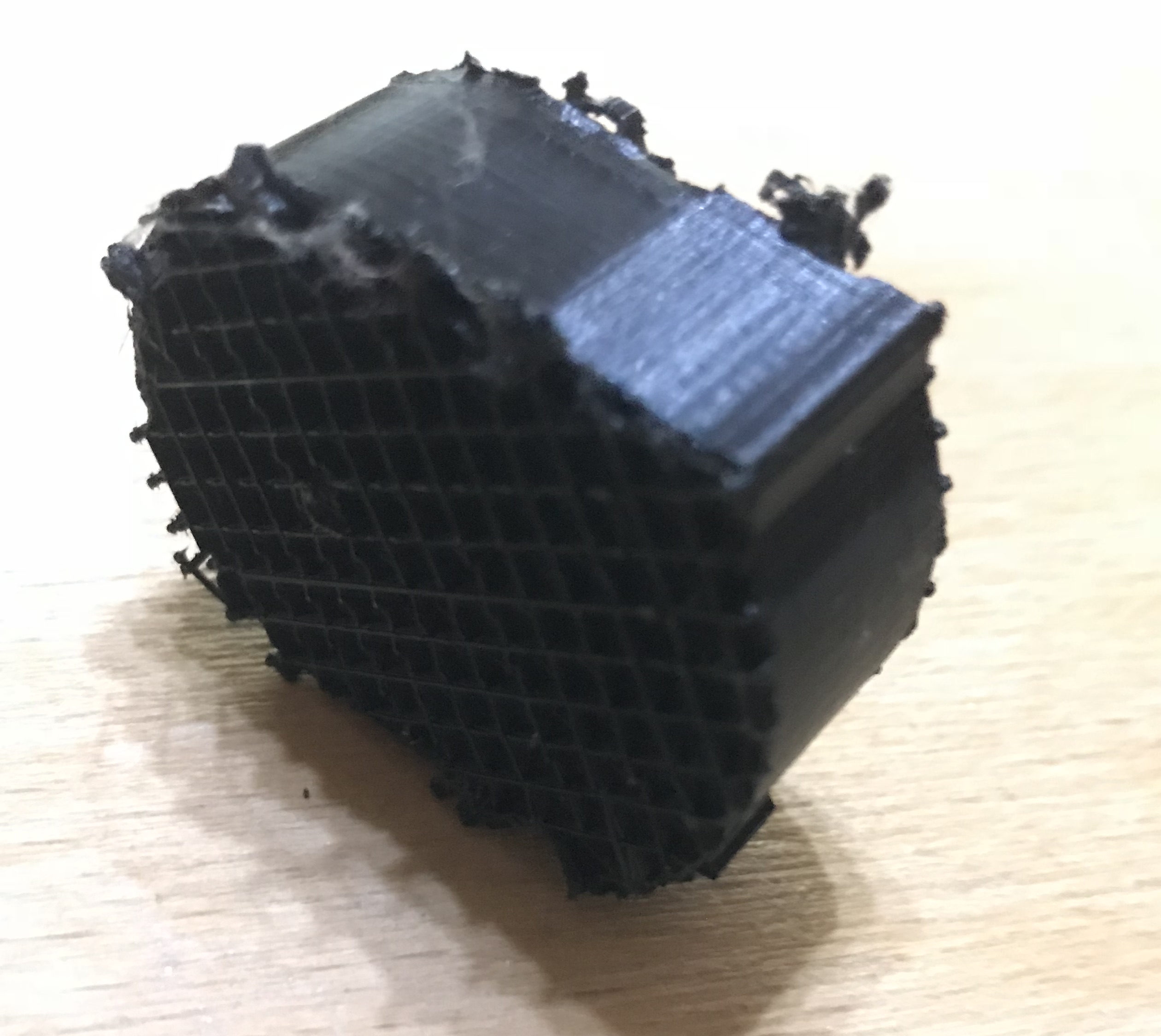
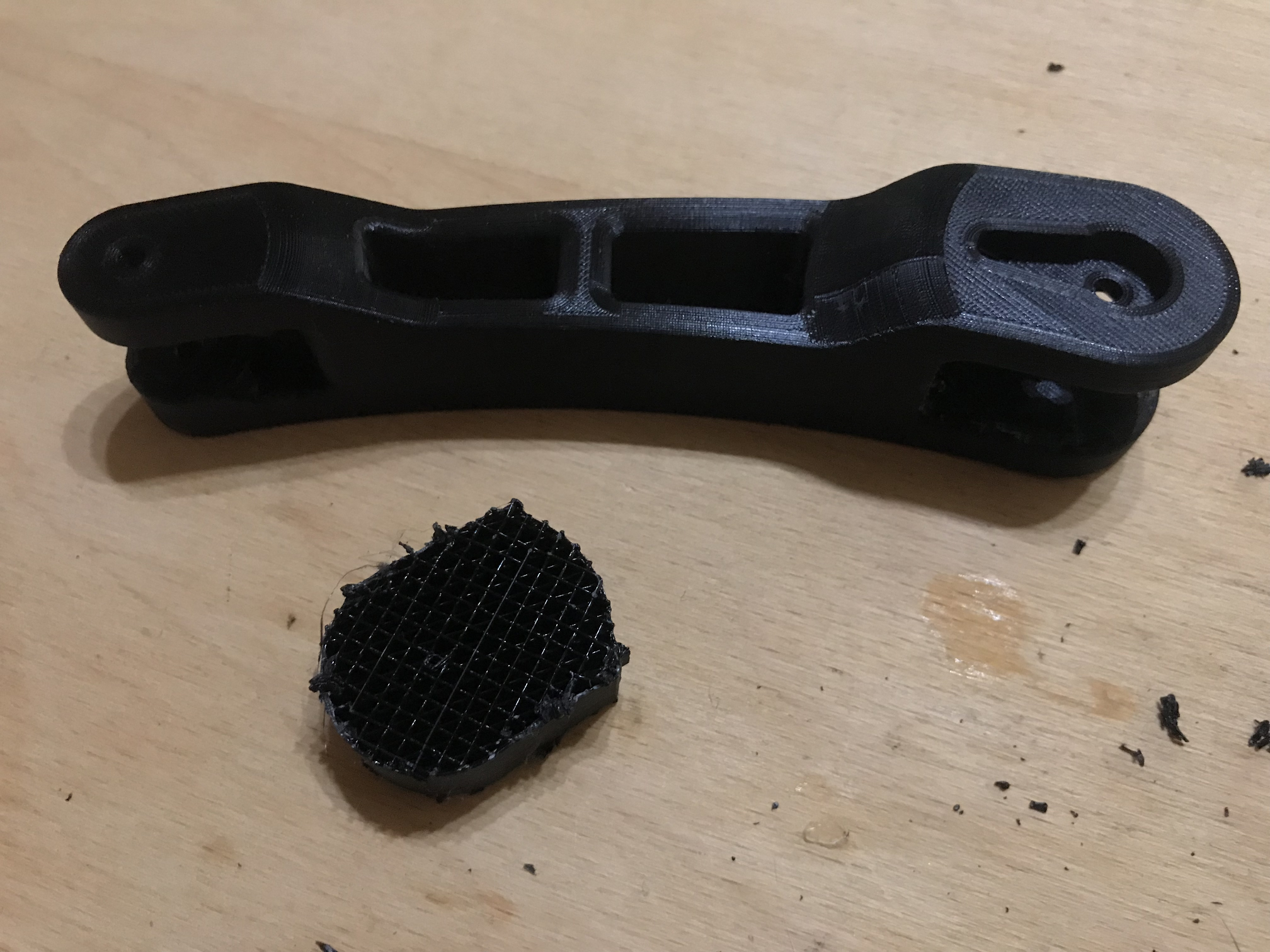
    After removing the supports - next to the printed object you can see the support, you can see its structure, it is made of mesh:
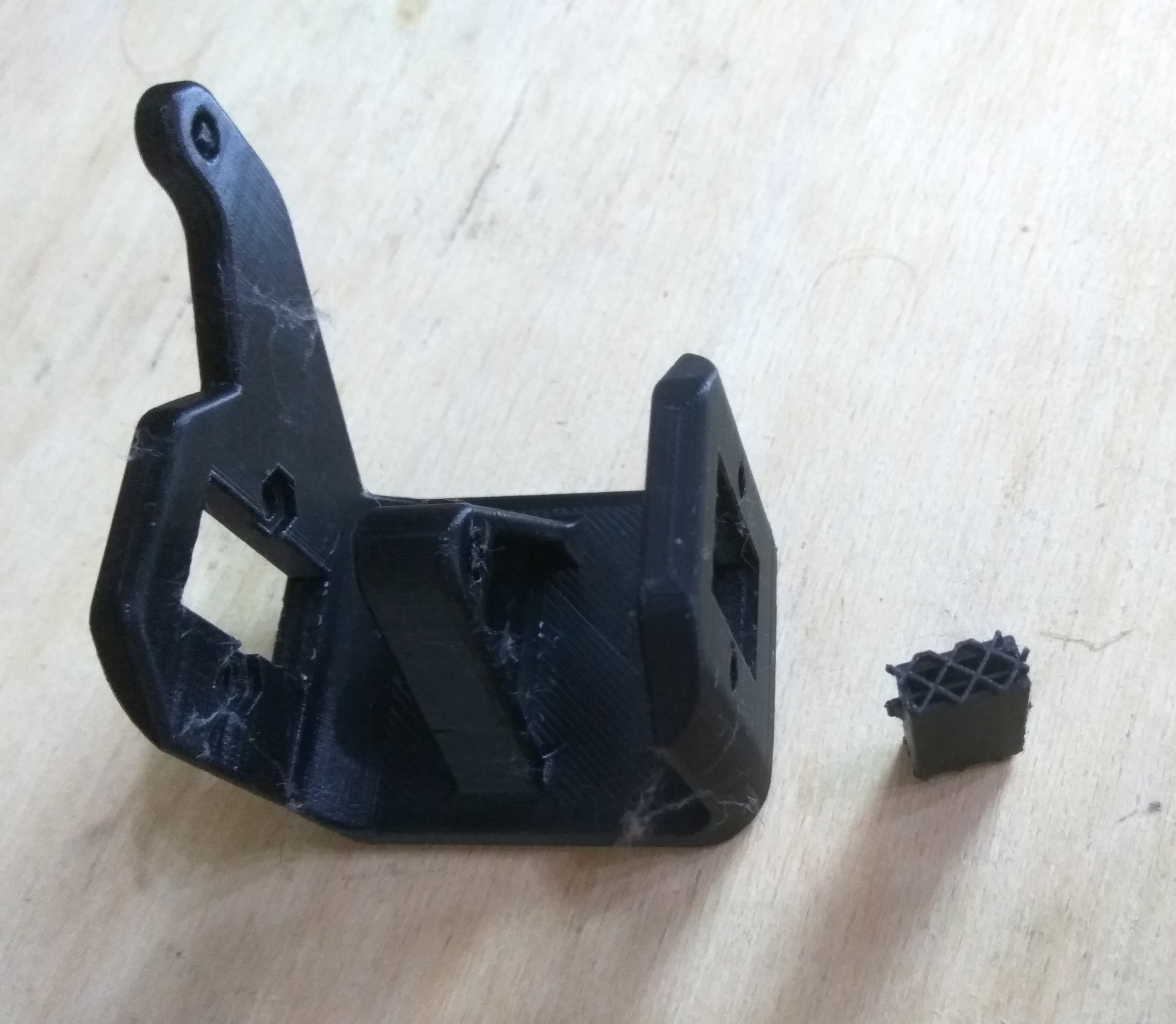
    First 3D printer purchase - Creality Ender 3 Pro - My impression, review
    First 3D printer purchase - Creality Ender 3 Pro - My impression, review
    First 3D printer purchase - Creality Ender 3 Pro - My impression, review
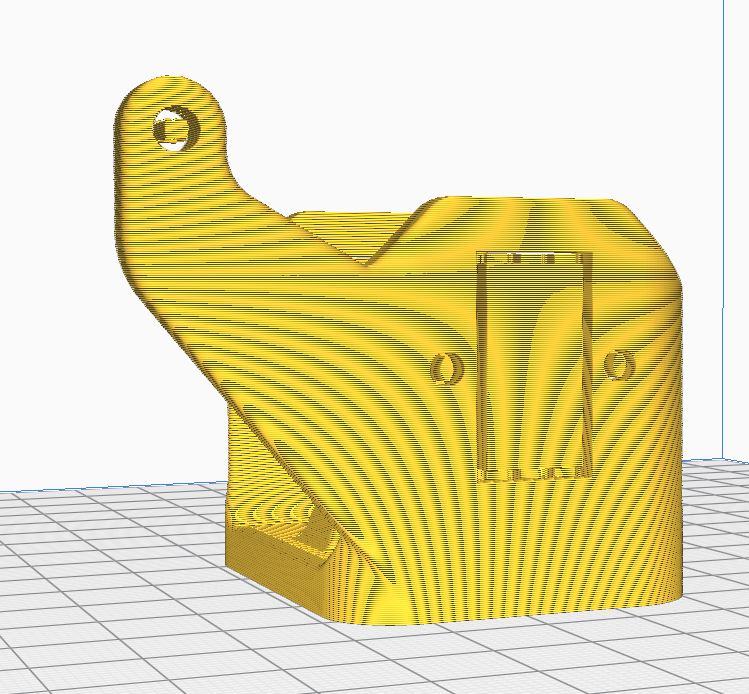
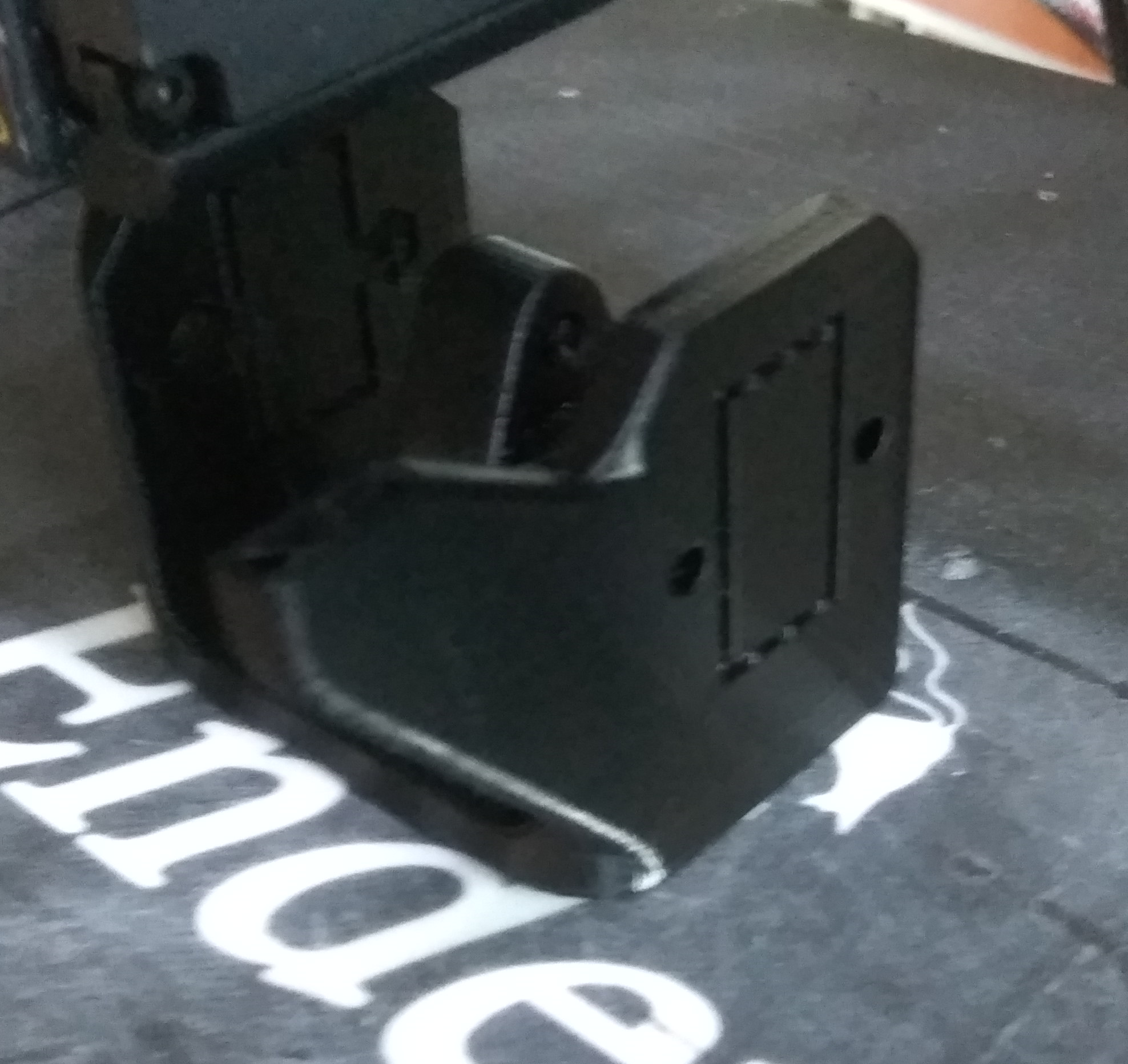
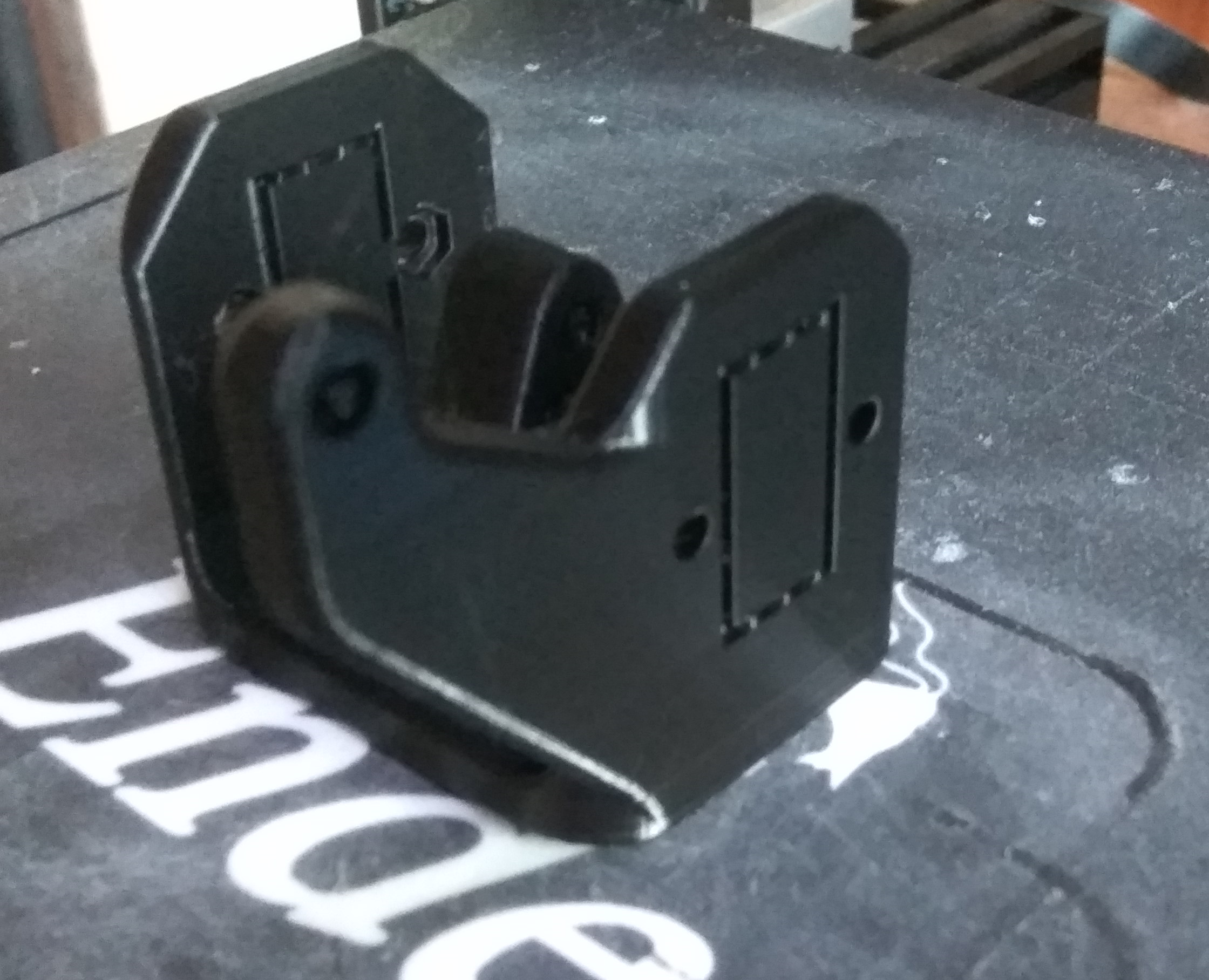
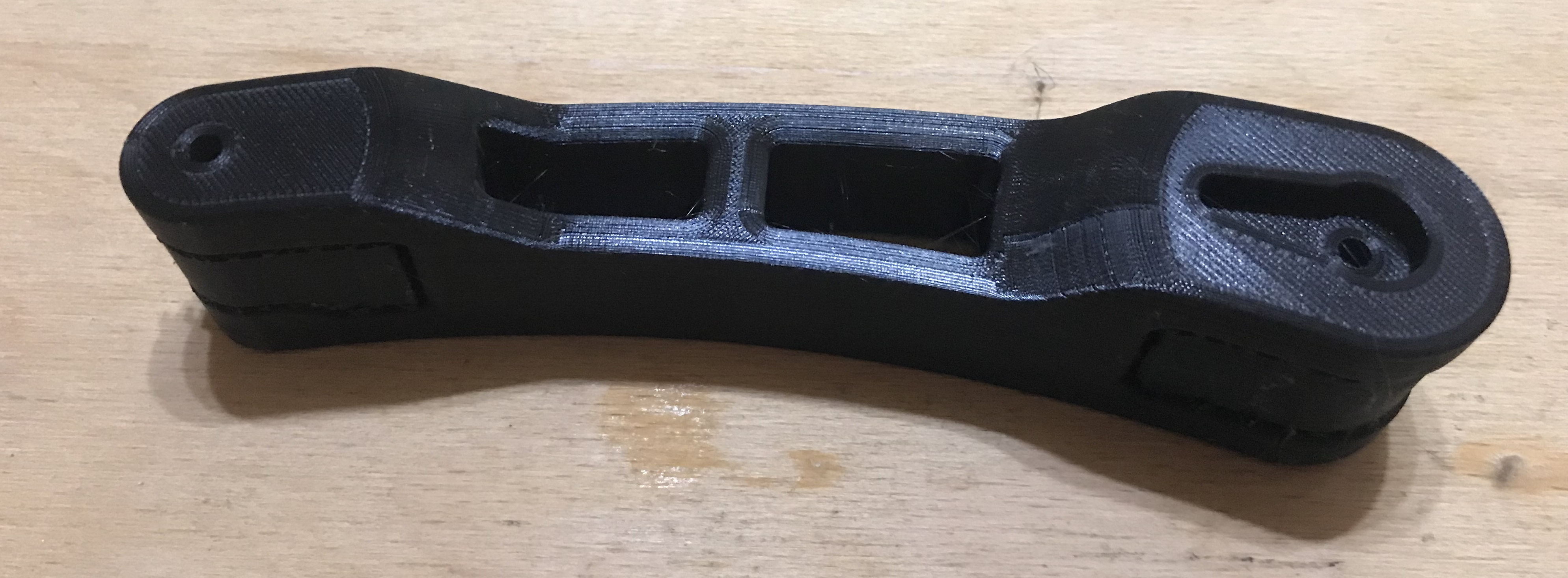
    Here is one of the prints that impressed me the most:
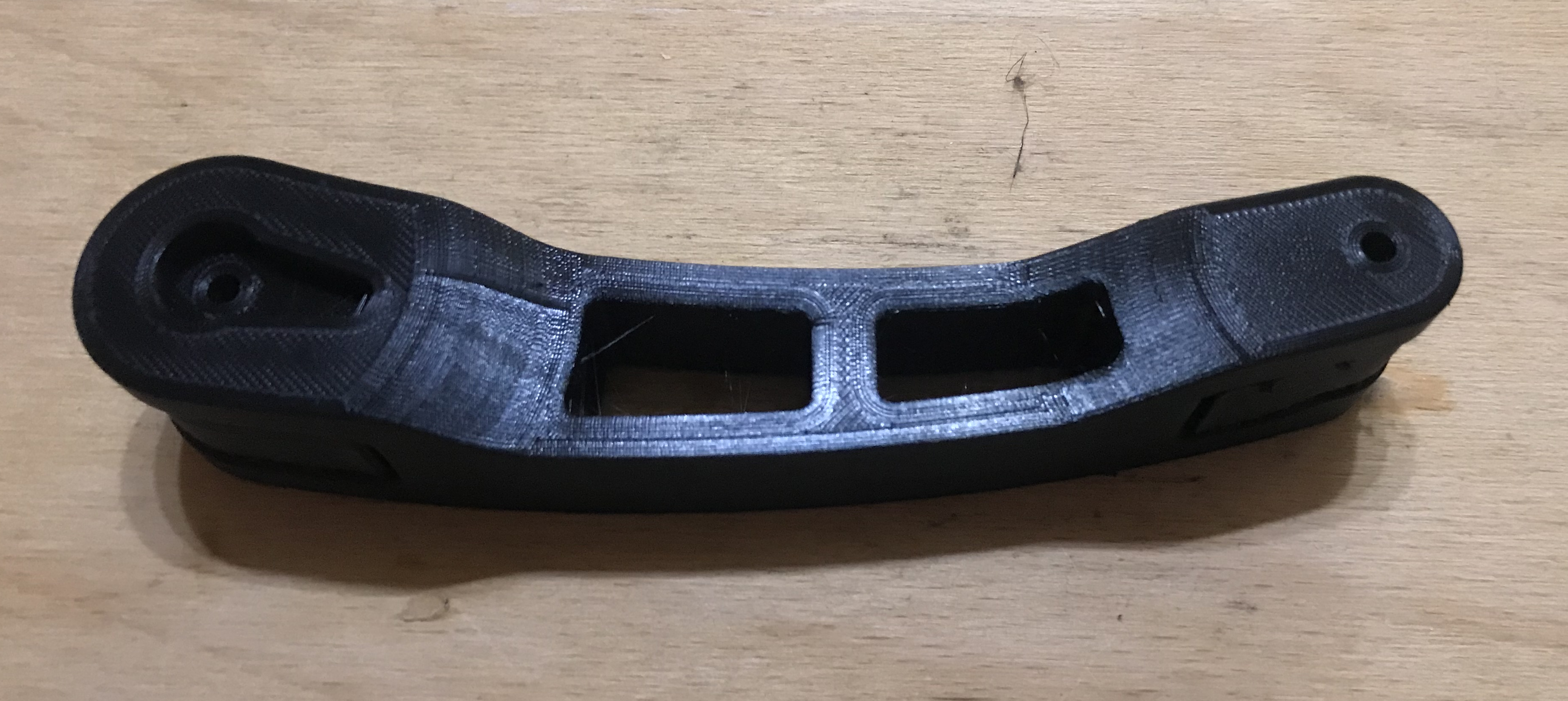
    First 3D printer purchase - Creality Ender 3 Pro - My impression, review
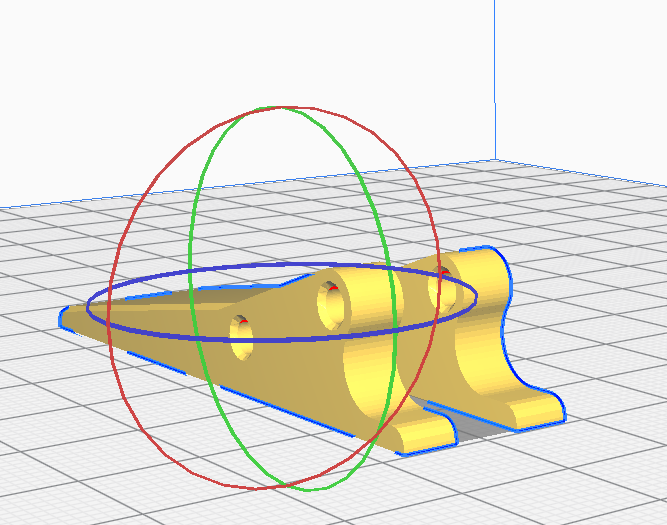
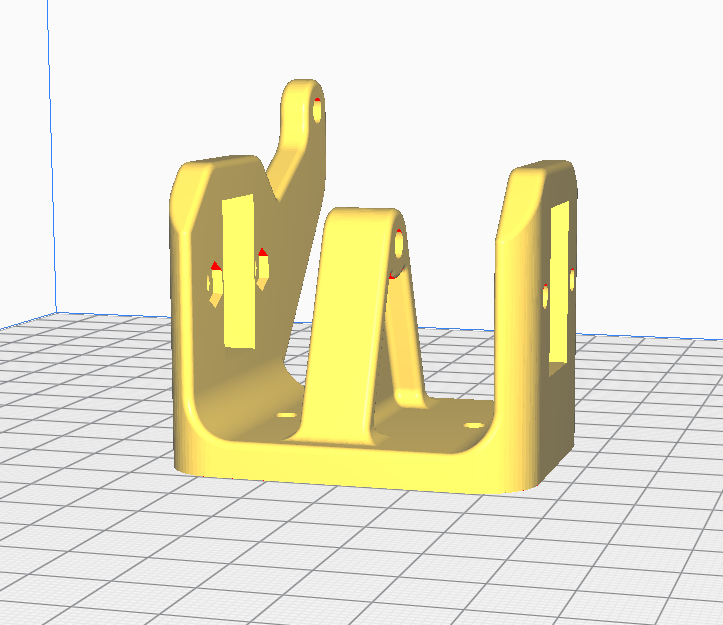
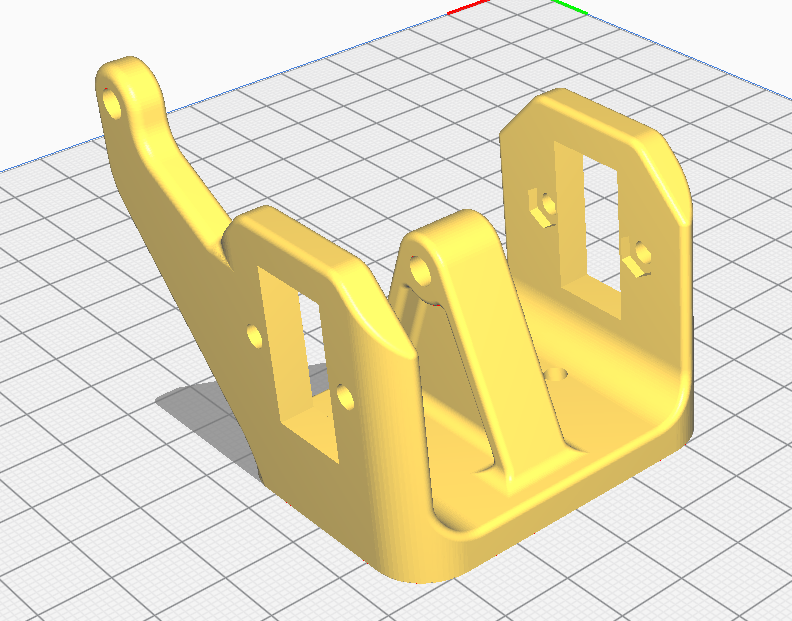
    Its source model itself looks like this:
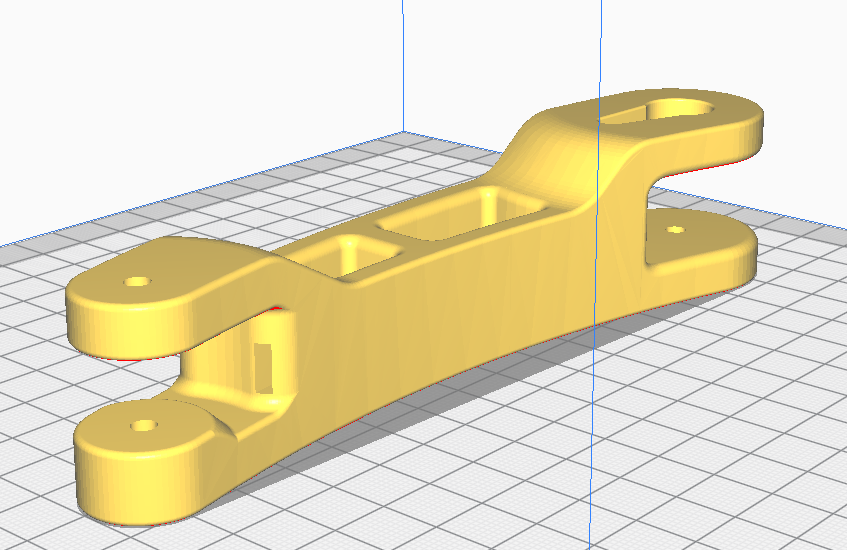
    First 3D printer purchase - Creality Ender 3 Pro - My impression, review
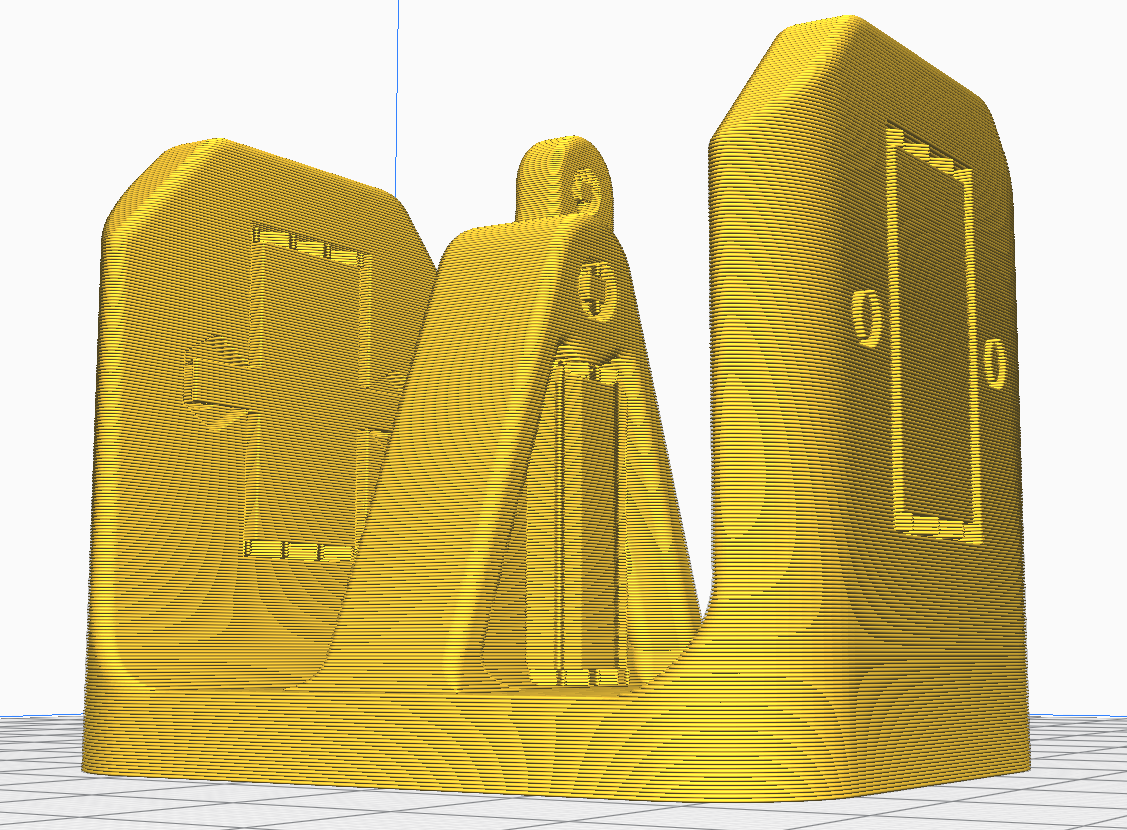
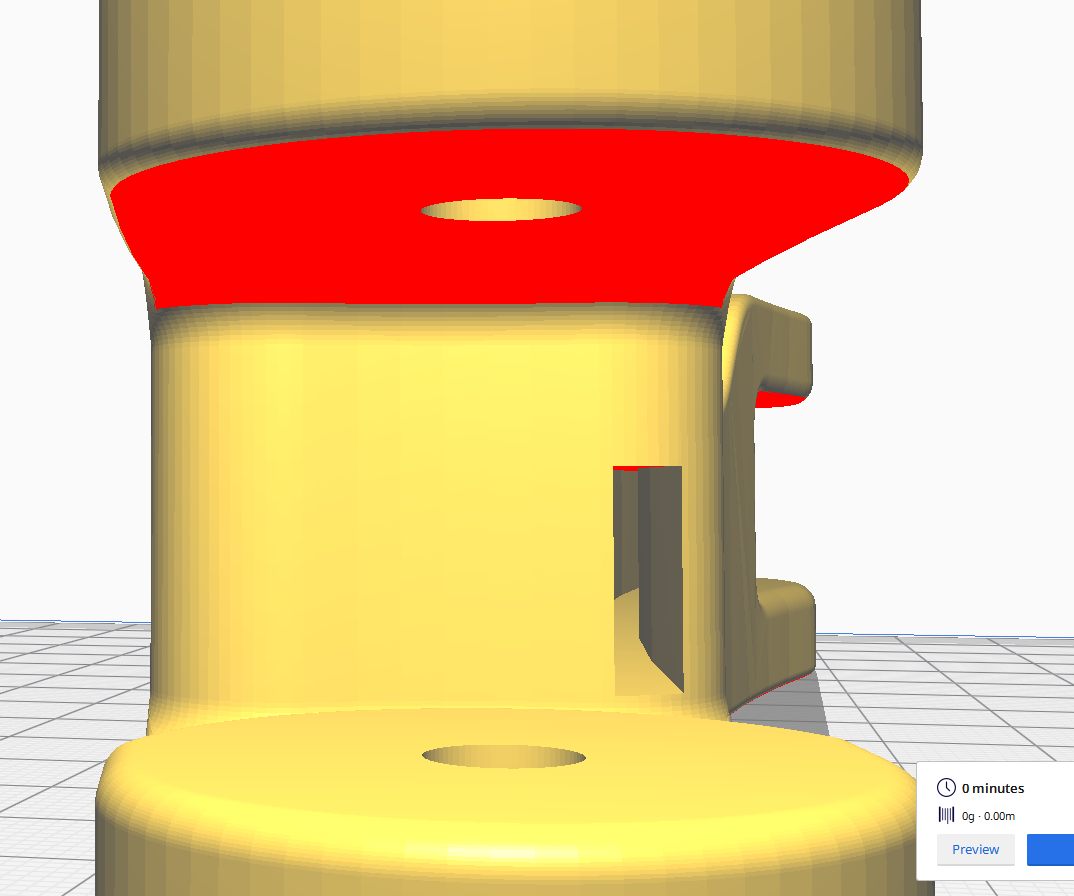
    Here it should be noted that this model has a free space through its very centre for inserting a cable:
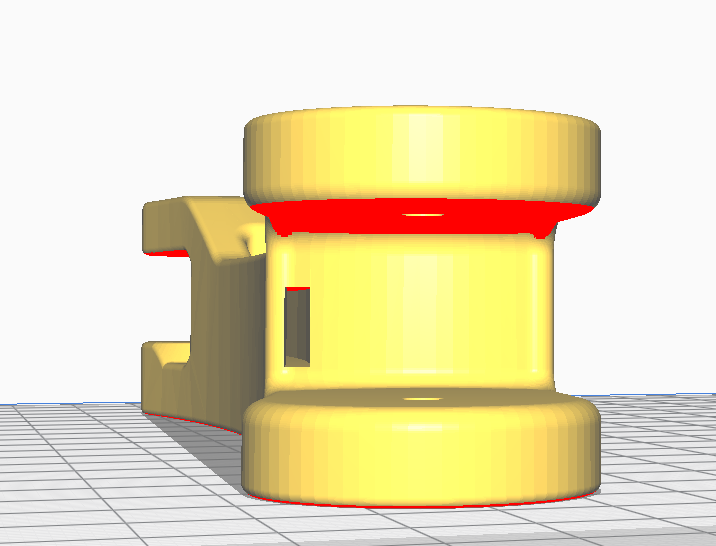
    First 3D printer purchase - Creality Ender 3 Pro - My impression, review
    First 3D printer purchase - Creality Ender 3 Pro - My impression, review
    The same object but already with the generated supports looks like this:
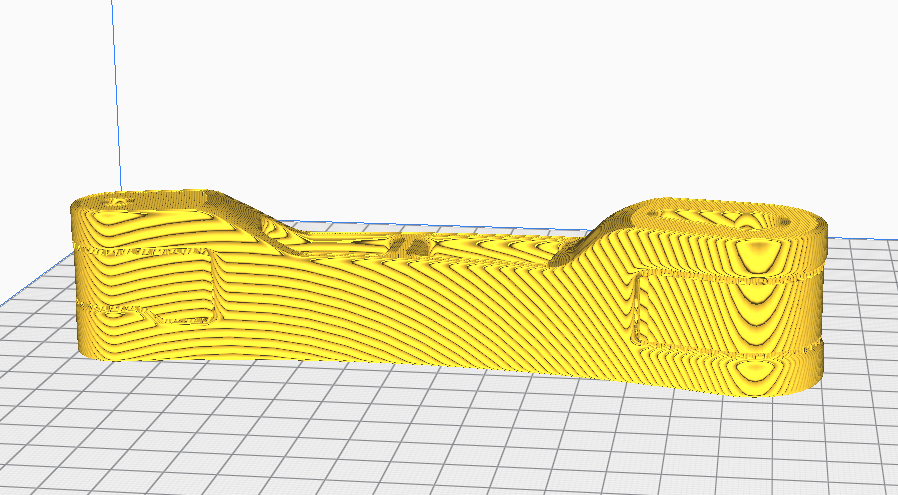
    First 3D printer purchase - Creality Ender 3 Pro - My impression, review
    First 3D printer purchase - Creality Ender 3 Pro - My impression, review
    First 3D printer purchase - Creality Ender 3 Pro - My impression, review
    Just after printing:
    First 3D printer purchase - Creality Ender 3 Pro - My impression, review
    Here still before the supports were removed (a little harder to remove this time):
    First 3D printer purchase - Creality Ender 3 Pro - My impression, review
    Support structure after removing it from the model:
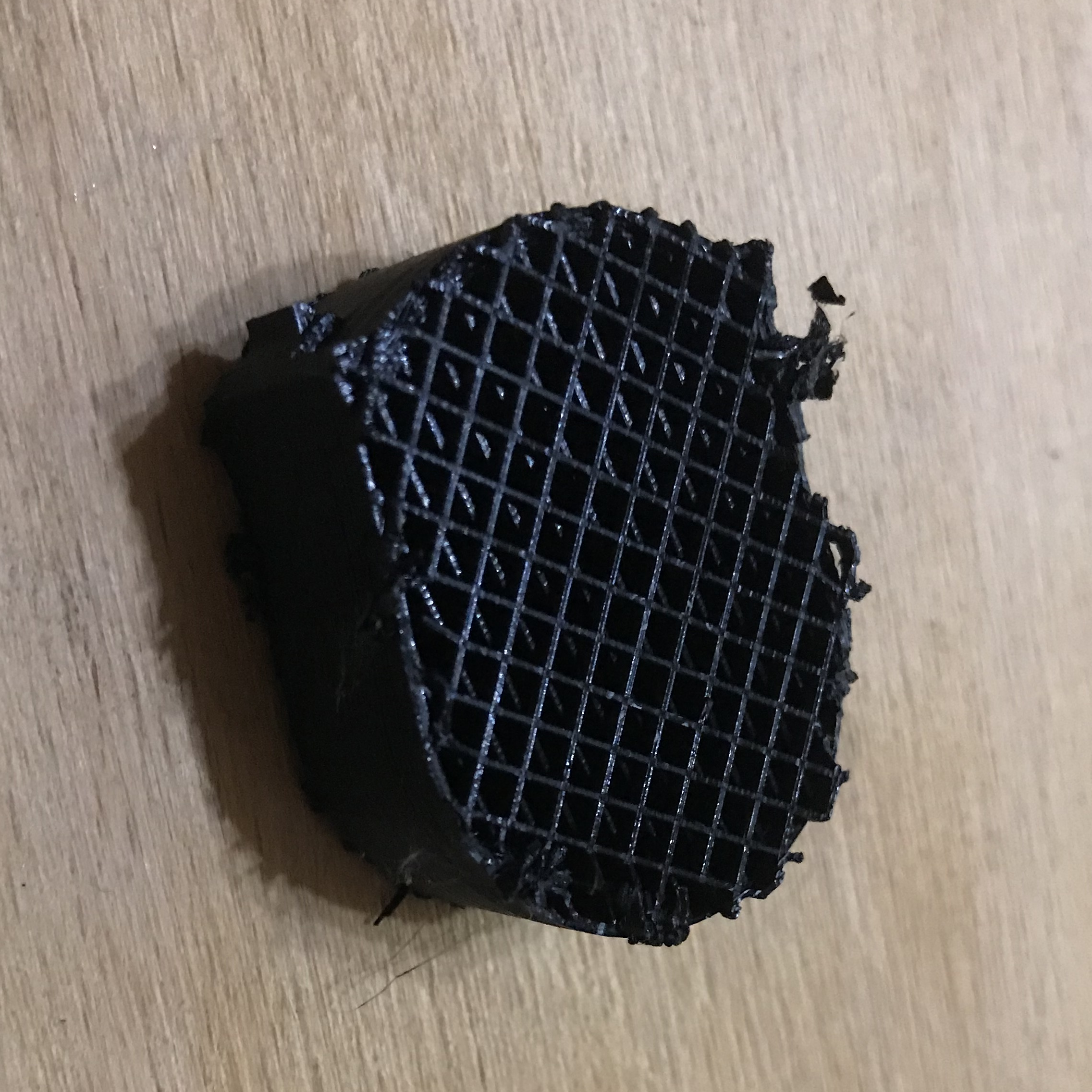
    First 3D printer purchase - Creality Ender 3 Pro - My impression, review
    First 3D printer purchase - Creality Ender 3 Pro - My impression, review
    Support and printed object:
    First 3D printer purchase - Creality Ender 3 Pro - My impression, review
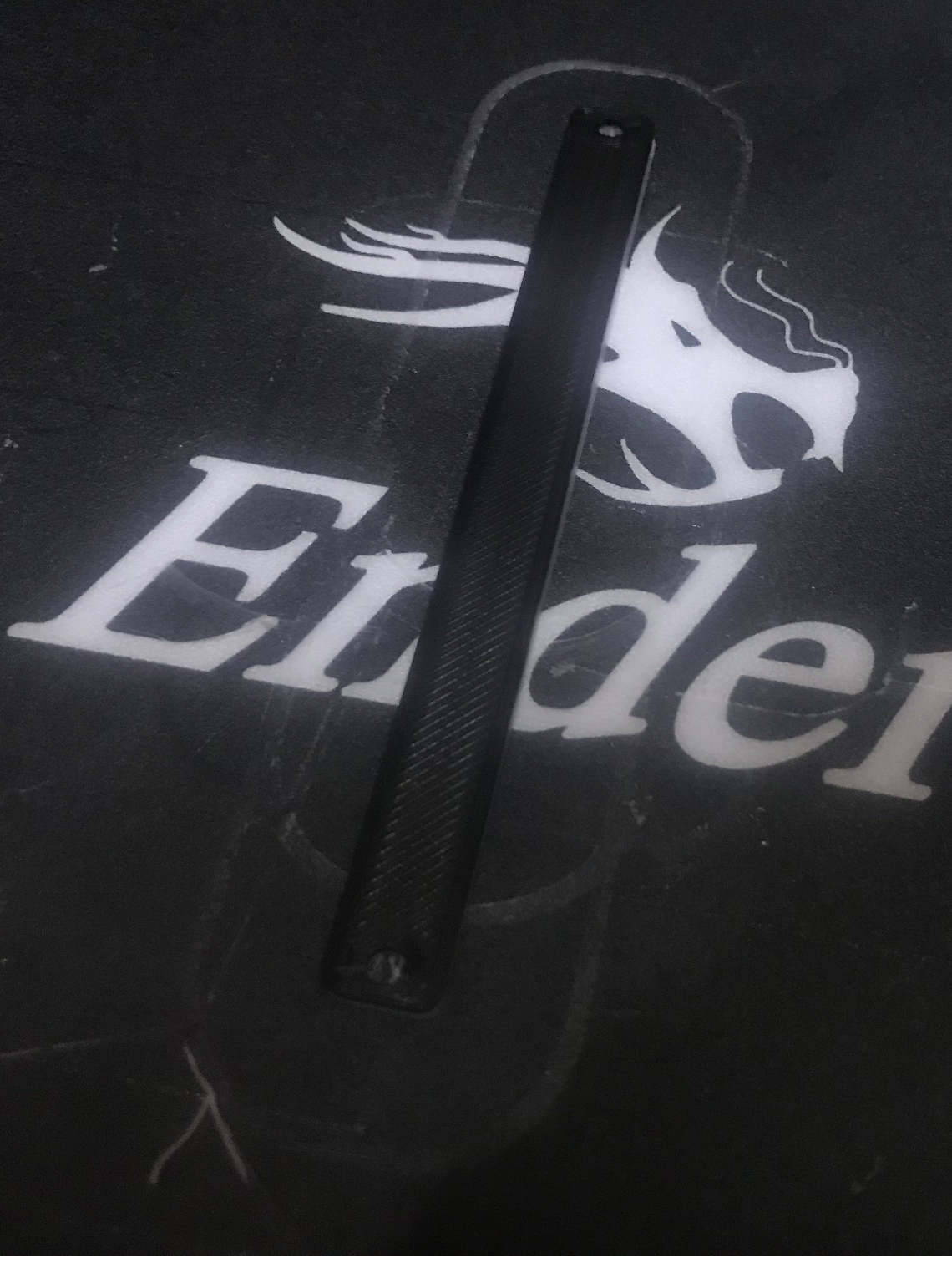
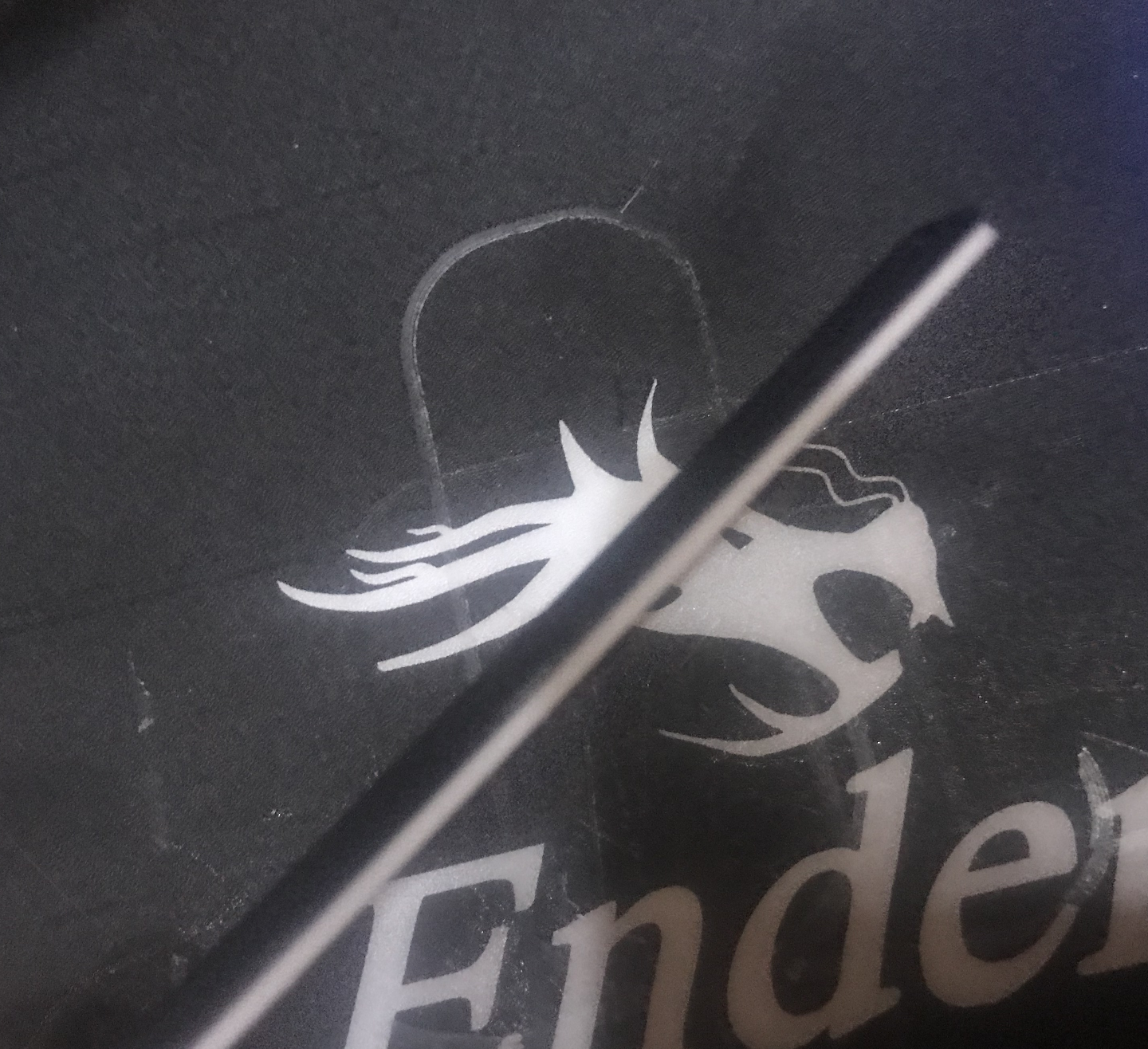
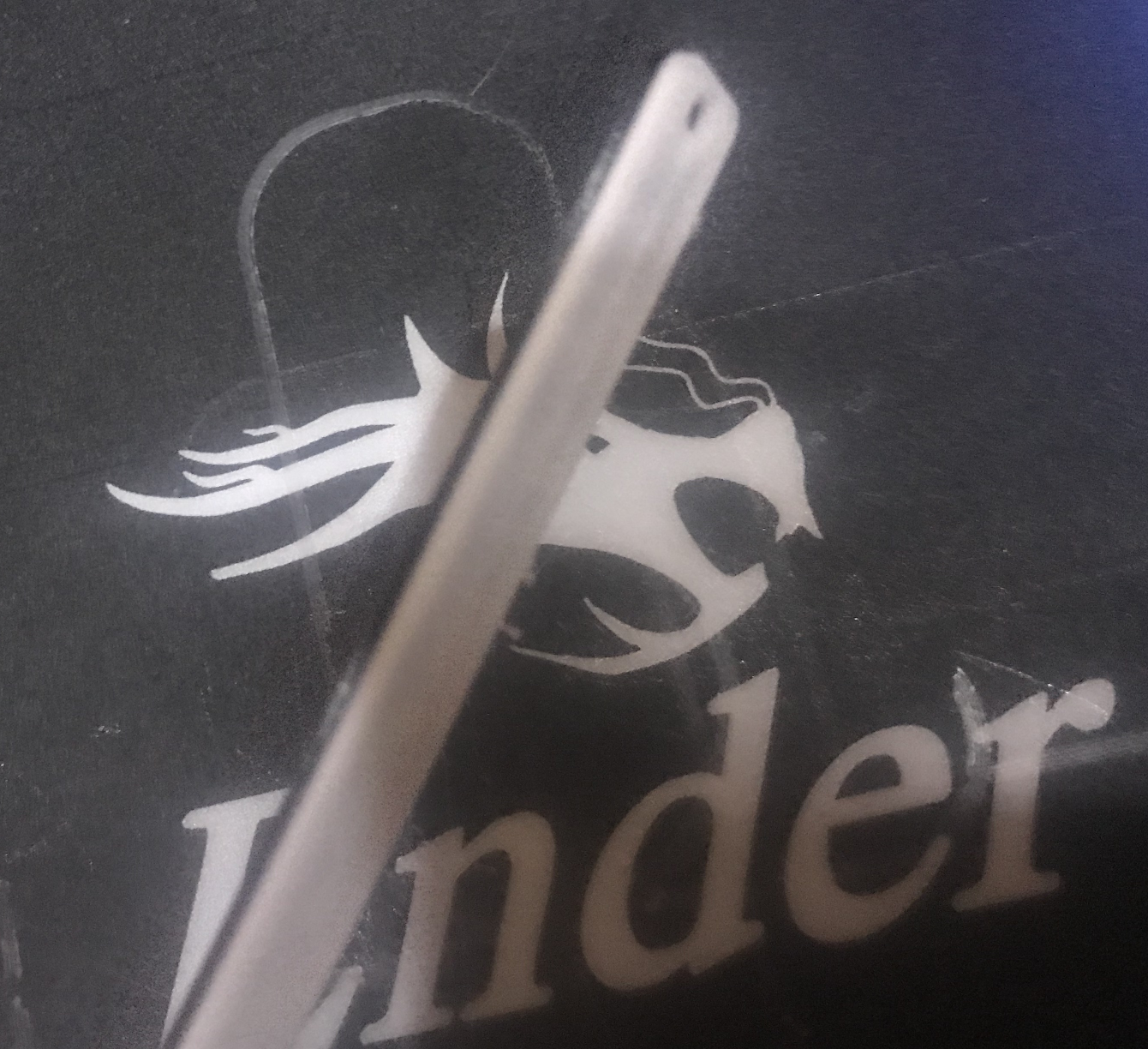
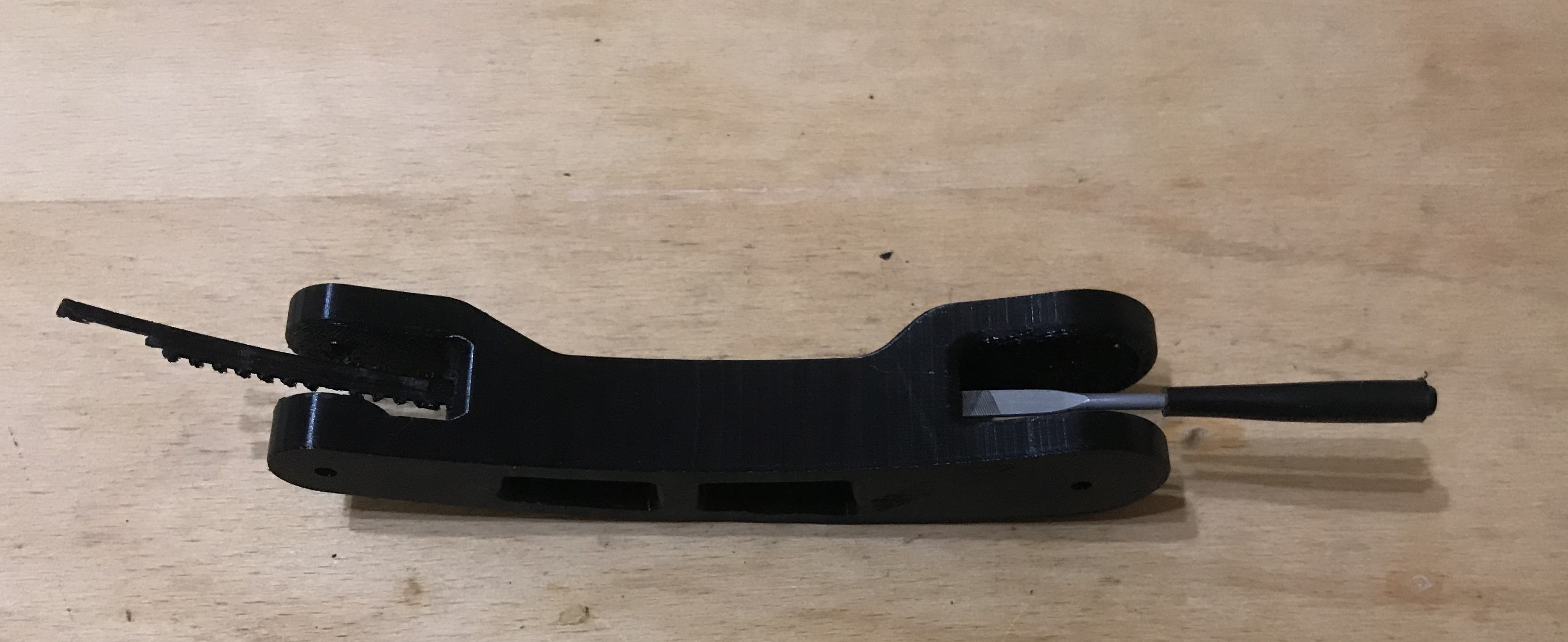
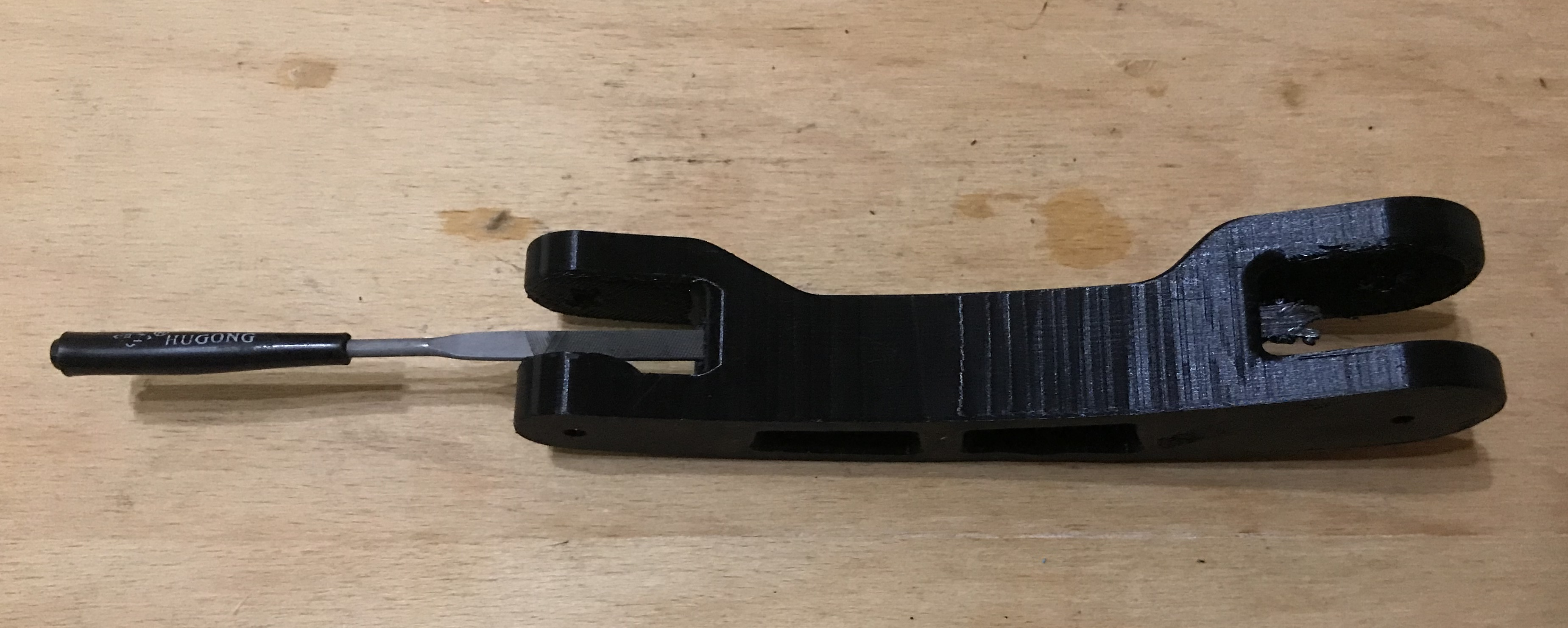
    Except that this object still had support in its centre, in that gap for the wire which you can also see in the screenshots from Cura. This support was quite difficult to remove, but I managed to push it out with a file:
    First 3D printer purchase - Creality Ender 3 Pro - My impression, review
    A bit of work and pushing on:
    First 3D printer purchase - Creality Ender 3 Pro - My impression, review


    Printer maintenance
    I have been using the printer for a while now, so I can write here from my own experience what is required every so often to keep it in good condition without losing print quality.
    - releveling the platform (re- bed leveling ) - required can be quite frequent, especially if we move the printer to another place, to another table, or if we somehow wrestle the platform harder and inadvertently move it. For this reason, it is better not to remove the magnetic cap from the platform, but to lift the printout and remove it anyway
    - cleaning the printer (and its surroundings) of dust - dust particles really harm the printer, especially on the filament. If too much of it gets into the nozzle, clogging is possible, so the room where the printer is and the printer itself should be kept clean.
    - replacing/cleaning the nozzle - once in a while (the more dust around the printer the more often) the nozzle will become clogged. It can be unclogged, but it is best to replace it with a new one, as such a nozzle costs less than a zloty.
    - cleaning the print platform - cleaning the so-called magnetic pad with heated bed , contrary to appearances, is important and required from time to time. A dirty, greasy bed means that the filament simply does not stick to it when the first layer is printed. I have tried various cleaning methods (both with dishwashing liquid and solvent) and each has worked well. It is also a good idea to avoid touching the base with your hands and to clean it regularly of dust.
    - cleaning the SD card - yes, this is very important! The more files on the SD card, the slower the Ender Pro 3D printer menu works. After a while, it even comes to a ridiculous situation where the display is quite unresponsive and only responds to our control after more than a second. Then we end up in a situation where we inadvertently select the wrong file when switching on printing and have to abort the print. The solution to this is simple: reformat the SD card you are using from time to time and put too many files on it.

    Summary
    With my printer Ender Pro 3 I am satisfied. I think it was a good purchase and rather if I had to choose again I would choose the same model again. In the future I only intend to think about some sort of enclosure/cage for an entire printer made of transparent plastic to reduce dirt and noise as these are basically the two biggest problems I face.
    And what experiences do you guys have with 3D printers and what models do you use? Feel free to discuss.
    PS: Of course, the advice presented here is only my opinion, I am the same user of a 3D printer as many of you, so I can not guarantee that they are 100% correct and I do not take responsibility for the fact that someone as a result of reading my topic will spoil something.

    Cool? Ranking DIY
    Helpful post? Buy me a coffee.

    About Author
    p.kaczmarek2
    Moderator Smart Home
    Offline 
    p.kaczmarek2 wrote 13926 posts with rating 11732, helped 630 times. Been with us since 2014 year.
  • ADVERTISEMENT
  • #2 18328197
    LA72
    Level 41  
    Cool description, lots of writing.

    When writing about the prices of the extras, the cost of the device itself was missing.

    It would have been useful to mention the control element of the whole kit.

    In the case of my 3D printer, this is the RAMPS 1.4 (Prusa i3 MK3 clone)
    First 3D printer purchase - Creality Ender 3 Pro - My impression, review
  • ADVERTISEMENT
  • #3 18328638
    siewcu
    Level 35  
    I see a lot of mistakes in the text. Something more about some things would be useful (a few sentences with such a long text is probably not a problem). Mentioning some things is a cry to heaven... Will you look for and correct or shall I point out the mistakes to you?

    The text seems to be interesting, but it is nothing concrete - there is no description of the printer or a review, there is no guide (only a lame something resembling it), I do not know what it was supposed to be, but it cannot be assigned to any category...
  • #4 18328714
    p.kaczmarek2
    Moderator Smart Home
    LA72 wrote:

    When writing about the prices of extras, the cost of the device itself was missing.

    This is a rather controversial issue, as you can either buy from your compatriots (supporting the economy of your homeland), or import from China a few hundred cheaper. Of course, you have to bear in mind something like customs duty.

    LA72 wrote:

    In the case of my 3D printer, it is a RAMPS 1.4 (Prusa i3 MK3 clone)

    What was the cost of the whole thing and what accuracy do you get on it?

    siewcu wrote:
    Will you look and correct or point out the errors for you?

    Feel free to email me on PW, I will be happy to take your comments into account and the topic will still be edited.

    siewcu wrote:

    The text is seemingly interesting, but it is nothing concrete

    The answer to this allegation is in the title - "My impressions".
    I acutely wanted the topic to be largely a supplement and summary to what is generally known. E.g. a mere instruction on how to assemble a printer or how to print from it would be rather pointless, as there is plenty of such material.
    Helpful post? Buy me a coffee.
  • #5 18328750
    pathirrus
    Level 11  
    Seemingly a cool description, but something is missing here. You could have described, for example, the main board of the printer and what is in it. Because unfortunately we have poor stepper motor drivers on board, which make the printer very noisy during operation. Everything is managed by the Atmega1284 as I remember correctly. Importantly, the printer runs on 24V, not 12 as is common with other home budget printers.
    Another point is that instead of a magnetic pad, you can give glass, which compensates to some extent for the unevenness of the table. And it is more durable compared to such a pad.
    I myself have been using the Endera3 for over a year and have not had any problems with it. I haven't done any calibrations, I've leveled the table maybe five times during that time. I recently replaced the motherboard with a skr E3 mini with TMC2209 motor drivers and a 32bit STM32F103RCT6 processor. When printing, apart from the fans, nothing else can be heard. The motors have finally become silent.
    I also added a 2W laser for engraving.
    Overall a fun toy, and you can print useful things for yourself and others.
  • #6 18328773
    p.kaczmarek2
    Moderator Smart Home
    pathirrus wrote:

    Seemingly a cool description, but something is missing here. You could have described for example the main board of the printer and what's in it. Because unfortunately we have poor stepper motor drivers on board, which make the printer very noisy during operation. Everything is managed by the Atmega1284 as I remember correctly. Importantly, the printer runs on 24V, not 12 as is common with other home budget printers.

    This replacement is yet to come for me, but thanks for the information. I will consider it, although it probably isn't that necessary for the printer to function properly.

    pathirrus wrote:

    Another point is that instead of a magnetic pad, you can give glass, which compensates to some extent for the unevenness of the table. And it is more durable compared to such a pad.

    I have seen this possibility, but I have not tested it, so necessarily I have not described it.
    But I have a question for you - what then is the matter with pulling the print off the glass?
    When I have a large print, I often even have to lift the mat (not remove it fully, but lift it and bend it slightly) to peel the print from it. And I can't bend the glass...

    pathirrus wrote:

    I myself have been using the Endera3 for over a year and have had no problems with it. I have not done any calibrations, I have leveled the table maybe 5 times during this time.

    And is your Ender3 mobile or does it stand in one place? I have moved mine more than once, especially because of longer prints.
    Helpful post? Buy me a coffee.
  • #7 18328883
    siewcu
    Level 35  
    p.kaczmarek2 wrote:
    Ender Pro 3D printer

    Creality3D Ender 3 Pro, duplicate error.

    p.kaczmarek2 wrote:
    It is probably best to buy it in our country. It is cheaper here than abroad.

    This is not the important thing, you should pay attention first and foremost to the quality of the filament you buy.

    p.kaczmarek2 wrote:
    From more expensive things - a spare magnetic print pad

    This is not necessary, you might as well use glass/mirror(I use glass and am happy).

    p.kaczmarek2 wrote:
    Metal extruder feeder to be replaced. For example such as here:

    This is the extruder, not the extruder feeder.

    p.kaczmarek2 wrote:
    continuous friction of the filament line against the feeder plastic

    There is no such thing there. The filament only comes into contact with the tension/release arm of the lever with the filament pressure roller on the knurl.

    p.kaczmarek2 wrote:
    new motherboard, supporting print reception via WiFi

    The manufacturer has not produced such a board. Instead, there is a board with other stepper motor controllers, described by them as "silent" - it mutes them and the de facto fan sounds remain.

    p.kaczmarek2 wrote:
    on the web there are ready-made 3D model files of printer add-ons

    Yes, but there are a few modifications needed - for example, a cover for the fan pulling air out of the controller housing, a cover for the back of the display would be useful, and a filament guide for the extruder wouldn't go amiss.

    p.kaczmarek2 wrote:
    There are various ways of bed leveling, but I will highlight two here:

    One, because you level at a specific distance, doing it by trial and error is one of the sillier ideas for leveling a table.

    p.kaczmarek2 wrote:
    Unnecessary software - Cura3D

    Ultimaker Cura, not Cura3D.

    p.kaczmarek2 wrote:
    Printer-specific friendly format.

    A format containing data for control to the printer, necessary for its operation and not printer friendly.

    p.kaczmarek2 wrote:
    Thingsverse

    Thingiverse.

    p.kaczmarek2 wrote:
    Thingsverse should be 0.1mm from the base.

    No, 0.04-0.05mm. I set with a gap gauge to be sure, no problems. It was worth spending the probably £12.

    p.kaczmarek2 wrote:
    I can select the print quality:

    Not the print quality but the layer thickness, many more variables affect the print quality. You also need to choose the type of filament you are using and the temperatures of the heating block and table to match (this varies from manufacturer to manufacturer).

    p.kaczmarek2 wrote:
    The Cura3D software is able to block virtual (and probably also physical) COM ports connected to the computer.

    Just like any program that uses USB-COM adapters....

    p.kaczmarek2 wrote:
    Changing the filament while printing is possible, and even very easy. You simply have to keep an eye on the printer and plug in the new filament the moment the old spool runs out and the filament line is fully pulled into the feeder.

    This is not how it works. You have to stop the print, remove all the filament(it will not move by itself further than the exit of the knurl, you have to remove it and push the new one into the nozzle.

    p.kaczmarek2 wrote:
    so-called stringing, i.e. thin filament threads connecting parts that should not be connected

    Not so called stringing but stringing, called threading in Polish and does not connect any elements with each other - it is simply the filament pulling behind the nozzle for various reasons (temperature, retraction etc. etc.).

    p.kaczmarek2 wrote:
    Cleaning the so-called heated bed

    Cleaning of the pad, heated bed is the entire heated table together with the heating element, temperature sensor etc.

    There's probably more, it's just that I was having a quick browse and it caught my eye....
  • #8 18329016
    p.kaczmarek2
    Moderator Smart Home
    I can see that some of the comments are substantive and some are a bit on the forceful side. Some of your comments are explained in the text, such as about the quality of the filaments (I printed with cheaper ones from Poland and saw no problems). Part of it I disagree with, I will explain below. Part is right (nomenclature), I will make corrections , thank you.

    siewcu wrote:

    p.kaczmarek2 wrote:
    constant friction of the filament line against the feeder plastic

    There is no such thing there. The filament only comes into contact with the tension/release arm of the lever with the filament pressure roller on the knurl.

    I was referring to what this photo shows:
    First 3D printer purchase - Creality Ender 3 Pro - My impression, review
    You can clearly see that in addition to the pre-made hole in the part, there is also a worn out area due to friction between the filament and the plastic. Probably adding a filament guide of some kind would help.

    siewcu wrote:

    p.kaczmarek2 wrote:
    new motherboard, supporting WiFi print reception

    The manufacturer has not produced such a board. Instead, there is a board with other stepper motor controllers, described by them as "silent" - it mutes them and the de facto fan sounds remain.

    And the Duet Wi-Fi control board, for example? There are also solutions based on Raspberry.

    siewcu wrote:

    p.kaczmarek2 wrote:
    There are various ways of bed leveling, but I will highlight two here:

    One, because you level at a specific distance, doing it by trial and error is one of the sillier ideas for leveling a table.

    This is more of a personal opinion, a lot of people on the web (e.g. on Youtube) also use the trial and error method.

    siewcu wrote:

    p.kaczmarek2 wrote:
    The Cura3D software is able to block virtual (and probably also physical) COM ports connected to the computer.

    Just like any program that uses USB-COM adapters....

    A well written program does not block anything when not using USB-COM adapters ... this is a software issue, nobody forces the software to automatically open every available COM port without asking the user.
    The program can have this in the settings to be enabled or e.g. only open/enumerate ports when clicking "Send" or there "Print".

    siewcu wrote:

    p.kaczmarek2 wrote:
    Changing the filament during printing is as possible and even very easy. You just have to keep an eye on the printer and plug in the new filament the moment the old spool runs out and the filament line is fully pulled into the feeder.

    This is not how it works. You need to stop the print, remove all the filament(it will not move by itself further than the exit of the knurl, you need to remove it and push the new one into the nozzle.

    Sure you have to make sure it is pulled all the way in and that there is no pause in the filament, but I have done this successfully without pausing.

    siewcu wrote:

    p.kaczmarek2 wrote:
    so-called stringing, i.e. thin filament threads connecting parts that should not be connected

    Not so called. stringing a stringing, called threading in Polish and does not connect any elements to each other - it is simply the filament pulling behind the nozzle for various reasons(temperature, retraction etc etc).

    Typo - you are 100% correct here. And the rest is a bit of an example of clinginess. It's simply the filament dragging behind the nozzle for various reasons and, as a result, joining various parts of the print in an undesirable way. This is very easy to remove.

    siewcu wrote:

    p.kaczmarek2 wrote:
    The nozzle should be within 0.1mm of the base.

    No, 0.04-0.05mm. I set with a gap gauge to be sure, no problems. It was worth spending the perhaps £12.

    Well, I used sources where 0.1mm was quoted and that was the value I considered correct.
    I will quote one of the pages for support:
    First 3D printer purchase - Creality Ender 3 Pro - My impression, review
    Source: https://all3dp.com/2/3d-printer-bed-leveling-step-by-step-tutorial/
    Helpful post? Buy me a coffee.
  • ADVERTISEMENT
  • #9 18329106
    siewcu
    Level 35  
    I set mine to 0.04 mm with a slit gauge and somehow have nothing to complain about, besides, there are quite a few sources and more often a receipt than a piece of paper. The internet is the internet, but it is not an oracle.

    p.kaczmarek2 wrote:
    As for example the Duet Wi-Fi control board? There are also solutions based on Raspberry.

    It's not a new board, it's just a different one - which requires modifications to install. Plug and play is probably only one version of SKR, and the new motherboard is currently Creality3D version 1.1.5. The rest are custom modifications.
  • #10 18329214
    stefan1943
    Level 12  
    p.kaczmarek2 wrote:
    pathirrus wrote:

    Another point is that instead of a magnetic pad, you can give glass, which compensates to some extent for the unevenness of the table. And it is more durable compared to such a pad.


    I've seen this possibility, but I haven't tested it, so necessarily I haven't described it.
    But I have a question for you - how does it look then with the issue of pulling the print off the glass?
    When I have a large print, I often have to lift the mat (not fully remove it, but lift and slightly bend it) to unstick the print from it. And I can't bend the glass...

    Once the component has cooled down, it can be removed by hand without the use of force. Fire glass "heat resistant glass" is best suited for this.
    I had mine cut at a glassmaker's.
  • #11 18329229
    pathirrus
    Level 11  
    When it comes to removing an element from the glass, it depends on the type of element. Some of them come off by themselves after a slight movement, others, e.g. large blocks with a wide base, you have to wait until the table cools down and then they peel off by themselves. If you're in a hurry, you can use a spatula to clean the print. I generally avoid using a spatula because sometimes you can damage the print and the model will still stick to the glass. The basis is clean glass, preferably with acetone or benzine before each print.

    As for whether I have a mobile one, I rather not, because it stands in one place. But when the skr plate came to me now I had to take it out of the shed and ogle it. After putting it in place I didn't even level the table and the print went without a problem.
  • #12 18329737
    LA72
    Level 41  
    p.kaczmarek2 wrote:

    What was the cost of the whole thing and what accuracy do you get on this?


    Hello.
    I have no complaints about the quality.
    My version is based on Marlin firmware.
    The software to prepare the gcode is Repetier-Host and Cura.

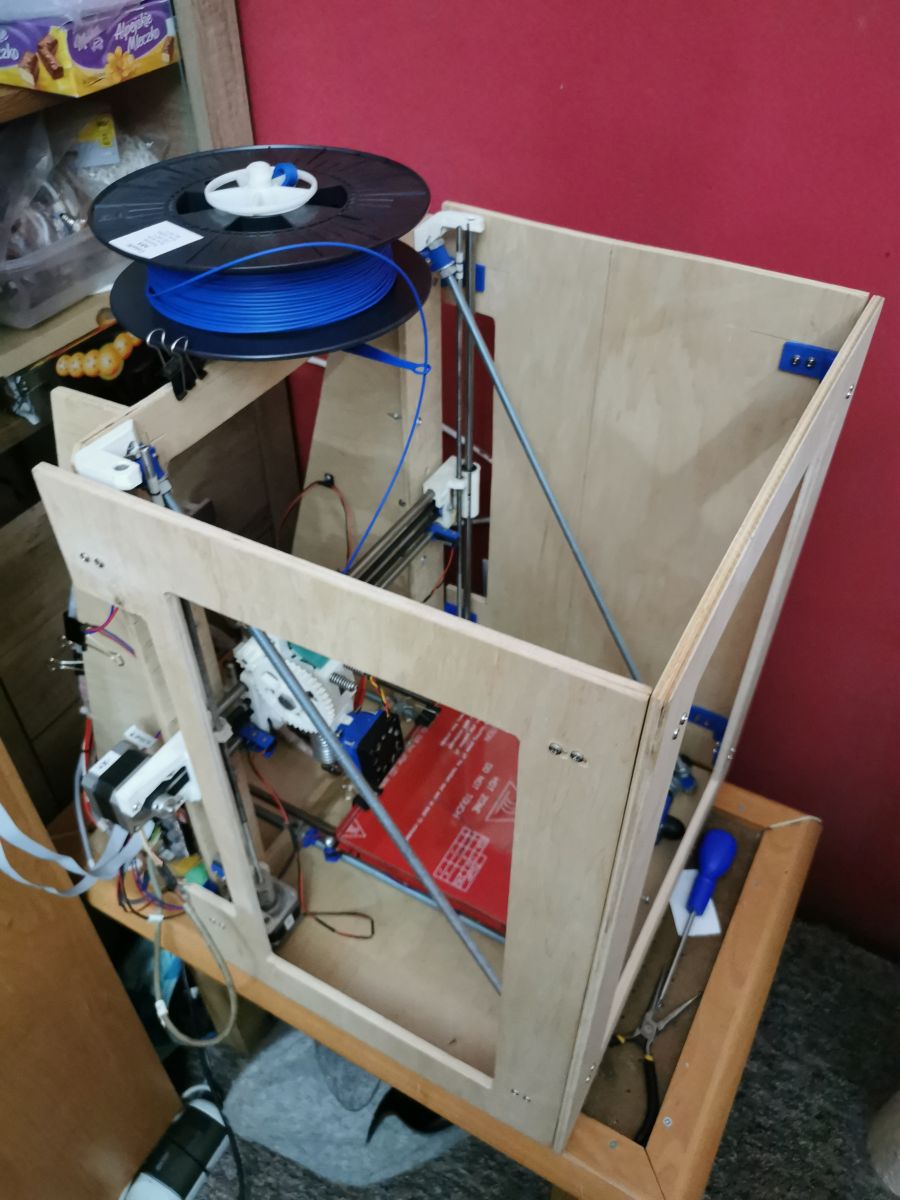
    First 3D printer purchase - Creality Ender 3 Pro - My impression, review

    I bought the electronics, power supply, heating table and nozzle from someone who couldn't figure out how to get the printer working for 200£.
    I then increased the working size to 220mm in height.
    That is, the frame was designed from scratch and made by myself.

    Originally the printer is made of 5mm plywood, while in my version it is already 8mm.

    To sum up the costs, I think I closed under 400PLN.

    I also don't have problems with a crooked table like in the Enders.
    The heat-resistant glass combined with NeedIt does the job.

    Below are some pics of the prints.
    First 3D printer purchase - Creality Ender 3 Pro - My impression, review First 3D printer purchase - Creality Ender 3 Pro - My impression, review First 3D printer purchase - Creality Ender 3 Pro - My impression, review First 3D printer purchase - Creality Ender 3 Pro - My impression, review

    More projects on Thingiverse .
  • #13 18331867
    nojmi
    Level 20  
    My brother also has an ender and he appreciates it. Of course, to get better quality prints he had to modify it a bit.
  • #14 18335201
    Dawid90u
    Level 23  
    p.kaczmarek2 wrote:
    From cheaper stuff - spare nozzles. Cheapest from China, with free shipping. There aren't many in the Ender kit, and certainly new ones will come in handy sooner or later:


    Czech,

    I would still be wary of the cheapest nozzles. They can have a porous structure inside or the hole declared in the description can differ, which can affect the quality of the print.
  • #15 18335354
    Loker
    Level 39  
    I'm an Ender 3 user and I'll add my three cents ;) Ender is "famous" for its poor quality tables - in my case levelling did nothing - the table concave in the middle. I considered using glass, but in the end decided on autoleveling. As far as I'm concerned - a great thing to have if anyone wants to install it for themselves too - three things:
    - the inductive sensor can't see the table - you have to use a capacitive (or bl-touch) one,
    - it is definitely better to mount an NC type sensor - safer in case of failure and you don't have to modify the settings in the firmware,
    - the initial g-codes should be set so that levelling happens after the table has warmed up, but before the hot-end has warmed up - it won't dirty the table during levelling.
  • #16 18335510
    mrrudzin
    Level 39  
    Loker wrote:
    I'm an Ender 3 user and I'll add my three cents ;) Ender is "famous" for its poor quality tables - in my case levelling did nothing - the table concave in the middle. I considered using glass,


    The glass in my case (a piece of mirror to be exact) solved any problems with levelling, first layer coming off etc.
  • #17 18336115
    mkpl
    Level 37  
    Also I have an Enderk it's a good printer but to change at the outset:
    - Blow
    - Purchase Hegron gel spray - so I print from petg on a cold table (energy saving). To buy at Rosmann. On the web they sell this as 3D printing glue for 4x the price....
    - Increase the accelerations for the X and Y axes because they are so low that the printer realistically reaches those 60mm/s. I increased for X 1200 for Y 1000.
    - Increasing the accelerations makes the Y axis motor jerk a bit - use a damper for the stepper motors.
    -Increasing the print speed beyond 80mm/s costs setting the current of the motors to max (the original is 70% of nominal as far as I remember).
    - Increasing the current causes only the Y axis motor to heat up and it heats up to 80*C this is safe but I did a blow up and the temperature dropped to about 50*C when printing for 13 hours at a time.
    - It is worth replacing the original controllers with TMC 2208 - this makes the motors run silently. Changing only on the X and Y Z axis is pointless and on the E the TMC2208 works so well.... This is done by knocking out a few components cutting one path and it fits ;)
    - It is worth gluing the original table with at least one layer of cork. Cork to get as a pot and plate holder available in a certain Swedish shop. It is several times cheaper there than online.
    - It is a good idea to line the hotend housing with aluminium foil for air conditioning sealing. This way, only the nozzle sticks out and if the print breaks, the hotend does not get coated with filament. Cleaning this teaches you humility...
    - It's worth getting an illuminating strip. You can buy a 10 x 20mm alu angle bracket from a builders' merchant, a strip of leds and screw the longer side like this onto the back of the X axis.

    And that's about it. I'm thinking of modifying the power supply because the fan is annoying.... but on the other hand it works. In my case, even when I blocked it completely, the PSU reached a maximum of 50*C so you can throw in a 60*C thermic which will switch the fan on when the temperature is exceeded.

    The printer can also be operated via WiFi. The ESP8266 module is connected in parallel to the FTDI bus. All printer parameters, including temperature graphs and even uploading models to the card, can be controlled via the website. Please note, with the original ender software only reading works and writing is lame. Parameters can be changed and monitored, but you will not be able to print remotely.


    ATTENTION for those using the HEGRON, a piece of the original glass for the 3x ender was torn out when the model was detached. This glass does not add anything to the adhesion of the printed part, but it is evenly tempered and gives a nice texture. I peel off my PET G prints by heating a cold table (I print cold) to 70*C and lightly hitting the model with something rubber-coated e.g. a pair of pliers (handle). It comes off beautifully and without loss.

    After the above mentioned changes it is possible to print up to 130mm/s (infill). The time in Cura stops going the other way (prints up to 20% faster than the predicted time). The detail always sits securely on the table and is even.
  • #18 18336497
    siewcu
    Level 35  
    mkpl wrote:
    On the web they sell it as 3D printing glue for 4x the price...

    Just see, hegron can take glass behind it and printing formulations have no such problems. However, it is worth paying extra for them.... It's not the same. And by the way, combining with the speed doesn't necessarily make sense - as you can see, however, you need to do a lot of modifications on the electronics, and a simpler method of silencing is to simply change the board to the factory, newer version 1.1.5 from Creality3D.
  • ADVERTISEMENT
  • #19 18338440
    romulus73
    Level 28  
    Well the printer-skeleton design in an inverted T is cheap and unstable.

    Added after 7 [minutes]:

    mkpl wrote:
    I also have an Enderk it is a good printer but to change at the outset:

    - Increase the accelerations for the X and Y axis because they are so low that the printer realistically reaches these 60mm/s. I increased for X 1200 for Y 1000.
    .

    What 1200 ? i do not know such a parameter/
    I for example have the acceleration.
    acceleration 3000 # Acceleration in mm/second/second.
    The main disadvantage of all printers is the extruder where with standard parts(gears) there are only 85 steps per mm.
    A good modified extruder has at least 300 steps, now recalculate these steps dal nozzle 0.1 printing is impossible.

    I have punched out the gear ratio
    extruder.hotend.steps_per_mm 840 # Steps per mm for extruder stepper

    And this is the resolution of the bought extruder at my second dal of the supports - terrible quality. how about you
    extruder.hotend2.steps_per_mm 178 # Steps per mm for extruder stepper
  • #20 18348142
    Andrzej Ch.
    Level 33  
    I have exactly the same model as the author of the article. Generally it's not too bad, but it all depends on the slicer and that to me is a very important problem. First of all I replaced the flexible mat with a dedicated glass, the prints are better, they stick to the table better, and to be sure I ALWAYS wash the table (glass) with nitro solvent before printing. I then save on material and printing time. This works well for me. But glass first and foremost, although in this model, or maybe in my copy, the levelling itself is quite a feat ! On a good day the table is terribly crooked !
    Secondly, it is worth changing the nozzle for a thinner one, e.g. from 0.4 mm to 0.2 mm. It increases the accuracy of prints and time at the same time !
    As far as the slicer is concerned, it worked well for me:
    - paid: simplify 3D
    - free: Prusa slic3r
    It is worth modifying the pre- and post-heating and finishing scripts.
    Of course material profiles etc are important. This, however, can be found online.

    Overall, even without mechanical modifications the printer is not bad, of course it will never be a perfect printer.
    Thank you @mkpl for additional information on how to improve the printer.
  • #21 18348401
    siewcu
    Level 35  
    Changing the nozzle is a bad idea. Why? You go down with the layer to a maximum of 0.16 mm, the print time compared to a possible 0.32 mm with a 0.4 mm nozzle gets a lot longer. Plus more passes because the line is thinner.... In my opinion a very bad idea, especially to start with and for not very demanding prints when it comes to details. I can even venture to say that it would be a better idea to change to e.g. 0,6 mm or 0,8 mm, it will speed up the prints and the loss of quality will not be very big(some time in my Ender I printed on 1 mm nozzle, nothing to complain about).

    By the way - the maximum possible layer thickness after changing the nozzle is 80% of the nozzle diameter! In terms of diameter, for 1.75mm filament the maximum nozzle diameter is 1.2mm, although you shouldn't go beyond 1mm.
  • #22 18349239
    pitron
    Level 24  
    To make this printer a joy to use you should do this after purchase:
    1. Replace the table with a glass one
    2. Print a felt cleaner
    3. Change the firmware to Marlin preferably from TH3D
    4. Add a raspberry pi with Octo print and camera
    5. Replace the drivers
    6. Print a more efficient extruder cooling system
    7. Add filament jam sensor
    8. etc... :)
  • #23 18349961
    Andrzej Ch.
    Level 33  
    Interesting topic.
    I would like to seek your opinion, as at the moment I am using an ender3 pro without any modifications regarding the motherboard. the only things I have installed other than the "shop" ones are, as I mentioned before, a 0.2 mm diameter nozzle (I will change it to 0.5-0.6 mm), a metal guide with a filament presser and I have replaced the flexible mat with glass (it also seems to me to be crooked during levelling or the whole structure is dislocated on a flat table.... i don't know myself anymore, that's why....
    Reading your posts, I am thinking of buying an auto-leveling system (bltouch) for sure, and secondly a motherboard that will support this and at the same time have drivers to make the printer quieter.
    As far as bltouch is concerned, the matter is rather simple, while someone mentioned the NC sensor, but somehow I cannot find any more information on this subject. Is it better, is it worse (it is said to be safer). Please provide a little more information on this subject.
    I have found information that good replacements for the motherboard are (without hardware modification) the Creality 1.1.5 model (with what default software ?? Merlin ???) and e.g. SKR mini E3 with Merlin 2.0 on board.
    Essential question to those who have an idea, is it better to buy the SKR mini (v 1.2) or the Creative 1.1.5 board.
    What does this look like in practice.
    As I understand it the BLtouch module will work here and here.
    Interestingly, a colour LCD touch display can be connected to the SKR mini E3.
    At a further stage I'm thinking about an extruder, but that's the next stage after replacing the components I wrote about above.

    Finally, one more question, when replacing the motherboard, do you have to re-calibrate the x, y and z axes and the extruder or can you rewrite the values to the new board. I suspect that if the hardware and drivers have changed, the calibration needs to be done from scratch. Is this correct?
  • #24 18367550
    PiotrekD
    Level 13  
    Andrzej Ch. wrote:
    Please give me a bit more information on this.
    I have found information that good replacements for the motherboard are (without hardware modification) the Creality 1.1.5 model (with what default software ?? Merlin ???) and e.g. SKR mini E3 with Merlin 2.0 on board.
    Essential question to those who have an idea, is it better to buy the SKR mini (v 1.2) or Creative 1.1.5 board.
    What does this look like in practice.


    I would not recommend buying the Creality 1.1.5 board. In my opinion, it was designed by an amateur.
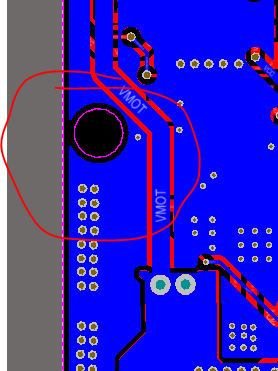
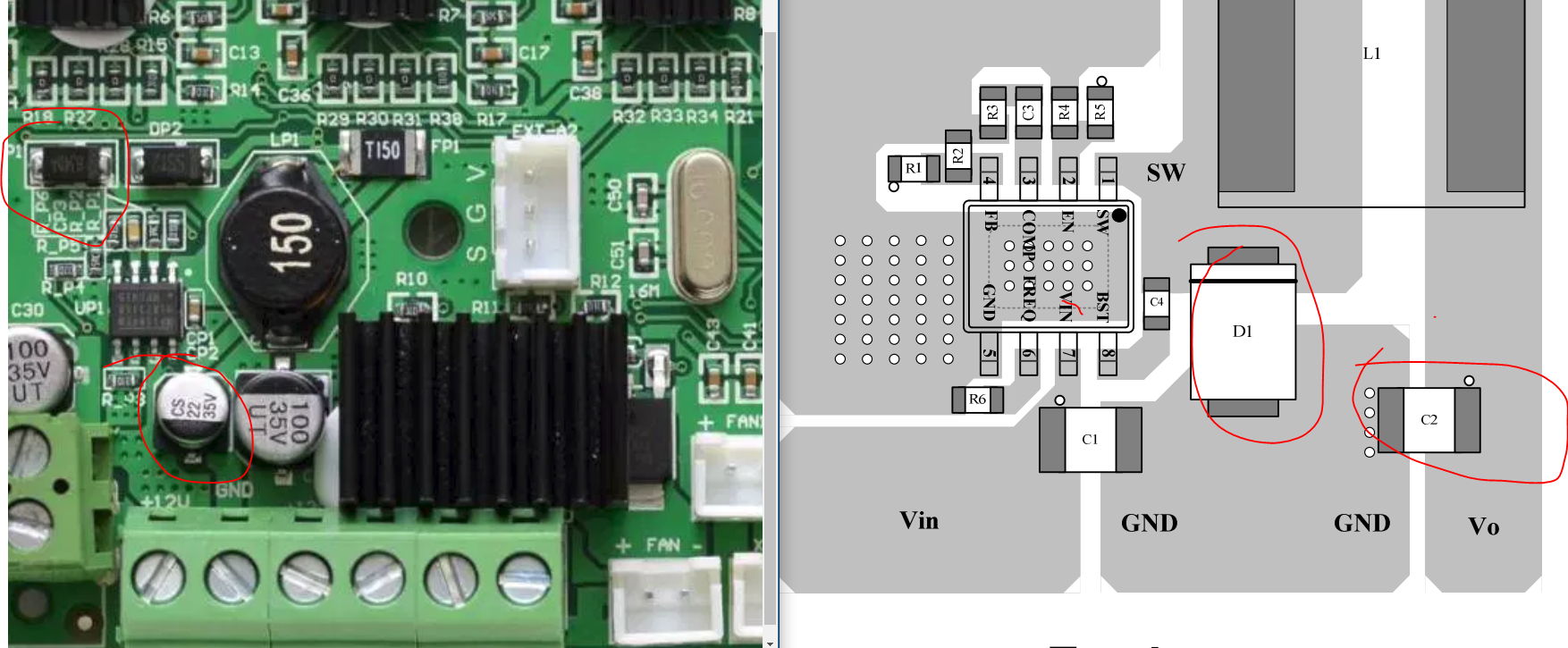
    Look at the connection of the ground spout near the hole and how the components in the inverter and the step-stick power supply are placed without attention. Of additional tidbits the Vref for the ADC taken straight from the 5V supply voltage - which has a ripple of 400mVp-p.

    First 3D printer purchase - Creality Ender 3 Pro - My impression, review
    First 3D printer purchase - Creality Ender 3 Pro - My impression, review First 3D printer purchase - Creality Ender 3 Pro - My impression, review

    First 3D printer purchase - Creality Ender 3 Pro - My impression, review
  • #25 18367594
    Andrzej Ch.
    Level 33  
    @PiotrekD
    I have ordered an SKR mini E3 1.2 board (TMC2209) with a 3.5" TFT touchscreen display to fit in place of the original one (apparently there is a possibility to include a WIFI module there - for printing - but still needs FW refinement). In addition, I have ordered a leveling kit and a suitable wifi module. When it all arrives, I'll put it together and let you know how it works. You will need to reflash the motherboard and display module to make it all work.
    @pathirrus
    I gather from your post that you are happy with your purchase of the SKR mini E3 board. Do you have version 1.1 or 1.2 ?
  • #26 18367999
    PiotrekD
    Level 13  
    Andrzej Ch. wrote:

    I have ordered an SKR mini E3 1.2 (TMC2209) board with touch ...


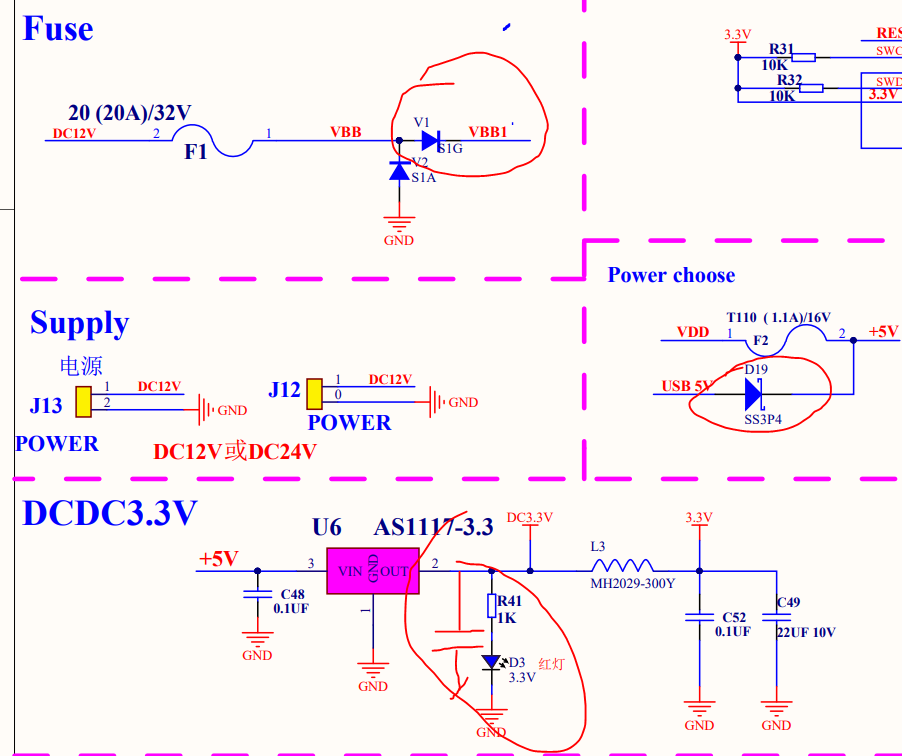
    I'm not familiar with this board but I had a look at the schematic and it makes me sick to see a diode in series with the power supply where it will heat up all the more so because you can do better but you know savings..... today if you want to do well you have to roll up your sleeves yourself. I don't see the layout but I think it would be better than the melzi board based one.

    First 3D printer purchase - Creality Ender 3 Pro - My impression, review
  • #27 18393036
    mrrudzin
    Level 39  
    Andrzej Ch. wrote:
    @PiotrekD
    (Apparently there is a possibility to include a WIFI module there - for printouts - but it still needs to be worked out FW).


    As an alternative, you can use an SD card with built-in WIFI (Toshiba Flashair available on ali). I use this solution. It works well when the card forms an independent network. I tried to configure it to be a home network device but unfortunately it works much worse (maybe the fault of my router).
  • #28 18393042
    pitron
    Level 24  
    mrrudzin wrote:
    use an SD card with built-in WIFI

    No point messing around with dongl wifi better to throw in RPI3(Wifi) + OctoPrint + optional camera.
    You control everything remotely with your computer or phone, see on the camera if nothing is vandalized on the table and don't snort stinky fumes with your nose. :)
  • #29 18393263
    p.kaczmarek2
    Moderator Smart Home
    mrrudzin wrote:

    As an alternative, you can use an SD card with built-in WIFI (Toshiba Flashair available on ali).

    How big is the card? The printer seems to have a slot for a microSD card
    Helpful post? Buy me a coffee.
  • #30 18394478
    Andrzej Ch.
    Level 33  
    p.kaczmarek2 wrote:

    How big is the card? I think the printer has a slot for a microSD card


    The wifi card is the size of an SD card, so you won't stick it in without an "adapter"
  • 📢 Listen (AI):
    ADVERTISEMENT