logo elektroda
logo elektroda
X
logo elektroda

Best External LTE Antenna Options for Huawei B818 Router: Recommendations & Buying Guide

kameleon11116 54522 75
Best answers

What external LTE antenna should I buy for a Huawei B818 router?

For the B818, first check which LTE bands your BTS actually uses, but in this thread the practical recommendation was a MIMO antenna for the 1800–2100 MHz range, with the ATK-502 singled out as the best fit for this case [#18620092] [#18621020] [#18621156] The forum also said to avoid listings with unrealistic gain claims, such as the “Tajfun” 46 dBi offer, because the stated profit was described as nonsense [#18595208] A Dipol antenna was considered weaker than ATK-502, while Telkob’s ATP-15 / ATP-16 broadband panels were mentioned as other possible options [#18620922] [#18621020] [#18621156] If your BTS is more in the 1800–2600 MHz range, another suggestion was a dual MIMO 17 dBi antenna from Cybertech for 1800–2600 MHz [#18696421]
Generated by the language model.
ADVERTISEMENT
Treść została przetłumaczona polish » english Zobacz oryginalną wersję tematu
  • #61 18626560
    Anonymous
    Level 1  
  • ADVERTISEMENT
  • #62 18631369
    kameleon11116
    Level 26  
    Posts: 899
    Help: 72
    Rate: 129
    Hello
    Today I'm not on the plot and I can't do the tests, but the controls and the preview are great. Cholerka, it's probably actually an overloaded station. Previously, it was OK until 9 a.m., now noon and it flies very smoothly. I think that there is no need to continue the topic. We won't come up with anything new here.
    Thank you very much to everyone for your suggestions and hints :D :D

    12:30 and it's still OK

    Added after 4 [hours] 53 [minutes]:

    15 ... and then OK, it lights up nice.

    4:30 pm still okay what's going on :D :D :D :D I don't have a test how to do it but it works first class.

    It's almost 7pm and it's still cool :D :D :D . What could have happened :?: :?: :?: . May it remain so :D :D :D

    Added after 3 [hours] 15 [minutes]:

    I'll let you know tomorrow, today is a bomb all day long. It wasn't like that yet :) :) . I can't drive up to do the tests, but everything worked fine all day.
  • #63 18631472
    Anonymous
    Level 1  
  • #64 18631638
    kameleon11116
    Level 26  
    Posts: 899
    Help: 72
    Rate: 129
    _cheetah_ wrote:
    What are you surprised - Saturday, Sunday - companies are not working. Tomorrow at nine o'clock the computers will start up somewhere and it will be a certainty, as usual, until 17 or 19 ... the router with BTS will be beautiful ... ;)

    But there are a few professionals from these routers, maybe they will figure out something to remedy ...

    Well it could be so ;) only on holidays the companies did not work, and it was faint. One day was not like today after my trips with antennas yesterday.
    I will visualize the food :) I'll let you know. May it continue like this.

    Best regards.
  • #65 18632504
    kameleon11116
    Level 26  
    Posts: 899
    Help: 72
    Rate: 129
    10 o'clock and it keeps on lighting :D :D let it remain so :) , I wouldn't require anything more. Cameras respond smoothly :D :D

    11:30 and still OK :D :D :D :D

    Almost 14 and no problems
  • ADVERTISEMENT
  • #66 18632779
    Raycoreti
    Level 18  
    Posts: 241
    Help: 33
    Rate: 24
    kameleon11116 wrote:
    10 o'clock and it keeps burning, let it stay that way, I wouldn't require anything more. Cameras respond smoothly

    11:30 and still OK


    You see, it still works fine, so it's not necessarily the fault of the router, it's just possible some overload of this BTS, since 2 days are going well and you are satisfied :D
  • #67 18633737
    kameleon11116
    Level 26  
    Posts: 899
    Help: 72
    Rate: 129
    Subject to be closed, monitoring works all day without any problems :D :D . Thanks again to everyone helping with the topic.
  • ADVERTISEMENT
  • #68 18633744
    kameleon11116
    Level 26  
    Posts: 899
    Help: 72
    Rate: 129
    Subject to be closed, monitoring works all day without any problems :D :D . Thanks again to everyone helping with the topic.

    Added after 2 [minutes]:

    External antennas helped :D :D :D


    Best External LTE Antenna Options for Huawei B818 Router: Recommendations & Buying Guide
  • #69 18663529
    kameleon11116
    Level 26  
    Posts: 899
    Help: 72
    Rate: 129
    Hello

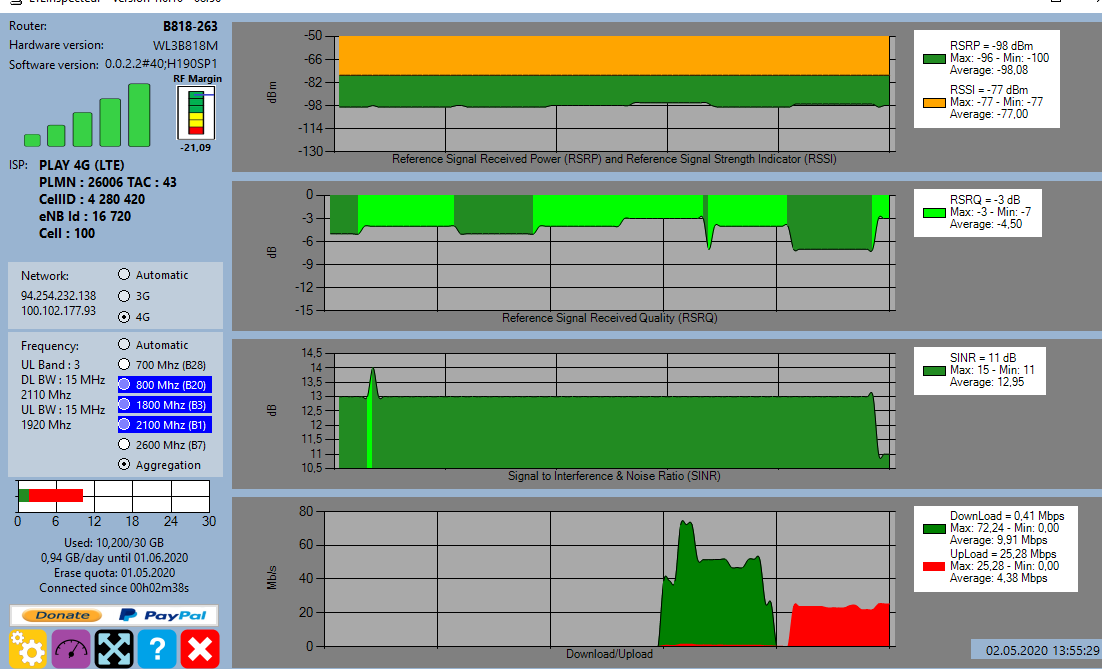
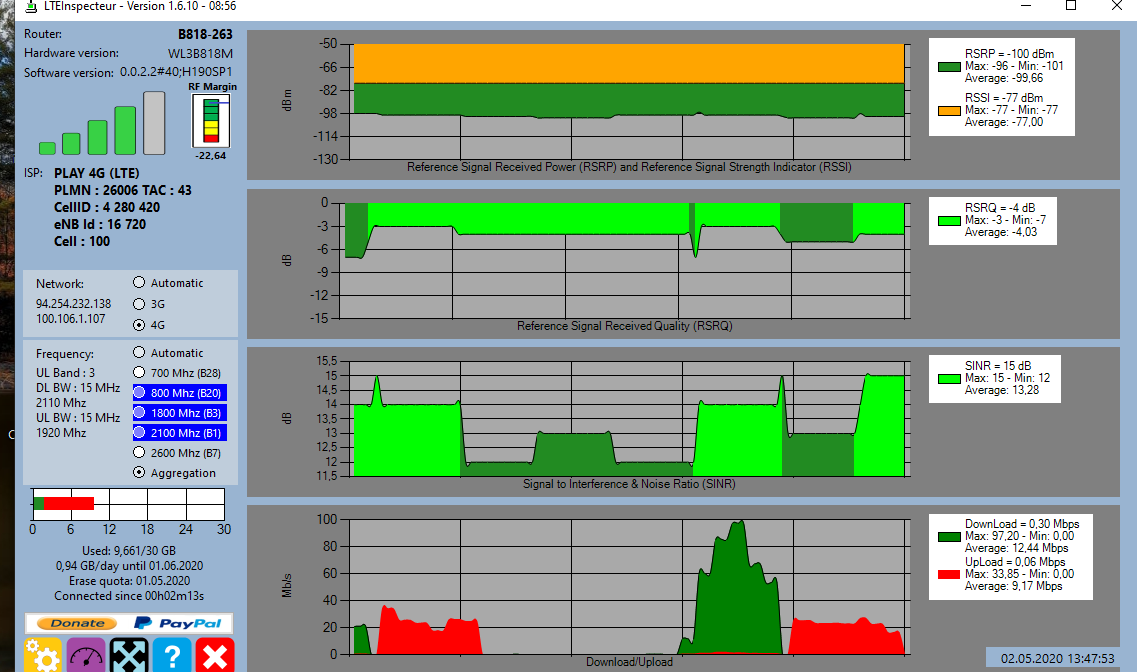
    Adds the last tests :) Since the installation of the antennas, monitoring has been working flawlessly :D
    Best External LTE Antenna Options for Huawei B818 Router: Recommendations & Buying Guide Best External LTE Antenna Options for Huawei B818 Router: Recommendations & Buying Guide Best External LTE Antenna Options for Huawei B818 Router: Recommendations & Buying Guide Best External LTE Antenna Options for Huawei B818 Router: Recommendations & Buying Guide Best External LTE Antenna Options for Huawei B818 Router: Recommendations & Buying Guide

    It's just with today, sometimes even better :D . Even on working days with a high network load, I did not notice any problems with monitoring since the antennas were installed to the B818 I bought. And on the plot, you can normally work via the Internet :D :D :D :D .


    Thank you and best regards
  • ADVERTISEMENT
  • #70 18696412
    bebini
    Level 10  
    Posts: 14
    Rate: 1
    Hello everyone!
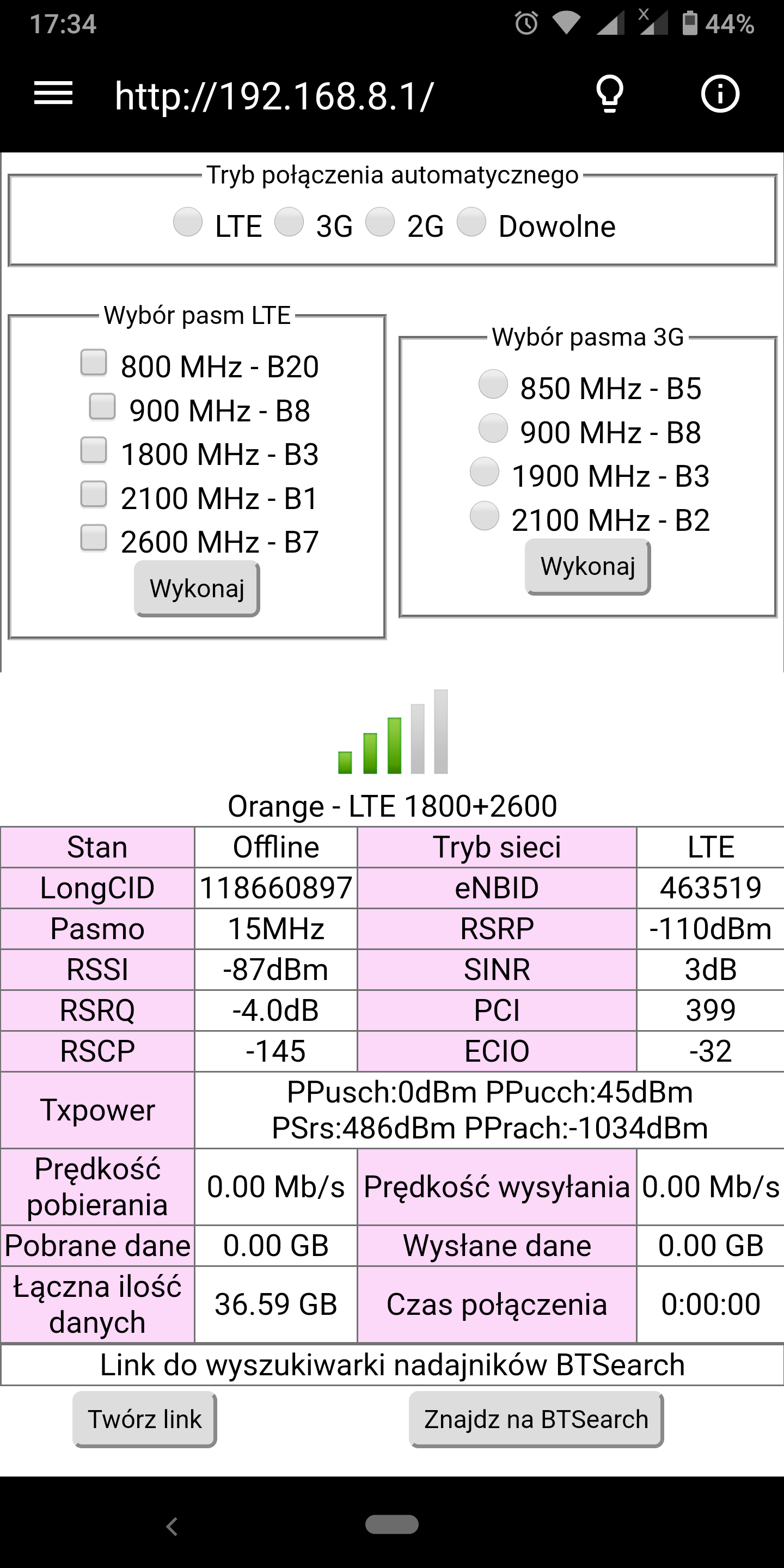
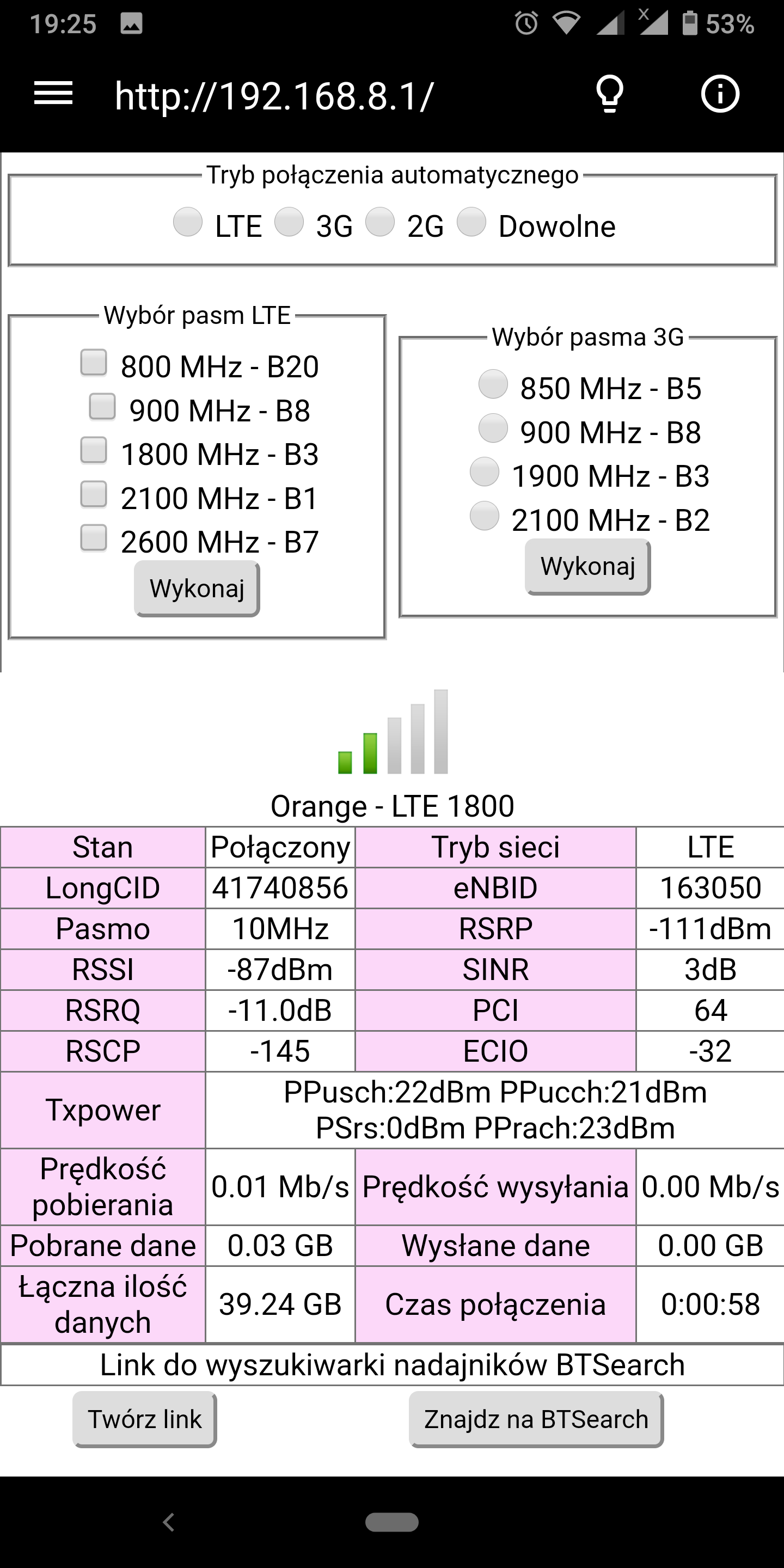
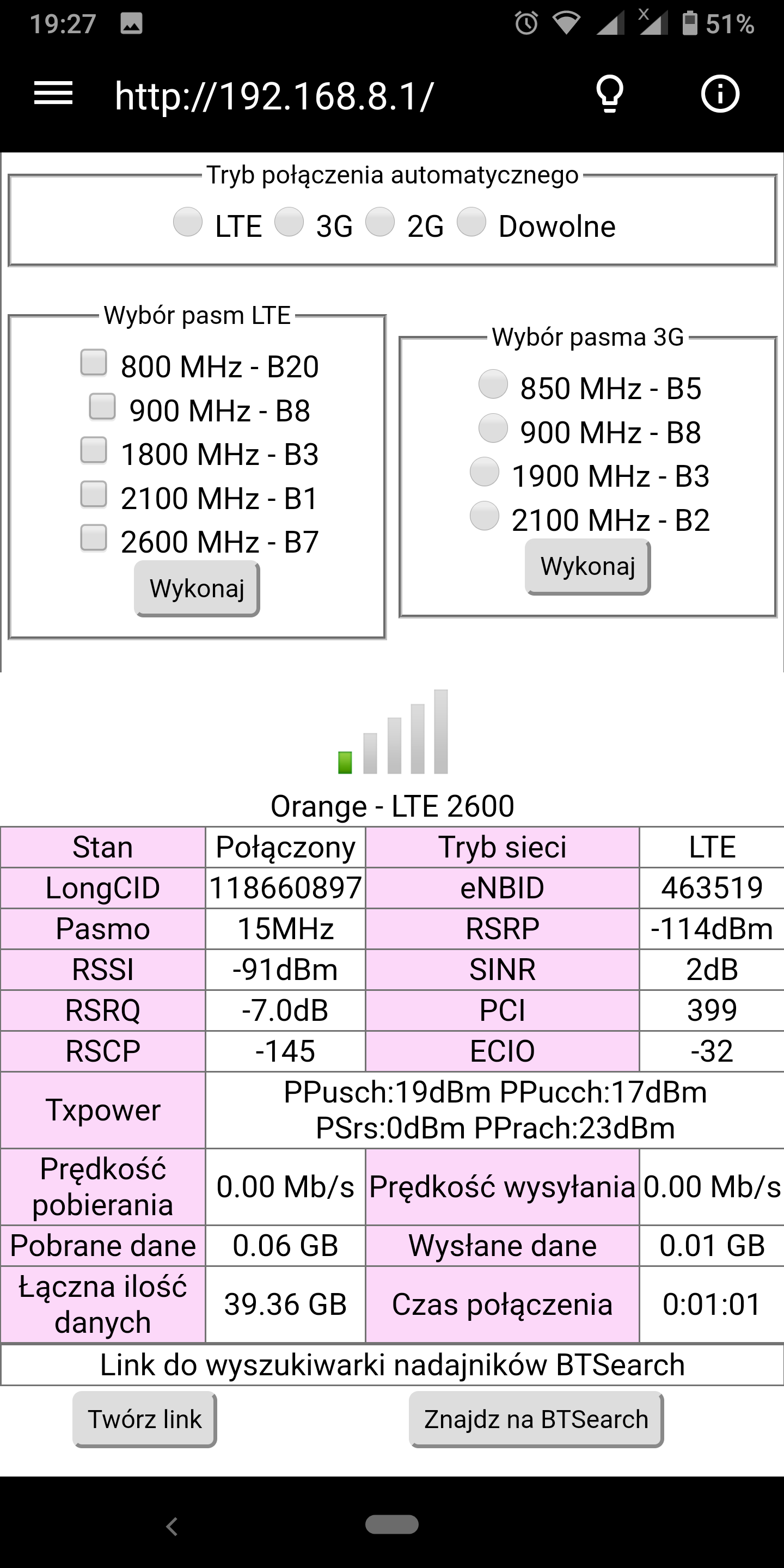
    Unfortunately, I have a similar problem with the B818 with the Orange sim card.
    The nearest BTS is in Budzisław Kościelny / Górny and I have about 3.2 km to it.

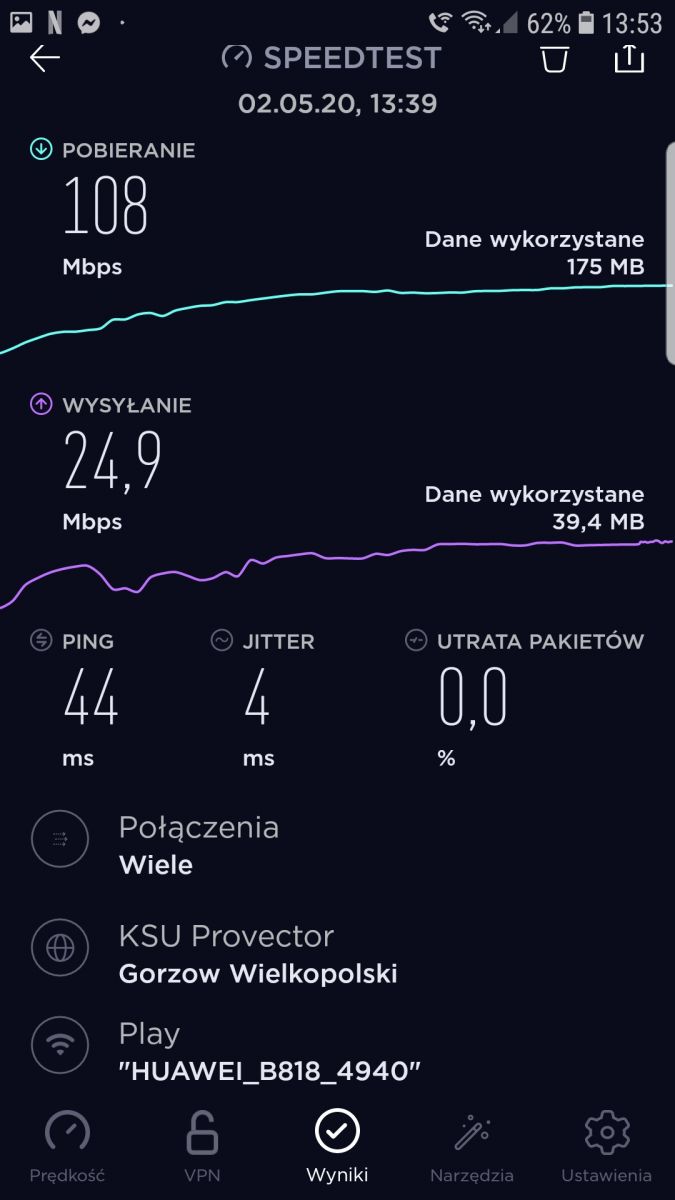
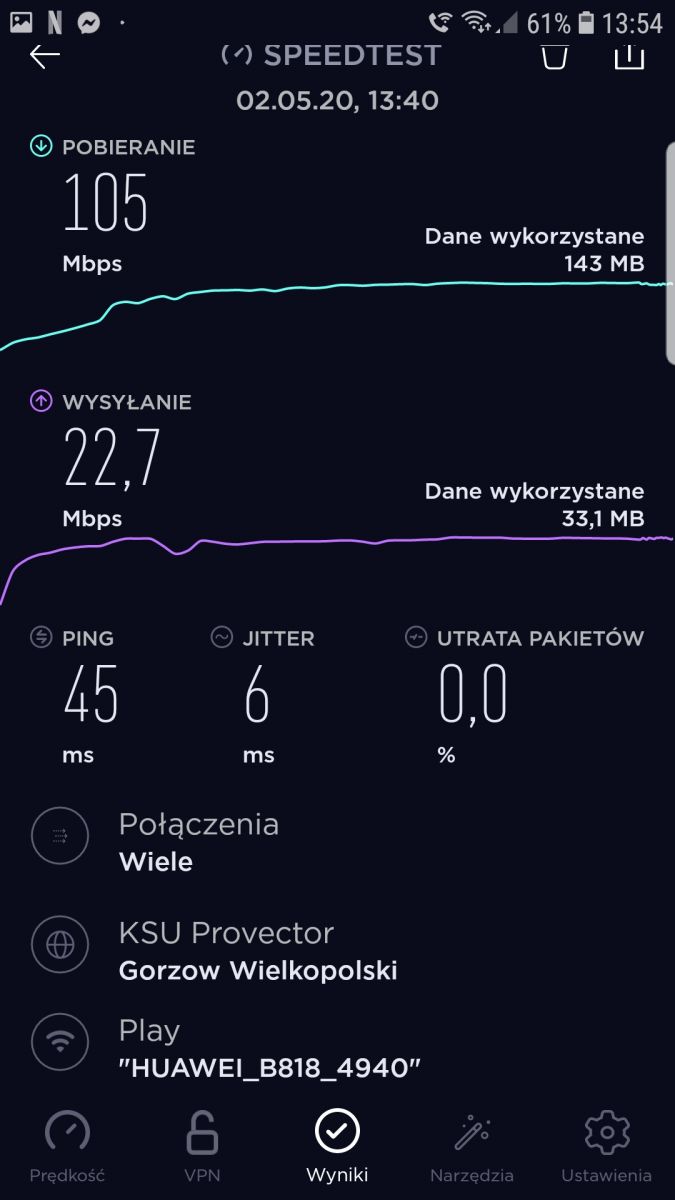
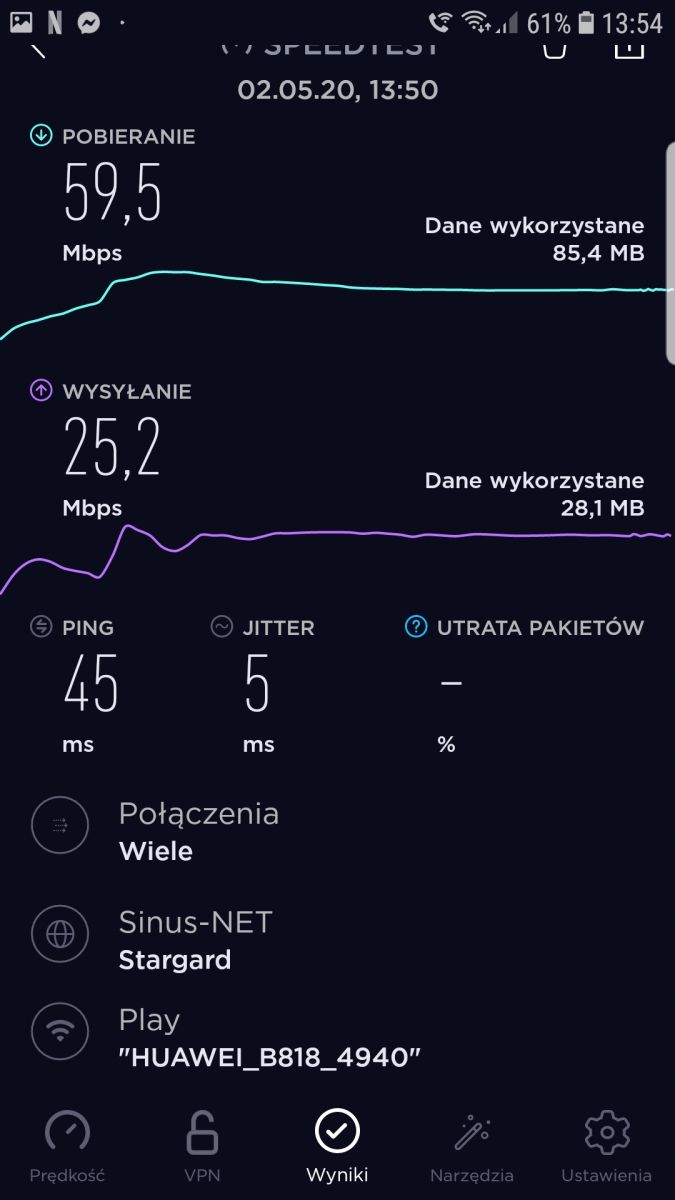
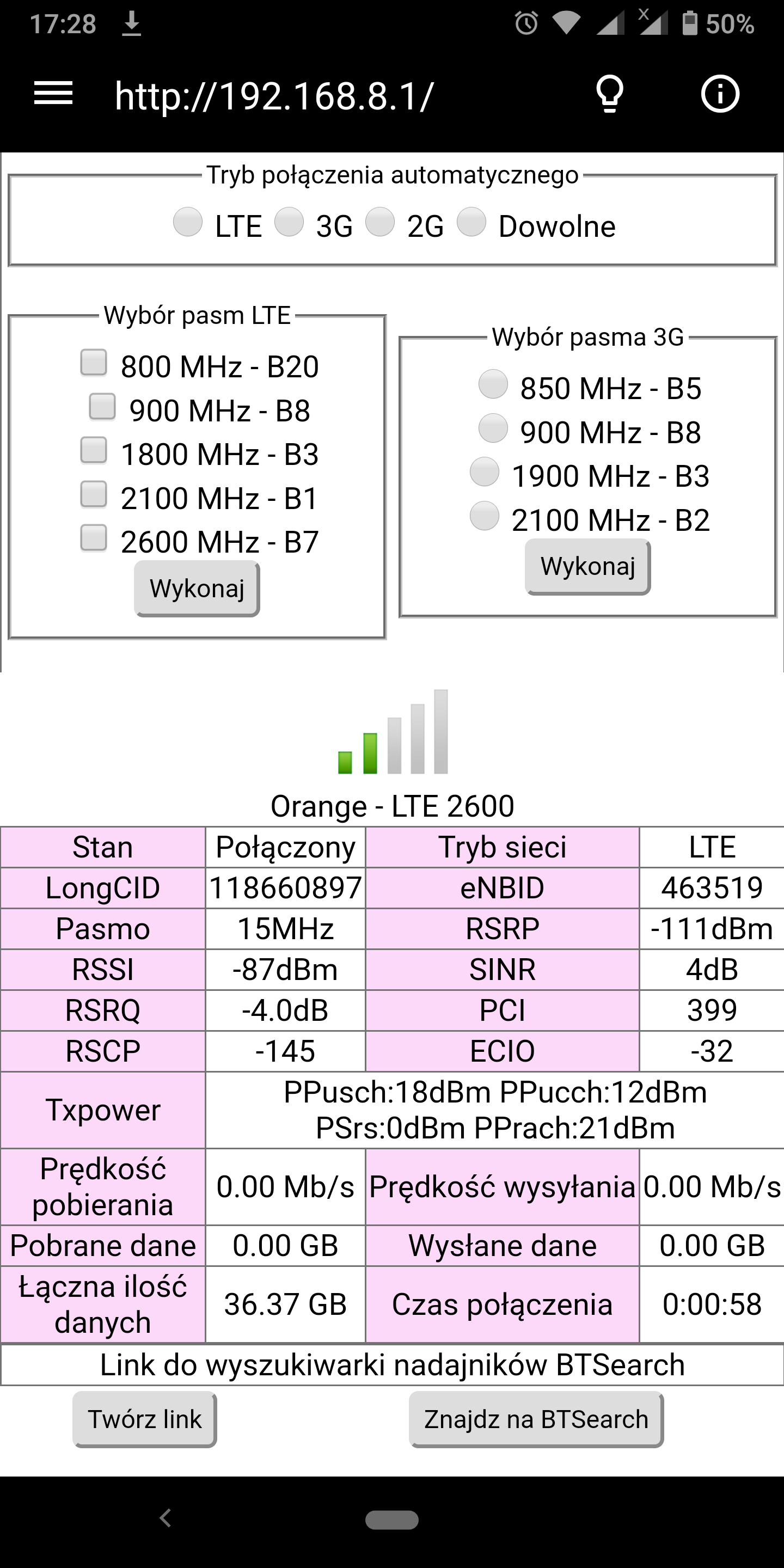
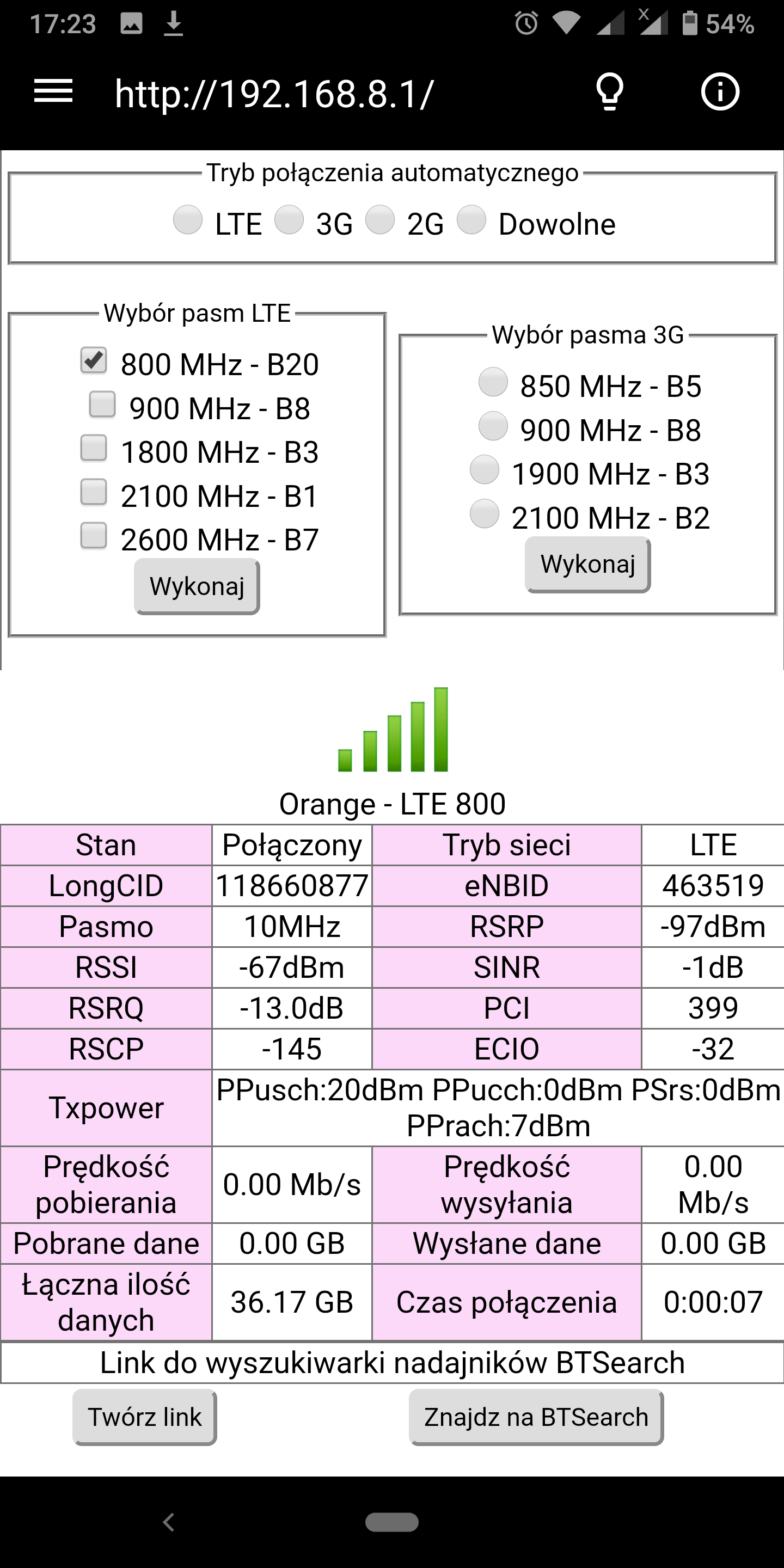
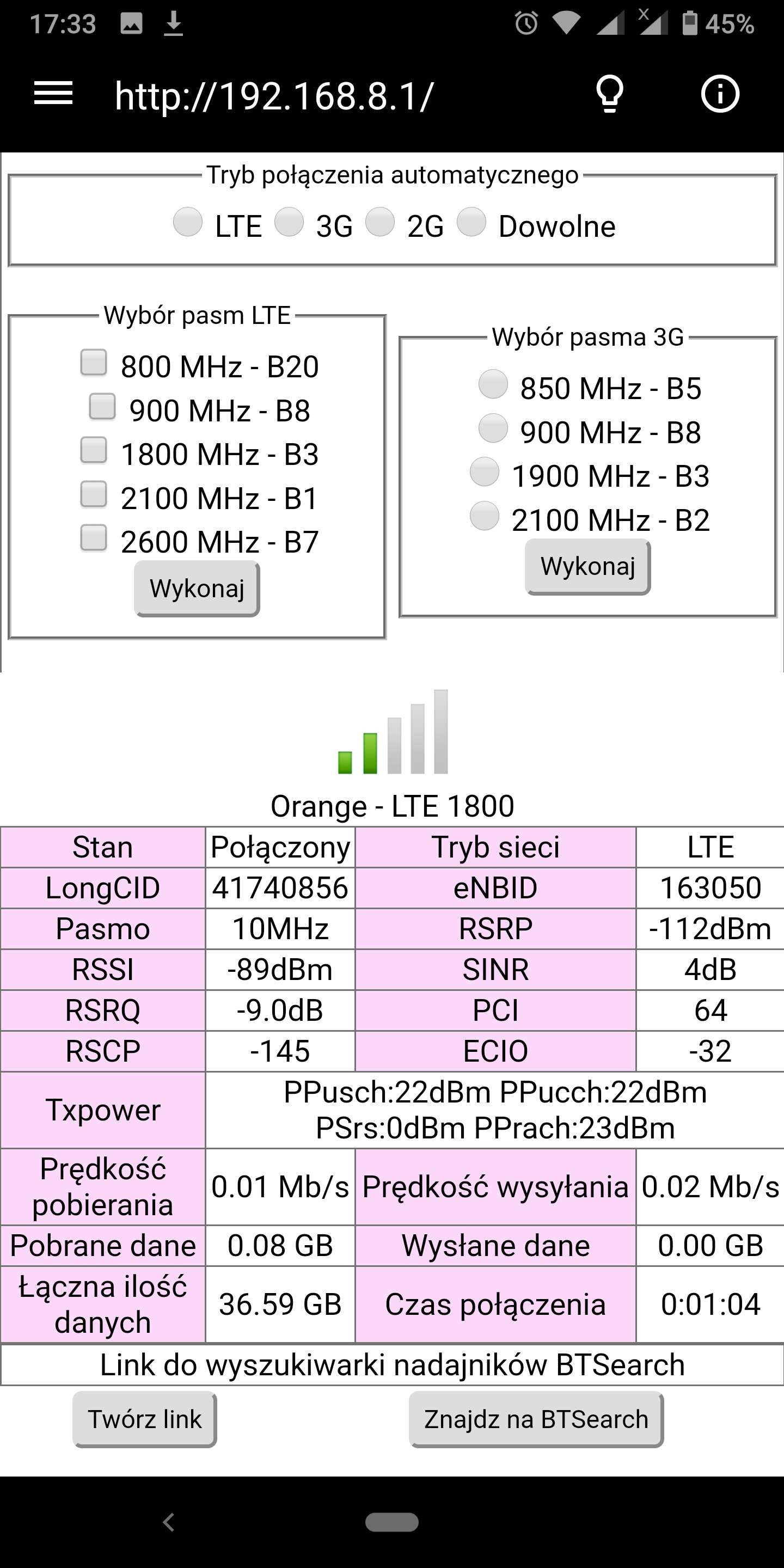
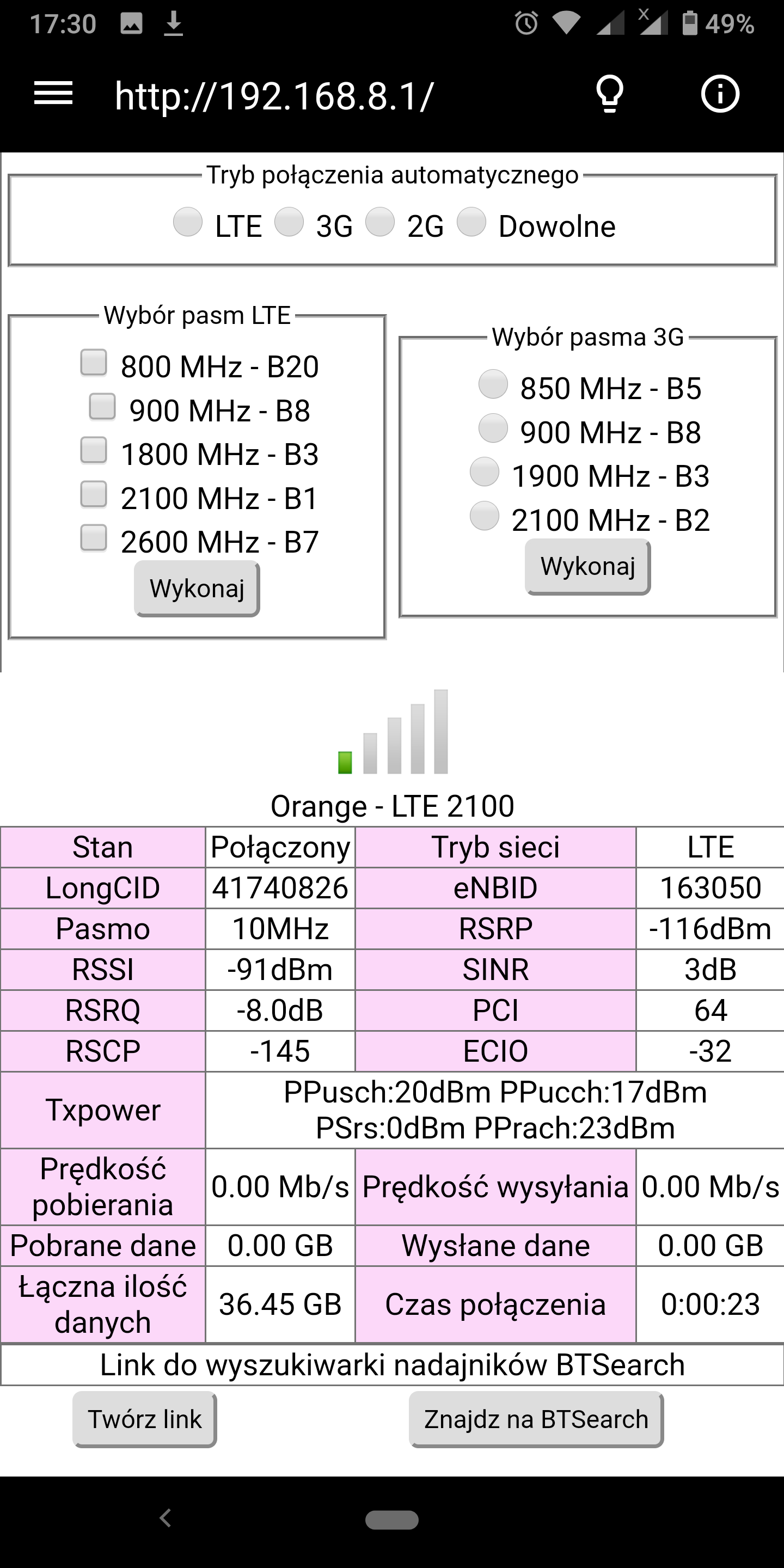
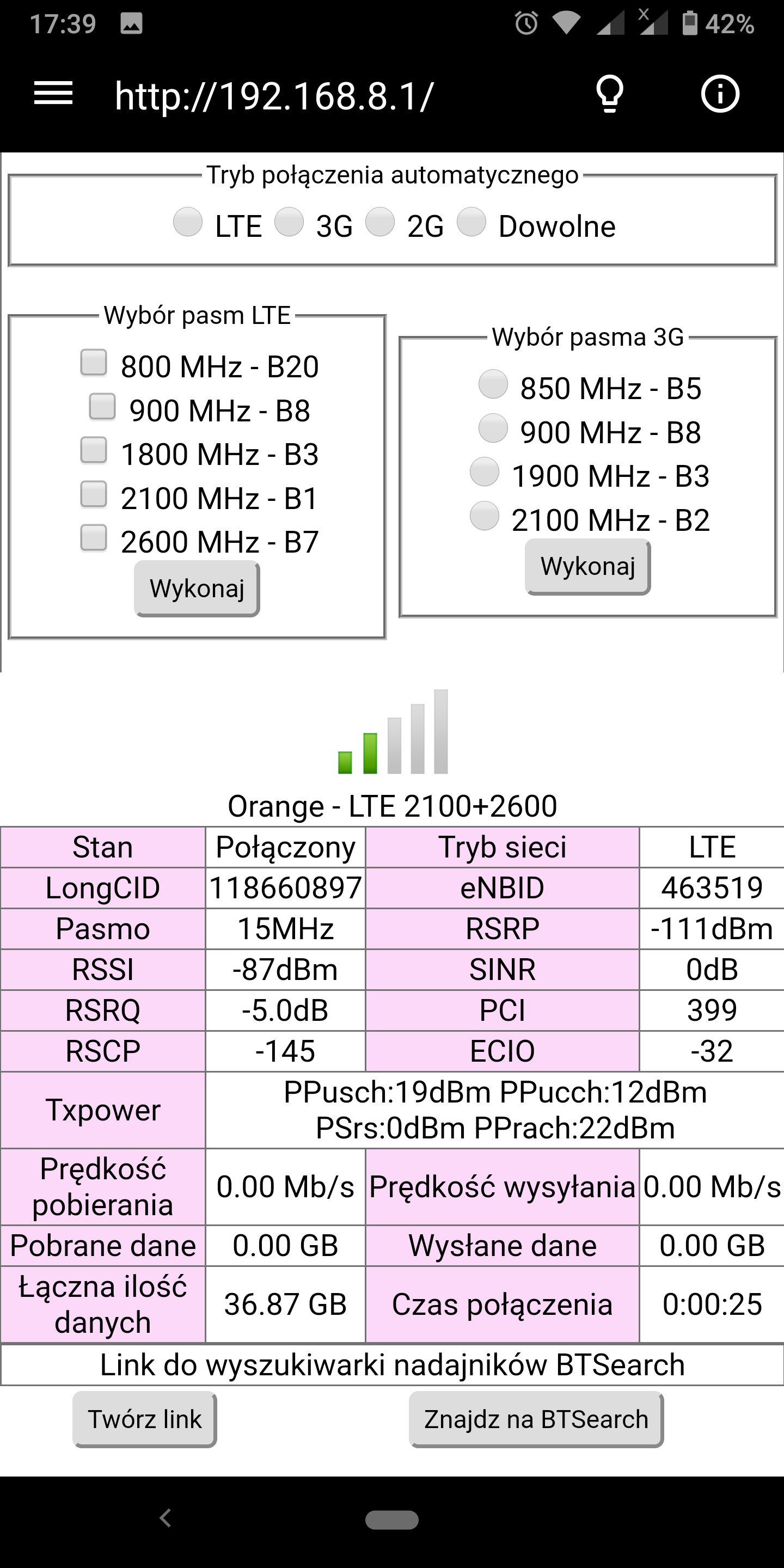
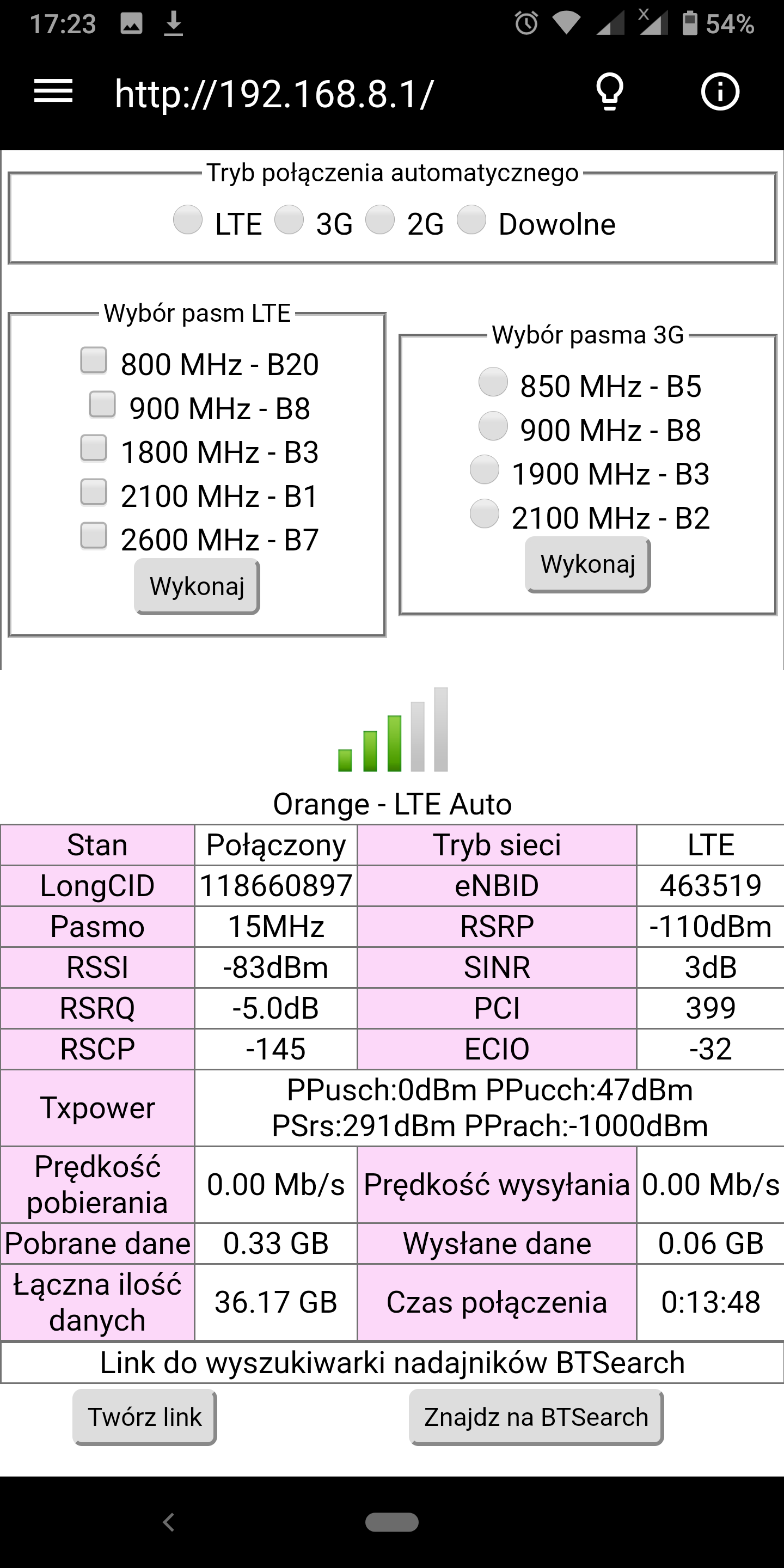
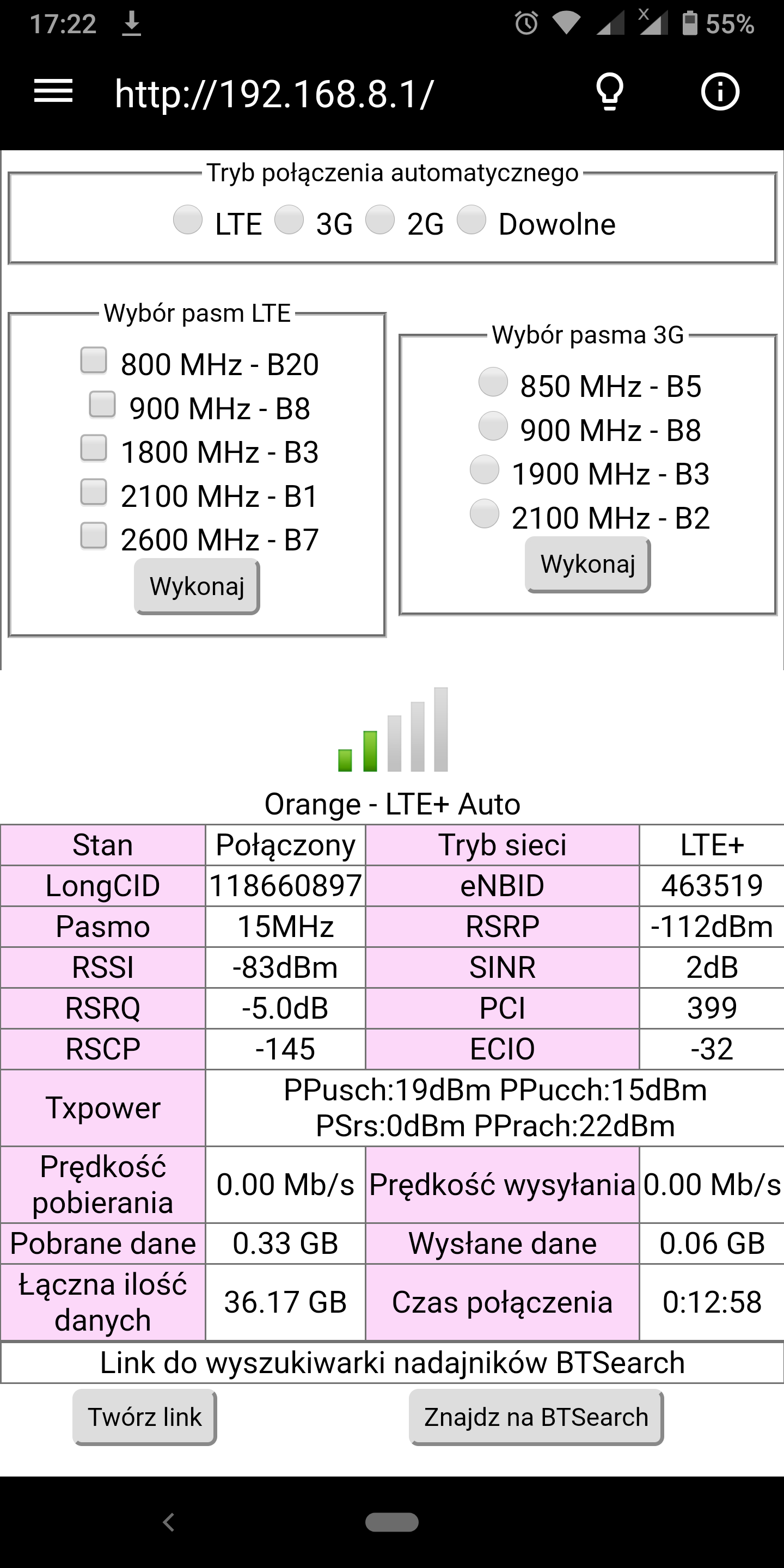
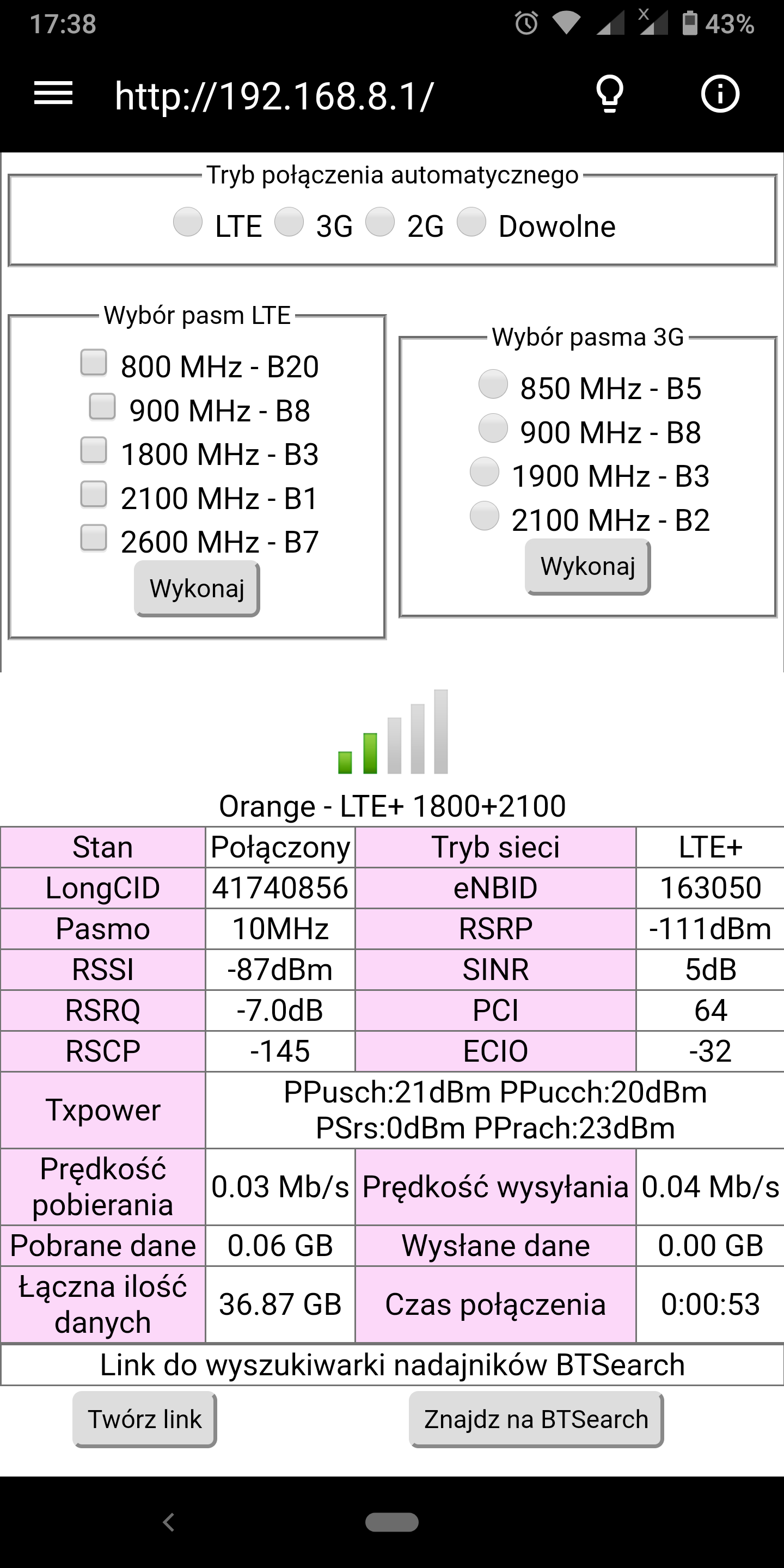
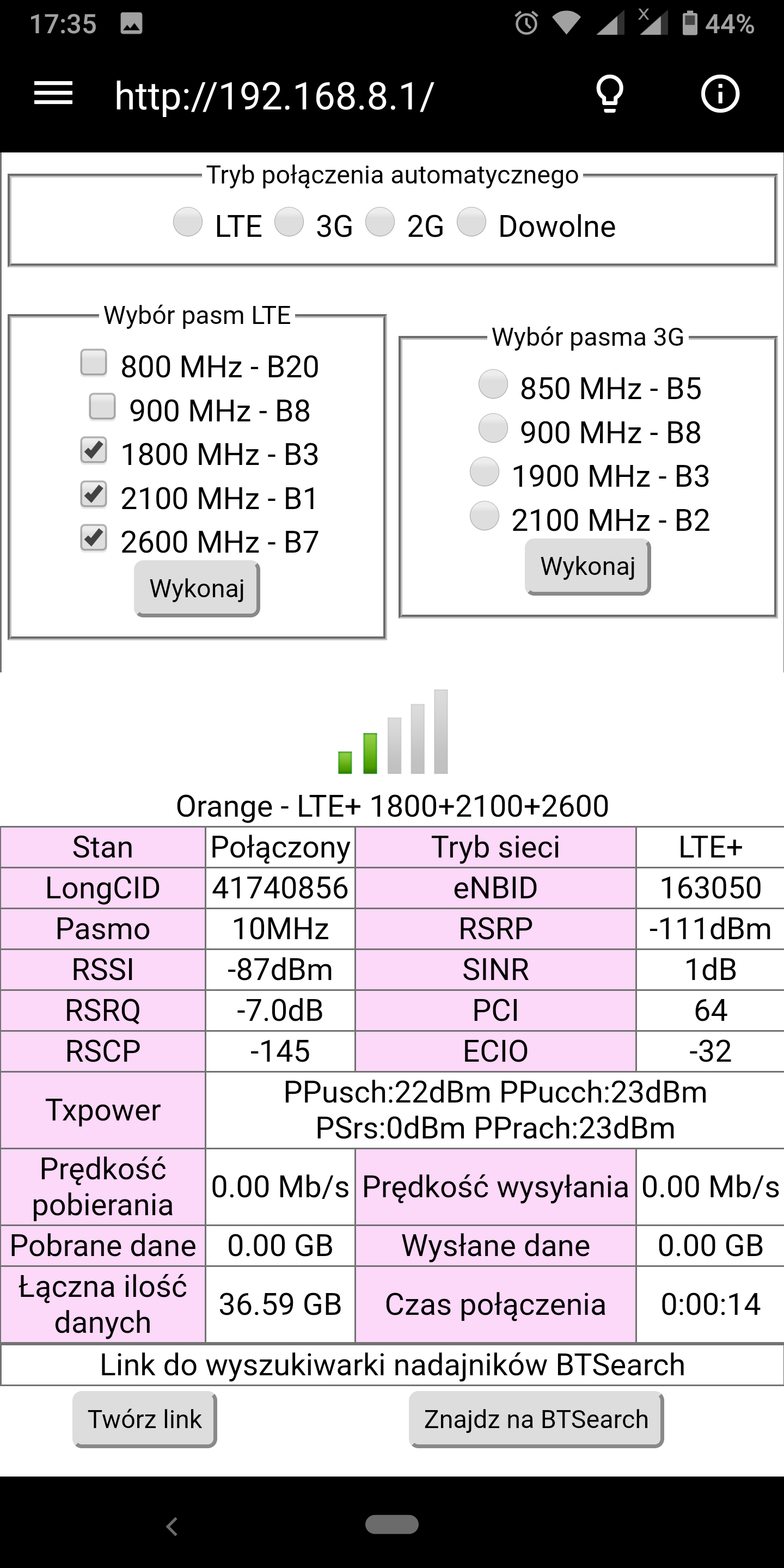
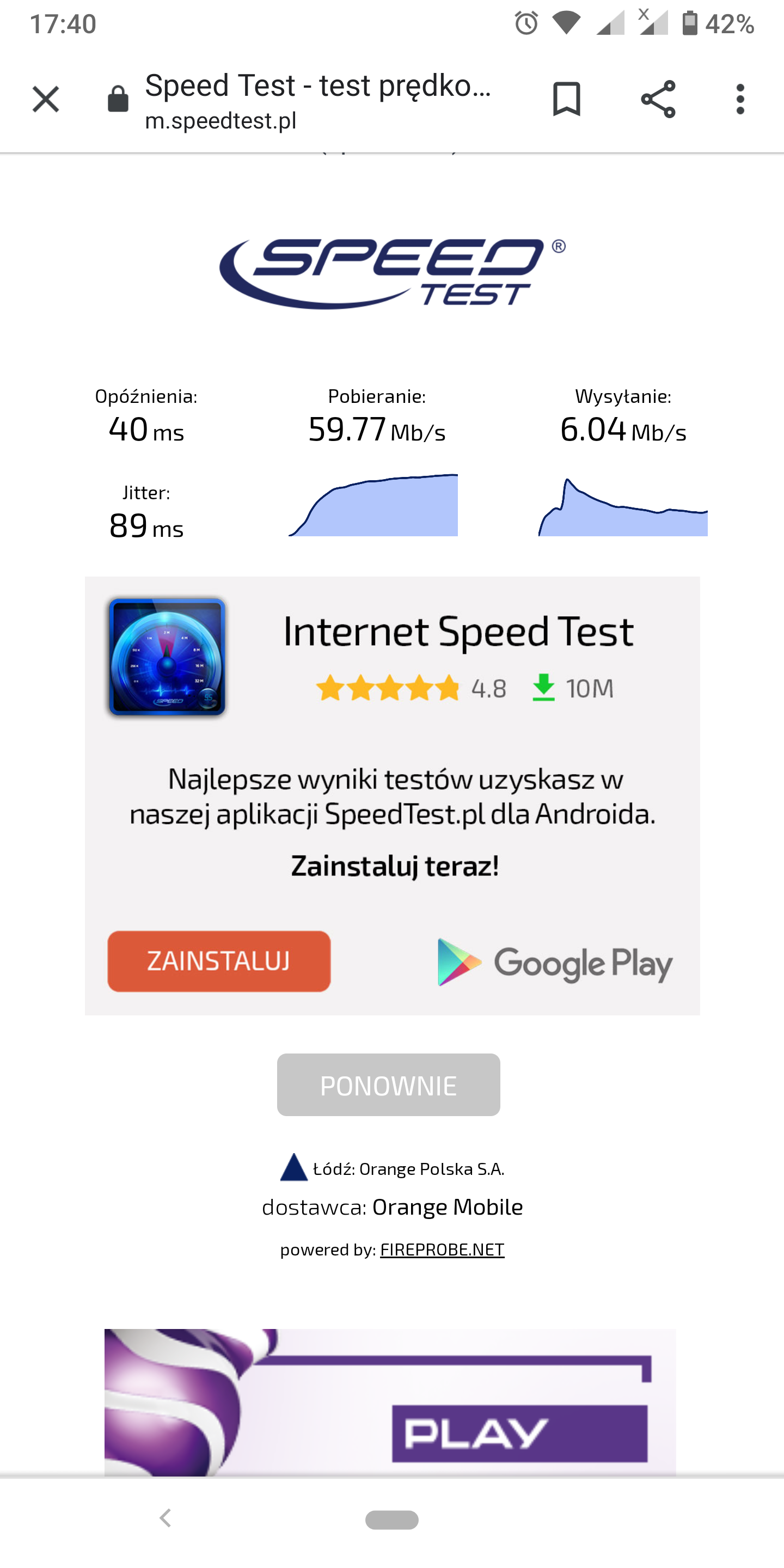
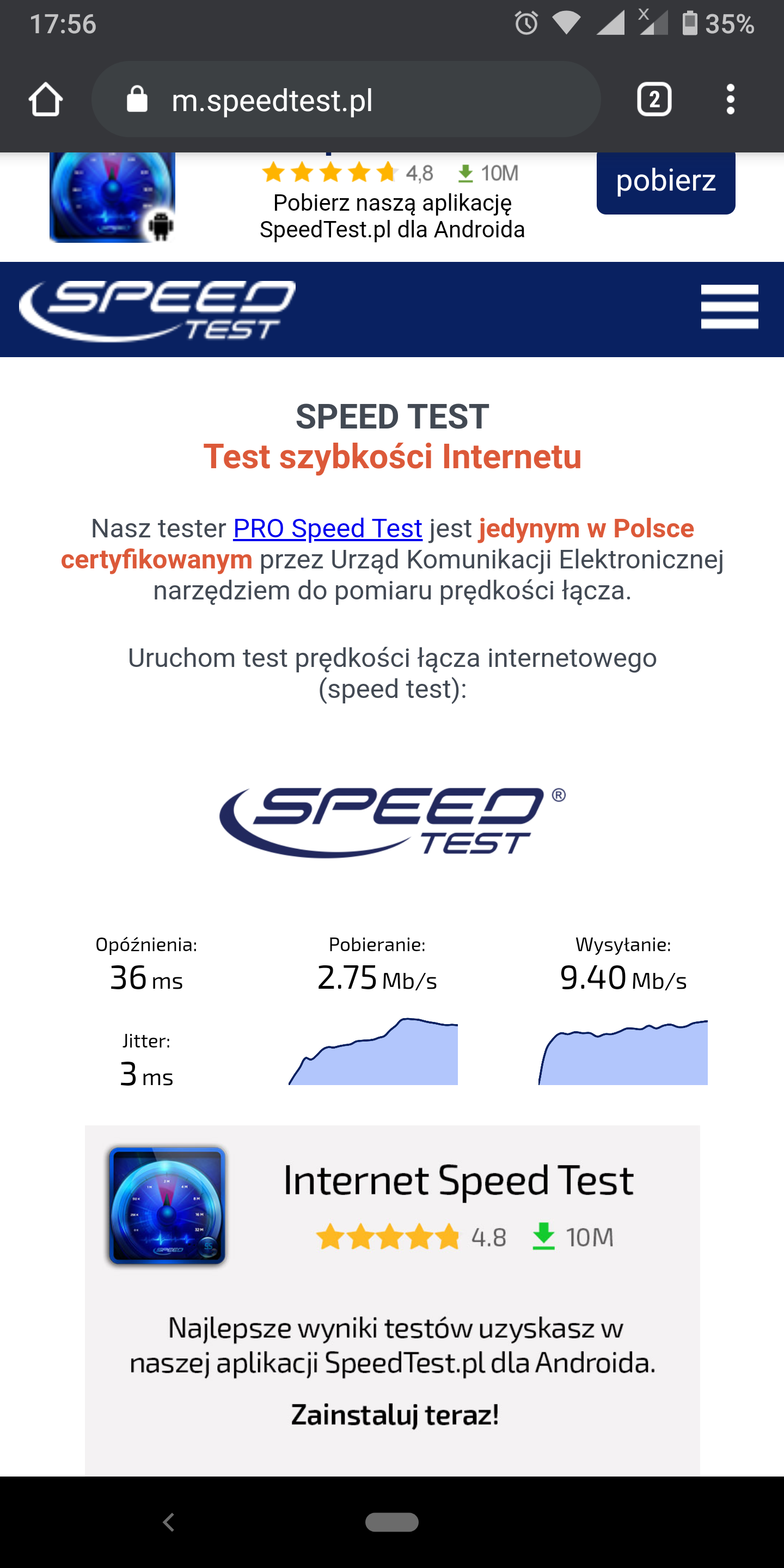
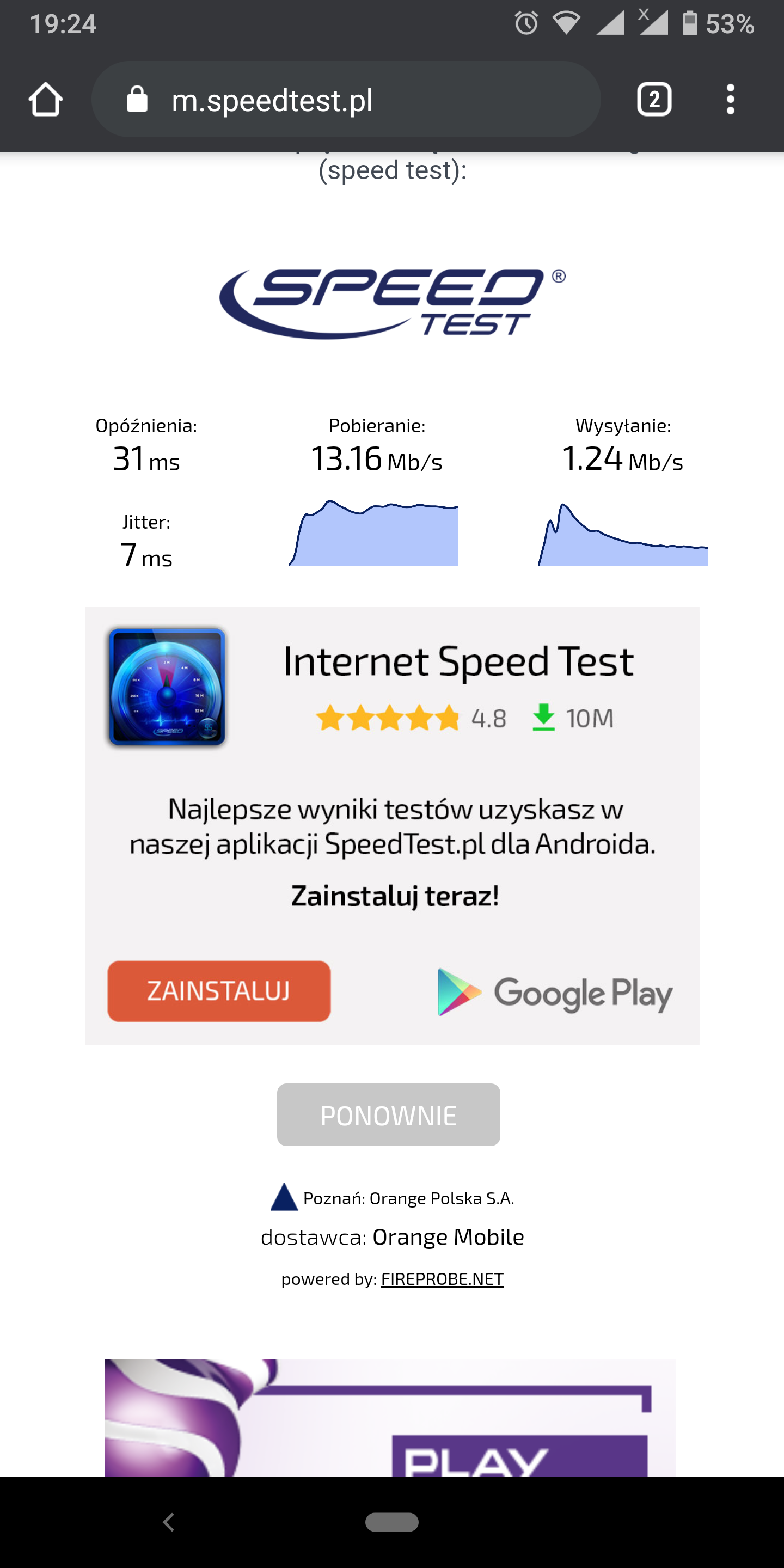
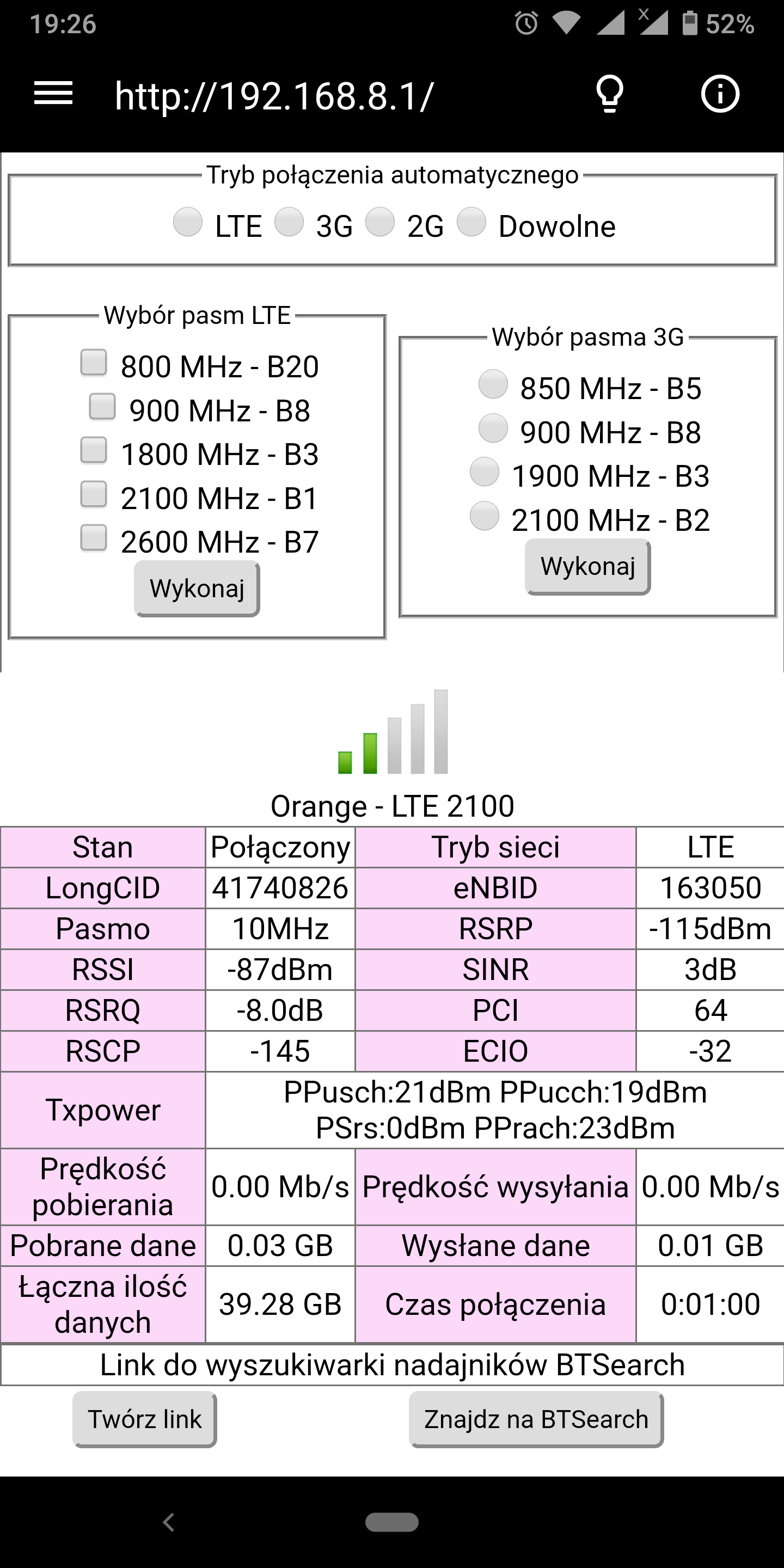
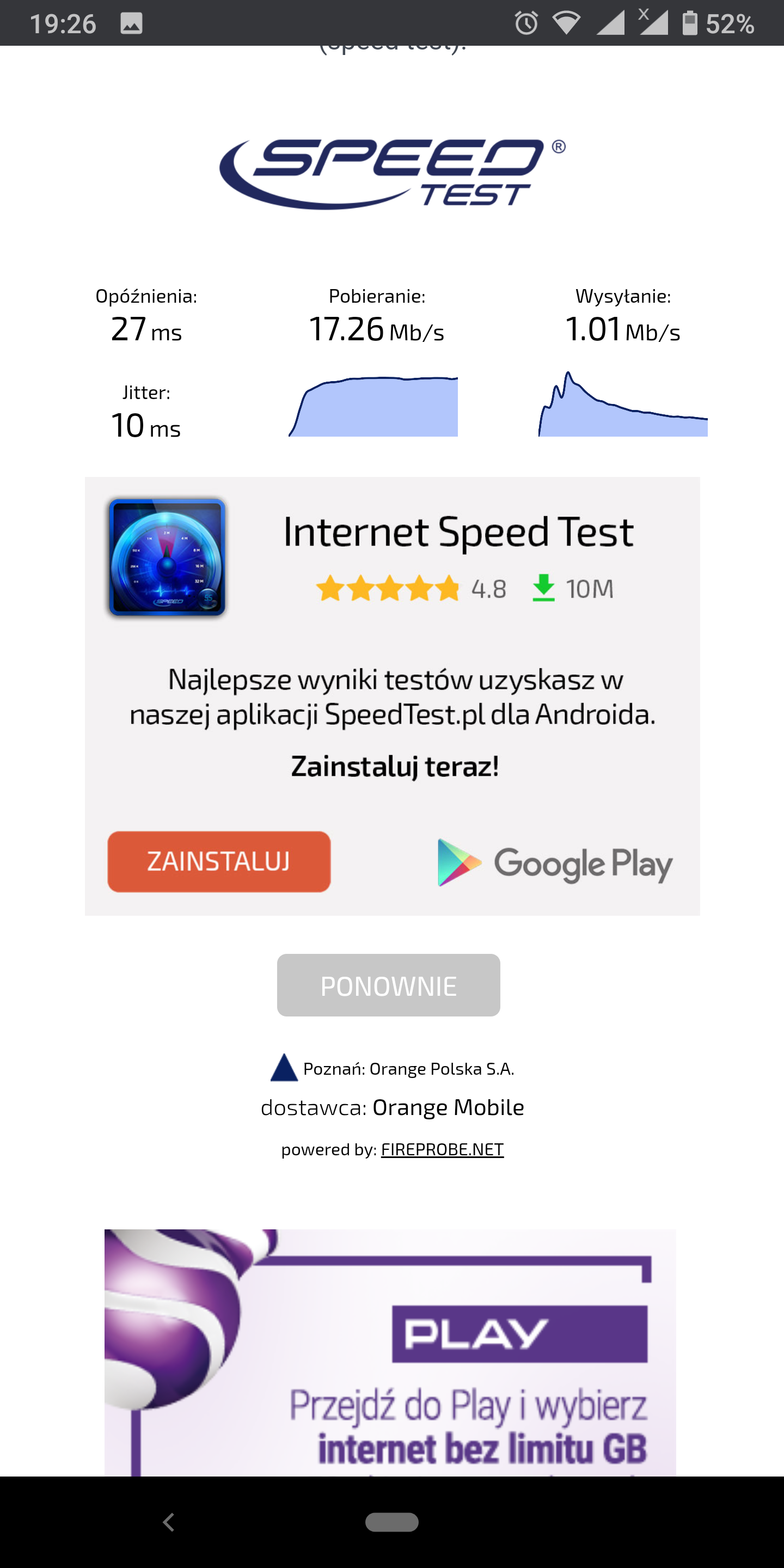
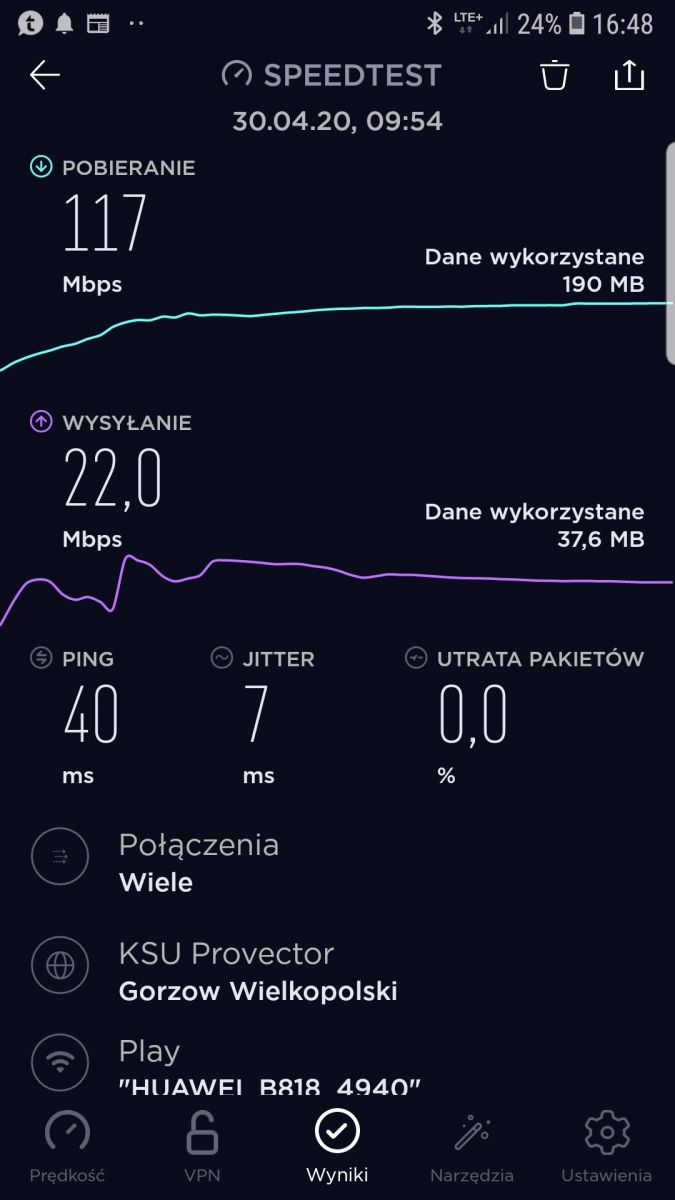
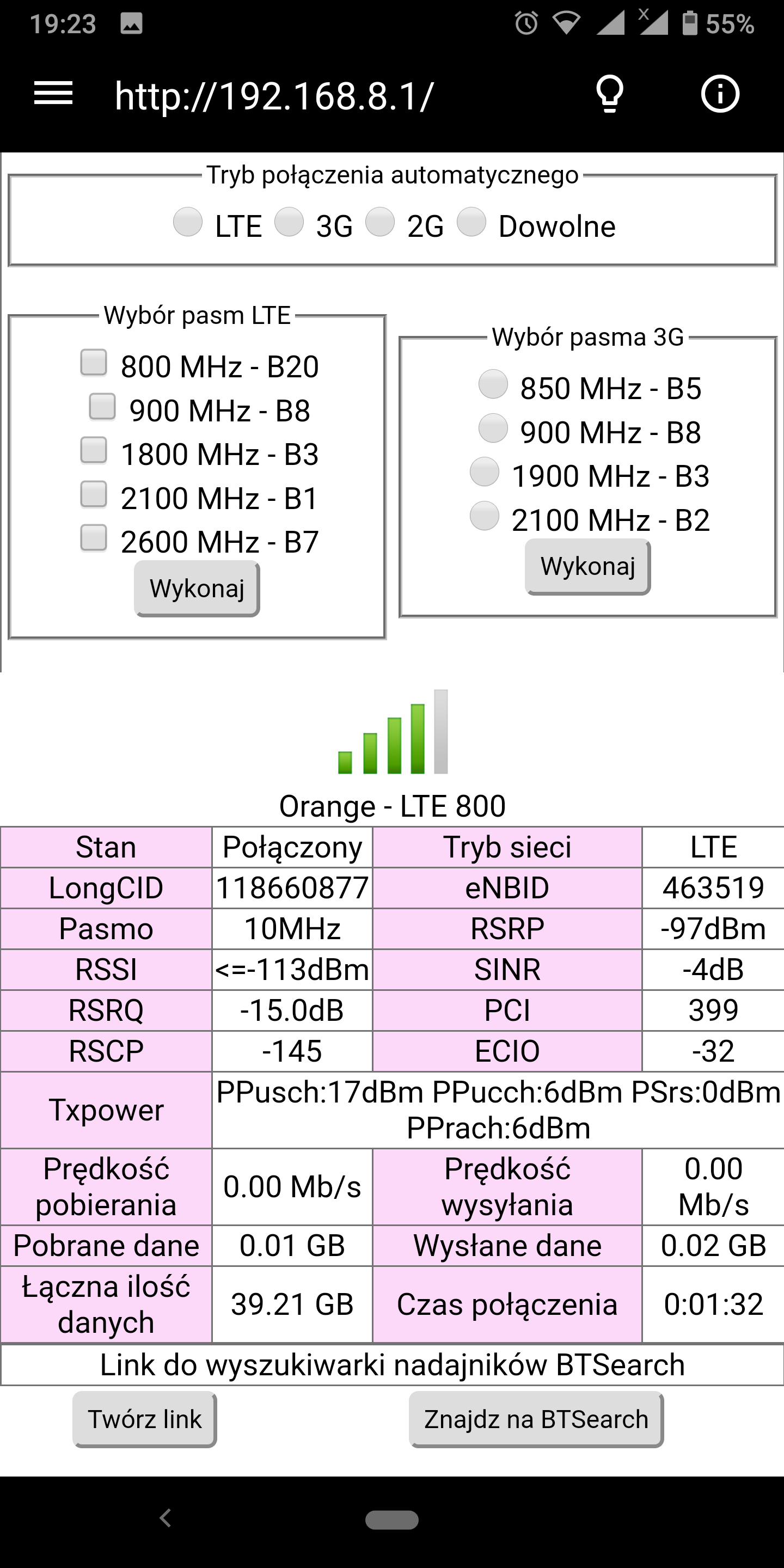
    The best upload was on LTE800, while the best overall result was for 2100 + 2600 aggregation.
    Please take a look at the screenshots below and recommend a really good antenna :)
    For me, the router has to land outside in the box, so I will be happy to use any information about what boxes you recommend and their heating or ventilation.

    Best wishes!

    Best External LTE Antenna Options for Huawei B818 Router: Recommendations & Buying Guide Best External LTE Antenna Options for Huawei B818 Router: Recommendations & Buying Guide Best External LTE Antenna Options for Huawei B818 Router: Recommendations & Buying Guide Best External LTE Antenna Options for Huawei B818 Router: Recommendations & Buying Guide Best External LTE Antenna Options for Huawei B818 Router: Recommendations & Buying Guide Best External LTE Antenna Options for Huawei B818 Router: Recommendations & Buying Guide Best External LTE Antenna Options for Huawei B818 Router: Recommendations & Buying Guide Best External LTE Antenna Options for Huawei B818 Router: Recommendations & Buying Guide Best External LTE Antenna Options for Huawei B818 Router: Recommendations & Buying Guide Best External LTE Antenna Options for Huawei B818 Router: Recommendations & Buying Guide image10 Best External LTE Antenna Options for Huawei B818 Router: Recommendations & Buying Guide Best External LTE Antenna Options for Huawei B818 Router: Recommendations & Buying Guide
  • #72 18696436
    bebini
    Level 10  
    Posts: 14
    Rate: 1
    Yes, out and of course I can repeat them.
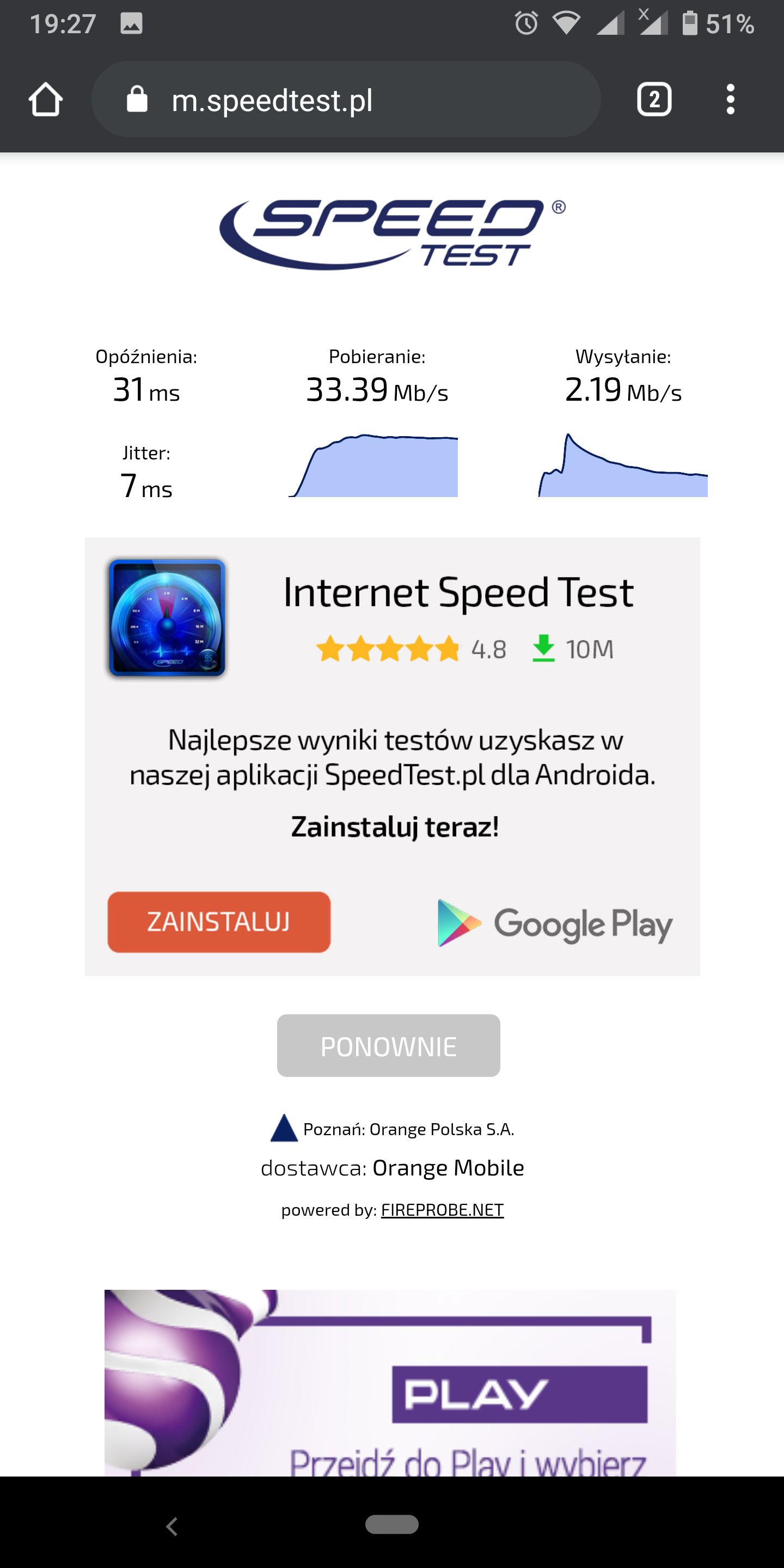
    From what I remember, the results were rather oscillating within the same limits DL: 20-30 mb / s Up: 2-5. There was a very high ping on one of the frequencies (probably LTE2600, 1.5 seconds).

    And out of curiosity, the LTE800 is why we give up?
    After all, it had the most green lines ? ?
  • #73 18696527
    Range1
    Level 23  
    Posts: 310
    Help: 80
    Rate: 22
    Because this is the range band to which they log in most often and due to the fact that it is the narrowest only 5 MHz of capacity, it clogs up the fastest. That is why we focus on capacitive bands, because you can have normal Internet on them.
  • #74 18698866
    bebini
    Level 10  
    Posts: 14
    Rate: 1
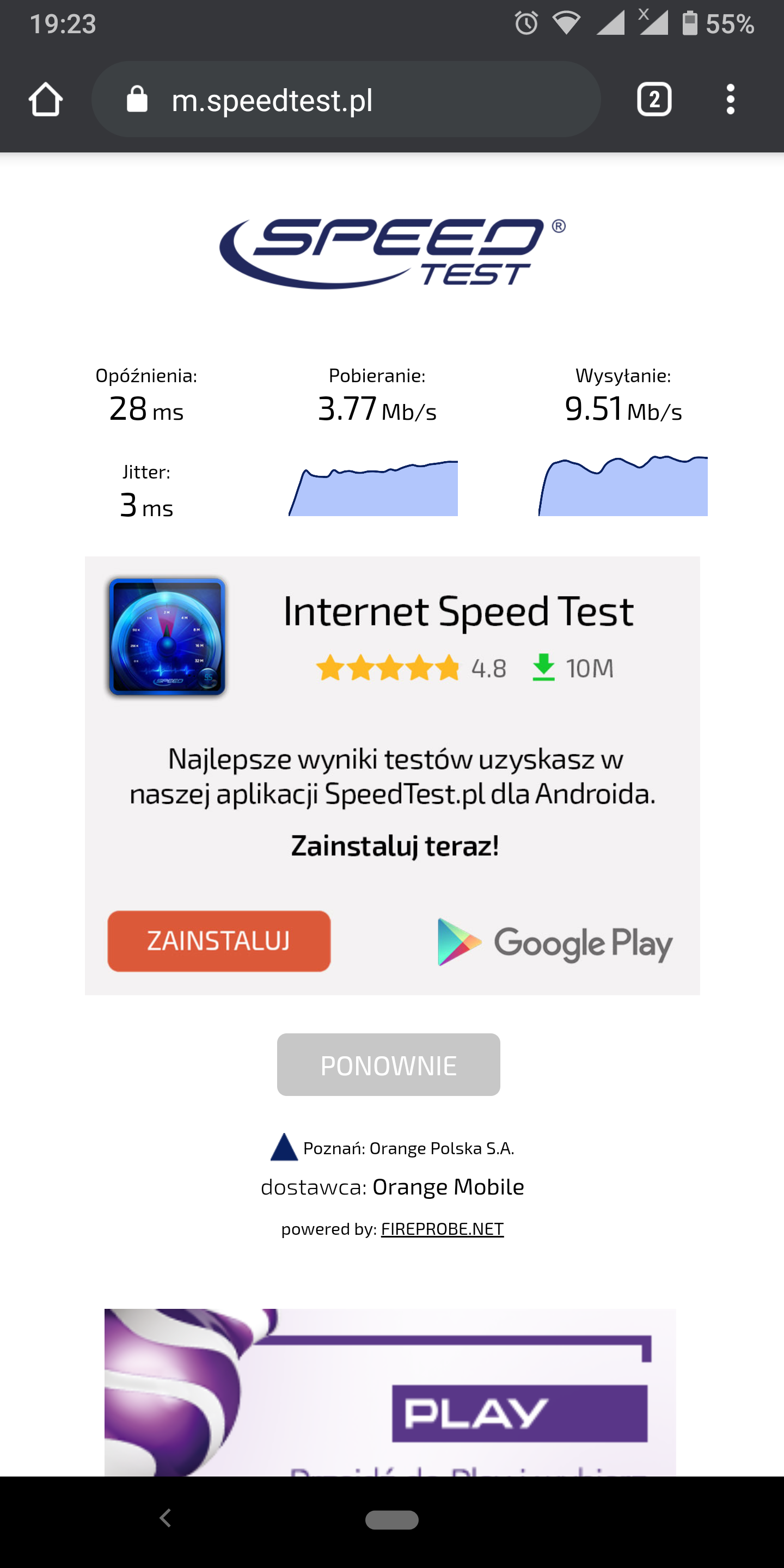
    I re-tested and organized the results a little better this time.
    I would ask for a glance in case these measurements change anything.

    Best External LTE Antenna Options for Huawei B818 Router: Recommendations & Buying Guide Best External LTE Antenna Options for Huawei B818 Router: Recommendations & Buying Guide


    Best External LTE Antenna Options for Huawei B818 Router: Recommendations & Buying Guide Best External LTE Antenna Options for Huawei B818 Router: Recommendations & Buying Guide

    Best External LTE Antenna Options for Huawei B818 Router: Recommendations & Buying Guide Best External LTE Antenna Options for Huawei B818 Router: Recommendations & Buying Guide

    Best External LTE Antenna Options for Huawei B818 Router: Recommendations & Buying Guide Best External LTE Antenna Options for Huawei B818 Router: Recommendations & Buying Guide
  • #75 18698912
    Range1
    Level 23  
    Posts: 310
    Help: 80
    Rate: 22
    According to my assumptions, the 800 band is overloaded, speedtest confirms it. Other bands OK

    You are buying the antenna from post link # 71 Cable 5-7 meters H155.
  • #76 18700226
    bebini
    Level 10  
    Posts: 14
    Rate: 1
    With this cable length I started looking for more information and now asked:
    If I needed 10-15 meters of cable, could I take the same antenna but with an N connector:

    https://www.cybertech.com.pl/p189,antena-dualna-lte-a-4g-17dbi-mimo-g Gniazdoa-nz-1800-2600mhz.html

    And some good cable? I don't know myself here, of course, but CNT-400, LMR400? - that's what I read in other topics.

Topic summary

✨ The discussion revolves around selecting the best external LTE antenna for the Huawei B818 router, particularly for users experiencing poor internet coverage in rural areas. Participants emphasize the importance of knowing the specific LTE bands used by local operators and recommend conducting tests to determine the best performing bands. Various antennas are suggested, including the ATK-502 and KYZ models, which are noted for their performance in the 1800-2100 MHz range. Users share their experiences with different routers, highlighting the B818's capabilities and limitations, particularly in terms of signal diagnostics and band aggregation. The conversation also touches on the impact of network congestion on performance and the necessity of external antennas to improve signal strength.
Generated by the language model.

FAQ

TL;DR: Swapping the stock pigtails for a 2×ATK-502 MIMO panel pushed the Huawei B818 to 50 Mbps down and 5 Mbps up; "External antennas helped" [Elektroda, kameleon11116, post #18633744]

Why it matters: the right high-band antenna lets the Cat-19 router exploit 1800/2100/2600 MHz capacity instead of congested 800 MHz.

Quick Facts

• Recommended gain: 14–17 dBi panels for 1800–2600 MHz deliver solid UL/DL balance [Elektroda, Range1, post #18698912] • Cable loss: H155 ≈ 0.45 dB/m at 2 GHz—keep runs ≤ 10 m for <5 dB total loss [H155 datasheet]. • Cost: ATK-502 pair PLN 260; Cybertech 17 dBi panel PLN 199 [Elektroda, kameleon11116, #18621174; Range1, #18698912]. • Play network sweet-spot: aggregate 1800 + 2100 + 2600 MHz, skip LTE-800 during peak hours [Elektroda, matek451, post #18569458]
Which external antenna models pair best with the Huawei B818 for 1800–2600 MHz?

Users reported stable links with 2×ATK-502 (≈15 dBi) and Cybertech 17 dBi MIMO panels. Both cover 1800–2600 MHz and use SMA pigtails matching the router [Elektroda, matek451, #18621020; Range1, #18698912].

What gain should I target and why?

Aim for 14–17 dBi. This range improves uplink by 6–9 dB, often doubling upload speed, yet keeps the beamwidth wide enough for easy alignment [Elektroda, Range1, post #18698912]

Why is speed fine at night but poor during the day?

Daytime traffic saturates the BTS. User logs show smooth camera control on weekends and evenings but lags at office hours [Elektroda, kameleon11116, post #18631472] An antenna cannot fix tower congestion; switching bands or operators can.

How do I lock specific LTE bands on a Huawei B818?

Use the free LTEInspecteur/Hub script (Windows) or HManager (Android): 1. Connect PC/phone to router. 2. Launch app, enter router IP, choose Band Lock. 3. Select single band or CA combo and save. Changes apply instantly [Elektroda, matek451, post #18612214]

Can I run 15 m of coax without killing performance?

Only with low-loss cable. CNT-400/LMR-400 drops ≈ 0.21 dB/m at 2 GHz, so 15 m costs ~3 dB. Add two N-SMA adapters (≈0.6 dB) and you still stay under the 5 dB budget [LMR400 spec].

Which routers outperform the TP-Link MR600 for similar money?

Huawei B535 (Cat 7, dual CA) ≈ PLN 300, B715 (Cat 9, triple CA) ≈ PLN 400, and B818 (Cat 19, 4×4 MIMO) ≈ PLN 650 from Play business channel [Elektroda, matek451, post #18569700]

Why does LTE-800 show better signal yet worse throughput?

LTE-800 uses just 5 MHz. More users fit into the narrow pipe, so speeds plummet even when RSRP is strong [Elektroda, Range1, post #18696527]

How should I aim a 2×ATK-502 MIMO panel?

  1. Mount both panels with ±45° slant polarisation.
  2. Point toward the BTS; fine-tune for highest SINR on LTEWatch.
  3. Tighten clamps and weather-seal SMA joints. Alignment typically improves SINR by 3–4 dB [Elektroda, matek451, post #18621020]

Edge case: when will an external antenna NOT help?

If the BTS is fully saturated, adding 10 dB of signal can still yield <2 Mbps during rush hour. The bottleneck is spectrum, not RSRP [Elektroda, Anonymous, post #18626560]

What outdoor enclosure works for a roof-mounted B818?

Use an IP-65 rated PVC junction box (≥ 300 × 200 × 150 mm) with passive vents. Add a white sun-shield; internal temps stay below 45 °C in 30 °C ambient [PolyCase test].

How much real-world speed increase can I expect?

In the thread, download rose from 20–25 Mbps to 50 Mbps (100 %+ gain) and camera latency vanished after antenna upgrade [Elektroda, kameleon11116, post #18625933]
Generated by the language model.
ADVERTISEMENT