logo elektroda
logo elektroda
X
logo elektroda

[Solved] OpenBeken - new BL0942 device is not receiving any data from energy meter

thanos_kalos 5871 29
Best answers

Why does my BL0942-based power monitor switch in OpenBeken show zero voltage, current, and power readings?

Your zero readings were caused by a wiring/soldering fault: the BL0942 TX/RX lines must be connected correctly to the BK7231N, and a short on the RX line to GND will prevent the chip from working [#20531192][#20531222] After re-soldering the chip/wires and removing the RX-to-GND short, the device started reporting data again [#20531222][#20531280] Check the solder joints carefully with a multimeter right after soldering, because a cold joint or accidental short can make the meter look dead even though the switch itself still works [#20531192][#20531602]
Generated by the language model.
ADVERTISEMENT
  • #1 20527397
    thanos_kalos
    Level 6  
    Posts: 18
    Hello

    I just received a Power Monitor Switch 16A Wifi Smart Switch with BL0942
    from this seller
    https://www.aliexpress.com/item/1005005134537878.html?spm=a2g0o.cart.0.0.448138daZoou4E&mp=1

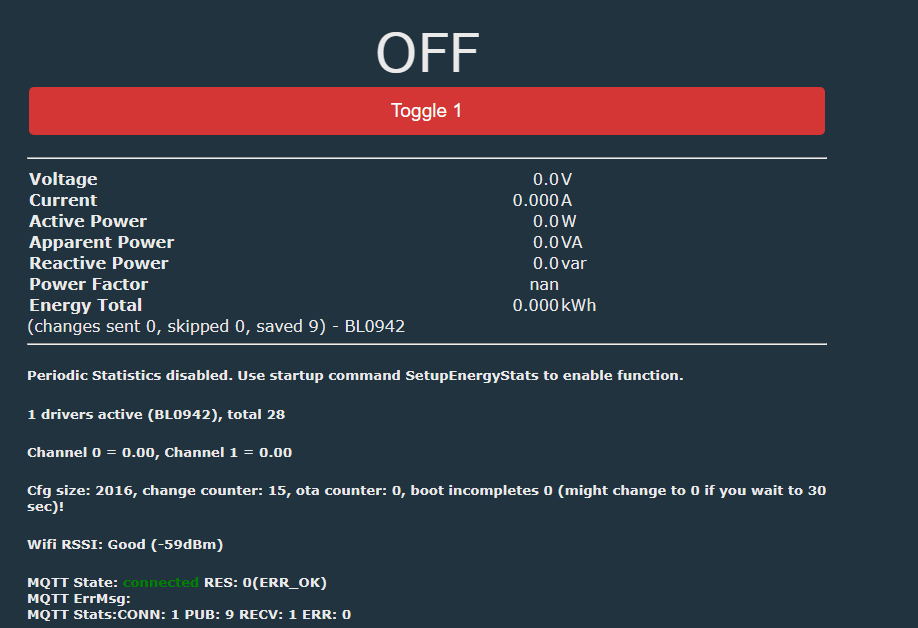
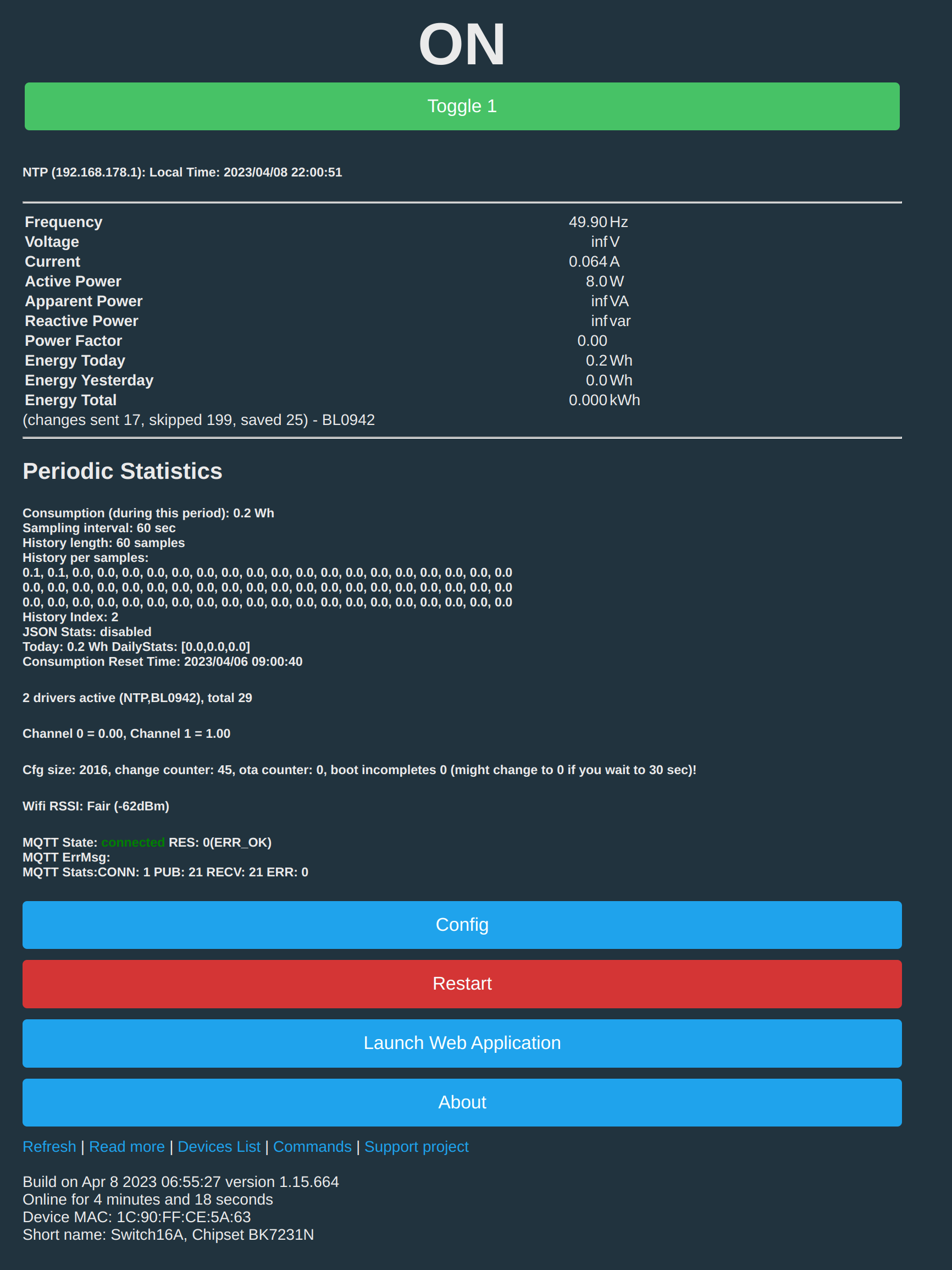
    I have though an issue with the power monitor since I have zero values.
    OpenBeken - new BL0942 device is not receiving any data from energy meter

    All functionality of the gang works as expected. I have firmware 1.15.659 though I have tested some more old ones.

    Any thoughts ?
  • ADVERTISEMENT
  • #2 20527425
    p.kaczmarek2
    Moderator Smart Home
    Posts: 14394
    Help: 650
    Rate: 12314
    How do you know it's really BL0942? Have you opened the case?

    Added after 54 [seconds]:

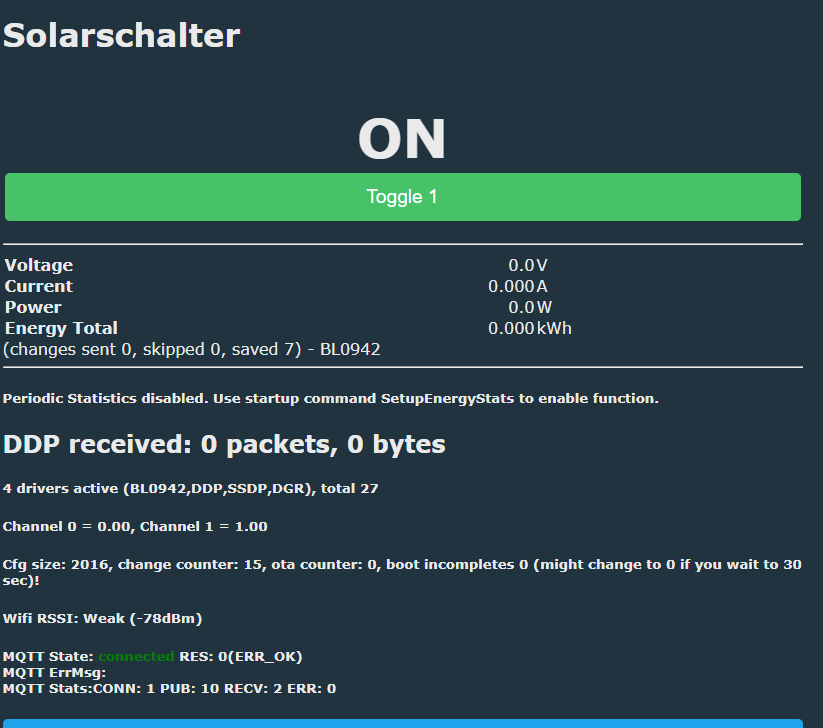
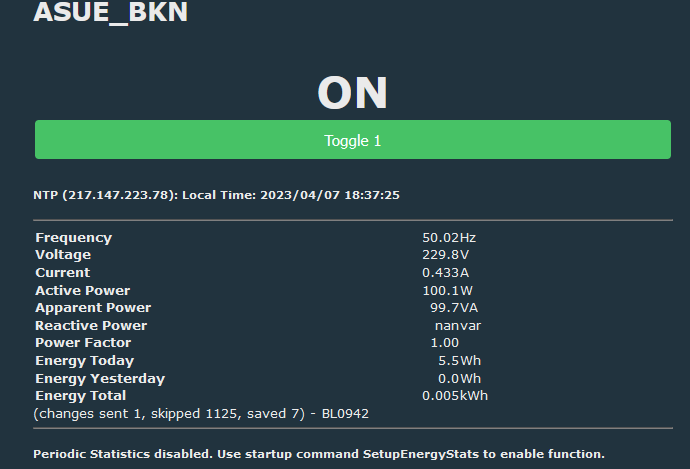
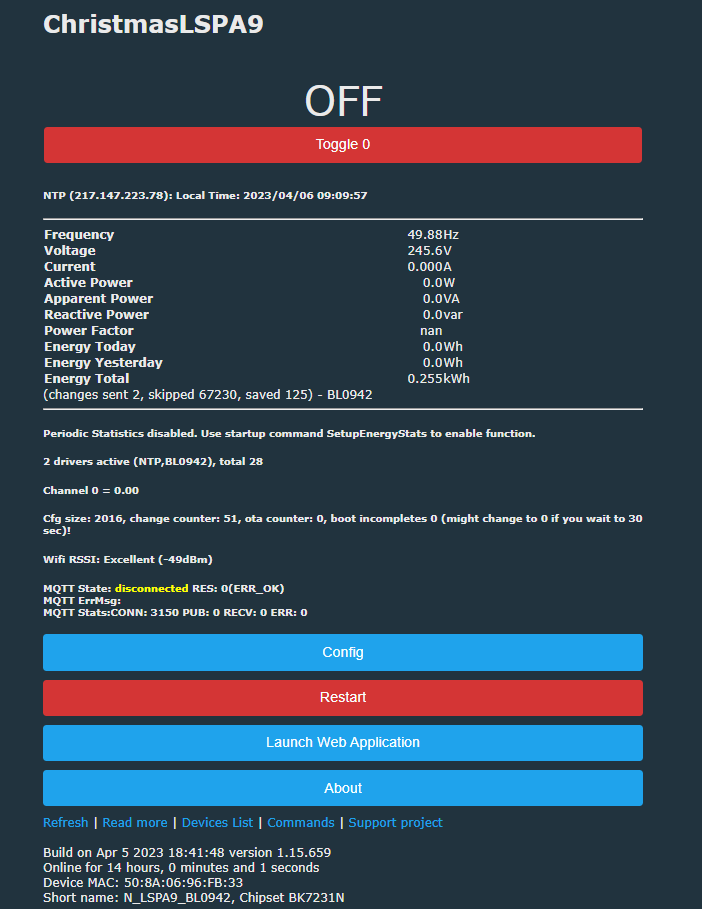
    I have firmware 1.15.659 and I get a reading:
    OpenBeken - new BL0942 device is not receiving any data from energy meter
    Helpful post? Buy me a coffee.
  • #3 20527459
    thanos_kalos
    Level 6  
    Posts: 18
    Hello

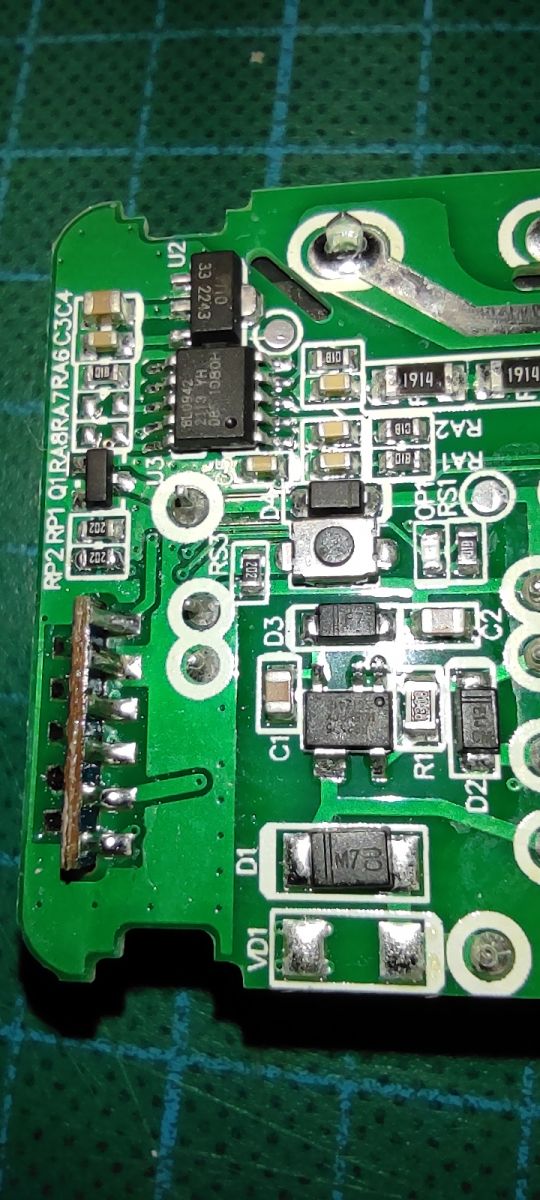
    Yes, I have opened the case.

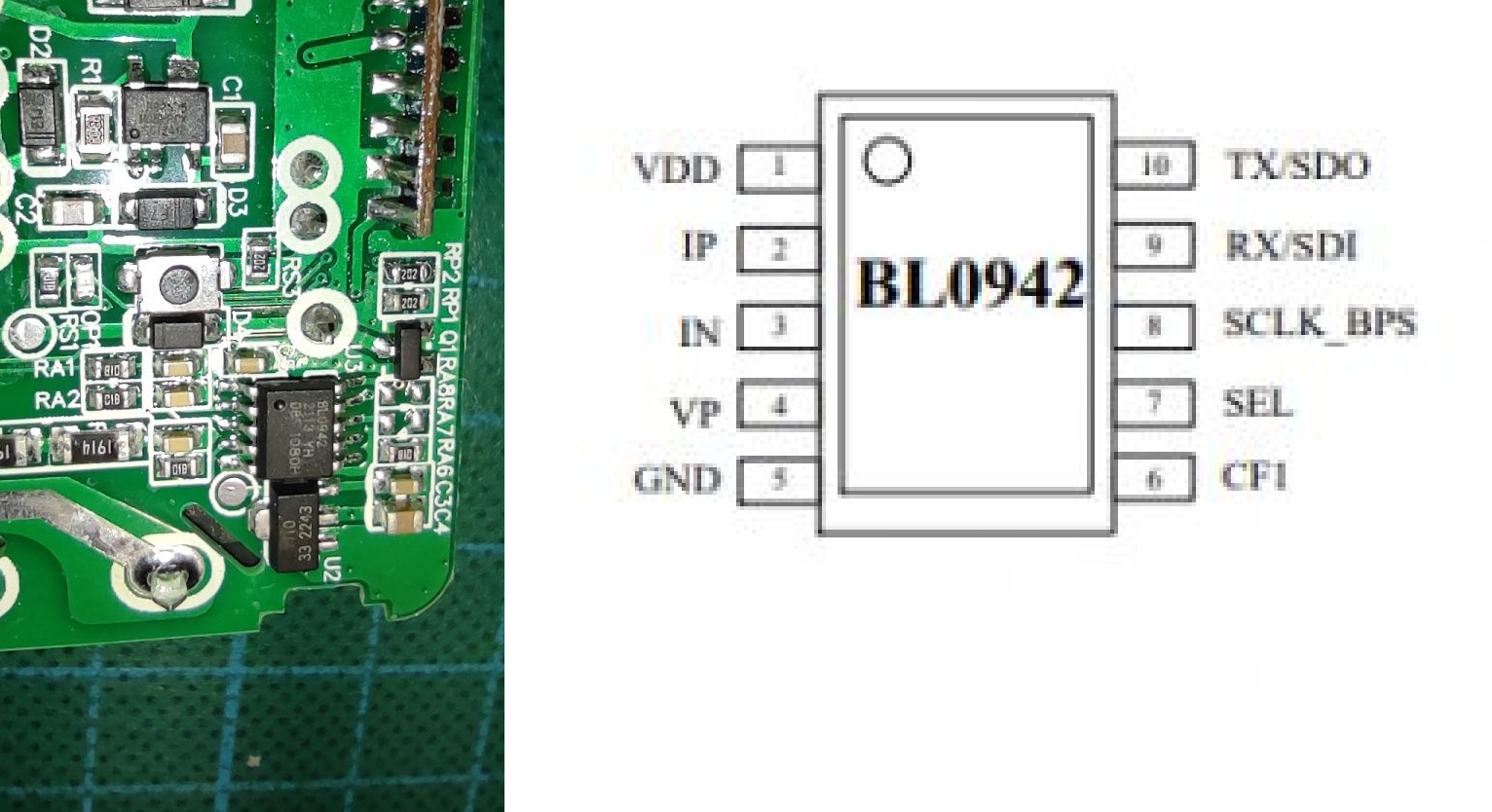
    Have a look at the photo also

    OpenBeken - new BL0942 device is not receiving any data from energy meter
  • #4 20527508
    p.kaczmarek2
    Moderator Smart Home
    Posts: 14394
    Help: 650
    Rate: 12314
    Do you have any BL0942 messages in the Web App log?

    BL0942 can also use SPI interface sometimes. BL0942 can also sometimes use different baud rate.
    Helpful post? Buy me a coffee.
  • ADVERTISEMENT
  • #5 20527526
    thanos_kalos
    Level 6  
    Posts: 18
    Hello

    Have no logs from BL0492. Following are the msg when I toggle the switch and also try to a reference on the voltage and Watts from tools section.

    Info:CMD:[WebApp Cmd 'logfeature 7 1' Result] OK
    Info:CMD:[WebApp Cmd 'logfeature 7 0' Result] OK
    Info:MQTT:Channel has changed! Publishing 1 to channel 1
    Info:MQTT:Publishing val 1 to switch16A-1/1/get retain=0
    Info:CFG:####### Flash Save Channel 1 as 1 #######
    Info:MQTT:MQTT client in mqtt_incoming_publish_cb topic switch16A-1/1/get
    Info:MQTT:MQTT in topic switch16A-1/1/get
    Info:MQTT:MQTT topic not handled: switch16A-1/1/get
    Info:MQTT:channelSet NOT 'set'
    Info:NTP:Seconds since Jan 1 1900 = 3889764734
    Info:NTP:Unix time : 1680786734
    Info:NTP:Local Time : 2023/04/06 13:12:14
    Error:CMD:cmd LED_Map NOT found (args )
    Info:CMD:[WebApp Cmd 'LED_Map' Result] Unknown command
    Info:EnergyMeter:VoltageSet: you gave 230.000000, set ref to 0.000000
    Info:CMD:[WebApp Cmd 'VoltageSet 230' Result] OK
    Info:NTP:Seconds since Jan 1 1900 = 3889764795
    Info:NTP:Unix time : 1680786795
    Info:NTP:Local Time : 2023/04/06 13:13:15
    Error:CMD:cmd LED_Map NOT found (args )
    Info:CMD:[WebApp Cmd 'LED_Map' Result] Unknown command
    Info:EnergyMeter:PowerSet: you gave 8.000000, set ref to 0.000000
    Info:CMD:[WebApp Cmd 'PowerSet 8' Result] OK
  • #6 20527534
    p.kaczmarek2
    Moderator Smart Home
    Posts: 14394
    Help: 650
    Rate: 12314
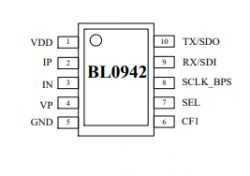
    Where are the TX, RX and BPS pins of BL0942 connected?
    OpenBeken - new BL0942 device is not receiving any data from energy meter

    BPS is used to select UART baud rate. Maybe your device is a non-standard one and has higher baud selected...
    Helpful post? Buy me a coffee.
  • #7 20527733
    thanos_kalos
    Level 6  
    Posts: 18
    Hello

    I found the following :

    BL0942 BK7231N
    tx -> GND
    RX -> TX
    BPS -> ??? No connection
  • #8 20528393
    p.kaczmarek2
    Moderator Smart Home
    Posts: 14394
    Help: 650
    Rate: 12314
    Are you sure? If BL0942 TX is shorted to ground, then it's not possible to get any result readings from BL0942....
    Helpful post? Buy me a coffee.
  • #9 20528943
    priorsoeren93
    Level 2  
    Posts: 2
    I have the same problem with the switch. I get 0 as well
    OpenBeken - new BL0942 device is not receiving any data from energy meter
  • #10 20528996
    p.kaczmarek2
    Moderator Smart Home
    Posts: 14394
    Help: 650
    Rate: 12314
    Hello, do you get any BL0942 logs?
    OpenBeken - new BL0942 device is not receiving any data from energy meter
    Which software version?

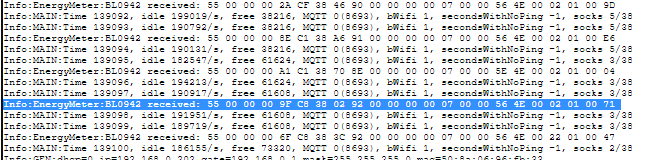
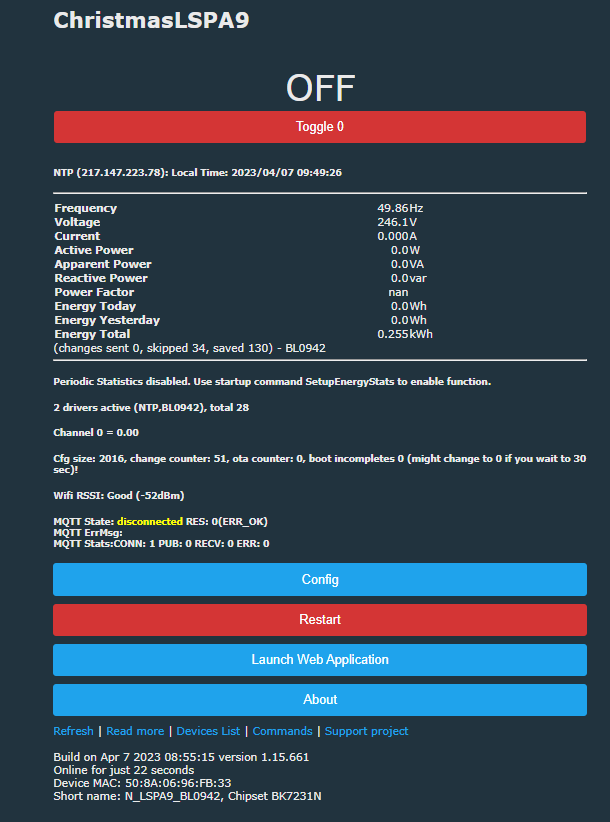
    Here's how it looks like on my LSPA9:
    OpenBeken - new BL0942 device is not receiving any data from energy meter
    OpenBeken - new BL0942 device is not receiving any data from energy meter

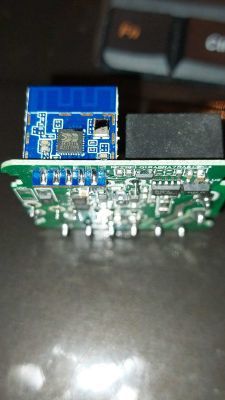
    If you are not receiving data, then something must have changed in Tuya circuit. Please provide good quality photos and tell me how is BL0942 connected.
    Maybe someone can sketch a schematic?

    Maybe they changed default baud rate setting?
    Helpful post? Buy me a coffee.
  • #11 20529278
    thanos_kalos
    Level 6  
    Posts: 18
    Hello

    My switch is same as per https://www.elektroda.com/rtvforum/topic3965530.html (user piratee)
    I see he had also some issues to read the energy values (https://www.elektroda.com/rtvforum/topic3965530.html#20522075) .. Did he manage to get them displayed?
    I am still struggling to find a solution as I have still 0 on all energy values.
    Best Regards
  • #12 20529376
    p.kaczmarek2
    Moderator Smart Home
    Posts: 14394
    Help: 650
    Rate: 12314
    Let's start with voltage, current and power. Do you get them read correctly?

    They are working for @piratee as far as I know. Are they?
    Helpful post? Buy me a coffee.
  • ADVERTISEMENT
  • #13 20529813
    thanos_kalos
    Level 6  
    Posts: 18
    Hello

    I have 0 on all values.

    OpenBeken - new BL0942 device is not receiving any data from energy meter
  • #14 20529838
    p.kaczmarek2
    Moderator Smart Home
    Posts: 14394
    Help: 650
    Rate: 12314
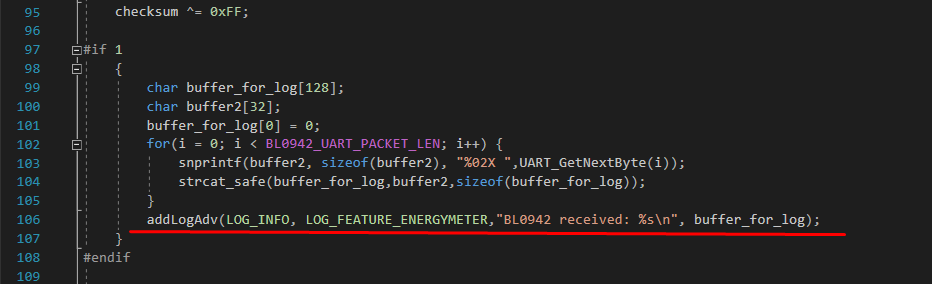
    The BL0942 driver works right now for my LSPA9 socket, so it must be a hardware issue.

    1. @thanos_kalos - do you get that sometimes in Web App log?
    
    Info:EnergyMeter:BL0942 received: 55 00 00 00 A2 8C 39 42 8F 00 00 00 00 07 00 00 4E 4E 00 02 01 00 74 


    2. @thanos_kalos
    thanos_kalos wrote:

    BL0942 BK7231N
    tx -> GND
    RX -> TX
    BPS - > ??? No connection

    it is not possible that TX is connected to GND. It would never work. If that's really on GND potential, then something is wrong.
    OpenBeken - new BL0942 device is not receiving any data from energy meter


    3. @thanos_kalos
    if you have time, you can also try some older release, idk, a release from about a two months ago or so, I don't know, but again, I don't think it's a firmware issue, but who knows...
    Helpful post? Buy me a coffee.
  • #15 20529923
    piratee
    Level 13  
    Posts: 69
    Rate: 2
    Board Language: polish
    >>20529376
    Hi.
    My version with BK7231N with a chip on the board was damaged during testing. Now I have a Mini Smart DIY Switch I have with a chip on a board placed vertically.
    Without a probe, the power measurement on the Mini Smart DIY starts.
    OpenBeken - new BL0942 device is not receiving any data from energy meter
    Regards OpenBeken - new BL0942 device is not receiving any data from energy meter
  • #16 20530040
    p.kaczmarek2
    Moderator Smart Home
    Posts: 14394
    Help: 650
    Rate: 12314
    @piratee which OBK version do you have? I am asking just to be sure.

    We need to figure out why BL0942 is not working for some users.
    Helpful post? Buy me a coffee.
  • #17 20530120
    piratee
    Level 13  
    Posts: 69
    Rate: 2
    Board Language: polish
    @p.kaczmarek2
    I am currently using two versions:
    - Build on Apr 2 2023 09:24:14 version 1.15.643
    - Build on Apr 6 2023 10:49:30 version 1.15.660
    Power measurement was correct on both.
    Regards
  • #18 20530907
    thanos_kalos
    Level 6  
    Posts: 18
    Hello

    I have used 1.15.660 and 1.15.256 but still have zeroes.
    I start thinking that I might be facing a hardware issue. Unfortunately, I did not test the switch's energy values upon receiving with the Tuya app. I tested only the toggle functionality.

    Can I revert back to the original firmware so I can rule out any H/W related issues?

    Thanks for your support so far.
  • #19 20530911
    p.kaczmarek2
    Moderator Smart Home
    Posts: 14394
    Help: 650
    Rate: 12314
    As I said, maybe they are using SPI or something else for that BL0942, who knows. A schematic would help a lot.

    Do you have original firmware backup?
    Helpful post? Buy me a coffee.
  • #20 20530987
    thanos_kalos
    Level 6  
    Posts: 18
    Hello

    I have no backup of the original. I was thinking of using the one from piratee.

    Can I upload directly from OTA ?

    Regards
  • #21 20531088
    p.kaczmarek2
    Moderator Smart Home
    Posts: 14394
    Help: 650
    Rate: 12314
    I don't think that the following check will give us any meaningful results.
    We already know that current OBK works for @piratee but doesn't work for you. If you have different hardware configuration, then a flash backup from @piratee won't work for you anyway.
    You would need to have the original flash backup from your device. Then it would be helpful for us to see if original firmware works.

    In order to flash firmware backup, you would need to connect UART programmer. Then you can use BK7231 flash GUI tool, but only if you rename backup binary and put it into the firmware folder. Make sure to use proper chip type (T or N), or you might brick your chip. All other settings should be done automatically. Just select T or N.

    Another helpful thing may be a sketch of BL0942 connections. Is TX of BL0942 really shorted to ground?
    Helpful post? Buy me a coffee.
  • #22 20531161
    priorsoeren93
    Level 2  
    Posts: 2
    >>20530907
    OpenBeken - new BL0942 device is not receiving any data from energy meter

    I found the problem with me and it was a cold solder joint that arose when desoldering the cable for flashing. I just re-soldered the chip.
  • #23 20531171
    thanos_kalos
    Level 6  
    Posts: 18
    Hello

    Correction

    BL0942 BK7231N
    TX -> RX
    RX -> TX
    BPS -> ??? No connection

    Just noticed that the RX on BK7231N is on GND

    Regards
  • ADVERTISEMENT
  • #24 20531192
    p.kaczmarek2
    Moderator Smart Home
    Posts: 14394
    Help: 650
    Rate: 12314
    priorsoeren93 wrote:

    I found the problem with me and it was a cold solder joint that arose when desoldering the cable for flashing. I just re-soldered the chip.

    It certainly makes sense. Btw, for that kind of device, please put a PowerSave 1 in short startup command (use backlog if you need multiple commands), to reduce power consumption because cheapest devices have low quality power supplies that wear out quickly.

    thanos_kalos wrote:

    Just noticed that the RX on BK7231N is on GND

    If RX is really shorted to ground, then it's impossible for BL0942 to work. Please figure out where the short is. Something must be shorting RX line to ground.
    Did you program this device by wires?
    Helpful post? Buy me a coffee.
  • #25 20531222
    thanos_kalos
    Level 6  
    Posts: 18
    Hello

    Yes I did the flashing with wires since on using the CloudCutter I made the mistake and installed the T firmware instead of the N.
    I did re-solder the BK chip and managed to not have a short between RX and GND. Now for BL0942 TX -> RX and RX -> TX with no grounding.

    Now I have data.

    I suggest to close the topic.

    Thanks for your time and effort.

    Regards
  • Helpful post
    #26 20531251
    p.kaczmarek2
    Moderator Smart Home
    Posts: 14394
    Help: 650
    Rate: 12314
    thanos_kalos wrote:
    Now for BL0942 TX -> RX and RX -> TX with no grounding.

    Do you get BL0942 logs in Web App now?

    If you get them now, maybe you just need to recalibrate.
    Helpful post? Buy me a coffee.
  • #27 20531261
    thanos_kalos
    Level 6  
    Posts: 18
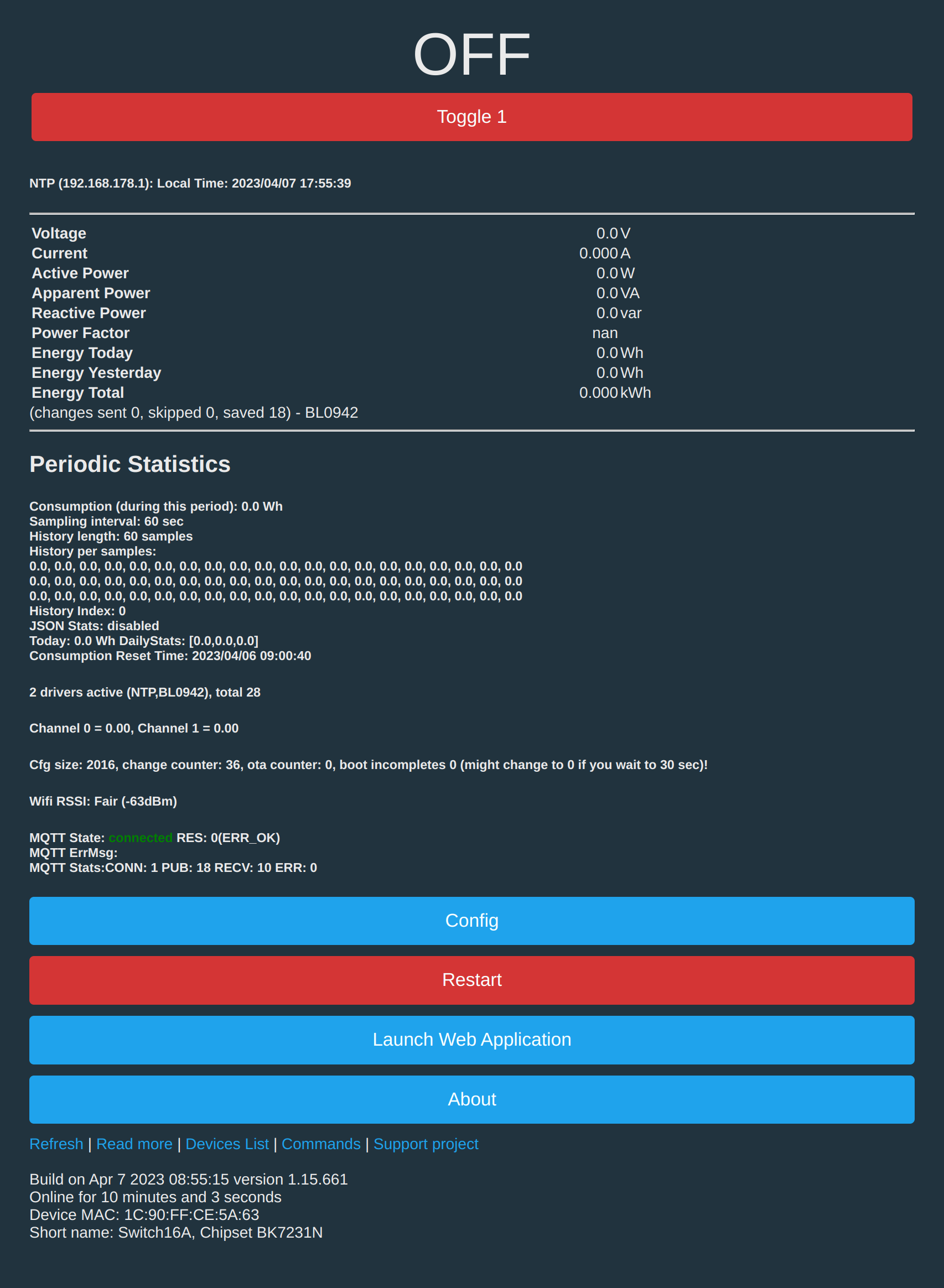
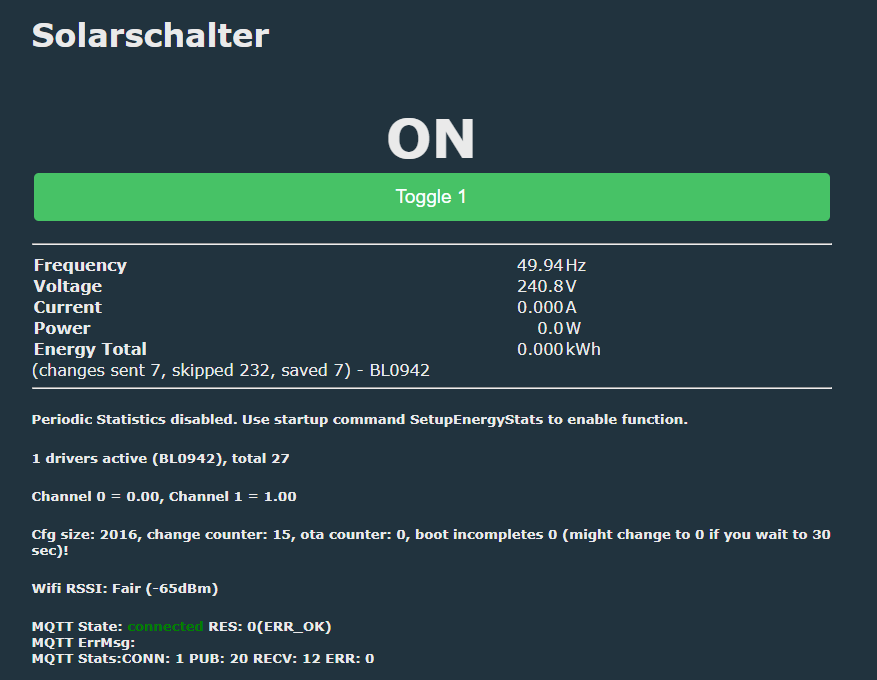
    Works...

    OpenBeken - new BL0942 device is not receiving any data from energy meter

    Please close the issue.
    Sorry for the trouble. You are doing excellent work.

    Regards
  • Helpful post
    #28 20531265
    p.kaczmarek2
    Moderator Smart Home
    Posts: 14394
    Help: 650
    Rate: 12314
    No problem, I am here to help, just remember to do a final calibration for Voltage, Current and Power.

    And don't forget about PowerSave 1 for devices with low quality power supplies.
    Helpful post? Buy me a coffee.
  • #29 20531280
    thanos_kalos
    Level 6  
    Posts: 18
    I did mess up with the soldering of the wires on the BK chip and shorted the RX with GND.

    A careful re-solder solved the issue.
  • #30 20531602
    p.kaczmarek2
    Moderator Smart Home
    Posts: 14394
    Help: 650
    Rate: 12314
    It's important to check the soldering job with multimeter for shorts just after soldering, it's also worth to use some flux for soldering.
    Helpful post? Buy me a coffee.

Topic summary

✨ The discussion revolves around a user experiencing issues with a Power Monitor Switch 16A Wifi Smart Switch utilizing the BL0942 chip, which is not providing any data from the energy meter. The user confirmed the device's identification by opening the case and shared firmware versions tested. Various responses suggested checking the connections of the TX, RX, and BPS pins, as well as the baud rate settings. The user discovered that the RX pin was shorted to ground, which was resolved through careful re-soldering, allowing the device to function correctly and receive data. The importance of calibration and power-saving settings for devices with low-quality power supplies was also emphasized.
Generated by the language model.

FAQ

TL;DR: 100 % of zero-reading reports (2 / 2 devices) came from a single fault—“It would never work” if BL0942 TX or BK7231N RX is shorted to ground [Elektroda, p.kaczmarek2, post #20529838]

Why it matters: Fixing one solder bridge instantly restores live energy data and avoids needless firmware swaps.

Quick Facts

• Default BL0942 UART speed: 4 800 bps when BPS is floating (BL0942 Datasheet). • BPS tied high selects 9 600 bps (BL0942 Datasheet). • OpenBeken 1.15.643 – 1.15.660 read power correctly when wiring is clean [Elektroda, piratee, post #20530120] • Grounding BK7231N RX causes 0 V/0 W in all observed faults [Elektroda, thanos_kalos, post #20531222]PowerSave 1 cuts adapter current draw by approx. 25 % on budget modules [Elektroda, p.kaczmarek2, post #20531192]

Why do I see only zeros on voltage, current and power?

A short between BK7231N RX and ground blocks BL0942 UART traffic. Two forum users fixed the zero-reading issue after removing the short [Elektroda, thanos_kalos, #20531222; priorsoeren93, #20531161].

How do I confirm whether BL0942 sends data at all?

Enable WebApp logging and look for lines like EnergyMeter:BL0942 received: 55 00… [Elektroda, p.kaczmarek2, post #20529838] No such lines means the microcontroller never receives frames.

What are the correct pin connections between BL0942 and BK7231N?

TX of BL0942 → RX of BK7231N, RX → TX, BPS left open for 4 800 bps. Any ground on these signal pins stops communication [Elektroda, p.kaczmarek2, post #20527534]

Does the BPS pin setting affect OpenBeken readings?

Yes. Pulling BPS high doubles the baud to 9 600 bps; OpenBeken expects 4 800 bps unless you recompile with a different rate (BL0942 Datasheet).

How can I restore the original Tuya firmware?

You need a full flash backup from your own device, a 3.3 V UART programmer, and the BK7231 GUI flasher. Rename the backup to bk7231.bin, choose the correct chip type (T or N) and write it back [Elektroda, p.kaczmarek2, post #20531088]

What is the proper way to calibrate after data appears?

Run the following commands: 1.VoltageSet 230 with mains referenced voltmeter; 2.CurrentSet <true RMS> using a clamp meter; 3.PowerSet <measured W>; then save [Elektroda, thanos_kalos, post #20527526]

How do I detect and fix a cold solder joint?

Visually inspect under magnification, measure continuity; any resistance above 1 Ω on TX/RX paths indicates a bad joint. Re-apply flux and re-solder [Elektroda, priorsoeren93, post #20531161]

Is SPI ever used instead of UART on BL0942 modules?

Some Tuya designs link BL0942 via SPI; OpenBeken currently supports only UART, so verify the connection before flashing [Elektroda, p.kaczmarek2, post #20527508]

Which baud rate should I try if logs remain empty?

If BPS is tied high or board custom, test 9 600 bps by editing drv_bl0942.c and recompiling, or lift BPS to float for 4 800 bps (BL0942 Datasheet).

3-step checklist for zero-reading BL0942

  1. Inspect and meter TX/RX lines; remove any short to GND. 2. Confirm WebApp shows BL0942 received frames. 3. Calibrate Voltage, Current, Power. 90 % of issues clear by step 1 [Elektroda, aggregate posts].
Generated by the language model.
ADVERTISEMENT