logo elektroda
logo elektroda
X
logo elektroda

DX-Smart BK7238 DX-WF24A Module with DX-PJ16-V1.1 CH340 USB-TTL from Taobao/Superbuy

divadiow 1497 14
ADVERTISEMENT
  • Helpful post
    #1 21575328
    divadiow
    Level 38  
    Posts: 4839
    Help: 420
    Rate: 852
    Forgot I'd added these to an order of bits from Superbuy/Taobao just to see what they were and came with on their flash. Here's some info should anyone be looking for detail about these and come across this post. Maybe useful.
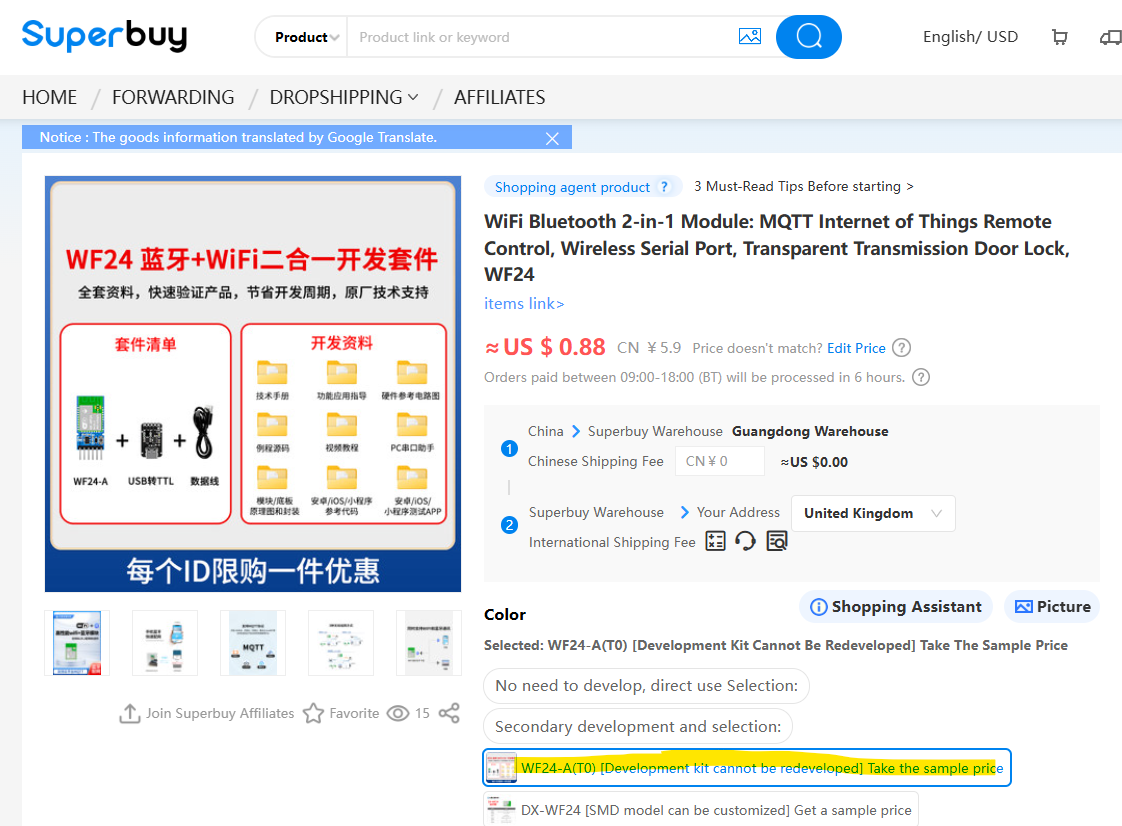
    https://item.taobao.com/item.htm?id=763512256407
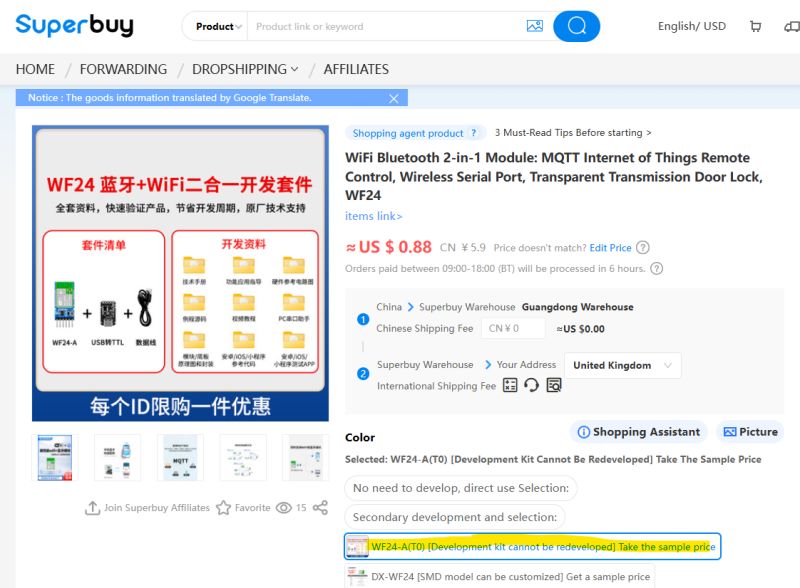
    DX-Smart BK7238 DX-WF24A Module with DX-PJ16-V1.1 CH340 USB-TTL from Taobao/Superbuy

    http://en.szdx-smart.com/EN/cs2/117.html

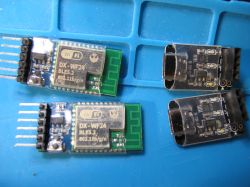
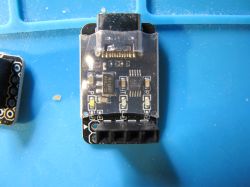
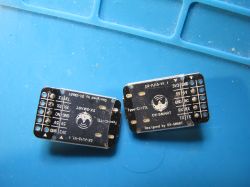
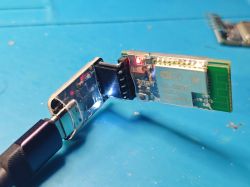
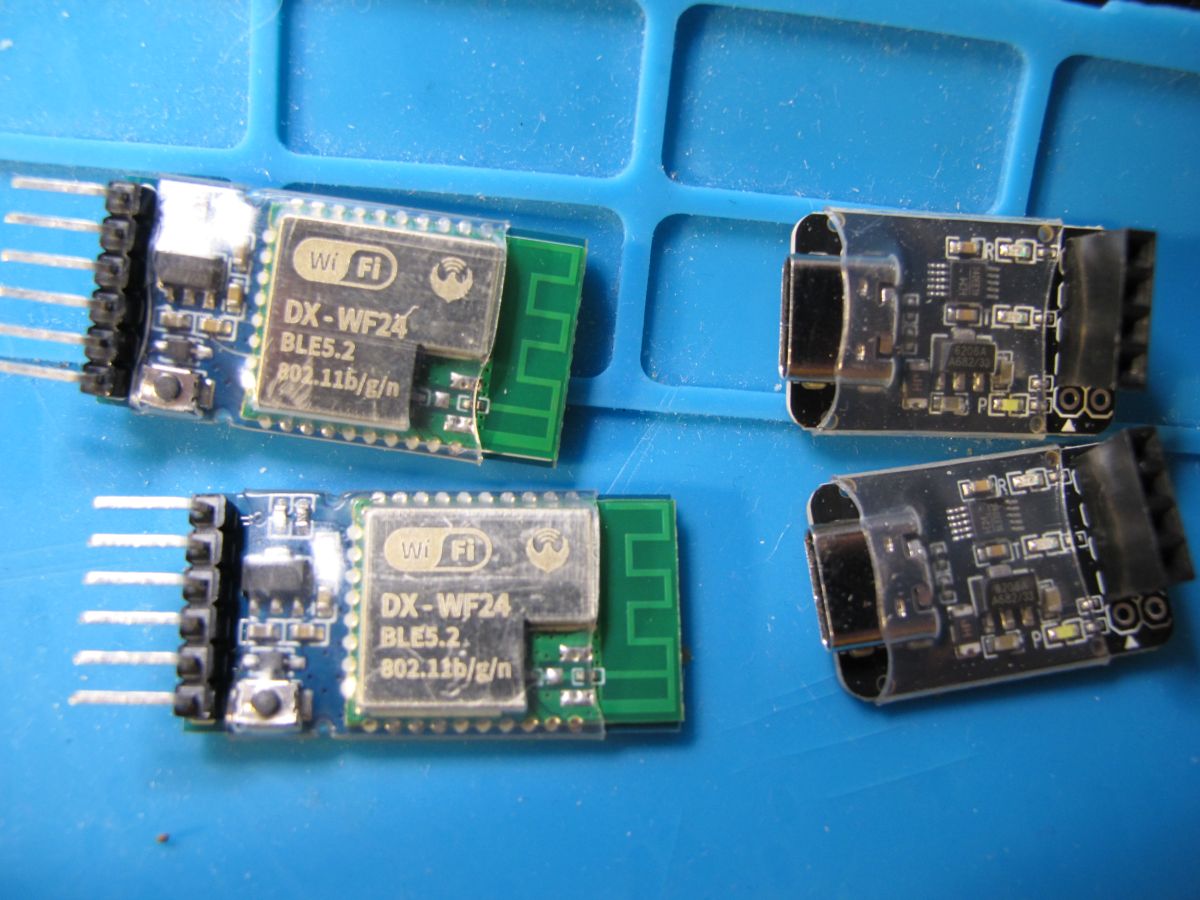
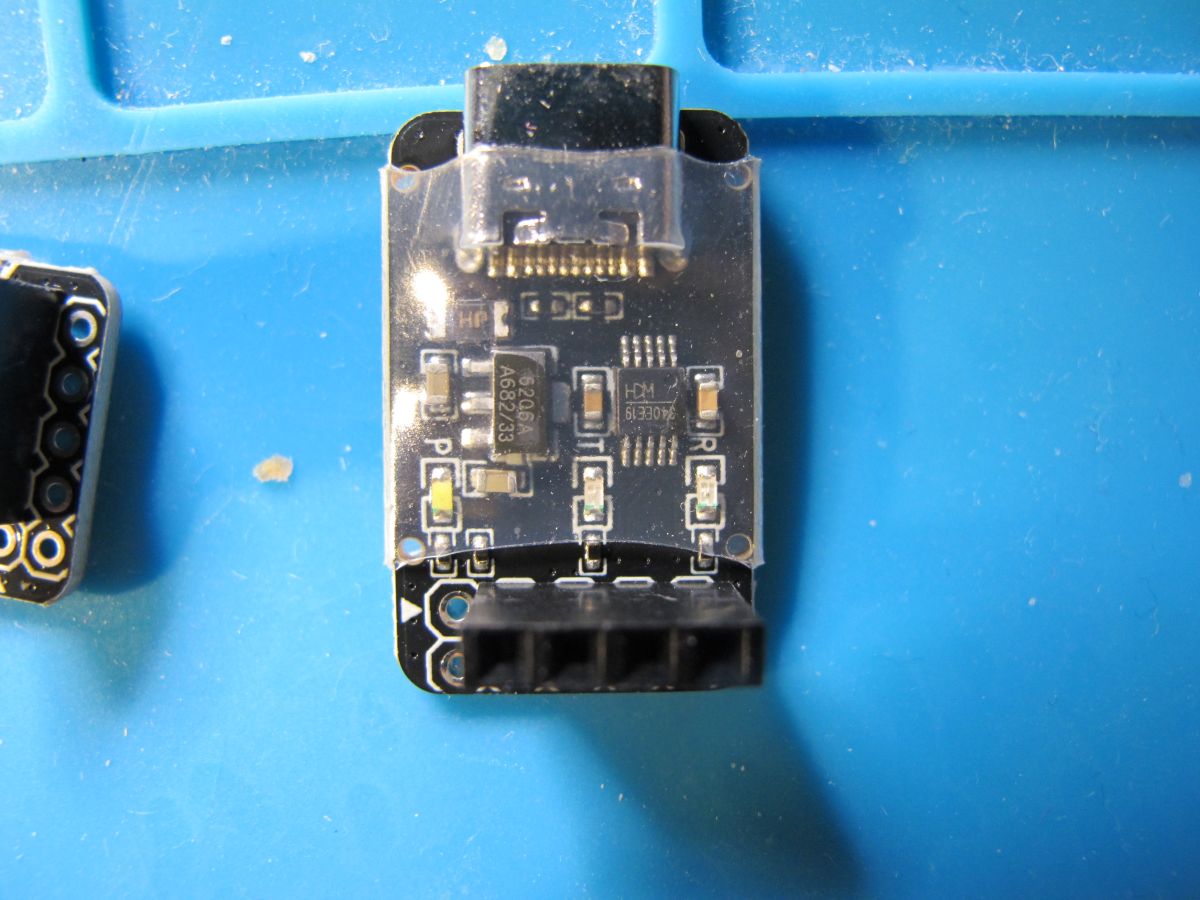
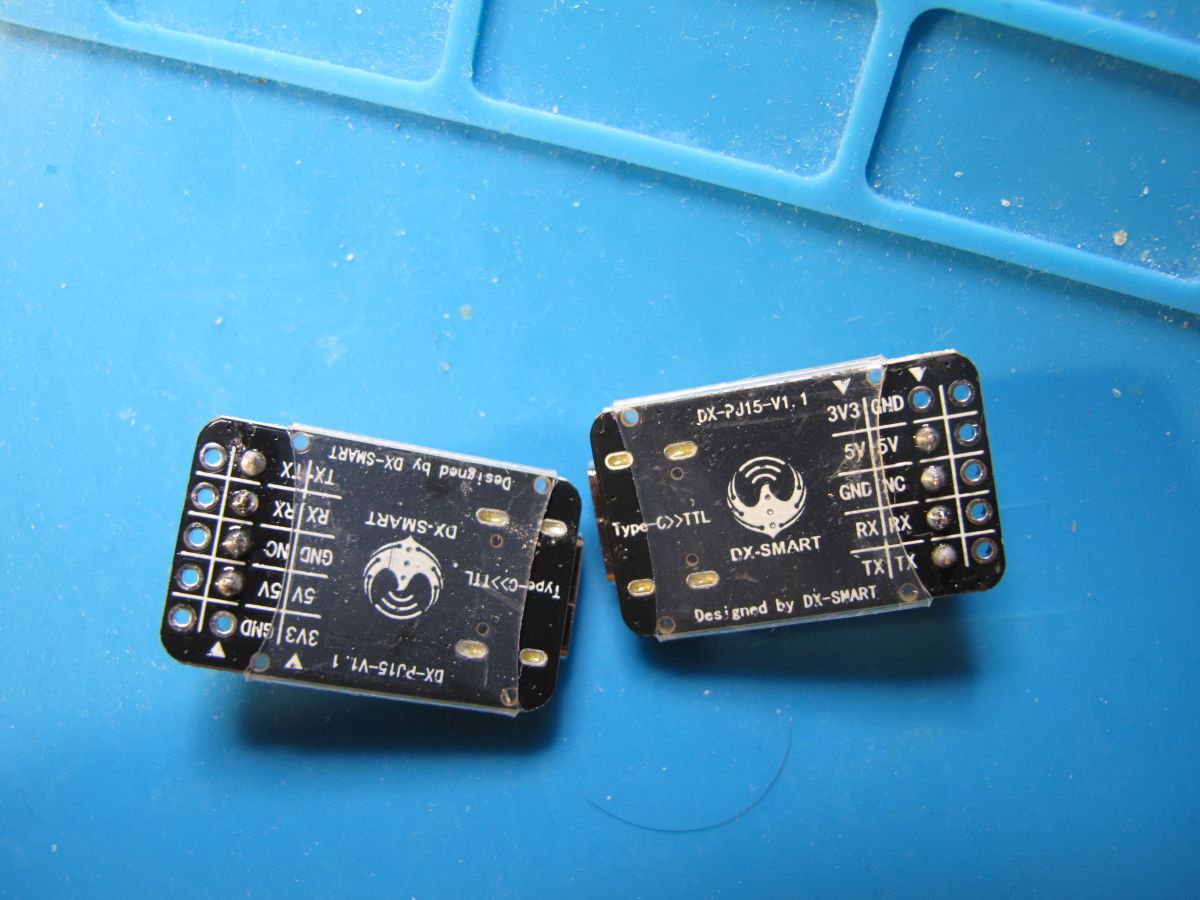
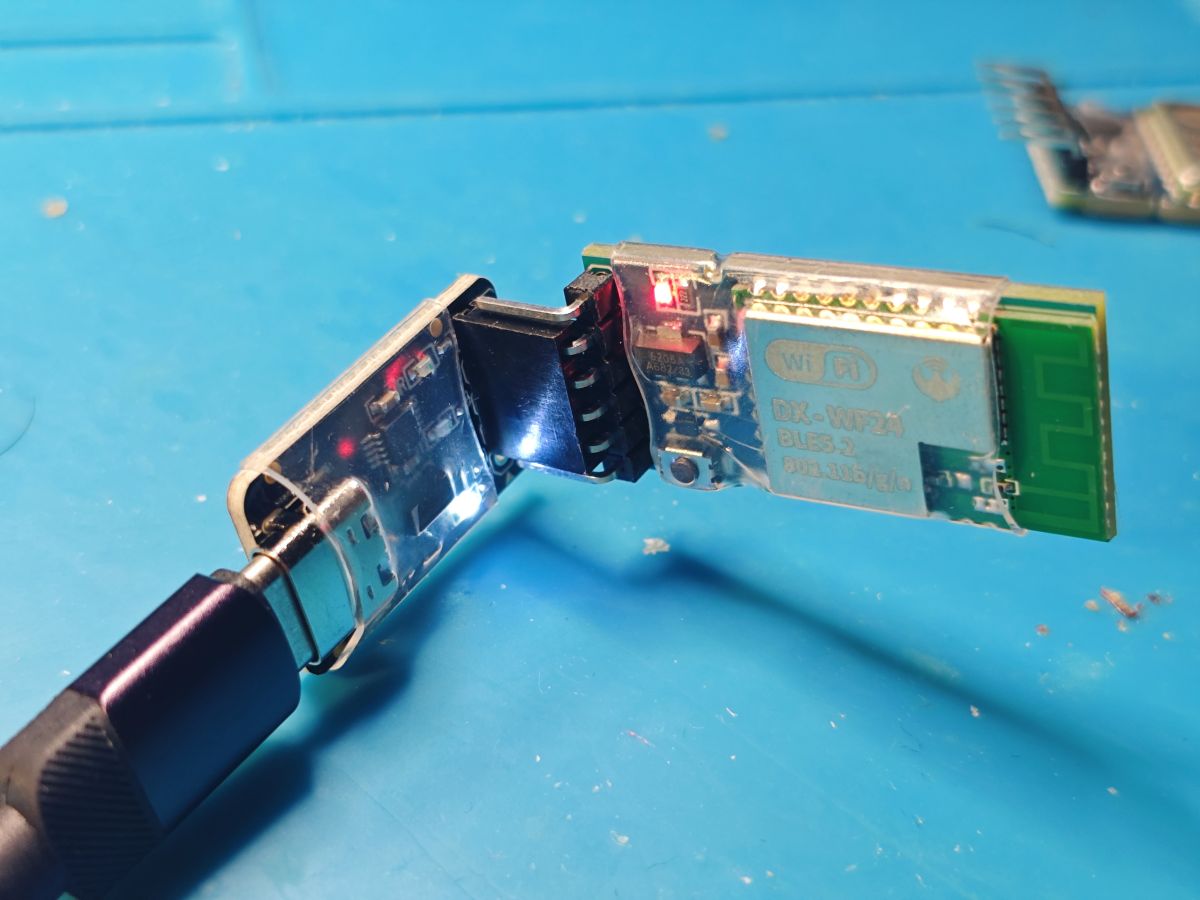
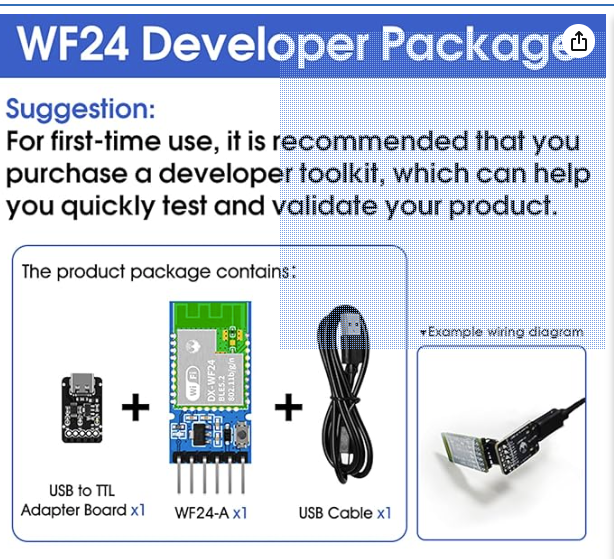
    DX-Smart BK7238 DX-WF24A modules on tiny break-out boards. This particular bundle includes short USB-C cable and the DX-PJ16-V1.1 USB-TTL with the WinChipHead CH340.
    DX-Smart BK7238 DX-WF24A Module with DX-PJ16-V1.1 CH340 USB-TTL from Taobao/Superbuy
    DX-Smart BK7238 DX-WF24A Module with DX-PJ16-V1.1 CH340 USB-TTL from Taobao/Superbuy
    DX-Smart BK7238 DX-WF24A Module with DX-PJ16-V1.1 CH340 USB-TTL from Taobao/Superbuy

    Pics
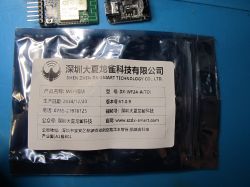
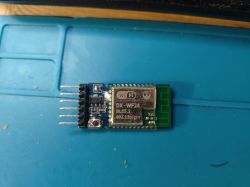
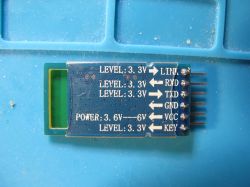
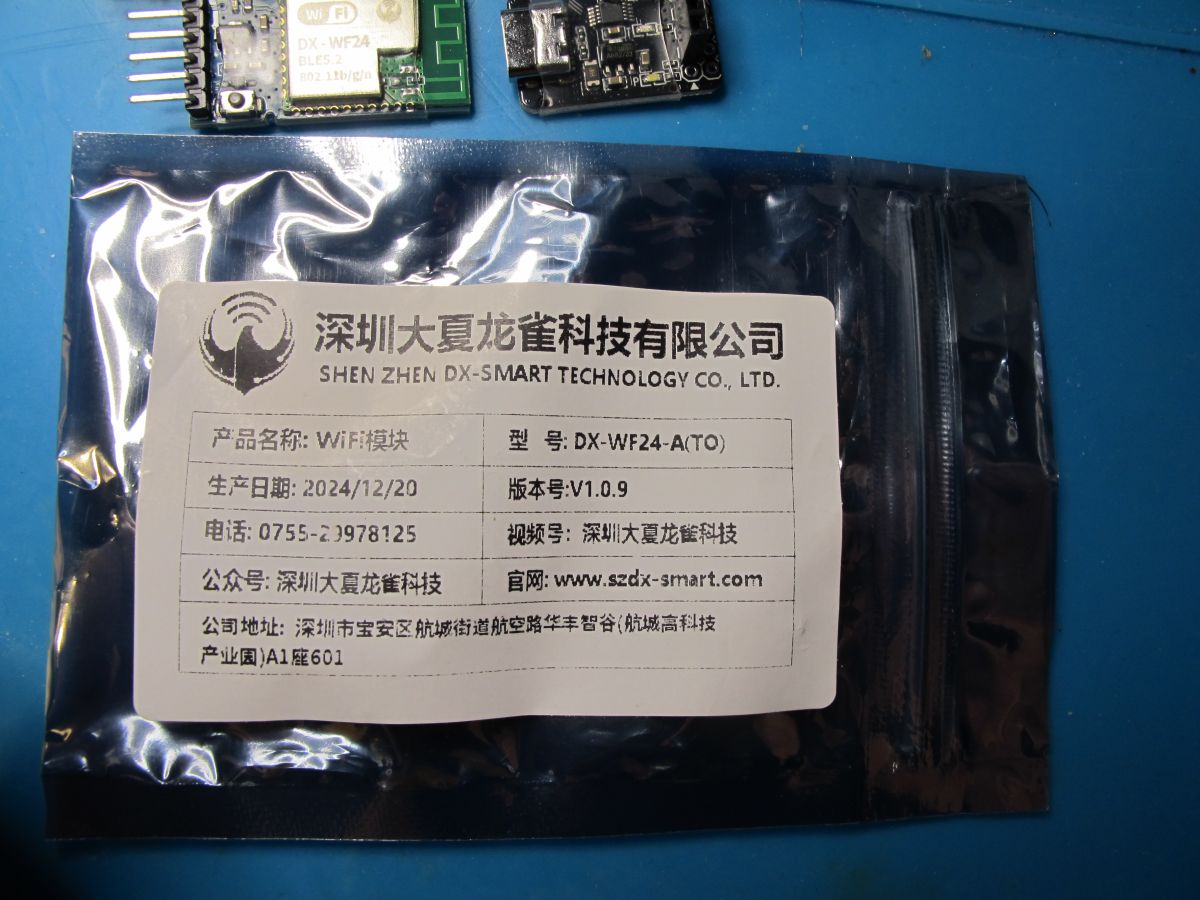
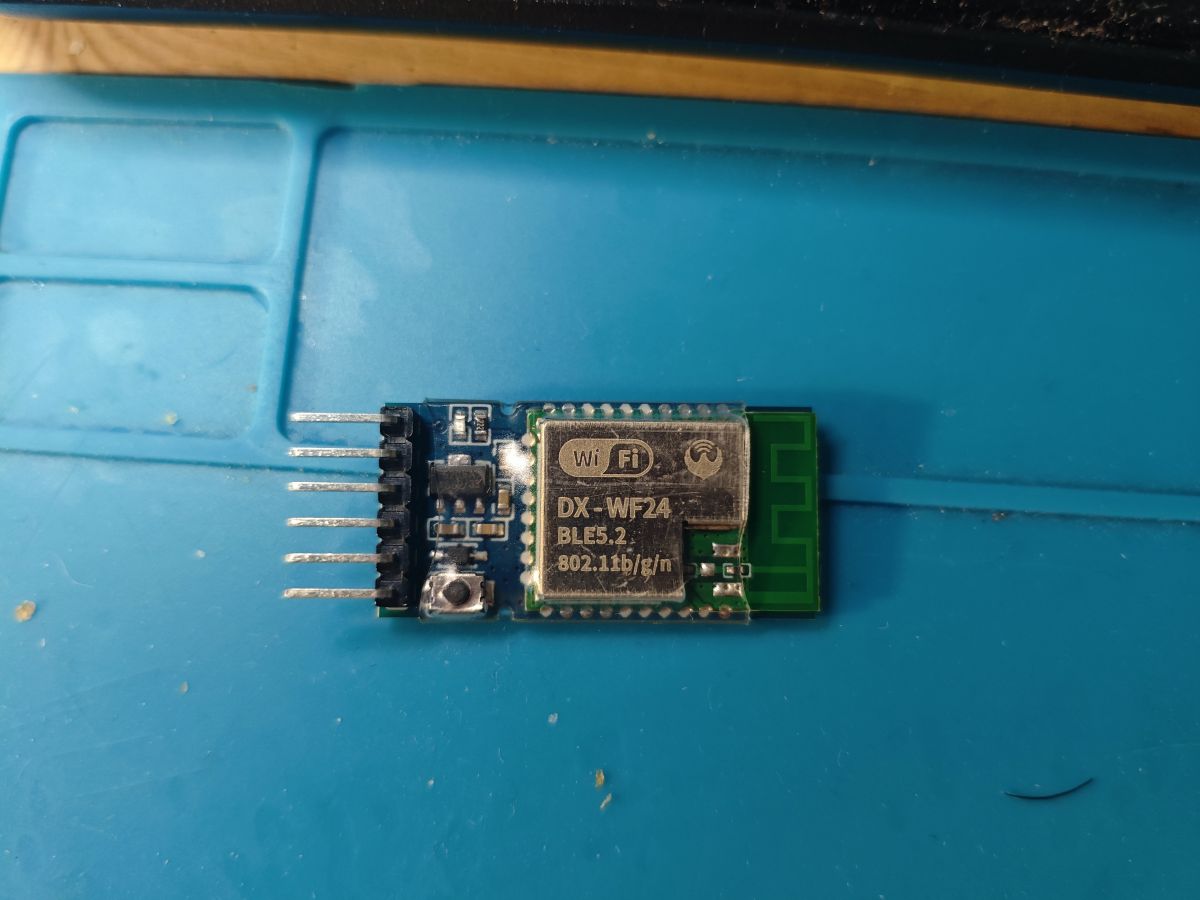
    DX-Smart BK7238 DX-WF24A Module with DX-PJ16-V1.1 CH340 USB-TTL from Taobao/Superbuy Two DX-WF24 BLE5.2 modules and two USB-TTL converters on a blue work surface. DX-WF24A module with BK7238 chip on a breakout board, placed on a blue service mat. Electronic module with connectors and SMD components on a blue service mat. HC-05 Bluetooth electronic module with labeled pins on a blue PCB. Two DX-PJ15-V1.1 electronic modules on a blue service mat. Bluetooth BLE module connected to a USB adapter on a blue background.

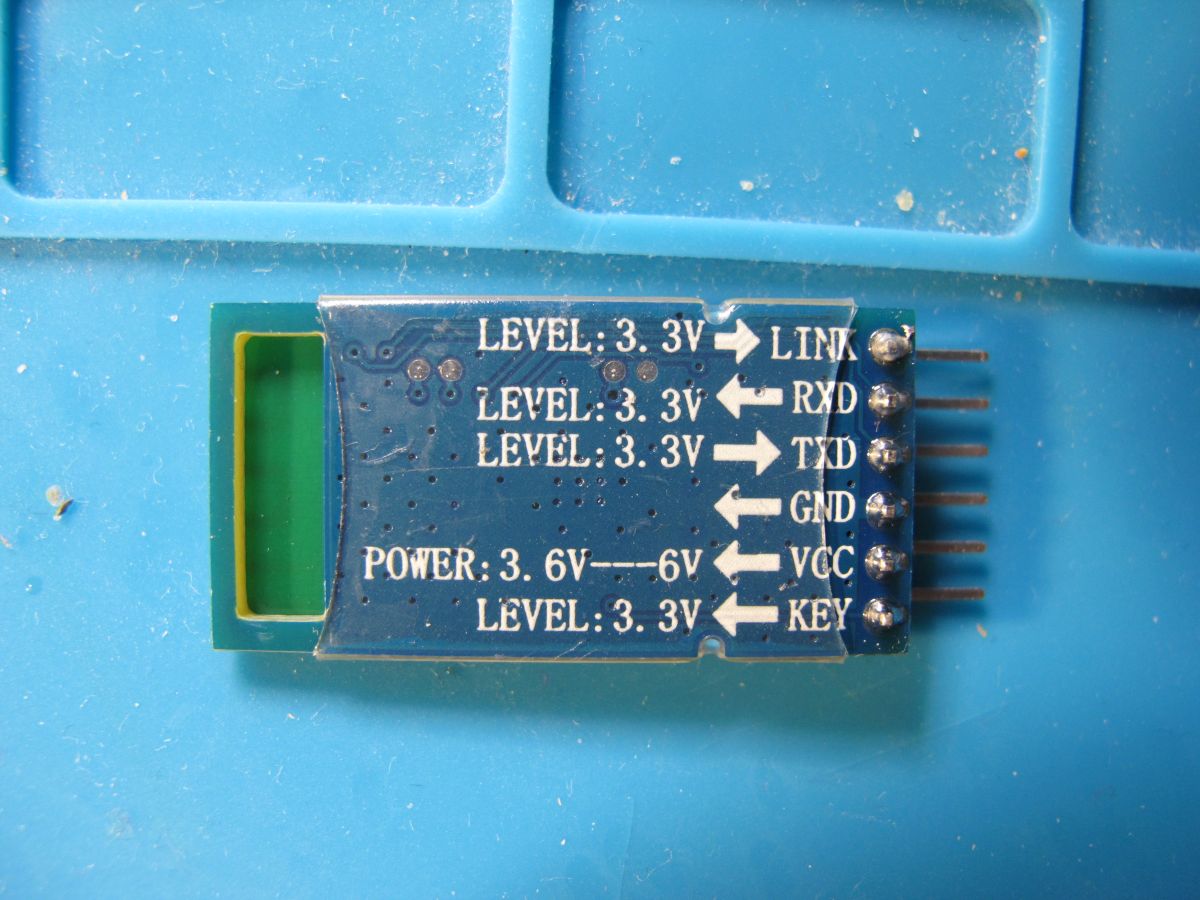
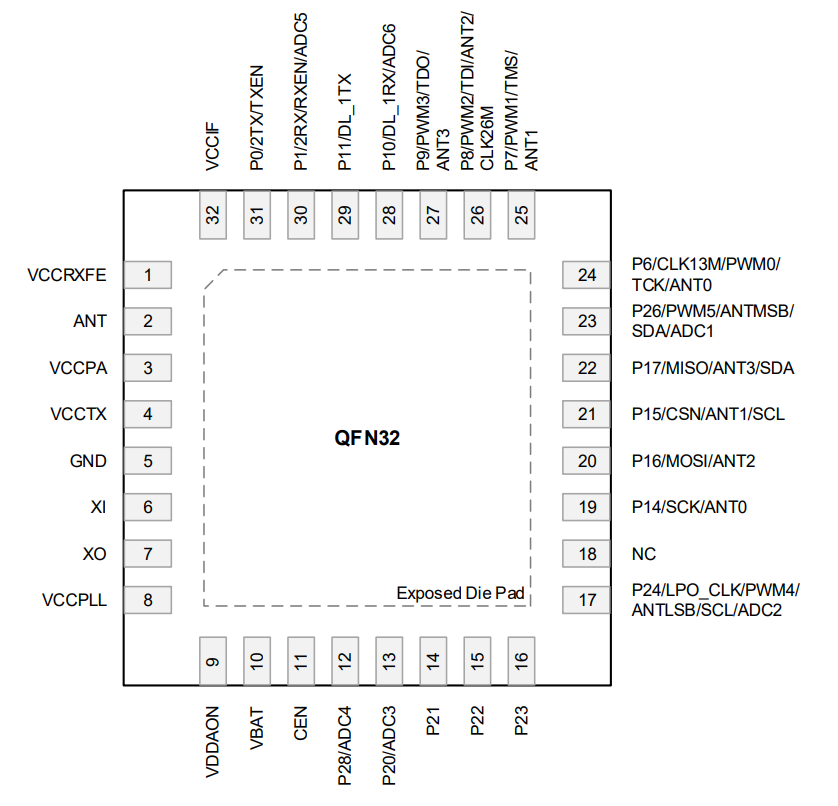
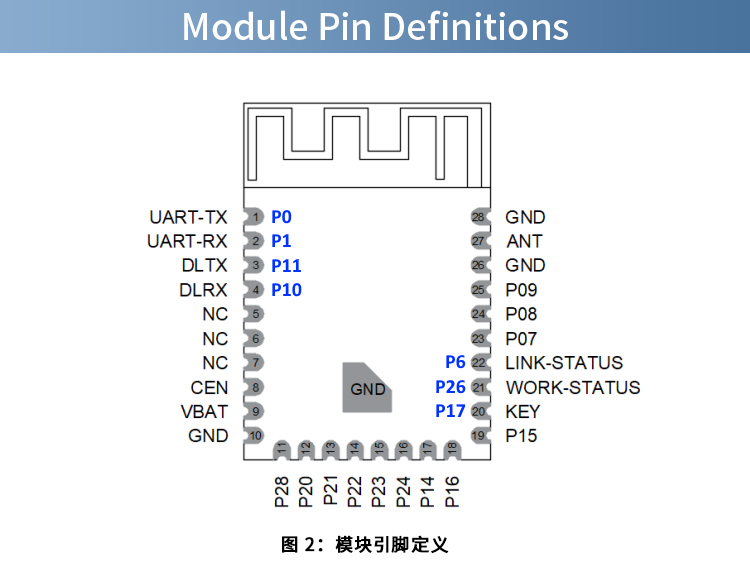
    The RX/TX headers on the DX-PJ16-V1.1 are not for programming - they trace to UART-TX (P0) and UART-RX (P1) - pins 1 & 2. Meaning P10/P11 need soldering up to read/write flash.

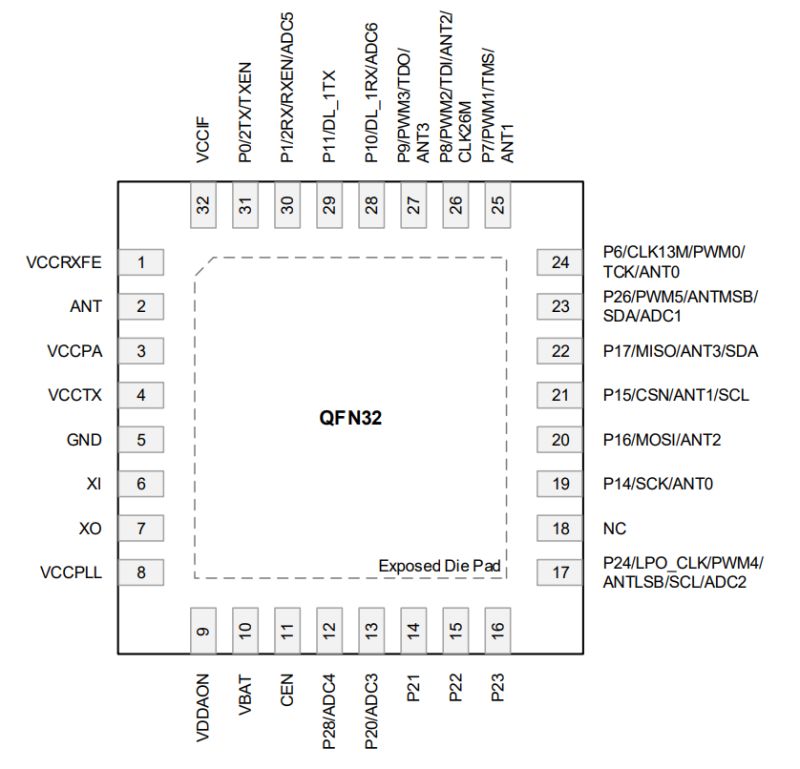
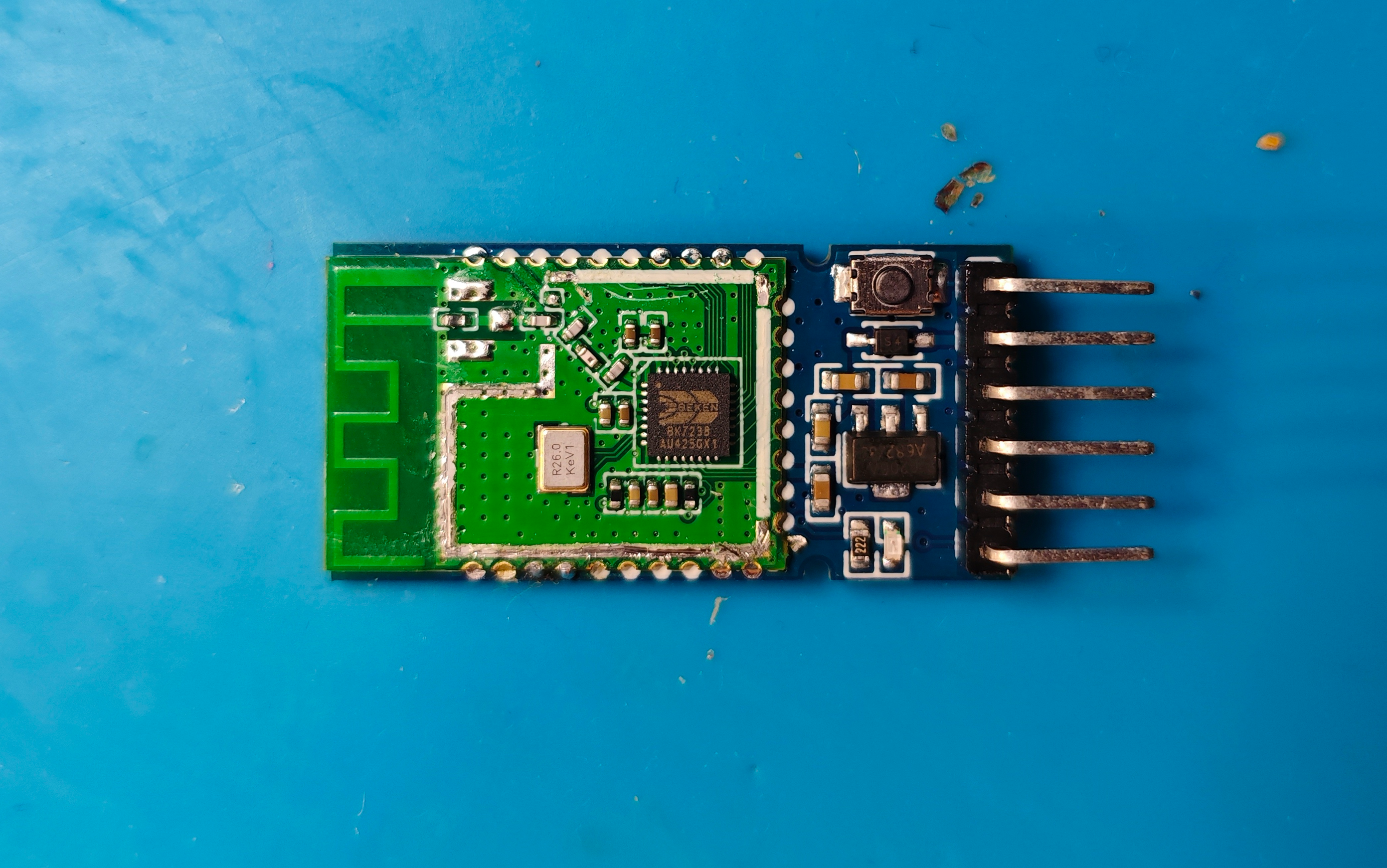
    After shield removal I can confirm it is the QFN32 BK7238
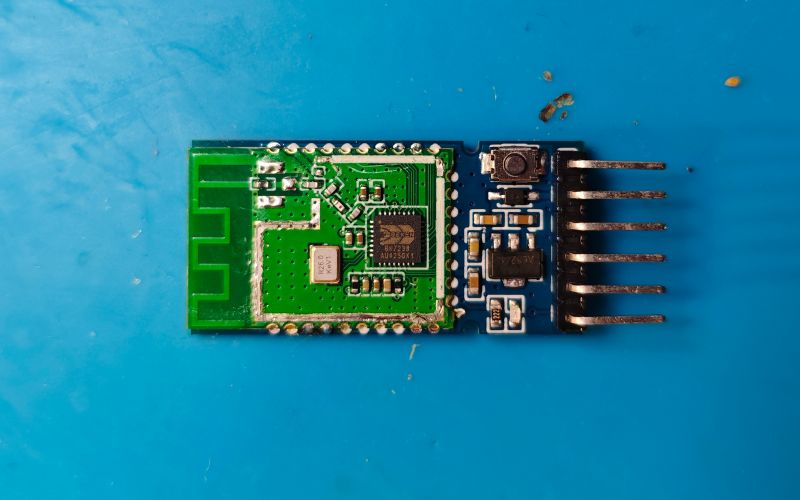
    Bluetooth electronic module with connection pins on a blue background.

    QFN32 integrated circuit pinout diagram with labeled pin functions.

    P0 115200 log
    Code: Text
    Log in, to see the code

    P0 115200 log
    Code: Text
    Log in, to see the code


    dump with BKFIL
    Code: Text
    Log in, to see the code


    https://github.com/openshwprojects/FlashDumps...mits/9ac8b34f85625ece82344a635c20ea3fa391fa22

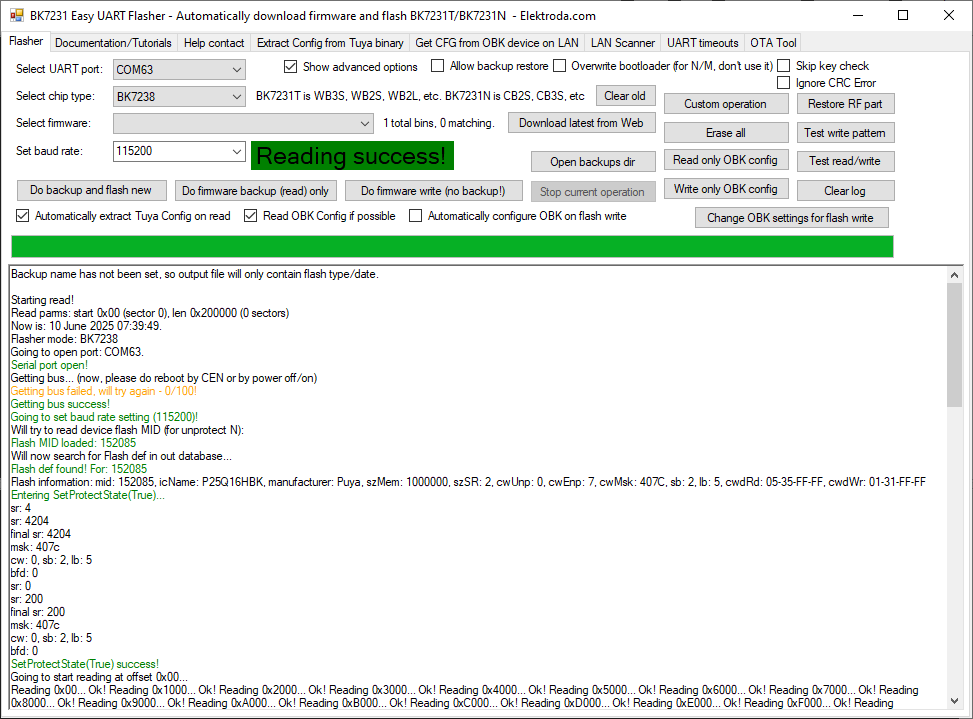
    and Easy Flasher. 2mb flash ID is 852015 - Puya P25Q16HBK
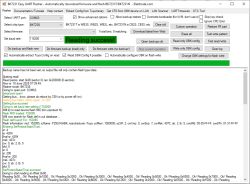
    Screenshot of the BK7231 Easy UART Flasher software showing a successful flash memory read from a BK7238 chip.

    in BK7231N mode encryption key is read as 48e16b04 48e16b04 48e16b04 48e16b04 (but note)


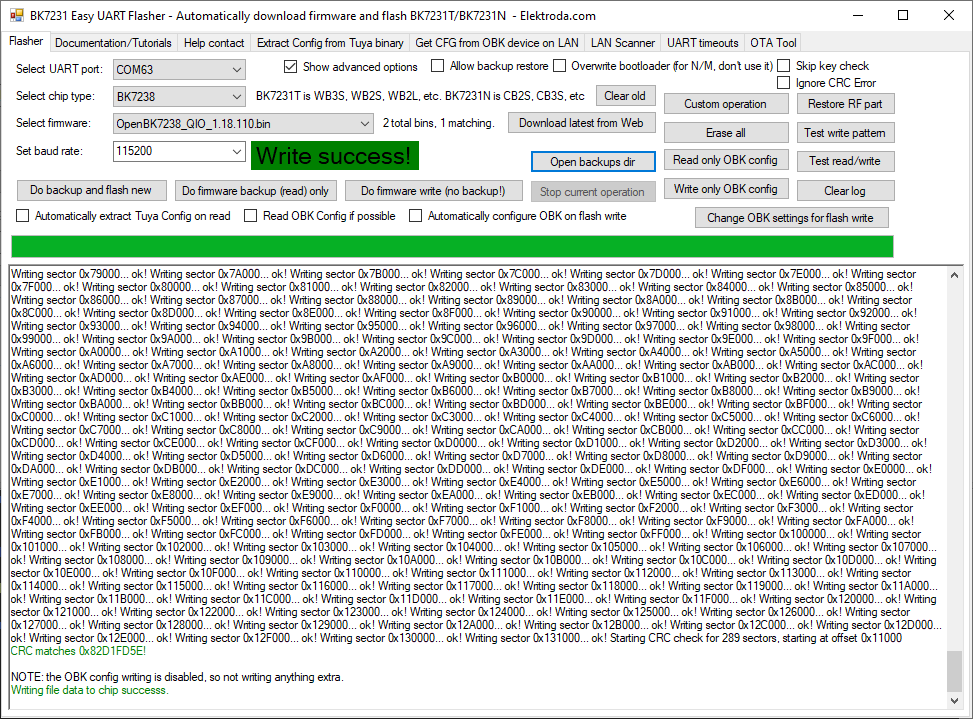
    OpenBK7238 write success from 0x11000
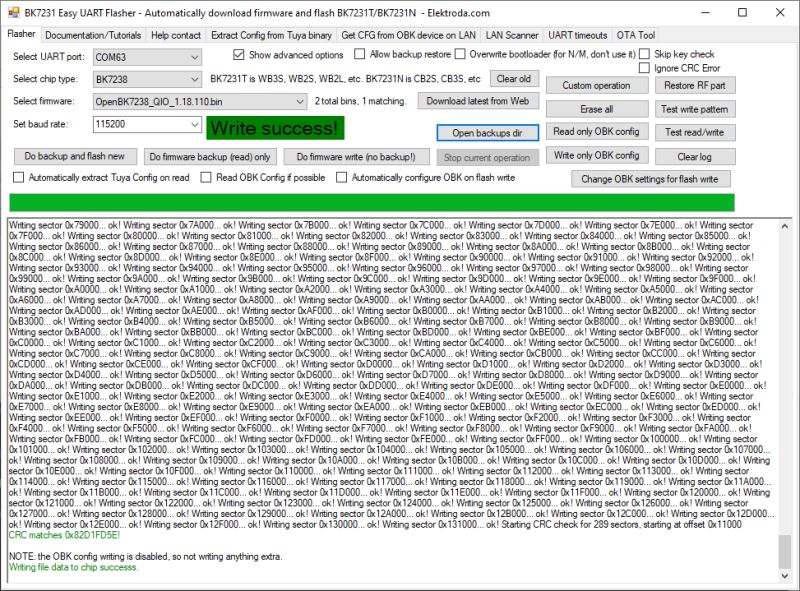
    Screenshot of BK7231 Easy UART Flasher software showing a successful firmware write with detailed flash sector write log.

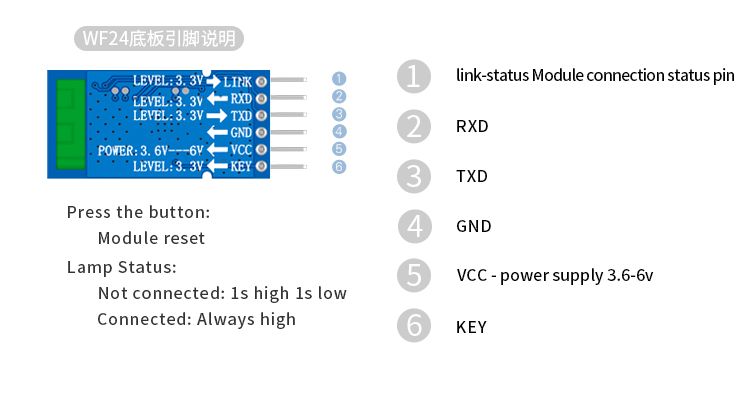
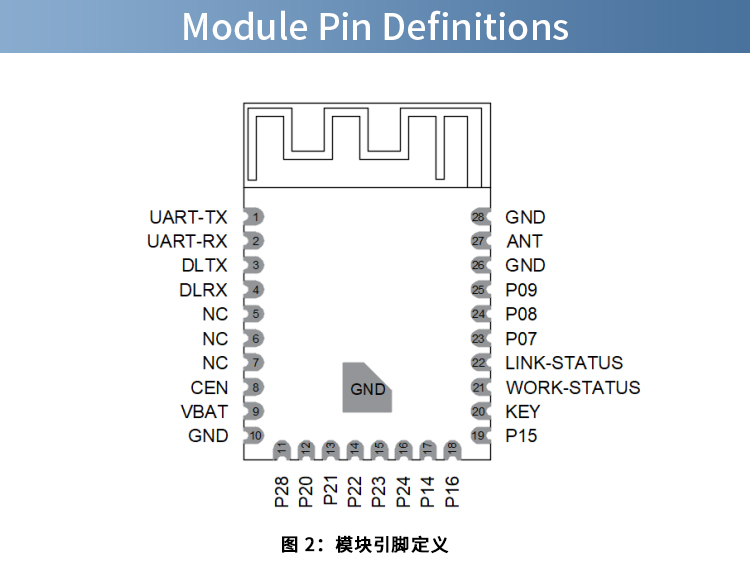
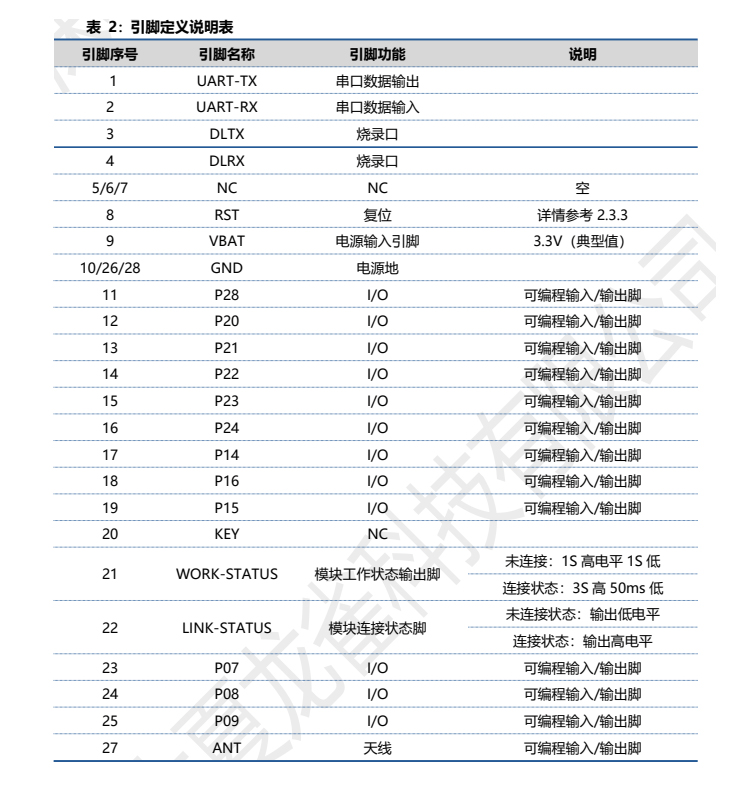
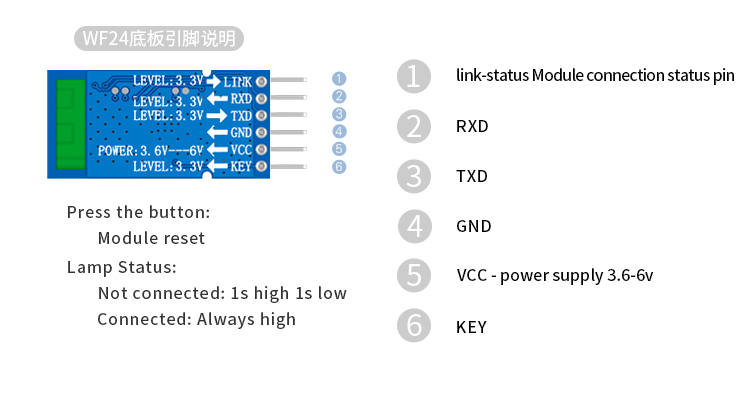
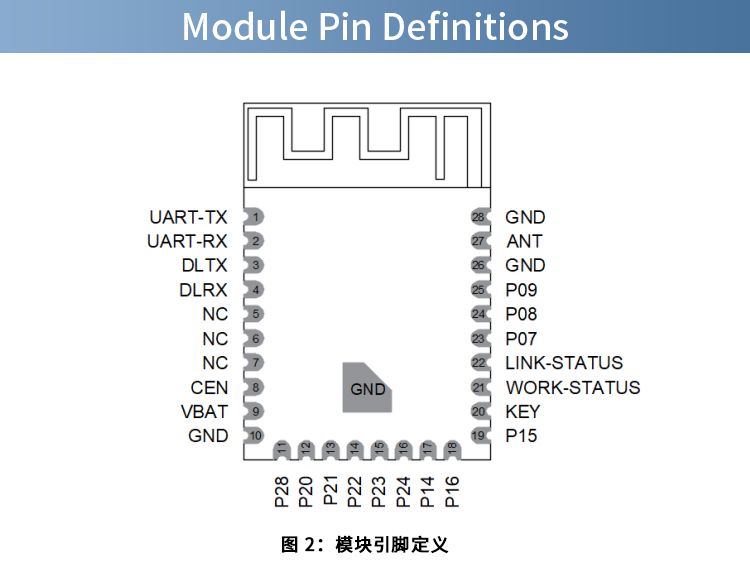
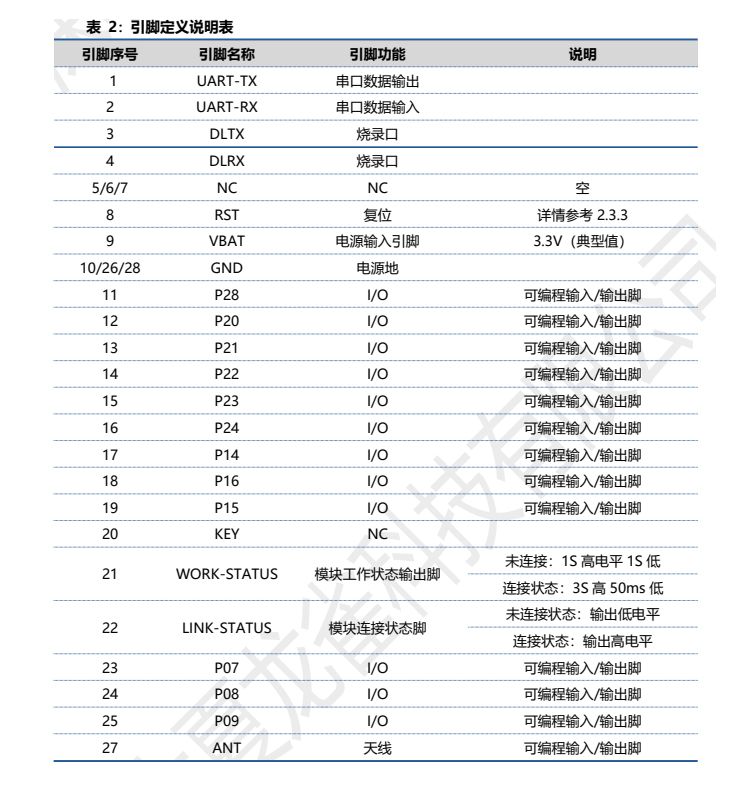
    P26 is WORK-STATUS/red LED, P17 is the KEY/button and P6 is the LINK-STATUS header
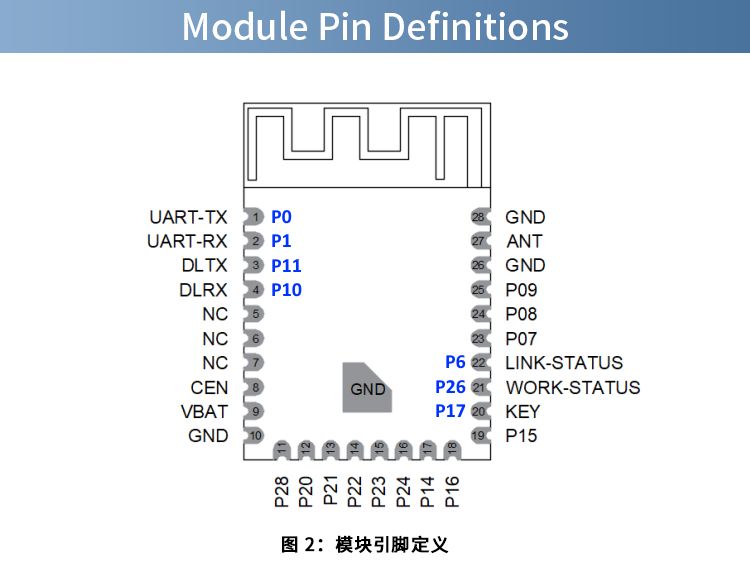
    Diagram of an electronic module with pin definitions and functions for each pin.


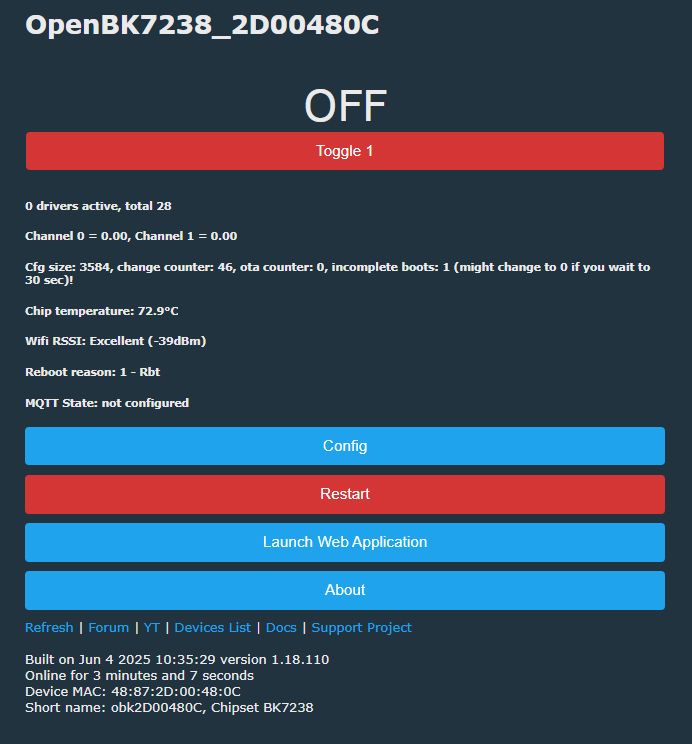
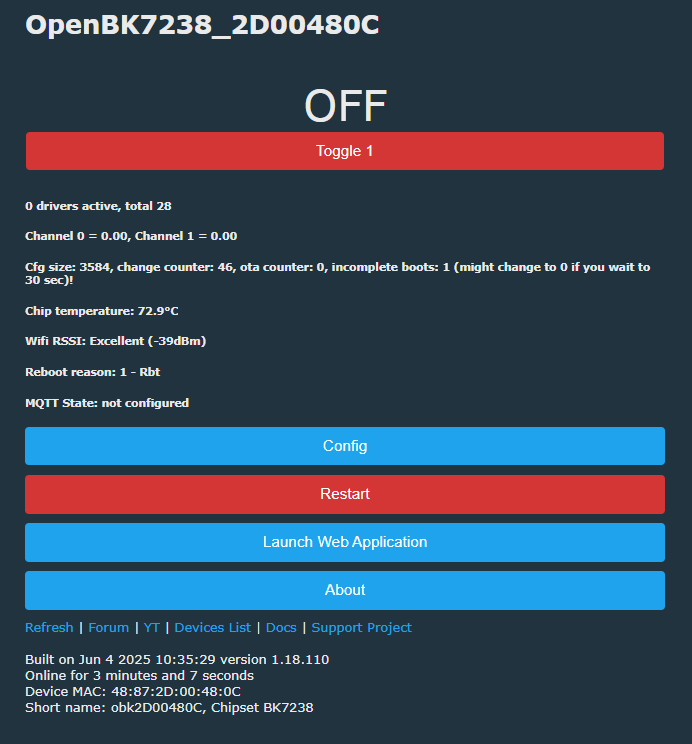
    Screenshot of OpenBK7238 device web interface with technical details and control buttons.
  • ADVERTISEMENT
  • Helpful post
    #2 21577167
    p.kaczmarek2
    Moderator Smart Home
    Posts: 14394
    Help: 650
    Rate: 12315
    So it's basically like NiceMCU. Thank you for interesting presentation! The "encryption key" mentioned is not really an encryption key, it's just a byproduct of the read disabled, I guess. I was also getting "random" keys on NiceMCU BK7238 and they all run well with unecrypted OBK.
    Helpful post? Buy me a coffee.
  • #3 21577177
    divadiow
    Level 38  
    Posts: 4839
    Help: 420
    Rate: 852
    p.kaczmarek2 wrote:
    The "encryption key" mentioned is not really an encryption key, it's just a byproduct of the read disabled, I guess

    yes, sure. thought I'd make mention of it though anyway ;)

    I do recall;

    insmod wrote:
    And keys readout is not disabled, since we can get at least something out of them, but addresses were probably just shifted,
  • ADVERTISEMENT
  • #4 21577840
    p.kaczmarek2
    Moderator Smart Home
    Posts: 14394
    Help: 650
    Rate: 12315
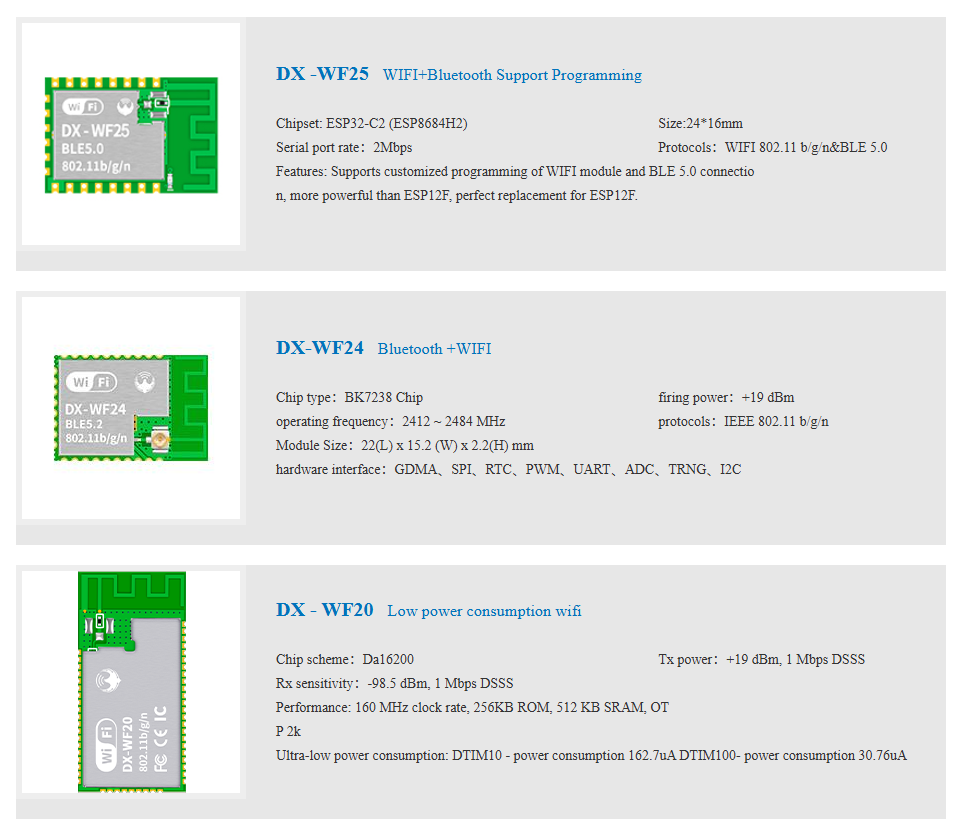
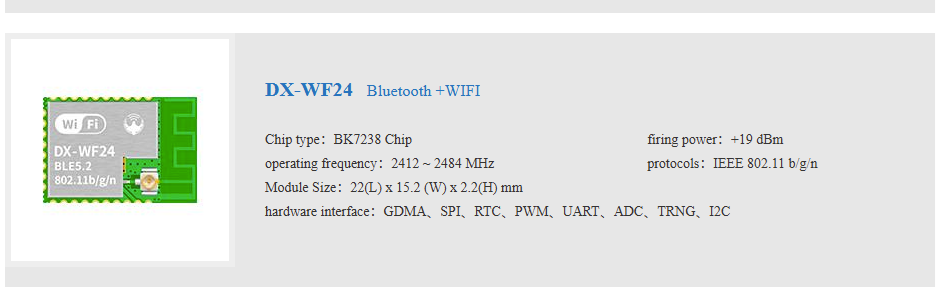
    This shop has more WiFi modules: http://en.szdx-smart.com/m/EN/WIFImk.html
    DX-Smart BK7238 DX-WF24A Module with DX-PJ16-V1.1 CH340 USB-TTL from Taobao/Superbuy
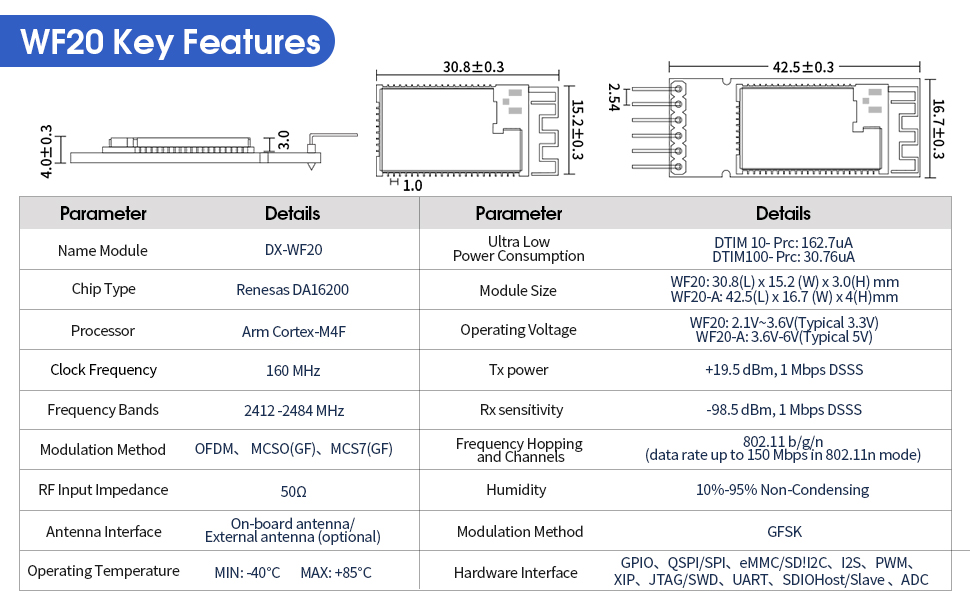
    What is Da16200?
    Helpful post? Buy me a coffee.
  • #5 21577891
    divadiow
    Level 38  
    Posts: 4839
    Help: 420
    Rate: 852
    p.kaczmarek2 wrote:
    What is Da16200?

    Some Renesas chip I've never heard of.

    https://www.renesas.com/en/products/wireless-...gzF16aRSi4t6eW124Gvwo3NM0BhCQ3y2tlDQ1bNRvnhNQ

    DX-Smart BK7238 DX-WF24A Module with DX-PJ16-V1.1 CH340 USB-TTL from Taobao/Superbuy

    https://www.amazon.co.uk/PDDAXLQUE-Communicat...ansparent-Transmission-WF20-SET/dp/B0DT5L55KZ

    p.kaczmarek2 wrote:
    This shop has more WiFi modules


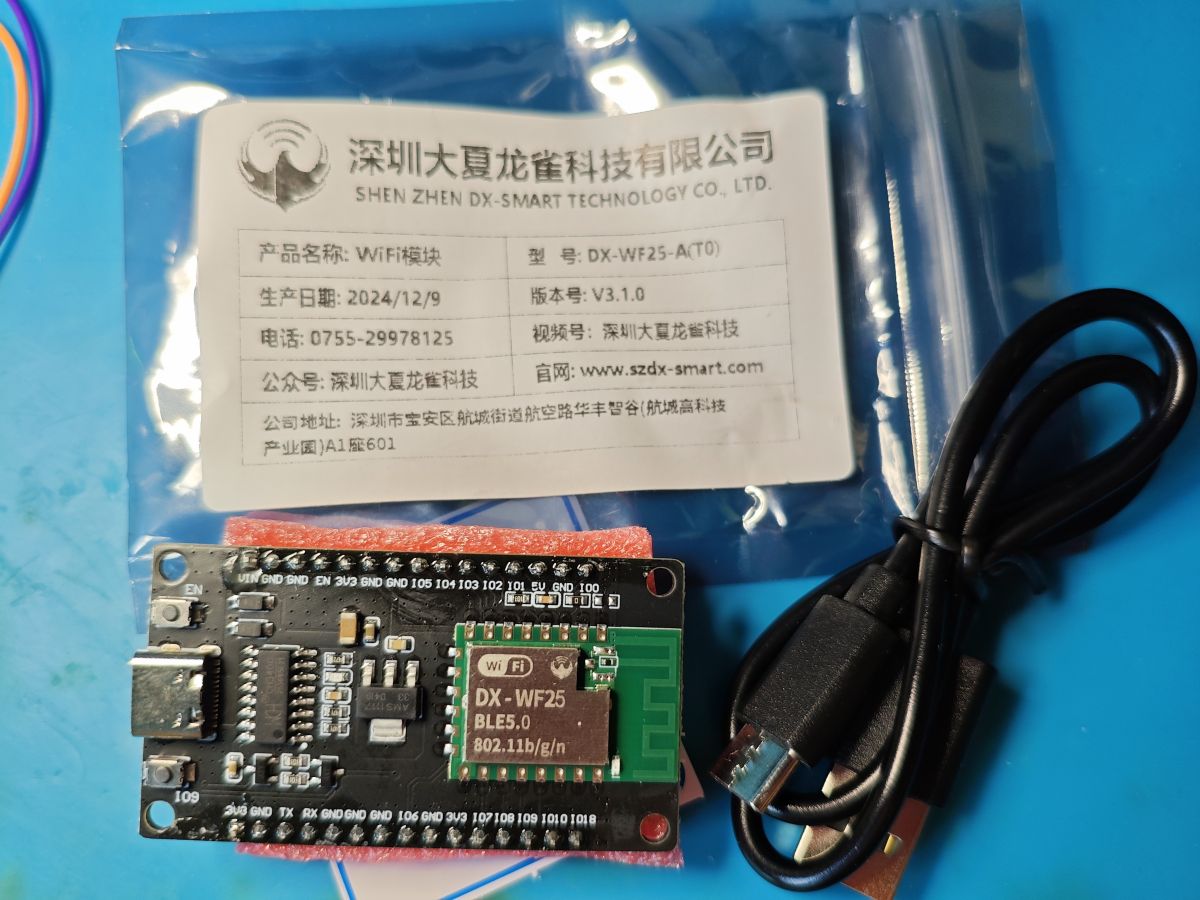
    I got the DX-WF25 ESP-C3 too, not that I needed any more ESPs
    DX-Smart BK7238 DX-WF24A Module with DX-PJ16-V1.1 CH340 USB-TTL from Taobao/Superbuy
  • #6 21580205
    p.kaczmarek2
    Moderator Smart Home
    Posts: 14394
    Help: 650
    Rate: 12315
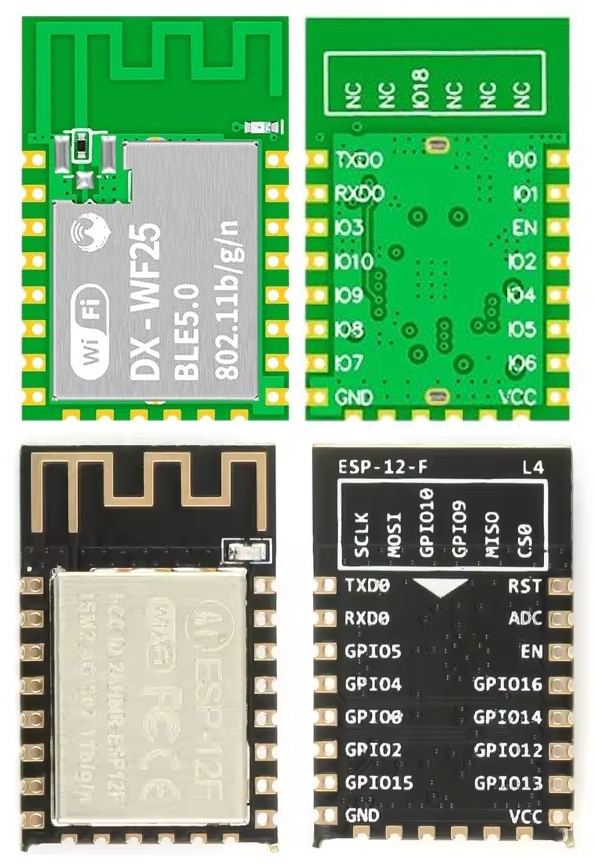
    It looks like NodeMCU clone, are the pinouts of the board/module here standarized? They call DX-WF25 a perfect replacement for ESP12E, so I would assume that at least VDD/GND/RESET/UART1 pins are matching..
    Helpful post? Buy me a coffee.
  • ADVERTISEMENT
  • #7 21583411
    divadiow
    Level 38  
    Posts: 4839
    Help: 420
    Rate: 852
    p.kaczmarek2 wrote:
    They call DX-WF25 a perfect replacement for ESP12E

    12F* :)
    p.kaczmarek2 wrote:
    so I would assume that at least VDD/GND/RESET/UART1 pins are matching

    indeed
    DX-Smart BK7238 DX-WF24A Module with DX-PJ16-V1.1 CH340 USB-TTL from Taobao/Superbuy
  • #8 21602756
    hotimothyeis124
    Level 2  
    Posts: 3
    Hi, I got the DX-WF24 for the purpose of using the wifi. I got the USB adaptor board and plugged the module into the USB. I don't know how to set up the wifi and I don't see a user manual to set up. Any feedback on this? I don't see any option to connect it to wifi router, so I am not sure if it's defective or not (the USB insert did have a dent on it which I fixed with a plier. I can see the red flashing on the chip indicating nothing is connected to it wifi-wise.
    DX-Smart BK7238 DX-WF24A Module with DX-PJ16-V1.1 CH340 USB-TTL from Taobao/Superbuy
  • ADVERTISEMENT
  • #9 21602760
    p.kaczmarek2
    Moderator Smart Home
    Posts: 14394
    Help: 650
    Rate: 12315
    How do you want to use the WiFi? Which SDK are you using to program it?
    Helpful post? Buy me a coffee.
  • #10 21602768
    hotimothyeis124
    Level 2  
    Posts: 3
    [postid:fac9315b6c][/postid:fac9315b6c]

    I want to use the wifi in general connect to a serial terminal for general communication as a test. I did use a separate bluetooth module of DX-smart and that worked really well and want to replicate it with wifi.

    As for SDK, not sure because this is my first time to get a hold of this product. Do you have any suggestions? Using SSCOM trying to get some sort of communication.

    DX-Smart BK7238 DX-WF24A Module with DX-PJ16-V1.1 CH340 USB-TTL from Taobao/Superbuy
  • #11 21602913
    p.kaczmarek2
    Moderator Smart Home
    Posts: 14394
    Help: 650
    Rate: 12315
    Are you saying that you want to try it out with AT commands? Well, I don't know whether this module comes with preflashed AT package or not, maybe @divadiow knows? You still would need to connect it via USB to UART converter and try some commands over the terminal.

    Still, maybe it would be easier to use OBK, depending on what your goal is? What kind of project are you making?
    Helpful post? Buy me a coffee.
  • #13 21602949
    p.kaczmarek2
    Moderator Smart Home
    Posts: 14394
    Help: 650
    Rate: 12315
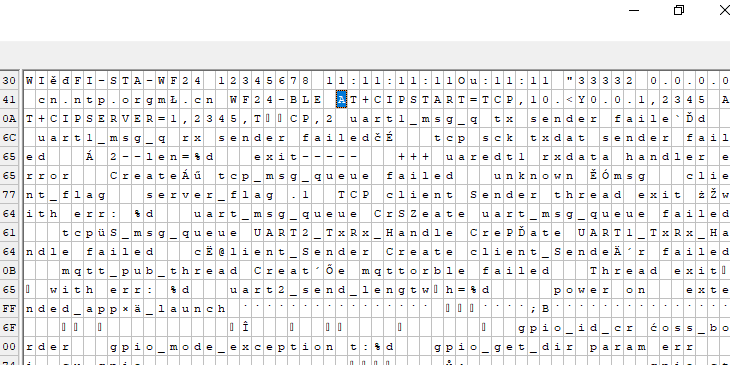
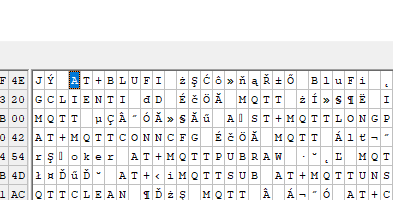
    There are some AT mentions in the binary strings.
    DX-Smart BK7238 DX-WF24A Module with DX-PJ16-V1.1 CH340 USB-TTL from Taobao/Superbuy
    DX-Smart BK7238 DX-WF24A Module with DX-PJ16-V1.1 CH340 USB-TTL from Taobao/Superbuy
    Helpful post? Buy me a coffee.
  • #14 21603713
    hotimothyeis124
    Level 2  
    Posts: 3
    Hi, Thanks for the speedy replies. I contacted the manufacturer and they gave me some information and need to go through it. Will give an update when I try to figure things out. Thanks.
  • #15 21603745
    divadiow
    Level 38  
    Posts: 4839
    Help: 420
    Rate: 852
    cool. what did they supply you with?

Topic summary

✨ The discussion centers on the DX-Smart BK7238 DX-WF24A WiFi modules available from Taobao/Superbuy, which come on small breakout boards and include a short USB-C cable and a DX-PJ16-V1.1 USB-TTL adapter featuring the WinChipHead CH340 chip. These modules are comparable to NiceMCU BK7238 devices, with similar behavior regarding the "encryption key," which is actually a byproduct of read protection rather than true encryption. Additional related modules from the same vendor include the DX-WF25 ESP-C3, noted as a potential replacement for the ESP12F with compatible pinouts for VDD, GND, RESET, and UART1. The discussion also references the Renesas DA16200 ultra-low-power WiFi SoC designed for battery-powered IoT devices. The DX-Smart product line offers various WiFi modules, and the DX-WF24A module is highlighted for its compact design and USB-TTL interface for easy flashing and debugging.
Generated by the language model.

FAQ

TL;DR: DX‑Smart DX‑WF24A (BK7238) ships with 2 MB flash, and “RX/TX headers are not for programming” — use P10/P11 to flash. Logs at 115200; BKFIL reads at 921600; OBK writes from 0x11000. [Elektroda, divadiow, post #21575328]

Why it matters: This helps makers who bought the Taobao/Superbuy DX‑WF24A kit wire it correctly, flash firmware, use AT commands, and bring up Wi‑Fi.

Quick Facts

What is the DX‑WF24A bundle and what’s on the board?

It’s a DX‑Smart DX‑WF24A module using the BK7238 in QFN32 on a small breakout. The bundle shown includes a short USB‑C cable and a DX‑PJ16‑V1.1 USB‑TTL adapter based on the CH340. The breakout exposes UART and status pins and ships with a metal RF can that was removed to confirm the BK7238. [Elektroda, divadiow, post #21575328]

Which pins are for programming—are the RX/TX headers enough?

No. The board’s RX/TX headers route to UART‑TX (P0) and UART‑RX (P1) for console. To read or write flash you must solder to P10 and P11, which are the bootloader pins. This catches many first‑time users. “RX/TX headers are not for programming.” [Elektroda, divadiow, post #21575328]

How do I dump or flash firmware on BK7238 with BKFIL or Easy Flasher?

  1. Wire P10, P11, VCC, and GND to your USB‑TTL (the DX‑PJ16 CH340 works).
  2. Power the module, then open BKFIL/Easy Flasher and select 921600 baud.
  3. Example dump: bk_loader read --portinfo 63 --baudrate 921600 -f 0-200000. This produced a valid 0–0x200000 read on the sample module. [Elektroda, divadiow, post #21575328]

What UART speeds should I use for console and flashing?

The BK7238 prints a boot console on P0 at 115200 bps. A typical read command used 921600 bps for faster transfers with BKFIL. Expect lines like BK7238_1.0.14, RT‑Thread OTA, and go os_addr(0x10000) on boot. [Elektroda, divadiow, post #21575328]

Does the DX‑WF24A ship with AT firmware, and can I test it over a terminal?

One buyer reported the module came with an AT build and shared the image. You can connect the CH340 to a serial terminal (e.g., SSCOM) and send AT commands to verify responsiveness. If it does not respond, consider reflashing the shared AT binary. [Elektroda, divadiow, post #21602945]

Which AT commands appear in the stock image?

Binary strings show common tokens, including AT, AT+RST, AT+GMR, AT+CWJAP, AT+CIPSTART, and AT+CIPSEND. That indicates a typical Wi‑Fi join and TCP/UDP stack is present in the image. “There are some AT mentions in the binary strings.” [Elektroda, p.kaczmarek2, post #21602949]

What’s the simplest way to get Wi‑Fi working for a basic serial‑to‑Wi‑Fi test?

Two paths: 1) keep the stock AT firmware and send AT join commands from a terminal; 2) reflash OpenBK7238 (OBK) if your goal is rapid prototyping without vendor AT. As one expert noted, using OBK may be easier depending on your project. [Elektroda, p.kaczmarek2, post #21602913]

Do I need an “encryption key” to run OpenBK7238 on BK7238?

No. Keys read out under some tools are artifacts of read‑protection. “The ‘encryption key’ mentioned is not really an encryption key… they all run well with unencrypted OBK.” You can proceed without supplying a special key. [Elektroda, p.kaczmarek2, post #21577167]

From what offset do I flash OpenBK7238 on this module?

OpenBK7238 was reported to write successfully starting at 0x11000 on the DX‑WF24A. Use the correct pins (P10/P11) and the USB‑TTL to perform the flash operation. Confirm with a short console boot test after programming. [Elektroda, divadiow, post #21575328]

Which pins control the LED, button, and link‑status on DX‑WF24A?

P26 drives the WORK‑STATUS red LED. P17 is the KEY button input. P6 is exposed as the LINK‑STATUS header. These defaults are helpful when mapping indicators in firmware or testing AT status behavior. [Elektroda, divadiow, post #21575328]

What boot log should I expect on stock firmware?

Expect a 115200 console showing BK7238_1.0.14, RT‑Thread OTA package initialization, and a branch to go os_addr(0x10000). You may also see a simple “power on” line on P0. This verifies the module is alive before flashing. [Elektroda, divadiow, post #21575328]

Is DX‑WF25 (ESP‑C3) a drop‑in for ESP‑12F pinouts?

Yes, it’s presented as a perfect ESP‑12F replacement. A user confirmed power, reset, and UART1 pins match. This helps migrate ESP‑12F designs to ESP‑C3 modules without PCB changes. [Elektroda, divadiow, post #21583411]

What is the Renesas DA16200 mentioned by DX‑Smart?

DA16200 is an ultra‑low‑power Wi‑Fi SoC designed for battery‑powered IoT devices. It targets long‑life standby and active modes with integrated TCP/IP networking. You may see it in other DX‑Smart module families. [“DA16200 Ultra-Low-Power Wi‑Fi SoC”]

Where can I browse more DX‑Smart Wi‑Fi modules?

DX‑Smart lists multiple Wi‑Fi modules on its catalog page. The forum thread links directly to their Wi‑Fi module lineup for quick comparison and specs. Start there to find related parts. [Elektroda, p.kaczmarek2, post #21577840]
Generated by the language model.
ADVERTISEMENT