logo elektroda
logo elektroda
X
logo elektroda

CozyLife B22 9W CW/WW LED Bulb - OpenLN882H Flash Conversion Overview [BP5758]

divadiow 975 17

TL;DR

  • A CozyLife B22 9W CW/WW LED bulb from AliExpress was opened and converted from its stock firmware to OpenLN882H.
  • The dome, silicone, and power lugs were removed by hand and with tools, exposing a PCB with A9, RX, TX, GND, and 3V3 pads for flashing.
  • A9 was grounded for UART download mode, the backup used TX at 2000000 baud, and A5/A6 traced to the LED disc's BP5758D DAT and CLK lines.
  • Easy Flasher backed up the original firmware, the bulb booted from the backup, and OpenLN882H then broadcast an AP at 192.168.4.1 and joined home Wi-Fi.
  • The retail box looked like RGB packaging, but the bulb is only cold white/warm white, and the exterior has no markings.
Generated by the language model.
ADVERTISEMENT
📢 Listen (AI):
  • Here's a swift tour of a basic CozyLife B22 9W CW/WW LED bulb bought from Ali Express
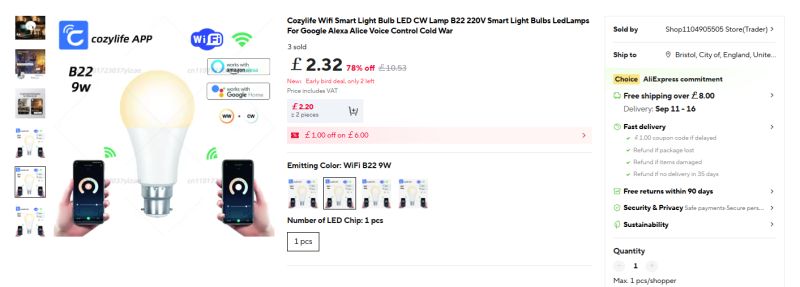
    Smart LED bulb B22 9W with app control and Wi-Fi connectivity
    https://www.aliexpress.com/item/1005009804894661.html

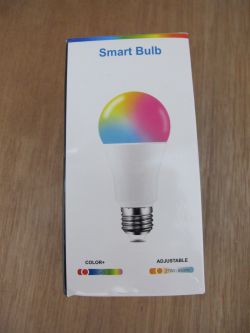
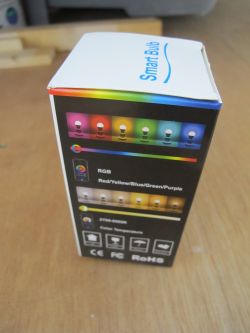
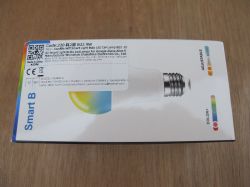
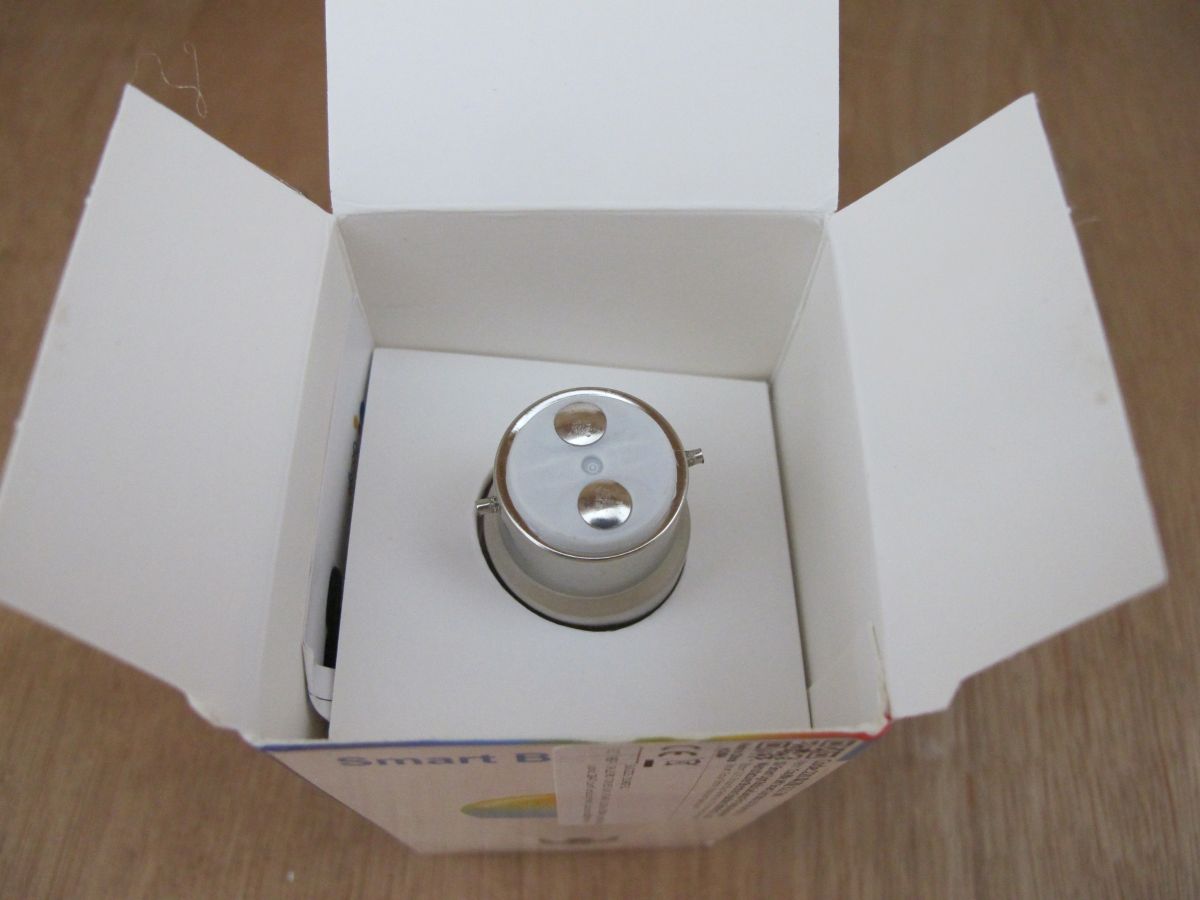
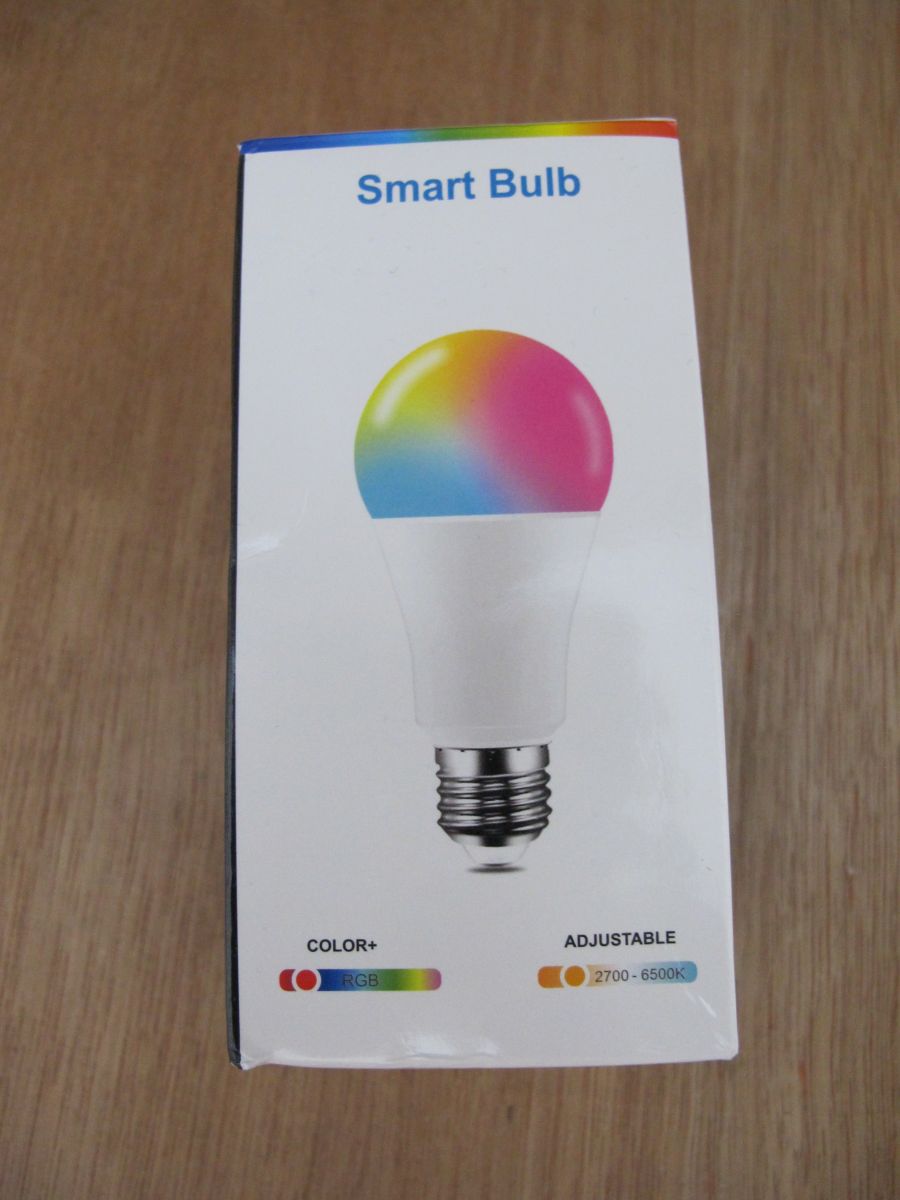
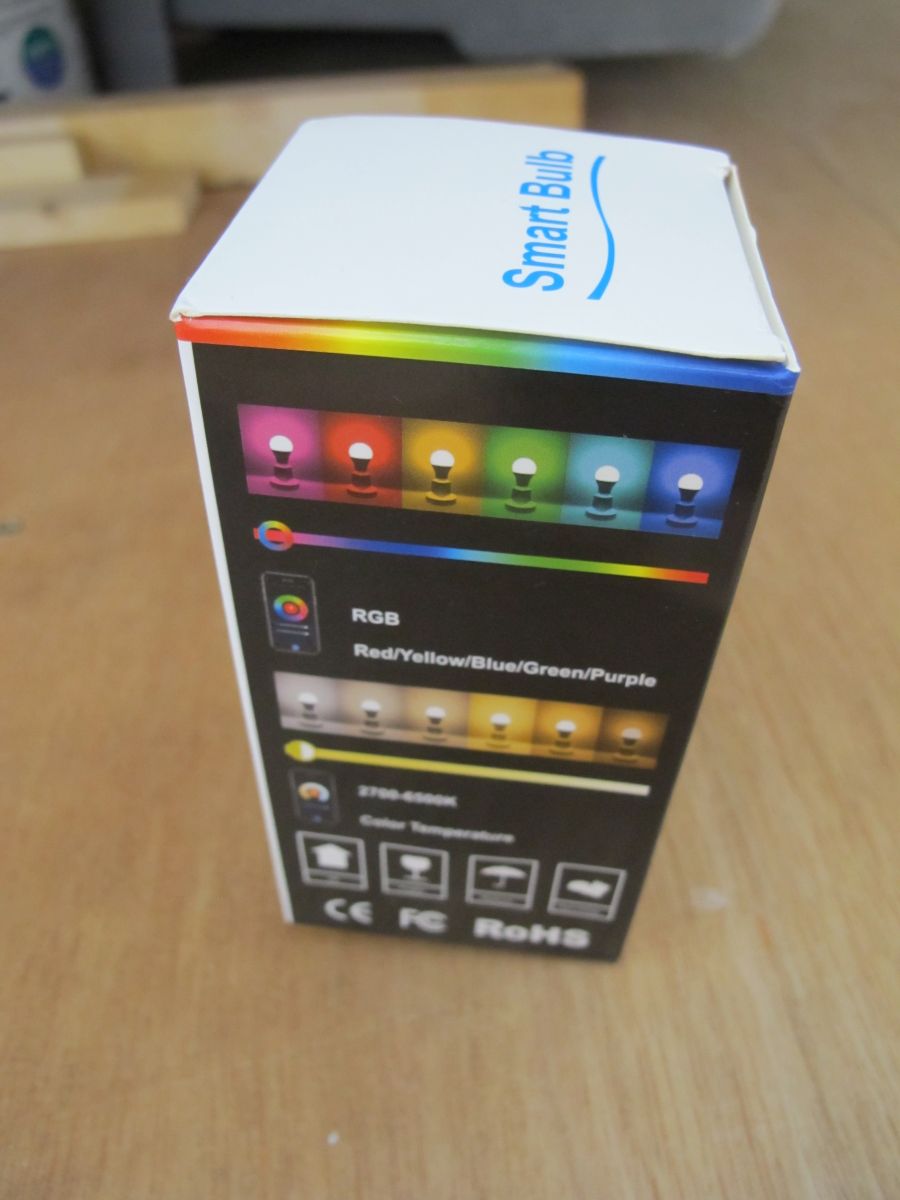
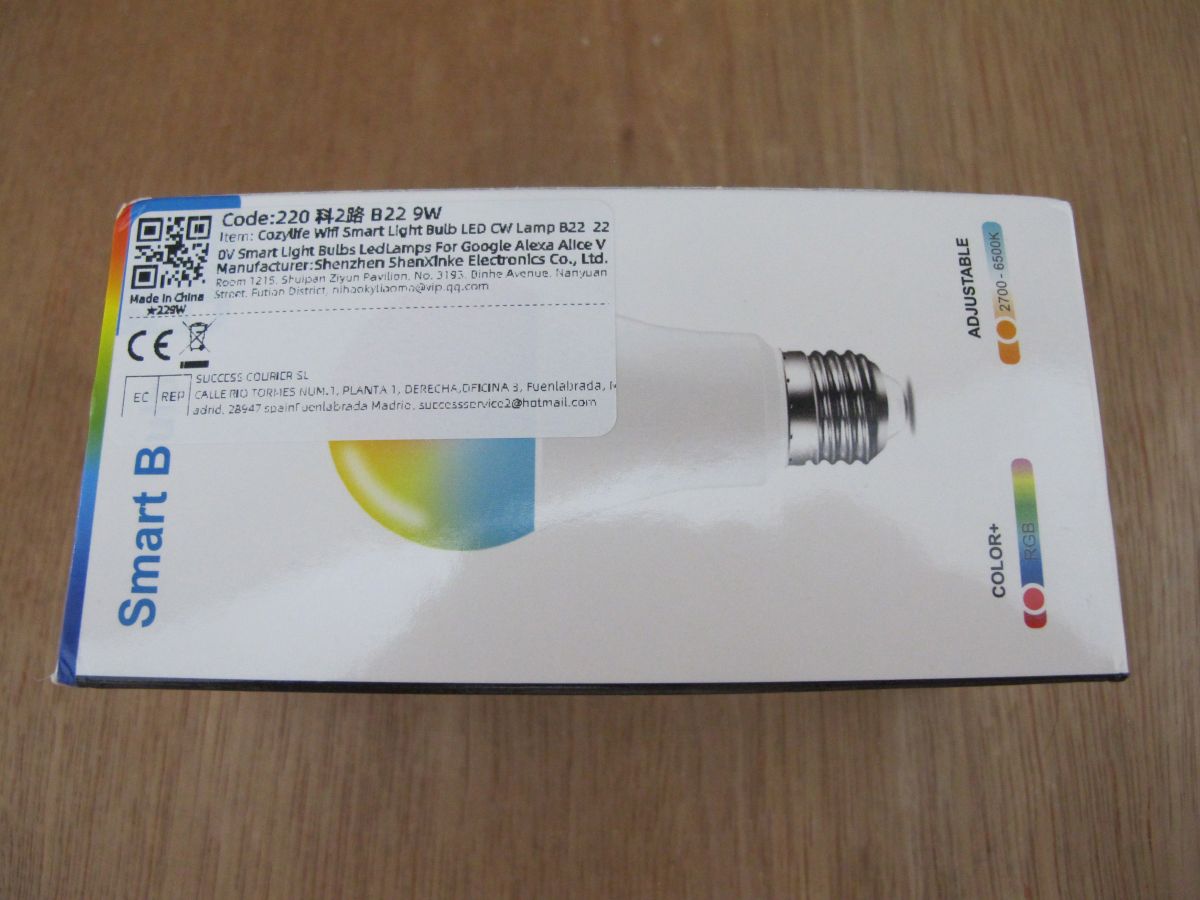
    The box gives the impression it's an RGB bulb, but it's just a generic box that's been seen with many varieties of bulb. This device is cold white/warm white.
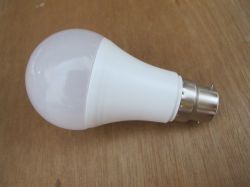
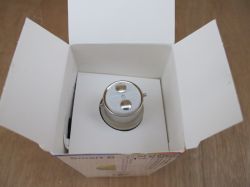
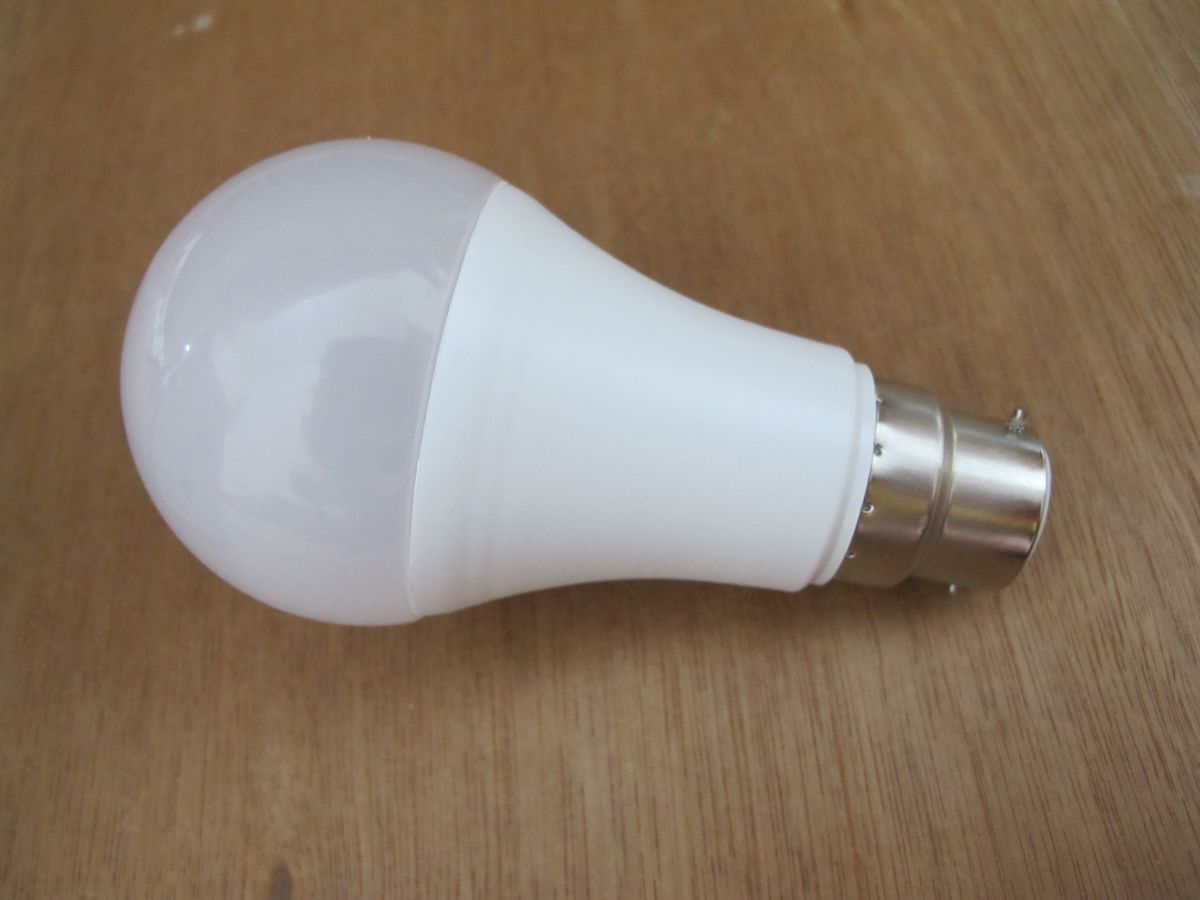
    White LED light bulb with bayonet cap lying on a wooden surface Open box with a GU10 bulb seen from above, showing metal connector pins. Smart Bulb package with RGB color and 2700–6500K adjustable white light Colorful Smart Bulb box showing RGB lighting and color temperature range
    Box of RGB WiFi LED smart bulb B22 9W compatible with Google Alexa

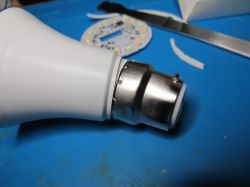
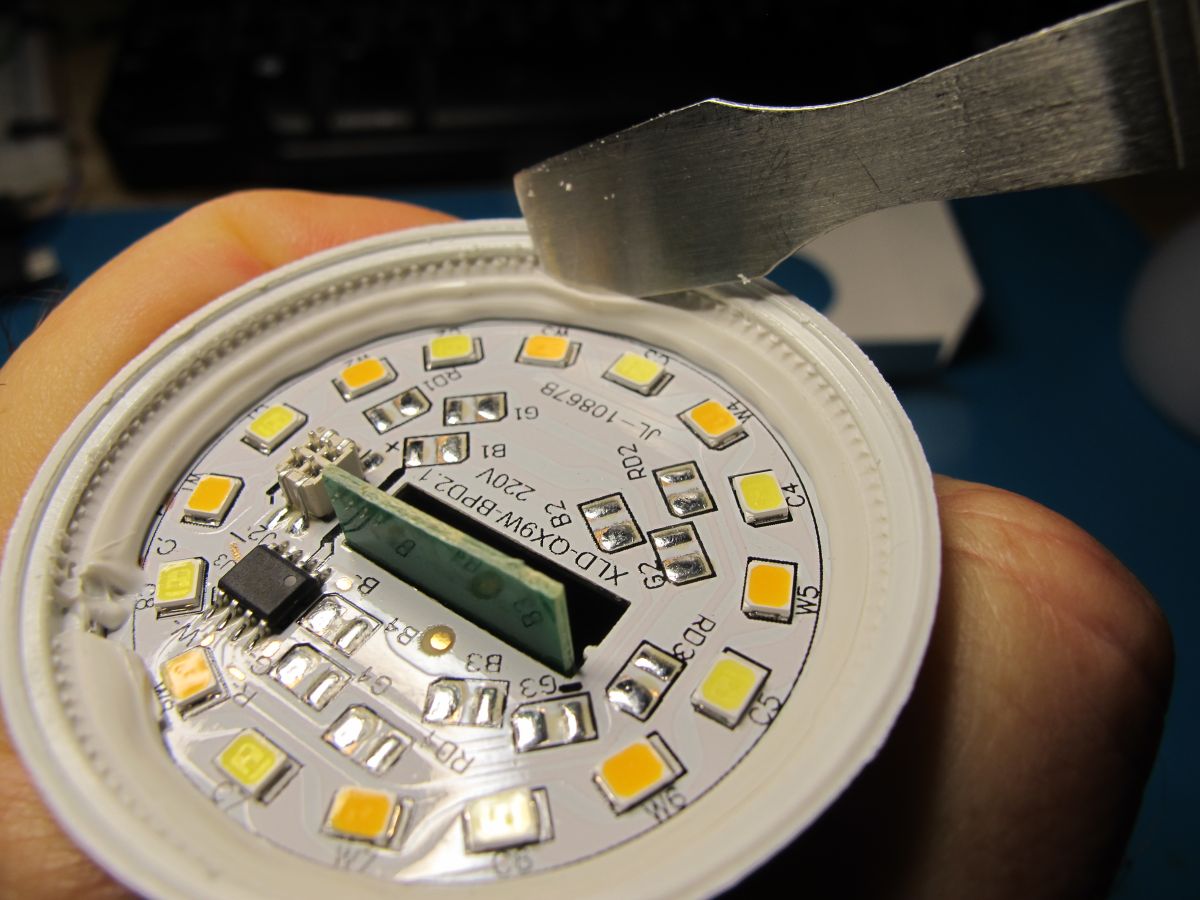
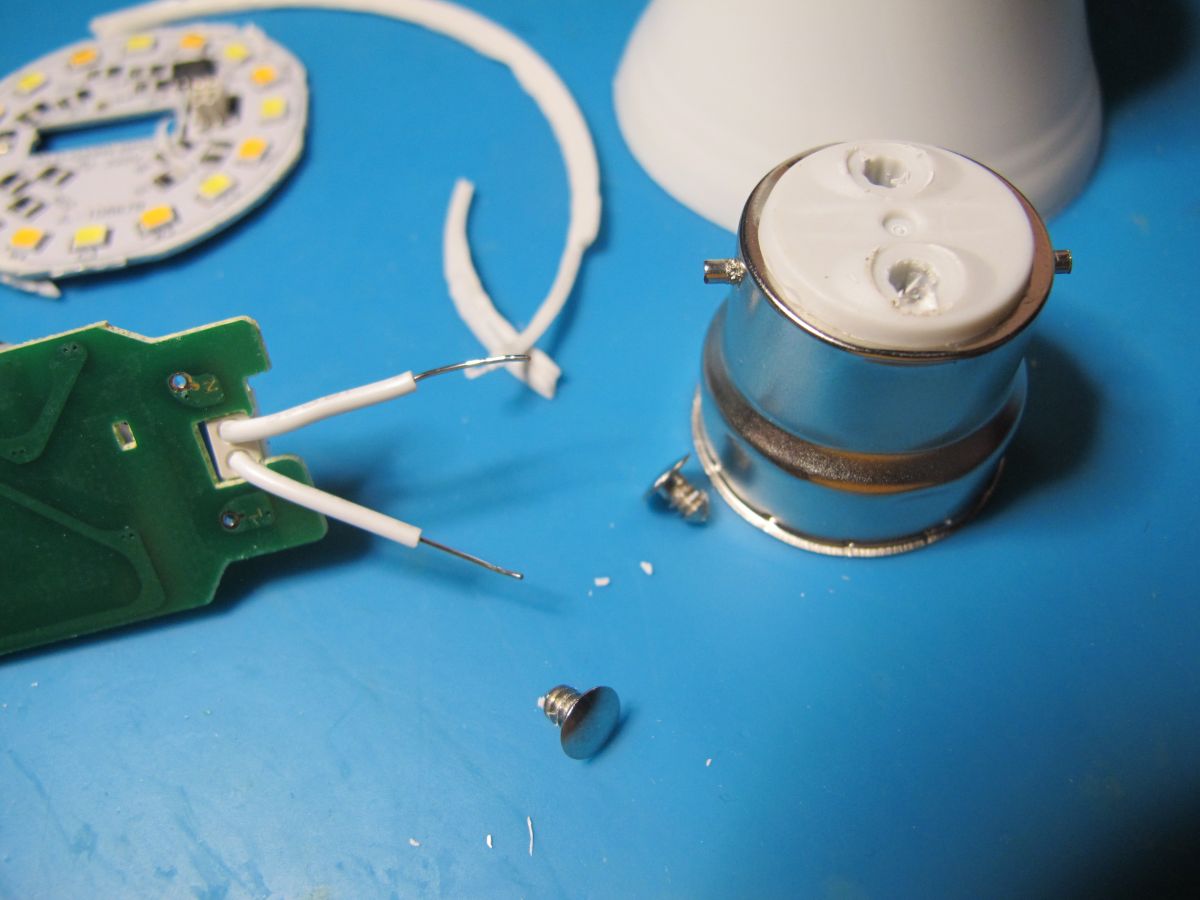
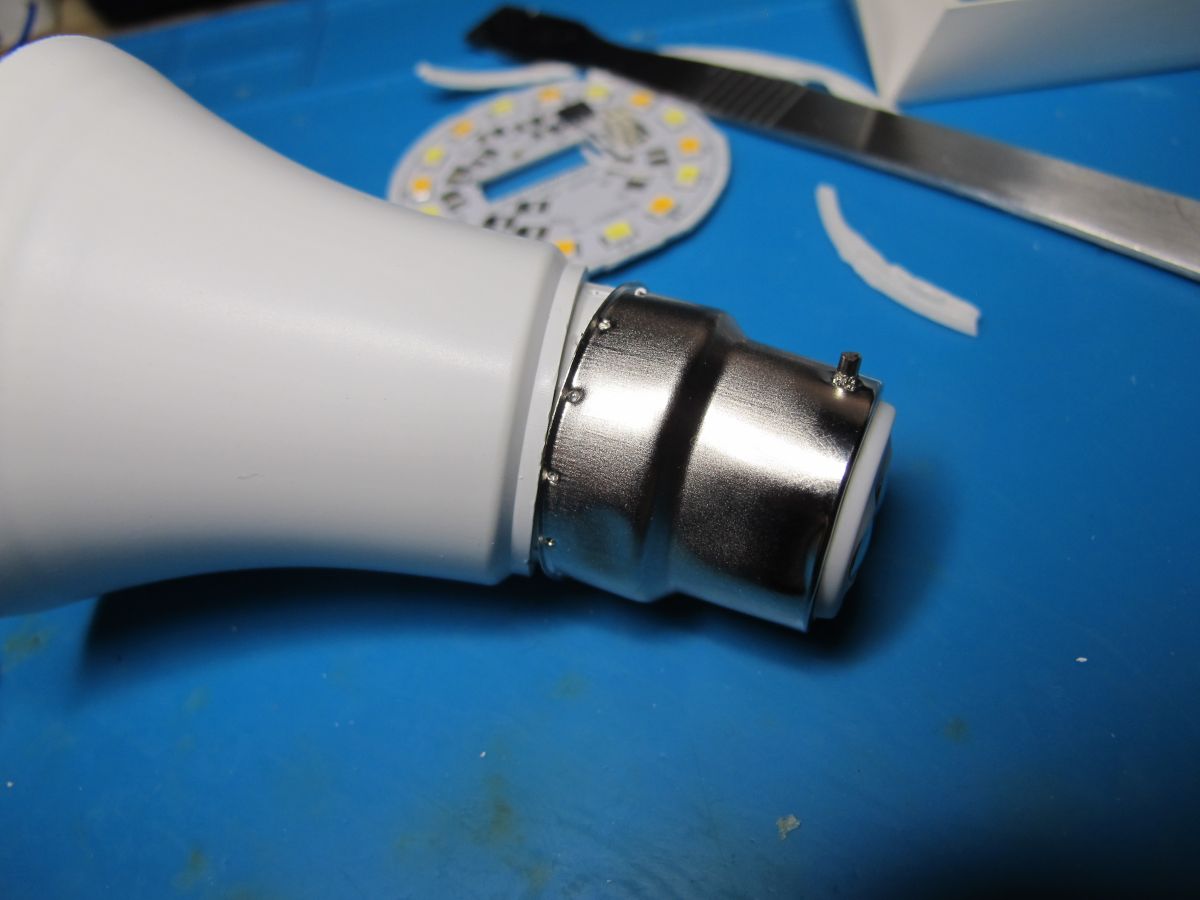
    No markings on the exterior of the bulb at all. With reasonable force the dome can be popped off by hand, the silicon removed with a spudger and the positive/neutral lugs at the base lifted out with a scalpel.
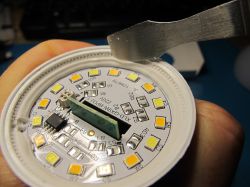
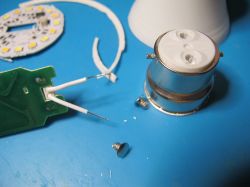
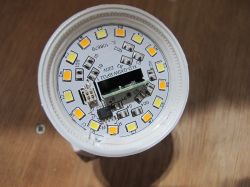
    Close-up of LED lamp interior with circuit board and multiple LED elements Disassembled LED bulb showing internal electronics and mounting components


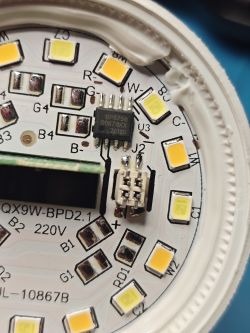
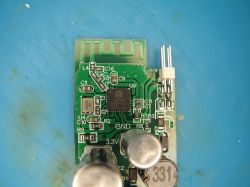
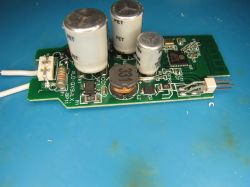
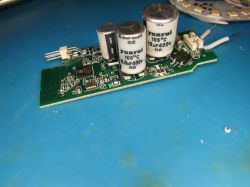
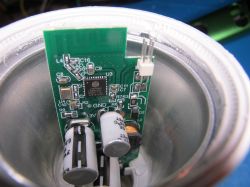
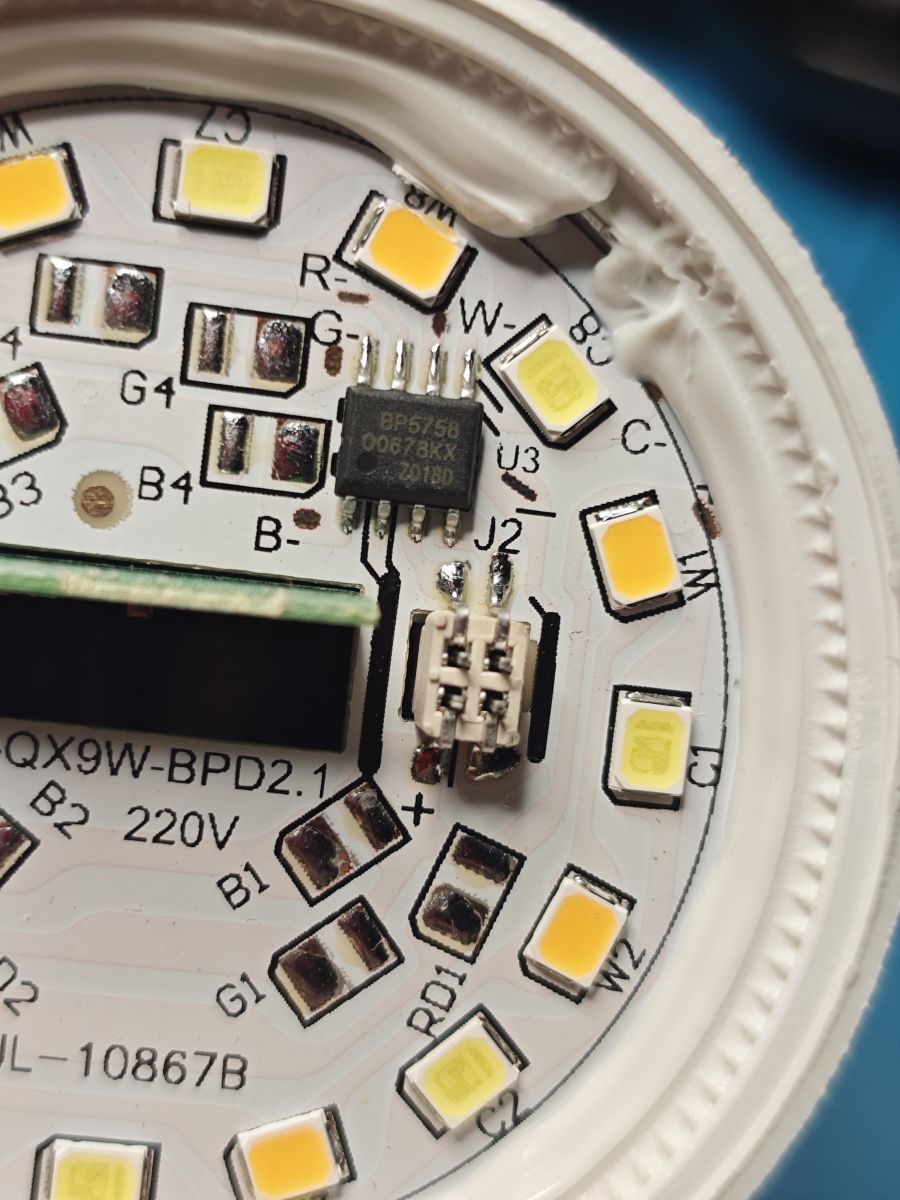
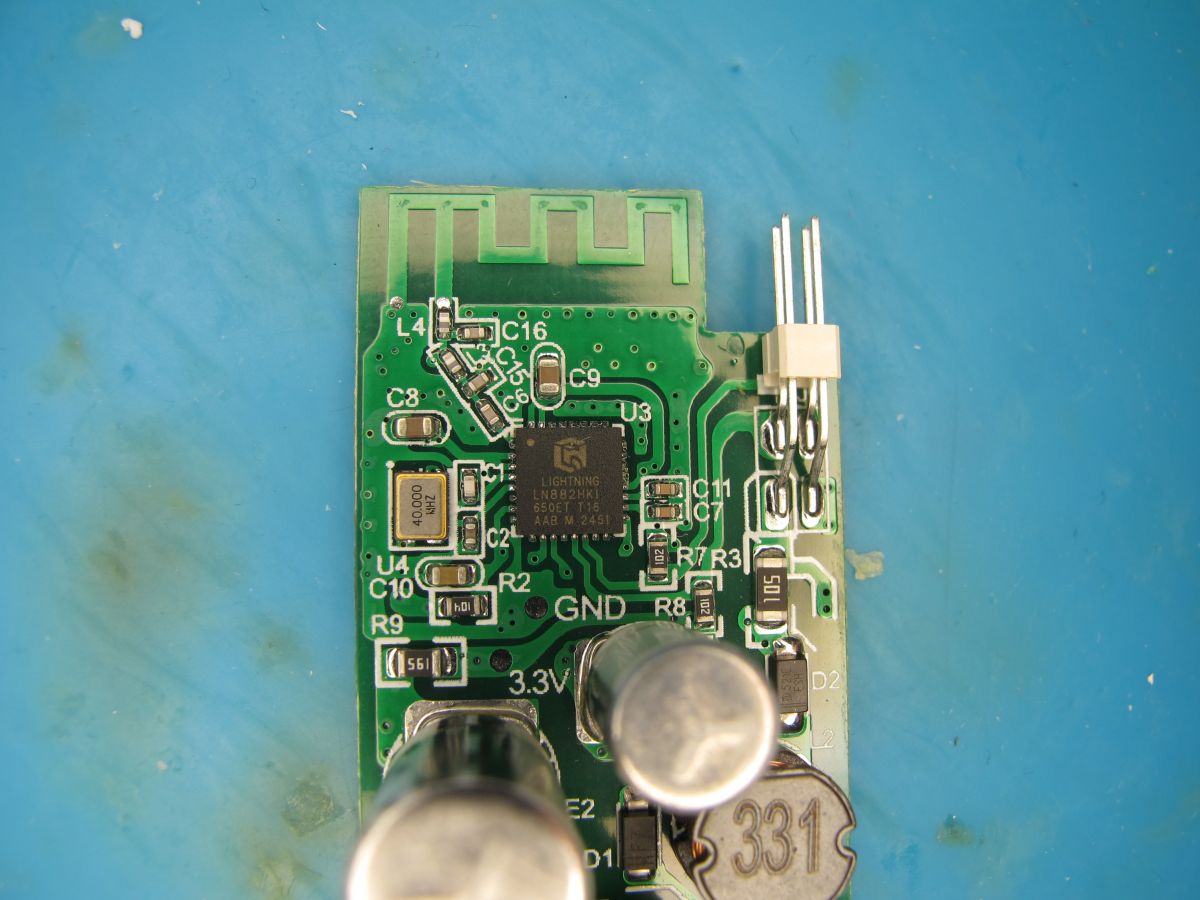
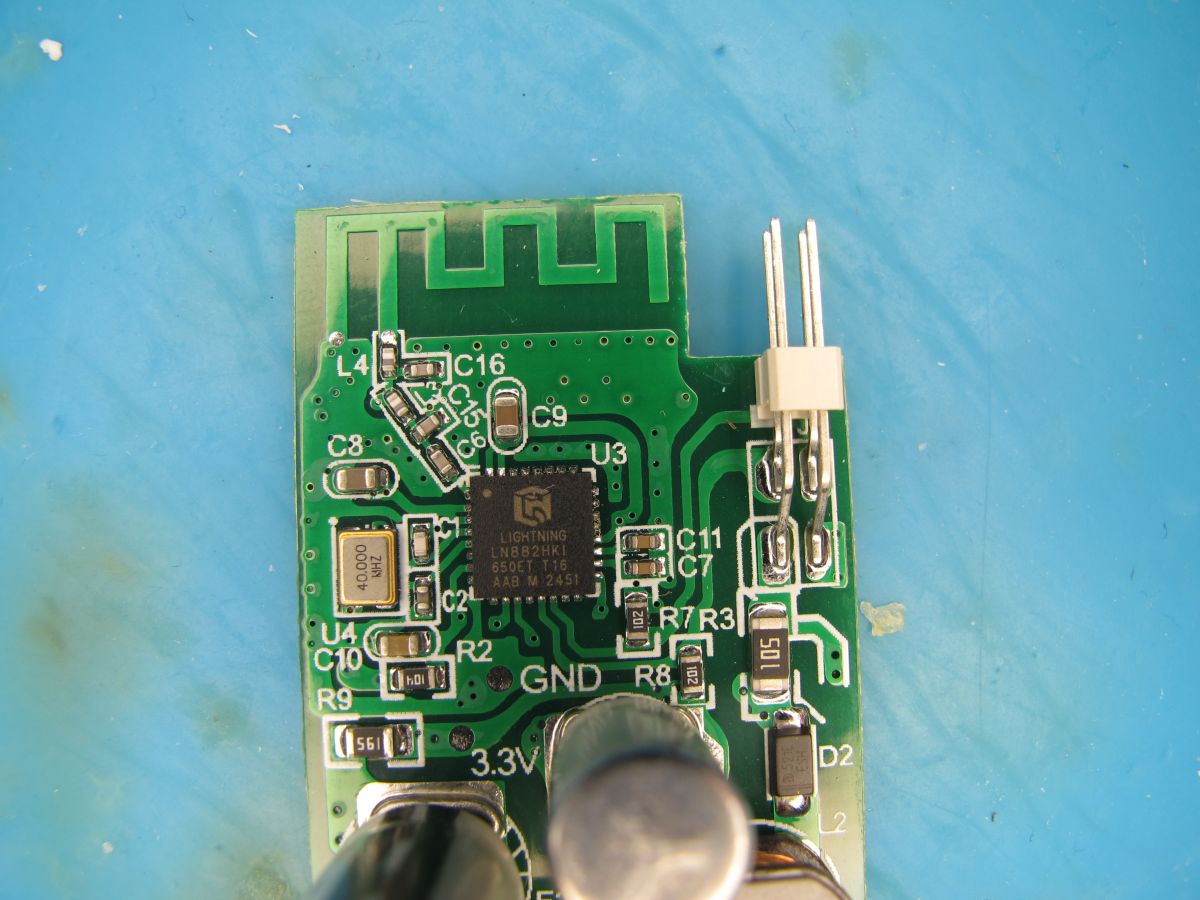
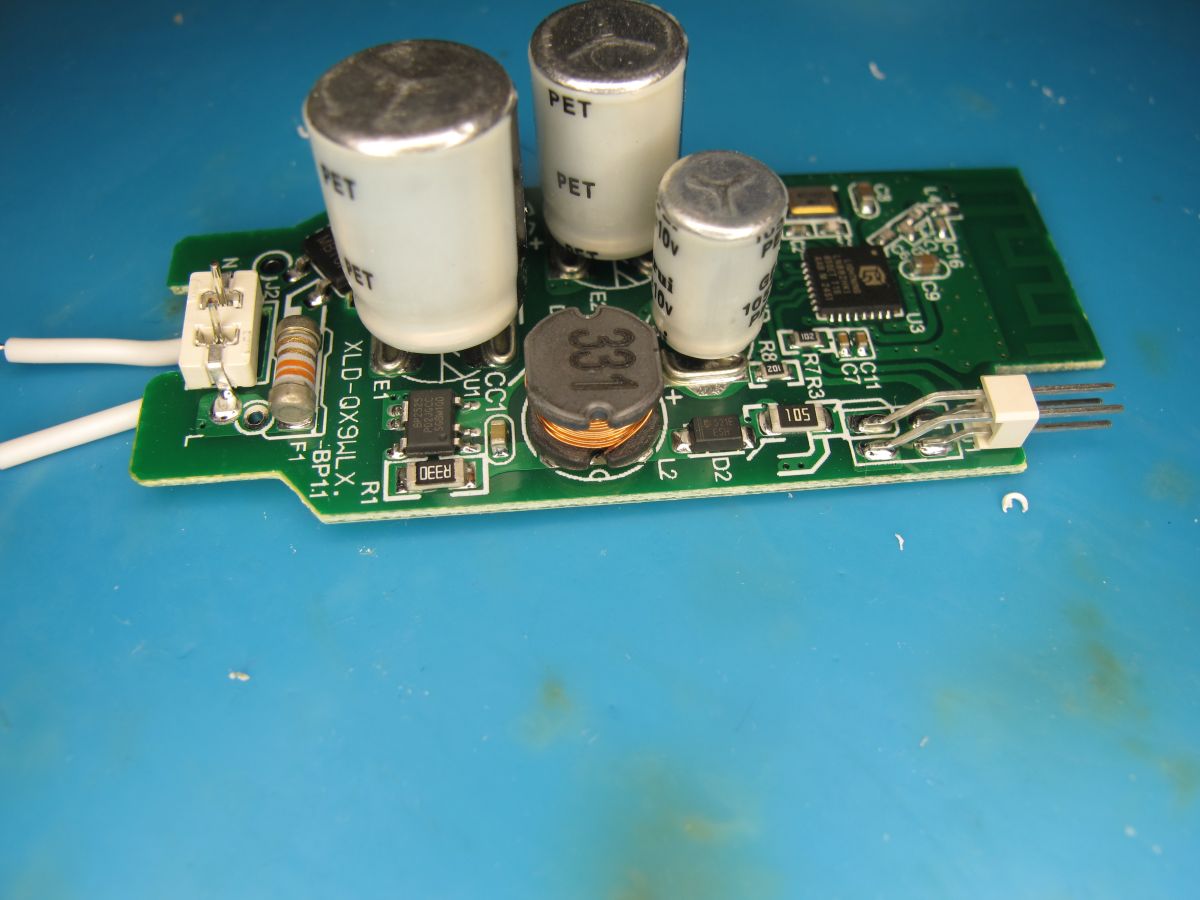
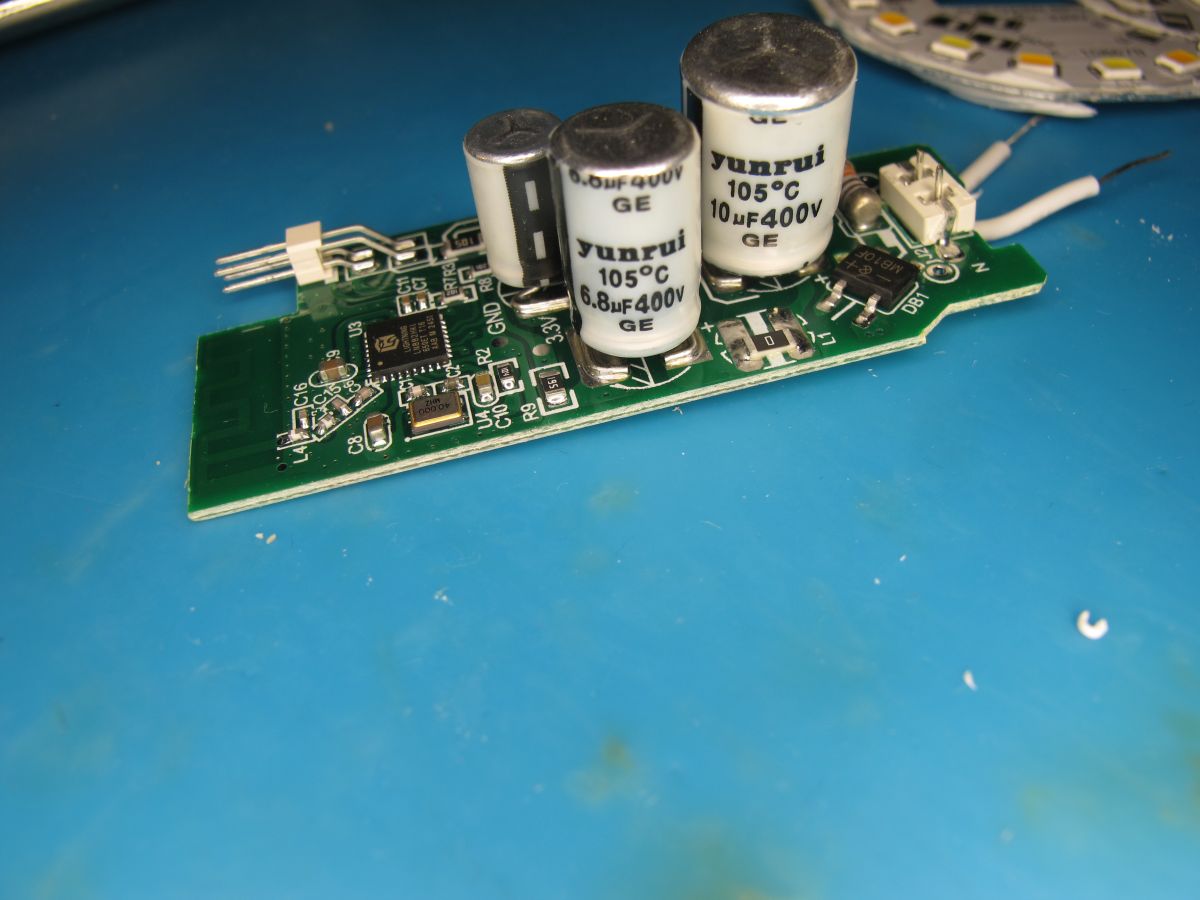
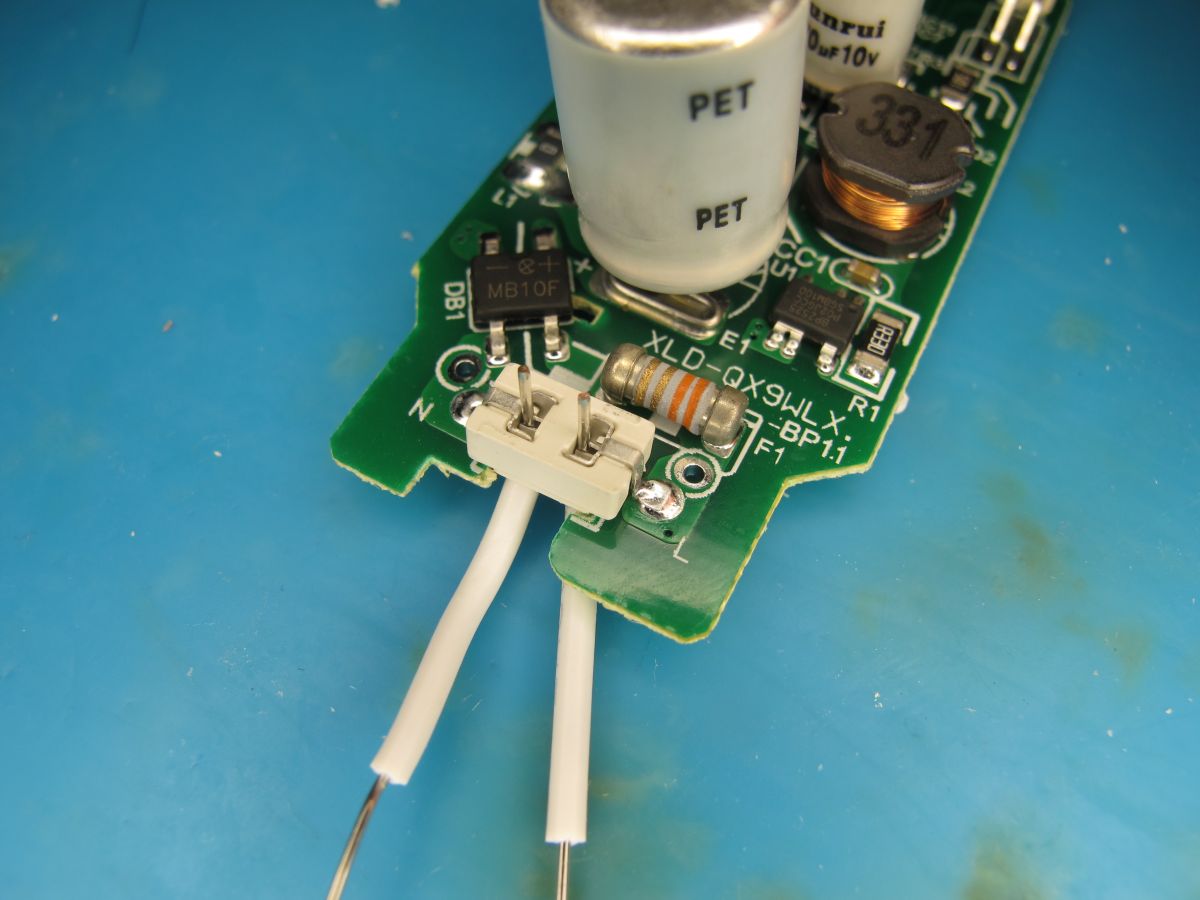
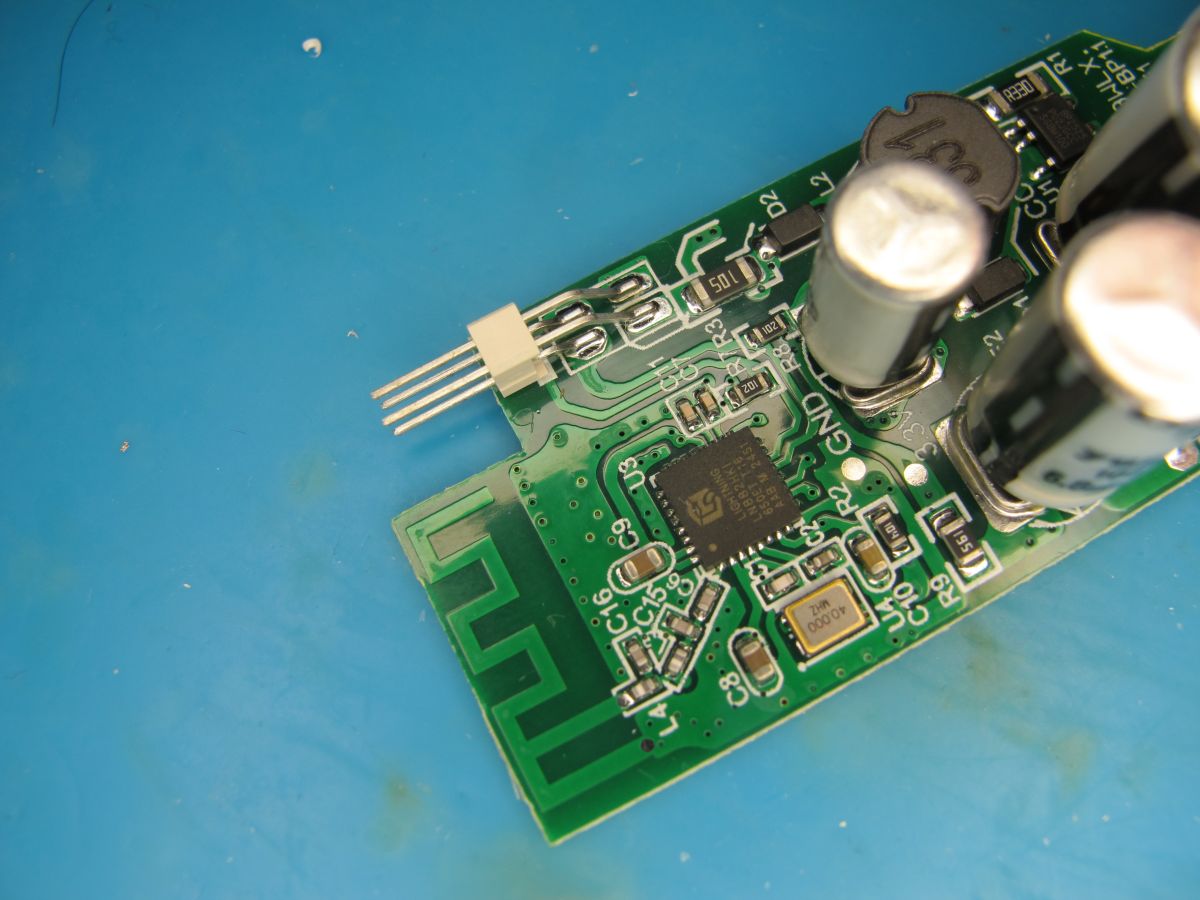
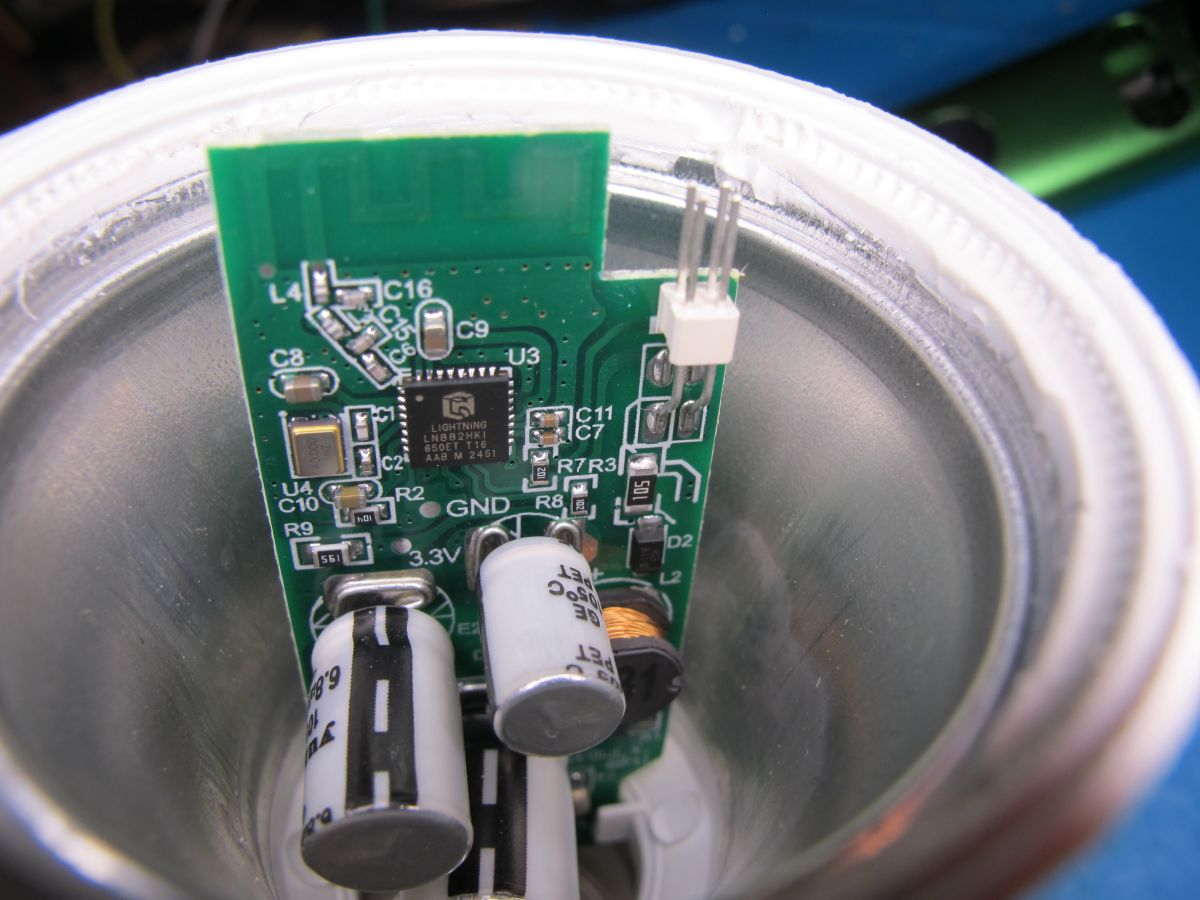
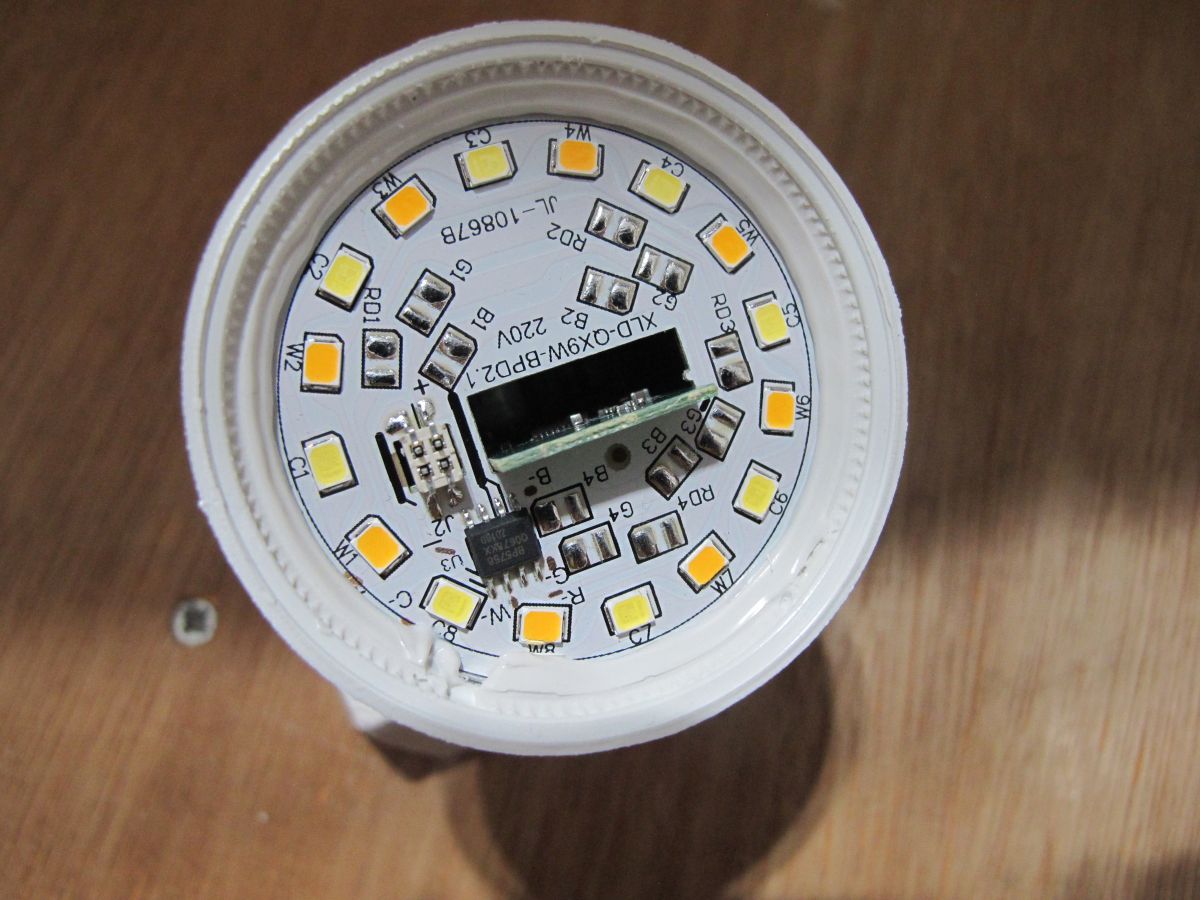
    Close-up of LED circuit board with SMD LEDs and BP5758 IC Close-up of green PCB with microcontroller, capacitors, and a PCB antenna. Close-up of green PCB with LIGHTNING LNB82HK1 chip and SMD components Green circuit board with visible traces and two connected white wires on a blue surface Close-up of circuit board with capacitors, inductor, and integrated circuits Electronic circuit board with electrolytic capacitors and SMD components Close-up of PCB with capacitors, resistor, and MB10F bridge rectifier Printed circuit board with capacitors, a chip, and an integrated PCB antenna Disassembled LED bulb with metal base and internal parts on blue background Close-up of PCB with electronic components inside an LED lamp housing Close-up of an LED bulb's internal circuit board with LEDs and components.

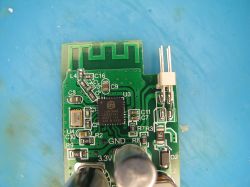
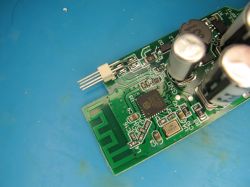
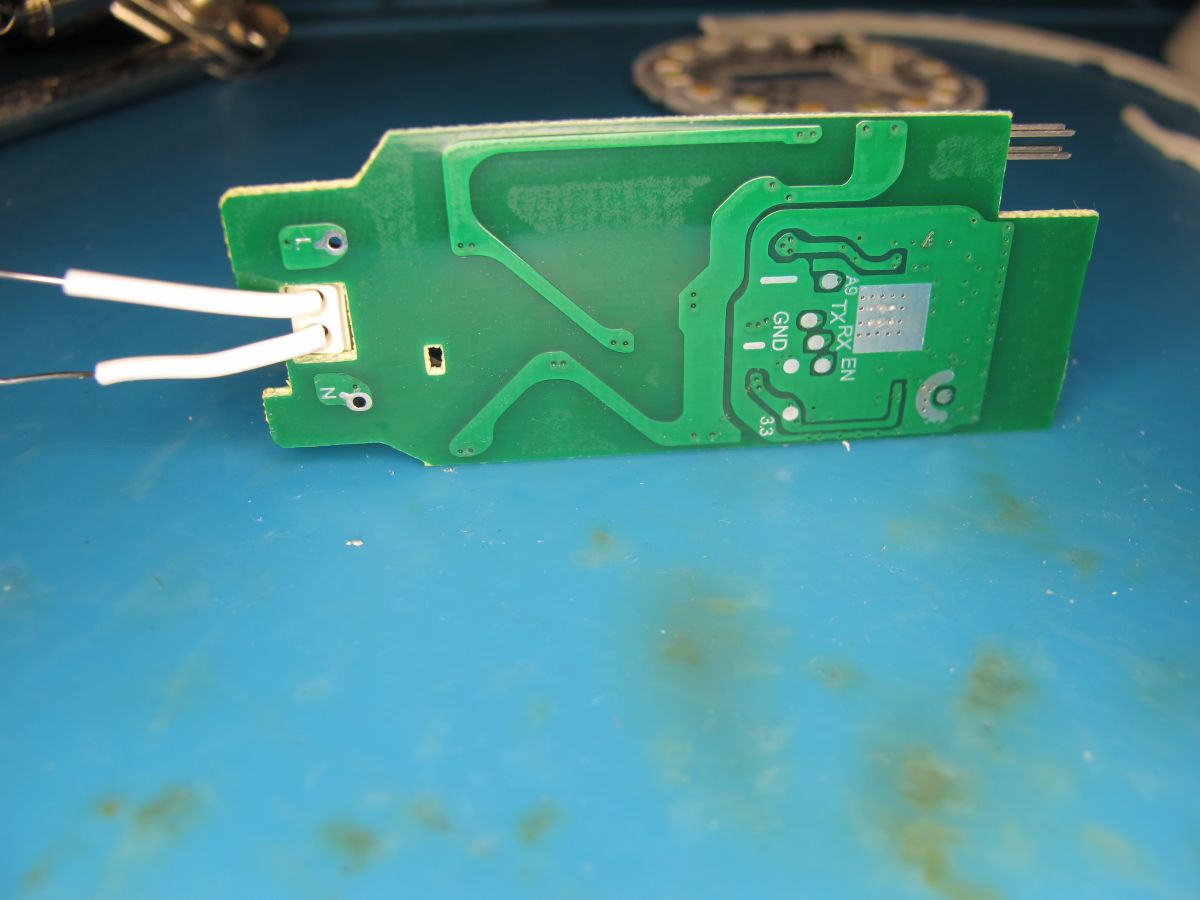
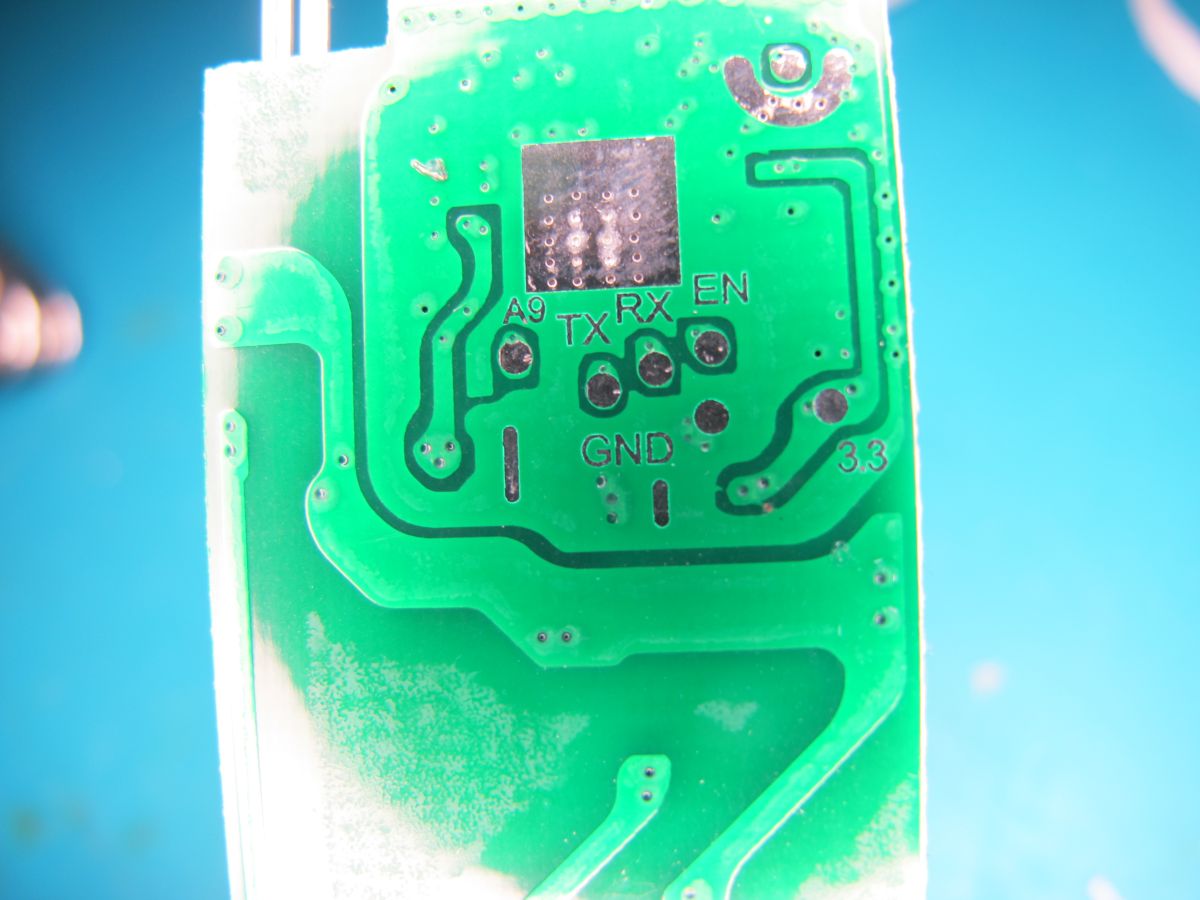
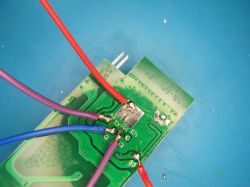
    A9, RX, TX, GND and 3V3 are nicely labelled on the rear of PCB
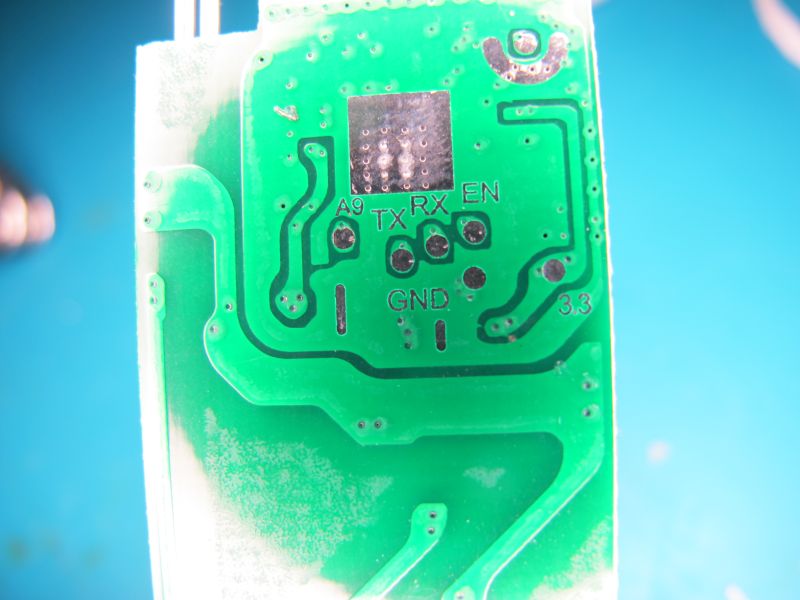
    Close-up of green circuit board with labels TX, RX, GND, and 3.3

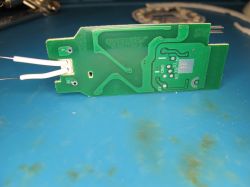
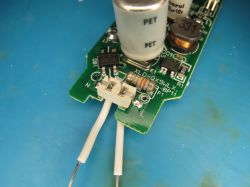
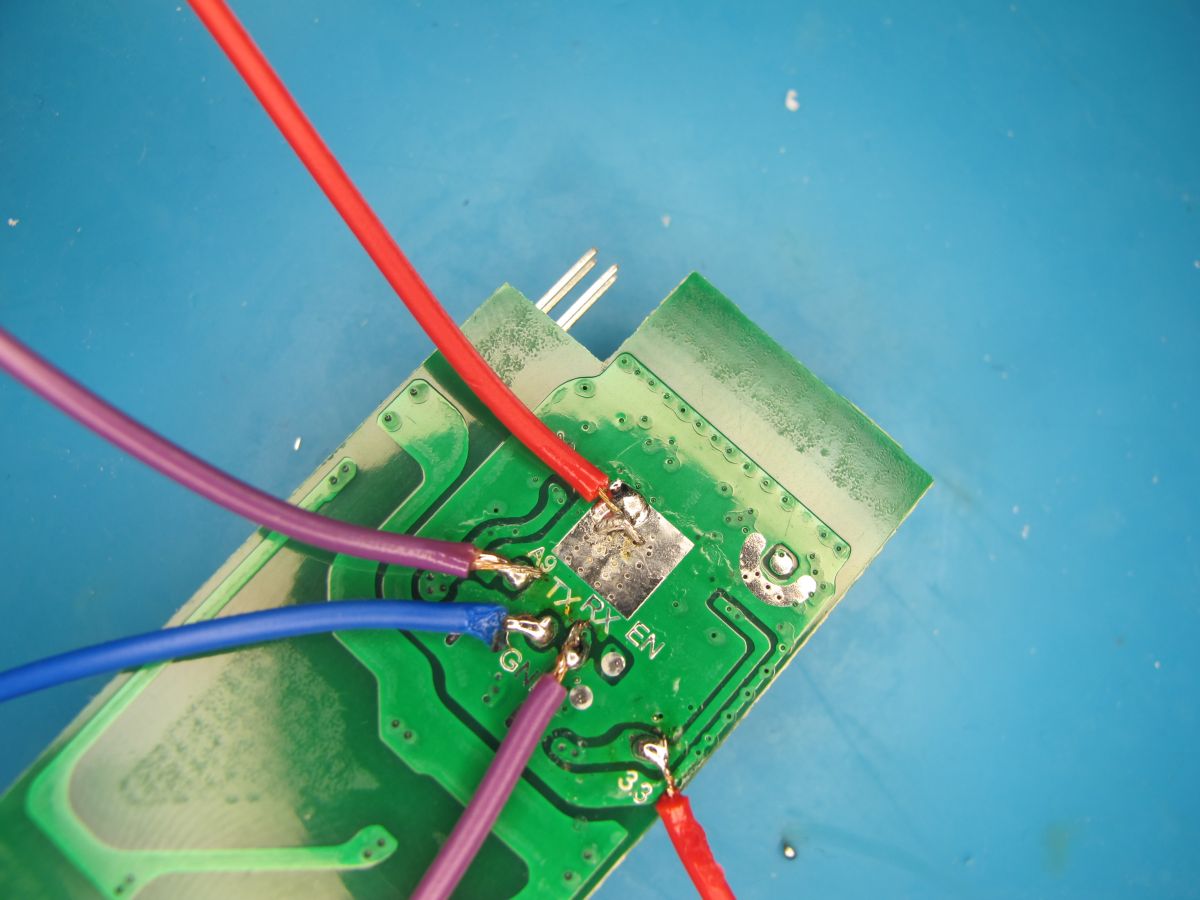
    soldered-up ready for flash backup and programming of OpenLN882H
    PCB with soldered wires in various colors on a blue surface

    boot log from TX at 2000000 baud
    Code: Text
    Log in, to see the code


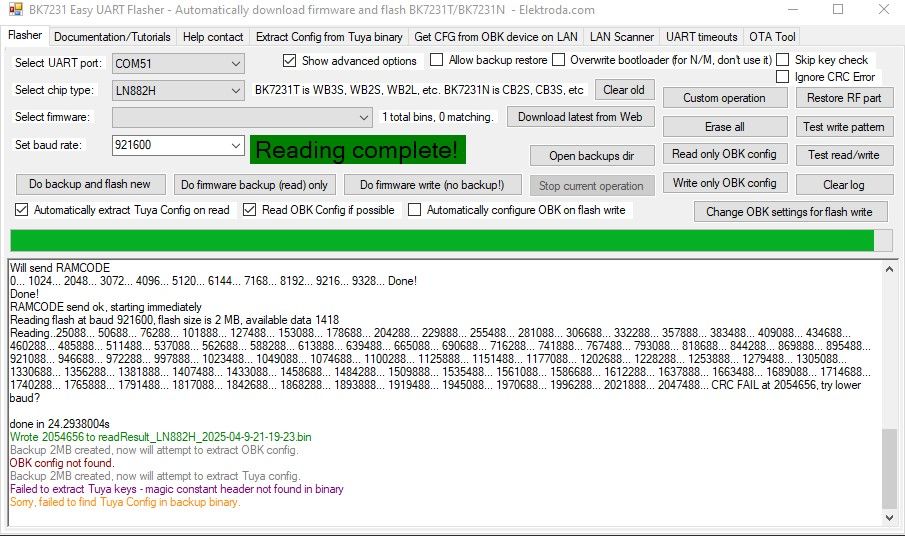
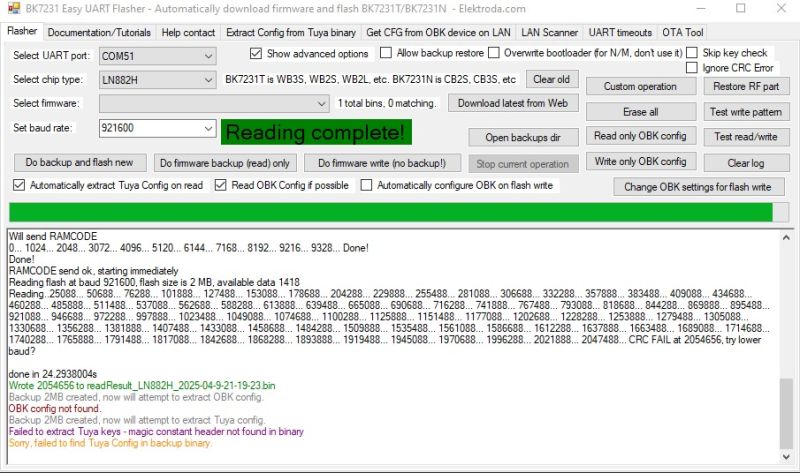
    A9 grounded for UART download mode, Easy Flasher takes backup
    BK7231 Easy UART Flasher interface with Reading complete! message

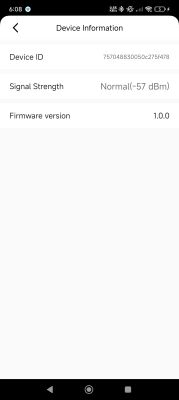
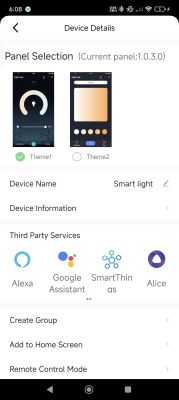
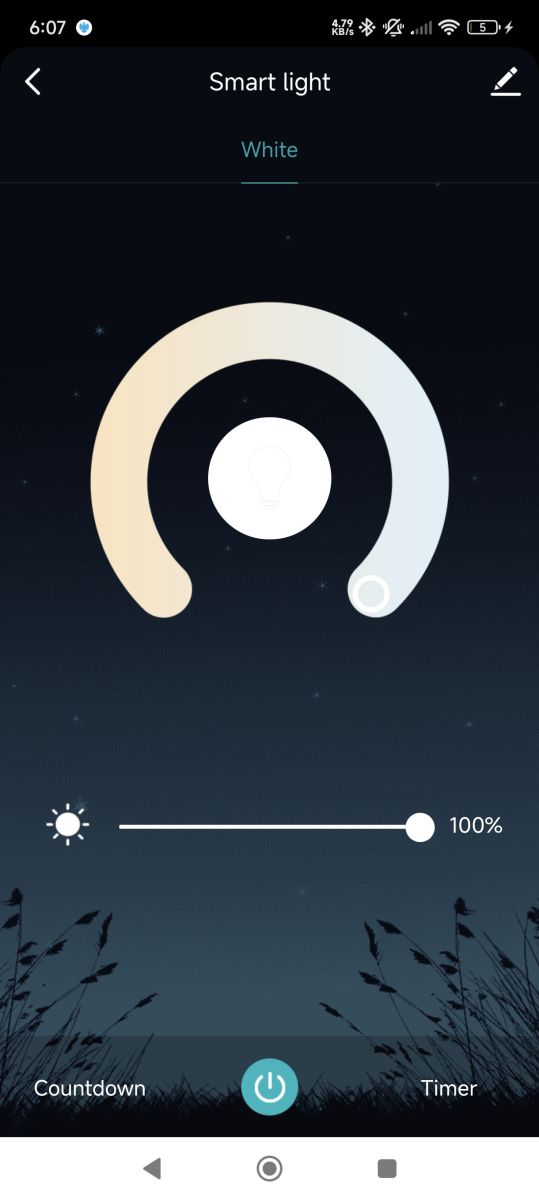
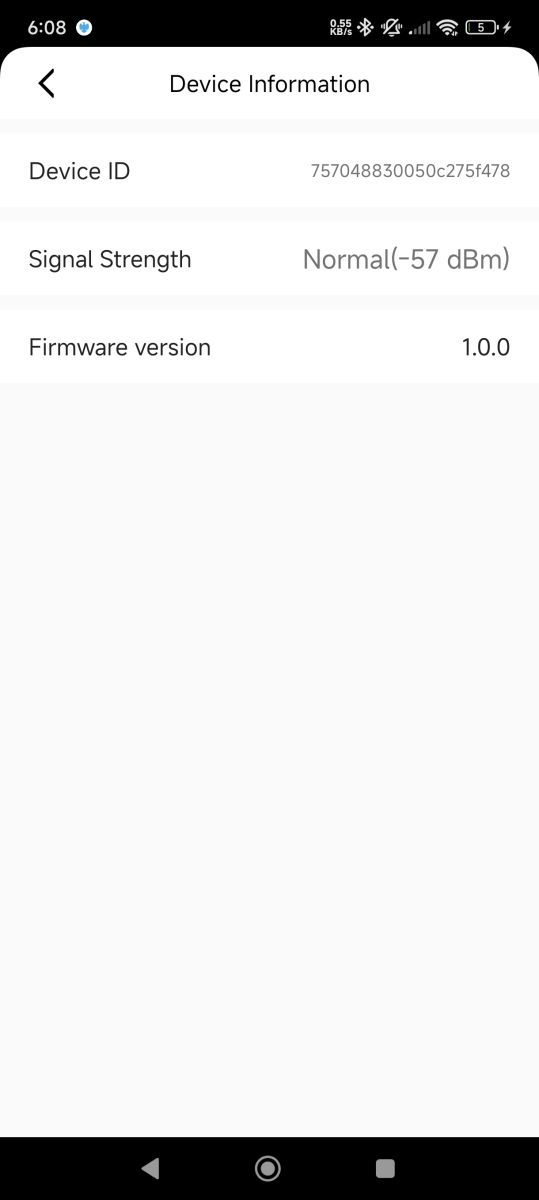
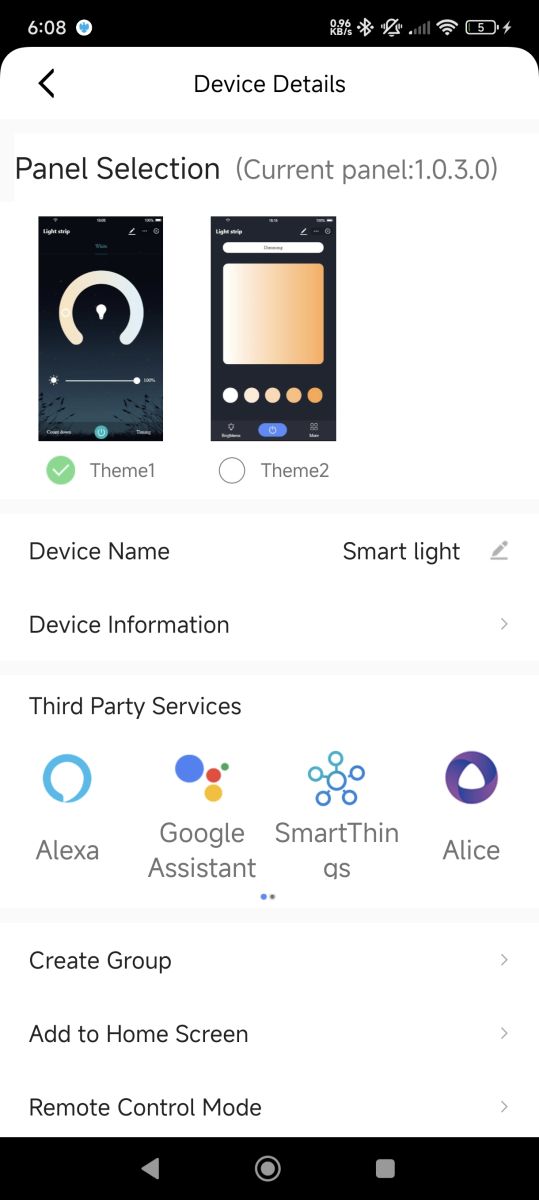
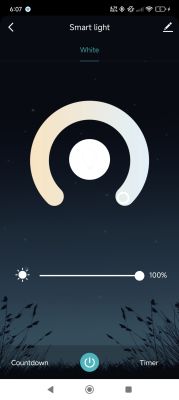
    backup flashed to dev board to be sure it was a good backup. It boots and can be paired with CozyLife app
    Smart lighting app screen set to white mode with brightness at 100%. Settings screen showing device ID, signal strength, and firmware version Smart light app screen with control panel theme selection and integrations

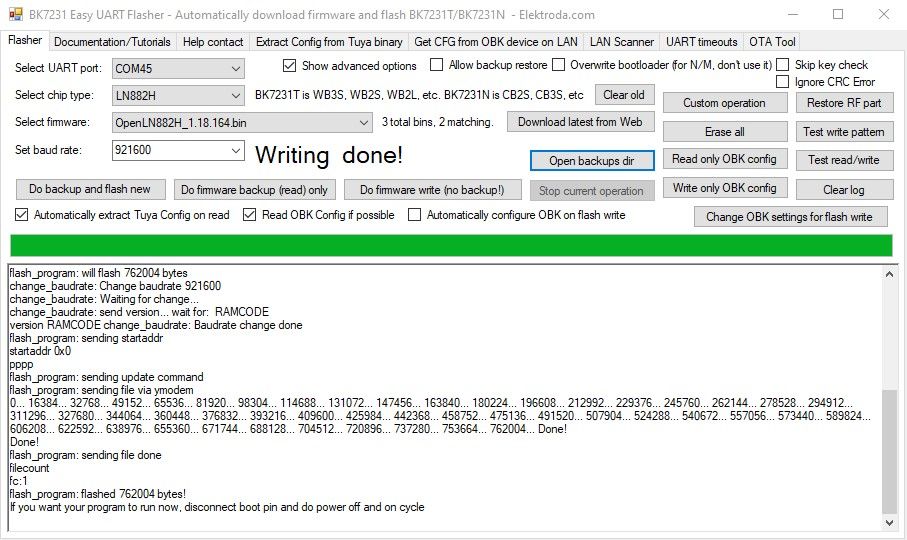
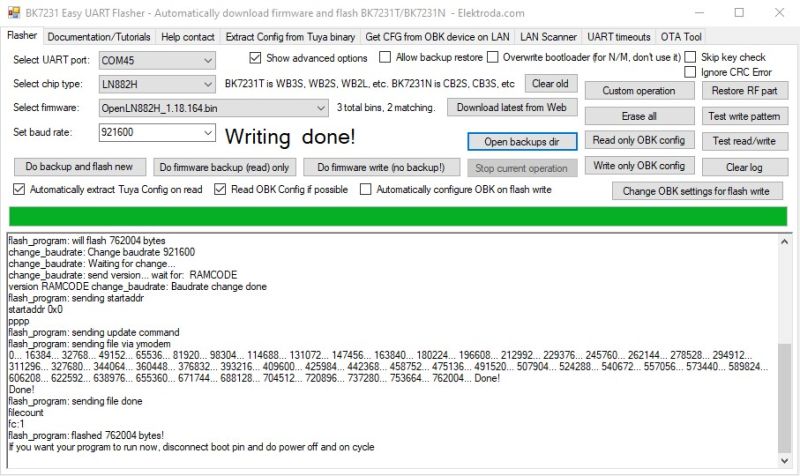
    A9 still grounded Easy Flasher programs OpenLN882H to flash
    BK7231 Easy UART Flasher interface showing successful firmware flashing log

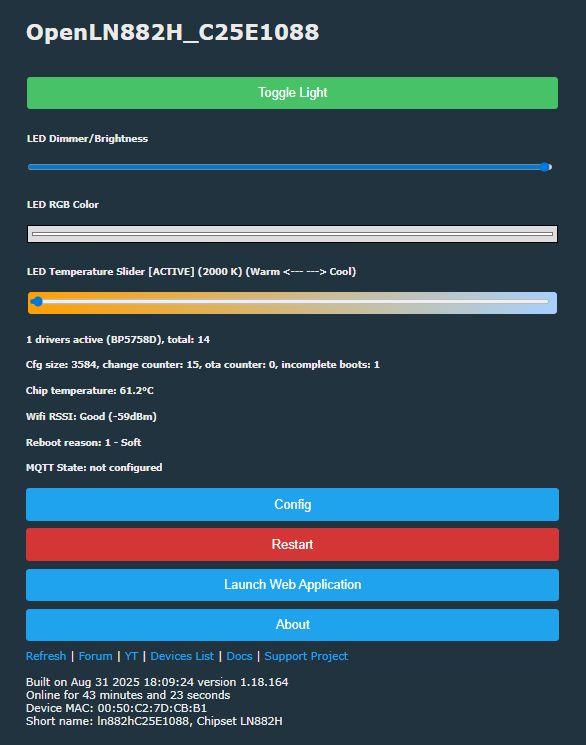
    OBK boots, AP broadcast, accessed at 192.168.4.1 when connected as a client, join home wifi.

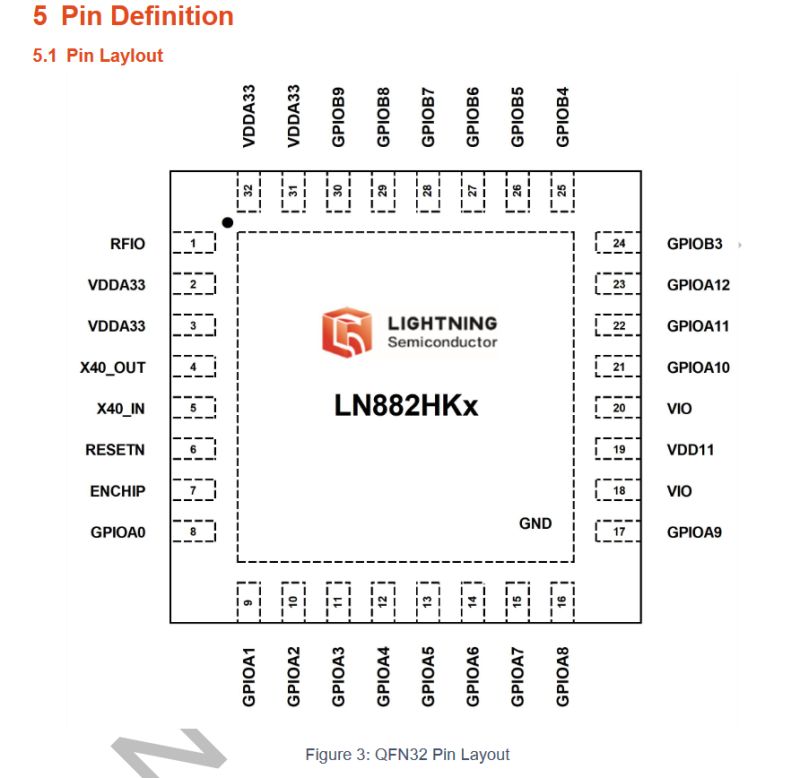
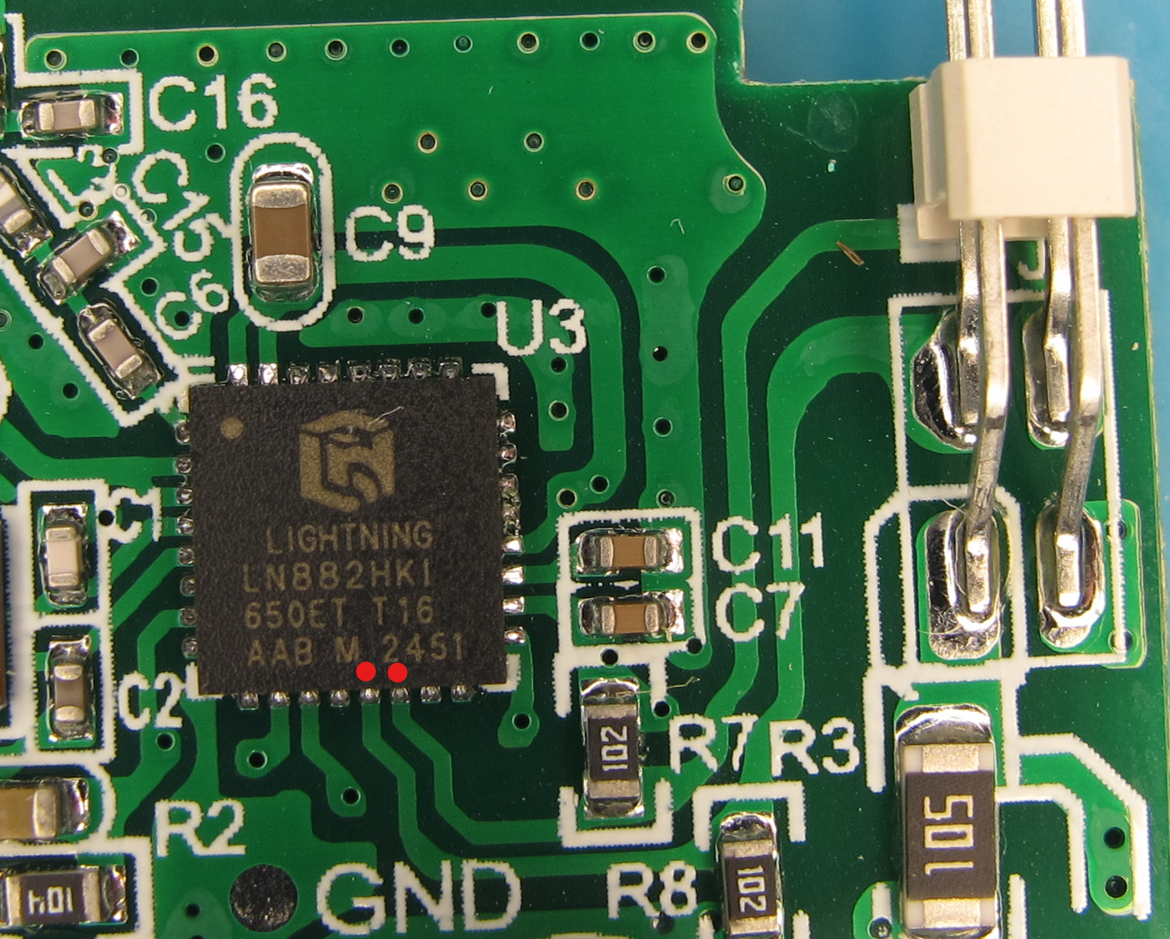
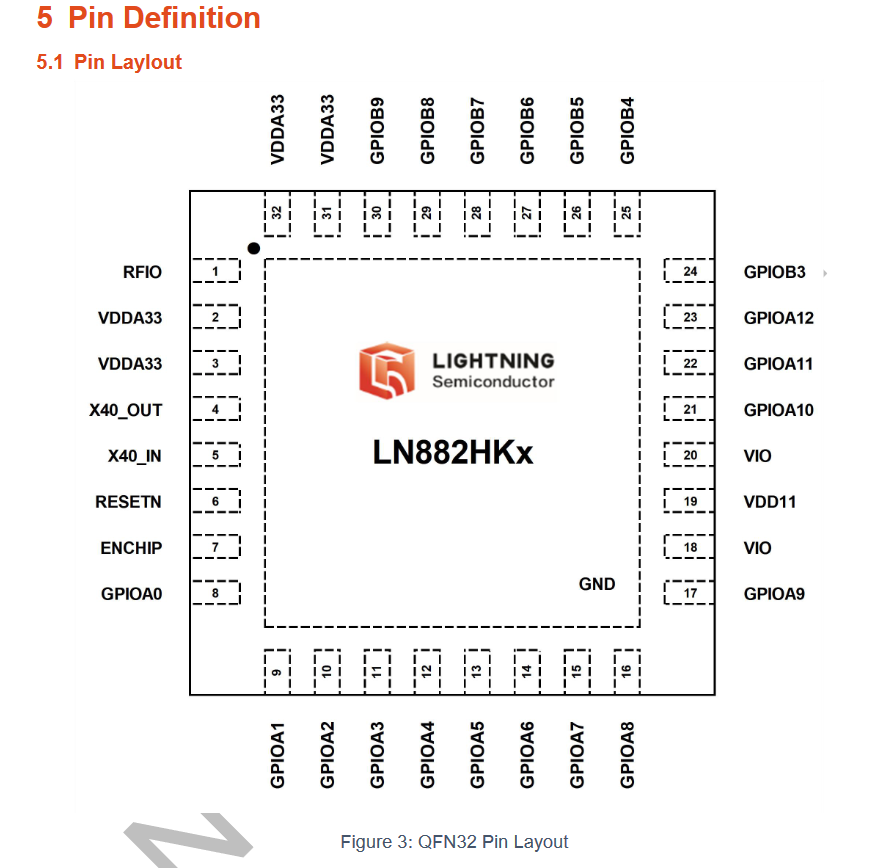
    We see in a close-up picture that A5 and A6 are tracing to the 4 pins that go to the LED disc. These two will be CLK and DAT lines for the BP5758 controller chip on the disc.
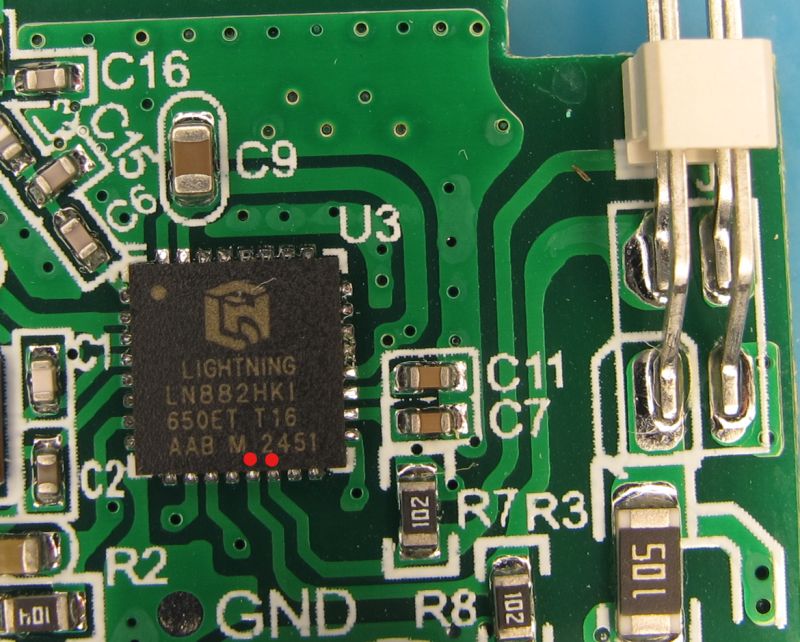
    Close-up of LIGHTNING LN882HKI chip on green PCB with SMD components

    Pin layout diagram of LN882HKx chip in a QFN32 package

    A5 = BP5758D_DAT
    A6 = BP5758D_CLK

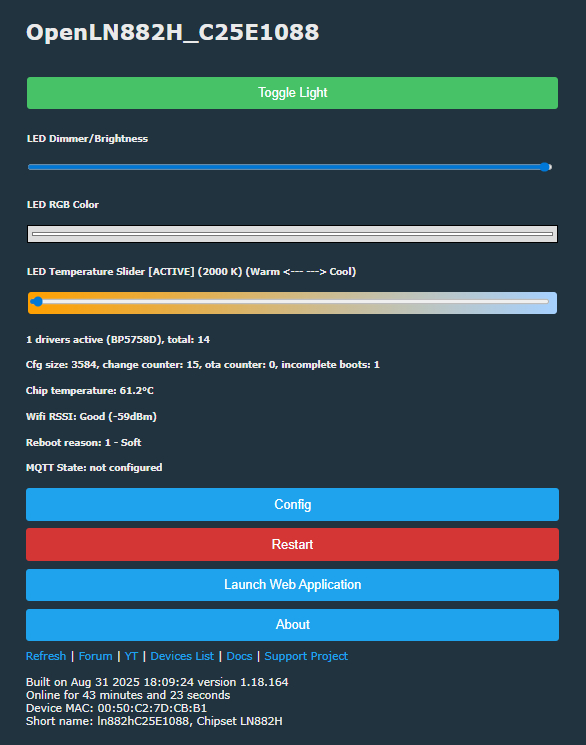
    LED control panel interface with brightness and color temperature sliders

    startup command to limit current and temperature
    Code: Text
    Log in, to see the code


    More detailed LN882H info and guides:
    https://www.elektroda.com/rtvforum/topic4027545.html
    https://www.elektroda.com/rtvforum/topic4085019.html
    https://www.elektroda.com/rtvforum/topic4028087.html
    https://www.elektroda.com/rtvforum/topic4032240.html
    https://www.elektroda.com/rtvforum/topic4050274.html

    search device list for other examples; https://openbekeniot.github.io/webapp/devicesList.html


    OBK template
    Code: JSON
    Log in, to see the code


    Flash backup: https://github.com/openshwprojects/FlashDumps...mits/a8a1da6260ef37a73fc6be03a2544df571b6251c
    Attachments:
    • CozyLife B22 9W CW/WW LED Bulb - OpenLN882H Flash Conversion Overview [BP5758] IMG_0219.JPG (2.17 MB) You must be logged in to download this attachment.
    • CozyLife B22 9W CW/WW LED Bulb - OpenLN882H Flash Conversion Overview [BP5758] IMG_0218.JPG (2.03 MB) You must be logged in to download this attachment.

    Cool? Ranking DIY
    About Author
    divadiow
    Level 38  
    Offline 
    divadiow wrote 4839 posts with rating 852, helped 420 times. Live in city Bristol. Been with us since 2023 year.
  • ADVERTISEMENT
  • #2 21653834
    p.kaczmarek2
    Moderator Smart Home
    Posts: 14393
    Help: 650
    Rate: 12314
    CW bulb with 5-channels two-wire chip BP5758? So 3 out of 5 channels are not used... How does it make sense?

    Is it at least cheaper than RGB+CW?

    With the current board layout, you could easily solder Red, Green and Blue LEDs and get back it working into RGB+CW mode.
    Or wait - maybe not, depending on the power supply circuit? That powers LEDs?

    How much did they even save by stripping four red, green and blue diodes? Considering they came extra cheap and in packs of 100 or 1000 or so on...

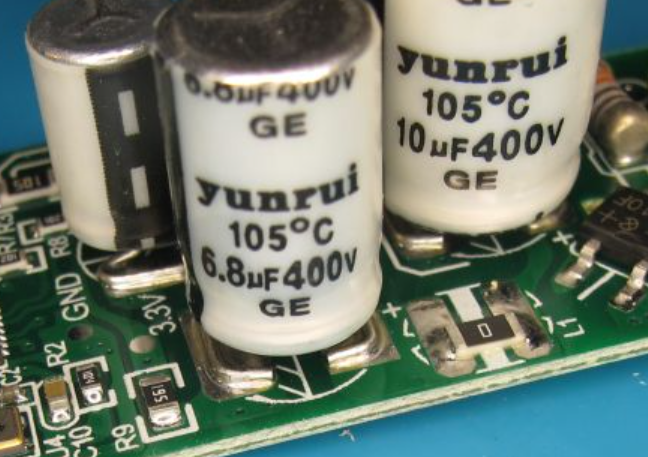
    Also, that's indeed an interesting way to mount a capacitor:
    Close-up of Yunrui electrolytic capacitors on a PCB

    Very interesting. I am happy to see you still making teardowns, especially that even now they feel fresh and show new things.

    PS: Maybe it would be economically viable to set lower current for those diodes, depending on how bright you need them. This can seriously prolong their life, some people even do the same for non-smart bulbs:


    Helpful post? Buy me a coffee.
  • ADVERTISEMENT
  • #3 21653839
    divadiow
    Level 38  
    Posts: 4839
    Help: 420
    Rate: 852
    p.kaczmarek2 wrote:
    CW bulb with 5-channels two-wire chip BP5758? How does it make sense?

    ha. yeh, dunno. it does mean the RGB picker on OBK GUI is a little bit redundant.
  • #4 21654132
    p.kaczmarek2
    Moderator Smart Home
    Posts: 14393
    Help: 650
    Rate: 12314
    I see, I guess we need some kind of method to mark in LED_Map that RGB channels are not used...

    I haven't seen yet any other device that had 5-channel I2C-like LED controller but used only two channels.
    Helpful post? Buy me a coffee.
  • #5 21654145
    divadiow
    Level 38  
    Posts: 4839
    Help: 420
    Rate: 852
    p.kaczmarek2 wrote:
    I haven't seen yet any other device that had 5-channel I2C-like LED controller but used only two channels.

    hmm yes. I just scanned device list for BP5758 and each device mentions RGB in some form. seems to be the first.
  • #6 21654153
    insmod
    Level 31  
    Posts: 1353
    Help: 160
    Rate: 425
    I have a 6W E27 CB2L BP5758D RGBWW without CW, so 4 channels.
    Plus i remember i saw E27 CB2L BP5758D without RGB on some russian site.
    I can find it if you're interested.
  • ADVERTISEMENT
  • #8 21654170
    insmod
    Level 31  
    Posts: 1353
    Help: 160
    Rate: 425
    >>21654164
    Yep, that one
  • #9 21654246
    p.kaczmarek2
    Moderator Smart Home
    Posts: 14393
    Help: 650
    Rate: 12314
    I am preparing self test to add handling for these cases.
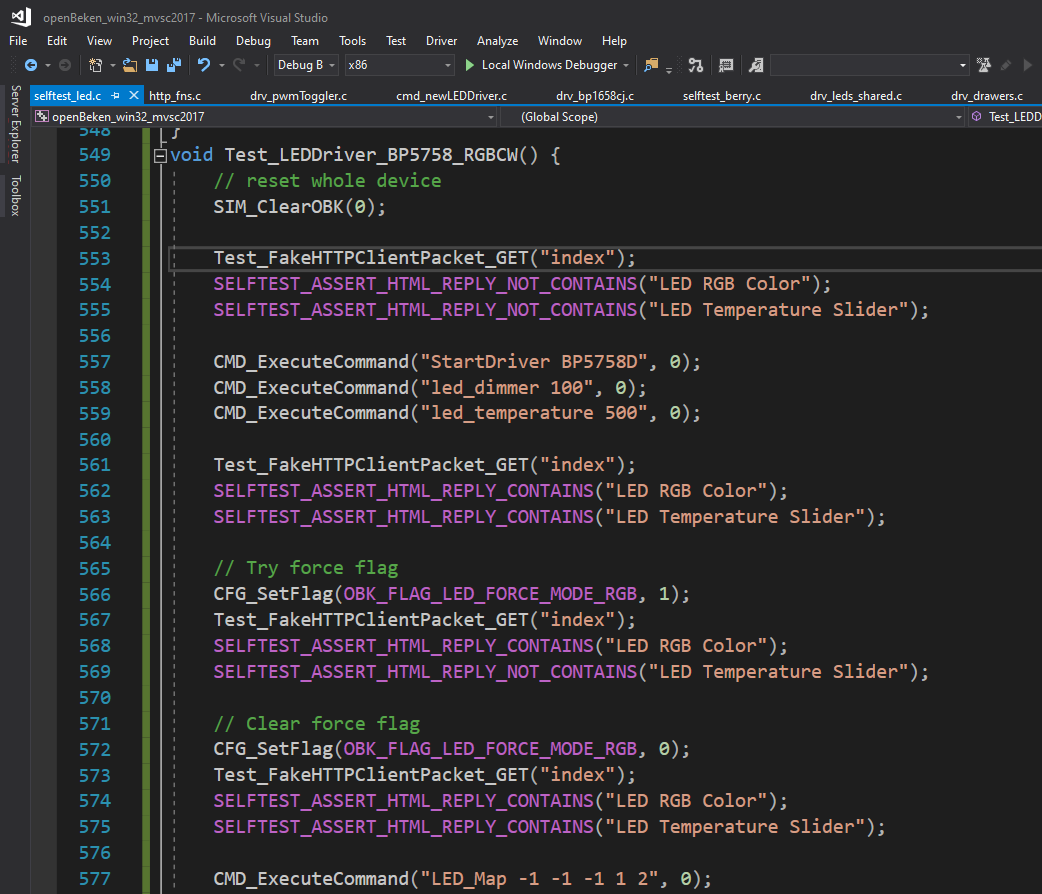
    Test code for LED driver shown in Visual Studio interface
    I will probably opt for something like this:
    
    LED_Map -1 -1 -1 1 2
    

    This means that only OBK C and W are mapped to channel 1 and 2 of BP5758, and others are 0, and page code checks for that and concludes it's CW.

    Any suggestions, before I implement it?
    Helpful post? Buy me a coffee.
  • ADVERTISEMENT
  • #10 21654269
    divadiow
    Level 38  
    Posts: 4839
    Help: 420
    Rate: 852
    not from me!

    -1 -1 -1 make sense to me

    Added after 2 [minutes]:

    does that also cover @insmod's missing CW

    Code: Text
    Log in, to see the code
  • #11 21654339
    p.kaczmarek2
    Moderator Smart Home
    Posts: 14393
    Help: 650
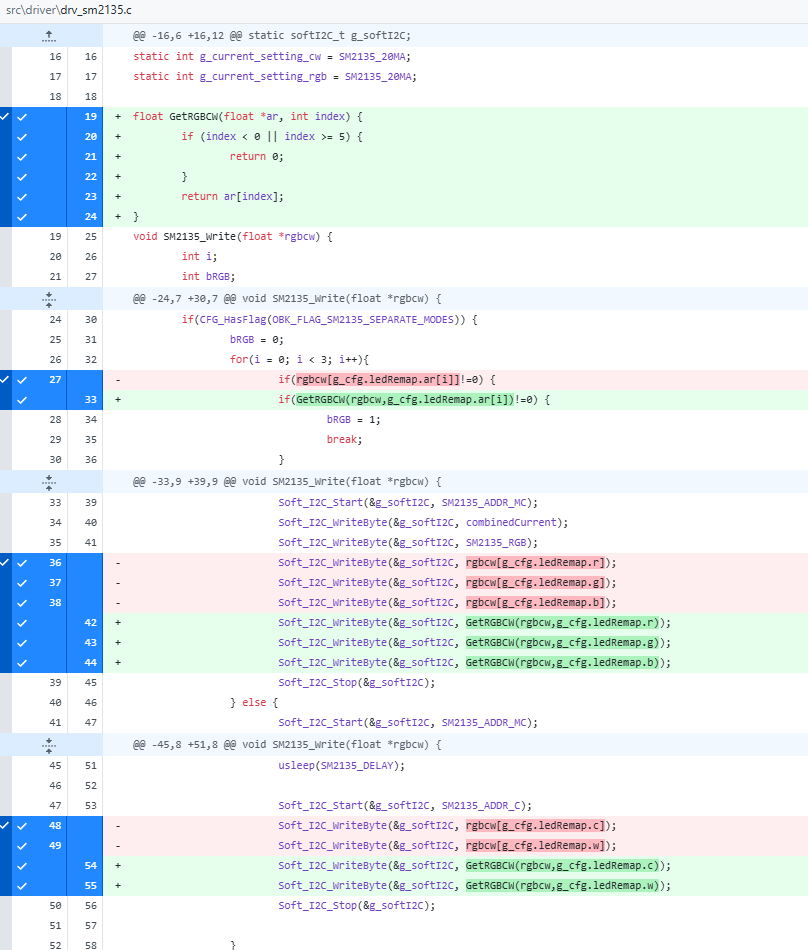
    Rate: 12314
    The only downside is that I need to check for this -1 (0xff, 255) in remap... hopefully this will suffice:
    Screenshot showing a code diff in the C file highlighting the use of GetRGBCW
    I will open a PR in few minutes.

    Added after 26 [minutes]:

    https://github.com/openshwprojects/OpenBK7231T_App/pull/1789
    Helpful post? Buy me a coffee.
  • #12 21654391
    divadiow
    Level 38  
    Posts: 4839
    Help: 420
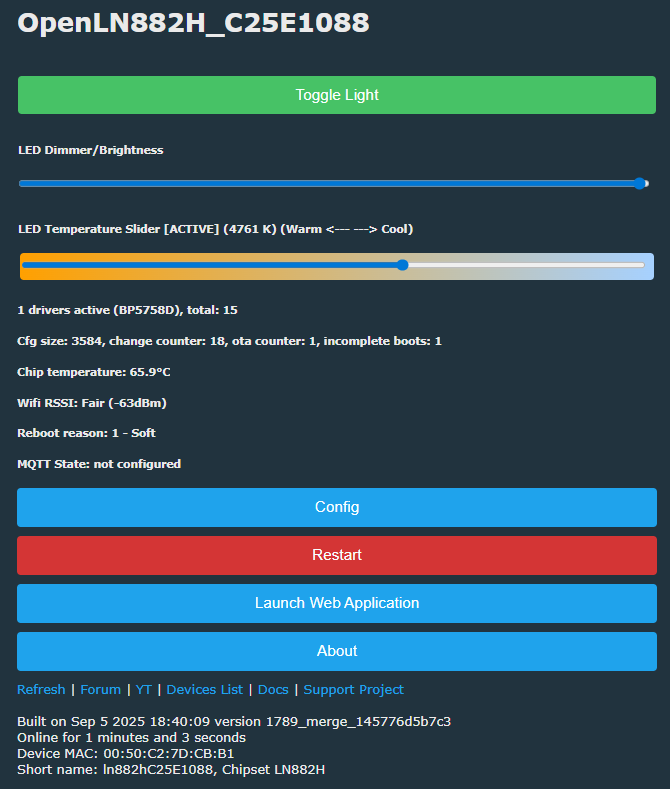
    Rate: 852
    GUI looks good but sadly no light. toggling dimmer makes no diff

    LED control panel interface with brightness and color temperature sliders

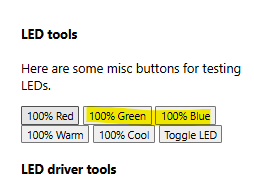
    Added after 1 [minutes]:

    toggling 100% green and blue buttons does bring the CW/WW LEDs on

    Highlighted “100% Green” and “100% Blue” buttons in the LED tools section

    Added after 30 [seconds]:

    startup

    Code: Text
    Log in, to see the code
  • #13 21654419
    p.kaczmarek2
    Moderator Smart Home
    Posts: 14393
    Help: 650
    Rate: 12314
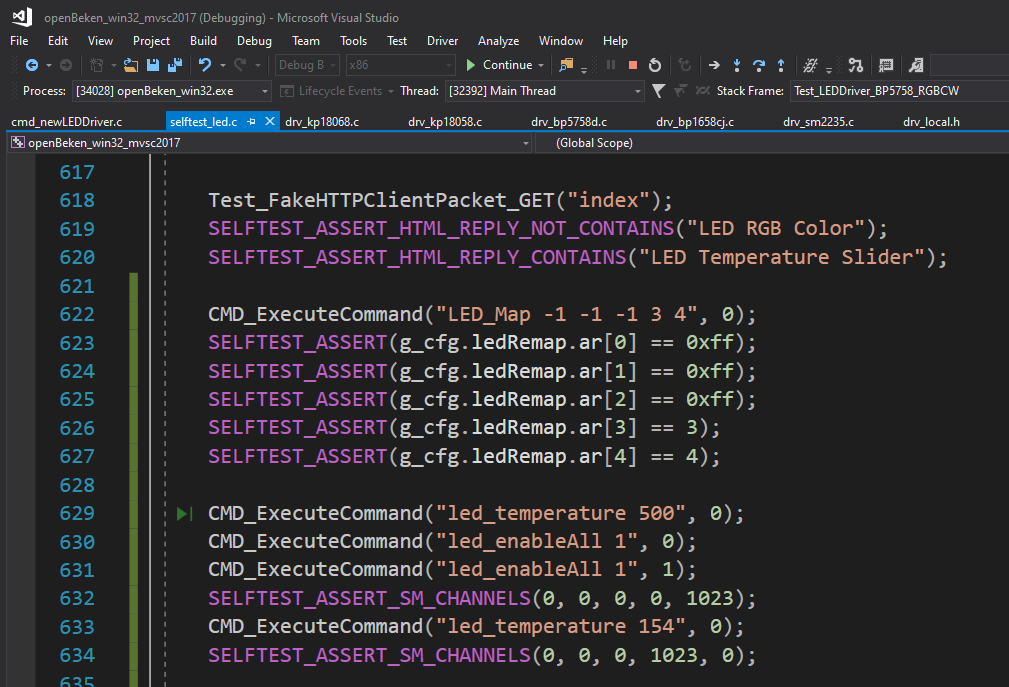
    I suspect I know what may be wrong. If you have CW light, then OBK CW channels have indexes 3 and 4. So your LED_Map should consist only of -1 (for skipped channels) and 3 and 4.

    Added after 2 [minutes]:

    In other words, this self test passes:
    Autotest code in Visual Studio showing LED_Map configuration and SELFTEST_ASSERT checks
    Helpful post? Buy me a coffee.
  • #14 21654440
    divadiow
    Level 38  
    Posts: 4839
    Help: 420
    Rate: 852
    p.kaczmarek2 wrote:
    So your LED_Map should consist only of -1 (for skipped channels) and 3 and 4.


    yep. that's all it was. dimmer, toggle, web app all good now

    Code: Text
    Log in, to see the code


    Added after 6 [minutes]:

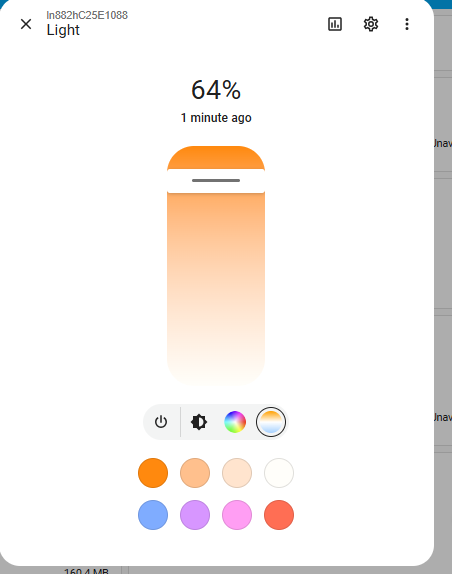
    HA works. RGB bits are there but CW/WW works

    Light control app interface with brightness set to 64%
  • #15 21654457
    p.kaczmarek2
    Moderator Smart Home
    Posts: 14393
    Help: 650
    Rate: 12314
    I didn't adjust HA discovery yet, so that's expected. I only changed UI of OBK.

    Added after 4 [minutes]:

    Pushed HA Discovery. I just count number of non-negative remaps and use it as number of pwms. Didn't test it yet. I may cover it with self tests soon.
    Helpful post? Buy me a coffee.
  • #16 21654469
    divadiow
    Level 38  
    Posts: 4839
    Help: 420
    Rate: 852
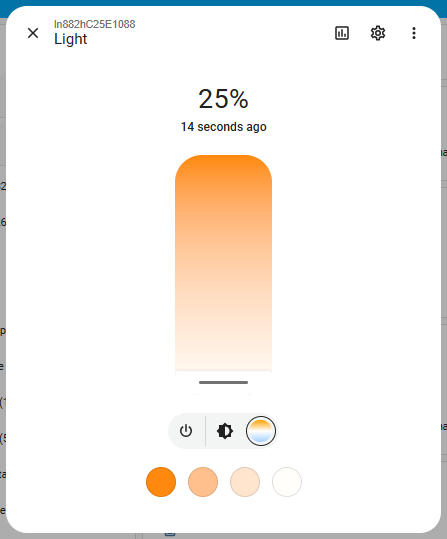
    yep cool

    Light control app interface set to 25% brightness
  • #17 21654741
    p.kaczmarek2
    Moderator Smart Home
    Posts: 14393
    Help: 650
    Rate: 12314
    I've merged it, should be more or less okay now.

    Only that cool emulation is left, however... I am not sure, don't we just have a flag for that?
    Helpful post? Buy me a coffee.
  • #18 21655068
    divadiow
    Level 38  
    Posts: 4839
    Help: 420
    Rate: 852
    p.kaczmarek2 wrote:
    I am not sure, don't we just have a flag for that?

    in the case that only RGBWW is available with BP5758 and a user wants to emulate CW by toggling this flag?

    Code: Text
    Log in, to see the code
📢 Listen (AI):

Topic summary

✨ The discussion centers on a teardown and firmware integration of the CozyLife B22 9W CW/WW LED bulb purchased from AliExpress, which uses the BP5758 LED driver chip. Despite the box suggesting RGB capability, the bulb only supports cold white (CW) and warm white (WW) channels, leaving three of the five BP5758 channels unused. This unusual configuration prompted examination of the LED_Map settings in the OpenBK7231T firmware to correctly map the active CW and WW channels while disabling the unused RGB channels. A proposed solution involved setting unused channels to -1 in the LED_Map (e.g., LED_Map -1 -1 -1 3 4) to reflect the two-channel CW/WW operation. Firmware modifications and GUI updates were made to accommodate this configuration, including adjustments to Home Assistant discovery. The discussion also references similar BP5758-based bulbs with different channel configurations, and the potential for hardware modification to restore RGB functionality. The teardown revealed no external markings on the bulb, and the internal components were accessed by removing the dome and silicon. The conversation includes technical details on channel mapping, firmware self-tests, and practical testing results confirming proper dimmer and toggle operation for the CW/WW channels.
Generated by the language model.

FAQ

TL;DR: CozyLife B22 9W bulb converts to OpenBeken on LN882H; only 2/5 BP5758D channels are used (40%). “Use -1 for skipped channels; map CW to 3 and 4.” [Elektroda, p.kaczmarek2, post #21654419] Why it matters: This guide helps you flash, map, and integrate a low-cost CW/WW bulb for stable local control.

Quick Facts

What bulb is this and what does the conversion enable?

It’s a CozyLife B22 9W CW/WW bulb using the LN882H platform. After flashing, OpenBeken (OBK) boots, exposes an AP, and lets you control CW/WW locally through its web UI and integrate with platforms like Home Assistant. [Elektroda, divadiow, post #21653805]

Which pads and baud rate do I use for UART flashing?

Use the clearly labeled pads: A9, RX, TX, GND, and 3V3. Connect your USB‑UART adapter and talk to the bootloader at 2,000,000 baud for backup and flashing. This high rate shortens dump time significantly. [Elektroda, divadiow, post #21653805]

How do I enter UART download mode on the LN882H board?

Ground pad A9 to force UART download mode, then power the board to begin backup or programming with your flashing tool. The thread shows Easy Flasher taking a full backup successfully using this method. [Elektroda, divadiow, post #21653805]

How do I flash OpenBeken on this bulb? (3‑step quick guide)

  1. Pop the dome, expose pads, and connect 3V3, GND, RX, TX; pull A9 to GND.
  2. Use Easy Flasher to back up stock firmware, then program OpenLN882H (OBK build).
  3. Power cycle; join the OBK AP and open 192.168.4.1 to finish setup. [Elektroda, divadiow, post #21653805]

How do I connect after flashing?

OpenBeken starts a SoftAP. Connect to it as a client and browse to 192.168.4.1. From there, join your home Wi‑Fi and proceed with device configuration and testing. This provides immediate local control. [Elektroda, divadiow, post #21653805]

Why does this BP5758D bulb use only two of five channels?

This variant is CW/WW only, so only two channels are wired for white control. The BP5758D supports five channels, but the manufacturer omitted RGB LEDs. It reduces BOM parts while keeping the same driver. [Elektroda, p.kaczmarek2, post #21653834]

I flashed OBK but the GUI slider does nothing. How do I fix it?

Set the LED map so CW/WW use the correct internal indexes. Use: LED_Map -1 -1 -1 3 4. As the maintainer noted, “Use -1 for skipped channels; use 3 and 4 for CW.” That resolves the no‑light symptom. [Elektroda, p.kaczmarek2, post #21654419]

What startup commands should I use to limit heat and extend life?

Apply powersave and lower channel current on boot: powersave 1 and BP5758D_Current 10 10. This reduces thermal stress and helps longevity, with minimal brightness loss for typical use. [Elektroda, divadiow, post #21653805]

Does Home Assistant auto‑discovery reflect the two‑channel CW/WW layout?

Yes. Discovery logic was updated to count non‑negative remaps and expose the correct number of channels. Update to the build including this change for accurate entity creation. [Elektroda, p.kaczmarek2, post #21654457]

Can I emulate Cool White if my board is RGBWW without CW?

Enable the OBK feature flag that synthesizes Cool White from RGB when only Warm is present: Flag 24 — Emulate Cool White with RGB on four‑PWM devices. Use this when hardware lacks a CW string. [Elektroda, divadiow, post #21655068]

What are A5 and A6 doing on this PCB?

They route to the LED disc as BP5758D two‑wire control lines. A5 is BP5758D_DAT and A6 is BP5758D_CLK. Knowing this helps when diagnosing channel mapping or verifying signal integrity after rework. [Elektroda, divadiow, post #21653805]

What is OpenBeken (OBK) in this project?

It’s the open firmware used here to control the bulb locally. OBK boots on LN882H, starts a configuration AP, provides a web UI, and supports commands and Home Assistant discovery for CW/WW control. [Elektroda, divadiow, post #21653805]

What is the LN882H platform referenced here?

LN882H is the Wi‑Fi MCU in this bulb. The boot log confirms the LN882H SDK and CozyLife app stack before conversion, then OBK replaces it. This context guides flashing and UART settings. [Elektroda, divadiow, post #21653805]

Can I restore the stock CozyLife firmware later?

Yes. The workflow includes making a full flash backup first. The backup was restored to a dev board and booted, pairing again with the CozyLife app, confirming recoverability. [Elektroda, divadiow, post #21653805]

Is there an edge case I should test after mapping?

If dimmer and toggle work but whites don’t light, press Green/Blue 100% buttons in the UI. If they light whites, your map is off; fix with LED_Map -1 -1 -1 3 4. [Elektroda, divadiow, post #21654391]
Generated by the language model.
ADVERTISEMENT