logo elektroda
logo elektroda
X
logo elektroda

Wiring MOES MS-104B s WB2S to TTL FT232RL for OpenBK7231T Flashing

dominikgaspar123 1068 20
Best answers

How do I wire a MOES MS-104B with a WB2S module to an FT232RL for OpenBK7231T flashing?

Connect the WB2S to the FT232RL using RX, TX, GND, and 3.3V, and make sure the adapter is set to 3.3V, not 5V [#21578303][#21577980] The UART pins you need are on the bottom side of the WB2S module, not the top, so the top-side pads you found (CEN, AD, PWM0, PWM1) are the wrong ones [#21577937][#21578633] If you cannot access the UART pads cleanly on the assembled board, the safer approach is to desolder the WB2S/daughter board and flash it off the main board [#21577832][#21578655] One reply also warned not to solder directly to the USB-to-UART converter pins and noted that the flashing procedure may require quickly disconnecting and reconnecting 3.3V [#21580195] In this thread, flashing ultimately worked from the FT232RL USB power without an external 3.3V supply [#21580243]
Generated by the language model.
ADVERTISEMENT
  • #1 21577690
    dominikgaspar123
    Level 3  
    Posts: 10
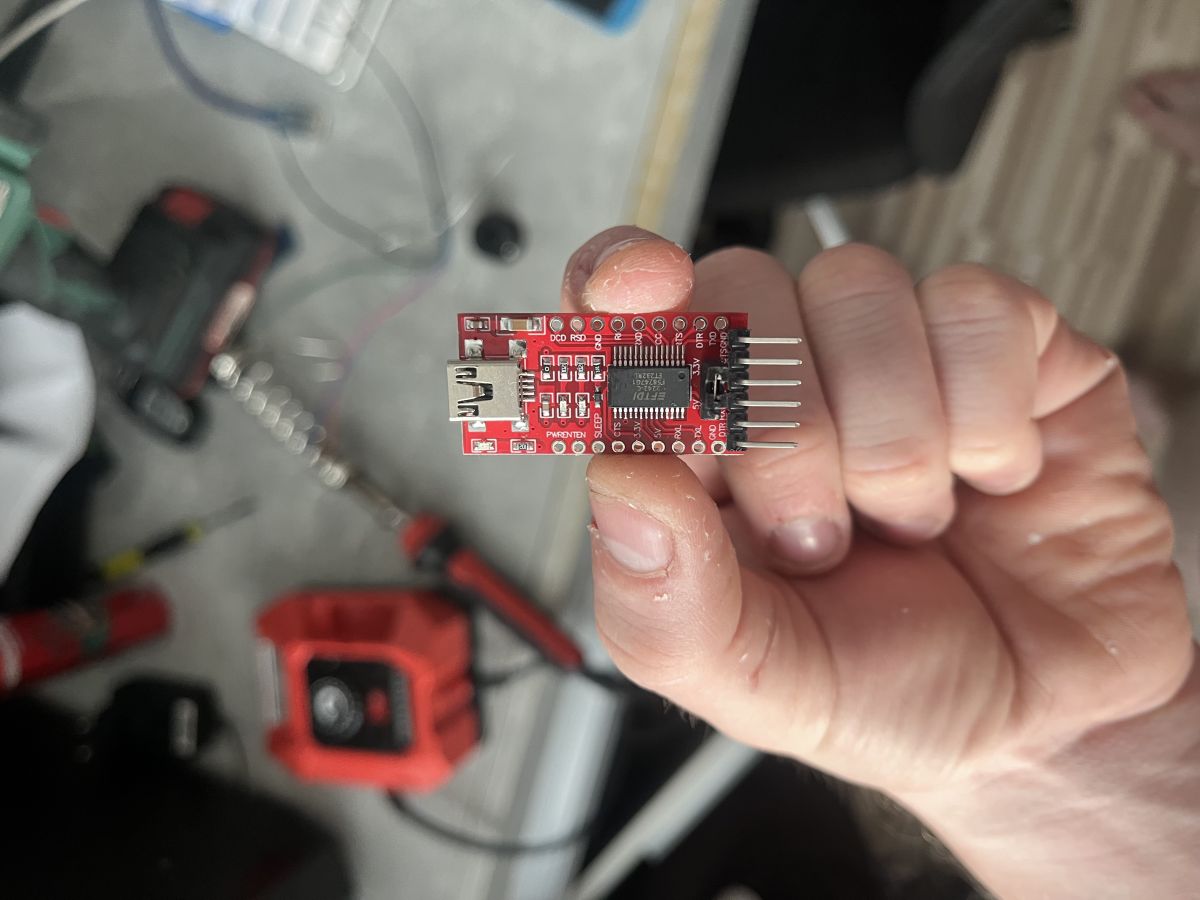
    Hello. I bought MOES MS-104B s WB2S and I need to link it to TTL FT232RL but idk how to connect it. I need to flash the Moes switch with OpenBK7231T to work it with Shelly plus 2PM
    Wiring MOES MS-104B s WB2S to TTL FT232RL for OpenBK7231T Flashing
    AI: Do you know which pins on the MOES MS-104B s WB2S are TX, RX, GND, and VCC for connecting to the FT232RL?
    no
    AI: Is your FT232RL set to 3.3V or 5V, and do you know what voltage the MOES MS-104B s WB2S needs for flashing?
    yes
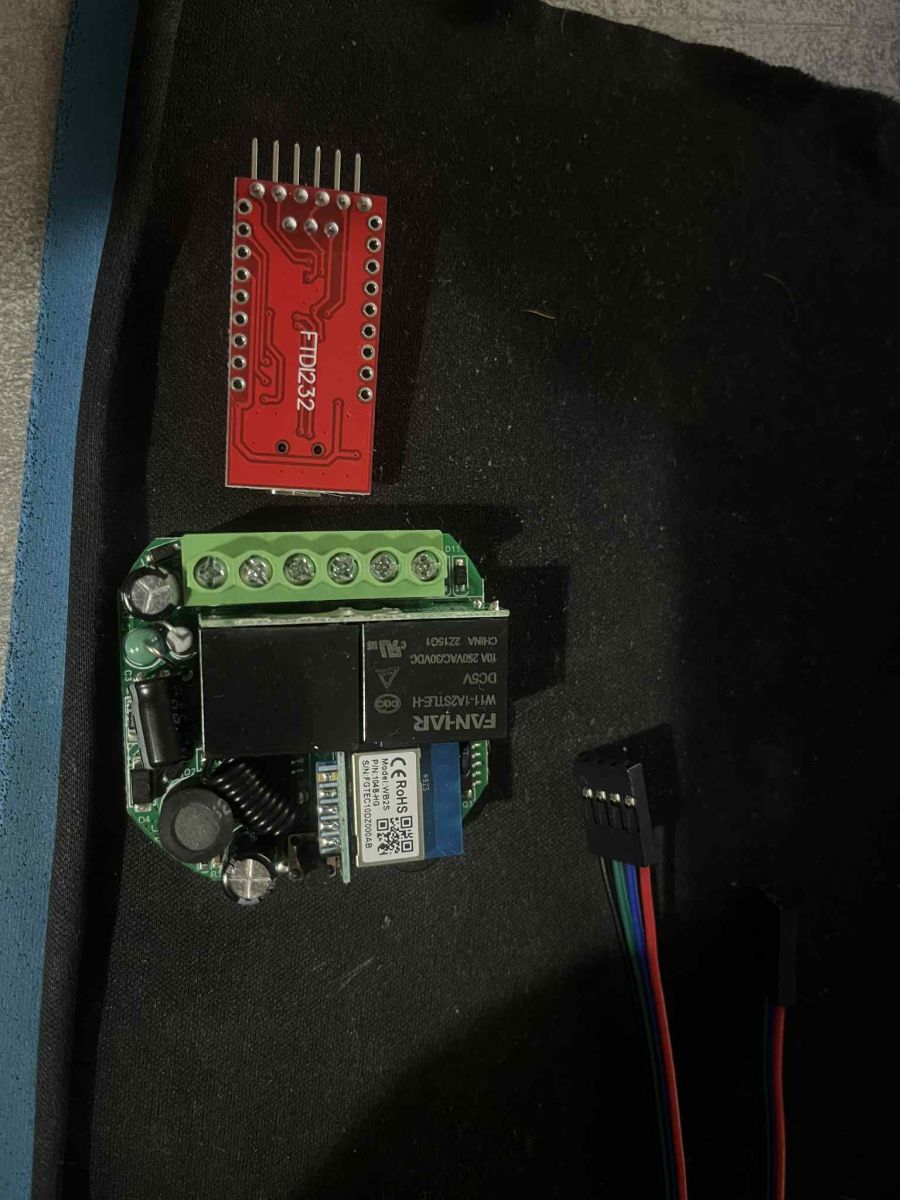
  • ADVERTISEMENT
  • #2 21577832
    p.kaczmarek2
    Moderator Smart Home
    Posts: 14416
    Help: 650
    Rate: 12371
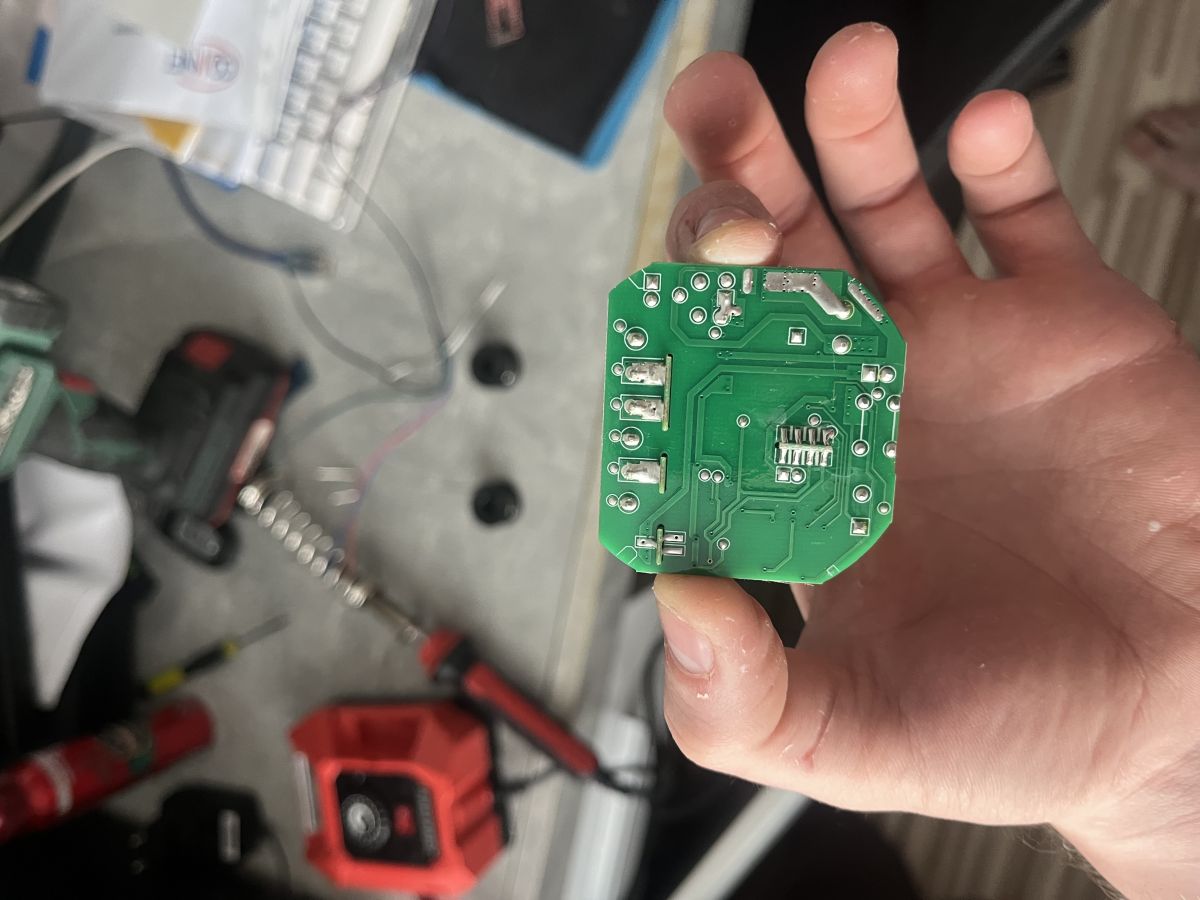
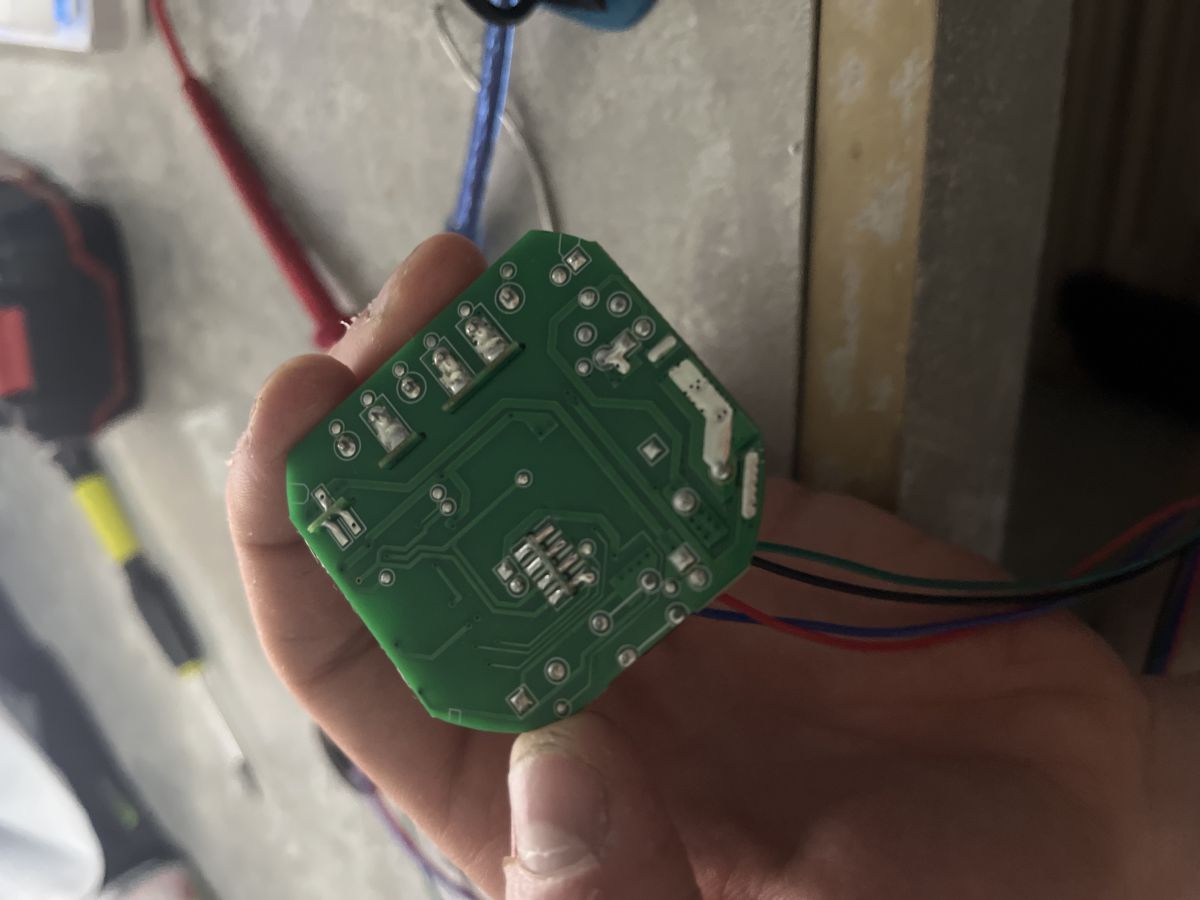
    Can you show the lower side of the board?

    Well, the most reliable approach includes desoldering the daughter board with WB2S... but maybe we could flash without it. It depends on whether RX/TX pins of WB2S are used.
    Helpful post? Buy me a coffee.
  • #3 21577880
    dominikgaspar123
    Level 3  
    Posts: 10
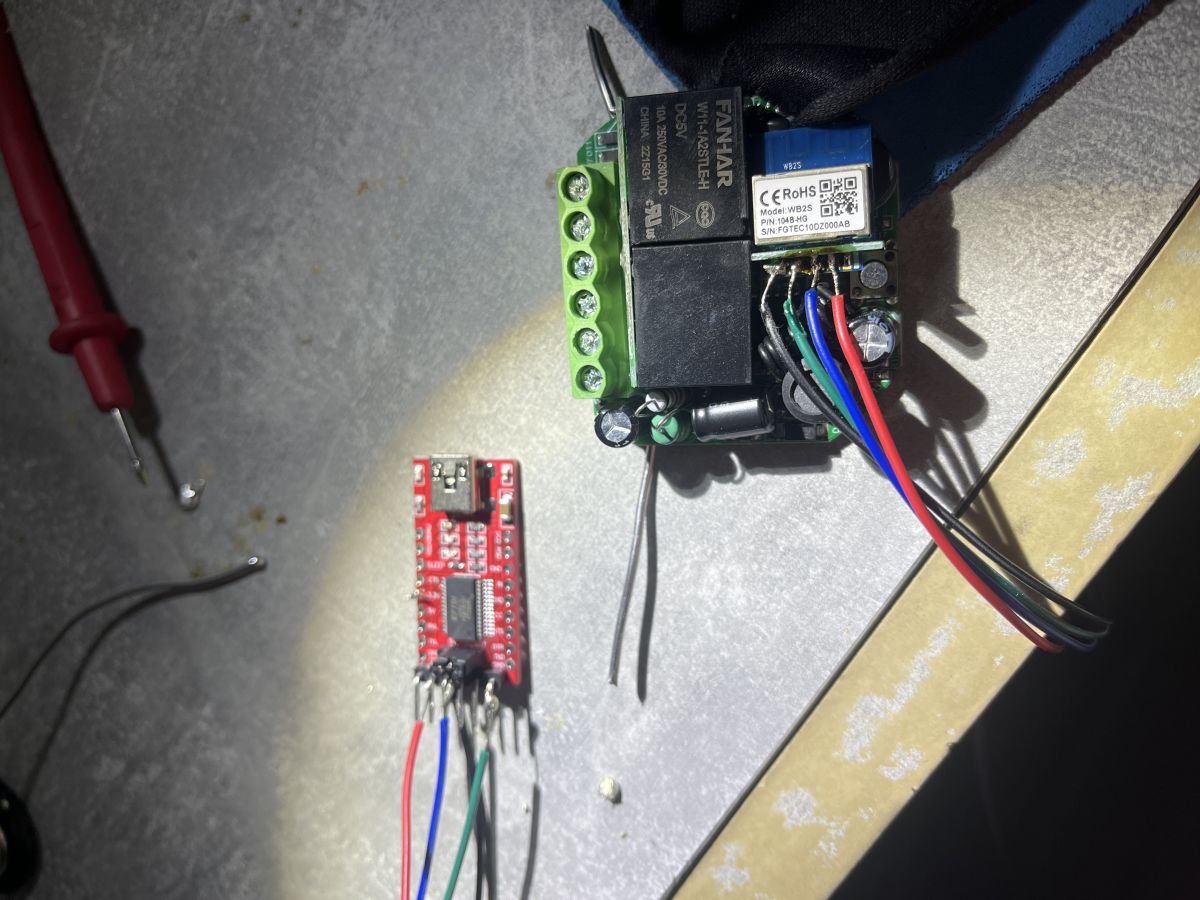
    Wiring MOES MS-104B s WB2S to TTL FT232RL for OpenBK7231T Flashing
    Wiring MOES MS-104B s WB2S to TTL FT232RL for OpenBK7231T Flashing
  • ADVERTISEMENT
  • #4 21577937
    p.kaczmarek2
    Moderator Smart Home
    Posts: 14416
    Help: 650
    Rate: 12371
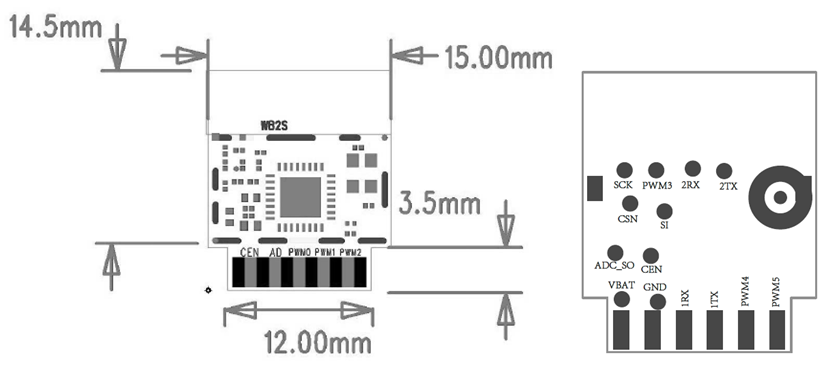
    WB2S RX/TX is on the bottom side, so not visible from the top of the board:
    Wiring MOES MS-104B s WB2S to TTL FT232RL for OpenBK7231T Flashing
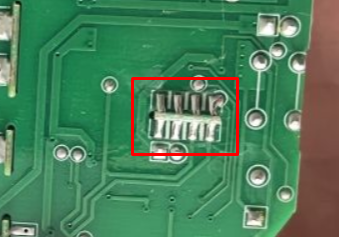
    Maybe try desoldering here first? Use flux and solder wick?
    Wiring MOES MS-104B s WB2S to TTL FT232RL for OpenBK7231T Flashing

    Added after 41 [seconds]:

    Our flash tool: https://github.com/openshwprojects/BK7231GUIFlashTool
    Helpful post? Buy me a coffee.
  • #5 21577963
    dominikgaspar123
    Level 3  
    Posts: 10
    Can I just solder it to FT232RL pins? Will it work? I only need to flash it
  • #6 21577980
    p.kaczmarek2
    Moderator Smart Home
    Posts: 14416
    Help: 650
    Rate: 12371
    You can give it a try, as long as you make sure to power WiFi module from 3.3V, but if there is no good LDO that can provide enough current on your board, then flashing may fail. So I'd say first try, and if it does not work, then we'll search for better solution.
    I usually do like this (but for WB2S, choose BK7231T)


    Helpful post? Buy me a coffee.
  • #7 21578253
    dominikgaspar123
    Level 3  
    Posts: 10
    The Jumper is set to 3.3V but idk the pins and how to link them
  • #8 21578303
    p.kaczmarek2
    Moderator Smart Home
    Posts: 14416
    Help: 650
    Rate: 12371
    You need use RX, TX, GND and 3.3V, just like on the video. Let me know if you have any specific questions.
    Helpful post? Buy me a coffee.
  • #9 21578611
    dominikgaspar123
    Level 3  
    Posts: 10
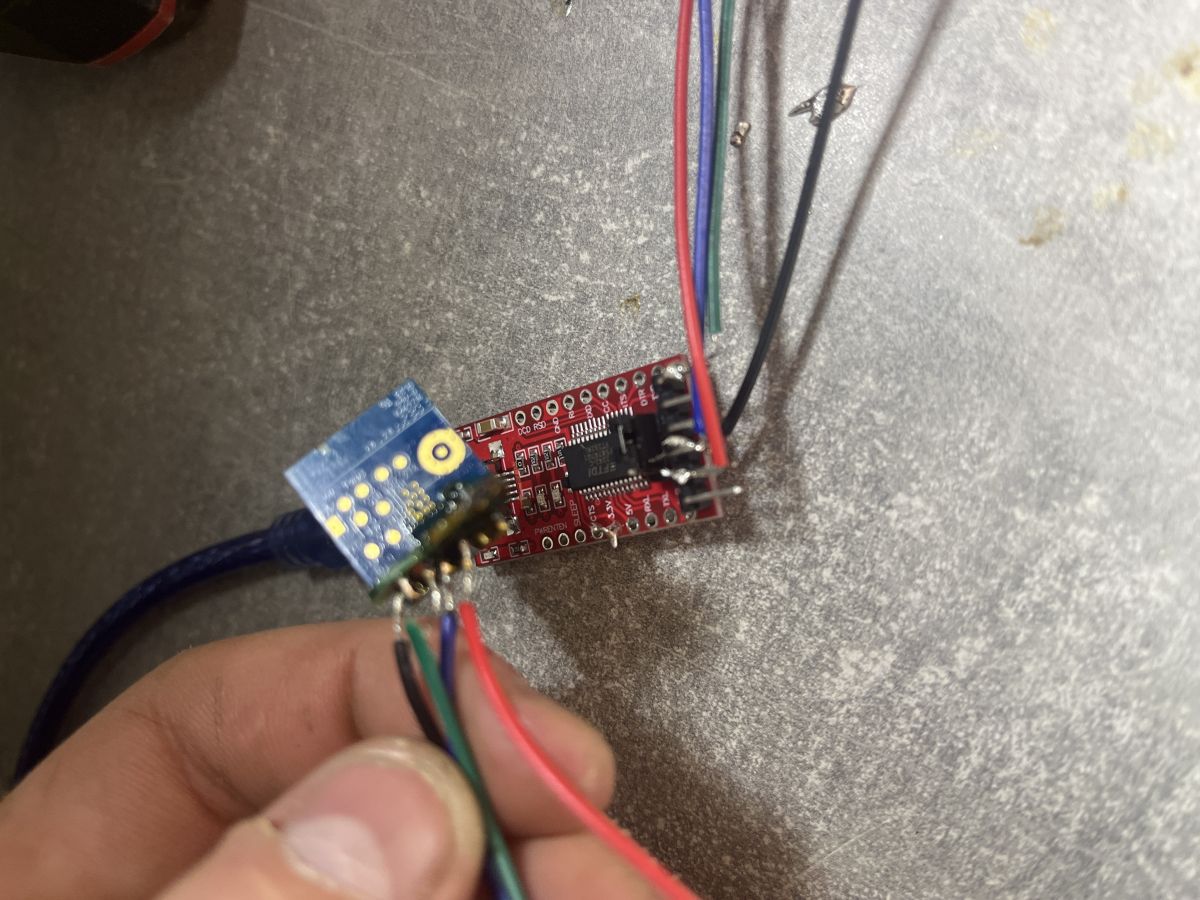
    I hope I did it correctly Wiring MOES MS-104B s WB2S to TTL FT232RL for OpenBK7231T Flashing
  • #10 21578633
    p.kaczmarek2
    Moderator Smart Home
    Posts: 14416
    Help: 650
    Rate: 12371
    I am afraid this is incorrect. You've soldered to wrong side of the module. Check my previous post. You soldered to: CEN, AD, PWM0, PWM1.
    Helpful post? Buy me a coffee.
  • ADVERTISEMENT
  • #11 21578636
    dominikgaspar123
    Level 3  
    Posts: 10
    Then where are they
    Wiring MOES MS-104B s WB2S to TTL FT232RL for OpenBK7231T Flashing
  • #12 21578655
    p.kaczmarek2
    Moderator Smart Home
    Posts: 14416
    Help: 650
    Rate: 12371
    I don't know this particular converter board. I would desolder it from main board along with WB2S and then flash.
    Helpful post? Buy me a coffee.
  • #13 21578657
    dominikgaspar123
    Level 3  
    Posts: 10
    Am gonna give it a try I will desolder it, thank you for helping

    Added after 1 [hours] 6 [minutes]:


    Wiring MOES MS-104B s WB2S to TTL FT232RL for OpenBK7231T Flashing
  • ADVERTISEMENT
  • #14 21580195
    p.kaczmarek2
    Moderator Smart Home
    Posts: 14416
    Help: 650
    Rate: 12371
    The photo is a bit blurry, but it's better than before. Make sure to connections are correct. Do not accidentally swap wires. Also, you should not solder to USB to UART converter pins...
    Futhermore, flashing procedure requires you to disconnect and reconnect 3.3V quickly, how will you do it with wires soldered? Hm
    Helpful post? Buy me a coffee.
  • #15 21580235
    dominikgaspar123
    Level 3  
    Posts: 10
    I fixed it, chatgpt helped me. And now it's working very well. Thank you so much for your help
  • #16 21580240
    p.kaczmarek2
    Moderator Smart Home
    Posts: 14416
    Help: 650
    Rate: 12371
    Did you managed to flash just with that USB to UART converter? Is device working now?

    Or did you have to use external 3.3V power supply?
    Helpful post? Buy me a coffee.
  • #17 21580243
    dominikgaspar123
    Level 3  
    Posts: 10
    It worked through USB, no problem. I already installed it on the ceiling and the switch is working good
  • #18 21580248
    p.kaczmarek2
    Moderator Smart Home
    Posts: 14416
    Help: 650
    Rate: 12371
    Can you share device config from Web App? The JSON text?

    Don't forget to add PowerSave 1 to startup command
    Helpful post? Buy me a coffee.
  • #19 21580252
    dominikgaspar123
    Level 3  
    Posts: 10
    Chatgpt helped me. I dont have it anymore
  • #20 21580266
    p.kaczmarek2
    Moderator Smart Home
    Posts: 14416
    Help: 650
    Rate: 12371
    Wait, you don't have access to your device?
    Helpful post? Buy me a coffee.
  • #21 21719784
    erdemefe1
    Level 3  
    Posts: 8
    I have same switch. Original FW toggles lamp itself.

    So I changed the FW with OpenBeken. But. I did not apply right config. Especially WiFi button and LED, and RF part of device don't work. Were you able to configure your own device?

Topic summary

✨ The discussion addresses how to connect the MOES MS-104B switch with the WB2S module to a TTL FT232RL USB-to-UART converter for flashing with OpenBK7231T firmware to enable compatibility with Shelly Plus 2PM. The WB2S RX and TX pins are located on the underside of the board, requiring desoldering the daughter board for direct access. Proper connection involves linking RX, TX, GND, and 3.3V lines, ensuring the FT232RL is set to 3.3V to match the module's voltage requirements. Soldering directly to the wrong side or to USB-to-UART converter pins is discouraged. Flashing requires momentarily disconnecting and reconnecting 3.3V power, which complicates wiring if permanently soldered. The user successfully flashed the device using the FT232RL powered at 3.3V without an external power supply and confirmed the switch operates correctly after installation. The OpenBK7231T flash tool from GitHub was recommended for the flashing process.
Generated by the language model.

FAQ

TL;DR: To flash a MOES MS-104B (WB2S), wire RX, TX, GND, and 3.3V; "make sure to power WiFi module from 3.3V". Select BK7231T in the OpenBK tool. [Elektroda, p.kaczmarek2, post #21577980]

Why it matters: This FAQ helps DIY tinkerers safely wire FT232RL to WB2S and complete OpenBK7231T flashing without 3.3V damage or miswiring.

Quick Facts

Which pins do I connect between WB2S and an FT232RL to flash OpenBK7231T?

Use four lines: RX, TX, GND, and 3.3V. Keep wiring short and avoid swapping lines. The guidance was to use RX, TX, GND, and 3.3V, following the demonstrated approach. Set your converter for 3.3V operation. [Elektroda, p.kaczmarek2, post #21578303]

Where are the RX/TX pads on the MOES MS-104Bs WB2S?

On this board, the WB2S RX and TX pads are on the bottom of the module. They are not visible from the top side. Access the underside pads for UART wiring. [Elektroda, p.kaczmarek2, post #21577937]

I soldered to CEN, AD, PWM0, PWM1why doesnt flashing work?

Those are not UART pads, so the bootloader wont see your adapter. They are control and PWM-related pins. "Youve soldered to: CEN, AD, PWM0, PWM1." Move your wires to the RX/TX pads on the bottom. [Elektroda, p.kaczmarek2, post #21578633]

Should I desolder the WB2S module to flash it?

Yes if you want the most reliable path. Desolder the daughterboard with WB2S and flash it directly. In-circuit flashing may still work if RX/TX arent tied to other logic. It depends on how the main board uses those lines. [Elektroda, p.kaczmarek2, post #21577832]

Can I flash using only the FT232RLs 3.3V from USB?

Yes. In this thread, one user confirmed success using only the FT232RLs USB-powered 3.3V. After flashing, their switch worked normally. This is one confirmed case of USB-only power working. [Elektroda, dominikgaspar123, post #21580243]

Do I need to power-cycle 3.3V during flashing?

Yes. The flashing process needs a quick disconnect and reconnect of the 3.3V rail. Soldered power wires make this harder to do cleanly. Use a switch or jumper so you can toggle 3.3V on cue. [Elektroda, p.kaczmarek2, post #21580195]

Is it okay to solder directly to FT232RL pins?

Avoid that. "You should not solder to USB to UART converter pins..." It complicates quick power-cycling and can stress the adapter. Use removable connections instead of hard-soldering to the adapter. [Elektroda, p.kaczmarek2, post #21580195]

Which chip target must I select in the OpenBK tool for WB2S?

Select BK7231T in the flashing tool. The WB2S module uses a BK7231T-class chipset, so choose the BK7231T target. This matches the maintainers guidance for WB2S. [Elektroda, p.kaczmarek2, post #21577980]

What flashing tool should I use?

Use the OpenBK7231 GUI Flash Tool from OpenSHWProjects. Its the recommended utility referenced by the project maintainer in this thread. Install it before wiring and flashing the module. [Elektroda, p.kaczmarek2, post #21577937]

Why does my flash fail at 0% or disconnect mid-way?

Power delivery is a common cause. "If there is no good LDO that can provide enough current on your board, then flashing may fail." Power the module with a stable 3.3V source and minimize voltage drop. [Elektroda, p.kaczmarek2, post #21577980]

How do I do the quick 3.3V power-cycle when flashing?

Use this 3-step approach:
  1. Disconnect 3.3V to WB2S.
  2. Start the flash so the tool waits for boot.
  3. Reconnect 3.3V quickly to enter flashing mode. This is easier if power isnt hard-soldered. [Elektroda, p.kaczmarek2, post #21580195]

Any post-flash configuration tips for OpenBK on WB2S?

Enable power saving. Add the command PowerSave 1 to your Startup commands after flashing. The maintainer specifically recommended enabling this setting for your device. [Elektroda, p.kaczmarek2, post #21580248]
Generated by the language model.
ADVERTISEMENT