







I recently came to the point where I wanted to find out, which channels are "in use" in order to avoid assigning an already used channel to DS1820 for temperature.
It reminded me about my approach to center pinrole and channels, actually spread over different files in one.
This is updated and actual work can be found here: in this branch
Basic idea:
There is one new text file with all information
An awk script will generate an header file included by multiple files to replace the information prior coded there.
It won't break anything, saves some bytes but "uglifies" JavaScript code a bit.
And not yet done: I need to figure out/check automatic build of documentation (since the information will be in another file now).
I also included a new #define to have the possibility to change the GUI
Inspired by an idea of @divadiow I tried to extend the page for "Configure Module" to add a "description" for the channels.
Adding the descriptions is quite straightforward; since adds some information to the image it will increase size a bit.
Here's a preview of the actual possible work the following changes to the actual page (its enabled for the windows simulator to test):
Removed channels from "0 channel" roles
Hide pins with no role assignment
Added simple "function" to channels

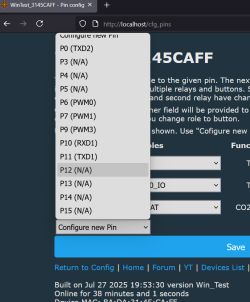
Just actual work to see what is possible...
So: Why this post? Its not really about the changes above, but a related question:
But then I realized we have quite some different approaches for handling of
Pins, roles, channels and drivers.
We have drivers which are configured through the "Configure Module" page:
- setting the role for the pin and possibly the channels
- this has two possible results:
- you can start the driver via command or autostart
- driver automatically starts if all pins are configured
- setting the channel will result in channel to be recognized as "known in use"
Examples are DHT drivers (autostarted) and DS1820 (start with command)
Other drivers can not be configured on this page, but are configured during driver start.
The used channels are usually not recognized as "in use"
Examples are AHT2X, BMP280 ...
So my question is to discuss, if we maybe want to change this (in either direction)?
I would help changing/extending the "Configure Module" page if we might decide this way.
It reminded me about my approach to center pinrole and channels, actually spread over different files in one.
This is updated and actual work can be found here: in this branch
Basic idea:
There is one new text file with all information
An awk script will generate an header file included by multiple files to replace the information prior coded there.
It won't break anything, saves some bytes but "uglifies" JavaScript code a bit.
And not yet done: I need to figure out/check automatic build of documentation (since the information will be in another file now).
I also included a new #define to have the possibility to change the GUI
Inspired by an idea of @divadiow I tried to extend the page for "Configure Module" to add a "description" for the channels.
Adding the descriptions is quite straightforward; since adds some information to the image it will increase size a bit.
Here's a preview of the actual possible work the following changes to the actual page (its enabled for the windows simulator to test):
Removed channels from "0 channel" roles
Hide pins with no role assignment
Added simple "function" to channels
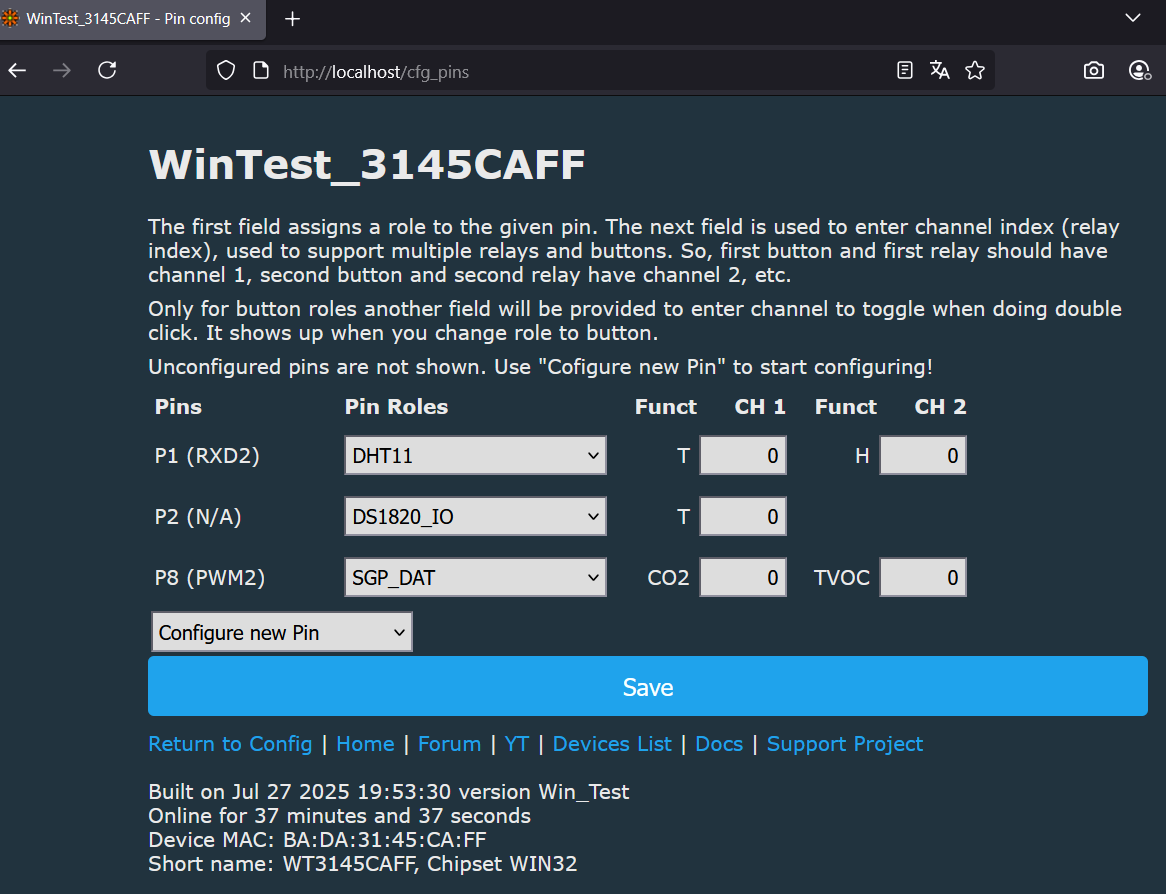
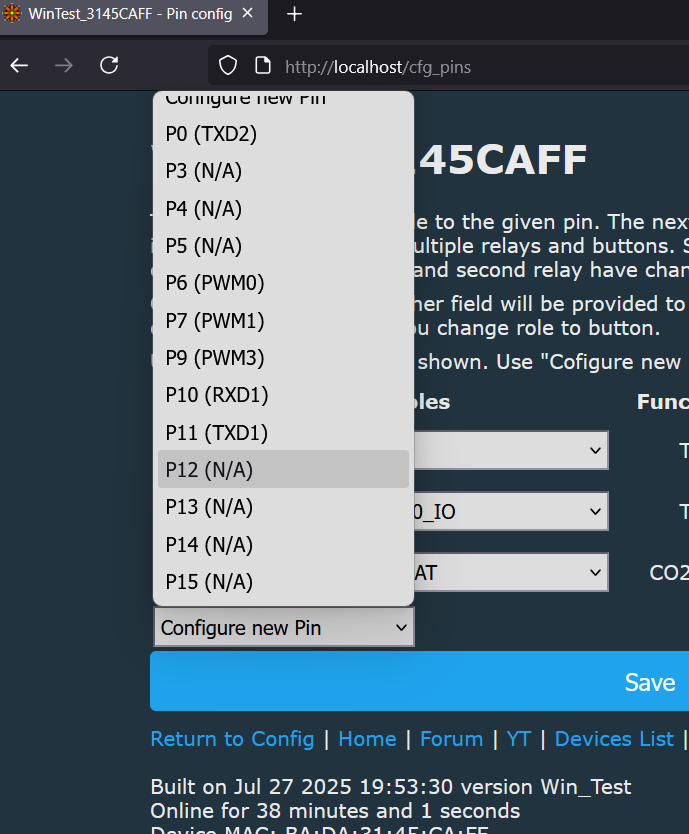
Just actual work to see what is possible...
So: Why this post? Its not really about the changes above, but a related question:
But then I realized we have quite some different approaches for handling of
Pins, roles, channels and drivers.
We have drivers which are configured through the "Configure Module" page:
- setting the role for the pin and possibly the channels
- this has two possible results:
- you can start the driver via command or autostart
- driver automatically starts if all pins are configured
- setting the channel will result in channel to be recognized as "known in use"
Examples are DHT drivers (autostarted) and DS1820 (start with command)
Other drivers can not be configured on this page, but are configured during driver start.
The used channels are usually not recognized as "in use"
Examples are AHT2X, BMP280 ...
So my question is to discuss, if we maybe want to change this (in either direction)?
I would help changing/extending the "Configure Module" page if we might decide this way.

