








How to correctly configure a mixed RGB addressable LED lamp driver 28 segments of 3-4 LEDs plus one white colour. This is a LED strip vertical corner lamp 1.4m high
The driver generally already works on Openbeken, but I can't deal with two issues: I don't know how to control white and RGB colour separately.
I've traversed, ripped the firmware and configuration. And what I have already come to:
PWM of white colour - P8
RGB LED voltage control - P26
RGB driver D - P16
IRRecv - P20
Microphone - P23
And three buttons: P7, P24 , P22 as C, ON, M.
I mainly care about being able to switch between white tape and RGB and possibly switch them on at the same time. And to control the brightness separately for white and RGB. The rest I think I can grasp.
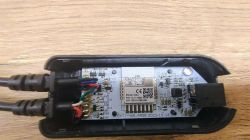
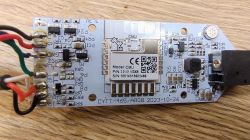
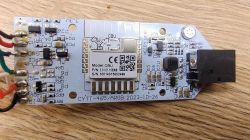
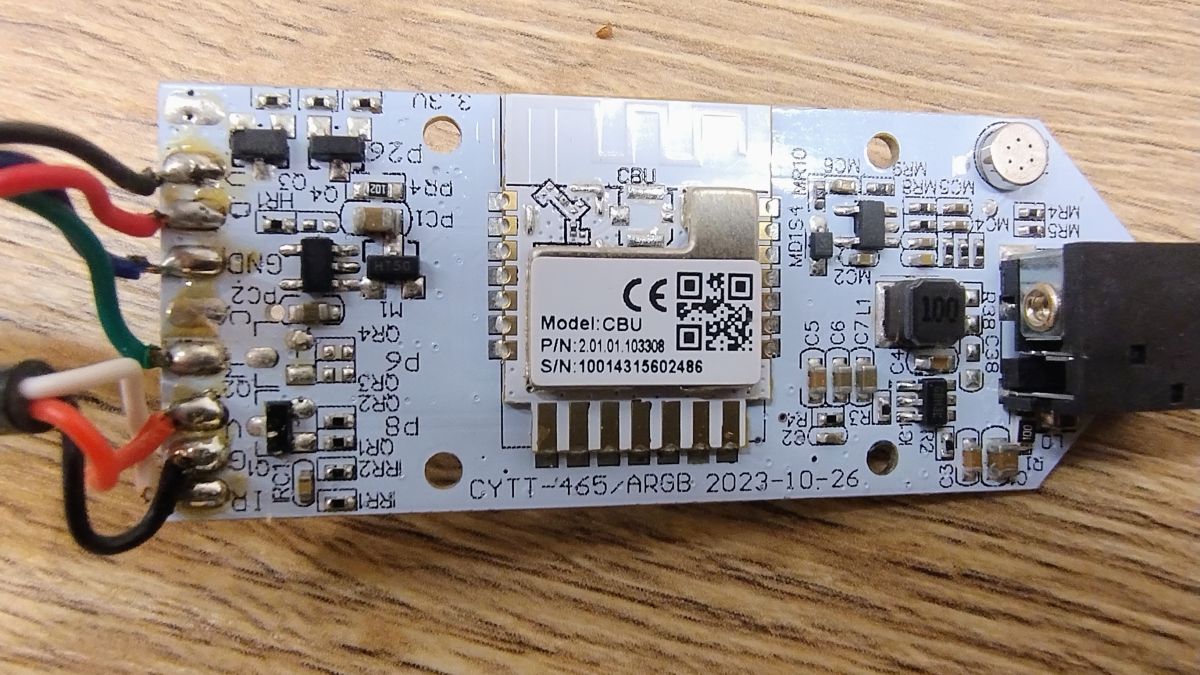
Here are the pictures of the controller:
JSON extracted from the original batch:
Description:
Device configuration, as extracted from Tuya:
- Microphone (TODO) on P23
- LED Cool (Channel 4) on P8
- IR Receiver is on P20
- PWM Frequency 1000
- SPI MISO 17
- SPI MOSI 16
- Control Pin (TODO) on P26
- Button (channel 2) on P24
- Button (channel 3) on P7
Device seems to be using CBU module, which is using BK7231N.
And the Tuya section starts, as usual, at 2023424
Attached is the ripped original batch.
I am trying to set the PWM on P8 and REL on P26 and configure the driver:
But I don't understand why sometimes the buttons work to switch RGB to white and sometimes not. Sometimes the brightness slider works and sometimes it doesn't etc.
I would also add that when I play around in status. PWM works fine there for white. I completely don't know why it doesn't work on Home
The driver generally already works on Openbeken, but I can't deal with two issues: I don't know how to control white and RGB colour separately.
I've traversed, ripped the firmware and configuration. And what I have already come to:
PWM of white colour - P8
RGB LED voltage control - P26
RGB driver D - P16
IRRecv - P20
Microphone - P23
And three buttons: P7, P24 , P22 as C, ON, M.
I mainly care about being able to switch between white tape and RGB and possibly switch them on at the same time. And to control the brightness separately for white and RGB. The rest I think I can grasp.
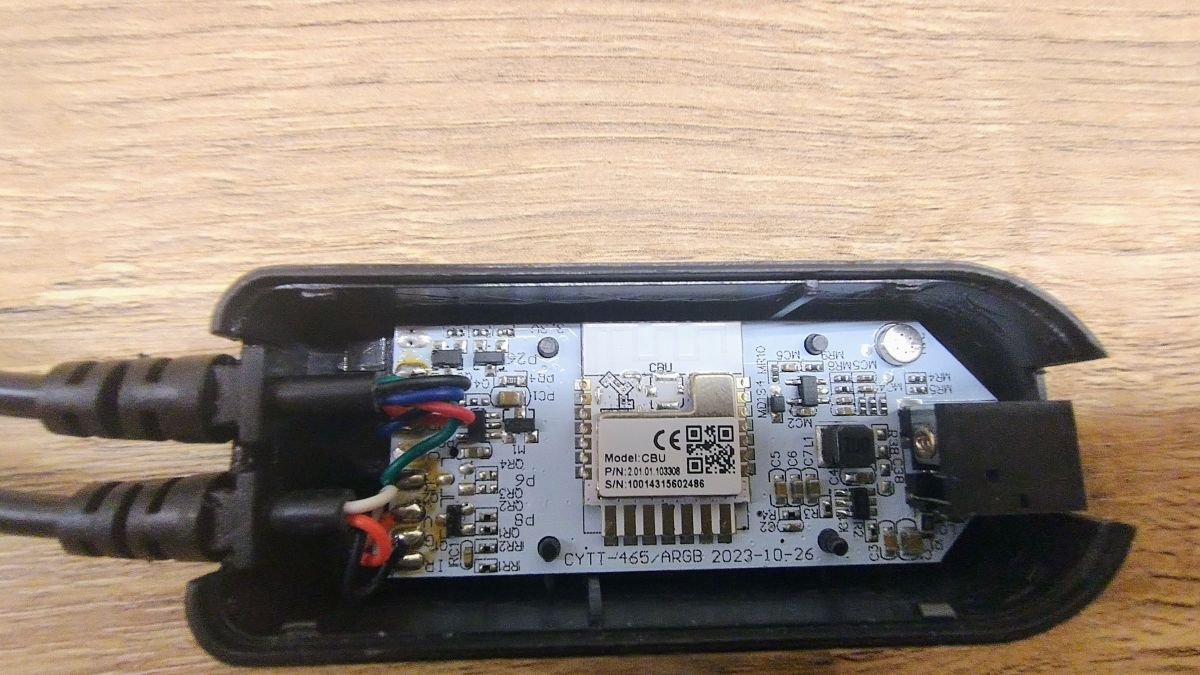
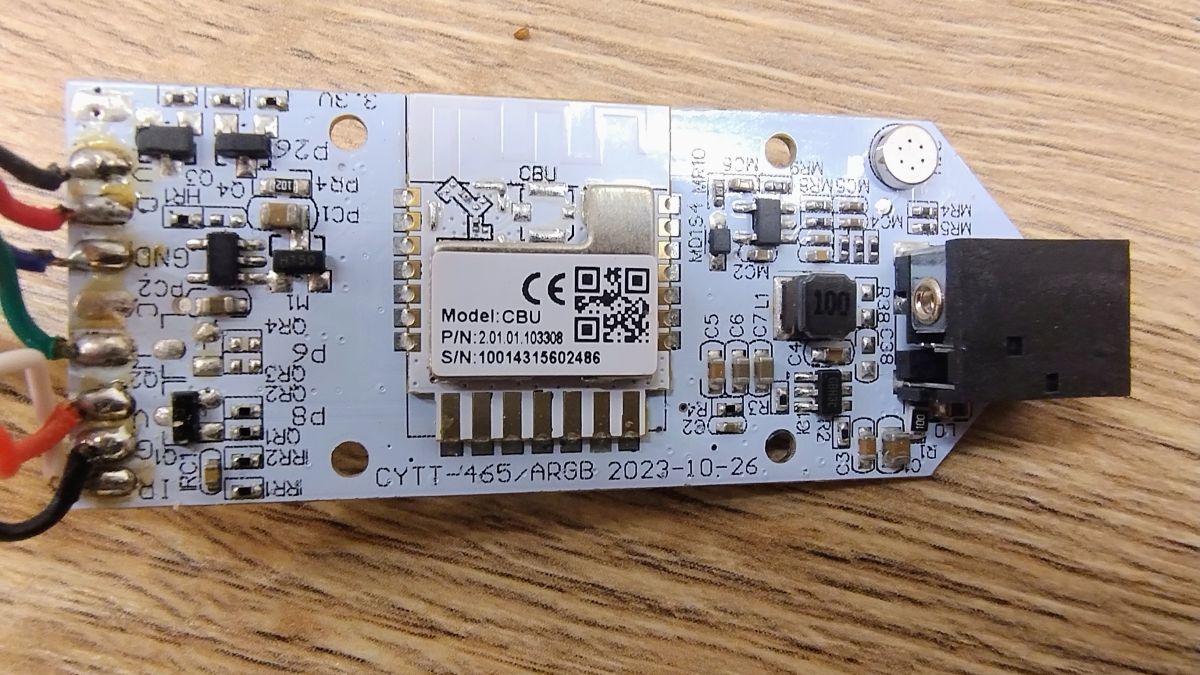
Here are the pictures of the controller:
JSON extracted from the original batch:
Code: JSON
Description:
Device configuration, as extracted from Tuya:
- Microphone (TODO) on P23
- LED Cool (Channel 4) on P8
- IR Receiver is on P20
- PWM Frequency 1000
- SPI MISO 17
- SPI MOSI 16
- Control Pin (TODO) on P26
- Button (channel 2) on P24
- Button (channel 3) on P7
Device seems to be using CBU module, which is using BK7231N.
And the Tuya section starts, as usual, at 2023424
Attached is the ripped original batch.
I am trying to set the PWM on P8 and REL on P26 and configure the driver:
Code: Text
But I don't understand why sometimes the buttons work to switch RGB to white and sometimes not. Sometimes the brightness slider works and sometimes it doesn't etc.
I would also add that when I play around in status. PWM works fine there for white. I completely don't know why it doesn't work on Home
