logo elektroda
logo elektroda
X
logo elektroda

Smart socket from AliExpress, no TX1/RX1 leads, BK7252N flashing

piotr.ino26 576 10
ADVERTISEMENT
Treść została przetłumaczona polish » english Zobacz oryginalną wersję tematu
📢 Listen (AI):
  • Good morning.
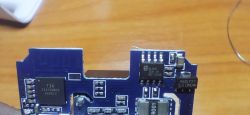
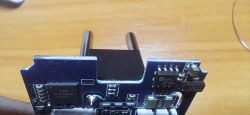
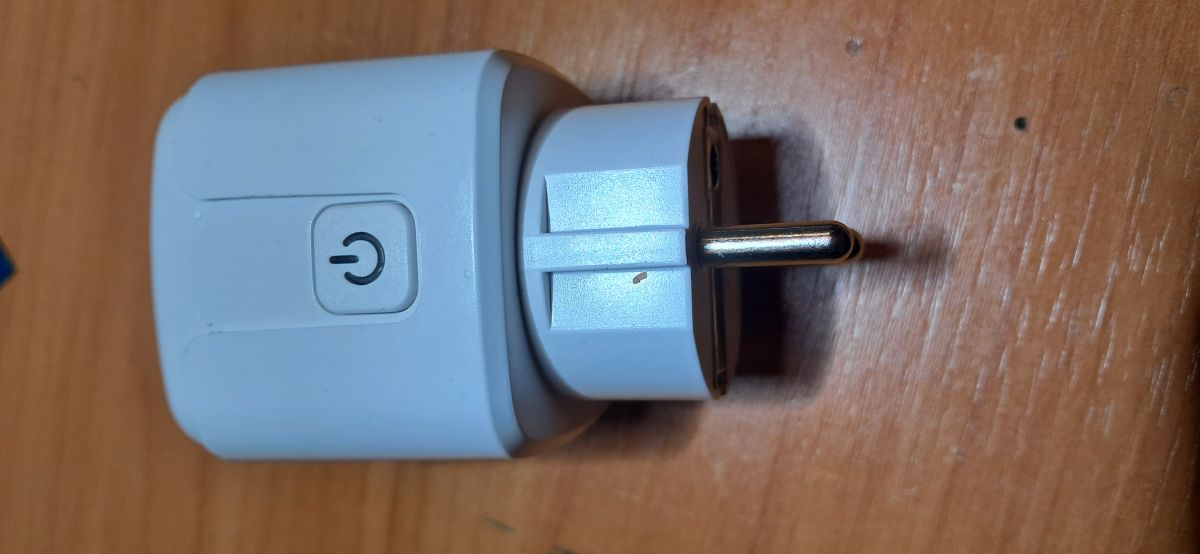
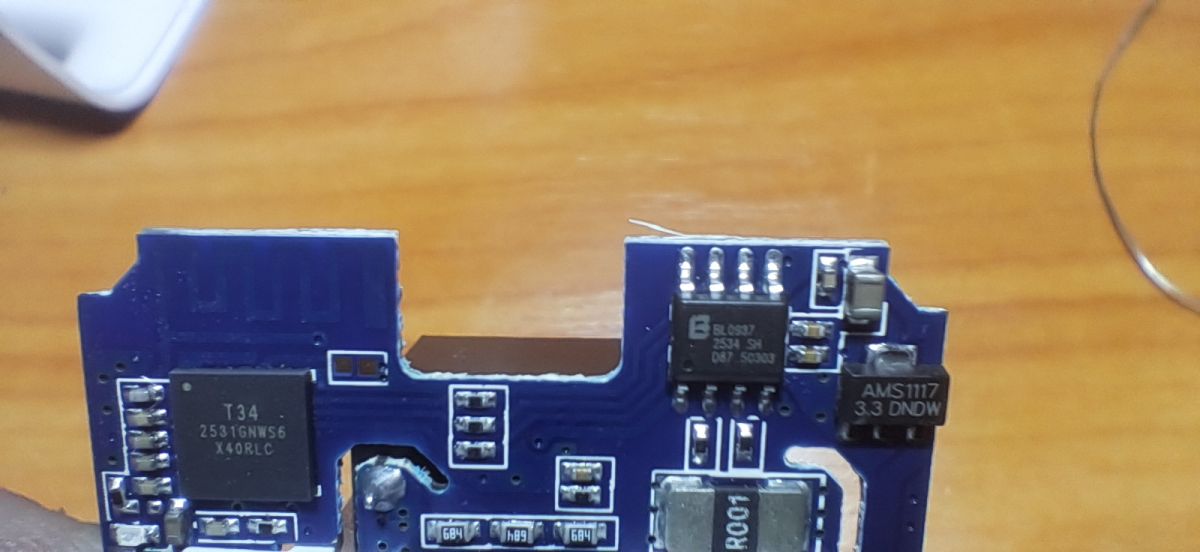
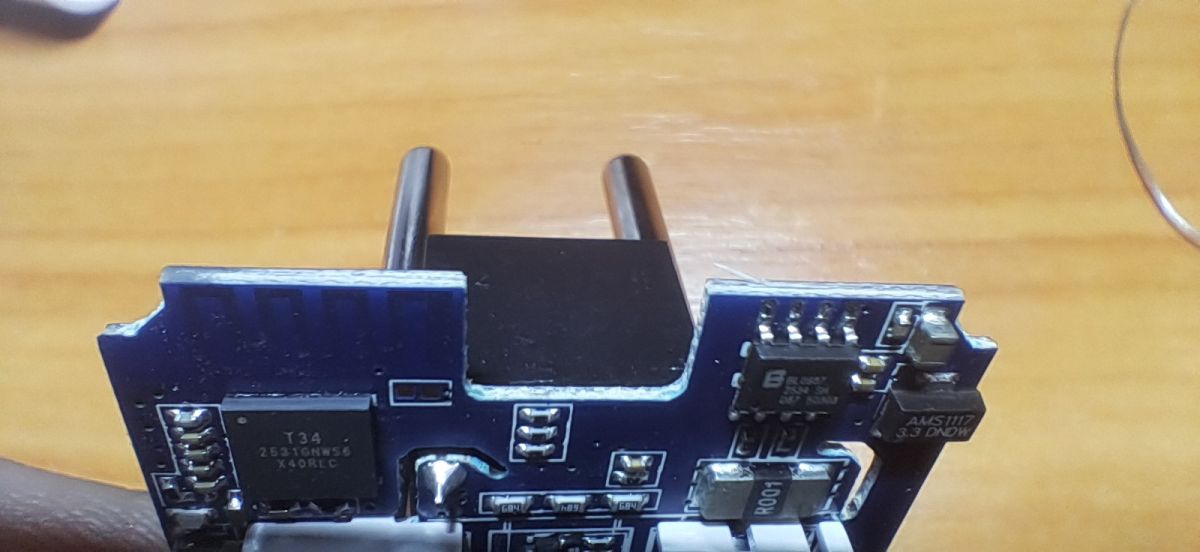
    Socket smart from Ali cheap (£9.5) and a great mine, but probably the latest :) Under the T34 chip the TX1/RX1 signals are not routed anywhere, no approach from the side. Only pulling off the circuit or scraping. With the previous WB2S there was no problem. It's impossible to tell what you're buying from the chassis auction photos.
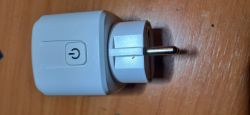
    White smart socket with power button lying on wooden surface
    Close-up of PCB with T34, BL0937, and AMS1117 chips and surface-mounted components.
    Close-up of a smart plug module with T34 chip and electronic components on PCB
    As I am doing this purely as a hobbyist, it looks like what it looks like.
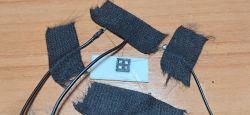
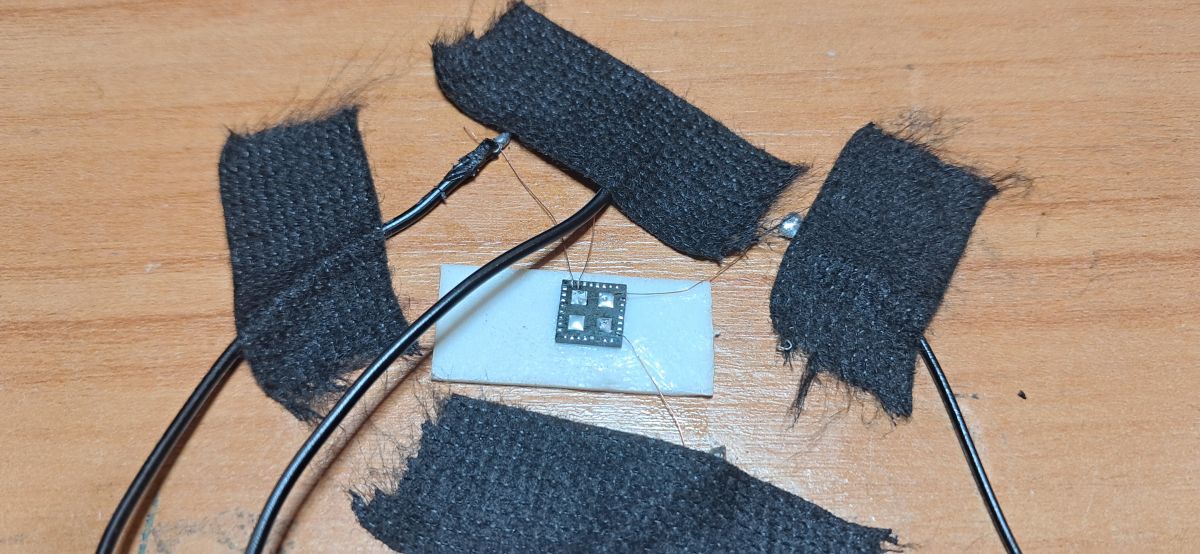
    Beken microchip on white base, surrounded by wires and black insulating tape
    I managed to rip the backup (below as someone would need) and upload the new firmware, but relied on soldering back in. With 2 I'll wait until it can be done over Wi-Fi.
    Read/write as BK7231N
    Spoiler:
    {
    "sel_pin_pin": "8",
    "rl1_lv": "1",
    "bt1_pin": "28",
    "on_off_cnt": "10",
    "onoff_rst_m": "0",
    "onoff_clear_t":"10",
    "rand_dpid": "42",
    "net_trig": "4",
    "netled1_lv": "1",
    "jv": "110.0.3",
    "onoff_rst_type":"2",
    "ffc_select": "2",
    "total_bt_pin": "26",
    "key_rst_en": "1",
    "nety_led": "1",
    "vi_pin": "7",
    "over_cur": "30000",
    "resistor": "1",
    "total_stat": "2",
    "bt1_lv": "0",
    "reset_t": "5",
    "netled1_pin": "24",
    "chip_type": "0",
    "lose_vol": "90",
    "remote_add_dp":"49",
    "remote_list_dp":"50",
    "net_type": "0",
    "over_vol": "250",
    "inch_dp": "44",
    "module": "T34",
    "ele_pin": "6",
    "ch_cddpid1": "9",
    "ble_pair_time":"30",
    "init_conf": "38",
    "zero_select": "0",
    "onoff_type": "2",
    "series_ctrl": "2",
    "bt_self_type": "0",
    "total_bt_lv": "0",
    "cyc_dpid": "43",
    "ch_num": "1",
    "rl1_pin": "14",
    "netn_led": "0",
    "vol_def": "0",
    "ch_dpid1": "1",
    "sel_pin_lv": "1",
    "crc": "55"
    }


    Device configuration, as extracted from Tuya:
    - BL0937 SEL on P8
    - Button (channel 1) on P28
    - Pair/Toggle All Button on P26
    - BL0937 VI (CF1) on P7
    - WiFi LED on P24
    - BL0937 ELE (CF) on P6
    - Relay (channel 1) on P14
    Device seems to be using T34 module,


    Moderated By p.kaczmarek2:


    One minor note - the T34 is a BK7231N, not a BK7252. It's important not to get this wrong, because if you load the wrong batch the module won't start.


    Cool? Ranking DIY

    About Author
    piotr.ino26
    Level 11  
    Offline 
    piotr.ino26 wrote 62 posts with rating 6. Live in city Inowrocław. Been with us since 2006 year.
  • ADVERTISEMENT
  • #2 21775371
    gulson
    System Administrator
    Thanks for the presentation. I also added this plug to my purchases by the way - it was supposed to be for Christmas tree lights, I opened it and threw it in the corner. Cool that you managed to upload, I'm not surprised that for 10£ you didn't want to finish. Send a Parcel Post to Private Message and I'll send a small gift.
  • ADVERTISEMENT
  • #3 21775485
    piotr.ino26
    Level 11  
    Welcome. I now have a conundrum. Have I relied on soldering or uploaded the wrong batch?
    I considered that it was left reading BK7252N (T4) is such a batch (OpenBK7252N_QIO_1.18.225) I uploaded BK7231Flasher. i lifted the chip 5 times and the plug remained dead.
    The chip did not want to be read or written under any other option.
    Maybe I need to delete the old batch and only upload BK7231N?
    Once there something clicked and then I just started to change the readings.
    The message from the program.
    Spoiler:
    Starting flash new (no backup)!
    Now is: Monday, 8 December 2025 16:42:09.
    Flasher mode: BK7231N
    Going to open port: COM2.
    Serial port open!
    Getting bus... (now, please do reboot by CEN or by power off/on)
    Getting bus failed, will try again - 0/100!
    Getting bus failed, will try again - 1/100!
    Getting bus failed, will try again - 2/100!
    Getting bus failed, will try again - 3/100!
    Getting bus success!
    Going to set baud rate setting (115200)!
    Will try to read device flash MID (for unprotect N):
    Flash MID loaded: 15701C
    Will now search for Flash def in out database...
    Flash def found! For: 15701C
    Flash information: mid: 15701C, icName: EN25QH16B, manufacturer: ESMT, szMem: 200000, szSR: 1, cwUnp: 0, cwEnp: 7, cwMsk: 3C, sb: 2, lb: 4, cwdRd: 05-FF-FF-FF, cwdWr: 01-FF-FF-FF
    Flash size is 2MB
    Entering SetProtectState(True)...
    sr: 7c
    final sr: 7c
    msk: 3c
    cw: 0, sb: 2, lb: 4
    bfd: 0
    sr: 40
    final sr: 40
    msk: 3c
    cw: 0, sb: 2, lb: 4
    bfd: 0
    SetProtectState(True) success!
    Going to read encryption key...
    CheckRespond_FlashReadSR: bad value returned?
    CheckRespond_WriteReg: ERROR
    CheckRespond_FlashReadSR: bad value returned?
    CheckRespond_FlashReadSR: bad value returned?
    CheckRespond_FlashReadSR: bad value returned?
    CheckRespond_WriteReg: ERROR
    CheckRespond_FlashReadSR: bad value returned?
    CheckRespond_FlashReadSR: bad value returned?
    CheckRespond_FlashReadSR: bad value returned?
    CheckRespond_WriteReg: ERROR
    CheckRespond_FlashReadSR: bad value returned?
    CheckRespond_FlashReadSR: bad value returned?
    Encryption key read done!
    Encryption key: 510fb093 a3cbeadc 5993a17e 00000003
    ^*^*^*^*^*^*^*^*^*^*^*^*^*^*^*^*^*^*^*^*^*^*^
    WARNING! Non-standard encryption key!
    If it's all zero, it may also mean that read is disabled.
    Please report to forum https://www.elektroda.com/rtvforum/forum51.html
    Or just try using BK7231M mode[spoiler]
  • #4 21775598
    divadiow
    Level 36  
    T34 should be flashed as BK7231N (T2)

    Maybe the confusion came from 'T34' being the designation on the chip in your device?

    T1, T2, T3, T4 are newer Tuya designations for various Beken chips.

    I have flashed your backup to a Tuya CB3S (BK7231N) and it boots fine. I have also flashed my CB3S with the BK7252N (T4) OpenBeken app and then QIO and have been able to recover back to OpenBK7231N QIO without issue. Maybe you are now experiencing a cabling issue with length, grounding?

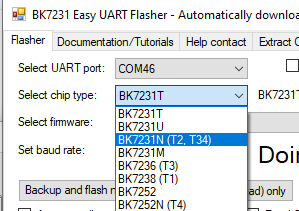
    Also, maybe we should change Easy Flasher slightly to add T34 in the brackets beside BK7231N, alongside T2.

    Something like this:
    Dropdown menu showing selected chip type BK7231N (T2, T34) in Easy UART Flasher
  • ADVERTISEMENT
  • #5 21775667
    piotr.ino26
    Level 11  
    divadiow wrote:
    Maybe you now have a problem with the length of the cabling, grounding?

    1m USB extension cable, 15cm cable to the programmer, powering the chip from the power supply. Something to change?
  • #6 21776576
    p.kaczmarek2
    Moderator Smart Home
    The error message looks a bit strange, the T34 has no other keys. Maybe it really is a communication error. I always shorten the wires as much as possible.

    The second socket works? So it worked after all, congratulations. And the first one is also ok now? Just out of curiosity, which USB to UART converter did you use?

    I have already touched on the topic of the T34 here:
    Changing firmware getting harder? Smart Switch on T34 and LGA/QFN soldering

    It's a shame that more and more of this T34 is out there, not everyone can cope with this LGA soldering....
    Helpful post? Buy me a coffee.
  • #7 21776644
    piotr.ino26
    Level 11  
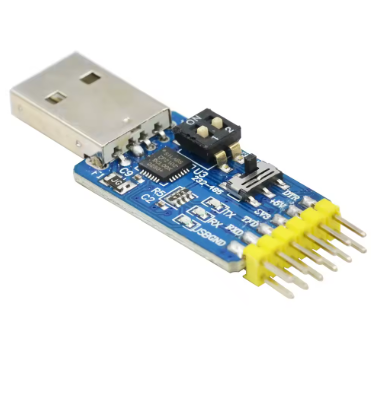
    USB to UART converter module with CP2102 chip and pin headers
    CP2102 from Ali + 3.3 V from power supply, and it only gives 2.4 V from USB.
    1 socket died from an impression :) after an encounter with a scalpel.
    There is no TX/RX output anywhere on the board. The pads fell right off. The pad from the T34 from the CEN fell off when whittled, also I guess a faulty copy came along.
    The second socket went express, as you can see on the logs. As you wrote, it is supposed to be BK7231N and it surprised after 1 power cut. No backup as I did this second socket out of the blue, to see if it would work.
    Biggest problem is soldering it back on.
  • #8 21776655
    p.kaczmarek2
    Moderator Smart Home
    I haven't even tested this CP2102 , good to know it works.

    Keep that other socket, it might come in handy as a parts donor. The capacitors there wear out quickly. Turn on PowerSave 1 in the OBK to extend their life. Just enter this command in the startup command (in startup, so that it always turns on at startup).
    How do you fix a smart device that crunches, squeaks and makes strange noises?
    What method do you use to solder in the T34?

    Since there's a BL0937 in there, it might still be worth doing a calibration, as in Tasmot, i.e. VoltageSet/CurrentSet/PowerSet at a known load (with a standard meter).
    Helpful post? Buy me a coffee.
  • #9 21776701
    piotr.ino26
    Level 11  
    I did the calibrations because I have had such a socket for 3 years to control the boiler heater and I made an energy meter out of another one (the relay and pins came out). It counts one way consumption of the house - PV offgrid + storage. At the time it was the quickest and cheapest way to read consumption and integrate with HA.

    I soldered in using a hota. It was the first time I did such a thing, 1 socket was an ordeal: cleaning the pads and low temperature paste and here I think I fell down, and 2 I didn't do anything, just a bit of flux on the board, set in the tags and hot and it worked out, so no need to fiddle too much.
    p.kaczmarek2 wrote:
    Enable PowerSave 1 in OBK to extend their life. Just enter this command in the startup command (in startup, so that it always turns on at startup).
    I will do that, thank you.
  • ADVERTISEMENT
  • #10 21776705
    p.kaczmarek2
    Moderator Smart Home
    Here someone presented an interesting firmware modification for the BL0937 - improving precision at the expense of longer sampling times:
    OpenBeken BL0937 Mod: Improved accuracy/resolution for low power readings and monitoring e
    but I don't know what you will use the socket for, so you may not need it.

    I've come to exactly the same conclusion before - the easiest thing to do is solder and re-solder, I'm skipping collecting the binder with braid etc.

    Added after 1 [minutes]:

    PS: There is still such a tidbit:
    Charts in OpenBeken - configurable measurement history hosted on IoT device
    Helpful post? Buy me a coffee.
  • #11 21776718
    piotr.ino26
    Level 11  
    p.kaczmarek2 wrote:
    I don't know what you would use the socket for

    To run the air heater in the garage out of laziness :) All 60 watts. I reduced the RPM with the RO-12 controller because it was cooling down momentarily on the original control. I was going to do it on esp and relay, but the sockets came faster. Automation in HA from 6 and as I go in I already have the heat.
📢 Listen (AI):
ADVERTISEMENT