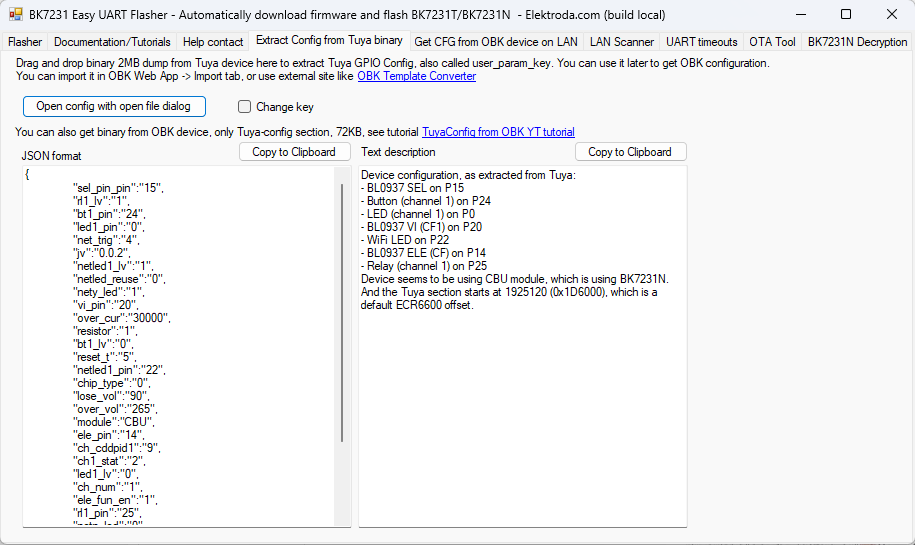
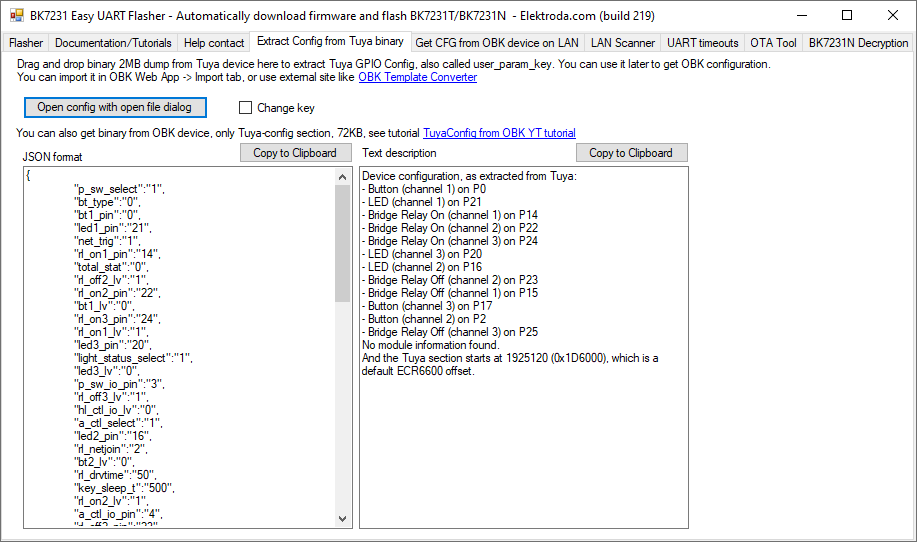
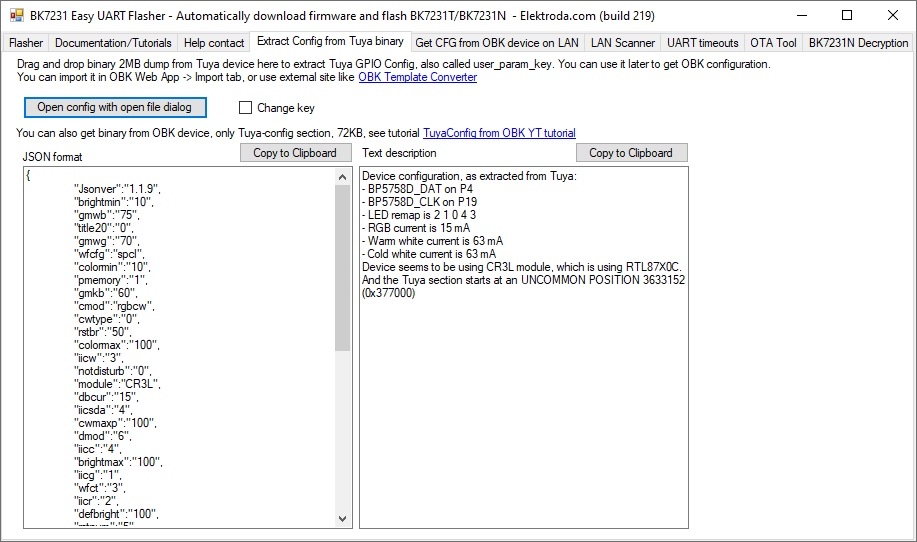
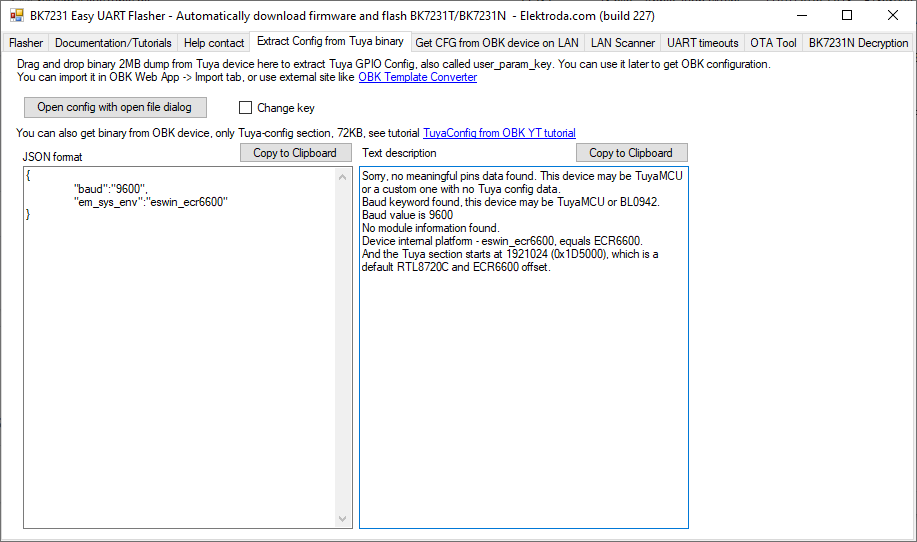
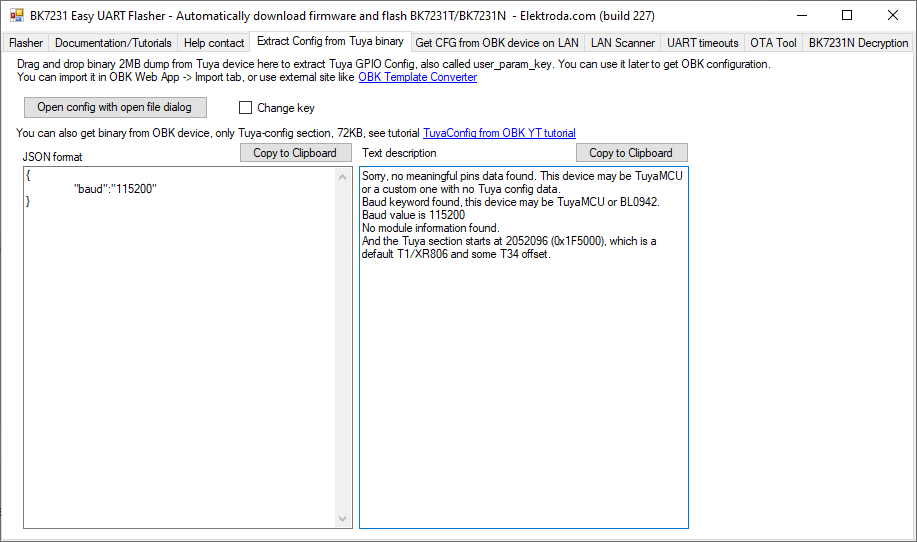
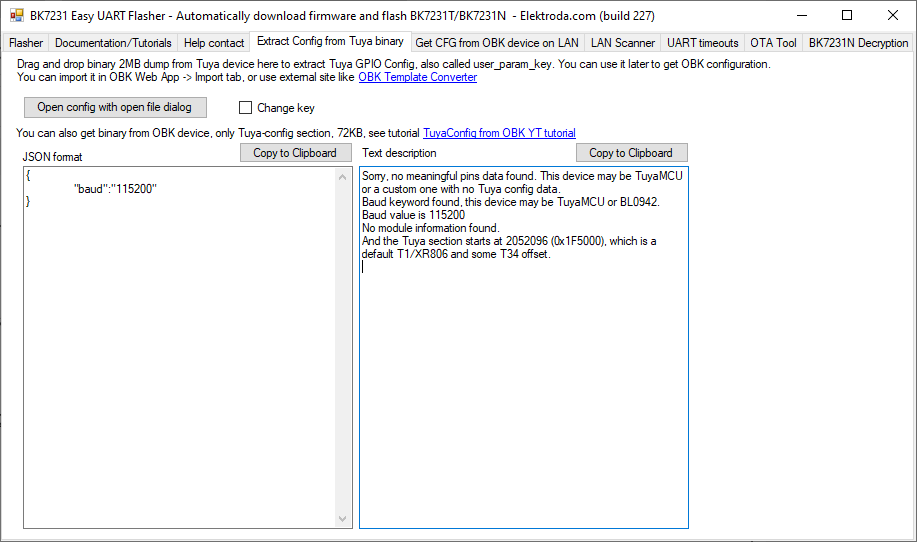
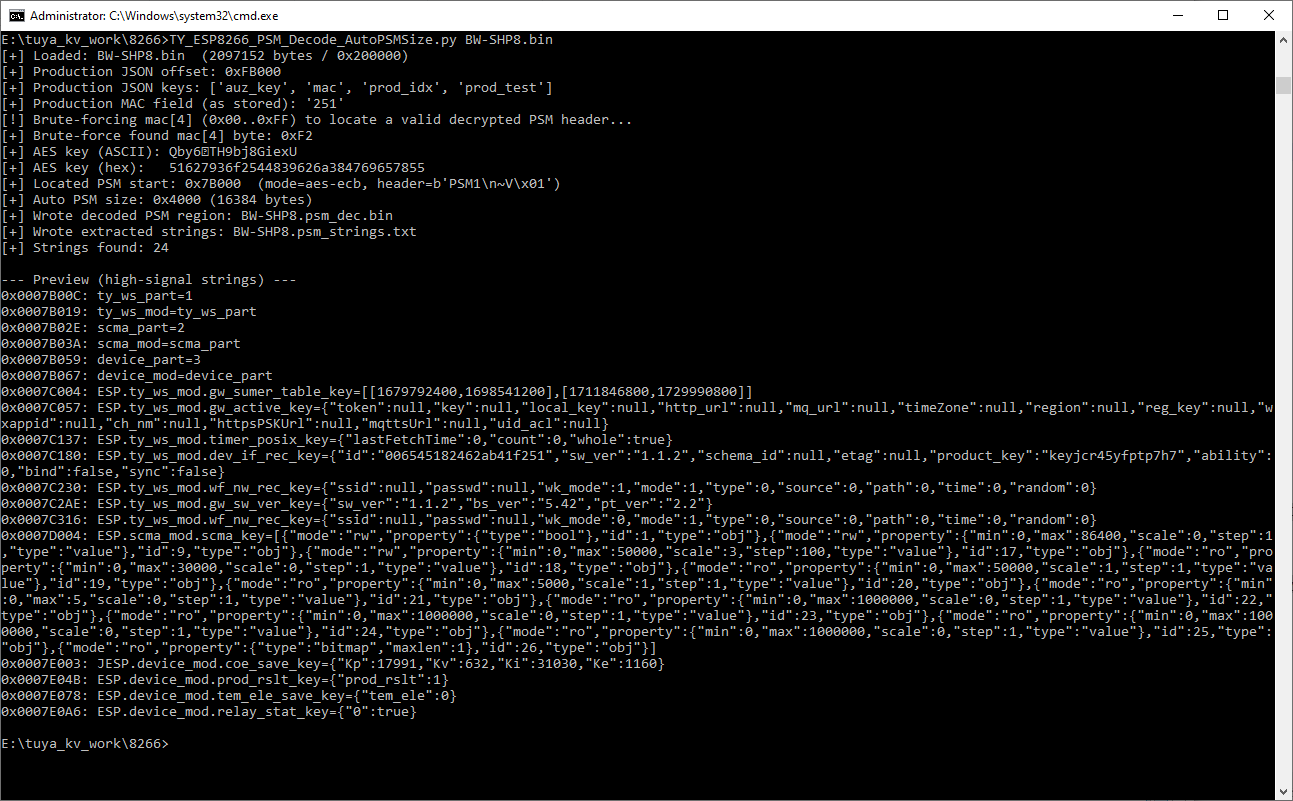
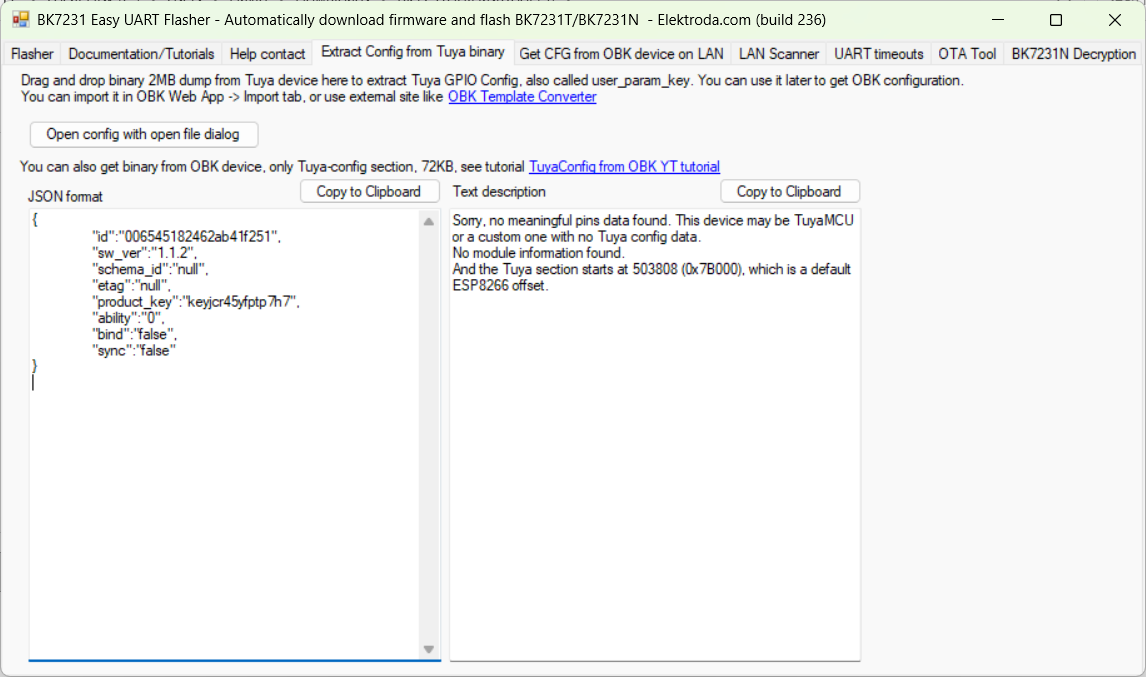
I've been trying to figure out why we cannot decrypt the key vault on some Tuya flash backups and why this seems to be the case for certain, typically older, platforms. BK7252U, TR6260, W800 to name a few.
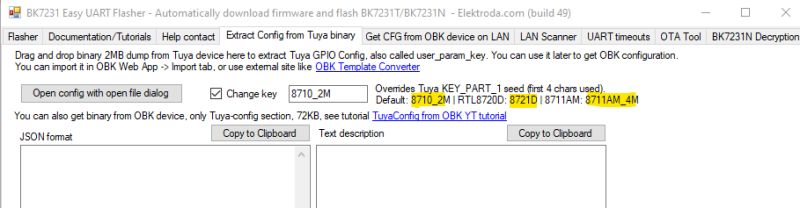
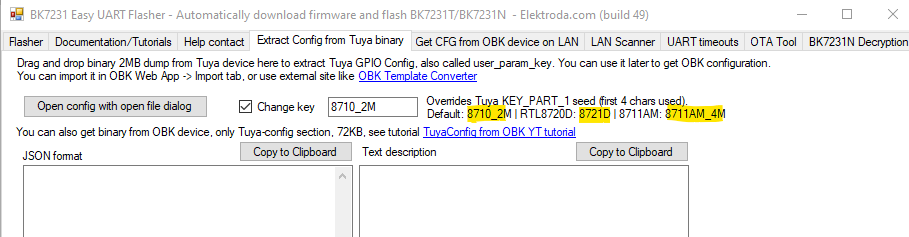
The decryption method for BK7231N/T (and some RTLs) is known, though the Tuya 'seed' KEY_PART_1 has been known to deviate away from 8720_2M (effectively '8720') depending on the platform.
eg
In an effort to find the assumed unknown, but present, seed key I spent quite a bit of time in LLM discussions, poring over various SDKs, programmatically trying different plain-text strings from dumps, PowerShell-generated key combinations numbering into the millions, breaking down libs with various csky tools (W800 dump).
What turned out to be different is that this “vault KV” path is not KEY_PART_1-seed driven at all.
Instead of the BK7231N/T-style config extractor model (where a platform “seed” influences the key used to decrypt a specific config blob), this vault mechanism is device-key centred and two-stage:
1) Key-record stage (per-device key material)
A dedicated “key record” region in flash contains the per-device keying material (including a 16-byte DeviceKey). That key record itself is wrapped/encrypted as a unit (sector/page sized, typically 4KB) and must be decrypted first before the DeviceKey can be read. This key-record page is wrapped using a fixed mechanism (typically a constant wrapper key), and decrypting it is what reveals the DeviceKey used for the vault pages.
2) Vault stage (derived vault key + page encryption)
The effective vault key is derived by combining a 16-byte BaseKey with that per-device 16-byte DeviceKey using bytewise addition mod 256. BaseKey is either caller-supplied (p_key) or constructed by the SDK when p_key is NULL (see below).
The vault payload is then stored as fixed-size encrypted pages (typically 4KB each). Each decrypted page is expected to match a known page structure: a magic value in the header (e.g. 0x98761234) plus an integrity field (checksum or CRC) used to confirm the page decryption is correct.
Where the “default BaseKey” comes from (when not explicitly supplied)
The “default BaseKey” is not a flash-layout assumption; it comes from the NULL-key branch in Tuya’s DB init logic inside the prebuilt library.
Concretely, in libtuya_iot.a (object tuya_ws_db.c.o), ws_db_init checks whether p_key is NULL:
If p_key != NULL: it copies 16 bytes from the caller-provided buffer → BaseKey = p_key
If p_key == NULL: it constructs a 16-byte BaseKey in a 16-iteration loop by adding bytes from two embedded 16-byte constants.
Those two constants both contain the same ASCII seed:
(16 bytes)
So the NULL-key case is effectively:
Doubling the bytes of "HHRRQbyemofrtytf" yields:
(which is the “Tuya default (NULL p_key)” BaseKey value).
How the JSON is recovered
Once the vault pages are decrypted correctly (i.e. page header/magic + checksum or CRC validates), the JSON is not separately encrypted again; it exists as plaintext within the reconstructed decrypted vault region. Extraction is therefore a straightforward carve/parse step over the decrypted bytes: locate candidate JSON starts ({ or [), bracket/quote-balance to a candidate end, then validate by parsing as JSON before emitting the object (with optional dedupe of identical objects/blocks when redundancy is present).
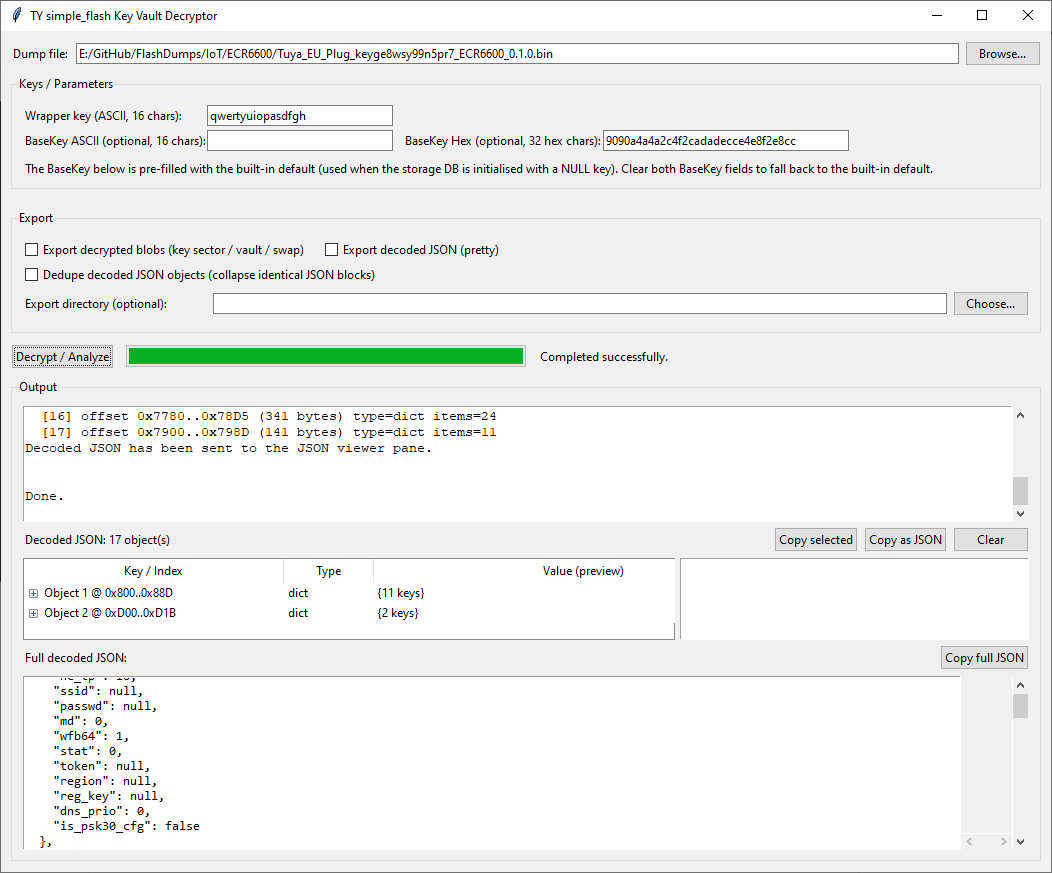
With that knowledge this tkinter/Python program was then developed with (a lot) of help from an LLM:
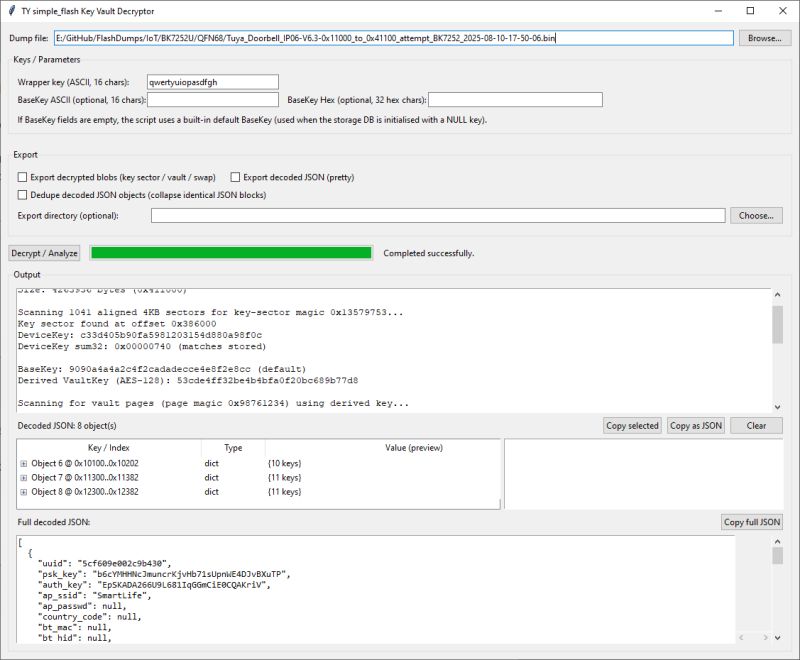
This uses the above mechanism to decrypt vault-style KV on dumps that are structured this way. I've added options to dedupe/collapse duplicate decoded objects (the vaults appear to contain duplicates / redundancy), export decoded JSON, export decrypted blobs (“swap” relates to a secondary region present in LN8825B dumps).
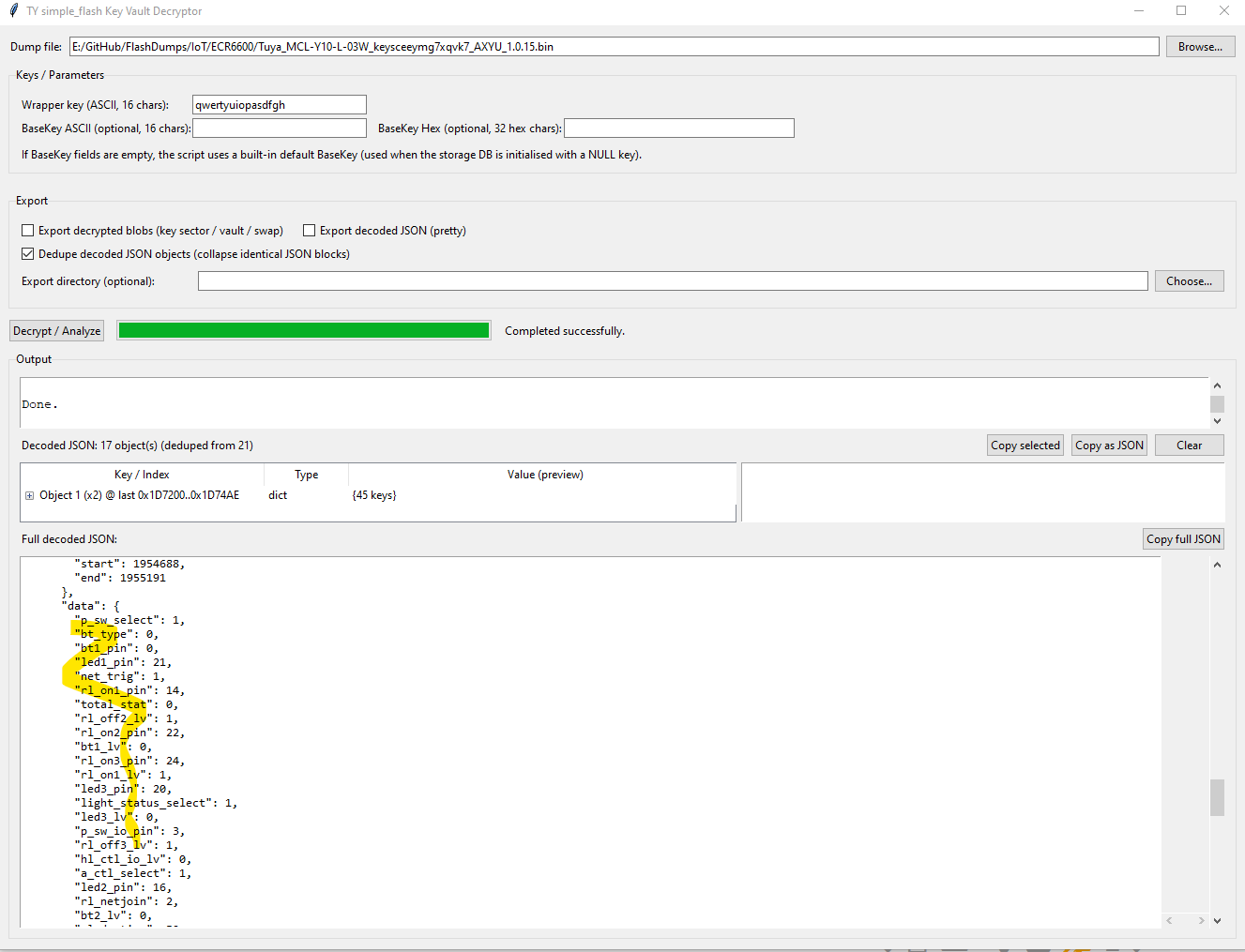
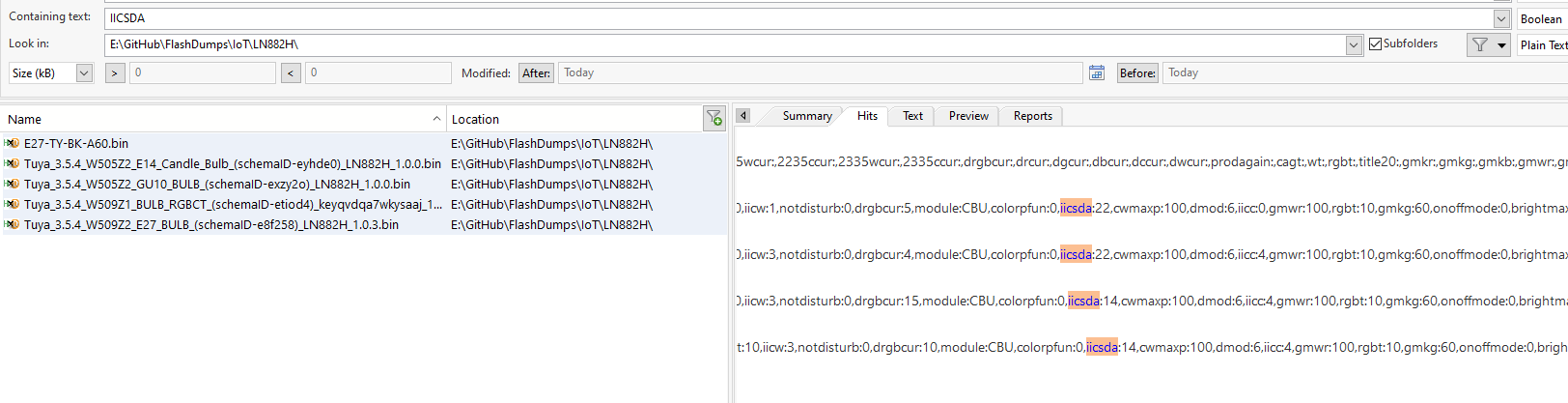
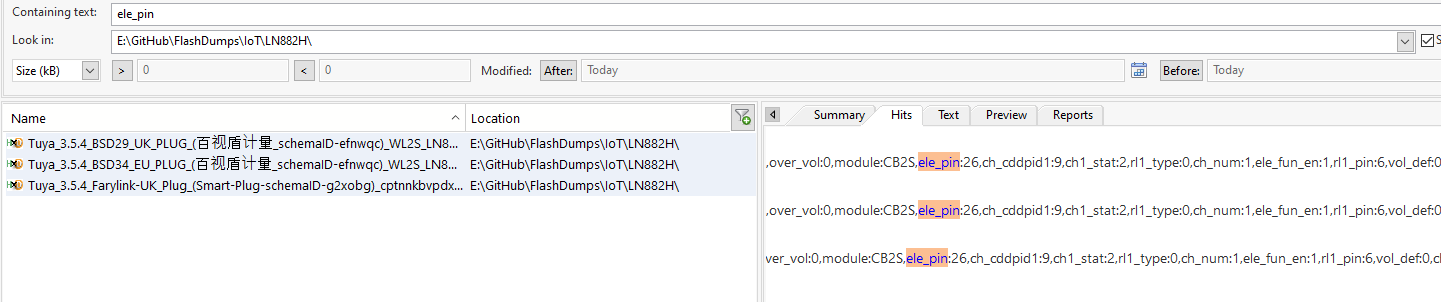
In summary, it turns out this method can successfully decrypt the KV on Tuya W800, TR6260, BK7252U, LN8825B and RTL8720CM. However, the key vaults don't appear to contain the same pin assignment information seen in successful extractions from BK7231N etc dumps.
Of all the dumps in Flashdumps, these can be decoded with this method:
example JSON from a BK7252U:
This method may only apply to a minority of (mostly older) platforms, and the decoded JSON doesn’t appear to include pin assignments, so the immediate practical value is limited. That said, I still think it’s been a worthwhile adventure. Next step: should this be integrated into Easy Flasher?
The decryption method for BK7231N/T (and some RTLs) is known, though the Tuya 'seed' KEY_PART_1 has been known to deviate away from 8720_2M (effectively '8720') depending on the platform.
eg
In an effort to find the assumed unknown, but present, seed key I spent quite a bit of time in LLM discussions, poring over various SDKs, programmatically trying different plain-text strings from dumps, PowerShell-generated key combinations numbering into the millions, breaking down libs with various csky tools (W800 dump).
What turned out to be different is that this “vault KV” path is not KEY_PART_1-seed driven at all.
Instead of the BK7231N/T-style config extractor model (where a platform “seed” influences the key used to decrypt a specific config blob), this vault mechanism is device-key centred and two-stage:
1) Key-record stage (per-device key material)
A dedicated “key record” region in flash contains the per-device keying material (including a 16-byte DeviceKey). That key record itself is wrapped/encrypted as a unit (sector/page sized, typically 4KB) and must be decrypted first before the DeviceKey can be read. This key-record page is wrapped using a fixed mechanism (typically a constant wrapper key), and decrypting it is what reveals the DeviceKey used for the vault pages.
2) Vault stage (derived vault key + page encryption)
The effective vault key is derived by combining a 16-byte BaseKey with that per-device 16-byte DeviceKey using bytewise addition mod 256. BaseKey is either caller-supplied (p_key) or constructed by the SDK when p_key is NULL (see below).
Code: Text
The vault payload is then stored as fixed-size encrypted pages (typically 4KB each). Each decrypted page is expected to match a known page structure: a magic value in the header (e.g. 0x98761234) plus an integrity field (checksum or CRC) used to confirm the page decryption is correct.
Where the “default BaseKey” comes from (when not explicitly supplied)
The “default BaseKey” is not a flash-layout assumption; it comes from the NULL-key branch in Tuya’s DB init logic inside the prebuilt library.
Concretely, in libtuya_iot.a (object tuya_ws_db.c.o), ws_db_init checks whether p_key is NULL:
ADVERTISEMENT
If p_key != NULL: it copies 16 bytes from the caller-provided buffer → BaseKey = p_key
If p_key == NULL: it constructs a 16-byte BaseKey in a 16-iteration loop by adding bytes from two embedded 16-byte constants.
Those two constants both contain the same ASCII seed:
HHRRQbyemofrtytfSo the NULL-key case is effectively:
BaseKey(byte_index) = (seed(byte_index) + seed(byte_index)) & 0xFFDoubling the bytes of "HHRRQbyemofrtytf" yields:
9090a4a4a2c4f2cadadecce4e8f2e8cc(which is the “Tuya default (NULL p_key)” BaseKey value).
How the JSON is recovered
Once the vault pages are decrypted correctly (i.e. page header/magic + checksum or CRC validates), the JSON is not separately encrypted again; it exists as plaintext within the reconstructed decrypted vault region. Extraction is therefore a straightforward carve/parse step over the decrypted bytes: locate candidate JSON starts ({ or [), bracket/quote-balance to a candidate end, then validate by parsing as JSON before emitting the object (with optional dedupe of identical objects/blocks when redundancy is present).
With that knowledge this tkinter/Python program was then developed with (a lot) of help from an LLM:
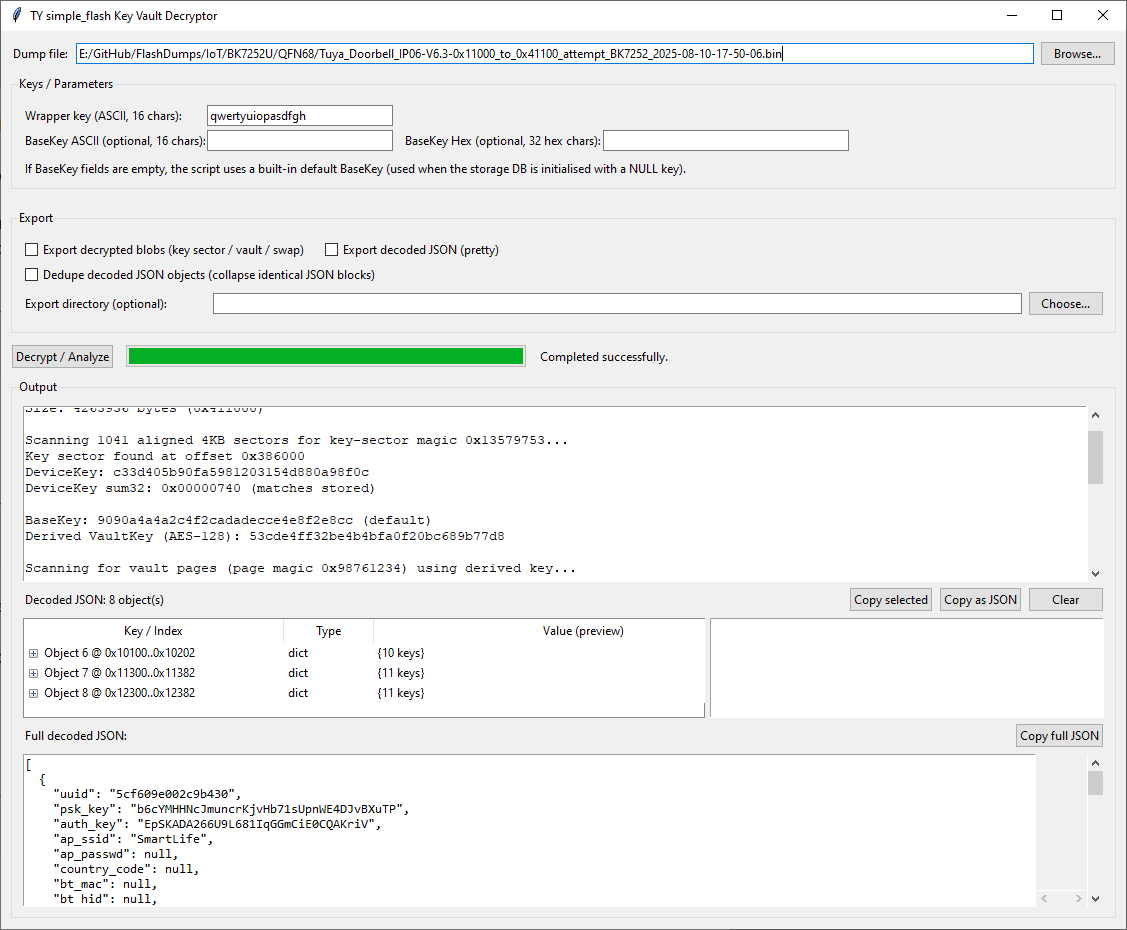
This uses the above mechanism to decrypt vault-style KV on dumps that are structured this way. I've added options to dedupe/collapse duplicate decoded objects (the vaults appear to contain duplicates / redundancy), export decoded JSON, export decrypted blobs (“swap” relates to a secondary region present in LN8825B dumps).
In summary, it turns out this method can successfully decrypt the KV on Tuya W800, TR6260, BK7252U, LN8825B and RTL8720CM. However, the key vaults don't appear to contain the same pin assignment information seen in successful extractions from BK7231N etc dumps.
Of all the dumps in Flashdumps, these can be decoded with this method:
Code: Text
example JSON from a BK7252U:
Code: JSON
This method may only apply to a minority of (mostly older) platforms, and the decoded JSON doesn’t appear to include pin assignments, so the immediate practical value is limited. That said, I still think it’s been a worthwhile adventure. Next step: should this be integrated into Easy Flasher?
Cool? Ranking DIY