Hi,
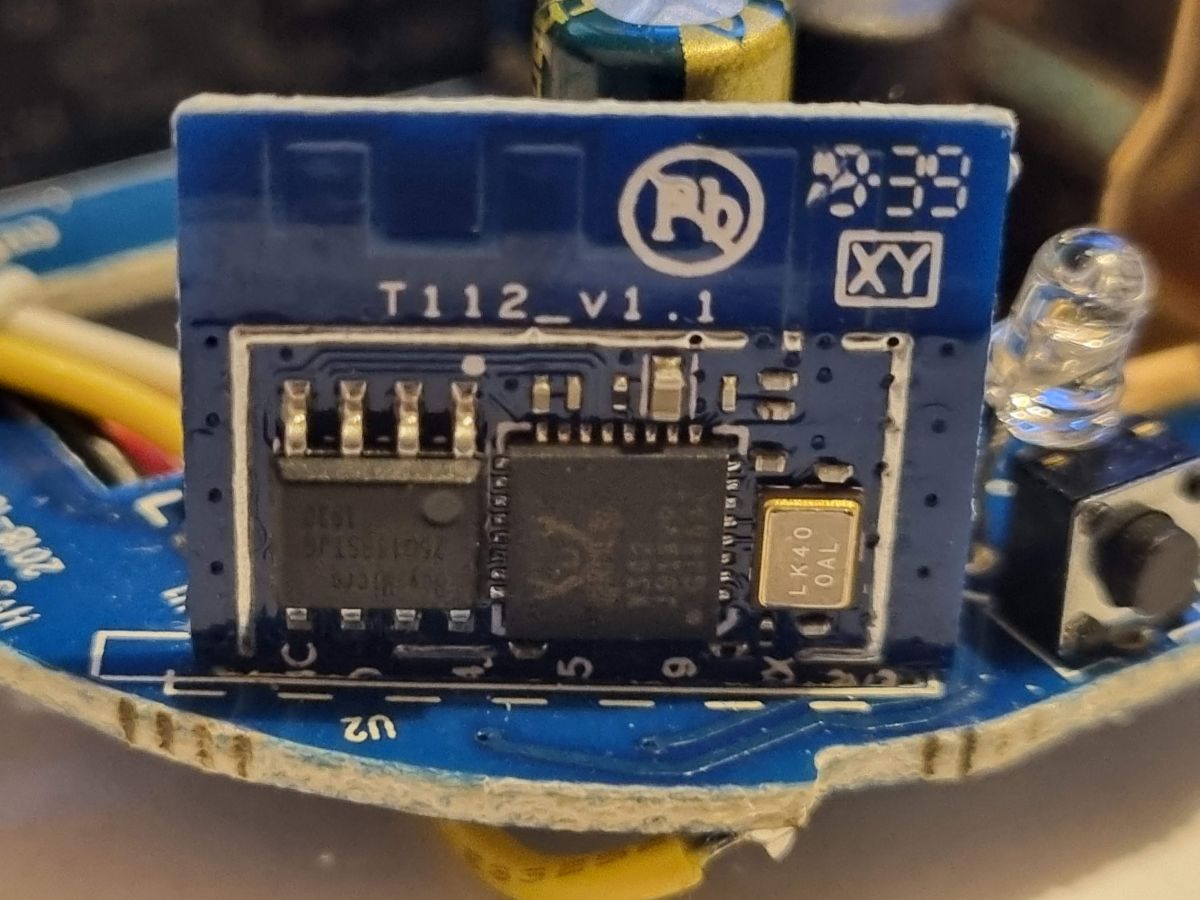
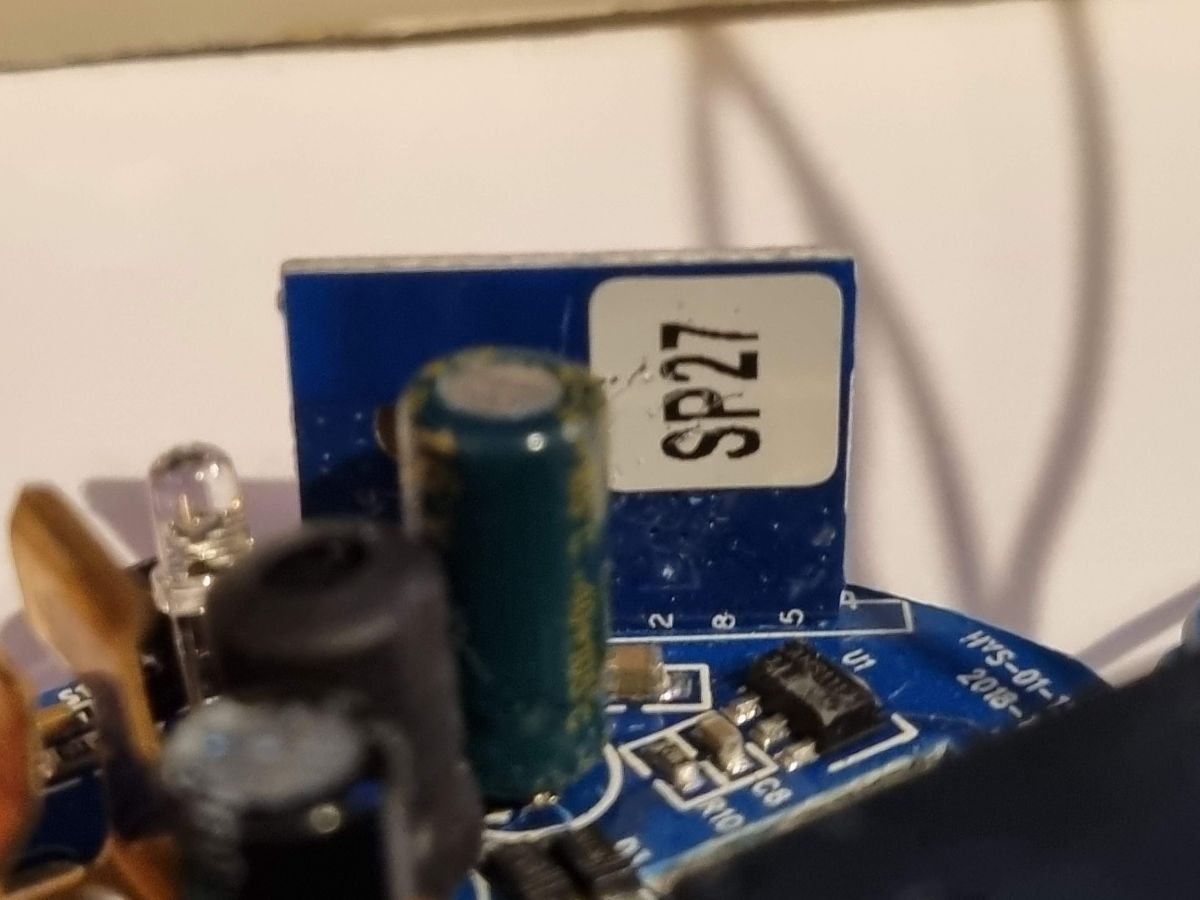
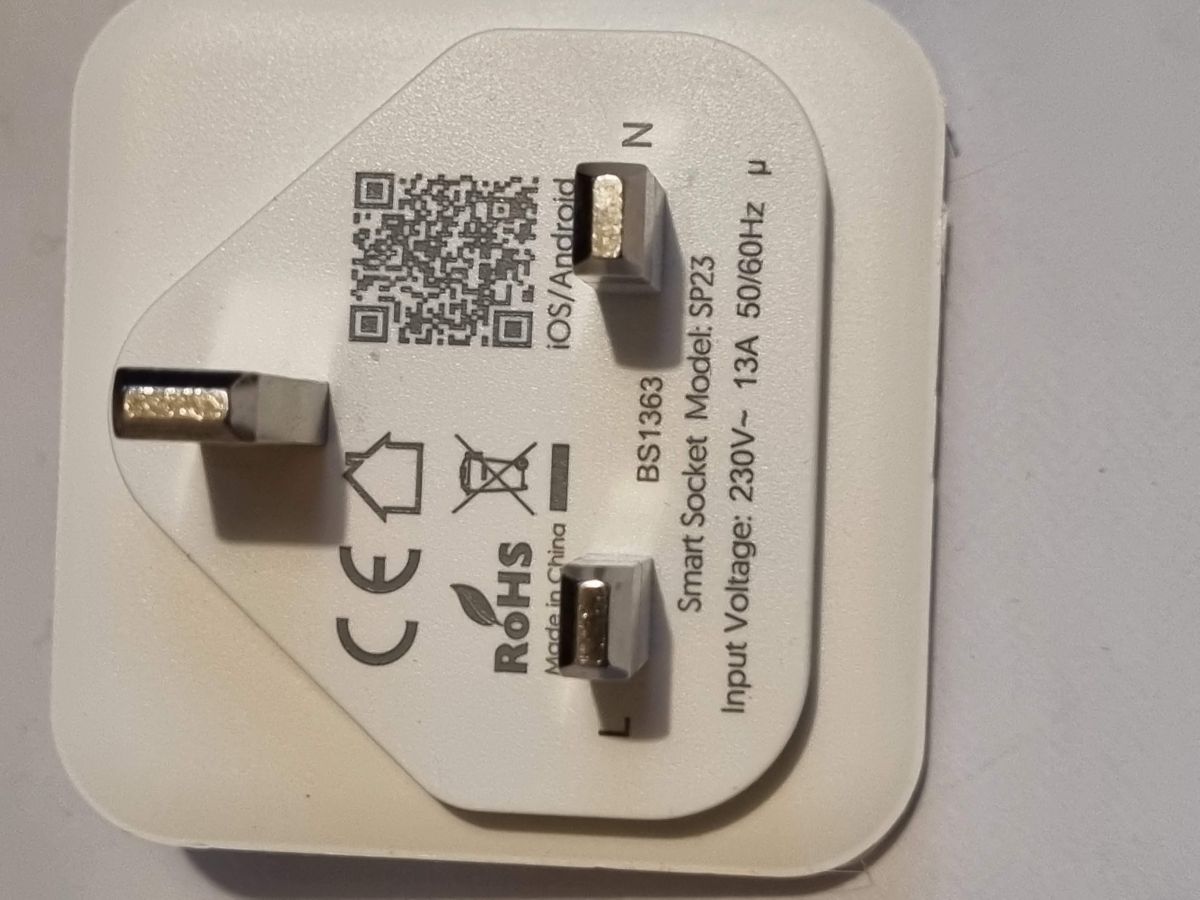
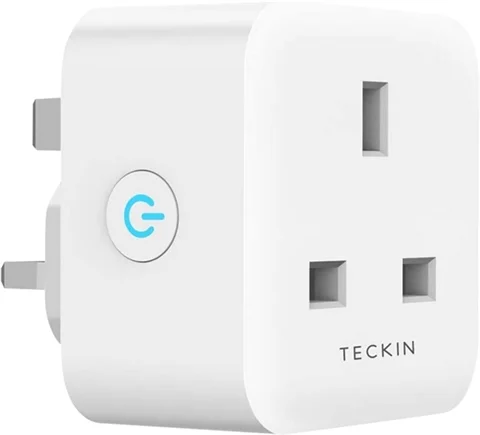
I have a UK version of a Teckin SP23 Smart Plug, T112_v1.1 W302 (RTL8710BN), that will not connect to a BT Smart Hub 2 Wifi, but will connect to an Android Hot Spot.
For anyone else trying to program this device:
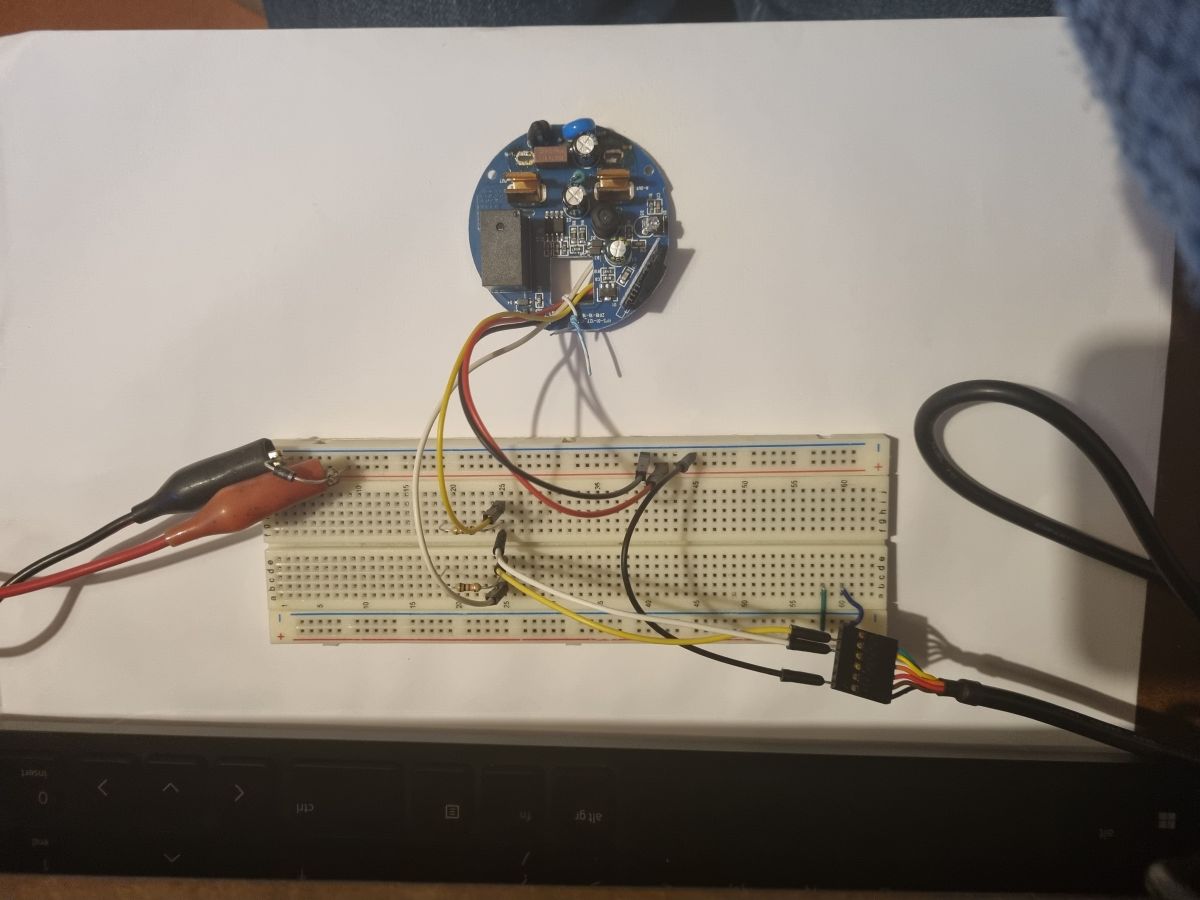
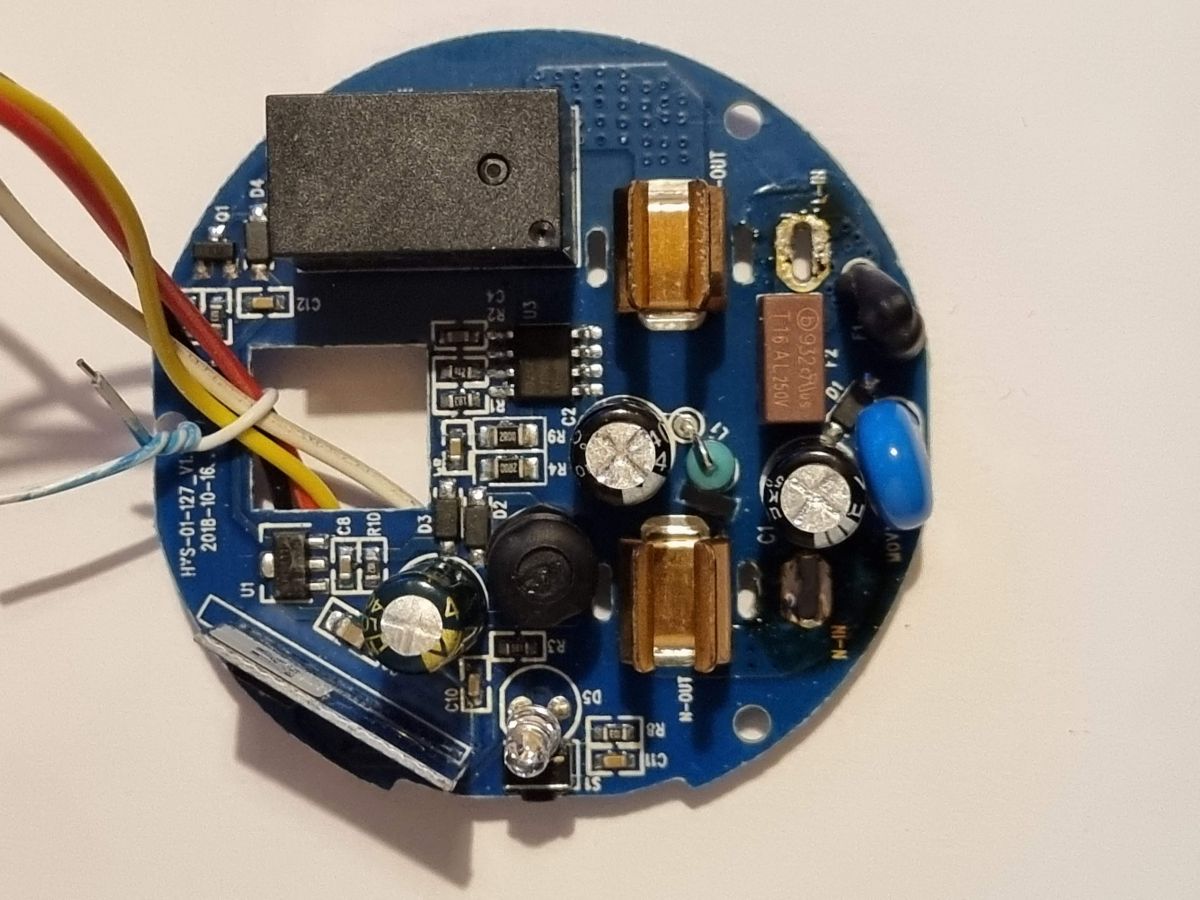
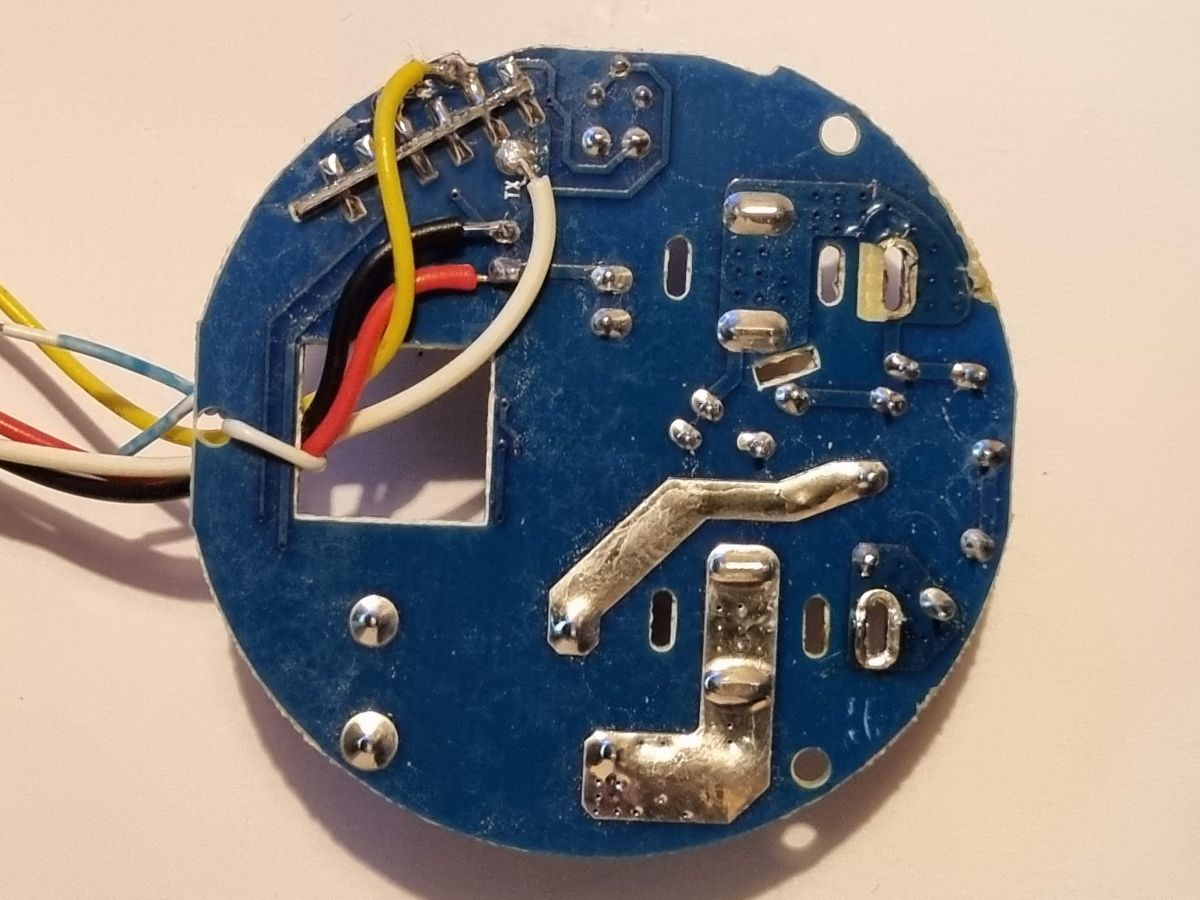
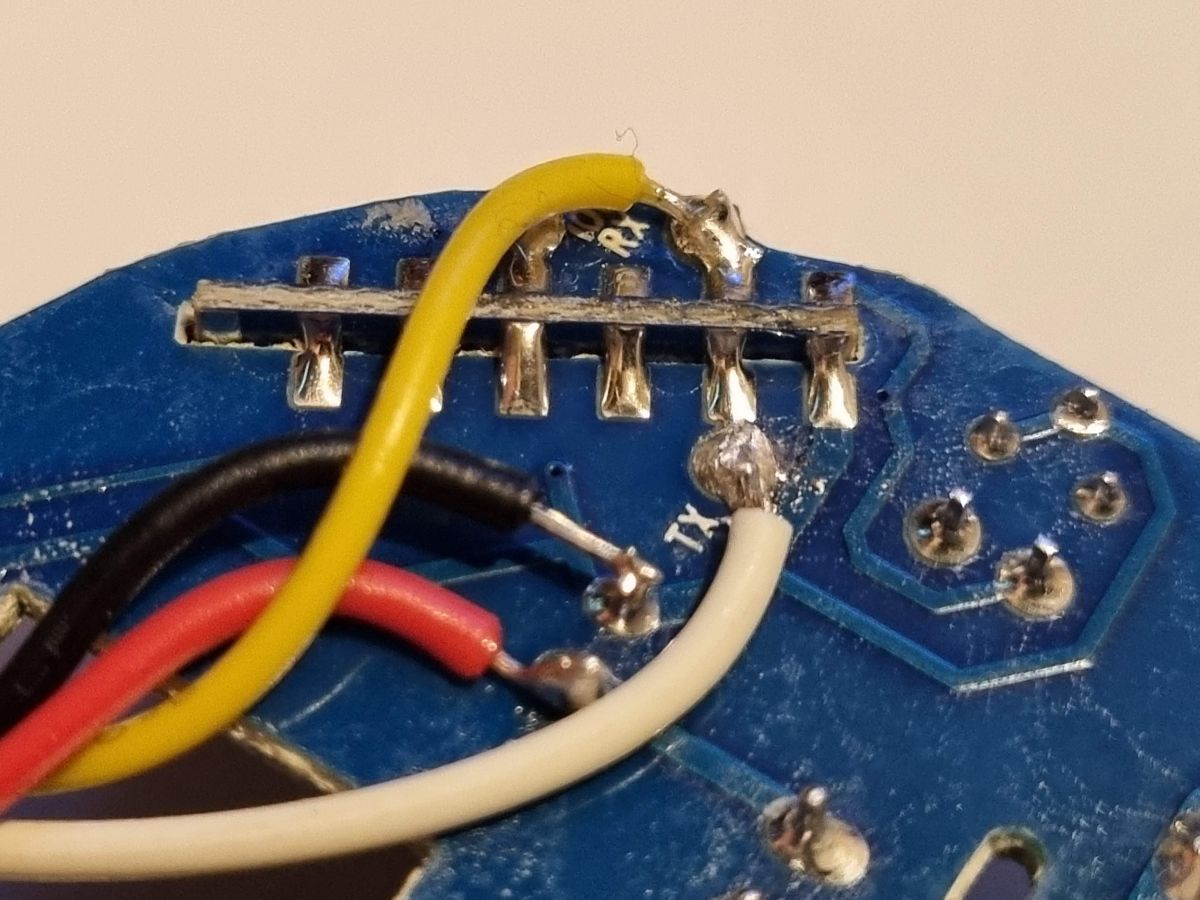
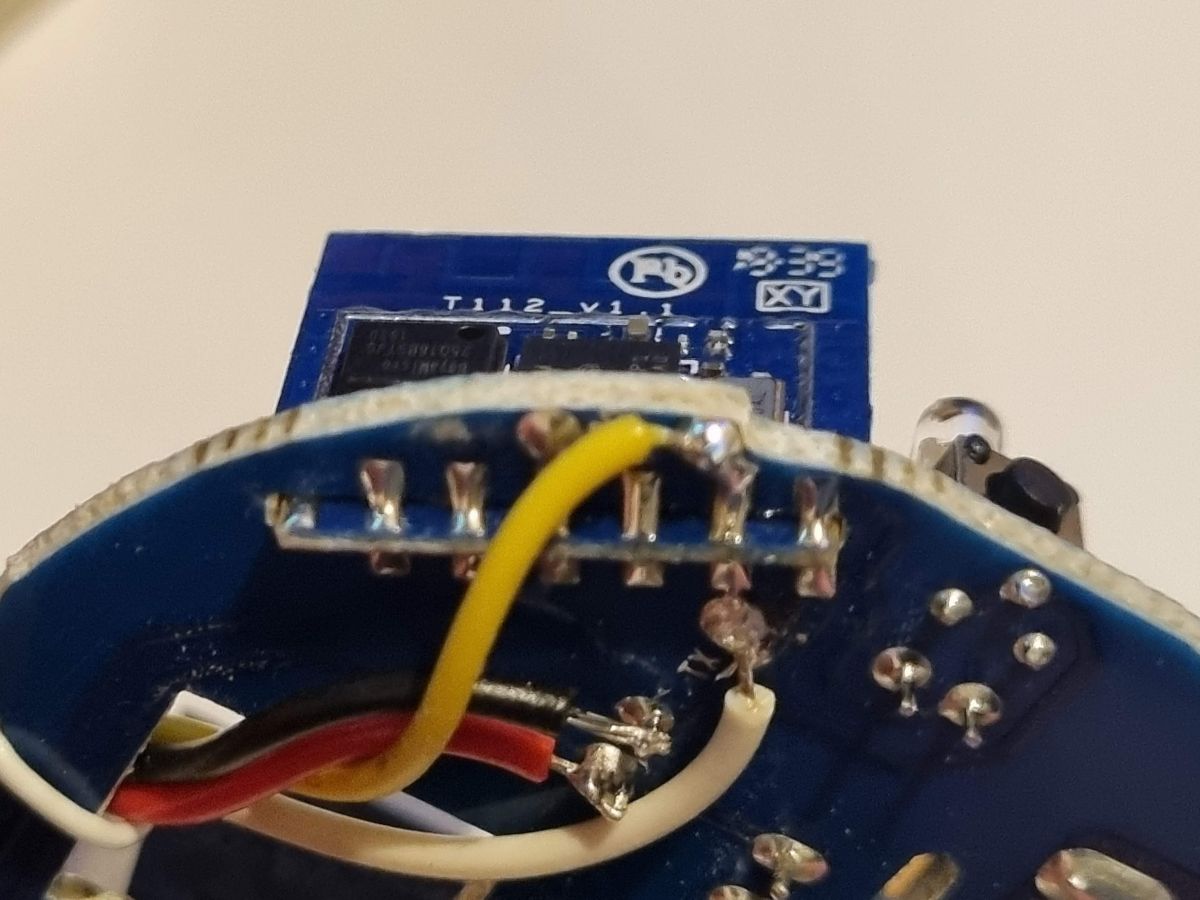
I opened the device up, soldered wires to TX, RX, GND, and the +V of C7 (before AMS1117 3v3 reg) and supplied it with 10V from an external PSU.
The TX & RX are connected through an FTDI USB TTL-232R-3v3 for programming and debug.
Holding the TX line low (for about 1 second) at power up puts the device into programming mode.
Programmed using BK7231GUIFlashTool-build-233 (a really easy tool and would recommend)
Firmware auto selected as OpenRTL8710B_1.18.251.bin
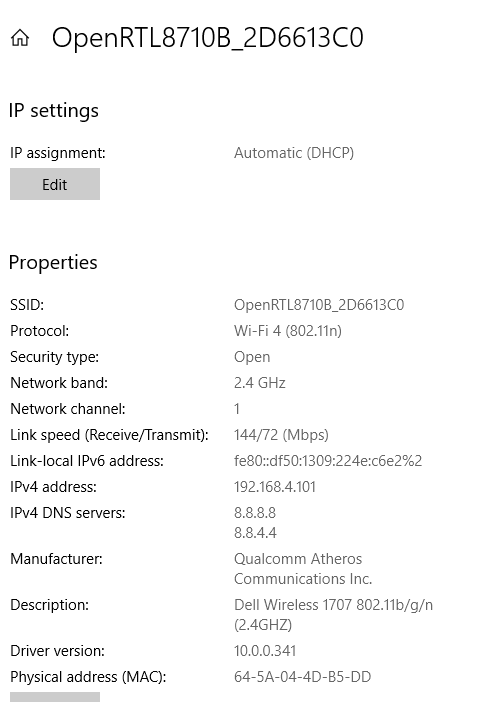
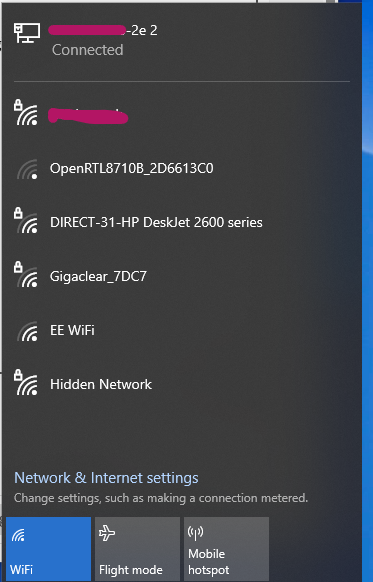
After programming with OpenRTL8710B, the device creates a hotspot, which I can connect to with my phone and open the configuration page at 192.168.4.1
I then enter my home Wifi SSID and password, and a second SSID2 of my emergency Wifi hot spot that my phone can create.
Afterwards the Smart Plug will not connect to the home Wifi, but will switch and connect to the Android Hot Spot on my phone (if it's on).
The home Wifi is a BT Smart Hub 2, running both 2.4 & 5GHz Wifi, in Mode 1, together with one Wifi Disc as a range extender.
I have tried switching the the Smart Hub 2 Wifi Mode to 1, 2, or 3, turning off the 5GHz Wifi, and turning off the WiFi Disc range extender, all individually and together.
Using the BK7231GUIFlashTool, I have 'Erased all', reprogrammed, and 'Restore RF part'
None of the above fixed the problem of connecting to the home Wifi.
Any help or ideas would be welcome
Thanks
Nigel
Extract from serial port log (with Info:Main message every second removed):
Info:MAIN:WiFi SSID: switching to SSID1
Info:MAIN:Registered for wifi changes
Info:MAIN:Connecting to SSID [**removed**]
Info:MAIN:Main_OnWiFiStatusChange - WIFI_STA_CONNECTING - 1
Info:MAIN:Main_OnWiFiStatusChange - WIFI_STA_DISCONNECTED - 2
Error:GEN:Can't connect to AP
Info:MAIN:Main_OnWiFiStatusChange - WIFI_STA_DISCONNECTED - 2
auto reconnect ...
Info:MAIN:Main_OnWiFiStatusChange - WIFI_STA_DISCONNECTED - 2
auto reconnect ...
Info:MAIN:Main_OnWiFiStatusChange - WIFI_STA_DISCONNECTED - 2
Info:MAIN:WiFi SSID: waiting for SSID switch 1/3 (using SSID1)
Info:MAIN:Registered for wifi changes
Info:MAIN:Connecting to SSID [**removed**]
Info:MAIN:Main_OnWiFiStatusChange - WIFI_STA_CONNECTING - 1
Info:MAIN:Main_OnWiFiStatusChange - WIFI_STA_DISCONNECTED - 2
Error:GEN:Can't connect to AP
Info:MAIN:Main_OnWiFiStatusChange - WIFI_STA_DISCONNECTED - 2
auto reconnect ...
Info:MAIN:Main_OnWiFiStatusChange - WIFI_STA_DISCONNECTED - 2
auto reconnect ...
Info:MAIN:Main_OnWiFiStatusChange - WIFI_STA_DISCONNECTED - 2
Info:MAIN:WiFi SSID: waiting for SSID switch 2/3 (using SSID1)
Info:MAIN:Registered for wifi changes
Info:MAIN:Connecting to SSID [**removed**]
Info:MAIN:Main_OnWiFiStatusChange - WIFI_STA_CONNECTING - 1
Info:MAIN:Main_OnWiFiStatusChange - WIFI_STA_DISCONNECTED - 2
Error:GEN:Can't connect to AP
Info:MAIN:Main_OnWiFiStatusChange - WIFI_STA_DISCONNECTED - 2
auto reconnect ...
Info:MAIN:Main_OnWiFiStatusChange - WIFI_STA_DISCONNECTED - 2
auto reconnect ...
Info:MAIN:Main_OnWiFiStatusChange - WIFI_STA_DISCONNECTED - 2
Info:MAIN:WiFi SSID: waiting for SSID switch 3/3 (using SSID1)
Info:MAIN:Registered for wifi changes
Info:MAIN:Connecting to SSID [**removed**]
Info:MAIN:Main_OnWiFiStatusChange - WIFI_STA_CONNECTING - 1
Info:MAIN:Main_OnWiFiStatusChange - WIFI_STA_DISCONNECTED - 2
Error:GEN:Can't connect to AP
Info:MAIN:Main_OnWiFiStatusChange - WIFI_STA_DISCONNECTED - 2
auto reconnect ...
Info:MAIN:Main_OnWiFiStatusChange - WIFI_STA_DISCONNECTED - 2
auto reconnect ...
Info:MAIN:Main_OnWiFiStatusChange - WIFI_STA_DISCONNECTED - 2
Info:MAIN:WiFi SSID: switching to SSID2
Info:MAIN:Registered for wifi changes
AI: Could you let us know what WiFi security settings (e.g., WPA2, WPA3, mixed mode) are enabled on your BT Smart Hub 2? Some devices have trouble with certain security protocols.
WPA2
AI: Is your WiFi SSID visible (broadcasting), and does it contain any special characters or spaces? Sometimes hidden SSIDs or unusual characters can cause connection issues with these types of devices.
SSID is visible, and only contains lowercase letters, no spaces, no special characters, only letters a to z.
I have a UK version of a Teckin SP23 Smart Plug, T112_v1.1 W302 (RTL8710BN), that will not connect to a BT Smart Hub 2 Wifi, but will connect to an Android Hot Spot.
For anyone else trying to program this device:
I opened the device up, soldered wires to TX, RX, GND, and the +V of C7 (before AMS1117 3v3 reg) and supplied it with 10V from an external PSU.
The TX & RX are connected through an FTDI USB TTL-232R-3v3 for programming and debug.
Holding the TX line low (for about 1 second) at power up puts the device into programming mode.
Programmed using BK7231GUIFlashTool-build-233 (a really easy tool and would recommend)
Firmware auto selected as OpenRTL8710B_1.18.251.bin
After programming with OpenRTL8710B, the device creates a hotspot, which I can connect to with my phone and open the configuration page at 192.168.4.1
I then enter my home Wifi SSID and password, and a second SSID2 of my emergency Wifi hot spot that my phone can create.
Afterwards the Smart Plug will not connect to the home Wifi, but will switch and connect to the Android Hot Spot on my phone (if it's on).
The home Wifi is a BT Smart Hub 2, running both 2.4 & 5GHz Wifi, in Mode 1, together with one Wifi Disc as a range extender.
I have tried switching the the Smart Hub 2 Wifi Mode to 1, 2, or 3, turning off the 5GHz Wifi, and turning off the WiFi Disc range extender, all individually and together.
Using the BK7231GUIFlashTool, I have 'Erased all', reprogrammed, and 'Restore RF part'
None of the above fixed the problem of connecting to the home Wifi.
Any help or ideas would be welcome
Thanks
Nigel
Extract from serial port log (with Info:Main message every second removed):
Info:MAIN:WiFi SSID: switching to SSID1
Info:MAIN:Registered for wifi changes
Info:MAIN:Connecting to SSID [**removed**]
Info:MAIN:Main_OnWiFiStatusChange - WIFI_STA_CONNECTING - 1
Info:MAIN:Main_OnWiFiStatusChange - WIFI_STA_DISCONNECTED - 2
Error:GEN:Can't connect to AP
Info:MAIN:Main_OnWiFiStatusChange - WIFI_STA_DISCONNECTED - 2
auto reconnect ...
Info:MAIN:Main_OnWiFiStatusChange - WIFI_STA_DISCONNECTED - 2
auto reconnect ...
Info:MAIN:Main_OnWiFiStatusChange - WIFI_STA_DISCONNECTED - 2
Info:MAIN:WiFi SSID: waiting for SSID switch 1/3 (using SSID1)
Info:MAIN:Registered for wifi changes
Info:MAIN:Connecting to SSID [**removed**]
Info:MAIN:Main_OnWiFiStatusChange - WIFI_STA_CONNECTING - 1
Info:MAIN:Main_OnWiFiStatusChange - WIFI_STA_DISCONNECTED - 2
Error:GEN:Can't connect to AP
Info:MAIN:Main_OnWiFiStatusChange - WIFI_STA_DISCONNECTED - 2
auto reconnect ...
Info:MAIN:Main_OnWiFiStatusChange - WIFI_STA_DISCONNECTED - 2
auto reconnect ...
Info:MAIN:Main_OnWiFiStatusChange - WIFI_STA_DISCONNECTED - 2
Info:MAIN:WiFi SSID: waiting for SSID switch 2/3 (using SSID1)
Info:MAIN:Registered for wifi changes
Info:MAIN:Connecting to SSID [**removed**]
Info:MAIN:Main_OnWiFiStatusChange - WIFI_STA_CONNECTING - 1
Info:MAIN:Main_OnWiFiStatusChange - WIFI_STA_DISCONNECTED - 2
Error:GEN:Can't connect to AP
Info:MAIN:Main_OnWiFiStatusChange - WIFI_STA_DISCONNECTED - 2
auto reconnect ...
Info:MAIN:Main_OnWiFiStatusChange - WIFI_STA_DISCONNECTED - 2
auto reconnect ...
Info:MAIN:Main_OnWiFiStatusChange - WIFI_STA_DISCONNECTED - 2
Info:MAIN:WiFi SSID: waiting for SSID switch 3/3 (using SSID1)
Info:MAIN:Registered for wifi changes
Info:MAIN:Connecting to SSID [**removed**]
Info:MAIN:Main_OnWiFiStatusChange - WIFI_STA_CONNECTING - 1
Info:MAIN:Main_OnWiFiStatusChange - WIFI_STA_DISCONNECTED - 2
Error:GEN:Can't connect to AP
Info:MAIN:Main_OnWiFiStatusChange - WIFI_STA_DISCONNECTED - 2
auto reconnect ...
Info:MAIN:Main_OnWiFiStatusChange - WIFI_STA_DISCONNECTED - 2
auto reconnect ...
Info:MAIN:Main_OnWiFiStatusChange - WIFI_STA_DISCONNECTED - 2
Info:MAIN:WiFi SSID: switching to SSID2
Info:MAIN:Registered for wifi changes
AI: Could you let us know what WiFi security settings (e.g., WPA2, WPA3, mixed mode) are enabled on your BT Smart Hub 2? Some devices have trouble with certain security protocols.
WPA2
AI: Is your WiFi SSID visible (broadcasting), and does it contain any special characters or spaces? Sometimes hidden SSIDs or unusual characters can cause connection issues with these types of devices.
SSID is visible, and only contains lowercase letters, no spaces, no special characters, only letters a to z.