logo elektroda
logo elektroda
X
logo elektroda

Bseed Wall Switch with T34 Chip: Flashing Issues and Serial Connection Timeout

tilito1 546 6
ADVERTISEMENT
  • #1 21794627
    tilito1
    Level 2  
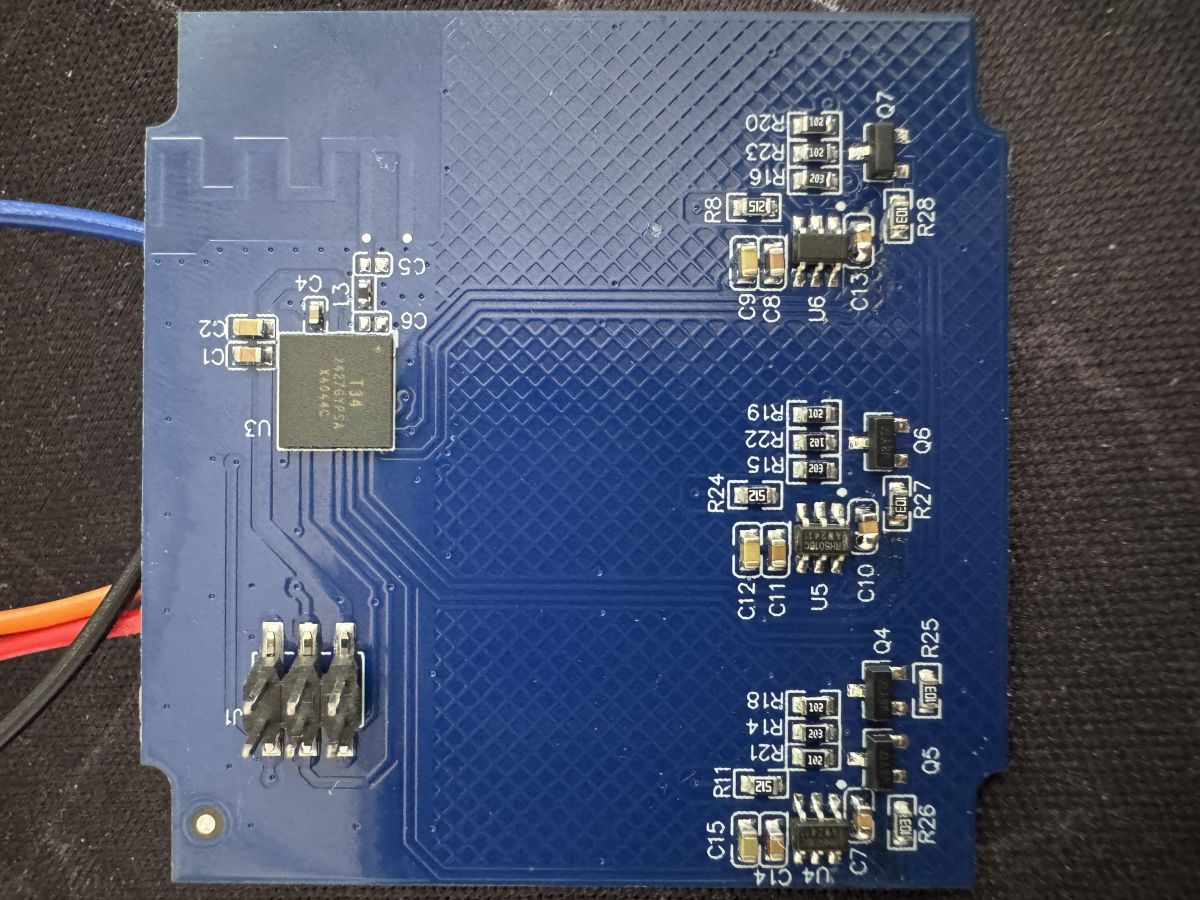
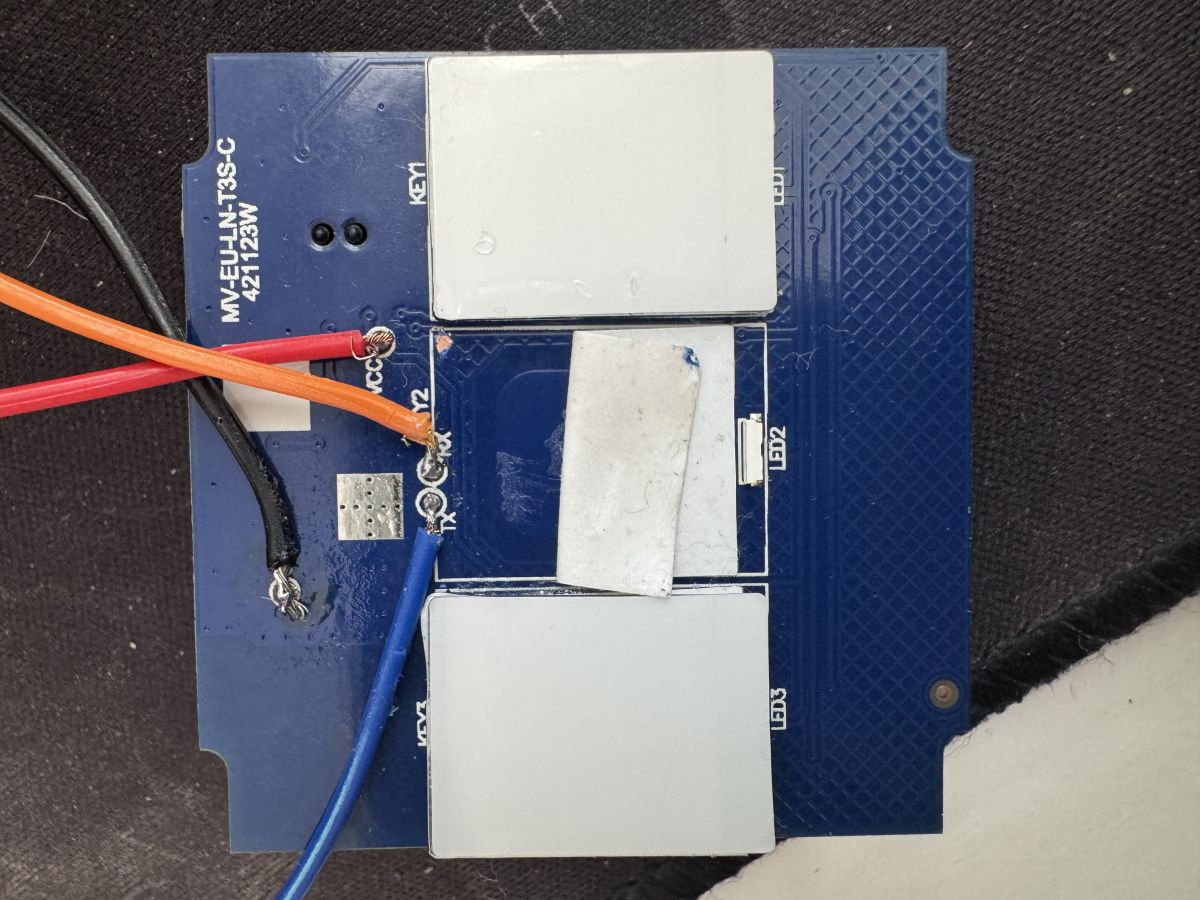
    Hi, I've bought two Bseed wall switches, with T34 chip, and it seems impossible to flash it. I have the RX/TX soldered and connected to a USB-to-serial, and also VCC (3.3 V) and GND. But when I try to flash it, the result is the same: timeout trying to connect to the device.

    - I've also tried connecting VCC and GND to different USB-to-serial (but GND was also connected to the USB-to-serial used for TX and RX) with the same timeout error.
    - Tried disconnecting and reconnecting VCC during the flash process or changing RX and TX connection, but no luck.

    *The device seems to not have access to the CEN pin without extracting the T34 chip from the PCB.

    Has someone experienced the same problem with this device version and found a solution? Was bought on AliExpress:
    BSEED WIFI Wall Light Switches Glass Panel Parts White Smart Touch Switches Function Parts EU Sockets Power Outlet Parts
    But the device is not the same model from the AliExpress photo which has the explanation on how to flash in this forum:Link

    Thanks in advance.
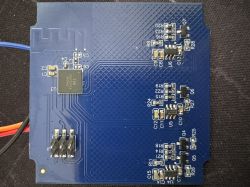
    Blue PCB with electronic modules, chips, and a pin connectorTouch sensor module with four large pads and connected wires
  • ADVERTISEMENT
  • #2 21795140
    max4elektroda
    Level 24  
    Are you powering the T34 with the 3.3V from an USB to serial adapter? It might be simply not enough to fully power the switch. Do you have a more powerful power supply?
    Then, no offense, double check to connect RX to TX and vice versa.

    Then check the length of the serial connection and try to keep it as short as possible.
    If not already done, try lowering and even increasing the speed to see if this changes anything.
  • ADVERTISEMENT
  • #3 21796457
    tilito1
    Level 2  
    Thanks @max4elektroda, I've changed the power supply, also I've reduced the connection speed to 9600, but nothing. With screen I'm able to see a character each time I connect the VCC, but for flash also tried read chip info, nothing as response.

    screen /dev/ttyUSB0 115200


    Seems the chip, with the quick remove/add power supply, maintains a little of power (device LEDs turn off) but when add power again, the device is able to maintain the state, so maybe is not able to reset the chip in flash mode and reset with CEN pin is mandatory?
  • ADVERTISEMENT
  • #4 21796551
    max4elektroda
    Level 24  
    Usually shortly removing GND from the T34 should be fine for a "restart".

    Since you have multiple USB Uarts, maybe you can try while using one with the flasher connect a second UARTs RX to T34s TX (or RX of the "flashing UART" - and GND, too ;-)) and open a terminal (or a "screen") for this UART with the speed of the flasher.
    This way you should be able to "monitor" if there's a response from the device at all.

    BTW, which program do you use for flashing?
  • #5 21796575
    tilito1
    Level 2  
    I'm using Ubuntu 24.04, and I've tried with ltchiptool GUI and command line:

    ltchiptool flash write -d /dev/ttyUSB0 -f BK7231N -s 0x0 ./OpenBK7231N_QIO_1.18.233.bin

    with a timeout as the response in all cases

    Also with bk7231Tools:

    python3 -m bk7231tools write_flash -d /dev/ttyUSB0 -b 115200 -s 0x0 ./OpenBK7231N_QIO_1.18.233.bin

    <frozen runpy>:128: RuntimeWarning: 'bk7231tools.__main__' found in sys.modules after import of package 'bk7231tools', but prior to execution of 'bk7231tools.__main__'; this may result in unpredictable behaviour

    ...

    Traceback (most recent call last):
    File "/home/victor/flasher_bk/venv/lib/python3.12/site-packages/bk7231tools/__main__.py", line 624, in cli
    connect_device(args.device, args.baudrate, args.timeout, args.debug)
    File "/home/victor/flasher_bk/venv/lib/python3.12/site-packages/bk7231tools/__main__.py", line 381, in connect_device
    s.connect()
    File "/home/victor/flasher_bk/venv/lib/python3.12/site-packages/bk7231tools/serial/linking.py", line 23, in connect
    raise TimeoutError("Timed out attempting to link with chip")
    TimeoutError: Timed out attempting to link with chip

    Also, taking a look at the screen printout for the second FTD, nothing is shown while I'm starting the flash process.

    As a note, the chip seems to be working; I'm still able to use it using the Tuya app.
  • ADVERTISEMENT
  • Helpful post
    #6 21796724
    max4elektroda
    Level 24  
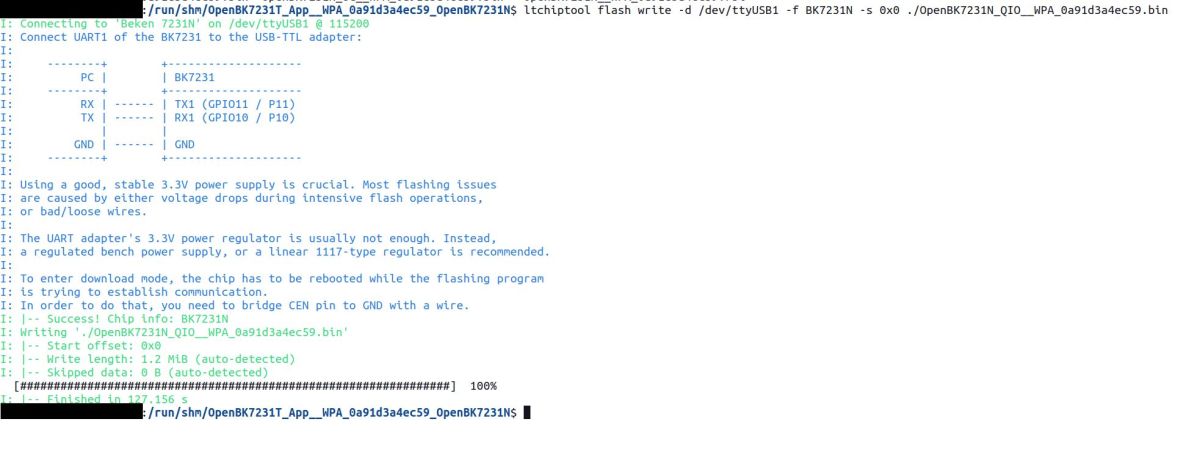
    O.k, just tried - that should work:

    Terminal screenshot showing successful flashing of BK7231N chip

    To enter download mode, I shortly removed GND connection to my device.

    If RX and TX are correctly connected, I can only think of at least any of the two serial pins are used for something on your board, so the connection is interfered by these other parts.

    Can you try to check on the PCB, if there is anything else connected to RX/TX? And maybe, just to be sure, that the points on the PCB are really connected to T34 RX/TX pins?

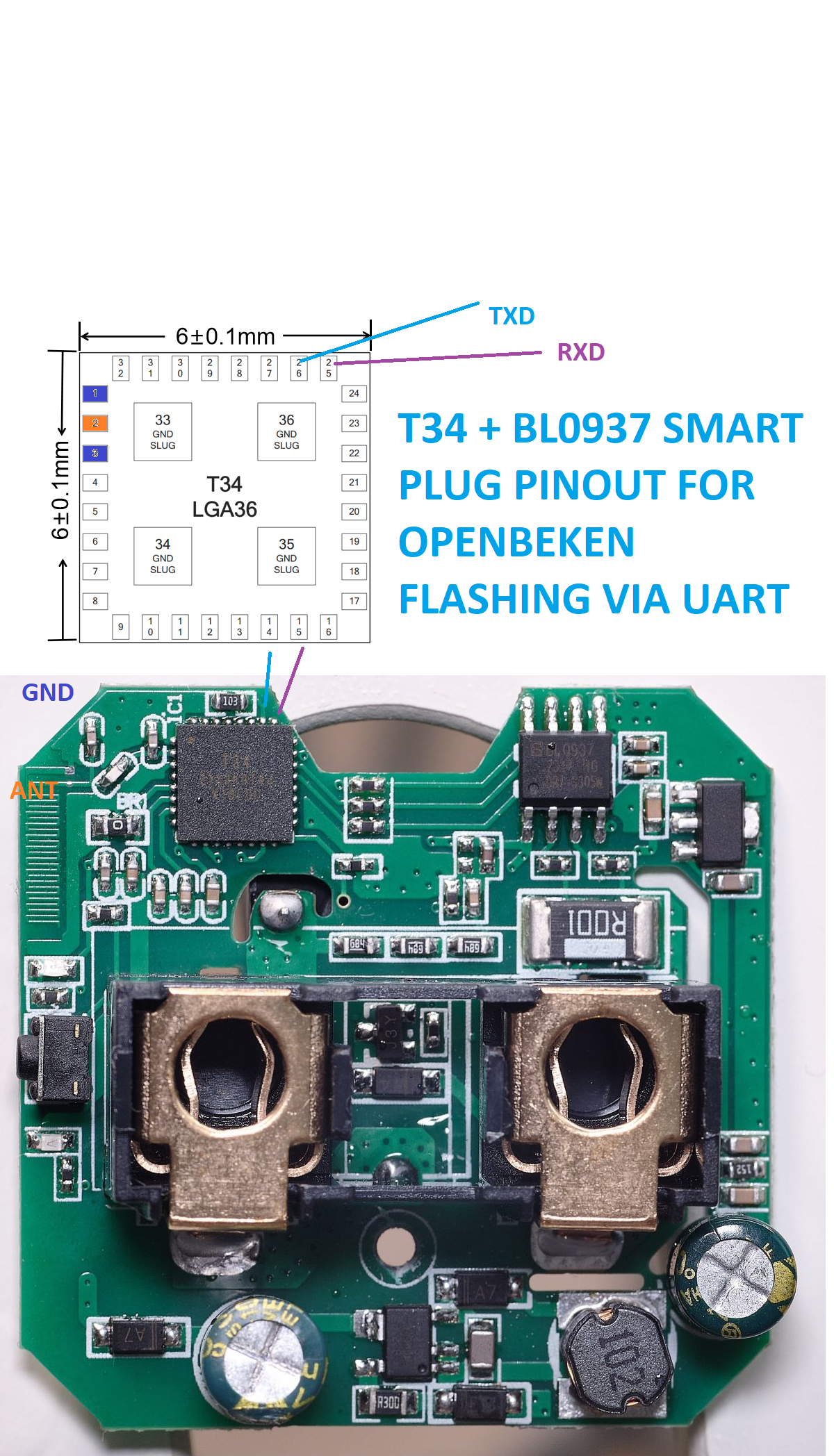
    You can use this image as reference for the connections:
    Pinout diagram of T34 and BL0937 smart plug with a PCB view
  • #7 21797383
    tilito1
    Level 2  
    Thanks for the support @max4elektroda. There is nothing connected to the TX pin. Finally, I desoldered the T34 with bad luck; trying to join wire with TX, the TX connector from T34 was ripped off by accidentally pulling on the cable after it was soldered. The other has also the same problem trying to flash it, so I will maintain it with Tuya.

Topic summary

The discussion addresses difficulties flashing Bseed wall switches equipped with the T34 chip. The user has connected RX, TX, VCC (3.3V), and GND lines to a USB-to-serial adapter but encounters a serial connection timeout during flashing attempts. Attempts to power the device from different USB-to-serial adapters and to manipulate connections (including swapping RX/TX and toggling VCC during flashing) have failed. The device lacks accessible CEN pin without desoldering the T34 chip, complicating flashing. A suggested troubleshooting approach includes verifying that the T34 chip receives sufficient power, as 3.3V from a USB-to-serial adapter may be inadequate. Additional recommendations are to confirm correct RX-TX cross-connection, minimize serial cable length, and experiment with varying baud rates to improve connection stability.
Summary generated by the language model.
ADVERTISEMENT