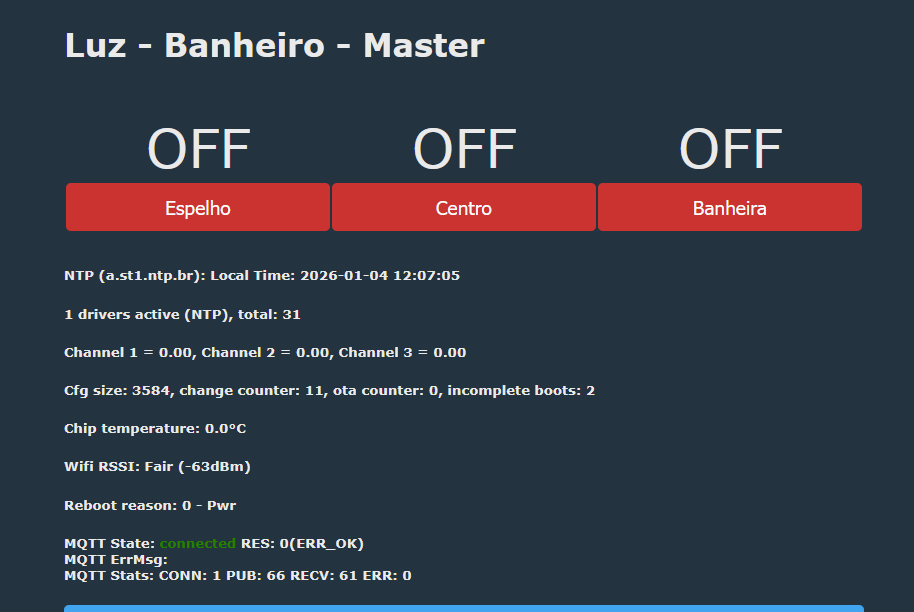
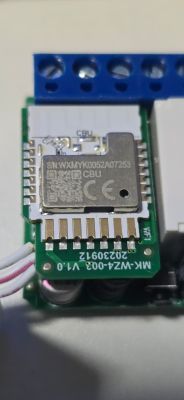
New device flashed (BK7231N)
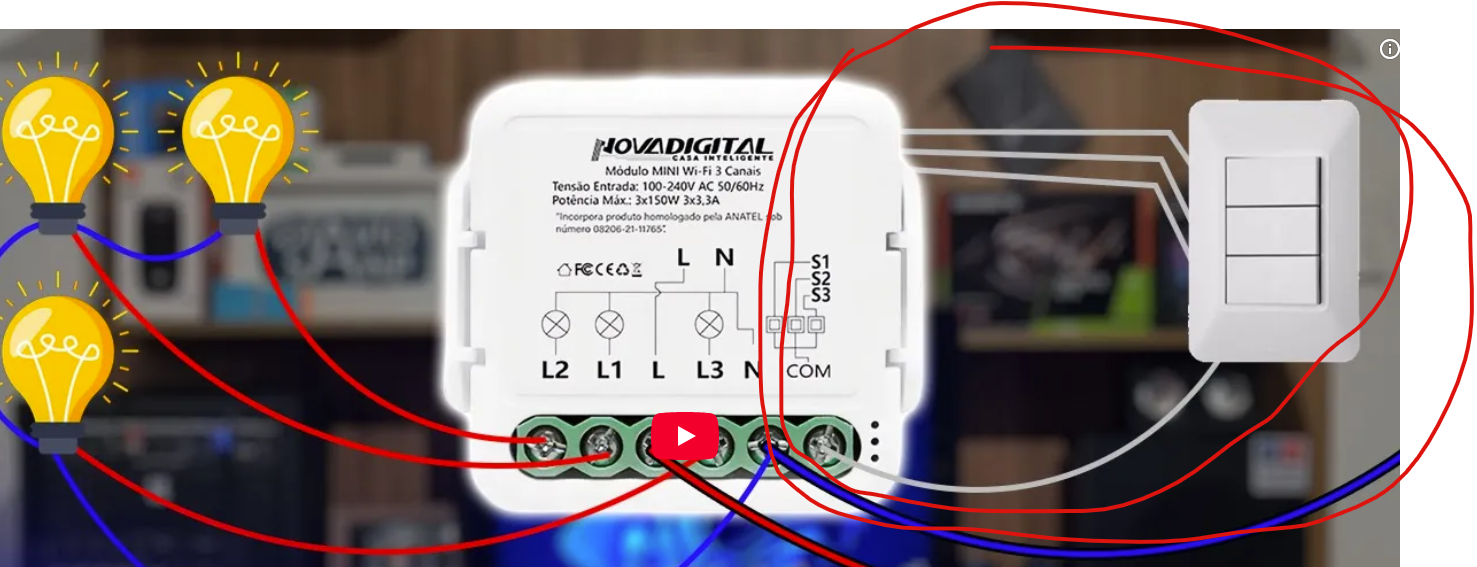
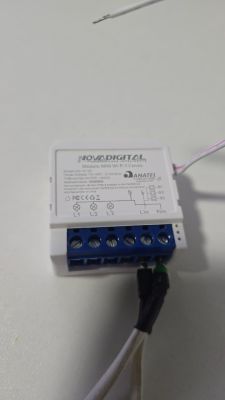
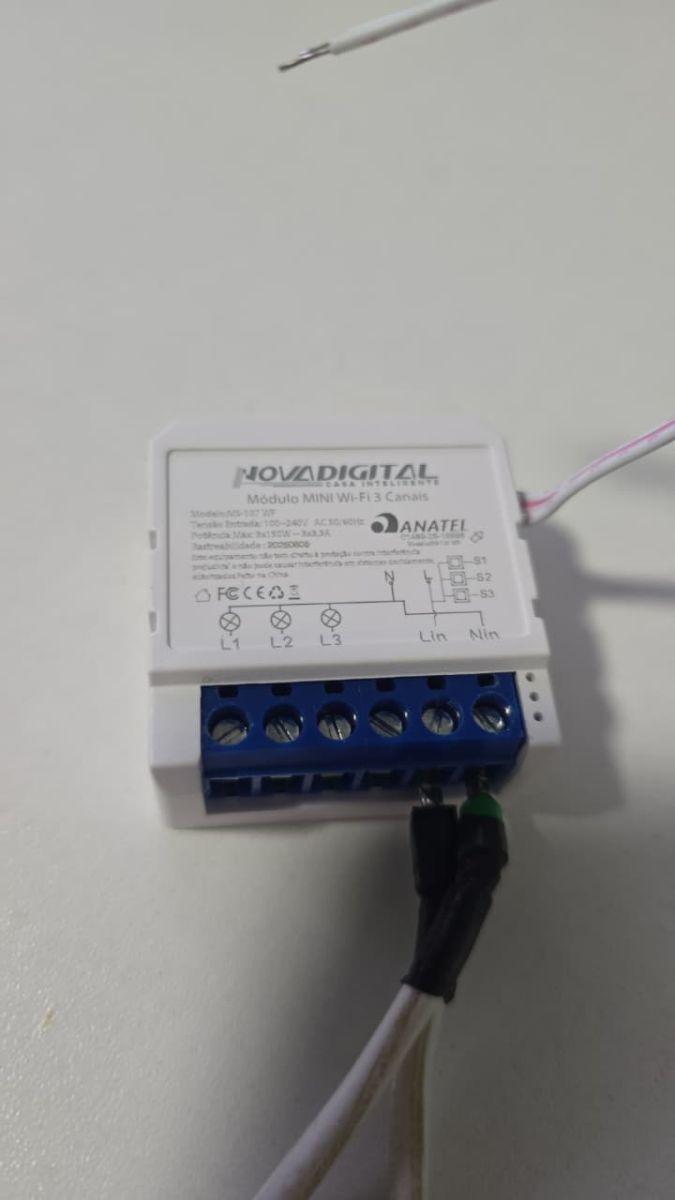
Novadigital 3 way smart switch
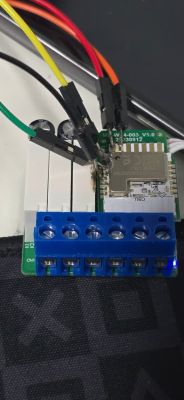
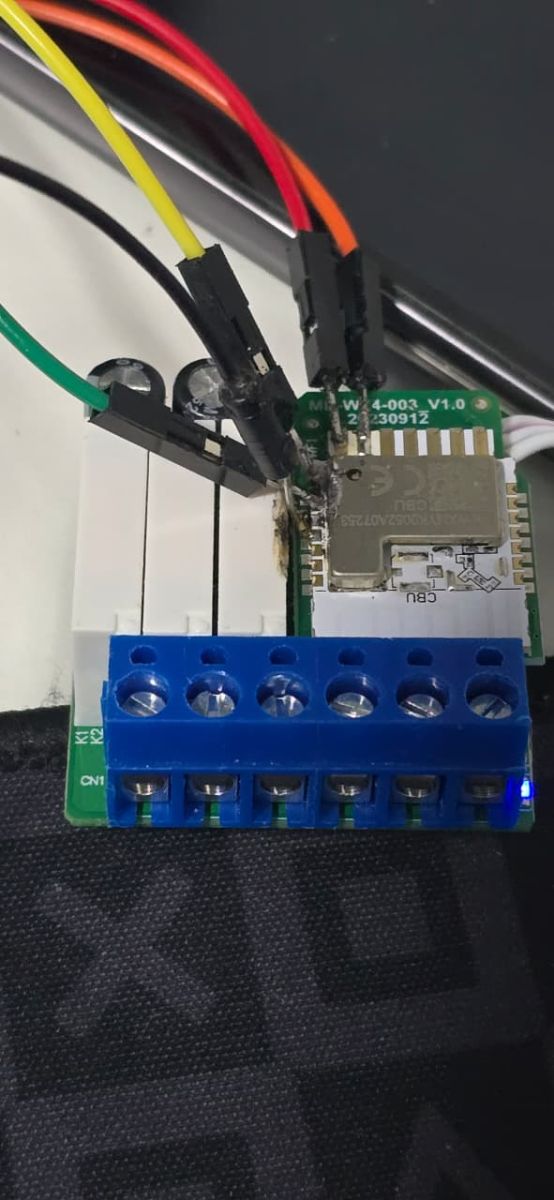
CONNECT ALL UART
3.3, GND, TX , RX
short cut fast CEN to GND
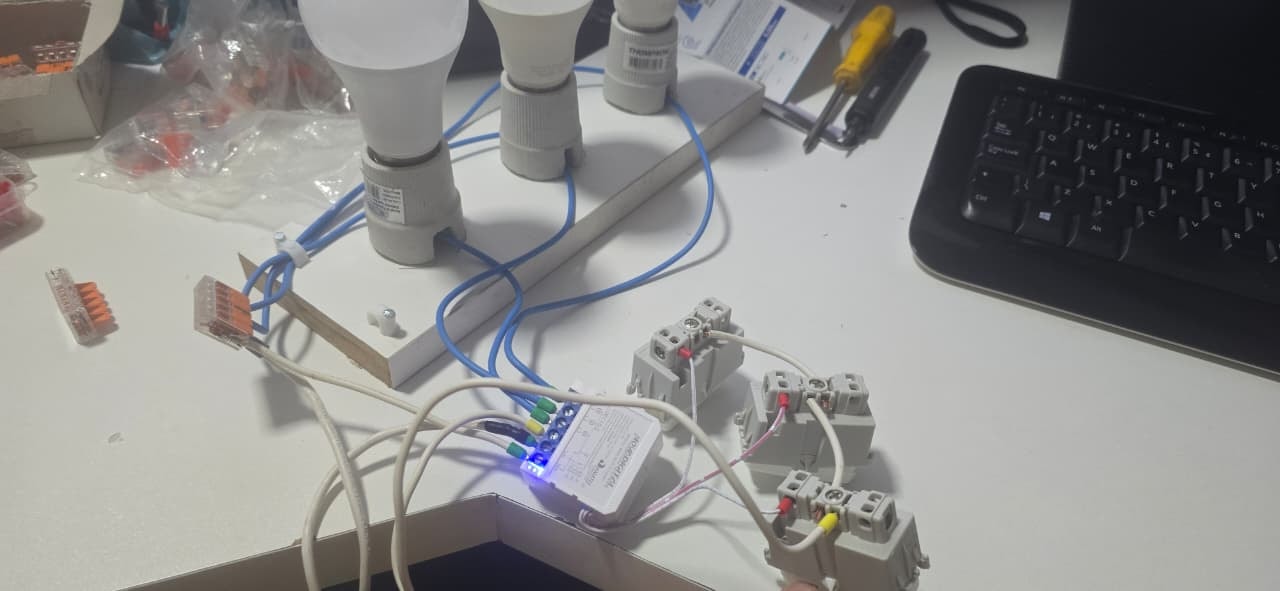
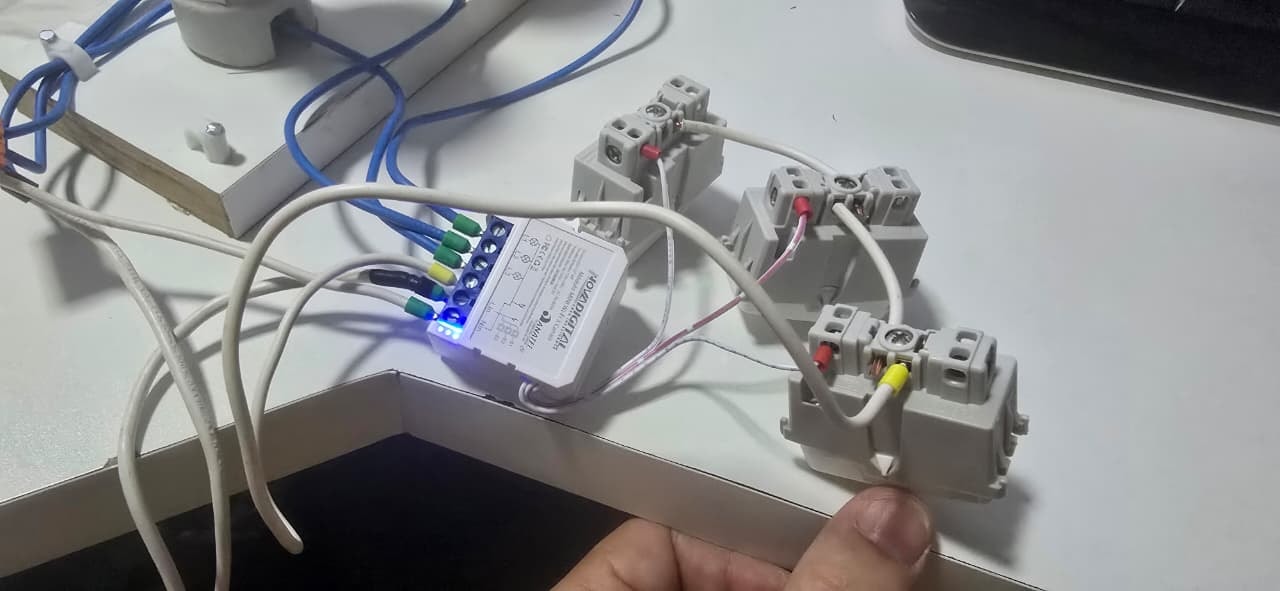
photos
link
https://www.novadigitalsmart.com.br/produtos/modulo-mini-wi-fi-2-e-3-canais-ms-106
--------------
JSON
--------------
--------------
TEXT
--------------
--------------
CONFIG
--------------
--------------
CONFIG MODULO AS LIGHT
--------------
If you wanna to show as light
Flag 34 - [MQTT] In HA discovery, add relays as lights
--------------
JSON WEB
--------------
And the Tuya section starts, as usual, at 2023424 backup firmware
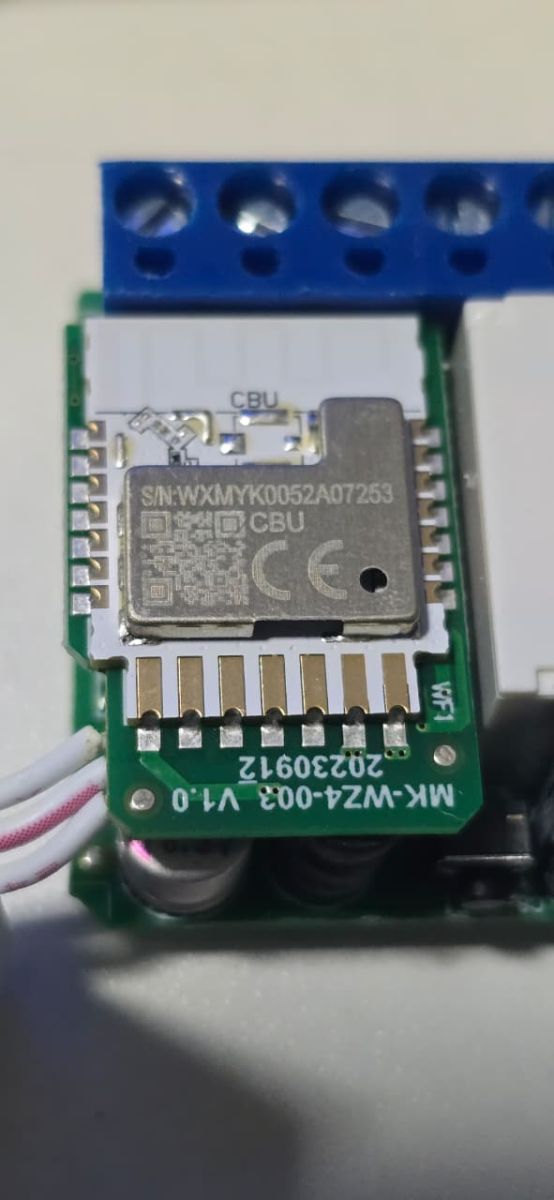
Novadigital 3 way smart switch
CONNECT ALL UART
3.3, GND, TX , RX
short cut fast CEN to GND
photos
link
https://www.novadigitalsmart.com.br/produtos/modulo-mini-wi-fi-2-e-3-canais-ms-106
--------------
JSON
--------------
{
   "rl1_lv":"1",
   "on_off_cnt":"10",
   "onoff_rst_m":"1",
   "rl3_pin":"9",
   "rl3_lv":"1",
   "onoff_clear_t":"10",
   "rand_dpid":"42",
   "net_trig":"2",
   "onoff_n":"3",
   "netled1_lv":"0",
   "jv":"110.0.0",
   "onoff_rst_type":"2",
   "ffc_select":"0",
   "total_bt_pin":"8",
   "nety_led":"2",
   "total_stat":"0",
   "reset_t":"5",
   "netled1_pin":"6",
   "rl2_lv":"1",
   "remote_add_dp":"49",
   "remote_list_dp":"50",
   "net_type":"0",
   "inch_dp":"44",
   "module":"CBU",
   "ch_cddpid1":"9",
   "inch_en2":"0",
   "inch_en3":"0",
   "inch_en1":"0",
   "onoff1":"14",
   "onoff2":"16",
   "clean_t":"5",
   "init_conf":"38",
   "onoff3":"23",
   "rl2_pin":"17",
   "zero_select":"0",
   "onoff_type":"0",
   "series_ctrl":"0",
   "ch_cddpid2":"10",
   "ch_cddpid3":"11",
   "total_bt_lv":"0",
   "cyc_dpid":"43",
   "ch_num":"3",
   "rl1_pin":"20",
   "ch_dpid3":"3",
   "netn_led":"2",
   "ch_dpid1":"1",
   "ch_dpid2":"2",
   "crc":"67"
}
--------------
TEXT
--------------
Device configuration, as extracted from Tuya:
- Relay (channel 3) on P9
- Pair/Toggle All Button on P8
- WiFi LED on P6
- TglChannelToggle (channel 1) on P14
- TglChannelToggle (channel 2) on P16
- TglChannelToggle (channel 3) on P23
- Relay (channel 2) on P17
- Relay (channel 1) on P20
Device seems to be using CBU module, which is using BK7231N.
--------------
CONFIG
--------------
startDriver ntp
ntp_setServer a.st1.ntp.br
ntp_timeZoneOfs -3:00

setChannelType 1 toggle
setChannelLabel 1 "Channel Name"

setChannelType 2 toggle
setChannelLabel 2 "Channel Name"

setChannelType 3 toggle
setChannelLabel 3 "Channel Name"
--------------
CONFIG MODULO AS LIGHT
--------------
If you wanna to show as light
Flag 34 - [MQTT] In HA discovery, add relays as lights
--------------
JSON WEB
--------------
{
  "vendor": "Novadigital",
  "bDetailed": "0",
  "name": "Módulo MINI Wi-Fi 3 Canais",
  "model": "MS-107 WF",
  "chip": "BK7231N",
  "board": "TODO",
  "flags": "1024",
  "keywords": [
    "TODO",
    "TODO",
    "TODO"
  ],
  "pins": {
    "6": "WifiLED_n;57",
    "8": "Btn_Tgl_All;0",
    "9": "Rel;3",
    "14": "TglChanOnTgl;1",
    "16": "TglChanOnTgl;2",
    "17": "Rel;2",
    "20": "Rel;1",
    "23": "TglChanOnTgl;3"
  },
  "command": "",
  "image": "https://obrazki.elektroda.pl/6124252100_1767469620.jpg",
  "wiki": "https://www.elektroda.com/rtvforum/viewtopic.php?p=21798585"
}
And the Tuya section starts, as usual, at 2023424 backup firmware